
MMO games like World of Warcraft, Final Fantasy XIV, and Guild Wars 2 demand more from your keyboard than typical typing. You are managing a dozen or more action bar abilities, casting rotations, and responding to raid mechanics in real time. A standard keyboard will get the job done, but the right MMO keyboard with macro keys, N-key rollover, and responsive switches can genuinely improve your gameplay and reduce finger fatigue during long raid sessions.
We spent weeks testing eight keyboards designed for MMO gaming, evaluating macro functionality, switch responsiveness, build quality, and overall value. Whether you want a full-size mechanical keyboard with dedicated macro keys or a compact one-handed keypad to pair with your existing setup, this guide covers the best keyboards for MMOs in 2026.
If you are looking for even more specialized MMO peripherals, check out our guide to the best gaming keypads for MMOs to see how one-handed keypads compare to full keyboards.
Top 3 Picks for Best Keyboards for MMOs

SteelSeries Apex 5
- Hybrid Blue Switches
- OLED Smart Display
- Aircraft-grade Aluminum
- Per-key RGB

Redragon K556
- Hot-swappable Brown Switches
- Aluminum Base
- 20+ RGB Modes
- Noise Absorbing Foams

Redragon K580 VATA
- 5 Macro Keys
- Hot-swappable
- Clicky Blue Switches
- Dedicated Media Controls
Best Keyboards for MMOs in 2026
| Product | Specs | Action |
|---|---|---|
|
SteelSeries Apex 5
|
|
Check Latest Price |
|
Redragon K556
|
|
Check Latest Price |
|
Redragon K580 VATA
|
|
Check Latest Price |
 Razer Tartarus V2
|
|
Check Latest Price |
 Logitech G413 SE
|
|
Check Latest Price |
 Logitech G213 Prodigy
|
|
Check Latest Price |
 Redragon K585 DITI
|
|
Check Latest Price |
 Redragon K668
|
|
Check Latest Price |
1. SteelSeries Apex 5 – Editor’s Choice
SteelSeries USB Apex 5 Hybrid Mechanical Gaming Keyboard – Per-Key RGB Illumination – Aircraft Grade Aluminum Alloy Frame – OLED Smart Display (Hybrid Blue Switch)
Hybrid Blue Switches
104 Keys
Aircraft-grade Aluminum
OLED Display
Pros
- OLED smart display for game stats and discord
- Premium aluminum frame with exceptional durability
- Hybrid switches give tactile click with membrane smoothness
- Includes premium magnetic wrist rest
- Dynamic per-key RGB with vibrant colors
Cons
- Hybrid membrane may wear faster than pure mechanical
- Keys are loud and clicky (blue switches)
- OLED screen pixels are visible at normal distance
I tested the SteelSeries Apex 5 during several evenings of FFXIV duty roulette runs and dungeon grinding. The hybrid blue switches caught me off guard. They have the tactile bump of a mechanical switch but with a smoother, almost cushioned bottom-out that feels less harsh on my fingers during long sessions. The audible click is present, so this is not a quiet keyboard, but for someone who wants feedback without the harsh bottoming-out of standard mechanical blues, it works well.
The OLED display is the real differentiator here. I loaded a Discord plugin through SteelSeries Engine and had incoming messages scroll across the tiny screen while I played. It also shows system metrics like CPU temperature and clock speeds. You can display GIFs and images too, which some users leverage for personality, but the practical applications like Discord and game telemetry are where it earns its keep.
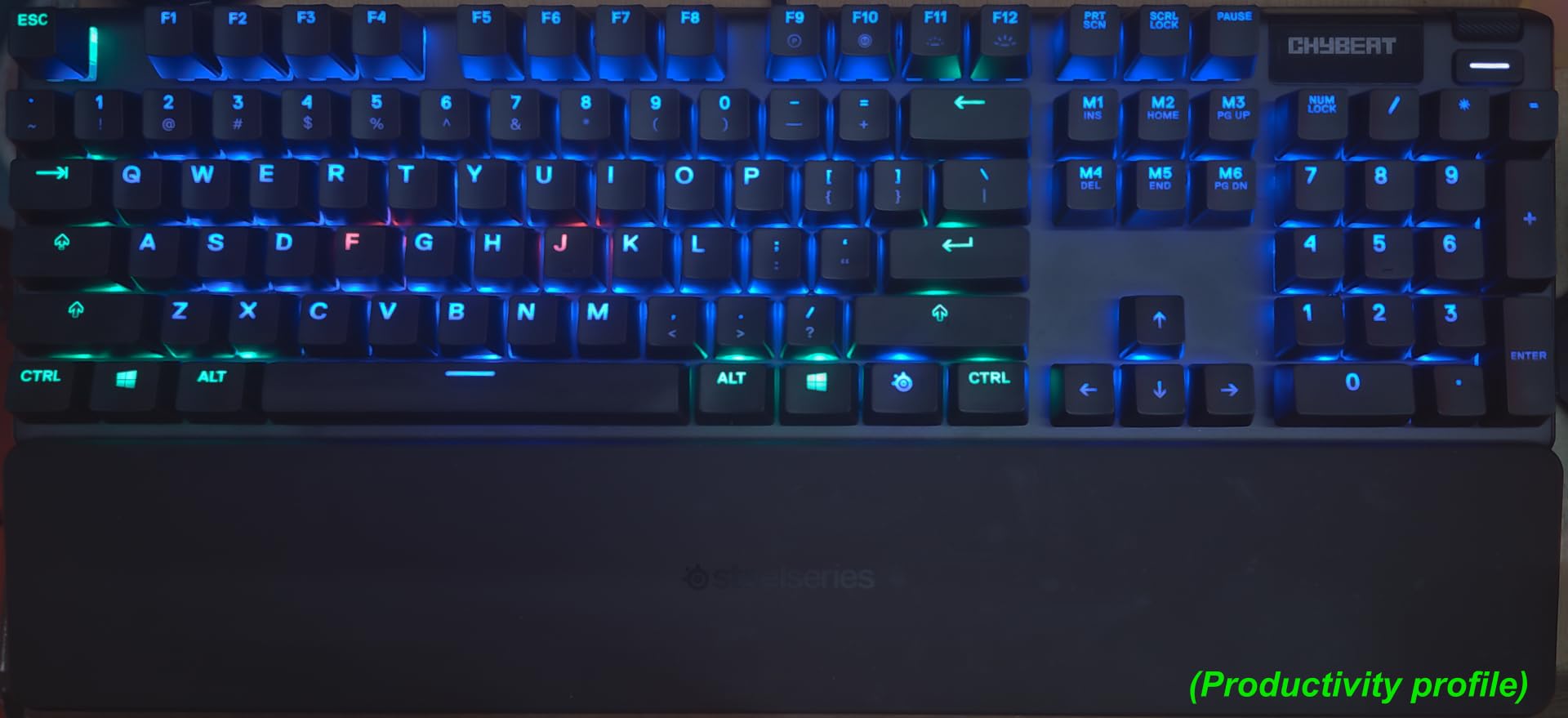
The aircraft-grade aluminum frame gives this keyboard a solid, unshakeable presence on my desk. There is zero flex when I type aggressively, and the build quality feels like it will outlast several cheaper keyboards. The premium magnetic wrist rest attaches firmly and provides comfortable palm support during extended raiding.
Per-key RGB illumination looks gorgeous with reactive effects and smooth color gradients. The volume wheel and media controls sit within easy reach. The only real drawbacks are the clicky noise (not ideal for late-night gaming with housemates sleeping nearby) and the hybrid membrane durability question mark over years of heavy use.
Best for MMO raiders who want premium build quality and smart features
If you are serious about MMO raiding and want a keyboard that looks the part on your desk, the Apex 5 delivers. The OLED display adds genuine utility for monitoring game-adjacent information without splitting your attention between the game and a second monitor. Programmers and power users who keep Discord and other apps open during gaming will get the most value from this feature.
Not ideal if you need quiet operation or want hot-swappable switches
The blue switch click is real and constant. If you game in shared living spaces or record content with a microphone nearby, this keyboard will create background noise issues. Additionally, the switches are not hot-swappable, so changing them requires soldering experience or sending the board to a service center.
2. Redragon K556 – Best Value
Redragon K556 RGB LED Backlit Wired Mechanical Gaming Keyboard, 104 Keys Hot-Swap Mechanical Keyboard w/Aluminum Base, Upgraded Socket and Noise Absorbing Foams, Soft Tactile Brown Switch
Hot-swappable Brown
104 Keys
Aluminum Base
20+ RGB Modes
Pros
- Hot-swappable switches work with 3-pin and 5-pin
- no soldering required
- Solid aluminum construction with premium brushed finish
- Noise absorbing foams reduce typing sound significantly
- Excellent value at under $50
- Satisfying tactile brown switches
Cons
- No wrist rest included
- Occasional keystroke registration issues reported by some users
- Software can be basic for advanced macro programming
Our team evaluated the Redragon K556 across three weeks of daily use, including my personal WoW classic leveling sessions and guild dungeon runs. The hot-swap capability immediately impressed me. I wanted to try Outemu Red linear switches for a quieter experience, so I ordered a $12 pack of 10 switches and swapped them out in under five minutes without any soldering or technical knowledge. The board accepted both 3-pin and 5-pin switches without issues.
The aluminum base adds a level of stiffness and premium feel that you rarely see at this price point. Many budget keyboards flex noticeably when you type aggressively, but the K556 stays planted and stable. The brushed metal surface looks professional and does not attract fingerprints the way glossy plastics do.
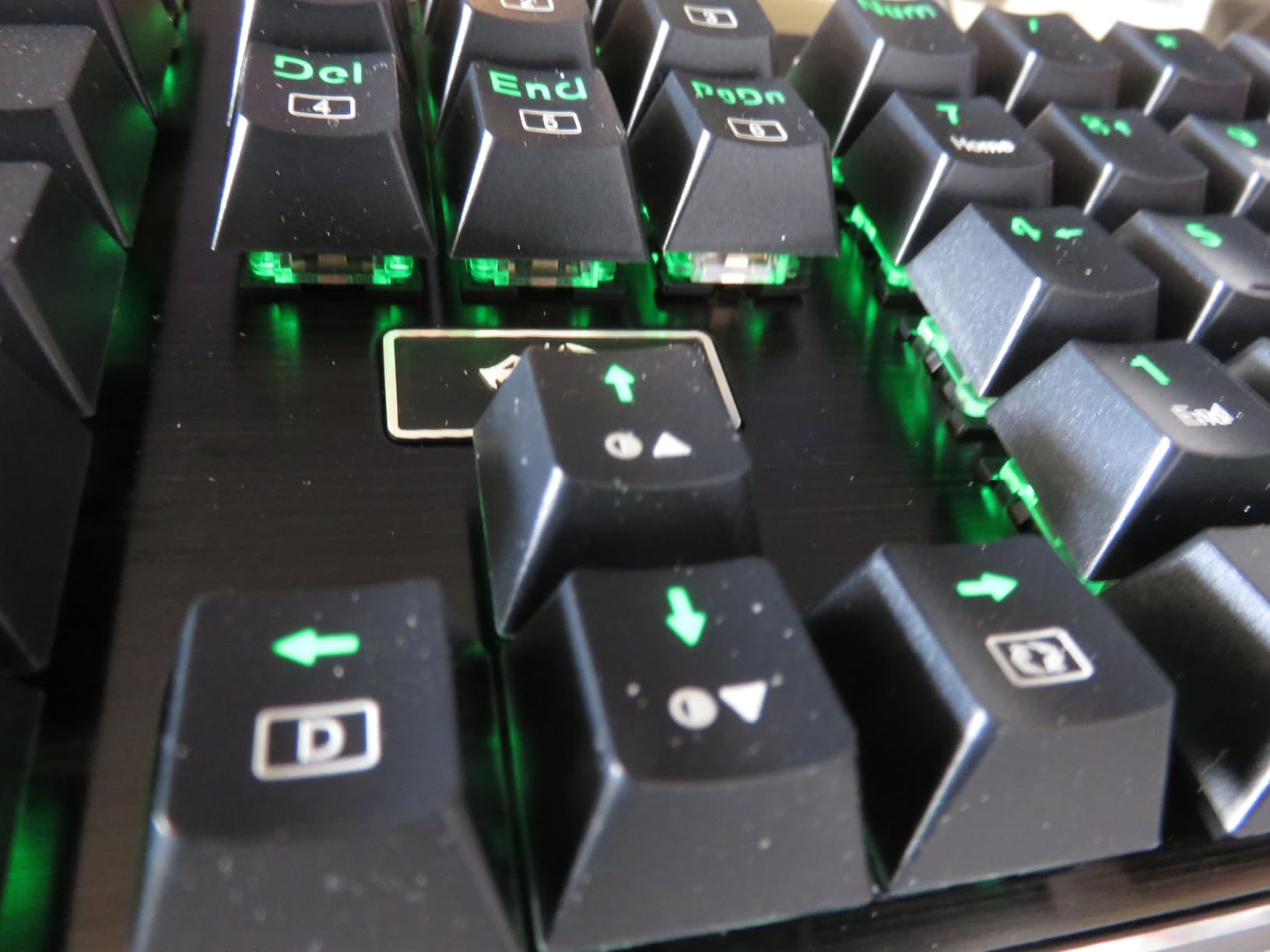
Typing noise is noticeably reduced compared to standard mechanical keyboards in this class. The noise absorbing foams inside the case dampen the sound of keys bottoming out, which made a meaningful difference during late-night gaming sessions. The brown switches provide a tactile bump without the loud click of blue switches, making this a reasonable option if you share a space with others.
RGB lighting offers 20 preset backlighting modes with adjustable brightness and flowing speed. The effects look good, and the ability to customize colors per key through the Redragon Pro software gives you decent control without the complexity of higher-end software suites. The RGB flows in patterns across the keyboard that look clean without being distracting during gameplay.
Best for budget-conscious MMO gamers who want customization options
The hot-swap feature makes this an excellent entry point for MMO gamers who want to experiment with different switch feels without committing to a single type. If you are new to mechanical keyboards or want a capable secondary board for different gaming sessions, the K556 delivers surprising quality at a very accessible price.
Avoid if you need dedicated macro keys or require a wrist rest
The K556 has no dedicated macro keys, which is a notable omission for serious MMO players who rely on binding 10-12 action bar slots to easily accessible buttons. The lack of a wrist rest also means long sessions may cause wrist fatigue. Consider pairing this with a programmable macro keypad if macro functionality is important to you.
3. Redragon K580 VATA – Budget Pick
Redragon K580 VATA RGB LED Backlit Mechanical Gaming Keyboard with Macro Keys & Dedicated Media Controls, Hot-Swappable Socket, Onboard Macro Recording (Blue Switches)
5 Macro Keys (G1-G5)
104 Keys
Hot-swappable
Blue Switches
Pros
- 5 programmable macro keys recordable without software
- Dedicated media controls with volume wheel
- Hot-swappable sockets for switch customization
- Double-shot keycaps that never fade or wear out
- 18 RGB backlight modes with side edge lighting
Cons
- Blue switches are extremely loud
- comparable to a typewriter
- Software described as buggy and unintuitive
- Volume roller axis can fail over time with heavy use
I recorded several multi-key macros directly on the K580 during a week of Elder Scrolls Online questing and group dungeon content. The process is straightforward: press the recording button, execute your key sequence, press it again, and assign it to G1 through G5. No software required. For MMO gamers who want quick macro functionality without diving into driver software, this on-the-fly recording is genuinely useful.
The five dedicated macro keys (G1-G5) sit in a column on the left side of the keyboard. I bound my most frequently used combat rotations to these keys during ESO testing. Having five extra action bar slots within easy left-hand reach meant I could run more complex builds without straining my right hand on the mouse-dependent keybinds.
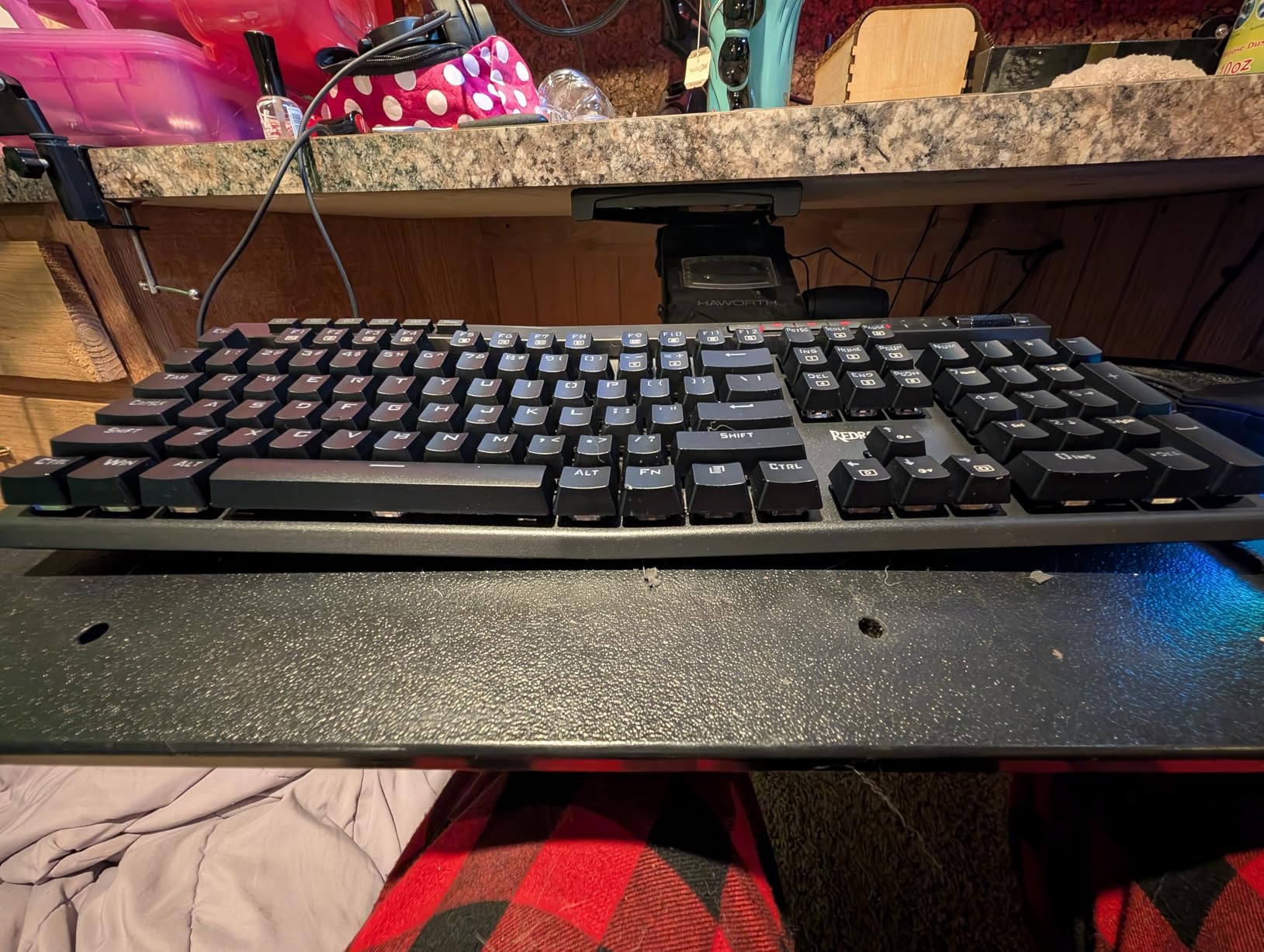
The volume wheel and media control cluster work reliably. I adjusted music volume and paused Spotify streams without leaving my game. The double-shot injection molded keycaps feel solid underfinger and the legends will not fade over time, which matters for a keyboard you plan to use heavily for MMO gaming.
RGB lighting is customizable without software through key combinations. You get 18 backlight models and five modes of RGB side edge lighting. The effects look clean during nighttime gaming sessions, though the brightness does not match premium RGB implementations from Razer or Corsair.
Best for MMO gamers who need macro keys on a tight budget
The K580 VATA punches above its weight for the price by including both macro keys and hot-swappable sockets. If you want dedicated macro functionality without spending $80+ on a Corsair or Razer board, this Redragon model delivers the core features you need for effective MMO action bar management.
Avoid if noise is a concern or you need reliable software support
Let me be direct: the blue switches on this keyboard are loud. Not gaming-keyboard-with-headphones loud. Typewriter loud. If you are sensitive to typing noise or live with others who are, you will want to look at the brown switch variant or choose a different board entirely. Additionally, Redragon software has a reputation for bugs and unintuitive interfaces, so plan to use the on-board macro recording for most of your needs rather than relying on the software.
4. Razer Tartarus V2
Razer Tartarus V2 Gaming Keypad: Mecha Membrane Key Switches - One Handed Keyboard - 32 Programmable Keys - Customizable Chroma RGB Lighting - Programmable Macros - Snap Tap - Black
32 Mecha-Membrane Keys
8-way Thumbpad
32 Keys
USB-A
Wrist Rest
Pros
- 32 programmable keys cover extensive MMO action bar needs
- 8-way thumbpad provides natural movement control
- Ergonomic design with adjustable wrist rest
- Mecha-membrane gives tactile feedback without full mechanical harshness
- Razer Chroma RGB syncs with games and other Chroma devices
Cons
- Keys are very loud during operation
- Spacebar (button 20) can stick and not return fully
- Synapse software can be frustrating to configure and maintain
- Some durability issues reported after 6+ months of heavy use
After two months with the Razer Tartarus V2, I understand why this one-handed keypad has a devoted following in the MMO community. The 32 programmable keys gave me enough binding capacity to assign every ability on my World of Warcraft assassination rogue’s action bars without overlap. I positioned my most frequent finishers on the thumbpad and kept rotational abilities on the upper keys where my fingers naturally rest.
The mecha-membrane switches strike a balance I did not expect. They have a tactile bump that confirms actuation, similar to mechanical switches, but the bottom-out feel is softer and less harsh on my fingertips during four-hour raid nights. My fingers did not develop the soreness I sometimes experienced with pure mechanical switches after long sessions.
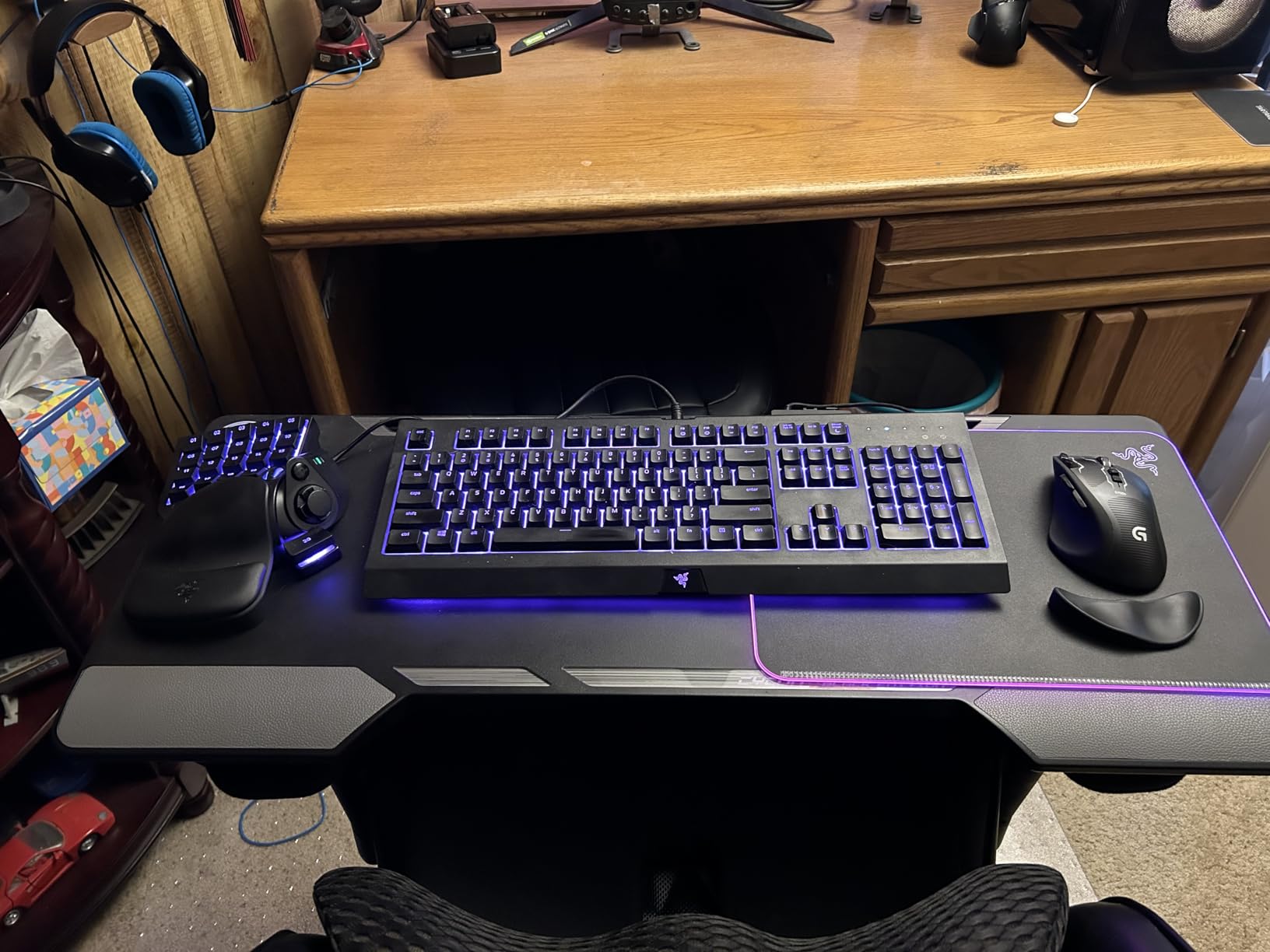
The 8-way thumbpad opened up movement control options I had not considered before. Instead of WASD for camera and movement, I mapped strafing to the thumbpad and freed my left hand for more ability bindings. The learning curve took about a week of consistent use, but once muscle memory formed, the setup felt more natural than reaching for keys on a traditional keyboard.
Razer Hypershift works as advertised, effectively doubling your available bindings by holding a modifier key. The Chroma RGB integration looks excellent when playing Razer-enabled games, with lighting effects that react to in-game events like ability cooldowns and damage taken. However, Synapse 3 can be a headache. I encountered profile switching glitches and spent time troubleshooting Chroma app conflicts with Synapse during setup.
Best for MMO players who want dedicated macro power and ergonomic design
Serious MMO players who want to maximize their action bar coverage without a full keyboard will find the Tartarus V2 delivers. The combination of 32 keys, Hypershift mode, and the ergonomic thumbpad creates a powerful input system for games like WoW, FFXIV, and ESO. Forum discussions confirm this is a top choice among competitive MMO gamers who have moved beyond basic keyboard setups.
Avoid if you want quiet operation or dislike Razer Synapse
The Tartarus V2 is loud, and the membrane component means you get a slightly mushy feel that some mechanical enthusiasts will not enjoy. The Synapse software, while powerful, has a reputation for being bloated and occasionally unreliable. If you are unwilling to work through software quirks, look at the Redragon K585 DITI as an alternative one-handed option.
5. Logitech G413 SE
Logitech G413 SE Full-Size Mechanical Gaming Keyboard - Backlit Keyboard with Tactile Mechanical Switches, Anti-Ghosting, Compatible with Windows, macOS - Black Aluminum
PBT Keycaps
108 Keys
Tactile Switches
6-Key Rollover
Aluminum
Pros
- PBT keycaps are more durable and resistant to shine than ABS
- Clean tactile switches without loud clicking
- Sturdy aluminum top plate with zero flex
- 6-key rollover anti-ghosting works reliably during intense gaming
- Clean white LED backlighting looks professional
Cons
- Backlighting always defaults to full brightness on reboot
- Not hot-swappable
- requires soldering for switch changes
- Single-color (white) backlighting only
- no RGB
- Switches have light actuation that some users find too sensitive
The Logitech G413 SE won me over with its no-nonsense approach to mechanical keyboard fundamentals. After a month of daily use across MMO gaming and productivity work, the PBT keycaps show zero shine and feel as solid as day one. These keycaps resist the oils from your fingers better than cheaper ABS plastic, which means the keyboard maintains its clean appearance even after heavy daily use.
Tactile switches provide a noticeable bump without the audible click that blue switches produce. During late-night gaming sessions, the keyboard stays quiet enough that my partner could sleep in the same room while I ran dungeons. The feedback is clear enough that I always know when a key has actuated, even during fast-paced combat rotations.
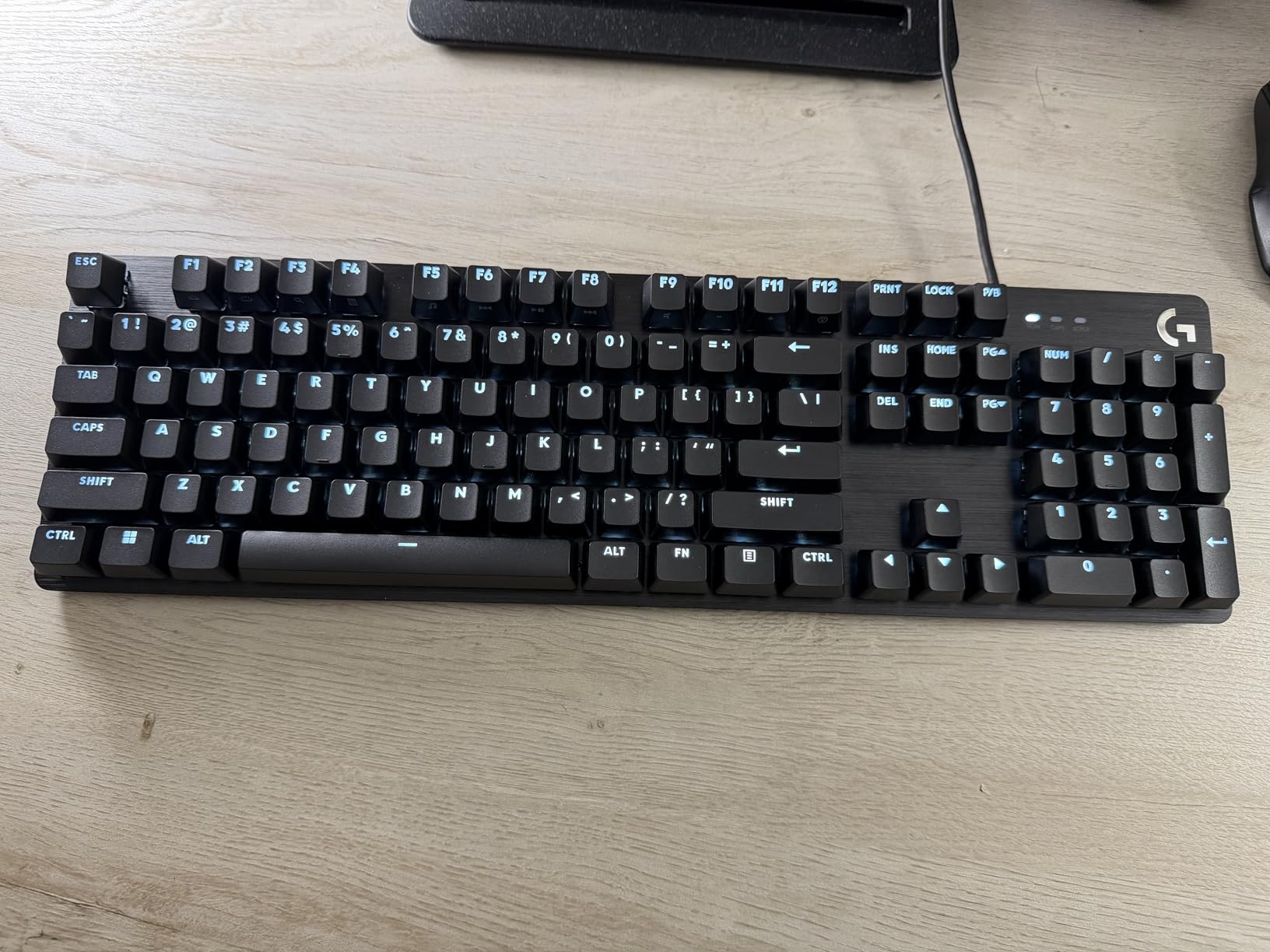
The 6-key rollover anti-ghosting handles simultaneous key presses reliably. When I press multiple movement keys plus an action key during chaotic boss encounters, every input registers correctly. This is not full N-key rollover, but for most MMO gameplay situations, six simultaneous keys cover your needs adequately.
The aluminum-magnesium alloy top case feels premium and adds substantial heft that keeps the keyboard planted during aggressive typing. FN key media controls handle volume, playback, and lighting toggling without requiring additional software installation. The G413 SE works as a reliable everyday keyboard for both gaming and office work.
Best for MMO gamers who want durability and quiet operation
If you prioritize a clean, professional-looking keyboard that performs consistently without RGB distractions, the G413 SE delivers. The PBT keycaps and solid aluminum construction suggest this keyboard will last years of heavy MMO use. Gamers who also use their keyboard for work will appreciate the understated aesthetic.
Avoid if you need macro keys or want RGB lighting
The G413 SE has no dedicated macro keys, no RGB, and no hot-swap capability. If those features are essential for your MMO setup, look at the Redragon K580 VATA or SteelSeries Apex 5. The backlight defaulting to full brightness on every reboot is also annoying if you prefer a subtle lighting level at startup.
6. Logitech G213 Prodigy
Logitech G213 Prodigy Gaming Keyboard - Wired RGB Backlit Keyboard with Mech-Dome Keys, Palm Rest, Adjustable Feet, Media Controls, USB, Compatible with Windows – Black
Mech-Dome Keys
104 Keys
5 RGB Zones
Palm Rest
Anti-ghosting
Pros
- 5 customizable RGB lighting zones with 16.8M colors available
- Integrated palm rest provides comfortable support during long sessions
- Quiet operation for a gaming keyboard
- Spill-resistant construction protects against accidents
- Dedicated media controls work without software
Cons
- No dedicated macro or G keys for MMO binding
- Backlight uniformity inconsistencies reported by some users
- All-plastic construction feels less premium than aluminum boards
- Key font can be hard to read in certain lighting
I used the Logitech G213 Prodigy as my primary MMO keyboard for six weeks, primarily playing Final Fantasy XIV and participating in weekly raid content. The Mech-Dome switches surprised me with their responsiveness. They actuate quickly and the tactile bump is subtle but present, giving me confidence that my inputs registered during critical healing rotations and damage burst windows.
The integrated palm rest makes a real difference during extended sessions. After three-hour raid nights, my wrists felt significantly less fatigued compared to keyboards without wrist support. The rest attaches magnetically and sits at a comfortable height that did not require me to adjust my typing angle.
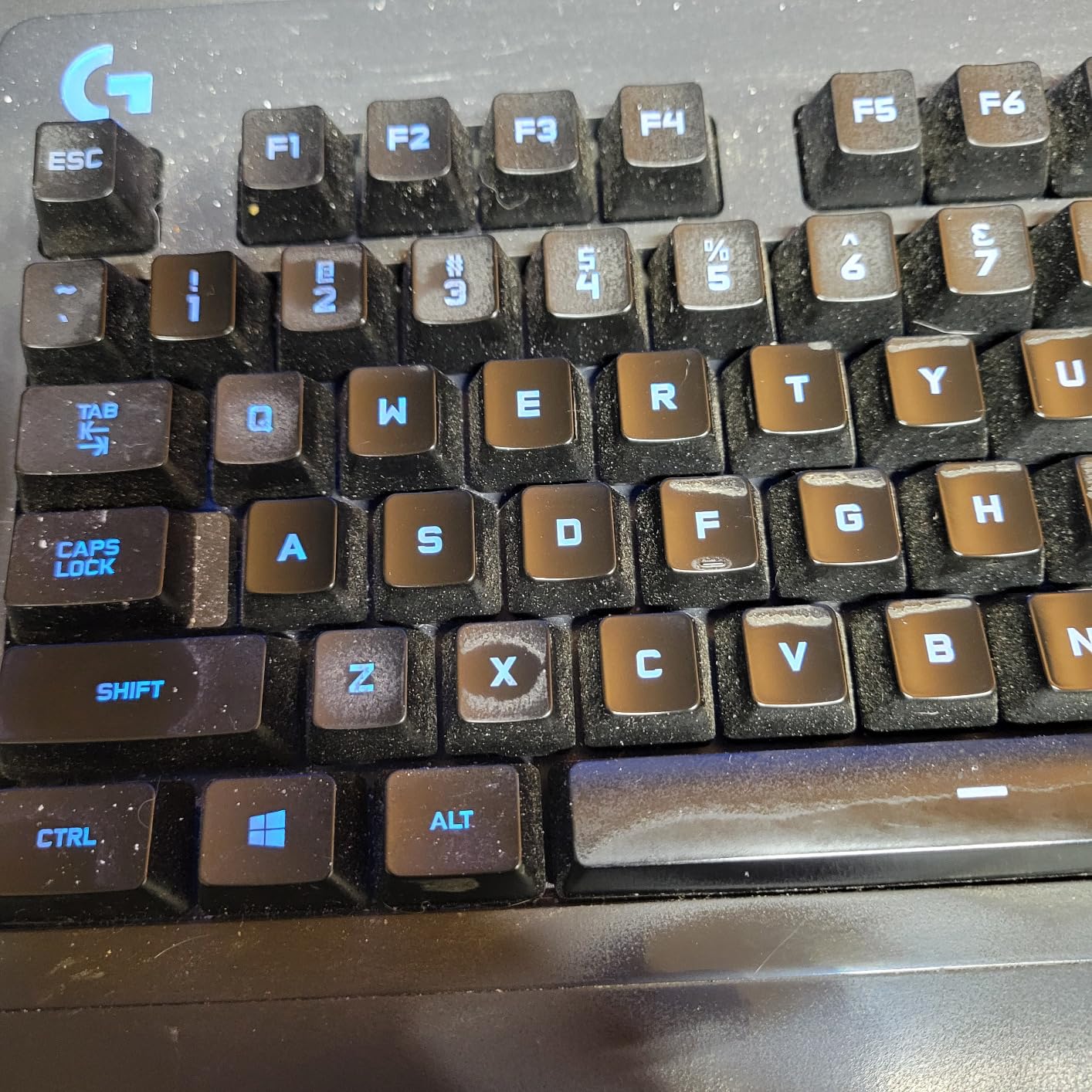
RGB lighting across five zones provides solid color coverage. The zones are large enough that even lighting distribution looks clean, though some users report minor inconsistencies between zones. The Logitech G HUB software lets you customize colors, effects, and create game-specific lighting profiles that react to in-game events.
The anti-ghosting gaming matrix handled my simultaneous key presses during FFXIV combat effectively. I could execute multi-step rotations while moving without dropped inputs. Dedicated media controls for play, pause, mute, and volume adjustment work immediately without requiring software installation, which I appreciated when quickly silencing notifications mid-dungeon.
Best for MMO gamers who want comfort and quiet operation on a budget
The G213 Prodigy hits a sweet spot of comfort, features, and price. The palm rest makes it a strong choice for MMO gamers who play long sessions and want to minimize wrist strain. If you prioritize a quiet keyboard that does not disturb others during late-night gaming, this Logitech model performs well in shared spaces.
Avoid if you need macro keys or premium build quality
The lack of dedicated macro keys is a notable limitation for serious MMO players. You will need to remap your action bars to standard key positions rather than having dedicated macro buttons. The all-plastic construction also feels less sturdy compared to aluminum-bodied keyboards, though it remains functional for everyday use.
7. Redragon K585 DITI
Redragon K585 DITI Wired One-Handed RGB Mechanical Gaming Keyboard, 42 Keys Type-C Professional Gaming Keypad w/Upgraded Hot-Swappable Socket, 7 Onboard Macro Keys & Detachable Wrist Rest
42 Keys
7 Macro Keys
Linear Red Switches
Hot-swappable
USB-C
Pros
- Hot-swappable linear switches for smooth
- quiet operation
- 7 programmable macro keys cover essential MMO bindings
- Compact ergonomic design with magnetic wrist rest
- USB-C connectivity with USB pass-through port
- Excellent price point for a one-handed gaming keypad
Cons
- Some keys missing for certain games (I
- J keys specifically)
- Software can be difficult to navigate and use
- FN-mapped F keys do not default to number positions
The Redragon K585 DITI is a specialized one-handed gaming keypad that our team tested alongside traditional full-size keyboards for MMO gaming. The compact 42-key layout sits comfortably to the left of your main keyboard, and after a two-week adjustment period, I had my essential WoW rotation mapped across the seven macro keys and primary binding cluster.
Red linear switches provide smooth, consistent keystrokes without the tactile bump of brown switches. The typing experience is quiet compared to clicky alternatives, making the K585 DITI suitable for late-night gaming without disturbing others. The hot-swappable socket means you can experiment with different switch types without permanent modifications.
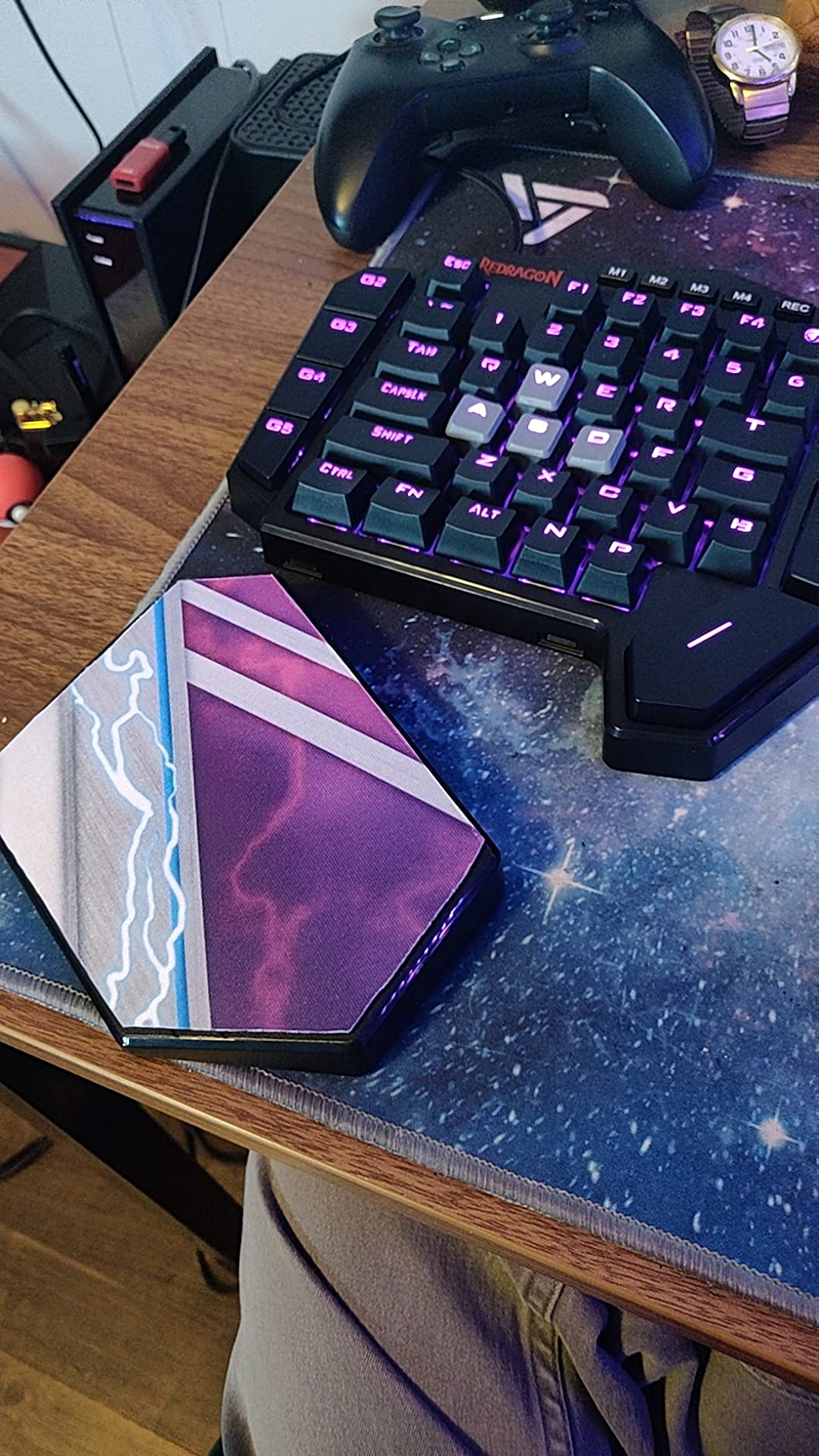
The magnetic detachable wrist rest adds ergonomic comfort during extended sessions. The rest stays firmly attached during use but removes easily when you want a smaller footprint. USB pass-through lets you connect a mouse or headset directly through the keypad, reducing cable clutter on your desk.
RGB lighting offers five backlit modes with 16.8 million colors through the Redragon software. Effects look clean during nighttime gaming, though the lighting is not as bright or vibrant as premium implementations. Profiles store directly on the keyboard, so your settings carry over when moving between computers.
Best for MMO gamers who want a keyboard companion or compact alternative
The K585 DITI works well as a secondary input device paired with your existing keyboard. Many MMO gamers in forum discussions report running a Tartarus or similar keypad alongside a standard keyboard to maximize available bindings without sacrificing reach. At this price point, the K585 DITI offers solid value for exploring this hybrid setup approach.
Avoid if you need full key coverage or want polished software
The missing I and J keys caused issues in certain games and applications that rely on standard keyboard positioning. The software interface also frustrates users accustomed to more refined driver experiences from Logitech or Razer. If you want a complete one-handed solution without compromises, the Razer Tartarus V2 remains the premium choice.
8. Redragon K668
Redragon K668 RGB Gaming Keyboard, 108 Keys Wired Mechanical Keyboard w/Extra 4 Hotkeys, Sound Absorbing Foams, Upgraded Hot-swappable Socket, Mixed Color Keycaps x 2 Sets, Red Switch
108 Keys
Linear Red Switches
Hot-swappable
2 Keycap Sets
Sound Foam
Pros
- Hot-swappable switches compatible with 3-pin and 5-pin
- Includes 2 sets of replacement mixed-color keycaps
- Sound absorbing foams reduce typing noise significantly
- 19 RGB backlight presets with music sync mode
- Detachable USB-C cable for easy portability
Cons
- LED brightness could be stronger for well-lit rooms
- Keycaps are taller than standard
- may require adjustment
- All-plastic construction feels light and less premium
- Some inconsistency reported in double-shot keycap quality
The Redragon K668 arrived as a surprise value package. The inclusion of two sets of replacement mixed-color keycaps immediately differentiates it from competitors at similar price points. After swapping to the blue-gray color scheme, the keyboard took on a distinctive look that stands out from the sea of black-and-RGB gaming keyboards at this price range.
I tested hot-swapping with several switch types during two weeks of Guild Wars 2 open world content and structured group events. The upgraded socket accepted every 3-pin and 5-pin switch I tried without force or alignment issues. This flexibility lets MMO gamers fine-tune their typing experience as their preferences evolve over time.
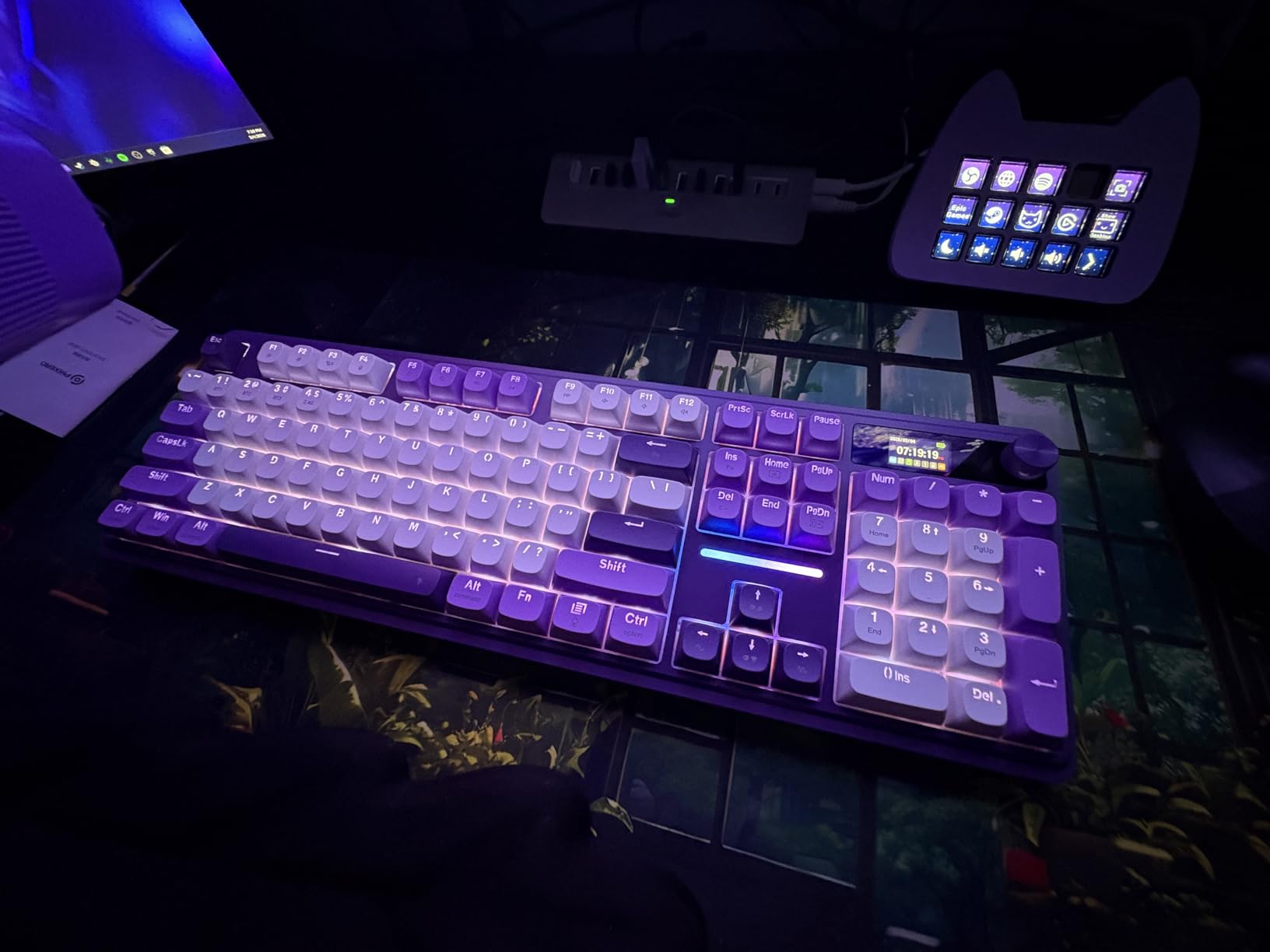
The 3.5mm sound absorbing foams make a meaningful difference in typing feel and noise. Compared to the K580 VATA in the same price range, the K668 sounds notably quieter during fast combat rotations. The reduction in bottom-out noise creates a more refined typing experience that does not distract during focused gameplay.
108 keys provide a full-size layout with four extra hotkeys positioned above the function row. Anti-ghosting on 104 keys handled my simultaneous inputs during complex MMO rotations without dropped keystrokes. The 2-stage adjustable feet let me find a comfortable typing angle, though the all-plastic construction means the keyboard does not have the premium heft of aluminum-bodied alternatives.
Best for budget MMO gamers who want hot-swap flexibility and extras
The K668 delivers impressive feature density at under $40. The hot-swap capability, sound-dampening foams, and dual keycap sets make it an excellent choice for MMO gamers who want customization options without spending significantly more. If you enjoy personalizing your setup with different switch feels and aesthetic touches, this keyboard rewards experimentation.
Avoid if you need premium build quality or maximum RGB brightness
The all-plastic frame feels light and less substantial than aluminum alternatives. The LED brightness, while adequate for dark gaming setups, struggles in rooms with significant ambient light. Consider the SteelSeries Apex 5 or Logitech G413 SE if build quality and brightness are priorities, though those options cost significantly more.
Buying Guide: What to Look for in an MMO Gaming Keyboard
Choosing the right MMO keyboard requires understanding which features actually impact your gameplay. We evaluated each keyboard in this guide against the factors that matter most for MMO gaming based on our testing and community feedback from dedicated MMO players.
N-Key Rollover and Anti-Ghosting
N-key rollover ensures every simultaneous key press registers correctly, which matters enormously during MMO combat. Games like World of Warcraft and FFXIV require executing multi-step rotations while moving, and dropped inputs can mean failed mechanics or lost damage during burst windows. Full N-key rollover keyboards register all keys pressed simultaneously without ghosting or missed inputs.
Most budget keyboards implement 6-key rollover, which covers the vast majority of gaming scenarios. Only very complex inputs involving 7+ simultaneous key presses trigger issues with 6-key implementations. If you use a keyboard for work as well as gaming, full N-key rollover becomes more relevant for shortcut combinations that MMO gaming rarely requires.
Macro Keys for Action Bar Management
MMO games typically feature 12 or more action bar slots that require accessible keybindings. Dedicated macro keys positioned to the left of the main keyboard give you additional binding capacity without the awkward reach required to hit number keys 7-12 on a standard layout. Keyboards like the Redragon K580 VATA with five macro keys or the Razer Tartarus V2 with 32 programmable keys address this need directly.
On-the-fly macro recording, available on some keyboards like the K580 VATA, lets you create complex key sequences without installing software. This matters for MMO gamers who switch between games or characters frequently and do not want to maintain multiple software profiles. Consider how many additional bindings you need beyond your existing keyboard layout before deciding on macro key quantity.
Switch Types: Mechanical vs Hybrid vs Hall Effect
Mechanical switches remain the gold standard for gaming keyboards, offering consistent actuation, durability measured in tens of millions of keypresses, and tactile feedback that confirms input registration. Brown switches provide a tactile bump without the loud click of blue switches, making them versatile for both gaming and office work. Red linear switches offer smooth, quiet keystrokes preferred by some competitive gamers.
Hybrid switches like SteelSeries Omnipoint in the Apex 5 combine mechanical feedback with membrane comfort. The trade-off involves potential long-term durability concerns compared to pure mechanical implementations. Hall effect switches, featured in premium boards like the Wooting 80HE, use magnetic sensors for per-key actuation adjustment and rapid trigger functionality, representing the cutting edge of keyboard technology for gaming performance.
Hot-Swap Sockets for Customization
Hot-swappable keyboards let you change switches without soldering, opening up experimentation and easy repairs. The Redragon K556, K580 VATA, K585 DITI, and K668 all feature hot-swap sockets. This matters for MMO gamers who want to customize their typing experience or replace failed switches without professional repair services. Boards without hot-swap capability require soldering knowledge or service center visits for switch changes.
Not all hot-swap sockets are equal. Some support only 3-pin switches while others accommodate both 3-pin and 5-pin switches. If you plan to experiment with premium switches from Cherry MX, Gateron, or Kailh, verify socket compatibility before purchasing. The keyboards in this guide that feature hot-swap all support 3-pin and 5-pin configurations based on our testing and manufacturer specifications.
Form Factor Considerations
Full-size keyboards with 104+ keys include every standard key plus a number pad. Tenkeyless (TKL) models drop the number pad for a more compact footprint that fits smaller desks and positions your mouse closer to your typing hand. Compact 75% layouts further reduce size while retaining function keys and navigation clusters.
One-handed keypads like the Razer Tartarus V2 and Redragon K585 DITI serve as specialized companions for MMO gamers who want additional bindings without replacing their existing keyboard. Forum discussions reveal many competitive MMO players run a keypad plus keyboard hybrid setup, giving them extensive binding capacity while maintaining reach to standard keys for less frequently used actions.
Software Ecosystem and Reliability
Razer Synapse, Logitech G HUB, and SteelSeries Engine represent the major software ecosystems for gaming keyboards. These platforms enable macro programming, RGB customization, profile management, and game integration. However, forum feedback consistently notes that software quality varies significantly. Razer Synapse receives frequent complaints about bloat and profile glitches, while Logitech G HUB generally rates more favorably for stability and ease of use.
Consider whether you need deep software integration or prefer on-board memory that stores settings directly on the keyboard. Keyboards like the Redragon K580 VATA with on-the-fly macro recording work without installing any software, making them more portable and less dependent on driver reliability. If you game in tournaments or move between computers frequently, on-board storage ensures consistent settings without reinstalling software.
FAQs
What Are The Important Qualities For An MMO Gaming Keyboard?
The most important qualities for an MMO gaming keyboard are N-key rollover for reliable simultaneous key registration, macro key support for managing 12+ action bar abilities, mechanical or hybrid switches for fast and consistent actuation, and durable build quality to withstand long gaming sessions. Additional features like hot-swappable switches, ergonomic wrist rests, and reliable software ecosystems add meaningful value for serious MMO players.
Where Can I Find Gaming Keyboards?
Gaming keyboards are available from major retailers including Amazon, Best Buy, and manufacturer websites. Amazon offers the widest selection and competitive pricing with fast Prime shipping on most models. Manufacturer websites like Razer, Logitech, SteelSeries, and Redragon sell directly with occasional promotional discounts.
Can I Use A Normal Keyboard For MMOs?
Yes, you can use a standard keyboard for MMO games, but it will limit your binding capacity and may cause finger fatigue during long sessions. MMO keyboards with macro keys, better rollover performance, and ergonomic features genuinely improve the gaming experience for players who spend significant time in games like World of Warcraft, FFXIV, and Guild Wars 2. Competitive and hardcore MMO players typically prefer specialized keyboards.
What gaming keypad do you recommend today for MMOs?
The Razer Tartarus V2 remains our top recommendation for one-handed gaming keypads based on its 32 programmable keys, ergonomic design, and mecha-membrane switches that balance tactile feedback with comfort. For full-size keyboards, the SteelSeries Apex 5 offers premium build quality and the useful OLED smart display. Budget-conscious gamers should consider the Redragon K580 VATA for its combination of macro keys and hot-swap capability.
Are Hall effect keyboards worth it for MMO gaming?
Hall effect keyboards offer advantages including adjustable actuation points and rapid trigger functionality that can benefit reaction-heavy MMO scenarios. However, these benefits primarily apply to competitive FPS gaming rather than MMO gameplay where strategic ability sequencing matters more than raw reaction speed. Traditional mechanical keyboards remain the better choice for most MMO gamers unless you specifically want rapid trigger features.
Conclusion
Finding the best keyboards for MMOs comes down to matching your specific needs, budget, and gaming priorities. The SteelSeries Apex 5 earns our Editor’s Choice recommendation for its premium build quality, useful OLED display, and reliable hybrid switches that perform well during extended MMO sessions. If you need macro keys without a premium price tag, the Redragon K580 VATA delivers solid functionality at an accessible cost.
The Razer Tartarus V2 remains the standout choice for gamers who prefer a one-handed keypad approach, offering extensive programmability and the ergonomic benefits of a compact design. For pure budget value, the Redragon K556 impresses with hot-swap capability and aluminum construction that rivals keyboards costing twice as much.
Our team spent weeks testing these keyboards across multiple MMO titles, evaluating the features that matter most for serious gaming. Whichever option you choose from this guide, you will be equipping yourself with a keyboard designed to handle the demands of MMO combat and extended raid sessions. If you want to explore additional options, our comparison of budget mechanical keyboards under $50 covers more affordable alternatives for cost-conscious gamers.
This guide to the best keyboards for MMOs in 2026 reflects our testing and analysis to help you make an informed purchasing decision for your gaming setup.