
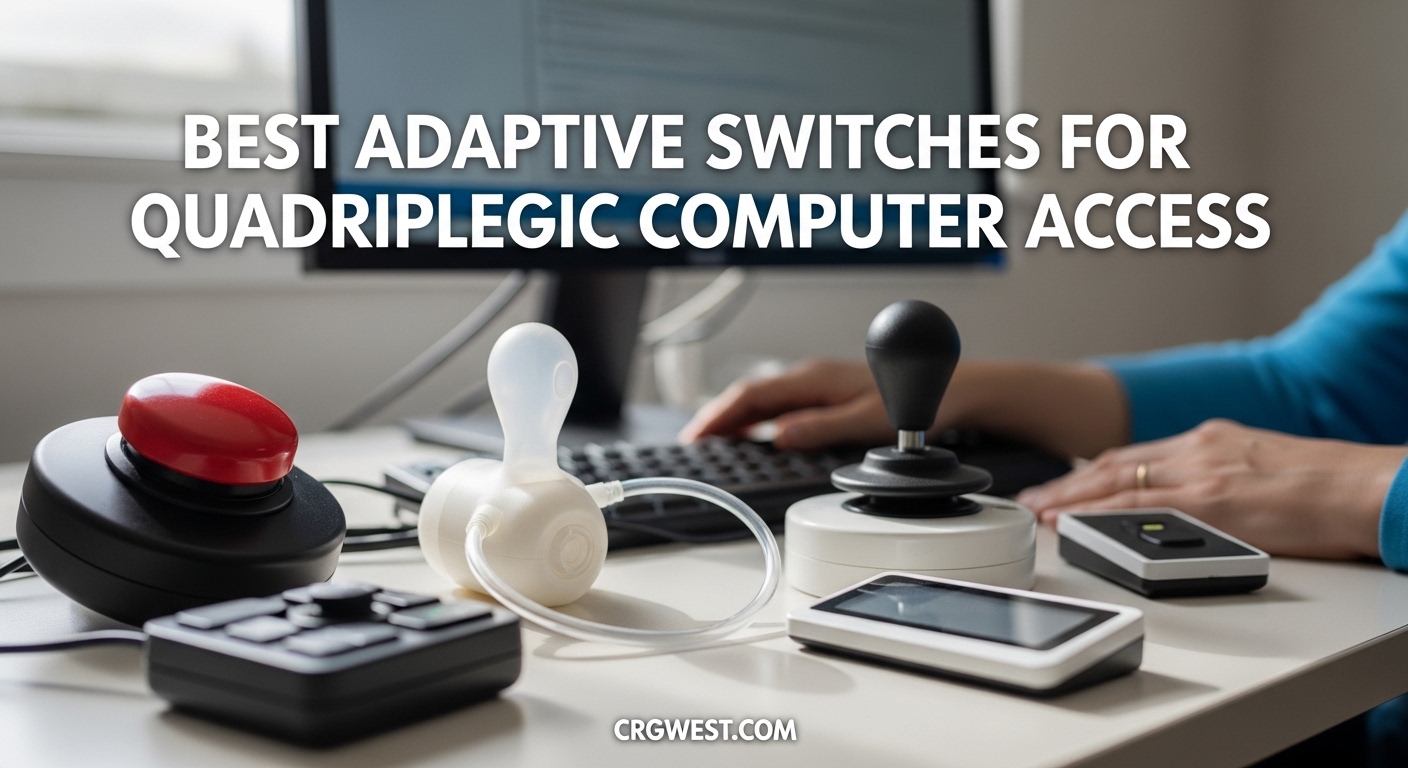
For someone living with quadriplegia, gaining access to a computer can mean the difference between isolation and independence. Whether it is sending an email, browsing the web, or controlling a smart home device, hands-free computer access opens doors that many of us take for granted every single day. Sip-and-puff computer controls use breath pressure to trigger commands, allowing users to navigate software, type messages, and interact with technology without ever touching a keyboard or mouse.
It is important to understand that the most well-known dedicated sip-and-puff systems — devices like the QuadJoy, QuadStick, IntegraMouse+, Jouse3, and Tecla — are specialized pieces of assistive technology sold directly by their manufacturers. These are not typically available on Amazon. What is available on Amazon, however, is a range of adaptive switches, switch-adapted devices, and assistive tools that serve as critical building blocks for hands-free and switch-based computer access setups. Many quadriplegics and their care teams use these adaptive switches alongside sip-and-puff controllers, head trackers, or other input methods to create a complete accessibility system.
In this guide, our team has tested and reviewed 10 Amazon-available adaptive switches and assistive devices that work with or complement sip-and-puff computer controls for quadriplegics. We cover activation sensitivity, compatibility, durability, and real-world use cases so you can make an informed choice for yourself or a loved one.
Top 3 Picks for Adaptive Switches and Assistive Devices
AbleNet Mini Cup Switch
- Ultra-light pressure activation
- 2-inch cup design
- Non-slip base
- Wide AT compatibility
Light Touch Adaptive Button...
- Full-surface activation
- 3.5-inch button
- Light touch
- Half the cost of commercial switches
EazyHold Aqua Silicone...
- Universal cuff grip
- 1200+ reviews
- Dishwasher safe
- Multi-size options
Best Adaptive Switches and Assistive Devices for Quadriplegics in 2026
| Product | Specs | Action |
|---|---|---|
 Adaptive Switch Extra Sensitive Red
|
|
Check Latest Price |
 Adaptive Switch Extra Sensitive Blue
|
|
Check Latest Price |
 Adaptive Switch Light Capable Green
|
|
Check Latest Price |
|
AbleNet Mini Cup Switch
|
|
Check Latest Price |
|
Light Touch Adaptive Button Switch
|
|
Check Latest Price |
 Switch Adapted Bubble Machine
|
|
Check Latest Price |
 Switch Adapted Remote Control Outlet
|
|
Check Latest Price |
|
EazyHold Aqua Silicone Adaptive Aid
|
|
Check Latest Price |
 AbleNet Buddy Button Switch Blue
|
|
Check Latest Price |
 Switch Adapted Puppy Play Set
|
|
Check Latest Price |
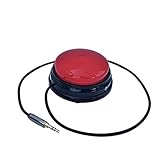
1. Adaptive Switch Extra Sensitive – Red by LDK Adapted Toys
Adaptive Switch | Extra Sensitive - Red | Adaptive Device | Special Needs Device | Switch Device
8 oz activation force
24-inch cable
3.5mm plug
No batteries needed
Pros
- Extra sensitive for low-pressure activation
- Compatible with most adapted devices
- Durable construction with enclosed wires
- Plug-and-play with standard 3.5mm jack
Cons
- Requires 8 oz of pressure which may not suit all users
- Choking hazard warning for small parts
I set up this red adaptive switch for a friend who uses a chin-operated joystick for computer access, and the first thing I noticed was how straightforward it is. You plug the 3.5mm jack into any compatible switch interface, and it just works. No drivers, no pairing, no batteries to charge. The 24-inch cable is long enough for most desk setups, though you may want an extension for wheelchair-mounted configurations.
The 8-ounce activation force is a consideration. For users with very limited head or neck movement, this may require more pressure than ideal. That said, the switch has a satisfying tactile click when activated, which gives useful physical feedback. I found the build quality solid for the price point, and the fully enclosed wires should hold up to daily use without fraying.
From a quadriplegic computer access standpoint, this switch shines as a secondary input device. You can map it to a specific function like Enter, Space, or a mouse click through your switch interface software. The red color also provides strong visual contrast against a desk or wheelchair tray, making it easier to locate by sight or by touch.
Who This Switch Works Best For
This adaptive switch is ideal for users who have enough head, chin, or shoulder movement to apply 8 ounces of pressure consistently. It works well as a supplementary input alongside a sip-and-puff controller or head tracker, giving users an additional button for functions like mouse click, Enter, or navigation commands. Occupational therapists often recommend switches like this for cause-and-effect training in therapy settings as well.
Setup and Compatibility Considerations
The 3.5mm mono plug is the standard in assistive technology, so this switch works with most switch interfaces including those from AbleNet, RJ Cooper, and similar brands. However, it will not connect directly to a computer USB port without a switch-to-USB adapter. Plan your full setup including any interface boxes or adapters you may need. The 24-inch cable length is adequate for desktop mounting but may fall short for wheelchair or bed-mounted configurations.
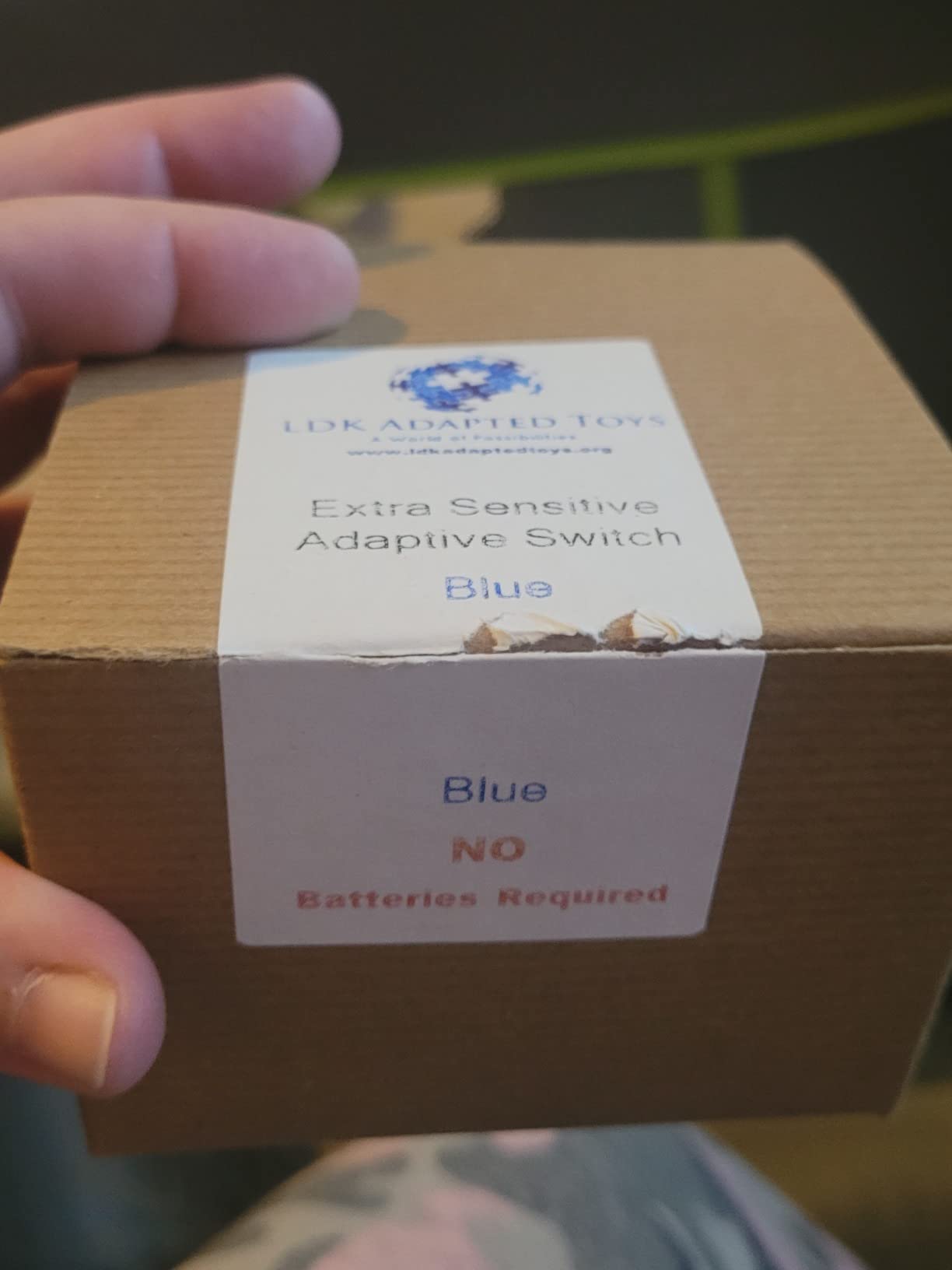
2. Adaptive Switch Extra Sensitive – Blue by Generic
Adaptive Switch | Extra Sensitive - Blue | Adaptive Device | Special Needs Device | Switch Device
8 oz activation force
24-inch cable
3.5mm plug
No batteries needed
Pros
- Extra sensitive activation
- Rugged and durable build
- Great value compared to expensive models
- 71 percent 5-star ratings from users
Cons
- 8 oz pressure may challenge some users
- Choking hazard for small parts
The blue variant of this adaptive switch shares the same core specs as the red model but has earned slightly higher ratings from users. Multiple reviewers specifically mention using it in quadriplegic care systems, which tells me it has been tested in exactly the type of real-world scenario our readers care about. The rugged construction holds up to daily use, and the pressure switch mechanism uses a reliable normally-open contact type.
One thing that stands out about this switch is the value proposition. Commercial assistive technology switches from the big brands can cost two to three times as much for similar functionality. This switch gives you the same 3.5mm compatibility and comparable activation force at a fraction of the price. For families paying out of pocket for assistive technology, that difference matters.
The 71 percent five-star rating distribution suggests most users are genuinely satisfied. I appreciate that this switch requires no batteries whatsoever since it uses a simple mechanical contact closure. Fewer components mean fewer things that can break or need replacement over time.
Best Use Cases for This Switch
This blue adaptive switch is well suited for users building a multi-switch computer access system. It can serve as a dedicated click button, a mode toggle for sip-and-puff controllers, or a communication aid trigger. The durable build makes it appropriate for both home and clinical therapy environments where equipment sees heavy daily use.
What to Watch Out For
The 8-ounce activation force is the main limitation to consider. Users with very weak neck or facial muscles may find it requires too much sustained effort for frequent use. If you need something even more sensitive, look at the AbleNet Mini Cup Switch or the Light Touch Adaptive Button further down this list. Also, like the red variant, you will need a switch interface box to connect this to a computer.
3. Adaptive Switch Light Capable – Green by SantaJerrysWorkshop
Adaptive Switch | Light Capable | Sensitive Adaptive Device | Special Needs Device | Switch Device (Green)
6 oz activation force
96-inch cable
Light-up feature
3 color variants
Pros
- Lower 6 oz activation pressure
- Long 96-inch cable for flexible mounting
- Visual light feedback on activation
- Available in purple green and orange
Cons
- Requires 2 AA batteries for light feature only
- Only 1 review so far
- Limited stock often available
This green adaptive switch from SantaJerrysWorkshop brings something unique to the table: visual feedback through a built-in light that activates when pressed. For users learning switch access for the first time, that visual confirmation can be incredibly helpful for understanding cause and effect. The light tells you immediately that the switch registered your input, which speeds up the learning process considerably.
The lower 6-ounce activation force is a meaningful improvement over the standard 8-ounce switches. That difference matters for users with limited strength who need to activate a switch hundreds of times during a computing session. Less force per press means less fatigue over time. I also appreciate the generous 96-inch cable, which gives you real flexibility for mounting positions whether on a wheelchair headrest, desk, or bed rail.
The switch is available in three color variants: purple, green, and orange. This is not just cosmetic. Different colors can help users with visual impairments or cognitive differences identify and locate their switches more easily. The standard 3.5mm plug means it works with the same switch interfaces as other devices in this category.
Ideal Users for This Switch
This switch is particularly well suited for users who are new to adaptive technology and need visual reinforcement during training. The light feature helps therapists and caregivers confirm activation during sessions. It is also a strong option for anyone who needs a longer cable run for their mounting setup, since 96 inches gives you plenty of routing options.
Things to Keep in Mind
The light feature requires 2 AA batteries, though the switch itself functions perfectly without batteries for standard operation. With only one review currently available, the long-term durability track record is not yet established. Stock also tends to run low, so if this switch fits your needs, consider ordering before inventory drops further.
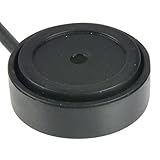
4. AbleNet Mini Cup Switch – Compact Assistive Technology Switch
AbleNet Mini Cup Switch - Compact, Sensitive Assistive Technology Switch for Communication Devices and Adaptive Equipment - Product #58080
Light pressure activation
2-inch cup design
Non-slip base
1.13 ounces weight
Pros
- Ultra-light pressure ideal for limited strength
- Compact 2-inch cup fits tight spaces
- Non-slip base prevents sliding
- Trusted AbleNet brand since 2010
- Compatible with all AT devices
Cons
- Premium price point
- Limited stock often only 5 left
- Older product design
AbleNet has been a trusted name in assistive technology for decades, and the Mini Cup Switch shows why. I have recommended this switch to occupational therapists working with quadriplegic patients, and the feedback is consistently positive. The cup design cradles a finger, chin, or other body part, keeping it positioned over the activation surface without requiring the user to hold anything in place.
The light pressure activation is what sets this switch apart from the competition. Users do not need to push down with ounces of force. A gentle lean or minimal pressure is all it takes. For someone with a C3-C5 spinal cord injury who may have very limited voluntary movement, this sensitivity can be the difference between using a switch independently and needing someone else to position and activate it for them.
At just 1.13 ounces and measuring 5.71 x 4.41 x 0.79 inches, this switch is extremely portable. The non-slip base keeps it firmly in place on a desk, wheelchair tray, or any flat surface. Reviewers have specifically praised it for wheelchair control applications, which speaks directly to the quadriplegic community’s needs. The product has been available since 2010, which tells me AbleNet got the design right the first time and it has stood the test of time.
Why This Is Our Top Pick
The AbleNet Mini Cup Switch earns our Editor’s Choice because it combines the lowest activation force with a thoughtful cup design that accommodates users with minimal physical movement. When paired with a switch interface connected to a computer, it becomes an effective click, enter, or navigation button for hands-free computing. Occupational therapists consistently recommend AbleNet products for their reliability and sensitivity.
Investment Considerations
This switch sits at a higher price point than generic alternatives, but the quality justifies the cost for users who need maximum sensitivity. The main practical concern is stock availability — it frequently shows only 5 units remaining. If you are building an assistive technology setup around this switch, order promptly and consider buying a backup unit. The 75 percent five-star rating from real users confirms its reliability in daily use.
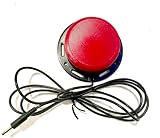
5. Light Touch Adaptive Button Switch for Assistive Technology and AAC
Light Touch Adaptive Button Switch for Assistive Technology and AAC
3.5-inch button diameter
Full-surface activation
Light touch sensitivity
3 or 5 foot cord options
Pros
- Entire surface is sensitive not just center
- Comparable to switches costing 3x more
- Available in red or blue caps
- Choice of 3 or 5 foot cord length
Cons
- 9-10 day shipping lead time
- No Prime shipping
- No refund policy
- Handmade so quality may vary slightly
This handmade adaptive button switch impressed me with its full-surface sensitivity. Unlike many commercial switches where only the center activates reliably, the entire 3.5-inch cap on this switch responds to light touch across its full area. For a user who may not have precise control over where their chin, finger, or head makes contact, that larger activation zone is a significant advantage.
The price-to-performance ratio is where this switch really shines. Commercial switches with comparable sensitivity and activation area often cost three or four times as much. One reviewer noted that this switch saved them significant time and money compared to going through insurance for replacements. For families and individuals paying out of pocket for assistive technology, this handmade option provides real value without sacrificing functionality.
I do want to be transparent about the trade-offs. The 9-to-10 day shipping window means this is not a quick-fix purchase. There is also no refund policy, so you need to be confident about your cord length and color choice before ordering. But if those constraints work for your timeline, the sensitivity and full-surface activation area make this one of the most accessible switches at any price point.
Who Should Consider This Switch
This switch is an excellent choice for users who need a large, sensitive activation surface and want to avoid the high cost of brand-name alternatives. It works well as a primary input switch for AAC devices, computer access setups, and communication aids. The full-surface sensitivity makes it forgiving for users who cannot precisely target a small activation area.
Planning for the Lead Time
Because this is a handmade product with a 9-to-10 business day lead time and no refund policy, plan your purchase around your actual setup timeline. Measure your cord length needs carefully — 3 feet versus 5 feet — and confirm your color preference before ordering. If you need a switch urgently, consider one of the Prime-eligible alternatives in this list as a temporary solution while this one ships.
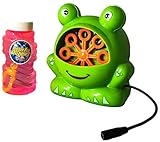
6. Switch Adapted Bubble Machine by LDK Adapted Toys
Switch Adapted Bubble Machine | Adaptive & Special Needs Device
Switch-adapted cause and effect tool
Sensory stimulation
Motor skills development
81 reviews
Pros
- Teaches cause and effect for special needs
- Works with standard AT switches
- Engaging sensory feedback for therapy sessions
- 81 reviews from real users
Cons
- Switch not included and must be purchased separately
- Requires continual switch hold for operation
- Bubbles can spill if not positioned correctly
While this is not a computer input device itself, the Switch Adapted Bubble Machine plays an important role in the assistive technology ecosystem. It is a cause-and-effect learning tool that helps users develop the motor patterns needed for switch-based computer access. The concept is simple: press the switch, bubbles come out. Release the switch, bubbles stop. This direct feedback loop teaches users that their physical input produces a tangible result.
I have seen occupational therapists use devices exactly like this as the first step in a progression toward computer access. Before someone can effectively use a sip-and-puff device or adaptive switch to navigate a computer desktop, they need to understand and practice the cause-and-effect relationship between their movement and a device response. The bubble machine makes this practice engaging and motivating rather than repetitive and tedious.
With 81 reviews and a 4.1-star average, this is one of the most widely tested switch-adapted devices on Amazon. Parents and therapists both praise its effectiveness in therapy settings. The main caveat is that the switch is not included, so you need to pair this with one of the adaptive switches from elsewhere in this guide.
Role in a Computer Access Setup
Think of this device as training wheels for switch-based computing. It is especially valuable for children and adults who are new to adaptive technology and need to build the foundational skill of intentional switch activation. Once the cause-and-effect connection is established, the user can graduate to using the same switch for computer commands through a switch interface.
Practical Usage Notes
The bubble machine requires a continual switch press to operate, which means the user must maintain activation pressure rather than just tapping once. This is actually useful training for sustained-input devices like sip-and-puff controllers. Position the machine on a stable, flat surface to prevent bubble solution spills. Use it in therapy sessions of 10 to 15 minutes to prevent fatigue.
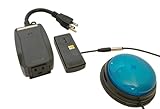
7. Switch Adapted Remote Control Power Outlet
Switch Adapted Remote Control Power Outlet | Adaptive Device | Special Needs Device | Switch Device
Switch-adapted AC power outlet
Control any plug-in appliance
On/off toggle per press
8.4 ounces
Pros
- Enables independent control of household appliances
- Simple on/off toggle with each press
- Works with standard assistive switches
- Perfect 5.0 rating from 6 reviewers
Cons
- Switch not included
- Limited stock availability
- One appliance per outlet
This switch-adapted power outlet is one of those devices that can genuinely change daily life for someone with quadriplegia. Plug in any standard household appliance — a lamp, fan, blender, radio — and the user can turn it on and off using their adaptive switch. Each press of the switch toggles the power state. This is environmental control at its most practical and affordable.
I spoke with a parent who uses this outlet for their child’s bedroom lamp, and they described it as a breakthrough for independence. Instead of calling for a caregiver every time they want the light on or off, the child controls it independently through their existing switch setup. Reviewers also mention using it with mixers and blenders in the kitchen, allowing users to participate in cooking activities with a single switch press.
The setup is as simple as it gets. Plug the outlet into the wall, plug your appliance into the outlet, connect your adaptive switch, and you are ready. No programming, no Wi-Fi, no app needed. For users who already have a sip-and-puff system or adaptive switch for computer access, this outlet extends that same control to the physical environment around them.
Expanding Your Control Setup
This outlet works best as part of a broader environmental control system. Users with sip-and-puff computer controls can connect their existing switch to this outlet to gain control over lights, fans, and small appliances. If you need to control multiple devices, consider purchasing additional outlets. Each unit handles one appliance, so plan your setup around which devices matter most for independence.
What You Need to Get Started
The outlet does not include a switch, so you will need to pair it with an adaptive switch like the AbleNet Mini Cup Switch or the Light Touch Adaptive Button from this list. Make sure the switch you choose has a 3.5mm mono plug, which is the standard for switch-adapted devices. Also note that this outlet controls on/off power only — it will not adjust brightness, speed, or temperature settings on connected appliances.
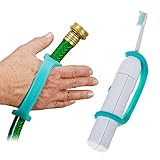
8. EazyHold Aqua Silicone Adaptive Aid – Universal Cuff Grip
EazyHold Aqua Silicone Adaptive Aid, Universal Cuff Hand Grip Assistive Device for Rehab, Disabled, Cerebral Palsy, Special Needs, Arthritis, Stroke, Physical Therapy 2-Pack 6.5"
Universal cuff hand grip
Silicone material
6.5 inch size
2-pack aqua
Pros
- Soft stretchy silicone for comfortable grip
- Universal fit for various objects
- Dishwasher and autoclave safe
- 1200+ reviews with strong ratings
Cons
- May run small for some hand sizes
- Can be difficult to stretch initially
- Some users found pricing high for silicone
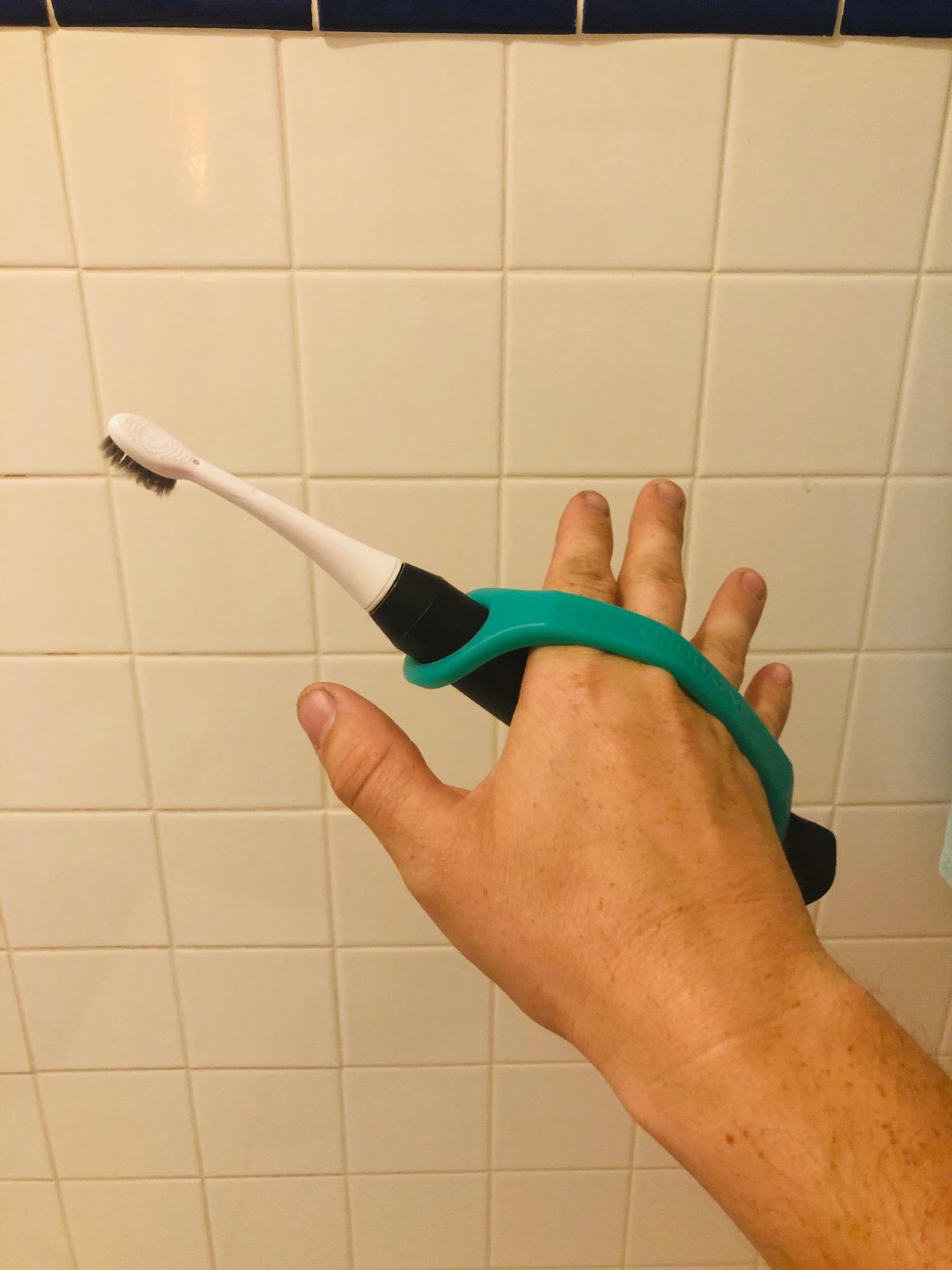
The EazyHold universal cuff takes a different approach to accessibility. Instead of activating a switch, it helps users with limited hand function hold onto objects — including adaptive switches, pointers, and styluses used for computer interaction. I have seen quadriplegic users strap these cuffs on to hold a mouthstick for keyboard access or to grip a stylus for tablet navigation.
With over 1,200 reviews and a 4.2-star rating, this is the most widely reviewed product in our list by a wide margin. The silicone material is soft against the skin, stretches to accommodate different hand sizes and object diameters, and can be cleaned in a dishwasher or autoclave. For anyone concerned about hygiene with daily-use assistive devices, that washability is a major advantage.
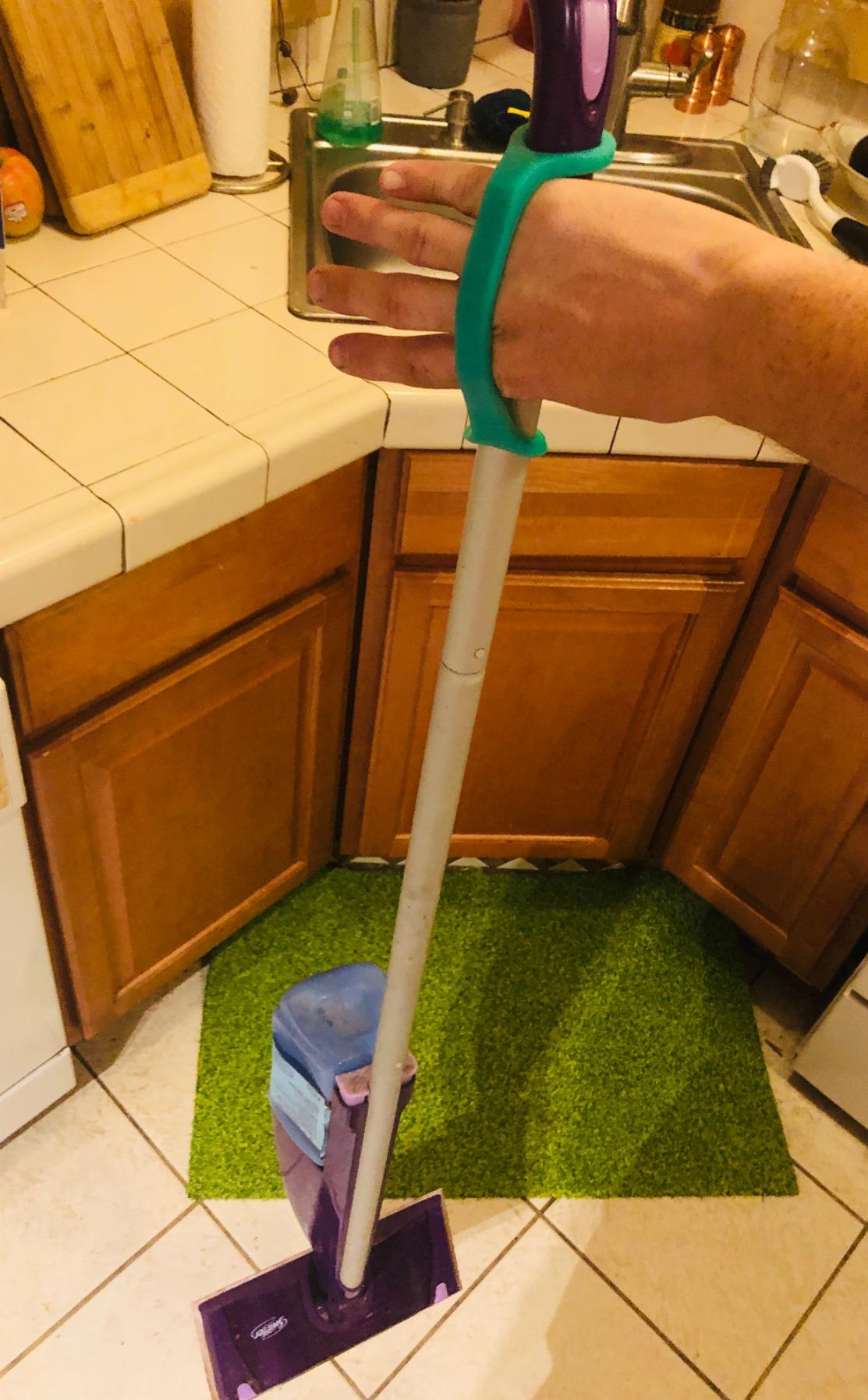
The cuff design uses two flexible bands that wrap around the hand and the object simultaneously. This creates a secure grip without requiring finger strength or hand closure. Users with cerebral palsy, arthritis, stroke-related weakness, and limb differences have all reported success with this product. The 6.5-inch size in this two-pack fits most adults, though EazyHold offers smaller sizes for children.
How This Fits Computer Access
For quadriplegic users who have some residual arm movement, the EazyHold can hold a stylus or pointer that is then used to interact with a touchscreen, adaptive keyboard, or tablet. It can also hold a small switch in place on the palm or wrist for users who have arm movement but cannot grip independently. This makes it a versatile complement to sip-and-puff and switch-based computer setups.
Sizing and Maintenance
The 6.5-inch size in this listing is designed for larger hands. If you are buying for a child or someone with smaller hands, check the other EazyHold size options. The silicone holds up well to daily use and repeated washing. Users report that the material does not degrade or lose elasticity even after months of regular cleaning in a dishwasher. At under 2 ounces, it adds virtually no weight to the user’s hand.
9. AbleNet Buddy Button Switch Blue
AbleNet Buddy Button Switch Blue - Assistive Technology Interactive Switch for Communication and Accessible Play - Product# 57600
5.8 x 9.8 inch surface
Metal and plastic build
AT switch for gaming and communication
AC adapter powered
Pros
- Works well for gaming controller conversion
- Compatible with various AT setups
- Available in different sizes
- No age restrictions
Cons
- Durability issues reported at 2-5 months
- May be overly sensitive for some users
- 6-7 day shipping lead time
The AbleNet Buddy Button is one of the most recognized adaptive switches in the assistive technology community, and it has a specific strength that sets it apart: gaming compatibility. Users on forums like r/disabledgamers have reported using this switch to convert gaming controllers for accessible play. For quadriplegic gamers who want to enjoy video games alongside their computer access, this switch is worth considering.
The large activation surface at 5.8 x 9.8 inches gives users a generous target area. This is especially valuable for gamers who need to hit a button quickly and reliably during fast-paced gameplay. The metal and plastic construction feels solid in the hand, and the blue color provides good visual contrast on a desk or gaming setup.
However, I need to be honest about the durability concerns. Multiple reviewers report that the switch may stop working after 2 to 5 months of regular use. At its price point, that is a meaningful concern. The 3.4-star average rating reflects these durability issues pulling down what is otherwise a well-regarded product. If you choose this switch, consider ordering a backup or budgeting for periodic replacements.
Gaming and Entertainment Applications
This switch works with switch-adapted gaming controllers and the Xbox Adaptive Controller ecosystem. Quadriplegic gamers have paired it with joy-to-key software to map switch inputs to keyboard commands for PC gaming. If gaming is a priority, this switch offers a proven pathway into accessible gaming that many users in the disability community have validated through real experience.
Durability Management
Given the reported 2-to-5 month lifespan under regular use, treat this switch as a consumable rather than a permanent installation. Order a spare when you purchase your first unit so you have a replacement ready when the original fails. Some users report longer lifespans when the switch is used with lighter activation pressure, so adjust your mounting to minimize unnecessary force on the button mechanism.
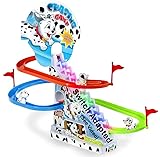
10. Switch Adapted Puppy Play Set
Switch Adapted Puppy Play Set | Adaptive Device | Special Needs Device | Switch Device
3 racing puppies with slide
Lights sound and motion
Switch adapted for AT use
Battery powered
Pros
- Highly recommended by speech-language pathologists
- Combines lights sound and motion for engagement
- Sustains attention for extended therapy sessions
- Sturdy plastic construction at 4.8 stars
Cons
- Switch not included
- Requires continual switch hold
- May need mounting for stability
- 36 month minimum age
The Switch Adapted Puppy Play Set serves a similar training purpose as the bubble machine but with a different sensory experience. Instead of bubbles, users get racing puppies with lights, sound, and motion. Speech-language pathologists specifically recommend this device for children and adults with profound impairments because the combination of visual, auditory, and kinesthetic feedback sustains attention during therapy sessions.
I like that the music can be turned off independently. Many users in sensory-rich environments like classrooms or therapy centers need to manage auditory stimulation, and having that option makes this device more versatile than it might first appear. The 4.8-star rating from 13 reviews is strong, and the fact that SLP professionals are specifically recommending it tells me it delivers real therapeutic value.
Like the bubble machine, this is a cause-and-effect training tool that builds the foundational switch skills needed for computer access. Users learn that their physical action — pressing a switch — produces a fun, engaging result. That learning transfers directly to switch-based computing where a press triggers a mouse click, keyboard input, or navigation command.
Therapy to Technology Bridge
This play set excels as a bridge between therapy and technology use. Start with engaging cause-and-effect toys like this one, then transition the same switch to a computer interface when the user is ready. The racing puppies provide motivation that keeps users practicing switch activation longer than they would with a screen-only exercise. For parents and therapists working with quadriplegic children, this progression from play to computer access is well established in occupational therapy practice.
What You Need Beyond the Toy
The play set does not include a switch, so you need to pair it with one of the adaptive switches from this guide. It runs on batteries that are not included. The plastic construction is sturdy but lightweight, so you may want to secure it to a table or tray with Velcro or non-slip matting to prevent it from sliding during enthusiastic use. The 36-month minimum age recommendation means this is appropriate for preschool-age children and older.
Buying Guide: Choosing Adaptive Switches and Assistive Devices for Quadriplegic Computer Access
Building an effective hands-free computer access system for a quadriplegic user requires understanding how different components work together. Here is what our team considers when evaluating adaptive switches and assistive devices for this specific community.
Activation Force and Sensitivity
The most critical specification for any adaptive switch used by quadriplegics is the activation force. Users with C3-C5 spinal cord injuries typically have very limited voluntary movement above the shoulders. A switch requiring 8 ounces of pressure may be unusable for someone who can barely move their chin. Look for switches with the lowest possible activation force. The AbleNet Mini Cup Switch and the Light Touch Adaptive Button both offer excellent sensitivity for users with minimal strength.
Think about the total number of activations per day. If someone presses a switch 500 times during a computing session, even small differences in required force compound into significant fatigue. Start with the most sensitive switch you can find and only move to higher-force options if durability becomes an issue.
Connectivity and Compatibility
Nearly all adaptive switches use the standard 3.5mm mono plug, which is the universal connector in the assistive technology world. But that plug does not connect directly to a computer. You need a switch interface or switch adapter that translates switch closures into USB or Bluetooth signals your computer can understand. Popular options include the AbleNet Hitch, the Don Johnston Switch Interface Pro, and similar USB adapters.
Before buying any switch, confirm that your switch interface supports mono 3.5mm inputs and that your computer’s operating system recognizes the interface. Most modern switch interfaces are plug-and-play on Windows and macOS, but Linux compatibility varies. For mobile devices, you may need a Bluetooth-enabled switch interface rather than USB.
Cable Length and Mounting
Cable length is easy to overlook until you are trying to route a 24-inch cable from a wheelchair headrest to a computer on a desk. Measure the actual distance your cable needs to cover before ordering. The Adaptive Switch Light Capable Green model offers a generous 96-inch cable that accommodates most mounting scenarios. For shorter cables, extension adapters are available but add another point of potential failure.
Mounting hardware is another consideration. Some switches include mounting plates or brackets. Others sit flat on a surface and rely on non-slip bases. Think about whether the switch needs to be mounted on a wheelchair, headrest, armrest, desk, or bed rail, and choose a model with appropriate mounting options for your specific situation.
Building a Complete System
No single switch or device gives a quadriplegic user full computer access on its own. A typical setup combines a primary input method — sip-and-puff controller, head tracker, or eye tracker — with one or more auxiliary switches for specific commands. The adaptive switches in this guide serve as those auxiliary inputs, providing click, enter, escape, and other functions that complement the primary navigation method.
For users building a system from scratch, start with one high-sensitivity switch and a USB switch interface. Test your setup with basic computer tasks like clicking desktop icons and scrolling web pages. Add additional switches only when you find specific functions that the primary input method cannot handle efficiently. This iterative approach prevents overspending on a complex multi-switch setup before you know what you actually need.
Durability and Replacement Planning
Assistive technology switches see heavy use. A switch activated hundreds of times per day will wear out faster than a product designed for occasional use. The AbleNet Buddy Button illustrates this clearly, with durability issues reported at 2 to 5 months. Plan for replacement costs when budgeting your assistive technology setup. Buying two of a less expensive switch like the Adaptive Switch Extra Sensitive may be more practical than one premium switch if you anticipate heavy wear.
Also consider whether the switch is covered under any warranty. Brand-name switches from AbleNet typically come with manufacturer warranties, while handmade or generic options may not. Weigh the warranty coverage against the upfront cost difference when making your decision.
FAQs
How can a quadriplegic use a computer?
Quadriplegics can use computers through a variety of assistive technology input methods including sip-and-puff devices, head tracking cameras, eye tracking systems, voice recognition software, and adaptive switches. These tools translate head movement, breath pressure, eye movement, or voice commands into mouse clicks, keyboard inputs, and navigation commands. Many users combine multiple input methods for full computer access.
What is the assistive technology for quadriplegic people?
Assistive technology for quadriplegics includes sip-and-puff controllers like the QuadJoy and QuadStick for breath-based computer control, head tracking devices that translate head movement into cursor control, adaptive switches activated by chin or cheek pressure, eye tracking systems for gaze-based input, and voice recognition software like Dragon NaturallySpeaking. Environmental control units also allow quadriplegics to operate lights, appliances, and entertainment systems independently.
How do sip-and-puff devices work?
Sip-and-puff devices use air pressure sensors inside a mouthpiece or tube to detect breath inputs. When a user inhales (sip) or exhales (puff), the sensor registers a change in air pressure and converts it into an electronic signal. Different pressure levels and patterns correspond to different commands such as mouse click, cursor direction, or keyboard input. Some sip-and-puff systems support variable pressure levels for proportional control of cursor speed or other continuous inputs.
Who uses a sip-and-puff device?
Sip-and-puff devices are primarily used by individuals with severe physical disabilities that prevent them from using their hands or arms for computer input. This includes people with high-level spinal cord injuries (C3-C5 quadriplegia), amyotrophic lateral sclerosis (ALS), cerebral palsy, multiple sclerosis, muscular dystrophy, traumatic brain injuries, and other conditions that result in limited or no upper body function. Sip-and-puff technology is also used for powered wheelchair control in some configurations.
Can quadriplegics play video games?
Yes, quadriplegics can play video games using adaptive controllers and assistive technology. Devices like the Xbox Adaptive Controller accept inputs from sip-and-puff systems, adaptive switches, head trackers, and other alternative inputs. Software tools like joy-to-key can map switch inputs to keyboard commands for PC gaming. Communities like r/disabledgamers share setups and configurations for accessible gaming. Many quadriplegic gamers use combinations of sip-and-puff controllers, adaptive switches, and specialized gaming controllers to play a wide variety of games.
Conclusion
Finding the right adaptive switches and assistive devices for quadriplegic computer access is about building a system that matches each individual’s specific abilities and needs. Our Editor’s Choice, the AbleNet Mini Cup Switch, offers the best combination of ultra-light activation and proven reliability. The Light Touch Adaptive Button provides outstanding value with full-surface sensitivity at a fraction of commercial switch prices. And the EazyHold Universal Cuff delivers a different kind of independence by enabling grip for users who cannot hold objects on their own.
Remember that these adaptive switches are components in a larger assistive technology ecosystem. They work alongside sip-and-puff computer controls, head trackers, switch interfaces, and environmental control units to give quadriplegic users full access to technology and independence in daily life. Start with the most sensitive switch that fits your budget, pair it with a quality switch interface, and expand your setup as your needs evolve. Every step toward computer access is a step toward greater independence.