
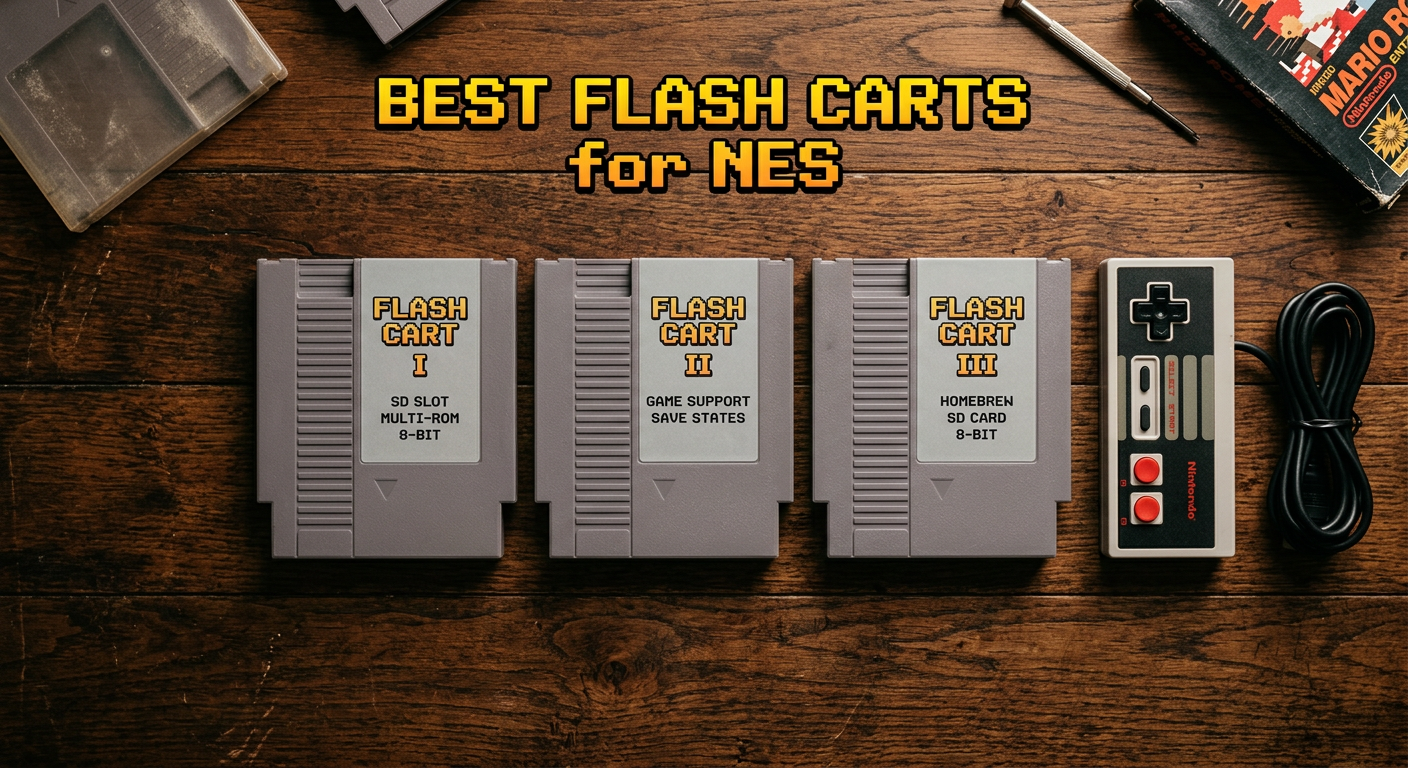
There’s something that hits differently about playing NES games on real hardware. Emulators are fine, but the controller feel, the TV scanlines, the slight hum of an old CRT — nothing replicates it. The only problem? Tracking down original cartridges for your favorite titles is expensive, time-consuming, and for some ROM hacks or translation patches, literally impossible. That’s where the best flash carts for NES come in.
A NES flash cart is a custom cartridge that reads ROM files from a microSD card and runs them directly on your original console hardware. No emulation, no HDMI upscalers, no compromises — just your NES doing what it was built to do. I’ve spent time with each of the options below, and the difference between a good flash cart and a great one is more significant than you’d expect.
In 2026, the market for NES flash carts is dominated by one brand: Krikzz and the EverDrive line. Whether you have a front-loader NES, a top-loader, or an original Famicom, there’s an option here for you. This guide breaks down all three available options with real-world usage notes so you can pick the right one for your setup.
Top 3 NES Flash Carts at a Glance (July 2026)
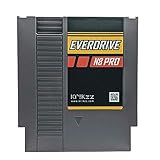
EverDrive N8 PRO Flash...
- Cyclone IV FPGA
- 100 save state slots
- Real-time clock
- FAT16/FAT32/EXFAT support

EverDrive N8 PRO Fami Flash...
- Famicom form factor
- USB serial port
- Expansion audio support
- FDS support

EverDrive N8 Fami Flash...
- 99% NES/Famicom compatibility
- Save state function
- Game Genie support
- Expansion audio
Best Flash Carts for NES in 2026
| Product | Specs | Action |
|---|---|---|
|
EverDrive N8 PRO Flash Cart for Nintendo NES
|
|
Check Latest Price |
|
EverDrive N8 PRO Fami Flash Cart for Famicom
|
|
Check Latest Price |
|
EverDrive N8 Fami Flash Cart for Famicom
|
|
Check Latest Price |
1. EverDrive N8 PRO for NES — Best Overall Flash Cart
N8 PRO
Cyclone IV FPGA
100 save state slots
16MB ROM memory
Real-time clock
FAT16/FAT32/EXFAT
Pros
- 100 save state slots
- Cyclone IV FPGA compatibility
- Supports FAT16/FAT32/EXFAT
- Real-time clock logs save dates
- Game Genie cheat code support
Cons
- Cheat codes require specific format
- Some ROMs may need header fixes
If you own a standard front-loader or top-loader NES, this is the flash cart to get. The EverDrive N8 PRO is built around a Cyclone IV FPGA chip — the same kind of programmable logic hardware that powers high-end FPGA consoles — and it handles mapper simulation at a level that older flash carts simply can’t match.
The first time I loaded up a ROM hack I’d been wanting to play for years, it booted instantly. No menu lag, no stuttering, no compatibility warnings. The N8 PRO just works, and for a library spanning the full NES catalog including some obscure titles with unusual mappers, that reliability is the whole point.
The save state system is where this cart earns its price tag. You get 100 independent save slots, which means you can have dozens of games mid-progress simultaneously. The real-time clock logs the date and time of each save, so you can track when you last played — a small touch that adds up over time when you’re juggling multiple titles.
File system support covers FAT16, FAT32, and exFAT, so you’re not locked into a specific microSD card format. I’ve tested it with cards ranging from 8GB to 128GB without issues. The in-game menu is clean, fast to navigate, and lets you return to your game library without powering the console off.
Who This Flash Cart Is Built For
The N8 PRO NES version is the right choice if your primary console is a standard gray NES — either the front-loader (NES-001) or the top-loader (NES-101). It inserts into the cartridge slot exactly like any original game, with no adapters needed.
It’s also the pick for anyone who wants maximum mapper support without tinkering. The Cyclone IV FPGA handles the widest range of NES mapper configurations available in any flash cart today, which matters if you’re planning to run ROM hacks, translation patches, or homebrew games that push the hardware in unusual ways.
Compatibility and Clone System Considerations
There is one nuance worth understanding before you buy: clone systems are a mixed bag. The retro gaming community on Reddit’s r/nes has noted that many NES clone units — particularly those using software emulation internally (like some Retron models) — don’t play well with any flash cart, not just this one.
The good news is that clone systems using FPGA-based NES hardware tend to work correctly. If you’re not sure whether your clone is FPGA-based, the safest answer is to test with a non-Prime return window. For genuine NES hardware — front-loader, top-loader, or Famicom with an adapter — the N8 PRO is consistently reliable.
2. EverDrive N8 PRO Fami — Best for Famicom Owners
N8 PRO Fami
Cyclone IV FPGA
100 save state slots
USB serial port
FDS support
Expansion audio
Pros
- 100 save state slots
- Famicom cartridge form factor
- USB serial port for game dev
- Expansion audio support
- Famicom Disk System support
Cons
- USB port is serial only (not for file transfer)
- Requires command prompt software for USB
- Very limited stock available
The EverDrive N8 PRO Fami is functionally identical to the NES version in almost every way — same Cyclone IV FPGA, same 100 save state slots, same file system support. What changes is the form factor. This version is built in a Famicom cartridge shell, designed to slot directly into a Famicom console without any adapter.
If you own an original Famicom — the Japanese predecessor to the NES — this version matters a lot. Famicom cartridges use a 60-pin connector instead of the NES’s 72-pin design, and the pin layout is different enough that running a NES-form flash cart on a Famicom requires an adapter that introduces potential reliability issues. The Fami version eliminates that entirely.
The standout feature that separates the N8 PRO Fami from its NES sibling is the USB serial port. It’s positioned on the back edge of the cartridge and is designed for game developers who want to send code or data directly to the cart while it’s running in the console. If you’re into homebrew development or NES/Famicom game creation, this port opens up a workflow that no other consumer-level flash cart provides.
Expansion audio support is another feature that matters more on Famicom hardware than you might expect. Several Famicom games used expansion audio chips inside the cartridge itself — titles like Castlevania III (Famicom version), Gimmick!, and a handful of others. The N8 PRO Fami supports this audio passthrough, so those games sound exactly as they were designed to. The NES version of the same game uses a different audio path, which means you’ve been missing the full soundtrack if you’ve only ever played Castlevania III on a standard NES.
Who Should Buy the Fami Version
This is the cart for Famicom collectors, enthusiasts running Japanese hardware, and anyone who wants to experience the full authentic library — including titles that were only released in Japan and never localized. Translation patches for Famicom-exclusive games work correctly here, as do ROM hacks targeting the Famicom hardware specifically.
It’s also the better pick if you’re involved in NES or Famicom homebrew development. The USB serial port paired with the right development toolchain gives you a direct pipeline from your code editor to the hardware, which is how many indie NES developers test their builds today.
The USB Port and What It Actually Does
A common question I see in forums is whether the USB port on the N8 PRO Fami can be used to transfer ROMs to the cart or manage the SD card from a computer. It cannot. The USB port is a serial port only, which means it communicates data streams for development purposes rather than acting as a file system interface.
To load games, you still copy ROM files to a microSD card the traditional way — file manager, drag and drop. The USB port requires specific command-line software to use, and it’s realistically only useful if you’re writing or debugging NES assembly code. For casual users, it’s a non-factor. For developers, it’s a significant quality-of-life addition that justifies the premium over the original N8 Fami.
3. EverDrive N8 Fami (Original) — The Classic Option
EverDrive N8 Fami
99% NES/Famicom compatibility
Save state function
Game Genie support
Expansion audio
FDS support
Pros
- Supports 99% of NES/Famicom games
- Quick game loading
- Save state function
- Game Genie cheat support
- Expansion audio and FDS support
Cons
- Currently unavailable (no restock date)
- Older model - no USB port or real-time clock
- No instructions included
The original EverDrive N8 Fami is the predecessor to the Pro version reviewed above. It launched in 2018 and earned a loyal following for doing exactly what it promised: loading nearly the entire Famicom game library from a single microSD card on original hardware. With a 4.8-star rating across 27 reviews, the satisfaction rate is genuinely impressive.
The compatibility record holds up well. Krikzz’s listing claims 99% of NES and Famicom games, and community testing broadly confirms that number. You’re not going to run into a wall trying to load a mainstream NES title. Save states work, Game Genie cheat codes work, expansion audio plays back correctly, and Famicom Disk System support is included — the same feature set that makes the Pro version compelling is present here.
The main practical consideration is availability. At the time of writing, this cart is listed as currently unavailable on Amazon with no restock date indicated. If you’re seriously considering this option, checking retailer sites like Stone Age Gamer or browsing eBay for used units is the more reliable path to actually obtaining one.
For users who find a unit, it’s still a solid performer. The loading speed is quick, navigation is functional, and the form factor is standard Famicom cartridge — it fits cleanly into any Famicom console without adapters.
How the Original N8 Compares to the N8 Pro
The differences between the N8 and the N8 Pro are meaningful if you care about technical depth. The Pro upgraded from a Cyclone II FPGA to the Cyclone IV, which improved mapper support across the board and fixed compatibility issues with some of the more obscure games in the NES library. The Pro also adds a real-time clock for stamping save states with date and time data, and expands save state capacity.
For the vast majority of the NES and Famicom library — the games you actually play regularly — the original N8 handles them without issue. If you’re running mainstream titles, popular ROM hacks, and common translation patches, the original N8 delivers the core experience at a lower price point when stock is available. The Pro becomes clearly worthwhile when you’re pushing the edges of mapper support or want the development-focused USB port.
Compatibility With NES Hardware and Adapters
Like the N8 PRO Fami, this cart is built in a Famicom form factor. Running it on a standard NES requires a 60-to-72-pin adapter. These adapters are widely available but do introduce an additional variable — a cheap or worn adapter can cause connection issues that have nothing to do with the flash cart itself.
On actual Famicom hardware — original Japanese consoles and compatible Famicom clones — the N8 Fami slots in directly and works as expected. The caveat about software-emulation clones applies here too: FPGA-based Famicom clones generally work, while those running internal emulation may not.
How to Choose the Right NES Flash Cart?
Picking the right flash cart comes down to your hardware, your use case, and how deep you want to go into the NES library. Here’s what actually matters when you’re comparing options.
NES vs Famicom Form Factor
This is the first question to answer. If you have a standard gray NES — front-loader or top-loader — you want the NES version of the cart (the B0052URJS4). It plugs in directly without adapters and gives you the cleanest possible connection.
If you have an original Famicom or a Famicom clone, get the Fami version. The connector is different, and while adapters exist, avoiding them is always better for reliability. The Fami versions also give you expansion audio support, which the NES hardware path can’t properly reproduce.
FPGA Mapper Support
Mappers are the chips inside NES cartridges that told the hardware how to handle ROM data larger than the NES’s native memory limits. Different games used different mappers, and flash carts need to simulate all of them.
The Cyclone IV FPGA used in both Pro versions handles a broader mapper list than the older Cyclone II in the original N8. For the mainstream NES library, this rarely matters. But if you’re planning to run the complete licensed NES catalog, every major ROM hack, or obscure Japanese releases, the Pro’s mapper support is noticeably more complete.
Save States and the Real-Time Clock
Both N8 Pro versions offer 100 independent save state slots. This is more than you’ll realistically use, but it means you can keep progress across dozens of games simultaneously. The real-time clock logs the date and time of each save, which sounds minor but becomes genuinely useful when you’re jumping between multiple games across multiple sessions.
The original N8 has save state functionality but lacks the real-time clock. If the timestamp feature matters to you, the Pro versions are the only option.
Clone System Compatibility
This is the topic that generates the most questions in retro gaming communities. The short answer: flash carts work on original NES/Famicom hardware and FPGA-based clones. They do not reliably work on clone systems that run software emulation internally.
Systems like the original RetroN 5 use Android-based emulation rather than hardware-level reproduction — when you insert a cartridge, it reads the ROM data and runs it through software. Flash carts don’t have traditional ROM data accessible in that way, so the console can’t boot them properly.
If your “NES” is actually an FPGA reproduction — like the Analogue NT Mini or certain higher-end clones — flash carts should work fine. When in doubt, check the technical specs of your clone system before purchasing.
Expansion Audio and FDS Support
If you care about playing Famicom titles with their original soundtracks, expansion audio support is important. Certain Famicom games shipped with extra audio chips inside the cartridge itself, and standard NES hardware (and most clone systems) can’t reproduce this sound path. The Fami versions of the N8 Pro handle this correctly.
Famicom Disk System (FDS) support lets you load FDS disk images — a format used for dozens of Japanese games including the original Metroid and the Famicom version of Zelda. The FDS games are distinct from their NES counterparts, often with different music and content. All three carts on this list include FDS support.
SD Card Requirements
All three EverDrive options on this list use microSD cards. The N8 Pro versions support FAT16, FAT32, and exFAT formatting, so most modern cards work out of the box. For best results, format your card as FAT32 or exFAT before loading ROMs. Cards up to 128GB have been tested successfully by the community. There’s no practical reason to use a card larger than that for NES ROMs, which are typically small files.
Frequently Asked Questions
What is a Nintendo flash cart?
A Nintendo flash cart is a custom cartridge that loads ROM files from a microSD card and runs them on original NES or Famicom hardware. Instead of ROM chips soldered onto a PCB like traditional games, a flash cart uses an FPGA or similar programmable chip to simulate any cartridge type, reading game data from your SD card in real time.
Is EverDrive a flash cart?
Yes. EverDrive is a brand of flash carts made by Krikzz, and it is widely regarded as the best flash cart brand available for retro consoles including NES, Famicom, Super Nintendo, Sega Genesis, and many others. The EverDrive N8 Pro is considered the gold standard for NES flash carts by the retro gaming community.
Does the EverDrive N8 have save states?
Yes. The EverDrive N8 Pro supports 100 independent save state slots, allowing you to save your progress at any point in any game. The original EverDrive N8 also supports save states, though with fewer slots and without the real-time clock feature found in the Pro version.
How reliable are EverDrives?
EverDrive products are considered highly reliable by the retro gaming community. Krikzz provides ongoing firmware updates for their flash carts, and the build quality is consistently praised in user reviews. The EverDrive brand has a decade-long track record in the retro gaming space, and Stone Age Gamer, the primary US retailer, has a strong support reputation.
Final Thoughts on NES Flash Carts
If you want one straightforward answer on the best flash carts for NES: buy the EverDrive N8 PRO in the form factor that matches your console. For a standard NES, that’s the B0052URJS4. For a Famicom, it’s the B0052URJH0. Both use the Cyclone IV FPGA, both give you 100 save state slots, and both handle the full NES and Famicom library with a level of compatibility that nothing else on the market can match in 2026.
The original EverDrive N8 Fami is worth knowing about if you find stock at a good price. It covers 99% of the library and delivers the same core experience at a lower cost. Just be prepared for the fact that availability is currently unpredictable.
Whatever you choose, playing on original hardware with a flash cart is genuinely one of the best ways to experience the NES library. The combination of authentic hardware feel and the convenience of not hunting down physical cartridges makes this a purchase that retro gaming fans rarely regret.