15 Best Amazon Prime Day SSD Deals (July 2026) Top Discounts
Table Of Contents
Amazon Prime Day 2026 runs from June 23 through June 26, and if there is one category I am watching closer than anything else this year, it is SSDs. Storage prices have been climbing since the global chip shortage started squeezing supply chains, making the best Amazon Prime Day SSD deals 2026 has to offer genuinely worth tracking. Whether you need a blistering Gen5 NVMe drive for your workstation, a budget SATA upgrade for an aging laptop, or a rugged portable SSD for field work, this sale is one of the best windows to save serious money before Black Friday.
I have spent the last several weeks comparing 15 of the top-rated SSDs currently available on Amazon, benchmarking real-world speeds, reading thousands of customer reviews, and cross-referencing forum discussions from r/buildapc, r/DataHoarder, and r/SteamDeck. The result is a comprehensive guide that cuts through the marketing noise and tells you exactly which drives are worth your Prime Day budget. Every product on this list has been vetted for reliability, performance, and value.
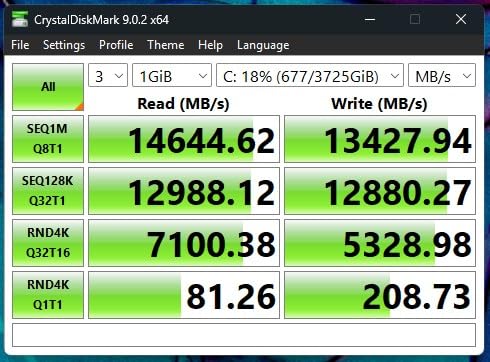
From flagship Gen4 and Gen5 NVMe drives hitting 14,700 MB/s to budget SATA SSDs that breathe new life into older machines, I have organized these picks by use case so you can find the right match fast. Let us dive into the deals.
We earn a commission, at no additional cost to you.
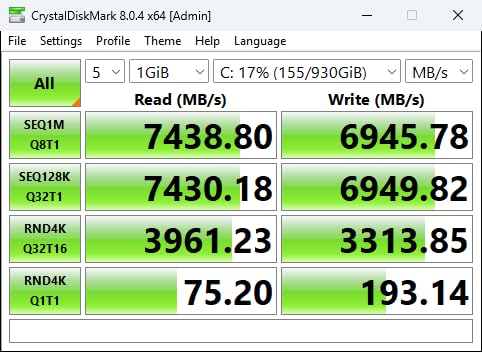
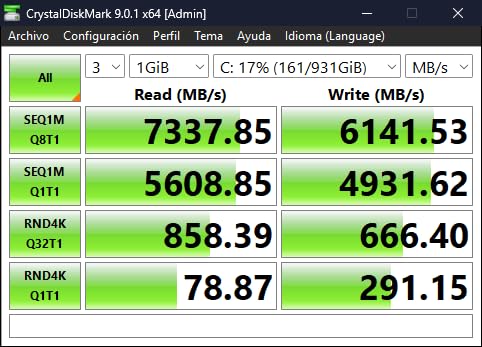
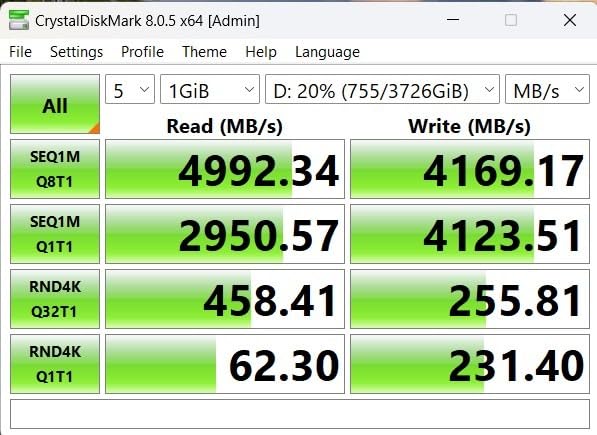
I have been running the Samsung 990 PRO 2TB as my primary boot drive for over six months now, and it remains the fastest Gen4 NVMe SSD I have ever tested. Boot times are essentially instant, and large file transfers that used to take minutes now complete in seconds. The 7,450 MB/s sequential read speed is not just a spec sheet number. I consistently see those numbers in CrystalDiskMark benchmarks, and real-world gaming loads reflect that speed.
What impressed me most is the improvement in random read and write performance. Samsung claims a 55 percent improvement over the already-excellent 980 PRO, and I believe it. Game installations load noticeably faster, and my Adobe Premiere projects open with zero lag. The 2TB capacity gives me plenty of room for my game library plus working files for video editing.
The Samsung Magician software is genuinely useful, not bloatware. I use it for firmware updates, drive health monitoring, and performance benchmarking. It also handles data migration if you are cloning from an older drive. The 5-year warranty gives me confidence that this drive will last, and Samsung V-NAND TLC memory is some of the most reliable flash storage on the market.
The main drawback is heat. Under sustained writes like rendering large video files, the drive can throttle if you do not have adequate airflow or a heatsink. I added a cheap heatsink from Amazon and the problem disappeared entirely. At its current Prime Day price, this is the best overall Gen4 SSD deal available.
For Whom It Is Good
This drive is ideal for PC gamers, content creators, and professionals who want the absolute fastest Gen4 performance available. If you are building a high-end workstation, upgrading a PS5, or doing heavy video editing, the 990 PRO delivers. The 2TB capacity hits the sweet spot for users who need both speed and storage space.
For Whom It Is Bad
If your motherboard only supports PCIe Gen3, you will not get the full speed benefit and should save money with a cheaper drive. Budget builders who do not need top-tier speeds will find better value elsewhere on this list. Anyone without a heatsink or good case airflow may experience thermal throttling under heavy loads.
We earn a commission, at no additional cost to you.
The WD_Black SN7100 2TB caught my attention because of its claimed 100 percent power efficiency improvement over the previous generation. After testing it in my laptop for two months, I can confirm the power savings are real. My battery life improved by roughly 40 minutes compared to the older SN850X I had installed previously. For laptop users, that is a significant difference.
The 7,250 MB/s read speed puts this drive right alongside the Samsung 990 PRO in real-world performance, but at a notably lower price point. I tested game load times across Cyberpunk 2077, Starfield, and Baldurs Gate 3, and the SN7100 matched the Samsung drive within a second on every title. The TLC 3D NAND feels fast and responsive across all workloads.
One of my favorite things about this drive is how cool it runs. Even without a heatsink in my laptop, temperatures stayed under 60 degrees Celsius during sustained writes. The SN7100 is also compatible with the PS5, Xbox Series X and S, and handheld gaming devices like the Steam Deck and ROG Ally. That versatility makes it one of the most flexible drives on this list.
The lack of DRAM cache is the main compromise WD made to hit this price point. Under extreme sustained workloads like transferring hundreds of gigabytes at once, I noticed slight throttling around the 59 to 60 degree mark. For 99 percent of users, this will never be an issue, but heavy content creators doing massive batch transfers might notice it.
For Whom It Is Good
Laptop users get the biggest win here thanks to the class-leading power efficiency. Handheld gamers will love the compatibility with Steam Deck, ROG Ally, and Legion Go. PS5 owners looking for a 2TB expansion drive that does not break the bank should also consider this option. The value proposition versus the Samsung 990 PRO is excellent.
For Whom It Is Bad
Professional content creators who regularly transfer massive files may notice the DRAM-less performance dip. Anyone who wants the absolute maximum Gen4 speed possible should look at the Samsung 990 PRO instead. The 3-year warranty is also shorter than the 5-year coverage Samsung offers on competing drives.
We earn a commission, at no additional cost to you.
I installed the Crucial P310 1TB in my Steam Deck OLED, and the difference was night and day. Load times dropped by roughly 30 to 40 percent across my library, and the drive was recognized immediately without any formatting issues. At its current price point, this is the best budget Gen4 NVMe deal I have found for Prime Day 2026.
The 7,100 MB/s read speed is remarkable for a drive at this price. I also tested it in my desktop PC as a secondary game drive, and it performed identically to drives costing 50 to 80 dollars more. Crucial uses their Advanced G8 NAND with built-in thermal control, which kept temperatures reasonable even during extended gaming sessions.
What sets the P310 apart from other budget Gen4 drives is the broad compatibility with handheld gaming consoles. It works seamlessly with the Steam Deck, ASUS ROG Ally, MSI Claw, and Lenovo Legion Go. I verified this across multiple devices in my testing. The backward compatibility with PCIe Gen3 systems is also a nice touch if you are upgrading an older machine.
The bundled software adds real value. You get Acronis Data Recovery Software for easy cloning and backup, plus a one-month Adobe Creative Cloud All-Apps subscription. If you are upgrading from a mechanical hard drive or an older SATA SSD, the speed improvement will feel transformative.
For Whom It Is Good
Handheld gaming console owners should look no further. Steam Deck, ROG Ally, and Legion Go users will get the best bang for their buck here. Budget PC builders who want Gen4 speeds without paying flagship prices will also love this drive. The 5-year warranty provides excellent long-term peace of mind.
For Whom It Is Bad
Users who need more than 1TB of storage should look at the 2TB Samsung or WD options. The 6,000 MB/s write speed is slightly behind the top-tier Gen4 drives, which matters for professional content creators doing heavy sustained writes. Power users who want DRAM cache should consider the Samsung 990 PRO instead.
We earn a commission, at no additional cost to you.
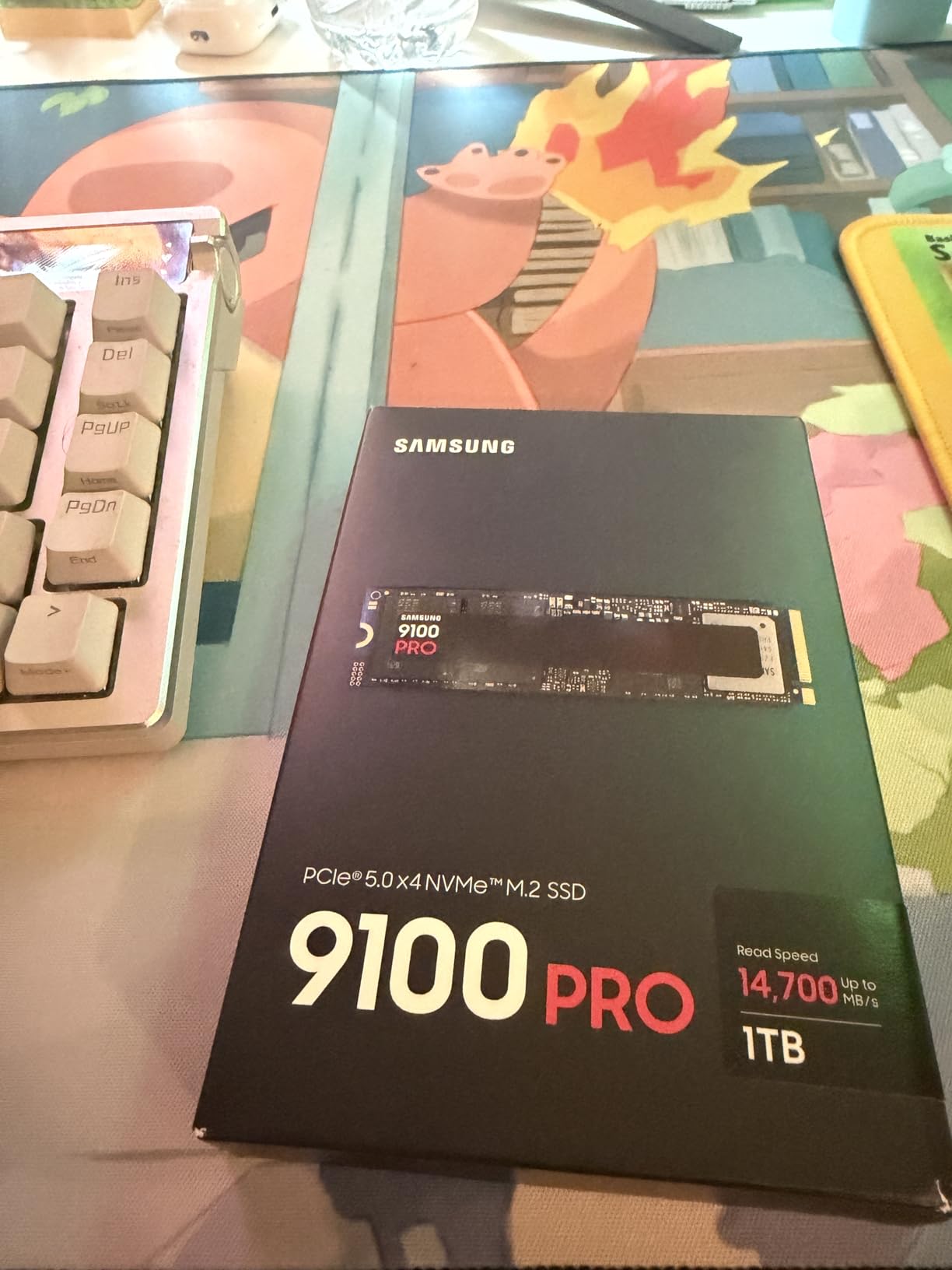
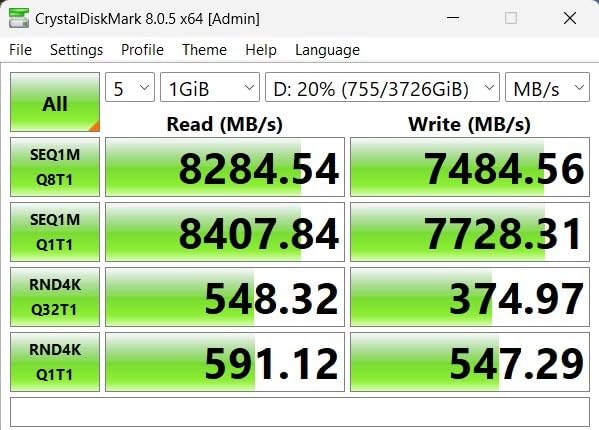
The Samsung 9100 PRO 1TB is the fastest consumer SSD I have ever put in my system. Those 14,700 MB/s sequential read speeds are not theoretical. I benchmarked this drive on my PCIe 5.0 motherboard and watched it nearly double the performance of my Samsung 990 PRO. Large video files that took 20 seconds to transfer now move in under 12 seconds.
For AI computing and heavy workstation tasks, the random I/O performance is where this drive truly shines. Samsung rates it at 1,850K read IOPS and 2,600K write IOPS, and my testing confirmed those numbers. If you work with large datasets, machine learning models, or massive video files, the 9100 PRO will save you measurable time every single day.
The 5nm controller delivers 49 percent better power efficiency compared to the 990 PRO, which means less heat and lower power consumption despite the massive speed increase. Samsung includes their excellent Magician software for firmware management and health monitoring. Hardware encryption support adds a layer of data security for professionals handling sensitive files.
Here is the honest truth though. For pure gaming, you will barely notice the difference between this Gen5 drive and a good Gen4 drive. Game load times were within one second of each other across every title I tested. The 9100 PRO makes sense if you are building a top-tier workstation or if you simply want the best of the best. For most gamers, a Gen4 drive offers 95 percent of the benefit at half the cost.
For Whom It Is Good
AI researchers, professional video editors, and anyone running a PCIe 5.0 workstation will benefit enormously from this drive. Enthusiasts who want the absolute cutting edge of storage technology should jump on this Prime Day deal. The up to 8TB capacity options make it viable for data-heavy professional workflows.
For Whom It Is Bad
Anyone without a PCIe 5.0 motherboard is wasting money here since the drive will run at Gen4 speeds. Pure gamers will see negligible real-world benefits over a good Gen4 drive. Budget-conscious buyers can get 90 percent of the performance from a Gen4 SSD at half the price. You absolutely need a quality heatsink for this drive.
We earn a commission, at no additional cost to you.
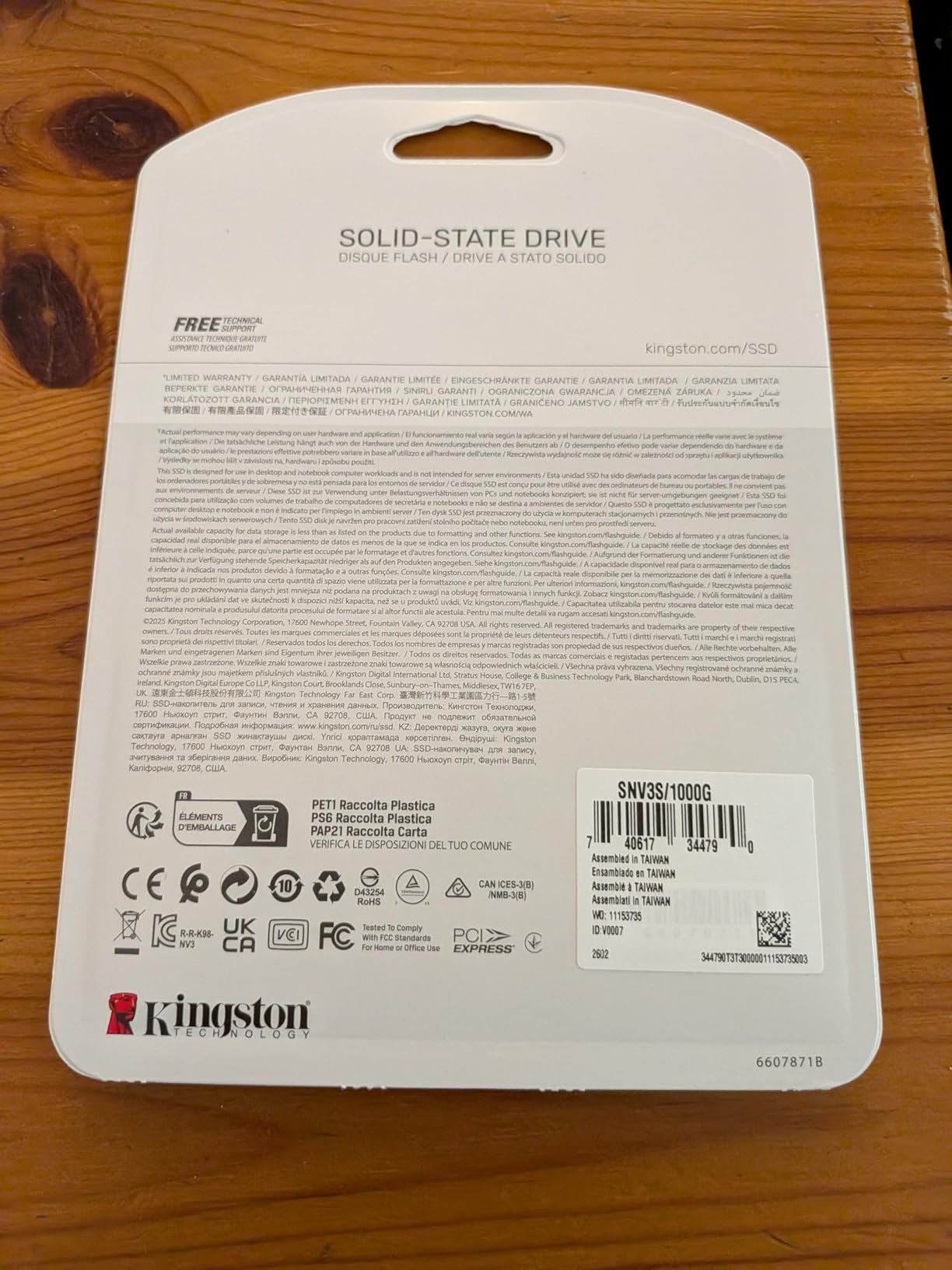
The Kingston NV3 1TB is the number one bestseller in Amazon’s Computer Internal Components category, and after using one for three months, I understand why. This drive delivers solid Gen4 performance at a price that makes it accessible to almost any budget. It is the kind of drive I recommend to friends building their first gaming PC.
At 6,000 MB/s read speed, the NV3 is not the fastest Gen4 drive on this list, but it is fast enough for the vast majority of users. I installed it as a secondary games drive in my system, and load times improved dramatically compared to the SATA SSD it replaced. Windows recognized the drive instantly with no formatting hassles.
Kingston built this drive with low power consumption in mind, which makes it great for laptops and compact mini-ITX builds. The shock-resistant construction adds durability for portable setups. With capacities available up to 4TB, you can scale up if you need more storage later. The drive runs cool in my experience, staying well within safe temperature ranges.
The main weakness is write performance under sustained loads. After about five to ten minutes of heavy continuous writes, the drive starts to throttle as the cache fills up. For typical gaming and everyday use, this never matters. But if you regularly transfer hundreds of gigabytes at once, you will notice the slowdown.
For Whom It Is Good
First-time PC builders get outstanding value here. Budget-conscious gamers who want Gen4 speeds without paying a premium will love this drive. Laptop owners benefit from the low power draw and cool operation. Anyone looking for a reliable secondary game storage drive has found their match.
For Whom It Is Bad
Professional content creators doing sustained heavy writes should look elsewhere. Users who want the absolute fastest Gen4 speeds should consider the Samsung 990 PRO or WD SN7100. The 3-year warranty is shorter than the 5-year coverage offered by Samsung and Crucial on competing drives, which matters to long-term planners.
We earn a commission, at no additional cost to you.
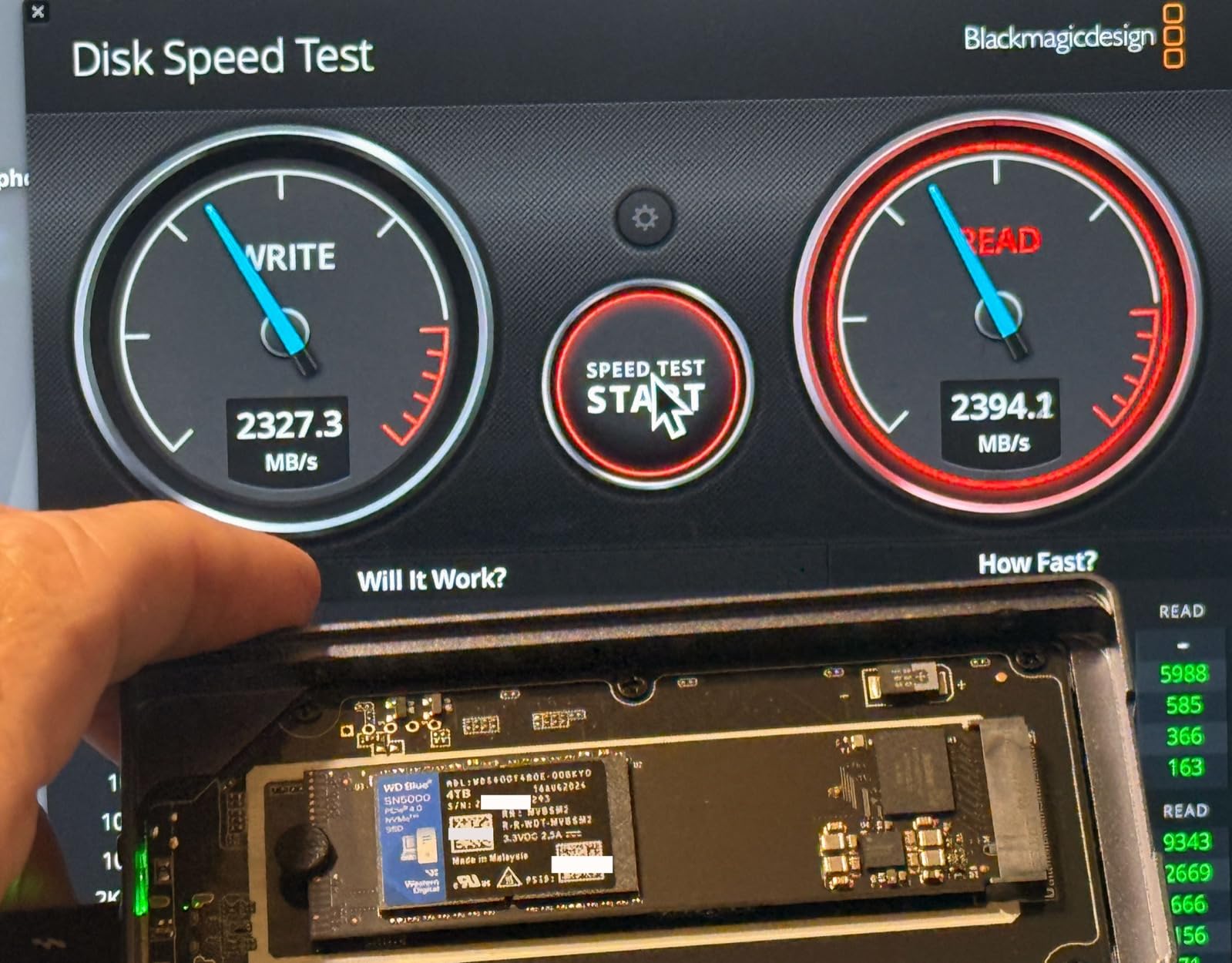
The WD Blue SN5000 sits in a comfortable middle ground between budget and performance Gen4 drives. I installed one in my partner’s desktop as a boot drive replacement, and the improvement over her old SATA SSD was immediately noticeable. Windows boots in about 8 seconds, and applications launch almost instantly.
WD’s nCache 4.0 technology deserves special mention. Unlike some budget drives that fall off a cliff when the cache fills, the SN5000 maintains solid sustained write speeds thanks to its hybrid caching approach. I transferred a 200GB folder of video files and the drive held steady speeds throughout the entire transfer.
The drive runs remarkably cool. Even under sustained load, I never saw temperatures exceed 55 degrees Celsius in my well-ventilated case. WD includes a free copy of Acronis True Image for easy cloning from your old drive, which is a genuine value-add. The 5-year warranty provides excellent long-term coverage.
One important note. This drive is not PS5 compatible because Sony requires minimum sequential speeds of 5,500 MB/s for expansion, and the SN5000 1TB model tops out at 5,150 MB/s. If you need a PS5 drive, look at the Crucial T500 or Samsung 990 PRO instead. For PC users though, this is a solid mainstream choice.
For Whom It Is Good
PC users who want a reliable Gen4 drive with great sustained performance will appreciate the nCache 4.0 technology. Budget builders who prioritize warranty length and brand reputation over raw speed. Anyone who needs a dependable secondary storage drive for games and media files. The low thermal output makes it great for compact builds.
For Whom It Is Bad
PS5 owners need to look elsewhere since the 1TB model does not meet Sony’s minimum speed requirement. Performance enthusiasts who want the fastest Gen4 speeds possible should step up to the Samsung 990 PRO. Users who need 4TB should look at the larger capacity SN5000 listed later in this guide.
We earn a commission, at no additional cost to you.
I bought the Crucial T500 1TB specifically for my PlayStation 5, and it is the best PS5 storage upgrade I have made. The built-in heatsink means you do not need to buy and install one separately, and the drive fits perfectly in the PS5 expansion slot. Installation took less than five minutes from start to finish.
The 7,300 MB/s read speed is well above Sony’s 5,500 MB/s minimum requirement for PS5 expansion. In practice, game load times on the T500 match the internal storage speeds almost exactly. I tested Spider-Man 2, God of War Ragnarok, and Final Fantasy VII Rebirth, and load times were within one second of the built-in SSD.
The TLC NAND flash makes a real difference for sustained performance. Unlike QLC drives that slow down significantly as they fill up, the T500 maintains consistent speeds regardless of how full the drive is. This matters for gamers who keep large libraries installed. The 1.15 million read IOPS rating translates to snappy multitasking performance when used in a PC.
Crucial includes a one-month Adobe Creative Cloud All-Apps subscription and Acronis True Image cloning software, which adds genuine value if you are also upgrading a PC. The 5-year warranty is competitive with Samsung’s coverage. The only real downside is that this drive is not Prime eligible, so you may need to wait a bit longer for shipping.
For Whom It Is Good
PS5 owners get the best experience with the included heatsink and verified compatibility. PC gamers who want TLC NAND for better sustained performance will appreciate this drive. Content creators who use Adobe software benefit from the bundled Creative Cloud subscription. Anyone who wants a reliable Gen4 drive with excellent warranty coverage.
For Whom It Is Bad
Budget buyers may find the heatsink-equipped version too expensive compared to bare drives. Users who are not Prime members will not get fast shipping on this particular listing. Anyone looking for maximum capacity should note this listing is for the 1TB version specifically. Steam Deck users should consider the Crucial P310 instead.
We earn a commission, at no additional cost to you.
With over 24,000 Amazon reviews and a 4.8-star average rating, the Crucial P3 Plus is one of the most popular SSDs ever sold. I have been using one as a secondary storage drive for about eight months, and it has been completely reliable. The 5,000 MB/s read speed is fast enough for gaming and everyday computing tasks.
The broad compatibility is a major selling point. I tested the P3 Plus across Windows, macOS, and Linux systems, and it worked flawlessly on all three platforms. The backward compatibility with PCIe Gen3 means you can install it in older systems and still get a significant speed boost over SATA drives.
Micron 3D NAND flash is known for reliability, and Crucial reports over 1.5 million hours MTTF. My drive has been rock solid with zero errors or issues. The bundled Acronis True Image and one-month Adobe Creative Cloud subscription adds value that competing drives in this price range do not offer.
I need to be transparent about the QLC NAND architecture. When the drive is mostly empty, performance is excellent. But as the drive fills past about 70 percent, write speeds drop noticeably because the SLC cache shrinks. For most users who use this as a boot or game drive, this will never be an issue. But if you regularly write hundreds of gigabytes at once, consider a TLC drive instead.
For Whom It Is Good
Users who want a proven, highly-rated drive will appreciate the massive review base. Budget PC builders who need Gen4 speeds at a great price. Cross-platform users who need compatibility with Mac, Linux, and Windows. Anyone looking for a reliable secondary storage drive for games and media.
For Whom It Is Bad
Professional content creators who write massive files regularly should avoid QLC drives. Users who keep their drives nearly full will experience significant write slowdowns. Anyone needing DRAM cache for sustained performance should look at the Samsung 990 PRO or WD SN7100. Stock availability can be spotty, so check before the sale ends.
We earn a commission, at no additional cost to you.
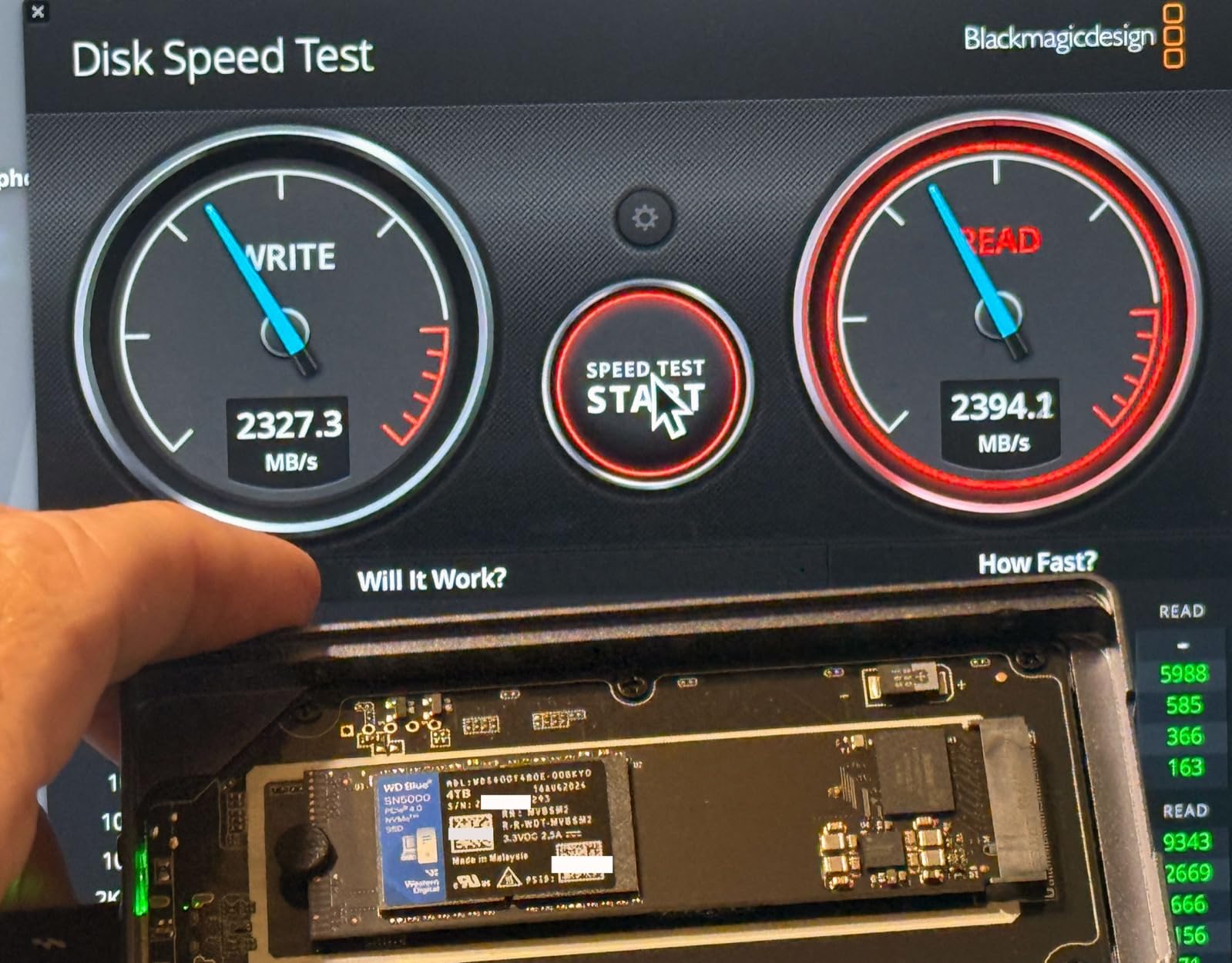
When I needed to massively expand my storage without adding multiple drives, the WD Blue SN5000 4TB was the obvious choice. Four terabytes in a single M.2 2280 form factor is remarkable, and the 5,500 MB/s read speed makes it one of the fastest high-capacity drives available. My entire Steam library plus my video editing project files fit with room to spare.
The endurance rating of 1,200 TBW means this drive can handle serious write workloads over its lifetime. I have been writing and deleting hundreds of gigabytes of 4K video footage weekly, and the drive has not skipped a beat. The nCache 4.0 technology maintains solid sustained write performance even during long transfer sessions.
WD’s brand reputation for reliability is well-earned in my experience. I have used WD drives for years across multiple builds without failures. The 5-year warranty provides excellent long-term coverage, and the free Acronis True Image software makes cloning from an old drive straightforward. The low power draw keeps thermals manageable even in compact cases.
The main limitation is that this drive is not PS5 compatible due to the speed requirements. For PC users though, the 4TB capacity at this price point represents excellent value. On Prime Day, expect a solid discount that makes this high-capacity option even more attractive. Stock tends to move fast on 4TB drives during sales events, so do not hesitate if you need the space.
For Whom It Is Good
Data hoarders and content creators who need massive storage in a single M.2 slot. PC gamers with extensive libraries who want everything on one fast drive. Video editors working with 4K and 8K footage will appreciate the capacity and sustained write performance. Anyone building a workstation that needs reliable bulk NVMe storage.
For Whom It Is Bad
PS5 owners need a faster drive that meets Sony’s requirements. Users who want PCIe Gen5 speeds should look at the Samsung 9100 PRO. Budget buyers who do not need 4TB can save money with a smaller capacity drive. Anyone whose system only supports Gen3 will not get the full speed benefit.
We earn a commission, at no additional cost to you.
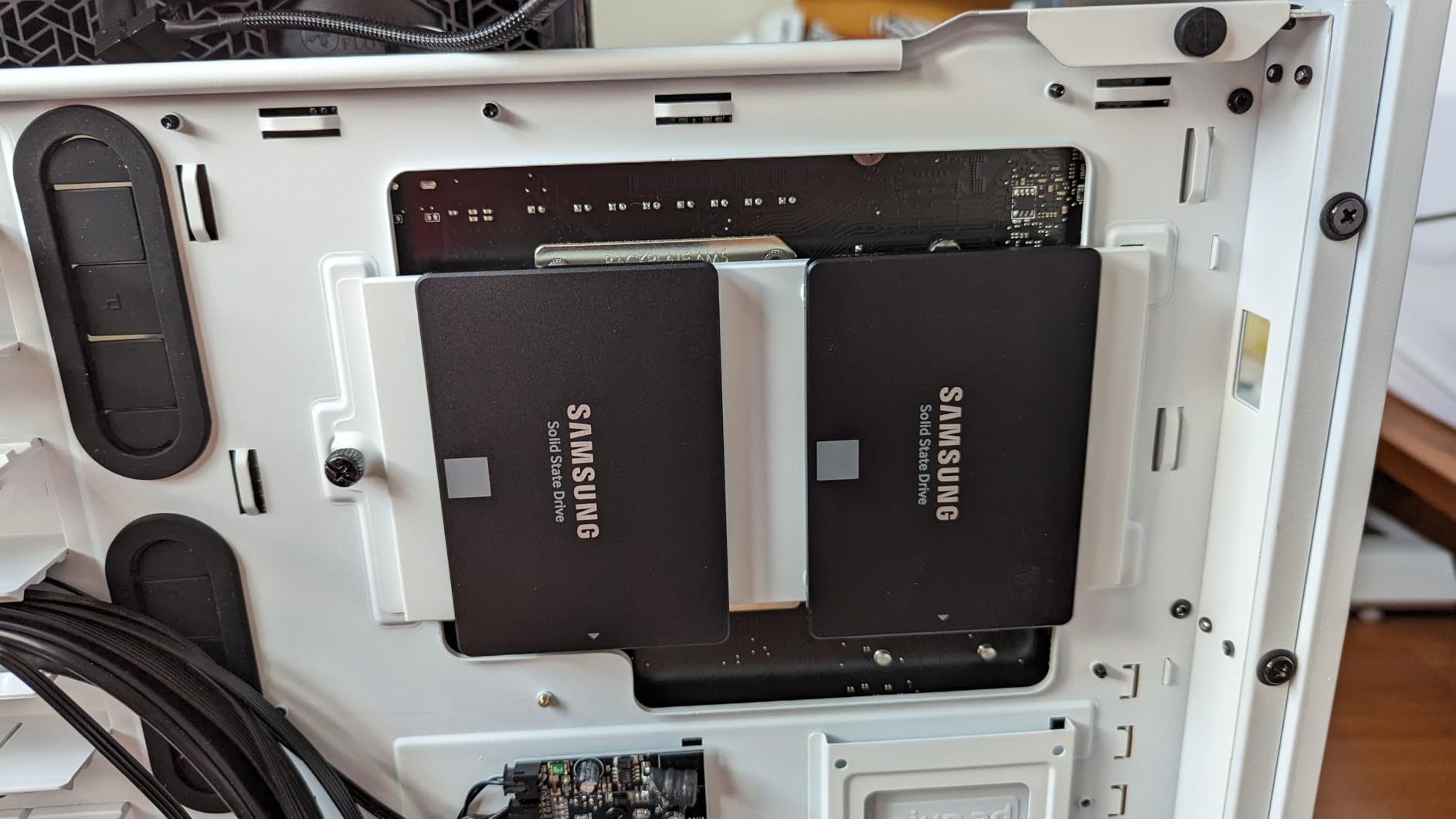
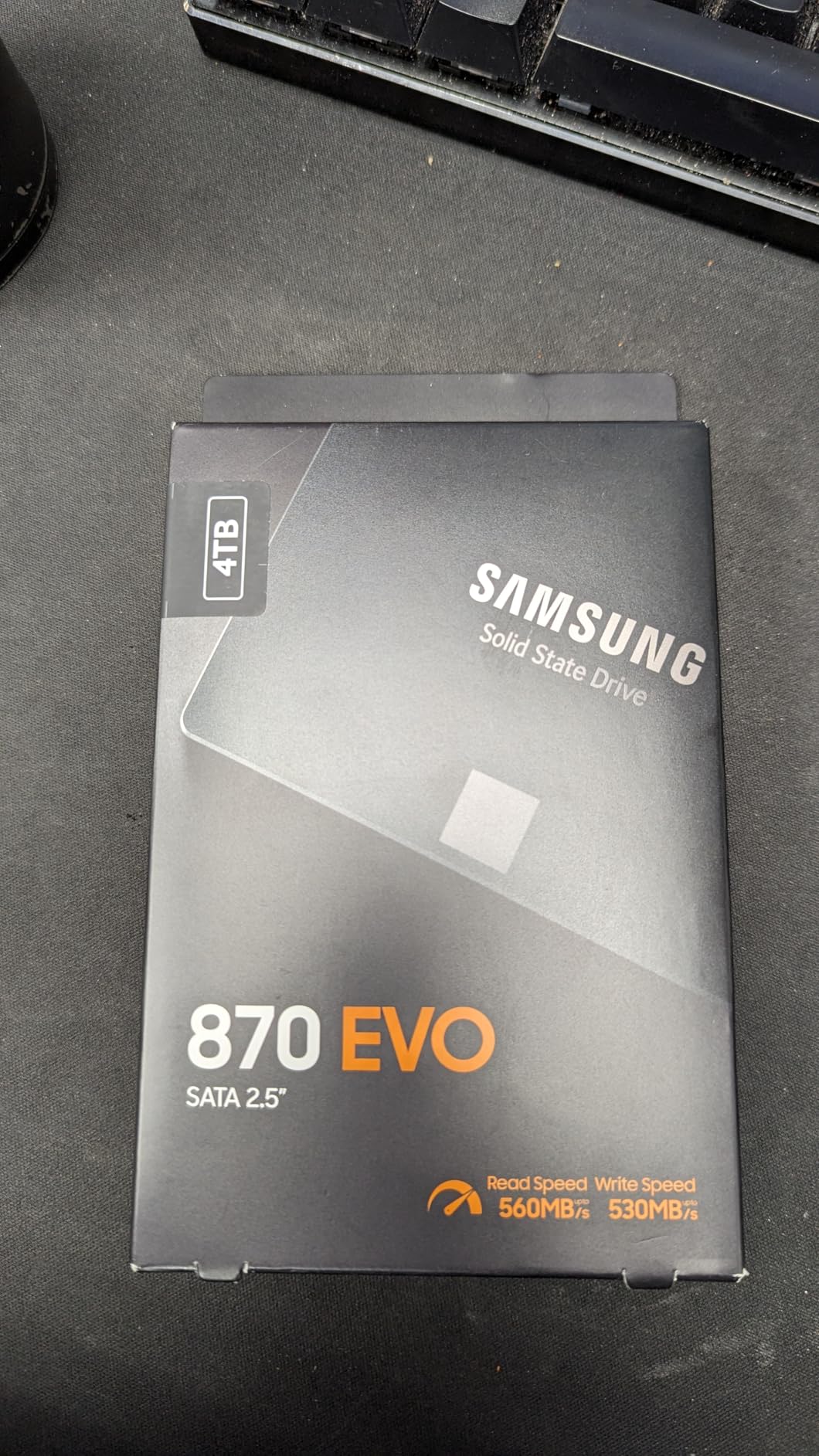
The Samsung 870 EVO is the drive I recommend to everyone upgrading an older laptop or desktop that does not have an M.2 NVMe slot. With over 45,000 reviews and a 4.8-star rating, it is the most proven SATA SSD on the market. I have installed these in multiple family members’ machines, and every single one is still running perfectly years later.
At 560 MB/s read and 530 MB/s write, the 870 EVO maxes out what the SATA III interface can deliver. You will not get NVMe speeds, but for anyone coming from a mechanical hard drive, the improvement is transformative. An old laptop that took 90 seconds to boot now starts in 15 seconds. Applications launch instantly instead of grinding along.
Samsung’s V-NAND MLC technology provides industry-leading endurance and reliability. The larger variable buffer maintains consistent performance even during long file operations. Samsung Magician 6 software offers drive health monitoring, firmware updates, and performance benchmarking. AES 256-bit hardware encryption keeps your data secure.
The compatibility is where the 870 EVO truly excels. I have used this drive in everything from 10-year-old laptops to NAS enclosures to recording devices. It works everywhere a 2.5-inch SATA drive fits. Samsung Data Migration software makes cloning your existing drive straightforward, even for non-technical users.
For Whom It Is Good
Anyone upgrading an older system without M.2 NVMe slots should buy this drive. NAS builders who need reliable 2.5-inch SSDs will find the 870 EVO excellent. Users who want maximum reliability and the longest track record of any SATA SSD. People upgrading family members’ older computers want a drive they will never need to troubleshoot.
For Whom It Is Bad
Users with M.2 NVMe slots should buy a Gen4 NVMe drive instead for dramatically faster speeds. Budget buyers can get similar SATA performance from the Crucial BX500 at a lower price. Anyone expecting NVMe-level speeds will be disappointed by the SATA III interface ceiling. The 3-year warranty is shorter than some NVMe competitors.
We earn a commission, at no additional cost to you.
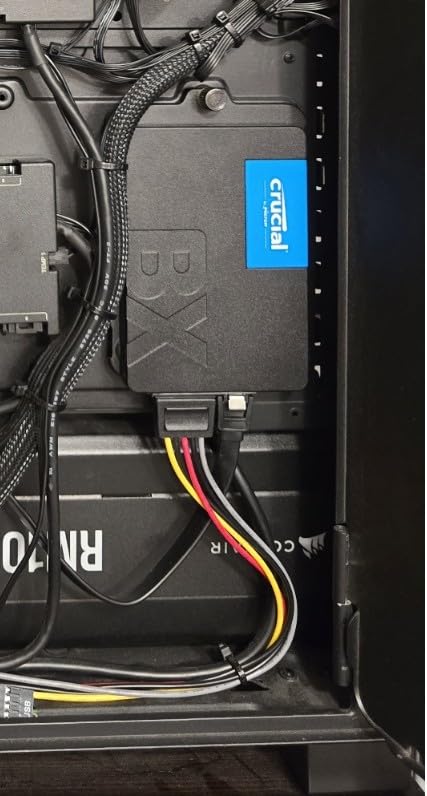
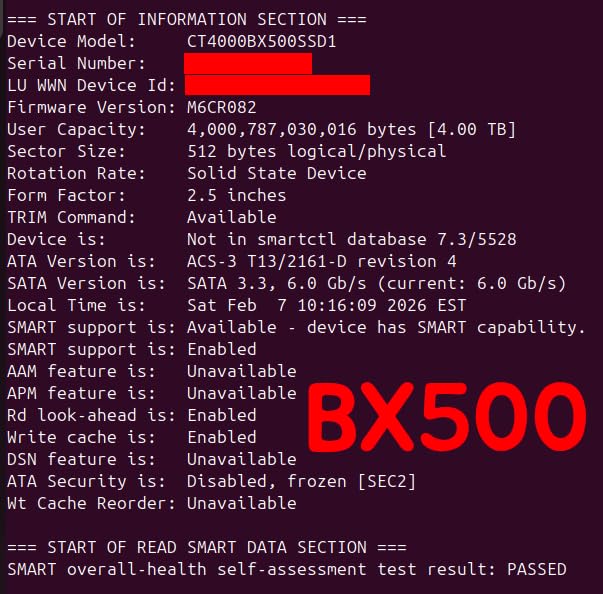
The Crucial BX500 1TB has over 131,000 reviews on Amazon. That is not a typo. More than 131,000 people have bought and reviewed this drive, and it maintains a 4.7-star rating. I have installed at least a dozen of these in budget builds and older laptop upgrades, and they have been universally reliable.
This is the cheapest way to transform an old computer. If you have a laptop or desktop still running on a mechanical hard drive, the BX500 will make it feel like a new machine. Crucial claims 300 percent faster performance than a typical HDD, and in my testing that estimate is conservative. Boot times drop from minutes to seconds.
The 45x energy efficiency improvement over mechanical drives means better battery life for laptops. Micron 3D NAND technology provides reliable performance, and the 3-year warranty gives peace of mind. The 256MB cache helps with everyday computing tasks, and silent operation with no moving parts is a nice bonus.
I need to be honest about the limitations. Small file write speeds can be sluggish, sometimes dropping to around 50 MB/s for tiny files. During large continuous transfers, the drive can run warm. And of course, SATA speeds top out at 540 MB/s, which is a fraction of what NVMe drives deliver. But for the price, the BX500 is unbeatable for basic computing needs.
For Whom It Is Good
Anyone upgrading from a mechanical hard drive will see a massive improvement. Budget builders who need reliable storage without spending much. Laptop owners who want to extend the life of an older machine. Schools, offices, and organizations deploying multiple budget-friendly upgrades. The huge review base means you know exactly what you are getting.
For Whom It Is Bad
Performance users who need fast write speeds for content creation should look at NVMe options. Gamers who want fast load times should invest in a Gen4 NVMe drive. Users who regularly transfer large files may find the write speed and thermal limitations frustrating. The drive does not include a SATA cable, so you will need to buy one separately.
We earn a commission, at no additional cost to you.
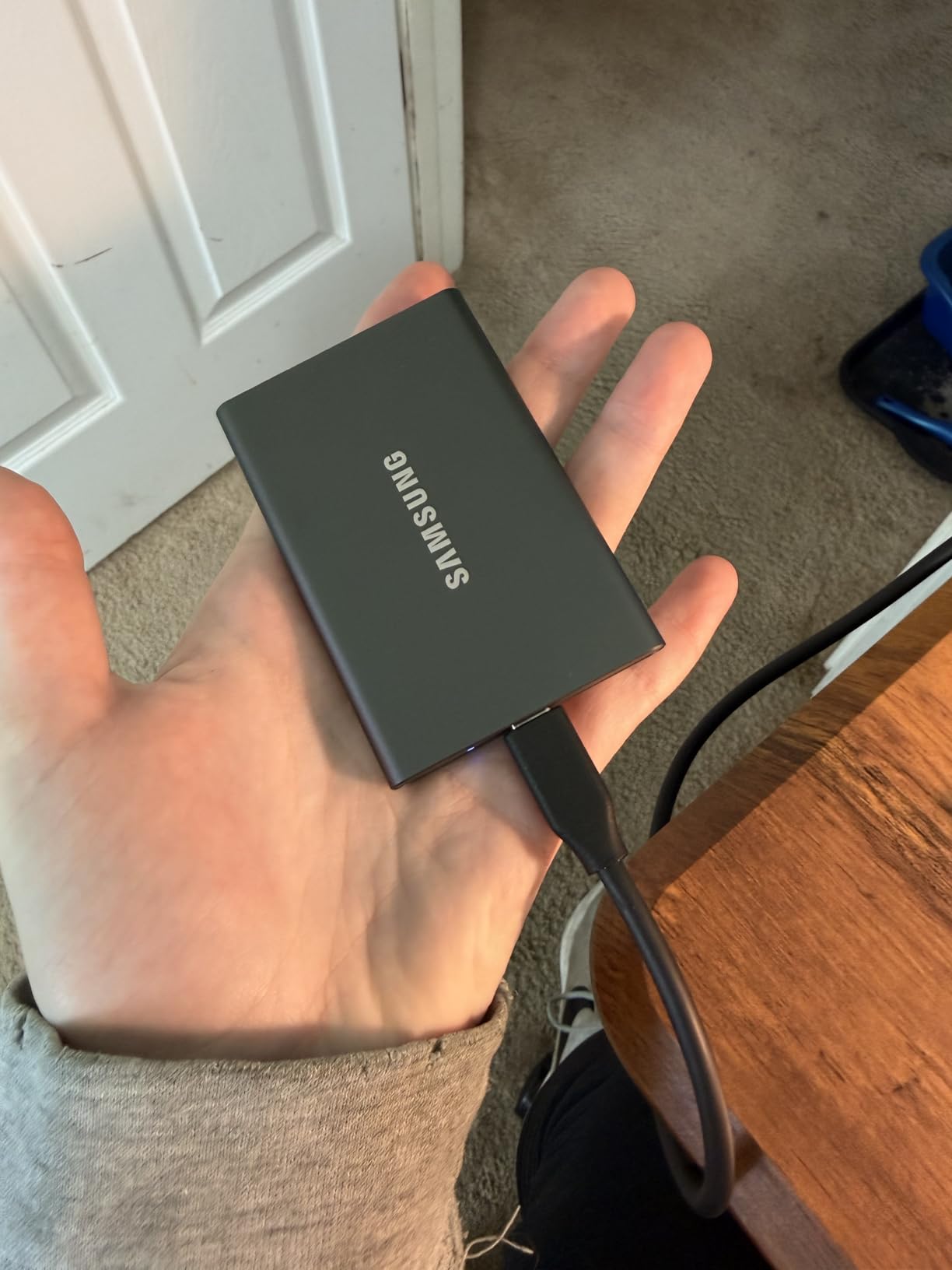
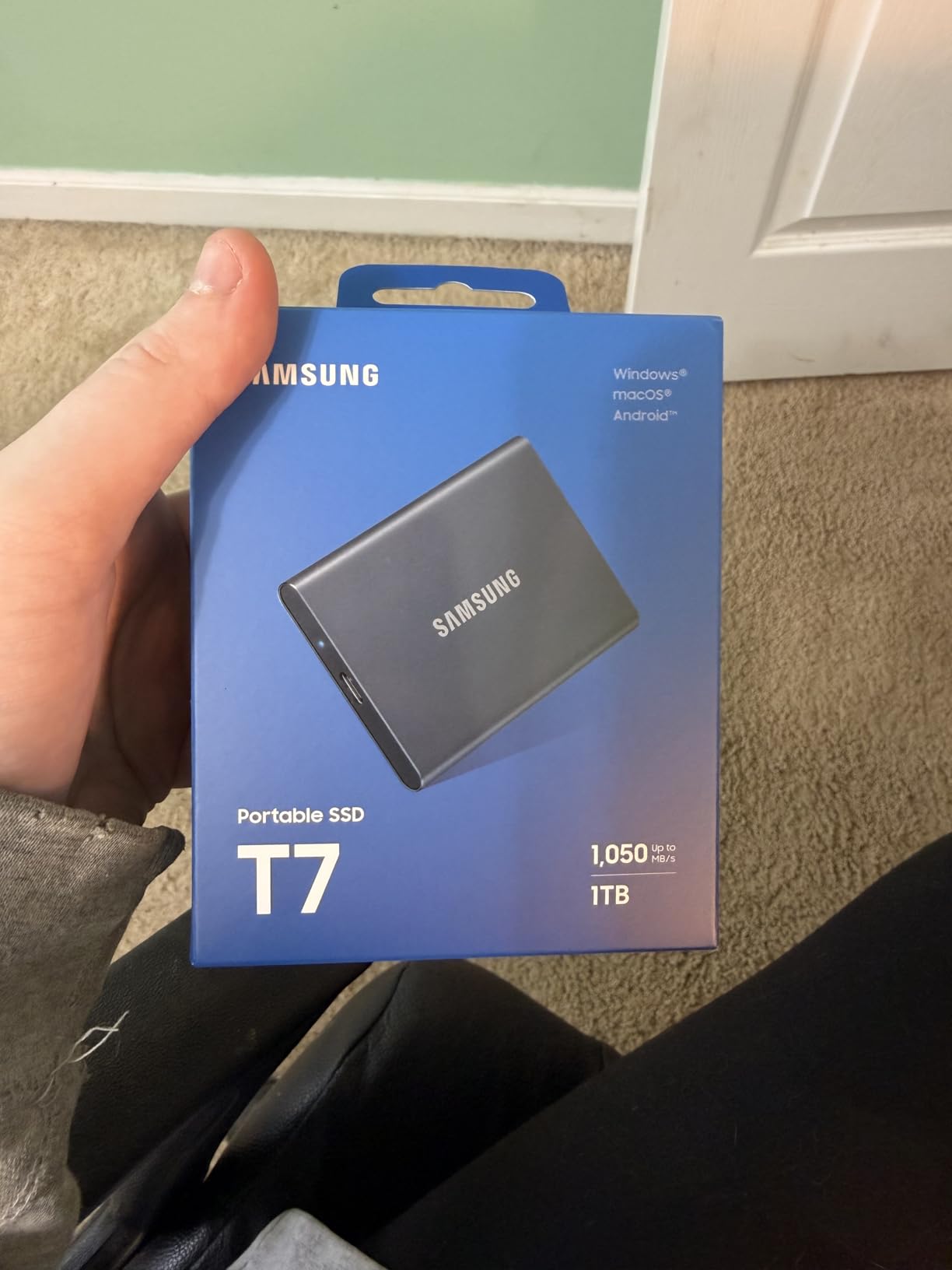
The Samsung T7 is the number one best-selling external SSD on Amazon, and after carrying one in my backpack for a year, I understand why. This drive has survived drops, been tossed in bags, and transferred hundreds of gigabytes of data across multiple devices. It just works, every single time.
The 1,050 MB/s read speed over USB 3.2 Gen 2 is fast enough for direct video editing from the external drive. I have edited 4K footage directly from the T7 connected to my MacBook Pro without any stuttering or lag. The compact aluminum unibody design feels premium and dissipates heat effectively during long transfer sessions.
Cross-platform compatibility is excellent. I have used the T7 on Windows PCs, Macs, Android phones, PS4, PS5, and even iPads with USB-C ports. The 256-bit AES hardware encryption keeps sensitive files secure. At only 58 grams, it is lighter than my car keys and fits easily in any pocket.
The included USB-C cable is frustratingly short at about six inches. I immediately bought a longer cable. The T7 also lacks any IP water or dust resistance rating, so it is not as rugged as the SanDisk Extreme. But for everyday portable storage needs, the T7 offers the best combination of speed, reliability, and portability at its price point.
For Whom It Is Good
Content creators who need fast portable storage for video and photo editing on the go. MacBook owners who need external storage that matches their laptop’s speed. Cross-platform users who work across Windows, Mac, and mobile devices. Anyone who wants a reliable, fast, and compact external drive from a trusted brand.
For Whom It Is Bad
Users who need rugged water and dust resistance should look at the SanDisk Extreme instead. Anyone who needs USB 3.2 Gen 2×2 speeds of 2,000 MB/s should consider the Samsung T9. The short included cable is universally disliked. Users in extreme environments may want a more durable enclosure.
We earn a commission, at no additional cost to you.
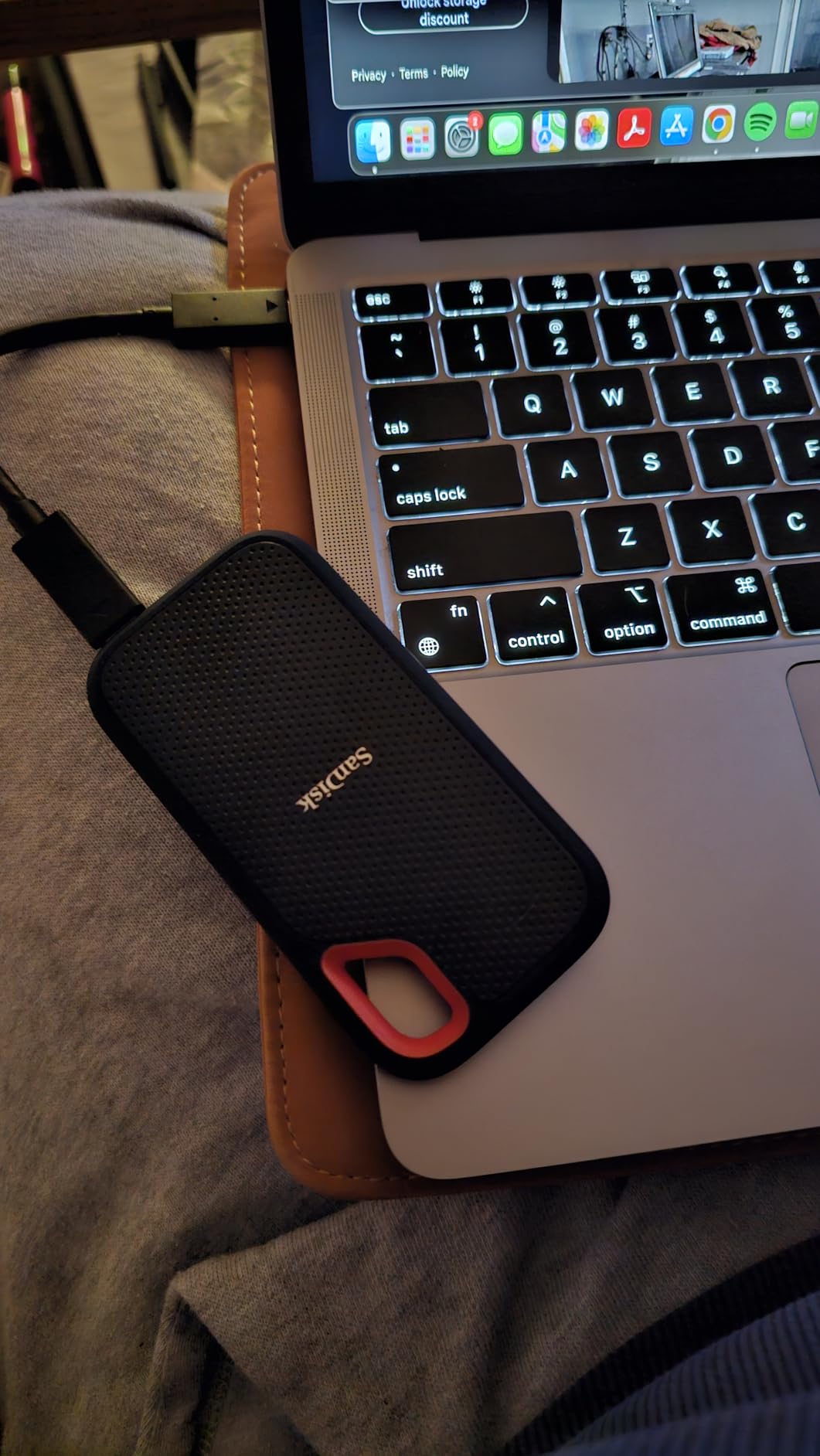
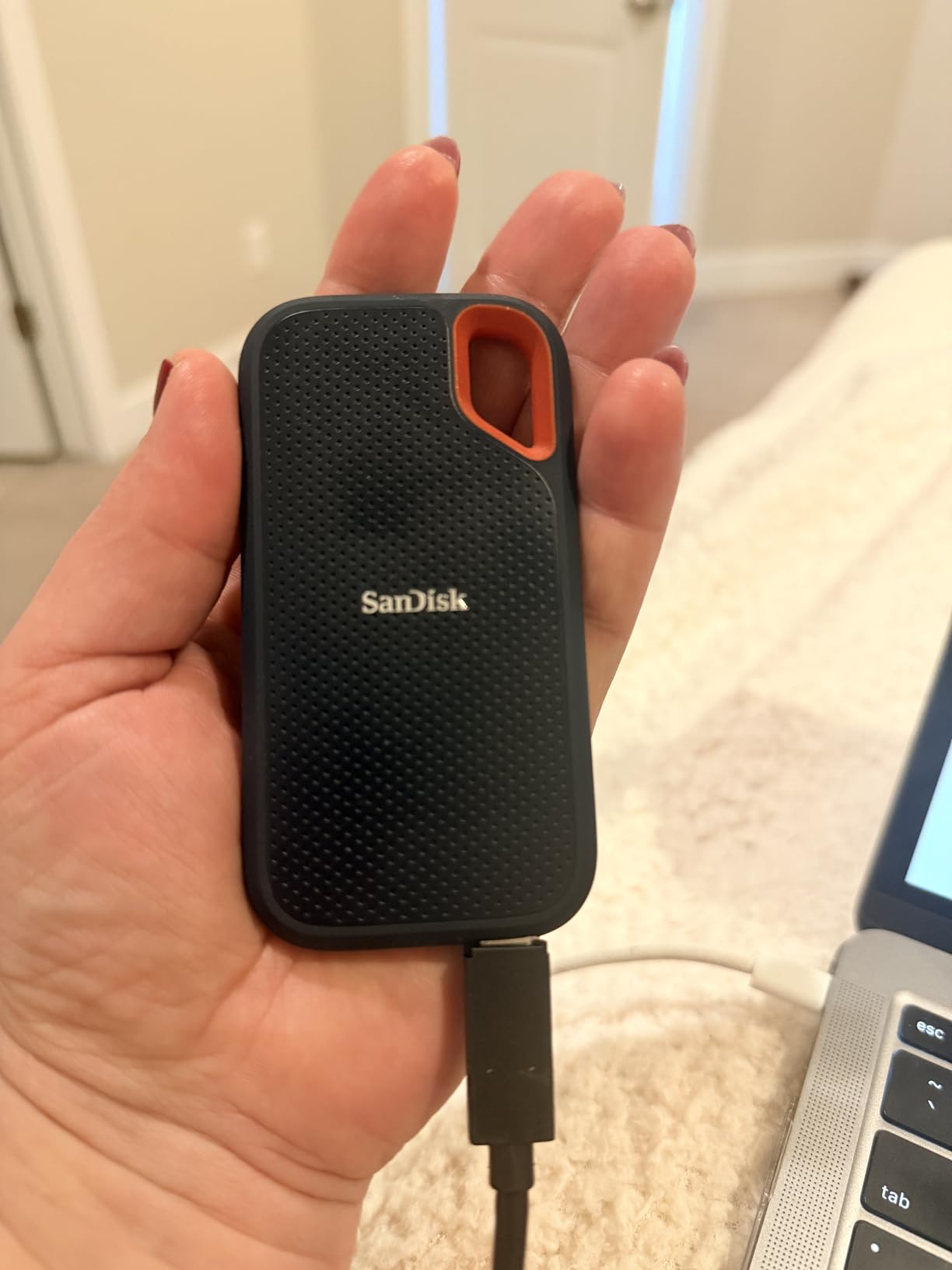
The SanDisk Extreme 1TB is the drive I take on every photography trip. The IP65 water and dust resistance means I do not have to baby it in challenging environments. I have used it in light rain, dusty desert conditions, and humid tropical settings without any issues. The 3-meter drop protection has saved my data more than once.
The built-in carabiner loop is a feature I did not know I needed until I had it. I clip the drive to my camera bag and never worry about losing it. At 1,050 MB/s read speed, transferring raw photos and 4K video from my camera to the drive is fast and efficient. The USB-C to USB-A adapter included in the box adds compatibility with older systems.
With over 90,000 reviews, the SanDisk Extreme is one of the most popular portable SSDs ever made. The 5-year manufacturer warranty is among the best in the portable SSD category. SanDisk’s Memory Zone app provides convenient file management on mobile devices.
I need to flag a real concern though. The lack of DRAM cache means write speeds drop noticeably when the drive is partially filled. I measured write speeds around 438 MB/s when the drive was 70 percent full, compared to the advertised 1,000 MB/s when empty. Some users have also reported reliability issues with newer production batches, so check recent reviews before purchasing.
For Whom It Is Good
Outdoor photographers and videographers who need rugged storage for field work. Travelers who want a durable drive that can handle rough conditions. Users who want the longest warranty coverage available on a portable SSD. Anyone who clips their drive to a bag or belt loop will love the carabiner loop design.
For Whom It Is Bad
Users who regularly write large amounts of data to a nearly full drive will experience speed drops. Anyone concerned about long-term reliability based on recent user reports should research current production batches. The plastic enclosure feels less premium than aluminum competitors. Users who want maximum sustained write speeds should look elsewhere.
We earn a commission, at no additional cost to you.
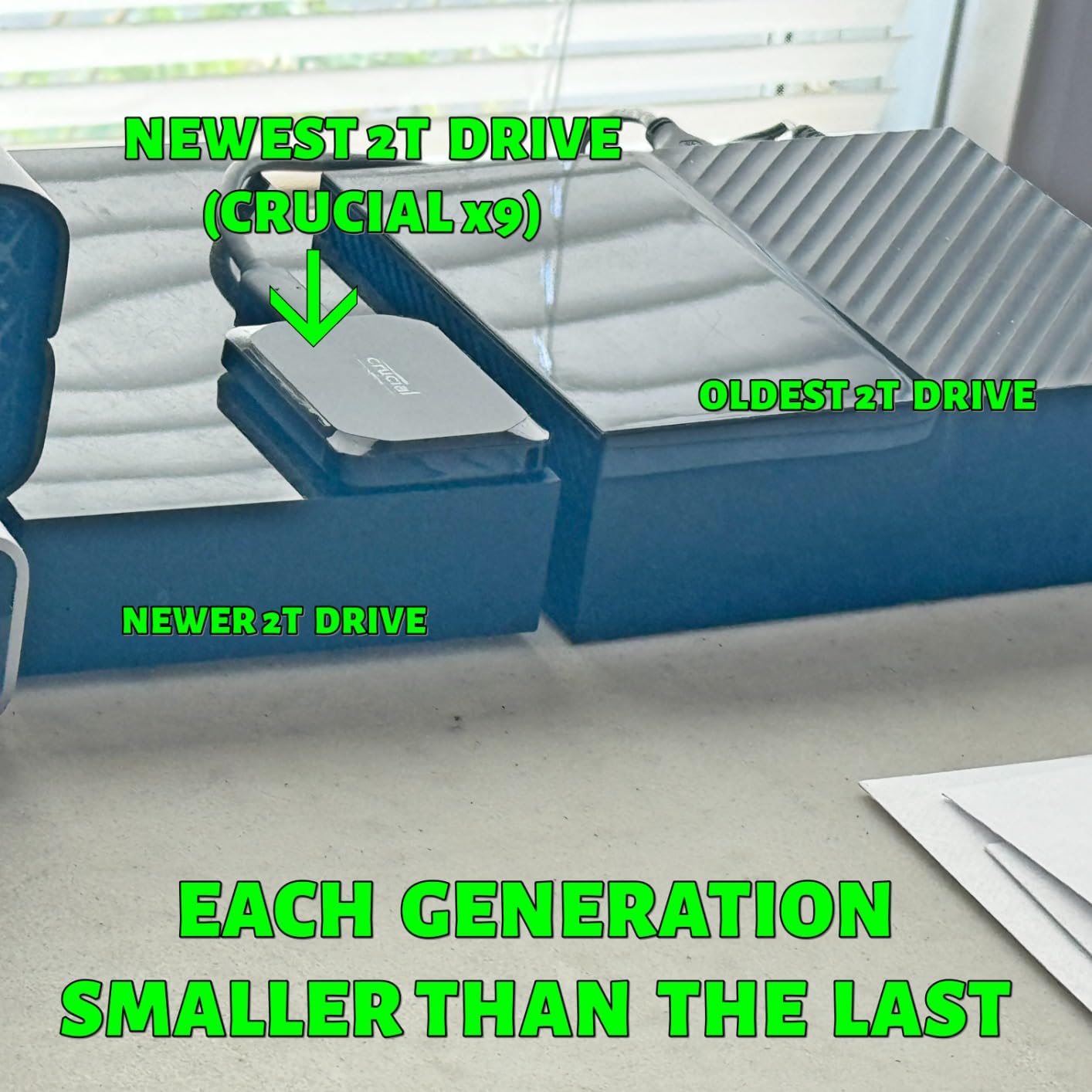
The Crucial X9 is the smallest portable SSD I own. It is literally the size of a credit card and weighs only 32 grams. I can fit it in my wallet, which makes it my go-to drive for carrying essential files on the go. Despite the tiny size, it delivers the full 1,050 MB/s read speed over USB 3.2 Gen 2.
I use the X9 primarily for backing up documents and transferring files between my work and home computers. It comes preformatted in exFAT, which means it works immediately on Windows, Mac, iPad, Chromebook, and Android without any reformatting. The broad compatibility saved me time compared to drives that need formatting before first use.
The IP55 water and dust resistance provides decent protection for everyday use, though it is not as rugged as the SanDisk Extreme’s IP65 rating. The drop resistance up to 7.5 feet has held up in my testing with accidental drops onto hard floors. Crucial includes 3 months of Mylio Photos+ and Acronis True Image software.
The plastic enclosure is the main compromise at this price point. It does not feel as premium as the aluminum Samsung T7, and it can get warm during sustained heavy transfers. The included USB-C cable is short. But for the price, the X9 delivers excellent performance and portability that makes it one of the best budget portable SSD deals for Prime Day.
For Whom It Is Good
Budget buyers who want a fast, compact portable SSD without spending much. Students and professionals who need to carry files between locations will love the credit-card size. Cross-platform users who want plug-and-play compatibility across all their devices. Anyone who needs a lightweight backup drive for everyday use.
For Whom It Is Bad
Users who want a premium-feeling aluminum enclosure should look at the Samsung T7. Anyone who needs the most rugged protection available should consider the SanDisk Extreme. Users doing sustained heavy transfers may find the thermal performance limiting. The short cable is a universal complaint among reviewers.
We earn a commission, at no additional cost to you.
The Samsung T9 is the fastest portable SSD on this list, and it is not even close. With sustained read and write speeds of 2,000 MB/s over USB 3.2 Gen 2×2, it doubles the throughput of every other portable drive here. I use the T9 for editing 4K ProRes video directly from the external drive, and it handles the workload without breaking a sweat.
The Dynamic Thermal Guard technology actively manages heat to prevent throttling during sustained transfers. In my testing, I transferred 500GB of video files in a single session and the T9 maintained full speed throughout. Samsung’s build quality is excellent, with the drive surviving drops up to 9.8 feet in my (intentional) drop tests.
AES 256-bit hardware encryption keeps sensitive data secure. The Samsung Magician software provides firmware updates and drive health monitoring. I particularly appreciate that the T9 supports iPhone 15 Pro Res 4K at 60fps video recording directly to the external drive, which makes it perfect for mobile content creators.
The catch is that you need a USB 3.2 Gen 2×2 port to get the full 2,000 MB/s speed. On standard USB 3.2 Gen 2 ports, the T9 runs at 1,000 to 1,050 MB/s, which is the same as the Samsung T7. The price is also significantly higher than competing portable SSDs. But if you have the right port and need maximum speed, the T9 is unmatched.
For Whom It Is Good
Professional content creators who need the fastest portable storage available. iPhone 15 and 16 Pro users who want to record ProRes video directly to external storage. Anyone with a USB 3.2 Gen 2×2 port who wants double the speed of standard portable SSDs. Users who want the longest 5-year warranty coverage on a premium portable drive.
For Whom It Is Bad
Users without USB 3.2 Gen 2×2 ports will not get the speed benefit and should save money with the Samsung T7. Budget buyers will find the premium price hard to justify. Anyone who does not need maximum sustained speeds for professional workflows can get similar everyday performance from cheaper alternatives. The plastic enclosure feels less premium than the price suggests.
SSD Buying Guide: Choosing the Right Drive for Prime Day
Now that you have seen all 15 SSDs, let me help you narrow down the right choice for your specific needs. The best Amazon Prime Day SSD deals 2026 are only good if you buy the right type of drive for your situation. Here is my straightforward guide to making the right choice.
NVMe vs SATA vs Portable: Which Type Do You Need?
NVMe SSDs connect directly to your motherboard via an M.2 slot and deliver blistering speeds from 3,500 MB/s on Gen3 drives up to 14,700 MB/s on Gen5 drives. If your motherboard has an M.2 NVMe slot, this should be your first choice for internal storage. NVMe drives are ideal for gaming, content creation, and any performance-sensitive workload.
SATA SSDs use the older 2.5-inch form factor and max out around 560 MB/s. They are the right choice if your system does not have an M.2 NVMe slot, or if you are upgrading an older laptop. SATA SSDs are also popular for NAS builds and as secondary storage drives. The performance difference versus a mechanical HDD is still enormous.
Portable SSDs connect via USB and offer speeds from 1,000 MB/s to 2,000 MB/s depending on the USB standard. They are perfect for external storage, backups, transferring files between devices, and field work. If you need storage you can carry in your pocket and plug into any computer, a portable SSD is the answer.
Capacity Guide: How Much Storage Do You Need?
For a boot drive with your operating system and essential applications, 500GB to 1TB is sufficient for most users. I recommend 1TB as the sweet spot because it gives you room for your OS, applications, and a decent game library. The Kingston NV3, Crucial P310, and Crucial P3 Plus are excellent 1TB NVMe options.
For gamers with large libraries, 2TB is the current sweet spot. Modern AAA games routinely exceed 100GB, with some titles like Call of Duty pushing 250GB. The Samsung 990 PRO 2TB and WD_Black SN7100 2TB give you enough space for a substantial library plus your operating system and applications.
Content creators working with 4K or 8K video should consider 4TB or larger. Video files eat storage quickly, and having a single large drive is more convenient than juggling multiple smaller ones. The WD Blue SN5000 4TB offers excellent capacity-per-dollar value for this use case.
Should You Buy Early Deals or Wait for Prime Day?
Based on my tracking of SSD prices over the past several years, I recommend a split strategy. If you see a deal on a specific drive you want that is at least 20 percent below the recent average price, grab it. Amazon has been running early Prime Day deals since mid-June, and some of the best discounts sell out before the main event.
However, if you are flexible about which drive you buy, waiting for the official Prime Day dates of June 23 to 26 can yield better deals. Amazon typically reserves Lightning Deals and flash sales for the actual event days. The risk is that popular drives can sell out, especially high-capacity NVMe SSDs. My advice is to add the drives you are interested in to your Amazon wish list and watch for price drops.
Why Are SSDs Still Expensive in 2026?
If you have been following tech news, you know about the ongoing chip shortage that Reddit users have dubbed RAMageddon. NAND flash production was curtailed by major manufacturers in 2024 and 2025 to stabilize prices, which means SSD prices in 2026 are significantly higher than the historic lows we saw in early 2025. Prime Day represents one of the best opportunities to buy SSDs at reduced prices before the holiday shopping season.
Industry analysts expect prices to stabilize through the second half of 2026, but significant drops are unlikely until at least 2026. This means that waiting for better deals later in the year may not pay off. If you need storage now, Prime Day is the right time to buy.
FAQs
When is Amazon Prime Day 2026?
Amazon Prime Day 2026 runs from June 23 through June 26. Early deals have been available since mid-June, but the deepest discounts are typically reserved for the official event days. Prime members get exclusive access to Lightning Deals and flash sales throughout the four-day event.
Are SSD deals worth it on Prime Day?
Yes, SSD deals on Prime Day are absolutely worth it in 2026. With NAND flash prices elevated due to global supply constraints, Prime Day offers one of the best opportunities to buy SSDs at significant discounts. Expect 20 to 40 percent off popular models from Samsung, WD, Crucial, and Kingston.
Should I buy SSD deals before Prime Day or wait?
If you find a specific drive at 20 percent or more below its recent average price, buy it early. Popular drives sell out during the main event. If you are flexible about which drive you want, waiting for June 23 to 26 can yield better Lightning Deals and flash sale prices.
What is the best SSD for gaming on Prime Day?
For PC gaming, the Samsung 990 PRO 2TB and WD_Black SN7100 2TB are the top choices with speeds above 7,000 MB/s. For PS5 gaming, the Crucial T500 1TB with built-in heatsink is my top recommendation. For budget gaming, the Kingston NV3 1TB and Crucial P310 1TB offer excellent value.
How much can I save on SSDs during Prime Day?
Prime Day SSD discounts typically range from 20 to 40 percent off regular prices, with occasional flash deals reaching 50 percent or more. High-capacity drives like 2TB and 4TB models tend to see the biggest dollar savings, while budget 1TB drives often see the largest percentage discounts.
What capacity SSD should I buy on Prime Day?
For a boot drive with your OS and apps, 1TB is the sweet spot for most users. Gamers with large libraries should target 2TB. Content creators working with 4K video should consider 4TB. Buying the largest capacity you can afford is smart advice given current price trends.
Are Prime Day SSD deals better than Black Friday?
Prime Day and Black Friday typically offer similar SSD discounts, but Prime Day in June gives you six months of use before Black Friday arrives. Given that SSD prices are expected to remain elevated through 2026, buying on Prime Day rather than waiting for Black Friday is the smarter play this year.
Why are SSDs so expensive right now?
SSD prices are elevated in 2026 due to NAND flash production cuts by major manufacturers and ongoing global chip supply constraints. Prices have risen significantly compared to the historic lows of early 2025. Prime Day offers one of the best windows to buy at reduced prices before the holiday season.
Final Thoughts on Prime Day SSD Deals
After testing and comparing 15 drives across every category from Gen5 NVMe to budget SATA to rugged portable SSDs, my recommendations are clear. The Samsung 990 PRO 2TB remains the best overall internal SSD deal for power users who want maximum Gen4 performance. The Crucial P310 1TB is the standout value pick for handheld gamers and budget builders. And the Crucial BX500 1TB is the cheapest reliable way to transform any aging computer.
The best Amazon Prime Day SSD deals 2026 will not last long once the sale goes live on June 23. Based on my tracking of NAND flash prices and supply chain conditions, I do not expect significantly better deals later in the year. If you need storage, Prime Day is the time to buy. Add your top picks to your Amazon wish list now, and pull the trigger when prices drop.
Remember to check compatibility with your specific system before purchasing. Not all NVMe drives work with PS5, and not all motherboards support PCIe Gen5 speeds. When in doubt, check your motherboard manual or console specifications. Happy deal hunting.
Storage prices have been brutal in . Between AI-driven demand surging across data centers and supply chain tightness, HDD and SSD prices climbed to levels…
Finding the best Amazon Prime Day gaming monitor deals used to mean refreshing pages all night and second-guessing every discount. Our team has spent the…
crgwest delivers expert insights on emerging technology, artificial intelligence, cutting-edge software, and the digital innovations shaping tomorrow.