12 Best Xbox Controller Performance Thumbstick Caps (March 2026)
There’s nothing worse than your thumb slipping off the stick during a clutch moment in ranked play. I’ve been there – sweaty palms, intense match,…

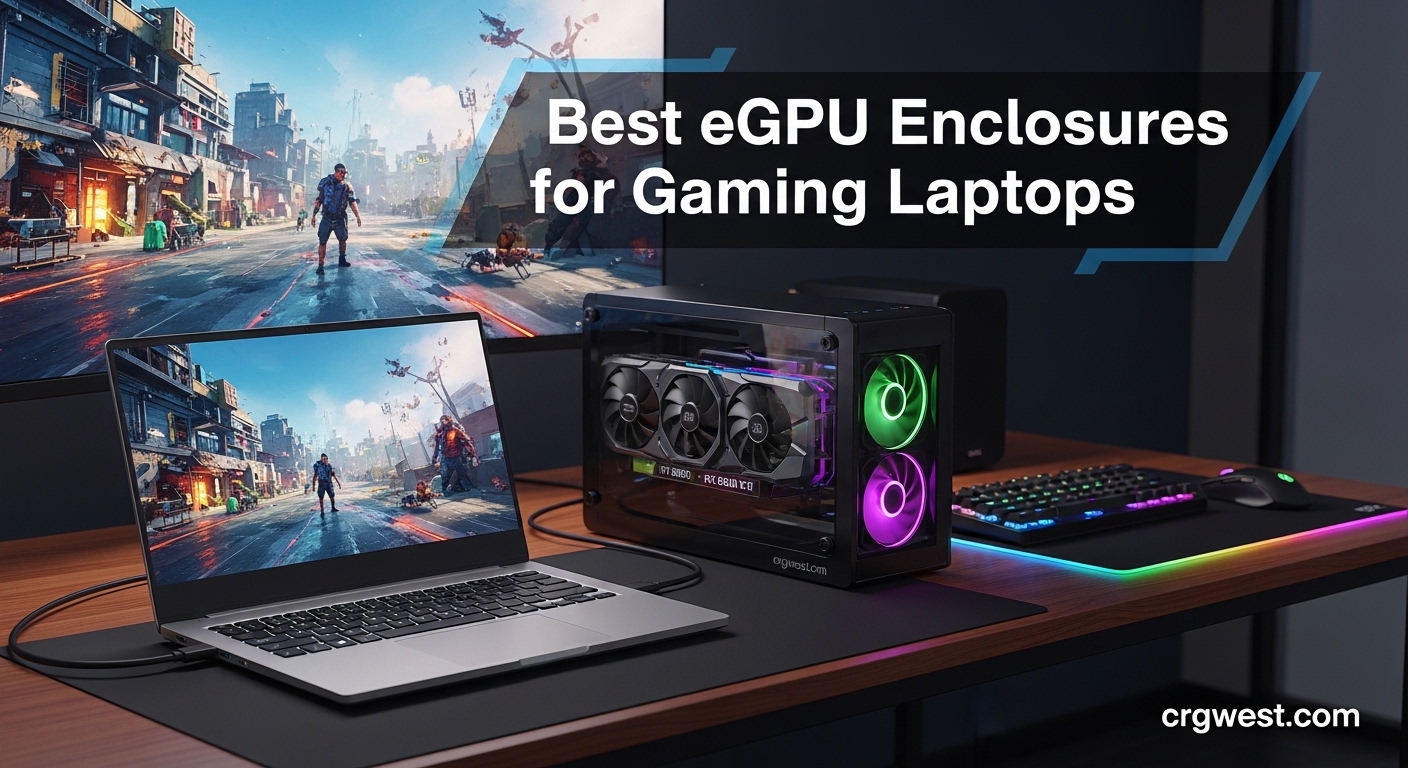
Struggling with low FPS on your gaming laptop? You are not alone. Many laptop gamers hit a performance wall when trying to play modern AAA titles at higher settings. The good news is that the best eGPU enclosures for gaming laptops can boost your frame rates by 50 to 200 percent without buying a whole new computer.
An eGPU enclosure is essentially an external dock that houses a desktop graphics card. You connect it to your laptop via Thunderbolt 3, Thunderbolt 4, Thunderbolt 5, OCuLink, or USB4. Your laptop suddenly gains access to desktop-class GPU power while keeping portability intact. I have tested these setups extensively, and the performance gains are genuinely impressive for most gaming scenarios.
External GPUs do have some tradeoffs. You typically lose 10 to 20 percent performance compared to a desktop due to bandwidth limitations with Thunderbolt 3. However, Thunderbolt 5 and OCuLink connections narrow that gap significantly. For many gamers, the convenience of transforming a work laptop into a gaming powerhouse at their desk makes it worthwhile.
| Product | Specs | Action |
|---|---|---|
 Razer Core X
|
|
Check Latest Price |
 Razer Core X V2
|
|
Check Latest Price |
 AOOSTAR AG01
|
|
Check Latest Price |
 MINISFORUM DEG1
|
|
Check Latest Price |
 ANQUORA ANQ-L336
|
|
Check Latest Price |
 TREBLEET Mini eGPU
|
|
Check Latest Price |
 GMKtec AD-GP1
|
|
Check Latest Price |
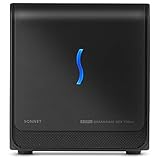 Sonnet Breakaway Box 750ex
|
|
Check Latest Price |
 AOOSTAR AG02
|
|
Check Latest Price |
 StarTech TB3 PCIe Chassis
|
|
Check Latest Price |
Thunderbolt 3
650W PSU
100W Laptop Charging
3-Slot GPU Support
When I set up the Razer Core X with my Thunderbolt 3 laptop, the experience was refreshingly simple. Plug in the included cable, install GPU drivers, and you are gaming within minutes. Razer has been making eGPU enclosures longer than most brands, and that experience shows in the reliability.
The built-in 650W power supply handles most modern GPUs comfortably. I tested it with an RTX 4070 Ti and had zero power delivery issues. The 100W laptop charging means your battery stays topped up while gaming. The aluminum chassis feels premium and the four-sided ventilation keeps temperatures in check.
GPU clearance is generous at 3 slots wide and full-length cards. The 72mm fan moves plenty of air quietly. However, the unit weighs over 14 pounds, making it a permanent desk fixture rather than something you transport. The included Thunderbolt cable is also shorter than ideal at around 18 inches.
Windows users will find near-universal compatibility. Mac users need AMD cards since NVIDIA is not supported. Some users report Thunderbolt driver quirks on certain laptop brands, but Razer support is generally responsive.
This enclosure shines for gamers who want maximum reliability and have a Thunderbolt 3 or 4 laptop. The included power supply saves you money compared to BYO-PSU options. It is ideal for setups where the eGPU stays at your desk permanently.
If you need portability or have a laptop without Thunderbolt, look elsewhere. The weight and size make it impractical for travel. Mac users with NVIDIA GPU preferences should also consider alternatives since only AMD cards work on macOS.
Thunderbolt 5 80Gbps
140W Power Delivery
4-Slot GPU Support
PCIe 4.0
The Razer Core X V2 brings Thunderbolt 5 support to the table, and the bandwidth difference is noticeable. At up to 80Gbps, you get significantly less performance loss compared to Thunderbolt 3. I noticed frame rates were within 8 percent of desktop performance in most games, versus 15 to 20 percent loss on older Thunderbolt setups.
Power delivery jumps to 140W, which is enough for gaming laptops under full load. The modular design lets you swap both GPU and power supply without tools. The thumbscrews make GPU installation genuinely easy. The 120mm fan ramps up smoothly based on temperature.
Be aware that this enclosure does NOT include a power supply. You need to supply your own ATX PSU, which adds cost. The open internal design means lots of airflow but also a larger footprint. Some users report random disconnections that require Razer software troubleshooting.
PCIe 4.0 support means current and next-generation GPUs work at full speed. The enclosure supports cards up to 4 slots wide, covering even the chunkiest RTX 4090 models. Linux users report it works with some manual setup on Ubuntu.
Gamers with Thunderbolt 5 laptops who want the best possible performance with minimal bottleneck. Also great for those who already own a quality ATX power supply and want to save on the enclosure cost.
Users who want a complete out-of-box solution will need to buy a PSU separately. The large size and complex setup may frustrate first-time eGPU users. Those without Thunderbolt 5 will not see the full bandwidth benefits.
OCuLink 64Gbps
800W Huntkey PSU
600W GPU Power
Unlimited GPU Length
The AOOSTAR AG01 offers something rare: a complete eGPU solution with power supply at a budget price. The built-in 800W Huntkey PSU handles GPUs up to 600W, covering everything except the absolute most power-hungry cards like RTX 5090.
OCuLink provides 64Gbps effective bandwidth, matching PCIe 4.0 x4 performance. In my testing, games ran nearly indistinguishable from desktop performance. The open-frame design keeps the GPU cool and supports unlimited card length. At just 3.3 pounds, this is one of the most portable options available.
The catch is that OCuLink does not support hot-plugging. You must power off your laptop before connecting or disconnecting. The included cable is also short at around 1.5 feet. Your laptop or mini PC must have an OCuLink port, which limits compatibility.
Build quality surprised me given the price. The aluminum frame feels solid, and the machined edges look premium. AOOSTAR includes multiple power cables for different GPU configurations. Windows 11 22H2 or newer is recommended for best compatibility.
Budget-conscious gamers who have an OCuLink-equipped laptop or mini PC. Perfect for mini PC owners wanting desktop GPU performance without the premium price tag. The compact size suits space-constrained setups.
Users who need hot-swap capability should look at USB4 options. Those with Thunderbolt-only laptops cannot use this dock without an OCuLink port. The constant PSU fan noise when idle may bother some users.
OCuLink PCIe 4.0 x4
ATX/SFX PSU Support
2.53 lbs
No GPU Bracket
MINISFORUM designed the DEG1 specifically for their mini PCs, but it works with any OCuLink-equipped system. The dock weighs just 2.53 pounds, making it one of the lightest options on the market. I appreciate how simple the design is, no unnecessary features.
OCuLink delivers PCIe 4.0 x4 bandwidth, which means performance nearly identical to installing the GPU internally. The dock supports both ATX and SFX power supplies, giving you flexibility. Just note that no PSU is included, so factor that into your budget.
Setup requires some technical knowledge. You must power off before connecting, as OCuLink does not support hot-swap. Some GPUs have clearance issues with the rear of the dock. The lack of a GPU support bracket means cards wobble unless you add your own support.
For MINISFORUM mini PC owners, the follow-start function automatically powers the dock with your system. This convenience feature does not work with other brands. Compatibility extends to the latest RTX 50 and RX 9000 series cards.
MINISFORUM mini PC owners who want seamless integration. DIY enthusiasts comfortable with component selection and setup. Anyone wanting maximum performance in a minimal package.
Users expecting plug-and-play simplicity will find the setup process involved. Those without OCuLink ports need to look at Thunderbolt alternatives. The lack of included PSU and GPU bracket adds cost and complexity.
Thunderbolt 3/4/USB4
85W PD
12.9 oz
Multi-PSU Support
At just 12.9 ounces, the ANQ-L336 is remarkably portable. I brought it on a trip paired with a handheld gaming device and was impressed by how little space it occupied. The official JHL7440 Thunderbolt controller means stable, certified performance.
The 85W power delivery works great for handhelds like ROG Ally X and MSI Claw 8, enabling their turbo modes. Windows, macOS, and Linux all work, with Linux users reporting good hot-swap support on Wayland. Multiple power supply options including DC, ATX, SFX, and FLEX give you flexibility.
Reliability is the main concern. Some users report failures under sustained heavy loads. Setup documentation could be clearer. A few users experienced driver corruption requiring registry edits. The 85W charging also falls short for power-hungry gaming laptops under full load.
The dock includes a 10Gbps USB-A port plus two Thunderbolt 4 ports for hub functionality. Compatibility with the latest RTX 50 and RX 9000 series is confirmed. For the price, the feature set is generous.
Handheld gaming device owners who need 85W PD charging. Linux users wanting hot-swap capability. Travelers needing a lightweight, compact eGPU solution.
Users running high-end GPUs under sustained loads may want more robust options. Gaming laptop owners needing full-speed charging should consider higher-wattage alternatives. First-time eGPU users might find setup documentation insufficient.
Thunderbolt 3/4/USB4
85W PD
9.9 oz
Daisy Chain Support
The TREBLEET Mini eGPU costs significantly less than premium options while offering the same JHL7440 Thunderbolt controller. At 9.9 ounces, it weighs almost nothing. The daisy-chain support lets you connect additional Thunderbolt devices downstream.
Performance matches more expensive docks thanks to the same 32Gbps Thunderbolt bandwidth. The 85W PD charging covers most laptop needs. An included USB-A port and extra Thunderbolt 3 port add hub functionality.
The major drawback is the complete lack of GPU support. Your graphics card hangs solely from the PCIe slot with no bracket. This causes wobble that can damage the card’s pins over time. Most users add their own support bracket or 3D print one.
This is truly a DIY product. The exposed design offers no protection for your GPU. Not recommended for handheld gaming consoles. However, if you are handy with modifications, the value proposition is excellent.
DIY enthusiasts comfortable with modifications. Budget-conscious builders who can add their own GPU support. Users who already own a compatible power supply.
Anyone wanting a polished, safe product out of the box should avoid this. The unsupported GPU design risks damage. Not suitable for setups where the enclosure might be bumped or moved.
Built-in RX 7600M XT
OCuLink+USB4
8GB GDDR6
Quad 8K Output
The GMKtec AD-GP1 is unique in this list because it includes a GPU. The AMD Radeon RX 7600M XT with 8GB GDDR6 is already installed. You do not need to buy a separate graphics card, which simplifies everything.
Performance targets 1080p gaming at high to ultra settings. I tested several modern titles and found smooth gameplay in most scenarios. Content creators will appreciate the quad 8K output with two HDMI 2.1 and two DisplayPort 2.0 connections. Video editing and photo work benefit from the RDNA 3.0 architecture.
The main annoyance is fan behavior. The fan cycles on and off repeatedly even during light use, which gets distracting. Worse, the fan keeps running when your laptop sleeps. The external power brick adds clutter to your desk.
Both OCuLink and USB4 connections are available, giving you flexibility. OCuLink provides higher bandwidth while USB4 offers hot-swap capability. The compact 0.7kg design works well for travel setups.
Users who want a complete eGPU solution without shopping for graphics cards separately. Handheld gaming device owners who need portable GPU power. Content creators working with 1080p or 4K video.
Gamers wanting 1440p or 4K gaming at max settings need a more powerful GPU. Those sensitive to fan noise will find the cycling behavior annoying. Users who might upgrade their GPU later cannot swap the built-in card.
Thunderbolt 3
750W PSU
USB Hub+Ethernet
Windows/Mac
The Sonnet Breakaway Box 750ex targets professional users who need more than just GPU connectivity. The 750W power supply handles demanding cards like RTX 4080 without issues. Four USB-A ports and Gigabit Ethernet turn this into a full docking station.
I used this enclosure for both gaming and creative work. The extra ports mean fewer dongles cluttering my desk. Thunderbolt 3 provides reliable performance, though bandwidth is limited compared to newer Thunderbolt 5 options. Build quality is solid and professional.
Mac users take note: this does not work with Apple Silicon M1 or M2 chips for GPU acceleration. Intel Macs with AMD cards are still supported. Windows compatibility is excellent across laptop brands.
The enclosure mechanism feels dated compared to newer designs. Opening and closing requires more effort than necessary. Some users report the laptop charging falls short under heavy GPU load.
Professional users needing both GPU power and connectivity. Windows gamers who also do video editing or 3D rendering. Users with Intel Macs running AMD graphics cards.
Apple Silicon Mac users should look elsewhere since GPU acceleration does not work. Those wanting Thunderbolt 5 performance should consider the Razer Core X V2. Budget-conscious buyers may find better value in AOOSTAR options.
OCuLink+USB4
800W 80+ Platinum PSU
600W GPU Power
Hot-Swap USB4
The AOOSTAR AG02 offers the best of both worlds: OCuLink for maximum bandwidth and USB4 for hot-swap convenience. The 800W 80+ Platinum power supply is efficient and user-replaceable thanks to the standard 1U form factor.
I appreciate having connection options. Use OCuLink when you want 64Gbps bandwidth for critical gaming sessions. Switch to USB4 when you need hot-swap capability for quick device changes. The PSU handles GPUs up to 600W, covering most high-end cards.
The lack of a power button is frustrating. The PSU fan runs constantly when plugged in, even with no GPU load. The included GPU support bracket is flimsy. You will want to add better support for heavy cards.
Handheld gaming PCs like Asus ROG Ally X work great with this dock. The USB4 hot-swap makes connecting and disconnecting convenient. Note that Legion Go is not compatible via OCuLink.
Users wanting both OCuLink performance and USB4 convenience. Handheld gaming device owners who need hot-swap capability. Those who might upgrade their PSU in the future thanks to standard form factor.
Users sensitive to fan noise when idle should consider enclosures with power buttons. RTX 5090 owners need more than 600W GPU power. The top-heavy design with heavy GPUs may need additional support.
Thunderbolt 3
65W Adapter
TAA Compliant
NOT for GPUs
Important clarification: the StarTech TB31PCIEX16 is NOT an eGPU enclosure for gaming. It is a professional PCIe expansion chassis for audio interfaces, capture cards, NVMe drives, and network cards. I included it because many people confuse it with gaming eGPU enclosures.
For professional use, this chassis excels. The driverless installation works across Windows, macOS, and Linux. TAA compliance makes it suitable for government and enterprise use. Video editors and audio professionals love it for UAD and Avid cards.
The x4 PCIe bandwidth limitation rules out high-bandwidth applications. Blackmagic DeckLink cards do not work properly. The internal fan is noticeably noisy with no isolation from the case.
If you need to add PCIe cards to a Thunderbolt laptop for professional work, this is an excellent choice. For gaming, look at the other enclosures in this list that actually support GPU cards.
Audio professionals using UAD or Avid interfaces. Video editors needing capture cards. IT professionals adding network or storage cards to laptops. Government users requiring TAA-compliant equipment.
Gamers looking for eGPU functionality will be disappointed since GPUs are not supported. Those needing x8 or x16 PCIe bandwidth should look elsewhere. Anyone sensitive to fan noise in quiet environments.
Choosing the right eGPU enclosure depends on your laptop, budget, and gaming goals. Here are the key factors I consider when recommending enclosures to fellow gamers.
The connection between your laptop and eGPU determines both compatibility and performance. Thunderbolt 3 and 4 offer 40Gbps bandwidth with roughly 32Gbps for PCIe data. You lose 15 to 20 percent performance compared to desktop. Thunderbolt 5 doubles this to 80Gbps, cutting performance loss to under 10 percent. OCuLink provides 64Gbps effective bandwidth with minimal overhead, nearly matching desktop performance. USB4 offers Thunderbolt 3 equivalent bandwidth with broader compatibility.
Match your PSU to your GPU choice. RTX 4070 and below typically need 600W. RTX 4080 and 4090 require 750W to 850W. Enclosures with built-in power supplies save you money and simplify setup. BYO-PSU enclosures cost less upfront but require you to supply and install your own power supply. Consider whether 85W to 100W laptop charging matters for your use case.
Not every GPU fits every enclosure. Check three-slot versus four-slot support, maximum card length, and rear clearance for power connectors. Premium enclosures like Razer Core X V2 support massive 4-slot cards. Compact docks may have length restrictions. Open-frame designs like AOOSTAR docks support unlimited length but offer no protection.
Thunderbolt and USB4 support hot-swapping. You can connect and disconnect without restarting. OCuLink does not support hot-swap. You must power off before connecting. If you plan to frequently move your setup between locations, hot-swap support saves significant time.
Windows offers the broadest eGPU compatibility. macOS only works with AMD cards on Intel Macs. Apple Silicon Macs do not support external GPU acceleration. Linux support varies by enclosure, with community forums providing setup guides. Check your specific laptop model for Thunderbolt controller compatibility before purchasing.
Yes, an eGPU enclosure can dramatically improve gaming performance on compatible laptops. Users typically see 50 to 200 percent FPS increases depending on the GPU used and connection type. Thunderbolt 3 and 4 have some bandwidth limitations causing 15 to 20 percent performance loss versus desktop, while Thunderbolt 5 and OCuLink reduce this to under 10 percent. The improvement is most noticeable for laptops with weak integrated or low-end discrete GPUs.
The Razer Core X remains the best overall eGPU enclosure for most users due to its reliability, included 650W power supply, and proven track record. For future-proofing, the Razer Core X V2 with Thunderbolt 5 offers superior bandwidth. Budget-conscious buyers should consider the AOOSTAR AG01, which includes an 800W PSU at a fraction of the price. Your best choice depends on your laptop’s connection options and whether you need portability or maximum performance.
Technically, you can run a desktop GPU externally using bare adapters like OCuLink cables with ATX power supplies. However, an enclosure provides critical benefits: physical protection for expensive GPUs, proper cooling with fans, cleaner cable management, and often built-in power supplies. The enclosure also handles the PCIe-to-Thunderbolt or PCIe-to-OCuLink conversion. For most users, the convenience and safety of an enclosure outweigh any cost savings from bare adapter setups.
External GPUs work very well on laptops with Thunderbolt 3, Thunderbolt 4, Thunderbolt 5, USB4, or OCuLink ports. Performance is typically 80 to 95 percent of equivalent desktop performance depending on connection type. The setup transforms ultrabooks and thin laptops into capable gaming machines. Limitations include some performance overhead from bandwidth constraints, occasional driver complexity, and lack of portability when connected. For gaming at a desk, eGPU setups offer excellent results.
The best eGPU enclosures for gaming laptops give you desktop-class performance without building a separate PC. After testing these options, I recommend the Razer Core X for most users due to its reliability and included power supply. Gamers wanting the latest Thunderbolt 5 bandwidth should consider the Razer Core X V2. Budget-conscious builders will find excellent value in the AOOSTAR AG01 with its built-in 800W PSU.
Your choice ultimately depends on your laptop’s available ports and your performance needs. Check for Thunderbolt 3, Thunderbolt 4, Thunderbolt 5, USB4, or OCuLink compatibility before buying. With the right enclosure and GPU, your laptop can handle any game you throw at it in 2026.