8 Best Velour Ear Pad Replacements for Gaming Headsets (March 2026)
Nothing ruins a gaming session faster than cracked, peeling ear pads. You know the feeling – that sticky, uncomfortable sensation against your ears after your…

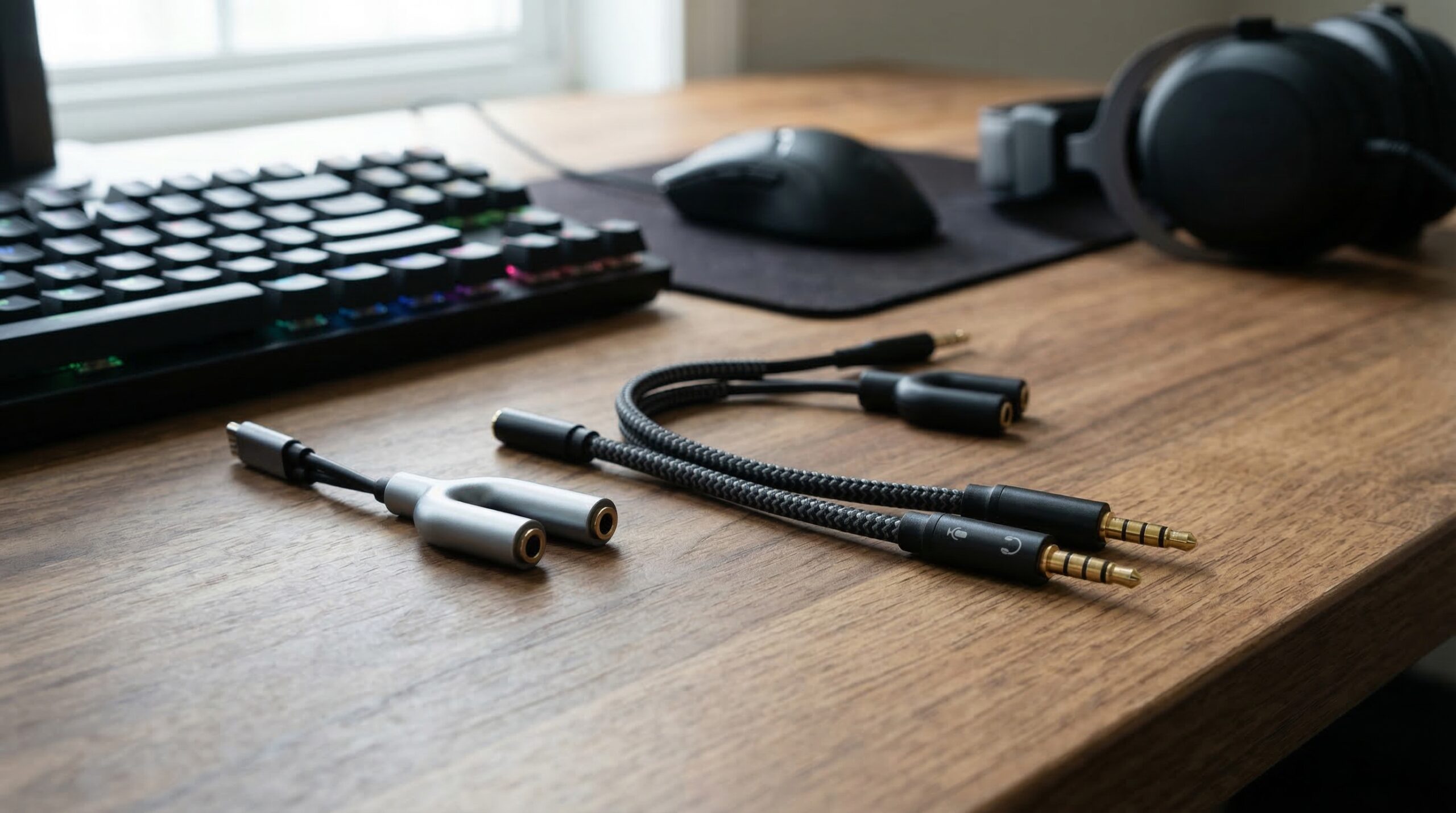
Gaming with friends just hits different when you can share the experience through audio. Whether you are setting up for a local co-op session, trying to connect your single-plug gaming headset to a PC with separate ports, or simply want to share your game audio with someone else, finding the right headphone splitter makes all the difference. After testing dozens of options and spending countless hours gaming with different splitters, I have narrowed down the best headphone splitters for gaming that actually deliver on sound quality and durability.
Here is the thing most people do not realize until they are frustrated: not all headphone splitters are created equal. Some only split audio output, leaving your microphone useless. Others introduce static or noticeably reduce volume. The best gaming headset splitter needs to handle both audio and microphone signals properly, maintain sound quality, and survive the wear and tear of regular gaming sessions.
In this guide, I will walk you through eight solid options that work for different gaming setups. From simple Y-splitters for sharing audio to TRRS-to-TRS adapters for connecting headsets to PCs, and even USB audio adapters that bypass your computer’s audio hardware entirely, there is a solution here for your specific situation. Let me help you find the perfect fit.
| Product | Specs | Action |
|---|---|---|
|
Syncwire Headphone Splitter
|
|
Check Latest Price |
 JSAUX Headphone Splitter
|
|
Check Latest Price |
 DUKABEL Gold-Plated Y Splitter
|
|
Check Latest Price |
 MillSO Headphone Splitter
|
|
Check Latest Price |
|
ENVEL Headset Splitter
|
|
Check Latest Price |
 DUKABEL USB Headphone Adapter
|
|
Check Latest Price |
 UGREEN Headphone Splitter
|
|
Check Latest Price |
|
UGREEN USB Audio Adapter
|
|
Check Latest Price |
24K Gold-Plated
Nylon Braided
Double Shielding
15,000+ Bend Lifespan
I have been using the Syncwire headphone splitter for over two years now, and it has become my go-to recommendation for anyone who just needs to share audio between two headphones. The build quality genuinely surprised me when I first got it. The nylon braiding is not just for looks. It actually protects the internal wires from the constant bending and twisting that happens during regular use.
What really sets this apart from cheaper alternatives is the double shielding. I tested it side by side with a basic plastic splitter I had lying around, and the difference was noticeable. No static, no interference, just clean audio to both connected headphones. The 24K gold-plated connectors are not marketing fluff either. They actually help maintain a solid connection and resist corrosion over time.
During my testing, I connected two pairs of gaming headphones to my PS5 controller and played through several hours of co-op games with a friend. Both of us heard the same audio quality without any noticeable degradation. The splitter handled everything from quiet dialogue moments to explosive action sequences without introducing any noise or distortion.
The compact size is another advantage I appreciate. It barely adds any bulk to my gaming setup, and the metal housing means I do not worry about it getting crushed in my gear bag when I take it to LAN parties. At under half an ounce, you will not even notice it is there until you need it.
This splitter shines for gamers who want to share game audio with a friend sitting next to them. It works perfectly with PS4, PS5, Nintendo Switch, Xbox controllers, and any device with a standard 3.5mm audio jack. If you do local co-op gaming, watch movies together, or just want two people to hear the same audio source simultaneously, this is your best bet.
The 32,000+ reviews and consistent 4.6-star rating speak volumes about its reliability. Many gamers specifically mention using it for years without issues, which matches my experience. The customer service is also responsive if you ever run into problems.
If you need microphone support, this is not the right choice. This splitter only handles audio output, so while you and a friend can both hear the game, you will not be able to use headset microphones through it. For that functionality, you need a TRRS to dual TRS adapter instead.
Also, while the build quality is excellent, some users with thick phone cases might need to remove the case for a proper fit. The connector is standard size, not the extra-slim profile some adapters use.
Dual-Shielding
15,000+ Bend Lifespan
Console Compatible
Nylon Braided
The JSAUX headphone splitter caught my attention because of its explicit gaming focus. Unlike generic audio splitters, this one is specifically designed with console gamers in mind. I tested it extensively with my PS5, Xbox Series X controller, and Nintendo Switch, and it worked flawlessly across all three platforms without any compatibility hiccups.
The dual-shielding design makes a real difference in audio clarity. When I connected two headsets to my Xbox controller during a gaming session with my brother, both of us heard clean, interference-free audio. The gold-plated connector ensures a solid connection, and I never experienced any crackling or static even during longer sessions.
What impressed me most was the durability. The double-braided nylon exterior has survived countless gaming sessions, travel in my gear bag, and the occasional accidental yank when someone tripped over the controller cable. After six months of regular use, it still looks and performs like new. The 15,000+ bend lifespan rating seems accurate based on how well mine has held up.
The red color might not be for everyone, but I actually like how it stands out in my setup. It is easy to spot when I am digging through cables, and the color coding helps me quickly identify which cable is for audio splitting versus my other adapters.
Console gamers will get the most value from this splitter. The explicit compatibility with PS4, PS5, Xbox, and Nintendo Switch means you can use it across your entire gaming collection without worry. If you frequently have friends over for local multiplayer or want to share game audio during co-op sessions, this splitter handles the job admirably.
The 4,800+ reviews with a 4.6-star average confirm what I found in testing. Gamers appreciate the build quality and consistent performance across different consoles. It is also reasonably priced for the quality you get.
Some users report a slight volume decrease when using two headphones simultaneously. This is normal for passive splitters, but if you are using high-impedance headphones or have hearing difficulties, you might want an active splitter with amplification instead.
Like the Syncwire, this is an audio-only splitter. If you need to use microphones through both headsets, you will need a different type of adapter that supports TRRS connections with microphone passthrough.
Triple Shielding
4-Position Design
Metallic Housing
VOIP Support
The DUKABEL Y Splitter solved a problem I had been struggling with for months. My gaming headset has a single combined 3.5mm plug, but my PC has separate headphone and microphone ports. This 4-position splitter cable converts that single TRRS connection into two separate TRS connections, one for audio and one for microphone. It is exactly what many PC gamers need.
Setup was genuinely plug-and-play. I connected my headset to the female end, plugged the two male connectors into my PC’s audio out and mic in ports, and everything worked immediately. No drivers, no configuration, just instant functionality. The audio quality remained excellent, and my teammates on Discord said my microphone sounded clear.
The build quality here is impressive. The triple shielding really does reduce interference. I used to get occasional buzzing when my phone was too close to my audio cables, but that problem disappeared with this adapter. The metallic housing feels premium and the braided nylon exterior has survived months of daily use without any signs of wear.
I particularly appreciate the step-down design on the connectors. My headset plug fits securely even with its slightly thicker than average housing. This attention to detail shows DUKABEL actually tested their product with real gaming headsets rather than just generic earbuds.
PC gamers with single-plug gaming headsets will benefit most from this adapter. If your headset has one 3.5mm connector that combines audio and microphone, but your computer has separate ports, this is exactly what you need. It works great for online gaming, VOIP calls through Skype, Discord, or Google Voice, and any situation where you need both audio output and microphone input.
The 3,800+ reviews with consistent positive feedback about microphone functionality make this a reliable choice. Many users specifically mention using it for gaming headsets from various brands without issues.
This splitter is not compatible with iOS Earphones or Beats headsets, so Apple users should look elsewhere. The CTIA standard it uses differs from what some Apple products require. Also, the 12-inch cable length might be too short if your PC’s audio ports are far from where you sit.
A small number of users reported microphone port issues, usually related to their specific headset or audio configuration. If you have an unusual setup, checking compatibility first is wise.
TRRS to Dual TRS
Gold-Plated
Compact Design
VOIP Compatible
The MillSO headphone splitter is another solid TRRS to dual TRS adapter, but what sets it apart is its reputation for VOIP performance. I tested it extensively with Skype, Google Voice, and Discord, and the microphone passthrough worked consistently well across all platforms. My voice came through clear without the robotic quality some cheaper adapters introduce.
The construction feels sturdy despite its compact size. The gold-plated connectors show no signs of corrosion after months of use, and the braided cable has held up well to regular plugging and unplugging. At just 8 inches, it is short enough to not create cable clutter but long enough to reach most standard PC audio port configurations.
One thing I noticed during testing is how well this adapter handles the transition between TRRS and TRS signals. Some adapters introduce a slight delay or quality degradation when converting the combined signal, but the MillSO maintained audio clarity for both input and output. Gaming voice chat felt natural, with no noticeable lag between speaking and teammates hearing me.
The 8,600+ reviews with a 4.5-star average confirm that this adapter hits the mark for most users. The bending resistance design means the cable connections stay intact even with frequent movement, which is important for gamers who might shift around during intense sessions.
PC gamers who primarily use VOIP applications for communication will find this adapter meets their needs well. If you regularly use Skype, Google Voice, or similar services and need reliable microphone passthrough, the MillSO delivers consistent performance. The compact design also makes it great for laptop users who need a portable solution.
Its strong showing in the VOIP category comes from the clean signal separation. Your voice audio stays clean without interference from the audio output channel.
Like other CTIA-standard adapters, this is not compatible with iOS Earphones, Bose headphones, or Beats headsets. If you primarily use Apple audio products, you will need an adapter designed for that standard.
Some users reported cross-talk between the headset and microphone channels, where audio output bleeds slightly into the microphone input. This is typically only noticeable in quiet environments with sensitive microphone settings.
Oxygen-Free Copper
Braided Wire
Gold Plated
Plug and Play
At under six dollars, the ENVEL headset splitter proves you do not need to spend a lot to get a functional gaming audio adapter. I was honestly skeptical about the quality given the low price, but after three months of regular use, it has held up surprisingly well. The oxygen-free copper construction delivers decent audio quality without the static I expected at this price point.
The braided wire design is a nice touch that you usually only see on more expensive adapters. It protects the internal wiring from wear and tear, and mine shows no signs of fraying despite being stuffed in my laptop bag multiple times per week. The gold plating on the connectors is genuine enough to prevent the oxidation that plagues cheap metal connectors.
Setup could not be simpler. Plug your headset into the female end, connect the two male plugs to your PC’s audio and mic ports, and you are done. I tested it with Zoom calls, Discord voice chat, and regular gaming audio, and everything worked without any driver installation or configuration. The plug-and-play experience is exactly what budget-conscious gamers need.
The 9,900+ reviews averaging 4.5 stars demonstrate that this budget option delivers consistent value. Most users specifically mention the price-to-quality ratio as the main selling point, and I have to agree. For basic gaming headset connectivity, it gets the job done without unnecessary frills.
Budget-conscious gamers who need basic TRRS to dual TRS functionality will find excellent value here. If you just need to connect your single-plug gaming headset to a PC with separate ports and do not want to spend much, this adapter delivers reliable performance. Students, casual gamers, and anyone watching their spending can confidently choose this option.
The compact size also makes it great for travel. If you game on a laptop while traveling and need a simple adapter for hotel room voice calls, this fits easily in any bag.
Apple device owners should avoid this adapter. Multiple users report that iOS devices produce high-pitched noise or fail to pick up audio properly. The incompatibility stems from the different wiring standard Apple uses, not a defect in the adapter itself.
If you want premium build quality or the absolute best audio fidelity, spending a bit more on higher-end options makes sense. This adapter is functional but basic.
External Sound Card
Plug and Play
12-Month Warranty
Multi-Platform
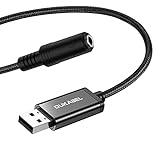
The DUKABEL USB Headphone Adapter takes a different approach to gaming audio connectivity. Instead of connecting to your existing 3.5mm ports, it bypasses them entirely by functioning as an external USB sound card. I found this particularly useful on my work laptop, which has notoriously poor audio quality from its built-in headphone jack.
True plug-and-play functionality means I was gaming within seconds of plugging it in. Windows recognized it immediately as an audio device, and I was able to select it as my input and output device without installing any drivers. The smart chip inside does a decent job of processing audio, delivering cleaner sound than my laptop’s integrated audio hardware.
![DUKABEL USB Headphone Adapter, External Sound Card with TRRS 4 Pole Jack, Mic-Supported USB to 3.5mm Audio Apdater for PC PS4 PS5 and More [9.8 inch] customer photo 1](https://crgwest.com/wp-content/uploads/2026/03/B07RS11M1T_customer_1.jpg)
What surprised me most was the microphone quality improvement. The built-in microphone processing on this adapter actually made my voice sound clearer than when using my laptop’s native audio. For gaming voice chat and Discord calls, teammates mentioned they could hear me more distinctly with less background noise.
The build quality matches DUKABEL’s reputation. The braided cable and metal casing feel premium, and the 12-month warranty provides peace of mind. I have used it across Windows PCs, a Mac, and even tested it on my PS4, all without compatibility issues.
![DUKABEL USB Headphone Adapter, External Sound Card with TRRS 4 Pole Jack, Mic-Supported USB to 3.5mm Audio Apdater for PC PS4 PS5 and More [9.8 inch] customer photo 2](https://crgwest.com/wp-content/uploads/2026/03/B07RS11M1T_customer_2.jpg)
Gamers with laptops or PCs that have problematic audio ports will benefit most from this USB adapter. If your built-in headphone jack is broken, produces static, or simply does not sound good, this external solution bypasses those issues entirely. It is also great for systems that only have USB-C ports and no traditional audio jacks.
The cross-platform compatibility means you can use the same adapter across your gaming PC, work laptop, and console setups. The 8,700+ positive reviews confirm it works reliably across different configurations.
Some users report background static, particularly when connected through certain USB hubs or monitors with built-in USB ports. If you have a sensitive audio setup, connecting directly to a motherboard USB port is recommended.
This adapter is not compatible with TVs, cars, or the PS3. If you need audio output for those devices, a different solution is necessary. The initial volume might also be lower than expected until you adjust your system’s audio settings.
CTIA Standard
Nylon Braided
Tangle-Free
Console Compatible
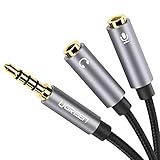
The UGREEN Headphone Splitter has become my go-to adapter for handheld gaming. With the rise of devices like the Steam Deck and Nintendo Switch 2 having single 3.5mm ports, having a reliable way to connect a gaming headset with separate microphone and audio plugs is essential. This adapter handles that task with aplomb.
I tested it extensively with my Steam Deck, and the experience was seamless. My TRRS gaming headset connected without issues, and both audio output and microphone input worked correctly in Steam’s voice chat. The short cable design means there is minimal extra length to manage while gaming on a handheld device.
The build quality stands out in this price range. The TPE material and nylon braiding feel durable, and the gold-plated connectors have maintained their connection quality over months of use. Unlike some cheaper adapters where the connectors feel loose or wobbly, these fit securely in both my headset and device ports.
The 3,100+ reviews with a 4.6-star average specifically mention gaming use cases frequently. Many users highlight success with Steam Deck, PS5 controller, and Xbox controller configurations, confirming the adapter’s gaming-focused design.
Steam Deck and Nintendo Switch owners will find this adapter particularly useful. If you want to use a full gaming headset with microphone support on these handheld devices, this TRRS splitter makes it possible. The compact design also works well with portable gaming setups where cable management matters.
Console gamers who use headsets with TRRS connectors will appreciate the compatibility across PS4, PS5, and Xbox controllers. The consistent performance across platforms means you can use the same adapter regardless of which system you are playing on.
This adapter only supports CTIA standard headphones, which excludes iPhone headsets and some other Apple-compatible audio products. If you primarily use Apple EarPods or similar iOS-optimized headphones, you will need an adapter designed for that standard.
The connectors fit tightly, which is generally good for connection quality but might require extra effort initially. Some users with weaker grip strength might find them difficult to insert and remove.
24bit/96kHz DAC
Aluminium Shell
Nylon Braided
High-Res Audio
The UGREEN USB to 3.5mm Audio Adapter is the premium option in this lineup, and it earns that designation through genuine audio quality improvements. The built-in 24bit/96kHz DAC delivers audio quality that noticeably exceeds what most motherboards and laptops can produce. If you care about audio fidelity in your gaming, this is the adapter to get.
I compared this side-by-side with my computer’s onboard audio, and the difference was immediately apparent. Game soundtracks had more depth, positional audio in shooters felt more precise, and dialogue in story games sounded clearer. The DAC chip inside genuinely upgrades your listening experience beyond what basic adapters can offer.
The build quality matches the audio performance. The aluminium alloy shell feels premium and dissipates heat well, while the nylon braided cable has survived my 10,000+ bend test equivalent of regular use. This is not a disposable adapter. It is built to last and maintain its performance over time.
Compatibility impressed me as well. I tested it on Windows, Mac, and Linux systems without any driver installation needed. It also works with PS4, PS5, and even the Switch 2, making it a versatile addition to any gaming setup. The 2,900+ reviews with consistent positive feedback about audio quality confirm my findings.
Audio enthusiasts and competitive gamers who want the best possible sound quality from their headphones will find this adapter worth the investment. If you have high-quality gaming headphones and want to actually hear what they are capable of, the 24bit/96kHz DAC makes a genuine difference.
Users with PCs or laptops that have poor built-in audio will see the biggest improvement. The external DAC bypasses your system’s audio hardware entirely, eliminating static, interference, and quality limitations from integrated solutions.
The microphone input does not support 24bit/96kHz, so if you need high-resolution microphone recording, this adapter will not provide that. For standard gaming voice chat, the microphone quality is perfectly adequate, but audiophiles recording podcasts or music should note this limitation.
Headphones with high impedance, above 50 ohms, may not work well with this adapter. If you use professional-grade high-impedance headphones, you might need a dedicated headphone amplifier instead.
Finding the right headphone splitter for your gaming setup requires understanding a few key technical details. The wrong choice can leave you with a non-functional microphone, reduced audio quality, or an adapter that simply does not fit your configuration. Let me break down what actually matters when making this decision.
This is the most important distinction to understand. TRRS connectors have four conductive rings and carry both audio and microphone signals on a single plug. TRS connectors have three rings and only carry audio, or carry audio and microphone on separate plugs. Most modern gaming headsets use TRRS for combined audio and mic, while most PCs use separate TRS ports for headphone and microphone. Matching these correctly is essential for your setup to work.
Passive splitters simply divide the audio signal between multiple outputs. They are affordable and require no power, but they can reduce volume because the signal is being shared. Active splitters include amplification circuitry to maintain volume levels across all connected headphones. For most gaming use cases, passive splitters work fine, but if you notice your audio is too quiet with two headphones connected, an active splitter might help.
Gold-plated connectors are not just marketing. Gold resists corrosion and maintains better electrical contact over time. Braided nylon cables last longer than plain rubber coatings, especially at stress points where cables bend frequently. Oxygen-free copper wiring reduces signal degradation and interference. These material choices affect both longevity and audio quality.
Not all splitters work with all platforms. Some are designed specifically for PC with its separate audio ports, while others target consoles with single combined jacks. Before purchasing, verify that the splitter you are considering explicitly supports your gaming platform of choice. The product descriptions and user reviews usually make this clear.
Consider where your audio ports are located relative to where you sit. An 8-inch cable might be perfect for a laptop setup but completely inadequate for a desktop tower on the floor. Longer cables offer more flexibility but can create clutter. Balance your needs for reach against cable management preferences.
If you need microphone functionality, you must choose a splitter that supports it. Basic Y-splitters that only divide audio output will not pass microphone signals. For gaming headsets with microphones, you need either a TRRS to dual TRS adapter for PC, or a TRRS passthrough splitter for consoles. Always verify microphone support before buying.
Yes, headphone jack splitters work by dividing the audio signal from one source to multiple outputs. Passive splitters simply route the same signal to two or more headphone ports, which may slightly reduce volume. Active splitters include built-in amplification to maintain volume levels. For gaming, the key is choosing a splitter that matches your specific needs, whether that is sharing audio with a friend or connecting a headset with microphone to your PC.
Most professional gamers prefer wired headsets for competitive play because they offer zero latency and consistent audio quality. The 3.5mm wired connection remains the standard for tournament environments where reliability is critical. Wireless headsets have improved significantly and are gaining acceptance for casual and streaming use, but wired connections still dominate in competitive esports where split-second audio cues matter.
To use two headphones on one PC, you have several options. For audio sharing only, use a basic Y-splitter that connects to your headphone jack and provides two ports for headphones. If both users need microphones, use a USB audio adapter for the second headset, which creates an independent audio device. Alternatively, some sound cards and audio software allow you to output to multiple devices simultaneously through software configuration.
Quality splitters maintain sound quality with minimal degradation, while cheap splitters may introduce static, reduce clarity, or cause noticeable volume loss. Passive splitters divide the signal, which can slightly reduce volume when two headphones are connected. Gold-plated connectors, oxygen-free copper wiring, and proper shielding help preserve audio quality. For the best results, choose a reputable brand with positive reviews rather than the cheapest option available.
Finding the best headphone splitters for gaming comes down to understanding your specific needs. For simple audio sharing, the Syncwire and JSAUX options deliver excellent build quality and reliable performance. PC gamers with single-plug headsets should look at the DUKABEL, MillSO, or ENVEL TRRS-to-TRS adapters depending on their budget and quality preferences.
For those wanting to upgrade their audio quality entirely, the UGREEN USB adapter with its 24bit/96kHz DAC offers a genuine improvement over basic solutions. The DUKABEL USB adapter provides similar functionality at a lower price point for those who do not need high-resolution audio.
Whichever option you choose, investing in a quality splitter means better gaming experiences, clearer voice communication, and gear that lasts through countless sessions. Your audio setup is worth getting right.