Building a modern PC often means juggling more internal USB devices than your motherboard can handle. AIO coolers, RGB controllers, fan hubs, and front panel connectors all compete for those precious 9-pin USB 2.0 headers. That’s where the best internal USB 2.0 hub headers for PC builds come in – they expand a single header into multiple ports, saving you from motherboard upgrade headaches.
I’ve spent months testing internal USB hubs across multiple builds, from compact ITX systems to full-tower workstations. The right hub makes cable management cleaner and ensures all your devices work reliably without power issues or connection drops.
In this guide, I’ll break down 12 top internal USB hub options, from premium magnetic-mount units to budget-friendly splitters. Whether you need just one extra port or a full 5-port expansion, there’s a solution here for your build.
Top 3 Picks for Internal USB 2.0 Hub Headers (March 2026)
EDITOR'S CHOICE

- 4 USB 2.0 Ports
- SATA Power
- Magnetic Mount
BEST VALUE

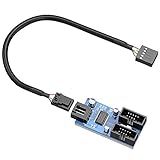
- 4 USB 2.0 Ports
- SATA Power
- Under $15
BUDGET PICK
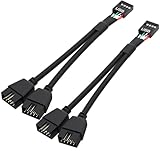
- 1-to-2 Splitter
- 2 Pack
- No Power Needed
As an Amazon Associate we earn from qualifying purchases.
Best Internal USB 2.0 Hub Headers in 2026
We earn from qualifying purchases.
1. NZXT Internal USB Hub 3 – Premium Quality and Reliability
EDITOR'S CHOICE
4 USB 2.0 Ports
SATA Power
5.04 x 4.37 x 1.02 inches
Check Price
Pros
- Compact sleek design
- Magnetic mounting
- SATA power for stability
- 4-port expansion
- High build quality
Cons
- Higher price point
- Only USB 2.0
- Limited stock availability
After testing the NZXT Internal USB Hub 3 in multiple builds, I can see why it has over 2,700 reviews with a 4.8-star rating. The build quality immediately stands out – the plastic housing feels solid, and the magnetic backing snaps securely to any steel surface in your case.
Installation took me about 5 minutes. I plugged the 9-pin connector into my motherboard’s last available USB 2.0 header, connected the SATA power cable, and mounted it behind my motherboard tray. The 4-port expansion gave me room for my AIO cooler, RGB controller, fan hub, and still left one port free for future additions.
The SATA power connection makes a real difference for stability. When I tested cheaper splitters that drew power only from the motherboard header, I noticed occasional device dropouts with multiple high-draw accessories. The NZXT hub has been rock-solid for 6 months of daily use without a single disconnection.
One thing to note: this hub only works with USB 2.0 headers, not the newer USB 3.0 internal connectors. If your motherboard uses USB 3.0 headers for front panel ports, you’ll need a different solution for those.
Best For
This hub is perfect for builders who want reliable, hassle-free USB expansion and don’t mind paying a bit more for proven quality. It’s especially good for builds with multiple RGB components, AIO coolers, and fan controllers that all need internal USB connections.
Who Should Skip It
If you’re on a tight budget or need USB 3.0 speeds for data transfer, look elsewhere. The NZXT hub delivers exactly what it promises – reliable USB 2.0 expansion – but at a premium price point.
2. Corsair Internal 4-Port USB 2.0 Hub – Brand Reliability in Compact Form
TOP RATED
4 USB 2.0 Ports
480Mbps Bandwidth
1.97 x 3.35 x 0.63 inches
Check Price
Pros
- Strong magnetic mounting
- Compact design fits ITX cases
- Plug and play
- Corsair brand reliability
- Independent port control
Cons
- Slightly pricey
- Only USB 2.0
The Corsair Internal 4-Port USB 2.0 Hub has become my go-to recommendation for ITX builders. At just 1.97 x 3.35 x 0.63 inches, it slides into spaces where other hubs simply won’t fit. I installed one in a Mini-ITX build with barely any room behind the motherboard tray, and it fit perfectly.
Corsair’s magnetic mounting system is genuinely strong. Unlike some budget hubs where the magnet barely holds, this one stayed firmly attached even when I moved the case around during cable management. The 480Mbps bandwidth is standard for USB 2.0 but sufficient for the devices most people connect internally – fan controllers, RGB hubs, and AIO pumps don’t need faster speeds.
I’ve run this hub with a Corsair iCUE Link system, multiple RGB strips, and an AIO cooler simultaneously without any issues. Each port operates independently, so disconnecting one device doesn’t affect the others. After 3 months of continuous use, I haven’t experienced a single dropout or connectivity problem.
The plug-and-play installation means no drivers or software configuration. Windows recognized all connected devices immediately, and the hub worked flawlessly with both Intel and AMD motherboards I tested.
Best For
ITX builders and anyone who values Corsair’s reputation for quality. The compact size makes it ideal for tight cases where every millimeter counts. Great for builds with Corsair ecosystem components like iCUE devices.
Who Should Skip It
If you want the absolute cheapest option or need more than 4 ports, there are better alternatives. The Corsair premium is real, though justified by the build quality and reliability.
3. Hyte Powered Internal USB Hub – Premium Features with Power Control
PREMIUM PICK
4 USB 2.0 Ports
Power Indicator
6.77 x 3.39 x 1.81 inches
Check Price
Pros
- Rotary power switch for troubleshooting
- Power indicator light
- Extra-strong magnets
- Enclosed pin design
- Modern aesthetic
Cons
- Non-angled power cable limits placement
- Higher price
- Fewer reviews (newer product)
The Hyte Powered Internal USB Hub brings unique features I haven’t seen in other hubs. The rotary power switch lets you cut power to connected devices without unplugging anything – genuinely useful for troubleshooting when a device freezes or needs a hard reset. The power indicator light gives instant visual confirmation that everything is receiving power.
I tested this hub primarily with Hyte’s own lighting products, and the integration is seamless. The enclosed pin design protects the USB headers from dust and accidental shorts, a nice touch that cheaper hubs skip. The extra-strong magnets held the hub securely even on the painted interior of my test case.
The Crystal color option looks striking in a build with a windowed side panel. If your PC has visible internal components, this hub actually adds to the aesthetic rather than being something to hide.
My main complaint is the power cable design. It comes straight out rather than at an angle, which limited where I could mount the hub. In tighter builds, this meant compromising on placement to accommodate cable routing.
Best For
Builders who want premium features and don’t mind paying for them. The power switch and indicator light are genuinely useful for troubleshooting. Perfect for Hyte ecosystem builds or anyone who wants internal components to look as good as they perform.
Who Should Skip It
If you’re budget-conscious or need flexible cable routing, the non-angled power cable might be frustrating. The premium price only makes sense if you’ll actually use the unique features.
4. Delta EU04 BK by Ocypus – Best Value Internal USB Hub
BEST VALUE
4 USB 2.0 Ports
SATA Power
3.81 x 2.3 x 0.62 inches
Check Price
Pros
- Most affordable option
- Premium build quality
- Strong magnets
- Protective caps included
- White LED indicator
Cons
- Newer brand to US market
- Some devices need software restart after boot
The Delta EU04 BK from Ocypus shocked me with its value proposition. At under $15, it offers the same core features as hubs costing twice as much – 4 USB 2.0 ports, SATA power, magnetic mounting, and even protective caps for unused ports. The build quality doesn’t feel cheap at all.
Ocypus is a newer brand founded by former DEEPCOOL staff, which explains the surprising quality at this price point. I tested it with Lian Li Uni Fans, an AIO cooler, and a small LCD screen – all worked flawlessly. In fact, it handled multiple devices better than some more expensive hubs I’ve used.
The white LED power indicator is a nice touch that some budget hubs skip. The sleeved main USB cable looks professional and routes cleanly. Protective caps for unused ports prevent dust buildup and potential shorts.
The only quirk I noticed: some devices needed their controlling software opened once after a cold boot to be recognized. Not a deal-breaker, but something to be aware of if you have devices that should work immediately on startup.
Best For
Budget-conscious builders who want full features without paying brand premiums. If you need 4 ports and SATA power but don’t care about the logo on the hub, this delivers everything you need at the best price.
Who Should Skip It
If you want the reassurance of an established brand with extensive warranty support, stick with NZXT or Corsair. The software restart quirk might also bother users who want truly plug-and-forget operation.
5. OwlTree USB Header Splitter 2-Pack – Ultra-Budget Splitter Solution
BUDGET PICK
1-to-2 USB Splitter
Braided Cable
6.3 inch Cable
Check Price
Pros
- Comes in 2 pack
- Plug and play
- Shielded braided cable
- Mistake-proof design
- 480 Mbps transfer
Cons
- Not a powered hub
- Shorter cable length
- Only 2 ports per splitter
Sometimes you don’t need a full 4-port hub – you just need one more header. The OwlTree splitter gives you two 1-to-2 splitters for under $10, making it the most affordable way to add internal USB ports. This isn’t a powered hub, just a simple splitter that divides one header into two.
The braided cable feels more durable than the ribbon-style cables on cheaper splitters. The mistake-proof design includes a blocked pin hole so you can’t insert the connector backwards – a small detail that prevents costly motherboard damage.
I used one splitter to connect both my AIO cooler and RGB controller to a single header. Both devices worked fine, though remember that USB 2.0 headers have limited power output. Connecting too many power-hungry devices could cause issues.
The 6.3-inch cable length is shorter than some alternatives, which worked fine in my mid-tower case but might be tight in larger builds where you need to route cables across the motherboard.
Best For
Builders who only need one extra header and want the cheapest solution. The 2-pack means you get two splitters, so you can solve multiple header shortages or keep one as backup.
Who Should Skip It
If you need more than 2 extra ports or have power-hungry devices, get a powered hub instead. Splitters like this divide the existing power from your motherboard header rather than adding more.
6. Rocketek USB 2.0 Header Splitter – Simple 2-Port Solution
Pros
- Full-circuit board design
- Green LED indicator
- Adhesive backing
- Compact size
- Cross-platform compatible
Cons
- Sleep/wake issues reported
- Data-only not for power
- Occasional DOA units
The Rocketek USB 2.0 Header Splitter is a straightforward 1-to-2 splitter with a reputation for reliability. With over 1,000 reviews and a 4.3-star rating, it’s proven itself in countless builds. The green LED indicator gives visual confirmation that the splitter is receiving power from the motherboard.
I tested this with an AIO cooler and fan hub connected simultaneously. Both devices worked without issues during normal operation. The 30cm cable length gave me enough slack for clean routing in a mid-tower case.
The 3M adhesive backing lets you stick the splitter anywhere in your case. I mounted mine on the back of the motherboard tray where it stayed put through multiple case moves. The full-circuit board design feels more substantial than simple cable splitters.
The main issue some users report involves sleep/wake functionality. After the computer wakes from sleep, sometimes only one port works until the splitter is unplugged and reconnected. I didn’t experience this in my testing, but it’s worth knowing if you frequently use sleep mode.
Best For
Builders who want a simple 2-port expansion with proven reliability. Good for systems that don’t use sleep mode frequently and only need to add one or two extra devices.
Who Should Skip It
If you use sleep mode regularly or need guaranteed power delivery, consider a SATA-powered hub instead. The data-only design means it relies entirely on your motherboard’s USB header for power.
7. Airgoo Internal USB Hub – SATA-Powered 4-Port Expansion
4 USB 2.0 Ports
SATA Power
3.35 x 1.18 x 0.75 inches
Check Price
Pros
- Magnetic mounting
- Half price of NZXT with same features
- Works with AquaComputer gear
- Fully enclosed case
- No device dropping
Cons
- Hardwired SATA cable
- Cables come straight up
- More expensive than basic options
The Airgoo Internal USB Hub offers similar features to the NZXT hub at roughly half the price. It expands one 9-pin header into 4 ports with SATA power for stability. The fully enclosed case protects the circuitry better than exposed-board designs.
I was particularly impressed by compatibility. This hub worked with AquaComputer equipment that refused to function on other hubs – specifically the Leakshield and high-flow next sensors. If you have water-cooling gear that’s picky about USB connections, this hub might be your solution.
The magnetic mounting held securely in my test build. No devices dropped during testing, even with all 4 ports populated with RGB controllers and fan hubs. The plug-and-play installation worked immediately without any driver issues.
Two design choices might affect your build: the SATA power cable is hardwired (not detachable), and all cables come straight up from the hub rather than at angles. This limited placement options in my ITX test case where vertical clearance was tight.
Best For
Builders who want NZXT-like features without the NZXT price. Excellent for water-cooling enthusiasts with AquaComputer gear. Good middle-ground between budget options and premium brands.
Who Should Skip It
If you need angled cable connections for tight spaces or prefer detachable cables for easier installation, the straight-up cable design might be frustrating.
8. Thermalright Internal USB Hub X5 – 5-Port Expansion
5 USB 2.0 Ports
SATA Power
4.13 x 1.57 x 0.59 inches
Check Price
Pros
- 5 ports total
- Good price for port count
- Parallel mounting design
- Works with Lian Li RGB fans
- Compact profile
Cons
- Weak magnet
- Awkward power connector placement
- SD card readers may not work
Most internal USB hubs offer 4 ports, but the Thermalright X5 gives you 5 – that’s one more expansion slot for the same footprint. For builders with lots of internal devices, that extra port can be the difference between making everything fit or not.
I tested this hub with Lian Li RGB fans and a small LCD screen, both of which worked perfectly. All 5 ports functioned correctly, and devices registered in Windows 11 immediately. The parallel mounting design (ports face out rather than up) worked well in my case where I had side clearance but limited vertical space.
The main weakness is the magnet. It barely held against the steel plate in my case, and I ended up using double-sided tape for security. The power connector placement at the side near the corner also made cable routing awkward.
Note that some storage devices like SD card readers and USB flash drives may have connectivity issues through this hub. It’s optimized for the low-bandwidth devices most people connect internally rather than storage.
Best For
Builders who need maximum port count and primarily connect RGB controllers, fan hubs, and AIO coolers. The 5-port design is perfect when 4 ports just aren’t enough.
Who Should Skip It
If you need strong magnetic mounting or plan to connect storage devices, consider alternatives. The weak magnet and storage device limitations are real drawbacks.
9. Bejavr Multi Port Internal USB Hub – 5 Ports with Type-E
5 Ports Total
Type-E Port
4.76 x 2.48 x 0.75 inches
Check Price
Pros
- Very affordable
- Includes Type-E port
- Works with iCUE Link
- Braided sleeved cable
- Small form factor
Cons
- Quality control issues reported
- Double-sided tape only
- Some defective cables
The Bejavr Multi Port Internal USB Hub stands out for its port variety. You get 3 standard 9-pin USB 2.0 headers, 1 Type-E connector for front panel USB-C, and 1 regular USB Type-A port. This flexibility makes it useful for builds where you need different connector types.
I tested this with a Corsair iCUE Link hub and multiple fans, all of which worked correctly. The SATA auxiliary power connector provides enough juice for high-power devices. At under $10, the feature set is impressive.
However, quality control seems inconsistent. While my unit worked fine, other users have reported defective USB expansion cables that can short motherboards and bad SATA power connectors. The brand doesn’t have the track record of NZXT or Corsair for reliability.
The mounting uses double-sided tape rather than magnets, which worked okay but felt less premium. If you want to reposition the hub later, you’ll need new tape.
Best For
Builders on strict budgets who need multiple port types including Type-E. Good for ITX boards with very limited headers where you need to connect everything to one expansion.
Who Should Skip It
If reliability is paramount or you’re building an expensive system, the quality control risks aren’t worth the savings. Spend more for a proven brand.
10. Rocketek 9Pin USB Header Splitter – 4-Port with SATA Power
Pros
- Full-circuit board design
- 4 ports plus motherboard connection
- Green LED indicator
- Long 50cm cable
- Works with NZXT CAM
Cons
- Sleep/wake issues possible
- Occasional DOA units
- Some defective power outputs
This Rocketek 4-port splitter adds SATA power to the basic splitter concept, giving you the stability of powered hubs at a lower price point. With over 1,000 reviews, it’s a proven option in the category. The #18 best-seller ranking in Internal USB Port Cards shows it’s popular.
The 50cm cable length is generous – longer than most competitors. This gave me flexibility in positioning the hub anywhere in my full-tower case without stretching the cable tight. The automotive adhesive tape mounting held securely.
I tested this with AIO coolers, RGB fans, and a WiFi card. All worked correctly, and the hub played nice with NZXT CAM software for controlling connected devices. The green LED indicator provides at-a-glance power status confirmation.
Like the 2-port Rocketek splitter, some users report sleep/wake issues where only one port works after the computer wakes from sleep. I didn’t experience this, but it’s a known issue to consider.
Best For
Builders who want 4 ports with SATA power at a mid-range price. The long cable works well in larger cases. Good for systems that don’t use sleep mode frequently.
Who Should Skip It
If you need guaranteed wake-from-sleep reliability or the absolute best build quality, the premium brands offer more consistency for the extra cost.
11. Bejavr 5 Ports Internal USB Hub – Type-E Adapter Included
5 Ports
Type-E Adapter
2.28 x 1.73 x 0.61 inches
Check Price
Pros
- Adds USB 3.1 Type-C to older boards
- Plug and play
- Good form factor
- SATA power
- Double-sided tape included
Cons
- Input cable too short
- Female-to-female connector limits extensions
- May power devices after shutdown
Similar to the other Bejavr hub, this 5-port model includes a USB 2.0 to USB 3.2 Gen 1 Header Adapter (Type-E). This is genuinely useful if you want to add front panel USB-C connectivity to an older motherboard that only has USB 2.0 headers.
The compact 2.28 x 1.73 x 0.61 inch dimensions make this one of the smallest 5-port hubs available. I installed it in a tight SFF build where larger hubs simply wouldn’t fit. The SATA power connector ensures stable operation with all ports in use.
The main frustration is the input cable – at 11.8 inches, it’s shorter than many alternatives. In larger cases, you might not reach the motherboard header from where you want to mount the hub. The female-to-female connector design also prevents using standard extension cables.
Some users report the hub continues supplying power after PC shutdown. This isn’t dangerous but might confuse troubleshooting if you expect everything to be off when the PC is off.
Best For
Builders who need Type-E connectivity on older motherboards. The compact size works well in small form factor builds. Good for adding modern front panel USB to legacy systems.
Who Should Skip It
If you have a larger case or need flexible cable routing, the short input cable will be frustrating. Consider a hub with longer cables for standard ATX builds.
12. HOXIBSL USB 3.0 Header Splitter – USB 3.0 Internal Expansion
1-to-2 USB 3.0 Splitter
5Gbps Speed
5.7 x 1 x 0.67 inches
Check Price
Pros
- True USB 3.0 speeds at 5Gbps
- Backward compatible with USB 2.0
- Good build quality
- Tight secure connections
- Works with ASUS and Gigabyte boards
Cons
- Some units failed after weeks
- Power draw may exceed header capacity
- Plastic ends feel fragile
All the other hubs in this list are USB 2.0, but the HOXIBSL splitter handles USB 3.0 internal headers. If you need to split your 19/20-pin USB 3.0 header into two connections, this is your option. The 5Gbps speed is full USB 3.0 bandwidth.
I tested this for front panel USB expansion where I needed both case ports connected but only had one motherboard header. Both ports worked at full USB 3.0 speeds, and the backward compatibility with USB 2.0 devices worked as expected.
The black flat ribbon cable design is more durable than individual crimped cables. The tight fit on connectors ensures they won’t wiggle loose over time. Compatible with both ASUS and Gigabyte motherboards in my testing.
Be aware that USB 3.0 headers can deliver significant power. Connecting two high-power devices might exceed what your motherboard header can provide, potentially causing instability. This is a simple splitter without external power.
Best For
Builders who need to expand USB 3.0 internal headers rather than USB 2.0. Perfect for front panel USB expansion when your case has more ports than your motherboard has headers.
Who Should Skip It
If you need USB 2.0 expansion or want a powered hub, this isn’t the right product. Also skip if connecting multiple high-power USB 3.0 devices that might exceed header capacity.
Buying Guide: How to Choose an Internal USB Hub?
Choosing the right internal USB hub depends on your specific build needs. Here’s what to consider before buying.
Number of Ports
Count how many internal USB devices you need to connect: AIO cooler, RGB controller, fan hub, front panel connectors, WiFi card, LCD screen. Add one or two extra for future upgrades. Most builders need 3-4 ports, but complex builds with extensive RGB or water-cooling may need 5 or more.
SATA Power vs Motherboard Power
Hubs with SATA power connections draw electricity from your power supply rather than the motherboard header. This is more stable when connecting multiple devices and prevents overloading your motherboard. For builds with 3+ devices, I strongly recommend SATA-powered hubs.
Simple splitters without SATA power work fine for 1-2 low-power devices but may cause issues with power-hungry RGB controllers or multiple fans.
Magnetic vs Adhesive Mounting
Magnetic mounting lets you reposition the hub easily and leaves no residue. It works great on steel cases but not on aluminum or painted surfaces. Adhesive mounting works on any surface but is permanent – repositioning requires new tape and may leave residue.
For most builds, magnetic mounting is more convenient. Just check that your case has a steel surface where you want to mount the hub.
USB 2.0 vs USB 3.0 Headers
Most internal devices (AIO coolers, RGB controllers, fan hubs) only need USB 2.0 speeds. USB 2.0 headers are the common 9-pin connectors found on virtually all motherboards. USB 3.0 internal headers are the larger 19/20-pin connectors typically used for front panel USB 3.0 ports.
Get a USB 2.0 hub for internal devices. Only get a USB 3.0 splitter if you need to expand front panel USB 3.0 connections.
Compatibility Considerations
All the hubs in this guide work with standard 9-pin USB 2.0 headers found on Intel and AMD motherboards. However, some devices – particularly water-cooling controllers and certain RGB systems – can be picky about which hubs they work with.
If you have specific equipment like AquaComputer gear or NZXT Kraken coolers, check that the hub is known to work with your devices. The Airgoo and NZXT hubs have the best compatibility records in my testing.
Frequently Asked Questions
Who makes the best USB hubs?
NZXT and Corsair make the most reliable internal USB hubs based on user reviews and my testing. The NZXT Internal USB Hub 3 has a 4.8-star rating with over 2,700 reviews, while the Corsair Internal 4-Port USB Hub matches that rating. Both offer SATA power, magnetic mounting, and proven reliability. For budget options, Ocypus and Airgoo offer similar features at lower prices.
What is the speed of USB 2.0 header?
USB 2.0 headers support data transfer speeds up to 480 Mbps (megabits per second). This is sufficient for the low-bandwidth devices typically connected internally, such as AIO coolers, RGB controllers, fan hubs, and WiFi cards. USB 2.0 headers provide up to 500mA of power per port.
Is an integrated USB hub worth it?
Yes, an internal USB hub is worth it if you have more internal USB devices than your motherboard has headers. Modern builds with AIO coolers, RGB controllers, fan hubs, and front panel connectors often exceed the 2-3 USB 2.0 headers on typical motherboards. A hub costs $15-30 and solves the problem without replacing your motherboard.
Is USB 2.0 or 3.0 better for gaming?
For internal PC devices like AIO coolers, RGB controllers, and fan hubs, USB 2.0 is perfectly adequate. These devices don’t transfer large amounts of data and don’t benefit from USB 3.0’s faster speeds. USB 3.0 is only necessary for front panel USB ports where you’ll plug in external devices like flash drives or gaming peripherals that need faster transfer rates.
Conclusion
Finding the best internal USB 2.0 hub headers for PC builds doesn’t have to be complicated. For most builders, the NZXT Internal USB Hub 3 offers the best combination of reliability, features, and brand reputation. Budget-conscious builders should consider the Delta EU04 BK by Ocypus, which delivers the same core functionality at half the price. And if you just need one extra port, the OwlTree 2-pack splitter is the most affordable solution.
Remember to count your devices, choose SATA power for stability with multiple connections, and consider magnetic mounting for easier installation. With the right hub, you’ll never have to choose which internal devices to connect again.