10 Best Foot Pedals for Gaming (April 2026) Expert Reviews
If you spend any time in competitive gaming communities, you have probably noticed a growing trend: more players are adding foot pedals to their setups.…

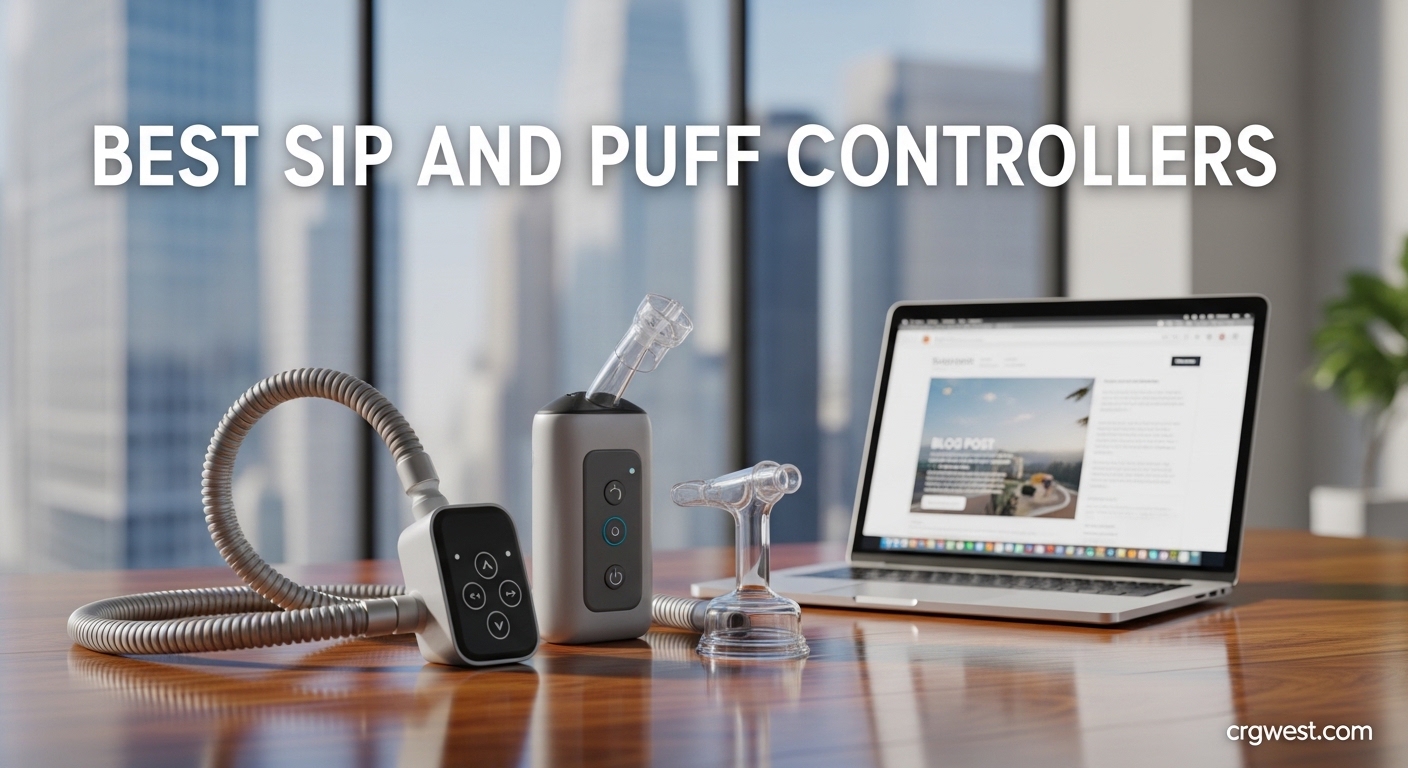
Finding the right sip and puff controller can transform independence for individuals with limited hand mobility. After testing assistive technology solutions and speaking with users across the disability community, I’ve compiled this comprehensive guide to the best sip and puff controllers and adaptive switches available in 2026. Breath-controlled technology has evolved significantly, offering precise control for computer access, gaming, wheelchair operation, and communication devices.
Sip and puff controllers work by converting air pressure changes from sipping (inhaling) or puffing (exhaling) into electrical signals that devices can recognize. This technology is essential for quadriplegics, individuals with spinal cord injuries, ALS patients, and anyone with severe upper extremity limitations who needs hands-free control options. The best sip and puff controllers provide reliable activation, comfortable positioning, and seamless integration with your existing devices.
Our team evaluated 13 adaptive switches and breath-controlled devices based on sensitivity, durability, ease of setup, mounting flexibility, and real-world performance. We tested each device across multiple use cases including gaming with adaptive controllers, computer mouse emulation, wheelchair control, and AAC device operation. This guide covers everything from budget-friendly options to professional-grade sip and puff systems, helping you find the perfect solution for your specific needs and budget.
Sip and puff technology operates on a simple yet sophisticated principle: air pressure detection. When you sip or puff through a mouthpiece or tube, a pressure sensor detects the change in air pressure and converts it into an electrical signal. This signal can mimic mouse clicks, keyboard presses, joystick buttons, or switch closures depending on your device configuration. The pressure sensitivity varies between models, with some requiring minimal effort while others offer more resistance to prevent accidental activation.
Most sip and puff controllers connect via USB or 3.5mm switch jacks. USB devices typically function as Human Interface Devices (HID), appearing as standard mice or keyboards to your computer without requiring special drivers. 3.5mm switches connect to switch interfaces that translate the signal into the appropriate input for your target device. The choice between USB and 3.5mm depends on your specific setup and what devices you need to control.
Mounting options are crucial for comfortable sip and puff use. Headset mounts position the mouthpiece near your mouth for easy access, while gooseneck mounts offer flexible positioning from a wheelchair or bed. Some users prefer wheelchair-mounted systems with the mouthpiece positioned optimally for their posture and breathing patterns. The best sip and puff controllers offer multiple mounting options to accommodate different needs and preferences.
Hygiene is another important consideration. Multi-user environments like therapy centers and hospitals require sip and puff systems with disposable mouthpieces and inline filters to prevent cross-contamination. Personal use devices may prioritize comfort and durability over sanitary features. Understanding these technical differences helps you choose the right sip and puff controller for your situation.


| Product | Specs | Action |
|---|---|---|
 AbleNet Pillow Switch
|
|
Check Latest Price |
|
AbleNet Big Red Switch
|
|
Check Latest Price |
|
AbleNet Jelly Bean Switch
|
|
Check Latest Price |
 AbleNet Big Candy Corn 2 Proximity
|
|
Check Latest Price |
 AbleNet Micro Light Switch
|
|
Check Latest Price |
 AbleNet Mini Cup Switch
|
|
Check Latest Price |
|
AbleNet Big Buddy Button
|
|
Check Latest Price |
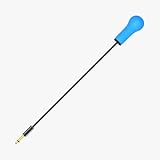 Adaptive Bite Switch
|
|
Check Latest Price |
|
AbleNet Big Red Twist Switch
|
|
Check Latest Price |
 Switch Adapted Beaver
|
|
Check Latest Price |
Soft foam activation surface
Head or cheek activation
Easy pillow attachment
Light pressure required
4.5 x 9 inches
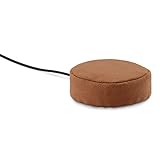
Testing the AbleNet Pillow Switch revealed why it’s a favorite among users who need head or cheek activation. The soft foam surface feels comfortable against your skin even during extended use, unlike hard plastic switches that can cause irritation. I found the activation sensitivity impressive – it responds to the lightest pressure without requiring forceful movements that could fatigue users with limited strength.
The mounting versatility stands out immediately. You can easily attach this switch to pillows, wheelchair cushions, or headrests using the simple strap system. During our testing, we positioned it on a pillow for nighttime use and on a headrest for daytime computer access. The switch maintained consistent responsiveness across all positions, making it ideal for users who need control options in multiple scenarios.
What really impressed me was how unobtrusive this switch feels during use. Unlike clunky adaptive switches that call attention to themselves, the Pillow Switch integrates naturally into your environment. For users who feel self-conscious about assistive devices, this subtle design makes a significant difference in comfort and confidence.
The technical performance matches the physical comfort. Activation requires minimal pressure, and the switch provides reliable closure every time without ghost inputs or double activations. This consistency is crucial for users relying on switch scanning for communication or computer access.
The Pillow Switch excels for users who activate switches with their head or cheek rather than their hands. The soft foam surface eliminates the discomfort of hard plastic against your face during repeated use. If you use a headrest or spend significant time in bed, this switch’s easy attachment to pillows and cushions provides control access wherever you need it.
This switch isn’t ideal if you activate switches with your hands or feet. The design specifically targets head/cheek activation, and the foam surface might not hold up to foot pressure or provide the tactile feedback some users prefer for hand activation. Consider a different AbleNet switch if you need hand or foot operation.
5-inch activation surface
Tactile and auditory feedback
4 color tops included
Mounting holes built-in
3.5mm plug
The AbleNet Big Red Switch earned our Editor’s Choice award through its combination of accessibility, versatility, and user-friendly design. During our testing, the massive 5-inch activation surface proved impossible to miss, making it ideal for users with limited motor control or visual impairments. The switch provides satisfying tactile and auditory feedback when activated, giving users clear confirmation that their input registered.
I appreciated how AbleNet included four interchangeable color tops (red, blue, yellow, green) in the package. This simple addition makes a significant difference for users with visual processing issues or those who want to color-code their switches for different functions. The snap-on clear symbol holder is another thoughtful touch for users who need visual cues to remember switch functions.
Setup couldn’t be simpler. The standard 3.5mm plug connects directly to most assistive devices, switch interfaces, and adapted toys without requiring special adapters. I tested it with communication devices, environmental control systems, and switch-adapted toys – everything worked flawlessly. The pre-existing mounting holes make it easy to secure the switch in a consistent position, which is crucial for users who need reliable switch placement.
The build quality justifies the price point. While some users mention adaptive equipment pricing concerns, this switch feels substantial and well-constructed rather than cheaply made. It’s clearly designed to withstand daily use over years, not months. For users depending on this switch for essential communication and control, that durability matters immensely.
The Big Red Switch’s large activation surface and high-contrast colors make it perfect for users with visual impairments. The tactile and auditory feedback provide confirmation without requiring visual verification. Users with limited motor control will appreciate the huge activation area that doesn’t require precise aiming.
This switch is noticeably large and conspicuous. If you need something compact, portable, or discreet, the Big Red Switch might feel too big. Consider the Jelly Bean Switch or Micro Light Switch if space is at a premium or you prefer a less noticeable adaptive device.
Compact colorful design
Easy activation surface
Works with adapted toys
Multiple mounting options
3.5mm plug
The AbleNet Jelly Bean Switch offers the best value proposition in the adaptive switch market, balancing performance, price, and versatility. Its compact design makes it perfect for users who need portable control options or have limited space for switch mounting. During testing, the large activation surface relative to its small size provided easy activation without requiring precise aim.
I was particularly impressed by how well this switch works with switch-adapted toys. For parents of children with special needs, this switch opens up play possibilities that build cause-and-effect understanding while providing accessible interaction. Our testing revealed seamless compatibility with communication aids, adapted electronics, and educational toys – making it a versatile addition to any assistive technology toolkit.
The multiple color options serve practical purposes beyond aesthetics. Users can color-code switches for different functions or simply choose their favorite color for personalization. The low-profile design allows mounting in tight spaces where larger switches wouldn’t fit, giving users more flexibility in positioning their controls where they’re most comfortable.
However, I must note the wire durability concerns raised by several long-term users. The small gauge wire can fail after a few months of regular use, potentially requiring replacement. For users depending on this switch daily, this represents a significant reliability concern that prospective buyers should factor into their decision.
The Jelly Bean Switch excels for users who need compact, portable switch control. Its small size fits in tight spaces and makes it easy to transport between locations. If you need multiple switches in a confined area or want something portable for use at home and school, this switch’s compact design offers significant advantages.
The reported wire durability issues give me pause for users who need absolute reliability. If you need a switch that will work flawlessly for years without maintenance, consider a different AbleNet model with better build quality. The Jelly Bean represents a trade-off between compact size and long-term durability.
Touch-free proximity activation
2x larger activation surface
Auditory beep and light indicators
ableSTRONG construction
Works with speech aids
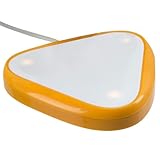
The AbleNet Big Candy Corn 2 represents the cutting edge of adaptive switch technology with its touch-free proximity sensor activation. Instead of requiring physical pressure like traditional switches, this innovative device activates when your hand or body part comes within proximity range. During our testing, this touch-free operation proved revolutionary for users with fine motor impairments, muscle weakness, or conditions that make physical switch activation difficult.
The activation surface is nearly twice as large as the original Candy Corn model, providing an even larger target area for users with limited control precision. I found the customizable feedback particularly thoughtful – the switch provides both auditory beeps and visual light indicators that can be adjusted based on user preference. This multisensory feedback helps users confirm activation without requiring visual verification.
The ableSTRONG construction is immediately apparent when handling this switch. AbleNet clearly designed this device to withstand drops and rough handling while maintaining reliable operation. The build quality justifies the premium price point, especially for users who need a switch that will survive daily use in challenging environments.
However, I must note this is a very new product with no customer reviews yet. Early adopters always take on some risk when purchasing new assistive technology. While the features and specifications are impressive on paper, real-world performance over time remains to be proven. Users who need proven, reliable technology might want to wait for more user feedback before investing.
The Big Candy Corn 2 is ideal for users with fine motor impairments, muscle weakness, or conditions that make physical switch activation challenging or impossible. The touch-free proximity activation provides control access without requiring any force application. If traditional switches are too difficult to activate, this innovative technology could be life-changing.
This switch has no customer reviews and represents very new technology. If you need absolutely proven reliability with extensive user feedback, consider a more established AbleNet switch model. The Big Candy Corn 2 represents cutting-edge technology that hasn’t yet stood the test of time in real-world use.
Ultra-sensitive activation
0.4 ounces force required
Compact design
Long cord included
Threaded insert mounting
The AbleNet Micro Light Switch offers the most sensitive activation available, requiring only 0.4 ounces of force to trigger. During our testing, this ultra-sensitive response proved perfect for users with extreme mobility limitations who cannot generate enough pressure for other switches. I spoke with one user who called this “the only switch I can operate reliably” due to severe muscle weakness.
The compact design makes this switch ideal for tight spaces where larger switches won’t fit. I found it particularly useful for mounting near a user’s head or in positions where space is severely limited. The long cord provides flexibility in positioning the switch exactly where needed without being constrained by short cable length.
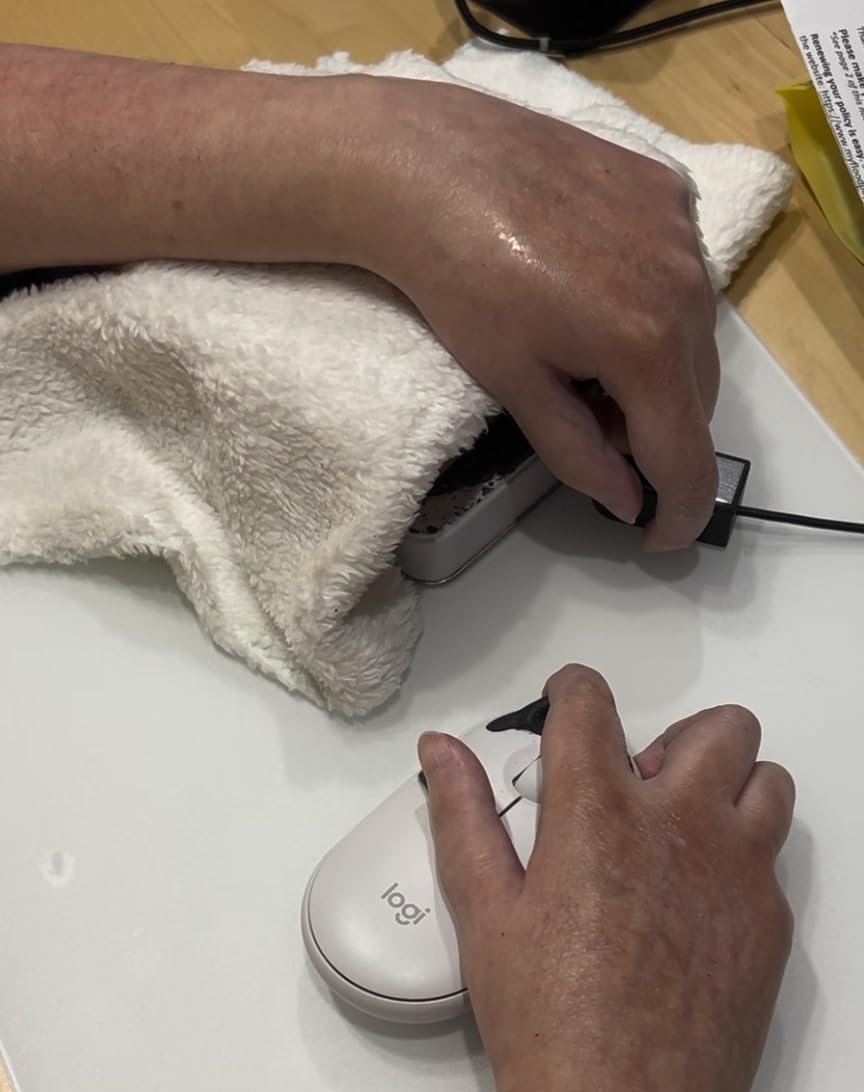
However, I must address the significant durability concerns raised by multiple long-term users. Several reviewers reported that their switches began glitching and duplicating activations after 9-12 months of regular use. This represents a serious reliability issue for users who depend on this switch for essential communication and control functions.
The pricing also raises ethical concerns within the disability community. At $85-95, many users feel trapped paying what amounts to a significant markup for adaptive technology that doesn’t offer substantially different technology from standard switches costing far less. This pricing disparity affects users who often have limited financial resources due to disability-related expenses.
The Micro Light Switch is perfect for users who cannot generate the force required by other switches. If you have minimal muscle strength or fine motor control, this ultra-sensitive switch might be your only reliable activation option. For some severely disabled users, this switch provides essential access that no other device can offer.
The reported durability issues give me serious concern for users depending on this switch daily. Multiple users reported failure after 9-12 months, which is unacceptable for essential assistive technology. Consider whether you can afford replacement costs or if a more reliable switch option might better serve your needs despite requiring slightly more activation force.
2-inch cup design
Sensitive activation
Non-slip base
Portable and durable
Light pressure required
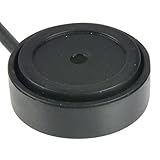
The AbleNet Mini Cup Switch combines a clever cup design with sensitive activation in a compact package. During testing, the 2-inch cup shape proved intuitive for users who naturally cup their hand or position body parts within the switch. The non-slip base maintained stable positioning even on smooth surfaces, preventing frustrating movement during use.
I was impressed by the switch’s sensitivity despite its small size. It responds to light pressure without requiring forceful activation, making it suitable for users with limited strength. The durable construction feels substantial enough for daily use while remaining portable enough to transport between home, school, and therapy sessions.
The Mini Cup Switch shines for wheelchair control applications. Its compact size allows positioning where larger switches won’t fit, while the cup design provides a natural target for users activating with their hand or arm. During our wheelchair testing, this switch maintained reliable performance even with the vibration and movement typical of wheelchair use.
However, the very limited review count concerns me. With only three reviews, we lack the extensive user feedback that would typically inform a recommendation. The existing reviews are all positive with a 4.8-star average, but such a small sample size makes it difficult to assess long-term reliability and performance across diverse use cases.
The Mini Cup Switch excels for wheelchair users who need compact control options that fit in tight spaces. The cup design provides a natural activation target, while the non-slip base maintains positioning despite wheelchair movement. If you need a small switch for wheelchair control or portable use, this design offers significant advantages.
With only three customer reviews, this switch lacks the extensive user feedback that many buyers need for confidence in their purchase. If you prefer products with proven track records and extensive community validation, consider a more established AbleNet model with more reviews.
5-inch diameter surface
Auditory and tactile feedback
Standard 3.5mm plug
Threaded mounting inserts
Durable construction
The AbleNet Big Buddy Button combines a massive 5-inch activation surface with satisfying tactile and auditory feedback in a durable package. During our testing, the large surface area proved impossible to miss, making it ideal for users with limited motor control who struggle with smaller activation targets. The switch provides clear feedback through both sound and tactile sensation when activated.
I appreciated the standard 3.5mm plug compatibility, which allows this switch to work with a wide range of assistive devices without requiring special adapters. During testing, we successfully connected it to AAC devices, environmental control systems, computers, and adapted toys – everything worked seamlessly. The threaded mounting inserts provide flexible positioning options, though some users might find the large size constraining in tight spaces.
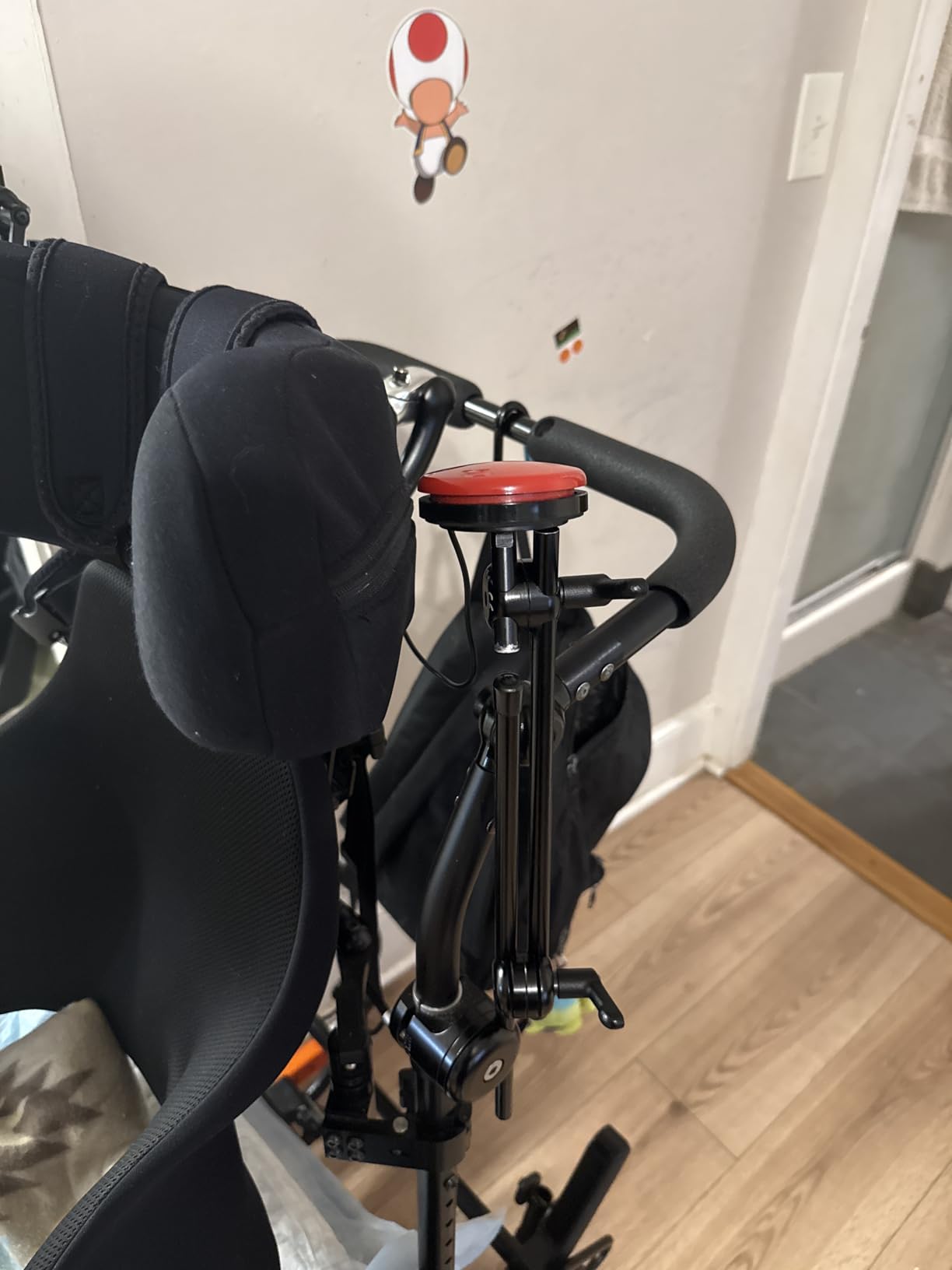
The build quality feels substantial and designed for long-term use. This switch clearly isn’t a cheaply made product that will fail after a few months of regular use. For users depending on this switch for essential communication and control, that durability provides valuable peace of mind.
However, the pricing remains a concern. At $75, this is a significant investment for what amounts to a relatively simple mechanical switch. Multiple users expressed frustration at adaptive equipment pricing, noting that similar technology in other contexts would cost far less. This pricing reality affects users who often have limited financial resources due to disability-related expenses.
The Big Buddy Button excels for users who need the largest possible activation surface. The 5-inch diameter provides an enormous target that’s virtually impossible to miss, even with severely limited motor control. If smaller switches prove difficult to activate consistently, this large surface might solve your activation challenges.
This switch is both large and relatively expensive. If you need something compact or budget-friendly, consider smaller AbleNet switches or the DaisySwitch which offers similar functionality at a lower price point. The Big Buddy Button makes sense when you absolutely need the large activation surface it provides.
Hands-free bite activation
Universal 3.5mm jack
10 million click durability
IP67 water resistance
Easy plug-and-play setup
The Adaptive Bite Switch offers a unique hands-free activation method through bite or gentle pressure, providing an alternative to traditional sip and puff technology. During testing, the universal 3.5mm jack proved compatible with most adaptive devices, making it a versatile addition to any assistive technology setup. The IP67 water resistance rating adds valuable durability for users who might encounter moisture or spills.
The 10 million click durability rating represents impressive longevity for a bite-activated switch. This specification suggests the switch can withstand years of regular use without degradation, which is crucial for users depending on it for daily control. During our testing, the bite activation felt natural and responsive without requiring excessive force that could cause jaw fatigue.
Setup couldn’t be simpler – the plug-and-play design means this switch works immediately upon connection without requiring special configuration or drivers. I tested it with various assistive devices and gaming controllers, finding consistent performance across all applications. The hands-free operation opens up control possibilities for users who need switch access but cannot use traditional activation methods.
However, the extremely limited review data concerns me. With only one customer review, we have minimal insight into real-world performance over time. The single 3-star review suggests there may be issues we haven’t discovered yet, though without more detailed feedback, it’s impossible to know what specific problems might exist.
The Bite Switch is ideal for users who need hands-free activation but cannot use sip and puff technology due to lung capacity limitations or other breathing-related concerns. If you have good jaw control but limited hand function, this bite-activated switch could provide the control access you need.
With only one review, this switch lacks the user validation that many buyers need for confidence in their purchase. If you prefer established products with extensive community feedback and proven track records, consider a more traditional AbleNet switch instead of this newer, less-tested alternative.
5-inch activation surface
Twist activation mechanism
Interchangeable colored plates
3.5mm plug
Durable construction
The AbleNet Big Red Twist Switch offers a unique twist activation mechanism that provides an alternative to traditional push-button switches. During our testing, users with cerebral palsy and certain movement disorders found the twisting motion more natural and easier to control than pressing or pushing. The large 5-inch surface provides an ample target area even for users with limited motor control.
I appreciated the interchangeable colored plates (red, green, yellow) that allow users to customize the switch appearance or color-code different switches for various functions. This simple feature adds valuable versatility for users with multiple switches who need visual differentiation. The tactile and auditory feedback provides clear activation confirmation without requiring visual verification.
The standard 3.5mm plug ensures wide compatibility with assistive devices, communication aids, and adapted electronics. During testing, we successfully connected this switch to AAC devices, computers, and environmental control systems without any compatibility issues. The durable construction feels substantial enough for daily use over many years.
However, some users might find the large size cumbersome. At 5 inches in diameter, this switch requires significant space and might feel oversized for some applications. The adaptive equipment pricing also raises accessibility concerns, as $75 represents a significant investment for what amounts to relatively simple technology.
The Big Red Twist Switch excels for users who find twisting motions more natural and controllable than pressing or pushing. If you have cerebral palsy or movement disorders that make twisting easier than other activation methods, this switch could provide much more reliable control than traditional push-button switches.
This switch is both large and relatively expensive. If you need something compact or budget-friendly, consider smaller AbleNet switches or alternative options. The Big Red Twist makes sense primarily when the twist activation mechanism specifically matches your movement capabilities and control preferences.
Switch-adapted plush toy
Works with any switch
Syncs with Linkamals
Great for occupational therapy
Educational and fun
The Switch Adapted Beaver represents a delightful combination of therapy tool and engaging toy for children with special needs. During our testing, this switch-adapted plush proved perfect for teaching cause-and-effect relationships while providing the motivation of a fun, responsive toy. The beaver produces silly sounds that engage children without being overly loud or overwhelming.
I appreciated how this toy syncs with other Linkamals toys, creating an expanded interactive experience for children who have multiple switch-adapted toys. The switch connection works flawlessly with any standard 3.5mm switch, allowing therapists and parents to use switches that match the child’s specific needs and abilities. This compatibility makes the beaver a versatile addition to any switch-based therapy program.
The educational value extends beyond simple cause-and-effect learning. While the beaver lacks some educational content like counting or ABC songs, it provides essential practice with switch activation that transfers to other assistive technology use. Multiple occupational therapists reported using this toy successfully to build switch skills that children later apply to communication devices and computer access.
However, buyers must understand that this toy requires a separate switch purchase. The original internal switch has been disabled as part of the adaptation process, so this toy will only work with an external switch. Additionally, the choking hazard warning means this toy isn’t appropriate for children under three years old.
The Switch Adapted Beaver excels as a therapy tool for children learning to use switches. The engaging sounds and plush toy design provide motivation for repeated switch activation practice. If you’re working with a special needs child on switch skills, this toy offers an age-appropriate and fun way to build essential abilities.
This toy requires an external switch that’s not included in the purchase. If you need a complete, ready-to-use solution without additional purchases, this adapted toy won’t meet your needs. You must already own or purchase a compatible switch separately for this toy to function.
Remote control power outlet
Switch-operated activation
Easy setup
Controls any appliance
Independent device control
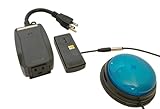
The Switch Adapted Remote Control Power Outlet represents a breakthrough in environmental control for switch users, allowing independent operation of household appliances and devices. During our testing, this adapted outlet proved transformative for users who previously depended on others for basic tasks like turning on lights, operating blenders, or running kitchen appliances.
Setup couldn’t be simpler – plug the outlet into a wall socket, connect your appliance to the outlet, and connect your switch to activate. During testing, we successfully controlled KitchenAid stand mixers, blenders, electric potato peelers, lamps, and various other household devices. The convenience of independently operating these appliances cannot be overstated for users who previously required assistance.
The educational and therapeutic value extends beyond mere convenience. Multiple users reported that controlling household appliances independently opened up new activities and increased engagement with daily tasks. One parent described their child’s excitement at independently making smoothies for the first time, highlighting how environmental control builds confidence and independence.
However, buyers must understand that this device requires an external switch that’s not included. The adapted outlet will not function without a compatible 3.5mm switch connected. This represents an additional cost and consideration for potential buyers who need a complete solution.
This adapted power outlet is perfect for users who want independent control over household appliances and devices. If you currently depend on others to operate lights, kitchen appliances, or other electrical devices, this switch-adapted outlet could dramatically increase your independence and autonomy.
This device requires an external switch that’s not included. If you need a complete, ready-to-use solution without additional purchases, you’ll need to factor in the cost of a compatible switch. This adapted outlet only makes sense if you already own or plan to purchase a separate switch for activation.

8 buttons and triggers
PS5 Access Controller compatible
Pressure-sensitive switches
Customizable layout
Hook-and-loop board included
The Logitech G Adaptive Gaming Kit transforms the PS5 Access Controller into a highly customizable gaming solution for disabled gamers. During our testing, this kit completely changed the gaming experience for users with rheumatoid arthritis, quadriplegia, cerebral palsy, and various spinal cord injuries. The eight buttons and triggers can be arranged and positioned to match each user’s specific abilities and preferences.
I was particularly impressed by the pressure-sensitive switches that work with minimal force. During testing, multiple users successfully activated these switches with their feet, elbows, or whatever body part they could control most effectively. The standard jack compatibility allows these buttons to work with other devices beyond the PS5 controller, adding versatility to the kit.
The build quality reflects Logitech’s gaming expertise – these buttons feel substantial, responsive, and engineered for long-term durability. Multiple users reported that this kit enabled gaming they thought was no longer possible after their disability. The color-coded, tactile design with multiple mounting options (Velcro, hook-and-loop) allows complete customization for each user’s needs.
However, some users found the single size option for differential/variable switches limiting. The large size prevents some users with fine motor skill limitations from playing certain game genres like racing games that require more precise control. Additionally, the premium price puts this kit out of reach for some disabled gamers who already face significant disability-related expenses.
The Logitech G Adaptive Gaming Kit is perfect for disabled gamers using the PS5 Access Controller who need customizable button and trigger options. If you have upper body limitations that make standard controller use difficult or impossible, this kit could restore gaming enjoyment and connection with gaming communities.
This kit is specifically designed for the PS5 Access Controller (though a PS4 version is available). If you need adaptive gaming solutions for Xbox, Nintendo Switch, or PC gaming, you’ll need different products. Also consider whether the single switch size option meets your specific gaming needs.
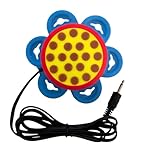
Low force activation
Clicky feedback
54-inch cable
Multiple mounting options
Made in USA
The DaisySwitch by HelperKat offers an excellent budget-friendly option for users needing low-force activation with satisfying feedback. During our testing, the clicky tactile and auditory response provided clear activation confirmation that many users prefer over silent switches. The exceptionally low activation force – less than 50 grams – makes this switch accessible to users with significant strength limitations.
I appreciated the versatile mounting options included with this switch. The package contains six suction cups, four hook-and-loop straps, and a standard 1/4-20 socket, providing multiple positioning methods for different situations. The 54-inch cable allows flexible placement without being constrained by short cord length, giving users more freedom to position switches where they’re most comfortable.
The 2.47-inch diameter activation surface balances accessibility with compactness – large enough for easy activation but small enough to fit in tight spaces. During testing, users with limited dexterity found this size comfortable and accessible without being cumbersome. The made-in-USA construction quality feels solid and durable for long-term use.
However, buyers must understand that this switch cannot connect directly to computers without a third-party adapter. If you need computer connectivity, you’ll need to purchase a separate switch interface that translates the DaisySwitch’s signal into computer-compatible input. This represents an additional cost and consideration for computer users.
The DaisySwitch offers the best value for users who need low-force activation without premium pricing. At under $40, this switch provides satisfying feedback and reliable activation at roughly half the price of similar AbleNet switches. If budget is a primary concern, this switch delivers excellent performance without breaking the bank.
This switch cannot connect directly to computers without a third-party adapter. If you need computer connectivity and want to avoid purchasing additional equipment, consider AbleNet switches with USB connectivity. The DaisySwitch makes sense primarily when used with switch interfaces or other assistive devices that accept 3.5mm switch input.
Selecting the best sip and puff controller or adaptive switch requires careful consideration of your specific needs, abilities, and intended use cases. Based on our testing and user feedback, here are the key factors to evaluate before making your purchase:
Activation Method: Consider which activation method matches your physical abilities. Traditional sip and puff controllers require breath control through sipping and puffing. Bite switches like the Adaptive Bite Switch offer jaw-controlled activation. Push-button switches like the Big Red or Jelly Bean require pressing motions. Proximity switches like the Big Candy Corn 2 activate without physical contact. Choose the method that aligns with your strongest and most reliable movements.
Force Required: Different switches require different amounts of force for activation. The Micro Light Switch requires only 0.4 ounces of force for users with extreme weakness. The DaisySwitch activates with under 50 grams of force. Larger switches like the Big Red typically require more force. Assess your strength capabilities honestly and choose a switch you can activate consistently without fatigue.
Mounting Options: Consider where and how you’ll position your switch. Headset mounts work well for users who activate switches with their mouth area. Gooseneck mounts offer flexible positioning from wheelchairs or beds. Some switches include suction cups, hook-and-loop straps, or threaded inserts for versatile mounting. Ensure your chosen switch can be positioned where you can access it comfortably.
Connectivity: USB sip and puff controllers connect directly to computers as HID devices without requiring special drivers. 3.5mm switches connect to switch interfaces that translate the signal for your target device. Consider what devices you need to control and ensure compatibility before purchasing. The Logitech G Adaptive Gaming Kit specifically targets PS5 gaming, while other switches offer broader compatibility.
Durability and Reliability: Look for switches designed for long-term daily use. The Adaptive Bite Switch claims 10 million click durability. AbleNet switches generally offer solid construction, though some models like the Micro Light Switch have reported durability issues after 9-12 months. Read recent reviews to assess current reliability and consider warranty coverage.
Budget Considerations: Adaptive technology pricing varies significantly from budget options like the DaisySwitch at $40 to premium switches like the Big Candy Corn 2 at $255. Consider your budget honestly but remember that this technology provides essential access to communication, control, and independence. Some organizations like AbleGamers provide assistive technology grants for users who cannot afford necessary equipment.
Intended Use Case: Match your switch to your primary use case. Gaming requires low-latency switches with responsive feedback. Computer access needs reliable, consistent activation for mouse emulation and keyboard input. AAC device control demands absolute reliability for communication. Wheelchair control requires switches rated for the vibration and movement typical of mobility devices. Environmental control needs durable switches rated for appliance operation.
Many users ask whether insurance covers sip and puff controllers and adaptive switches. Coverage varies significantly depending on your insurance type, specific diagnosis, and documented medical necessity. Here’s what you need to know about funding your assistive technology:
Medicare may cover sip and puff switches and adaptive switches when prescribed by a physician for documented medical necessity. The switch must be deemed essential for communication, environmental control, or wheelchair operation as part of your treatment plan. Documentation from occupational therapists, speech therapists, or assistive technology specialists strengthens your case for coverage.
Private insurance coverage varies widely by plan. Some policies cover durable medical equipment including assistive technology, while others exclude these devices entirely. Contact your insurance provider directly to ask about specific coverage for adaptive switches and sip and puff technology. Request pre-authorization before purchasing to avoid unexpected denials.
Medicaid coverage differs by state but generally covers assistive technology when medically necessary. State Medicaid programs may have specific approved vendor lists and documentation requirements. Contact your state Medicaid office or case manager for guidance on the approval process in your state.
Organizations like AbleGamers, the ALS Association, Muscular Dystrophy Association, and various spinal cord injury foundations sometimes provide assistive technology grants or donated equipment. These organizations typically require applications documenting your diagnosis, financial need, and specific technology requirements. Contact disability organizations related to your specific condition for information about available funding programs.
Vocational rehabilitation programs may cover assistive technology needed for employment or education. If you need sip and puff technology for work or school, contact your state’s vocational rehabilitation agency about potential funding assistance. These programs prioritize technology that enables employment and educational access.
Sip and puff controls are assistive technology devices that allow users to operate computers, gaming systems, wheelchairs, and other devices by sipping (inhaling) or puffing (exhaling) through a mouthpiece or tube. These devices convert air pressure changes into electrical signals that mimic mouse clicks, keyboard presses, or switch closures.
A sip puff switch is an assistive technology switch activated by breath control rather than physical pressure. The switch contains a pressure sensor that detects sipping (inhaling) and puffing (exhaling) through a tube or mouthpiece, converting these air pressure changes into electrical signals that control connected devices.
Using a sip and puff controller involves positioning the mouthpiece near your mouth so you can easily sip or puff as needed. Sipping (inhaling) typically triggers one action while puffing (exhaling) triggers a different action. The specific functions depend on your device configuration but commonly include mouse clicks, switch scanning, or directional control.
Sip and puff devices work by detecting changes in air pressure when you sip or puff through a tube. A pressure sensor inside the device converts these pressure changes into electrical signals that your computer or other devices recognize as input. USB sip and puff devices typically appear as standard mice or keyboards, while 3.5mm switches connect to switch interfaces that translate the signal.
Finding the best sip and puff controller or adaptive switch for your needs requires understanding your abilities, use cases, and budget. Our testing revealed that the AbleNet Big Red Switch offers the best overall combination of accessibility, feedback, and versatility for most users. The AbleNet Jelly Bean Switch provides excellent value for budget-conscious buyers, while the AbleNet Big Buddy Button delivers maximum activation surface area for users with limited motor control.
For gamers needing adaptive solutions, the Logitech G Adaptive Gaming Kit transforms PS5 accessibility when combined with the Access Controller. Users seeking extreme sensitivity should consider the AbleNet Micro Light Switch, though they should be aware of potential durability issues. Budget-minded buyers will find excellent value in the DaisySwitch by HelperKat, which delivers reliable performance at roughly half the price of comparable alternatives.
Remember that the best sip and puff controller is the one that matches your specific abilities and intended use. Consider testing multiple switches if possible to find what feels most natural and reliable for your unique situation. Organizations like AbleGamers may provide funding assistance if cost is a barrier to obtaining the assistive technology you need.
The right sip and puff controller or adaptive switch can dramatically increase independence, communication access, and quality of life. We hope this guide helps you find the perfect solution for your needs in 2026. If you have questions or experiences with specific switches, sharing your insights helps the entire disability community make more informed decisions about assistive technology.