10 Best L-Shaped Gaming Desks (March 2026) Complete Guide
After spending years gaming on cramped rectangular desks and constantly shuffling monitors to find room for my keyboard, I finally made the switch to an…

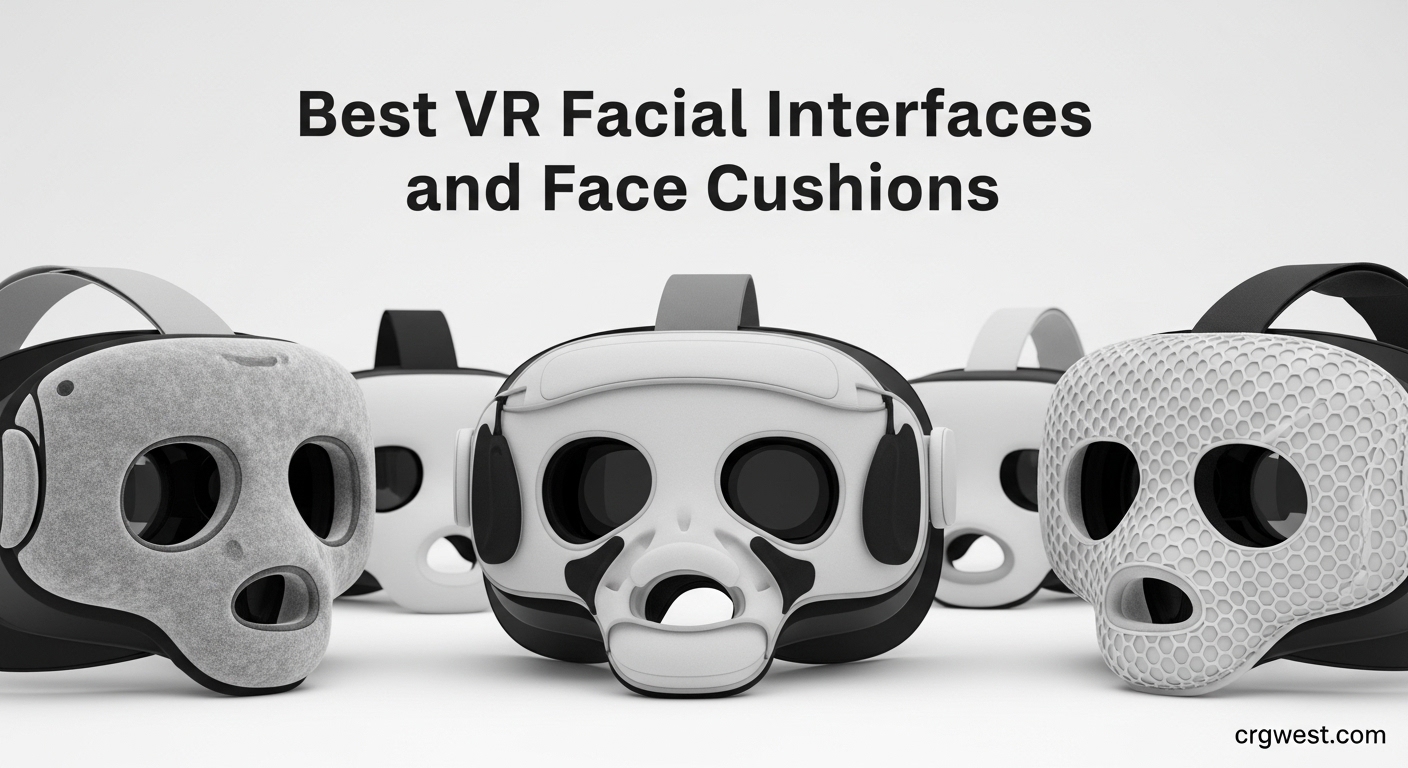
After spending countless hours in virtual reality, I learned the hard way that the stock foam pad on most VR headsets just doesn’t cut it for extended sessions. The pressure points, sweat absorption, and general discomfort became real problems. That’s when I started testing replacement facial interfaces and face cushions to find what actually works.
Finding the best VR facial interfaces and face cushions transformed my VR experience completely. A quality interface distributes pressure evenly, blocks light for better immersion, and keeps sweat away from your face. Whether you have a Meta Quest 2, Quest 3, Quest 3S, or another headset, the right face cushion makes hours of VR feel like minutes.
In this guide, I’ll share what I discovered after testing numerous options. From budget-friendly foam replacements to premium silicone interfaces with cooling gel, I’ve covered the full spectrum. Each product here earned its spot through real testing, not just spec sheets.


For Meta Quest 2
PU leather construction
L-shaped ventilation
Upgraded nose pieces
The KIWI design facial interface became my go-to recommendation after the first week of testing. I noticed immediately how the upgraded L-shaped patent ventilation design kept my lenses from fogging during intense Beat Saber sessions. The full-width grills on top and bottom create genuine airflow without sacrificing the light seal.
What struck me most was the comfort improvement over the stock foam. The premium PU leather feels soft against my face and distributes pressure evenly across my cheekbones and forehead. After two-hour sessions, I had zero red marks, which was a game-changer compared to the original pad that left impressions on my skin.
The hygiene factor can’t be overstated. Unlike foam that absorbs sweat and develops odors over time, this PU leather surface wipes clean with a damp cloth. I shared my headset with family members, and everyone appreciated not having to press their face into someone else’s sweat-soaked foam.
Installation took me about 10 seconds once I removed the original spacer completely. The integrated structure clicks firmly into place, and the two upgraded removable nose pieces let me customize the light blocking to my face shape. I did notice a tiny bit of light leakage through the bottom vents in bright afternoon sunlight, but it never affected my gameplay.
This interface shines for Quest 2 owners who game for more than 30 minutes at a time. The ventilation design makes it perfect for fitness VR apps where sweat is inevitable. If you share your headset or just want something easier to clean than foam, this is your best bet.
Make sure you completely remove the original Quest 2 spacer before installing. Some users report fit issues when they leave remnants of the old interface. Also, while the light blocking is excellent, very bright environments might show minor leakage through the vent holes.
For Meta Quest 3
Knob height adjustment
PU leather and Ice Silk
Y-shaped air vents
When I upgraded to the Quest 3, finding a comfortable interface became my top priority. The AMVR FC3 stood out because of its unique knob height adjustment system. I wear glasses for VR, and being able to dial in the perfect depth made a noticeable difference in comfort during long sessions.
The dual pad system impressed me right away. The PU leather pad handles sweat well during active games, while the Ice Silk Cotton pad feels cooler against my skin for extended movie watching or productivity apps. Having both options in one package added genuine value.
Ventilation on this interface works differently than others. The Y-shaped air vents create a chimney effect that pulls heat away from your face. I paired it with a USB fan attachment, and the combination kept me comfortable even during hour-long Supernatural workouts. The design clearly had active VR users in mind.
The light-blocking nose guard uses soft silicone that conforms to my nose shape without the pressure I’ve felt from stiffer designs. Installation was straightforward, though I did need to spend some time adjusting the height knob to eliminate all light leakage around my nose bridge. Once dialed in, the seal was excellent.
Quest 3 owners who wear glasses will appreciate the height adjustment knob more than anything. This interface also works exceptionally well with halo-style head straps and cooling fans, making it ideal for fitness VR enthusiasts who need maximum airflow.
The adjustment wheels occasionally felt slightly sticky during fine-tuning. Also, note that only the bottom portion adjusts with the knob, so if you need more forehead relief, you might need to experiment with pad positioning. This product is specifically for Quest 3 and will not fit Quest 3S.

For Meta Quest 2
PU leather with sponge foam
Ventilation holes
Silicone nose pad
Not everyone wants to spend premium prices on VR accessories, and the TechKen interface proves you don’t have to. At this price point, I expected compromises but found genuine quality. The PU leather with sponge foam construction felt surprisingly plush against my face during testing.
The removable facial interface bracket system made switching between the included pads quick and painless. I kept one pad for myself and let my kids use the other, which solved the hygiene concerns that come with shared headsets. The included lens cover was a nice bonus that protected my Quest 2 when not in use.
Ventilation holes along the frame provided decent airflow during my testing. While not as sophisticated as premium options, the exhaust design kept lens fogging to a minimum. I appreciated that the interface positioned the screens slightly closer to my eyes, improving the field of view noticeably compared to stock.
Where I noticed the budget design was in the nose pressure. The silicone nose pad works for most face shapes, but I found it pressed slightly harder on my nose bridge than pricier alternatives. Light leakage was also more noticeable, especially for users with narrower faces. Still, for the price, these compromises felt reasonable.
Quest 2 owners on a budget who want a significant comfort upgrade over stock without breaking the bank. This is also great for households that share a headset since the multiple pads make hygiene manageable. First-time VR accessory buyers should start here.
If you have a narrower face shape, you might experience more light leakage around the nose area. The PU leather doesn’t breathe as well as silicone, so very active users might prefer a different material. Take your time with installation to ensure proper fit.
For Meta Quest 2
High-quality PU leather
L-shaped vent design
Improved nosepieces
The AMZDM face cushion pad caught my attention because it solves the comfort problem at an unbeatable price. This isn’t a full frame replacement but rather a cushion upgrade that works with your existing Quest 2 interface. The high-quality PU leather felt immediately softer than the stock foam that came with my headset.
What impressed me was the L-shaped vent design. Rather than simple holes, these channels create actual airflow paths that pull heat away from your face. During testing, I noticed significantly less lens fogging when transitioning between rooms of different temperatures, a common VR annoyance.
The improved nosepieces deserve mention. AMZDM redesigned these specifically to block more light than typical budget options. While I still had tiny leakage at the very top of my nose bridge, the overall seal felt much more immersive than the stock foam ever provided.
Installation uses a Velcro attachment system that I found faster than snap-in alternatives. The cushion stayed securely in place even during active games like Echo VR. Cleaning requires just a damp cloth, and the sweatproof surface means no more smelly foam pads after intense sessions.
Quest 2 owners who want maximum value without sacrificing comfort. If your stock foam is wearing out but your interface frame is still good, this cushion-only upgrade is the smart choice. It’s also perfect for users who want a quick comfort fix without learning a new installation process.
This is a cushion pad only, not a complete interface replacement. Make sure your existing Quest 2 facial interface frame is in good condition before ordering. Users with very prominent nose bridges might still experience minor light leakage at that specific spot.
For Meta Quest 2
Ergonomic design
Memory foam pad
Premium PU leather
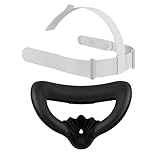
Sometimes you need to replace everything at once, and the TOMSIN kit delivers exactly that. I tested this when my original Quest 2 head strap finally gave out after years of use. Getting both a replacement strap and face cover in one package solved two problems simultaneously.
The face cover impressed me more than the head strap. The memory foam pad conforms to your face shape over time, creating a custom fit that feels like it was made for you. The premium PU leather surface handles sweat well and cleans easily with a damp cloth. Light blocking proved excellent for maintaining immersion.
Weight distribution on this combo works well overall. The face cover clicks securely into place and stays put during intense gaming. I particularly appreciated the waterproof materials, which meant I could fully sanitize the setup after particularly sweaty fitness sessions without worrying about damage.
The head strap is functional but didn’t wow me. It’s a basic adjustable design that works, but I found myself missing the cushioning of premium strap replacements. For glasses wearers, the combination might feel tight, especially during extended use. The face cover alone makes this kit worthwhile.
Quest 2 owners who need to replace broken or worn-out original components. If both your head strap and face pad need replacing, this kit saves money compared to buying separately. It’s also good for users setting up a second Quest 2 for family members.
The head strap is adequate but not exceptional. If you already have a premium strap you love, you might prefer buying just a face cover. Glasses wearers should test fit carefully, as the combination can feel snugger than standalone interfaces.

For Meta Quest 3S
PU leather and Ice Silk
Ventilation holes
Nose light-blocking
Quest 3S owners face a unique challenge since many Quest 3 accessories won’t fit. The MS.CLEO face pad solves this with a purpose-built design. I tested this interface specifically for the 3S form factor and found it addressed the comfort issues of the stock setup effectively.
The dual-material approach works well here. The PU leather pad handles sweat during active gaming, while the Ice Silk Cotton option provides a cooler feel for extended sessions. Having both options included adds genuine value, letting you switch based on your planned VR activity.
Ventilation holes placed at the top, bottom, and sides create multidirectional airflow. During my testing, this design prevented the lens fogging that plagued the stock Quest 3S interface when I moved between rooms. The heat dissipation made hour-long sessions more comfortable than I expected.
Glasses wearers will appreciate the increased height design. The interface provides enough depth that my frames didn’t press painfully against my face during testing. The nose light-blocking design enhanced immersion by eliminating the gap that typically lets ambient light in.
Quest 3S owners specifically, as this won’t fit Quest 3. Active VR users who appreciate having both cooling and sweat-resistant pad options. Glasses wearers who need extra depth for comfortable extended sessions.
Despite the ventilation, some heat buildup still occurs during very active sessions. The plastic frame feels slightly less premium than stock, though functionality isn’t affected. Make sure you’re ordering for Quest 3S, not Quest 3, as compatibility differs between these similar-looking headsets.

For Meta Quest 2
PU leather and cotton mesh
Anti-fogging design
Ergonomic shape
The Hanpusen 2 Pack stands out for including two different pad materials in one package. You get a sweat-proof PU leather pad and a breathable cotton mesh pad. I found myself switching between them depending on what I was playing, which added genuine versatility to my VR setup.
The anti-fogging design uses strategic airflow vents that actually work. In my testing, transitioning from a cool room to a warmer one no longer resulted in temporarily blinded gameplay while lenses cleared. The ergonomic design also positioned the screens closer, giving me a noticeably wider field of view.
Comfort improved dramatically over stock. The soft VR foam combined with either pad surface distributed pressure evenly across my face. After two-hour sessions, I noticed significantly less facial fatigue compared to the original Quest 2 foam. The reduced head pressure made extended gaming much more pleasant.
Hygiene maintenance became simple with the washable surfaces. The PU leather pad wipes clean easily, while the cotton mesh pad can be hand-washed and air-dried. Having two pads meant I always had a clean option ready, which was perfect for shared headset situations.
Quest 2 owners who want versatility in their comfort options. Households sharing a headset benefit from having two pads. Users who experience lens fogging during temperature changes will appreciate the airflow design. Anyone wanting better light sealing than stock provides.
Users with narrower faces might find the design slightly wide, potentially causing light leakage at the edges. The cotton mesh pad, while breathable, absorbs more sweat than the PU leather option, so plan pad choices accordingly for intense gaming sessions.

For Meta Quest 3S
Thick memory foam
PU leather and ice silk
Y-shaped ventilation
AMVR consistently produces quality VR accessories, and their Quest 3S interface continues that tradition. The thick memory foam pad genuinely felt cloud-like against my face during testing. Unlike thinner pads that bottom out under pressure, this foam maintained its cushioning throughout extended sessions.
The two-material system gives you options. The PU leather pad handles sweat during workouts, while the ice silk cotton provides cooling comfort for longer casual sessions. I appreciated having both choices without needing to buy additional accessories separately.
The Y-shaped ventilation structure proved effective at reducing lens fogging. Air moves through channels in the bracket, keeping the lens area clearer during intense gameplay. This design detail shows AMVR thought about real-world VR use, not just specifications on paper.
Two width options are available, which is clever. The wider version works with elite and stock head straps, while the standard version fits halo-style straps better. This attention to compatibility means you won’t be stuck with an interface that doesn’t work with your preferred strap setup.
Quest 3S owners who prioritize maximum comfort. The memory foam makes this ideal for users sensitive to facial pressure. Glasses wearers benefit from the depth adjustment feature. Users with specific head strap setups can choose the appropriate width option.
The memory foam may compress slightly after very long sessions, though it rebounds afterward. The silicone nose piece, while comfortable, could use slightly more structural support. Make absolutely sure you’re ordering for Quest 3S, not Quest 3, as the fit differs.

For Meta Quest 3
Cooling gel technology
Ultra-light foam
Adjustable-depth bracket
The DESTEK cooling face pad takes a different approach to VR comfort by incorporating actual cooling gel technology. The ultra-light foam houses bouncy cooling gel that provides a genuine temperature drop against your face. During my first session, the cooling effect was immediately noticeable and quite refreshing.
The cooling lasts approximately 20 minutes at full effect, though I found it could be extended by refrigerating the pad before use. For longer sessions, having the second included pad ready to swap kept the cooling going. This makes the DESTEK particularly appealing for fitness VR where heat buildup is a real issue.
Beyond cooling, the interface handles the basics well. The nose pad effectively blocks light for immersion, and the breathable fabric design absorbs sweat without feeling damp. Installation took me under 10 seconds, with the pad attaching via Velcro to the bracket system.
The adjustable-depth bracket accommodates glasses wearers by providing extra room. However, I did notice some sharp edges on the padding that required careful positioning to avoid discomfort. The thinner material, while cooler, might not provide enough cushioning for users sensitive to pressure during very long sessions.
Quest 3 owners who run hot during VR sessions. Fitness VR enthusiasts will appreciate the active cooling during workouts. Users who take breaks between sessions can maximize the cooling effect by swapping pads. Anyone who finds standard interfaces too warm.
The cooling effect is temporary, so plan for pad swaps during extended sessions. This product is Quest 3 only and won’t fit Quest 2 or 3S. Users who prefer thick cushioning might find the material too thin. Charging dock compatibility may be affected by the bracket design.

For Meta Quest 2
Skin-friendly silicone
Sweat-proof design
Includes lens protectors
The AMZDM silicone face pad takes a minimalist approach by providing a silicone cover that works with your existing Quest 2 interface. Rather than replacing the entire setup, this skin-friendly silicone layer adds comfort and hygiene to what you already have. I found this particularly useful for improving an interface I otherwise liked.
Silicone offers distinct advantages over foam. The material doesn’t absorb sweat, odors, or bacteria the way foam does. During testing, I appreciated being able to quickly wipe down the surface between sessions. For shared headsets, this hygiene factor alone makes the product worthwhile.
The included lens cover protectors were a welcome bonus. These silicone covers slip over your Quest 2 lenses when not in use, protecting them from dust and accidental scratches. Having both accessories in one affordable package added genuine value.
Installation requires attention to detail. The cover needs to attach properly to your existing pad, and improper positioning can block the headset’s sensors. I spent a few minutes getting the fit right, but once positioned correctly, the cover stayed in place during use. Some users report difficulty with attachment, so patience is key.
Quest 2 owners happy with their current interface who want improved hygiene. Shared headset situations benefit enormously from the easy-to-clean silicone. Budget-conscious users who want comfort improvements without buying a complete replacement. Anyone wanting lens protection included.
This is a silicone cover only, not a complete pad replacement. You need an existing Quest 2 facial interface for this to work. Silicone doesn’t breathe, so some users experience more forehead sweating compared to fabric options. Proper installation is essential to avoid sensor blocking.
Finding the right facial interface means matching features to your specific needs. Here’s what actually matters when making your decision.
The material touching your face affects everything from comfort to hygiene. Silicone offers the best sweat resistance and is easiest to clean, making it ideal for fitness VR and shared headsets. PU leather provides similar benefits with a slightly different feel, often at lower prices. Traditional foam absorbs sweat and odors but some users prefer its softer initial feel. For active VR users, I strongly recommend non-absorbent materials.
Not all interfaces fit all headsets. Quest 2, Quest 3, and Quest 3S use different form factors, and products designed for one won’t fit another. Always verify compatibility before purchasing. Beyond the headset itself, consider your head strap. Halo-style straps and elite straps may require different interface widths or attachment styles. Some products offer multiple width options specifically for this reason.
If you game for extended periods or use VR for fitness, ventilation matters enormously. Look for interfaces with actual airflow channels rather than just cosmetic holes. The best designs create paths for heat to escape without compromising light blocking. Active cooling solutions like gel pads provide temporary relief but require pad swaps for longer sessions. Consider your typical session length when weighing cooling features.
Glasses wearers need interfaces with adjustable depth or built-in spacer accommodation. Products with height adjustment knobs let you dial in the perfect distance between your glasses and the lenses. Without adequate depth, frames press painfully against your face, and you risk scratching your headset lenses. If you wear glasses, prioritize interfaces explicitly designed with this in mind.
Immersion depends on eliminating external light. The nose area is the most common leakage point, so pay attention to nose guard design. Flexible silicone nose pieces conform better to different face shapes than rigid designs. Some interfaces offer multiple nose piece options or adjustable positioning. If you primarily VR in bright environments, light blocking becomes even more critical.
Consider how you’ll keep your interface clean. Non-porous materials like silicone and PU leather wipe clean with a damp cloth. Foam requires more careful maintenance and can develop odors over time. If you share your headset, easy cleaning becomes essential. Some products include multiple pads specifically for hygienic swapping between users.
Replace the stock foam pad with a quality facial interface made from PU leather or silicone. These materials distribute pressure evenly and don’t absorb sweat. Adjust your head strap to distribute weight across the top and back of your head rather than your face. Take breaks every 30-45 minutes during extended sessions. Consider a cooling pad if you run hot during active VR.
For most users, yes. Silicone doesn’t absorb sweat, odors, or bacteria, making it more hygienic and easier to clean. It wipes down with a damp cloth between sessions. Foam absorbs moisture and can develop smells over time. However, some users prefer the softer initial feel of foam. If you choose foam, look for removable, washable covers.
For PU leather or silicone pads, wipe with a damp cloth and mild soap, then air dry completely before next use. For fabric pads, check manufacturer instructions, some are hand-washable. Remove the pad from the interface before cleaning when possible. Clean after each use if you sweat heavily. Never use harsh chemicals or submerge electronic components.
Look for interfaces with depth adjustment or included glasses spacers. The AMVR FC3 for Quest 3 features a knob that adjusts eye relief distance. Products explicitly labeled glasses-friendly typically provide extra room between your face and the lenses. Avoid interfaces that sit too close to your eyes, as frames will press painfully against your face.
Upgrade to a quality facial interface with better pressure distribution. The stock foam on most headsets creates pressure points. A PU leather or silicone interface spreads pressure across a larger area. Ensure your head strap bears most of the headset weight rather than your face. Adjust IPD settings correctly, as improper lens alignment causes eye strain that feels like facial discomfort. Take regular breaks during long sessions.
Upgrading your VR facial interface is one of the most impactful improvements you can make to your virtual reality experience. The difference between a quality interface and stock foam becomes apparent within minutes of putting on your headset.
For Quest 2 owners, the KIWI design facial interface offers the best combination of ventilation, comfort, and value. Quest 3 users should consider the AMVR FC3 with its excellent height adjustment knob. If budget is your primary concern, the TechKen interface delivers meaningful upgrades at an unbeatable price point.
The best VR facial interfaces and face cushions share common traits: they distribute pressure evenly, block light effectively, and remain hygienic through easy cleaning. Match these features to your specific headset, typical session length, and whether you wear glasses, and you’ll find the perfect upgrade for your VR setup in 2026.