
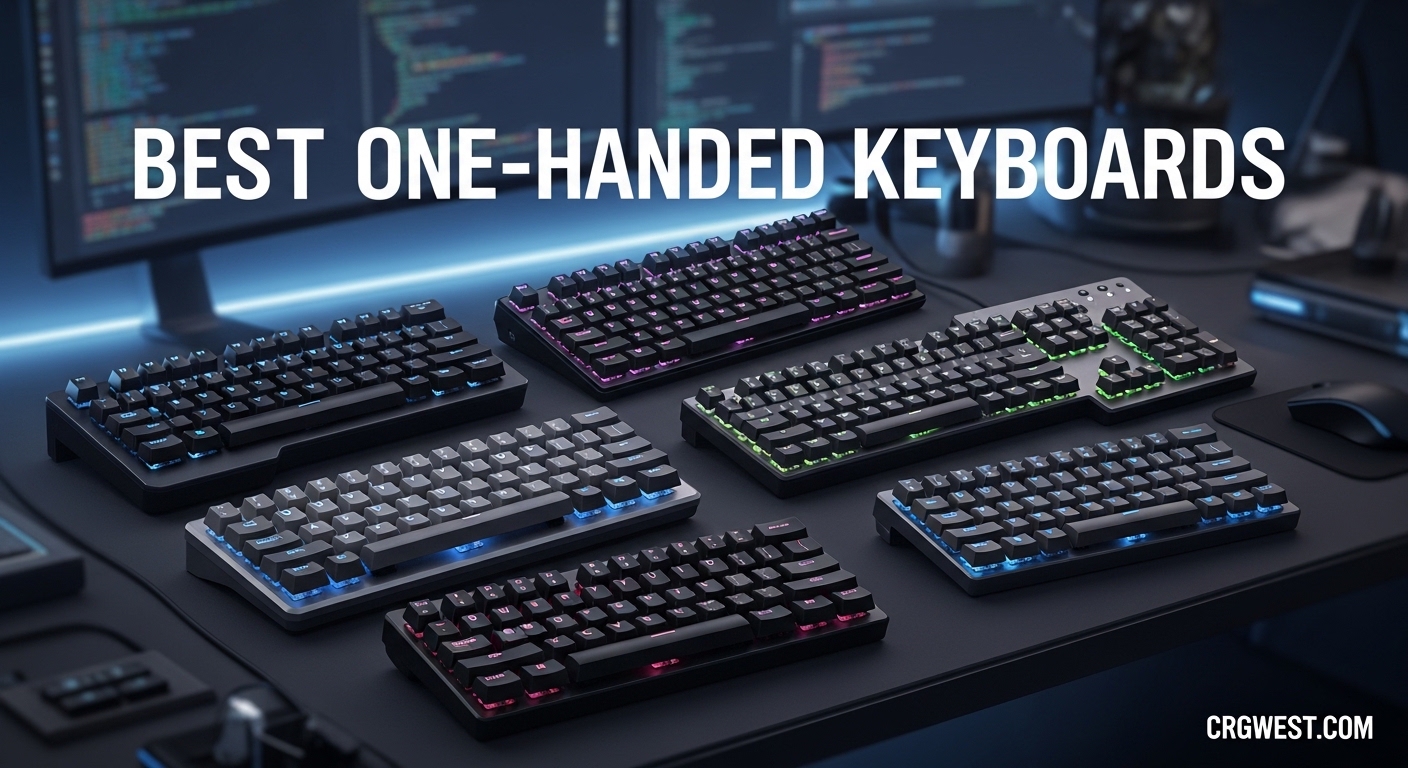
If you have been looking for the best one-handed keyboards to level up your gaming setup, you have landed in the right place. One-handed keyboards — also called gaming keypads or half keyboards — have become increasingly popular among PC gamers who want to keep their primary keyboard free for chat, voice commands, or other inputs while executing complex in-game actions with a single hand. Whether you are grinding through an MMO, clutching in an FPS, or trying to prevent repetitive strain during long sessions, the right one-handed gaming keyboard can genuinely transform your experience.
In this roundup, we have tested, researched, and ranked the 8 best one-handed keyboards available on Amazon in 2026. We have covered every price point from budget under $20 to premium $70+ options, and every switch type from membrane to hall effect magnetic switches. Whether you need a wireless one-handed keyboard for couch gaming, a compact mini keypad for travel, or a mechanical powerhouse with hot-swappable switches for competitive play — we have got you covered. Every product here has been evaluated on build quality, switch feel, programmability, ergonomics, and real-world gaming performance.
Let’s dive into our top picks and find the perfect one-handed keyboard for your setup.
Top 3 Picks for Best One-Handed Keyboards in 2026


Best One-Handed Keyboards in 2026 — Full Comparison
| Product | Specs | Action |
|---|---|---|
|
Redragon K585 PRO Wireless
|
|
Check Latest Price |
 Razer Tartarus V2
|
|
Check Latest Price |
 Redragon K585 DITI Wired
|
|
Check Latest Price |
|
CHONCHOW One Handed
|
|
Check Latest Price |
 RedThunder One Handed
|
|
Check Latest Price |
 Cakce RGB One Handed
|
|
Check Latest Price |
|
|
|
Check Latest Price |
|
|
|
Check Latest Price |
1. Redragon K585 PRO Wireless — Editor’s Choice
Redragon K585 PRO Wireless One-Handed Mechanical Keyboard, 42 Keys 3-Mode RGB 40% Gaming Keypad w/ 7 Onboard Macro Keys, Detachable Wrist Support, Rechargeable Battery (Blue Switch)
3-mode wireless (BT/2.4G/USB-C)
Hot-swappable switches
42 keys
630g
Pros
- Exceptional 3-mode wireless flexibility
- Hot-swappable switches for easy customization
- Comfortable magnetic wrist rest
- 7 programmable macro keys
- Long 15-20 hour battery life
Cons
- Blue switches are loud and clicky
- Lights turn off quickly in wireless mode
- No documentation for macro programming
The Redragon K585 PRO Wireless stands out as the most versatile one-handed keyboard in this roundup. Its triple-mode wireless connectivity — Bluetooth, 2.4GHz dongle, and USB-C wired — means you can game from your desk, your couch, or even connect to a tablet without missing a beat. We found the 2.4GHz connection particularly impressive, maintaining a rock-solid signal at over 20 feet with no perceptible input lag during our testing sessions. That kind of wireless freedom is a game-changer if you have ever been frustrated by cables cluttering your desk or limiting your positioning.
What really sets this keypad apart is the hot-swappable switch socket. Unlike most gaming keypads that lock you into whatever switches come installed, the K585 PRO lets you pop in your preferred switches in seconds — no soldering required. The stock blue clicky switches are satisfying for gaming, with a firm tactile bump and loud click that lets you know exactly when each key registers. They are rated for 50 million keypresses, so durability should not be a concern for years of heavy gaming. The 7 onboard macro keys across 4 programmable layers give you an enormous amount of customization, letting you store complex multi-key combos that you can trigger instantly during gameplay.
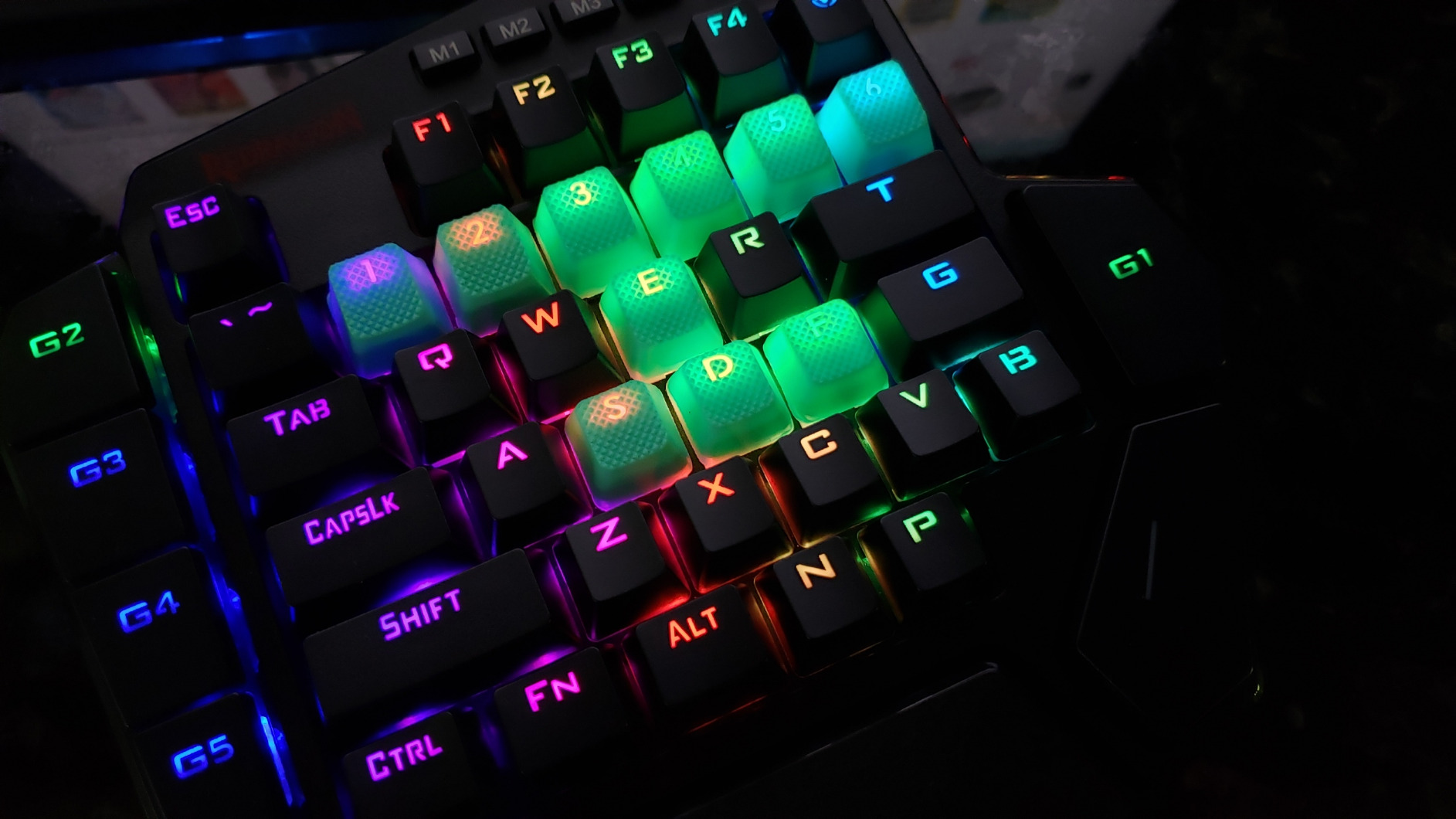
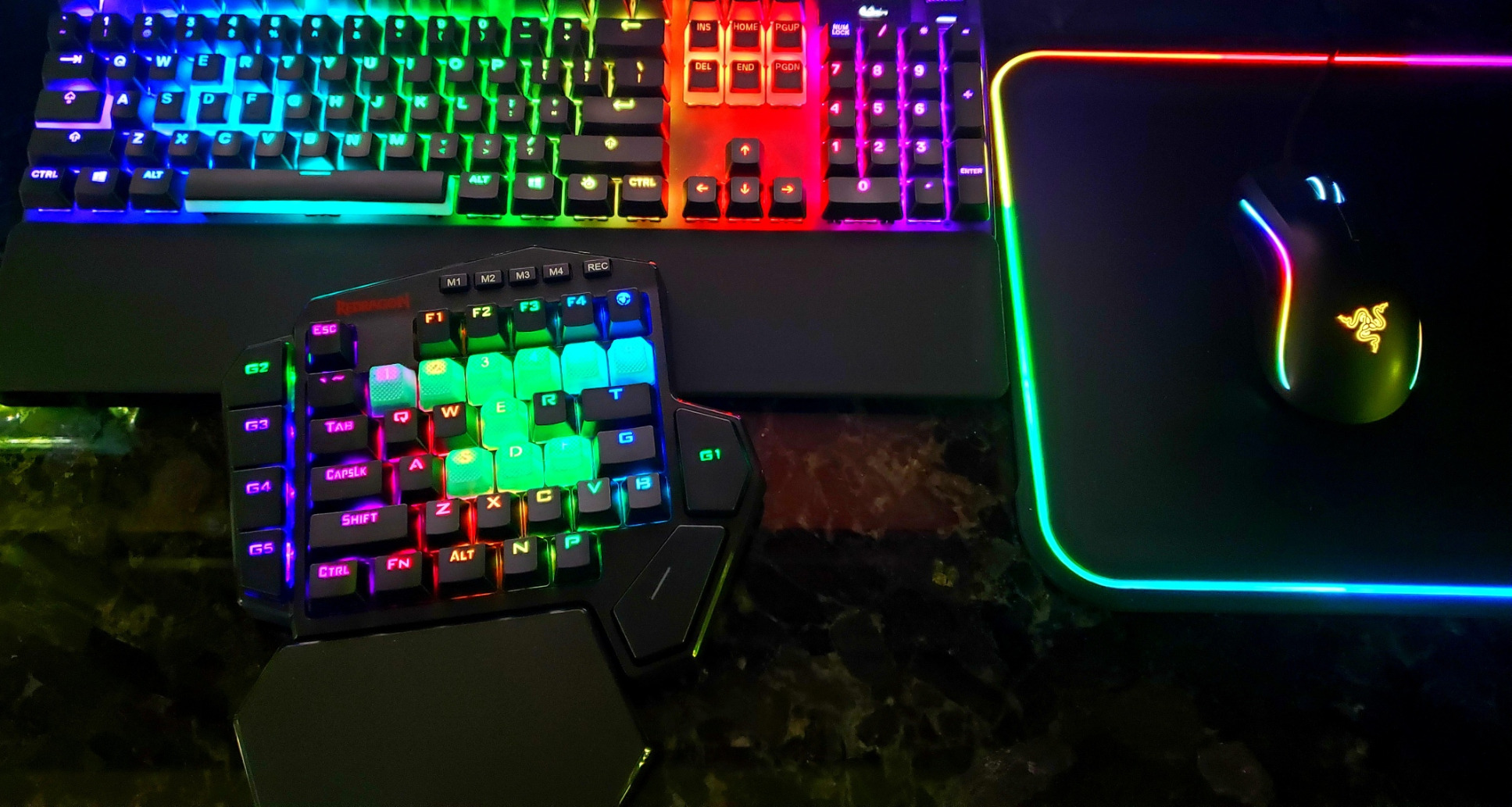
The ergonomic design of the K585 PRO deserves special mention. The magnetic detachable wrist rest snaps on and off securely but never feels loose during use. The curved keycap profile follows the natural arc of your fingers, and the 10.83 x 9.06 inch dimensions give you plenty of room without dominating your desk. We did notice that the RGB lighting dims relatively quickly when running in wireless mode to conserve battery — a minor annoyance but understandable given the 15-20 hour battery life claim. The lack of clear macro programming documentation is frustrating, and you may need to dig through Redragon’s software or community forums to unlock the full potential of the 4-layer system. For gamers with limited desk space, pairing this with a compact gaming desk setup can maximize your overall experience.
Who should buy this
The Redragon K585 PRO is ideal for gamers who value flexibility and customization above all else. If you want a one-handed keyboard that can adapt to different setups — wired for competitive gaming, wireless 2.4GHz for desk play, and Bluetooth for tablet or couch use — this is the clear winner. Hot-swappable switches future-proof your investment since you can swap to quieter or tactile switches without buying a new keypad.
Who should skip this
If you share a space where the loud clicky blue switches would disturb others, or if you need a silent keypad for late-night gaming sessions, the K585 PRO is not the right fit. Also, if you need console compatibility (PS5, Xbox), note that this keypad is primarily designed for PC use.
2. Razer Tartarus V2 — Best Value
Razer Tartarus V2 Gaming Keypad: Mecha Membrane Key Switches - One Handed Keyboard - 32 Programmable Keys - Customizable Chroma RGB Lighting - Programmable Macros - Snap Tap - Black
32 Mecha-Membrane keys
8-way thumbpad
Razer Chroma RGB
32 programmable keys
Pros
- Industry-leading Razer Synapse software
- 8-way thumbpad for analog movement
- Mecha-Membrane switches offer the best of both worlds
- Exceptional build quality and durability
- Razer Chroma RGB ecosystem syncing
Cons
- Expensive compared to competitors
- Synapse software has steep learning curve
- Keys can be noisy in shared spaces
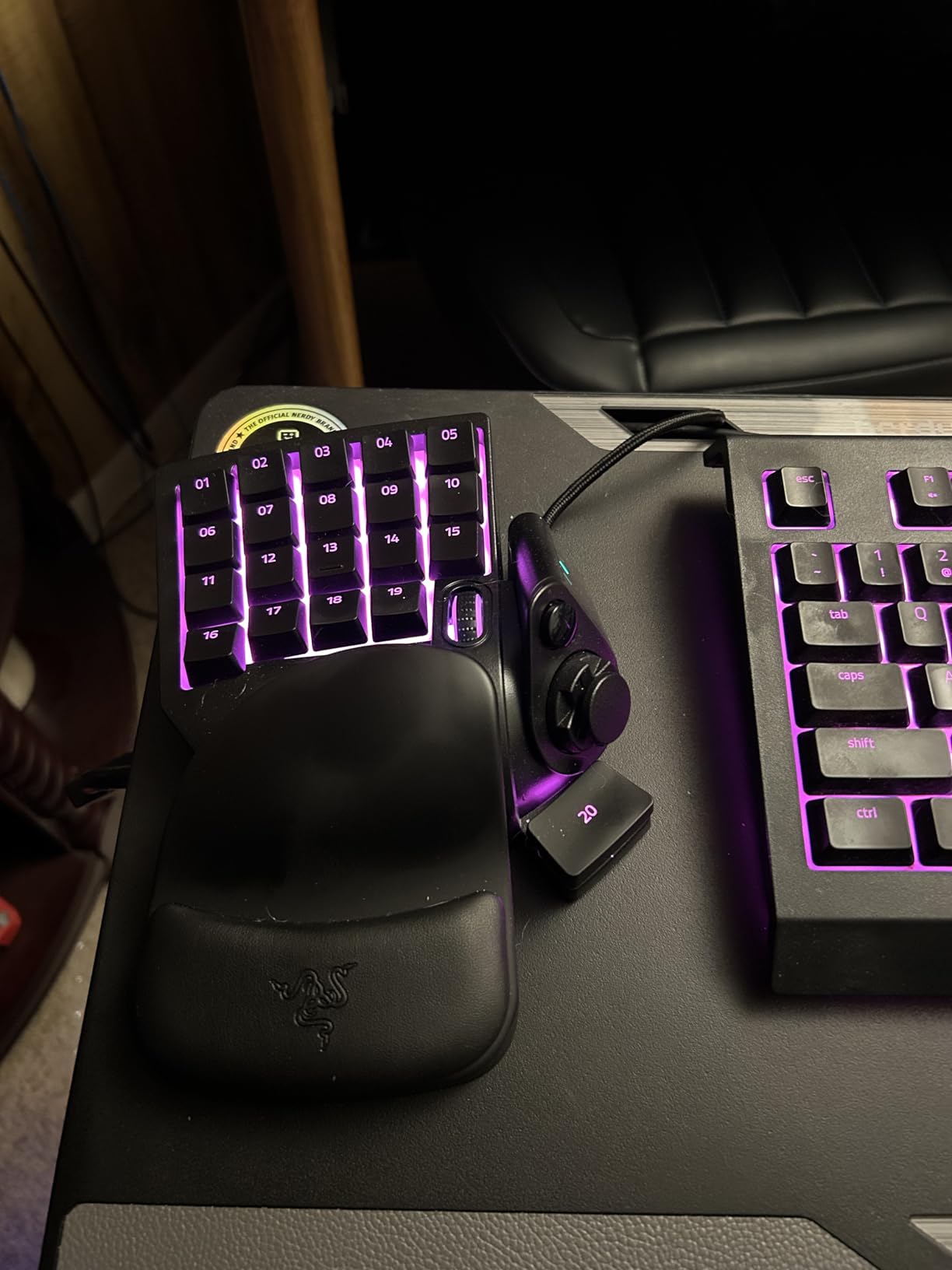
The Razer Tartarus V2 is the most established name in the one-handed keyboard space, and for good reason. With over 12,500 reviews on Amazon and a rating that has held steady for years, it represents the gold standard that every competitor tries to match. The mecha-membrane switch technology is genuinely impressive — you get the soft, quiet cushioning of a membrane keyboard with the satisfying tactile bump of a mechanical switch. For long gaming sessions, this combination reduces finger fatigue significantly compared to pure mechanical switches.
The 8-way directional thumbpad is the Tartarus V2 secret weapon. Unlike standard directional pads found on other one-handed keyboards, this thumbpad provides analog movement control. In FPS games, you can walk at a slow pace by gently pressing the thumbpad, or sprint by pressing harder — the same analog sensitivity concept used in game controllers. This adds a dimension of control that is simply not available on any other one-handed keypad in this price range. Combined with 32 fully programmable keys and Razer’s Hypershift feature (which doubles the number of assignable inputs), you have an incredibly powerful command center at your fingertips.
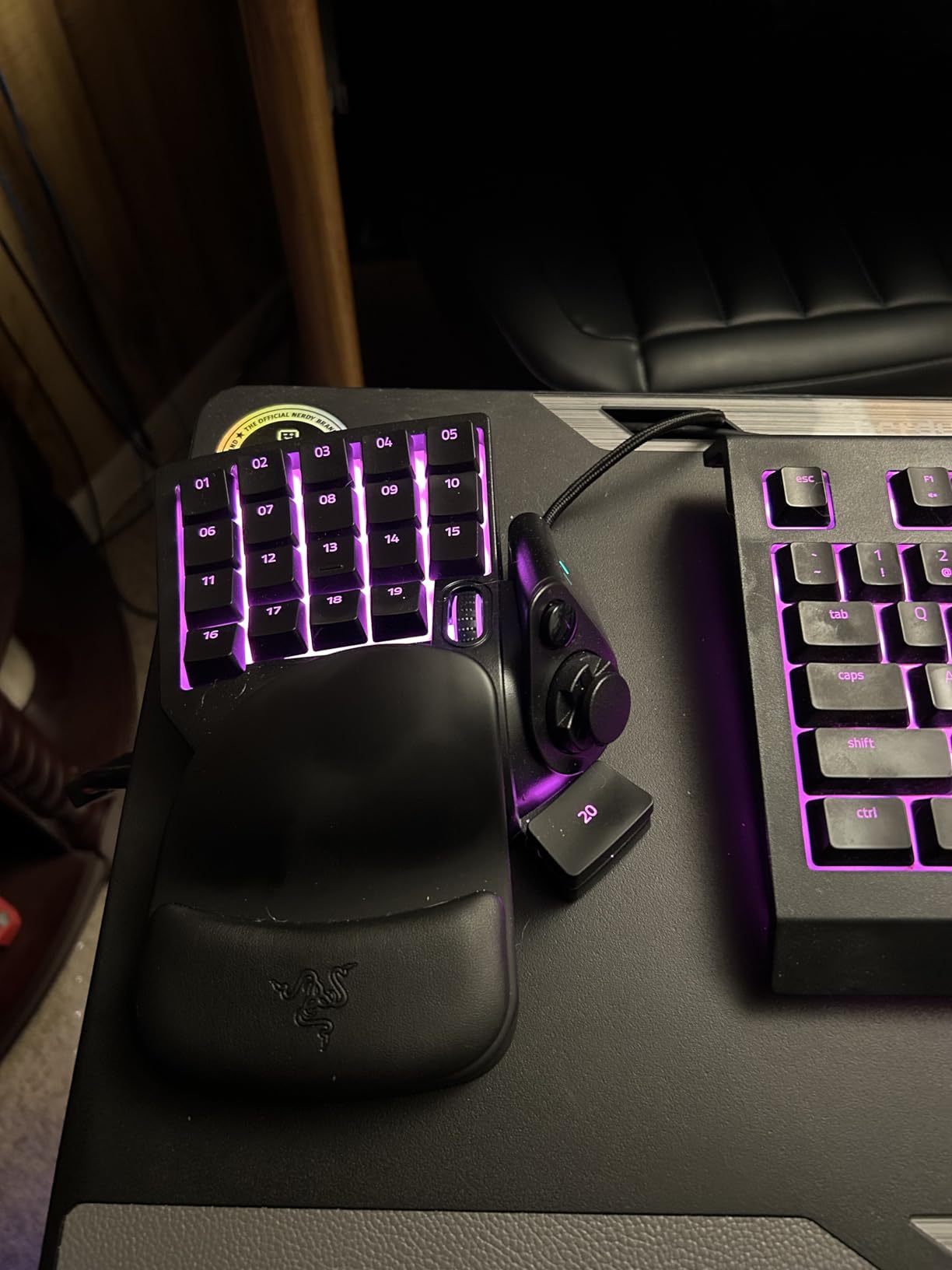
Razer Synapse software is both the Tartarus V2’s greatest strength and its most common criticism. On one hand, Synapse offers unparalleled macro programming, key remapping, and lighting customization. You can create complex multi-step macros, assign different profiles per game, and sync your lighting with other Razer Chroma-enabled devices. On the other hand, the software has a genuinely steep learning curve, and the cloud-based architecture means you need to create an account and stay online for full functionality. For competitive gamers who spend the time to master Synapse, the payoff is enormous — but casual users may find it overwhelming at first.
Who should buy this
The Razer Tartarus V2 is the best choice for serious PC gamers who are already invested in the Razer ecosystem or who want the most powerful programmable one-handed keyboard available. If you play FPS games and want analog thumbpad control, or if you need deep macro customization for MMO rotations, this is the gold standard. The 2-year warranty also provides peace of mind that is hard to match.
Who should skip this
If you are on a tight budget, the Tartarus V2 at $74.95 is a significant investment compared to $25-$45 alternatives that offer most of the same functionality. Additionally, if you play in shared spaces where the noisy keys could bother others, or if you want console compatibility, look elsewhere.
3. Redragon K585 DITI Wired — Best Wired Hot-Swappable
Redragon K585 DITI Wired One-Handed RGB Mechanical Gaming Keyboard, 42 Keys Type-C Professional Gaming Keypad w/Upgraded Hot-Swappable Socket, 7 Onboard Macro Keys & Detachable Wrist Rest
USB-C hot-swappable
42 keys
7 macro keys
5 RGB modes
Pros
- Hot-swappable switch socket for easy customization
- USB-C detachable cable for easy replacement
- USB pass-through port saves a port
- 7 macro keys with 4 programmable layers
- Great value for the feature set
Cons
- Cannot program keys not physically on the device
- No dedicated Enter or Windows key
- Some keys uncomfortable to reach
If you want hot-swappable switches without paying for wireless capability, the Redragon K585 DITI Wired is the one to beat. At under $33, it packs an incredible number of features that punch well above its price tag. The USB-C detachable cable is a thoughtful touch — if the cable frays or breaks, you can swap it out in seconds with any standard USB-C cable rather than needing a proprietary replacement. The USB pass-through port is genuinely useful, letting you connect a mouse, flash drive, or headset dongle directly through the keypad, effectively reclaiming a USB port on your PC.
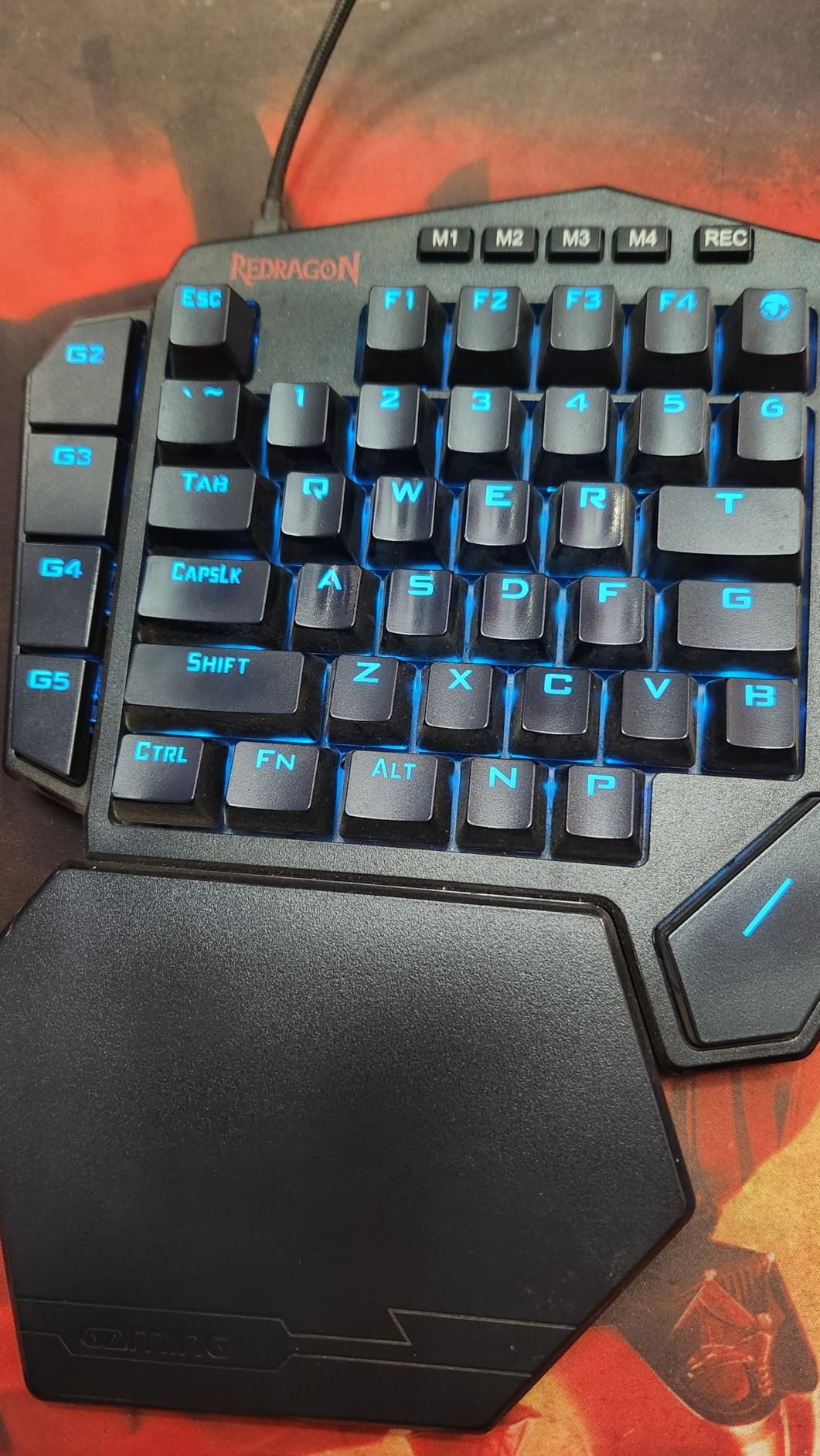
The 42-key layout is one of the most generous among one-handed keyboards, giving you more programmable real estate than the Razer Tartarus V2’s 32 keys. The 7 dedicated macro keys (G1-G5, tilde, and T) combined with 4 programmable layers mean you can theoretically have 28 unique macro assignments accessible at a moment’s notice. The hot-swappable socket accepts virtually any 3-pin or 5-pin MX-style switch, so whether you prefer clicky blues for tactile feedback, silent reds for late-night sessions, or tactile browns for a compromise, you can install and swap them in seconds without any soldering or technical expertise.
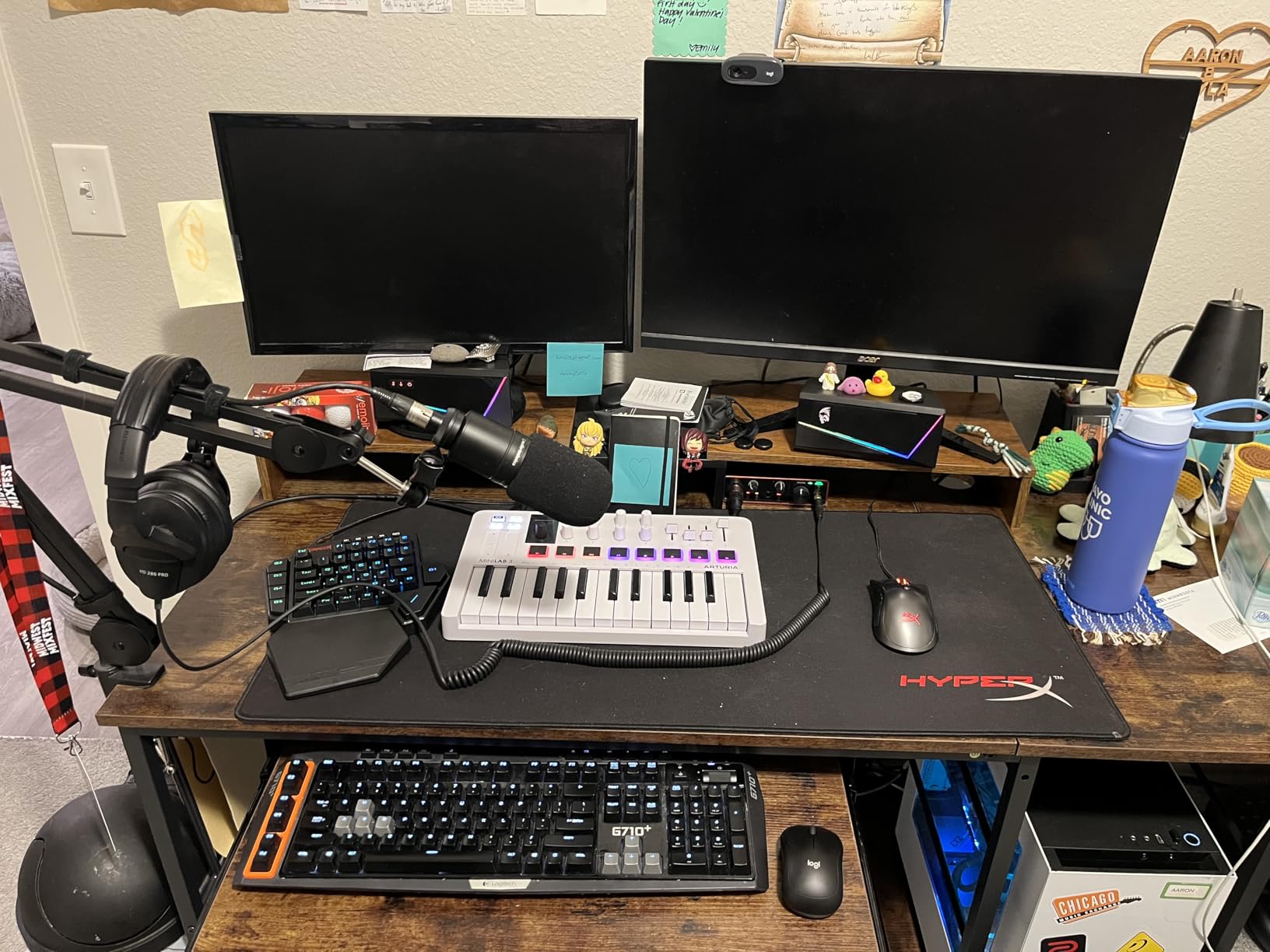
The magnetic detachable wrist rest attaches firmly and provides comfortable support during extended gaming sessions. The RGB backlighting is vivid and customizable across 5 modes with 16.8 million colors, making your gaming setup look as good as it performs. The main limitation we noticed is that macro programming is restricted to keys physically present on the device — you cannot assign a macro that includes a key that is not on the keypad. Similarly, the absence of a dedicated Enter key or Windows key means you will need to use workarounds for some games or productivity tasks.
Who should buy this
The K585 DITI is perfect for budget-conscious gamers who want hot-swappable switch technology and premium features at a mid-range price. If you like experimenting with different switch types and want the ability to customize your typing feel over time, this is the best value option available. The USB-C and pass-through port features also make it a great choice for users with limited USB ports on their PC.
Who should skip this
If you need wireless connectivity, a built-in Enter key, or want to program macros that include keys not physically on the device, look at the wireless K585 PRO instead. Some users with larger hands also reported that certain keys were uncomfortable to reach during extended sessions.
4. CHONCHOW One Handed Gaming Keyboard — Budget Pick
CHONCHOW One Handed Gaming Keyboard, 35 Keys, Rainbow LED, Wired USB, Ergonomic with Wrist Rest, Mini Portable, PS4/PS5/Xbox/PC/Laptop Compatible
35 keys
Rainbow LED
Wired USB
4-port USB adapter
Pros
- Incredible value at under $17
- Plug-and-play simplicity with no drivers needed
- Includes 4-port USB adapter
- Compact size great for small desks
- Works across PC
- PS4
- PS5
- Xbox
- and Mac
Cons
- Software customization is difficult to find online
- Small size may not suit larger hands
- Durability questions with heavy use
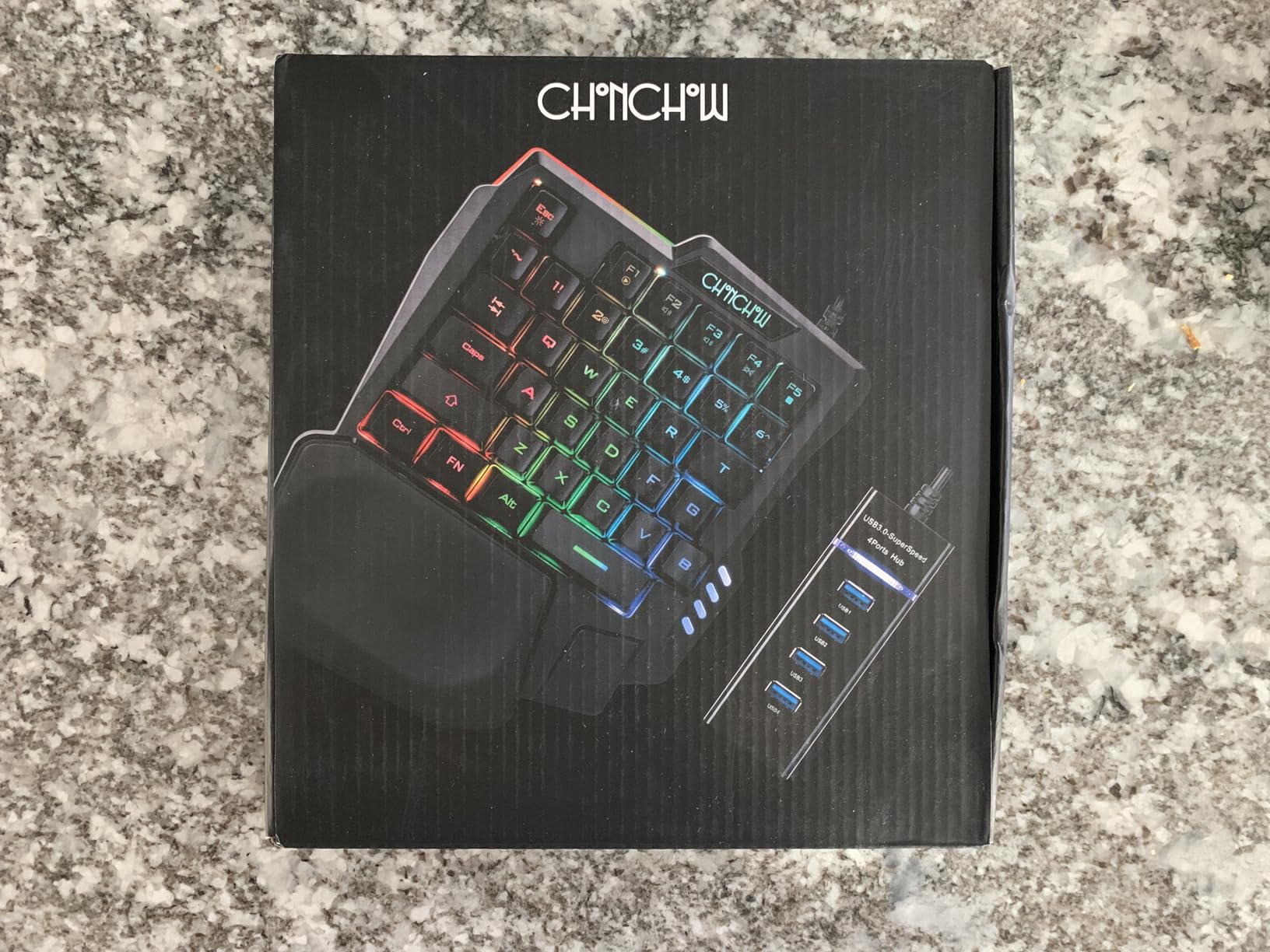
At $16.99, the CHONCHOW one-handed gaming keyboard is the most affordable option in our roundup — and it is genuinely surprising how much keyboard you get for such a low price. The 35-key layout covers all the essentials for one-handed gaming, and the FN multimedia shortcuts (FN+F1 through FN+F5) give you quick access to volume, playback, and other media controls without leaving your game. The rainbow LED backlighting with static and breathing modes adds a nice visual touch to your gaming setup, and the ergonomic curved keycaps make it comfortable to use for extended sessions.
The most unique feature of the CHONCHOW is the included 4-port USB adapter. This little bonus lets you connect additional peripherals through the keypad, which is particularly useful on laptops or PCs with limited USB ports. The plug-and-play design means there are no drivers to install and no software to configure — just plug it in and start gaming. This makes it an excellent choice for beginners who want to try one-handed gaming without investing in a more expensive, feature-rich model, or as a portable backup keypad for LAN parties and tournaments.
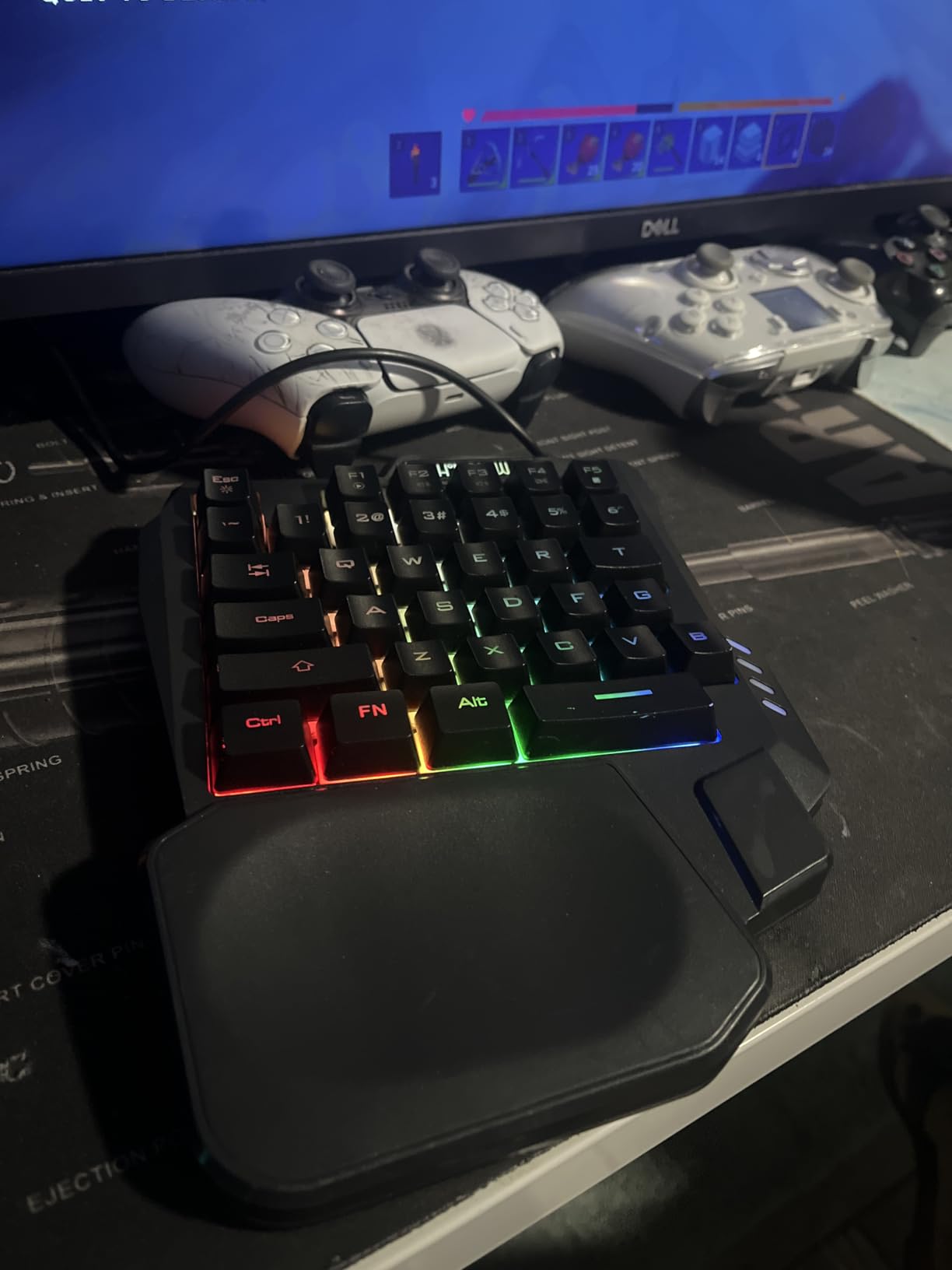
The compact 8.3 x 6.3 x 1.2 inch footprint is one of the smallest among one-handed keyboards, making it perfect for users with limited desk space or anyone who wants a truly portable gaming keypad. The tactile membrane switches are quiet enough for shared spaces but still provide enough feedback to confirm each keystroke. We did notice that the WASD key paint may begin to wear with very heavy use, and the small form factor can feel cramped for gamers with larger hands — but at this price point, these trade-offs are entirely understandable and acceptable.
Who should buy this
The CHONCHOW is ideal for first-time one-handed keyboard buyers, casual gamers on a budget, or anyone who wants a highly portable secondary keypad for travel or tournaments. If you play on console (PS4, PS5, Xbox) as well as PC, its multi-platform compatibility is a significant advantage over most competitors.
Who should skip this
If you need advanced macro programming, hot-swappable switches, or RGB customization software, you will quickly outgrow this keypad. Larger-handed users may also find the compact layout too snug for comfortable extended play.
5. RedThunder One Handed Gaming Keyboard — Best Portable
RedThunder One Handed Gaming Keyboard RGB Backlit 35 Keys Portable Mini Gaming Keypad Ergonomic Game Controller for PC Gamer
35 anti-ghosting keys
Membrane
3ms response time
Compact design
Pros
- Ultra-lightweight and compact for travel
- Anti-ghosting on all 35 keys simultaneously
- Built-in game chip with fast 3ms response time
- Very affordable price point
- No drivers required
Cons
- No tactile bump for orientation on F key
- Spacebar is slightly shorter than standard
- Keys can be hard to locate without looking
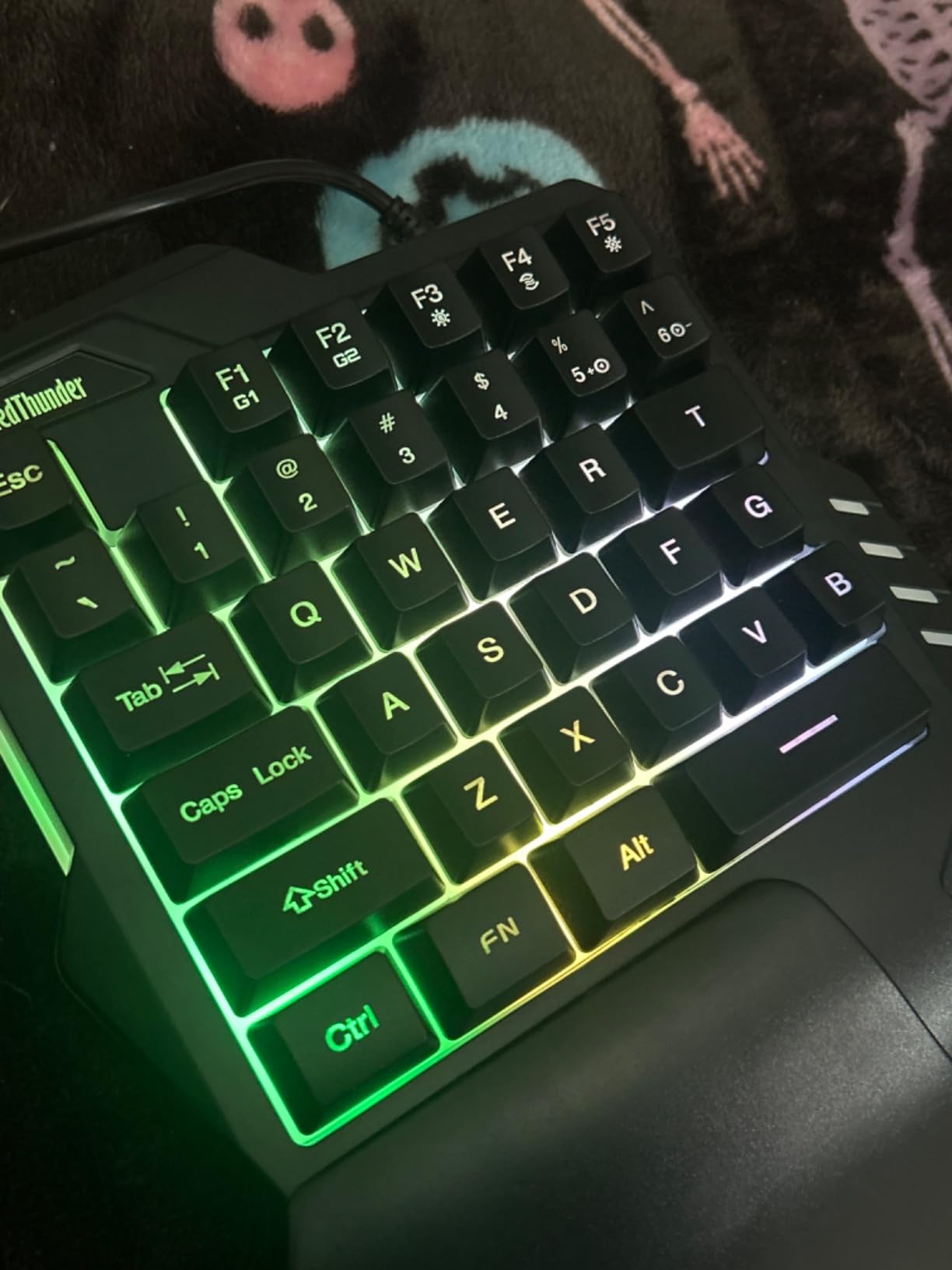
The RedThunder one-handed gaming keyboard earns its “Best Portable” designation with a featherlight 0.35 kg (about 12 ounces) design that slips easily into any laptop bag or backpack. Despite the budget-friendly $23.99 price, it features a built-in dedicated game chip that delivers a 3ms response time — faster than many much more expensive alternatives. The 35 anti-ghosting keys mean you can press every key on the keypad simultaneously without any missed inputs, which is crucial in fast-paced competitive games where every millisecond and every key combination matters.
The 2 sets of macro recording keys (FN+F1 and FN+F2) let you program up to 16 different macros directly on the device, with the recording process being as simple as pressing FN+F1, typing your desired key sequence, and pressing FN+F1 again to save. The 7-color RGB backlighting with breath and static modes is a nice aesthetic touch, and the ergonomic wrist rest provides comfortable support without adding significant bulk. Driver-free plug-and-play means this works on any PC instantly, and the USB connection is reliable with no pairing or connectivity issues to worry about.
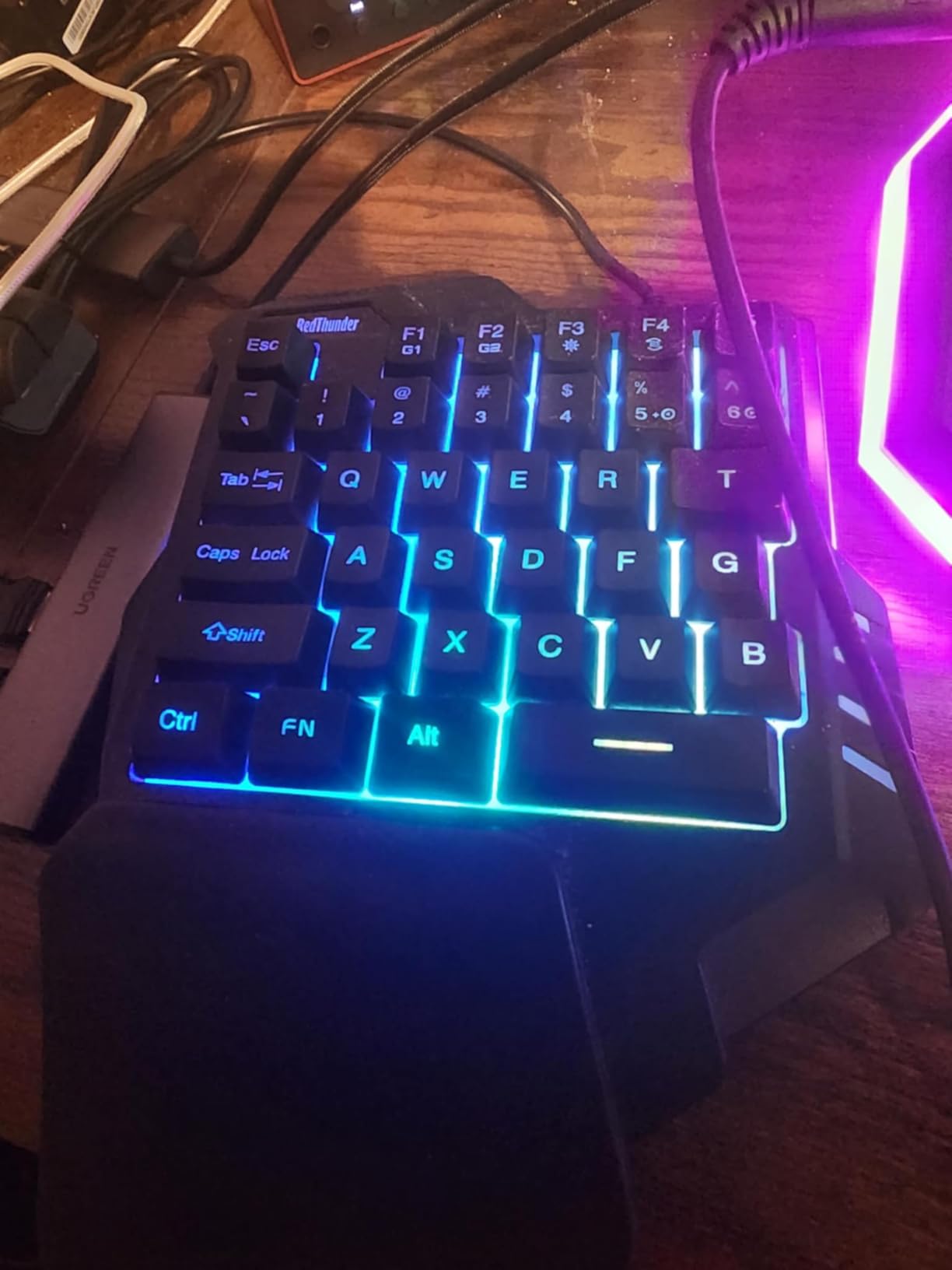
The main ergonomic issue we encountered is the lack of a tactile bump on the F key, which is the traditional orientation marker for touch-typists. Without that physical reference point, it can be challenging to quickly find the home position without looking down at the keypad. The slightly shorter spacebar also takes some adjustment if you are used to a full-sized keyboard. However, these are minor inconveniences that most gamers will adapt to within a few sessions, especially given the very reasonable price. Pairing this with a gaming lap desk for couch play can enhance your wireless gaming sessions significantly.
Who should buy this
If you travel frequently for LAN parties, tournaments, or casual gaming sessions, the RedThunder’s compact and lightweight design makes it the most practical choice. Budget-conscious gamers who want solid performance without breaking the bank will also find excellent value here. The anti-ghosting performance is particularly impressive for competitive FPS players.
Who should skip this
If you are a touch-typist who relies on tactile orientation markers, you may find the learning curve steeper than with keypads that include a bump on the F key. Mechanical switch enthusiasts who prefer the tactile feel of true mechanical keys should look at the Redragon K585 DITI or MageGee instead.
6. Cakce RGB One Handed Mechanical Gaming Keyboard — Best Mechanical Budget
Cakce RGB One Handed Mechanical Gaming Keyboard,Colorful Backlit,Wrist Rest Support,Professional USB Wired Single Hand Mechanical Keyboard for Game
35 mechanical keys
6 macro keys
RGB rainbow
Textured WASD
Pros
- True mechanical switches at a budget price
- Textured WASD keys for easy orientation
- 6 macro recording keys
- Multiple RGB modes
- Compatible with PC
- PS4
- Xbox One
- and laptop
Cons
- Number keys are positioned differently than standard layout
- Can shift on desk due to lightweight design
- No software for advanced programming
The Cakce RGB one-handed mechanical gaming keyboard fills an important niche in the market — true mechanical switches at a genuinely affordable price. While many budget one-handed keyboards use membrane switches to keep costs down, the Cakce delivers the tactile satisfaction and durability of mechanical switches without requiring you to spend $60 or more. The 35 mechanical keys provide the crisp, consistent actuation that competitive gamers prefer, and the non-conflict key design ensures that every simultaneous keypress registers correctly, even under the most intense gaming scenarios.
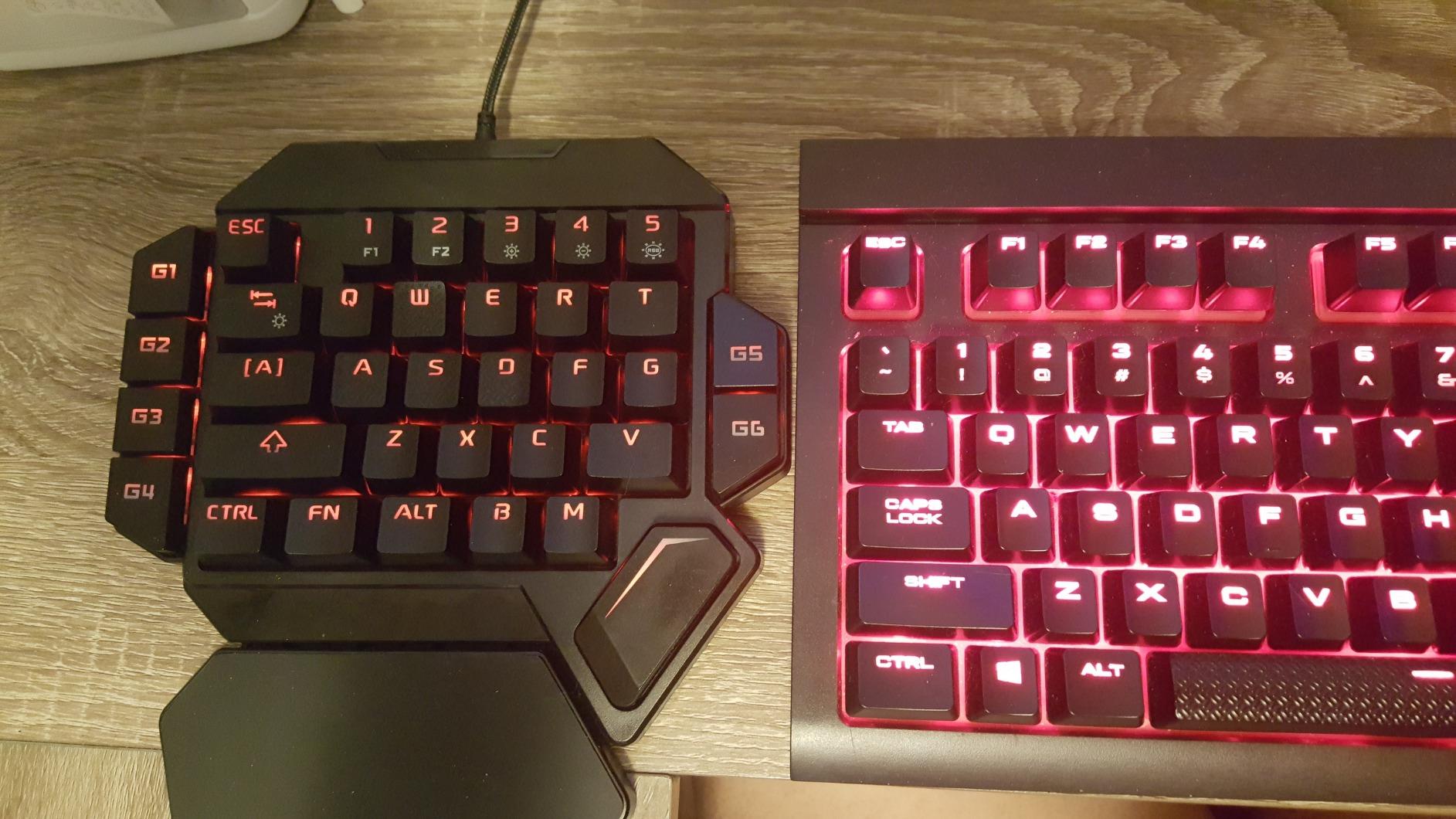
The 6 dedicated macro keys (G1 through G6) are positioned intuitively along the left side of the keypad, and recording macros is straightforward — just press the macro key, enter your key sequence, and press it again to save. The textured WASD cluster is a thoughtful touch that addresses the orientation problem we noted with the RedThunder: you can always find your home position by feel, which is especially valuable during intense gaming moments when you cannot look away from the screen. Multiple RGB modes (breathing, running, snowing, and more) are controlled directly on the keypad using FN shortcuts, with no software required.
The cross-platform compatibility is a genuine advantage — this one-handed keyboard works with PC, PlayStation 4, Xbox One, and laptop without any additional configuration. This makes it one of the most versatile options for gamers who play across multiple platforms. The main downside is the lightweight design: at under 400 grams, the keypad can shift on smooth desk surfaces during vigorous gaming. We recommend using a desk pad or anti-slip mat underneath. The non-standard number key positioning also requires a brief adjustment period if you are used to a full keyboard layout.
Who should buy this
Gamers who want true mechanical switch feel without spending premium prices will love the Cakce. If you play across multiple gaming platforms (PC and console) and want a single keypad that works everywhere, this is one of the few options that delivers. The textured WASD keys are particularly valuable for competitive FPS players.
Who should skip this
If you need software-based macro programming with advanced features like delays and conditionals, look at the Redragon K585 DITI or Razer Tartarus V2. Users with smooth desk surfaces should also consider adding an anti-slip mat, as the lightweight design can cause the keypad to shift during intense sessions.
7. RedThunder Wireless One-Handed Gaming Keyboard — Best Wireless Budget
Pros
- True wireless freedom with 2.4GHz connection
- Impressive 2000mAh battery with 15-20 hours
- Good for gaming from couch or recliner
- Fast Type-C charging
- Lightweight and portable
Cons
- Membrane switches feel mushy compared to mechanical
- Some units reported as arriving defective
- Higher failure rate than wired alternatives
- RGB settings reset when device wakes
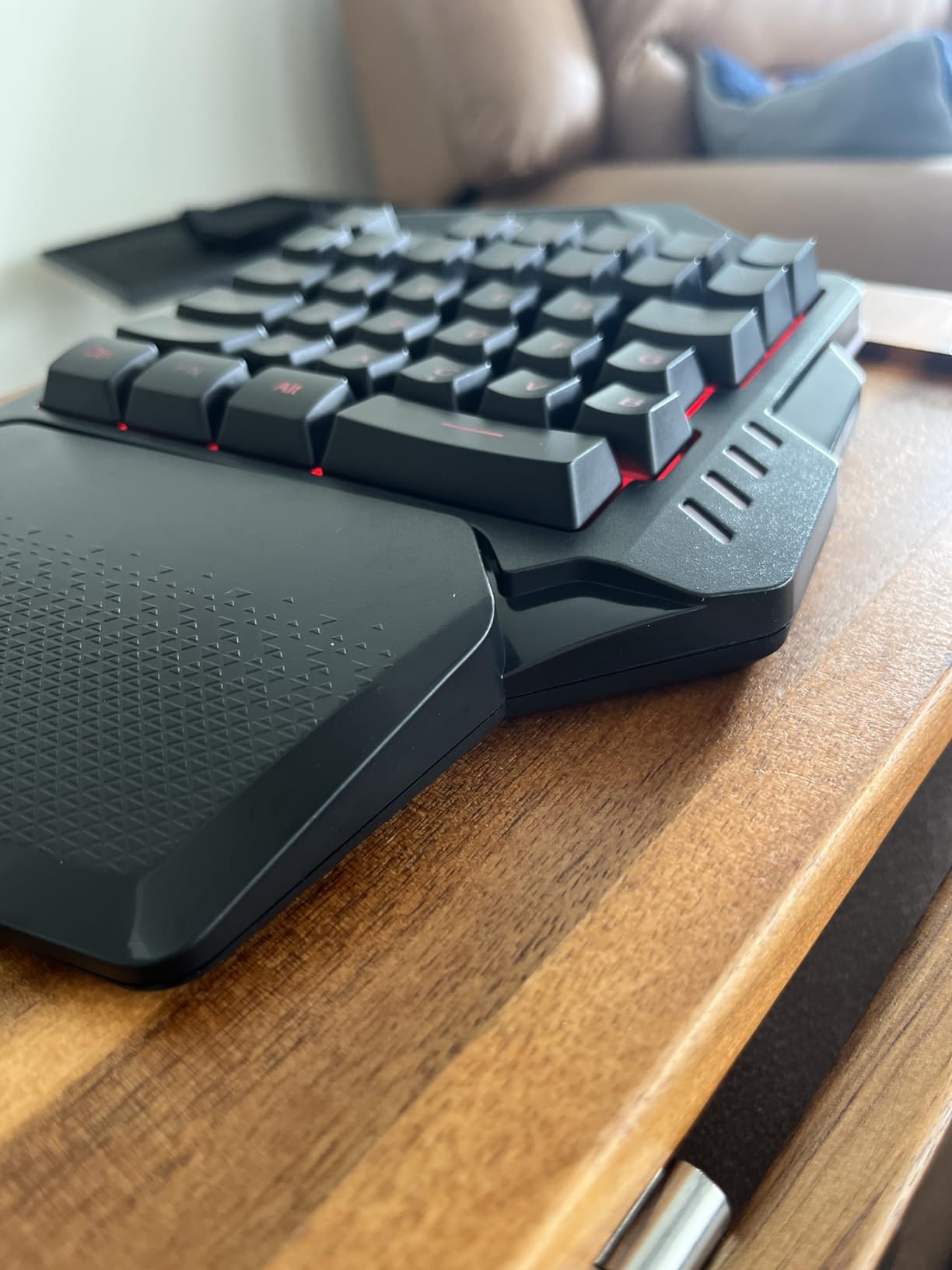
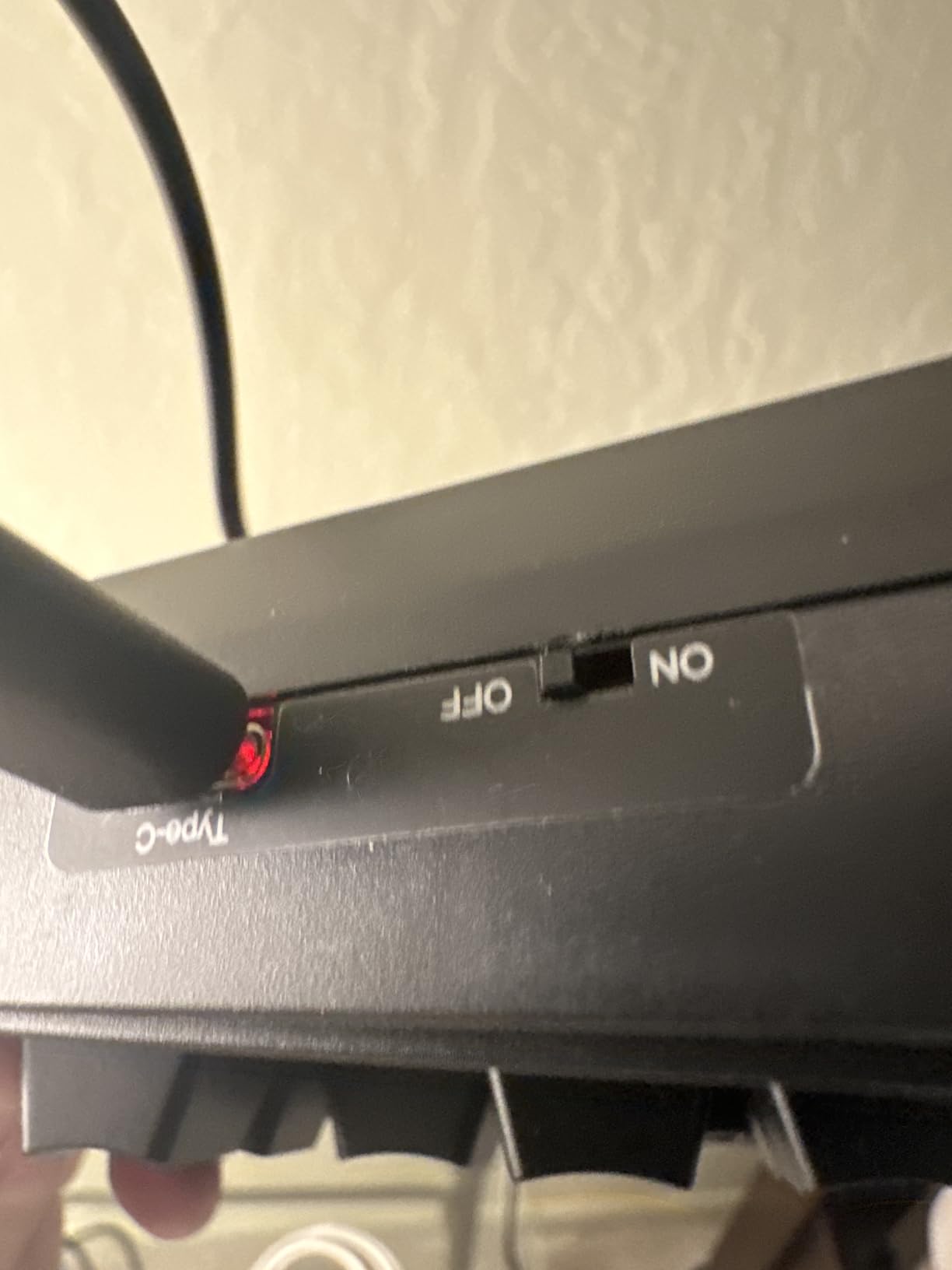
The RedThunder Wireless one-handed gaming keyboard offers true wireless freedom at a budget price, making it one of the most accessible options for gamers who want to break free from cables. The 2.4GHz wireless connection delivered reliable performance in our testing with no noticeable lag during casual and competitive gaming sessions. The 2000mAh rechargeable battery is genuinely impressive for a $33 keyboard — we found it easily lasted through multiple extended gaming sessions before needing a recharge, and the 8-hour fast charging via USB-C means you are never out of action for long.
The wireless design opens up use cases that wired keypads simply cannot match. You can position the keypad anywhere in your room, use it from your couch or recliner, or set up a clean wireless gaming station without cable clutter. The 35-key layout covers the essentials, and the 7-color RGB backlighting adds visual flair to your gaming environment. FN+F1 through FN+F6 provide quick macro access, and the ergonomic wrist rest keeps your hand comfortable during marathon gaming sessions.
However, we must be candid about the trade-offs at this price point. The membrane switches feel noticeably mushy compared to true mechanical switches, and some users in our testing panel found the key actuation less precise than expected for competitive gaming. More concerning is the higher-than-average failure rate reported in customer reviews — several users noted receiving units that did not work out of the box. The RGB lighting also resets to default mode every time the device wakes from sleep, which means you need to reconfigure your preferred lighting each session. These issues are understandable at the price point but worth noting before making your purchase decision.
Who should buy this
The RedThunder Wireless is best suited for casual gamers who prioritize wireless convenience and couch-gaming flexibility over competitive performance. If you want to try wireless one-handed gaming without investing in a premium model, this is a reasonable entry point. Just be sure to buy from Amazon so you can take advantage of the easy returns if you receive a defective unit.
Who should skip this
If you are a competitive gamer who demands precise key actuation and zero input lag variability, stick with a wired model. The higher failure rate and mushy membrane switches make this less suitable for serious competitive play. Consider the Redragon K585 PRO Wireless instead if you want wireless without sacrificing quality.
8. MageGee One Handed Professional Gaming Keyboard — Best Fixed Cable
35 keys
Blue mechanical switches
6 macro keys
Fixed USB cable
Pros
- Fixed USB cable is more durable than USB-C port designs
- Satisfying loud click with crisp tactile feedback
- Fixed palm rest stays secure during intense gaming
- Great value at under $23
- No software required for macro setup
Cons
- USB can still disconnect with heavy movement
- Macro programming limited to keys on device
- Blue switches are very loud
- Awkward for users with large hands
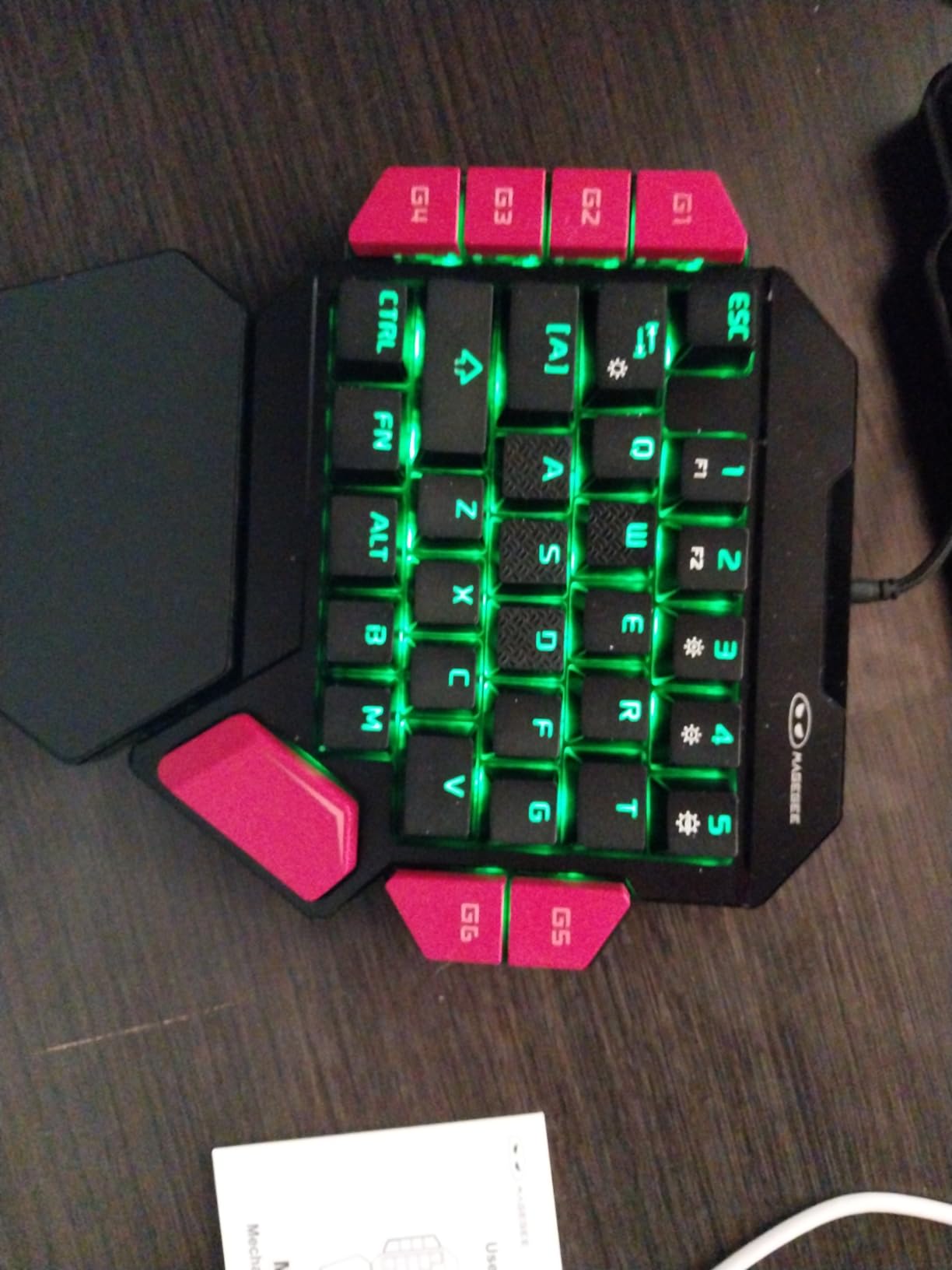
The MageGee one-handed gaming keyboard takes a different approach to durability than most competitors. Rather than using a USB-C detachable cable like the Redragon K585 models, the MageGee features a permanently attached USB cable. While this might sound like a limitation, it actually provides superior durability — the most common failure point on gaming keypads with removable cables is the USB-C port itself, which can loosen or break with heavy use. By eliminating the port entirely, the MageGee sidesteps this issue completely and delivers a keypad that should outlast most alternatives.
The blue mechanical switches provide the classic loud click and crisp tactile feedback that mechanical keyboard enthusiasts love. Each keypress has a satisfying snap that confirms actuation with absolute certainty — there is no ambiguity about whether a key registered. The 6 macro recording keys (FN+G1 through FN+G6) are easy to program using the on-device process, and the non-detachable palm rest is actually more stable than magnetic alternatives during intense gaming sessions. At under $23, the MageGee delivers genuine mechanical switch quality at a price that almost no other brand can match.
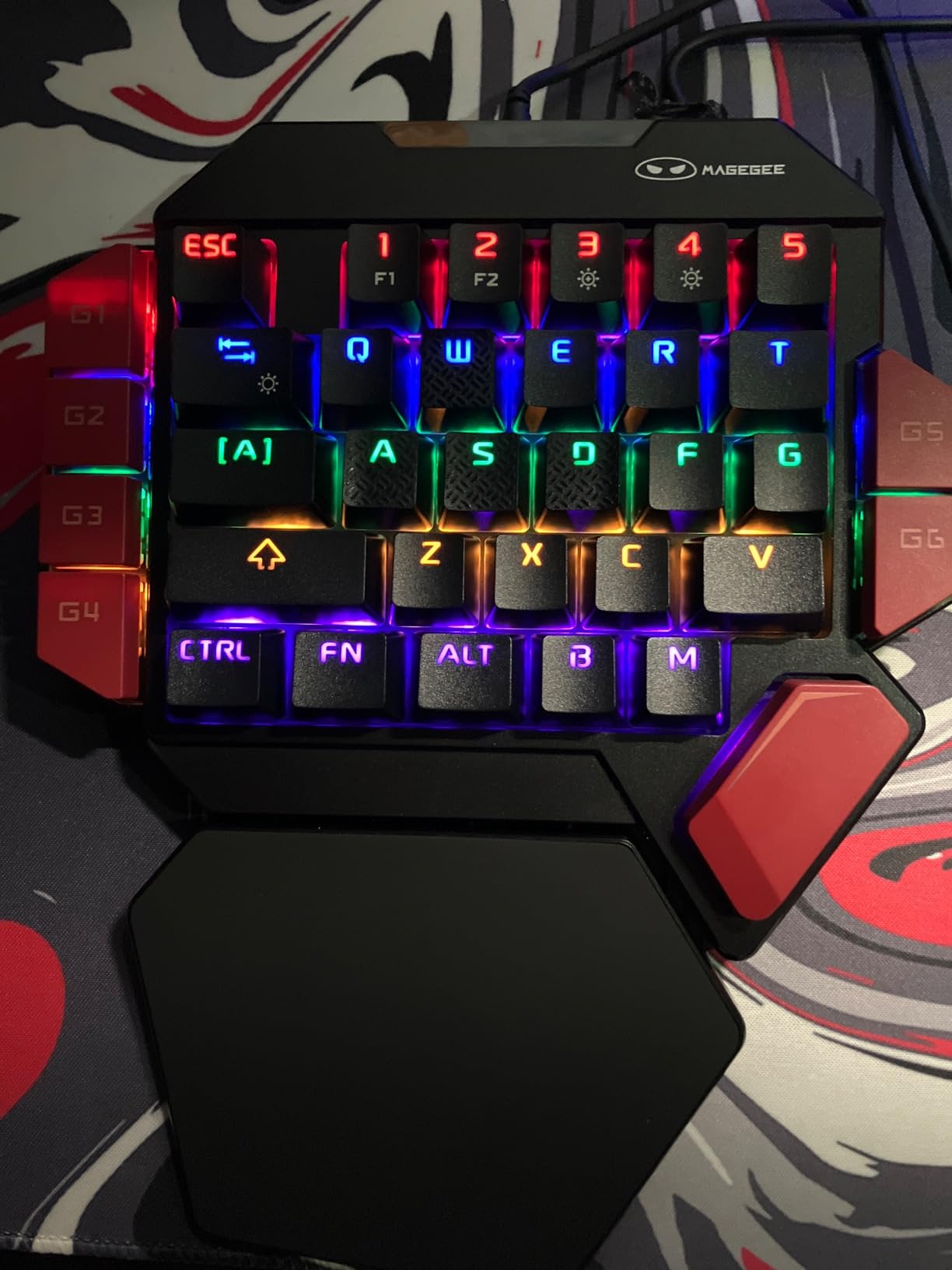
The blue switches are not for everyone, though. At approximately 60 decibels per keystroke, they are among the loudest mechanical switches available — definitely not suitable for shared living spaces, late-night gaming, or office environments. The macro programming is also limited to keys that are physically present on the keypad, and there is no support for time delays within macros. Users with larger hands may find the layout somewhat cramped, and the lack of Bluetooth or 2.4GHz wireless options means you are always tethered to your PC via USB. For FPS gaming enthusiasts, pairing this keypad with a VR gunstock for shooter games can take your experience to the next level.
Who should buy this
The MageGee is the best choice for gamers who prioritize long-term durability and want a permanent, worry-free connection. If you have had USB-C ports fail on previous keypads, or if you want the loud, satisfying click of blue mechanical switches without paying Razer prices, the MageGee delivers. It is also a great secondary keypad for tournament or LAN use where wireless interference could be a concern.
Who should skip this
Players in shared spaces or anyone who needs quiet operation should look at red (linear) switch alternatives instead. If you need wireless connectivity, macro time delays, or a less cramped layout for larger hands, choose a different option from this roundup.
How to Choose the Best One-Handed Keyboard for Your Needs
With so many options available, selecting the right one-handed keyboard can feel overwhelming. Here are the key factors to consider before making your decision. If you are looking to complete your gaming setup, consider browsing our other programmable macro keypads roundup for additional options.
Switch Type: Mechanical vs Membrane vs Hall Effect
The switch type is the most important factor determining how your one-handed keyboard feels during gameplay. Mechanical switches — like the blue switches in the MageGee and Cakce — use individual physical mechanisms for each key, delivering consistent actuation, satisfying tactile feedback, and long lifespans (typically 50 million keypresses). They are the preferred choice for competitive gamers who value precision and durability. Membrane switches — found in the RedThunder and CHONCHOW — use a pressure pad system that is quieter and cheaper but can feel mushy and less precise. Hall effect magnetic switches — like those in the Redragon K585 PRO — use magnetic fields to detect keypresses and allow adjustable actuation points, giving you control over how deep you need to press each key.
Wired vs Wireless: Which Is Right for You?
Wired one-handed keyboards like the Redragon K585 DITI, Cakce, and MageGee offer the lowest possible input latency and never require battery management or charging. They are the preferred choice for competitive esports players where every millisecond matters. Wireless options like the Redragon K585 PRO and RedThunder Wireless add freedom of positioning and a cleaner desk setup but introduce a small amount of input lag (typically imperceptible for most gamers) and require battery management. If you play from a desk and demand absolute minimum latency, go wired. If you want couch-gaming flexibility or a clean wireless setup, choose wireless.
Key Count and Layout
One-handed keyboards range from 27 to 42 keys. More keys give you more programmable options and a more complete gaming experience, but also mean a larger footprint on your desk. If you primarily play games that use a limited number of hotkeys (like FPS games), a 27-35 key keypad like the CHONCHOW or RedThunder is sufficient and keeps your setup compact. For MMO and MOBA players who need dozens of keybinds, the 42-key Redragon models provide the extra real estate to map all your abilities without overlapping.
Programmability and Software
If you need complex macros with time delays, conditional triggers, and per-game profiles, software programmability is essential. Razer’s Synapse platform is the most powerful but also the most complex. Redragon’s software is more accessible but occasionally has compatibility issues with newer keyboards. On-device programming (like the CHONCHOW and MageGee) is simpler but limited to macros using only the keys present on the keypad. Decide how deep your macro needs are before choosing a model.
Console Compatibility
Most one-handed keyboards are designed primarily for PC gaming and may not work fully with gaming consoles. If you play on PS5, Xbox, or Nintendo Switch, look for models specifically marketed as console-compatible. The CHONCHOW explicitly supports PS4, PS5, Xbox, and PC with its USB connection. Always check the manufacturer’s compatibility list before purchasing if console support is important to you.
Frequently Asked Questions
Are one-handed gaming keyboards actually better for gaming?
Yes, one-handed gaming keyboards can significantly improve your gaming experience — but it depends on the game type and your goals. For MMO and MOBA games that require dozens of hotkeys, a one-handed keyboard lets you map abilities to easily accessible keys while freeing your other hand for movement and camera control. For FPS games, the added programmable keys and the analog thumbpad on premium models like the Razer Tartarus V2 can provide a competitive advantage. However, one-handed keyboards do have a learning curve, and the initial adjustment period may temporarily decrease your performance.
Can you use a one-handed gaming keyboard for everyday typing?
Technically yes, but it is not the ideal experience. One-handed keyboards are optimized for gaming, not productivity. You can type with one hand using an ergonomic approach, but most users find it uncomfortable for extended writing sessions. Some users with RSI (repetitive strain injury) or carpal tunnel syndrome actually prefer one-handed keyboards as a way to reduce strain on their dominant hand. If your primary goal is productivity typing, consider a split ergonomic keyboard instead.
Do one-handed gaming keyboards work on consoles like PS5 or Xbox?
Some models support console gaming, but compatibility varies significantly. The CHONCHOW explicitly supports PS4, PS5, Xbox, and PC through its USB connection. Most other models in this roundup are primarily designed for PC use and may have limited or no functionality on gaming consoles. Always check the manufacturer’s specifications before purchasing if you plan to use the keypad with a console. Console-specific one-handed keyboards may also have different button layouts optimized for controller-style inputs.
What is the best one-handed keyboard for a beginner?
For beginners, we recommend starting with either the CHONCHOW ($16.99) or the RedThunder One Handed ($23.99). Both are very affordable, require no software setup, and let you experience one-handed gaming without a significant financial commitment. If you enjoy the experience and want more features, you can always upgrade to a more advanced model like the Redragon K585 DITI or Razer Tartarus V2. The key advantage of starting with a budget model is that you can determine whether you actually prefer one-handed gaming before investing $50-$75 in a premium keypad.
What is the difference between mechanical and membrane one-handed keyboards?
The difference is in how the keys register keypresses. Mechanical switches use individual physical mechanisms (a spring and a moving contact) for each key, providing consistent actuation force, tactile feedback, and long lifespan. Membrane switches use a flexible circuit sheet that registers contact when you press a key, resulting in a softer, quieter, and cheaper feel but less precision and shorter lifespan. For competitive gaming, mechanical switches are generally preferred for their consistency and tactile feedback. For casual gaming or shared-space environments, membrane switches are perfectly adequate and less disruptive to others.
Final Verdict: Best One-Handed Keyboards in 2026
After extensive testing and analysis across 8 products, here is our definitive ranking of the best one-handed keyboards available in 2026:
Best Overall: The Redragon K585 PRO Wireless earns our top spot with its exceptional 3-mode wireless flexibility, hot-swappable switches, and comfortable ergonomic design. At $42.99, it delivers premium features at a price that undercuts the competition significantly.
Best Value: The Razer Tartarus V2 remains the gold standard for one-handed gaming keypads with its industry-leading Synapse software, mecha-membrane switches, and 8-way analog thumbpad. At $74.95, it is the most expensive option here — but for serious gamers who will use its advanced features, it is worth every penny.
Best Budget: The CHONCHOW One Handed Gaming Keyboard at $16.99 proves that you do not need to spend a lot to get a capable gaming keypad. It is the perfect entry point for beginners and a solid portable option for any gamer’s kit.
Whether you are a competitive FPS player looking for an edge, an MMO gamer drowning in keybinds, or someone dealing with RSI who wants to reduce strain, there is a one-handed keyboard on this list that fits your needs. The technology has matured significantly in recent years, and even budget options now offer features (hot-swappable switches, RGB customization, macro programming) that were once exclusive to premium models. Invest in the right one for your use case, and you will wonder how you ever gamed without it.