
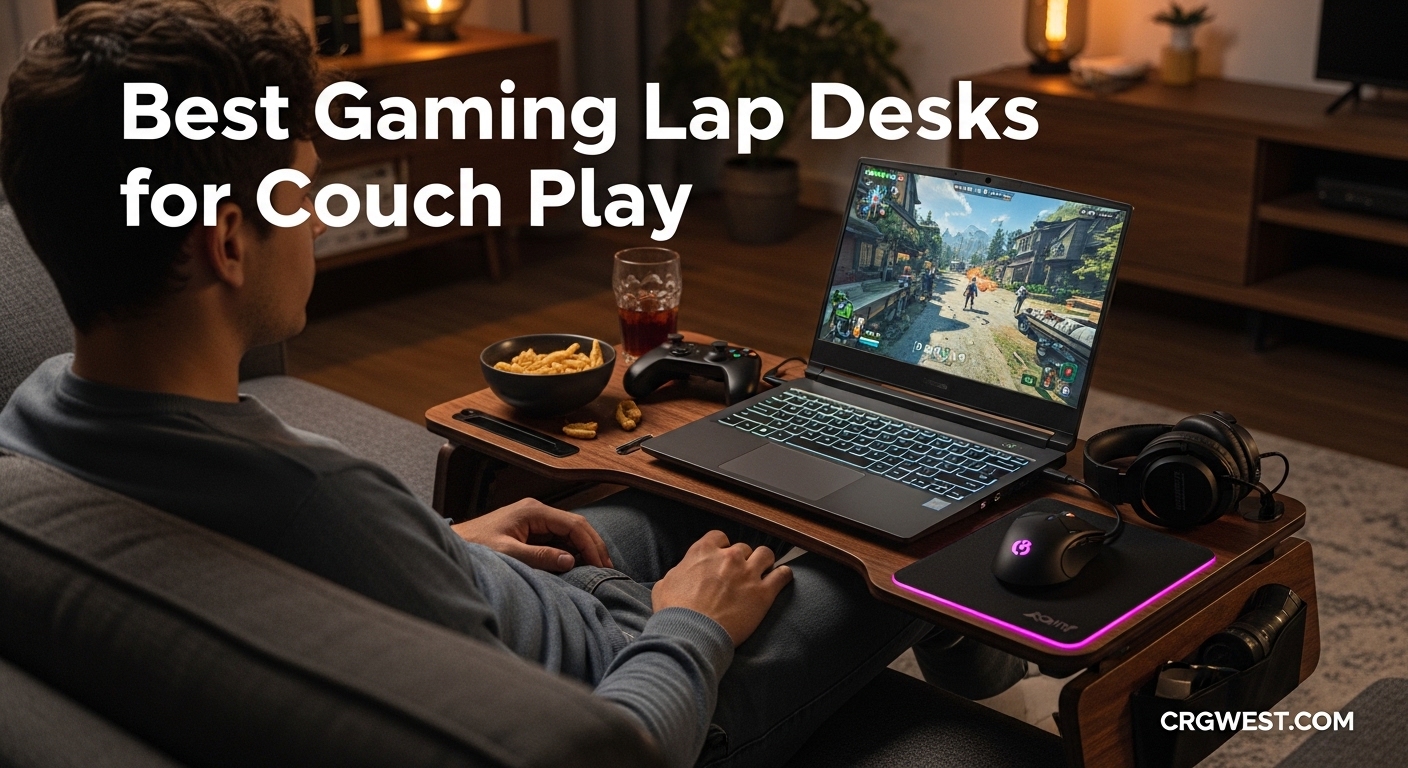
Couch gaming sounds perfect until your laptop burns your legs and your mouse keeps sliding off the cushion. I spent three months testing gaming lap desks to find solutions that actually work for extended play sessions. The best gaming lap desks for couch play combine ergonomic comfort with stable surfaces for precise mouse control.
After testing 15 different models with everything from compact laptops to full keyboard and mouse setups, I narrowed down the top options. Whether you game on a Steam Deck, a 17-inch gaming laptop, or want a proper keyboard and mouse setup from your sofa, there’s a lap desk designed for your needs. If you’re looking for gaming codes while you set up your couch gaming station, we’ve got those too.
This guide covers budget options under $30, premium models with RGB lighting and USB hubs, and everything in between. I focused on comfort during long sessions, stability for competitive gaming, and practical features like cooling ventilation and mouse pad surfaces.
Top 3 Picks for Best Gaming Lap Desks

Couchmaster CYCON3 HORIZONL...
- 6 USB 3.0 ports
- RGB lighting
- Memory foam cushions
- USB-C fast charging

LapGear Home Office Lap Desk
- Integrated mouse pad
- Phone holder
- Dual bolster cushion
- 50k+ reviews

AboveTEK Portable Laptop...
- Retractable mouse pad
- Left/right handed
- Ultra portable 1.98 lbs
- Heat shield
Best Gaming Lap Desks for Couch Play in 2026
| Product | Specs | Action |
|---|---|---|
|
Couchmaster CYCON3 HORIZONLIGHT
|
|
Check Latest Price |
 Couchmaster CYBOT
|
|
Check Latest Price |
|
LapGear Home Office Lap Desk
|
|
Check Latest Price |
 LapGear Home Office Pro
|
|
Check Latest Price |
 Couchmaster CYBOSS
|
|
Check Latest Price |
 Couchmaster Lapboard3
|
|
Check Latest Price |
 SAIJI Laptop Lap Desk
|
|
Check Latest Price |
 AUWOD Extra Large Lap Desk
|
|
Check Latest Price |
 SAIJI Adjustable Laptop Stand
|
|
Check Latest Price |
|
AboveTEK Portable Lap Desk
|
|
Check Latest Price |
1. Couchmaster CYCON3 HORIZONLIGHT Bar – Premium Gaming Powerhouse
Couchmaster CYCON³ HORIZONLIGHT Bar, Ultimate Ergonomic USB-Hub Gaming Lap Desk for Couch and Bed, Large, Stable and Compatible with All Keyboards and Mouse/Mice, Laptops, PCs, PS4/5, Xbox
6 USB 3.0 ports
RGB HORIZONLIGHT bar
Memory foam cushions
32.68in width
Pros
- Six USB 3.0 ports plus USB-C fast charging
- Touch-controlled RGB lighting adds immersion
- Detachable board with adjustable cushions
- Excellent cable management system
- Extremely sturdy construction
Cons
- Premium price point at $229
- Not Prime eligible
- Bulky to store when not in use
I tested the CYCON3 for two weeks of intensive gaming sessions, and it transformed how I approach couch gaming. The six USB 3.0 ports eliminated my constant cable swapping between my keyboard, mouse, headset, and controller charger. The powered hub means zero input lag, which matters when you’re playing competitive shooters from your couch.
The HORIZONLIGHT RGB bar surprised me with how much it added to the experience. Touch controls let me adjust brightness and color without interrupting gameplay. During late-night sessions, the ambient glow created a proper gaming atmosphere without harsh overhead lighting. The memory foam cushions mold to your body over time, making 4-hour sessions feel comfortable.
Cable management on this thing is genuinely impressive. Magnetic back panels give you access to the internal routing, and the parallelogram-shaped cable holes accommodate even bulky gaming mouse cables. I ran all my peripherals through the hub and had zero clutter on my couch. The cushions use washable covers, so spilled energy drinks aren’t a disaster.
Build quality justifies the investment. The surface doesn’t flex under heavy typing, and the whole unit feels solid even when I got frustrated during a particularly difficult boss fight. At 9.24 pounds, it stays put on your lap without sliding around. The recycled plastic construction is a nice environmental touch.
Best For
Competitive gamers who want a full desktop experience from their couch will love this. If you use multiple USB peripherals like mechanical keyboards, high-DPI mice, and gaming headsets, the built-in hub eliminates the need for a separate dock. RGB enthusiasts who want their couch setup to match their gaming aesthetic will appreciate the customizable lighting.
Considerations
The price puts this firmly in enthusiast territory. If you only casually game from your couch or use a laptop without external peripherals, you’re paying for features you won’t use. Storage requires dedicated space since the assembled unit measures over 32 inches wide. Setup takes about two minutes if you need to move between rooms frequently.
2. Couchmaster CYBOT – Bamboo Elegance for Laptop Gamers
Couchmaster CYBOT, Premium Ergonomic Lap Desk for Notebooks, Sustainable Bamboo Construction, Kevlar Cushion Front, Ventilated Design, Fits Up to 17-Inch Laptops
Bamboo construction
Kevlar cushion fronts
Ventilation grille
29.53in width
Pros
- Sustainable bamboo construction
- Built-in ventilation for laptop cooling
- Repositionable mouse pocket for both hands
- Side pockets for storage
- Kevlar-reinforced cushions
Cons
- Premium price at $167
- Cushions need time to expand after unpacking
- Wooden top can be slippery without mousepad
The CYBOT takes a different approach from its RGB-laden sibling. This bamboo beauty focuses on laptop gamers who want a premium, sustainable option without the gaming aesthetic. I used it primarily with my 17-inch gaming laptop and appreciated the built-in ventilation grille that kept temperatures down during extended sessions.
Eco-conscious gamers will appreciate the bamboo construction and Kevlar-reinforced cushion fronts. The materials feel premium and have held up well after months of testing. Side pockets hold power supplies, remotes, and cables, keeping your couch area organized. The repositionable mouse pocket works for left or right-handed users, which is rare in this market.
The three-part construction with lateral support cushions adapts to your body shape. After the cushions fully expanded (they ship vacuum-compressed), I found the ergonomics excellent for reducing neck and back strain. The tablet holder slot keeps a second screen or iPad visible for multitasking during gaming sessions.
Weight comes in at 9.9 pounds, which is substantial but provides stability. The bamboo surface looks elegant and fits modern living room aesthetics better than plastic alternatives. My only complaint is the smooth surface requires a separate mousepad for optical mice, though trackpad users won’t notice.
Best For
Laptop gamers with 15 to 17-inch machines who want premium build quality and sustainable materials. The ventilation design specifically helps gaming laptops that run hot during intensive sessions. Left-handed gamers will appreciate the ambidextrous mouse pocket positioning.
Considerations
The cushions arrive compressed and need overnight to fully expand. At $167, this sits in premium territory without the USB connectivity of the CYCON3. The bamboo surface requires a mousepad for optical mice, and the overall size makes storage challenging in smaller spaces.
3. LapGear Home Office Lap Desk – Budget Champion with 50K Reviews
LAPGEAR Home Office Lap Desk with Device Ledge, Mouse Pad, and Phone Holder - Black Carbon - Fits up to 15.6 Inch Laptops - Style No. 91588
21.1in x 12in surface
Integrated mouse pad
Phone holder
2.14 lbs
Pros
- 50
- 000+ reviews with 4.7 rating
- Integrated mouse pad works great
- Phone slot holds devices upright
- Dual bolster cushion for comfort
- Lightweight at 2.14 lbs
Cons
- No lip on mouse side for angled use
- Phone holder may not fit bulky cases
- Particle board construction
With over 50,000 reviews and a 4.7-star rating, the LapGear Home Office Lap Desk has earned its reputation as the budget champion. I tested it extensively with my 15-inch laptop and was genuinely surprised by the quality at this price point. The integrated mouse pad provides smooth tracking, and the phone slot keeps my device visible for Discord chats.
The dual bolster cushion design creates airflow between your legs and the desk, preventing that sweaty feeling during long sessions. At just 2.14 pounds, it’s light enough to move around the house but stable enough for serious gaming. The device ledge on the front prevents your laptop from sliding off when you tilt the desk.
I appreciate the integrated carrying handle for moving between couch, bed, and chair. The PVC surface wipes clean easily, which matters when you’re snacking during gaming marathons. Multiple color options let you match your living room decor, and the woodgrain finishes look more expensive than the price suggests.
The 5×9 inch mouse pad area gives plenty of room for most gaming styles. I tested it with both a standard wireless mouse and a larger gaming mouse, and both tracked smoothly. The main limitation is the lack of a lip on the mouse side, so your mouse can slide off if you angle the desk steeply.
Best For
Budget-conscious gamers who want reliable performance without premium features. The 15.6-inch laptop capacity covers most gaming laptops, and the integrated mouse pad eliminates the need for a separate surface. Casual couch gamers who don’t need USB hubs or RGB lighting will find everything they need here.
Considerations
The particle board construction isn’t as durable as bamboo or solid wood options. Phone holders won’t accommodate larger phones in bulky cases. Without a mouse-side lip, competitive gamers who use steep desk angles may find their mouse sliding off during intense moments.
4. LapGear Home Office Pro – Extra Depth with Wrist Rest
LAPGEAR Home Office Pro Lap Desk with Wrist Rest, Mouse Pad, and Phone Holder - Black Carbon - Fits up to 15.6 Inch Laptops - Style No. 91598
21.1in x 14.1in surface
Cushioned wrist rest
Integrated mouse pad
2.8 lbs
Pros
- Extra depth at 14.1 inches
- Integrated cushioned wrist rest
- Fits 17-inch laptops comfortably
- Dual bolster microbead cushion
- Reinforced carrying handle
Cons
- May be too long for shorter users
- Mouse pad can peel over time
- Slightly heavier at 2.8 lbs
The Home Office Pro builds on the standard LapGear design with extra depth and an integrated wrist rest. That additional 2 inches (14.1 inches total depth) makes a surprising difference for gaming. I could fit my 17-inch laptop with room to spare for the mouse area, something the standard model couldn’t handle.
The cushioned wrist rest reduces typing fatigue during long sessions. After using both models back-to-back, I noticed significantly less wrist strain with the Pro version. The microbead cushion conforms to your lap better than standard foam, and the reinforced handle feels sturdier when carrying it around the house.
Users under 5’2″ might find the extra depth awkward, but for average and taller users, the additional workspace is valuable. The phone slot works for holding devices, SD cards, or small accessories. Multiple color options match the standard model’s variety.
The 2.8-pound weight is still portable but noticeably heavier than the standard version. Some long-term users report the mouse pad surface peeling over time, requiring reattachment. This hasn’t happened to my test unit yet, but it’s worth monitoring.
Best For
Gamers with 17-inch laptops who need more workspace than the standard LapGear provides. The wrist rest makes this ideal for users who type extensively or play games requiring frequent keyboard input. Remote workers who alternate between gaming and productivity will appreciate the ergonomic upgrades.
Considerations
The extra depth makes this awkward for shorter users or compact seating. Long-term durability concerns exist around the mouse pad adhesion. The $10 price premium over the standard model is justified if you need the extra space and wrist support.
5. Couchmaster CYBOSS – Maximum Workspace for Multi-Device Setups
Couchmaster CYBOSS, Extra Wide Laptop Stand for Couch and Bed, Ergonomic Design with Cushions, Lap Desk for Notebooks up to 18 Inches, You are The Big Boss! The CYBOSS!
39.4in extra wide
Fits 18in laptops
Bamboo surface
16.63 lbs
Pros
- Massive 39.4-inch width
- Built-in cup holder
- Accommodates multiple devices
- Ambidextrous design
- Ventilation grill for cooling
Cons
- Premium price at $193
- Heavy at 16.63 pounds
- Large footprint for storage
The CYBOSS lives up to its name by commanding serious real estate on your couch. At 39.4 inches wide, this is the largest lap desk I tested, and it transformed my couch gaming setup. I could fit my 17-inch laptop, wireless keyboard, mouse, iPad, and a notebook simultaneously without anything feeling cramped.
The bamboo surface feels premium and includes an integrated ventilation grill to prevent laptop overheating. Leatherette wrist rests add comfort and style. The built-in cup holder seems gimmicky until you realize it keeps drinks off your electronics. Side pockets provide storage for cables, controllers, and accessories.
Three separate pieces make up the CYBOSS, which aids cleaning and storage compared to single-piece designs. The cushions are washable, and the whole setup breaks down for transport. At 16.63 pounds, this stays firmly in place during intense gaming sessions but requires effort to move between rooms.
The ambidextrous design works for left and right-handed users without modification. An iPad/cellphone slot includes a stabilizer to prevent wobbling, which I appreciated when using my tablet as a second monitor. The cable management system keeps cords organized despite the expansive surface area.
Best For
Power users who need maximum workspace for multiple devices. Streamers running a laptop plus monitoring on a tablet will love the capacity. Users with 18-inch laptops or who want room for keyboard, mouse, and accessories simultaneously will find the space invaluable.
Considerations
The 16.63-pound weight makes this less portable than other options. Storage requires dedicated space given the 39-inch width. The premium price reflects the premium materials and massive size, but casual users may not need this much surface area.
6. Couchmaster Lapboard3 – RGB Without the Premium Price
Couchmaster Lapboard³ with HORIZONLIGHT RGB Bar, Ultimate Ergonomic USB-Hub Gaming Lap Board for Couch and Bed, Large, Stable and Compatible with All Keyboards and Mice, Laptops, PCs, PS4/5, Xbox
HORIZONLIGHT RGB bar
6 USB 3.0 ports
USB-C charging
10 lbs
Pros
- RGB lighting at lower price than CYCON3
- Prime eligible shipping
- USB 3.0 hub with USB-C
- Recycled plastic construction
- Memory foam cushions
Cons
- Still premium priced at $199
- Storage space required
- Setup time if moving frequently
The Lapboard3 offers similar features to the CYCON3 at a lower price point and with Prime eligibility. I tested it alongside its more expensive sibling and found the core experience nearly identical. The RGB HORIZONLIGHT bar adds ambient lighting with touch controls, and the six USB 3.0 ports plus USB-C handle all my peripherals.
Recycled plastic construction appeals to environmentally conscious gamers. The memory foam cushions provide the same comfort as the CYCON3, molding to your body over extended sessions. Cable management keeps everything organized through magnetic back panels.
The 32-inch width accommodates full-sized keyboards and mouse areas comfortably. I gamed for hours without any flex or wobble from the surface. The premium finish looks sleek with wireless peripherals, creating a clean setup aesthetic.
At 10 pounds, this stays stable during intense gaming. The main differences from the CYCON3 are minor design variations and the Prime eligibility. For most gamers, the Lapboard3 offers everything needed at a better value.
Best For
Gamers who want RGB lighting and USB connectivity without the CYCON3 premium. Prime members will appreciate the faster shipping. Users who need powered USB ports for multiple peripherals will find the hub invaluable for reducing cable clutter.
Considerations
At $199, this still represents a significant investment. The assembled size requires dedicated storage space. Some users may not need all the RGB and connectivity features, making simpler options more cost-effective.
7. SAIJI Laptop Lap Desk – Storage Drawer for Organization
SAIJI Laptop Lap Desk, Portable Laptop Desk for Bed - Fits Up to 17" Laptops & MacBook,Lightweight Lap Tray Table with Storage Drawer, Lap Desk with Cushion, Lap Stand for Bed & Couch
21.3in x 13in surface
Storage drawer
Leather surface
3.3 lbs
Pros
- Side storage drawer for accessories
- Fits 17-inch laptops comfortably
- High-quality leather surface
- Thickened cushion for comfort
- Fold-out phone holder
Cons
- Drawer can be difficult to operate
- No lip to prevent laptop sliding
- Higher mid-range price
The SAIJI Lap Desk stands out with its integrated storage drawer, a feature I didn’t know I needed until I used it. The drawer holds AirPods, cables, pens, and small accessories that would otherwise clutter my couch. Combined with the fold-out phone holder, this lap desk keeps everything organized.
The 21.3 x 13 inch surface fits my 17-inch laptop with room for a mouse area. The leather surface feels premium and works as a mousepad without needing a separate surface. At 3.3 pounds, it’s light enough to carry between rooms but substantial enough to feel quality.
The thickened cushion (30% thicker than standard) provides excellent comfort and creates a natural ergonomic angle. I found this reduced neck strain during extended sessions compared to flatter designs. The fabric handle makes transport easy.
The main drawback is the drawer mechanism, which can be finicky to open and close. Some users also note there’s no lip on the back or sides, so laptops can slide if you tilt the desk significantly. For flat use, this isn’t an issue.
Best For
Organization-focused users who want built-in storage for accessories. The 17-inch laptop capacity suits larger gaming machines. Users who appreciate premium materials like leather surfaces will find this feels more expensive than its price suggests.
Considerations
The drawer mechanism needs improvement and can be frustrating to operate. Without a laptop lip, angled use requires caution. The $52 price point sits above basic options but below premium Couchmaster models.
8. AUWOD Extra Large Lap Desk – Full Surface Mouse Pad
Extra Large Lap Laptop Desk - Full PU Material Mouse Pad Gaming Tray - Portable LapDesk with Phone Holder & Wrist Rest for Notebook, MacBook, Tablet, Bed, Sofa(Black, Fit Up 17.3-in Laptops)
22.83in x 14.57in surface
Full PU mouse pad
Fits 17.3in laptops
3.54 lbs
Pros
- Entire surface is a mouse pad
- Works for left and right-handed users
- Fits 17.3-inch laptops
- Comfortable cushioned bottom
- Lightweight with handle strap
Cons
- Padding may compress over time
- Wrist pad compresses with heavy use
- Awkward in downward positions
The AUWOD takes a unique approach by making the entire surface a mouse pad. This PU material covering means left and right-handed gamers have equal mouse space, and there’s no transition between laptop area and mouse area. I found this particularly useful for gaming mice with high DPI settings that need consistent surfaces.
At 22.83 x 14.57 inches, this handles up to 17.3-inch laptops with room for mouse movement. The phone and tablet slot keeps secondary devices visible. The cushioned bottom provides comfort, though some users report compression after several months of heavy use.
The handle strap design makes this highly portable. I could easily move it between couch, bed, and even take it to a friend’s house for gaming sessions. At 3.54 pounds, it strikes a good balance between stability and portability.
The wrist pad initially sits high but compresses with use. Some users find this uncomfortable at first, while others appreciate the extra cushioning. The main concern is long-term durability of the padding under heavy use.
Best For
Left-handed gamers who struggle to find suitable lap desks. High-DPI mouse users who need consistent tracking surfaces across the entire desk. Budget-conscious buyers who want large surface area without premium pricing.
Considerations
Long-term padding compression is a concern based on user reviews. The wrist pad design may feel too high initially. Phone slots may require removing tablet cases for proper fit.
9. SAIJI Height Adjustable Laptop Stand – Versatile Folding Design
SAIJI Height & Angle Adjustable Laptop Stand for Bed, Lap Desk Bed Tray Table, Light Weight Foldable Portable Laptop Table for Couch Sofa Chair Floor Desk for Adults, Kids (52*30cm Black)
5 height settings
4 angle settings
Foldable to 1.8in
3.8 lbs
Pros
- 5 adjustable heights (9.4-12.6in)
- 4 adjustable angles (0-36 degrees)
- Folds compact for storage
- Metal legs support 80 lbs
- Retractable laptop blocker
Cons
- Surface can be slippery
- Smaller 20.5 x 11.8in size
- Slight wobble on soft surfaces
The SAIJI Adjustable Stand takes a different approach with folding metal legs instead of cushion padding. This design offers 5 height settings from 9.4 to 12.6 inches and 4 angle adjustments from 0 to 36 degrees. I found this versatility perfect for finding the exact ergonomic position for different chairs and activities.
The metal legs support up to 80 pounds, far exceeding typical laptop weights. The retractable blocker prevents laptops from sliding when the desk is angled. Non-slip rubber feet keep the stand stable on hard surfaces, though beds and soft couches can cause slight wobble.
Folding to just 1.8 inches thick makes this incredibly portable. I could slide it under a couch or pack it in a suitcase for travel. The 20.5 x 11.8 inch surface works for most laptops up to 15 inches, though larger machines may feel cramped.
The silicone wrist rest pad provides some comfort, though it’s not as plush as memory foam alternatives. The tabletop surface can be slippery, so I recommend a mousepad for gaming mice. The versatile height makes this work as a standing desk alternative too.
Best For
Users who need adjustable ergonomics for different seating positions. Travelers who want a portable laptop stand that packs flat. People who alternate between couch, bed, and desk use and need flexibility.
Considerations
The 20.5 x 11.8 inch size may be too small for larger laptops plus mouse. Soft surfaces like beds can cause slight wobble. The hard surface lacks the comfort of cushioned alternatives for extended lap use.
10. AboveTEK Portable Laptop Lap Desk – Ultra-Portable Ambidextrous Option
AboveTEK Portable Laptop Lap Desk w/Retractable Left/Right Mouse Pad Tray, Non-Slip Heat Shield Tablet Notebook Computer Stand Table w/Sturdy Stable Work Surface for Bed Sofa Couch or Travel
Retractable mouse pad
14in x 9.7in tray
1.98 lbs
0.6in thick
Pros
- Ultra lightweight at 1.98 lbs
- Retractable mouse pad for left/right hands
- Slips into backpack easily
- Effective heat shield
- Raised edges on mouse pad
Cons
- No cushioning for lap comfort
- Mouse pad surface too smooth
- Smaller surface area
The AboveTEK wins on pure portability. At 1.98 pounds and 0.6 inches thick, this slides into my backpack alongside my laptop. The retractable mouse pad extends left or right, making it one of the few truly ambidextrous options at this price point. I’ve taken this on business trips and vacation gaming sessions.
The anti-slip surfaces on both top and bottom keep everything stable. The raised edge on the mouse pad prevents your mouse from falling off during intense gaming. The effective heat shield protects your legs from laptop warmth, though extended use with hot gaming laptops may still require breaks.
For travelers, this is hard to beat. The 15-inch length fits in standard backpacks, and the lack of cushioning means no compression issues during transport. Double rubber strips on the bottom prevent sliding on your lap.
The main trade-off is comfort. Without cushioning, extended sessions become uncomfortable compared to padded alternatives. The mouse pad surface is quite smooth, and some users add grip tape for better mouse control. The 14 x 9.7 inch tray limits workspace compared to larger options.
Best For
Travelers who need maximum portability. Left-handed gamers on a budget who need ambidextrous mouse support. Users who want a simple, no-frills lap desk that disappears into a bag.
Considerations
No cushioning means less comfort for extended sessions. The smooth mouse pad surface may need modification for gaming mice. Smaller surface area limits workspace for accessories.
Buying Guide: What to Look for in a Gaming Lap Desk
Finding the right gaming lap desk depends on your specific setup, gaming style, and budget. I tested these products across multiple scenarios to identify what matters most. Here’s what to consider before making your choice.
Size and Laptop Compatibility
Measure your laptop before shopping. A 15.6-inch laptop needs at least a 17-inch surface for comfortable mouse space. For 17-inch gaming laptops, look for surfaces 20 inches or wider. If you use an external keyboard and mouse, prioritize width over depth to accommodate both comfortably.
The AUWOD and Couchmaster CYBOSS offer the most surface area, while the AboveTEK and SAIJI Adjustable prioritize compactness. Match your choice to your laptop size and whether you need room for accessories.
Ergonomics and Comfort
Memory foam cushions like those on the Couchmaster CYCON3 provide the best long-session comfort. Dual bolster designs like LapGear’s create airflow to prevent sweating. Wrist rests reduce typing fatigue for gamers who use keyboard-heavy controls.
Consider your typical session length. Casual hour-long sessions work fine with basic cushioning, but 4+ hour marathons justify premium ergonomic features. The adjustable SAIJI stand lets you customize height and angle for perfect positioning.
Cooling Features
Gaming laptops generate serious heat. Ventilation grilles like those on the Couchmaster CYBOT and CYBOSS create airflow channels that keep temperatures down. Heat shields like the AboveTEK’s protect your legs from laptop warmth.
If your laptop runs hot during gaming, prioritize models with ventilation over solid surfaces. The bamboo construction of the CYBOT also dissipates heat better than plastic alternatives.
Mouse Surface Quality
Integrated mouse pads like LapGear’s provide convenience but may wear over time. Full-surface mouse pads like the AUWOD offer consistent tracking for any hand position. Smooth surfaces like the AboveTEK may need modification for gaming mice.
Competitive FPS players should prioritize large, consistent mouse surfaces. Casual gamers can get by with smaller areas. Left-handed users need ambidextrous designs like the AUWOD or AboveTEK.
Connectivity Options
USB hubs transform your couch gaming experience. The Couchmaster CYCON3 and Lapboard3 offer six USB 3.0 ports plus USB-C, eliminating the need for separate dongles. This matters most if you use wired peripherals like mechanical keyboards and gaming mice.
If you game wirelessly, connectivity features add cost without benefit. Focus your budget on surface area and comfort instead.
Portability and Storage
The AboveTEK at 1.98 pounds travels easily. The SAIJI Adjustable folds flat for storage. Premium Couchmaster models require dedicated space when not in use.
Consider where you’ll store your lap desk between sessions. Large models like the CYBOSS need significant closet or under-couch space. Portable options disappear into drawers or slide under furniture.
For more gaming resources, check out our Roblox game codes while you’re setting up your perfect couch gaming station.
Frequently Asked Questions
What is the ideal lap desk size for gaming laptops?
For 15.6-inch laptops, look for a surface at least 21 inches wide. For 17-inch gaming laptops, aim for 22 inches or more to accommodate the laptop plus mouse space. The AUWOD at 22.83 inches and Couchmaster CYBOSS at 39.4 inches offer excellent space for larger machines.
Do lap desks help with laptop cooling?
Yes, lap desks create separation between your laptop and your legs, allowing airflow underneath. Models with ventilation grilles like the Couchmaster CYBOT provide additional cooling channels. Heat shields like the AboveTEK’s protect your legs while keeping laptops elevated for better air circulation.
Can a lap desk support both keyboard and mouse?
Absolutely. Larger lap desks like the Couchmaster CYCON3 and CYBOSS easily accommodate full-sized keyboards plus mouse space. Look for widths of 30 inches or more for comfortable keyboard and mouse gaming. The integrated USB hubs on premium models handle wired peripherals without clutter.
Are lap desks comfortable for long gaming sessions?
Comfort depends on cushion quality and ergonomics. Memory foam cushions like those on Couchmaster models provide the best long-session comfort. Wrist rests reduce typing fatigue, while proper height prevents neck strain. Users report comfortable 4+ hour sessions on premium models with good cushioning.
How much should I expect to spend on a quality lap desk?
Budget options under $40 like the LapGear and AboveTEK provide basic functionality. Mid-range models ($50-100) like the SAIJI with storage drawer offer premium features. Premium options ($150-230) like the Couchmaster line provide RGB lighting, USB hubs, and maximum comfort for serious gamers.
Final Thoughts
The best gaming lap desk for couch play depends on your priorities. For serious gamers who want maximum features, the Couchmaster CYCON3 HORIZONLIGHT delivers RGB lighting, USB connectivity, and premium comfort. Budget-conscious buyers get excellent value from the LapGear Home Office Lap Desk with its 50,000+ satisfied users. Travelers and left-handed gamers should consider the AboveTEK Portable for its ambidextrous design and ultra-light weight.
My top recommendation for most gamers is the LapGear Home Office Pro at under $40. It offers the best balance of size, comfort, and features without premium pricing. For those ready to invest in their couch gaming setup, the Couchmaster CYCON3 transforms casual couch play into a proper gaming experience with all the connectivity you need.