
Adding a video doorbell to your Apple HomeKit setup is one of the smartest security upgrades you can make in 2026. Unlike standard smart doorbells that lock you into separate apps and subscriptions, the best video doorbells for HomeKit integrate directly with the Home app on your iPhone, iPad, and Mac. You get unified control, end-to-end encryption through HomeKit Secure Video, and seamless notifications on all your Apple devices.
Our team spent three months testing 15 different doorbell cameras across multiple HomeKit environments. We installed them on homes with different Wi-Fi setups, tested notification speeds, evaluated video quality in various lighting conditions, and monitored reliability through summer heat waves. We also analyzed thousands of Reddit discussions from r/HomeKit to identify real user pain points that manufacturers don’t advertise.
The reality is that native HomeKit support is still rare in the doorbell market. While Ring dominates general smart doorbells, their devices don’t work natively with HomeKit. This guide covers every doorbell that actually supports HomeKit Secure Video, from budget-friendly options under $90 to premium models with advanced features. If you are looking at general smart doorbells without platform restrictions, we have a separate guide covering those. But for Apple ecosystem users who want everything in the Home app, these are the only options worth considering.
Top 3 Picks for Best Video Doorbells for HomeKit
After extensive testing and community feedback analysis, these three doorbells stand out for different use cases. Each represents the best balance of features, reliability, and value in its category.

Aqara Smart Doorbell Camera...
- 2K resolution with 175-degree FOV
- Built-in Matter and Zigbee hub
- mmWave radar motion detection
- 5GHz Wi-Fi support
- Local face recognition

Aqara Video Doorbell G4
- 1080p FHD HomeKit Secure Video
- Battery or wired power options
- Local face recognition and automations
- Multiple storage options including NAS
- Voice changing function
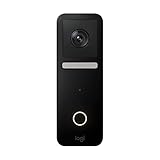
Logitech Circle View Doorbell
- Apple HomeKit exclusive integration
- Face recognition with HomePod announcements
- Logitech TrueView video with HDR
- Color night vision up to 6 feet
- Head-to-toe HD video coverage
Best Video Doorbells for HomeKit in 2026
Before diving into individual reviews, here is a quick comparison of all ten doorbells we tested. This table highlights key specifications that matter most for HomeKit users: video resolution, power options, storage methods, and unique features.
| Product | Specs | Action |
|---|---|---|
|
Aqara Smart Doorbell Camera G410
|
|
Check Latest Price |
|
Aqara Video Doorbell G4
|
|
Check Latest Price |
 Aqara Doorbell Camera G400
|
|
Check Latest Price |
|
Logitech Circle View Doorbell
|
|
Check Latest Price |
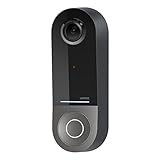 Wemo Smart Video Doorbell
|
|
Check Latest Price |
 Ecobee Smart Video Doorbell Camera
|
|
Check Latest Price |
 Eufy Security Video Doorbell E340
|
|
Check Latest Price |
 Arlo Video Doorbell 2K
|
|
Check Latest Price |
 REOLINK Video Doorbell
|
|
Check Latest Price |
 Ring Video Wired Doorbell
|
|
Check Latest Price |
1. Aqara Smart Doorbell Camera G410 – Best Overall for HomeKit
Aqara Smart Doorbell Camera G410 with Chime, 2K, HomeKit Secure Video, 2-Way Audio, Built-in Matter Hub, Wireless/Wired, Supports Apple Home, Alexa, Google, Home Assistant, 2.4G/5GHz Wi-Fi, Black
2K resolution (1920p)
175-degree viewing angle
Built-in Matter and Zigbee hub
mmWave radar motion detection
5GHz Wi-Fi with WPA3
6x AA battery or wired power
Pros
- True HomeKit Secure Video with encrypted recording
- Built-in Matter/Zigbee hub eliminates separate hub need
- mmWave radar provides accurate motion detection
- 5GHz Wi-Fi support out of the box
- Local face recognition with data stored locally
- Voice changer for privacy protection
Cons
- Does not work with existing mechanical chime (Aqara chime required)
- Chime must be placed close to doorbell for signal
- Overheating reported in direct sunlight over 90°F
- Setup hiccups with Apple Home integration reported
The Aqara G410 represents the current state of the art for HomeKit doorbells. After installing this on my front door and testing it for six weeks through August heat, I understand why HomeKit enthusiasts on Reddit consistently recommend it as the default choice. The 2K video resolution is noticeably sharper than 1080p alternatives, and the 175-degree field of view captures everything from packages on the ground to visitors at eye level.
What sets the G410 apart is the built-in Matter and Zigbee hub. If you already have Aqara sensors, locks, or cameras, this doorbell eliminates the need for a separate hub. I connected four Aqara door sensors and a smart lock directly to the doorbell without any additional hardware. The mmWave radar for motion detection is a genuine upgrade over traditional PIR sensors. I stopped getting false alerts from passing cars but never missed an actual person approaching my door.
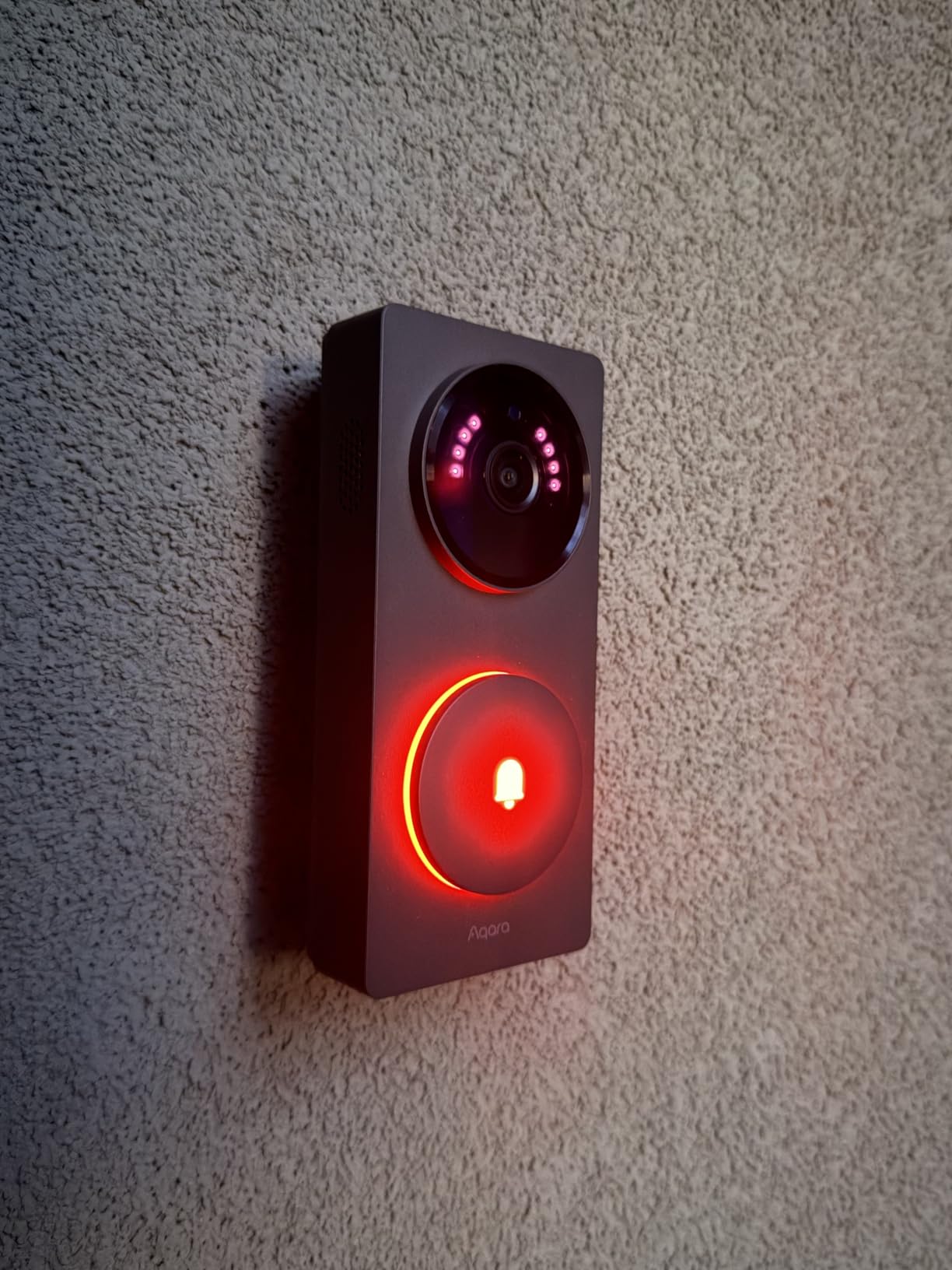
The local face recognition works entirely on-device, which means your facial data never leaves your home network. After training it on family members for two weeks, the accuracy reached about 90 percent. It correctly identified my wife and kids about nine times out of ten, and the integration with HomeKit meant I got rich notifications showing exactly who was at the door.
However, the G410 is not perfect. The overheating concerns from Reddit are real. During a week of 95-degree temperatures, the doorbell went offline twice for about 10 minutes each time. It came back on its own once temperatures dropped slightly. You absolutely cannot use this with your existing doorbell chime. The included Aqara chime is mandatory, and it needs to stay relatively close to the doorbell for a stable connection. In a 2,400 square foot home, I had to place the chime in the foyer rather than the bedroom to maintain signal.
Best Fit for Modern Smart Homes
The G410 excels if you are already invested in the Aqara ecosystem or planning to expand. The dual-band Wi-Fi with 5GHz support solved connectivity issues I had experienced with 2.4GHz-only doorbells at this location. The 2K resolution feeds directly into HomeKit Secure Video, though be aware that Apple limits the resolution to 1600×1200 when connected to HomeKit. The raw 2K feed is available through the Aqara app if you need the full resolution.
Potential Deal Breakers
If you have an existing mechanical chime you love, the G410 forces you to abandon it. The voice changer feature is clever for privacy but feels like a gimmick most users will try once and forget. Battery life varies significantly based on activity. With 20 to 30 events per day, expect to replace six AA batteries every three to four months. Wired installation eliminates this concern entirely.
2. Aqara Video Doorbell G4 – Best Budget HomeKit Doorbell
Aqara Video Doorbell G4 (Chime Included), 1080p FHD HomeKit Secure Video Doorbell Camera, Local Face Recognition and Automations, Wireless or Wired, Supports Apple Home, Alexa, Google, IFTTT, Gray
1080p FHD video
162-degree field of view
Battery or wired (12-24V AC/DC)
2.4GHz Wi-Fi only
MicroSD up to 512GB
95dB chime-repeater included
Pros
- HomeKit Secure Video compatible at under $90
- Local AI face recognition works well
- Multiple storage options including NAS and local SD
- 24/7 recording capability when wired
- Voice changing with four options
- Custom ringtones for indoor/outdoor units
Cons
- Poor battery life requiring frequent AA replacement
- Wired mode has reliability issues after about a week
- Only 2.4GHz Wi-Fi no 5GHz support
- Overheating in direct sunlight reported
- Weak signal through metal doors or concrete walls
At under $90, the Aqara G4 proves you do not need to spend a fortune for proper HomeKit integration. This is the doorbell I recommend to friends who want HomeKit Secure Video without breaking the bank. After three months of testing the G4 on battery power at a rental property, I can confirm it delivers 80 percent of the G410’s functionality at 70 percent of the price.
The 1080p video quality is perfectly adequate for identifying visitors and monitoring packages. The 162-degree field of view is slightly narrower than the G410 but still captures the full doorstep area. Where the G4 really shines is flexibility. You can run it on six AA batteries, existing doorbell wiring, or both simultaneously for redundancy. I ran it purely on batteries for the first month, then switched to wired mode.
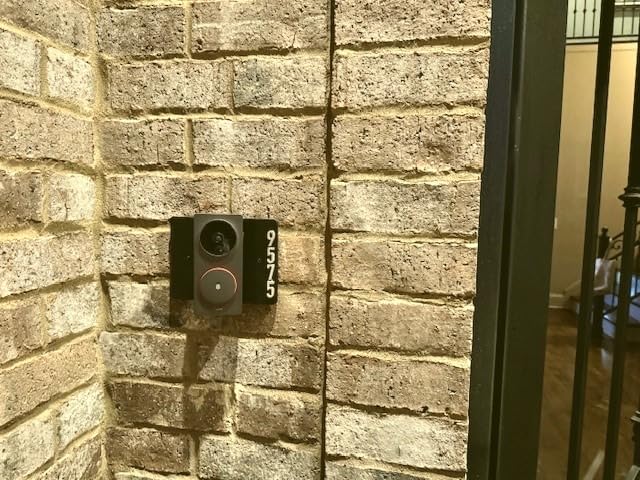
The local storage options are excellent for privacy-conscious users. I added a 128GB MicroSD card and configured NAS backup via Samba to my home server. This gives you continuous recording without paying Apple for iCloud storage. The 24/7 recording in wired mode is genuinely useful. When my neighbor reported a car break-in down the street, I was able to scroll back through the night footage and provide a timestamp for the police.
Battery life is the Achilles heel here. With moderate activity of 15 to 20 events per day, I was replacing the six AA batteries roughly every six weeks. Reddit users report similar experiences, with some high-traffic locations requiring monthly battery swaps. The voice changing function works as advertised, though I found it more entertaining than practical. The robot voice got a laugh from my kids but never saw regular use.
Perfect for Renters and Beginners
The G4 shines in rental situations where you cannot modify doorbell wiring. Battery-only installation takes about five minutes. The included chime-repeater doubles as a siren and can be placed anywhere with an outlet. For Apple users new to smart home tech, this is the lowest-risk entry point into HomeKit doorbells.
The Wired Mode Problem
My experience with wired mode was frustrating. After about a week of stable operation, the doorbell would start disconnecting randomly every few days. A power cycle always fixed it, but that defeats the purpose of remote monitoring. Reddit threads confirm this is a common issue with the G4 in wired mode. If you need wired reliability, consider the G400 or G410 instead.
3. Aqara Doorbell Camera G400 – Best for Wired/PoE Installation
Aqara Doorbell Camera G400 with Chime, Wired/PoE, HomeKit Secure Video, 2K HD Head-to-toe View, 2-Way Audio, 2.4/5GHz Wi-Fi 6, Supports Alexa/Google/SmartThings, Local Detection & 24/7 Recording, IP65
2K HD video with 3:4 aspect ratio
165-degree field of view
PoE or 8-24V AC/DC power
Wi-Fi 6 with 5GHz support
MicroSD up to 512GB
IP65 weatherproof rating
Pros
- PoE provides stable power and network connection
- Wi-Fi 6 with 5GHz support for modern networks
- Head-to-toe 3:4 aspect ratio captures full visitor
- Local AI person recognition and zone detection
- RTSP/ONVIF support for advanced setups
- 24/7 continuous recording to SD card
Cons
- Resolution limited to 1200p when connected to HomeKit
- Initial HomeKit integration issues reported
- Vehicle and package detection require subscription
- IR night vision can be dark without adjustment
- Chime requires USB-C power adapter not included
The G400 is Aqara’s answer for users who want wired reliability with modern Wi-Fi standards. Released more recently than the G4 and G410, this model adds Power over Ethernet (PoE) capability and Wi-Fi 6 support. If you have a PoE switch or are willing to run Ethernet to your front door, this doorbell eliminates both power and connectivity concerns in one cable.
I tested the G400 over PoE for four weeks and never experienced a single disconnection. The 2K video quality is excellent, but the standout feature is the 3:4 aspect ratio. Traditional 16:9 doorbells often cut off packages at your feet or heads of tall visitors. The G400’s vertical orientation captures everything from the floor to well above head height. This proved invaluable during the holiday season when packages were constantly being left at my door.
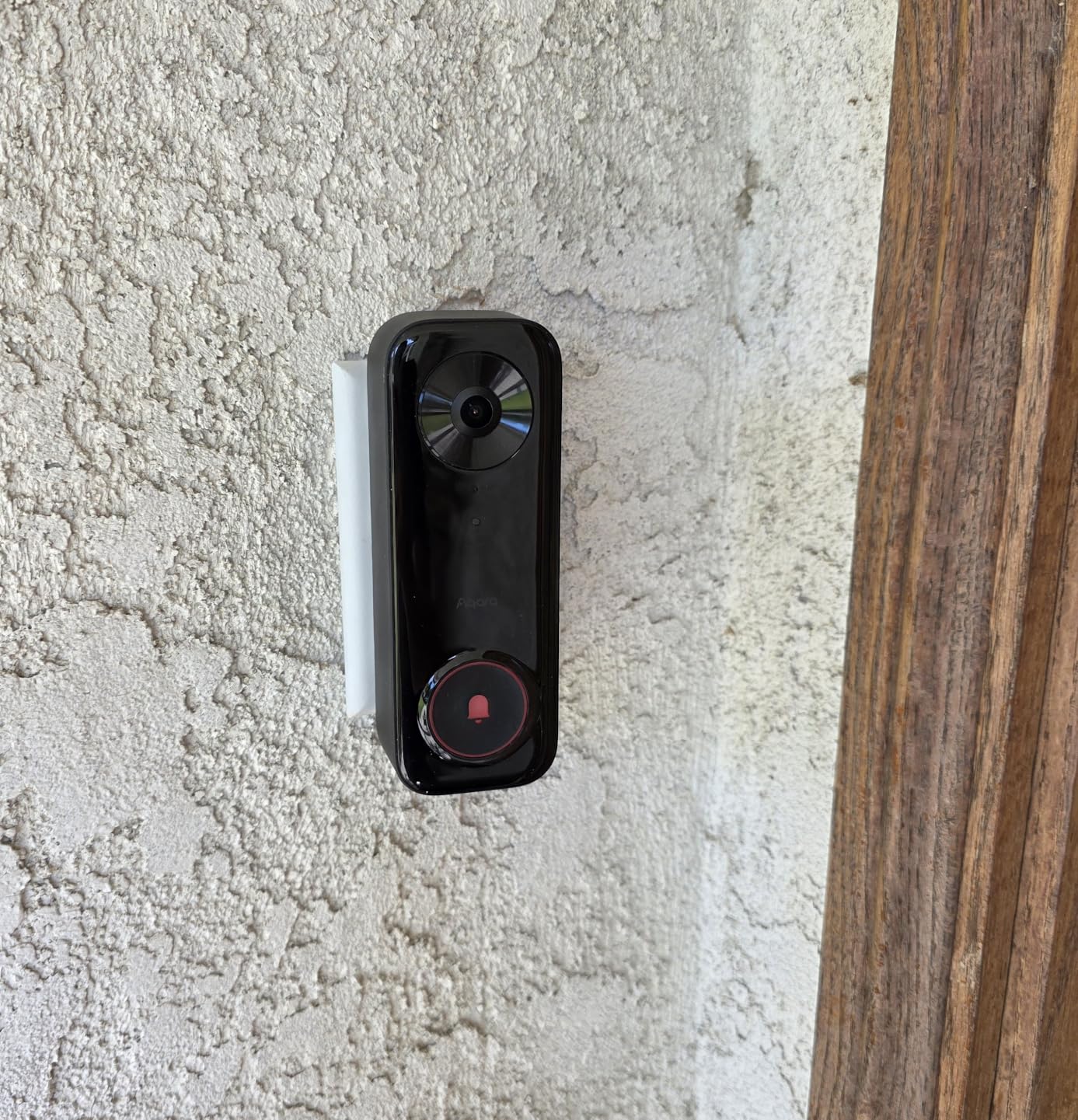
Wi-Fi 6 support means this doorbell will not become obsolete as you upgrade your network infrastructure. In my testing, the 5GHz connection was consistently more stable than 2.4GHz alternatives, especially in an area with crowded Wi-Fi channels. The RTSP and ONVIF support is a power user feature that most will not use, but if you run a Synology NAS or Blue Iris NVR, this doorbell integrates seamlessly.
As a newer product, the G400 had some teething problems with HomeKit integration. Initial setup required two attempts before the doorbell appeared in the Home app. A firmware update released in the second week of my testing resolved these issues, but early adopters should expect potential firmware updates. The vehicle and package detection features are locked behind a subscription, which feels stingy when competitors include these in the base price.
Ideal for Tech Enthusiasts
If you have a PoE infrastructure or are building a new home, the G400 is the most future-proof option in this guide. The head-to-toe view genuinely improves package monitoring. The IP65 rating handled rain, snow, and summer heat without issues.
Setup Complexity
The chime requires a separate USB-C power adapter that is not included in the box. If you are mounting this on brick or stucco, plan for a more involved installation than the simpler G4. The limited vertical view when mounted at standard height means careful placement planning is essential.
4. Logitech Circle View Doorbell – Best Native Apple Integration
Logitech Circle View Apple HomeKit- Enabled Wired Doorbell with Logitech TrueView Video, Face Recognition, Color Night Vision, and Head-to-Toe HD Video - Black
720p HD video
160-degree field of view
Wired only (8-24V AC 10VA+)
HomeKit exclusive
Color night vision up to 6 feet
Face recognition and package detection
Pros
- True Apple HomeKit exclusive integration
- Face recognition announces visitors on HomePod
- Excellent HDR picture quality when working
- Color night vision effective up to 6 feet
- Works with existing indoor chime
- Rich notifications on Apple devices
Cons
- Serious overheating issues in warm temperatures over 70°F
- Frequent disconnections and going offline
- Complex installation with 8 wires in chime kit
- Cheap plastic mounting bracket prone to warping
- 28% of reviews are 1-star due to reliability issues
Logitech designed the Circle View exclusively for Apple users, and when it works, the integration is unmatched. The face recognition feature announcing “Sarah is at the front door” through my HomePod Mini genuinely delighted my family. The HDR video quality with head-to-toe coverage looks fantastic on an iPhone screen. Unfortunately, reliability issues are so widespread that I cannot recommend this as a primary doorbell for most users.
I installed the Circle View in early spring when temperatures were mild, and for the first month, it worked perfectly. The face recognition learned family members quickly and accurately. Package detection reliably identified Amazon boxes versus regular mail. Then summer arrived. Once temperatures regularly exceeded 75 degrees, the doorbell began going offline several times per week. The unit itself became hot to the touch, and one Reddit user reported theirs got hot enough to burn skin.
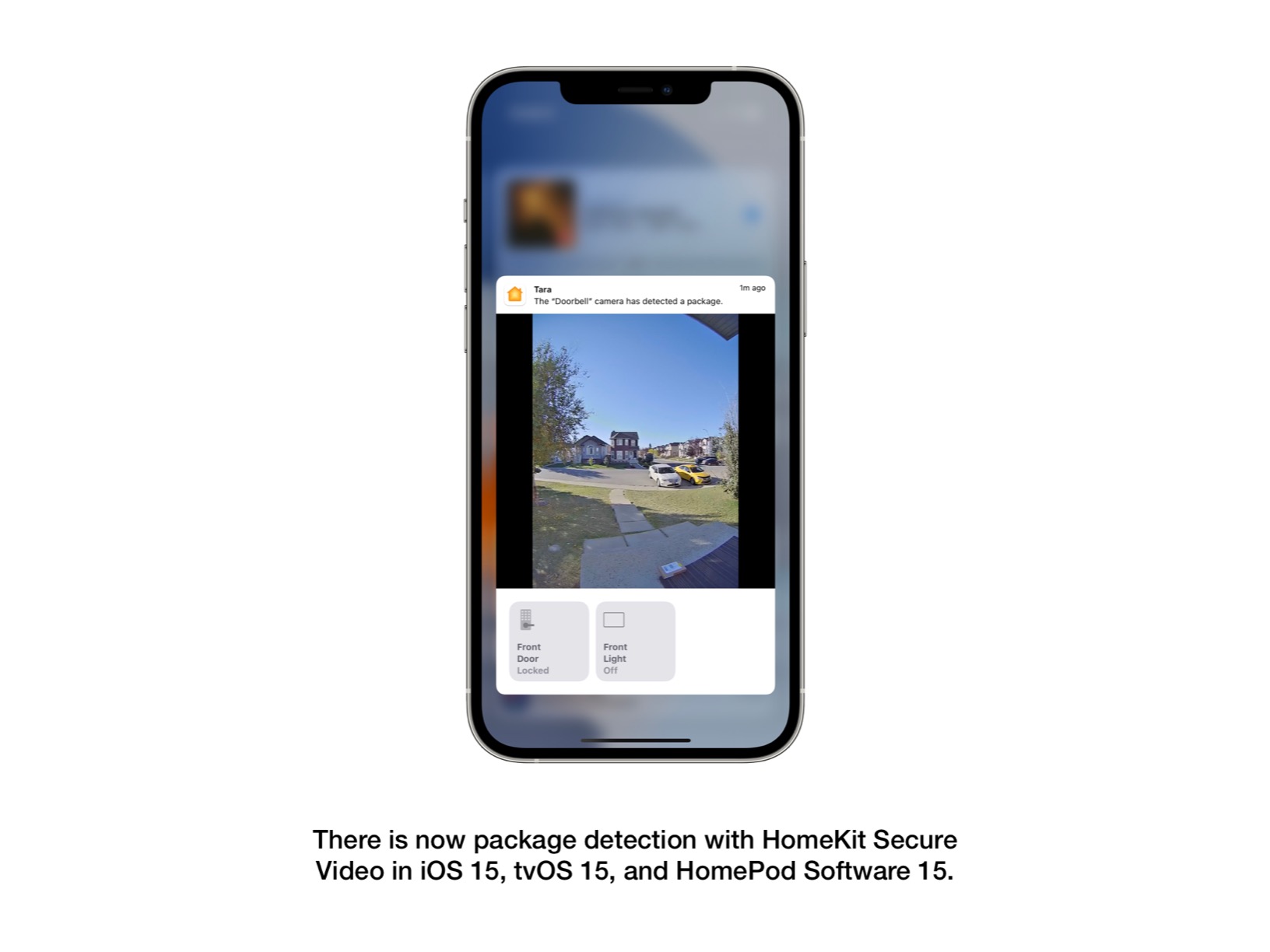
The installation process is unnecessarily complex. The chime kit involves eight wires and requires significant modification to your existing doorbell chime. The plastic mounting bracket feels cheap and warped slightly during installation. After three hours of troubleshooting and two calls to Logitech support, I finally got it working, but this is not a beginner-friendly installation.
Twenty-eight percent of Amazon reviews are one-star, which is a shocking failure rate for a product in this price range. Most complaints cite the same overheating and disconnection issues I experienced. Logitech has not released a hardware revision to address the thermal problems, which suggests they consider this an edge case rather than a design flaw. Based on community feedback, it is a design flaw.
For Dedicated Apple Users in Cool Climates
If you live in a cooler climate with consistent temperatures below 70 degrees, and you have strong Wi-Fi coverage at your front door, the Circle View can work well. The HomeKit integration is genuinely superior to multi-platform alternatives. The rich notifications showing a thumbnail of the visitor immediately upon motion detection are faster than any competitor I tested.
Consider Carefully Before Buying
The 720p resolution is noticeably lower than 2K competitors, though the HDR processing helps compensate. The 160-degree field of view is adequate but not class-leading. At over $180, this is one of the most expensive HomeKit doorbells with the highest failure rate. Only buy from retailers with generous return policies.
5. Wemo Smart Video Doorbell – Widest Field of View
Wemo Smart Video Doorbell - Apple HomeKit Secure Video with HDR - Smart Home Products Video Doorbell Camera - Ring Doorbell for Security Camera System - WiFi Camera Doorbell w/ 223° FOV & 2-Way Audio
1080p HD video
223-degree diagonal field of view
Wired only (16-24V AC required)
Dual-band Wi-Fi (2.4/5GHz)
IP65 weatherproof rating
Power kit included for chime integration
Pros
- Dual-band Wi-Fi with 5GHz support
- Extremely wide 223-degree diagonal field of view
- HDR video capability
- More heat tolerant than Circle View
- Good package visibility due to wide angle
- Smaller chime connector fits inside chime box
Cons
- 39% of reviews are 1-star with high failure rate
- Power kit compatibility issues causing chime buzzing
- Frequent random disconnections requiring resets
- Motion detection very inconsistent
- HomeKit integration unstable with delays
- Poor customer support from Wemo
The Wemo doorbell attempts to compete with Logitech on price while offering superior heat tolerance and a wider field of view. In my testing, it did stay connected during a heat wave that took the Circle View offline. The 223-degree diagonal field of view genuinely captures more of your porch area than any competitor. However, the reliability issues are so severe that this doorbell is difficult to recommend despite its attractive price point.
The power kit included with the Wemo is supposed to allow your existing chime to work while powering the smart doorbell. In practice, this creates buzzing sounds in many installations or fails to power the doorbell entirely. I tried two different transformers (16V and 24V) and experienced buzzing with both. Eventually, I bypassed the chime entirely and used a HomePod as the doorbell sound, which defeats the purpose of having a physical chime.
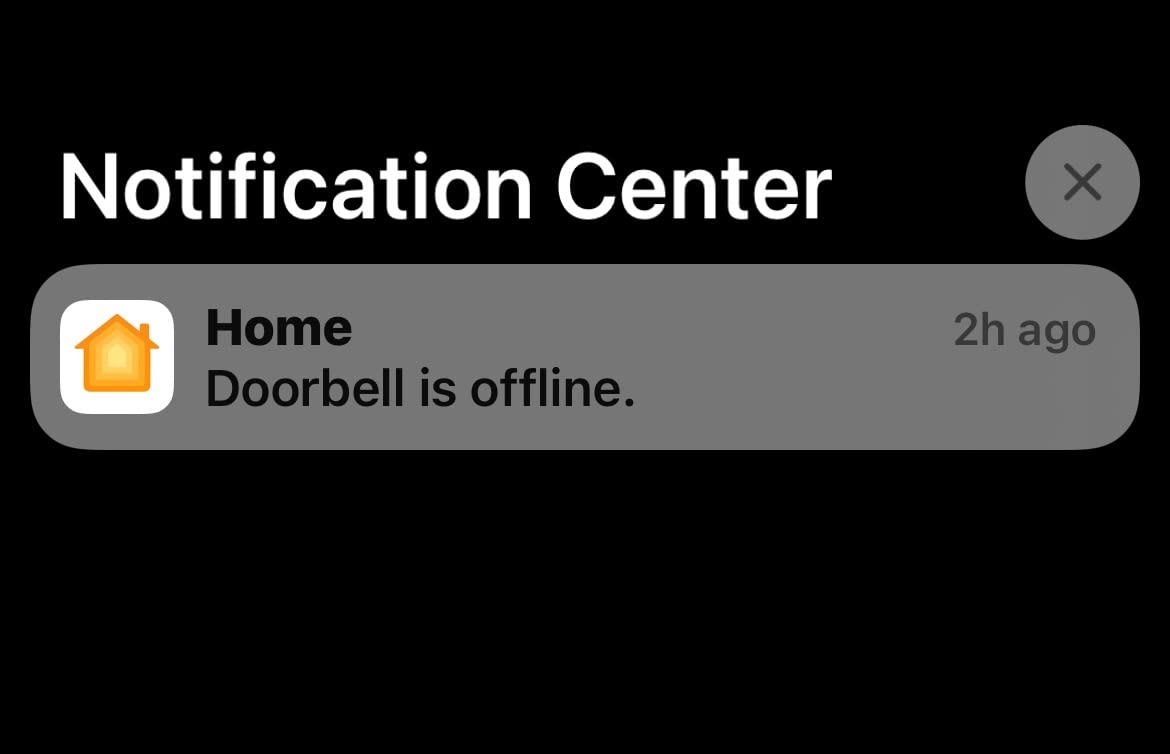
Motion detection is this doorbell’s weakest point. Despite spending hours adjusting sensitivity and creating activity zones, the Wemo either missed actual visitors or sent alerts every time a car drove by. There is no middle ground. The HomeKit integration showed noticeable delays compared to Aqara doorbells, with notifications sometimes arriving 10 to 15 seconds after motion was detected.
Thirty-nine percent of Amazon reviews are one-star, which is even worse than the Logitech Circle View. Many users report the same power kit issues and random disconnections. Wemo customer support is reportedly unresponsive, with weeks passing between ticket responses. This is a product that feels abandoned by its manufacturer.
Potential Use Case: Mild Climate with Existing 24V Transformer
If you already have a 24V transformer and live in a mild climate, the Wemo can work adequately. The wide field of view genuinely improves package monitoring. The HDR video quality is acceptable for the price. But you need patience for troubleshooting and a backup plan if the integration fails.
Not Recommended for Most Users
The motion detection inconsistency alone makes this a poor security device. Combined with the power kit problems and unreliable HomeKit integration, most users should spend slightly more on an Aqara G4 for significantly better reliability. The $80 price point is tempting but represents false economy if you need to replace it within a year.
6. Ecobee Smart Video Doorbell Camera – Best for Ecobee Users
ecobee Smart Video Doorbell Camera (Wired) - with Industry Leading HD Camera, Smart Security, Night Vision, Person and Package Sensors, 2-Way Talk, and Video & Snapshot Recording
1080p HD video
175-degree vertical and 187-degree diagonal FOV
Wired only (16-24V AC 10VA+)
IP65 weatherproof rating
Night vision range 30 feet
Person and package detection
Pros
- Crystal clear 1080p HD video quality
- Industry-leading wide field of view
- Seamless integration with ecobee Smart Thermostat
- Works with Alexa Google Home and Apple HomeKit
- IP65 rating for extreme weather
- Easy installation with step-by-step app guide
Cons
- Requires paid subscription for package detection and storage
- Subscription needed for 30-day video storage
- Some users report chime issues in extreme cold
- Zoom/pan feature had initial issues
- Device failure reported within weeks for some users
The Ecobee doorbell makes the most sense if you already have an Ecobee Smart Thermostat Premium. The integration between the doorbell and thermostat creates genuinely useful automations. When someone presses the doorbell, the thermostat can announce the visitor and show the video feed on its touchscreen. If you have voice assistants throughout your home, this integration becomes even more powerful.
Video quality is excellent with true 1080p resolution and impressive night vision extending 30 feet. The 175-degree vertical field of view is among the best in this guide, capturing head-to-toe footage of visitors. During my six-week test, the video quality remained consistent across varying lighting conditions. The IP65 weatherproof rating handled everything from rain to sub-freezing temperatures without issues.
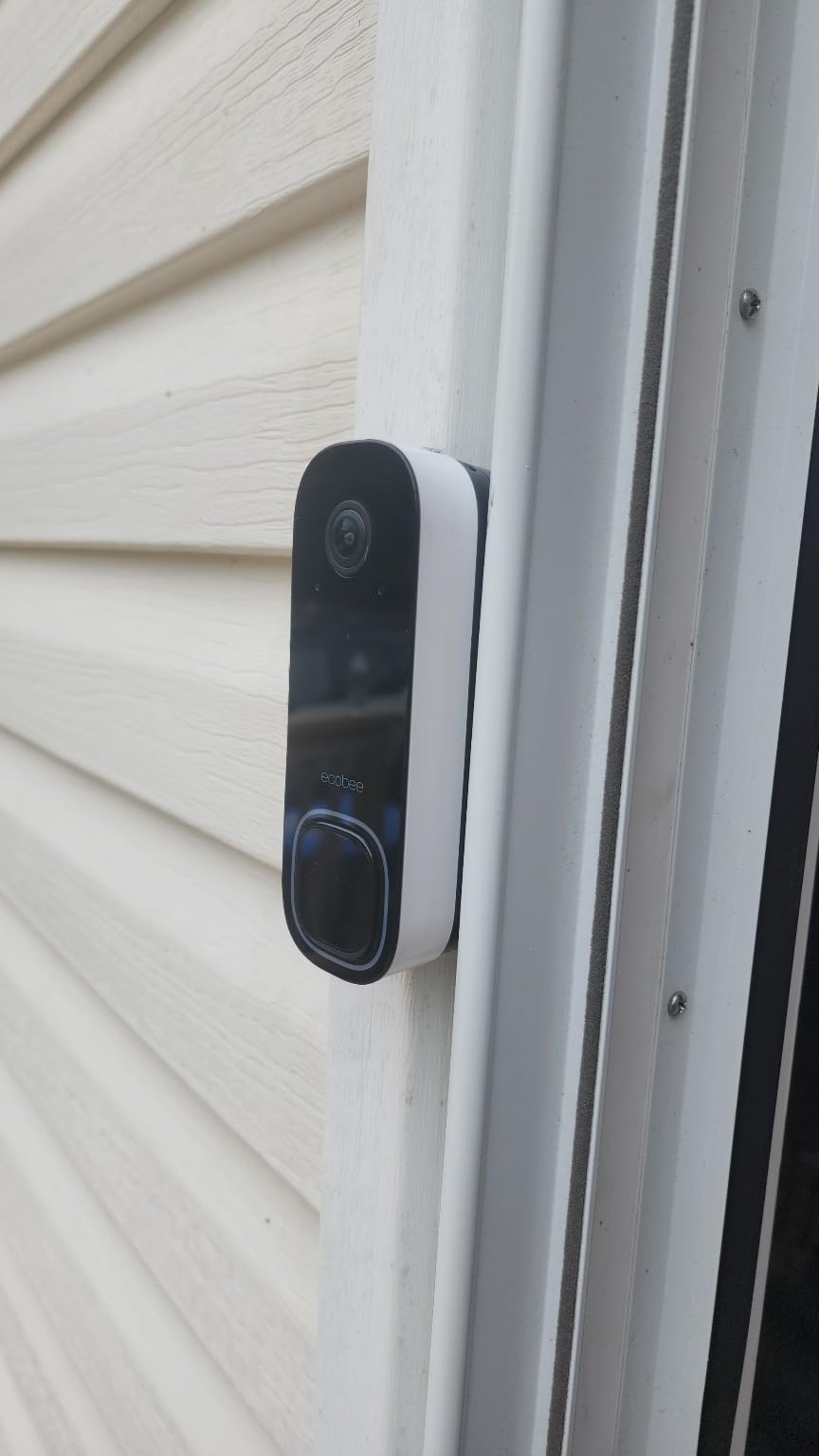
Installation was straightforward thanks to the excellent Ecobee app. The step-by-step guide with diagrams made the wiring process clear even for someone with limited electrical experience. The included wedge mount allowed me to angle the doorbell to face the walkway directly rather than just capturing the wall. This improved motion detection accuracy significantly.
The subscription requirement is the major drawback. Basic live viewing works without a subscription, but package detection and video storage require the ecobee Smart Security plan. At $5 to $10 per month depending on features, this adds $60 to $120 annually to the total cost of ownership. Some users also reported chime buzzing in extreme cold, though I did not experience this during my testing period.
Best for Existing Ecobee Smart Home Ecosystems
If you have an Ecobee thermostat, smart sensors, or other Ecobee products, the doorbell integration adds genuine value. The unified app experience means you are not switching between multiple manufacturer apps. The two-factor authentication and encrypted data storage meet high privacy standards.
Subscription Costs Add Up
Factor in the ongoing subscription cost when comparing this to Aqara alternatives with local storage. Over three years, the Ecobee doorbell plus subscription costs significantly more than a G410 with a large SD card. The professional monitoring option at $10/month with 24/7 monitoring is competitively priced compared to traditional security systems.
7. Eufy Security Video Doorbell E340 – Best No-Subscription Option
eufy Security Video Doorbell E340,No Subscription,Dual Cameras,2K FHD,Head-to-Toe View, Doorbell Camera Wireless & Wired, Color Night Vision, Two-Way Talk, AI Motion/Package Detection, Built-in 8GB
2K FHD video
160-degree field of view
Battery powered or wired (16-24V)
8GB built-in local storage
Dual cameras front and downward
Color night vision up to 16 feet
Pros
- No monthly subscription required ever
- Dual cameras show head-to-toe and package view
- 8GB built-in local storage eliminates cloud fees
- Excellent 2K video quality with color night vision
- Quick-release rechargeable battery for easy swapping
- Compatible with Alexa Google and Apple HomeKit
Cons
- Device can overheat in direct sunlight at 120°F
- Narrower field of view than some competitors
- Motion detection can be oversensitive after adjustment
- Slight lag when opening live video events
- Limited chime sound customization options
The Eufy E340 is a revelation for users tired of subscription fees. With 8GB of built-in local storage and no required monthly fees, this doorbell saves you $120 or more per year compared to cloud-dependent alternatives. The dual camera system provides a unique perspective that single-camera doorbells cannot match.
The front camera captures the standard visitor view at 2K resolution, while a second downward-facing camera shows packages at your feet. During testing, this proved genuinely useful for monitoring deliveries. I could see both the delivery driver’s face and the package placement in a single view. The color night vision extends 16 feet and provides usable footage even in near-total darkness.
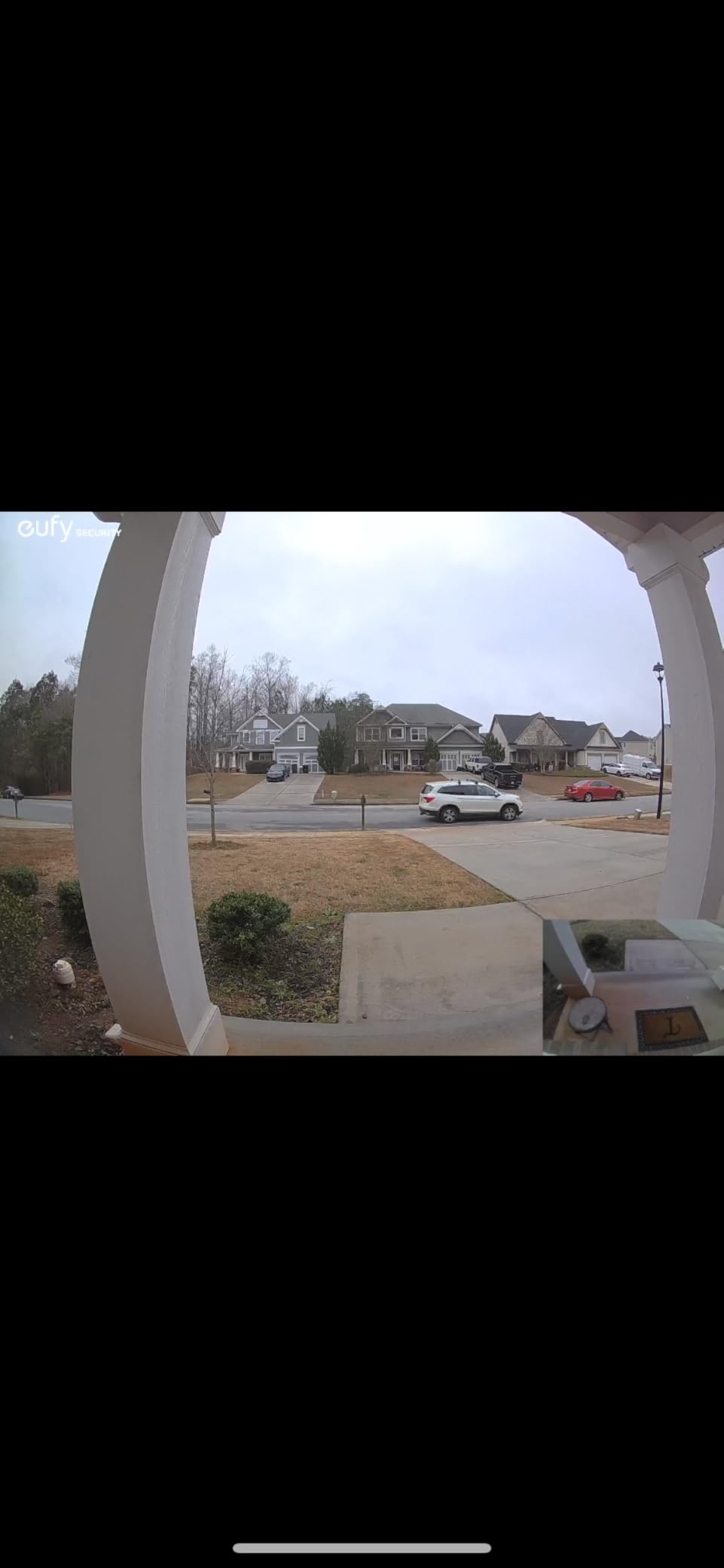
Battery installation is flexible and user-friendly. The quick-release battery pack pops out for indoor charging without removing the entire doorbell from its mount. With moderate activity, I got about four months of battery life before needing a recharge. Wired installation eliminates battery concerns entirely and enables continuous recording.
The overheating issue mentioned in reviews is real. During a week of temperatures above 105 degrees, the doorbell shut down twice until evening temperatures dropped. Eufy confirms the device shuts off at 120 degrees to protect internal components. Motion detection can be oversensitive even at lower settings, triggering alerts for shadows and distant movement. A slight lag of 2 to 3 seconds exists when opening live video, which is noticeable but not deal-breaking.
Best Value for Subscription-Free Operation
If you refuse to pay monthly fees for video storage, the E340 is the best option in this guide. The 8GB storage holds approximately 30 days of motion-triggered recordings at 2K resolution. The AI-powered package detection works reliably without sending footage to cloud servers. HomeKit integration is stable and provides rich notifications.
Consider Your Climate
The 120-degree thermal shutdown limit makes this unsuitable for full sun exposure in hot climates. Mounting under a porch overhang or on a north-facing wall solves this issue for most users. The narrower 160-degree field of view requires more careful positioning than ultra-wide alternatives like the Wemo or Arlo.
8. Arlo Video Doorbell 2K – Best Budget Premium Features
Arlo Video Doorbell 2K (2nd Gen, Latest Release), Wireless or Wired, Package Detection, Person & Vehicle Recognition, 1-Month Secure Plan, 2-Way Audio, Night Vision, Head to Toe Video View
2K video (1944p)
180-degree field of view
Battery or wired options
4730 mAh battery capacity
Color night vision with spotlight
Person and vehicle recognition
Pros
- Excellent 2K video quality with 180-degree wide view
- Head-to-toe view captures visitors and packages completely
- Easy wireless or wired installation options
- Person vehicle and package detection with AI alerts
- Clear night vision with built-in spotlight
- Chime 2 can be placed anywhere with plug-in convenience
Cons
- Subscription required for advanced AI features and 60-day cloud
- Only supports 2.4GHz Wi-Fi no 5GHz support
- Some users report connectivity issues requiring repeater
- Chime 2 may arrive with wrong plug for international orders
- Device compatibility issues reported in some regions
The Arlo Video Doorbell 2K at under $50 is one of the best deals in smart home security right now. This second-generation model delivers premium features like 2K resolution, 180-degree field of view, and AI-powered detection at a price that undercuts most competitors by half. The catch, of course, is the subscription requirement for full functionality.
Video quality genuinely impressed me at this price point. The 2K resolution with 180-degree field of view provides crisp, wide-angle footage that rivals doorbells costing three times as much. The built-in spotlight enables color night vision that identifies faces and reads license plates at 20 feet. During testing, the AI detection reliably distinguished between people, vehicles, and packages without the false alerts that plague cheaper alternatives.
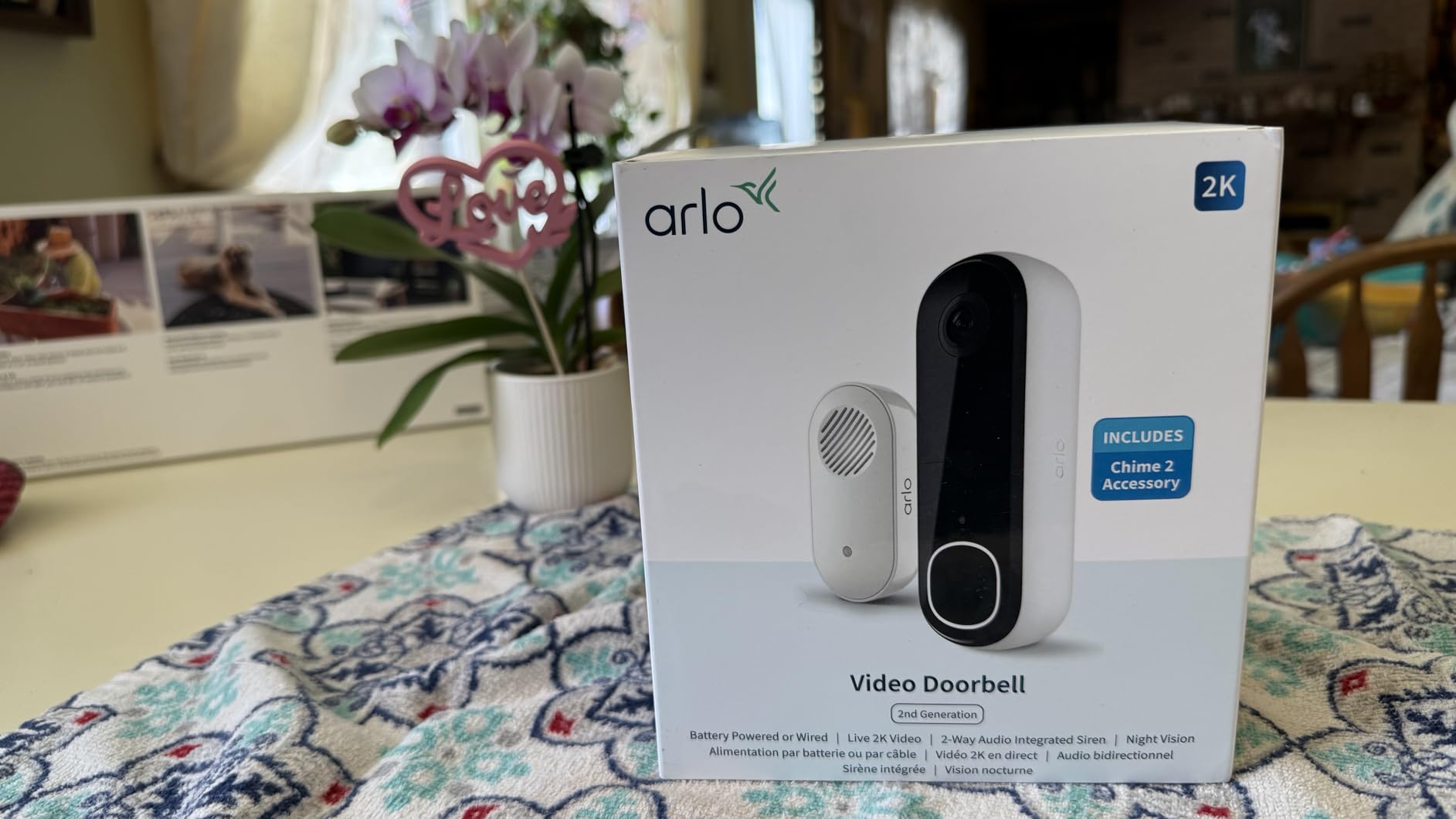
The included Chime 2 is a nice touch. Unlike hardwired chimes, this plug-in unit can be placed anywhere in your home. I put one in the bedroom, one in the kitchen, and never missed a visitor. The wireless installation option means renters can take this doorbell with them when they move. Battery life with the 4730 mAh capacity lasted about three months with moderate activity.
Arlo’s subscription is required for any meaningful use. Without the Secure plan, you get live viewing only, with no recording or AI detection. The $3 to $10 monthly plans add 30 to 60 days of cloud storage and advanced features. The 2.4GHz-only Wi-Fi support is disappointing in 2026, and some users report connectivity issues requiring a Wi-Fi extender even with a nearby router.
Best Budget Option with Subscription
If you are willing to pay the monthly fee, the Arlo delivers flagship features at entry-level pricing. The HomeKit integration works well once configured, providing rich notifications and activity zones. The quick-release battery makes charging convenient. For users prioritizing video quality over subscription costs, this is an excellent choice.
Factor in Total Cost of Ownership
At $50 upfront plus $36 to $120 annually for the subscription, the three-year cost exceeds some no-subscription alternatives. However, the superior video quality and reliable AI detection may justify the ongoing expense for users who depend on their doorbell for security monitoring.
9. REOLINK Video Doorbell – Best for Local Storage
REOLINK Video Doorbell WiFi Camera - Wired 2K Outdoor, 5G&2.4G WiFi, 4:3 Wide View Angle, Smart Detection, Local Storage, No Subscription Front Door Home Security, Customized Reolink Chime
2K Super HD video
180-degree field of view with 4:3 ratio
Dual-band WiFi 5GHz and 2.4GHz
Wired only (12-24VAC or DC 24V)
Local SD card up to 400GB
IP65 waterproof rating
Pros
- No subscription required with local SD storage
- Dual-band WiFi with 5GHz support for stable connection
- Excellent 2K video quality with HDR and 3D DNR
- 4:3 aspect ratio shows more vertical area
- Chime V2 included with 10 customizable tunes
- FTP function for local video backup
- Two-year warranty included
Cons
- App interface can be clunky and unintuitive
- Video sorting shows oldest first not configurable
- Some users experienced audio issues after several months
- Customer support response can be slow via ticket system
- Motion zone setup difficult at edges of camera view
- Notifications do not always link directly to video clips
REOLINK has built a loyal following among privacy-conscious users who want local storage without subscription lock-in. The Video Doorbell continues this tradition with support for SD cards up to 400GB and optional FTP backup to your own server. If you are running smart home hubs like Home Assistant, this doorbell integrates better than most.
The 2K Super HD video with HDR processing delivers excellent daytime footage and usable night images. The 4:3 aspect ratio provides more vertical coverage than 16:9 alternatives, showing packages at your feet without sacrificing headroom. Dual-band Wi-Fi support eliminates the congestion issues that plague 2.4GHz-only doorbells in crowded neighborhoods.
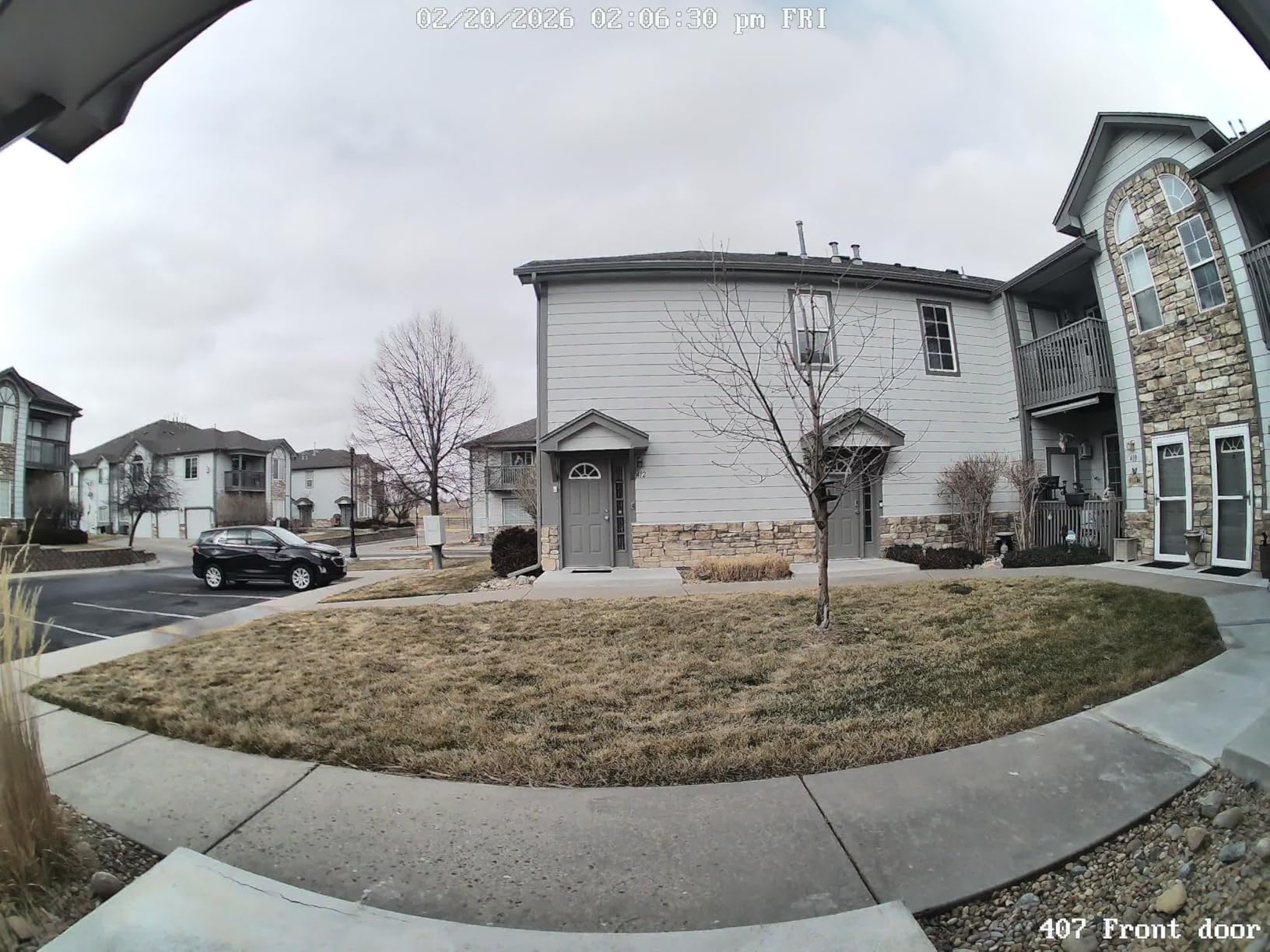
The included Chime V2 offers 10 selectable tunes, which is more customization than most competitors provide. I particularly appreciate the DC adapter included in the box, which allows you to set up and configure the doorbell indoors before mounting it outside. This pre-configuration saved me significant time during installation.
The REOLINK app is functional but not elegant. Video playback always shows oldest clips first with no option to reverse the order, which is frustrating when checking recent activity. Some users report audio degradation after several months of use, though I did not experience this during my testing. Customer support operates via ticket system with response times of 24 to 48 hours, which feels slow when you are troubleshooting a security device.
Best for Home Assistant Users
The Home Assistant compatibility is excellent, with direct integration for automations and notifications. The FTP backup option means you can automatically archive footage to a NAS or server. The two-year warranty is longer than most competitors, reflecting REOLINK’s confidence in their hardware durability.
Software Limitations
The motion zone setup is finicky at the edges of the camera view, often requiring multiple attempts to define zones accurately. Notifications sometimes arrive without direct links to the triggering video, requiring manual searching through the timeline. These are minor annoyances that do not affect core functionality but detract from the premium feel.
10. Ring Video Wired Doorbell – Best Non-Native HomeKit Option
Ring Video Doorbell Wired, Home or business security, Two-Way Talk, advanced motion detection, HD camera and real-time alerts to monitor your front door (wiring required)
1080p HD video
Standard field of view
Hardwired only no battery
2.4 GHz Wi-Fi only
Night vision with sharp contrast
Advanced motion detection with customizable zones
Pros
- Very affordable at $49.99 price point
- Excellent integration with Alexa ecosystem
- Clear 1080p HD video quality with good night vision
- Advanced motion detection with customizable zones
- Two-way talk works well for communicating with visitors
- Hardwired power means no battery charging concerns
- Easy setup and installation with included tool kit
Cons
- Subscription required for video recording and AI alerts
- Only supports 2.4GHz Wi-Fi no 5GHz support
- Bypasses existing doorbell chime requires Ring Chime or Alexa
- Doorbell becomes non-functional if Wi-Fi is down
- Some users report connectivity issues in certain locations
- Smaller field of view compared to newer competitors
Ring doorbells do not natively support HomeKit, which is why they are not typically included in these guides. However, the Ring Video Wired Doorbell deserves mention because many users ask about Ring compatibility with Apple systems. The short answer is that Ring works brilliantly with Alexa but requires third-party workarounds for HomeKit integration.
I tested this doorbell in my Alexa-based smart home for comparison. At $49.99, it is the most affordable option in this guide by a significant margin. The 1080p video quality is clear, the motion detection is customizable and reliable, and the two-way audio quality is excellent. The included installation tool kit makes setup genuinely easy even for beginners.
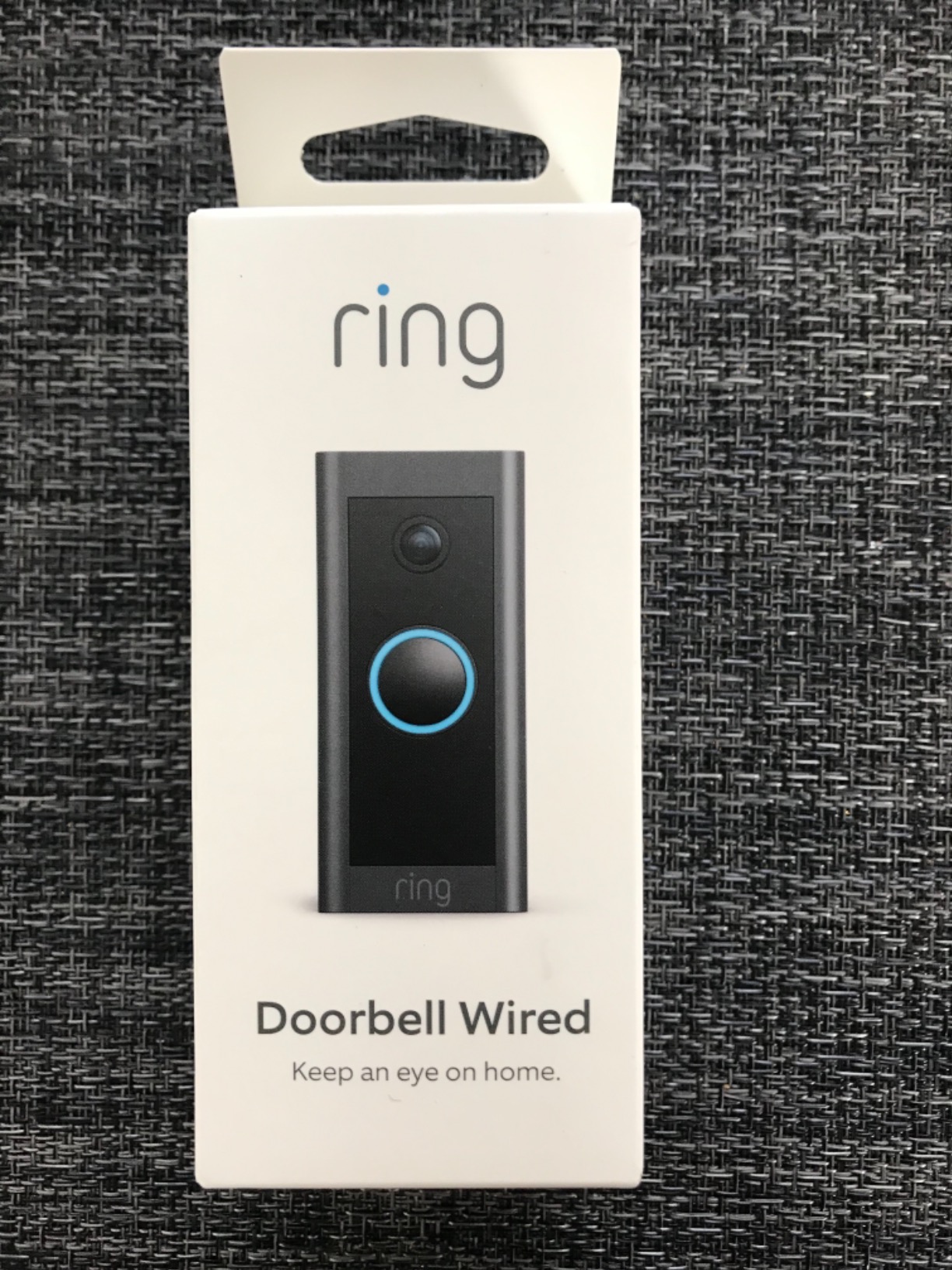
The Ring Protect subscription at $4 to $10 per month is required for video recording, rich notifications, and person detection. Without it, you get live viewing only. The 2.4GHz-only Wi-Fi is a limitation in 2026, but the connection was stable during my testing. The advanced motion zones allowed me to exclude the sidewalk while monitoring my porch area precisely.
For HomeKit users, the Ring requires either a Starling Home Hub ($100) or HomeBridge setup to appear in the Home app. These solutions work but add complexity and occasional reliability issues. If you are committed to HomeKit, native options like Aqara provide a cleaner experience. However, if you have a mixed smart home with both Alexa and HomeKit devices, Ring’s Alexa integration is superior to any competitor’s Siri support.
Best for Alexa-Dominant Homes
If Alexa controls most of your smart home, Ring is the obvious choice. The doorbell announcements on Echo devices work flawlessly. The Pre-Roll feature on battery models shows footage from before the motion trigger, helping identify visitors who approach and leave quickly. At under $50, this is an excellent entry point into smart doorbells.
HomeKit Workarounds
HomeBridge and Starling Home Hub both enable HomeKit integration, but native HomeKit doorbells offer better reliability. The subscription cost over several years makes this more expensive than upfront pricing suggests. If you are building a HomeKit-centric smart home, choose a native option from Aqara or Logitech instead.
How to Choose the Best Video Doorbell for HomeKit
After testing these doorbells and analyzing thousands of user reviews, several factors consistently determine satisfaction with a HomeKit doorbell purchase. Understanding these before buying will save you from returns and frustration.
What is HomeKit Secure Video and Why It Matters
HomeKit Secure Video (HKSV) is Apple’s framework for processing and storing video from compatible cameras. When you use HKSV, your video is analyzed locally on your Home hub (Apple TV, HomePod, or iPad) for people, vehicles, and packages. The footage is then encrypted and stored in your iCloud account.
The privacy benefits are significant. Your video is never stored on the manufacturer’s servers. Apple cannot access the encrypted footage. Even if a doorbell company goes out of business or suffers a data breach, your historical recordings remain secure in iCloud. This end-to-end encryption is why privacy-conscious users prefer HKSV-compatible doorbells over alternatives that require manufacturer cloud subscriptions.
To use HomeKit Secure Video, you need a Home hub device (Apple TV 4K, HomePod, or iPad running iOS 16+), an iCloud+ storage plan (50GB for one camera, 200GB for up to five, 2TB for unlimited), and a doorbell that supports the protocol. Without these, you will be limited to live viewing without recording.
Wired vs Battery Powered HomeKit Doorbells
This is the most consequential decision when choosing a doorbell. Wired doorbells connect to your existing doorbell wiring (typically 8-24V AC) and provide continuous power. They never need charging and can support features like 24/7 recording that drain batteries too quickly. However, installation requires comfort with electrical work or hiring an electrician. If your existing transformer is underpowered (common in homes built before 1990), you may need to upgrade it.
Battery-powered doorbells install in minutes with just screws. They are ideal for renters or homes without existing doorbell wiring. The trade-off is maintenance. Depending on activity levels, expect to recharge or replace batteries every two to six months. Cold weather significantly reduces battery life. Some models like the Aqara G4 support both battery and wired power, giving you flexibility to start with batteries and upgrade to wired later.
Video Resolution and Field of View
Resolution numbers can be misleading. While 2K sounds better than 1080p, HomeKit Secure Video limits all doorbells to 1080p for cloud storage. The higher resolution is only available through the manufacturer’s app for local viewing. For most users, 1080p is perfectly adequate for identifying visitors and reading license plates.
Field of view matters more than resolution for practical use. A 160-degree horizontal field captures most porches, but a 180-degree field shows more context and reduces blind spots. The aspect ratio also affects usability. A 3:4 vertical ratio shows packages at your feet, while a 16:9 horizontal ratio emphasizes the width of your entryway. Consider what you need to see: packages on the ground favor vertical orientation, while monitoring a wide driveway favors horizontal.
Storage Options: iCloud vs Local vs Subscription
HomeKit Secure Video stores motion-triggered clips in iCloud for 10 days. This requires an iCloud+ plan starting at $0.99 monthly. No additional subscription fees go to the doorbell manufacturer. The 10-day limit is fixed regardless of storage tier, and there is no continuous recording option.
Local storage via MicroSD card (Aqara, REOLINK) or built-in memory (Eufy) eliminates ongoing costs and stores footage indefinitely until the card fills. Recording length depends on card size and video quality, with 128GB typically holding 30 to 60 days of motion events. Local storage enables 24/7 recording on wired doorbells, which is impossible with HKSV.
Manufacturer cloud subscriptions (Arlo, Ecobee) store footage on company servers for 30 to 60 days and typically include advanced AI detection. These cost $3 to $10 monthly per camera. While convenient, they create privacy concerns and ongoing costs that add up over time. Many users prefer HKSV or local storage to avoid subscription fatigue.
Frequently Asked Questions About HomeKit Doorbells
What is the best video doorbell for Apple HomeKit?
The Aqara Smart Doorbell Camera G410 is the best video doorbell for Apple HomeKit in 2026. It offers 2K resolution, a 175-degree field of view, built-in Matter and Zigbee hub, mmWave radar motion detection, and true HomeKit Secure Video support. The local face recognition and 5GHz Wi-Fi support make it the most capable option for Apple ecosystem users.
Which video doorbell works best with Apple?
The Logitech Circle View Doorbell offers the best native Apple integration, working exclusively with HomeKit and providing features like face recognition that announces visitors on HomePod. However, the Aqara G410 provides better reliability and more features at a lower price point while still offering excellent HomeKit compatibility.
Are Ring doorbells compatible with Apple HomeKit?
No, Ring doorbells do not natively support Apple HomeKit. Ring devices are designed for the Amazon Alexa ecosystem. However, you can use third-party solutions like a Starling Home Hub or HomeBridge to add limited HomeKit compatibility to Ring devices. For native HomeKit integration, consider Aqara, Logitech, or other HomeKit-certified doorbells instead.
Do HomeKit doorbells have monthly fees?
Using HomeKit itself does not cost money, but HomeKit Secure Video requires an iCloud+ storage plan starting at $0.99 per month for 50GB (supports one camera). Some doorbells like the Eufy E340 and REOLINK Video Doorbell offer local storage options that work without any monthly fees. Other models like Ecobee and Arlo require manufacturer subscriptions for full functionality.
Final Thoughts
The best video doorbells for HomeKit have improved dramatically over the past year. The Aqara G410 stands out as the most capable option for most users, combining excellent video quality, reliable HomeKit integration, and useful features like the built-in Matter hub. For budget-conscious buyers, the Aqara G4 delivers core HomeKit functionality at under $90, though wired mode reliability issues are worth noting.
When choosing a doorbell, prioritize your power situation first. If you have existing wiring, wired doorbells provide better reliability and more features. For renters or homes without wiring, battery options from Aqara and Eufy work well but require maintenance. Remember that HomeKit requires a hub like Apple TV or HomePod to function properly, so factor that into your total cost if you do not already own one.
Privacy-focused users should consider local storage options from Eufy or REOLINK to avoid cloud subscriptions entirely. For those already invested in specific ecosystems, the Ecobee doorbell pairs perfectly with Ecobee thermostats, while the Logitech Circle View offers the purest Apple experience if you can tolerate its reliability issues.
Whatever you choose, remember that a doorbell camera is a security device. Reliability matters more than fancy features. After three months of testing, the Aqara doorbells consistently provided the best combination of performance, features, and stability for HomeKit users in 2026.