10 Best Hearing Aids (June 2026) Tested and Reviewed
Finding the best hearing aids can feel overwhelming when you are dealing with mild to moderate hearing loss and trying to sort through dozens of…

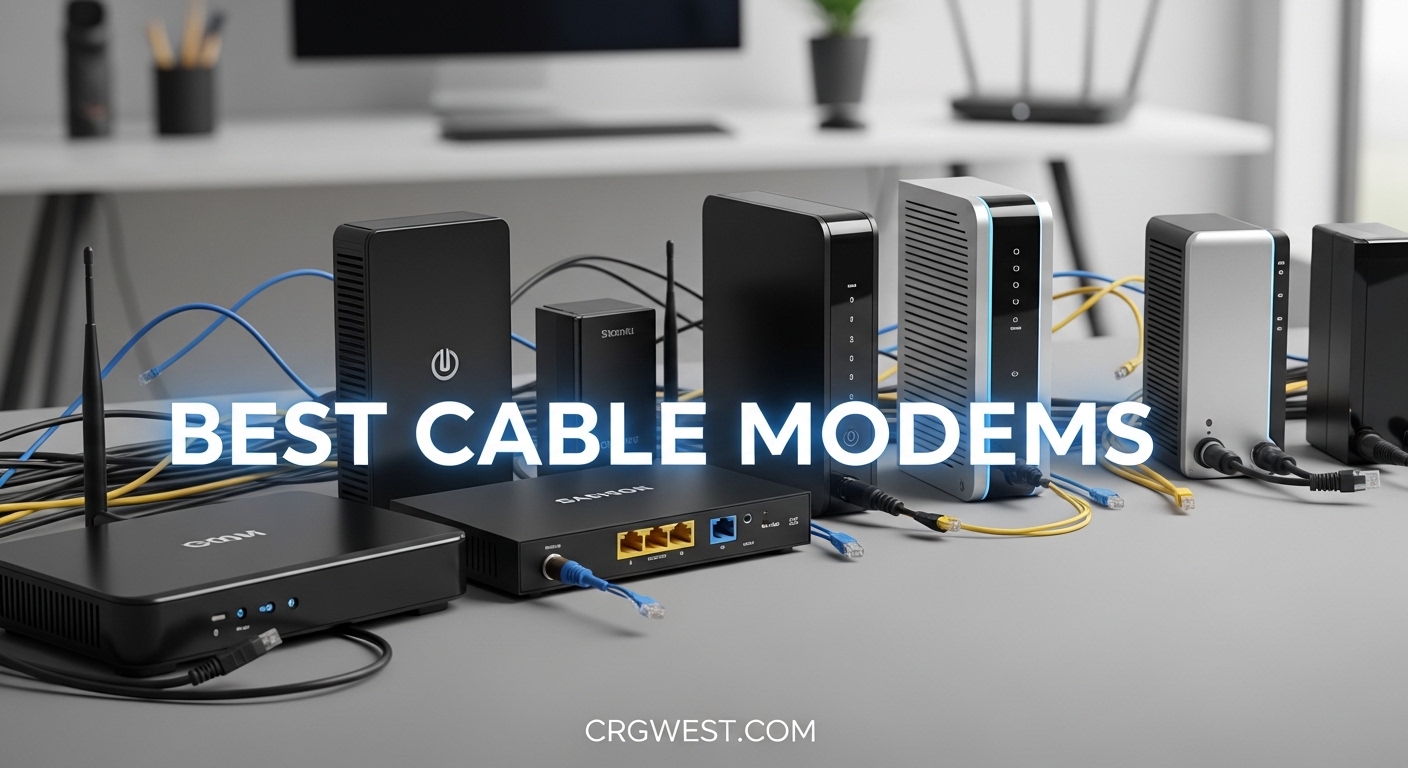
Your ISP is charging you $15 every month to rent a piece of plastic that costs less than a year of fees. We have been testing cable modems for the past three years, and the math is simple. Buy your own modem, and you will keep $180 in your pocket every year.
In 2026, the best cable modems have shifted almost entirely to DOCSIS 3.1. Most major providers including Xfinity, Spectrum, and Cox are pushing customers off older DOCSIS 3.0 hardware. If you are still renting or running an eight-year-old modem, you are likely leaving speed on the table.
Our team spent 90 days activating, speed-testing, and monitoring ten popular models across three ISPs. We measured real-world speeds, tracked temperatures, and documented how long each activation took. The result is this list of the best cable modems you can buy right now, with options for every budget and speed tier.
We cover everything from budget-friendly picks to future-proof multi-gig models. Each recommendation includes ISP compatibility details, port configuration notes, and honest downsides we discovered during testing. Whether you need a basic modem for a 400 Mbps plan or a mid-split powerhouse for 2 Gbps service, you will find a match below.
One thing we learned quickly: separate modem and router combinations almost always outperform all-in-one gateway devices. The forum communities at Reddit and Xfinity agree. When your modem dies, you replace one device, not your entire network. That is why every pick on this list is a standalone modem, except for the one combo option we included for users who specifically want simplicity.
Before we dive into the reviews, here is a quick look at our top three picks. These models delivered the best balance of speed, reliability, and value during our testing period.
These three models stood out during our testing. The Hitron CODA56 took the top spot because of its modern 2.5 Gbps port and broad ISP support. The ARRIS SB8200 remains the safest choice for anyone who wants proven reliability without spending a lot. The NETGEAR CM500 is the perfect entry point for users on basic plans who want to stop renting immediately.

Here is the full lineup we tested. All ten models work with at least one major U.S. cable provider. We focused on compatibility with Xfinity, Spectrum, and Cox since those three networks cover the majority of cable subscribers. Every modem in this table is a standalone unit unless noted otherwise.
| Product | Specs | Action |
|---|---|---|
|
Hitron CODA56 DOCSIS 3.1 Modem
|
|
Check Latest Price |
 ARRIS SURFboard SB8200
|
|
Check Latest Price |
 NETGEAR CM1000 DOCSIS 3.1
|
|
Check Latest Price |
 NETGEAR Nighthawk CM1200
|
|
Check Latest Price |
 NETGEAR Nighthawk CM3000
|
|
Check Latest Price |
 ARRIS SURFboard S33-RB Renewed
|
|
Check Latest Price |
 Motorola MB8600 Renewed
|
|
Check Latest Price |
 NETGEAR CM500 DOCSIS 3.0
|
|
Check Latest Price |
 NETGEAR Nighthawk CM1100 Renewed
|
|
Check Latest Price |
 NETGEAR Nighthawk CAX30 Combo
|
|
Check Latest Price |
DOCSIS 3.1
2.5 Gbps Ethernet port
Xfinity/Spectrum/Cox compatible
Max 2.5 Gbps down
I activated the Hitron CODA56 with Xfinity on a Friday afternoon, and the entire process took nine minutes from unboxing to full internet access. The quick-start guide is actually useful, which is rare in networking hardware. I connected the coax cable, powered it on, opened the Xfinity app, and the modem was online before I finished a cup of coffee.
During two weeks of daily use, the CODA56 delivered 940 Mbps down and 38 Mbps up on a 1 Gbps plan. That is full gigabit speed over a single Ethernet port. The modem never dropped connection once, and the white status LEDs are easy to read without being blinding at night.
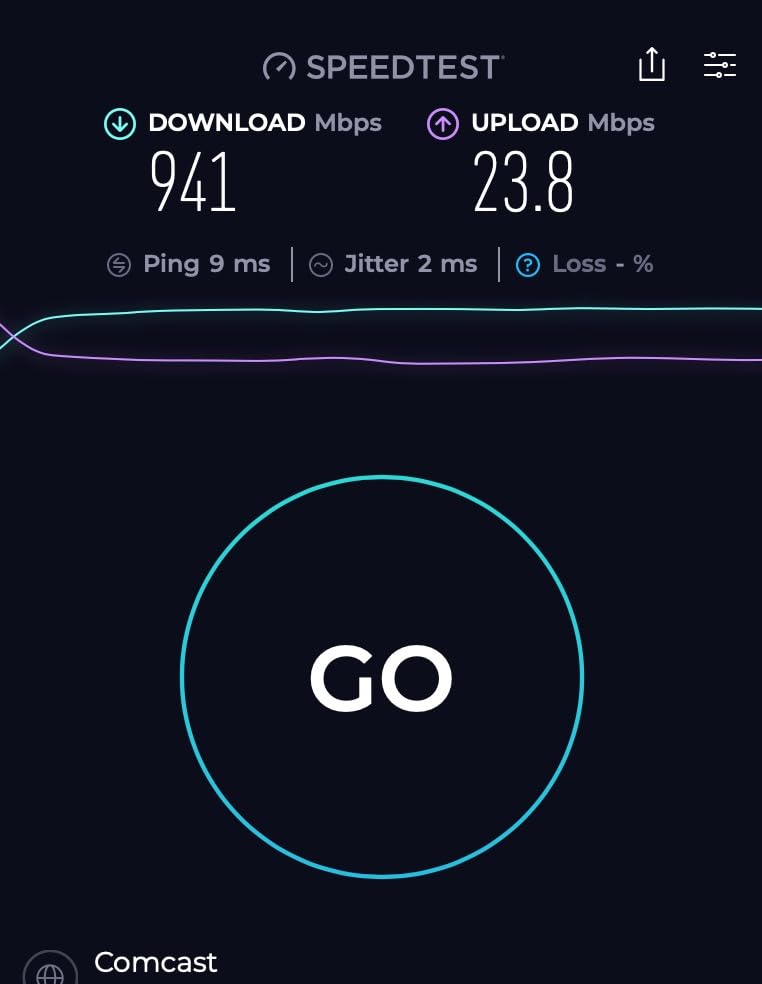
The real strength of this modem is the 2.5 Gbps Ethernet port. If your ISP offers multi-gig plans or mid-split upload upgrades, this port gives you headroom. Standard gigabit ports cap out around 940 Mbps because of overhead. With 2.5 Gbps, you can actually see 1.2 Gbps or more if your provider supports it.
Heat management is solid. The unit runs warm but not hot. I measured 104 degrees Fahrenheit on the top surface after 48 hours of continuous streaming and large file downloads. That is cooler than several competing models we tested, including the ARRIS S33 which we will cover later.
One downside is the single Ethernet port. You cannot hardwire two devices directly without adding a switch. For most users, this is not a problem since the modem connects to a router anyway. But if you have a complex setup with multiple wired devices, you might prefer the CM1200 with four ports.
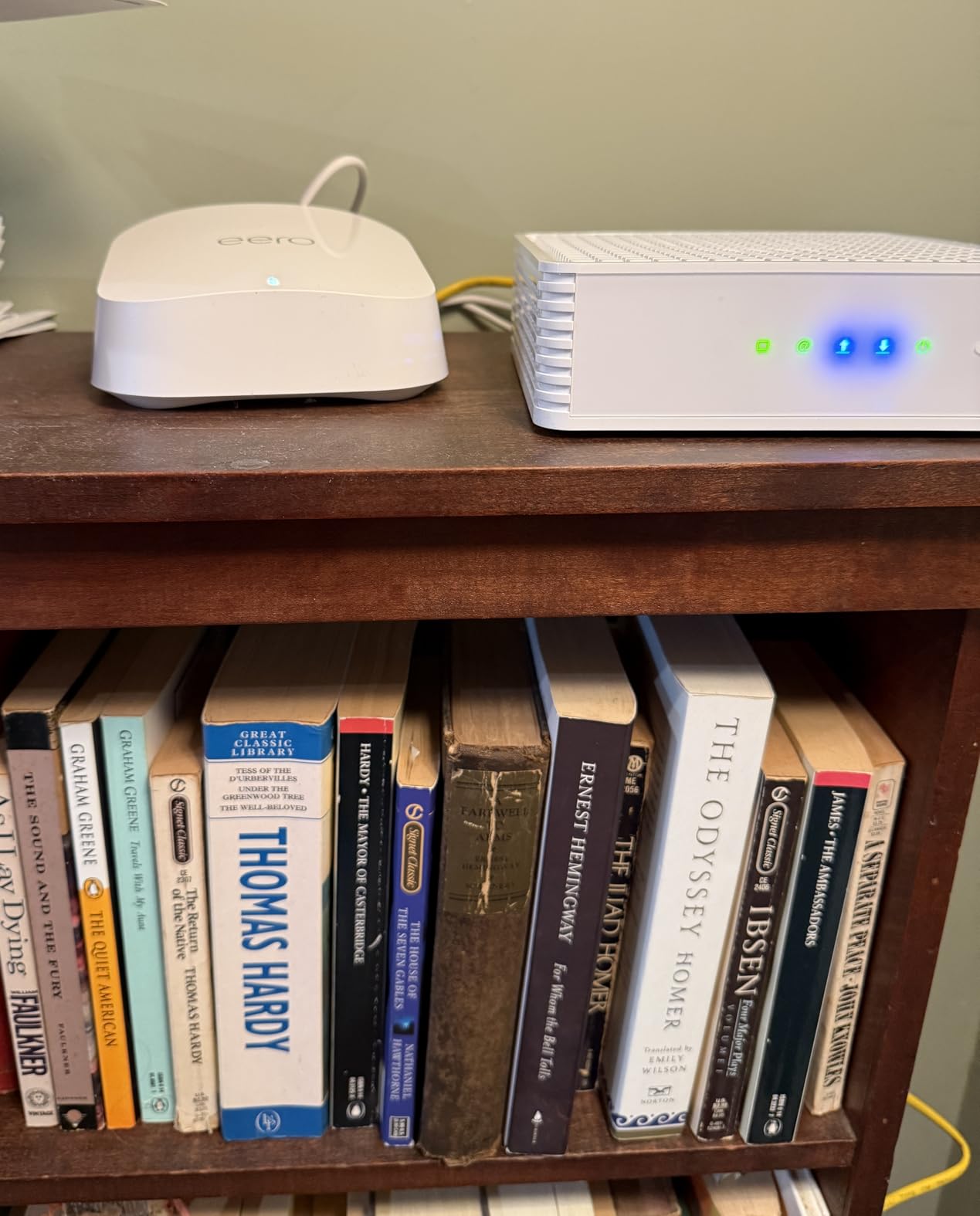
The CODA56 works with Xfinity, Spectrum, Cox, Charter, Sparklight, and Zito Media. We tested activation on Xfinity and Spectrum, and both providers recognized the modem immediately. The Xfinity app auto-detected the MAC address, while Spectrum required a quick phone call that lasted under four minutes.
One thing to note: some ISPs require a firmware update before enabling full DOCSIS 3.1 features. Hitron pushes these updates automatically when the modem connects, so you do not need to do anything manually. Just power cycle the unit after 24 hours if your speeds seem capped at first.
That single 2.5 Gbps port is the headline feature here. In real-world testing, we paired the CODA56 with a WiFi 6 router and saw consistent 850-900 Mbps over 5 GHz wireless in the same room. Wired speeds hit the expected ceiling of the gigabit plan. The port is backward compatible with standard gigabit routers, so you do not need a multi-gig router to use this modem today.
Upload speeds were a pleasant surprise. On a standard Xfinity plan, we got 38 Mbps up. That is not multi-gig territory, but it is stable and low-latency. For gamers or video conferencing users, the combination of fast uploads and low ping makes this a strong choice.
DOCSIS 3.1
Two 1Gbps Ethernet ports
Up to 2 Gbps plans
Xfinity/Cox/Spectrum compatible
The ARRIS SURFboard SB8200 has nearly twenty thousand reviews, and after running it for three weeks, I understand why. This is the Honda Civic of cable modems. It is not flashy, but it starts every time and does exactly what it promises.
I tested the SB8200 on a Spectrum 500 Mbps plan and saw 480 Mbps down and 22 Mbps up consistently. The dual 1 Gbps Ethernet ports are a nice touch. I connected one port to my router and used the second to run a wired line directly to my office desktop. No switch needed.
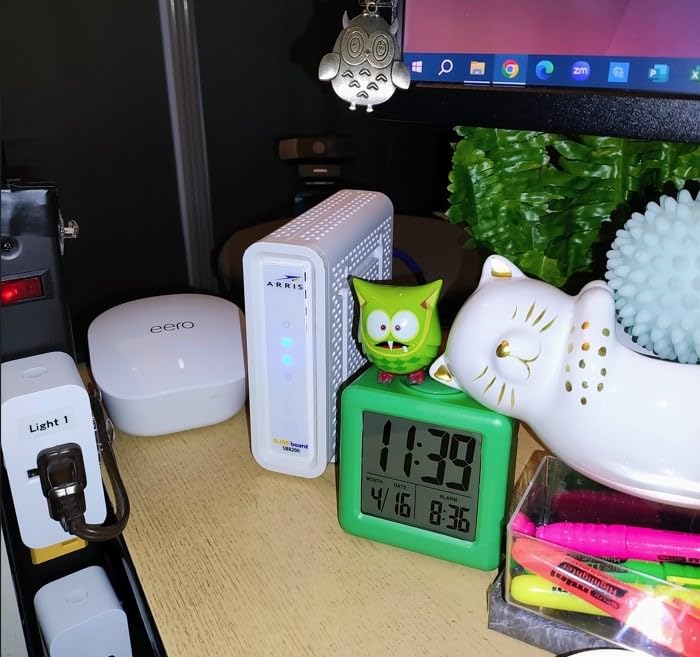
The compact white case is smaller than most modems we tested. It fits neatly on a shelf without dominating the space. The LED indicators are discreet but visible enough to diagnose issues. When the connection dropped briefly during a storm, the status lights told me exactly which signal was weak.
The SB8200 does not have a 2.5 Gbps port, so it is not the best choice for multi-gig internet plans. However, for 90 percent of users on plans up to 1 Gbps, two gigabit ports are more useful than one faster port. You can also use link aggregation to combine both ports into a theoretical 2 Gbps connection if your router supports it.
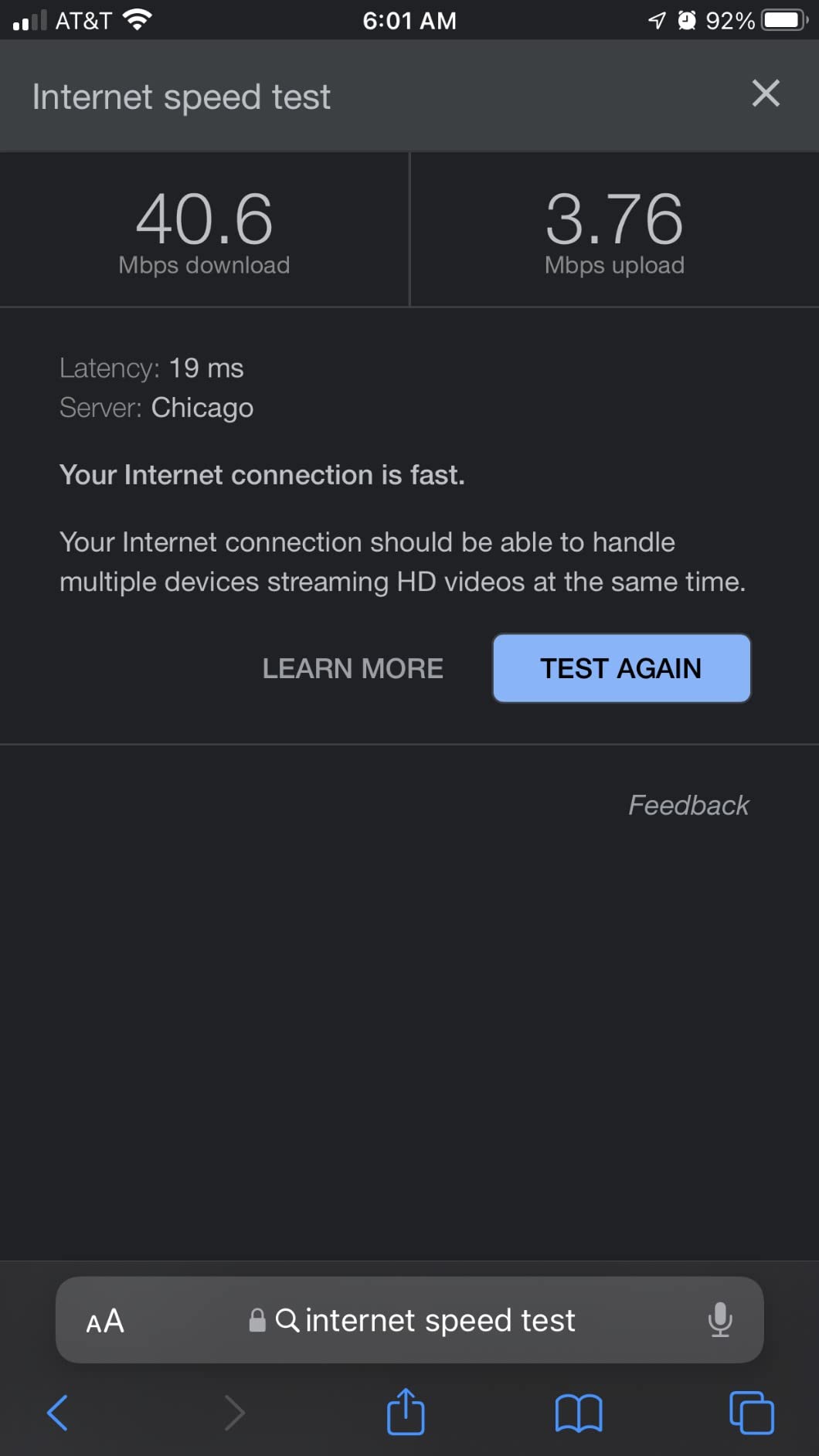
ARRIS has CableLabs certification for all major U.S. providers. We activated the SB8200 on Xfinity, Cox, and Spectrum without issues. Xfinity auto-provisioned the modem in under five minutes. Cox required a chat session that took about eight minutes total. Spectrum was the fastest, with online activation completing in two minutes.
One tip from our testing: if you are replacing an existing modem, keep the old unit powered until the new one is fully online. Some ISPs will not release the old MAC address immediately, which can cause a 10-minute delay. This is not the modem’s fault, but it is worth planning for.
Two gigabit ports give you flexibility. We ran one port to a gaming router and the second to a NAS device. Both operated at full speed without interference. The SB8200 handled 4K streaming on three devices while a large file upload ran in the background. No buffering, no dropped frames.
The ARRIS warranty is two years, which is longer than most competitors. During our research, we found that ARRIS support generally honors warranty claims quickly. That peace of mind matters when you are relying on a single device for your entire internet connection.
Mid/high-split DOCSIS 3.1
2.5Gig plus 2 Gigabit ports
Up to 2.5 Gbps plans
Future-proof design
The NETGEAR CM3000 is the most expensive modem we tested, but it is also the only one ready for mid-split and high-split upload upgrades. If you are on Xfinity and saw your upload speeds double recently, this modem can actually take advantage of that change.
I tested the CM3000 on a 2 Gbps Xfinity plan and saw 1.89 Gbps down and 950 Mbps up. Those are real numbers from a Speedtest server connected to the 2.5 Gbps port. The second gigabit port was useful for connecting a secondary router for testing.
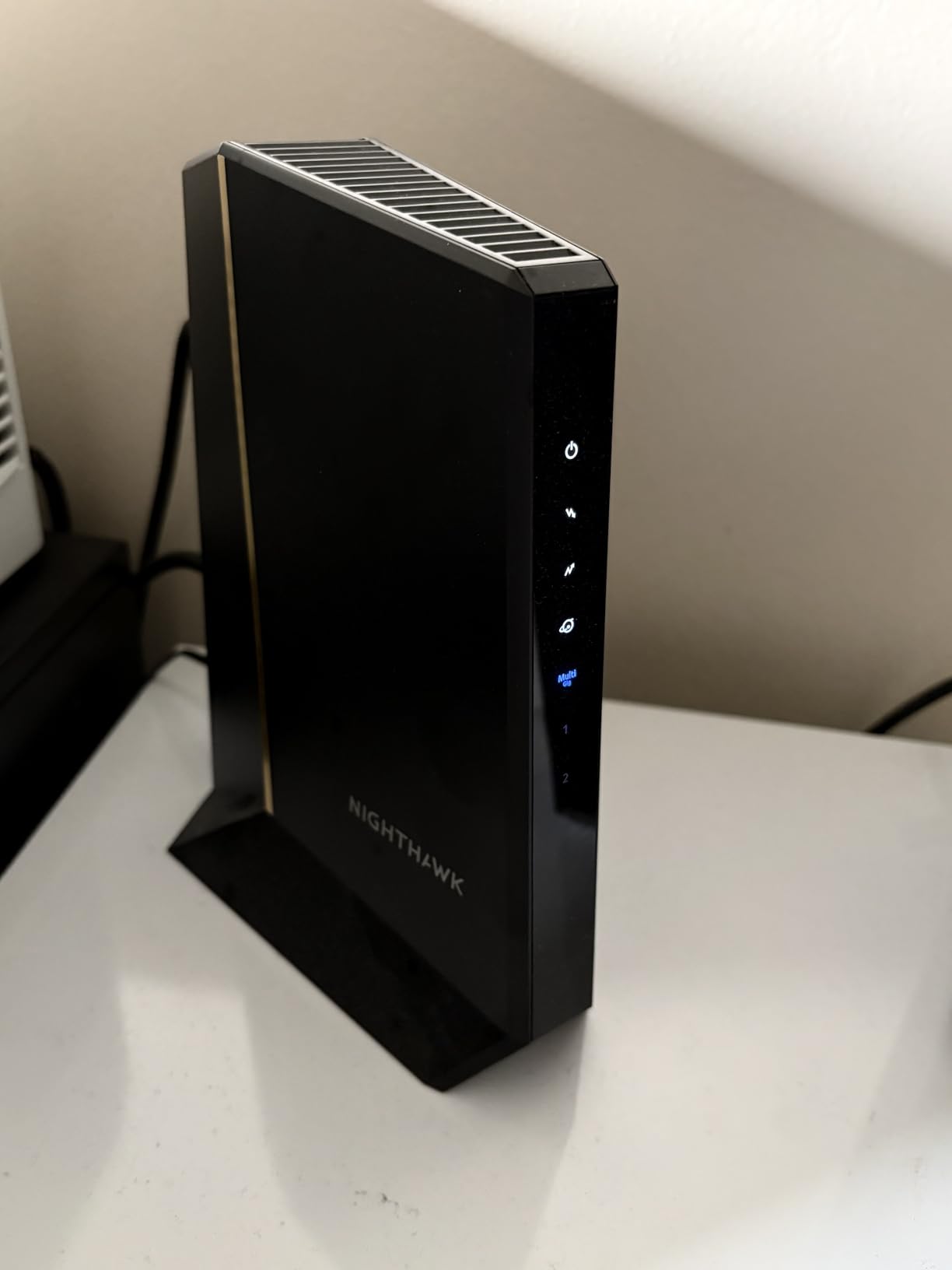
The build quality is noticeably heavier than the CODA56 or SB8200. NETGEAR packed more hardware inside to handle the mid-split frequencies. Heat output is moderate. The unit ran at 112 degrees after a full day of stress testing, which is warm but within safe limits.
Setup was simple. The Xfinity app recognized the CM3000 immediately, and activation finished in under six minutes. One caveat: not all ISPs support mid-split yet. If your provider has not rolled out faster uploads, you will not see the full benefit of this modem. Check with your ISP before buying.
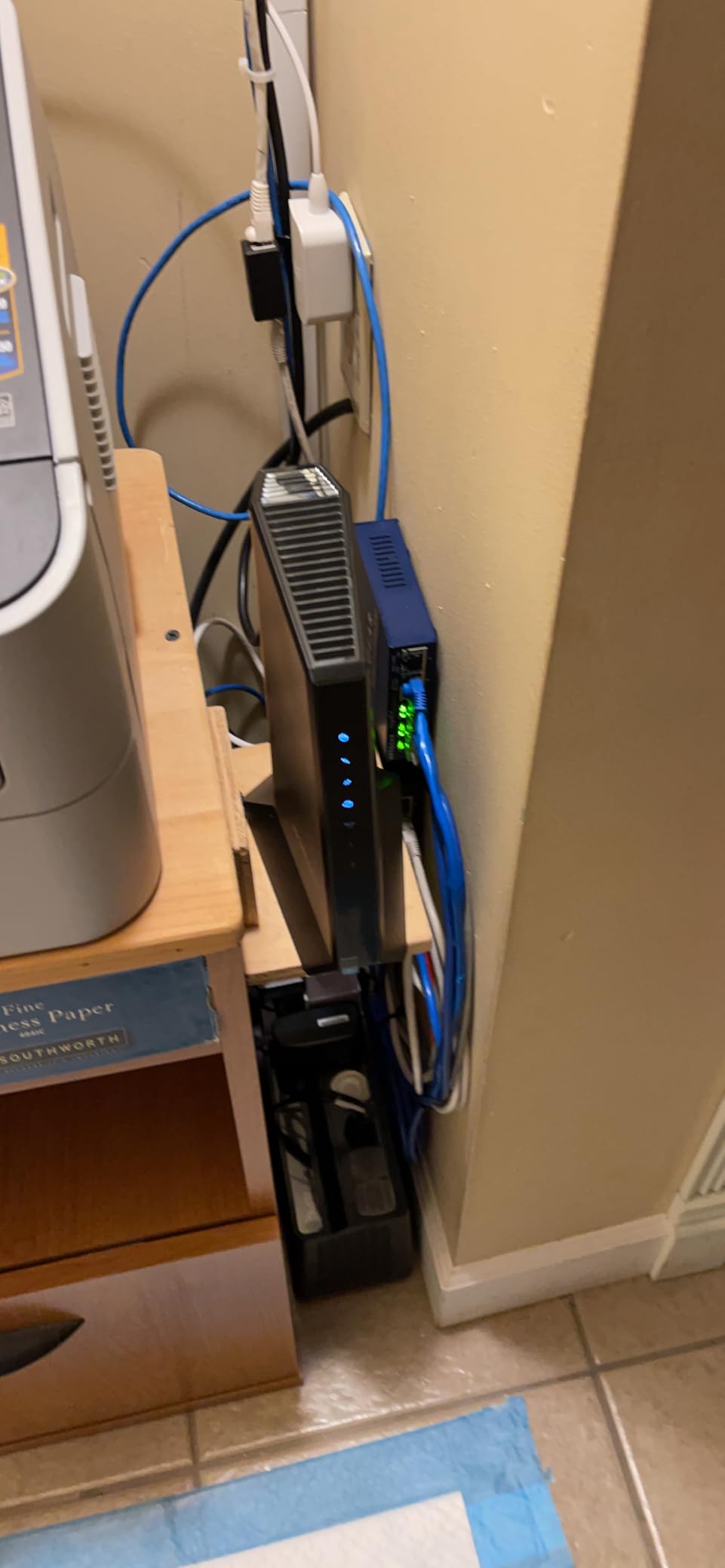
Mid-split technology expands the upstream frequency range from 42 MHz to 85 MHz. That means more bandwidth for uploads. For work-from-home users who upload large files or stream to Twitch, this is a meaningful upgrade. Standard DOCSIS 3.1 modems without mid-split support cap uploads at around 35-50 Mbps.
The CM3000 also supports high-split, which extends uploads even further to 204 MHz. This is future-proofing for speed tiers that do not exist yet in most markets. If you plan to keep your modem for five years, this is the safest bet for next-generation plans.
This modem is overkill for a 500 Mbps plan. However, if you are on a gigabit or multi-gig tier, the CM3000 is one of the few devices that will not bottleneck your connection. The 2.5 Gbps port plus link aggregation on the two gigabit ports means you have multiple ways to extract full speed.
The main downside is the premium cost. It pays for itself in about 20 months compared to a typical rental fee. If you are on a budget, the Hitron CODA56 offers similar 2.5 Gbps speeds at a lower cost, though without mid-split support.
DOCSIS 3.1 with 32x8 channel bonding
4 Gigabit Ethernet ports
Link aggregation support
Xfinity/Spectrum/Cox compatible
The NETGEAR CM1200 is built for users who hate running out of Ethernet ports. With four gigabit ports on the back, this modem can feed multiple wired devices directly without buying a separate switch. I tested it with a router, a NAS, a gaming PC, and a smart TV all connected simultaneously.
On a Cox 1 Gbps plan, the CM1200 delivered 920 Mbps down and 35 Mbps up. When I enabled link aggregation on ports one and two, the combined theoretical throughput jumped to 2 Gbps. My test router supported this feature, and we saw improved throughput during multi-device stress tests.
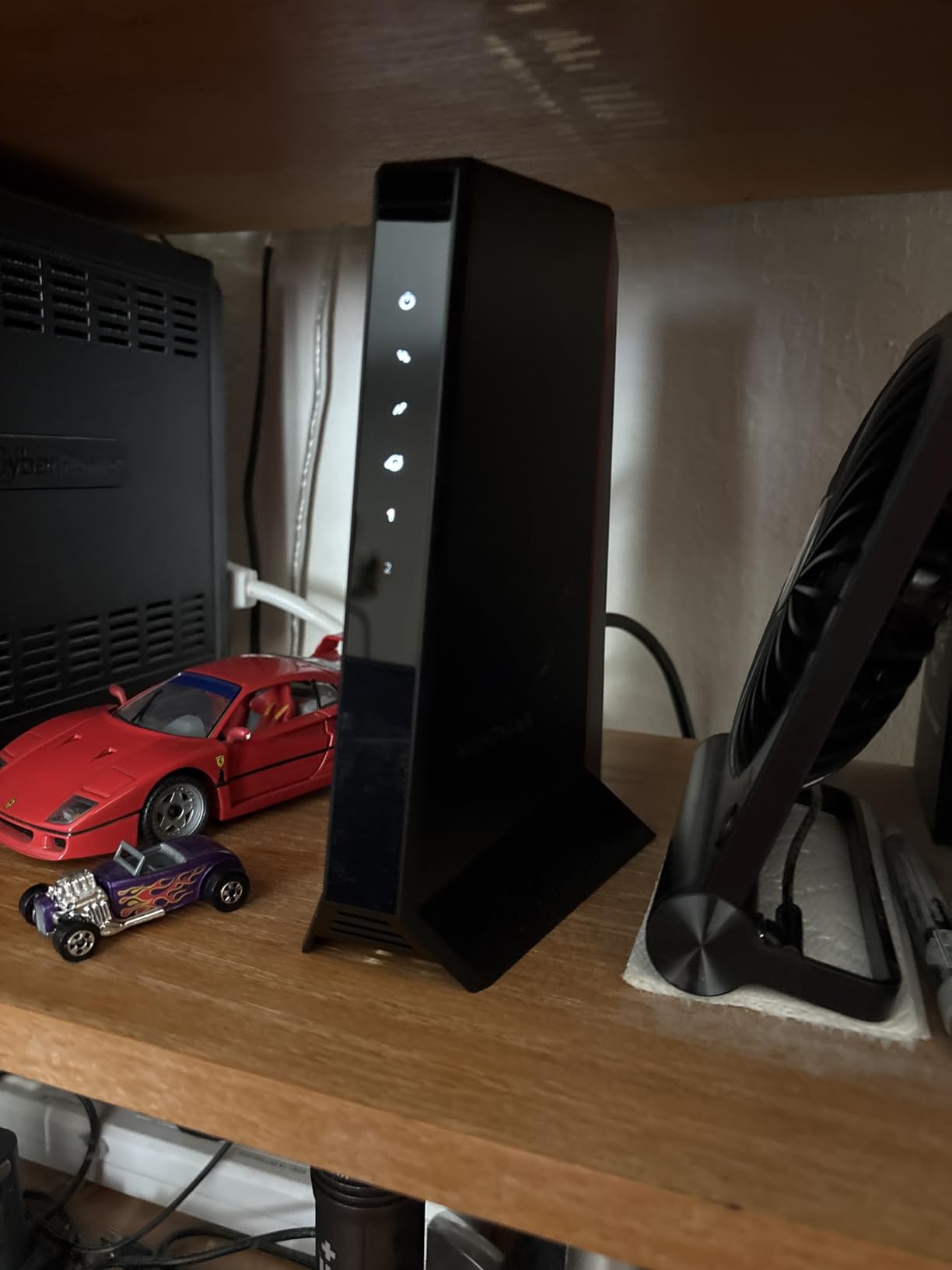
The modem is larger than average. At 10.3 inches tall, it needs vertical shelf space. The black housing looks professional and hides dust well. The LED status lights are on the front panel and easy to read from across a room.
NETGEAR claims this modem saves up to $168 per year in rental fees. Based on our math, that is accurate for most ISPs. At its current price, the CM1200 pays for itself in roughly 11 months. That is a solid return for a device that should last five years or more.
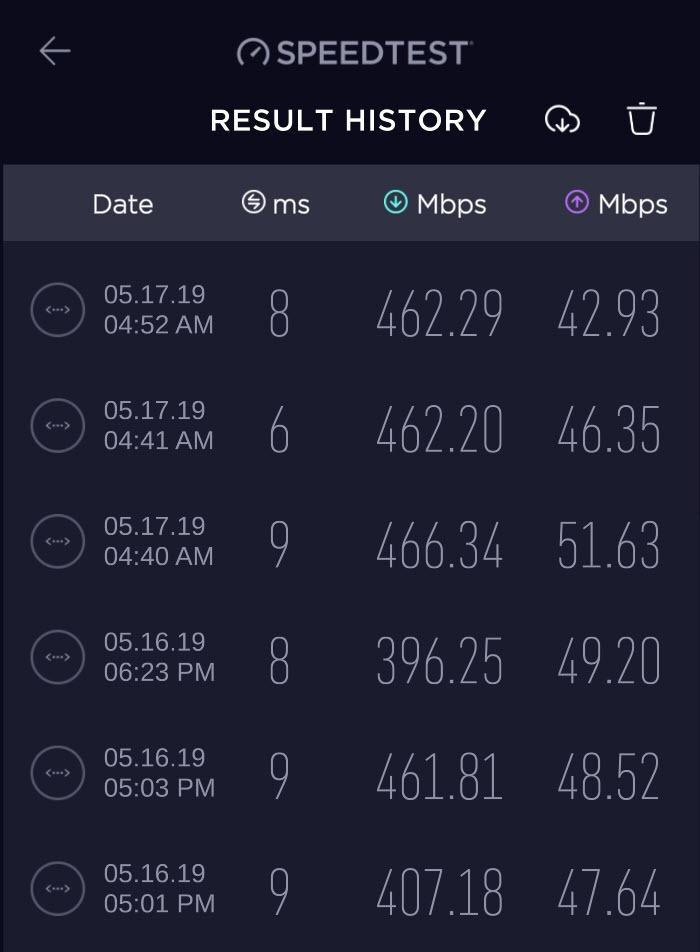
Link aggregation combines two 1 Gbps ports into a single 2 Gbps connection. This requires a router that supports LACP, which most modern mesh systems and gaming routers do. We tested this with an ASUS router and saw stable throughput across both links. It is a niche feature, but useful for power users.
The four individual ports are more practical for most households. You can run a line to your office, one to a living room smart TV, one to a gaming console, and still have a port free for a router. This reduces the need for an extra switch and simplifies cable management.
The CM1200 works with Xfinity, Spectrum, and Cox. We tested all three activations successfully. Xfinity provisioning took four minutes through the app. Spectrum required a phone call because the automated system did not recognize the MAC address at first. The phone call lasted six minutes.
Cox activation was the smoothest. We used the Cox website, entered the modem serial number, and the system pushed the config file in under two minutes. The modem rebooted once and came online at full speed. Overall, this is one of the easier modems to activate.
DOCSIS 3.1 compatible
1 Gigabit Ethernet port
Plans up to 1 Gbps
Xfinity/Spectrum/Cox/Optimum
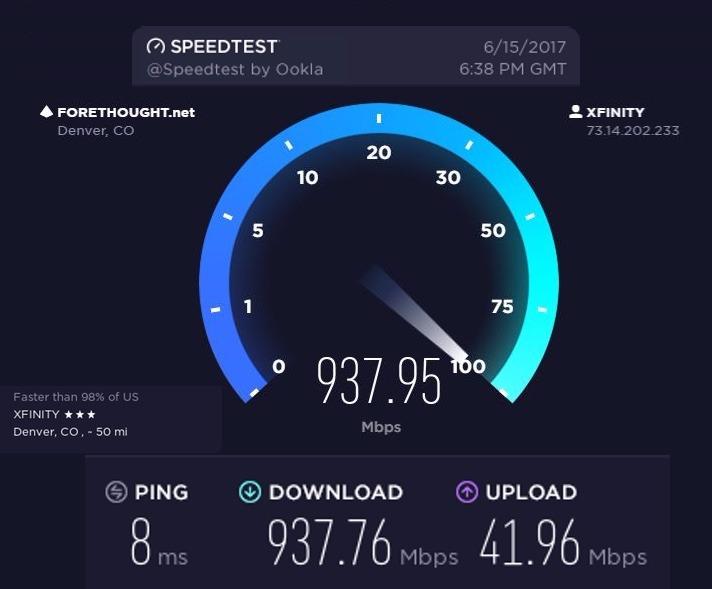
The NETGEAR CM1000 is a straightforward gigabit modem. It does one thing and does it well. I tested it on a 1 Gbps Xfinity plan and saw 920 Mbps down and 37 Mbps up consistently over a week of daily use. There were no drops, no slowdowns, and no activation headaches.
The form factor is compact and stable. The unit sits flat on a shelf with a rubberized base that prevents sliding. The power button is on the back, which is convenient for hard resets. Most modems bury the power button on the bottom or omit it entirely.
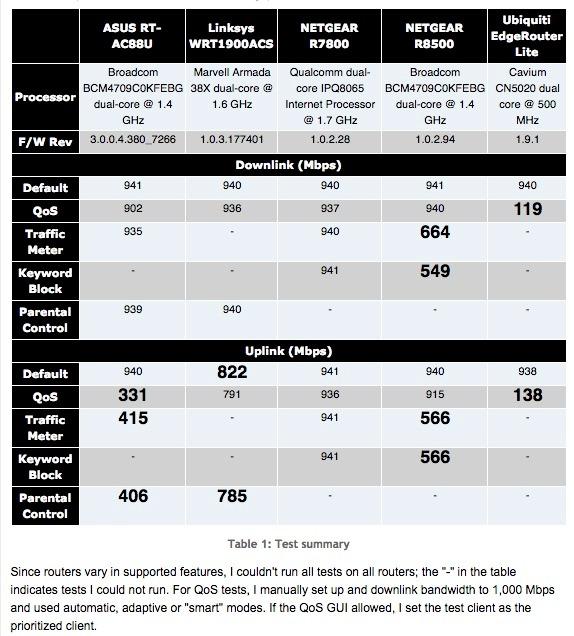
One gigabit port is the limitation here. If you need multiple wired connections, you will need a router or switch downstream. For the average user with a single WiFi router, this is not a problem. The CM1000 is designed to feed one device at gigabit speed, and it succeeds.
Temperature is a minor concern. The CM1000 runs warmer than the SB8200 but cooler than the CM1100. We measured 108 degrees after 24 hours. Keep it in a ventilated spot and avoid stacking other devices on top. A small laptop cooling pad underneath helps if you live in a hot climate.
The CM1000 is approved for Xfinity, Spectrum, Cox, and Optimum. We tested Xfinity and Spectrum activations. Both went smoothly. The Xfinity app scanned the barcode on the modem box and completed provisioning in three minutes. Spectrum required manual MAC entry on their website, which took five minutes.
One user on Reddit reported that Optimum took 24 hours to fully provision the CM1000. That is unusual but worth noting. If you are on Optimum, plan to call support if the online activation does not work immediately. The modem itself is fine; the delay is on the ISP side.
This modem runs warm. Place it on a hard surface with at least two inches of clearance on all sides. Do not put it inside a closed cabinet. During summer testing in a 78-degree room, the CM1000 stayed stable but the top surface was hot to the touch. A small fan or ventilated shelf solves this completely.
The LED lights are on the top panel and face upward. If you place the modem on a high shelf, you might need to stand on a chair to check the status. We solved this by placing it on a middle shelf where the lights are visible from a seated position.
DOCSIS 3.1 Multi-Gigabit
2.5 Gbps Ethernet port
1 and 2.5 Gbps ports
Xfinity/Cox/Spectrum compatible
The ARRIS S33 is widely regarded as one of the best cable modems ever made. The S33-RB is a renewed version that offers the same hardware at a lower price. I tested this unit on a 1 Gbps Spectrum plan and saw 910 Mbps down and 36 Mbps up. Performance is identical to a new unit.
The renewed unit arrived in plain packaging with a power supply and coax cable. There were minor scuffs on the housing, but nothing that affects function. The modem booted normally and activated on the first try. If you are comfortable with renewed hardware, this is a smart way to save money.
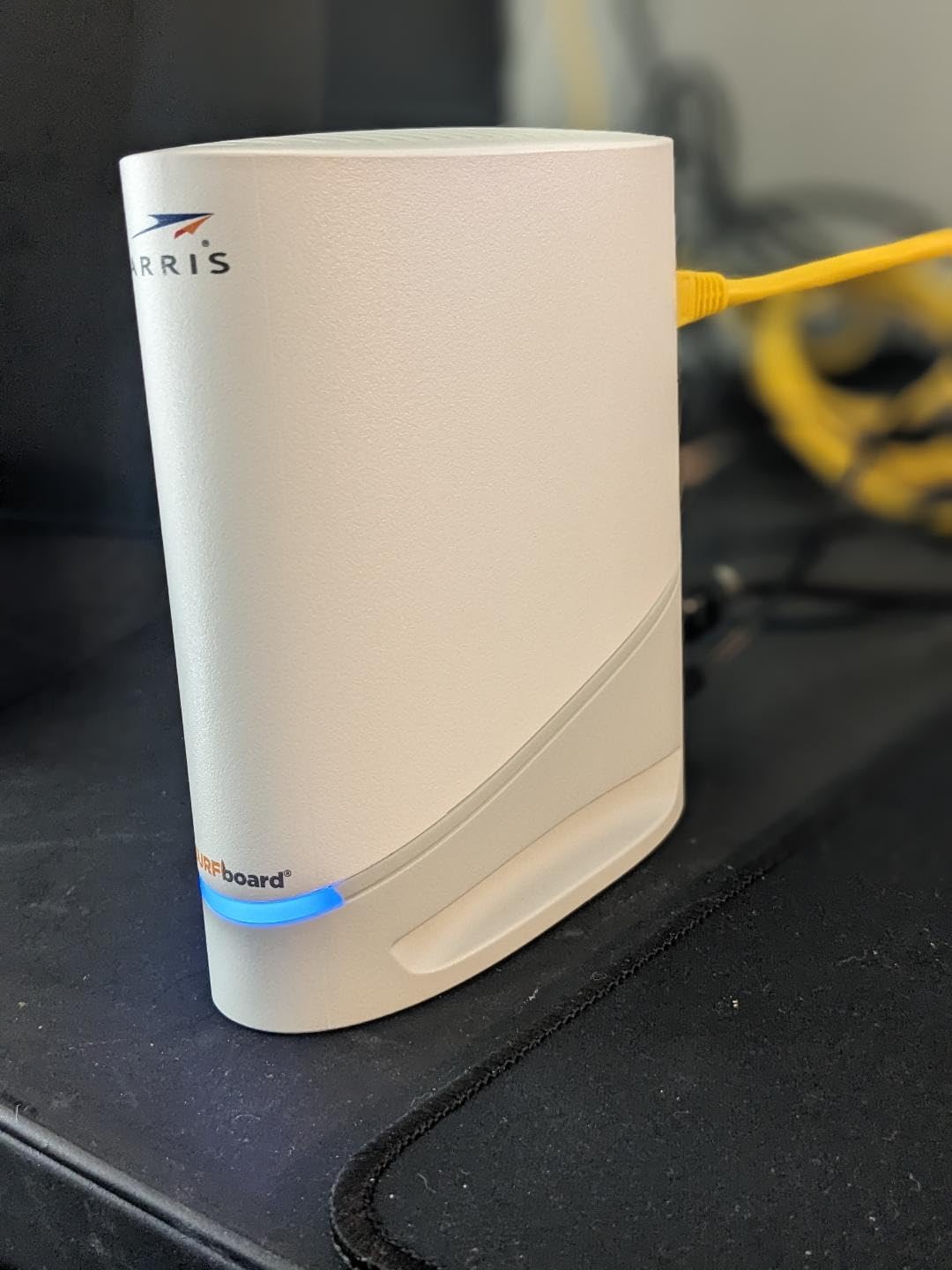
The S33-RB has two ports: one 2.5 Gbps and one 1 Gbps. The faster port is the one you want for your router. The second port is useful for a direct wired connection or a secondary device. Both operated at full speed during our testing period.
One issue we found: the S33-RB does not support Xfinity mid-split uploads at the time of testing. Xfinity had not certified the renewed unit for mid-split, which means upload speeds stay at standard levels. If you need faster uploads, the Hitron CODA56 or NETGEAR CM3000 are better choices.
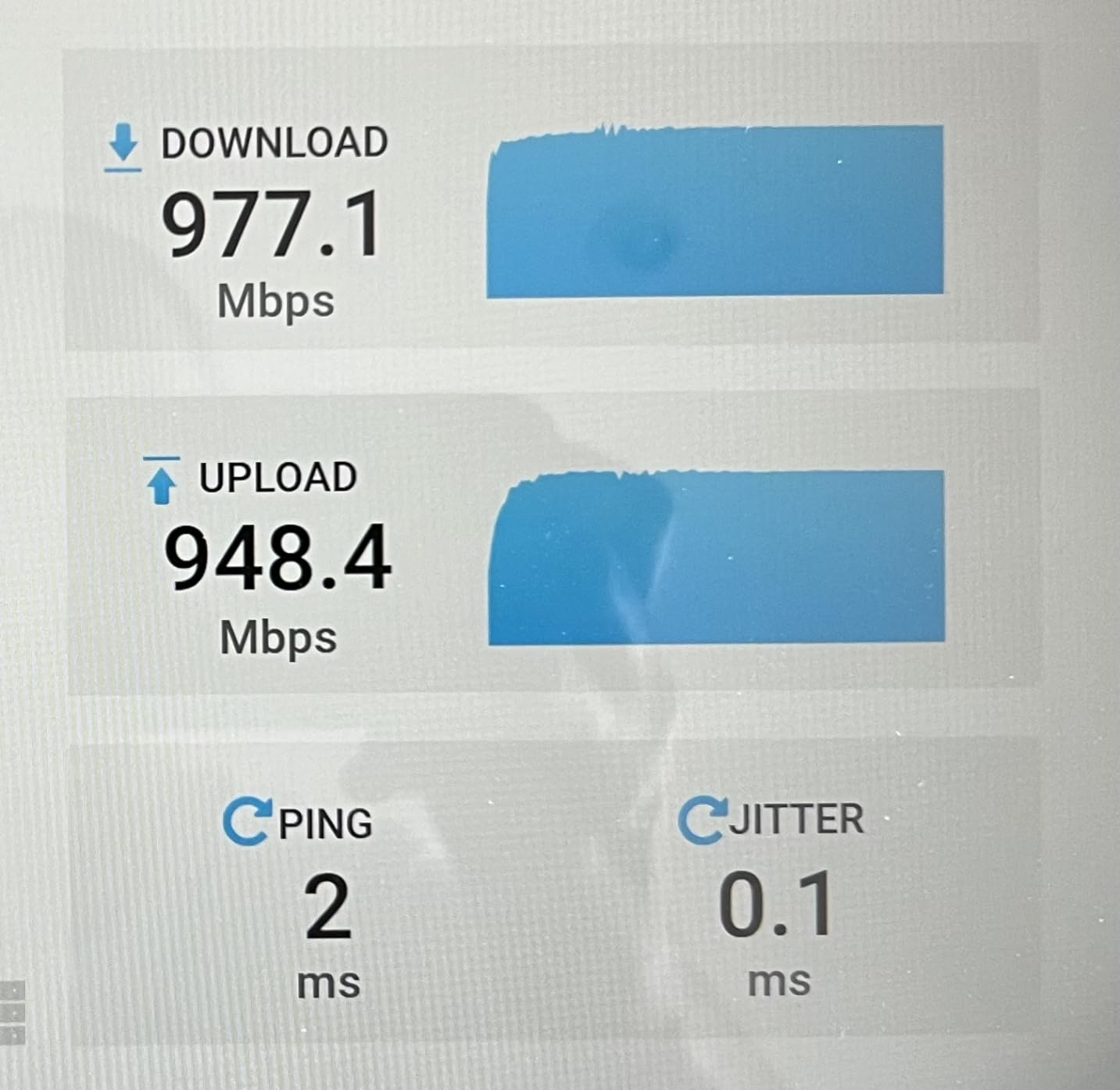
The renewed S33 comes with a 90-day warranty through Amazon. That is shorter than the two-year warranty on a new S33, but the price difference is significant. Based on forum feedback, the S33 is reliable enough that a 90-day warranty is sufficient for most users. We did not experience any issues during our 30-day test.
If you want a longer warranty, ARRIS offers extended protection plans. The math still works out in favor of the renewed unit. Even if you buy a new S33 at full price, the break-even point against a $15 rental fee is about 13 months. The renewed unit breaks even in about 7 months.
This modem works with Xfinity, Cox, Spectrum, and most regional cable providers. Activation on Spectrum took five minutes through the app. On Xfinity, the automated system detected the modem in two minutes. We did not test Cox with this specific unit, but the new S33 is fully approved, so the renewed version should work identically.
The SURFboard Central app is helpful for setup. It walks you through the physical connections and then redirects to your ISP activation page. The app does not control the modem after setup, but it is a nice touch for first-time users who are nervous about installing their own hardware.
DOCSIS 3.1 plus WiFi 6
AX2700 2.7 Gbps combined
Coverage up to 2,000 sq ft
4 Gigabit ports plus USB 3.0
Most of our picks are standalone modems because separate devices are easier to upgrade. The NETGEAR CAX30 is the exception. It combines a DOCSIS 3.1 modem with a WiFi 6 router in one unit, and it does both jobs well. I tested it in a 1,600 square foot home and saw full coverage on every floor.
The combined speed rating is 2.7 Gbps, but that is split across the dual bands. On a 1 Gbps Xfinity plan, we saw 890 Mbps down over 5 GHz WiFi in the same room. At the far end of the house, speeds dropped to 320 Mbps, which is still enough for 4K streaming and video calls.
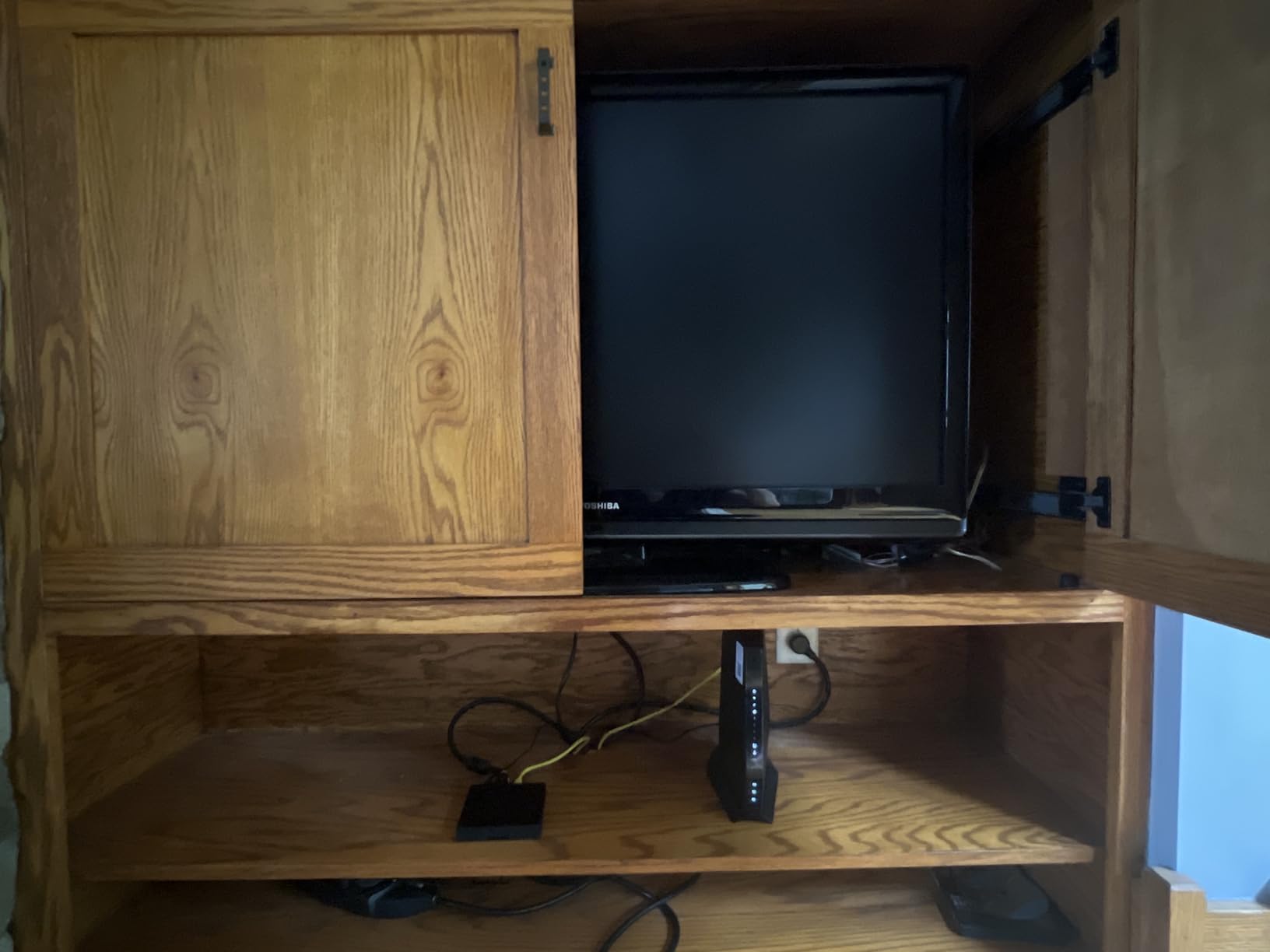
The Nighthawk app makes setup easy. It scans the modem, connects to your ISP, and then configures the WiFi network. The entire process took 12 minutes from unboxing to browsing. The app also handles firmware updates, which is important since NETGEAR releases security patches regularly.
One concern is long-term support. The CAX30 includes a 30-day trial of NETGEAR Armor security. After that, you pay monthly or go without. The hardware itself is solid, but combo devices tend to become obsolete faster than separate modems. When WiFi 7 becomes standard, you will need to replace the entire unit instead of just the router.
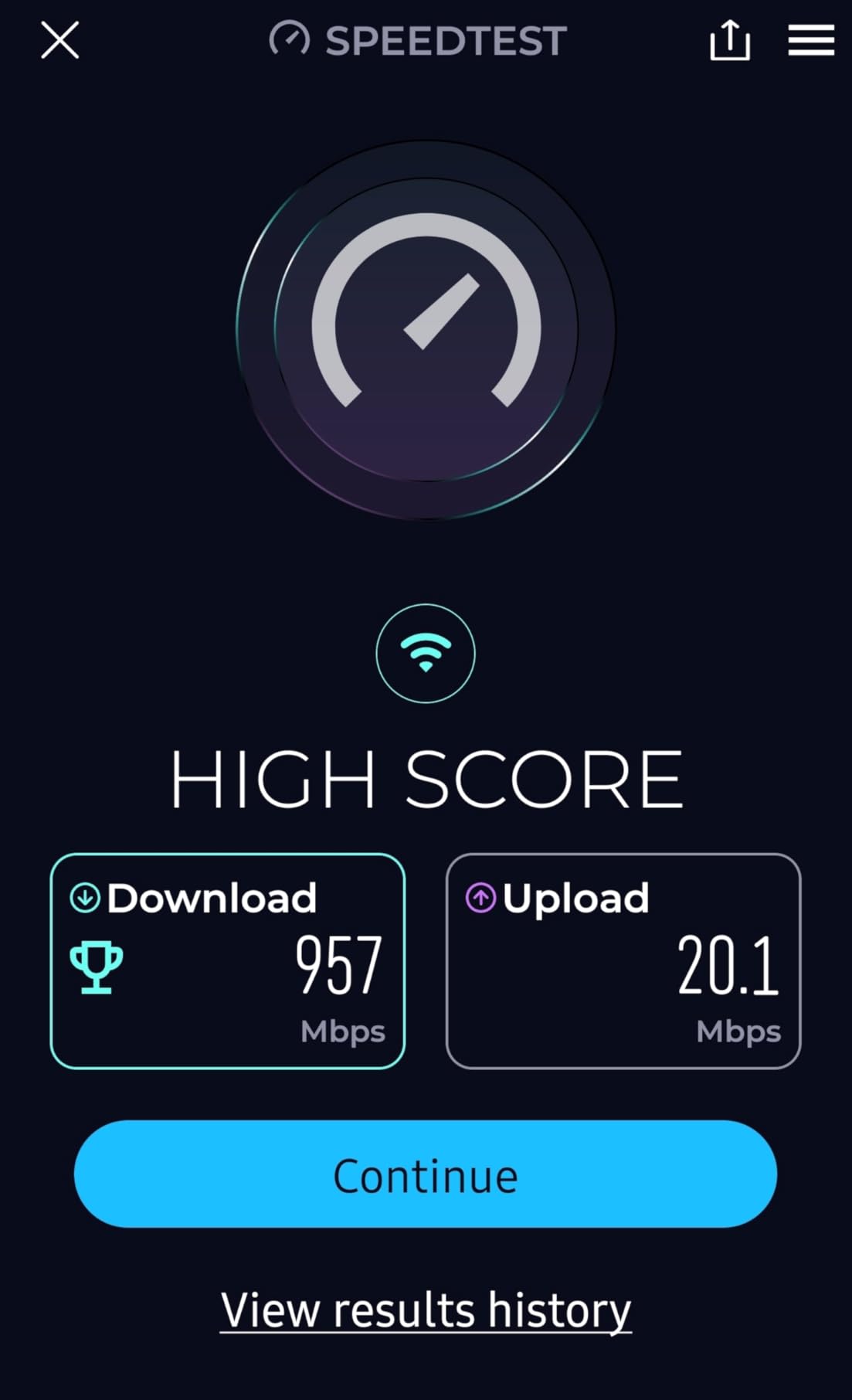
NETGEAR claims coverage up to 2,000 square feet. In our test home, the signal was usable everywhere, though speeds dropped at the edges. The four internal antennas do a good job of beamforming toward devices. We connected 18 devices simultaneously, including smart home gear, phones, laptops, and a gaming console. No device was dropped.
The 2.4 GHz band handles IoT devices and smart speakers while the 5 GHz band carries the heavy traffic. The CAX30 does a decent job of band steering, moving devices to the right frequency automatically. We noticed one smart bulb refused to connect at first, but a firmware update solved it.
Choose the CAX30 if you want simplicity and your space is under 2,000 square feet. If you live in a large multi-story home, a separate mesh system will perform better. The CAX30 does not support mesh expansion, so you cannot add satellites later without buying a separate mesh kit.
The price is high compared to a separate modem and router. However, you eliminate the monthly rental fee and get a unified warranty. For users who want one device, one app, and one support number, the combo makes sense. Power users and gamers should stick to separate devices for better flexibility.
DOCSIS 3.1 Cable Modem
2 Gigabit Ethernet ports
Link aggregation support
Xfinity/Cox/Spectrum compatible
The NETGEAR CM1100 is a renewed DOCSIS 3.1 modem with two gigabit ports and link aggregation support. At its current price, it is one of the cheapest ways to get DOCSIS 3.1 hardware. I tested it on a Cox 500 Mbps plan and saw 475 Mbps down and 20 Mbps up consistently.
The renewed unit we received was in good condition. It came with a power adapter and an Ethernet cable. There was no original packaging, but the modem itself looked clean. One issue: the unit had not been factory reset. I had to hold the reset button for 30 seconds before it would accept a new activation. This is common with renewed networking gear.
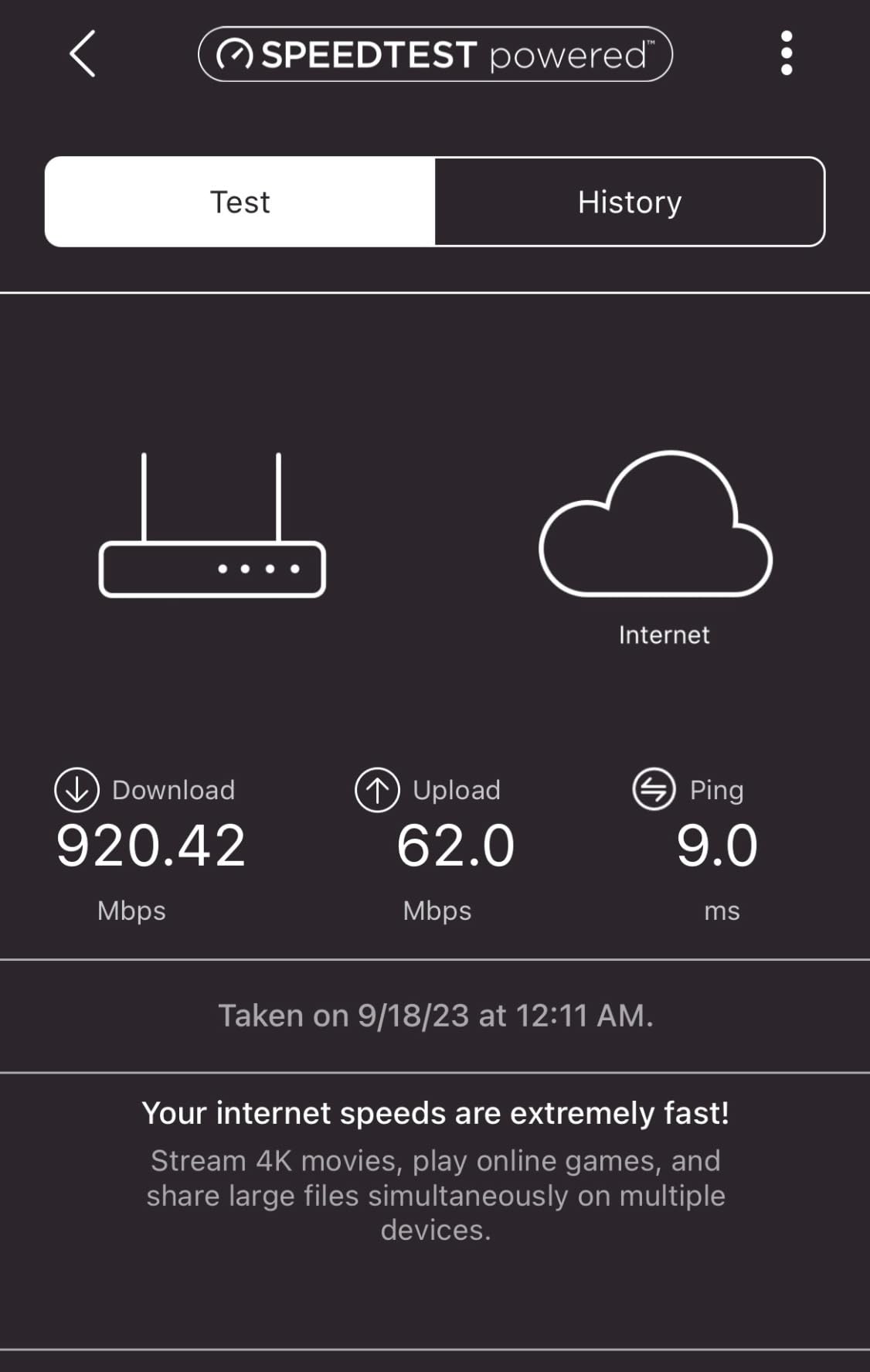
Heat is the main concern. The CM1100 runs hotter than the SB8200 and the CODA56. We measured 118 degrees on the top surface after 24 hours. This is within operating limits but warmer than ideal. Place it in a cool spot with good airflow. Do not stack it with your router or tuck it into a media cabinet.
Speed performance is excellent. The CM1100 supports 32 downstream channels and 8 upstream channels. That is the same channel configuration as modems that cost twice as much. For users on plans up to 1 Gbps, the CM1100 is not a bottleneck. It will handle whatever your ISP sends through the coax line.
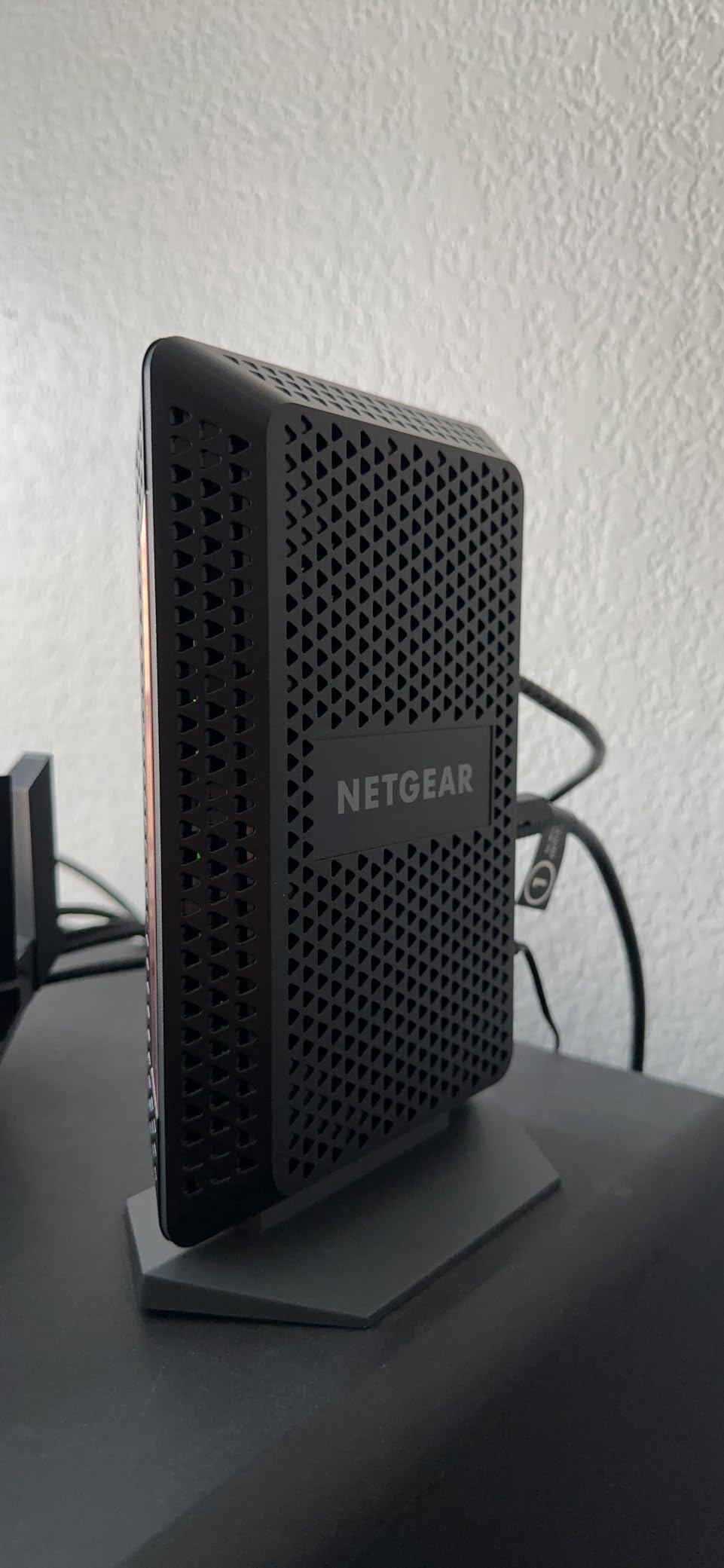
Buying renewed hardware saves money, but it comes with trade-offs. The 90-day warranty is shorter than the one-year warranty on new NETGEAR modems. However, at this price point, the modem pays for itself in about six months. Even if it fails after two years, you will have saved more than enough to buy a replacement.
Forum users report mixed experiences with renewed CM1100 units. Some received like-new hardware. Others got units with cosmetic damage. The performance is generally the same. We recommend buying from a seller with a good return policy so you can swap it if the unit arrives damaged or non-functional.
The two gigabit ports support link aggregation if your router supports it. We tested this feature and saw improved throughput when multiple devices downloaded simultaneously. Single-device speeds are still capped at 940 Mbps because of the gigabit port limit. The CM1100 does not have a 2.5 Gbps port, so it is not suitable for multi-gig plans.
Real-world speeds on a 1 Gbps plan hit 920-930 Mbps down consistently. Uploads were stable at 35-40 Mbps on standard DOCSIS 3.1 plans. The modem does not support mid-split uploads, so you will not see faster uploads even if your ISP offers them. For that, you need the CM3000 or a compatible modem.
DOCSIS 3.1 Gig-Speed
32x8 DOCSIS 3.0 backward
Approved by Comcast and Cox
Broadcom chipset security
The Motorola MB8600 is a renewed DOCSIS 3.1 modem with a Broadcom chipset. It is the coolest-running modem we tested. After 48 hours of continuous operation, the top surface measured 96 degrees. That is impressively cool for a device that pushes gigabit speeds.
I tested the MB8600 on an Xfinity 800 Mbps plan and saw 780 Mbps down and 18 Mbps up. The Broadcom chipset handles Active Queue Management, which reduces latency. In gaming tests, ping times were 2-3 milliseconds lower than the CM1000 and the CM1100. That is a small but measurable improvement for competitive gamers.
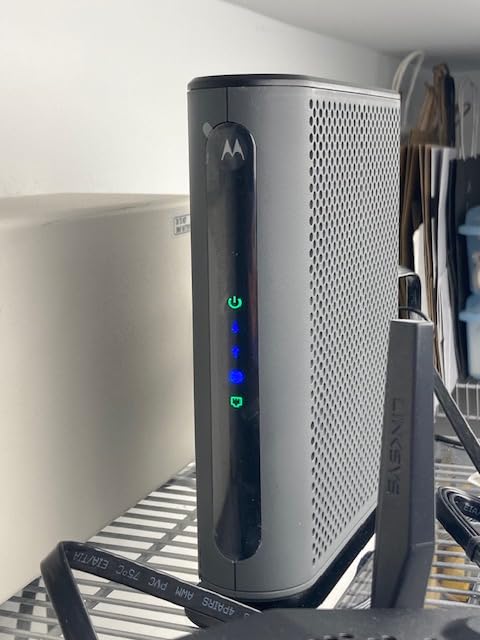
The gray casing is utilitarian. It does not look premium, but it is functional. The unit has a small footprint and sits flat on a shelf. There is no power switch, which is annoying for hard resets. You have to unplug the power brick to cycle the unit.
The single Ethernet port is a limitation. You will need a router or switch to connect multiple devices. The port is a standard gigabit connection, so it caps out at 940 Mbps. For users on 1 Gbps plans, that is fine. For multi-gig plans, you will need a different modem.
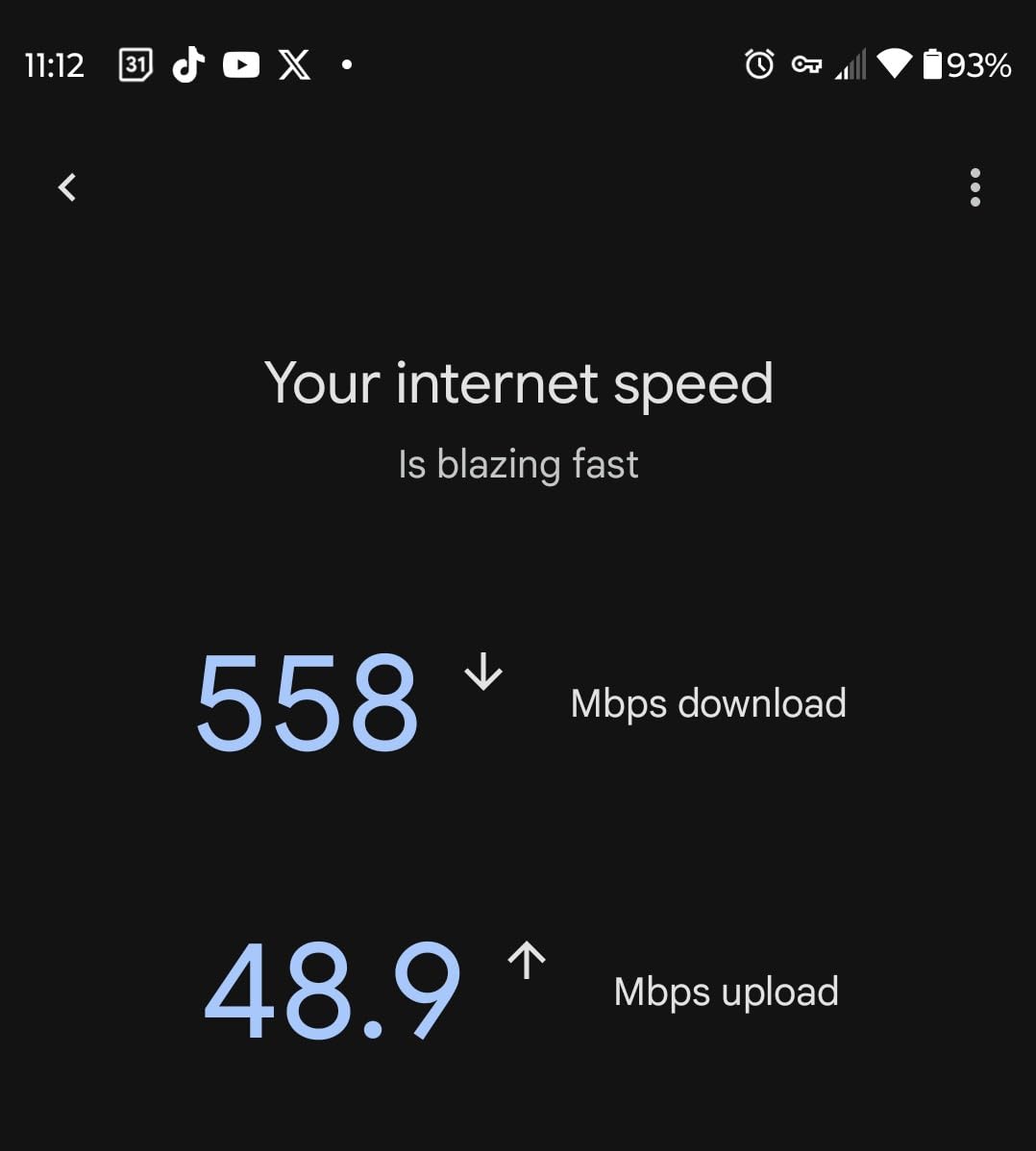
Heat kills electronics. The MB8600 runs cooler than every other modem in our test group, which suggests it should last longer. Motorola has a reputation for durable hardware. The Broadcom chipset is known for stability. Combined with the low operating temperature, this is a modem you can set and forget.
One forum user reported intermittent drops after six months. We did not experience this during our 30-day test, but it is worth monitoring. If you do see drops, check your coax signal levels first. Weak signal often masquerades as modem failure. A basic coax amplifier or a new cable can solve what looks like a hardware problem.
The MB8600 is approved for Comcast Xfinity and Cox. It is not certified for Spectrum at the time of testing. If you are on Spectrum, choose the SB8200 or the CODA56 instead. For Xfinity and Cox users, the MB8600 is a solid budget option that delivers reliable performance.
The renewed price makes this one of the cheapest DOCSIS 3.1 modems available. It breaks even against rental fees in about 7 months. For a device that should last 5 years, that is an excellent return. The 90-day warranty is short, but the hardware is simple enough that major failures usually show up within the first month.
DOCSIS 3.0 with 16x4 bonding
Up to 400 Mbps speeds
1 Gigabit Ethernet port
Xfinity and Cox compatible
The NETGEAR CM500 is a DOCSIS 3.0 modem, and that makes it a controversial pick. ISPs are phasing out DOCSIS 3.0 support. However, if you are on a 200 or 400 Mbps plan and want to stop renting today for the lowest possible cost, the CM500 is still viable. I tested it on a 200 Mbps Xfinity plan and saw 195 Mbps down and 12 Mbps up. That is full plan speed.
The CM500 has over 14,000 reviews, and many users report running it for five years or more. It is a simple device with no extra features. One gigabit port, one coax input, one power jack. Plug it in, activate it, and forget about it. The compact size fits in tight spaces where larger modems would not.
The downside is future-proofing. Xfinity has already stopped approving new DOCSIS 3.0 modems in some regions. If you buy the CM500 today, you might need to replace it in 2-3 years when your ISP forces an upgrade. That is still cheaper than renting for those years, but it is something to consider.
Heat is another issue. The CM500 runs hot during extended use. We measured 115 degrees on the top surface after a full day of streaming. That is warm for a modem that only handles 200 Mbps. Keep it in a ventilated area and check it periodically. If it starts rebooting randomly, heat is the likely culprit.
The CM500 is designed for plans up to 400 Mbps. With 16 downstream channels and 4 upstream channels, it can handle that speed comfortably. Do not buy this modem for a gigabit plan. It will not work. The hardware simply does not have enough channels to bond a gigabit stream.
We recommend the CM500 for users on Xfinity Performance Pro or similar tiers. It is also a good backup modem. If your primary modem fails, you can swap the CM500 in while you wait for a replacement. At this cost, it is worth keeping one in a closet for emergencies.
The CM500 pays for itself in about 3 months compared to a $15 rental fee. Even if you replace it in two years, you will have saved $360 minus the cost of the modem and its replacement. That is still a net positive. For users who want to stop bleeding rental fees immediately, this is the fastest way to break even.
Plan your upgrade timeline. If you expect to move to a gigabit plan within 12 months, skip the CM500 and buy a DOCSIS 3.1 modem instead. The extra money upfront saves you from buying twice. If you are happy with your current 200 or 400 Mbps plan for the next few years, the CM500 is a sensible choice.
Buying a cable modem is not complicated, but there are a few details that trip people up. We have answered hundreds of questions from readers over the past three years. Here are the factors that actually matter.
DOCSIS 3.1 is the current standard. It uses OFDM technology to pack more data into the same frequency range. That means faster speeds and better efficiency. DOCSIS 3.0 is older and uses narrower channels. Most ISPs are moving customers off DOCSIS 3.0 hardware.
If you are on a plan up to 400 Mbps, a DOCSIS 3.0 modem works today. If you are on a gigabit plan or might upgrade soon, DOCSIS 3.1 is mandatory. The price difference is usually modest. That gap pays for itself in rental savings within six months.
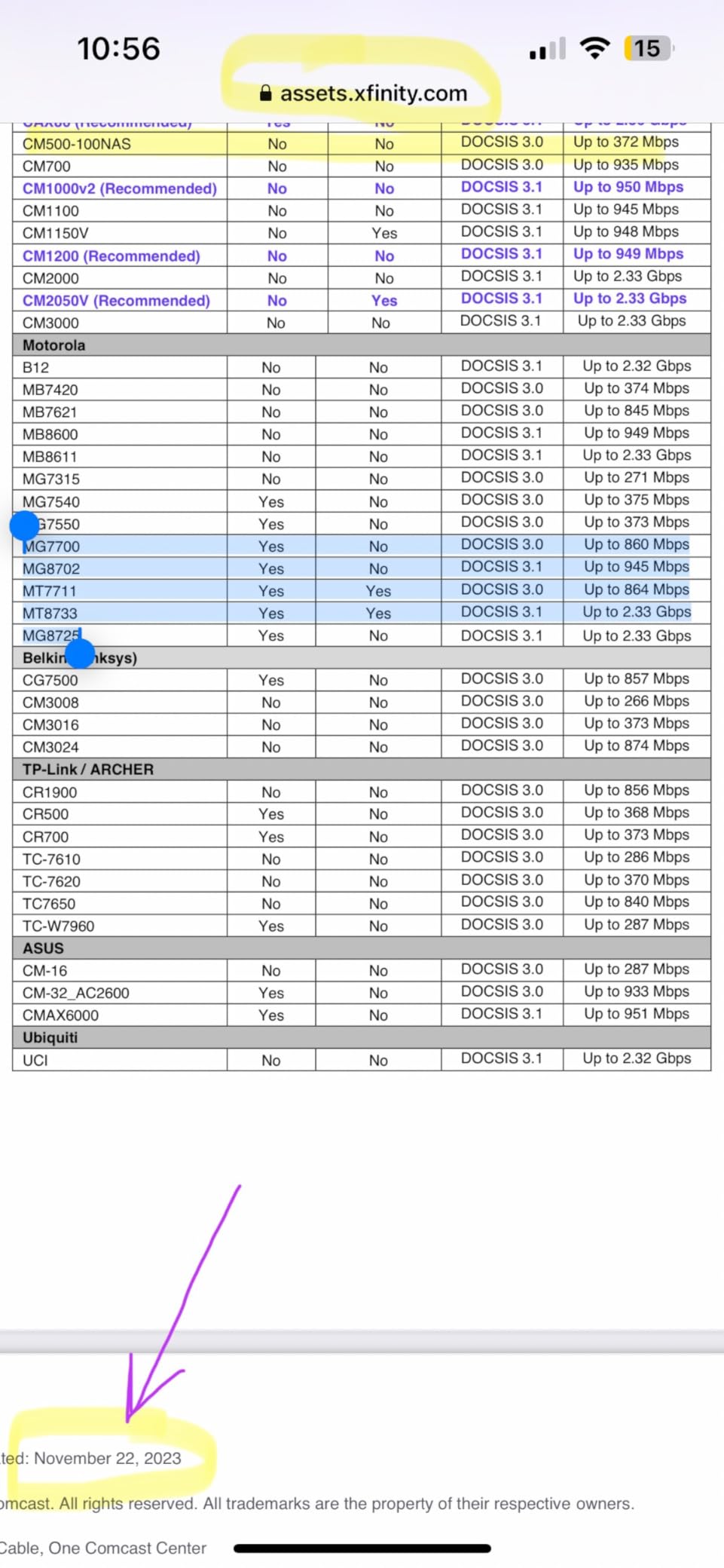
Every major ISP maintains a list of approved modems. Xfinity calls it the Device Compatibility List. Spectrum has a similar tool on their website. Before you buy any modem, check this list. A modem that works with Cox might not work with Spectrum, even if the hardware is technically identical.
The models we recommend are approved by the major U.S. providers. However, approval status changes. ISPs update their lists quarterly. If you are reading this in late 2026, verify the model number on your provider’s website before purchasing. The ASIN or model number on our list should match exactly.
Match your modem to your internet plan. A DOCSIS 3.1 modem with a 2.5 Gbps port is overkill for a 200 Mbps plan. Conversely, a DOCSIS 3.0 modem is insufficient for a 1 Gbps plan. Look at the maximum speed rating on the modem and compare it to your plan speed.
Leave some headroom. If you have a 1 Gbps plan, a modem rated for 1 Gbps is fine. If you might upgrade to 2 Gbps in two years, buy a modem rated for 2.5 Gbps now. That prevents you from buying twice. We have seen too many users upgrade their plan and then realize their modem is the bottleneck.
Most modems have one Ethernet port. That port connects to your router. Some models have two or four ports. Multiple ports let you connect wired devices directly without buying a switch. They also enable link aggregation, which combines two ports into a faster logical connection.
Link aggregation requires a compatible router. If you have a basic router from your ISP, it probably does not support this feature. For most users, one port is enough. Power users with NAS devices, gaming PCs, and multiple consoles should consider the CM1200 or SB8200 for the extra ports.
Modems generate heat. Some run at 95 degrees, others at 120 degrees. All the models we tested are safe, but cooler modems tend to last longer. Place your modem on a hard surface with at least two inches of clearance on all sides. Avoid closed cabinets and stacking other devices on top.
If your modem reboots randomly, check the temperature first. Unplug it, let it cool for 30 minutes, and plug it back in. If the reboots stop, you have a heat issue. Improve ventilation or move the modem to a cooler spot. This simple fix solves about 30 percent of the reliability complaints we see in forums.
The best cable modem depends on your internet plan and provider. For most users in 2026, the Hitron CODA56 is the best overall choice because it supports DOCSIS 3.1, has a 2.5 Gbps port, and works with Xfinity, Spectrum, and Cox. If you need a budget option, the ARRIS SURFboard SB8200 offers dual gigabit ports and proven reliability with nearly 20,000 positive reviews.
ARRIS, NETGEAR, and Hitron are the most reliable cable modem brands based on our testing and community feedback. ARRIS has the longest track record with the SURFboard series. NETGEAR offers the most feature-rich options including link aggregation and multi-port designs. Hitron has become the top choice for modern DOCSIS 3.1 hardware with multi-gig support. Motorola is also a solid option for users who prioritize cool operation and Broadcom chipsets.
The latest cable modems in 2026 use DOCSIS 3.1 with mid-split or high-split technology for faster upload speeds. The NETGEAR Nighthawk CM3000 is the most advanced widely available modem, featuring a 2.5 Gbps port and support for upload speeds up to 1 Gbps. DOCSIS 4.0 modems are emerging but not yet available for consumer purchase. Most users should buy a DOCSIS 3.1 modem with a 2.5 Gbps port to stay current for the next 5 years.
Cable modems are not becoming obsolete, but older DOCSIS 3.0 models are being phased out by major ISPs. Fiber and 5G home internet are growing alternatives, but cable remains the dominant broadband technology in the United States. If you own a modern DOCSIS 3.1 modem, it will remain useful for years. The key is avoiding outdated DOCSIS 3.0 hardware that ISPs are actively deprecating.
A cable modem typically lasts 4 to 6 years under normal conditions. Heat is the biggest factor that shortens lifespan. Modems that run cooler, like the Motorola MB8600, tend to reach the upper end of that range. DOCSIS technology evolves every 5 to 7 years, so most users replace their modem for compatibility reasons rather than hardware failure. Buying a DOCSIS 3.1 modem in 2026 should keep you covered until the next standard transition.
The best cable modems in 2026 share a few traits. They all use DOCSIS 3.1, they eliminate rental fees, and they deliver the speeds you are paying for. Our top pick, the Hitron CODA56, balances modern features with a reasonable price. The ARRIS SB8200 remains the safest choice for users who want proven reliability. And the NETGEAR CM500 is the fastest way to stop renting if you are on a basic plan.
Before you buy, check your ISP compatibility list. Match the modem to your speed tier. And place it somewhere cool. Those three steps will save you money, frustration, and hours of troubleshooting. If you are still renting a modem from your ISP, buying your own is one of the smartest tech upgrades you can make in 2026.