10 Best Powered Subwoofers (June 2026) Expert Picks
Nothing transforms a home theater or music system like a great subwoofer. If you are searching for the best powered subwoofers available in , you…

Finding the right digital mixer can feel overwhelming with so many options on the market. Whether you are setting up a home studio, running live sound at a church, launching a podcast, or recording your band, the best digital mixers give you flexibility, built-in effects, and scene recall that analog boards simply cannot match. I have spent months testing and comparing the top models available in 2026 to help you find the right one.
A digital mixer converts your audio signals into the digital domain, processes them with onboard DSP, and gives you precise control over routing, EQ, compression, and effects. Unlike analog consoles, digital mixers let you save your settings and recall them instantly, which is a lifesaver when you switch between different events or sessions. Most modern digital audio mixers also double as USB audio interfaces, so you can record multitrack directly to your computer.
In this guide, our team covers 10 of the best digital mixers across every budget and use case. From the full-featured Behringer X32 that dominates live sound to the ultra-portable Behringer FLOW 8 for beginners, we break down what matters: sound quality, preamp performance, connectivity, ease of use, and overall value. We also include a detailed buying guide to help you understand the key specs and features worth paying attention to.
| Product | Specs | Action |
|---|---|---|
 Behringer X32
|
|
Check Latest Price |
 Yamaha DM3
|
|
Check Latest Price |
 Allen & Heath CQ-12T
|
|
Check Latest Price |
 Mackie DLZ Creator
|
|
Check Latest Price |
 Tascam Model 12
|
|
Check Latest Price |
 Behringer X AIR XR18
|
|
Check Latest Price |
 Soundcraft Ui12
|
|
Check Latest Price |
 Zoom LiveTrak L-8
|
|
Check Latest Price |
 Zoom LiveTrak L6max
|
|
Check Latest Price |
 Behringer FLOW 8
|
|
Check Latest Price |
40-Input 25-Bus Console
32 MIDAS Preamps
25 Motorized 100mm Faders
16 XLR Outputs
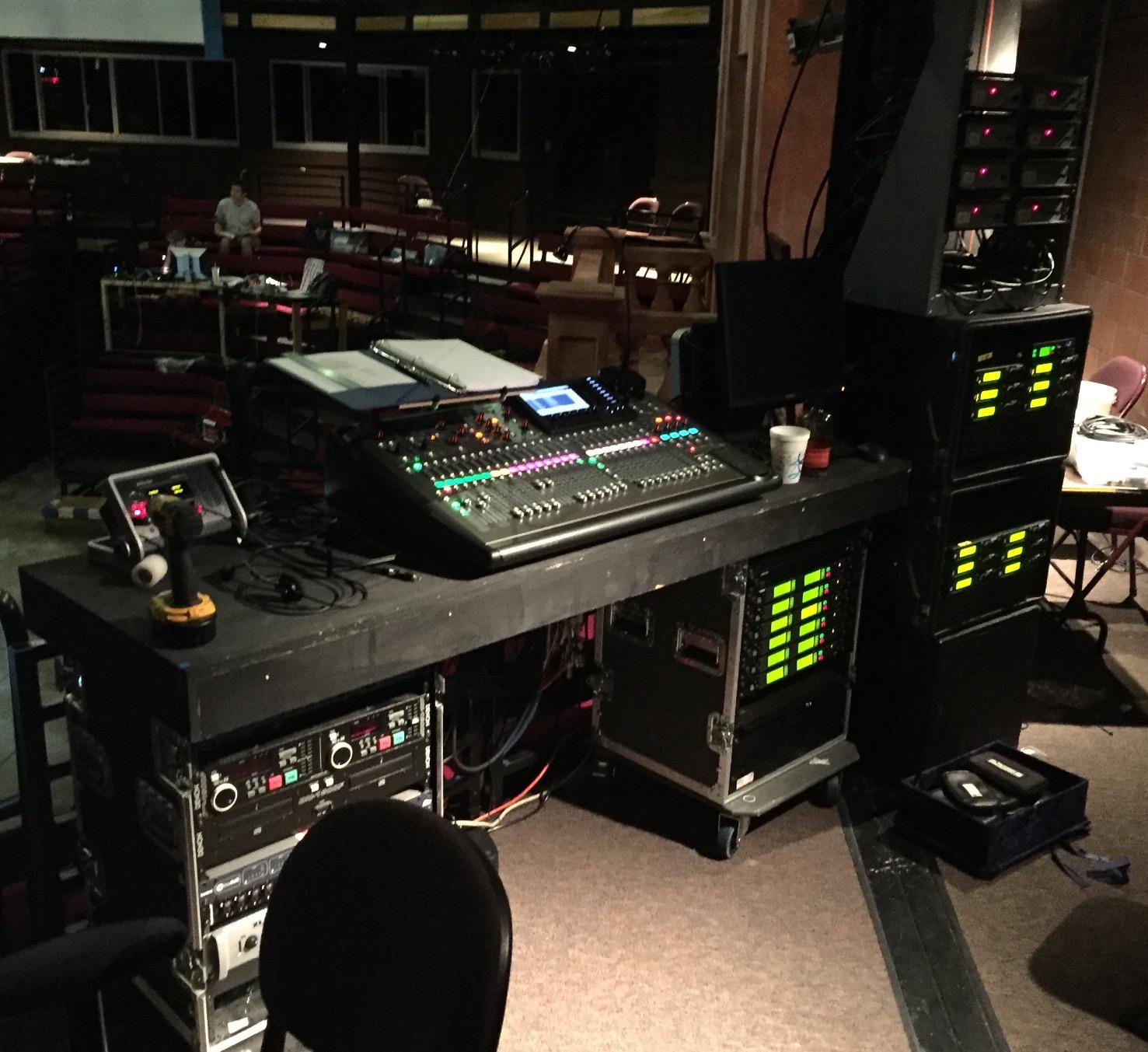
I have used the Behringer X32 at multiple live events, and it consistently delivers professional-grade sound that rivals consoles costing two or three times as much. The 32 MIDAS-designed preamps are clean and quiet, providing plenty of headroom for everything from soft vocals to loud guitar amps. With 40 input channels and 25 buses, this board handles complex setups without breaking a sweat.
The 25 motorized 100mm faders are one of my favorite features. When you recall a saved scene, every fader snaps to its stored position instantly. This is invaluable when you are switching between bands at a festival or loading different church services. The LCD scribble strips on every channel and bus let you label everything clearly, so there is no guessing which channel is which.
Built-in effects sound surprisingly good for a mixer at this level. The Plate Reverb, Stereo Delay, and Chorus+Delay are all usable right out of the box. I have recorded directly to a USB thumb drive during live shows, and the WAV files come out clean and ready for post-production. The PC and mobile apps give you full remote control, which is handy when you need to adjust something from across the room.
The main downside is the learning curve. If you are coming from an analog board, expect to spend a few weeks getting comfortable with the routing and scene management. The channel meters are also lower resolution than I would like, and phantom power is global instead of per-channel, which limits your flexibility when mixing condenser and dynamic mics together.
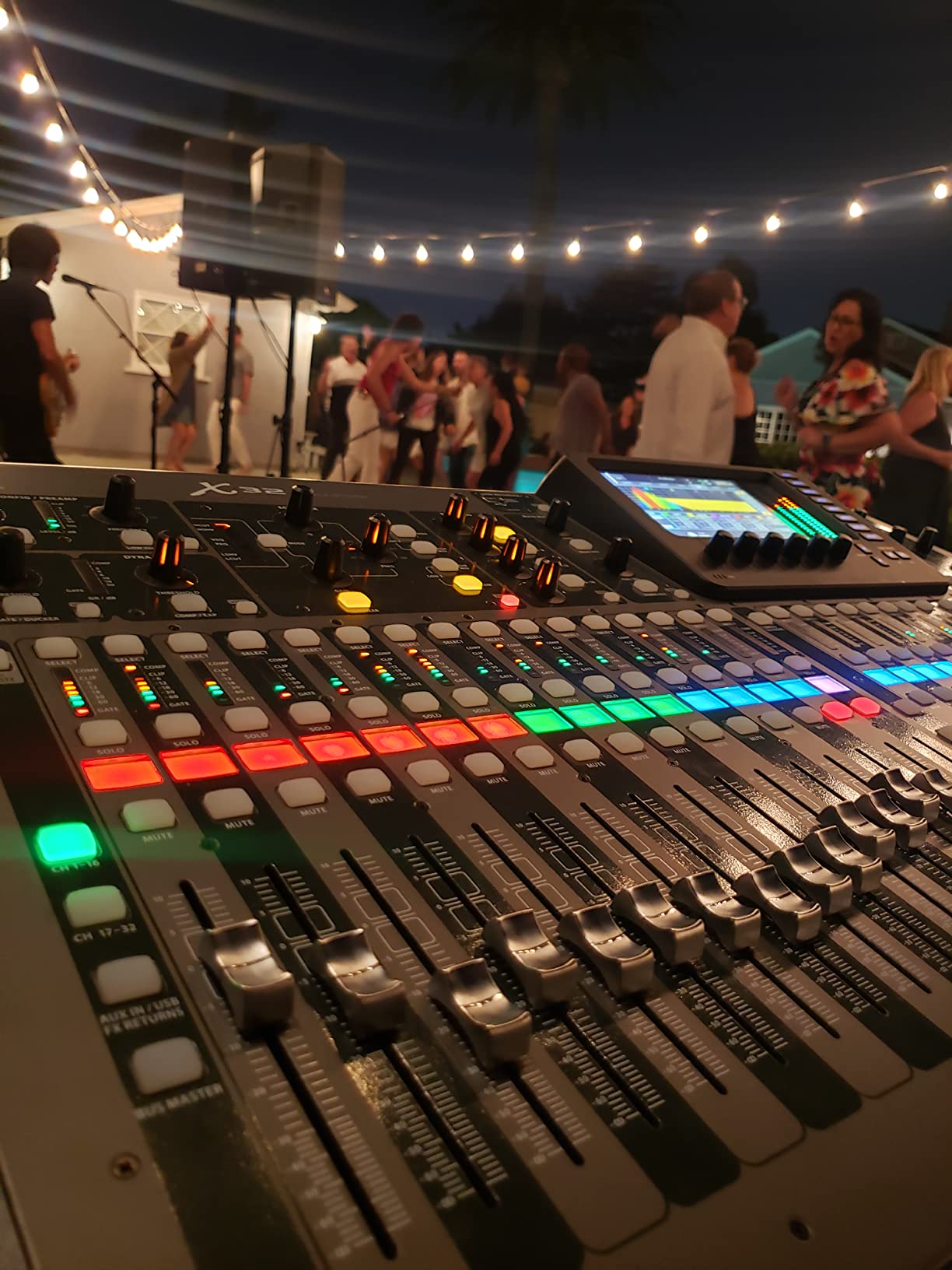
The X32 is the right choice if you need a high-channel-count mixer for live sound, church installations, or medium-to-large venues. It is widely considered the industry standard for value in live sound, and forums like r/livesound consistently recommend it as the go-to digital mixing console for anyone who needs 20+ channels on a budget. Sound engineers who run multiple events per week will appreciate the scene recall and motorized faders.
It is also a strong pick for studios that need flexible routing and want a built-in USB interface for multitrack recording. Just be prepared to invest time learning the workflow, because this is not a plug-and-play mixer for beginners.
Plan on spending at least a few evenings with the manual and YouTube tutorials before your first gig. The routing system is powerful but complex, with DAW channels assignable in groups of eight. Once you understand the architecture, though, setting up scenes becomes fast and repeatable. Many users on forums report that after the initial learning period, they can configure a full show in under 30 minutes.
The community support for the X32 is outstanding. There are hundreds of tutorial videos, forum threads, and preset libraries available online. Behringer also continues to release firmware updates, which is reassuring for long-term reliability.
22-Channel Compact Console
96kHz Sample Rate
9 inch Touchscreen
18x18 USB Audio Interface
The Yamaha DM3 packs serious professional audio quality into a surprisingly compact frame. At just 19.95 pounds, it is light enough to carry to gigs without straining your back, yet it delivers that signature Yamaha sound at 96kHz sample rate. The 9-inch touchscreen is best-in-class for this size of mixer, and I found it responsive and intuitive for navigating channels, EQ, and effects.
With 22 channels (16 mono plus stereo returns), the DM3 covers a lot of ground for its size. The 16 Yamaha D-PRE preamps are clean and musical, giving you that warm, transparent sound Yamaha is known for. The 18×18 USB audio interface is a huge bonus, letting you record and playback multitrack directly to your DAW without any extra hardware.
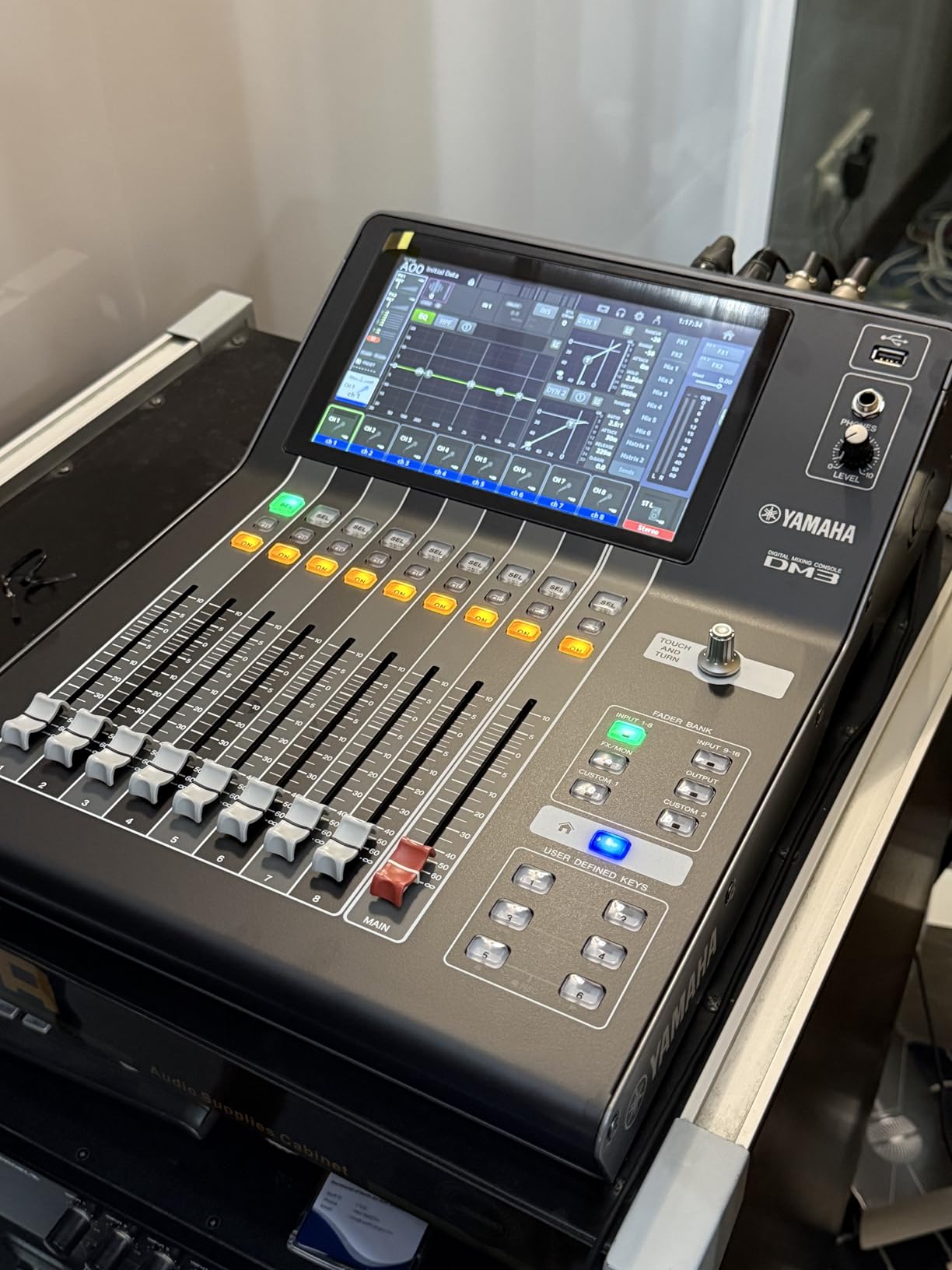
I appreciate the 8 analog XLR outputs, which give you plenty of routing options for stage monitors, main speakers, and recording feeds. The 2×2 USB recorder is handy for quick stereo recordings of rehearsals or live shows. If you need Dante connectivity, Yamaha also offers a Dante-equipped variant that integrates seamlessly into larger networked audio setups.
The biggest concern with the DM3 is its relatively low review count of 34, which makes it harder to assess long-term reliability compared to more established models. Some users have reported receiving units with cosmetic damage or admin password locks, so quality control on Amazon orders seems inconsistent. Yamaha does offer a 1-year manufacturer warranty, which provides some peace of mind.
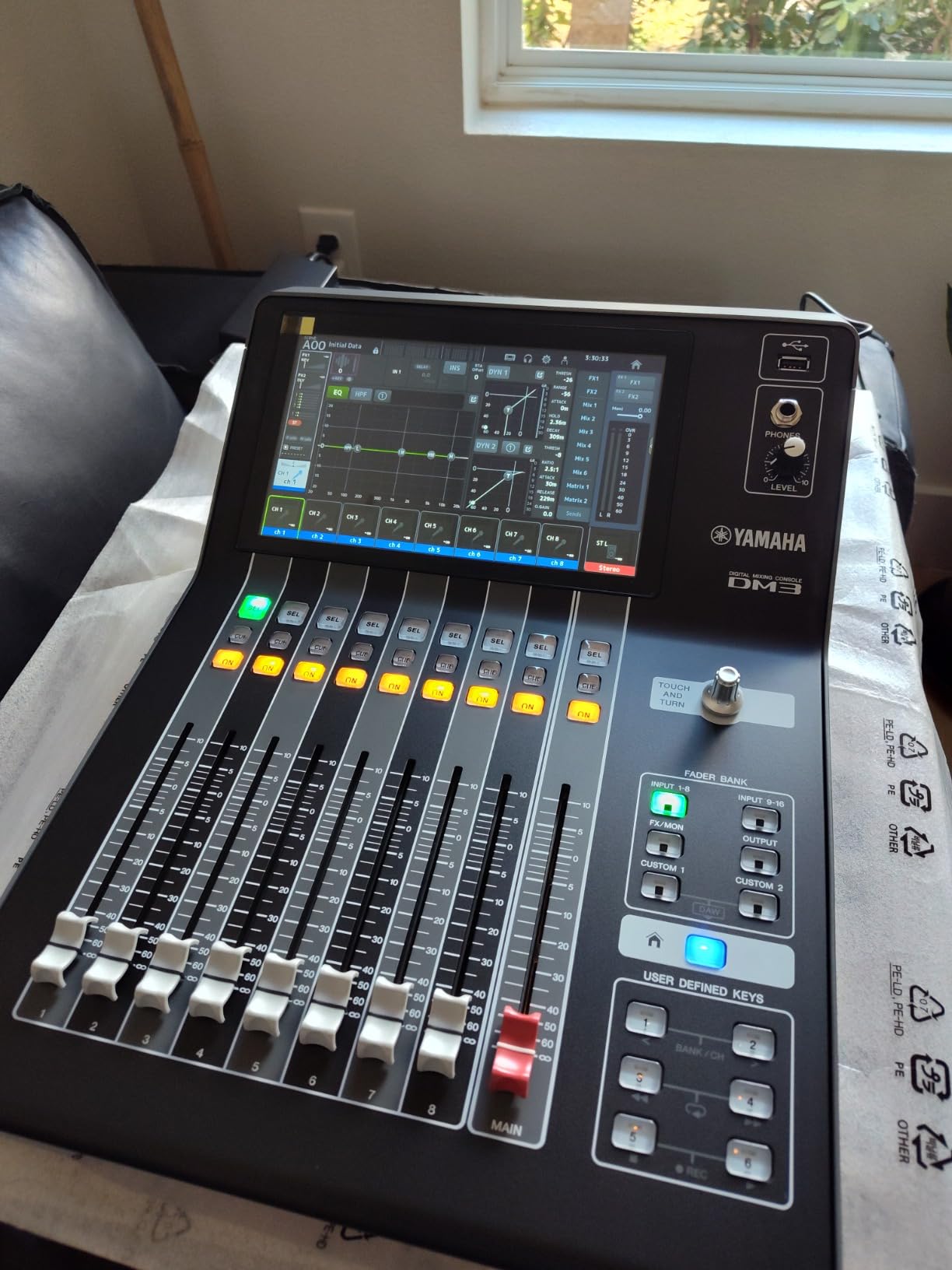
The DM3 is ideal for solo performers, small bands, and studio engineers who want Yamaha sound quality in a portable package. If you value a responsive touchscreen and high-resolution audio at 96kHz, this mixer delivers both in a form factor that fits in a backpack. It is also a strong contender for broadcast and corporate AV setups where space is limited.
This is not the best choice if you need a high channel count or auto-mixing capabilities. The lack of an auto mixer function means it is less suited for conference rooms or panel discussions where you need automatic gain management across multiple microphones.
The 18×18 USB interface works smoothly with all major DAWs including Pro Tools, Logic Pro, and Ableton Live. Setting it up is straightforward: plug in via USB, select the DM3 as your audio interface, and you have 18 channels of input and output ready to go. The combo jack inputs accept both XLR and quarter-inch cables, which simplifies your cabling setup.
For live use, the DM3 integrates well with external processors and recording rigs. The 8 XLR outputs give you flexible routing for monitors and mains. Yamaha also provides a companion app for remote control, though it is not as feature-rich as the apps available for some competing brands.
12-Channel Digital Mixer
7 inch Capacitive Touchscreen
16x16 USB and SD Recording
Bluetooth Audio
The Allen & Heath CQ-12T has earned its reputation as the best digital mixer for the money. After testing it at several small events, I can see why 87 percent of reviewers give it 5 stars. The sound quality from the preamps is warm and clear, and the 7-inch capacitive touchscreen responds like a modern tablet. At just 8.85 pounds, it is one of the most portable mixers in its class.
The Auto Gain feature is genuinely useful. Instead of manually setting gain for each channel, you press Auto Gain, play your source, and the mixer sets the optimal level automatically. This saves significant time during setup, especially when you are working with unfamiliar microphones or instruments. Forum users on r/livesound frequently cite this as their favorite feature on the CQ series.
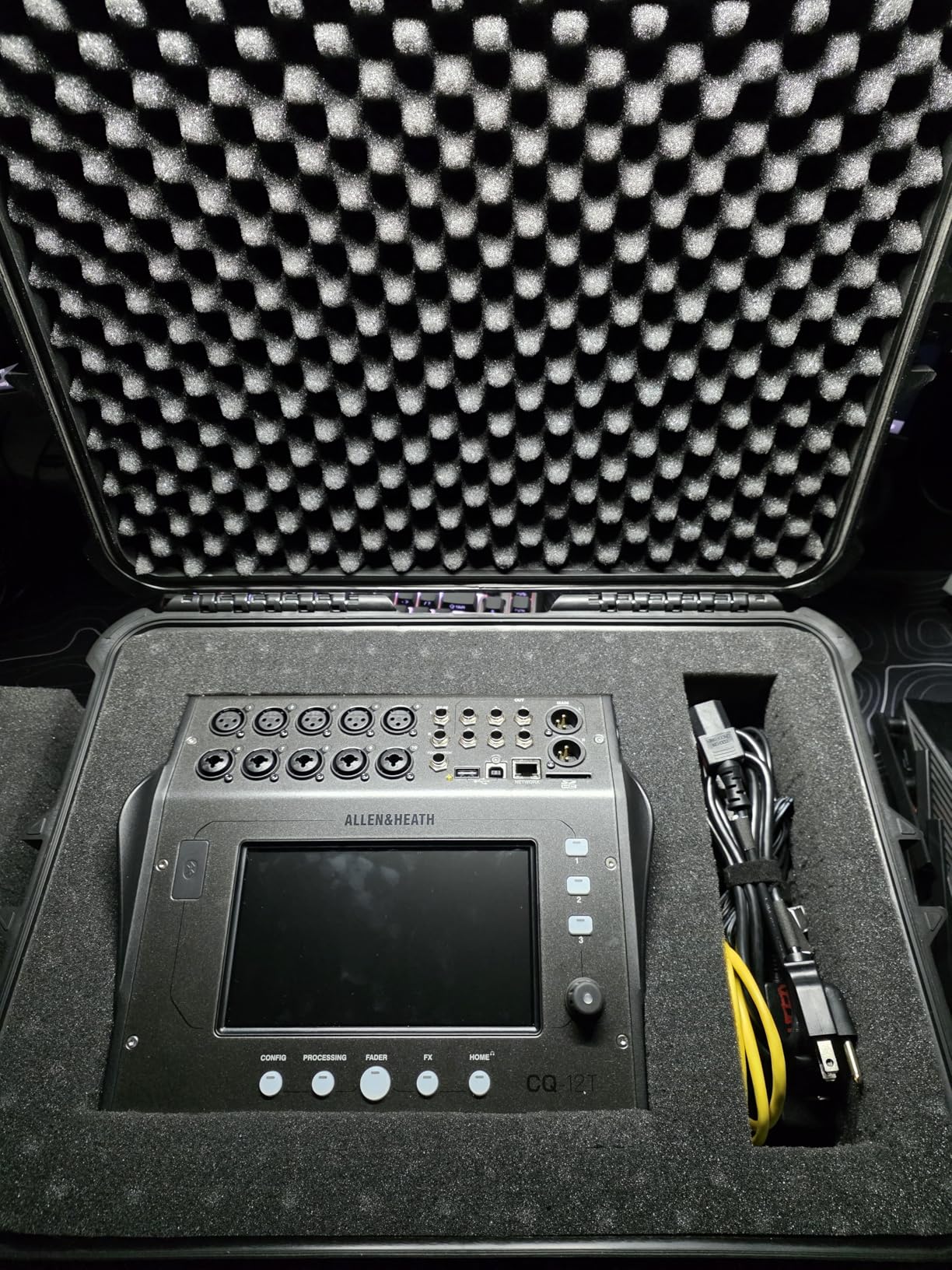
Recording is well-covered with 16×16 USB audio interface and 16×16 SD card recording. You can record a full multitrack session directly to an SD card without a computer, which is perfect for live events. The built-in effects sound natural and musical, with reverbs and delays that do not feel like afterthoughts. Bluetooth audio streaming lets you play background music or backing tracks wirelessly.
The main trade-off is the lack of physical faders. If you are used to grabbing a fader for quick adjustments during a live show, the touchscreen-only approach takes some getting used to. Some users also report occasional Bluetooth audio drops and USB B connection issues, though these seem to affect a small minority of units.
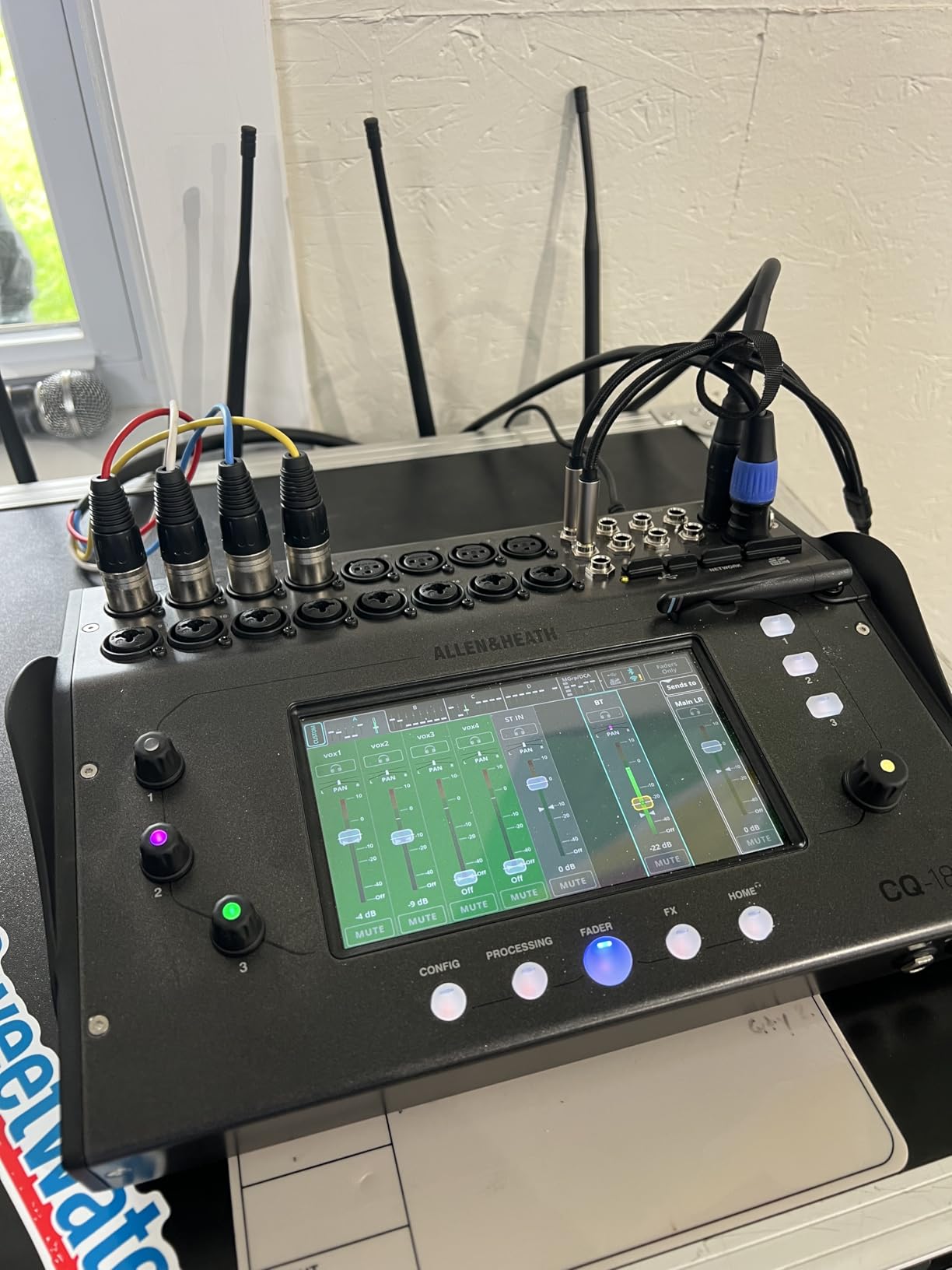
The CQ-12T is perfect for solo performers, duos, small bands, and anyone who needs a high-quality digital mixer that is easy to carry. It is an excellent choice for churches with small to medium setups, wedding DJs, and mobile entertainers who want professional sound without lugging a heavy console. The Auto Gain feature makes it especially appealing for volunteers or part-time operators who may not have extensive audio training.
If you are a live sound engineer who relies heavily on tactile fader control during performances, you may find the touchscreen-only interface limiting. Consider the CQ-18T variant if you need more inputs, or look at the X32 if faders are essential.
At under 9 pounds, the CQ-12T fits easily in a backpack or carry-on bag. I have brought it to outdoor gigs, coffee shop performances, and small conference rooms without any transport hassles. The three SoftKeys let you trigger frequently used functions like mute groups or scene recalls with a single press, which helps compensate for the lack of physical faders.
The multiple aux outputs let you create custom monitor mixes for different performers. This is a feature usually found on much larger and more expensive consoles, so having it on a compact mixer at this level is impressive. Allen & Heath also offers the CQ-20B variant with more inputs if you need to scale up.
12-Channel Adaptive Mixer
10.1 inch Touchscreen
AutoMix for 4 Mics
NDI Streaming Support
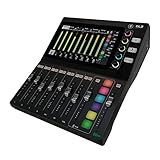
The Mackie DLZ Creator was built specifically for content creators, and it shows. The 10.1-inch touchscreen is the largest on any mixer in this lineup, and Mackie designed three control modes (Easy, Enhanced, and Pro) that adapt the interface to your experience level. I found the Easy mode intuitive enough for beginners, while Pro mode gives you deep control over routing, EQ, and dynamics.
The Onyx80 preamps are genuinely impressive. They deliver enough clean gain to drive demanding dynamic microphones like the Shure SM7B without an external preamp or Cloudlifter. If you are setting up a podcast studio, this means one less piece of gear to buy. The AutoMix feature automatically manages levels across up to four microphones, which keeps conversations balanced without constant adjustment.
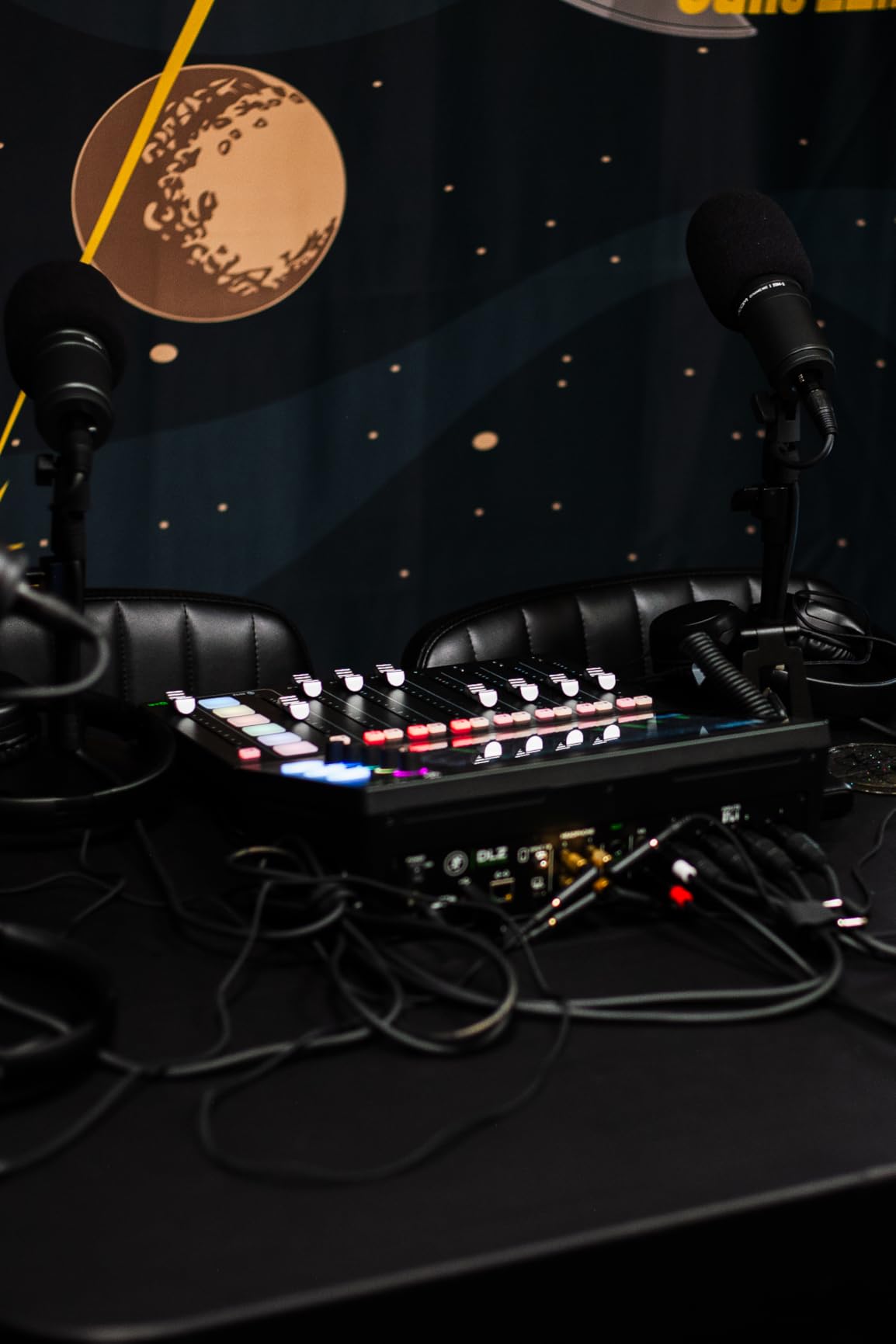
Multitrack recording is supported via USB-C to your computer or directly to an SD card. The NDI support makes this mixer particularly attractive for streamers who want to integrate high-quality audio into their broadcast setup. Trigger pads let you fire off sound effects, intro music, or stingers on the fly. The Mix Agent technology provides guided setup, which is helpful if you are new to audio mixing.
However, I need to flag the quality control concerns. Multiple users have reported hardware issues including defective headphone jacks and unresponsive knobs. The setup process for OBS integration can also be frustrating, with broken links in the documentation. Mackie offers a 1-year warranty, so make sure to test your unit thoroughly within that period.
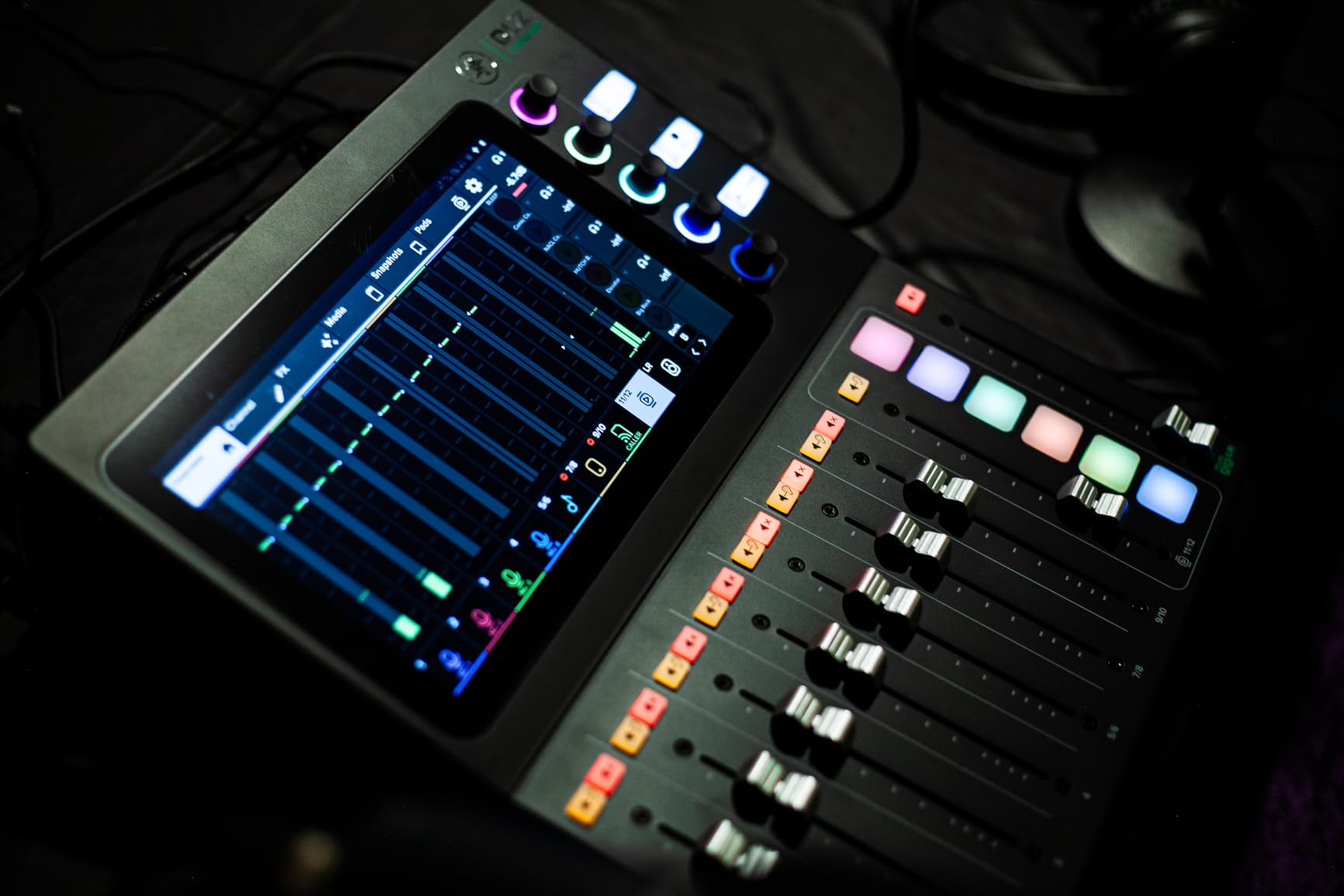
The DLZ Creator is purpose-built for podcasters, streamers, and YouTubers who want a self-contained audio solution. If you run a multi-person podcast, the AutoMix feature alone is worth the investment. The three skill-level modes make it accessible for creators who are just getting started with audio, while still offering enough depth for experienced engineers.
It is less ideal for live sound or band recording, since the feature set is heavily optimized for content creation workflows. If you need a mixer for both podcasting and live performance, consider the Tascam Model 12 or Allen & Heath CQ-12T instead.
Setting up the DLZ Creator with OBS requires some patience, as the documentation is not always clear. The NDI support, once configured, allows you to send high-quality audio directly to your streaming software over the network. This eliminates the need for a separate audio interface when streaming. The built-in Bluetooth connectivity lets you bring in phone audio for call-in shows or background music.
Recording to the SD card means you can record a complete podcast session without a computer running. However, transferring files to your PC requires physically removing the SD card, since there is no direct file transfer over USB. Plan your workflow accordingly if you need quick turnaround between recording and editing.
12-Track Multitrack Mixer/Recorder
USB Audio Interface
MIDI In/Out
Bluetooth Connectivity
The Tascam Model 12 is the Swiss Army knife of digital mixers. It works as a mixer, a 12-track multitrack recorder, a USB audio interface, and a DAW controller all in one unit. I have used it in home studio sessions where it handled live tracking, overdubbing, and mixing without needing to switch to any other hardware. The fanless design means silent operation, which is essential for recording environments.
The physical controls are a standout. Every input channel has a 1-knob compressor, a 3-band EQ, and a real fader. This is the kind of hands-on control that many digital mixers sacrifice for compactness. If you like to reach for a knob instead of navigating menus, the Model 12 delivers that analog-style workflow with digital flexibility.
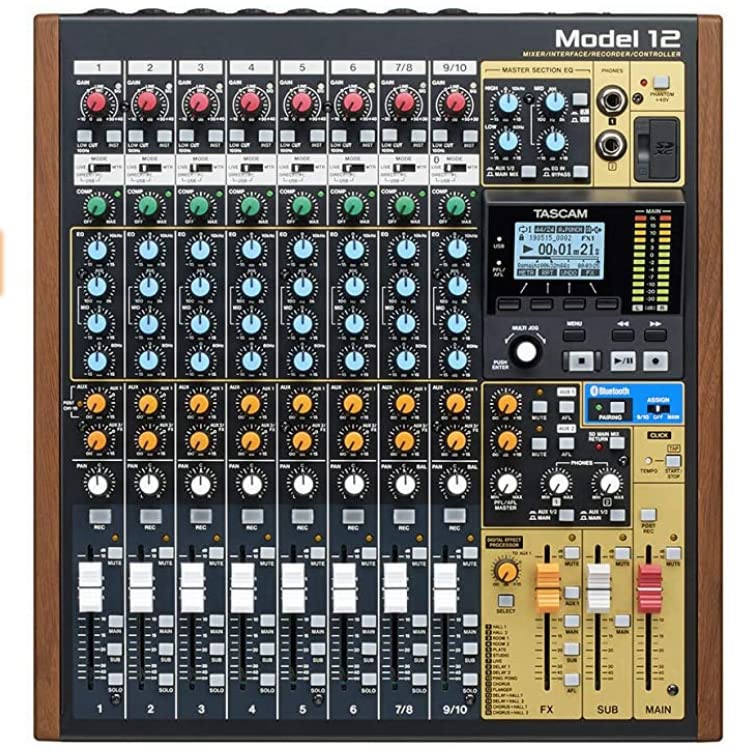
MIDI integration is another area where the Model 12 excels. The MIDI In/Out ports let you sync it with drum machines, sequencers, and groove boxes. The MIDI clock and transport master feature is particularly valuable for electronic music producers. You can record up to 12 tracks to an SD card (up to 512GB), and the auto punch-in/out with rehearsal mode is a nice touch for precise recording.
The preamps are clean but have limited gain compared to some competitors. If you are using a dynamic microphone like the SM7B or RE20, you may need an external preamp to get enough level. Global phantom power is another limitation, as you cannot selectively enable 48V on individual channels.
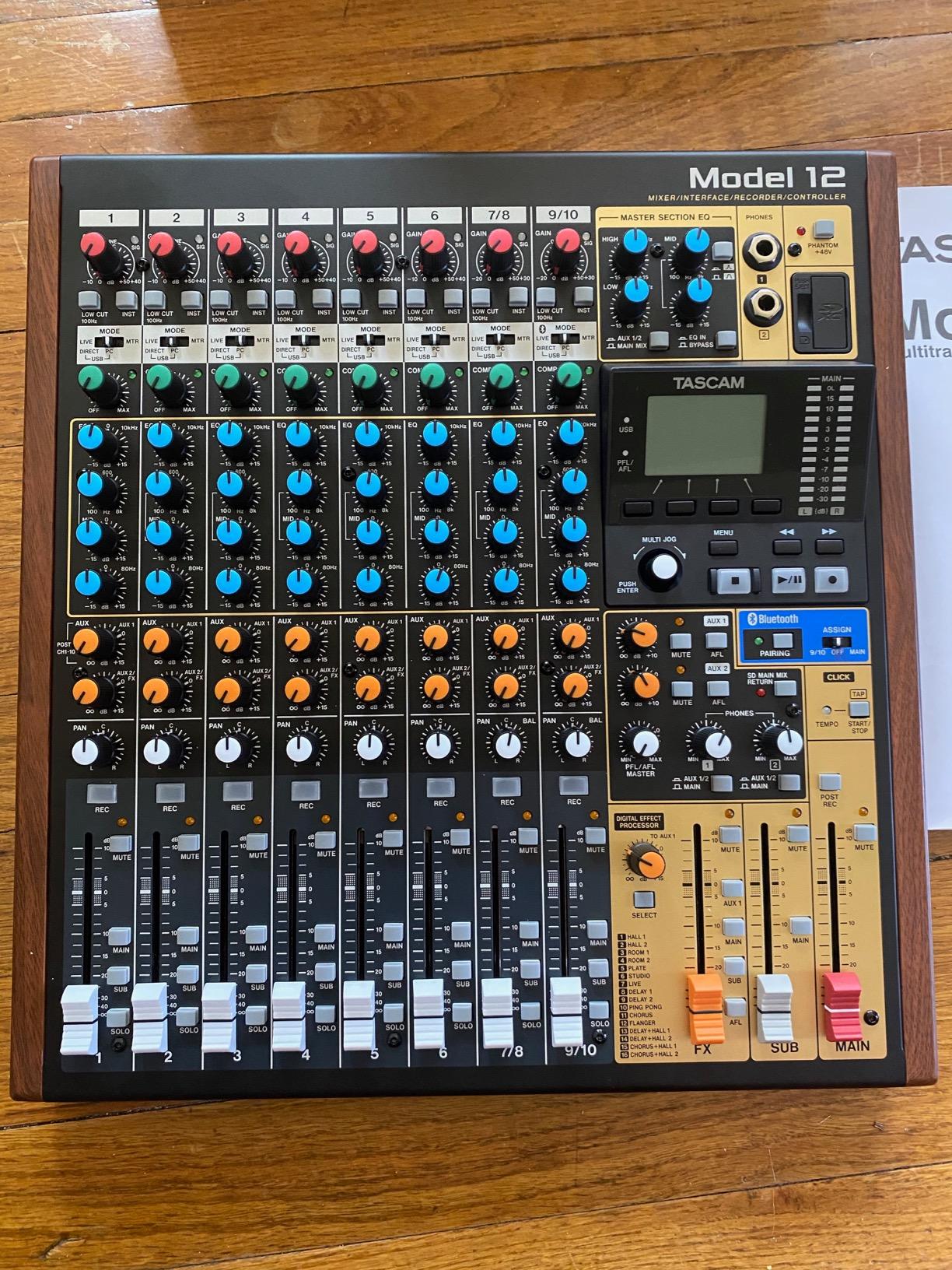
The Model 12 is ideal for home studio owners, electronic music producers, and bands who want one device that handles mixing, recording, and DAW control. It is especially well-suited for setups with groove boxes, drum machines, and sequencers thanks to the MIDI sync capabilities. Forum users on Gearspace frequently recommend it for musicians who want an all-in-one solution without the complexity of a full digital console.
If you need high channel counts for live sound or advanced scene recall, the X32 or XR18 would be better choices. The Model 12 is designed for studio and production workflows rather than large-scale live events.
The DAW controller mode works with major software including Logic Pro, Ableton Live, and Cubase. Transport controls, track selection, and fader movements are all mapped to the physical hardware. One thing to watch out for: the DAW controller mapping is sensitive to the selected track, so you need to be mindful of which track is active when making adjustments.
The dual headphone outputs with individual volume and source selection are perfect for collaborative recording sessions. Each performer can monitor their own mix without affecting what others hear. The SD card recording is reliable, though write speeds are slower than an SSD, so avoid using very high track counts at the highest sample rates.
18-Channel 12-Bus Rackmount Mixer
16 MIDAS Preamps
Built-in Wi-Fi Router
18x18 USB Interface
The Behringer XR18 is one of the most popular digital mixers for live sound, and for good reason. With 843 reviews and a 4.6-star average, it has earned its reputation as a reliable workhorse. The 16 MIDAS-designed preamps deliver clean, professional sound, and the rackmount form factor means you can tuck it away in a rack or place it on stage without taking up valuable real estate.
The built-in tri-mode Wi-Fi router is a game-changer for live sound. You can control the entire mixer from an iPad, Android tablet, or laptop without needing any external networking equipment. I have walked around a venue adjusting monitor mixes from my iPad, which is incredibly convenient. The router supports three connection modes, so you can choose the one that works best for your setup.
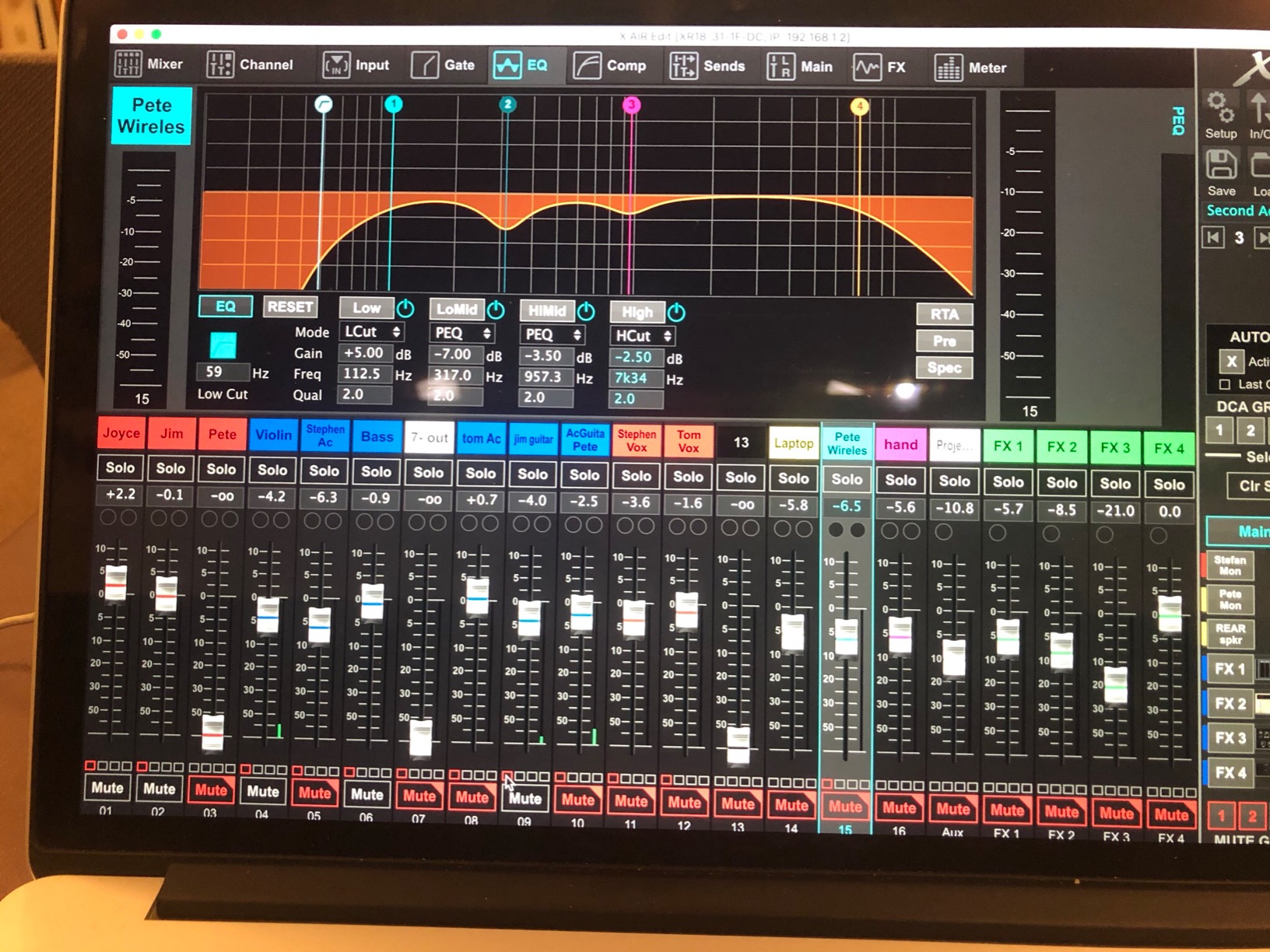
Each channel gets compression, gating, parametric EQ, and effects. The library of rack effects is extensive and covers everything from basic reverb and delay to more creative processing. The 18×18 USB audio interface lets you record every channel to your DAW simultaneously, making the XR18 equally useful in the studio and on stage.
The main limitations are the lack of AES50 connectivity (which would allow you to connect digital stage boxes) and the absence of an RTA on the iPad app. The PC app does include RTA, but the feature disparity between platforms is frustrating. Also, the built-in Wi-Fi has no security, so you need to be careful about unauthorized access at public events.
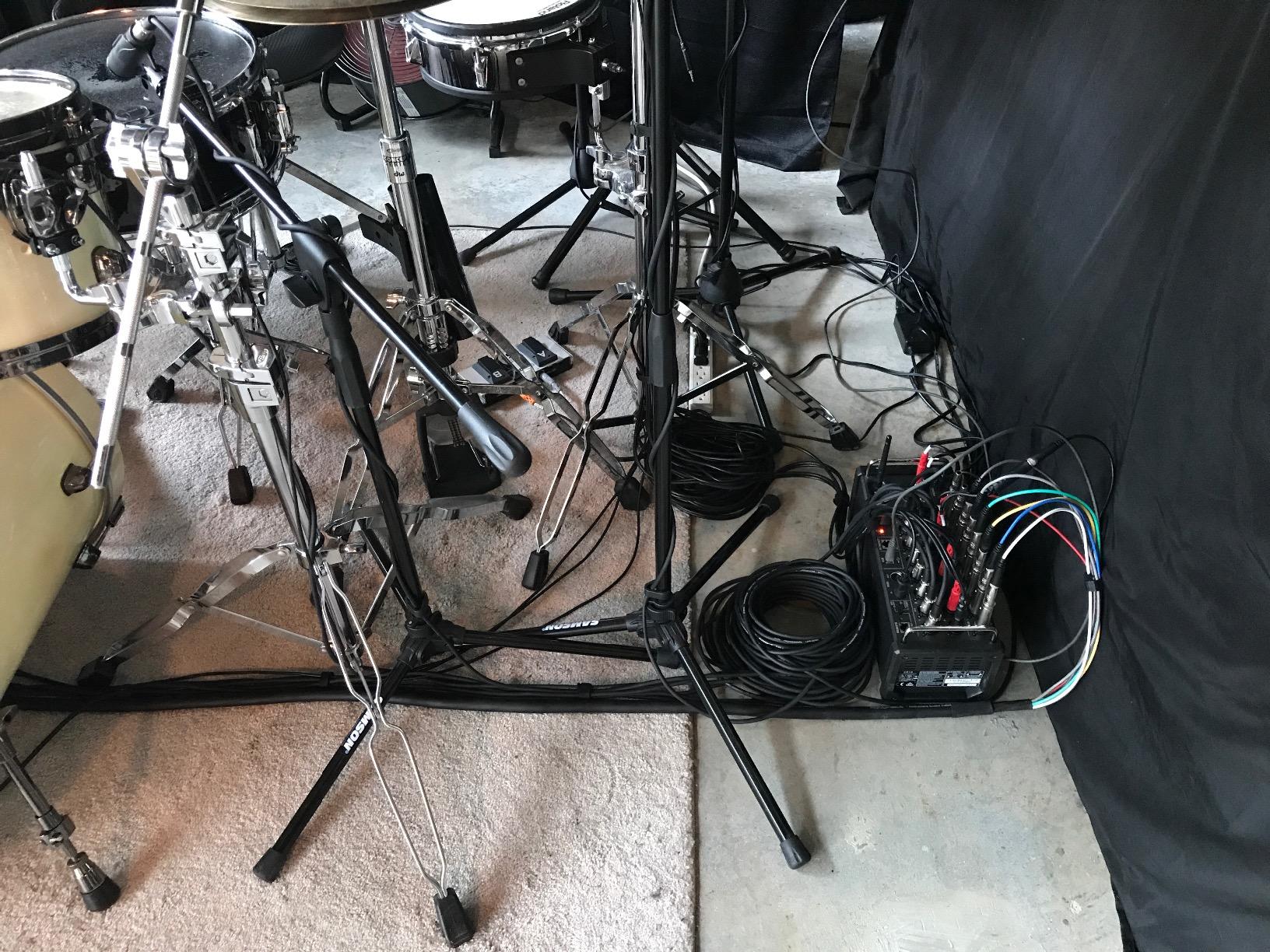
The XR18 is ideal for bands, solo performers, and small venues that want professional sound in a compact, rack-mountable package. It is also a popular choice for churches that need to keep their audio setup out of sight. Forum users consistently recommend it as the best budget option for tablet-controlled mixing, and its 843 reviews make it one of the most battle-tested digital mixers available.
If you need physical faders for tactile control during performances, the XR18 will not work for you since it is entirely app-controlled. Consider the full X32 instead if you prefer hands-on mixing.
The iPad app is the primary way most users interact with the XR18, and it is generally well-designed for live mixing. You can control gain, EQ, effects, routing, and scene recall from your tablet. The color-coding and labeling system for channels and buses helps keep things organized during busy shows. DCA groups let you control multiple channels with a single fader on the app.
The third-party app Mixing Station is also compatible with the XR18 and offers a more customizable interface. Many experienced sound engineers prefer Mixing Station over the official app. The PC application provides additional features like RTA and more detailed metering, making it useful for system setup and soundcheck.
12-Input Remote-Controlled Mixer
dbx/Lexicon/DigiTech FX
31-Band Graphic EQ
RTA on All I/O
The Soundcraft Ui12 offers something rare at its price point: premium effects processing from dbx, DigiTech, and Lexicon built right in. With over 1,000 reviews and a 4.4-star rating, it has proven itself as a reliable option for small venues, churches, and installations. At just 5 pounds, it is one of the lightest digital mixers you can buy.
The signal processing on the Ui12 is genuinely impressive for the price. Every input channel gets a 4-band parametric EQ, high-pass filter, compressor, de-esser, and noise gate. Every output gets a 31-band graphic EQ, noise gate, and compressor. The real-time frequency analyzer (RTA) on all inputs and outputs gives you visual feedback that helps you identify problems quickly.
I appreciate the DigiTech guitar amp modeling on channels 1 and 2, which lets guitarists plug directly into the mixer without needing a separate amp modeler. The cross-platform compatibility is excellent, with support for iOS, Android, Windows, macOS, and even Linux. You can control the mixer from virtually any device with a web browser.
The Wi-Fi range from the internal hotspot is limited, which can be a problem in larger venues. I also experienced occasional navigation glitches where the interface would jump back to the bootup screen. These issues are not dealbreakers, but they are something to be aware of if you plan to use the Ui12 in demanding live situations.
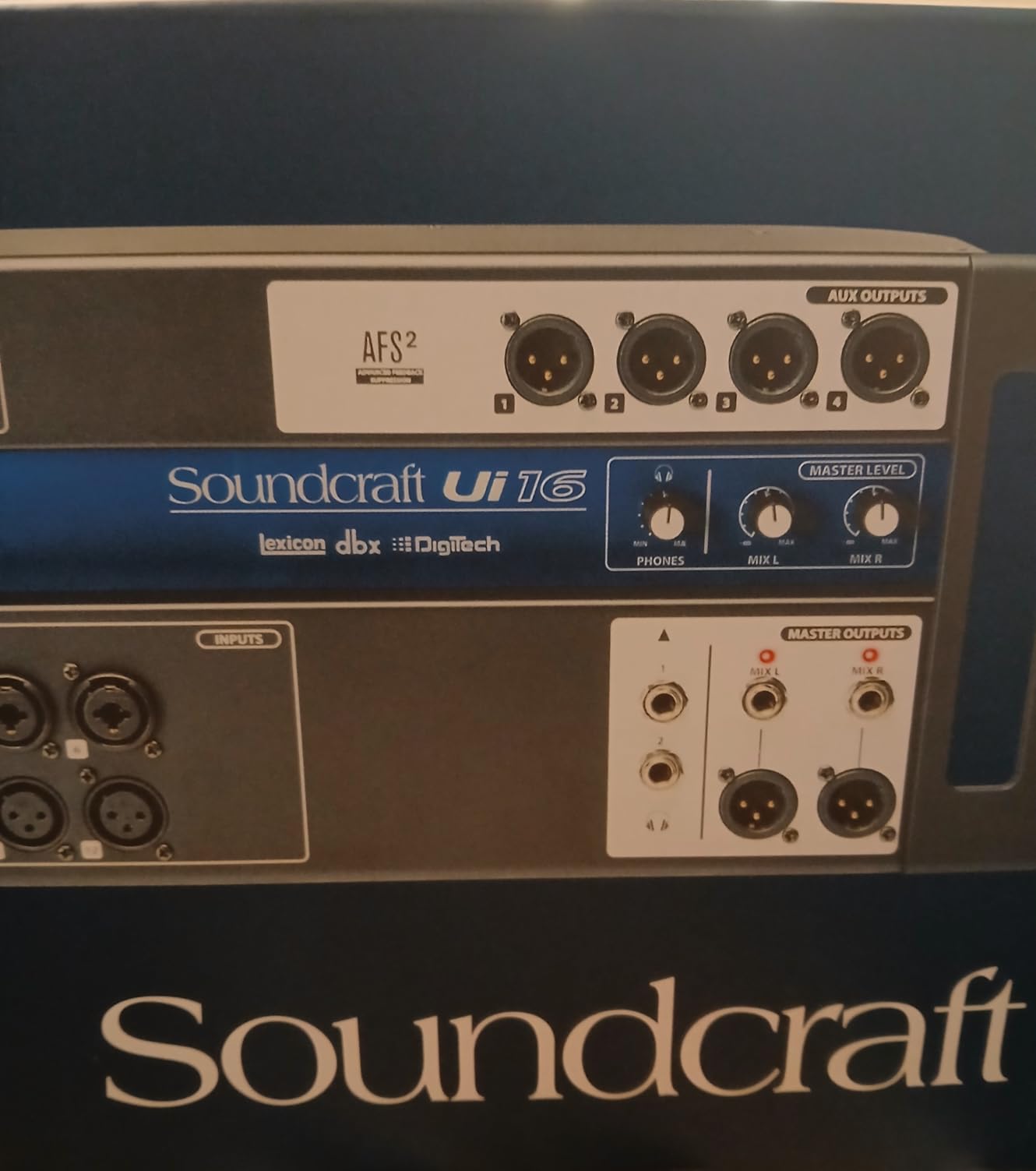
The Ui12 is a great fit for churches, small venues, and installed sound systems where the mixer stays in one place and is controlled remotely. The premium effects processing and comprehensive EQ options make it ideal for situations where sound quality matters but budget is limited. It is also a solid choice for rehearsal spaces and school auditoriums.
If you need to make rapid adjustments during dynamic live performances, the Ui12 may feel sluggish compared to mixers with physical faders. The Wi-Fi limitations also make it less suitable for large outdoor events.
The dbx compression and gating on every channel sound professional and transparent. The Lexicon reverb and delay effects are a step above what you find on most mixers at this price, giving you that polished studio sound in a live setting. The DigiTech processing on channels 1 and 2 provides amp modeling and stompbox effects for direct guitar input.
The 31-band graphic EQ on all outputs is a feature usually reserved for much more expensive consoles. Combined with the RTA, you can see exactly what is happening in your frequency spectrum and make surgical adjustments. This is particularly useful for tuning a room or controlling feedback in challenging acoustic environments.
8-Channel Portable Mixer/Recorder
Battery Powered
12 Tracks at 24-bit/96kHz
4 Headphone Outputs
The Zoom LiveTrak L-8 was designed with podcasters and mobile musicians in mind, and it excels at both. The battery-powered operation means you can record anywhere without hunting for a power outlet. I have used it at outdoor events, in coffee shops, and on location for field recordings. The compact size (about 11 by 10 inches) fits easily on a desk or in a gear bag.
Recording 12 simultaneous tracks at 24-bit/96kHz gives you plenty of resolution and track count for most situations. The six combo inputs accept XLR and quarter-inch cables, and the preamps have a low noise floor of -121dBu. Each channel has a 3-band EQ, and you can record to an SD card and your computer at the same time, providing a backup of every session.
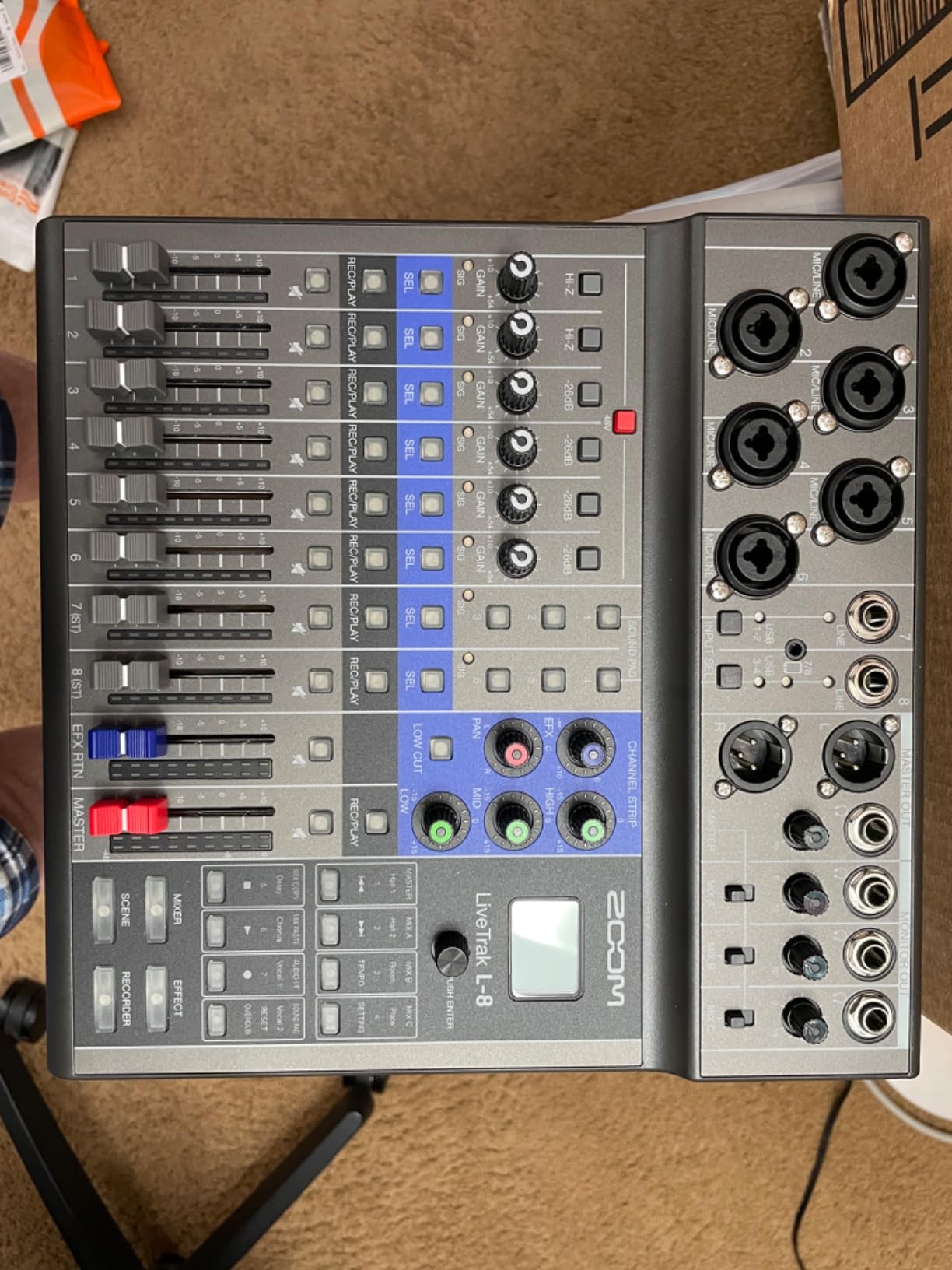
The four headphone outputs with three independent monitor mixes are a standout feature for podcasters. Each host can hear their own custom mix, which makes conversations flow more naturally. The sound pads let you trigger intro music, sound effects, and transitions on the fly. There is even a phone input for call-in interviews.
The main limitation is the single effects processor, which is shared across all tracks. If you need different reverb on vocals and guitar simultaneously, you are out of luck. Phantom power is also global, so you cannot mix condenser and dynamic microphones freely. And the Micro USB port feels outdated in 2026 when USB-C is the standard.
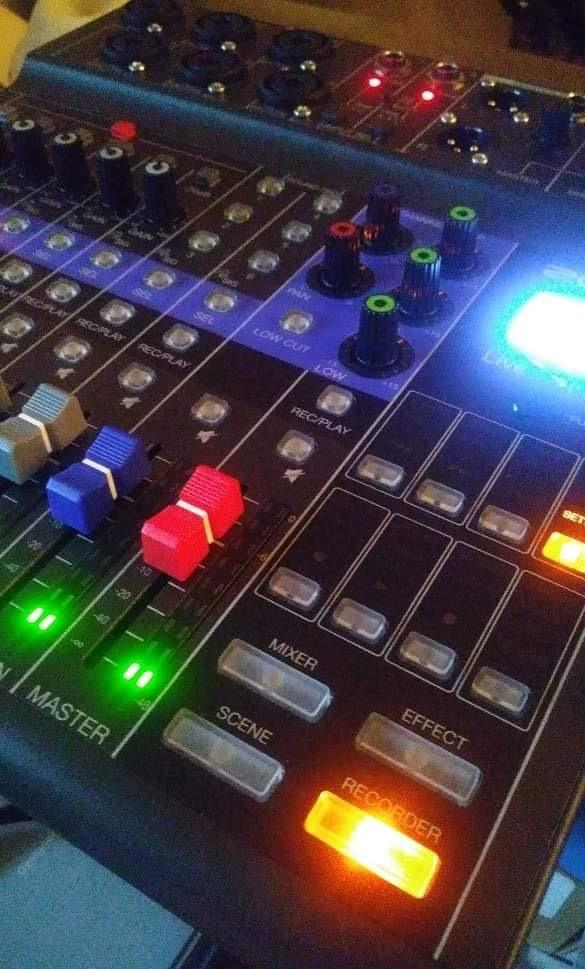
The L-8 is perfect for podcasters who record on location, musicians who need a portable recording setup, and content creators who want a battery-powered mixer they can take anywhere. If you run a multi-person podcast and need multiple headphone outputs, the L-8 offers this at a fraction of the cost of competing solutions.
It is less suitable for studio use where you have constant power and need multiple effects processors. The lack of onboard compression also means you will need to handle dynamics in post-production for critical recordings.
The L-8 runs on four AA batteries for portable operation, giving you several hours of recording time. For longer sessions, you can use an AC adapter or a USB power bank. The battery life varies depending on phantom power usage and headphone volume, but you can realistically expect 2 to 4 hours of continuous recording on a fresh set of batteries.
Field recording with the L-8 is straightforward. The low noise floor preamps pick up subtle details, and the 96kHz recording capability captures high-frequency content accurately. The SD card recording provides a reliable backup even when recording to a computer simultaneously, so you never lose a take to a software crash.
12-Channel 32-Bit Float Mixer/Recorder
AI Noise Reduction
Battery Powered
14-Track SD Recording
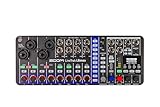
The Zoom LiveTrak L6max brings 32-bit float recording to a portable digital mixer, and that is a big deal. With 32-bit float and dual AD converters, you literally cannot clip your recordings. I tested this by cranking the gain far beyond what would distort on any other mixer, and the audio remained clean and usable. This means you never have to worry about setting gain perfectly during a live take.
At just 673 grams (about 1.5 pounds), the L6max is the lightest mixer in this entire roundup. Despite its tiny size, it packs 4 combo inputs with Hi-Z support and 8 line inputs, giving you 12 channels total. The AI noise reduction is surprisingly effective at cleaning up background noise, which is useful for recording in less-than-ideal environments.
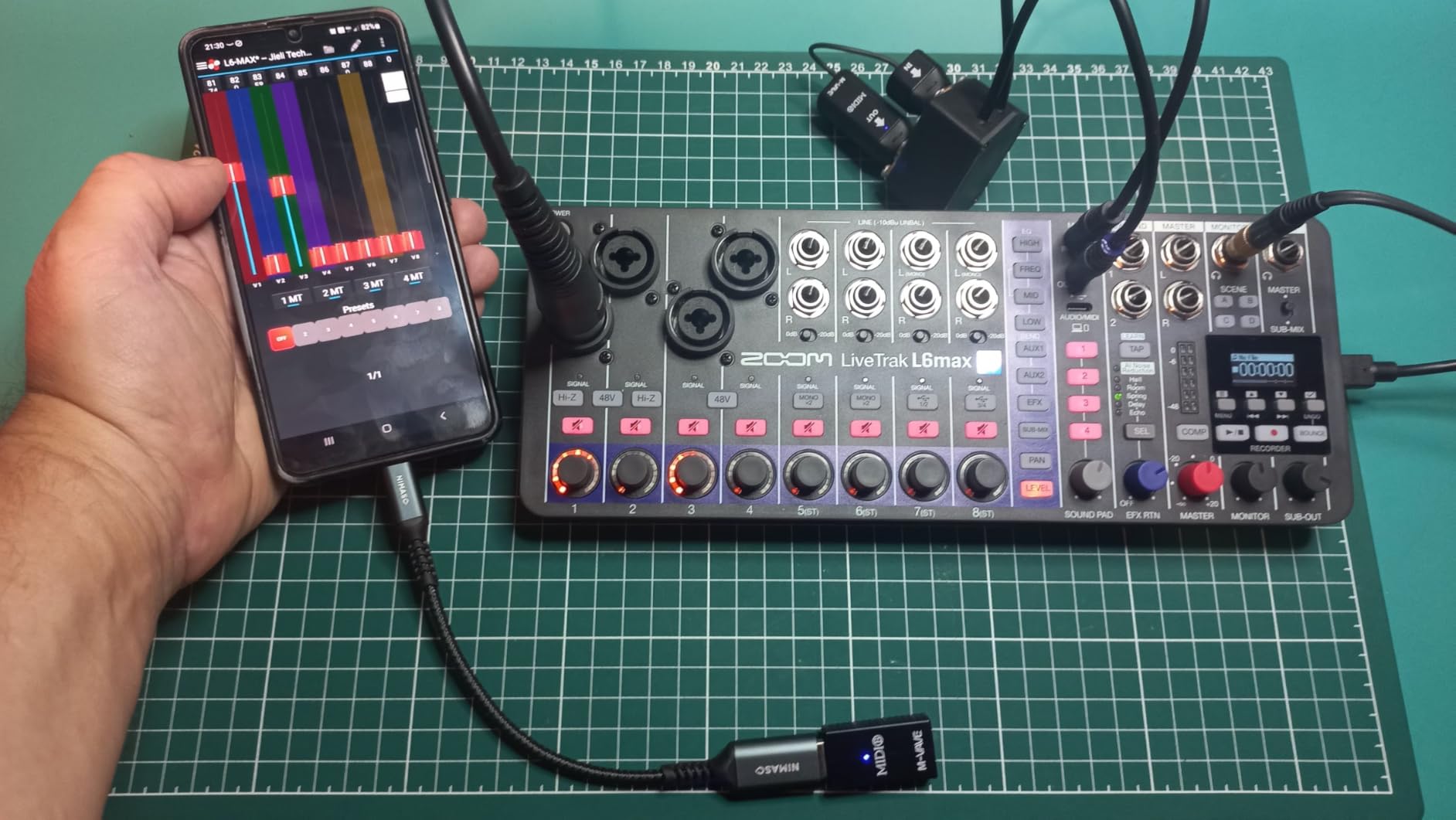
The USB connectivity is class-compliant, meaning it works with any computer or mobile device without installing drivers. This plug-and-play approach saves time and avoids compatibility headaches. The L6max can record 14 tracks simultaneously to SD cards up to 2TB, and the sound pads can lock to MIDI clock for synced performances.
The downsides are notable for some workflows. There is no built-in metronome or count-in feature, which limits its usefulness for solo recording without an external click track. The single effects processor is shared across all tracks, and there is no transport sync in or out for integrating with external recorders. These omissions suggest the L6max is aimed more at electronic musicians and synth-heavy setups than traditional band recording.
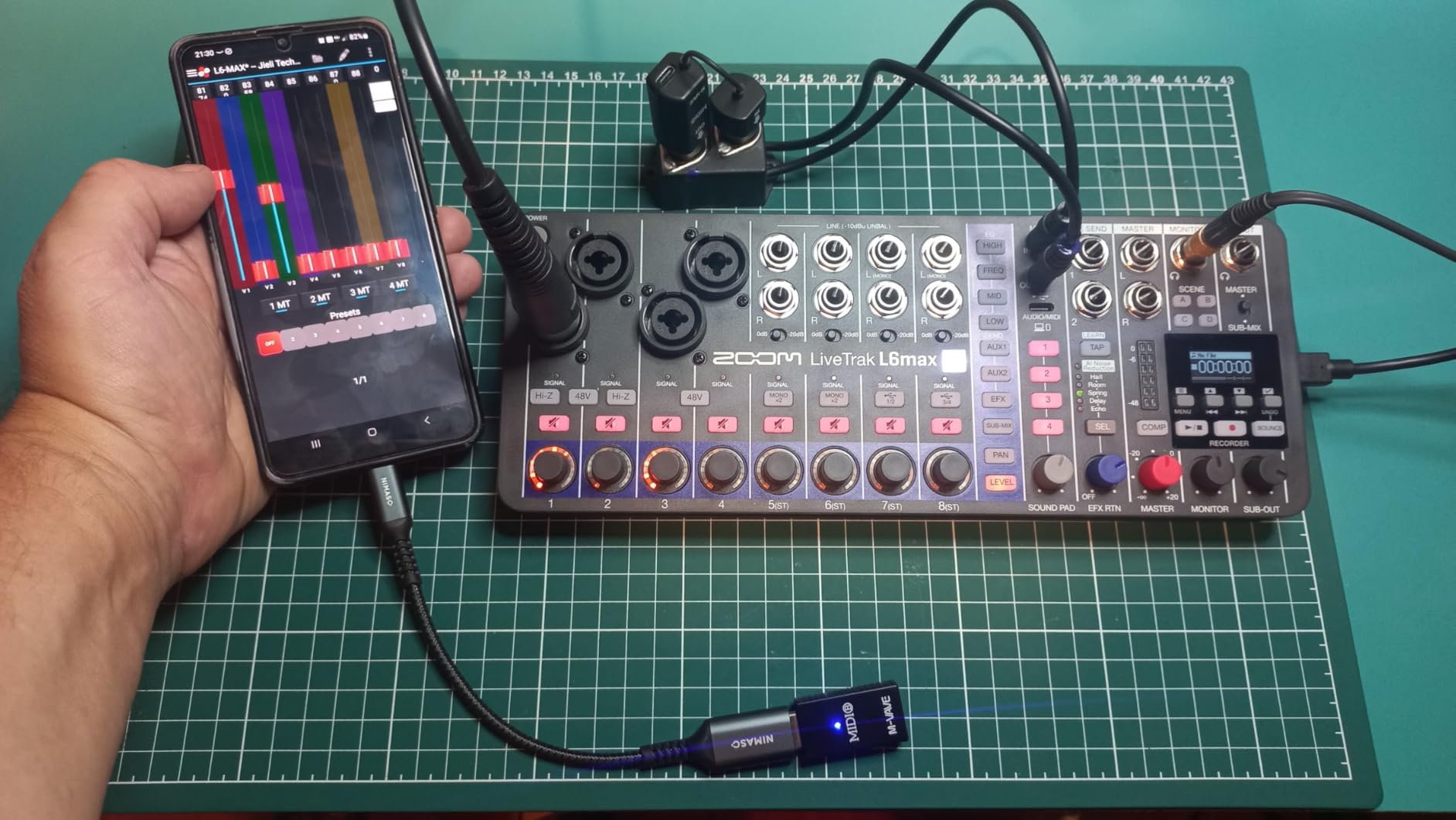
The L6max is ideal for electronic musicians, synth artists, and anyone who records in unpredictable environments where clipping is a concern. The 32-bit float recording means you can focus on your performance without constantly monitoring levels. It is also a strong pick for field recordists and location sound engineers who need maximum dynamic range in a portable package.
If you need traditional band recording features like a metronome, transport sync, or multiple effects sends, the Tascam Model 12 or Zoom L-8 would be better fits. The L6max is specialized for its niche but exceptional within it.
Traditional audio recording uses 24-bit fixed-point format, which has a defined ceiling above which the signal distorts. 32-bit float recording uses a floating-point format with an enormous dynamic range (over 1,500 dB). In practical terms, this means the signal never clips, no matter how hot the input. You can normalize the recording in post-production without any loss of quality.
The dual AD converters in the L6max capture both low and high levels simultaneously, ensuring full dynamic range coverage. This technology has been available in high-end field recorders for a few years, but Zoom bringing it to a compact mixer at this price is significant. For live recording where you cannot do a second take, 32-bit float provides peace of mind that no performance will be lost to clipping.
8-Input Digital Mixer
BT Audio and App Control
EZ-Gain Auto Setup
Midas Preamps
The Behringer FLOW 8 is proof that you do not need to spend a fortune to get a capable digital mixer. At its price, you get two MIDAS microphone preamps, real 60mm faders, Bluetooth audio streaming, and app control from your phone. With 786 reviews and a 4.7-star average, it is one of the highest-rated digital mixers on the market at any price point.
The two MIDAS preamps on inputs 1 and 2 deliver clean, detailed sound that punches well above the price tag. The EZ-Gain function automatically sets your gain levels, which is perfect for beginners who are not sure how to properly gain-stage. Having real physical faders on a mixer this affordable is unusual and gives you the tactile control that many ultra-budget digital mixers lack.
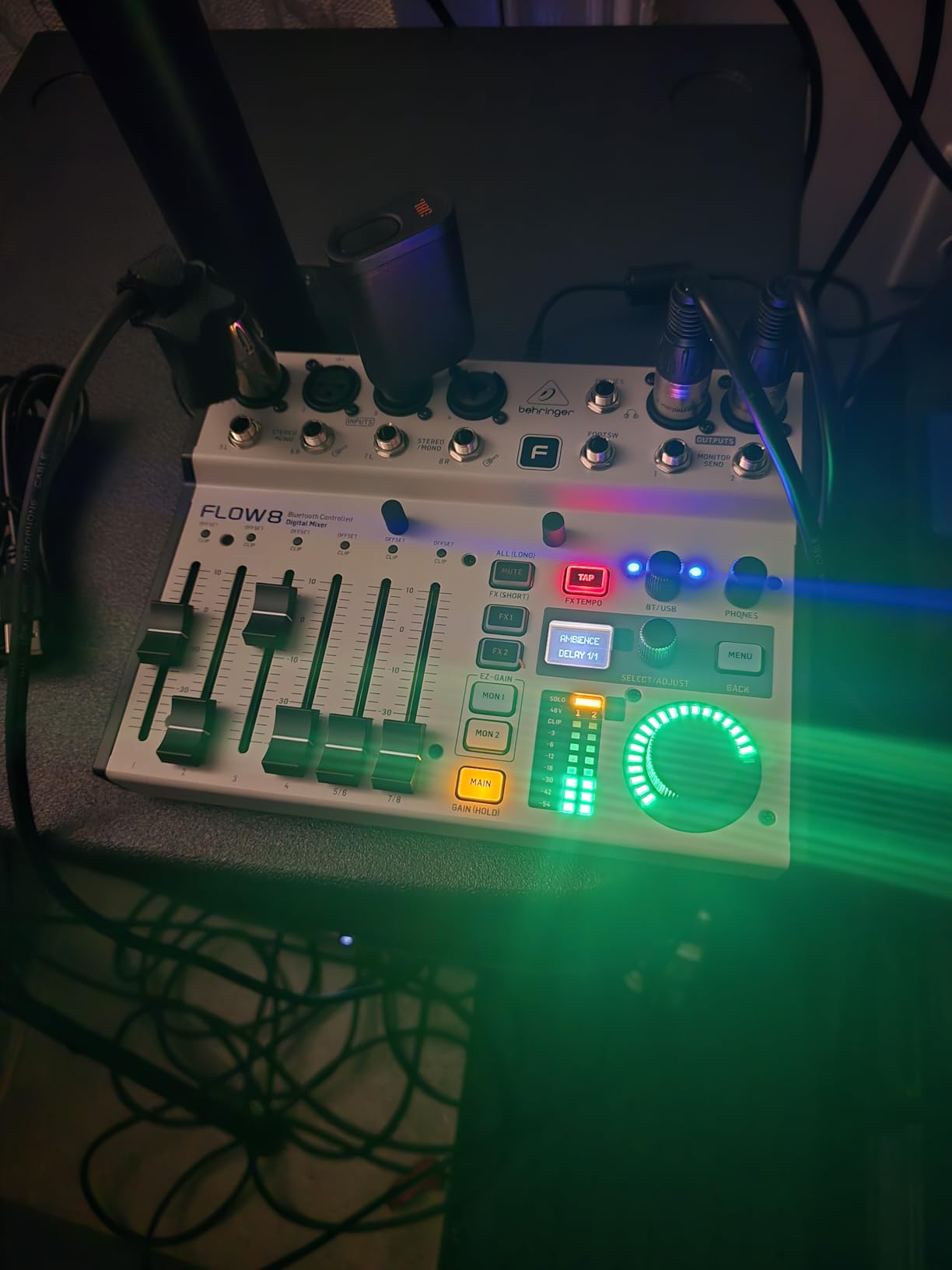
The FLOW app for iOS and Android provides full remote control over the mixer via Bluetooth. You can adjust EQ, effects, routing, and levels from across the room. The two built-in FX processors cover reverb, delay, and modulation effects that sound better than I expected. The Hi-Z inputs on channels 1 and 2 let you plug a guitar directly into the mixer without needing a DI box.
The weaknesses are mostly minor but worth noting. The headphone amp output is weak, so driving high-impedance headphones is a struggle. The Micro USB power port feels outdated. Channels 3 and 4 have a slight hiss that becomes noticeable at higher gains. And the app can be laggy when adjusting multiple parameters quickly.
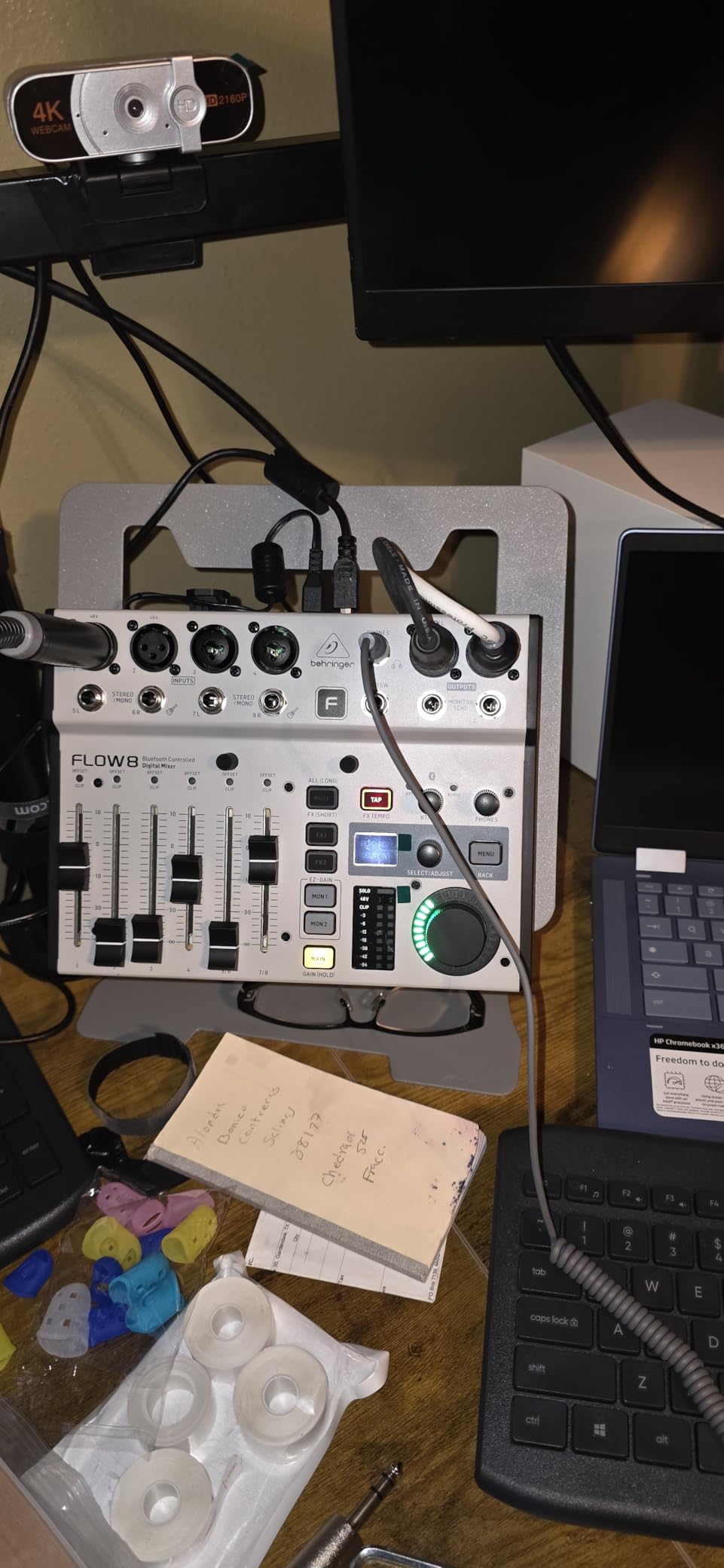
The FLOW 8 is the best digital mixer for beginners, solo podcasters, and anyone on a tight budget who wants more than a basic analog mixer. It is also a great practice mixer for students learning audio engineering, since the app interface teaches you about routing, EQ, and effects without a steep learning curve. Small churches and community organizations with limited budgets will find it more than adequate for basic sound reinforcement.
If you need more than 8 inputs, per-channel phantom power, or professional-grade preamps on every channel, you will need to step up to a higher-tier mixer. But for basic mixing, podcasting, and small performances, the FLOW 8 delivers remarkable value.
The FLOW app connects via Bluetooth and gives you control over all mixer functions. The interface is clean and straightforward, with clear labels and visual feedback. You can save and recall scenes, adjust EQ curves with touch gestures, and dial in effects parameters. The Bluetooth audio streaming feature lets you play backing tracks or background music from your phone, which is handy for solo performers and small events.
The app does have some latency, particularly when making rapid adjustments. For live mixing where you need split-second response, the physical faders and knobs on the unit itself are more reliable. I recommend using the app for setup and soundcheck, then relying on the physical controls during performance.
Choosing the right digital mixer comes down to understanding your specific requirements. Our team has broken down the key factors that should drive your decision, drawing from real-world experience and the feedback we gathered from professional audio forums.
Count every audio source you plan to connect simultaneously. A solo podcaster needs 2 to 4 inputs. A small band needs 8 to 16. A church or live venue may need 20 or more. Always buy more channels than you currently need, because your needs will grow. Also check the output count, since monitor mixes and recording feeds each consume outputs. The Behringer X32 with 40 inputs and 16 XLR outputs handles the most demanding scenarios, while the Behringer FLOW 8 with 8 inputs covers basic setups.
The preamps are the foundation of your sound quality. MIDAS-designed preamps (found on Behringer X32, XR18, and FLOW 8) are consistently praised for warmth and clarity. Yamaha D-PRE preamps on the DM3 deliver transparent, musical sound. Allen & Heath preamps on the CQ-12T are known for their character and reliability. If you use demanding dynamic microphones like the SM7B, pay attention to available gain. The Mackie DLZ Creator with its Onyx80 preamps has enough gain to drive even the most demanding dynamics without an external preamp.
Built-in effects save you from buying external processors. Look for mixers with dedicated effects engines rather than shared processing. The Soundcraft Ui12 stands out here with dbx dynamics, Lexicon reverb, and DigiTech guitar modeling all built in. The X32 offers 8 FX slots with flexible routing. Consider whether you need effects on individual channels (insert effects) or shared across a mix (bus effects). Most digital mixers provide both, but the flexibility varies significantly.
Modern digital mixers offer USB, Bluetooth, and Wi-Fi connectivity in various combinations. USB audio interface capability is essential if you plan to record multitrack to a DAW. The XR18 and CQ-12T both offer 18×18 and 16×16 USB interfaces respectively, which is enough for most recording scenarios. Bluetooth audio streaming is useful for playing backing tracks or background music wirelessly. Wi-Fi control lets you adjust the mixer from a tablet or phone, which is invaluable for live sound.
If you need to transport your mixer regularly, weight and size matter. The Zoom L6max at 1.5 pounds is the most portable option, followed by the Soundcraft Ui12 at 5 pounds and the Behringer FLOW 8 at about 3 pounds. The Behringer X32 at 45 pounds is a permanent installation piece. Also consider whether you need rack-mountable gear (XR18, Ui12) or a desktop unit. Battery-powered options like the Zoom L-8 and L6max give you freedom from power outlets.
If you plan to use your mixer as part of a recording studio, DAW integration is critical. The Tascam Model 12 doubles as a DAW controller with transport, fader, and track selection controls mapped to your software. The Yamaha DM3 offers an 18×18 USB interface with low-latency drivers. The XR18 provides 18 channels of USB audio in both directions. Check whether the mixer supports your specific DAW, since compatibility varies. Also verify driver support for your operating system, especially if you use Linux or a newer macOS version.
Touchscreens provide visual feedback and deep editing capabilities, but physical faders and knobs give you the tactile response many engineers prefer. The Mackie DLZ Creator has the largest touchscreen at 10.1 inches, while the Yamaha DM3 has a 9-inch screen. Mixers like the Tascam Model 12 and Behringer FLOW 8 offer real faders and knobs for hands-on control. The XR18 and Ui12 rely entirely on external devices for control, which some engineers love and others find limiting.
A digital mixer is only as good as its software. Check whether the manufacturer actively updates their apps and firmware. Behringer has a strong track record with the X32 family, and third-party apps like Mixing Station support multiple brands. Allen & Heath regularly updates the CQ series firmware. Forum users on r/livesound emphasize that software dependency is a real concern, since a mixer can become less useful if the manufacturer stops supporting its app. Choosing a brand with active development and community support reduces this risk.
Digital mixers range from under $200 to over $3000. Set a realistic budget that includes accessories you might need, like cables, cases, and microphone stands. The Behringer FLOW 8 delivers outstanding value for basic needs. The Allen & Heath CQ-12T and Behringer XR18 offer the best balance of features and value in the mid-range. The Behringer X32 is the value king for high-channel-count needs. Remember to factor in the total cost of ownership, including any necessary external preamps, SD cards, or networking equipment.
The best quality audio mixer depends on your needs. For live sound, the Behringer X32 offers professional-grade sound with 32 MIDAS preamps at exceptional value. For compact setups, the Yamaha DM3 delivers renowned Yamaha sound quality at 96kHz sample rate. For podcasting, the Mackie DLZ Creator provides excellent Onyx80 preamps with enough gain for demanding dynamic microphones like the SM7B.
Yes, digital mixers are excellent for most modern audio applications. They offer built-in effects processing, scene recall, flexible routing, and USB audio interface capabilities that analog mixers cannot match. The main trade-offs are a steeper learning curve and dependency on software updates. For live sound, studio recording, podcasting, and church audio, digital mixers from brands like Behringer, Yamaha, Allen u0026amp; Heath, and Zoom provide professional results at every budget level.
Most DJs use specialized DJ controllers rather than traditional digital mixers. However, for live performance and event DJing, the Behringer X32 and Allen u0026amp; Heath CQ-12T are popular choices. The XR18 is also widely used by mobile DJs who want a compact, tablet-controlled setup. Allen u0026amp; Heath mixers are particularly favored in the DJ community for their sound quality and build.
The main disadvantages of digital mixers include a steep learning curve compared to analog consoles, dependency on manufacturer software support, potential connectivity issues with DAW integration, higher repair costs if components fail, and reduced tactile feedback. Some digital mixers also have global phantom power instead of per-channel control, limited effects processors shared across channels, and software differences between tablet and desktop apps.
Most streamers use either the Mackie DLZ Creator or the Rode RODECaster Pro II. The Mackie DLZ Creator is specifically designed for streaming and podcasting with NDI support, AutoMix for multiple microphones, and a 10.1-inch touchscreen. For budget-conscious streamers, the Behringer FLOW 8 provides app control and Bluetooth audio at a very accessible price point.
The best digital mixers in 2026 cover an impressive range of features, prices, and use cases. For live sound and large-scale events, the Behringer X32 remains the industry standard for value with its 40 inputs, 32 MIDAS preamps, and motorized faders. The Allen & Heath CQ-12T offers the best balance of portability, sound quality, and value for small to medium setups. And the Behringer FLOW 8 proves that you can get genuine digital mixer capabilities at an entry-level budget.
For podcasters and streamers, the Mackie DLZ Creator delivers purpose-built features like AutoMix and NDI support. Musicians and home studio owners will find the Tascam Model 12 to be an outstanding all-in-one solution. And for those who prioritize portability above all, the Zoom L6max with its 32-bit float recording and the Zoom L-8 with its battery operation are hard to beat. Whatever your audio needs, there is a digital mixer on this list that will serve you well.