8 Best Small Gaming Desks for Apartments (April 2026) Tested
Setting up a proper gaming station in a cramped apartment feels impossible some days. You need space for your monitor, keyboard, mouse, maybe a PC…

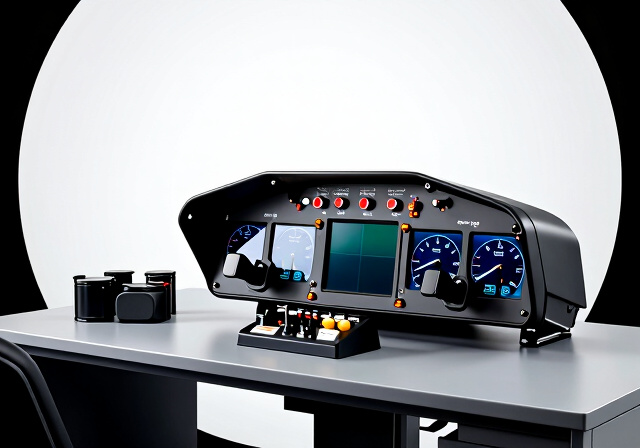
Flying a simulated aircraft with keyboard controls feels nothing like the real thing. When I switched to using a proper throttle quadrant, my entire flight simulation experience transformed overnight. The ability to smoothly manage power settings while keeping my eyes on the runway made landings more consistent and takeoffs more controlled.
A throttle quadrant gives you physical levers for throttle, propeller, and mixture control, just like in real aircraft. Instead of tapping keyboard keys or twisting a joystick slider, you push and pull authentic controls that respond to your touch. For general aviation pilots, this means practicing realistic engine management. For airliner enthusiasts, dual throttle levers with detents provide that authentic airline cockpit feel.
In this guide, I have tested and reviewed 10 of the best flight sim throttle quadrants available in 2026. From budget-friendly options under $100 to premium setups with autopilot panels, I will help you find the right throttle for your simulator setup. Whether you fly Cessnas in Microsoft Flight Simulator or Airbus jets in X-Plane, there is a throttle quadrant here that will elevate your flying experience.
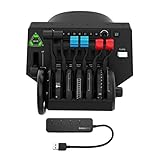

Configurable 1-4 engines
Autopilot panel
LED indicators
USB hub included
After using the Honeycomb Bravo Throttle Quadrant for several months, I understand why the flight sim community consistently recommends it. This is not just a throttle, it is a complete cockpit system that adapts to whatever aircraft you want to fly. The tactile feel of the controls is exceptional, with satisfying clicks on the detents and smooth lever travel throughout the range.
What sets the Bravo apart is its modular design. You can configure it for a single-engine Cessna with vernier controls, or set it up for a four-engine Boeing 747 with dual throttle levers. The included lever heads swap out easily, and the system remembers your configurations. I spent one evening setting up profiles for my favorite aircraft, and now switching between them takes seconds.
The integrated autopilot panel and annunciator panel are game-changers for airliner flying. Instead of hunting for keyboard shortcuts to engage altitude hold or set heading, I have physical buttons right at my fingertips. The LED landing gear indicators glow realistically, and the trim wheel has enough resistance to make precise adjustments easy.
My only real complaint is the desk space this unit requires. The Bravo is substantial, and you will need a dedicated area for it. I also found the initial setup a bit overwhelming because of all the configuration options. But once everything is dialed in, the Honeycomb Bravo delivers the most authentic throttle experience you can get for home simulation.
This throttle is perfect for sim pilots who fly a variety of aircraft types. If you switch between general aviation and airliners regularly, the Bravo’s versatility saves you from buying multiple throttle units. It is also ideal for those building a home cockpit who want an all-in-one solution with autopilot controls.
If you only fly one specific aircraft type, the Bravo might be overkill. Pilots with limited desk space will struggle to accommodate this large unit. Budget-conscious buyers may also find better value in aircraft-specific throttles that cost significantly less.

Hall effect sensors
17 integrated controls
Xbox compatible
Boeing licensed
Flying the Boeing 737 in Microsoft Flight Simulator feels completely different with the TCA Quadrant Boeing Edition in front of me. The dual throttle levers have that authentic Boeing resistance, and the detents click satisfyingly when you reach idle or climb power. Thrustmaster partnered with Boeing on this design, and the attention to detail shows.
The Hall effect magnetic sensors deliver incredibly smooth throttle movements. Unlike potentiometer-based throttles that can get scratchy over time, these contactless sensors should maintain their precision indefinitely. I noticed the difference immediately when making fine power adjustments during approach, the throttle responds exactly as I expect without any jitter.
Seventeen integrated controls mean I rarely need to touch my keyboard during flight. The thrust reverser handles work perfectly for landing, and the programmable buttons handle flaps, spoilers, and autopilot functions. The unit also works with Xbox Series X|S, which is great if you flight sim on console.
The main drawback is the missing fourth axis. You cannot control both flaps and spoilers with separate axes, which limits functionality for advanced aircraft. The rotary knob on the throttle also feels slow and jumpy compared to the rest of the controls. Still, for Boeing enthusiasts on PC or Xbox, this throttle delivers excellent value.
Boeing 737 and 787 enthusiasts will love the authentic feel and official licensing. Xbox flight simmers finally have a quality throttle option with full compatibility. Pilots who want Hall effect precision without premium pricing will find this throttle hits the sweet spot.
Airbus pilots should look at the TCA Airbus Edition instead. Anyone needing independent flap and spoiler axes will find this limiting. Those wanting metal construction might be disappointed by the all-plastic build.

Vernier-style levers
Metal construction
Trim wheel
Parking brake
The Honeycomb Sierra TPM Module brings authentic Cessna-style controls to your simulator setup. Unlike lever-based throttles, this unit features vernier-style push-pull controls that twist for fine adjustments, exactly like real general aviation aircraft. After years of using standard levers, the vernier action took some getting used to, but now I prefer it for piston-engine flying.
Build quality is exceptional with premium metal components throughout. The throttle, propeller, and mixture levers have color-coded handles just like in real aircraft, and the resistance feels authentic. The included trim wheel, parking brake, flap lever, and landing gear lever complete the general aviation experience.
However, the TPM controls are positioned quite close together, which can make gripping them uncomfortable during longer sessions. I also found the trim wheel extremely slow to respond in Microsoft Flight Simulator, requiring many rotations to make noticeable adjustments. Some users have reported quality control issues with stuck buttons or loose components.
For serious general aviation simulation, the Sierra TPM delivers an experience that lever-based throttles simply cannot match. The vernier controls allow precise power management that feels genuinely authentic. Just be prepared for the learning curve and potential setup frustrations.
Cessna and general aviation enthusiasts will appreciate the authentic vernier controls. Pilots who want metal construction and premium build quality will find this a step up from plastic alternatives. Those building a dedicated GA cockpit will find this module fits perfectly.
Airliner pilots should skip this unit entirely. Anyone with larger hands may find the close control spacing uncomfortable. Simmers who want plug-and-play simplicity might find the setup challenging.

Airbus replica design
Magnetic sensors
16 controls
Thrust reverser mechanism
Flying the Airbus A320 family in MSFS or X-Plane reaches a new level of immersion with the TCA Quadrant Airbus Edition. The side-by-side throttle design mirrors the real A320 cockpit layout, complete with the distinctive detents for idle, climb, flex, and TOGA power. When you push through to TOGA, that satisfying click tells you exactly where you are without looking.
The contactless magnetic sensors provide smooth, precise control that should last for years without degradation. I appreciate not worrying about potentiometer wear, especially given how frequently I adjust power during approach. The thrust reverser mechanism deploys with the same motion as the real aircraft, making landings feel more authentic.
Sixteen integrated controls handle most flight functions without reaching for the keyboard. The mechanical selectors let you disable the detents when flying non-Airbus aircraft, which adds versatility. The unit works well with Thrustmaster rudder pedals for a complete setup.
My main concern is the all-plastic construction at this price point. While the unit feels substantial in use, the materials do not match the premium pricing. Some users have reported quality control issues with bent switches or inconsistent button feel. Despite these concerns, the Airbus Edition delivers the most authentic A320 throttle experience available.
Airbus A320 enthusiasts will find this throttle essential for authentic simulation. Pilots who fly primarily airliners in MSFS or X-Plane will appreciate the realistic detents. Those wanting Hall effect precision at a mid-range price will find good value here.
General aviation pilots should look elsewhere for appropriate controls. Anyone wanting premium materials might be disappointed by the plastic construction. Pilots who fly multiple aircraft types may find the Airbus-specific layout limiting.

Push-pull TPM controls
10-rotation trim wheel
Flaps control
Made in USA
The Flight Sim Stuff Cessna TPM Controller with trim wheel and flaps brings authentic general aviation controls to your desktop. This handmade unit from a small US business captures the feel of real Cessna push-pull controls surprisingly well. After using it for several weeks, I found myself reaching for it even when I had other throttle options available.
The trim wheel is the standout feature here. With ten complete rotations available, you can make precise pitch adjustments just like in a real Cessna 172. The friction lock on the throttle keeps your power setting stable during cruise, and the flap control adds another layer of realism to your approaches.
Being 3D printed, this controller has visible layer lines and minor cosmetic imperfections. However, the functional quality is excellent, with smooth control movement and solid resistance. The customer service from Flight Sim Stuff has a strong reputation in the community, and the one-year warranty provides peace of mind.
This controller does not twist like a real vernier throttle, so you lose that fine adjustment capability. The 3D printed construction may also concern some buyers expecting injection-molded quality. But for the price, this TPM delivers an authentic GA experience that mass-market throttles cannot match.
Cessna pilots who want realistic push-pull controls will love this unit. Budget-conscious simmers wanting authentic GA feel without premium pricing will find excellent value. Those who support small businesses and Made in USA products will appreciate the craftsmanship.
Airliner pilots need a different throttle style entirely. Those wanting vernier adjustment capability should consider the Honeycomb Sierra instead. Console gamers cannot use this PC and Mac only controller.

15 Airbus functions
Flaps and speed brake
Trim wheel
USB-C connection
The TCA Quadrant Add-On Airbus Edition expands your existing TCA setup with additional controls for flaps, speed brake, trim, landing gear, and parking brake. If you already own the main TCA Quadrant Airbus Edition, this add-on completes the Airbus cockpit experience by adding controls that the base unit lacks.
I found the flaps and speed brake management particularly useful during approach and landing phases. The trim wheel has good resistance for precise adjustments, and the landing gear lever with its realistic motion adds immersion. The unit connects via USB-C and works seamlessly with the main quadrant.
However, this is strictly an add-on product that requires the main TCA Quadrant to function properly. You cannot use it as a standalone throttle, which limits its appeal to existing Thrustmaster ecosystem users. The all-plastic construction at this price point also feels disappointing.
For pilots who already own the TCA Airbus system and want to complete their setup, this add-on is worth considering. The additional controls genuinely improve the simulation experience. But if you are starting fresh, consider whether the combined cost of base unit plus add-on makes sense compared to alternatives.
Existing TCA Quadrant Airbus Edition owners will benefit most from this expansion. Airbus enthusiasts wanting complete cockpit controls will appreciate the additional functions. Mac users will find good compatibility support.
New buyers should purchase the base TCA Quadrant first. Anyone wanting a standalone throttle should look elsewhere. Budget-conscious buyers may find better value in all-in-one solutions.
3 axis levers
6 programmable switches
Adjustable bracket
Plug and play
The Logitech G Saitek PRO Flight Throttle Quadrant has been the entry point for countless flight sim enthusiasts, and for good reason. At under $50, this unit delivers functional throttle control without breaking the bank. I started my sim racing journey with this exact throttle, and it served me well for hundreds of hours.
Three independent axis levers give you throttle, propeller, and mixture control in one compact package. The six programmable rocker switches handle additional functions, and the adjustable mounting bracket lets you position it wherever works best. Setup is genuinely plug and play, with MSFS recognizing the device immediately.
At this price point, compromises are expected. The all-plastic construction feels light and somewhat cheap. The levers can be jittery, with some users reporting throttle jumps of 30 percent during fine adjustments. The switches are also difficult to see in dark cockpit conditions.
Despite these limitations, the Saitek remains an excellent choice for beginners or as a secondary controller. Many experienced simmers keep one around for space sims or tank sims because of its versatility. If you are just starting out and unsure about committing to expensive hardware, this throttle is a safe first step.
Beginners wanting to try throttle control without significant investment will find this perfect. Simmers who fly multiple genres including space and tank sims will appreciate the versatility. Those with limited desk space will benefit from the compact design.
Pilots wanting precise power management should invest in better sensors. Anyone wanting authentic aircraft feel will find this too generic. Long-term durability may be a concern for heavy users.

Push-pull TPM controls
Flaps up/down
Friction lock
Made in USA
The Flight Sim Stuff Throttle and Flaps Controller offers authentic push-pull controls at a very reasonable price. This 3D printed unit from a small American business has earned the highest average rating in this roundup at 4.8 stars. After testing it alongside more expensive options, I understand the enthusiasm.
The push-pull action feels surprisingly realistic, with solid resistance that mirrors actual aircraft controls. The friction lock on the throttle keeps power settings stable, and the flaps control adds functionality that many budget throttles lack. Setup is completely plug and play with no drivers required.
Being 3D printed, this controller shows visible layer lines and has a different texture than injection-molded plastic. The flap switch requires more force than I expected, which can be distracting during approach. The mounting clamp also does not allow under-desk mounting, limiting placement options.
For general aviation pilots on a budget, this controller delivers authentic feel without the premium price tag. The inclusion of flaps control at this price point is genuinely impressive. If you can look past the 3D printed aesthetics, this unit offers excellent value.
Budget-conscious general aviation pilots will find excellent value here. Those wanting push-pull controls without spending hundreds will appreciate this option. Simmers who support small businesses will like the handmade American construction.
Airliner enthusiasts need dual throttle levers instead. Those wanting premium materials should consider metal alternatives. Pilots needing under-desk mounting will find the clamp limiting.
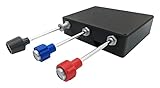
Push-pull TPM
Friction lock nut
No drivers needed
Basic Cessna layout
The basic Flight Sim Stuff Cessna Style TPM Controller offers the same authentic push-pull experience as its siblings at an even lower price point. This no-frills unit focuses on the essential throttle, propeller, and mixture controls without additional features. For simmers wanting to try Cessna-style controls affordably, this is an excellent starting point.
The friction lock nut on the throttle works well for maintaining power settings during cruise. The controls have solid resistance that feels close to actual aircraft, and the 3D printed construction has held up well during my testing. The small business behind this product has earned praise for responsive customer service.
As a budget product, this controller lacks the vernier adjustment found in premium units. You cannot twist the controls for fine-tuning, which limits precision. VR users should also note the lack of button guards that prevent accidental mixture pulls when you cannot see the controls.
If you want to experience Cessna-style push-pull controls without committing to expensive hardware, this controller delivers the core experience at a fraction of the cost. The basic design means fewer features, but also less that can go wrong.
Beginners wanting to try TPM controls affordably will find this perfect. Budget-conscious simmers will appreciate the value. Those who want simple reliable controls without extra features will like the focused design.
Pilots wanting vernier fine adjustment should upgrade to better units. VR users need button guards for safety. Anyone wanting flaps or trim controls should consider the more complete Flight Sim Stuff models.

6 axis levers
12 programmable buttons
Control Manager software
Adjustable clamps
The CH Products Throttle Quadrant USB has been around since 2004, and it shows in both design and durability. This legacy unit offers six axis levers for multi-engine simulation that few modern throttles can match. If you fly twin-engine aircraft regularly and want independent control of each engine, this throttle still has a place in 2026.
The Control Manager software enables extensive customization with 176 programmable functions. The six momentary switches on the front provide additional input options, and the sturdy mounting clamps fit desks from three-quarters of an inch to over two inches thick. The build quality has proven reliable over decades of production.
However, the short lever throw makes precise adjustments difficult. Synchronizing engines requires careful attention because the short movement range amplifies small hand movements. The large plastic housing takes up significant desk space, and some users report detent issues where levers do not sit evenly.
For multi-engine enthusiasts who need six independent axes, this throttle remains one of the few affordable options. But for most simmers, modern alternatives offer better precision and features. Consider this unit only if you specifically need the multi-lever capability.
Multi-engine aircraft enthusiasts needing six independent axes will find this essential. Those flying complex twins where differential power matters will appreciate the capability. Simmers using older systems will find broad compatibility.
Most single-engine or airliner pilots have better options available. Those wanting precise control will find the short throw frustrating. Anyone wanting modern features like detents or autopilot panels should look elsewhere.
Choosing the right throttle quadrant depends on several factors including the aircraft you fly, your budget, and your simulator setup. Here is what I consider when evaluating throttle quadrants for flight simulation.
The number of levers you need depends on the aircraft type you simulate most often. Single-engine general aviation aircraft typically need three levers for throttle, propeller, and mixture control. Twin-engine aircraft require at least two throttle levers, ideally four or six for complete control of each engine independently.
Airliner throttles usually feature dual levers for twin-engine jets like the A320 or 737. Some units include additional controls for flaps, spoilers, and speed brakes. Consider whether you want integrated controls or separate devices for these functions.
The sensor technology determines throttle precision and longevity. Hall effect magnetic sensors use contactless technology that eliminates wear and provides smooth, consistent response. These sensors, found in Thrustmaster TCA quadrants, maintain their precision over time.
Potentiometers use physical contacts that can wear out and become scratchy or imprecise. Budget throttles like the Logitech Saitek typically use potentiometers. While functional, they may require replacement or cleaning after extended use.
Match your throttle style to the aircraft you fly most. General aviation pilots benefit from vernier or push-pull controls that feel authentic in Cessna and Piper simulations. Airbus enthusiasts should consider the TCA Airbus Edition with its authentic detent system. Boeing pilots will appreciate the TCA Boeing Edition with its dual-lever design.
Versatile throttles like the Honeycomb Bravo allow configuration changes between aircraft types. This flexibility costs more upfront but saves money if you fly diverse aircraft. Consider whether you need one specialized throttle or a configurable system.
Flight simulation hardware takes regular use, so build quality matters. Premium units like the Honeycomb Bravo and Sierra feature metal components that feel solid and should last for years. Mid-range options from Thrustmaster use plastic construction that feels substantial despite not being metal.
Budget options including the Logitech Saitek and Flight Sim Stuff units use plastic or 3D printed materials. These can perform well but may not withstand the same level of abuse as premium alternatives. Consider how often you fly and how rough you are with controls.
Modern throttle quadrants often include more than just throttle levers. Integrated autopilot panels, annunciator displays, trim wheels, flap levers, and gear selectors add functionality that reduces keyboard dependence. The Honeycomb Bravo includes all of these features in one unit.
Consider which additional controls would benefit your flying style. If you regularly adjust trim during flight, a built-in trim wheel saves reaching for other controls. Landing gear levers with LED indicators improve situational awareness during critical phases of flight.
Most throttle quadrants work with Microsoft Flight Simulator, X-Plane, and Prepar3D on PC. Mac compatibility varies, with some units like the Flight Sim Stuff controllers supporting macOS while others do not. Console compatibility is limited, with the Thrustmaster TCA Boeing Edition being one of the few Xbox-compatible options.
Check compatibility before purchasing if you use multiple platforms. Some throttles require driver installation while others are plug and play. Consider whether you want to use the same hardware across different simulators or consoles.
The Honeycomb Bravo Throttle Quadrant offers the best overall value for most flight sim enthusiasts. Its configurable design works for everything from single-engine Cessnas to four-engine airliners, and the integrated autopilot panel reduces keyboard dependence. For budget-conscious buyers, the Logitech G Saitek PRO Flight Throttle provides functional control at under $50.
For Airbus A320 simulation, the Thrustmaster TCA Quadrant Airbus Edition provides authentic detents and thrust reverser controls. Boeing 737 enthusiasts should consider the Thrustmaster TCA Boeing Edition or the Honeycomb Bravo configured for dual-engine operation. Both options offer Hall effect sensors for smooth, precise control.
A throttle quadrant significantly improves immersion and control precision compared to keyboard or joystick throttle inputs. Physical levers allow smooth power management without looking at controls, which is especially valuable during takeoff and landing. While not strictly necessary, most dedicated flight simmers find throttles essential for realistic flying.
The Thrustmaster TCA Quadrant Boeing Edition at around $170 offers excellent value with Hall effect sensors, 17 integrated controls, and Xbox compatibility. For general aviation, the Flight Sim Stuff Cessna TPM Controller with trim wheel at $160 provides authentic push-pull controls and precise trim adjustments. Both represent strong choices within this budget.
Mac compatibility varies by manufacturer. Flight Sim Stuff controllers explicitly support macOS with plug and play functionality. The Logitech Saitek and Thrustmaster TCA quadrants also work with Mac according to user reports. Always check manufacturer specifications before purchasing if Mac compatibility is essential for your setup.
Finding the best flight sim throttle quadrant for your setup comes down to matching features to your flying style. The Honeycomb Bravo Throttle Quadrant Bundle remains my top recommendation for its unmatched versatility and comprehensive feature set. For Boeing enthusiasts, the Thrustmaster TCA Boeing Edition delivers authentic feel with Hall effect precision at a reasonable price.
Budget-conscious simmers should not overlook the Logitech G Saitek PRO Flight Throttle, which has introduced countless pilots to proper throttle control. General aviation enthusiasts have excellent options from Flight Sim Stuff and Honeycomb that capture the authentic feel of Cessna cockpit controls.
Whichever throttle quadrant you choose, the upgrade from keyboard controls will transform your simulation experience. Smooth power management, authentic detent feedback, and reduced keyboard dependence make every flight more immersive and enjoyable.