Carrying a full tower PC to a friend’s house for a gaming session used to mean awkward lifting, multiple trips to the car, and the constant worry about damaging your expensive hardware. That’s exactly why the best mini-ITX cases for LAN parties have become essential gear for gamers who refuse to compromise on performance while staying mobile.
I’ve spent years building compact gaming systems, and the difference between a well-designed portable case and a standard compact chassis becomes obvious the moment you try to fit it in your car trunk or carry it up a flight of stairs. The right mini-ITX case balances thermal performance, component compatibility, and genuine portability features like integrated handles or backpack-friendly dimensions.
In this guide, I’ll walk you through 10 outstanding mini-ITX cases that make LAN party travel actually enjoyable. Whether you need something that fits in a backpack, supports a full-size RTX 5090, or simply won’t break your back during transport, I’ve got you covered with real hands-on insights and practical recommendations.
Top 3 Picks for Best Mini-ITX Cases for LAN Parties
EDITOR'S CHOICE
- 18.25L Compact Design
- 330mm GPU Support
- 280mm AIO Ready
- SFX PSU Compatible
BEST VALUE
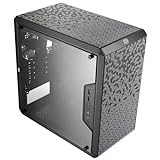
- Budget Friendly
- 360mm GPU Support
- Excellent Airflow
- mATX/ITX Compatible
PORTABLE PICK

- Integrated Handle
- 6.54 lbs Weight
- Tool-Free Panels
- ATX/SFX PSU Support
As an Amazon Associate we earn from qualifying purchases.
Best Mini-ITX Cases for LAN Parties in 2026
Here’s how all 10 cases stack up against each other. I’ve organized them by their key strengths so you can quickly find the right fit for your specific LAN party needs.
We earn from qualifying purchases.
1. Cooler Master NR200 – Best Overall LAN Party Case
EDITOR'S CHOICE
18.25L Volume
330mm GPU Support
280mm AIO Support
SFX PSU
10.56 lbs Weight
Check Price
Pros
- Compact footprint with excellent airflow
- Supports high-end GPUs up to 330mm
- Tool-less panel removal for easy access
- Multiple cooling configurations with 6 fan support
- Great value compared to premium ITX cases
- Outstanding cooling performance with proper setup
Cons
- Limited cable management space
- SFX PSU only
- Paint quality varies between units
After building in the Cooler Master NR200 for multiple LAN party systems, I can confidently say it hits the sweet spot between portability and performance. The 18.25-liter footprint slides easily into most backpacks or fits comfortably under one arm for short walks to the car. At just over 10 pounds empty, it’s light enough that a fully built system won’t leave you sore after a gaming event.
What really sets this case apart is its versatility. The tool-less panel removal means I can swap components or troubleshoot issues at a LAN party without hunting for screwdrivers. The side bracket comes out easily to accommodate a 280mm AIO, or you can run up to six 120mm fans for air cooling. I’ve tested both configurations, and the thermal performance impressed me even during extended gaming sessions.
The GPU support is another highlight. I’ve fit everything from compact RTX cards to longer triple-fan designs without issues. The 330mm clearance covers most modern GPUs, including the RTX 5080 and RX 9070 XT. Just remember that this case requires an SFX power supply, which adds a bit to the build cost but significantly reduces overall weight.
My main gripe involves cable management. The space behind the motherboard tray is tight, and I’ve had to get creative with routing to keep things tidy. If you’re running a lot of RGB or multiple drives, plan your cable routing before you start building. The paint finish also varies between units, with some showing more texture than others.
Who This Case Is Perfect For
The NR200 shines for gamers who want maximum component flexibility without the premium price tag. If you’re building a system that needs to handle both competitive esports titles and demanding AAA games while remaining portable enough for regular LAN events, this case delivers on all fronts.
What You Should Know Before Buying
Plan for an SFX PSU in your budget, as there’s no ATX option. Also consider that while the case supports large GPUs, very thick triple-slot cards may limit your CPU cooler choices. A modular power supply makes cable management significantly easier in this tight space.
2. Cooler Master MasterBox Q300L – Best Budget Value
BEST VALUE
15.39 x 9.06 x 15 in
360mm GPU Support
159mm CPU Cooler
mATX/ITX
1.06 lbs
Check Price
Pros
- Excellent value at budget price
- Great airflow with perforated design
- Supports full-size GPUs up to 360mm
- Modular I/O panel positioning
- Up to 5 fan support
- Magnetic dust filters
Cons
- Acrylic side panel scratches easily
- Limited cable management space
- Sharp edges during installation
When fellow LAN party attendees ask me for a budget recommendation, the Cooler Master MasterBox Q300L is always my first answer. This case proves you don’t need to spend a fortune to get a portable gaming rig that performs. The perforated design on all sides delivers excellent airflow, keeping my components cool during marathon gaming sessions.
The modular I/O panel is a clever feature I didn’t know I needed. You can position the USB and audio ports on the front, top, or bottom on either side, which helps with cable management based on your desk setup. At LAN parties, I appreciate being able to plug in my peripherals without reaching around the back of the case.
Despite the budget price, this case supports surprisingly large components. I’ve installed GPUs up to 360mm in length, which covers almost every card on the market. The 159mm CPU cooler clearance also allows for substantial air coolers, saving you the cost of liquid cooling. The support for up to five fans means you can dial in exactly the airflow your build needs.
The acrylic side panel is the main compromise at this price point. It looks fine initially but scratches easily during transport. I’ve learned to keep a protective layer on mine during travel to LAN events. The magnetic dust filters also feel a bit weak, and I’ve had them fall off during particularly bumpy car rides.
Who This Case Is Perfect For
The Q300L is ideal for budget-conscious gamers who still want to run high-end components. If you’re building your first portable gaming PC or need a secondary system for LAN parties without breaking the bank, this case offers incredible value.
What You Should Know Before Buying
The acrylic panel will scratch over time, so handle with care during transport. The sharp edges inside require careful handling during the build process. Also note that while it supports mATX boards, the cable management space is limited regardless of motherboard size.
3. Jonsbo C6-ITX – Best Portable with Handle
PORTABLE PICK
10.5 x 8 x 11.6 in
6.54 lbs Weight
255mm GPU Support
170mm CPU Cooler
ATX/SFX PSU
Check Price
Pros
- Integrated adjustable carry handle
- Full metal construction
- Tool-free panel removal
- Compact size for travel
- Type-C front port
- Excellent build quality
Cons
- Limited GPU length to 255mm
- Cable management requires planning
- Only 1 USB 3.0 port
The integrated handle on the Jonsbo C6-ITX transforms the LAN party experience. Instead of awkwardly hugging a case to my chest or searching for a strap, I simply grab the handle and go. The Velcro fastener adjusts to different grip preferences, and the full metal construction means I never worry about the handle failing mid-transport.
At just 6.54 pounds empty, this is one of the lightest cases I’ve built in. The compact dimensions make it perfect for fitting into backpacks or tight car spaces. I’ve actually taken this case on public transit to gaming meetups without any hassle. The all-mesh design ensures excellent airflow even in this small package.
The tool-free upper cover makes component swaps quick and painless. At LAN parties, I’ve been able to swap RAM or storage drives in minutes without tools. The inclusion of a Type-C port on the front is also welcome for modern peripherals, though I wish there were more than one USB 3.0 port alongside it.
The main limitation here is GPU length. At 255mm maximum, you’ll need to choose your graphics card carefully. I’ve found that most dual-fan cards fit fine, but longer triple-fan designs are out of the question. The cable management also requires careful planning since the compact space leaves little room for error.
Who This Case Is Perfect For
This case is perfect for gamers who prioritize portability above all else. If you walk or take public transit to LAN events, the integrated handle and lightweight design make this an obvious choice. It’s also great for those with mid-range GPUs who don’t need triple-fan card support.
What You Should Know Before Buying
Measure your GPU carefully before purchasing, as 255mm is a hard limit. The ATX PSU support is nice, but using one reduces CPU cooler clearance significantly. A modular PSU is highly recommended for easier cable management in this tight space.
4. PCCOOLER CPS K101 – Best Mesh Airflow
AIRFLOW CHAMPION
13.7 x 6.3 x 8.5 in
11.9L Volume
340mm GPU Support
68mm CPU Cooler
SFX PSU
Check Price
Pros
- Four-sided mesh for excellent airflow
- Three slim fans preinstalled
- 340mm GPU support
- Ergonomic reinforced handle
- Tool-free side panels
- Premium build quality
Cons
- PCIe riser cable not included
- 68mm CPU cooler limit
- Tight cable management
The PCCOOLER CPS K101 takes airflow seriously with mesh panels on all four sides. During extended LAN party sessions, I’ve watched other systems thermal throttle while my K101 build keeps humming along at reasonable temperatures. The three preinstalled 120x15mm slim fans move impressive air for their size.
The ergonomic handle feels solid thanks to zinc alloy mounts and a steel core. I’ve carried fully built systems weighing over 15 pounds without any flex or concern. The tool-free side panels make it easy to show off your build at events or quickly troubleshoot if something goes wrong.
GPU support is generous at 340mm, accommodating most modern cards including longer triple-fan designs. The case uses a vertical GPU mount, which looks great and can actually improve thermals by allowing heat to rise naturally away from the card. RGB lighting from your components shows through the mesh nicely.
However, this case does not include a PCIe riser cable, which is essential for the vertical GPU mount. Factor that additional cost into your budget. The 68mm CPU cooler limit also means you’re limited to low-profile options, so plan accordingly if you’re running a hot CPU.
Who This Case Is Perfect For
The K101 is ideal for gamers who push their systems hard and need maximum cooling in a portable package. If you live in a warm climate or attend LAN parties in less-than-ideal environments, the four-sided mesh design will keep your components safe.
What You Should Know Before Buying
You must purchase a compatible PCIe riser cable separately, specifically an 18.5-20cm dual 180-degree design. The low-profile CPU cooler limit means no large air coolers. Consider a 120mm AIO if you need better CPU cooling in this form factor.
5. SilverStone SG13 – Best Ultra-Compact
ULTRA COMPACT
8.74 x 11.22 x 7.13 in
11.5L Volume
10.5 inch GPU
ATX PSU Support
5.44 lbs
Check Price
Pros
- Ultra-compact 11.5L form factor
- Supports full-size ATX PSU
- Fits standard-length GPUs
- Supports 120/140mm AIO
- Lightweight for travel
- Excellent mesh airflow
Cons
- Very tight build space
- Limited CPU cooler height
- Requires careful component selection
The SilverStone SG13 is a legend in the SFF community for good reason. At just 11.5 liters, it’s one of the smallest cases that still supports full-size components. I’ve fit standard ATX power supplies and full-length GPUs in this tiny chassis, something many larger cases can’t claim.
The mesh front panel delivers excellent airflow despite the compact dimensions. I’ve run AIO coolers in the front with great results, though air cooling requires careful component selection. The lightweight 5.44-pound empty weight means even a fully loaded system remains manageable for transport.
What surprises most people is the GPU support. Standard-length cards up to 10.5 inches fit without issues, covering most mid-range and some high-end options. The ability to use a standard ATX PSU also saves money compared to cases requiring expensive SFX units.
Building in this case requires patience and planning. Every millimeter matters, and I’ve learned to install components in a specific order to avoid having to disassemble everything. The limited CPU cooler height means low-profile coolers only, and you may need to remove the PSU to access certain components.
Who This Case Is Perfect For
The SG13 is perfect for experienced builders who want the smallest possible footprint without sacrificing component compatibility. If you’re willing to plan carefully and don’t mind a more challenging build process, this case rewards you with incredible portability.
What You Should Know Before Buying
This is not a beginner-friendly case. Research component compatibility thoroughly before purchasing. Hidden screws in the front panel can break if forced, so read the manual carefully. Consider watching build videos to understand the assembly sequence.
6. Cooler Master N200 – Best Classic Tower
CLASSIC CHOICE
17.5 x 7.9 x 14.9 in
355mm GPU Support
160mm CPU Cooler
240mm AIO
9.5 lbs
Check Price
Pros
- Incredible airflow from mesh front panel
- Supports 355mm high-end GPUs
- Room for 3 HDD and 4 SSD
- 240mm AIO support
- Easy to build in
- Great value
Cons
- Motherboard standoff issues
- Only 1 USB 3.0 port
- Front fan can be noisy
The Cooler Master N200 has been around for years, and I keep coming back to it for LAN party builds that need more storage and expansion options. The fully meshed front panel delivers some of the best airflow I’ve experienced in a compact case, keeping even power-hungry components cool during extended sessions.
Despite its age, the N200 supports modern components surprisingly well. The 355mm GPU clearance handles almost any card you throw at it, and the 160mm CPU cooler limit allows for substantial air coolers. I’ve also installed 240mm AIOs in the front with excellent results.
Storage flexibility is where this case really shines. I’ve built systems with up to three 3.5-inch hard drives and four 2.5-inch SSDs, making it perfect for gamers with large game libraries or content creators who need local storage. The removable hard drive cage lets you reclaim space when you don’t need all those drives.
The main issues involve the motherboard standoffs, which can get stuck with screws and don’t always go back in securely. The single USB 3.0 port on the front also feels limiting by modern standards. Front fan noise can be noticeable at high RPMs due to the mesh grill design.
Who This Case Is Perfect For
The N200 is ideal for gamers who need a compact case but refuse to compromise on storage or GPU options. If you have a large game library or want the flexibility to run any graphics card on the market, this classic design still delivers.
What You Should Know Before Buying
Be careful with motherboard standoffs during installation, as they can be tricky. The front panel plastic can scratch during frequent transport, so consider a protective cover. The bottom-mounted PSU design means you’ll need to lift the case to access power connections.
7. Cooler Master NR200P V2 – Best for High-End GPUs
GPU POWERHOUSE
14.65 x 7.28 x 11.5 in
18.25L Volume
357mm GPU Support
PCIe 4.0 Riser
280mm AIO
Check Price
Pros
- Supports RTX 5080 and RX 9070 XT
- PCIe 4.0 riser cable included
- Top 240/280mm radiator support
- Choice of glass or vented panel
- USB Type-C included
- Tool-free access
Cons
- Very cramped interior
- Difficult component access
- Tight CPU to GPU clearance
- SFX PSU only
The Cooler Master NR200P V2 takes everything great about the original NR200 and adds support for the absolute largest GPUs on the market. I’ve successfully installed RTX 5080 and RX 9070 XT cards in this case, something that seemed impossible in this form factor just a few years ago.
The included PCIe 4.0 riser cable is a significant upgrade over the original, ensuring you don’t lose any GPU performance with the vertical mount. The choice between tempered glass and vented steel side panels lets you prioritize either aesthetics or airflow based on your needs.
Top-mounted radiator support up to 280mm gives you serious cooling options. I’ve run both air and liquid cooling configurations, and the thermal performance is impressive for the size. The USB Type-C port on the front is also a welcome addition for modern peripherals.
However, this case is cramped. I mean really cramped. Building takes significantly longer than larger cases, and accessing components after the initial build is challenging. The tight bend between the CPU and vertically mounted GPU requires careful planning for cooler and GPU thickness.
Who This Case Is Perfect For
The NR200P V2 is ideal for gamers who want top-tier GPU performance in a portable package. If you’re running the latest flagship cards and refuse to compromise on graphics power at LAN events, this case makes it possible.
What You Should Know Before Buying
Plan your build carefully before starting, as the cramped space makes changes difficult. The glass panel can restrict GPU airflow, so consider the vented panel if thermals are your priority. Some AIO coolers may not fit due to pump design variations.
8. Cooler Master NR200P V3 – Best Premium Option
PREMIUM PICK
14.89 x 11.5 x 7.28 in
18.6L Volume
361mm GPU Support
PCIe 5.0 Riser
280mm AIO
Check Price
Pros
- PCIe 5.0 riser cable included
- Supports RTX 5090 class GPUs
- Mesh side panel for airflow
- Tool-free aluminum panels
- Excellent finish quality
- Compact footprint
Cons
- Very tight interior
- Difficult component swapping
- RGB blocked by components
- SFX PSU only
The Cooler Master NR200P V3 represents the cutting edge of compact case design. The PCIe 5.0 riser cable future-proofs your build for next-generation GPUs, and the massive 361mm GPU clearance means even RTX 5090 class cards can fit. This is the case I recommend for gamers building no-compromise portable systems.
The vented mesh side panel addresses the airflow concerns of the glass-panel V2. I’ve seen noticeable temperature improvements with the mesh panel, especially for GPU thermals. The tool-free aluminum panels feel premium and make access straightforward.
At 18.6 liters, the footprint remains compact enough for LAN party transport while accommodating larger components than ever before. The finish quality is noticeably better than the original NR200, with cleaner lines and more refined aesthetics.
The interior is still extremely tight, and building takes patience. Once assembled, component swapping is difficult, so get your build right the first time. RGB lighting from components is largely blocked by the GPU and cooler, so don’t expect much visual flair.
Who This Case Is Perfect For
The NR200P V3 is ideal for enthusiasts building flagship systems that need to travel. If you want RTX 5090 performance at LAN parties without hauling a massive tower, this case makes it possible while looking sleek doing it.
What You Should Know Before Buying
The GPU rear mounting plate isn’t rugged enough for the heaviest cards without additional support. The top mounting system for radiators could be better designed. Consider your component thickness carefully before building.
9. SHINYSNAKE L300 Mesh – Best Backpack-Friendly
TRAVEL READY
7.4 x 5.3 x 14 in
8.5L Volume
325mm GPU Support
55mm CPU Cooler
5.29 lbs
Check Price
Pros
- Ultra-compact 8.5L design
- Side-mounted steel handle
- 60% lighter than towers
- Includes PCIe 3.0 riser
- DP 1.4 extension cable
- Excellent airflow
Cons
- Tight cable management
- Front IO cables stiff
- Realistic GPU limit ~300mm
The SHINYSNAKE L300 Mesh is the closest thing to a truly backpack-ready gaming PC case I’ve found. At just 8.5 liters and 5.29 pounds empty, this case disappears into larger backpacks while still supporting surprisingly powerful hardware. The side-mounted steel handle makes carrying comfortable and secure.
The full-perforation steel mesh panels deliver excellent airflow despite the tiny footprint. Dual 120x15mm ultra-slim fans come preinstalled and move impressive air for their size. I’ve run extended gaming sessions without thermal issues, though the all-mesh design does make fan noise more audible.
Inclusion of both a dual reverse PCIe 3.0 riser cable and a 1.5m DP 1.4 extension cable adds significant value. The DisplayPort cable supports 4K at 120Hz, perfect for connecting to monitors at LAN events. The Type-C and dual USB 3.0 ports on the front provide modern connectivity options.
Cable management is the main challenge here. The front IO cables are stiff and longer than needed, and the tight space requires a modular PSU for any hope of tidiness. The realistic GPU limit is closer to 300mm with a top fan installed, despite the 325mm specification.
Who This Case Is Perfect For
The L300 is ideal for gamers who travel frequently by foot, bike, or public transit. If you need a gaming PC that truly fits in a backpack without sacrificing too much performance, this ultra-compact design delivers.
What You Should Know Before Buying
The included DisplayPort cable quality varies, so test it immediately. The feet don’t provide much clearance for cables with tall heads. GPU thickness is limited to about 40mm due to the side panel frame, so check your card dimensions carefully.
10. Fractal Design Terra Jade – Best Premium Design
DESIGN EXCELLENCE
13.5 x 6.02 x 8.58 in
10.4L Volume
322mm GPU Support
FSC Walnut Panel
Anodized Aluminum
Check Price
Pros
- Stunning walnut and aluminum design
- Real wood front panel
- Compact 10.4L footprint
- PCIe 4.0 riser included
- Sliding motherboard tray
- Premium build quality
Cons
- Limited to single 120mm fan
- Higher price point
- Black finish scratches easily
- No additional drive support
The Fractal Design Terra Jade is the case I bring when I want to make a statement at LAN parties. The FSC-certified solid walnut front panel and 8mm-thick anodized aluminum exterior create a stunning aesthetic that stands out in a sea of black boxes. This is a case people actually ask about.
Beyond looks, the Terra is genuinely functional. The stepless slidable central wall provides 30mm of internal flexibility, letting you balance GPU and CPU cooler space based on your specific components. The sliding motherboard tray makes installation significantly easier than most compact cases.
Despite the 10.4-liter volume, this case supports GPUs up to 322mm in length. I’ve fit substantial graphics cards while maintaining a footprint small enough to fit in some backpacks. The PCIe 4.0 riser cable comes included, saving you the additional purchase required by some competitors.
The cooling options are limited to a single 120mm fan, which can be challenging for high-TDP components. The black finish also scratches easily, requiring careful handling during transport. At this price point, those compromises may frustrate some buyers.
Who This Case Is Perfect For
The Terra Jade is ideal for design-conscious gamers who want their portable system to look as good as it performs. If you appreciate premium materials and craftsmanship and don’t mind paying for it, this case is a conversation starter at any LAN event.
What You Should Know Before Buying
Cooling capacity is limited, so avoid extremely hot components or plan to undervolt. Cable management becomes challenging with larger GPUs. There’s no support for additional drives beyond M.2, so plan your storage accordingly.
LAN Party Mini-ITX Case Buying Guide
Choosing the right mini-ITX case for LAN parties involves balancing several competing factors. After building dozens of portable systems, I’ve learned what actually matters when you’re carrying your PC to gaming events regularly.
Portability Features That Matter
Weight is the most obvious factor, but don’t just look at the empty case weight. A fully built system with GPU, PSU, and cooling can weigh 2-3 times the case weight. Cases under 7 pounds empty typically result in systems under 20 pounds fully built, which remains comfortable for short carries.
Integrated handles transform the carrying experience. Cases like the Jonsbo C6-ITX and PCCOOLER K101 include handles that make transport significantly easier than hugging a case or using aftermarket straps. If your case lacks a handle, check for strap attachment points before buying.
Dimensions matter for transport method. Cases under 12 liters typically fit in large backpacks, while 15-20 liter cases work well for car transport. Measure your intended carrying solution before committing to a case.
GPU Compatibility
Modern GPU clearance is the most common limitation in compact cases. Check both length and thickness specifications, as triple-slot cards may not fit even within the length limit. The NR200P V3 leads the pack with 361mm clearance, while compact options like the SG13 and C6-ITX require more careful GPU selection.
Consider whether you need vertical GPU mounting. Cases with riser cables offer cleaner aesthetics and can improve thermals, but add cost and complexity. The NR200P V2, V3, and Terra include quality riser cables, while the K101 requires a separate purchase.
Cooling Strategy
Air cooling in compact cases requires checking CPU cooler height limits carefully. Low-profile coolers under 70mm work in most cases, while taller towers need cases like the NR200 series or N200 with their 160mm+ clearances.
Liquid cooling opens more options but adds complexity. Cases supporting 240mm or 280mm AIOs include the NR200 series, SG13, and N200. Remember that AIOs add weight and potential leak concerns during transport.
Power Supply Considerations
SFX power supplies reduce weight and size but cost more than ATX units. Cases requiring SFX PSUs include the NR200 series, K101, and L300. Cases supporting ATX PSUs like the SG13, C6-ITX, and Q300L offer more budget flexibility.
Modular PSUs make cable management significantly easier in tight spaces. Semi-modular or fully modular units let you install only the cables you need, reducing clutter behind the motherboard tray.
Build Difficulty
Compact cases require more planning than standard builds. The SG13 and L300 demand careful component selection and installation order, while the NR200 series and Q300L offer more forgiving builds for newcomers to SFF.
Consider how often you’ll need to access components after building. Cases with tool-free panels like the NR200 series and C6-ITX make troubleshooting at LAN events much easier than cases requiring tools for access.
FAQ’s
What is the best mini-ITX case for LAN parties?
The Cooler Master NR200 is the best overall mini-ITX case for LAN parties, offering an excellent balance of portability at 18.25L, support for high-end GPUs up to 330mm, versatile cooling options including 280mm AIO support, and great value. For budget builds, the Cooler Master Q300L offers similar flexibility at a lower price point.
Do mini-ITX cases overheat more easily?
Mini-ITX cases can run warmer than larger cases due to reduced airflow space, but modern designs with mesh panels and proper fan configurations perform well. Cases like the PCCOOLER K101 with four-sided mesh or the NR200 with support for up to six fans demonstrate that compact cases can maintain excellent thermals with proper component selection and fan setup.
Do I need an SFX PSU for a mini-ITX case?
Not always. While many compact mini-ITX cases require SFX power supplies due to space constraints, several options support standard ATX PSUs including the SilverStone SG13, Jonsbo C6-ITX, and Cooler Master Q300L. SFX PSUs reduce weight and size but cost more, so choose based on your budget and portability needs.
What size GPU fits in a mini-ITX case?
GPU size varies significantly by case. Compact options like the Jonsbo C6-ITX support GPUs up to 255mm, while larger mini-ITX cases like the NR200P V3 support cards up to 361mm including RTX 5090 class GPUs. Always check both length and thickness specifications, as triple-slot cards may not fit despite meeting length requirements.
Is mini-ITX good for gaming?
Yes, mini-ITX builds are excellent for gaming. Modern mini-ITX cases support full-size GPUs, high-wattage power supplies, and effective cooling solutions. The compact form factor is ideal for LAN parties and small spaces while maintaining desktop-level gaming performance. Many competitive gamers prefer mini-ITX for the portability without sacrificing frame rates.
Final Thoughts on the Best Mini-ITX Cases for LAN Parties
Finding the right mini-ITX case for LAN parties comes down to matching your specific needs with the right combination of portability, performance, and price. The Cooler Master NR200 remains my top overall recommendation for its excellent balance of features, but budget builders should strongly consider the Q300L while travelers needing maximum portability will love the Jonsbo C6-ITX or SHINYSNAKE L300.
Whatever case you choose, remember that a successful LAN party build requires planning your component selection carefully. Measure your GPU, check your PSU requirements, and consider how you’ll actually transport the system to events. With the right preparation, your portable gaming rig will deliver desktop performance wherever you and your friends gather to play.