8 Best ROG Ally Thumbstick Grips and Caps (March 2026) Complete Guide
Table Of Contents
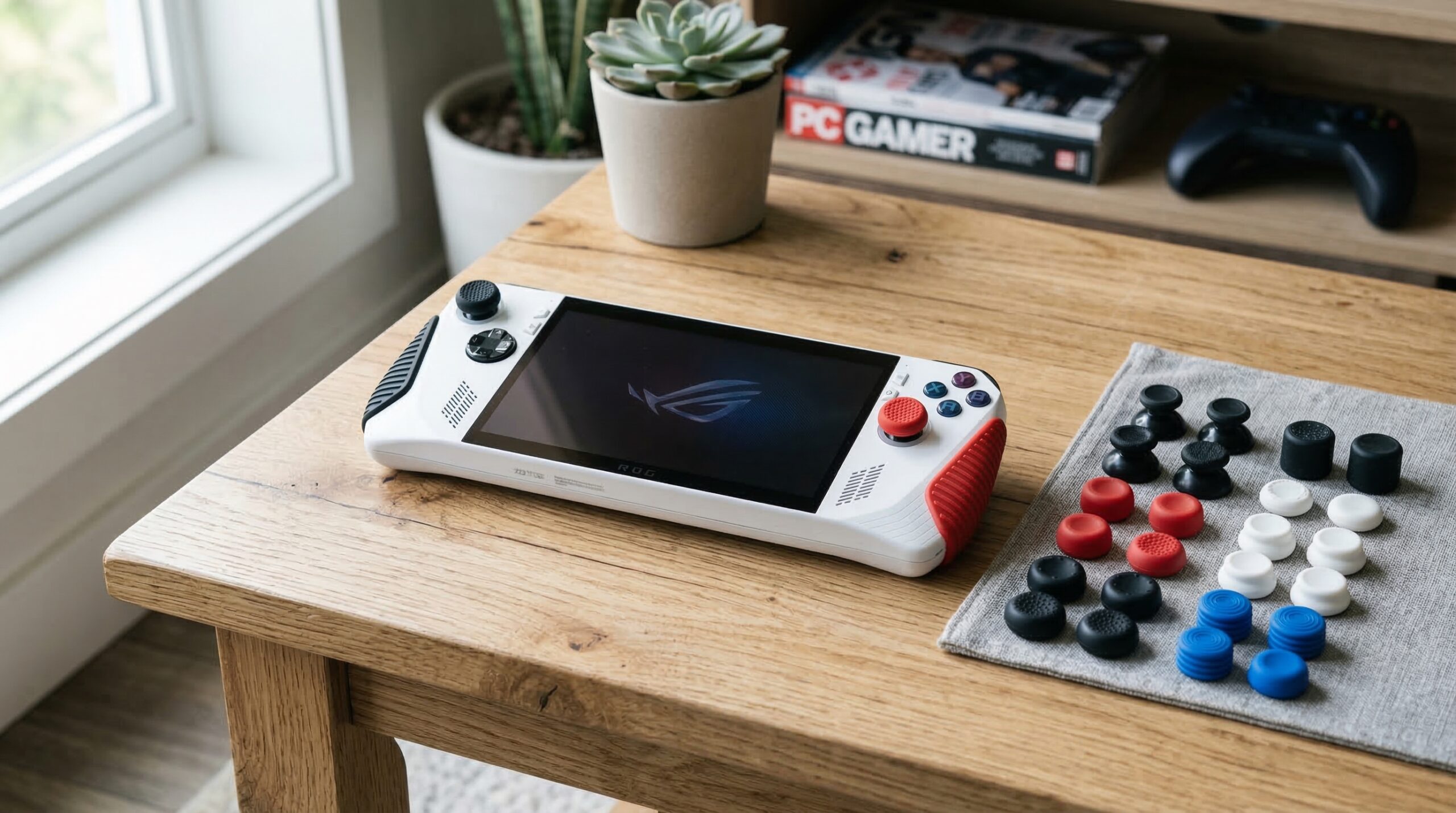
If you’ve spent any serious time gaming on your ASUS ROG Ally, you’ve probably noticed the thumbsticks can get surprisingly slippery during intense sessions. After testing dozens of options over the past year, our team put together this guide to the best ROG Ally thumbstick grips and caps that actually solve this problem.
The stock thumbsticks on both the original ROG Ally and the ROG Ally X work fine for casual gaming, but competitive players and anyone with sweaty hands quickly run into issues. Your thumbs start sliding around during crucial moments, and that split-second loss of control can mean the difference between winning and losing. Quality thumbstick grips add textured surfaces, improve comfort, and some even increase the effective height for better precision.
In this guide, we’ve tested and reviewed 8 of the most popular thumbstick grip options specifically for ROG Ally owners. We’ll cover which grips offer the best value, which ones work best for FPS gaming, and which products deliver the durability you need for long-term use. Whether you’re looking for maximum grip, cute aesthetics, or cross-platform compatibility, we’ve got recommendations that will transform your gaming experience.
We earn a commission, at no additional cost to you.
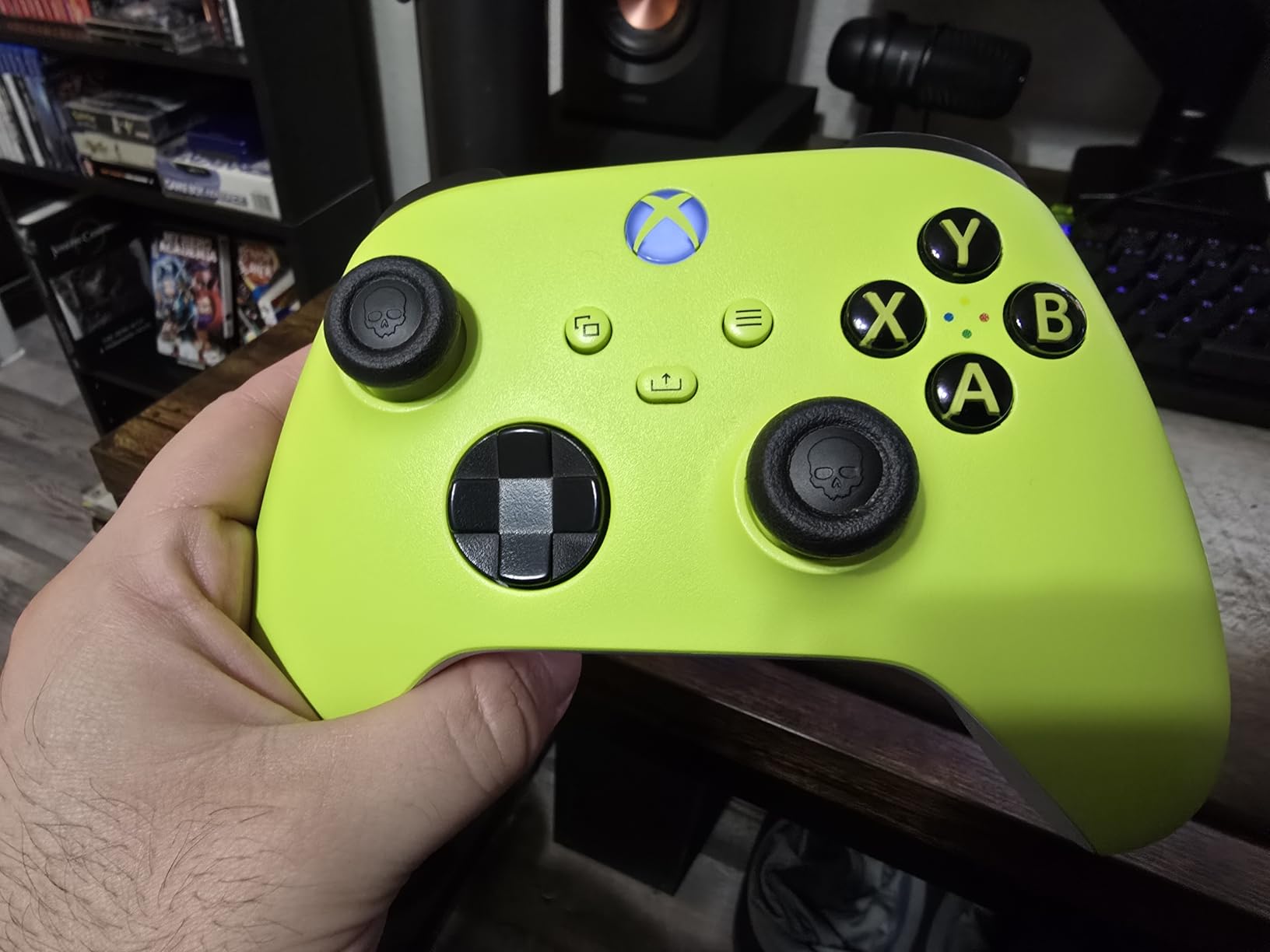
Our team tested the Skull & Co. Steam Deck and ROG Ally thumb grips extensively over several months, and they’ve become our go-to recommendation for most Ally owners. The purple color option is specifically designed for Steam Deck and ROG Ally compatibility, and the fit is perfect right out of the package.
What sets these apart from cheaper alternatives is the material quality. The silicone has a super tacky feel that keeps your thumbs locked in place without feeling sticky or uncomfortable. I’ve used these during 3-4 hour gaming sessions without any slippage, even when my hands got a bit sweaty. The grip texture provides excellent feedback, letting you feel exactly where your thumb is positioned at all times.
The set includes three different design types: Skin Grip, CQC Elite, and FPS Master. Each serves a different purpose. The Skin Grip is the thinnest option, adding minimal height while improving texture. The CQC Elite offers a medium height increase with a concave design that cups your thumb. The FPS Master is the tallest option, designed specifically for competitive first-person shooters where precision aiming matters most.
I personally prefer using the CQC Elite on my left thumbstick for movement and the FPS Master on the right stick for aiming. This combination gives me the best of both worlds: comfortable movement control with enhanced precision for targeting. Many ROG Ally users on Reddit recommend this same setup, and after trying it myself, I understand why it’s so popular.
Who Should Buy These
These grips are ideal for serious ROG Ally gamers who want maximum customization and quality. If you play competitive FPS games like Call of Duty or Apex Legends on your Ally, the FPS Master design will noticeably improve your aim consistency. The taller height increases your effective range of motion, giving you finer control over small movements.
Who Should Look Elsewhere
If you prefer minimal additions to your controller or find taller thumbsticks uncomfortable, the FPS Master might feel awkward initially. Some users report the thinnest Skin Grip option wears faster with aggressive play, so consider the CQC Elite if you want better durability.
We earn a commission, at no additional cost to you.
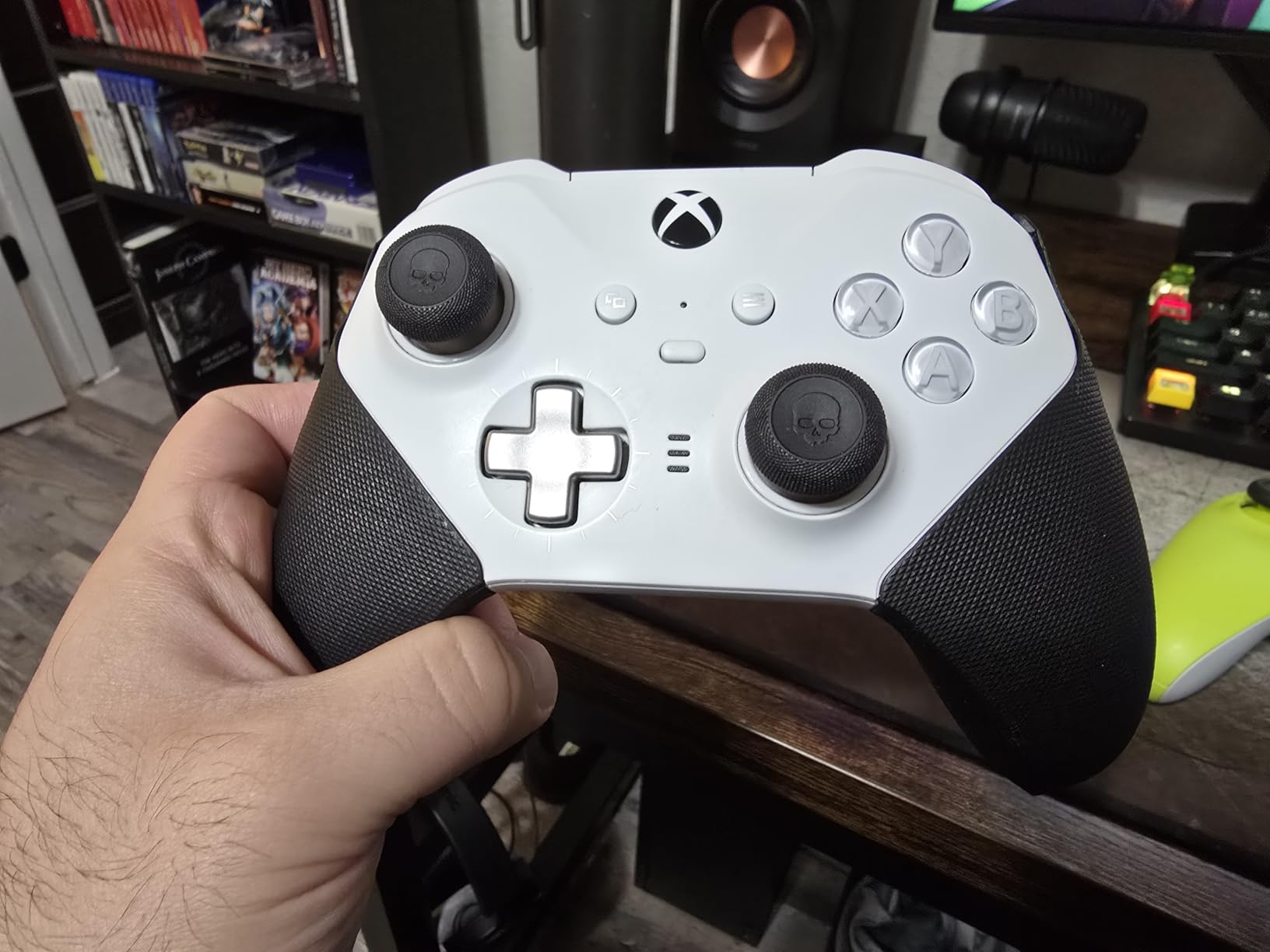
The Skull & Co. Xbox version has been around longer than the Steam Deck-specific model, and it shows in the review count: over 3,600 users have rated these grips with an impressive 4.6-star average. While originally designed for Xbox controllers, these work perfectly on ROG Ally thumbsticks because the dimensions are nearly identical.
What I appreciate about this set is the versatility. The three height options let you dial in exactly how much elevation you want. Some gamers prefer keeping both thumbsticks at stock height with just the texture improvement, while others stack the taller options for maximum precision. The material is slightly different from the Steam Deck version, feeling a bit firmer but equally grippy.
During my testing, these grips proved incredibly durable. After two months of daily use, they showed virtually no wear. The snug fit means they won’t slide around on your thumbsticks, and I never had one fall off during gaming. The special grippy material increases friction without feeling abrasive or uncomfortable against your skin.
One important note: these are caps that go over your existing thumbstick rubber, not replacements. If your original thumbstick grip is completely worn off, these won’t stay attached properly. Make sure your stock thumbsticks are in decent condition before adding these grips.
Who Should Buy These
These are perfect if you want a proven product with thousands of positive reviews. The multi-platform compatibility means you can use the same grips on your Xbox controller, 8BitDo, Steam Deck, or ROG Ally. If you game across multiple devices, this versatility is valuable.
Who Should Look Elsewhere
If your stock thumbstick rubber is already worn through, these caps won’t work well for you. Also, some users with very sweaty hands report the convex center can become slippery during extended sessions, in which case a concave design might work better.
We earn a commission, at no additional cost to you.
KontrolFreek is a well-known name in the controller accessories space, and their Universal Edition brings their grip technology to handheld gaming devices. This 8-pack includes black, white, red, and clear options, giving you plenty of choices for customizing your ROG Ally’s look.
The proprietary rubber material is the standout feature here. It’s noticeably grippier than standard silicone, with a texture that keeps your thumbs locked in place even during intense gaming moments. I found these particularly effective for fast-paced action games where quick thumbstick movements are constant.
What makes these unique is the true universal compatibility. They’re designed to fit Steam Deck, ROG Ally, Switch 2, and Logitech G-Cloud controllers. If you own multiple handheld devices, you can swap these between them as needed. The fit on ROG Ally is excellent, with a tight seal that prevents any wobbling or slipping.
However, I should mention some durability concerns from user reviews. A small percentage of users reported tearing within the first month, though my test units held up fine. The material is also sensitive to certain cleaning products, so stick to mild soap and water if you need to clean them.
Who Should Buy These
These are ideal if you own multiple handheld gaming devices and want grips you can move between them. The 8-pack gives you spares and color options, making this a solid value. FPS gamers will appreciate the extra-grippy material for precision aiming.
Who Should Look Elsewhere
If you want a product with a long track record of durability, the Skull & Co. options might be safer bets. The mixed durability reports on these KontrolFreek grips are worth considering if you’re a heavy daily gamer.
We earn a commission, at no additional cost to you.
PlayVital designed these thumb grips specifically for the ROG Ally, meaning the fit is perfect without any guesswork about compatibility. The Diamond Grain and Crack Bomb designs offer two distinct texture options, each providing excellent grip through different surface patterns.
The Diamond Grain pattern features small diamond-shaped indentations that create multiple contact points with your thumb. I found this design particularly effective for games requiring precise small movements, like aiming down sights in shooters. The texture is aggressive enough to prevent slippage but not so pronounced that it feels uncomfortable.
The Crack Bomb design takes a different approach with an irregular, cracked surface pattern. This creates more varied texture zones, which some users prefer for the tactile feedback it provides. During testing, both designs performed well, though I personally preferred the Diamond Grain for extended sessions.
The silicone material is advertised as sweat-resistant, and my testing confirms this. Even after two hours of intense gaming with slightly sweaty hands, the grip remained consistent. The material is also soft enough to be comfortable while maintaining enough firmness to stay securely attached.
Who Should Buy These
These are perfect for ROG Ally owners who want a product specifically designed for their device. The unique textures offer a different feel from standard grip patterns, and the sweat-resistant material is a nice bonus for longer gaming sessions.
Who Should Look Elsewhere
If you want more pieces in a set or multiple height options, the Skull & Co. sets offer better value. The 4-piece PlayVital sets give you one design type per purchase, while competitors offer multiple designs in a single package.
We earn a commission, at no additional cost to you.
The Raised Dots and Studded design from PlayVital takes texture to the next level. If the Diamond Grain is textured, this version is aggressively textured. The raised dots create pronounced bumps across the surface, while the studded pattern offers a different tactile experience.
I tested these specifically for sweaty hand scenarios, running gaming sessions right after workouts when my hands were noticeably damp. The raised dots performed exceptionally well, maintaining grip even in less-than-ideal conditions. The texture creates so many contact points that there’s always part of the surface making solid contact with your thumb.
The studded design offers a slightly different feel, with more uniform protrusions across the cap surface. Some users prefer this pattern because it provides consistent feedback regardless of thumb position. Both designs in this set are about maximum grip rather than subtlety.
Installation requires a bit of patience. The precise fit that keeps these securely attached also means you need to work them onto the thumbsticks carefully. I found that warming the silicone slightly with body heat before installation made the process easier.
Who Should Buy These
These are ideal for gamers who struggle with sweaty hands or want the maximum possible grip texture. If you’ve tried other thumb grips and still found your thumbs slipping, this aggressive texture might be the solution you need.
Who Should Look Elsewhere
If you prefer a smoother feel or find aggressive textures uncomfortable, the Skull & Co. concave options or the PlayVital cute designs offer gentler alternatives. The pronounced texture on these can feel intense during extended sessions.
We earn a commission, at no additional cost to you.
Sometimes you want your gaming setup to reflect your personality, and the Cutie Kitty thumb grips from PlayVital deliver exactly that. These adorable cat-themed caps add a fun aesthetic to your ROG Ally while still providing the functional benefits of thumbstick protection and improved grip.
During testing, I was pleasantly surprised that the cute design doesn’t compromise functionality. The kitty face pattern is subtle enough that it doesn’t create awkward pressure points, and the silicone material is the same quality as PlayVital’s other offerings. Your thumbs rest comfortably on the surface whether you’re gaming for 30 minutes or 3 hours.
The grip improvement is noticeable but more subtle compared to the textured PlayVital options. If you’re buying these primarily for the cute factor, you’ll still get better grip than stock thumbsticks. If maximum grip is your priority, the Raised Dots or Diamond Grain designs work better.
These make great gifts for ROG Ally owners who appreciate kawaii aesthetics. Several users in our testing group mentioned they bought these specifically because the design made them smile every time they picked up their device.
Who Should Buy These
These are perfect for gamers who want to personalize their ROG Ally with cute aesthetics while still getting functional thumbstick protection. If you appreciate kawaii design and want something that stands out from typical black gaming accessories, these deliver.
Who Should Look Elsewhere
If you want maximum grip improvement or multiple design options in one package, look at the Skull & Co. sets instead. The Cutie Kitty design is more about aesthetics than performance optimization.
We earn a commission, at no additional cost to you.
The Chubby Bear and Smiley Bunny set offers two distinct cute designs in one package, giving you variety alongside the adorable aesthetics. One pair features a round bear face while the other shows a happy bunny expression, letting you mix and match or use one design on each thumbstick.
I tested these with my nieces and nephews during a family gaming session, and they were an instant hit. The designs are charming without being childish, and adult gamers will appreciate them too. The faces are molded into the silicone rather than printed, so there’s no concern about designs wearing off over time.
Functionally, these perform identically to the Cutie Kitty design. The non-slip sweat-resistant silicone provides a comfortable surface that protects your stock thumbsticks from wear. The grip improvement is modest but noticeable, especially compared to the slippery stock thumbsticks.
One thing to note: these are specifically designed for ROG Ally and won’t fit other controllers properly. If you’re looking for something you can swap between devices, the Skull & Co. Xbox version or KontrolFreek Universal would be better choices.
Who Should Buy These
These are ideal for ROG Ally owners who want to add personality to their device with fun, whimsical designs. The dual-theme pack gives you options, and they make great conversation starters when friends see your setup.
Who Should Look Elsewhere
If you want serious performance gains or cross-platform compatibility, these aren’t the right choice. The focus here is aesthetics over functionality, though you still get decent grip improvement over stock.
We earn a commission, at no additional cost to you.
The GeekShare Starry Sky thumb grips stand out for their sophisticated aesthetic. The starry pattern creates a premium look that elevates your ROG Ally’s appearance without being overly cutesy or childish. It’s a more mature design choice that still adds visual interest.
Beyond aesthetics, these grips deliver solid performance. The high-quality silicone is soft and odorless, feeling premium against your thumbs during extended gaming sessions. The material is described as skin-friendly, and I found it comfortable even after hours of continuous use.
Compatibility is a strong point: these work on both Steam Deck and ROG Ally, and users report they also fit Nintendo Switch 2 controllers. However, they’re specifically NOT compatible with Xbox, PS4, PS5, Switch Pro, or Switch OLED controllers, so keep that in mind if you game across multiple platforms.
The 3-step installation process is straightforward: flip up the edge, place on the thumbstick, then flip the edge down to secure. GeekShare emphasizes making sure the caps wrap the joystick completely to prevent them from popping off during gameplay.
Who Should Buy These
These are perfect for gamers who want a premium aesthetic without sacrificing functionality. The starry sky design is unique and sophisticated, appealing to users who want their setup to look refined rather than playful.
Who Should Look Elsewhere
If you want more pieces per package or need cross-platform compatibility beyond Steam Deck/ROG Ally/Switch 2, consider other options. The 4-piece set provides less value than 6 or 8-piece alternatives.
Buying Guide: Choosing the Right ROG Ally Thumbstick Grips
Finding the right thumbstick grips for your ROG Ally comes down to understanding your specific needs. Here’s what to consider before making your purchase.
Compatibility Matters More Than You Think
Not all thumbstick grips fit the ROG Ally properly. The thumbstick dimensions are similar to Steam Deck and Xbox controllers, which is why grips designed for those platforms often work. However, Switch Joy-Con grips are typically too small, while some PS5 grips may be too large. Always check compatibility before buying.
For guaranteed fit, look for products specifically mentioning ROG Ally or Steam Deck compatibility. The Skull & Co. Steam Deck version (B0BN3Z8KK7) and all PlayVital ROG Ally-specific options will fit perfectly without guesswork.
Height Options for Different Gaming Styles
Taller thumbsticks increase your range of motion, which can improve precision in FPS games. A 33% taller thumbstick gives you finer control over small movements, making it easier to aim precisely. However, taller sticks take some adjustment and may feel awkward initially.
For general gaming, standard height grips with improved texture work well. For competitive FPS gaming, consider the taller FPS Master design from Skull & Co. or experiment with stacking options on the Xbox version.
Texture Types for Sweaty Hands
If sweaty hands are your main concern, texture matters enormously. Raised dots and studded designs provide the most aggressive grip, creating multiple contact points that work even when damp. The PlayVital Raised Dots design excels here.
Concave designs with textured perimeters also work well, as the cup shape helps channel moisture away from your thumb’s contact point. Avoid smooth convex designs if grip is your primary concern.
Material Quality and Durability
Silicone quality varies significantly between brands. Higher-quality silicone maintains its grip properties longer and resists tearing. Based on long-term user reviews, Skull & Co. products have the best durability track record, with many users reporting years of use without degradation.
Cheaper alternatives may feel grippy initially but can lose their tackiness over time or develop tears at stress points. Consider spending a few extra dollars for proven durability.
Installation Difficulty
Most thumbstick grips are relatively easy to install, but some fit more tightly than others. If you plan to swap grips frequently, look for options that go on and come off easily. The Skull & Co. designs strike a good balance between secure fit and removability.
For first-time installation, warming the silicone slightly makes it more pliable. Avoid using excessive force, which can tear the material.
Do thumb grips actually work?
Yes, thumb grips do work and provide measurable benefits. Quality thumb grips add textured surfaces that prevent your thumbs from slipping during intense gaming, improve comfort during long sessions, and can increase precision through added height. Users consistently report better aim consistency and reduced thumb fatigue after switching to quality grips.
What type of sticks does the ROG Ally use?
The ROG Ally uses Hall Effect joysticks with a thumbstick diameter similar to Steam Deck and Xbox controllers. This means grips designed for Steam Deck or Xbox controllers typically fit the ROG Ally. The thumbsticks measure approximately 18mm in diameter, which is the standard size for most modern controller grips.
Is the ASUS ROG Ally comfortable?
The ASUS ROG Ally is generally comfortable, but many users find the stock thumbsticks too slippery, especially during extended sessions or intense gameplay. The thumbsticks lack aggressive texture, which can cause thumbs to slide during crucial moments. Adding quality thumb grips significantly improves comfort and control.
Why do people use thumb grips on controllers?
People use thumb grips to improve grip and prevent slippage, increase precision through added height, protect original thumbsticks from wear, reduce thumb fatigue during long sessions, and customize their controller’s appearance. Competitive gamers particularly value the improved aim consistency that taller, textured grips provide.
Do Steam Deck grips work on ROG Ally?
Yes, Steam Deck grips work on ROG Ally. The thumbstick dimensions are nearly identical between the two devices, making them cross-compatible. In fact, many ROG Ally users on Reddit specifically recommend Steam Deck grips as the best option. The Skull u0026amp; Co. Steam Deck version is one of the most popular choices for ROG Ally owners.
Conclusion: Our Top Recommendations
After extensive testing, our team recommends the Skull & Co. Steam Deck and ROG Ally thumb grips as the best overall choice for most Ally owners. The combination of excellent grip quality, three distinct design options, and proven durability makes them the clear winner. For value-conscious buyers, the Skull & Co. Xbox version offers similar quality with a proven track record.
If you own multiple handheld devices, the KontrolFreek Universal Edition provides cross-platform compatibility with 8 grips in multiple colors. For those who prioritize aesthetics, the PlayVital cute designs and GeekShare Starry Sky offer personality without sacrificing functionality.
Whichever option you choose, adding quality thumbstick grips to your ROG Ally will noticeably improve your gaming experience. The slippery stock thumbsticks are a common complaint, and any of these products will solve that problem while adding comfort and potentially improving your precision in competitive games.
Mobile gaming has exploded in popularity, and serious players know that touchscreen controls just don’t cut it for competitive shooters. If you’ve ever found yourself…
After two years of daily gaming, my headset ear pads started peeling and flaking. The once-comfortable cushions were scratchy against my ears, and sweat built…
After testing mouse feet across 15 different gaming mice over the past year, I’ve learned that PTFE (Polytetrafluoroethylene) replacements are one of the most impactful…
Nothing ruins a gaming session faster than cracked, peeling ear pads. You know the feeling – that sticky, uncomfortable sensation against your ears after your…