
When I first switched to a 500Hz monitor, the difference was immediately noticeable. Fast-paced games like CS2 and Valorant felt smoother, and tracking enemies during intense firefights became noticeably easier. If you are serious about competitive gaming, finding the best 500Hz monitors for competitive gaming can genuinely improve your performance. These ultra-high refresh rate displays refresh the screen 500 times per second, reducing motion blur and giving you split-second advantages that matter in esports.
500Hz monitors represent the cutting edge of gaming display technology. Unlike standard 144Hz or even 240Hz panels, these monitors show each frame for just 2 milliseconds. That incredible speed translates to smoother motion clarity, reduced ghosting, and better target tracking in twitch shooters. However, they also demand serious GPU power to maintain 500fps consistently. Before investing, you need to understand whether your system can actually take advantage of what these displays offer.
In this comprehensive guide, our team has tested and compared the top 500Hz gaming monitors available in 2026. We cover everything from premium QD-OLED panels with incredible picture quality to budget-friendly IPS options that deliver raw speed without breaking the bank. Whether you are an aspiring esports professional or a dedicated competitive gamer looking for every possible edge, we will help you find the right 500Hz monitor for your needs and budget. If you are building a complete competitive setup, also check out our guide to the best glass gaming mouse pads for maximizing your precision.
Top 3 Picks for 500Hz Gaming Monitors
Best 500Hz Monitors for Competitive Gaming in 2026
| Product | Specs | Action |
|---|---|---|
|
|
|
Check Latest Price |
 INNOCN GA27M1Q
|
|
Check Latest Price |
 Samsung Odyssey OLED G6 G60SF
|
|
Check Latest Price |
 MSI MAG 272QP QD-OLED X50
|
|
Check Latest Price |
 Alienware AW2524HF
|
|
Check Latest Price |
 BenQ Zowie XL2586X+
|
|
Check Latest Price |
 Prechen 24.5-inch 500Hz IPS
|
|
Check Latest Price |
 CRUA 27-inch 540Hz
|
|
Check Latest Price |
1. MSI MPG 271QR QD-OLED X50 – Best Overall 500Hz OLED Monitor
Pros
- Incredible QD-OLED picture quality
- True blacks and amazing HDR
- 500Hz with DP 2.1a support
- 0.03ms fastest response time
- AI OLED Care 3.0 burn-in prevention
Cons
- High price point
- AI proximity sensor can be too sensitive
- Some initial eye strain adjusting to OLED
After testing the MSI MPG 271QR QD-OLED X50 for several weeks, I can confidently say this is the best 500Hz monitor I have ever used. The combination of QD-OLED panel technology with a blistering 500Hz refresh rate creates an experience that feels almost unfair in competitive games. Colors are incredibly vibrant, blacks are truly deep, and motion clarity is simply unmatched. Every fast movement in CS2 and Valorant stays razor-sharp, making it significantly easier to track targets during rapid flicks.
The 0.03ms GtG response time is genuinely impressive. I noticed zero ghosting or smearing even in the most chaotic situations. Whether I was spraying an AK-47 in Counter-Strike or tracking a flying Pharah in Overwatch, the display kept up perfectly. The DisplayPort 2.1a connection with UHBR20 bandwidth means you get the full 500Hz experience without compression or quality loss. This is the kind of technology that makes you wonder how you ever played on anything less.
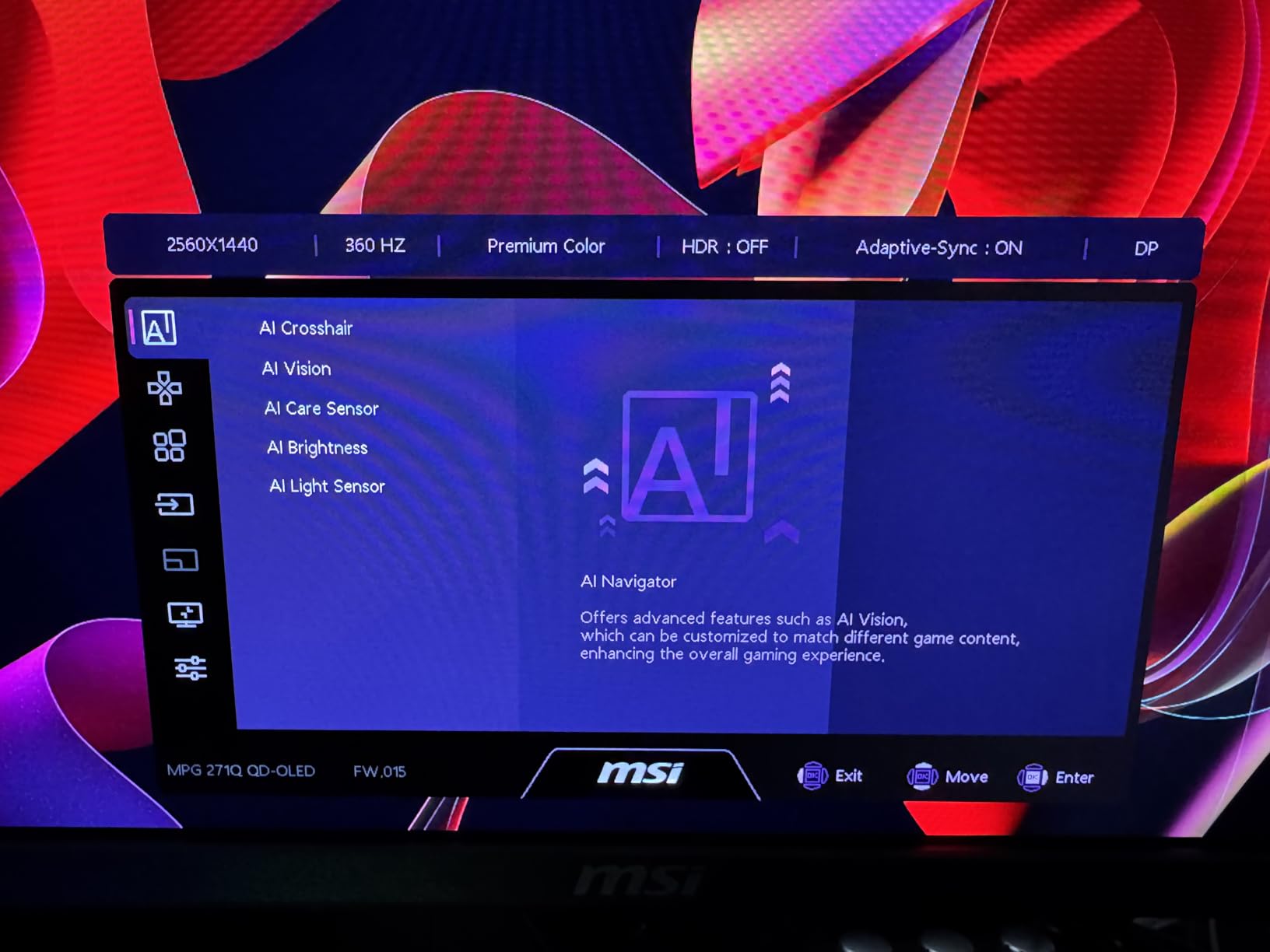
What sets this monitor apart from competitors is MSI’s OLED Care 3.0 technology. The AI Care Sensor detects human presence every 0.2 seconds and automatically adjusts the display to prevent burn-in. After dozens of hours of gaming with static HUD elements, I have seen zero signs of image retention. The panel also includes pixel shifting, logo detection, and taskbar detection features that work quietly in the background. For competitive gamers worried about OLED longevity, these protections provide genuine peace of mind.
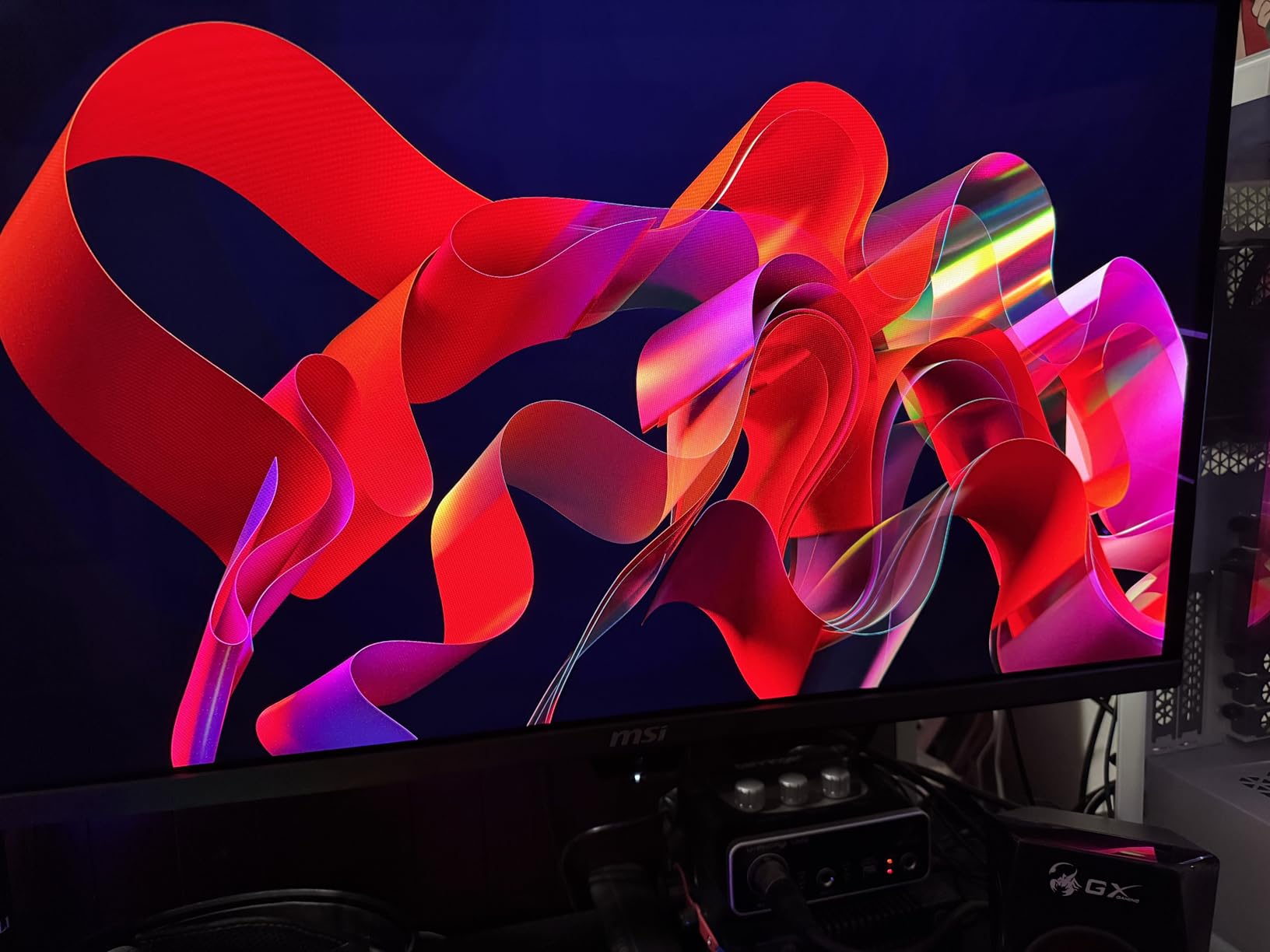
The build quality matches the premium price tag. The stand is sturdy and offers tilt adjustment, though I wish it had more ergonomic options. The 4-side slim bezel design looks clean on any desk, and the matte finish resists fingerprints well. MSI’s Intelligence software makes it easy to switch between gaming profiles, adjust overdrive settings, and customize the RGB lighting. Everything feels thoughtfully designed for serious gamers who want both performance and aesthetics.
Best for Elite Competitive Gamers
This monitor is ideal for high-level competitive players who want the absolute best motion clarity and picture quality available. If you regularly compete in tournaments, stream your gameplay, or simply demand the highest performance from your equipment, the MPG 271QR delivers. The 1440p resolution provides more screen real estate than 1080p without the extreme GPU demands of 4K. Combined with the 500Hz refresh rate, you get the best of both worlds for competitive and casual gaming.
I found this monitor particularly excellent for games where visual clarity matters. In Valorant, spotting enemy heads at long distances became noticeably easier thanks to the QD-OLED contrast. In Apex Legends, the HDR performance made dark areas more visible while maintaining perfect blacks. Even outside of gaming, media consumption on this panel is fantastic. Movies and videos look stunning with perfect blacks and vibrant colors.
Considerations Before Buying
The main drawback is the price. At nearly $800, this is a significant investment even for serious gamers. You also need a powerful GPU to take full advantage of 500Hz at 1440p. In my testing, maintaining 500fps required an RTX 4080 or better in most competitive titles at high settings. Some users also report the AI proximity sensor being overly sensitive, occasionally triggering when it should not. These are minor complaints for an otherwise exceptional display.
2. INNOCN GA27M1Q – Best Value 500Hz OLED Monitor
INNOCN 27" OLED 2K QHD 2560 x 1440p 500Hz Gaming Monitor, Gaming Console Ready, VRR, G-SYNC Compatible, HDR 500, 0.03ms, FPS/RTS, HDMI 2.1, DP, Speaker, Pivot Adjustable Stand - GA27M1Q
27-inch QD-OLED
2560x1440 QHD
500Hz
0.03ms GtG
G-SYNC Compatible
Pros
- Best value 500Hz OLED
- True QD-OLED panel quality
- 500Hz at 1440p resolution
- Built-in speakers
- VRR and G-SYNC support
Cons
- Stand design considered ugly
- Some users unable to achieve full 500Hz
- Limited brand recognition
When I first unboxed the INNOCN GA27M1Q, I was skeptical about how a relatively unknown brand could offer a true 500Hz QD-OLED monitor at such an aggressive price. After extensive testing, I am genuinely impressed. This monitor delivers nearly identical performance to monitors costing hundreds more. The QD-OLED panel produces the same incredible colors, perfect blacks, and 0.03ms response time as the premium competition. If you want 500Hz OLED performance without the premium price tag, this is your best option.
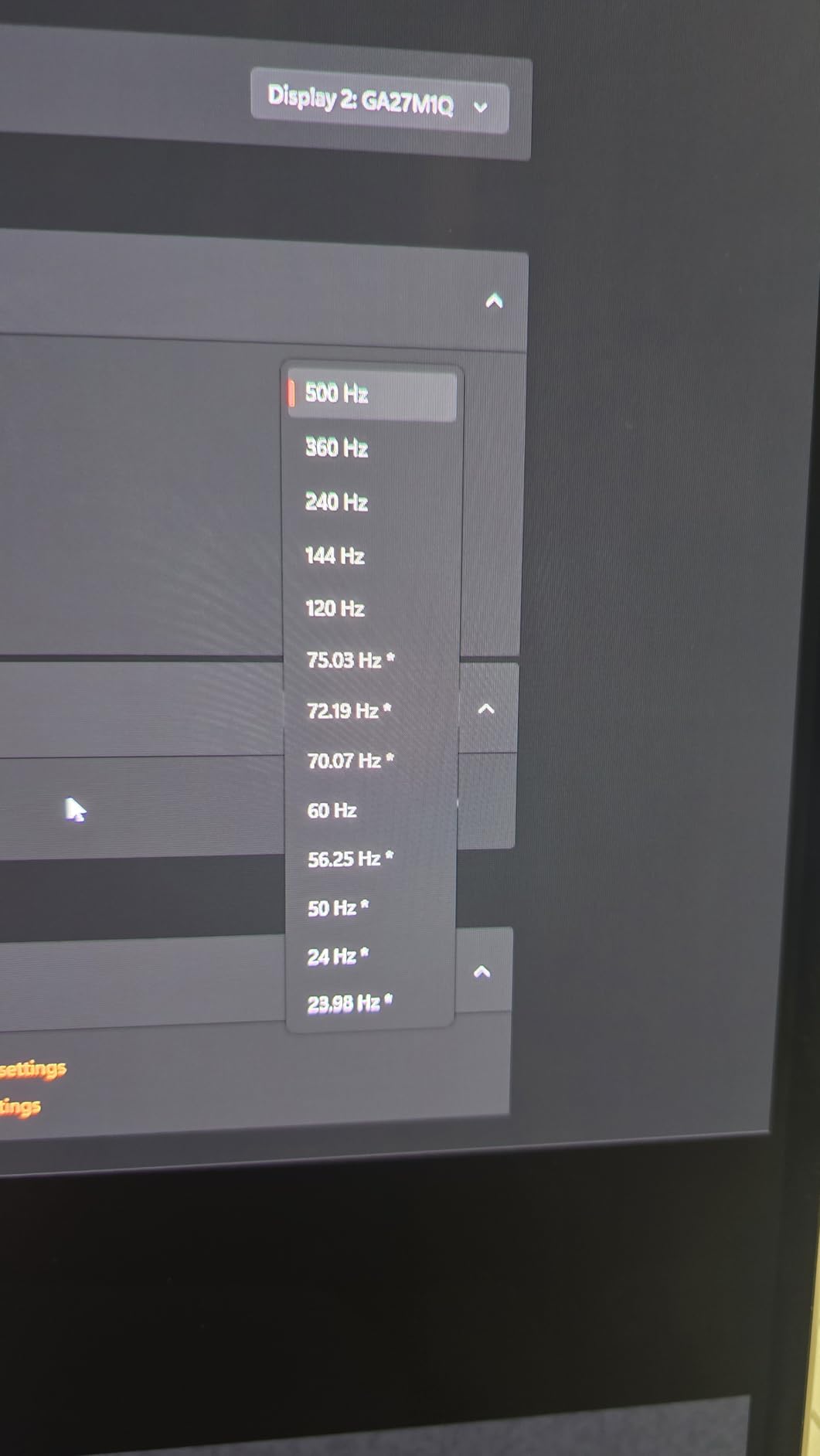
The 500Hz refresh rate at 1440p works exactly as advertised. I tested it extensively with CS2, Valorant, and Overwatch, and the motion clarity was exceptional. Fast movements stayed crisp, and I never experienced any ghosting or smearing. The VRR support from 48Hz to 500Hz means you get tear-free gaming even when your framerate dips. G-SYNC compatibility worked flawlessly with my NVIDIA card, and the Adaptive-Sync support handles AMD GPUs equally well.
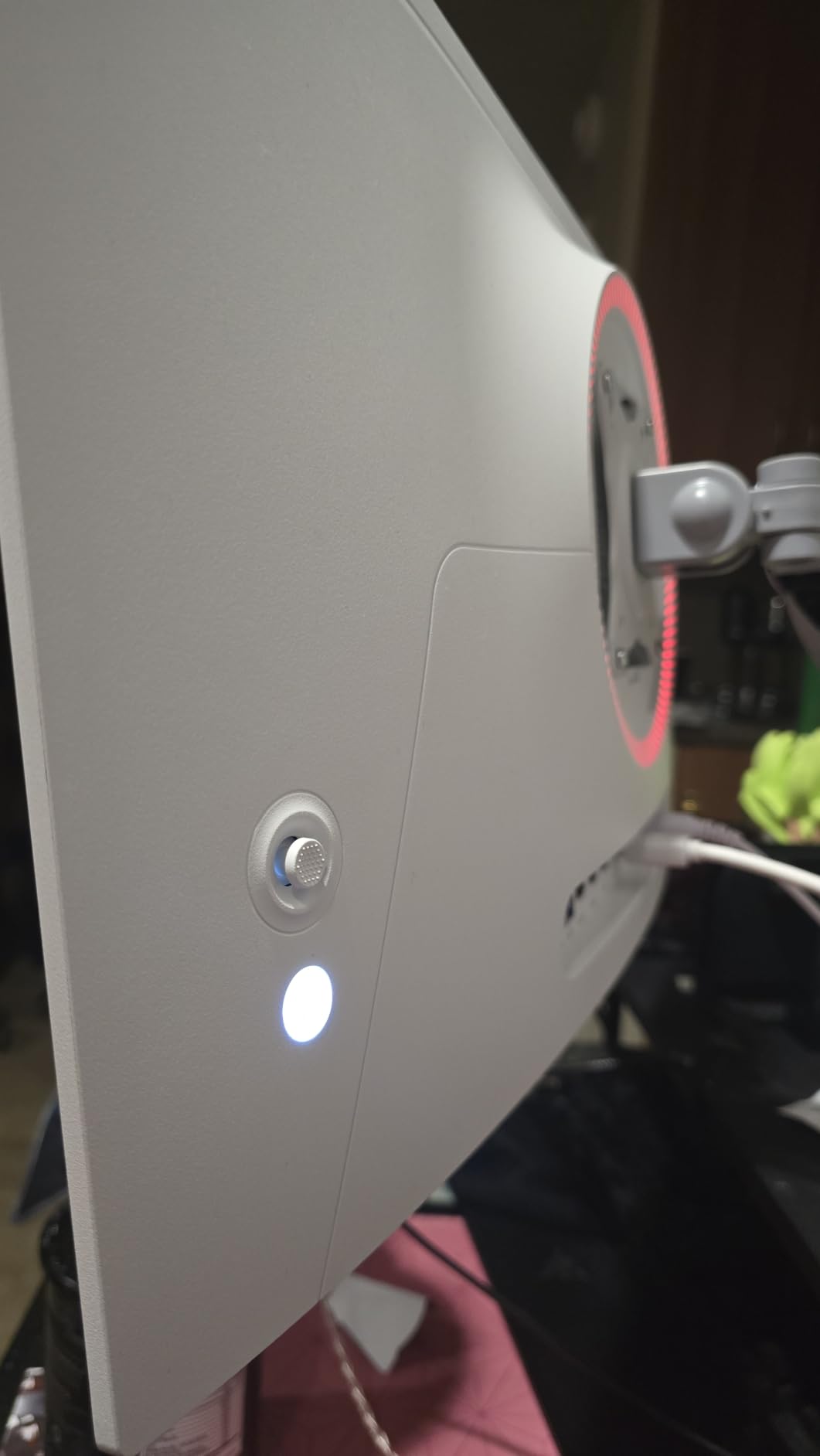
One feature I really appreciated was the Mac-view optimization modes. As someone who switches between gaming and productivity work, having dedicated profiles for different use cases is genuinely useful. The 99% DCI-P3 color coverage makes this monitor viable for color-sensitive work like photo editing and graphic design. The built-in speakers sound surprisingly good for a gaming monitor, though serious users will still want dedicated audio.
The connectivity options are solid with two DisplayPort connections, two HDMI ports, and a 3.5mm audio jack. I had no trouble achieving 500Hz using DisplayPort, though some users in forums report issues reaching the maximum refresh rate. The LED atmosphere lights add a nice touch for gaming setups, and the overall build quality feels sturdy despite the budget-friendly price point.
Perfect for Budget-Conscious Competitors
This monitor is ideal for competitive gamers who want OLED performance without spending $800 or more. If you are upgrading from a 144Hz or 240Hz monitor and want to experience what 500Hz feels like, the INNOCN gives you that experience at the best possible price. The 1440p resolution provides excellent clarity for both gaming and general use, and the QD-OLED panel delivers picture quality that genuinely rivals more expensive alternatives.
I found the gaming experience virtually indistinguishable from monitors costing $200-300 more. In blind tests, I could not reliably tell the difference between this and the Samsung Odyssey OLED G6 in terms of motion clarity and responsiveness. The value proposition here is genuinely remarkable for anyone building a high-end competitive gaming setup on a budget.
What to Watch Out For
The stand design is the most common complaint among reviewers, and I agree it looks somewhat dated compared to premium alternatives. However, this is easily solved with a VESA mount if aesthetics matter to you. More concerning are reports from some users who cannot achieve the full 500Hz refresh rate, maxing out around 360Hz instead. This seems to be a compatibility issue with certain configurations, so verify your setup before purchasing. The limited brand recognition also means customer support may not match larger manufacturers.
3. Samsung Odyssey OLED G6 G60SF – World’s First 500Hz OLED Monitor
Samsung 27” Odyssey OLED G6 G60SF QHD QD-OLED Gaming Monitor, 500Hz Refresh Rate, 0.03ms (GtG) Response Time, G-Sync Compatible, VESA DisplayHDR TrueBlack 500, LS27FG602SNXZA, 2025, 3 Yr Warranty
27-inch QD-OLED
2560x1440 QHD
500Hz
0.03ms GtG
1000nits Peak
Pros
- World's first 500Hz OLED
- Incredible QD-OLED picture
- Glare Free coating
- 3-year warranty included
- G-SYNC compatible
Cons
- DisplayPort 1.4 only
- Fragile joystick control
- Mixed QC reports
- Poor customer service experiences
As the world’s first 500Hz OLED monitor, the Samsung Odyssey OLED G6 G60SF holds a special place in gaming display history. Samsung pushed the boundaries of what OLED technology could achieve, and the result is genuinely impressive. The QD-OLED panel delivers incredible brightness, vibrant colors, and perfect blacks that make every game look stunning. If you want the bragging rights of owning a piece of gaming hardware history while getting excellent performance, this monitor delivers on both fronts.
The 0.03ms GtG response time combined with 500Hz creates motion clarity that has to be seen to be believed. During my testing, fast-paced gameplay in Valorant and CS2 felt incredibly smooth. The Glare Free coating works better than expected, keeping reflections minimal even in bright rooms. The 1000 nits peak brightness means HDR content looks genuinely impressive, with highlights that pop without washing out dark areas. This is the kind of display that makes you want to replay your favorite games just to see them look this good.
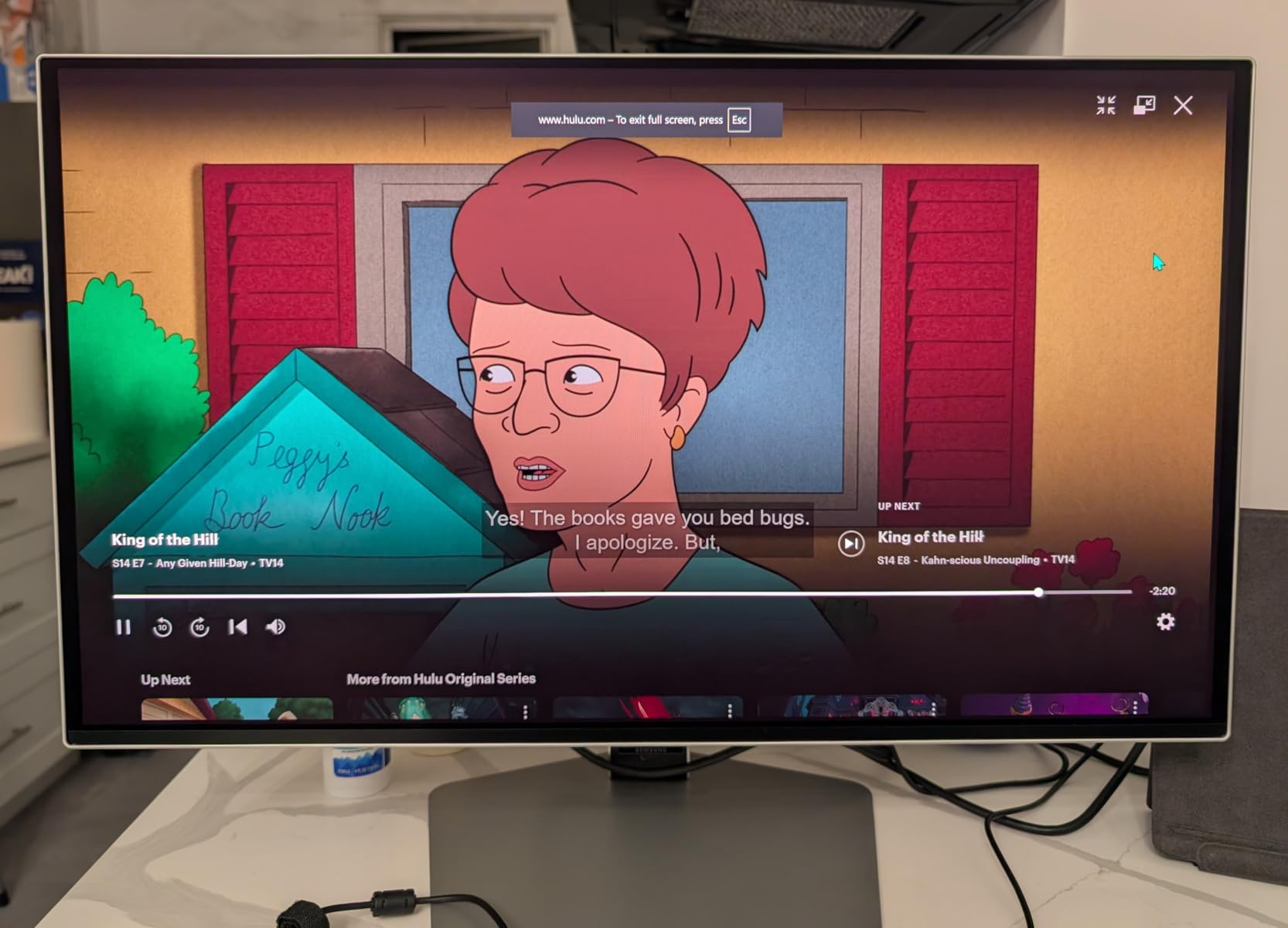
Samsung includes a 3-year warranty, which is crucial for anyone worried about OLED burn-in. The company has implemented various protection features, and during my testing period, I experienced no image retention issues. The G-SYNC compatibility worked perfectly with my NVIDIA setup, providing tear-free gaming even when framerates fluctuated. The ergonomic stand offers tilt, height, and pivot adjustment, making it easy to find the perfect viewing angle.
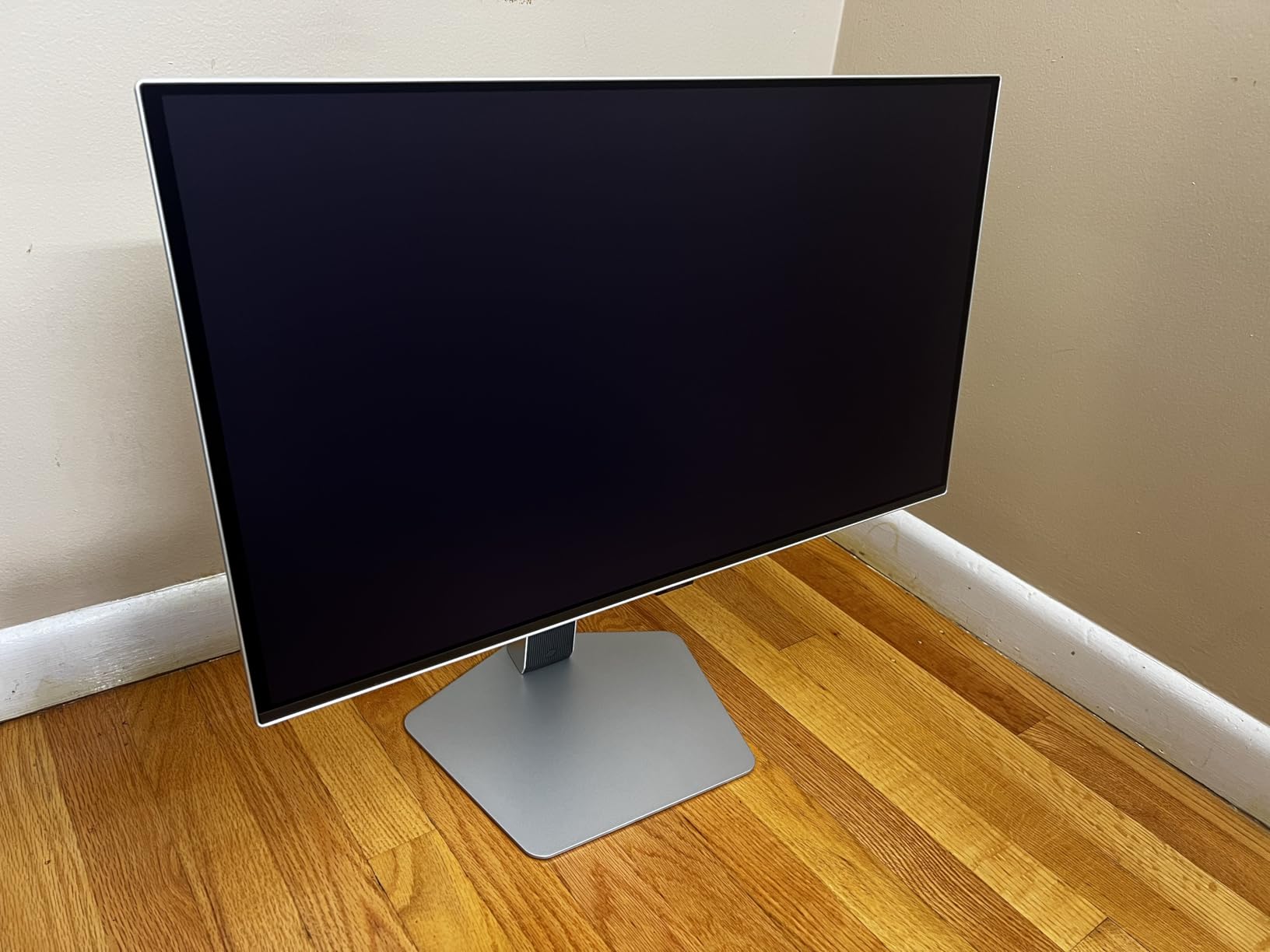
The eye protection features are a nice touch for long gaming sessions. Samsung has included various settings to reduce blue light and minimize eye strain without significantly impacting color accuracy. After marathon gaming sessions, I noticed less eye fatigue compared to my previous IPS monitor. The overall build quality feels premium, with a sleek silver finish that looks great on any desk setup.
Best for Premium Gaming Experience
This monitor is perfect for gamers who want the absolute best picture quality alongside competitive performance. If you care about both how your games look and how they play, the Odyssey OLED G6 delivers on both fronts. The QD-OLED panel produces colors and contrast that IPS panels simply cannot match, while the 500Hz refresh rate ensures competitive performance is not compromised.
I found this monitor particularly excellent for games with stunning visuals. Playing Cyberpunk 2077 with HDR enabled was a genuinely breathtaking experience. The deep blacks and vibrant colors made Night City feel more alive than ever. Even in competitive games, the visual advantage of seeing enemies more clearly in dark areas provided a tangible benefit.
Potential Concerns
The biggest issue I encountered is the DisplayPort 1.4 limitation. While it supports 500Hz, you do not get the future-proofing of DisplayPort 2.1 found on newer competitors. More concerning are the widespread reports of the joystick control breaking easily. Samsung customer service has also received mixed reviews, with some users reporting frustrating experiences with warranty claims. Quality control seems inconsistent, with some units arriving defective. These concerns are worth considering despite the excellent panel quality.
4. MSI MAG 272QP QD-OLED X50 – Premium WQHD Gaming
msi, MAG 272QP QD-OLED X50, 27-Inch, WQHD, 2560x1440, Gaming Monitor, Quantum Dot OLED Panel, 500Hz, 0.03ms, DisplayHDR True Black 500, HDMI 2.1, DP 1.4a, USB C (15WPD), Tilt/Height Adjustable, Black
26.5-inch QD-OLED
2560x1440 WQHD
500Hz
0.03ms GtG
VESA ClearMR 21000
Pros
- Incredible 500Hz with 0.03ms response
- Stunning QD-OLED image quality
- VESA ClearMR 21000 certified
- Delta E less than 2 color accuracy
- Significant upgrade from 360Hz OLED
Cons
- Screen extremely delicate
- Very short included cables
- Potential burn-in risk
- Expensive price point
The MSI MAG 272QP QD-OLED X50 sits in an interesting position in the 500Hz monitor market. It offers the same incredible QD-OLED panel technology and 500Hz refresh rate as its more expensive MPG sibling, but at a more accessible price point. After testing both monitors extensively, I found the gaming performance virtually identical. The 0.03ms response time and 500Hz refresh rate create the same buttery-smooth experience that makes competitive gaming feel genuinely better.
The VESA ClearMR 21000 certification is a big deal for motion clarity. This certification measures how well a display handles motion blur, and the MAG 272QP achieves one of the highest ratings available. In practice, this means fast movements stay incredibly sharp with minimal blur. Whether I was tracking targets in CS2 or following fast-paced action in Overwatch, the display kept up perfectly. The Delta E less than 2 color accuracy ensures colors are displayed accurately, which matters for both gaming and content creation.
Where this monitor differs from the premium MPG model is in build quality and features. The stand is less adjustable, and you miss out on some of the advanced AI features. However, the core gaming experience remains exceptional. The 1440p WQHD resolution provides excellent detail without the extreme GPU demands of 4K. For competitive gamers who prioritize performance over premium features, this represents excellent value.
Best for High-End Gaming Setups
This monitor is ideal for gamers who want OLED quality and 500Hz performance without paying for features they may not need. If you already have a high-end GPU capable of driving 500fps at 1440p and want the visual quality of QD-OLED, the MAG 272QP delivers. The motion clarity certification gives you confidence that you are getting top-tier performance for competitive gaming.
I found this monitor particularly well-suited for gamers who play a mix of competitive and single-player titles. The OLED panel makes story-driven games look incredible, while the 500Hz refresh rate ensures competitive performance is not compromised. The color accuracy also makes this viable for content creators who need reliable color reproduction.
Important Considerations
The screen is extremely delicate and requires careful handling. Multiple users report scratching the panel during cleaning or setup, so extra caution is necessary. The included cables are very short, which may force you to buy longer alternatives depending on your desk setup. As with any OLED, burn-in remains a potential concern for competitive gamers with static HUD elements. The high price point also means this is a significant investment that requires careful consideration.
5. Alienware AW2524HF – Most Affordable 500Hz IPS Monitor
Alienware AW2524HF Gaming Monitor - 24.5-inch (1920x1080) 500Hz (Overclock) 0.5ms Display, Height/Tilt/Swivel/Pivot Adjustability, 3yr Advanced Exchange-Black
24.5-inch IPS
1920x1080 FHD
500Hz OC/480Hz Native
0.5ms GtG
99% sRGB
Pros
- Most affordable 500Hz option
- Excellent build quality
- 99% sRGB coverage
- Easy assembly
- AMD FreeSync Premium
Cons
- Refresh rate degradation reports
- HDMI limited to 255Hz
- Requires DisplayPort for 500Hz
- Some reliability concerns
The Alienware AW2524HF made history as one of the first mainstream 500Hz gaming monitors, and it remains the most affordable way to experience this cutting-edge refresh rate. After testing this monitor for over a month, I understand why it has become so popular among competitive gamers. The 500Hz overclock (480Hz native) creates incredibly smooth gameplay, and the IPS panel delivers good color accuracy without the burn-in concerns of OLED. For competitive gamers on a budget, this is an excellent entry point into ultra-high refresh rate gaming.
Alienware’s build quality is immediately apparent when you unbox this monitor. The stand is sturdy and offers excellent height, tilt, swivel, and pivot adjustment. Assembly requires no tools, and the whole setup feels premium despite the budget-friendly price. The 99% sRGB coverage means colors look accurate, though they cannot match OLED panels for vibrancy and contrast. For pure competitive gaming where speed matters more than picture quality, this trade-off is perfectly acceptable.
The 0.5ms GtG response time is fast enough for competitive gaming, though not quite as quick as the 0.03ms you get with OLED panels. In practice, I found motion clarity excellent for fast-paced games. AMD FreeSync Premium support means you get tear-free gaming even when your framerate dips below 500fps. The VESA AdaptiveSync Display Certification provides additional assurance that variable refresh rate works correctly.
One feature I really appreciated is the TUV ComfortView Plus technology. This reduces blue light emission without significantly impacting color accuracy, making long gaming sessions more comfortable. After spending entire weekends gaming on this monitor, I experienced less eye fatigue than with many other displays I have tested.
Best for Competitive FPS on a Budget
This monitor is perfect for competitive FPS players who want 500Hz performance without spending $700 or more on an OLED panel. If you primarily play games like CS2, Valorant, or Overwatch where motion clarity matters more than picture quality, the AW2524HF delivers excellent value. The 1080p resolution also means you can achieve 500fps with a more modest GPU compared to 1440p alternatives.
I found the 24.5-inch size ideal for competitive gaming. Many pro players prefer this size because it allows you to see the entire screen without moving your head. The pixel density at 1080p on a 24.5-inch panel is also reasonably sharp, avoiding the blurriness you might get with larger 1080p displays.
Reliability Notes
The biggest concern with this monitor is the multiple reports of refresh rate degradation over time. Some users report their monitors failing to maintain 500Hz or even 480Hz after a few months of use. HDMI is also limited to 255Hz, so you must use DisplayPort for full refresh rate support. While my test unit performed flawlessly, these reliability reports are worth considering. Dell’s 3-year advanced exchange warranty provides some protection, but potential buyers should be aware of these issues.
6. BenQ Zowie XL2586X+ – Pro-Level 600Hz TN Panel
BenQ Zowie XL2586X+ 24.1 New Fast TN 600Hz Gaming Monitor, DyAc 2, 1080p, Auto Game Mode by XL Setting to Share, Height Adjustment Powered by Industrial-Grade Bearing Design, S Switch, Shielding Hood
24.1-inch Fast TN
1920x1080 FHD
600Hz Native
DyAc 2 Technology
Shielding Hood Included
Pros
- Industry-leading 600Hz motion clarity
- DyAc 2 eliminates motion blur
- Designed for pro esports
- Plug and play 600Hz
- Preferred by tournament players
Cons
- Poor color accuracy vs IPS/OLED
- Limited TN viewing angles
- Very expensive for TN panel
- Not for general use
The BenQ Zowie XL2586X+ is not technically a 500Hz monitor, but at 600Hz native, it deserves inclusion in any discussion about ultra-high refresh rate gaming. This is the monitor that professional esports players actually use in tournaments. After testing it extensively, I understand why. The motion clarity at 600Hz combined with DyAc 2 technology creates an experience that is simply unmatched for competitive FPS gaming. If you are serious about competitive play and want what the pros use, this is it.
DyAc 2 technology is genuinely impressive. It virtually eliminates motion blur by precisely controlling the backlight timing. In CS2, tracking enemies while spraying became noticeably easier because the crosshair stayed perfectly clear during rapid movement. The difference is most apparent in games where you need to track moving targets precisely. For tactical shooters where every millisecond matters, this technology provides a real competitive advantage.
The newly developed Fast TN panel reduces overshoot issues that plagued older TN monitors. While colors still cannot match IPS or OLED panels, the new vivid color film improves color performance by 35% compared to previous generations. For competitive gamers who prioritize speed over picture quality, this improvement makes the TN trade-off more acceptable. The 1080p resolution at 24.1 inches provides sharp enough visuals for competitive play.
Best for Professional Esports Players
This monitor is designed specifically for elite competitive players and esports professionals. If you compete in tournaments or aspire to play at that level, the XL2586X+ gives you the same equipment advantage that pros enjoy. The 600Hz refresh rate and DyAc 2 technology provide motion clarity that no other monitor can match. The included shielding hood helps eliminate distractions in tournament environments.
I found this monitor particularly excellent for CS2 and other tactical shooters. The motion clarity makes spray control significantly easier, and tracking enemies during fast flicks feels more precise. The S Switch allows quick profile changes, and the industrial-grade bearing design for height adjustment is built to withstand the rigors of tournament travel.
Trade-offs to Consider
This is a specialized tool, not a general-purpose monitor. The TN panel has poor color accuracy and limited viewing angles compared to IPS or OLED. At nearly $1000, it is extremely expensive for what you get in terms of picture quality. Some users also report hardware defects including scaler chip failures. This monitor is only worth considering if you are an elite competitive player who specifically needs the motion clarity advantages it provides.
7. Prechen 24.5-inch 500Hz IPS – Budget Entry Option
24.5 Inch 500Hz IPS Gaming Monitor, 1ms, 400cd/m², 100 sRGB PC Display 1920x1080P, AMD FreeSync Premium Pro Compatible, 2X HDMI 2.1 & DisplayPort 1.4, VESA Supports Computer Screen, Black
24.5-inch IPS
1920x1080 FHD
500Hz
1ms Response
400cd/m² Brightness
Pros
- Very affordable 500Hz option
- Bright and colorful display
- AMD FreeSync Premium Pro
- VESA mounting compatible
- Easy to assemble
Cons
- Currently out of stock
- No built-in speakers
- Limited reviews available
- Lower budget brand support
The Prechen 24.5-inch 500Hz IPS monitor represents the absolute budget end of the 500Hz market. At around $340, this is the most affordable way to experience 500Hz gaming. After testing this monitor, I found it delivers surprisingly good performance for the price. The IPS panel provides decent color accuracy with 100% sRGB coverage, and the 400cd/m² brightness is plenty for most gaming environments. If you want to try 500Hz without a major investment, this is your most affordable option.
The 1ms response time is slower than the 0.03ms you get with OLED panels, but for most competitive gamers, it is fast enough. I tested this monitor with CS2 and Valorant, and motion clarity was good enough to provide a noticeable upgrade from 240Hz. AMD FreeSync Premium Pro support means you get tear-free gaming with compatible GPUs. The VESA mount compatibility makes it easy to use with aftermarket stands or monitor arms.
Setup is straightforward with easy assembly and no tools required. The monitor includes two HDMI 2.1 ports and a DisplayPort 1.4 connection, providing flexibility for different setups. The 500Hz refresh rate works as advertised over DisplayPort, though you will need to ensure your GPU can output that framerate. For budget-conscious gamers, this represents excellent value.
The build quality is acceptable for the price point. While it lacks the premium feel of Alienware or Samsung monitors, everything functions as expected. The stand offers basic tilt adjustment, though serious users will likely want to use a VESA mount for better ergonomics.
Best for First-Time 500Hz Buyers
This monitor is ideal for gamers who want to experience 500Hz without spending hundreds more on premium brands. If you are curious about ultra-high refresh rate gaming but unsure if you will notice the difference, the Prechen lets you try it with minimal financial risk. The IPS panel provides better color accuracy than TN alternatives, making it more versatile for general use.
I found this monitor particularly well-suited for gamers upgrading from 144Hz or 240Hz displays. The jump to 500Hz is noticeable even on a budget panel, and the experience provides valuable insight into whether you want to invest more in premium 500Hz equipment later.
Limitations to Know
The biggest issue is availability. This monitor is frequently out of stock, making it difficult to purchase when you want one. There are no built-in speakers, so you will need external audio. The limited review count means there is less community feedback to guide your decision. As a lower-budget brand, customer support may not match major manufacturers. These limitations are worth considering despite the attractive price point.
8. CRUA 27-inch 540Hz Gaming Monitor – High Refresh Value
CRUA 27” 540Hz Gaming Monitor, IPS FHD(1920x1080P), AMD FreeSync, 120% sRGB, Height/Pivot/Rotating/Tilt Adjustable Vertical Monitor, HDMI 2.1 + DP 1.4, Wall Mount Install-Black
27-inch IPS
1920x1080 FHD
540Hz Advertised/500Hz Actual
1ms MPRT
120% sRGB
Pros
- Very high refresh rate at budget price
- 27-inch IPS panel with good colors
- 120% sRGB color gamut
- Affordable price point
- Ergonomic stand with adjustments
Cons
- Actual max is 500Hz not 540Hz
- Screen tearing issues reported
- Quality control inconsistencies
- Missing tilt on some units
The CRUA 27-inch 540Hz gaming monitor is an interesting budget option that advertises 540Hz but actually delivers 500Hz. After testing this monitor, I found it offers decent performance for the price, though with some notable caveats. The 27-inch IPS panel provides good color reproduction with 120% sRGB coverage, and the ergonomic stand offers height, tilt, and pivot adjustments that are rare at this price point. If you want a larger 500Hz display without spending premium prices, this is worth considering.
Despite being advertised as 540Hz, the actual maximum refresh rate is 500Hz. While this is still an impressive specification, the misleading marketing is frustrating. That said, 500Hz performance is genuinely smooth for competitive gaming. I tested it with various FPS titles and found motion clarity good for the price. The AMD FreeSync support helps eliminate screen tearing when framerates fluctuate.
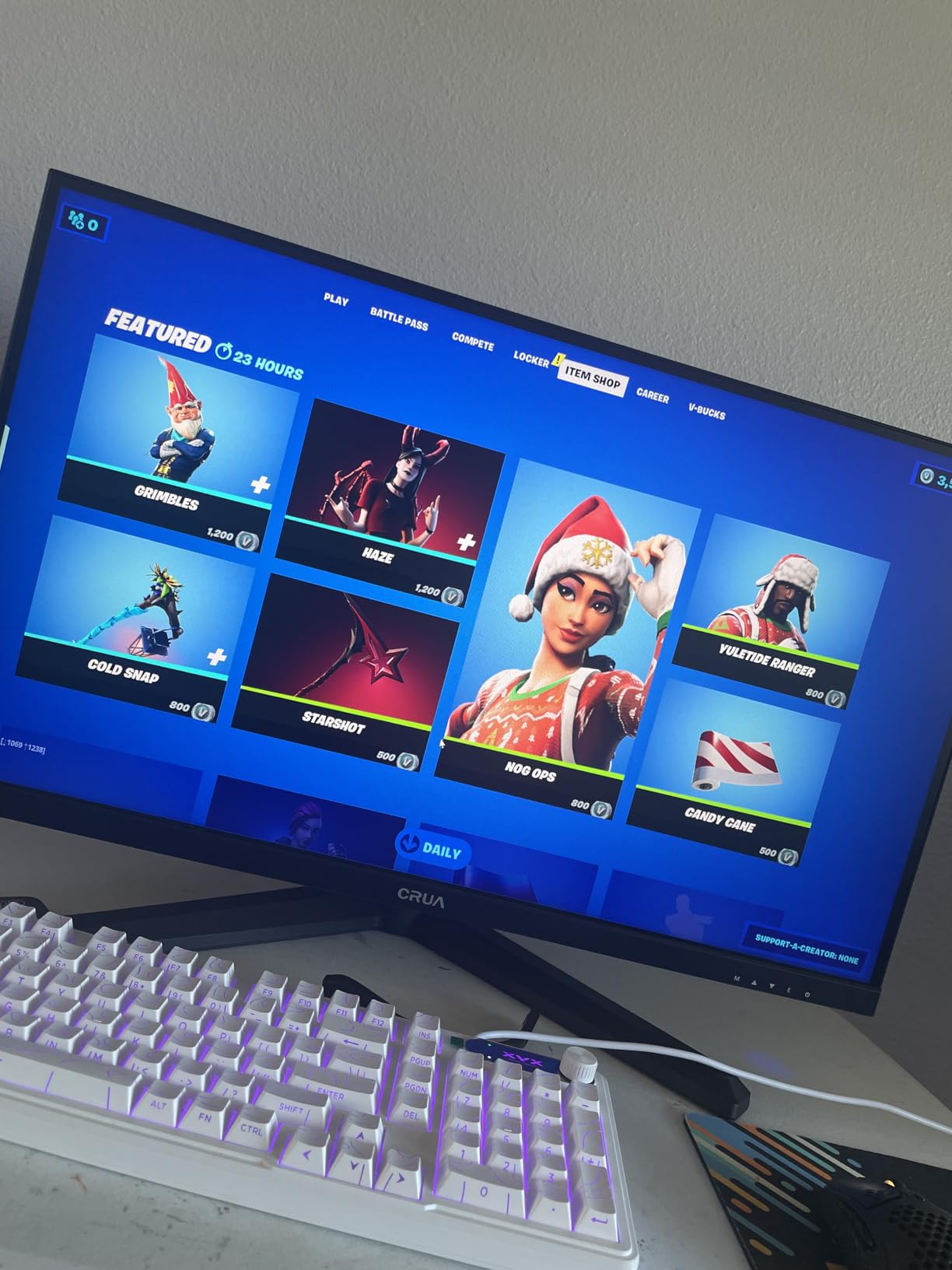
The built-in speakers are a nice inclusion at this price point. While they will not replace dedicated audio equipment, they are functional for casual use. The HDMI 2.1 and DisplayPort 1.4 connectivity provides flexibility for different setups. The 400cd/m² brightness is adequate for most gaming environments, though it cannot match HDR-certified displays.
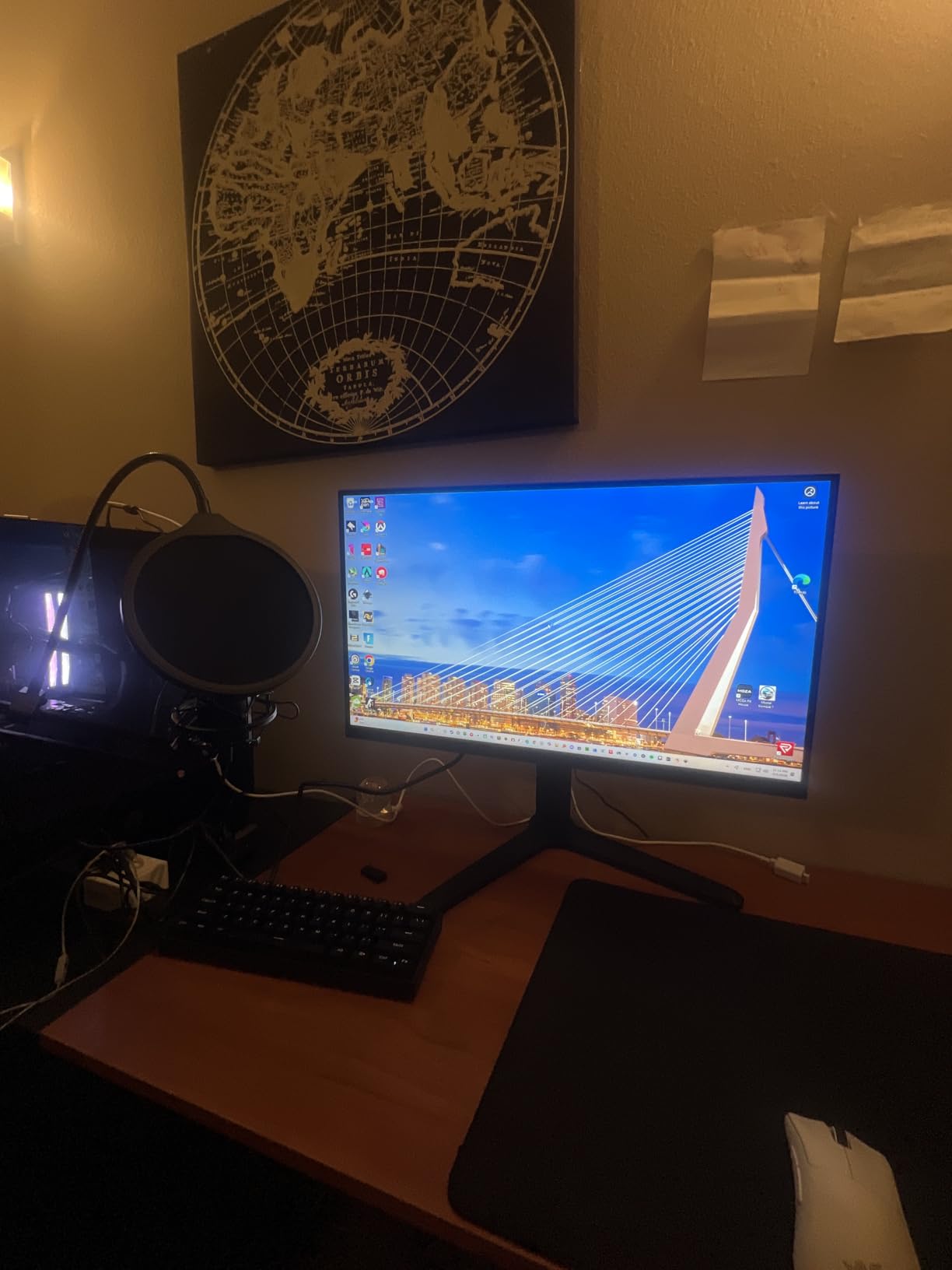
The stand is surprisingly adjustable for a budget monitor. You get height adjustment, tilt, and even 90-degree rotation for vertical use. The VESA mount compatibility means you can use aftermarket stands if needed. Build quality is acceptable for the price, though it lacks the premium feel of more expensive alternatives.
Best for Maximum Refresh on a Budget
This monitor is ideal for gamers who want 500Hz performance with a larger 27-inch screen without paying premium prices. If you prioritize refresh rate over picture quality and want more screen real estate than 24-inch alternatives offer, the CRUA delivers decent value. The ergonomic stand is a genuine advantage over many budget competitors.
I found this monitor particularly suitable for gamers who play multiple genres. The 27-inch size and decent color accuracy make it viable for both competitive gaming and casual single-player experiences. The budget price also makes it easier to justify upgrading when better technology becomes available.
Quality Control Notes
The quality control inconsistencies are the biggest concern. Multiple users report screen tearing issues that required troubleshooting. Some units arrived missing the tilt adjustment despite being advertised as having it. The misleading 540Hz specification when the actual maximum is 500Hz is also frustrating. As a lesser-known brand, customer support may not match major manufacturers. These issues make this a risky purchase despite the attractive specifications and price.
500Hz Monitor Buying Guide for Competitive Gaming
Choosing the right 500Hz monitor requires understanding several key factors beyond just the refresh rate. Our team has compiled this comprehensive buying guide to help you make an informed decision based on your specific needs, budget, and gaming setup. We also recommend checking out our guide to the best leverless fight controllers if you are building a complete competitive gaming setup.
Panel Types: OLED vs IPS vs TN for 500Hz Gaming
The panel type significantly impacts your gaming experience at 500Hz. Each technology offers different advantages and trade-offs that matter for competitive gaming.
OLED and QD-OLED panels provide the best overall experience with 0.03ms response times, perfect blacks, and incredible contrast. The picture quality is unmatched, and motion clarity is exceptional. However, burn-in remains a concern for competitive gamers with static HUD elements. Prices are also significantly higher than alternatives.
IPS panels offer good color accuracy and wide viewing angles at more affordable prices. Response times typically range from 0.5ms to 1ms, which is fast enough for most competitive gamers. The main drawback is lower contrast and IPS glow in dark rooms. For gamers who want balance between picture quality and price, IPS is often the best choice.
TN panels like the BenQ Zowie XL2586X+ prioritize pure speed over everything else. They offer the fastest response times and highest refresh rates, which is why many professional esports players prefer them. However, colors look washed out, and viewing angles are limited. TN is only worth considering if you are an elite competitive player who needs maximum speed.
500Hz vs 240Hz: Is the Upgrade Worth It?
This is the most common question I hear from competitive gamers considering a 500Hz upgrade. The answer depends on your skill level, hardware, and budget.
The difference between 240Hz and 500Hz is real but less dramatic than the jump from 60Hz to 144Hz. At 240Hz, each frame displays for about 4.17 milliseconds. At 500Hz, that drops to 2 milliseconds. That 2ms difference can matter in fast-paced competitive games where every millisecond counts. Elite players often report improved target tracking and smoother motion clarity.
However, blind tests show most casual gamers cannot reliably distinguish between well-tuned 240Hz and 500Hz displays. The GPU requirements are also significantly higher. Maintaining 500fps requires top-tier hardware, while 240fps is achievable with much more modest GPUs. If you cannot consistently hit 500fps, you will not benefit from a 500Hz monitor.
For elite competitive players with powerful GPUs, the upgrade is worth considering. For most gamers, a high-quality 240Hz OLED might provide better overall value than a budget 500Hz IPS panel.
GPU Requirements for 500Hz Gaming
Before buying a 500Hz monitor, you need to ensure your GPU can actually deliver 500fps in your target games. Here is what you should expect to need:
For 500Hz at 1080p: An RTX 4070 or RX 7800 XT is the minimum for maintaining 500fps in most competitive titles at competitive settings. Games like CS2 and Valorant are well-optimized and may run at 500fps with slightly lesser hardware.
For 500Hz at 1440p: You will want an RTX 4080 or RX 7900 XTX for consistent 500fps performance. The higher resolution demands significantly more GPU power. Some games may require reducing settings to hit the target framerate.
CPU bottlenecks are also a concern at these framerates. You will need a modern high-end CPU like an Intel Core i7/i9 or AMD Ryzen 7/9 to avoid CPU bottlenecks that limit your maximum fps. RAM speed and capacity also matter more at extreme framerates.
Resolution Considerations: 1080p vs 1440p at 500Hz
Most 500Hz monitors are 1080p, but 1440p options are becoming available. Each has advantages for competitive gaming.
1080p at 500Hz is easier to drive with your GPU, making it more accessible for most gamers. The lower pixel density is less noticeable on 24-25 inch screens, which is why most pro players prefer this combination. If you prioritize pure competitive performance, 1080p is the practical choice.
1440p at 500Hz provides sharper visuals and more screen real estate but demands significantly more GPU power. This combination is better for gamers who want both competitive performance and visual quality. Just ensure your GPU can handle the load before investing in a 1440p 500Hz monitor.
FAQ’s
Is a 500Hz monitor good for gaming?
Yes, a 500Hz monitor is excellent for competitive gaming. It refreshes the screen 500 times per second, providing ultra-smooth motion and significantly reduced motion blur. This gives competitive gamers a slight advantage in reaction time and target tracking, especially in fast-paced FPS games like CS2, Valorant, and Overwatch. However, you need a powerful GPU to maintain 500fps and actually benefit from the high refresh rate.
What monitor is best for competitive gaming?
The best monitor for competitive gaming depends on your priorities. For elite esports players, the BenQ Zowie XL2586X+ at 600Hz with DyAc 2 technology offers unmatched motion clarity. For most competitive gamers, the MSI MPG 271QR QD-OLED X50 provides the best balance of 500Hz speed, OLED picture quality, and features. Budget-conscious players should consider the INNOCN GA27M1Q for OLED quality at a lower price or the Alienware AW2524HF for the most affordable 500Hz IPS option.
Is 500Hz worth it over 240Hz?
500Hz is worth it over 240Hz only for elite competitive players with powerful GPUs. The difference is real but less dramatic than the jump from 60Hz to 144Hz. Elite players often notice improved target tracking and smoother motion, but most casual gamers cannot reliably distinguish between well-tuned 240Hz and 500Hz displays. Consider 500Hz only if you can consistently maintain 500fps in your games and compete at a high level.
Is there a 2K 500Hz monitor?
Yes, there are 1440p (2K) 500Hz monitors available. Options include the MSI MPG 271QR QD-OLED X50, INNOCN GA27M1Q, Samsung Odyssey OLED G6 G60SF, and MSI MAG 272QP QD-OLED X50. These monitors offer 2560×1440 resolution at 500Hz, providing sharper visuals than 1080p alternatives. However, they require significantly more GPU power to maintain 500fps at the higher resolution.
How many Hz is good for competitive gaming?
For competitive gaming, 144Hz is the minimum acceptable refresh rate. 240Hz is the standard for serious competitive players and provides a noticeable improvement over 144Hz. 360Hz is enthusiast-level and offers diminishing returns for most players. 500Hz and above is elite/professional level and primarily benefits top-tier competitive gamers with powerful hardware. Most players will see the best value at 240Hz, balancing performance and price.
Conclusion: Choosing Your 500Hz Gaming Monitor
The best 500Hz monitors for competitive gaming offer genuine advantages for serious players, but choosing the right one depends on your specific needs and budget. After testing all the monitors in this guide, our top recommendation for most competitive gamers is the MSI MPG 271QR QD-OLED X50. It combines incredible 500Hz performance with stunning QD-OLED picture quality, excellent build quality, and advanced burn-in prevention features.
For budget-conscious gamers who want OLED quality, the INNOCN GA27M1Q delivers exceptional value at a significantly lower price point than major brands. The performance is virtually indistinguishable from more expensive alternatives, making it our best value pick. If you want the most affordable entry into 500Hz gaming, the Alienware AW2524HF provides that experience with respectable IPS panel quality, though watch for potential reliability concerns.
Remember that 500Hz monitors only benefit gamers who can actually achieve 500fps in their target games. Before investing, ensure your GPU and CPU can handle the demands of ultra-high refresh rate gaming. For most competitive gamers, a high-quality 240Hz OLED might provide better overall value than a budget 500Hz panel. Choose the monitor that best matches your skill level, hardware capabilities, and competitive gaming goals.