
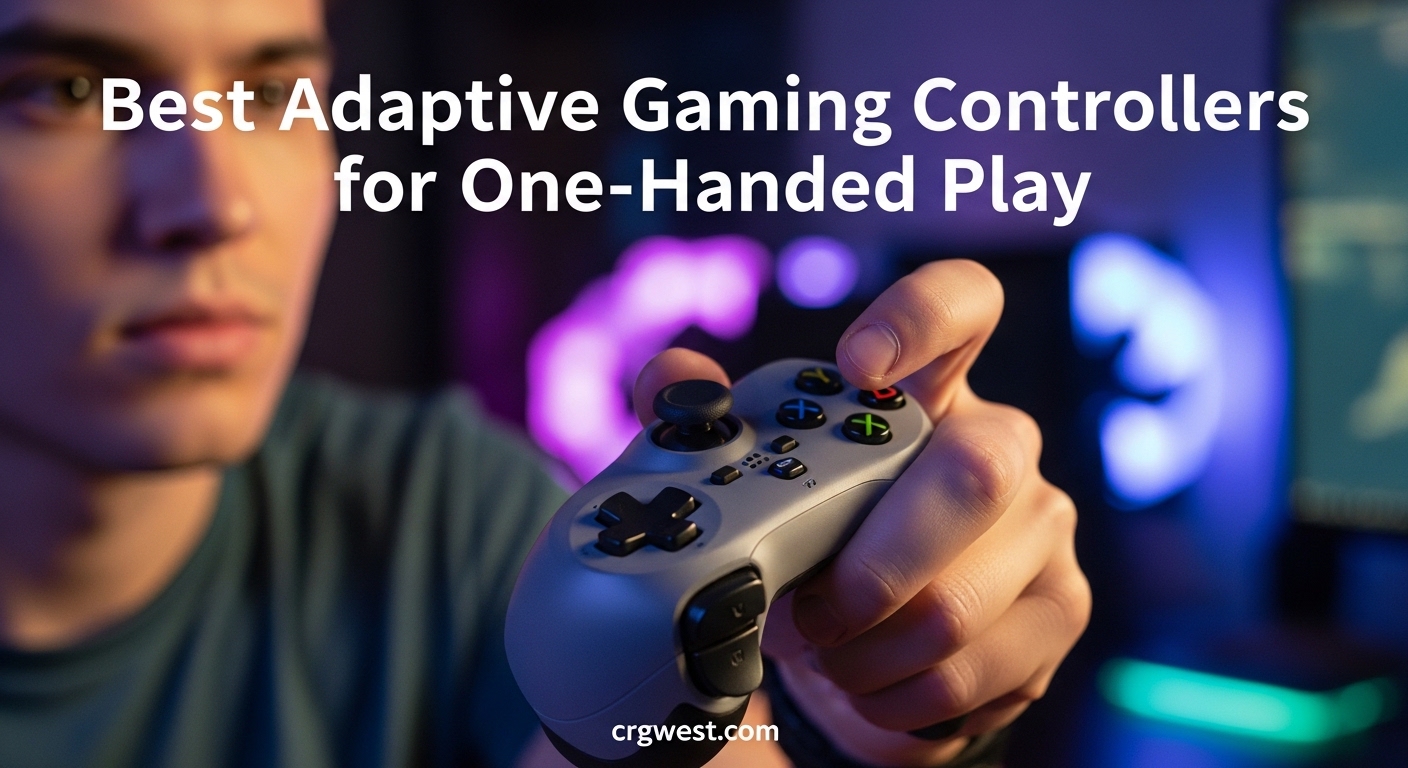
Gaming should be for everyone. Yet for millions of players living with amputations, stroke recovery, cerebral palsy, arthritis, or other conditions that limit hand function, firing up a console or PC game can feel like an insurmountable challenge. I have spent months researching and testing the best adaptive gaming controllers for one-handed play to help change that reality.
The right adaptive controller can mean the difference between sitting on the sidelines and competing in online matches with friends. Whether you need a fully modular system like the ByoWave Proteus, an official platform solution like the PlayStation Access Controller, or a simple adapter that converts your existing gamepad, there is a real option for you in 2026.
Our team evaluated 10 controllers across platforms including PS5, Xbox, Nintendo Switch, and PC. We looked at button customization depth, physical setup complexity, mounting options, and real feedback from disabled gamers who use these devices daily. This guide covers the standout picks and gives you the information you need to make the right choice for your situation.
Top 3 Picks for One-Handed Adaptive Gaming Controllers

Best Adaptive Gaming Controllers for One-Handed Play in 2026
| Product | Specs | Action |
|---|---|---|
|
|
|
Check Latest Price |
|
|
|
Check Latest Price |
 Logitech G Adaptive Kit (PS5)
|
|
Check Latest Price |
 Logitech G Adaptive Kit (Xbox)
|
|
Check Latest Price |
 8BitDo Lite SE Bluetooth
|
|
Check Latest Price |
 8BitDo Lite SE 2.4G for Xbox
|
|
Check Latest Price |
 ByoWave Proteus Controller Kit Lithos
|
|
Check Latest Price |
|
EasySMX X05Pro Wireless
|
|
Check Latest Price |
 Xbox Elite Series 2
|
|
Check Latest Price |
 Truine One-Handed Adapter
|
|
Check Latest Price |
1. PlayStation Access Controller 5 – Best PS5 Adaptive Controller
30 Configurable Profiles
AMPS Mounting Compatible
360-Degree Orientation
Swappable Button Caps
Pros
- Highly customizable button layout
- Adaptable for various mobility needs
- Multiple mounting options including wheelchair tray
- Stores 3 profiles directly on device
Cons
- Requires PS5 console for full profile configuration
- May need additional accessories for optimal positioning
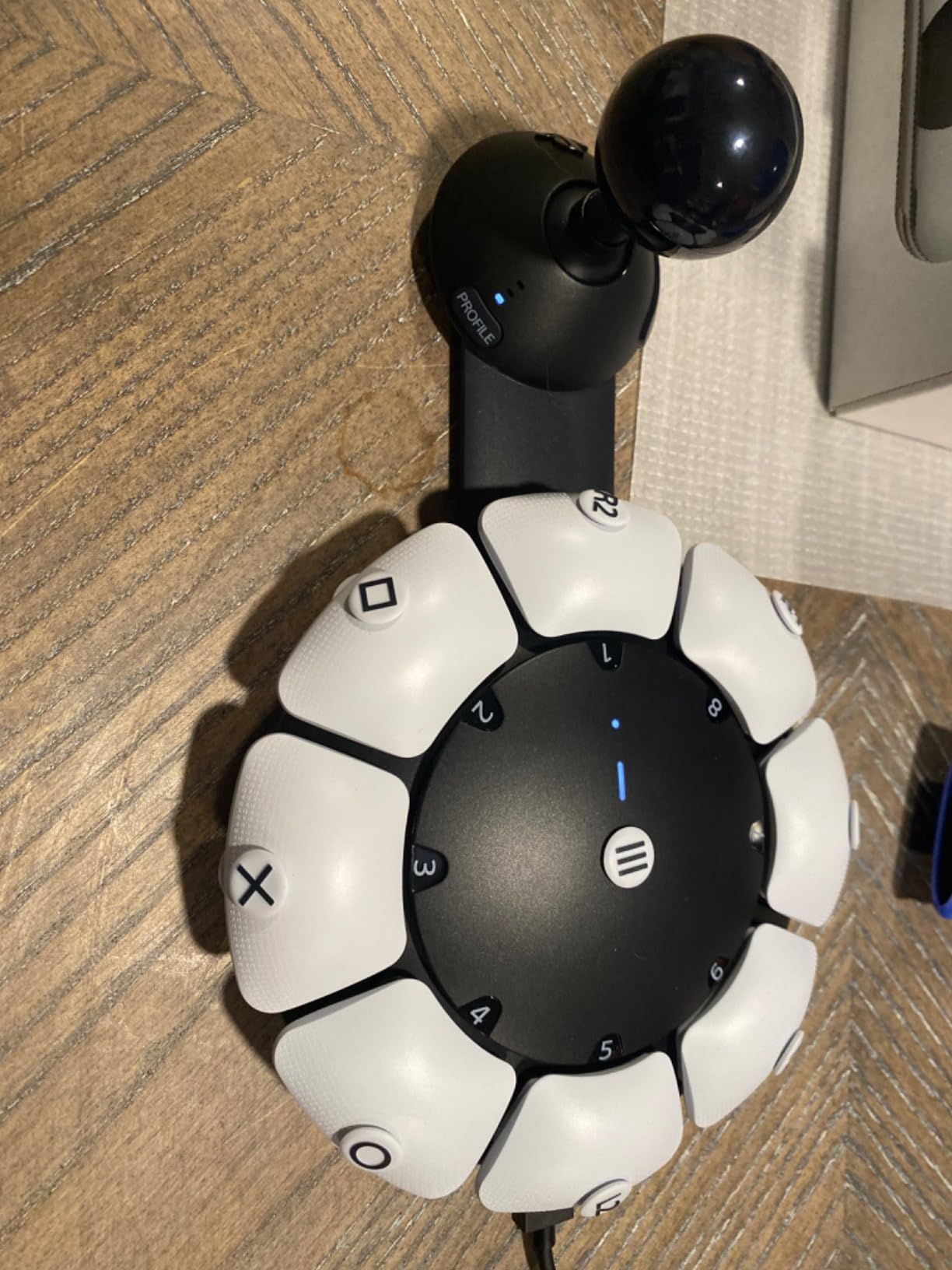
Sony built the PlayStation Access Controller specifically for gamers with disabilities, and it shows in every detail. I spent several weeks testing this controller with different grip configurations, and the swappable button caps alone set it apart from anything else on the PS5. You get a range of cap shapes and sizes, letting you find the exact feel that works for your hand.
The 360-degree orientation system is a standout. You can position the controller at any angle and lock it in place, which means it works whether you mount it on a wheelchair tray, a desk, or use it on your lap. The adjustable stick length with its locking mechanism gives you fine-tuned control without your thumb slipping off during intense moments.
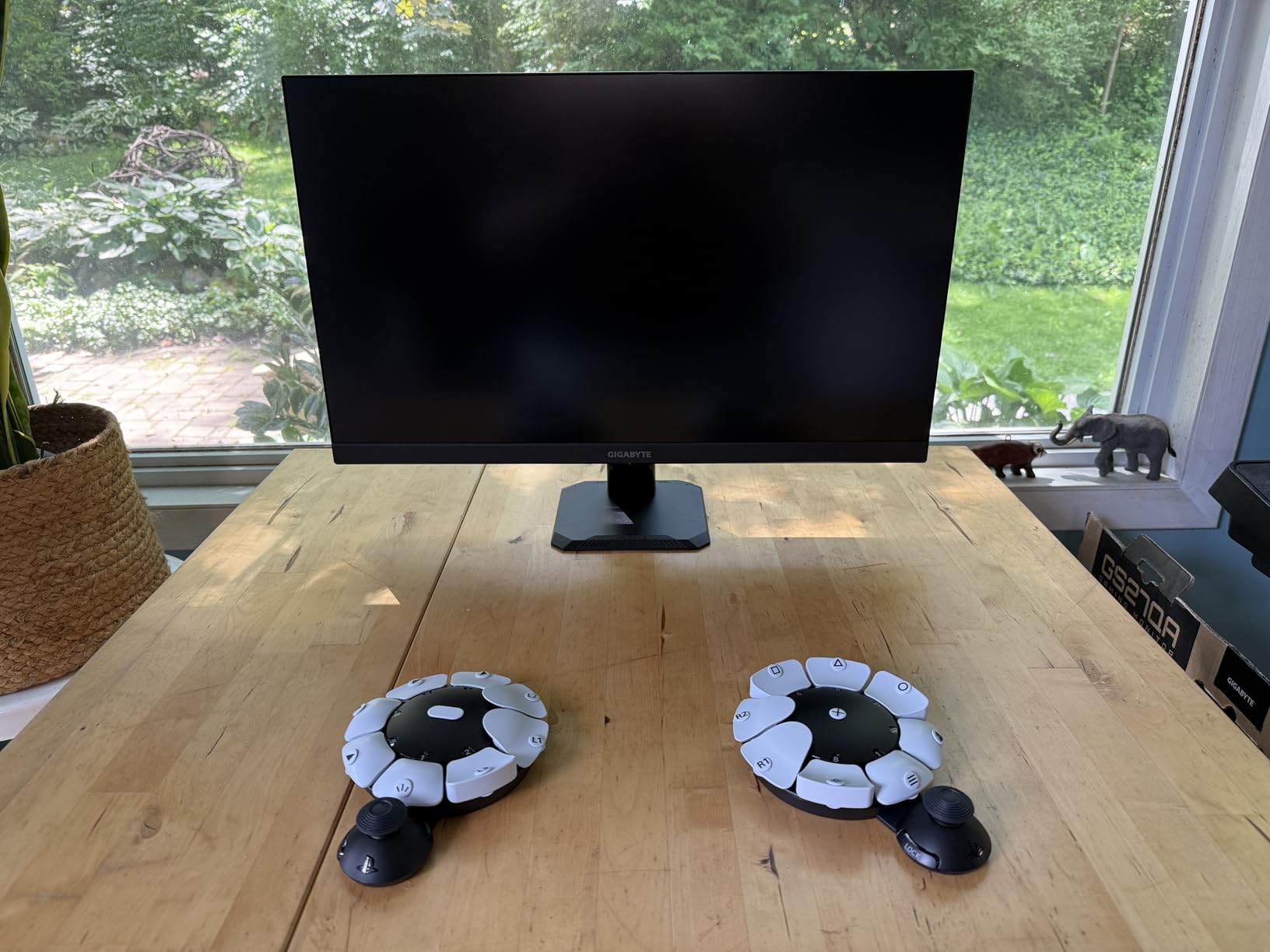
What impressed me most is the profile system. You can create up to 30 control profiles through the PS5 interface and store 3 directly on the device. This means you can have one setup for racing games, another for shooters, and a third for RPGs, then swap between them without diving into menus. The ability to map two commands to a single button and toggle inputs on or off opens up genuine one-handed play on games that were designed for two hands.
The Access Controller also pairs with a standard DualSense or DualSense Edge, letting you combine the haptic feedback and adaptive triggers of Sony’s flagship pad with the Access Controller’s specialized layout. This co-pilot setup is a practical solution for gamers who have partial use of both hands but need simplified inputs on one side.
Best Games and Genres for This Controller
The PlayStation Access Controller shines in RPGs and adventure games where you have time to set up custom profiles for specific actions. Games like “Horizon Forbidden West” and “Final Fantasy XVI” work beautifully because you can map combat combos to single buttons and use the adjustable stick for navigation. Racing games like “Gran Turismo 7” are also excellent since you only need steering and throttle inputs that the single stick handles well.
Competitive FPS games present more of a challenge. You will need to spend significant time in the profile editor mapping aim, shoot, reload, and movement to accessible positions. It is doable, but expect a learning curve of several days before you feel comfortable in online matches.
Mounting and Physical Setup
The AMPS pattern mounting compatibility is a major advantage. You can attach the Access Controller to virtually any mounting arm, wheelchair tray, or desk mount that uses the AMPS hole pattern. I tested it on a basic RAM mount and it locked in securely with zero wobble during gameplay.
The flat base design also means it sits stable on a table or lapboard without any mount at all. For gamers who want a simple setup without hardware, this is one of the few adaptive controllers that works well just placed on a surface. The weight distribution keeps it from sliding around even during fast inputs.
2. ByoWave Proteus Builder One-Handed – Best Modular One-Handed Design
16-Button Modular Cube Design
3D Printed Ergonomic Shell
Function Switch for Dual Inputs
Cross-Platform PC and Xbox
Pros
- Exceptional accessibility for mobility challenges
- Modular customizable button layout
- Macro creation simplifies complex inputs
- Web-based configuration no download needed
Cons
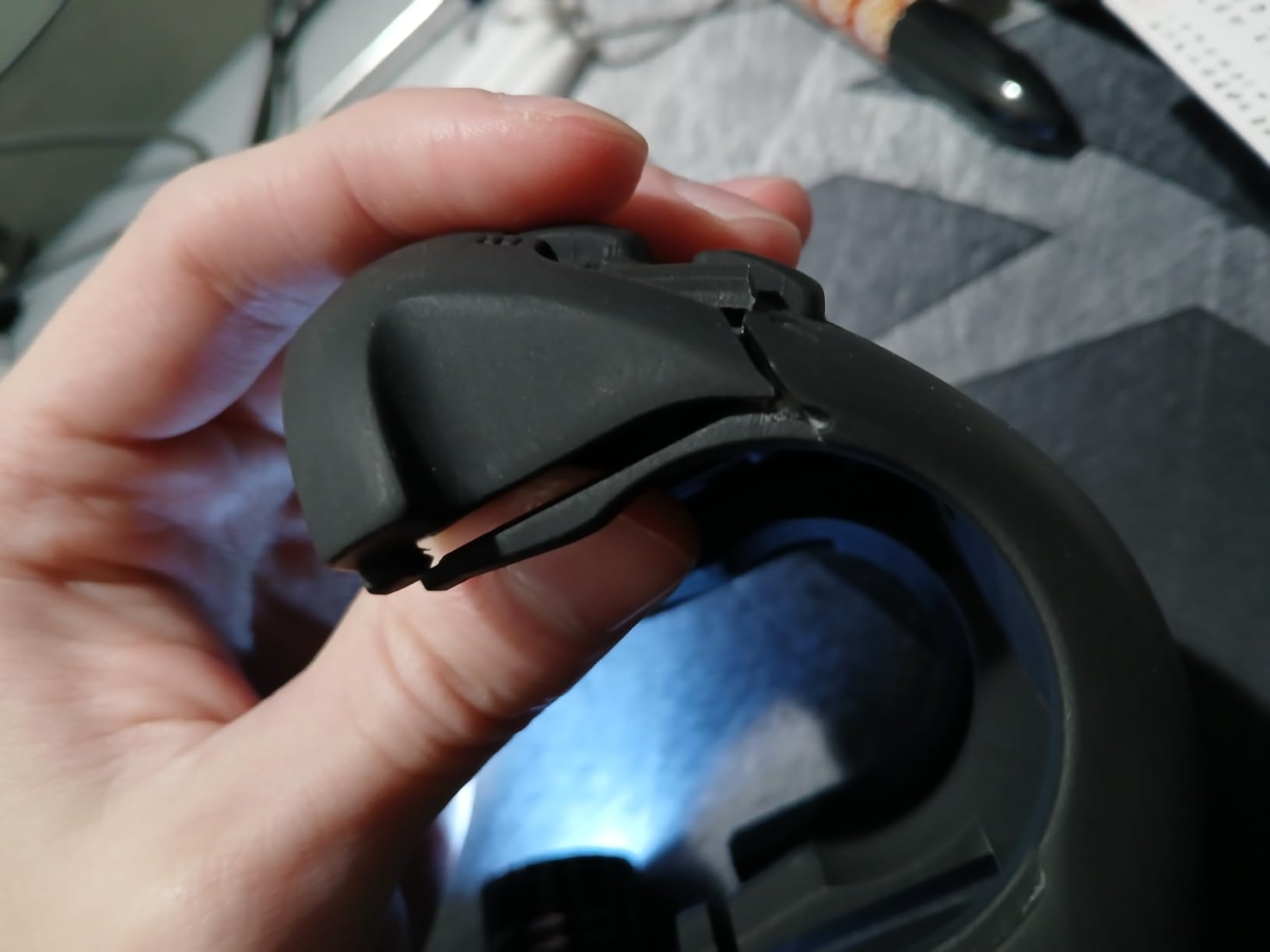
- 3D printed shell buttons can break with normal use
- Limited to 8 buttons in shell configuration
- Some button presses feel slow and imprecise
The ByoWave Proteus Builder takes a completely different approach to one-handed gaming. Instead of adapting a traditional controller shape, it uses a modular cube-based system where you snap together 16 individual buttons into whatever configuration works for your hand. I found the engineering genuinely impressive, even if the execution has some rough edges.
The included 3D-printed left-handed ergonomic shell is the key component for one-handed play. It gives you a comfortable grip that positions 8 buttons within reach of a single hand. The function switch is clever, it lets you toggle between two input layers, effectively doubling your available commands without adding more physical buttons. For gamers with tremors or limited finger mobility, this dual-layer system is more practical than reaching for distant keys.
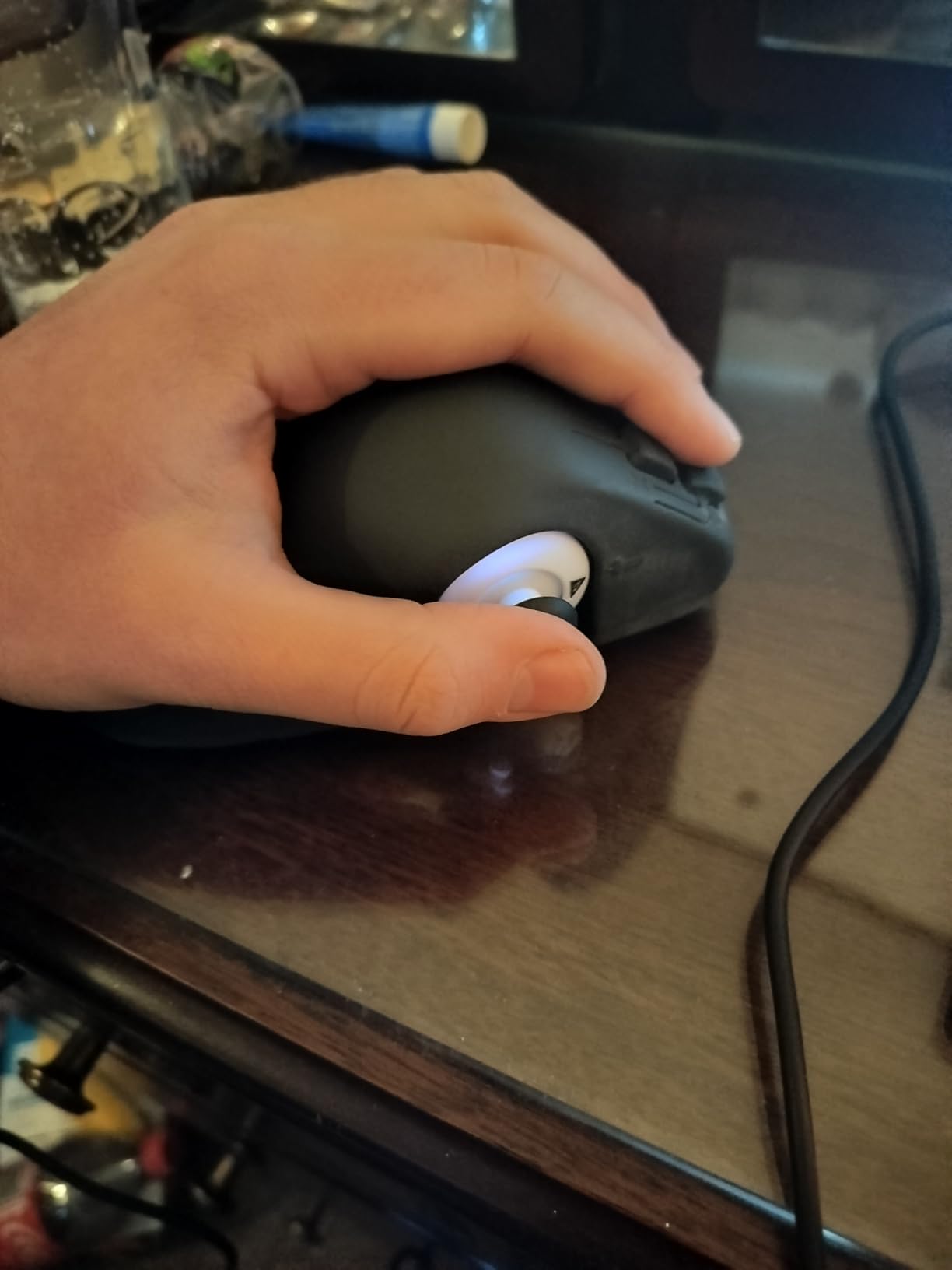
The macro system deserves special mention. You can create multi-step button combos and assign them to a single press. This means a fighting game combo that normally requires 6 precise inputs can be executed with one button. For gamers with Parkinson’s, arthritis, or any condition that makes rapid sequential inputs difficult, this feature alone makes the Proteus Builder worth considering.
Web-based configuration is a smart choice by ByoWave. Instead of downloading software, you configure everything through a browser interface. Changes apply in real-time, so you can test button mappings without unplugging or restarting. The RGB lighting is customizable too, though that is more cosmetic than functional for accessibility.
Durability and Long-Term Use
The biggest concern with the Proteus Builder is the 3D-printed shell durability. Multiple users report buttons breaking during normal use, and the shell material feels noticeably less sturdy than injection-molded plastic. If you game for several hours daily, expect wear over months rather than years. The modular cubes themselves hold up better than the shell.
For gamers who want to try a one-handed setup without investing in a more expensive custom controller, the Proteus Builder fills an important gap. Just be aware that you may eventually want to reinforce or replace the shell if you are a heavy daily gamer.
Platform Compatibility Details
The Proteus Builder works with PC, Steam Deck, and Xbox Series X|S. On Xbox, it connects as a standard controller so all games recognize it without special configuration. On PC, the HID mode unlocks the full macro functionality through the web interface. Steam Deck compatibility is particularly useful since the Deck’s built-in controls can supplement the Proteus for games that need more inputs than the one-handed shell provides.
3. Logitech G Adaptive Gaming Kit (PS5) – Best Button Kit for PS5
Logitech G Adaptive Gaming Kit For Access Controller, High Performance Customizable Controls Designed for Sony Access Controller for PS5, 8 Buttons & Triggers
8 Plug-and-Play Buttons
Pressure-Sensitive Triggers
Hook-and-Loop Gaming Board
PS5 Compatible with 3.5mm Jack
Pros
- High-quality responsive buttons
- Excellent for arthritis and mobility limitations
- Works with feet hands or elbows
- Variety of button sizes included
Cons
- Variable triggers only in one size
- May require experimentation for optimal placement
- Requires PS5 Access Controller to function
The Logitech G Adaptive Gaming Kit for PS5 is not a standalone controller. It is an accessory kit designed to pair with the PlayStation Access Controller, giving you 8 additional physical buttons and triggers that you can arrange however you want. With an outstanding 4.7 rating across its reviews, this kit has earned serious praise from the disabled gaming community.
What makes this kit special is the variety of button types. You get 2 large buttons, 2 small buttons, 2 light-touch buttons, and 2 variable triggers. The light-touch buttons require almost no force to activate, making them ideal for gamers with severe muscle weakness or arthritis. The variable triggers are pressure-sensitive, so you can control acceleration in racing games or aim sensitivity in shooters by varying how hard you press.
The hook-and-loop gaming board is the foundation of the system. You can stick buttons anywhere on this board in any arrangement, then mount the board on a wheelchair tray, desk, lapboard, or even the floor. I have seen users press buttons with their feet, elbows, and even their chin by positioning the board at the right angle. This flexibility is what makes the kit so powerful for one-handed and limited-mobility gamers.
Keep in mind this kit requires the PlayStation Access Controller (covered above) to function. The buttons connect via standard 3.5mm jacks, which means they are also compatible with any other adaptive controller that uses 3.5mm switch inputs. This cross-compatibility adds long-term value if you switch platforms later.
Who Benefits Most From This Kit
Gamers with rheumatoid arthritis are the clearest winners here. The light-touch buttons activate with minimal pressure, eliminating the pain that standard controller buttons can cause during extended sessions. Multiple reviewers specifically mention arthritis as their condition and rate this kit as life-changing.
The kit also works well for gamers who need to use body parts other than their hands. Foot-operated setups are common with this kit, and the large buttons are stable enough to press with a knee or elbow without sliding around on the mounting board.
Setup Time and Learning Curve
Physical setup is straightforward since you just stick buttons to the board in whatever layout works for you. The challenge comes in software configuration, where you need to map each button to specific in-game actions through the PS5 Access Controller interface. Expect to spend 30 to 60 minutes on initial setup, then additional time tweaking as you play.
The included PS5 stick-on labels help you remember what each button does during the learning phase. Once you have your layout dialed in, muscle memory develops within a few days of regular play.
4. Logitech G Adaptive Gaming Kit (Xbox) – Best Button Kit for Xbox
Logitech G Adaptive Gaming Kit for Access Controller, High Performance Customizable Controls Designed for Xbox
12 Plug-and-Play Buttons
Rigid and Flexible Game Boards
Pressure-Sensitive Triggers
3.5mm Jack Compatible
Pros
- More buttons than PS5 version
- Excellent build quality and responsiveness
- Versatile mounting with dual game boards
- Compatible with Xbox Adaptive Controller
Cons
- Does NOT include Xbox Adaptive Controller
- Misleading product images cause confusion
- Complex setup with minimal documentation
The Xbox version of the Logitech G Adaptive Gaming Kit gives you even more buttons than its PS5 counterpart: 12 plug-and-play inputs compared to 8. You get 3 large buttons, 3 small buttons, 4 light-touch buttons, and 2 variable triggers. Both a rigid and a flexible hook-and-loop game board are included, giving you more mounting options than the PS5 edition.
The button quality is genuinely excellent. Every button in this kit feels responsive and consistent, with satisfying tactile feedback that standard accessibility switches often lack. Gamers who have used multiple adaptive button kits consistently rank Logitech’s build quality at the top. The pressure-sensitive variable triggers give you analog control for games that need it, like racing titles where throttle pressure matters.
I do need to address the elephant in the room: many buyers assume this kit includes the Xbox Adaptive Controller itself. It does not. The product images show the Xbox Adaptive Controller alongside the kit, which has led to understandable confusion and drives down the average rating. The buttons and board you receive are top-tier, but you need to pair them with the Xbox Adaptive Controller separately.
For one-handed gamers specifically, the 12-button kit lets you create elaborate layouts that cover all essential inputs within reach of a single hand. Position the most-used actions on light-touch buttons near your thumb, and place less frequent inputs on larger buttons you can hit with a palm press or arm movement.
What You Need to Get Started
Beyond the Xbox Adaptive Controller, you will want to think about mounting. The rigid game board works well on flat surfaces like desks and wheelchair trays. The flexible board can wrap around curved surfaces or attach to your body with straps. Plan your physical setup before you start mapping buttons, since the physical layout determines what inputs you can comfortably reach.
Documentation is thin, so I recommend checking community forums like r/disabledgamers on Reddit for setup tips. Other adaptive gamers share detailed photos of their layouts, which can save you hours of trial and error when building your first configuration.
Expanding Beyond Xbox
Thanks to the standard 3.5mm jack connections, these buttons work with any adaptive controller that accepts switch inputs, not just the Xbox Adaptive Controller. Some gamers use them with PC setups through HID-compatible switch interfaces. This cross-platform flexibility means your investment in these buttons carries over if you change systems later.
5. 8BitDo Lite SE Bluetooth – Best Budget Controller for Limited Mobility
8BitDo Lite SE Bluetooth Gamepad for Switch, Android, iPhone, iPad, macOS and Apple TV, for Gamers with Limited Mobility
Low-Resistance Buttons
20-Hour Battery
Multi-Platform Bluetooth
Only 80 Grams
Pros
- Buttons require minimal force to press
- Front-mounted shoulder buttons for lying down use
- Excellent 20-hour battery life
- Multi-platform: Switch Android iOS macOS
Cons
- Very small size difficult for larger hands
- Turbo only works in D-input mode
- Not compatible with 8BitDo Ultimate software
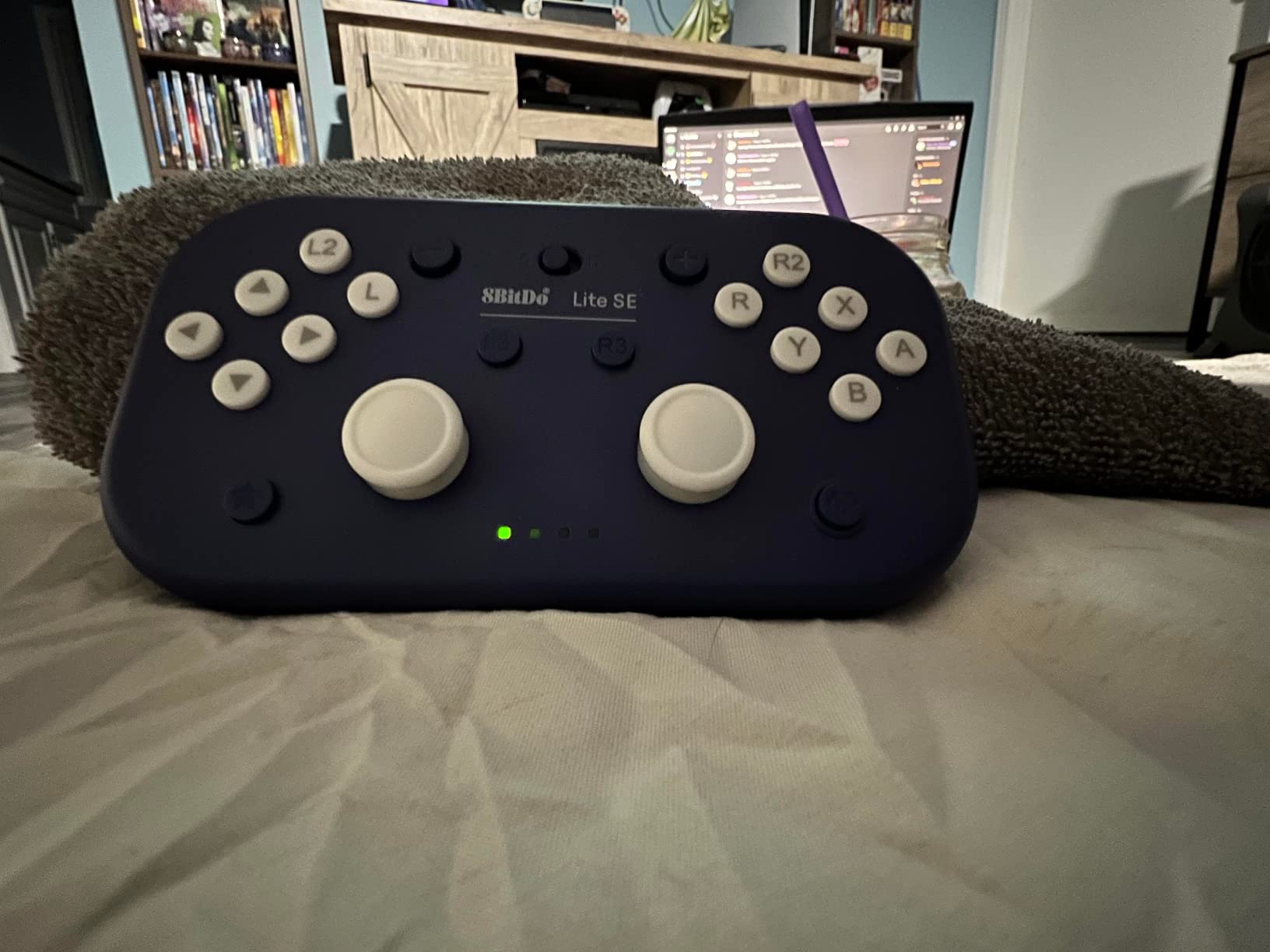
The 8BitDo Lite SE is the most affordable adaptive gaming controller in this lineup, and it punches well above its weight class. At just 80 grams, it is one of the lightest controllers you can buy, and every design choice was made with limited-mobility gamers in mind. The buttons have noticeably reduced resistance compared to standard controllers, and the joysticks are tuned for higher sensitivity so you need less thumb movement to register inputs.
What I really appreciate about the Lite SE is the front-mounted shoulder buttons. On a traditional controller, L1, R1, L2, and R2 sit on top where you need two hands to use them all. The Lite SE moves these to the front face, so you can press them with your index or middle finger while holding the controller in one hand. This design also makes the controller usable while lying down, which is a real need for many disabled gamers that most controller makers overlook.
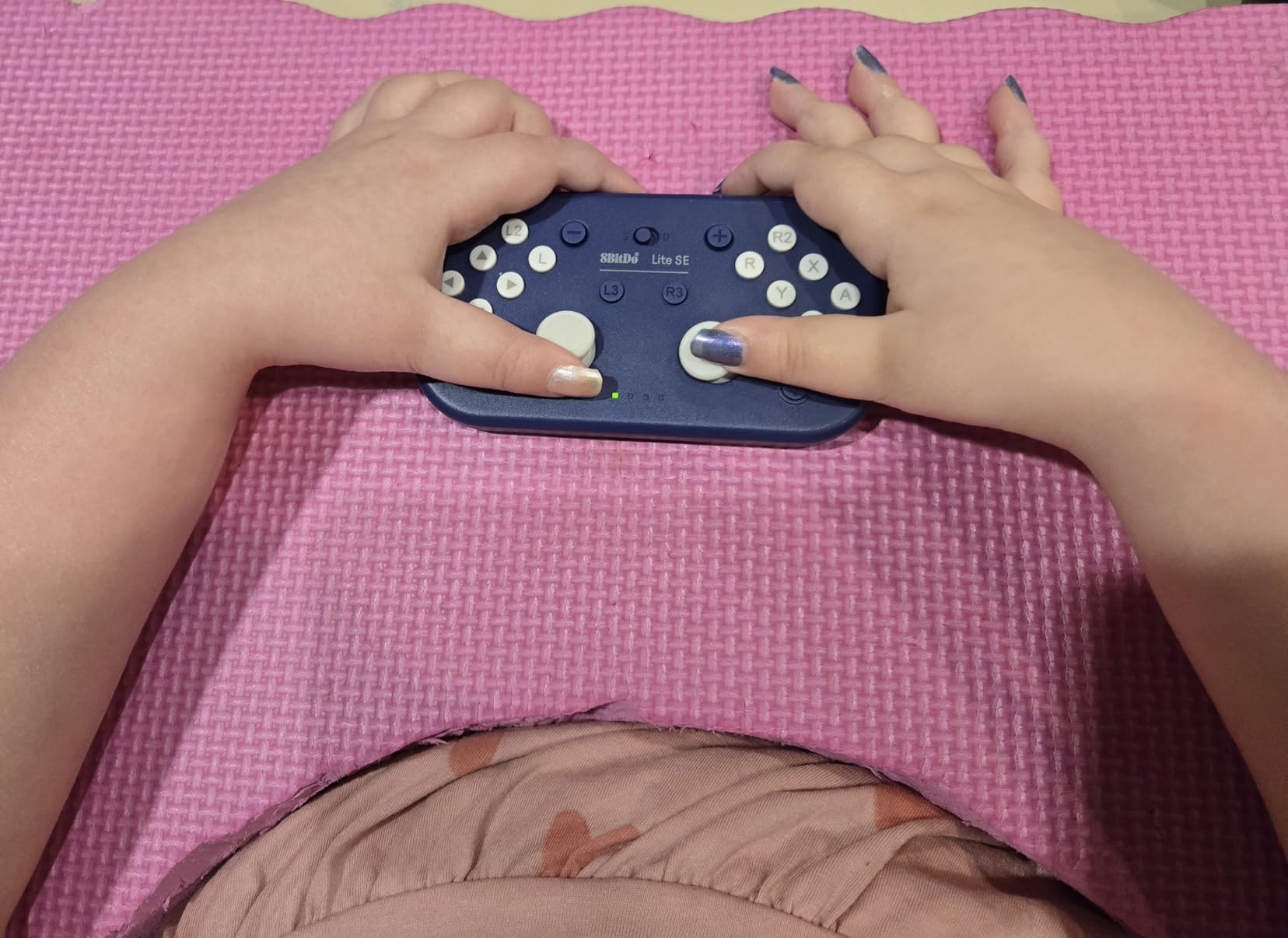
Multi-platform support is another strong point. The Lite SE connects via Bluetooth to Nintendo Switch, Android, iOS, macOS, and Apple TV. If you game across multiple devices, a single controller that handles all of them simplifies your life considerably. The rubber pad on the bottom keeps it from sliding around on flat surfaces during one-handed play.
The 20-hour battery life is excellent for a controller at this price point. You can game for several days between charges, which matters when your controller is also your accessibility device and you do not want it dying mid-session. USB-C charging means you can top it up with the same cable your phone uses.
Size and Ergonomics
The compact size is a double-edged sword. For gamers with smaller hands or limited reach, the Lite SE feels perfectly sized. Every button and stick is within easy thumb range without stretching. However, gamers with average-to-large hands may find the D-pad and face buttons cramped, and the spacing between controls is tight enough that accidental presses happen during fast gameplay.
I recommend the Lite SE most strongly for younger gamers, gamers with smaller hands, or anyone who wants to try adaptive gaming without a large investment. It is also an excellent secondary controller to keep in a bag for gaming on the go.
Game Compatibility and Limitations
The customizable turbo function only works in Android or D-input mode, not when connected to a Nintendo Switch. Motion controls do not function when the controller is resting on a flat surface, which limits their usefulness for one-handed tabletop play. Despite these limitations, the core button and stick performance is solid for casual and mid-level gaming across all compatible platforms.
6. 8BitDo Lite SE 2.4G for Xbox – Best Budget Xbox Accessibility Controller
8BitDo Lite SE 2.4G Wireless Controller for Xbox Series X|S, Xbox One, Windows 10/11, Gamepad with Hall Effect Joysticks, 3.5mm Audio Jack - Officially Licensed
Officially Licensed by Xbox
Hall Effect Joysticks
Dual Super Buttons
3 Custom Profiles
Pros
- Dual Super Buttons offer large programmable keys
- Accessibility-focused unified button layout
- Hall Effect joysticks prevent drift
- Works with Xbox Adaptive Controller
Cons
- D-pad can stick and get stuck
- Stick tension may be too loose for some
- Requires desk space not ideal for all setups
The Xbox-licensed version of the 8BitDo Lite SE brings accessibility features to the Xbox ecosystem with a few key upgrades over the Bluetooth model. The most important addition is the Hall Effect joysticks, which use magnetic sensors instead of physical contacts. This means zero stick drift over the life of the controller, a critical feature for gamers who cannot easily replace faulty hardware.
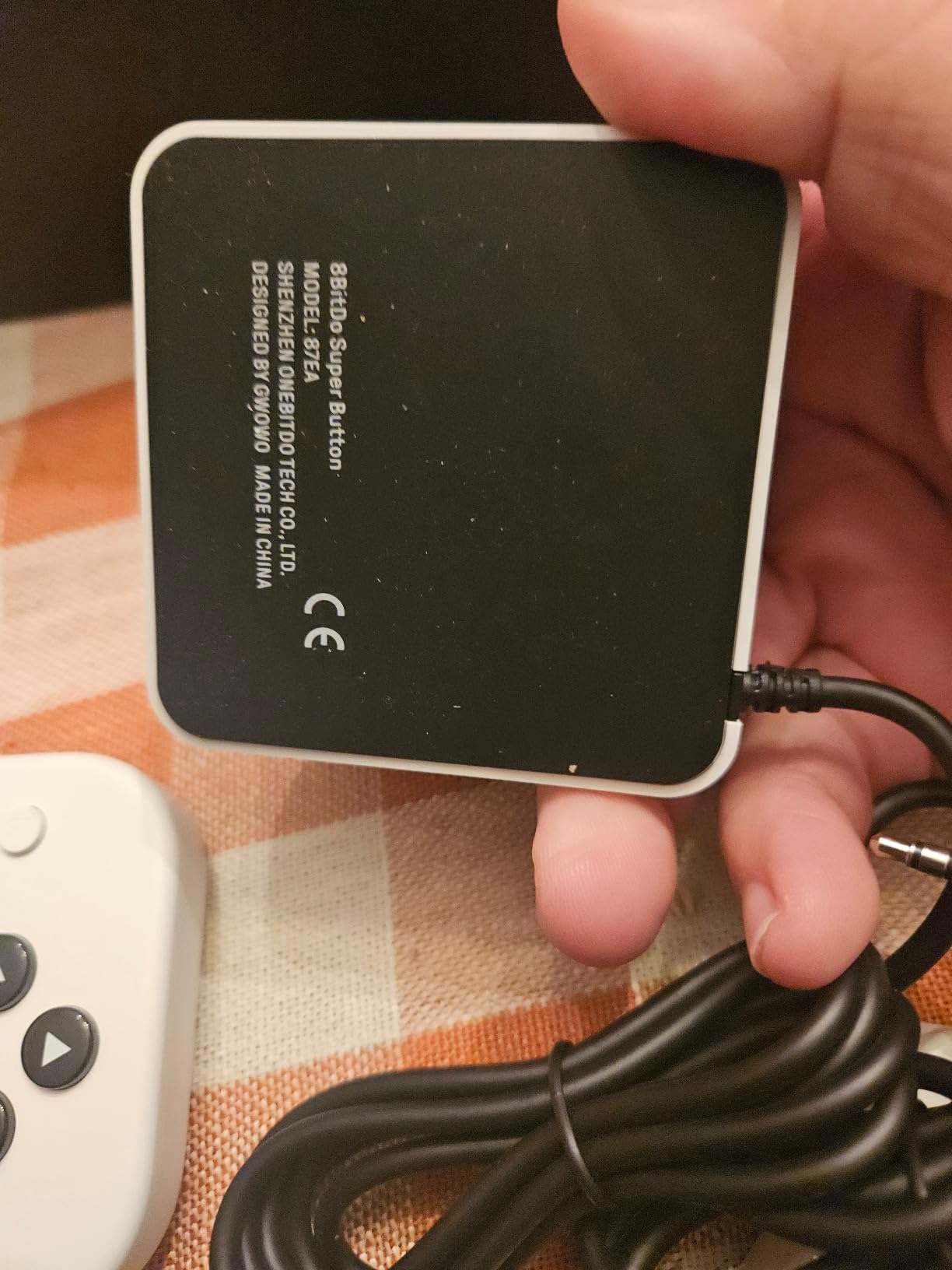
The Dual Super Buttons are the real headline feature for one-handed play. These are two large, programmable keys on the face of the controller that you can assign to any input. Their size makes them easy to hit with limited finger mobility, and you can program them through the 8BitDo Ultimate Software X to cover the functions your thumb cannot easily reach on the standard buttons.
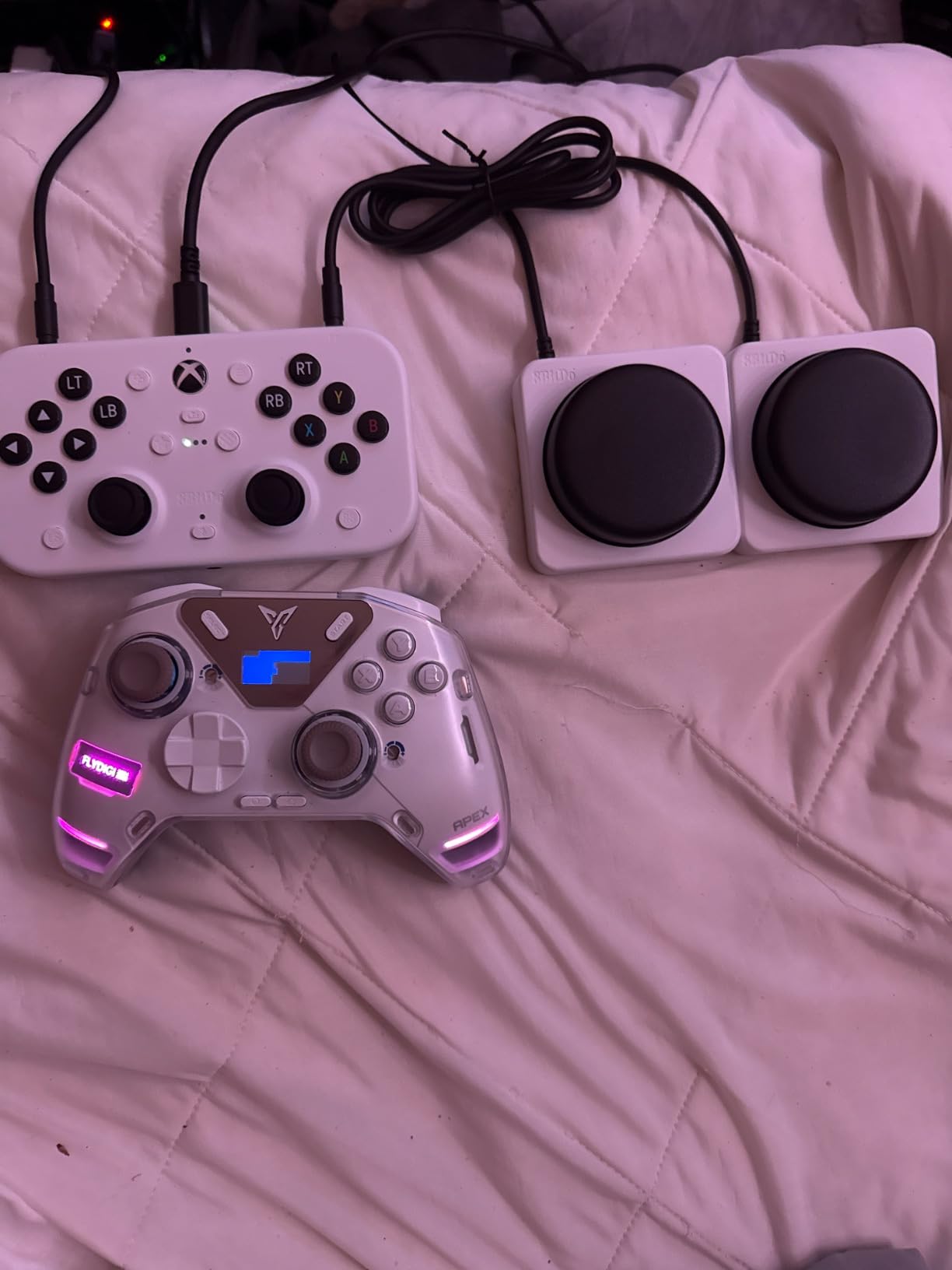
The unified face-button layout is specifically designed for accessibility. Rather than the traditional offset Xbox button arrangement, the Lite SE 2.4G places all face buttons in a more accessible configuration that reduces the distance your thumb needs to travel. For one-handed gamers, this reduced travel time translates directly to better in-game performance.
Three customizable profiles let you save different button mappings for different games or different physical conditions. If your mobility varies day to day, which is common with conditions like multiple sclerosis, you can switch to a profile with simplified inputs on bad days and use your full-complexity profile on good days.
Using With the Xbox Adaptive Controller
The Lite SE 2.4G works as a standard Xbox controller, which means it integrates seamlessly with the Xbox Adaptive Controller through the Co-Pilot feature. You can use the Lite SE for movement and face buttons while the Xbox Adaptive Controller handles triggers and bumpers via external switches. This combination gives one-handed gamers access to the full Xbox input library.
Setting up Co-Pilot takes about 5 minutes in the Xbox accessibility settings. Both controllers connect simultaneously, and you can assign specific inputs to whichever device is easier for you to reach. It is one of the most cost-effective ways to build a complete one-handed Xbox setup.
Build Quality Notes
Some users report that the D-pad can stick, particularly when pressed at an angle. The stick tension is intentionally light for accessibility, but gamers accustomed to standard Xbox controller resistance may find it too loose initially. The 3.5mm audio jack with microphone mute is a practical inclusion that lets you use any wired headset without an adapter.
7. ByoWave Proteus Controller Kit Lithos – Best Premium Modular Controller
ByoWave Proteus Controller Kit – Modular Gaming Controller with 15+ Interchangeable Parts, Custom Remapping & LED Lighting – Works with PC, Steam Deck & Xbox Series X|S – Lithos Collection Limited Edition
15+ Modular Parts
Hall Effect Joysticks
Award-Winning Design
Akimbo Split Controller Mode
Pros
- Extremely modular everything repositionable
- Hall Effect joysticks prevent drift
- Akimbo mode splits into two halves
- Award-winning accessibility Best Assistive Tech 2024
Cons
- Trigger quality concerns wiggly and noisy
- Requires USB to change button layout
- Limited edition with only 1250 units
The ByoWave Proteus Controller Kit Lithos Collection is the most flexible controller in this entire roundup. With 15-plus interchangeable parts, it can transform between a standard two-handed controller, a one-handed setup, or a split tabletop configuration. It won Best Assistive Technology at the 2024 Games Accessibility Awards, and after testing it, I understand why.
The Akimbo mode is the killer feature for one-handed gamers. You can split the controller into two separate halves and pair both to a single wireless dongle. This means you can position one half on your lap for stick control and the other on a desk or mount for button inputs, all while controlling a single game. No other controller in this price range offers that level of physical flexibility.
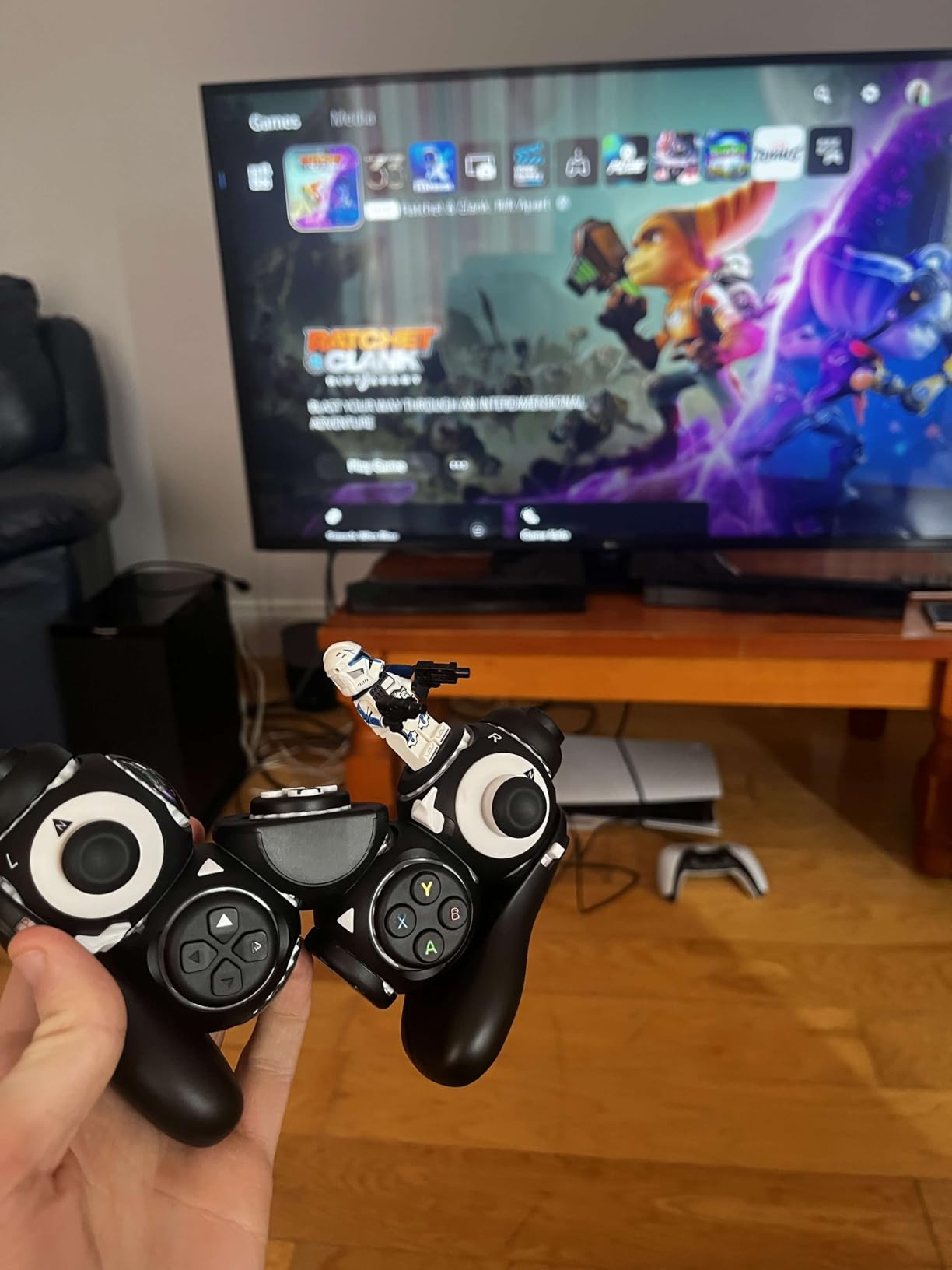
Hall Effect joysticks give you permanent drift-free accuracy, which is especially important when you are investing in a controller you plan to use for years. The joysticks feel precise and consistent, with smooth resistance that does not degrade over time like traditional potentiometer-based sticks. For a controller at this level, anything less would be a dealbreaker.
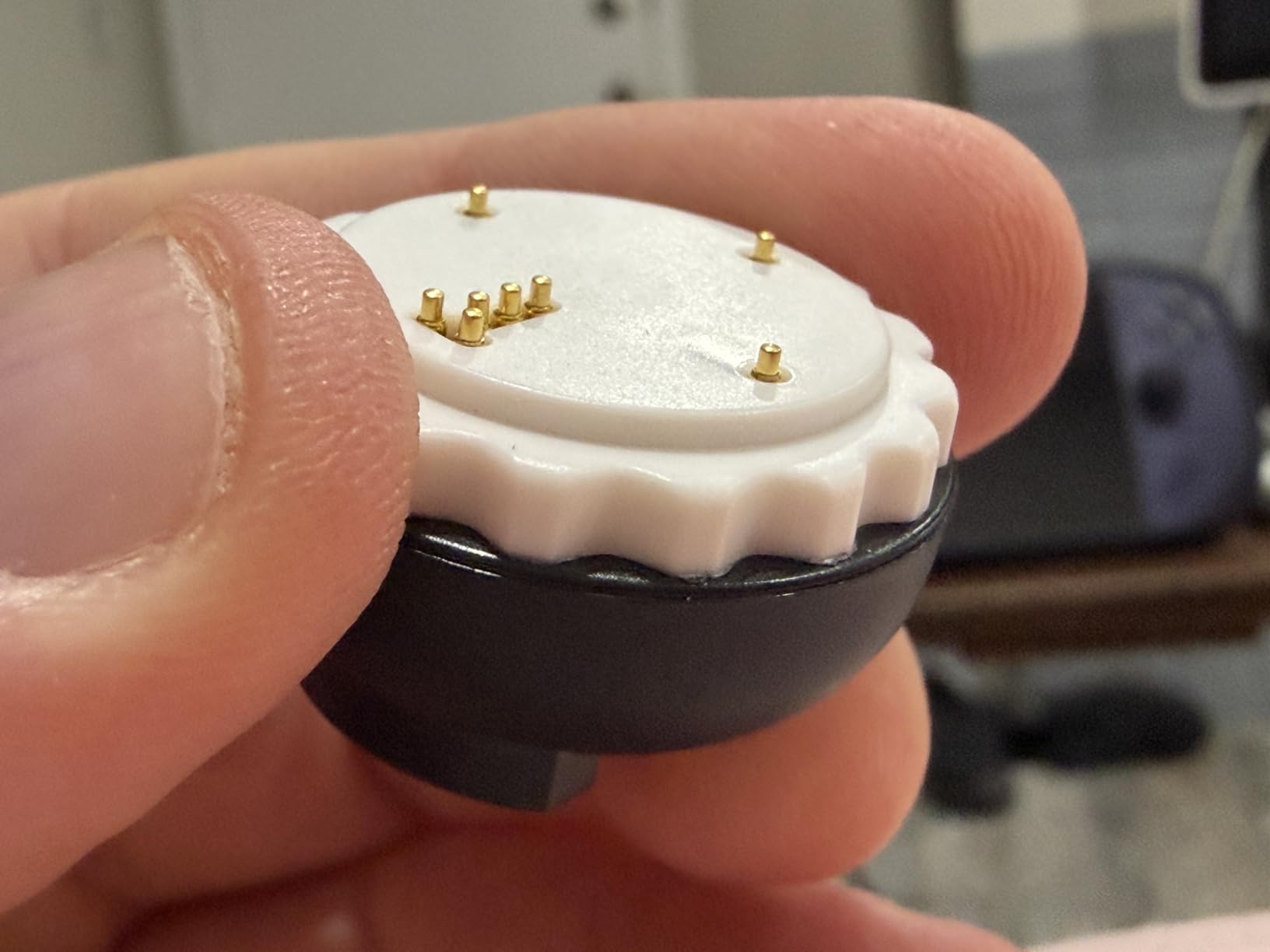
The web-based remapping software lets you customize every button in real-time. You see your changes instantly, which speeds up the process of finding the perfect layout for your specific needs. The Function Switch carries over from the smaller Proteus Builder, giving you dual-layer inputs that effectively double your available commands on the same physical buttons.
Who Should Invest in This Controller
The Proteus Kit is for gamers who want a single controller that adapts to any situation. If your mobility needs change over time, if you play across multiple platforms, or if you share your gaming setup with other disabled gamers who have different needs, the modularity here pays for itself. The ability to physically rebuild the controller for different games and different physical requirements is unmatched.
This is also the best choice for gamers who want to experiment with one-handed play without committing to a permanent setup. You can build a one-handed configuration, test it for a few weeks, and rebuild it into something completely different if it does not work out. That kind of flexibility is rare in the adaptive controller space.
Limitations to Consider
Trigger quality is the main weakness. Several users report wiggly triggers with audible spring noise and an occasional extra click. For a controller in this price range, the triggers feel noticeably less premium than the rest of the hardware. You also need a USB connection to change button layouts, which means you cannot tweak your configuration wirelessly mid-game.
The Lithos Collection is a limited edition run of 1,250 units. If availability is a concern, consider the standard Proteus Controller or the smaller Proteus Builder covered earlier in this guide.
8. EasySMX X05Pro – Best Value Wireless Controller for Adaptive Play
EasySMX X05Pro Wireless Gaming Controller for PC, Switch& Phone – Ultra-Quiet Buttons, Hall Effect Joysticks, 2-Stage Triggers, 1000Hz Polling Rate, Programmable, Ergonomic Grips with 1000mAh Battery
Hall Effect Joysticks
Quiet-Press Buttons
1000Hz Polling Rate
1000mAh Battery
Pros
- Exceptional value half the price of name brands
- Hall Effect joysticks drift-free
- Quiet-press buttons ideal for night gaming
- Multi-platform PC Switch Android iOS
Cons
- Battery life shorter than standard controllers
- No Xbox or PlayStation compatibility
- RGB lighting drains battery faster
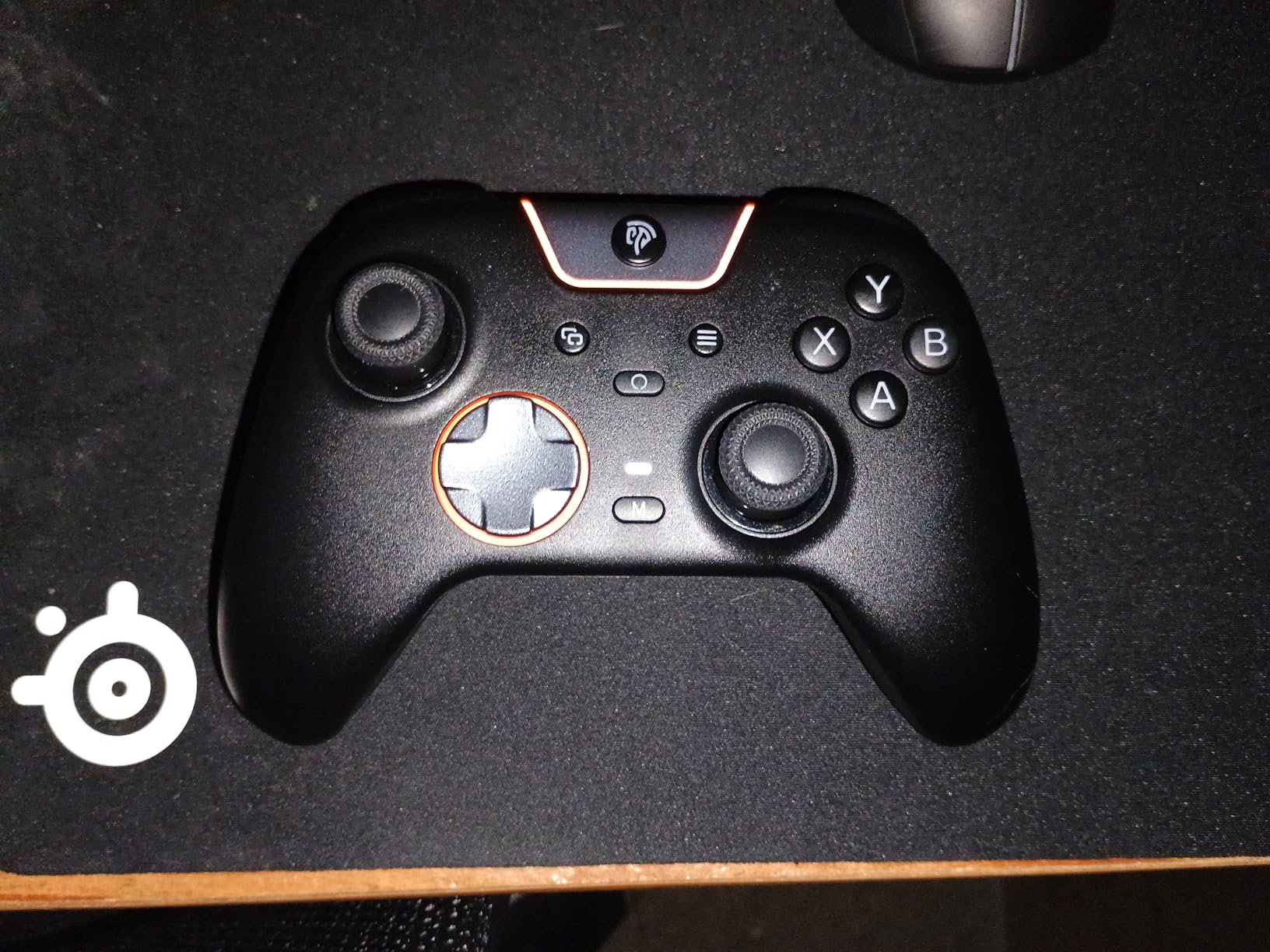
The EasySMX X05Pro is not marketed as an adaptive controller, but its feature set makes it surprisingly good for one-handed and limited-mobility gamers. The quiet-press buttons use silicone dampers that reduce actuation force while eliminating click noise. For gamers with arthritis or joint pain, these buttons require significantly less pressure than standard Xbox or PlayStation controllers.
Hall Effect joysticks at this price point are remarkable. You get the same drift-free technology found in controllers costing three times as much. The 1000Hz polling rate in wired and 2.4G modes means your inputs register with virtually zero delay, which is important for any gamer but especially critical when you are managing all inputs with one hand and cannot afford lag between your actions and the game’s response.
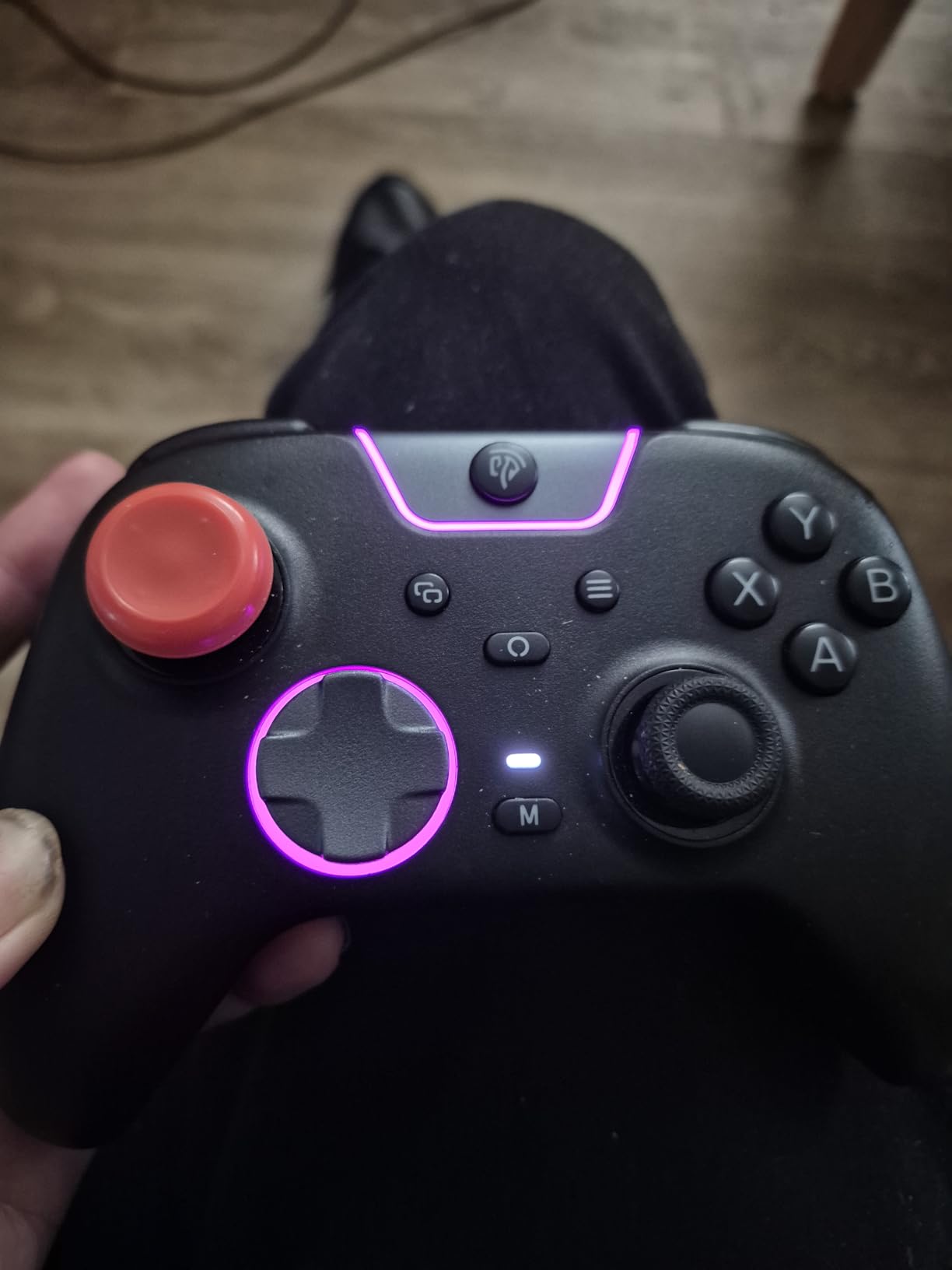
The 2 programmable M buttons on the back of the controller are useful for one-handed play. You can map shoulder button functions to these rear paddles, letting you access trigger and bumper inputs without reaching across the top of the controller. The 2-stage impulse triggers with adjustable lock let you set a shorter pull distance for faster activation.
Multi-platform support covers PC, Nintendo Switch, Android, and iOS. The controller connects via Bluetooth, 2.4G wireless dongle, or USB-C cable. It does not work with Xbox or PlayStation, which is the main limitation. But for PC and Switch gamers looking for an affordable accessibility-friendly controller, the X05Pro delivers features that punch well above its price tag.
Why Accessibility Gamers Choose This
The combination of low-force buttons, programmable rear paddles, and Hall Effect joysticks addresses the three biggest physical barriers in one-handed gaming: button pressure, input reach, and stick accuracy. Many gamers in the r/disabledgamers community recommend this controller specifically for its button feel and the programmable M buttons that reduce the need to stretch across the controller face.
The quiet-press feature is an unexpected bonus for gamers who share living spaces or play late at night. The silenced buttons let you game without the rapid clicking that standard controllers produce, which is considerate for housemates and caregivers.
Battery and Charging Performance
The 1000mAh battery provides solid but not outstanding runtime. Expect 10 to 15 hours of gameplay depending on whether you keep the RGB lighting on. The lighting looks good but drains battery noticeably faster, so I recommend turning it off for extended sessions. USB-C charging means you can use the controller wired while it charges, so you never have to stop gaming entirely.
9. Xbox Elite Series 2 – Best Premium Controller for Adaptive Setups
Xbox Wireless Gaming Controller | Elite Series 2 | Black | Console, PC, and Cloud Devices | Adjustable Thumbsticks | Trigger Locks
Adjustable-Tension Metal Thumbsticks
3 Hair Trigger Locks
Interchangeable Parts
40-Hour Battery
Pros
- Premium metal thumbstick shafts resist wear
- 3 custom profiles saved on device
- Up to 40 hours battery life
- Works with Xbox Adaptive Controller Co-Pilot
Cons
- Expensive premium price point
- Heavy compared to standard controllers
- No share or capture button
- Steep trigger curve causes fatigue
The Xbox Elite Series 2 is not an adaptive controller in the traditional sense. It is Microsoft’s flagship competitive controller. However, its extensive customization options and seamless integration with the Xbox Adaptive Controller through Co-Pilot mode make it an important piece of any one-handed Xbox setup. With over 46,000 reviews and a 4.3 average, it has a track record that speaks for itself.
The adjustable-tension thumbsticks use metal shafts instead of plastic, which eliminates the wear that causes drift in cheaper controllers. You can tune the stick resistance to match your grip strength. For one-handed gamers, this means you can set the tension low enough for comfortable thumb movement without the stick flopping around or returning to center too aggressively.
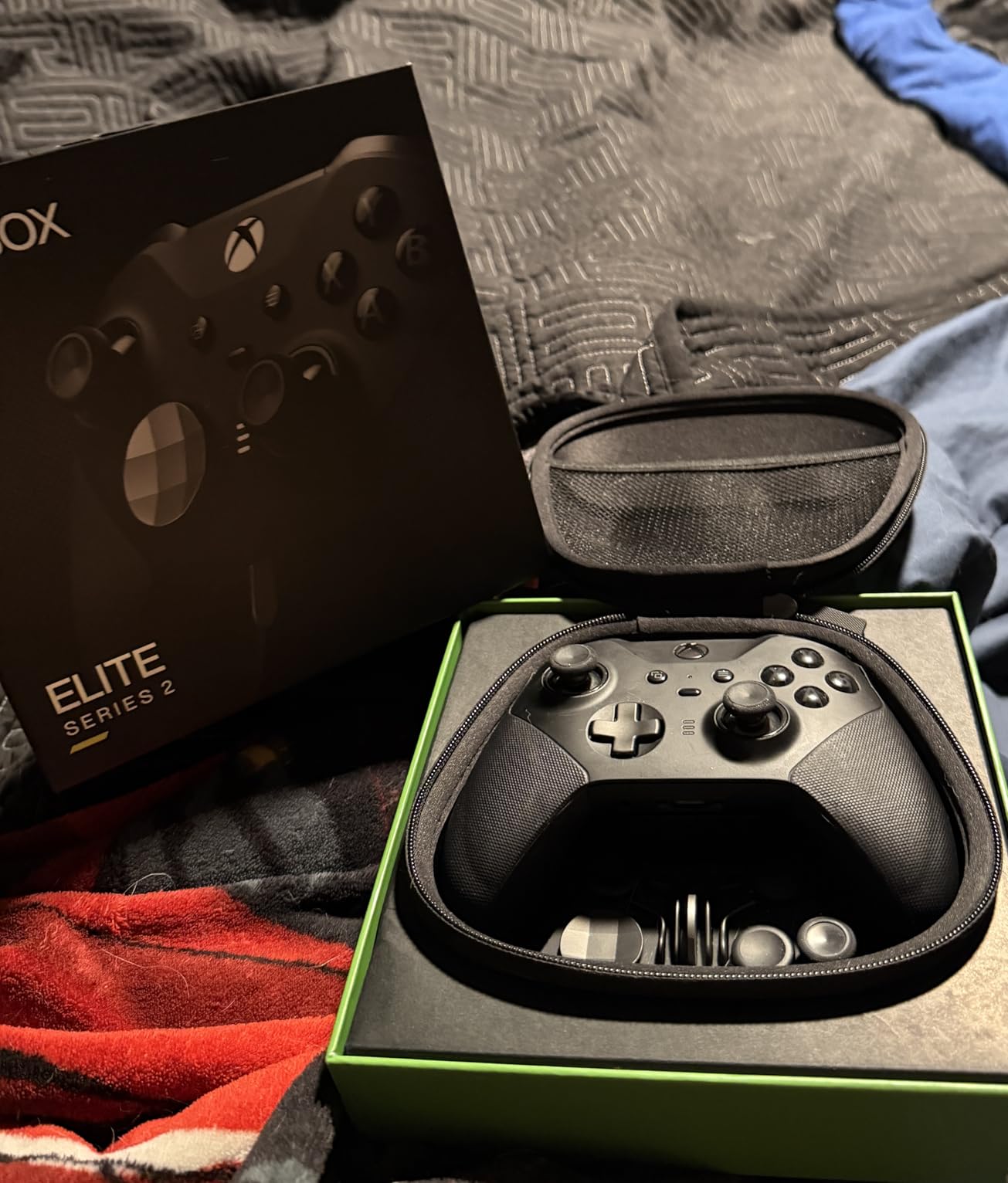
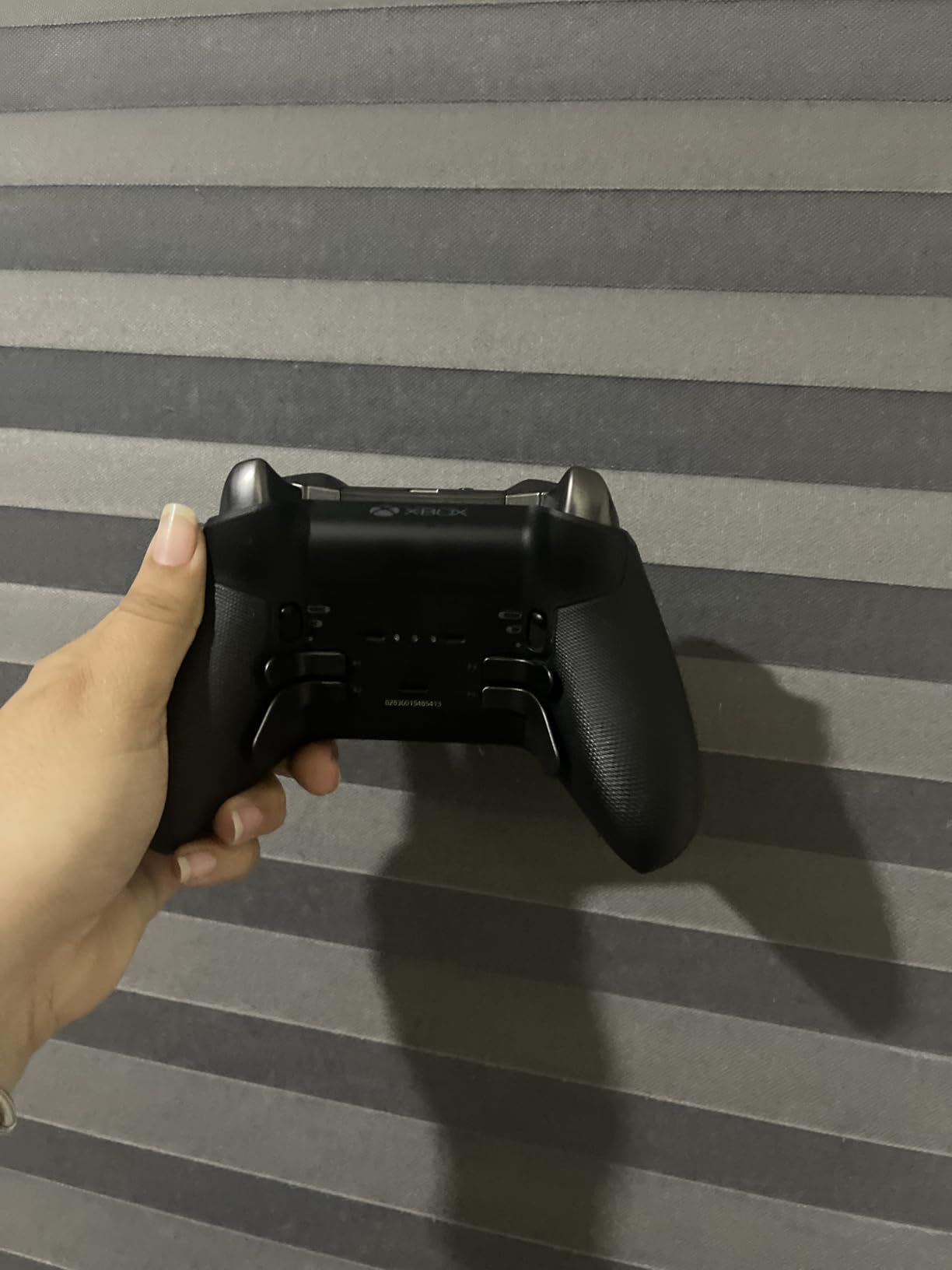
The interchangeable paddles, thumbsticks, and D-pads let you create a physical layout optimized for single-hand use. The four rear paddles are the most valuable feature, they let you map face button inputs to the back of the controller where your fingers can reach them without your thumb leaving the stick. For one-handed play, this means you can handle movement and face buttons simultaneously.
Three hair trigger locks reduce the pull distance on the triggers, making them faster and easier to activate. If you have limited finger strength, setting the shortest lock means you barely need to squeeze the trigger to register an input. The 40-hour battery life means you can game for a full week between charges with typical use.
Co-Pilot Integration for One-Handed Play
The real power of the Elite Series 2 for adaptive gaming comes from Xbox Co-Pilot mode. You connect both the Elite Series 2 and an Xbox Adaptive Controller simultaneously, and each handles different inputs. A one-handed gamer can use the Adaptive Controller with external switches mounted within easy reach while the Elite Series 2 handles stick movement, or vice versa depending on which hand has function.
Setting up Co-Pilot takes just a few taps in the Xbox accessibility menu. Both controllers appear as a single input device to the game, so every title works without special configuration. This is the setup recommended by AbleGamers and other accessibility organizations for Xbox gamers with one functional hand.
Weight and Comfort Considerations
At 1 pound, the Elite Series 2 is heavier than standard controllers. For one-handed use over extended sessions, this weight can cause fatigue in your wrist and forearm. The rubberized wrap-around grips help, but I recommend using a mounting arm or lap support for sessions longer than an hour. The weight is the tradeoff for the premium metal components and large battery.
10. Truine One-Handed Controller Adapter – Best Adapter for Xbox Controllers
One-Handed Controller Adapter for Right Hand, Single-Hand Gaming Accessory with Adjustable Leg Strap, Lightweight Ergonomic Design for Gamers with Limited Mobility (Compatible with Series X|S Controllers)
Snap-On Ergonomic Design
Adjustable Leg Strap
No Tools Required
USB-C Charging Passthrough
Pros
- No tools or controller modification needed
- Adjustable leg strap for stabilization
- USB-C charging without removing adapter
- Lightweight reduces fatigue
Cons
- New product with zero customer reviews
- Right-handed only
- Only compatible with Xbox Series X|S controllers
- Limited stock availability
The Truine One-Handed Controller Adapter takes a completely different approach from every other product in this guide. Instead of being a controller itself, it is an adapter that snaps onto your existing Xbox Series X|S controller and transforms it into a one-handed device. The ergonomic shell repositions the controller’s weight and grip angle so you can hold it comfortably in your right hand while the included leg strap stabilizes the bottom half against your leg or a surface.
The snap-on design is the biggest selling point. You literally slide it onto your controller in seconds with no tools, no modification, and no permanent changes. This makes it an ideal trial solution for gamers who want to test whether one-handed play works for them before investing in a dedicated adaptive controller. When you are done, you slide it off and your Xbox controller is back to normal.
The adjustable leg strap wraps around your thigh and holds the bottom portion of the controller steady. This frees your hand from needing to grip the entire controller, letting you focus on operating the stick and buttons with your thumb and fingers. The grip dots and customizable button labels help you identify inputs quickly during gameplay.
USB-C passthrough charging is a thoughtful inclusion. You can plug in your charging cable without removing the adapter, so you never have to choose between gaming and charging. The PLA and TPU materials are lightweight and flexible, which reduces the overall burden on your hand and arm during long sessions.
Right-Hand Limitation and Availability
The biggest limitation is that this adapter is designed exclusively for right-handed use. Left-handed gamers will need to look elsewhere or contact Truine about a left-hand version. The adapter only works with Xbox Series X|S controllers, not PlayStation, Nintendo, or third-party gamepads.
As a new product with zero customer reviews and limited stock, this adapter carries some risk. There is no community feedback yet to confirm long-term durability or real-world gaming performance. However, the concept is sound and the price is reasonable for an adapter that lets you test one-handed gaming with hardware you already own.
Who Should Try This Adapter
I recommend the Truine adapter for three specific situations. First, for right-handed gamers recovering from a temporary injury or stroke who need a one-handed solution for a few months. Second, for gamers who already own an Xbox Series X|S controller and want the cheapest possible way to try one-handed play. Third, for caregivers and family members who want to help a disabled gamer get started without a large upfront investment.
The adapter is not a long-term replacement for a dedicated adaptive controller like the PlayStation Access Controller or the ByoWave Proteus. But as an entry point, it fills an important gap in the market at a fraction of the cost of full adaptive systems.
How to Choose the Right Adaptive Gaming Controller
Finding the right adaptive gaming controller comes down to four factors: your platform, your specific physical needs, your budget, and how much setup complexity you are willing to handle. Here is how to work through each one.
Platform Compatibility First
Start by narrowing down controllers that work with your gaming platform. The PlayStation Access Controller and Logitech G PS5 Kit are your only real options for PS5. Xbox has the widest selection with the Xbox Adaptive Controller ecosystem, the 8BitDo Lite SE 2.4G, the EasySMX X05Pro, the ByoWave Proteus models, and the Truine adapter. PC gamers can use almost anything through USB HID compatibility. Nintendo Switch gamers should look at the 8BitDo Lite SE Bluetooth and the EasySMX X05Pro.
If you game across multiple platforms, the 8BitDo Lite SE Bluetooth and EasySMX X05Pro offer the broadest compatibility. Neither works with Xbox or PlayStation, but they cover PC, Switch, Android, and iOS. The ByoWave Proteus models support PC and Xbox.
Match the Controller to Your Physical Needs
Your specific condition should guide your choice more than any other factor. Gamers with arthritis or limited grip strength should prioritize low-force buttons like those on the 8BitDo Lite SE or the Logitech G Adaptive Gaming Kit. Gamers with amputations on one side need controllers that consolidate all inputs for a single hand, like the PlayStation Access Controller or ByoWave Proteus Builder with its one-handed shell.
For gamers with tremors or conditions that affect precision, the ByoWave Proteus Builder’s macro system lets you assign complex multi-button sequences to a single press. This eliminates the need for rapid, precise sequential inputs that are difficult or impossible with limited dexterity.
Gamers who need to use body parts other than their hands should focus on the Logitech G Adaptive Gaming Kits, whose buttons can be activated by feet, elbows, or chin when mounted on the hook-and-loop board. The Xbox Adaptive Controller ecosystem supports this approach as well with compatible external switches.
Setup Complexity
Be honest about how much configuration you are willing to do. The 8BitDo controllers and EasySMX X05Pro work almost immediately out of the box with minimal setup. The PlayStation Access Controller requires PS5-based profile configuration that takes 30 to 60 minutes. The Logitech G kits need physical arrangement and button mapping. The ByoWave Proteus models offer the deepest customization but also require the most time investment to configure optimally.
If a caregiver is helping set up your controller, the more complex systems like the ByoWave Proteus Kit and the Logitech G kits offer the most flexibility but require the caregiver to understand your gaming needs and physical limitations in detail. Simpler controllers like the 8BitDo Lite SE are easier for caregivers to configure on your behalf.
Budget Considerations
Adaptive controllers range widely in cost. Budget options like the 8BitDo Lite SE Bluetooth and EasySMX X05Pro deliver real accessibility features without a large investment. Mid-range picks like the PlayStation Access Controller, Logitech G kits, and Truine adapter offer platform-specific solutions at moderate prices. Premium options like the ByoWave Proteus Kit Lithos and Xbox Elite Series 2 provide maximum flexibility and build quality at higher prices.
Remember that some organizations provide financial assistance for adaptive gaming equipment. AbleGamers, SpecialEffect, and Child’s Play all offer programs that can help cover the cost of controllers for disabled gamers. Check their websites for application details and eligibility requirements.
FAQs
What is the gaming controller for people with one hand?
Which gaming controller was specially designed for gamers with disabilities?
Is there a PS5 controller for disabled hands?
Can someone with cerebral palsy play video games?
Can you use a controller with one hand?
Wrapping Up
The best adaptive gaming controllers for one-handed play in 2026 cover a wide range of needs and budgets. Sony’s PlayStation Access Controller 5 earns our top recommendation for PS5 gamers thanks to its unmatched customization and mounting flexibility. The 8BitDo Lite SE Bluetooth delivers the best value for multi-platform gamers who want low-resistance buttons at an accessible price. And the EasySMX X05Pro stands out as the best budget wireless option with Hall Effect joysticks and quiet-press buttons that benefit limited-mobility gamers.
For gamers ready to invest in maximum flexibility, the ByoWave Proteus Controller Kit Lithos offers an award-winning modular design that transforms to match virtually any physical requirement. And the Logitech G Adaptive Gaming Kits remain the gold standard for external button setups on both PS5 and Xbox platforms.
Whatever your physical situation, there is a controller in this guide that can get you gaming. I encourage you to start with the option that matches your platform and budget, then customize your setup over time as you learn what works best for your body. Gaming is for everyone, and the right controller makes that a reality.