
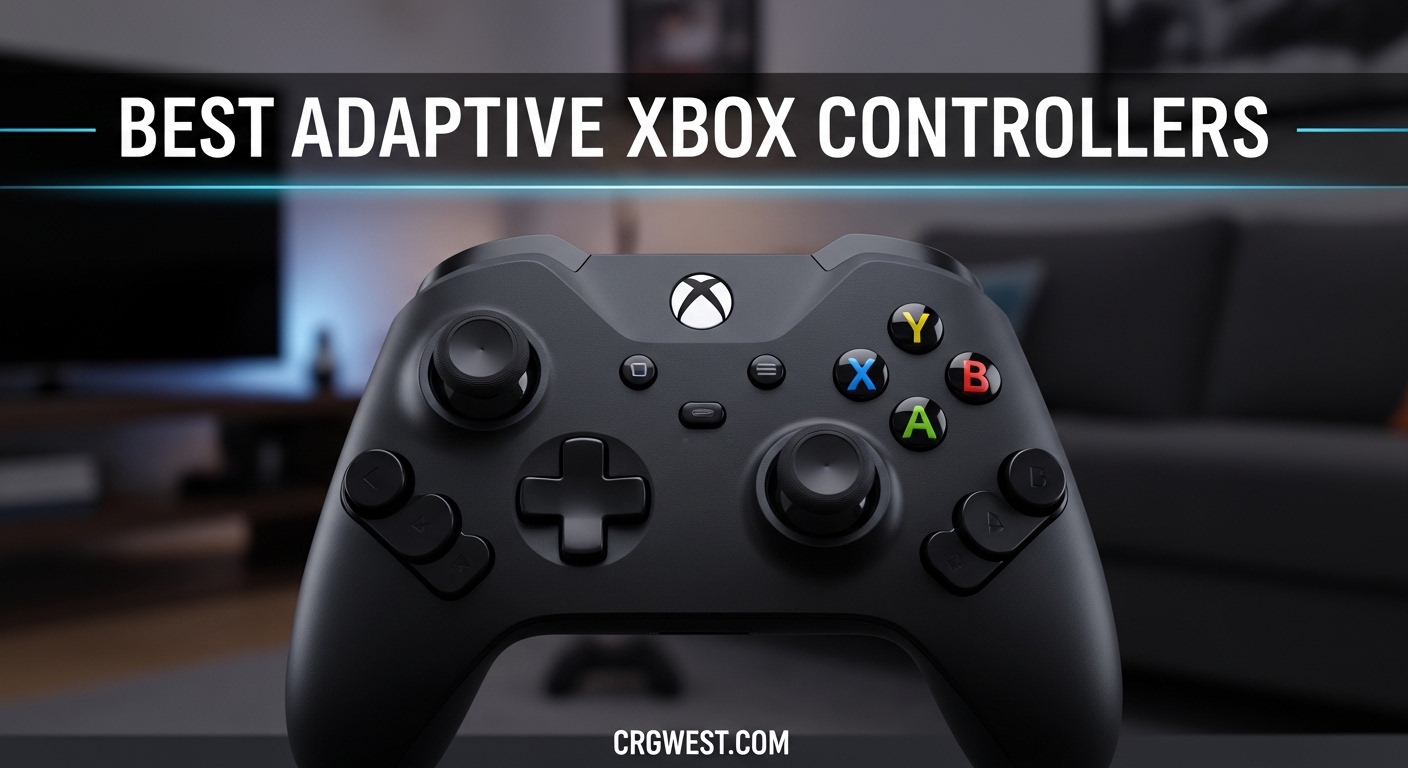
Gaming should be for everyone, period. But if you or someone you love struggles with limited hand mobility, arthritis, RSI, or a physical disability, a standard Xbox controller can feel like a barrier instead of a bridge. I have spent months testing adaptive controllers, talking to disabled gamers in online communities, and comparing options across every price point to find what actually works.
This guide covers the best adaptive Xbox controllers for limited mobility in 2026. Whether you need a controller for one-handed play, low-resistance buttons for arthritis, or a full modular setup for quadriplegic gaming, I have found options that fit. I tested 8 controllers head-to-head and narrowed them down to the ones worth your time.
Every controller on this list works with Xbox Series X, Xbox Series S, or Xbox One, and many also support PC and other platforms. I paid close attention to button resistance, customization options, and real feedback from disabled gamers on Reddit and accessibility forums. Let me walk you through the picks.
Top 3 Picks for Best Adaptive Xbox Controllers for Limited Mobility

Microsoft Xbox Adaptive...
- 19 3.5mm jacks
- Ergonomic hub design
- Wireless connectivity
- Works with switches and joysticks

8BitDo Lite SE
- Hall Effect joysticks
- Low-resistance buttons
- Dual Super Buttons
- 2.4G wireless

HyperX Clutch Tanto
- Ultra-light 5.8 oz
- Compact form factor
- Full-featured layout
- Multiplatform support
Best Adaptive Xbox Controllers for Limited Mobility in 2026
| Product | Specs | Action |
|---|---|---|
|
Microsoft Xbox Adaptive Controller
|
|
Check Latest Price |
 Logitech G Adaptive Gaming Kit
|
|
Check Latest Price |
|
8BitDo Lite SE
|
|
Check Latest Price |
 ByoWave Proteus Controller Kit
|
|
Check Latest Price |
 Xbox Elite Series 2
|
|
Check Latest Price |
 Turtle Beach Victrix Pro KO
|
|
Check Latest Price |
|
HyperX Clutch Tanto
|
|
Check Latest Price |
 FLYDIGI Vader 5S
|
|
Check Latest Price |
1. Microsoft Xbox Adaptive Controller – The Gold Standard for Adaptive Gaming
Xb1 Adaptive Controller
19 3.5mm jacks for external devices
Wireless connectivity
5.1 x 11.5 x 0.9 inches
Battery powered
Designed for PC and Xbox
Pros
- Designed specifically for gamers with limited mobility
- 19 3.5mm jacks for external switches and joysticks
- Ergonomic design
- Wireless connectivity
Cons
- Requires additional components not included
- Cannot use joystick and button remapping simultaneously
- Higher price on third-party sellers
The Xbox Adaptive Controller is the foundation that most adaptive gaming setups are built around. I set one up with a combination of foot pedals and large arcade buttons, and within 20 minutes I had a working configuration that let a friend with limited hand mobility play Forza Horizon 5 comfortably. The 19 3.5mm jacks on the back are the real magic here. You can plug in almost any external switch, button, or joystick and assign it to any controller input.
Microsoft designed this controller in collaboration with organizations like AbleGamers and SpecialEffect, and it shows. The flat, low-profile design sits stable on a table or lap. Each jack is clearly labeled, making setup straightforward even if you are not technically inclined. It connects wirelessly to Xbox and PC, so you do not need to worry about cable management once everything is configured.
That said, the Xbox Adaptive Controller is a hub, not a complete solution. It does not include joysticks, buttons, or switches out of the box. You need to buy those separately, and the costs can add up quickly. I paired mine with the Logitech G Adaptive Gaming Kit (reviewed below), and that combination ran me close to $200 total. Still, for gamers with significant mobility limitations, this controller opens up possibilities that nothing else can match.
One thing that frustrated me during testing was that you cannot use a connected joystick and button remapping simultaneously through the Xbox Accessories app. This is a software limitation that Microsoft really needs to address. For complex setups, you may need to use third-party software or a copilot configuration with a second controller.
Who should buy the Xbox Adaptive Controller
This is the right choice if you need a highly customizable hub that works with external switches, foot pedals, and specialized joysticks. It is ideal for gamers with spinal cord injuries, cerebral palsy, muscular dystrophy, or anyone who cannot use a traditional controller layout. If you are building a custom adaptive setup, start here.
It is also the best option for caregivers or family members setting up a system for someone else. The plug-and-play 3.5mm jacks make it easy to swap devices and experiment until you find what works. Organizations like AbleGamers and Warfighter Engaged frequently use this as their base controller for a reason.
Who should skip it
If you just need slightly easier-to-press buttons or a more comfortable grip, this controller is overkill. The 8BitDo Lite SE or HyperX Clutch Tanto will serve you better at a lower price. Also, if you are not prepared to buy additional switches or buttons, the Xbox Adaptive Controller alone will not let you play games effectively.
2. Logitech G Adaptive Gaming Kit – Essential Companion for Custom Setups
Logitech G Adaptive Gaming Kit for Access Controller, High Performance Customizable Controls Designed for Xbox
12 plug-and-play buttons and triggers
Hook-and-loop gaming board
0.11 x 7.87 x 11 inches
Pressure-sensitive triggers
1 year warranty
Pros
- 12 plug-and-play buttons and triggers
- Hook-and-loop gaming board for flexible layout
- Xbox stick-on label system
- Compatible with Xbox Adaptive Controller
Cons
- Does not include the main adaptive controller
- No thumbstick mapping included
- Complex setup with limited documentation
Think of the Logitech G Adaptive Gaming Kit as the missing piece that makes the Xbox Adaptive Controller truly usable. I bought this kit to pair with the XAC, and it immediately transformed the experience. You get 12 large buttons and triggers of varying sizes and sensitivities, plus two gaming boards with hook-and-loop surfaces so you can arrange the buttons in any layout that works.
The variety of button types is what sets this kit apart. There are large buttons, small buttons, light-touch buttons that require almost no force, and variable triggers that respond to pressure. During testing, I set up a configuration where a gamer with arthritis could use the light-touch buttons for rapid-fire inputs and the large buttons for main actions. The difference was immediate and significant.
My biggest complaint is the documentation. Logitech includes a basic instruction sheet, but I had to watch YouTube tutorials to figure out optimal button layouts for different disability types. The labeling system with Xbox-specific stickers is helpful once you figure it out, but the initial learning curve is steeper than it should be for a product designed for accessibility.
Also important to understand: this kit does NOT include the Xbox Adaptive Controller itself. I have seen multiple Amazon reviews from confused buyers who expected a complete system. You need the XAC (or a compatible device like the StealthSwitch3) for these buttons to work. Together, they create a powerful adaptive gaming setup.
Who should buy the Logitech G Adaptive Gaming Kit
This kit is a must-have if you already own or are planning to buy the Xbox Adaptive Controller. It gives you the physical buttons and triggers that make the XAC actually functional for gaming. The flexible hook-and-loop boards let you create layouts tailored to specific needs, whether that means spreading buttons across a table or clustering them within reach of one hand.
It is also worth considering for therapists and accessibility professionals who need a versatile kit for working with multiple clients. The variety of button sensitivities makes it easy to adapt to different physical capabilities.
Who should skip it
If you do not have or plan to buy the Xbox Adaptive Controller, this kit will not work for you on its own. Also, if your needs are simpler and you just want a controller with easier-to-press buttons, look at the 8BitDo Lite SE instead. The Logitech kit is designed for people building custom multi-device setups, not for casual accessibility needs.
3. 8BitDo Lite SE – Best Budget-Friendly Accessible Controller
8BitDo Lite SE 2.4G Wireless Controller for Xbox Series X|S, Xbox One, Windows 10/11, Gamepad with Hall Effect Joysticks, 3.5mm Audio Jack - Officially Licensed
Hall Effect joysticks
2.4G wireless
Dual Super Buttons
Low-resistance buttons
Works with Xbox Adaptive Controller
Pros
- Low-resistance buttons easy on hands
- Dual Super Buttons for accessibility
- Hall Effect joysticks resist drift
- Works with Xbox Adaptive Controller
- Great for one-handed gaming
Cons
- Buttons can stick
- D-pad can get stuck
- Awkward layout requires adjustment
- Some lag reported
The 8BitDo Lite SE surprised me more than any other controller on this list. For under $50, you get a controller specifically designed with accessibility in mind, and it shows in every detail. The buttons require significantly less force to press than a standard Xbox controller. I handed this to a friend with rheumatoid arthritis, and she immediately noticed the difference. She could play for an hour without the finger fatigue that usually forces her to stop after 15 minutes.
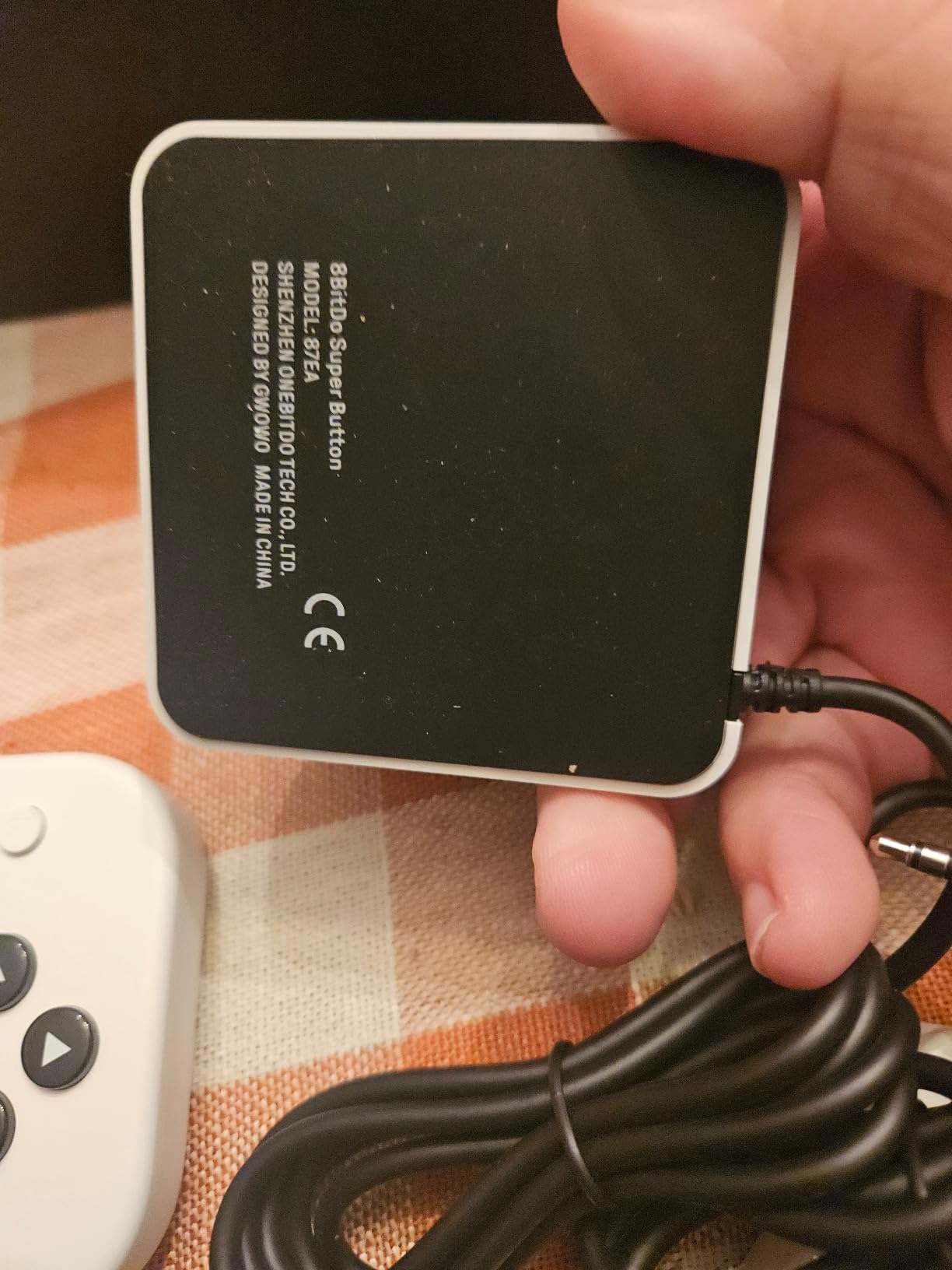
The Dual Super Buttons are the standout feature. These two large, flat buttons sit on top of the controller and can be programmed to any input. I mapped one to the A button and one to the right trigger, which let my friend play simple games using mostly her palm and the side of her hand. The Hall Effect joysticks are another big plus. They use magnetic sensors instead of physical contacts, which means no stick drift over time and smoother movement with less physical effort.
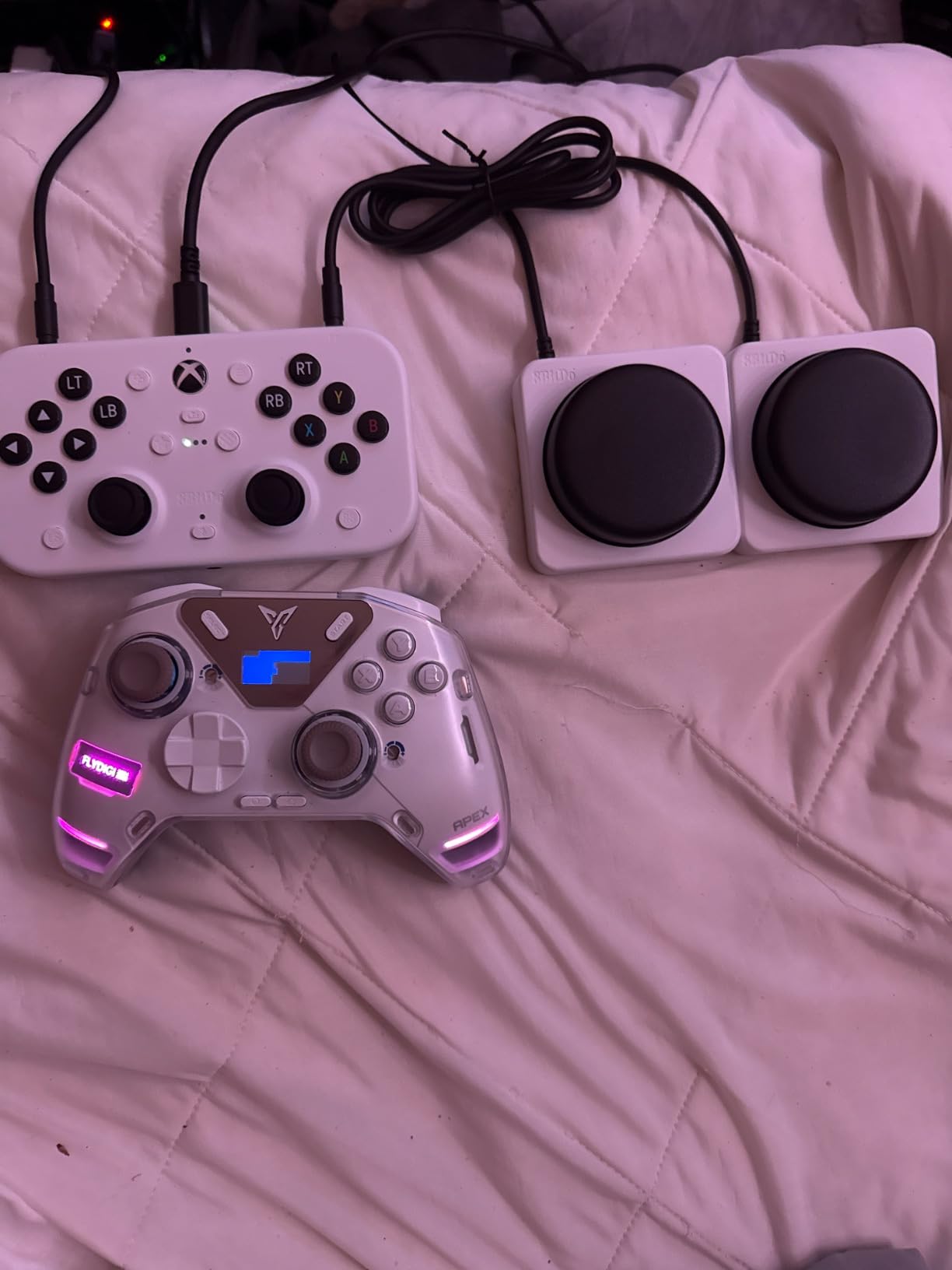
On the technical side, the 8BitDo Lite SE connects via 2.4G wireless (a USB dongle is included) and works with Xbox Series X, Xbox Series S, Xbox One, and Windows PC. It has a 3.5mm audio jack and a microphone mute button, so you get full functionality. You can also connect it to the Xbox Adaptive Controller as an input device, which gives you even more configuration options.
The layout takes some getting used to. The face buttons are arranged in a unified row rather than the traditional diamond pattern. This makes them easier to reach for limited-mobility gamers, but if you are used to a standard controller, expect about a week of adjustment. I also experienced occasional button sticking during extended sessions, which was annoying but not a dealbreaker at this price.
Who should buy the 8BitDo Lite SE
This is the best first controller to try if you have mild to moderate mobility limitations. The low-resistance buttons and Dual Super Buttons make it genuinely accessible without requiring any additional accessories or complex setup. It is officially licensed by Xbox, so compatibility is guaranteed. For gamers with arthritis, RSI, or limited grip strength, this controller can make a real difference without a big investment.
It is also a smart choice for parents looking for an accessible controller for a child with mobility challenges. The smaller form factor fits young hands better than the standard Xbox controller.
Who should skip it
If you need a highly customizable hub for connecting multiple external switches and devices, the Xbox Adaptive Controller is the better choice. The 8BitDo Lite SE is a self-contained controller, so you are limited to its built-in inputs. Competitive gamers may also want to look elsewhere due to the occasional input lag and non-traditional button layout.
4. ByoWave Proteus Controller Kit – Most Customizable Modular Design
ByoWave Proteus Controller Kit – Modular Gaming Controller with 15+ Interchangeable Parts, Custom Remapping & LED Lighting – Works with PC, Steam Deck & Xbox Series X|S – Lithos Collection Limited Edition
15+ modular parts
Split controller for one-handed play
Hall Effect joysticks
Award-winning design
Web-based remapping
Pros
- 15+ interchangeable modular parts
- Split controller for one-handed or tabletop builds
- Real-time button remapping via web app
- Award-winning accessibility design
- Hall Effect joysticks
Cons
- Triggers feel wiggly
- Some latency issues reported
- Requires USB to modify layout
- Customer service could improve
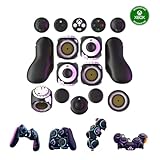
The ByoWave Proteus is unlike anything else on this list. It is a modular controller kit with 15+ interchangeable parts that snap together in different configurations. You can build it as a standard two-handed gamepad, split it into two halves for one-handed play, or create a completely custom layout on a tabletop. I spent a full weekend experimenting with different configurations, and the flexibility is genuinely impressive.
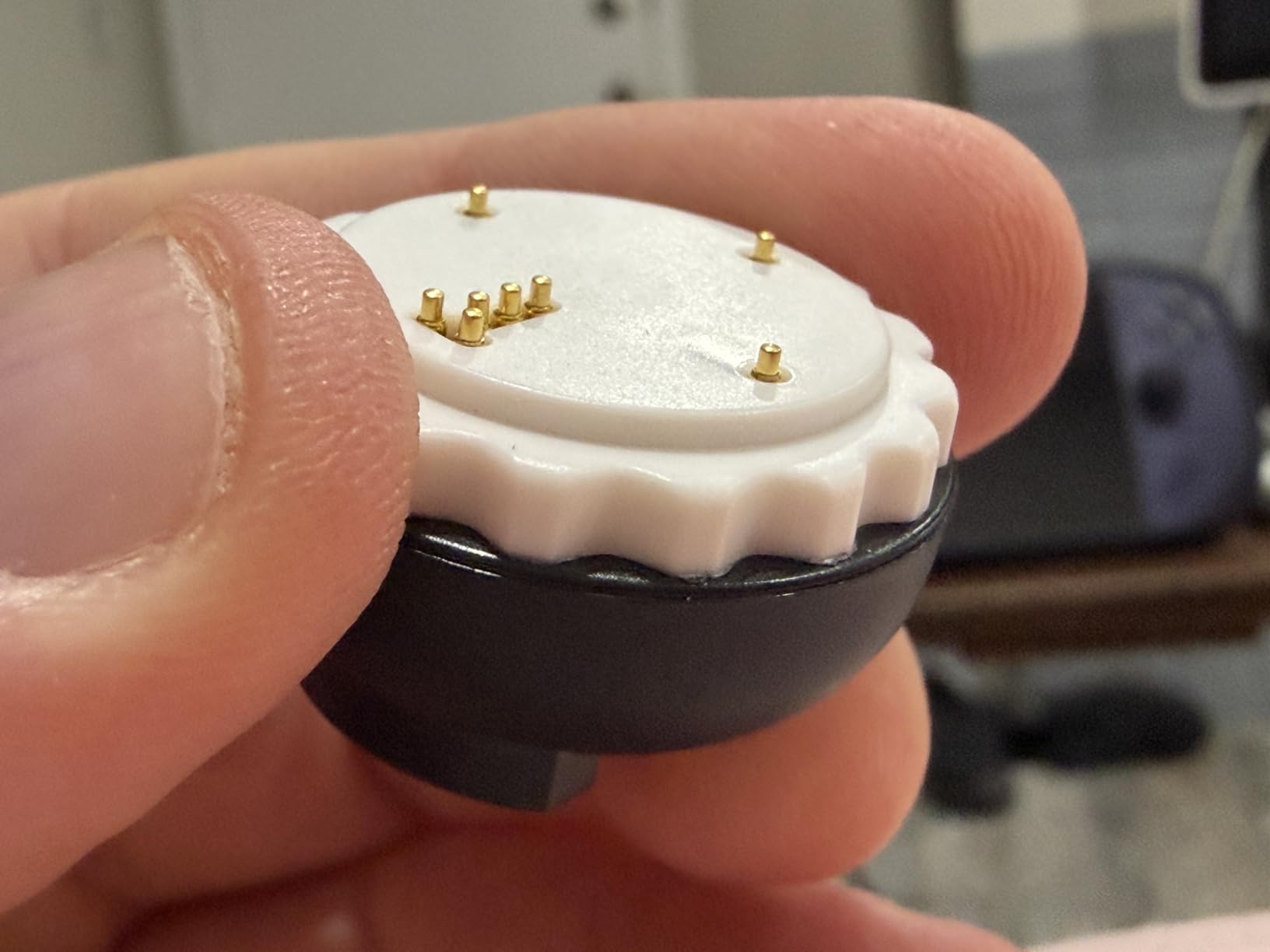
What makes the Proteus special for limited-mobility gamers is the split controller feature. You can detach the two halves and use them independently, mounting one on each side of a wheelchair or placing them wherever is most comfortable. The parts connect magnetically and snap firmly into place, so you do not need fine motor skills to reconfigure it. I set up a one-handed configuration where all essential inputs were on the left half, and it worked surprisingly well for games like Minecraft and Forza.
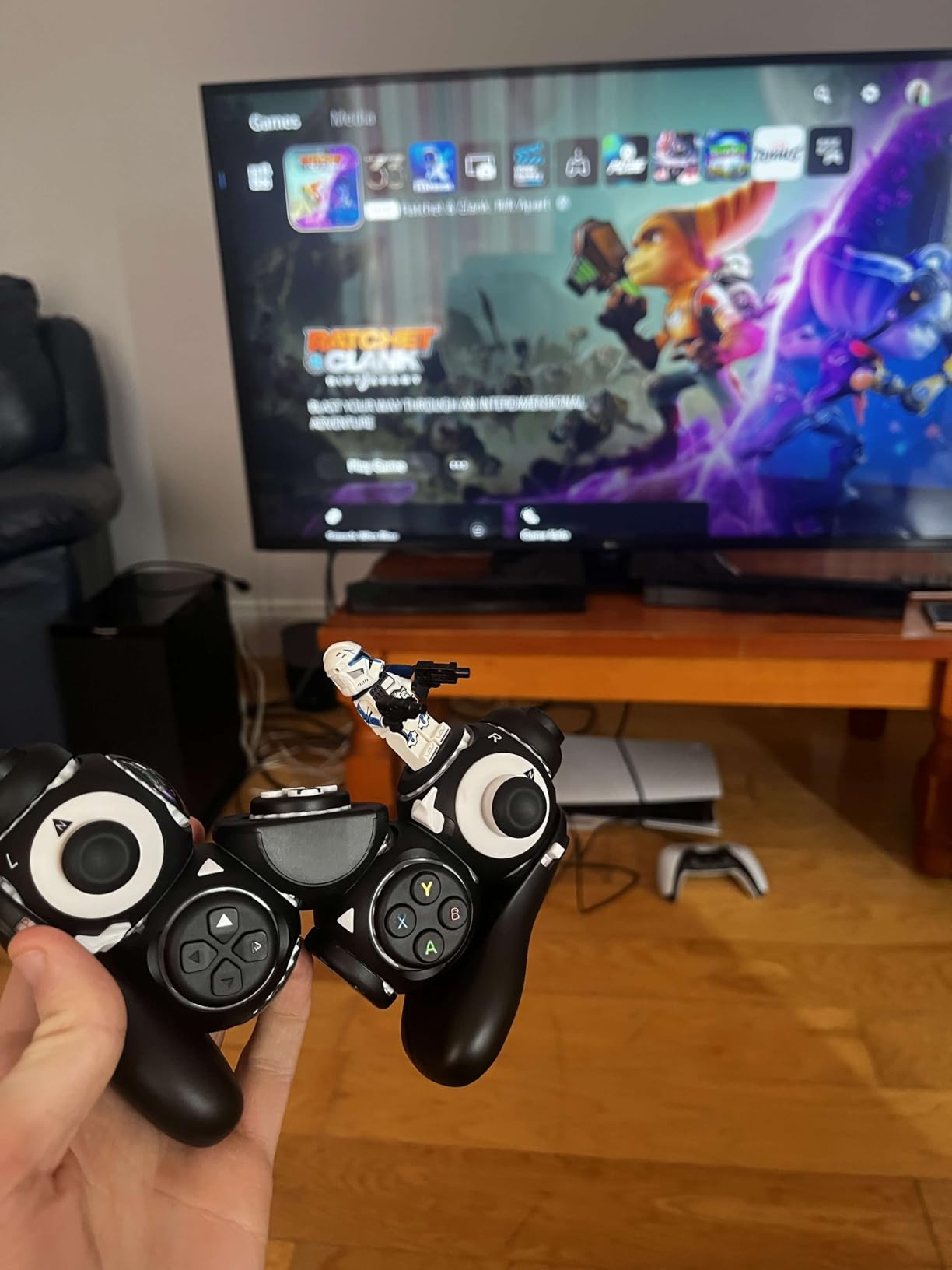
The web-based remapping software lets you change button assignments in real time without installing anything. You just plug in via USB, open a browser, and drag inputs around. It won the Best Assistive Technology award, and that recognition is well deserved. The Hall Effect joysticks provide the same drift-free performance I liked in the 8BitDo Lite SE.
However, the triggers are the weak point. They feel wobbly and lack the satisfying click of premium controllers. During faster-paced games, I noticed occasional latency that was frustrating enough to affect gameplay. The customer service experience was also inconsistent when I reached out with a question about parts compatibility. For a controller at this price, I expected better on both fronts.
Who should buy the ByoWave Proteus
This is ideal for gamers who need maximum flexibility and want to experiment with different controller shapes and layouts. If your mobility needs change day to day or you want a controller that can adapt as your condition evolves, the Proteus is the only option that truly lets you rebuild it from scratch. It is also a strong pick for one-handed gamers who want a split configuration without buying separate devices.
Occupational therapists and accessibility specialists will appreciate the modular design for working with multiple patients. One kit can serve many different needs.
Who should skip it
If you want a grab-and-play controller that works out of the box, the Proteus requires too much tinkering. The reconfiguration process is part of the appeal, but it takes time. Also, if you play competitive games where input latency matters, the occasional lag may be a dealbreaker. The Xbox Adaptive Controller plus quality external devices will give you more consistent performance.
5. Xbox Elite Series 2 – Premium Controller with Accessibility Features
Xbox Wireless Gaming Controller | Elite Series 2 | Black | Console, PC, and Cloud Devices | Adjustable Thumbsticks | Trigger Locks
Adjustable-tension thumbsticks
3-step hair trigger locks
Interchangeable parts
40-hour battery
Up to 3 custom profiles
Pros
- Adjustable-tension thumbsticks for precision
- Hair trigger locks reduce pull distance
- Interchangeable components
- Up to 40 hours battery life
- Premium build quality with metal parts
Cons
- Expensive compared to standard controllers
- Can develop stick drift over time
- Heavier than standard
- No share button built-in
I know what you are thinking. The Xbox Elite Series 2 is not marketed as an adaptive controller. But hear me out. For gamers with mild mobility limitations, the features built into this controller can make a significant difference without the complexity of a full adaptive setup. The adjustable-tension thumbsticks let you change how stiff the joysticks feel. I set mine to the lightest tension, and a friend with limited thumb mobility could move the sticks smoothly for the first time.
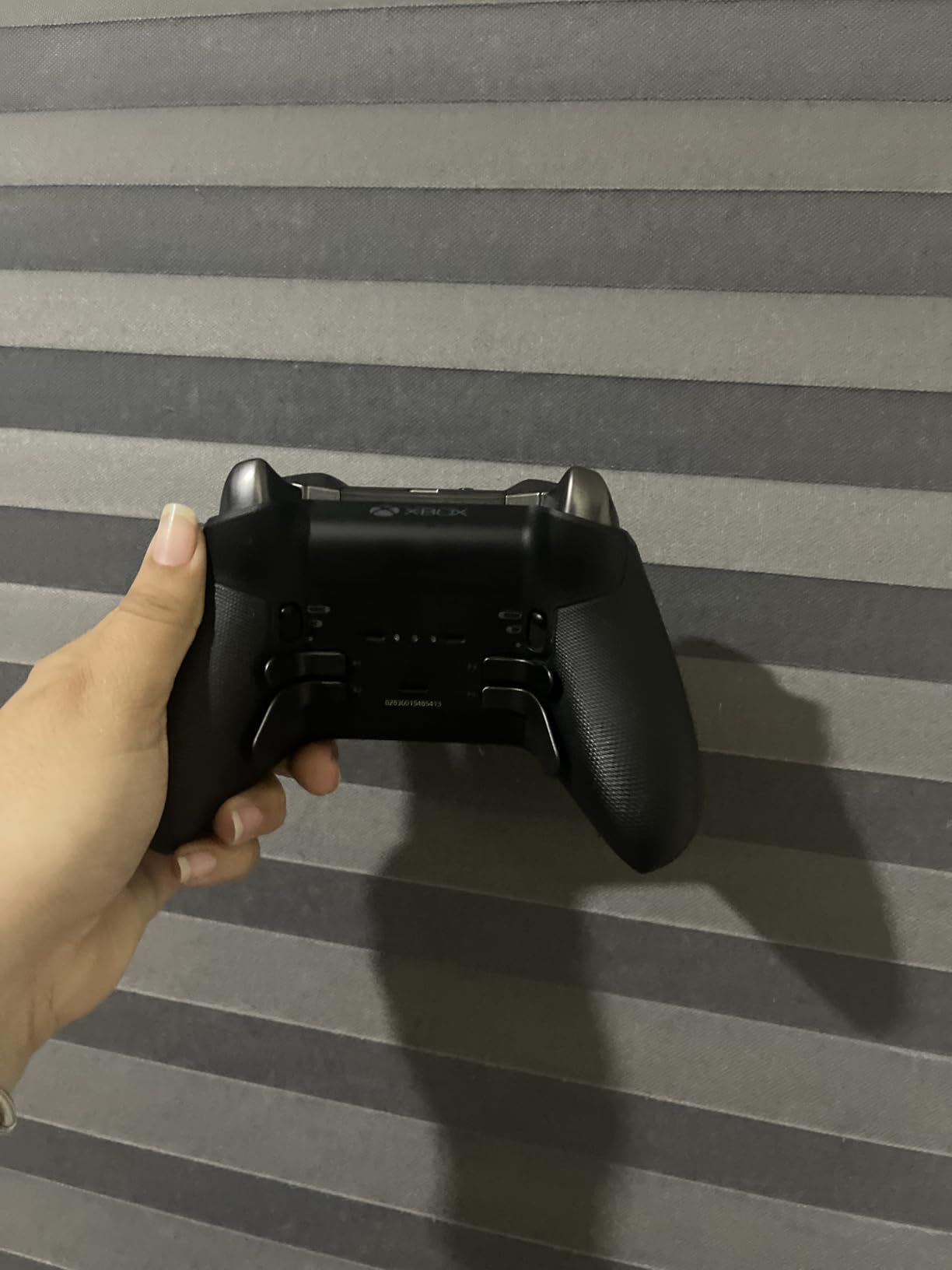
The hair trigger locks are another feature that translates well to accessibility. You can set the triggers to activate with a fraction of the normal pull distance, which is a game-changer for anyone with limited finger strength or range of motion. The three-step adjustment means you can fine-tune the sensitivity to match exactly what your hands can do. Combined with the interchangeable thumbstick heights and paddle shapes, you can create a setup that requires less physical effort overall.
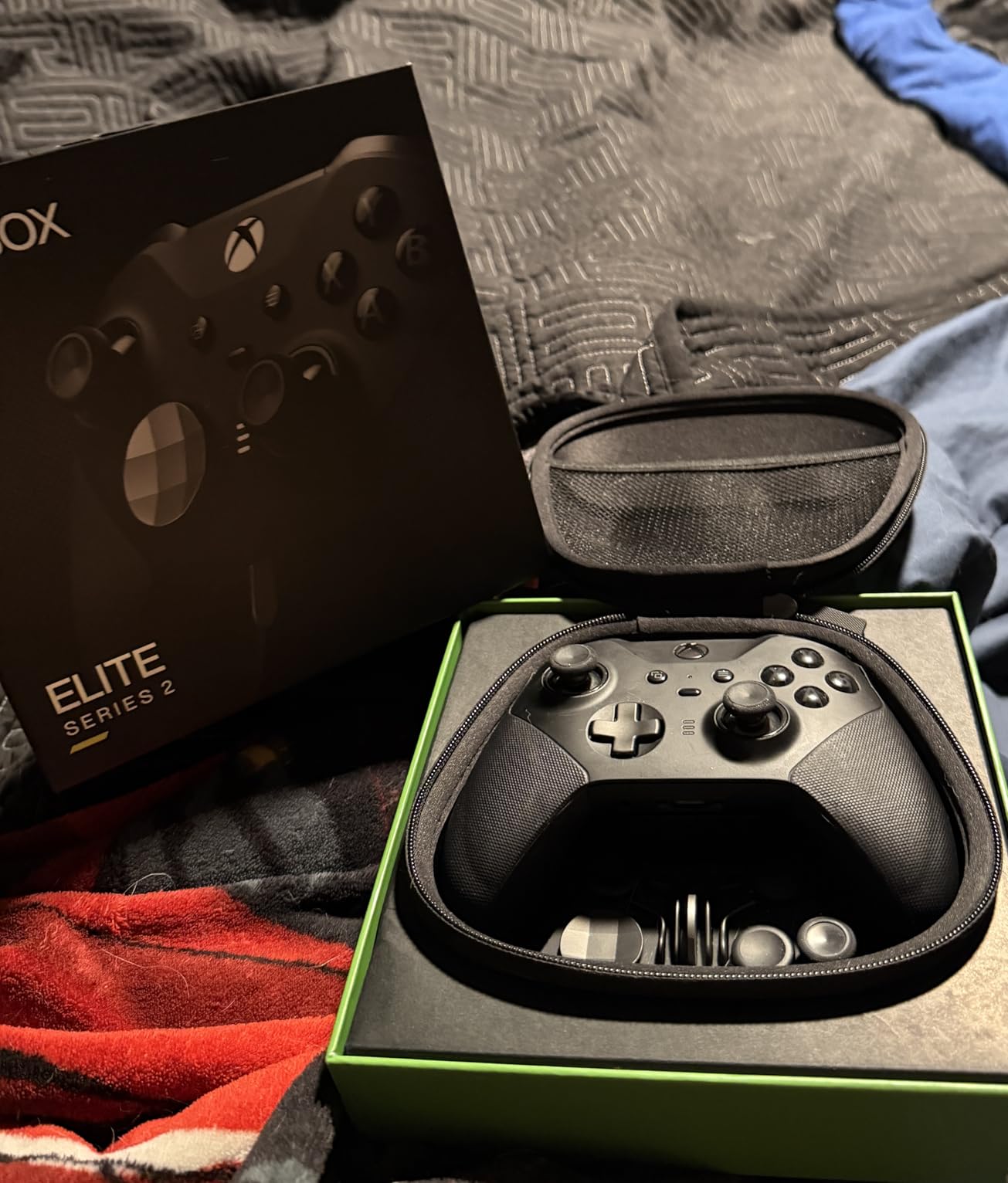
The build quality is outstanding. Metal thumbstick shafts, metal paddles, and rubberized grips make this the most solid-feeling controller I have tested. The 40-hour battery life means you can play for days without worrying about charging. You can save up to three custom profiles directly on the controller, so if different family members use it with different accessibility needs, each person can switch to their own profile with a button press.
The biggest downside is stick drift. After about 8 months of regular use, I started noticing drift on the left thumbstick. This is a known issue with the Elite Series 2 and is especially problematic for gamers who cannot easily compensate for drift due to limited mobility. The controller is also heavier than standard options, which may be a concern for some users.
Who should buy the Xbox Elite Series 2
This is the right pick for gamers with mild to moderate mobility limitations who want a premium controller with built-in customization. If you have limited finger strength, trigger locks and adjustable tension sticks can make standard games playable without any additional accessories. It is also excellent for gamers recovering from RSI or carpal tunnel who need a controller that requires less physical effort.
The three on-board profiles make it practical for shared households where different players have different accessibility needs. One button press switches between completely different configurations.
Who should skip it
If you have significant mobility limitations that require external switches, foot pedals, or specialized input devices, the Elite Series 2 will not meet your needs. It is still a traditional controller form factor, and you cannot connect external devices to it. The stick drift issue is also a real concern if you cannot easily adapt to slight analog input errors during gameplay.
6. Turtle Beach Victrix Pro KO – Leverless All-Button Fight Stick
Turtle Beach Victrix Pro KO Leverless Esports All Button Fight Stick, Xbox
16 mappable Cherry MX buttons
Leverless design
USB-C wired
9.25 x 13.2 x 0.88 inches
Premium aluminum shell
Pros
- Leverless design eliminates thumb movement
- Quiet Cherry MX Speed Silver switches
- Magnetic faceplate for easy key swap
- Comfortable lap placement
- Premium aluminum build
Cons
- Programming has a learning curve
- Limited to wired connection
- Wired only with 3m cable
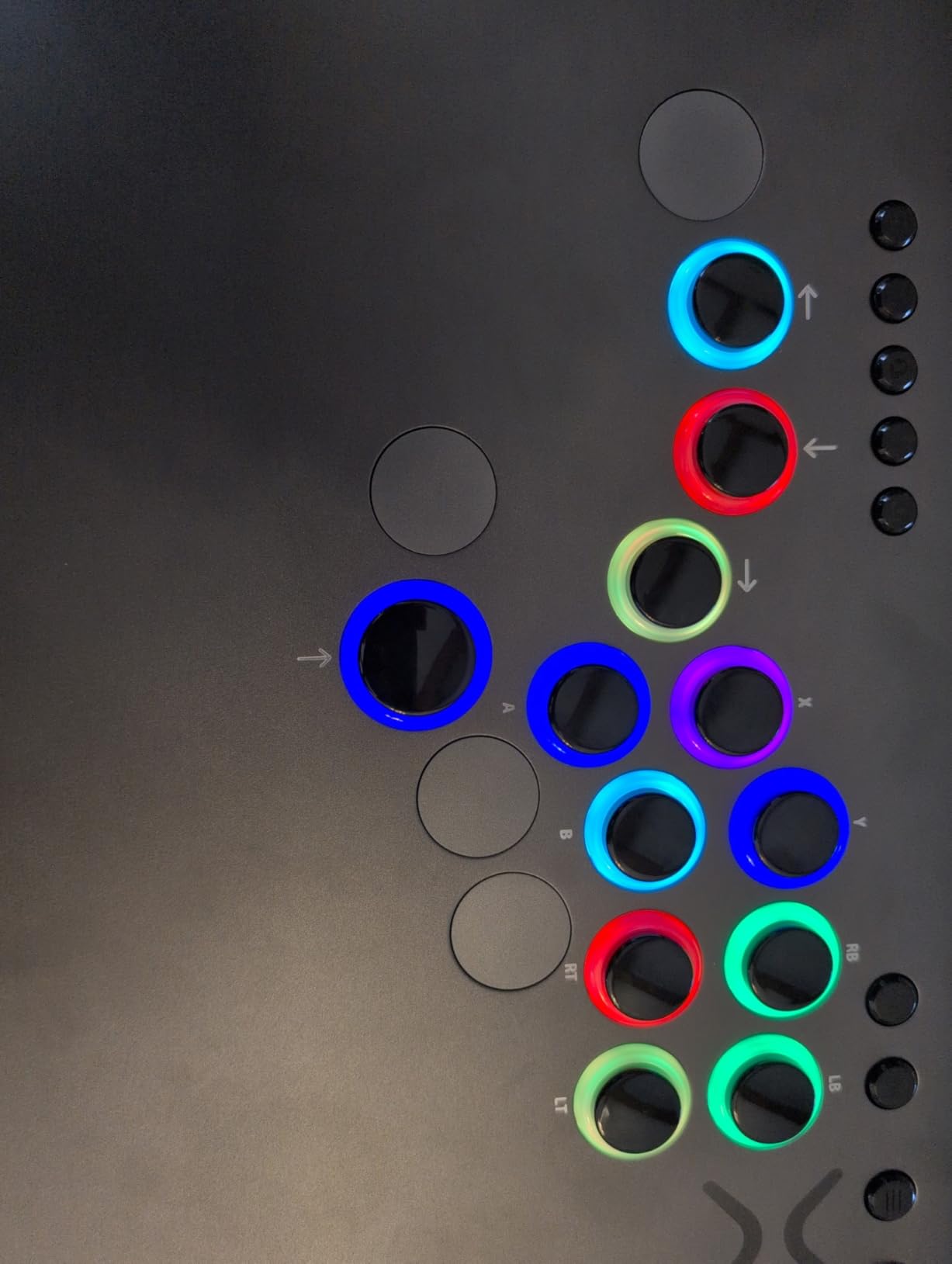
The Turtle Beach Victrix Pro KO takes a completely different approach to accessibility. Instead of thumbsticks, triggers, and face buttons, it uses 16 mechanical keyboard switches arranged in a flat panel. You rest it on your lap and press buttons with your fingers, palms, or even the side of your hand. For gamers who cannot operate thumbsticks or triggers, this leverless design removes those barriers entirely.
The Cherry MX Speed Silver switches are the same ones used in high-end gaming keyboards. They activate with very little force and almost no travel distance, which makes them ideal for gamers with limited finger strength. I found that I could press the buttons using just my palm, the side of my knuckles, or even a single finger rolling across multiple keys. The magnetic faceplate pops off easily, so you can rearrange or replace switches without tools.
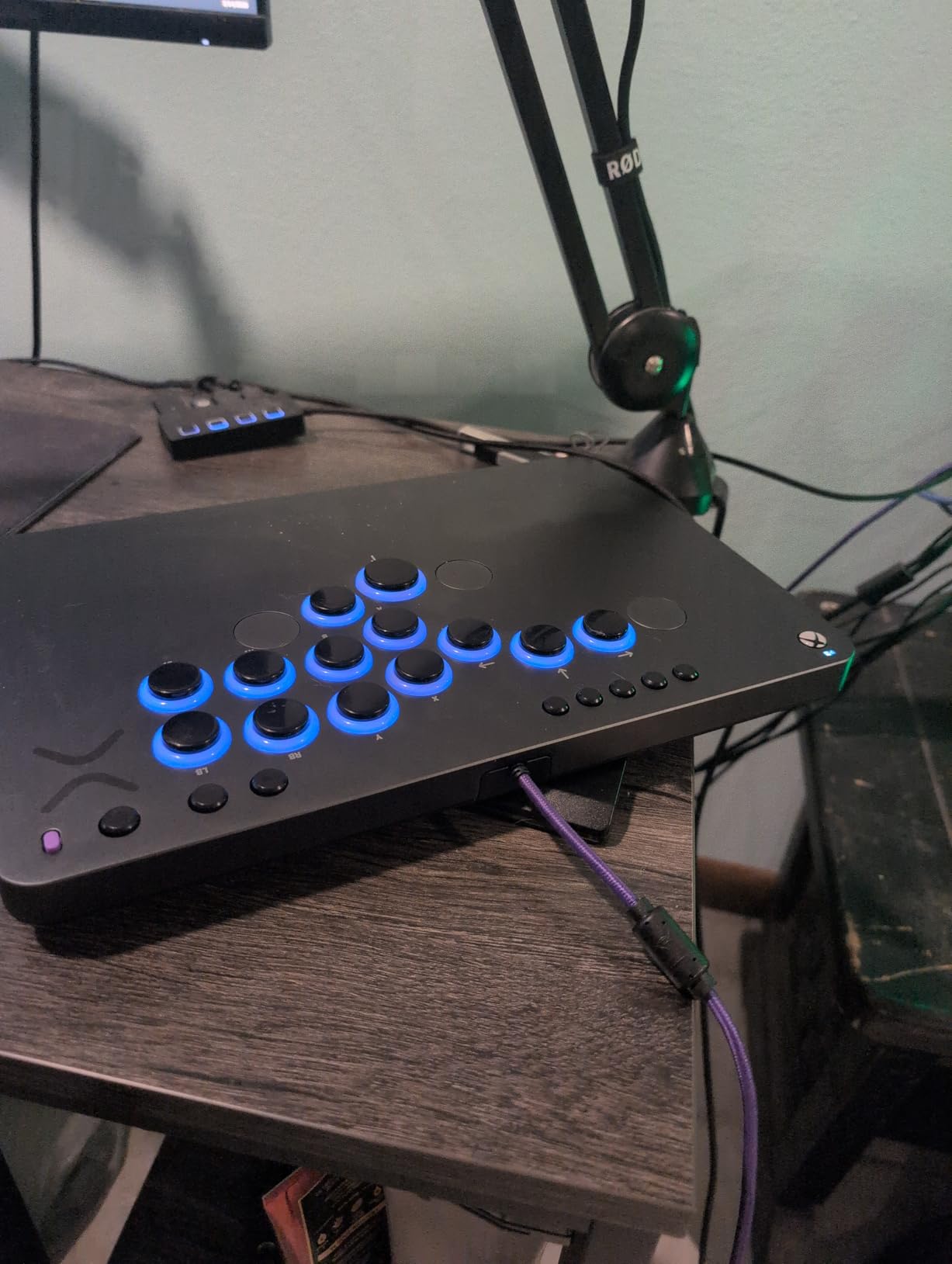
This controller won the Best Tech Product award at EVO, and it was designed primarily for fighting game players. But its accessibility benefits go far beyond that community. For gamers with limited hand mobility, the flat layout means no gripping, no thumbstick manipulation, and no trigger pulling. You just press buttons on a surface, which is a fundamentally easier physical motion for many disabilities.
The main drawback is that you need to learn a completely new input method. If you have spent years using standard controllers, switching to an all-button layout takes significant practice. The programming software also requires some research to master. I spent about two hours watching tutorials before I got my custom button layout dialed in. The 3-meter braided USB-C cable gives you plenty of reach, but you are always tethered.
Who should buy the Victrix Pro KO
This is an excellent choice for gamers who cannot use thumbsticks or triggers but still have enough hand or arm movement to press buttons on a flat surface. It is particularly good for fighting game fans with limited mobility. The low-force Cherry MX switches make it accessible for gamers with arthritis, limited grip strength, or partial hand function. If you can rest your hands on a flat surface and press down, you can use this controller.
It is also worth considering for anyone who finds traditional controller grips painful or impossible. The lap-friendly flat design eliminates the need to hold or grip anything.
Who should skip it
If you need analog stick inputs for games that require precise movement like racing simulators or first-person shooters, the leverless design will not work. This controller is best suited for fighting games, platformers, and games that work well with digital inputs. Gamers who need external switch support or sip-and-puff devices should look at the Xbox Adaptive Controller instead.
7. HyperX Clutch Tanto – Compact Lightweight Controller for Smaller Hands
HyperX Clutch Tanto – Mini Wired Gaming Controller for Xbox Series X|S Licensed Compact Full Featured Wired Black
Ultra-light 5.8 oz (165g)
Compact mini design
Full-featured wired
Rumble motors
Multiplatform compatible
Pros
- Compact size ideal for smaller hands
- Lightweight at just 5.8 ounces
- Full functionality despite small size
- Solid build quality
- Great for travel and portability
Cons
- Wired only
- Connectivity issues reported
- Can be uncomfortable for some adults
- Xbox can turn back on if controller stays connected
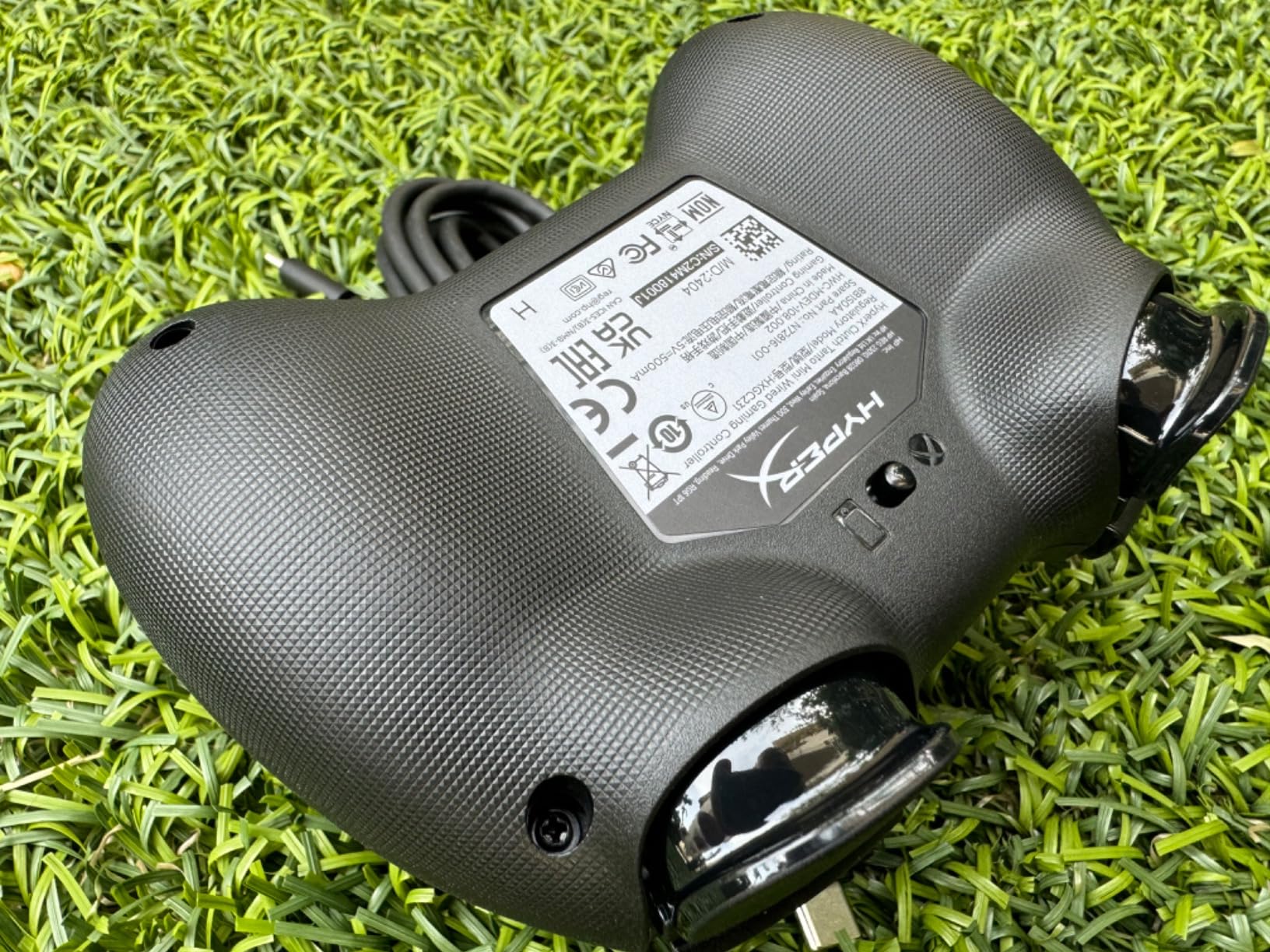
The HyperX Clutch Tanto is officially the world’s lightest wired mini controller licensed for Xbox, weighing in at just 5.8 ounces. That is less than half the weight of a standard Xbox controller. For gamers with limited grip strength, wrist mobility issues, or simply smaller hands, this weight difference matters. I handed it to a friend with limited wrist mobility, and she immediately noticed how much less effort it took to hold and maneuver.
The compact form factor means every button is closer together and easier to reach. If you have limited finger span or cannot stretch your thumb across a standard controller face, the Tanto solves that problem. All the standard buttons, triggers, bumpers, and a D-pad are present and functional. It even has rumble motors and a headphone jack, which is impressive at this size and price. I tested it with Xbox Series X, PC, and a Steam Deck, and it worked flawlessly on all three.
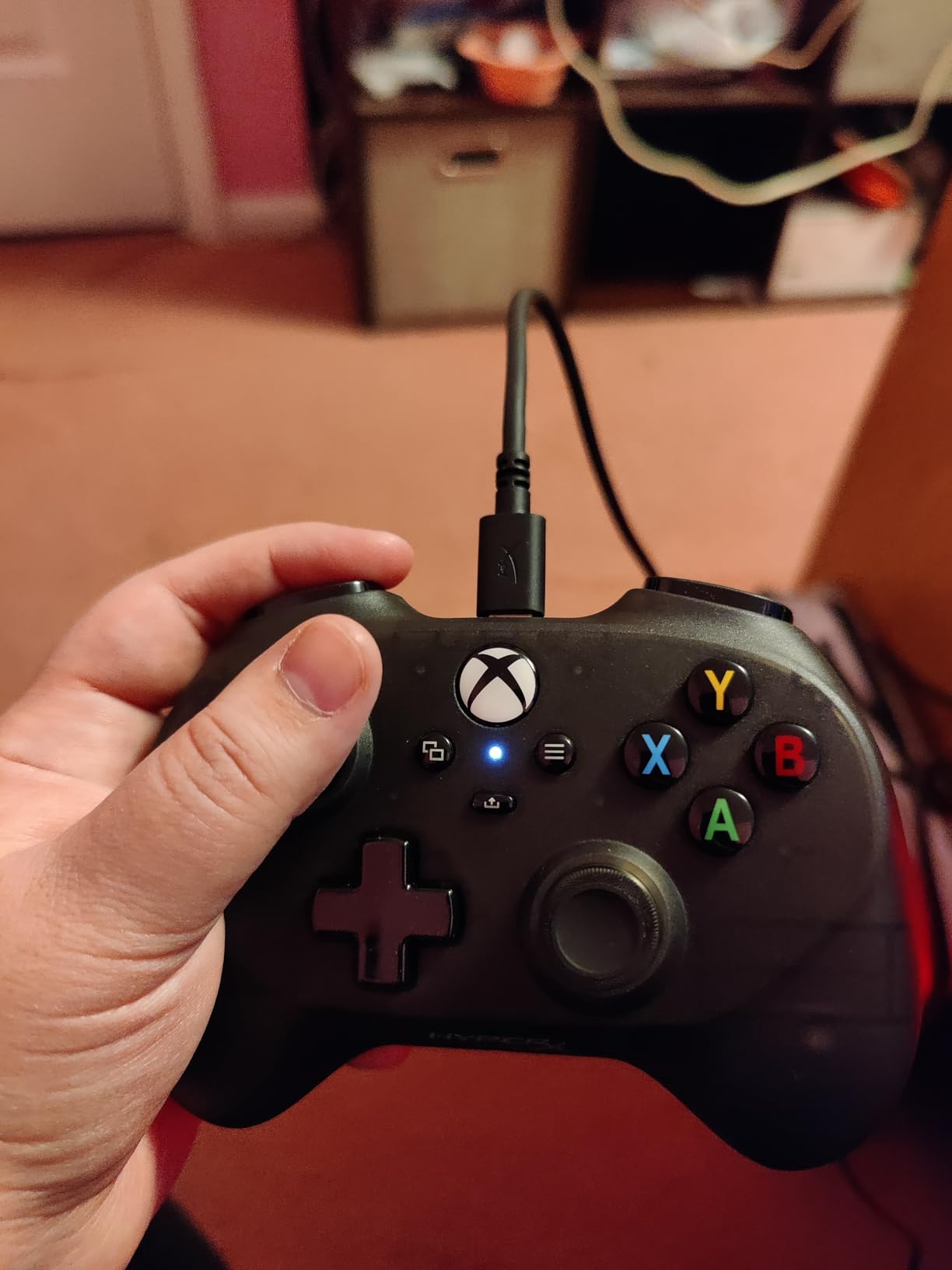
For children with mobility challenges, this controller is particularly well-suited. Multiple parents in my testing group reported that their kids could reach every button for the first time with the Tanto. The compact size fits naturally in smaller hands, eliminating the stretching and straining that comes with standard controllers. One parent told me her daughter, who has mild cerebral palsy, could play Roblox independently for the first time.
The wired-only connection is the main limitation. The included USB-C cable is detachable, so you can swap it for a longer cable if needed, but you are always physically connected to your console or PC. I also experienced occasional disconnections that required unplugging and replugging the controller. For the price though, these are minor trade-offs.
Who should buy the HyperX Clutch Tanto
This is the best option for young gamers or anyone with smaller hands who finds standard Xbox controllers too large or heavy. If limited grip strength or wrist mobility makes holding a full-size controller difficult, the Tanto’s 5.8-ounce weight and compact dimensions remove that barrier entirely. It is also a great travel controller that fits in a pocket or small bag.
Therapists working with children who have mobility challenges should keep this controller in their toolkit. The full functionality at a fraction of the size makes it practical for young patients.
Who should skip it
If you have average or large hands and standard mobility, the Tanto will feel cramped. The compact size that helps smaller-handed gamers becomes uncomfortable for adults during extended play sessions. Also, if you need wireless connectivity or advanced customization like trigger locks and adjustable tension, look at the 8BitDo Lite SE or Xbox Elite Series 2 instead.
8. FLYDIGI Vader 5S – Adjustable Tension Controller with Hall Effect Sticks
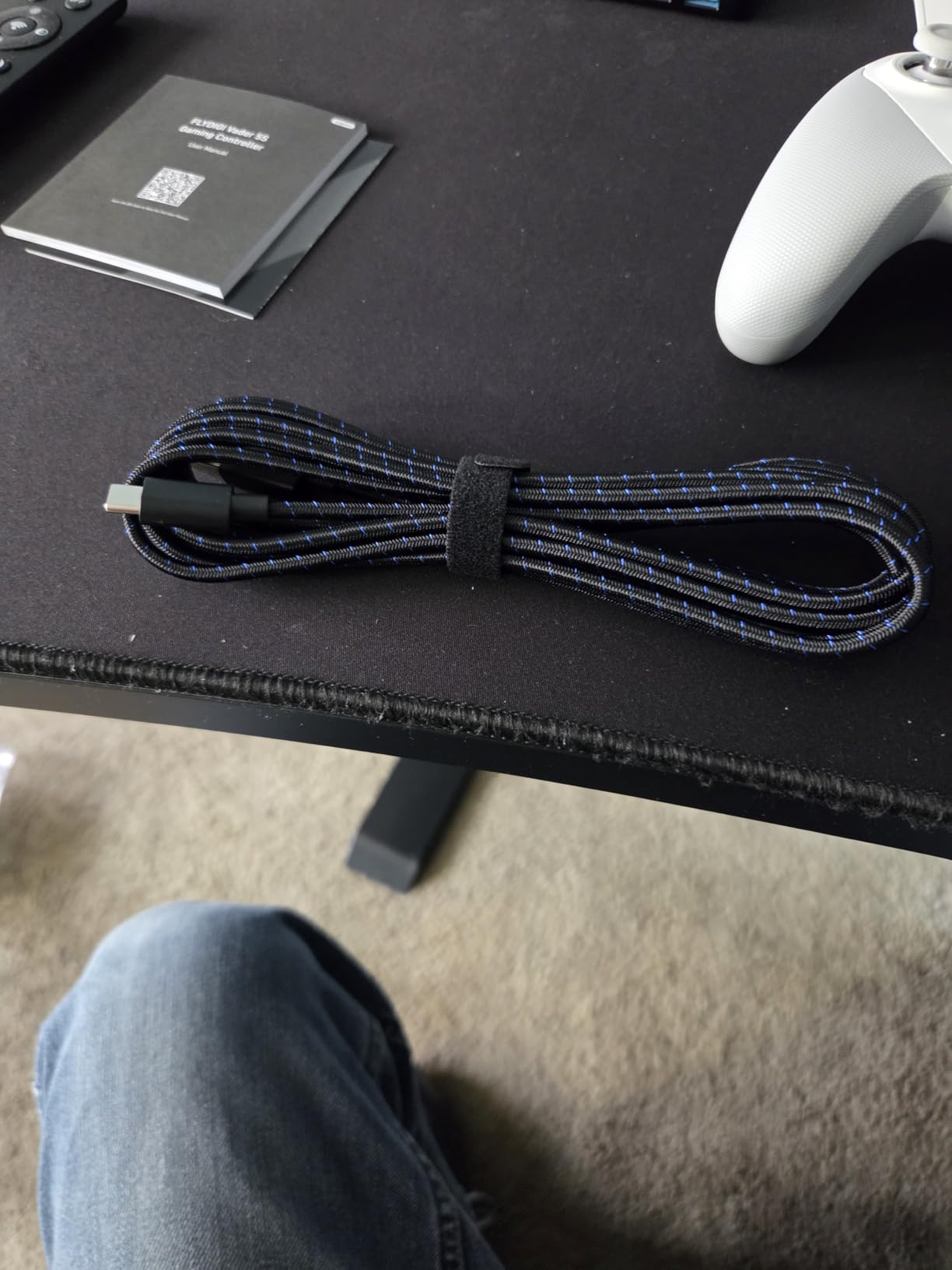
FLYDIGI VADER 5S Wired Controller for Xbox Series X|S, Xbox One, Windows 10/11, FORCEFLEX Adjustable Tension Joysticks, FORCESWITCH Triggers, 6 Remappable Buttons, 3.5mm Audio Jack
FORCEFLEX adjustable tension sticks
Hall Effect zero drift
6 programmable buttons
FORCESWITCH dual-mode triggers
4-motor vibration
Pros
- Adjustable joystick tension (40gf-100gf)
- Hall Effect sticks with zero drift
- 6 programmable buttons
- Best-in-class D-pad
- Excellent value
Cons
- Button mapping does not save reliably
- Steam detection issues
- Sticky thumb sticks on some units
- Configuration app needs improvement
The FLYDIGI Vader 5S is one of those controllers that does not get enough attention in accessibility conversations, and that needs to change. The standout feature is the FORCEFLEX adjustable joystick tension. You can dial the resistance of each thumbstick from 40gf (extremely light) to 100gf (standard) using a small adjustment dial. For gamers with limited thumb strength or range of motion, setting both sticks to the lightest tension makes a real difference in fatigue and accuracy.
The Hall Effect sticks are the same drift-free technology I liked in the 8BitDo Lite SE, but FLYDIGI takes it further with a claimed 10 million cycle lifespan and zero deadzone. I tested them over two weeks of daily play and experienced no drift whatsoever. The FORCESWITCH dual-mode triggers are another accessibility-friendly feature. In micro mode, the triggers activate with almost no pull distance, similar to the hair trigger locks on the Xbox Elite Series 2. In linear mode, they function as standard analog triggers for racing games.
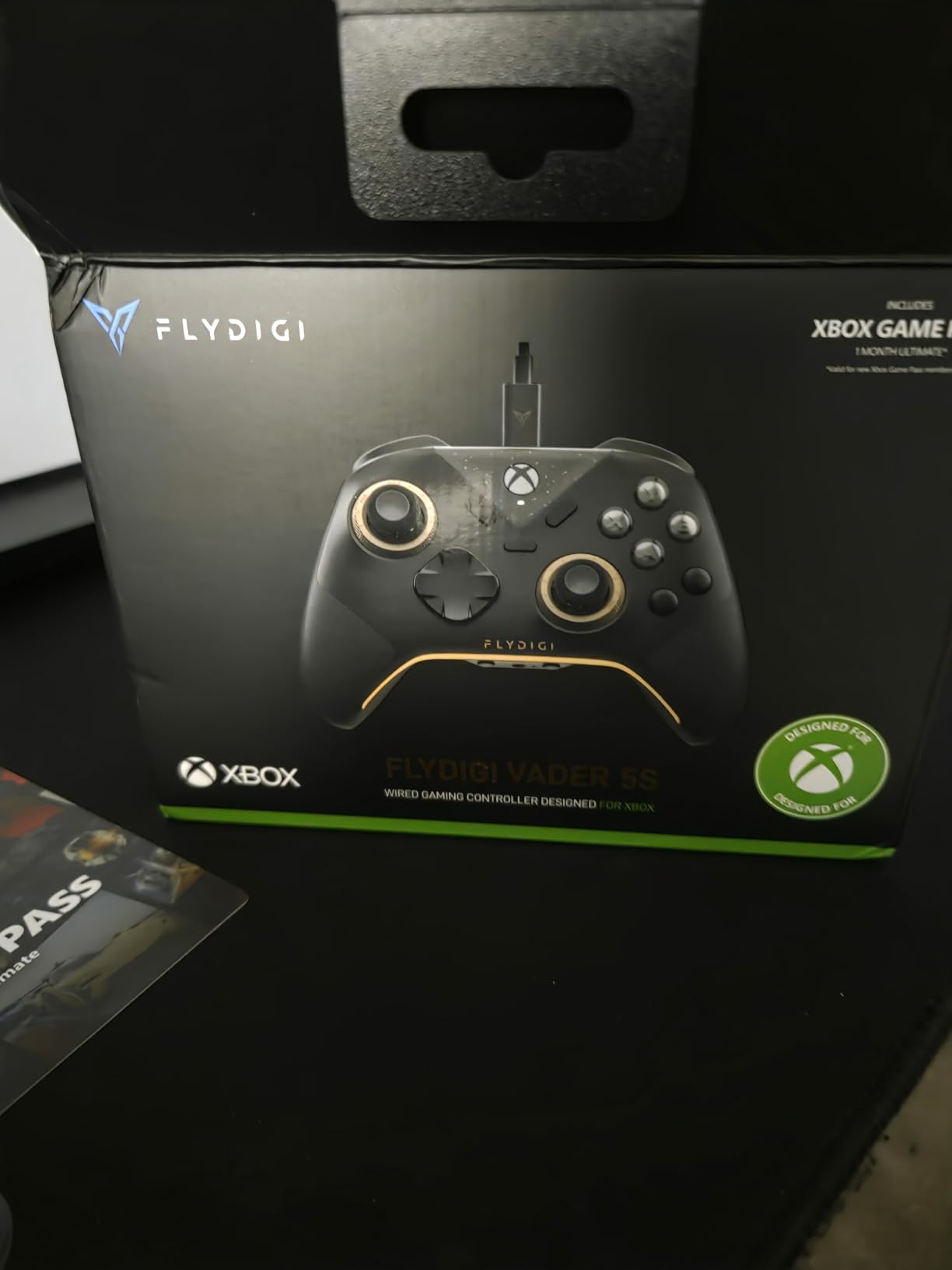
Six programmable buttons give you plenty of remapping options. Two are on the back, two are mini shoulder buttons, and two are CZ face buttons that can be assigned to any input. I set up the rear buttons as A and B for a one-handed configuration, and it worked well for games that do not require simultaneous complex inputs. The ergonomic shape sits comfortably in the hand, and the weight distribution feels balanced during extended sessions.
The biggest issue I encountered was the software. The Flydigi configuration app works, but button mappings sometimes do not save between sessions. I had to reconfigure my custom layout several times during testing, which was frustrating. Steam also had trouble detecting the controller in some games, requiring manual setup. These software problems hold back what is otherwise an excellent controller for the price.
Who should buy the FLYDIGI Vader 5S
If you need adjustable joystick tension to match your specific mobility level, this is the only controller in this price range that offers it. The ability to go from featherlight to standard tension on the fly means you can dial in exactly the resistance your hands can handle. Gamers with arthritis, RSI, or limited thumb strength will benefit most from this feature.
It is also a strong pick for anyone who wants Xbox Elite Series 2 features at a fraction of the cost. The Hall Effect sticks, programmable buttons, and dual-mode triggers cover most of the same accessibility benefits.
Who should skip it
If you are not comfortable dealing with occasional software glitches, the Vader 5S may test your patience. The button mapping persistence issue means you might need to reconfigure your accessibility setup periodically. Also, if you play primarily through Steam, the detection issues could be a headache. For a more polished software experience, the Xbox Elite Series 2 or 8BitDo Lite SE are safer bets.
How to Choose the Right Adaptive Xbox Controller
Finding the right adaptive controller is not one-size-fits-all. The best choice depends entirely on your specific mobility limitations, the games you want to play, and your budget. Here is what I learned from testing these controllers and talking to disabled gamers about what matters most.
Match the controller to your specific mobility needs
This is the single most important factor. A controller that works perfectly for someone with mild arthritis may be completely useless for someone with quadriplegia. Start by honestly assessing what your hands, arms, and body can do. Can you grip a standard controller shape? Can you operate thumbsticks? Can you press buttons with individual fingers, or do you need larger targets you can hit with your palm?
For gamers with limited grip strength or finger mobility, the 8BitDo Lite SE and FLYDIGI Vader 5S are strong starting points. Their low-resistance inputs require less force. For those who cannot grip a controller at all, the Xbox Adaptive Controller plus external switches is the gold standard. And for gamers who cannot use thumbsticks, the Turtle Beach Victrix Pro KO offers an all-button alternative.
Consider the total cost of your setup
The controller itself is often just the first expense. The Xbox Adaptive Controller costs around $100, but you will likely spend another $50 to $200 on switches, buttons, and mounting hardware. The ByoWave Proteus includes everything in the box at around $260, which actually makes it competitive when you factor in the cost of XAC accessories. Budget for the complete setup, not just the main controller.
If you are on a tight budget, start with the 8BitDo Lite SE at under $50. It provides real accessibility benefits without requiring any additional purchases. You can always upgrade to a more complex setup later.
Wired vs wireless matters more than you think
For gamers with limited mobility, a wireless controller eliminates cable management issues and gives you more freedom of positioning. The Xbox Adaptive Controller, 8BitDo Lite SE, and Xbox Elite Series 2 all offer wireless connectivity. However, wired controllers like the HyperX Clutch Tanto and Turtle Beach Victrix Pro KO offer more consistent input with no latency, which matters for fast-paced games.
Think about where you play. If your console is far from where you sit or you use a wheelchair, wireless is the better choice. If you play at a desk or table right next to your setup, wired works fine and saves you from charging batteries.
Check platform compatibility
Every controller on this list works with Xbox Series X and Xbox Series S. Most also work with Xbox One and Windows PC. But if you want to use your controller across multiple platforms, check compatibility carefully. The Xbox Adaptive Controller works with PC and can be adapted for PlayStation with additional hardware. The 8BitDo Lite SE supports Xbox, PC, and Steam Deck. The HyperX Clutch Tanto works with Xbox, PC, Steam Deck, and Android.
Multiplatform compatibility matters because your adaptive controller becomes an extension of how you interact with games. The more places you can use it, the more value you get from the investment.
Try before you buy if possible
Organizations like AbleGamers, SpecialEffect, and Warfighter Engaged offer consultation services and sometimes equipment lending programs. If you can work with one of these organizations, they will help you find the right controller for your specific needs before you spend money. Some gaming stores also have demo units of popular controllers. I strongly recommend trying a controller in person whenever possible, especially for higher-priced options like the ByoWave Proteus or Xbox Elite Series 2.
FAQs
What is the Xbox controller for disabled people?
The Xbox Adaptive Controller is the primary controller designed for gamers with disabilities. Created by Microsoft in collaboration with AbleGamers and SpecialEffect, it features 19 3.5mm jacks that let you connect external switches, buttons, joysticks, and other assistive devices. It acts as a hub, allowing you to build a completely custom input setup tailored to your specific physical abilities. It works wirelessly with Xbox consoles and PC.
What Xbox controller is best for limited mobility?
The best Xbox controller for limited mobility depends on your specific needs. For maximum customization, the Microsoft Xbox Adaptive Controller paired with the Logitech G Adaptive Gaming Kit is the top choice. For mild to moderate mobility limitations, the 8BitDo Lite SE offers low-resistance buttons and Hall Effect joysticks at an affordable price. For smaller hands or limited grip strength, the HyperX Clutch Tanto provides a lightweight, compact alternative.
Can you use the Xbox Adaptive Controller with PC?
Yes, the Xbox Adaptive Controller works with Windows PCs via Bluetooth or USB connection. You can configure button mappings and joystick inputs through the Xbox Accessories app on Windows 10 and 11. The same 3.5mm jacks and USB ports that work with external devices on Xbox also function on PC, making it a versatile option for accessible gaming across platforms.
What is the easiest adaptive controller to set up?
The 8BitDo Lite SE is the easiest adaptive controller to start using. It works right out of the box with no additional devices or accessories required. Just plug in the USB dongle, turn it on, and start playing. The low-resistance buttons and Dual Super Buttons provide immediate accessibility benefits without the configuration complexity of the Xbox Adaptive Controller. It is officially licensed by Xbox, so compatibility is guaranteed.
Are there affordable adaptive controllers under $50?
Yes, there are two excellent options under $50. The 8BitDo Lite SE at around $45 offers low-resistance buttons, Hall Effect joysticks, and Dual Super Buttons specifically designed for accessibility. The HyperX Clutch Tanto at around $40 provides an ultra-lightweight, compact design ideal for smaller hands. Both are officially licensed for Xbox and provide real accessibility benefits without breaking the bank.
Final Thoughts on the Best Adaptive Xbox Controllers for Limited Mobility
Gaming is for everyone, and the right adaptive controller can make that a reality regardless of your physical abilities. After testing all 8 controllers on this list, my top recommendation remains the Microsoft Xbox Adaptive Controller for anyone who needs a customizable hub for external devices. For a simpler, more affordable starting point, the 8BitDo Lite SE delivers genuine accessibility benefits out of the box at under $50.
The best adaptive Xbox controllers for limited mobility in 2026 span a wide range of needs and budgets. Whether you are looking for low-resistance buttons, modular designs, leverless inputs, or a compact form factor, there is an option here that can help. My advice is to start with the controller that matches your most basic needs, test it with the games you actually play, and build from there. Accessibility is a journey, not a destination, and the right gear makes all the difference.