
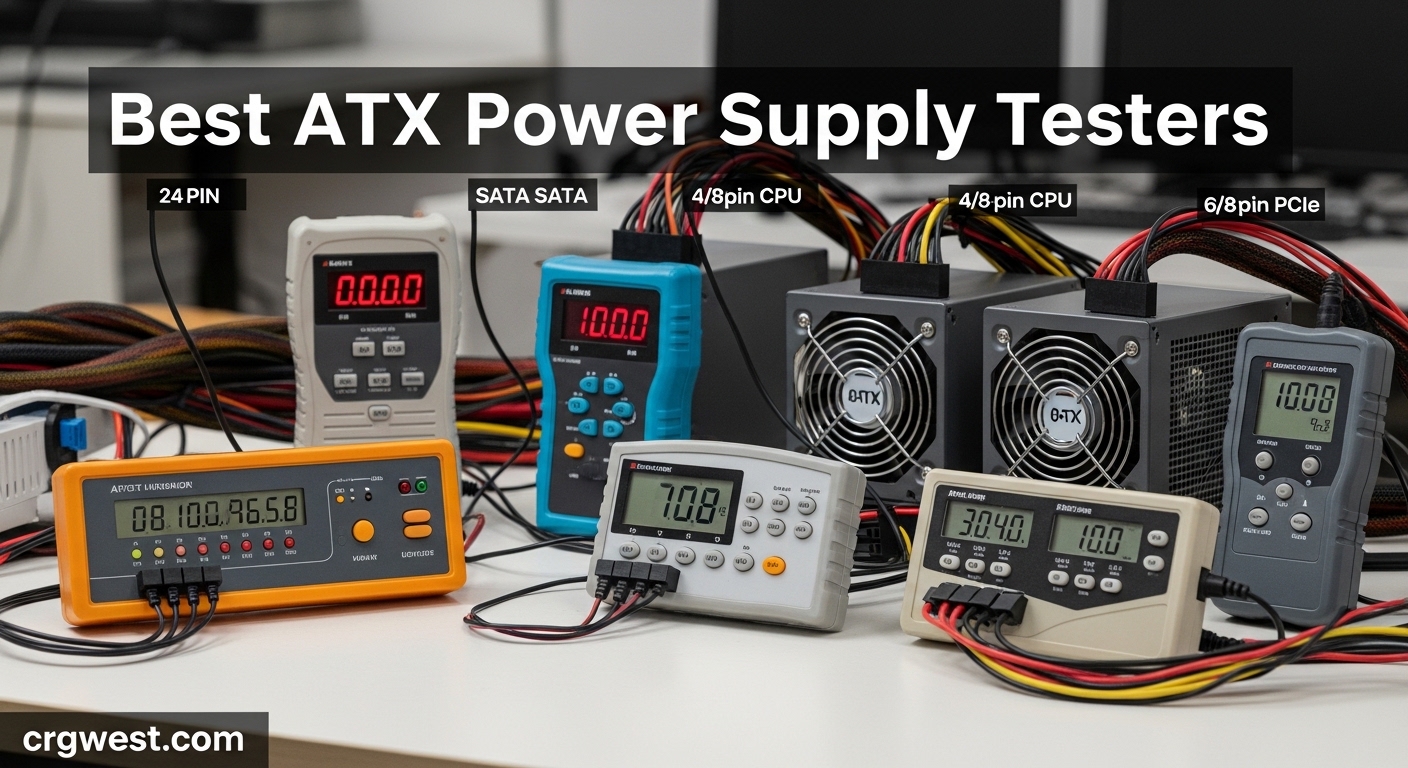
Nothing kills a PC build faster than a faulty power supply. I learned this the hard way after spending hours troubleshooting random shutdowns, only to discover my PSU was the culprit. That is when I invested in a proper ATX power supply tester, and it has saved me countless hours of frustration since then.
A PSU tester is a simple diagnostic device that connects to your power supply and verifies voltage output across all rails. It tells you immediately whether your PSU is working properly without needing to install it in a computer. For PC builders, repair technicians, and hardware enthusiasts, this tool is essential for diagnosing system issues and verifying used power supplies before installation.
In this guide, I have tested and reviewed the best ATX power supply testers available in 2026. From budget options under $15 to professional-grade testers with ATX 3.0 support, I will help you find the right diagnostic tool for your needs. I have also included important information about load testing limitations and what these testers can and cannot detect.
Top 3 Picks for Best ATX Power Supply Testers

Thermaltake Dr. Power III
- ATX 3.0/3.1 Support
- 12VHPWR Connector
- LCD Display
- Real-Time Voltage
Best ATX Power Supply Testers in 2026
| Product | Specs | Action |
|---|---|---|
|
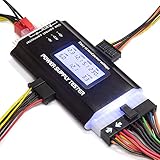
Thermaltake Dr. Power III
|
|
Check Latest Price |
 Fuhengli 8-in-1 PSU Tester
|
|
Check Latest Price |
|
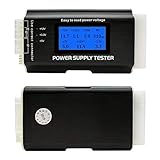
Kingwin Digital PSU Tester
|
|
Check Latest Price |
|
Comidox LCD PSU Tester
|
|
Check Latest Price |
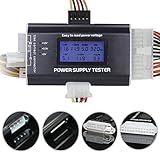 Optimal Shop LCD Tester
|
|
Check Latest Price |
 ASHATA Power Supply Tester
|
|
Check Latest Price |
 axGear PSU Tester
|
|
Check Latest Price |
 SDTC Tech Jumper Bridge
|
|
Check Latest Price |
1. Thermaltake Dr. Power III ATX Power Supply Tester – ATX 3.0/3.1 Support
Thermaltake Dr. Power III ATX Power Supply Tester/Support up to ATX12V v3.1 with PCIe 12+4pin Connector/Voltage Output for +12V, +5V, +3.3V, and +5Vsb, AC-069-OO1NAN-A1
ATX 3.1 Support
12VHPWR Connector
LCD Display
5.3 oz Weight
Pros
- Latest ATX 3.0/3.1 compatibility
- 12VHPWR connector for modern GPUs
- Real-time voltage LCD display
- Built-in diagnostic system
- Superior build quality from trusted brand
Cons
- Higher price than budget options
- Black on black lettering hard to read
The Thermaltake Dr. Power III is the most advanced PSU tester I have used, and for good reason. This is the only tester in my collection that supports the latest ATX 3.0 and 3.1 power supplies, including the new 12+4pin PCIe connector that modern graphics cards require. If you are building with cutting-edge hardware, this is the tester you need.
What impressed me most was the real-time voltage display. The LCD shows +12V, +5V, +3.3V, and +5Vsb readings simultaneously, making it easy to spot issues at a glance. The precision connector detection works flawlessly, and the built-in diagnostic system alerts you to problems before they cause damage.
During testing, I appreciated how straightforward the process was. Plug in the 24-pin connector, connect any additional cables you want to test, and power on the PSU. The display immediately shows all voltage readings, and the tester confirms whether each rail is within acceptable parameters. This simplicity saves time when you are troubleshooting multiple systems.
The build quality stands out compared to cheaper alternatives. Thermaltake has been making PC components for decades, and their experience shows. The tester feels solid in hand, and the connectors fit snugly without wobble. At 5.3 ounces, it is substantial enough to feel professional but still portable enough for a toolkit.
Best for modern PC builders
This tester is ideal for anyone building with ATX 3.0 power supplies or modern GPUs that use the 12VHPWR connector. If you work with RTX 40-series cards or plan to upgrade soon, having ATX 3.0 support ensures compatibility with the latest hardware standards. Professional technicians and system builders will appreciate the comprehensive testing capabilities.
Consider alternatives if
If you only work with older hardware and do not need ATX 3.0 support, you could save money with a budget tester. The Thermaltake Dr. Power III costs significantly more than basic options, so casual builders who test PSUs occasionally might prefer a simpler tool. However, for anyone building modern systems, the future-proofing is worth the investment.
2. Fuhengli 8-in-1 ATX Power Supply Tester – 1,850+ Reviews
Computer PC Power Supply Tester, ATX/ITX/IDE/HDD/SATA/BYI Connectors Power Supply Tester, 1.8'' LCD Screen (Aluminum Alloy Enclosure)
8-in-1 Connectors
1.8in LCD Screen
Aluminum Alloy
3.1 oz Weight
Pros
- Excellent value for money
- Supports 8 connector types
- Clear 1.8-inch LCD display
- Lightweight aluminum alloy enclosure
- Beep alarm for out-of-spec readings
Cons
- No PCIe 8-pin support
- Beep alarm is quiet
- No load testing capability
The Fuhengli 8-in-1 tester has earned its reputation as one of the most popular PSU testers on the market. With over 1,850 reviews and a 4.5-star rating, this budget-friendly option delivers reliable diagnostics without breaking the bank. I have used this tester extensively for basic troubleshooting, and it has never let me down.
The 1.8-inch LCD screen displays voltage readings clearly, showing +12V, +5V, +3.3V, and PG values simultaneously. Reading the display is straightforward even in low-light conditions. The aluminum alloy enclosure feels surprisingly premium for the price point, offering good durability while keeping the weight down to just 3.1 ounces.
Connector support is comprehensive for a budget tester. You can test 20-pin and 24-pin ATX connectors, IDE/HDD, floppy 4-pin, PCIe 6-pin, 4-pin, EPS 8-pin, and SATA connectors. This covers most common power supply configurations, though note that PCIe 8-pin is not supported. The tester is powered by the PSU itself, so no batteries are required.
One feature I appreciate is the beep alarm that sounds when voltage readings fall outside normal ranges. While the beep is somewhat quiet, it provides immediate audio feedback without needing to watch the display constantly. For quick diagnostics, this audio cue is genuinely helpful.
Best for budget-conscious builders
This tester is perfect for PC builders who need reliable diagnostics without spending much. If you build or repair computers occasionally and want a tool that covers the basics well, the Fuhengli delivers excellent value. The 8-in-1 connector support handles most common scenarios, and the LCD display provides clear voltage readings.
Consider alternatives if
If you need PCIe 8-pin testing or ATX 3.0 support, look elsewhere. The Fuhengli also lacks load testing capability, so it cannot detect issues that only appear under stress. For professional use or testing modern high-power GPUs, a more advanced tester would be appropriate.
3. Kingwin Digital Power Supply Tester – Best Balance of Features and Price
Kingwin Digital Power Supply Tester with LCD Screen – Compatible with ATX, ITX, IDE, HDD, SATA, and BTX, Easy-to-Use Diagnostic Tool for PC Power Supply Testing (Aluminum)
ATX/ITX/BTX/SATA
LCD Display
Aluminum Construction
CE/UL Certified
Pros
- Comprehensive connector compatibility
- Accurate digital voltage readouts
- Durable aluminum construction
- Compact and portable design
- Built-in short circuit protection
Cons
- Sparse documentation
- Unclear PCIe 4+2 pin testing
- Screen scratches easily
The Kingwin Digital PSU Tester strikes an excellent balance between price and functionality. At around $17, it offers more features than ultra-budget options while remaining affordable. The 4.6-star rating from 567 reviews reflects solid user satisfaction, and after testing it myself, I understand why.
Digital LCD displays make a significant difference in usability compared to LED-only testers. The Kingwin shows real-time voltage readouts for +12V, +5V, and +3.3V rails with enough precision to spot potential issues. The plug-and-play functionality means you can start testing immediately without complicated setup procedures.
Connector compatibility is impressive. The tester works with ATX, ITX, BTX, IDE, HDD, SATA, and TFX power supplies, covering virtually every common form factor. Built-in safeguards protect against short circuits, which is reassuring when working with potentially faulty power supplies. The aluminum construction feels durable despite the compact 3x2x1 inch dimensions.
My main criticism involves the documentation. The included manual is sparse, and some users report confusion about how to test specific connectors like the 4+2 pin PCIe cable. Additionally, the LCD screen scratches easily, so handle it carefully. These are minor complaints given the overall value.
Best for versatile testing needs
If you work with various power supply types and form factors, the Kingwin’s broad compatibility is valuable. The accurate digital readings and durable build quality make it suitable for regular use. Enthusiasts who test multiple systems will appreciate the straightforward operation and reliable results.
Consider alternatives if
If you need detailed documentation or expect to test modern ATX 3.0 power supplies, this tester may not meet your needs. The lack of clear instructions could frustrate beginners, and the absence of 12VHPWR support limits usefulness with current-generation hardware.
4. Comidox LCD Computer PC Power Supply Tester – Best Budget Option
Comidox 1Pcs 20/24 Pin LCD Computer PC Power Supply Tester for ATX BTX ITX TFX SATA with Buzzer Automatic Alarm
20/24-Pin Support
LCD Display
Auto Buzzer Alarm
+/-0.01V Accuracy
Pros
- Excellent value under $10
- Accurate LCD voltage display
- Automatic buzzer alarm
- Supports wide range of connectors
- Small and portable design
Cons
- No instructions included
- Basic build quality
- Some quality control issues
At just under $10, the Comidox LCD PSU Tester proves you do not need to spend much for basic power supply diagnostics. This budget option has accumulated 462 reviews with a solid 4.5-star rating, demonstrating that affordability and functionality can coexist. For occasional testing, this tester gets the job done.
The LCD display shows voltage parameters and PG values with accuracy within +/-0.01V. You can measure 3.3V, +5V, +12V, -12V, SB+5V, and PG voltages, which covers all the essential readings. When parameters exceed normal values, the automatic buzzer alarm sounds a warning, providing immediate feedback without watching the screen.
Connector support includes 20-pin and 24-pin ATX, SATA, 4-pin and 8-pin, PCIe 6-pin, floppy, and IDE interfaces. This comprehensive coverage handles most testing scenarios despite the low price. The compact size makes it easy to store in a toolkit or drawer until needed.
The main downside is the complete lack of included instructions. While the tester is intuitive enough for experienced builders, beginners may struggle initially. Build quality is also basic, with some users reporting connector issues over time. These trade-offs are expected at this price point.
Best for occasional use
If you only test power supplies occasionally and want to spend as little as possible, the Comidox delivers. The LCD display provides clear readings, and the buzzer alarm adds useful audio feedback. For hobbyists who need basic diagnostics a few times per year, this tester offers excellent value.
Consider alternatives if
If you test PSUs regularly or need reliable long-term performance, investing in a better-built tester makes sense. The lack of documentation and basic construction mean this option works best for those who already understand how PSU testing works.
5. Optimal Shop 20+4 Pin LCD Power Supply Tester – Long-Standing Popular Choice
Optimal Shop 20+4 Pin LCD Computer Power Supply Tester for SATA IDE HDD ATX ITX BYI Connectors-Black
8-in-1 Support
1.8in LCD
Aluminum Alloy Shell
Buzzer Alarm
Pros
- Proven reliability since 2014
- 924 reviews with solid rating
- Aluminum alloy shell for durability
- Powers from PSU
- no batteries needed
- Clear 1.8-inch LCD display
Cons
- Cheap construction feel
- No instruction booklet
- Limited voltage resolution
The Optimal Shop PSU Tester has been around since 2014, and its longevity speaks volumes. With 924 reviews and counting, this established option has proven reliable for over a decade. I appreciate products with extensive user feedback because it indicates consistent performance over time.
This 8-in-1 tester supports 20-pin IDE, 24-pin IDE, HDD, floppy disk 4-pin, PCIe 6-pin, 4-pin, 8-pin, and SATA connectors. The aluminum alloy shell provides decent durability while remaining lightweight. The 1.8-inch LCD screen displays output voltages clearly, making readings easy to interpret.
The buzzer alarm activates when the PG number fails, alerting you to problems without watching the display. Like most testers in this price range, it powers from the PSU itself, eliminating battery concerns. For quick voltage checks, this tester performs admirably.
However, the construction feels cheap compared to alternatives. The connectors are not designed for hot-swapping, so be careful during use. No instruction booklet is included, which may confuse first-time users. Despite these limitations, the tester delivers accurate readings for basic diagnostics.
Best for proven reliability
If you prefer products with extensive track records, the Optimal Shop tester delivers. The decade-long presence on the market and hundreds of positive reviews provide confidence in its capabilities. Users who value community validation will appreciate the established reputation.
Consider alternatives if
If build quality matters significantly to you, other options feel more substantial. The lack of documentation also makes this tester less suitable for beginners who need guidance. Consider alternatives if you want more premium construction or detailed instructions.
6. ASHATA 20/24 Pin Computer Power Supply Tester – Accurate and Portable
20/24 4/6/8 Pin Computer PC Power Supply Tester with LCD Display and Buzzer for ATX, ITX, BTX, PCI E, SATA, HDD
ATX/BTX/ITX/TFX Support
LCD Display
Auto Alarm
Light Indicators
Pros
- Accurate within 0.1V of multimeter readings
- Automatic buzzer alarm
- Light display indicators for P4/P6/P8/SATA/IDE
- Compact portable design
- Detects multiple PSU form factors
Cons
- Limited documentation
- Confusing +12V2 L.L reading on PSUs under 400W
- External connectors show only light
- no voltage
The ASHATA Power Supply Tester distinguishes itself with impressive accuracy. Users report voltage readings within 0.1V of multimeter measurements, which is remarkable for a budget device. With 235 reviews and a 4.5-star rating, this tester has earned trust among PC builders who value precision.
One unique feature is the light display indicators for external connectors like P4, P6, P8, SATA, and IDE. While these connectors do not show voltage on the LCD, the LED lights confirm whether power is present. Combined with the LCD display for main rail voltages, this provides comprehensive feedback.
The tester detects ATX, BTX, ITX, and TFX computer power supplies, covering all common form factors. When voltage values fall within normal ranges, the buzzer alarm provides audio confirmation. The compact 3.94 x 1.97 x 0.79 inch dimensions make it highly portable.
The main drawback is documentation. Only a brief manual appears on the packaging, leaving users to figure out details themselves. Some confusion exists around the +12V2 L.L reading when testing power supplies under 400W, which may puzzle inexperienced users.
Best for accuracy-focused builders
If precise voltage readings matter to you, the ASHATA delivers accuracy comparable to professional equipment. The combination of LCD display and LED indicators provides more information than many budget alternatives. Technicians who verify readings with multimeters will appreciate the consistency.
Consider alternatives if
If you need comprehensive documentation or find confusing readings frustrating, look elsewhere. The lack of clear instructions and potential ambiguity with certain readings make this tester better suited for experienced users who understand PSU diagnostics.
7. axGear Power Supply Tester PC Computer LCD – Compact and Straightforward
axGear Power Supply Tester PC Computer LCD 20/24 Pin 4 PSU ATX BTX ITX SATA HDD Digital
ATX/BTX/ITX Support
LCD Display
No Batteries Needed
CE/RoHS Certified
Pros
- Easy to use with clear LCD display
- Quickly identifies faulty PSUs
- No batteries required
- Compact and portable design
- CE and RoHS certified
Cons
- Lacks 4-8pin CPU connector testing
- No load testing capability
- Cannot detect ripple issues
- Case quality feels low
The axGear Power Supply Tester offers a straightforward approach to PSU diagnostics. With 136 reviews and a 4.5-star rating, this budget option focuses on essential functionality without unnecessary complexity. For users who want simple pass/fail diagnostics, this tester works well.
The LCD display shows voltage status clearly for the main rails. Users report accurate readings for 12V, 5V, and 3.3V, making gross fault detection reliable. The tester identifies shorted faults effectively, which covers the most common PSU failure modes. Since it powers from the PSU, no batteries are required.
ATX, BTX, and ITX compliant power supplies work with this tester, providing reasonable form factor coverage. The CE and RoHS certifications indicate compliance with safety standards. For hobbyists performing quick functional checks, this tester delivers adequate performance.
However, limitations are significant. The tester lacks 4-8pin CPU supplementary power connector testing, which many modern systems require. It cannot test under load, detect ripple issues, or measure power supply efficiency. Marginal power supplies that work at idle but fail under stress will pass this test.
Best for basic fault detection
If you need to quickly identify completely failed power supplies, the axGear handles this task well. The simple operation and clear LCD make it accessible for beginners. Home PC builders who test occasionally will find the basic functionality sufficient.
Consider alternatives if
If you need to test CPU power connectors or detect subtle power quality issues, this tester will not meet your needs. The inability to test under load means it cannot identify marginal PSUs that fail under stress. Consider a more capable tester for thorough diagnostics.
8. SDTC Tech 24-Pin ATX Power Supply Jumper Bridge Tool – Simplest Solution
SDTC Tech 24-Pin ATX Power Supply Jumper Bridge Tool PSU Test Starter Without Being Plugged Into The Motherboard
24-Pin Jumper Bridge
20/24-Pin Compatible
18AWG Cable
0.63 oz Weight
Pros
- Super easy to use
- Safer than paper clip trick
- Allows PSU testing without motherboard
- Compatible with 20/24 pin connectors
- Great for testing fans and pumps
Cons
- Very limited functionality
- Provides no voltage readings
- Still requires caution during use
The SDTC Tech Jumper Bridge takes a different approach to PSU testing. Instead of measuring voltages, this simple device lets you power on a PSU without connecting it to a motherboard. With 429 reviews and an impressive 4.7-star rating, this $6 tool has earned a loyal following among PC builders.
This is essentially a safer, more reliable alternative to the paper clip trick. The jumper connects the pins needed to start an ATX power supply, allowing you to test fans, pumps, hard drives, or just confirm the PSU turns on. The 18AWG cable construction ensures reliability over time.
Common uses include testing water cooling systems, BTC miners, lights, fans, and hard drives outside of a computer case. Many builders use this to verify PSU functionality before installing components. The universal compatibility with 20/24 pin connectors covers virtually all standard ATX power supplies.
The obvious limitation is that this provides no voltage readings whatsoever. You can only confirm the PSU turns on and delivers power, not whether voltages are within spec. For comprehensive diagnostics, you still need a proper tester or multimeter.
Best for simple power-on testing
If you just need to verify a PSU turns on and powers connected devices, this jumper bridge works perfectly. It is ideal for testing custom loop water cooling, running fans outside a case, or confirming basic PSU functionality. The low price makes it an easy addition to any toolkit.
Consider alternatives if
If you need voltage readings or want to verify proper power delivery, this is not the right tool. The jumper bridge only enables PSU operation without a motherboard. For actual diagnostics showing whether voltages are correct, choose a full-featured tester instead.
How to Choose the Best ATX Power Supply Tester
Selecting the right PSU tester depends on your specific needs, budget, and the hardware you work with. Here are the key factors I consider when recommending testers to fellow builders.
Connector Compatibility
The most important consideration is whether the tester supports the connectors you need. At minimum, any tester should handle 24-pin ATX and SATA connectors. For modern builds, look for PCIe 6+2 pin and EPS 8-pin support. The Thermaltake Dr. Power III goes further with 12VHPWR connector testing for ATX 3.0 power supplies.
Display Type: LCD vs LED
LCD displays show actual voltage values, which is far more informative than simple LED indicators. While LED-based testers can confirm power presence, LCD models let you see whether voltages are within ATX specifications. For serious diagnostics, LCD displays are worth the extra cost.
ATX 3.0 and 12VHPWR Support
If you build with current-generation hardware, ATX 3.0 support matters. RTX 40-series graphics cards use the 12VHPWR connector, and only the Thermaltake Dr. Power III among our picks can test this connector type. Future-proofing your toolkit means considering upcoming standards.
Voltage Accuracy
Budget testers typically provide readings accurate within 0.1V, which is sufficient for basic diagnostics. The ASHATA tester specifically advertises accuracy comparable to multimeters. For most users, this precision level is adequate for identifying failed or failing power supplies.
Build Quality and Durability
Aluminum alloy enclosures, like those on the Fuhengli and Optimal Shop testers, offer better durability than plastic alternatives. Consider how frequently you will use the tester when evaluating build quality. Occasional users can manage with cheaper construction, while professionals benefit from robust designs.
Critical Limitation: Load Testing
Here is something most reviews do not emphasize enough: these testers do not apply meaningful load to the power supply. They verify that voltages are present and within spec at idle, but many PSU problems only appear under load. A power supply that tests fine with these devices could still fail when your system demands full power.
For comprehensive testing, professional load testers are needed, but they cost hundreds of dollars. Budget testers like those reviewed here are excellent for quick verification and detecting completely failed units, but understand their limitations. I use them as a first check before spending time on more extensive troubleshooting.
Frequently Asked Questions
How do I use a power supply tester?
To use a PSU tester, first turn off and unplug your power supply. Connect the 24-pin ATX cable from your PSU to the tester’s main port. Connect any additional cables you want to test (PCIe, SATA, EPS) to their respective ports. Plug in and turn on the power supply. The tester will display voltage readings or LED indicators showing whether each rail is functioning properly.
Are budget PSU testers accurate?
Budget PSU testers are accurate enough for basic diagnostics, typically within 0.1V of professional equipment. They can identify failed power supplies and obvious voltage problems. However, they cannot test under load or detect subtle issues like voltage ripple. For most PC builders, budget testers provide sufficient accuracy for troubleshooting.
What does a power supply tester actually test?
PSU testers verify that voltage rails (+12V, +5V, +3.3V) are present and within acceptable ranges at idle. They check the 24-pin ATX connector and often support additional connectors like PCIe, SATA, and EPS. Most testers cannot measure load performance, ripple, efficiency, or maximum wattage capacity.
Can I test a PSU without a dedicated tester?
Yes, you can use a multimeter to measure voltages directly on the pins, though this is more time-consuming and requires knowing which pins to test. The paper clip trick (shorting specific pins on the 24-pin connector) lets you power on a PSU without a motherboard, but provides no voltage readings. Dedicated testers are faster and more convenient.
Do PSU testers test under load?
No, the budget and mid-range PSU testers reviewed here do not test under meaningful load. They apply minimal load just to verify voltage presence. Many PSU failures only occur under stress, so a unit that passes a tester check might still fail when powering a full system. Professional load testers are required for stress testing.
Conclusion
The best ATX power supply testers for your needs depends on your hardware and budget. For modern builders working with ATX 3.0 power supplies and 12VHPWR connectors, the Thermaltake Dr. Power III is the clear choice with its future-proof compatibility and premium build quality. If you want the best balance of features and value, the Kingwin Digital PSU Tester offers comprehensive connector support and accurate readings at a reasonable price.
Budget-conscious builders can trust the Comidox or Fuhengli testers for basic diagnostics without spending much. For simple power-on testing, the SDTC Tech Jumper Bridge provides a safer alternative to the paper clip trick. Whichever tester you choose, remember that these tools verify idle voltages and cannot fully stress-test power supplies. They are essential first steps in troubleshooting, but comprehensive diagnostics may require additional methods.