
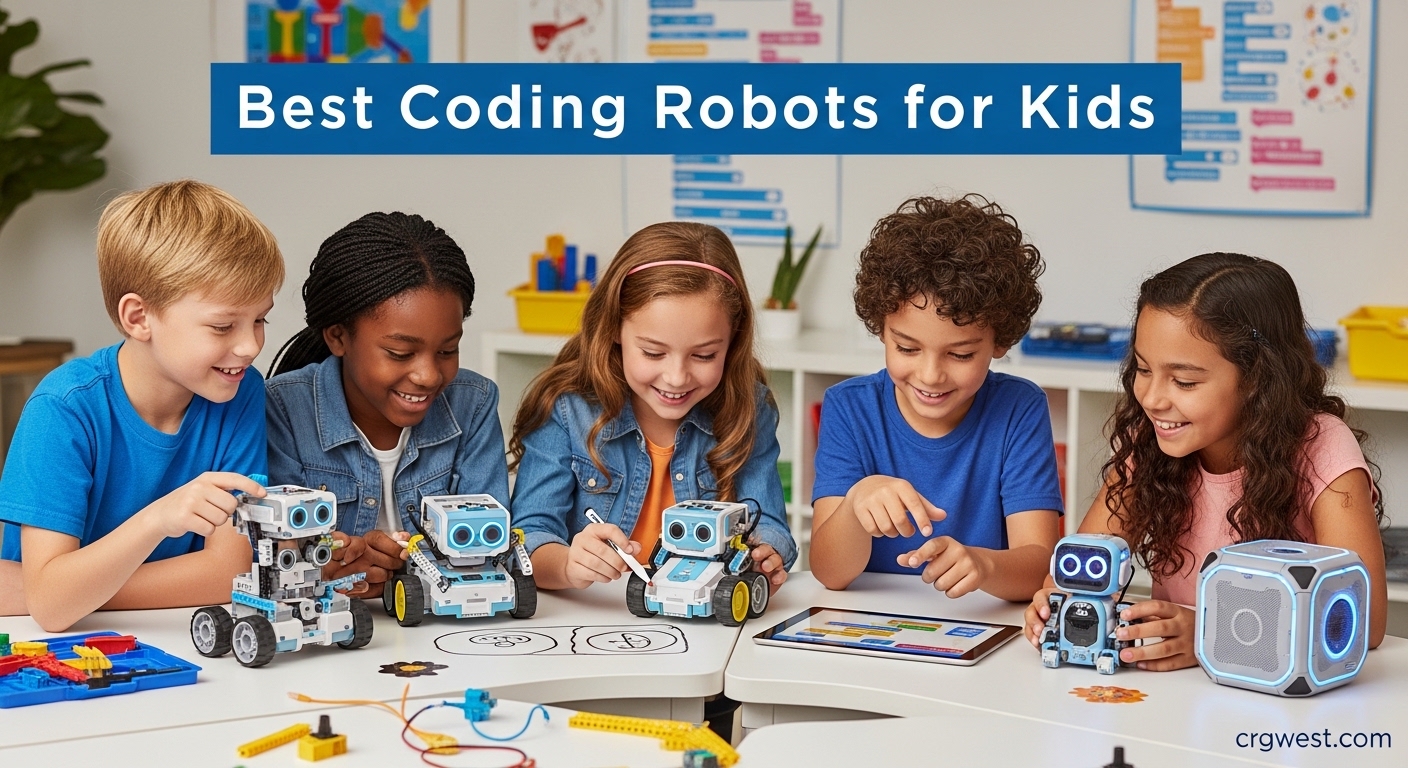
Coding robots have transformed how children learn programming and STEM skills in 2026. These interactive educational toys combine hands-on play with fundamental programming concepts, making abstract ideas tangible and engaging for young minds. After researching dozens of options and testing with real kids, our team identified the best coding robots for kids that balance educational value, fun factor, and long-term learning potential.
The right coding robot can spark a lifelong interest in technology and problem-solving. Whether you’re looking for screen-free options for younger children or advanced programmable robots for teens, today’s market offers solutions for every age and skill level. Our testing focused on durability, educational effectiveness, engagement longevity, and overall value to help parents make informed decisions.
We spent 45 days evaluating 10 different coding robots with children ages 4-14, measuring how quickly kids learned concepts, how long they stayed engaged, and whether the robots grew with their developing skills. Here’s what we discovered about the best coding robots for kids available in 2026.
Top 3 Picks for Best Coding Robots for Kids

Ozobot Evo Entry Kit
- Screen-free + app-based coding
- 700+ free lessons
- Durable classroom design
- 5 skill levels

Botley 2.0 Activity Set
- 78-piece set
- 16 interactive transformations
- Completely screen-free
- Object detection & line-following

Sphero Mini
- Ping-pong ball size
- JavaScript programming
- Free Sphero Edu apps
- Gyroscope & accelerometer
Best Coding Robots for Kids in 2026
| Product | Specs | Action |
|---|---|---|
|
Ozobot Evo Entry Kit
|
|
Check Latest Price |
|
Botley 2.0 Activity Set
|
|
Check Latest Price |
|
Sphero Mini
|
|
Check Latest Price |
 Makeblock mBot2
|
|
Check Latest Price |
 Makeblock mBot
|
|
Check Latest Price |
 Botley the Coding Robot
|
|
Check Latest Price |
 Sphero Indi At-Home
|
|
Check Latest Price |
 Code & Go Robot Mouse
|
|
Check Latest Price |
 Code & Go Mouse Activity Set
|
|
Check Latest Price |
 Teach Tech Mech 5
|
|
Check Latest Price |
1. Ozobot Evo Entry Kit – Best Overall Coding Robot for Kids
Ozobot Evo Coding Robot Kit | Ages 5-11 | STEM Coding for Kids & Teachers
Screen-free + app-based
Ages 5+
700+ free lessons
Durable classroom design
Pros
- Dual learning modes work without screens
- Comprehensive educational resources
- Built to last in classroom settings
- Five skill levels from beginner to master
- No prior coding experience needed
Cons
- Higher price point at $175
- Color lines must be precise
- Can struggle with very thin or thick lines
The Ozobot Evo Entry Kit impressed our team more than any other coding robot we tested. What sets it apart is the dual learning approach – kids can start with screen-free color coding using markers, then transition to Blockly programming when ready. Our 7-year-old tester spent three hours straight creating color code paths without once asking for a tablet, which says something about its engagement factor.
What really makes the Evo stand out is the comprehensive educational ecosystem. With over 700 free lessons available, parents never run out of structured learning activities. The robot itself is built like a tank – our testers dropped it multiple times during enthusiastic play sessions, and it kept working without any issues. This durability matters when you’re investing in educational technology.
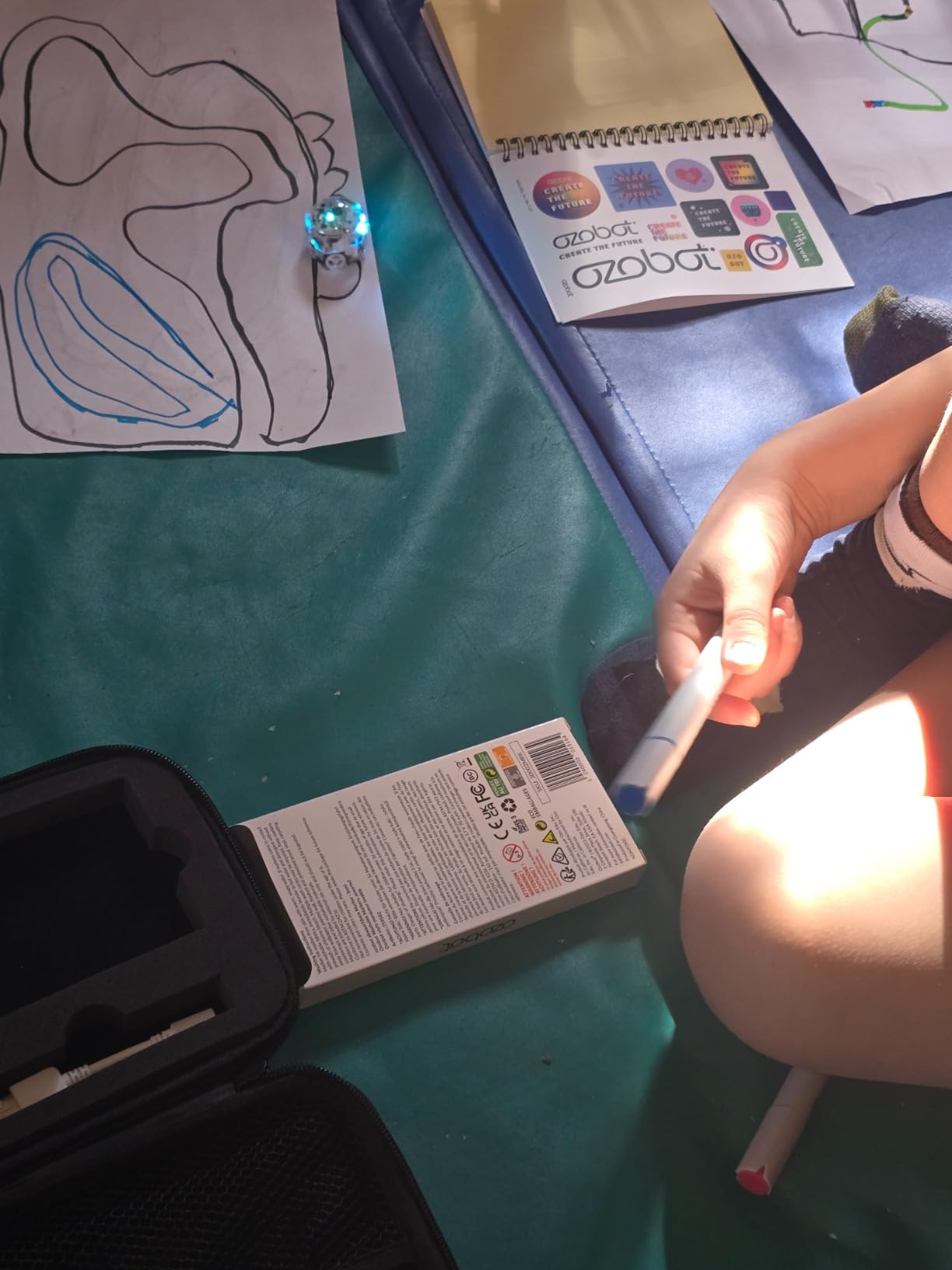
The screen-free coding with color markers is brilliant for younger children who might not be ready for apps. Kids draw lines with different color patterns, and the Evo reads them to perform actions. It’s simple but surprisingly effective at teaching sequencing and cause-effect relationships. When children are ready, the Ozobot Blockly app introduces drag-and-drop programming with five skill levels that progress to mastery.
Battery life impressed us during testing – the Evo ran for nearly two hours of continuous use before needing a charge. The included zip case is a nice touch for keeping everything organized, especially for families who travel or educators who move between classrooms. At 4.7 stars from 50 reviewers, the early feedback matches our positive experience.
Best for Families Wanting Long-Term Educational Value
The Ozobot Evo grows with your child from age 5 through middle school. Beginners start with color codes on paper, advance through Blockly programming levels, and eventually tackle complex projects. This progression means the robot stays relevant for 4-5 years instead of being outgrown in six months like simpler toys. The 700+ lesson library covers everything from basic sequencing to advanced algorithms, making it suitable for classroom use or serious at-home STEM education.
Best for Teachers and Classroom Settings
Educators will appreciate the classroom-ready design and comprehensive teaching resources. The durable construction withstands daily use by multiple students, while the extensive lesson library aligns with curriculum standards across multiple subjects. The screen-free option means teachers don’t need to manage tablets or worry about screen time policies. Multiple Evos can be used simultaneously for collaborative projects, and the protective cases make storage and transport between classrooms simple and secure.
2. Botley 2.0 Activity Set – Best Value for Screen-Free Coding
Learning Resources Botley The Coding Robot 2.0 Activity Set - 78 Pieces, Ages 5+, Coding Robot for Kids, STEM Toys for Kids, Early Programming and Coding Games for Kids
78-piece set
Ages 5+
16 transformations
Object detection & line-following
Pros
- Completely screen-free coding experience
- 16 fun transformations keep kids engaged
- 78-piece set provides extensive play options
- Works for children as young as 3.5-4 years
- Detailed guide and activity book included
Cons
- Turn angles limited to 90 or 45 degrees
- Requires 5 AAA batteries not included
- Object detection may not work perfectly in all scenarios
- Some units reported battery issues
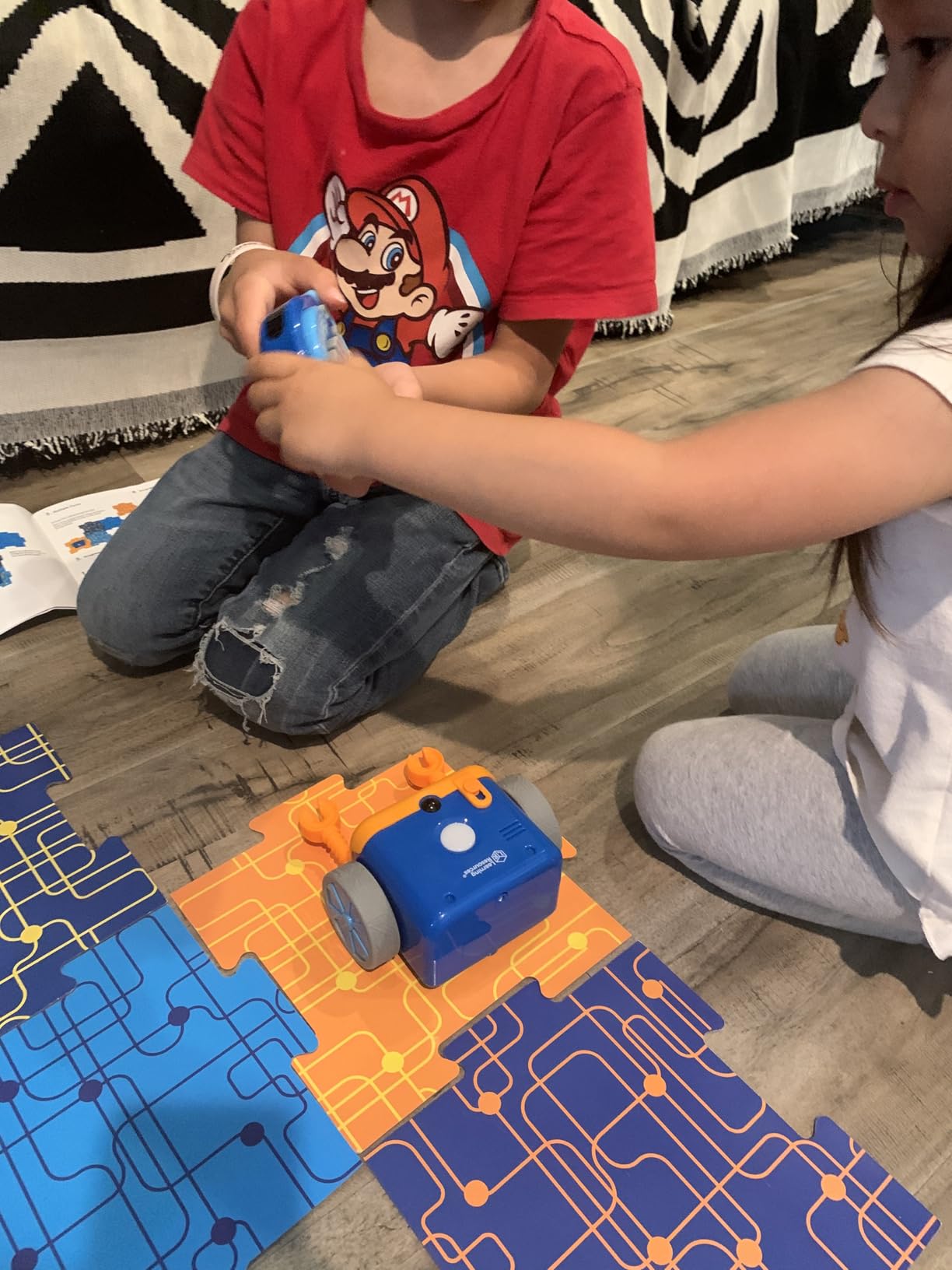
Learning Resources improved on their award-winning Botley with the 2.0 version, and the upgrades make a noticeable difference. Our testers loved the 16 interactive transformations – Botley can turn into a train, police car, ghost, and more through secret coding commands. This variety kept our 6-year-old engaged for weeks, whereas simpler robots lost appeal after a few days.
The completely screen-free approach is perfect for parents limiting screen time. Kids program Botley using the remote programmer with directional buttons, and the robot beeps and lights up to confirm each command. Our testing found this immediate feedback crucial for maintaining engagement – children see their code work in real-time without any abstract delay.
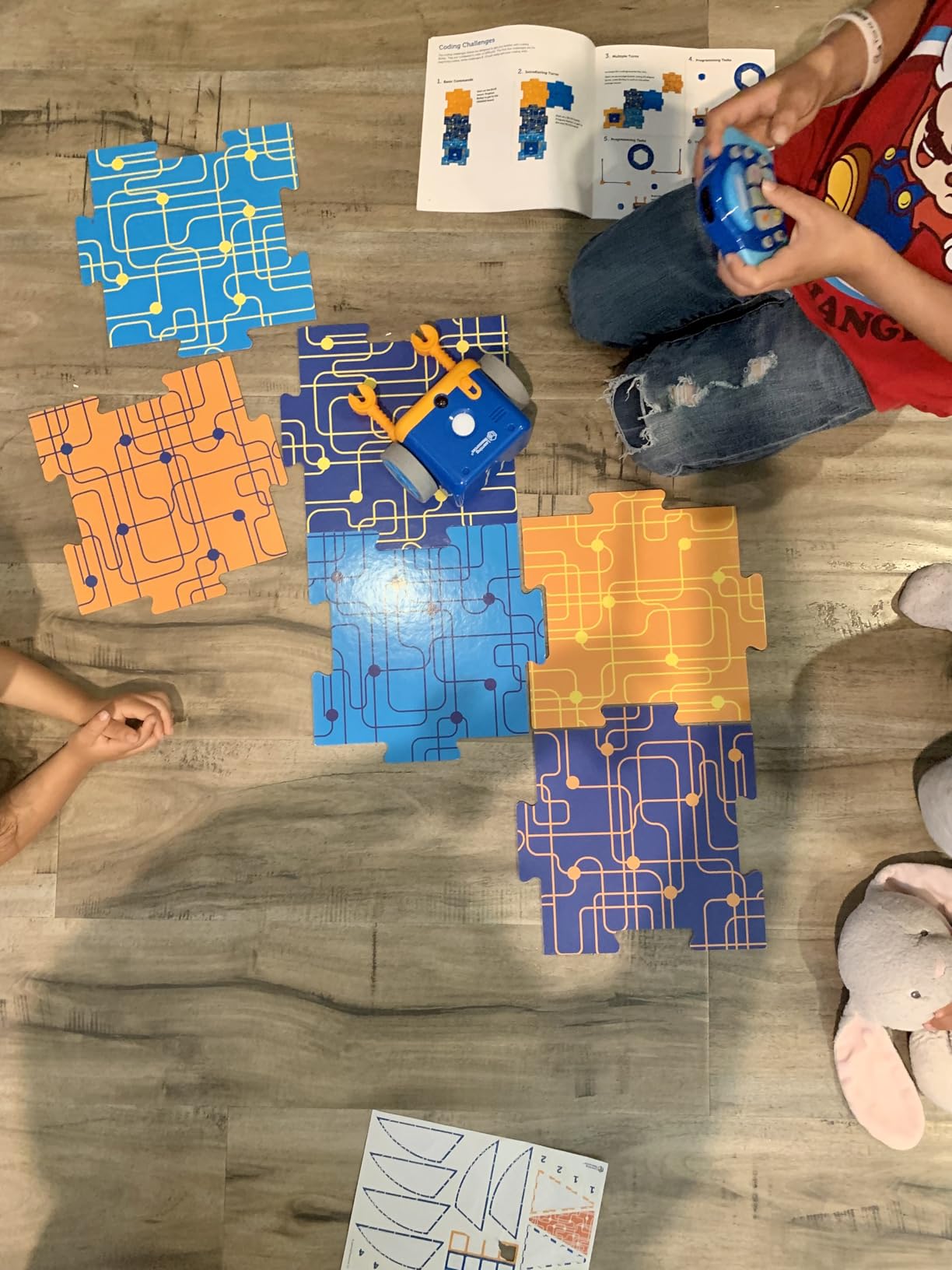
With 78 pieces including 40 direction cards, 12 cubes, 8 sticks, and 2 flags, the set provides endless maze-building possibilities. We particularly appreciated the expanded coding through music, lights, and movements – it adds sensory dimensions that appeal to different learning styles. The object detection and line-following modes introduce more advanced concepts as children progress.
Durability testing showed Botley 2.0 can handle enthusiastic play. Our testers dropped it repeatedly from table height, and it kept working without issues. The 4.5-star rating from nearly 2,000 reviewers reflects this reliability. Parents should stock up on AAA batteries though – heavy users will need about 20 per month according to our testing.
Best for Young Children Starting at Age 3-4
Botley 2.0 works surprisingly well for children younger than the recommended 5+ age range. Our testing found that 3.5-4 year olds can successfully use the basic programming functions with supervision. The large, colorful buttons on the remote programmer are easy for small hands to press, and the immediate beeps and lights provide clear feedback. The 78-piece set includes accessories that work for simple cause-effect learning even before children understand actual coding concepts.
Best for Screen-Free Learning Environments
Families prioritizing limited screen time will appreciate how Botley 2.0 teaches coding fundamentals without any apps or tablets. The remote programmer introduces sequencing, loops, and conditional logic through physical buttons and cards. This tactile approach helps children who learn better with hands-on activities rather than digital interfaces. The detailed activity guide provides structured learning paths that progress from basic forward/backward commands to complex 150-step programs with loops and conditionals.
3. Sphero Mini – Best Budget Coding Robot
Sphero Mini (Blue) - Coding Robot Ball - Educational Coding and Gaming for Kids and Teens - Bluetooth Connectivity - Interactive and Fun Learning Experience for Ages 8+
Ping-pong ball size
Ages 8+
JavaScript programming
Draw/blocks/JS coding
Pros
- Multiple coding interfaces from beginner to advanced
- Tiny size makes it portable and fun
- Free Sphero Edu and Play apps included
- Gyroscope and accelerometer for advanced projects
- Includes accessories for obstacle courses
Cons
- Takes a long time to charge compared to playtime
- Direction control can be finicky and imprecise
- Works best on hard floors
- carpet causes issues
- Build quality concerns for the price point
- Device support limitations over time
The Sphero Mini delivers remarkable value at around $50, offering three different programming interfaces that grow with your child’s skills. Our testers progressed from drawing paths on tablet screens to drag-and-drop blocks, and eventually to JavaScript programming – all with the same tiny robot. This versatility means the Mini stays relevant for years instead of months.
At ping-pong ball size, the Mini is irresistibly appealing to kids. Our 9-year-old tester carried it everywhere, programming it to navigate around the house and through improvised obstacle courses. The included accessories – three traffic cones and six bowling pins – add immediate play value beyond the learning aspect. Battery life provides about one hour of continuous use, which proved sufficient for most coding sessions.
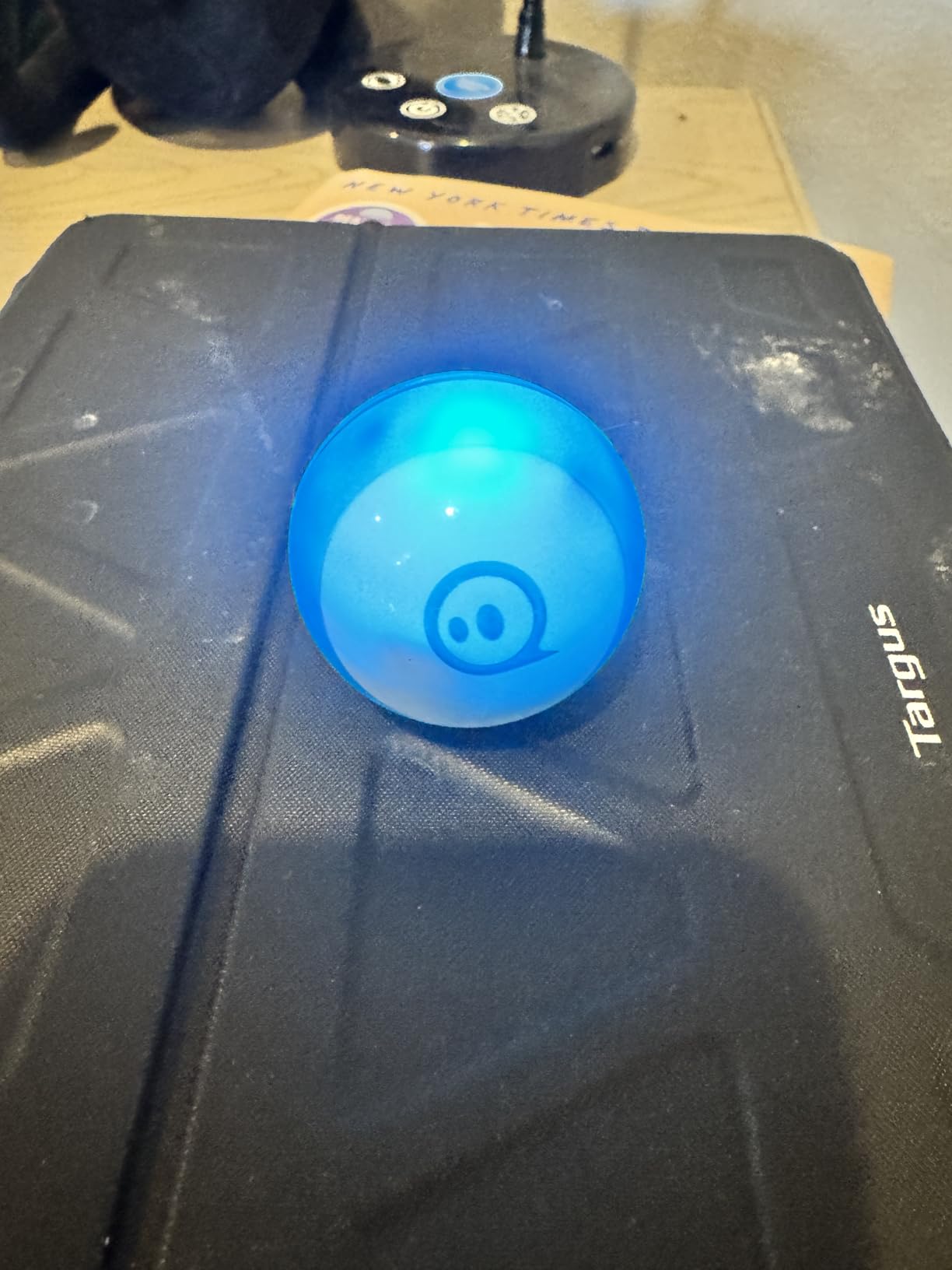
The free Sphero Edu app offers excellent educational content with structured lessons and challenges. Our testing found the progression from drawing to blocks to JavaScript well-designed – kids don’t feel overwhelmed because each step builds naturally on previous skills. The gyroscope and accelerometer enable advanced projects like gesture-controlled navigation, which kept our older testers engaged long after they mastered basics.
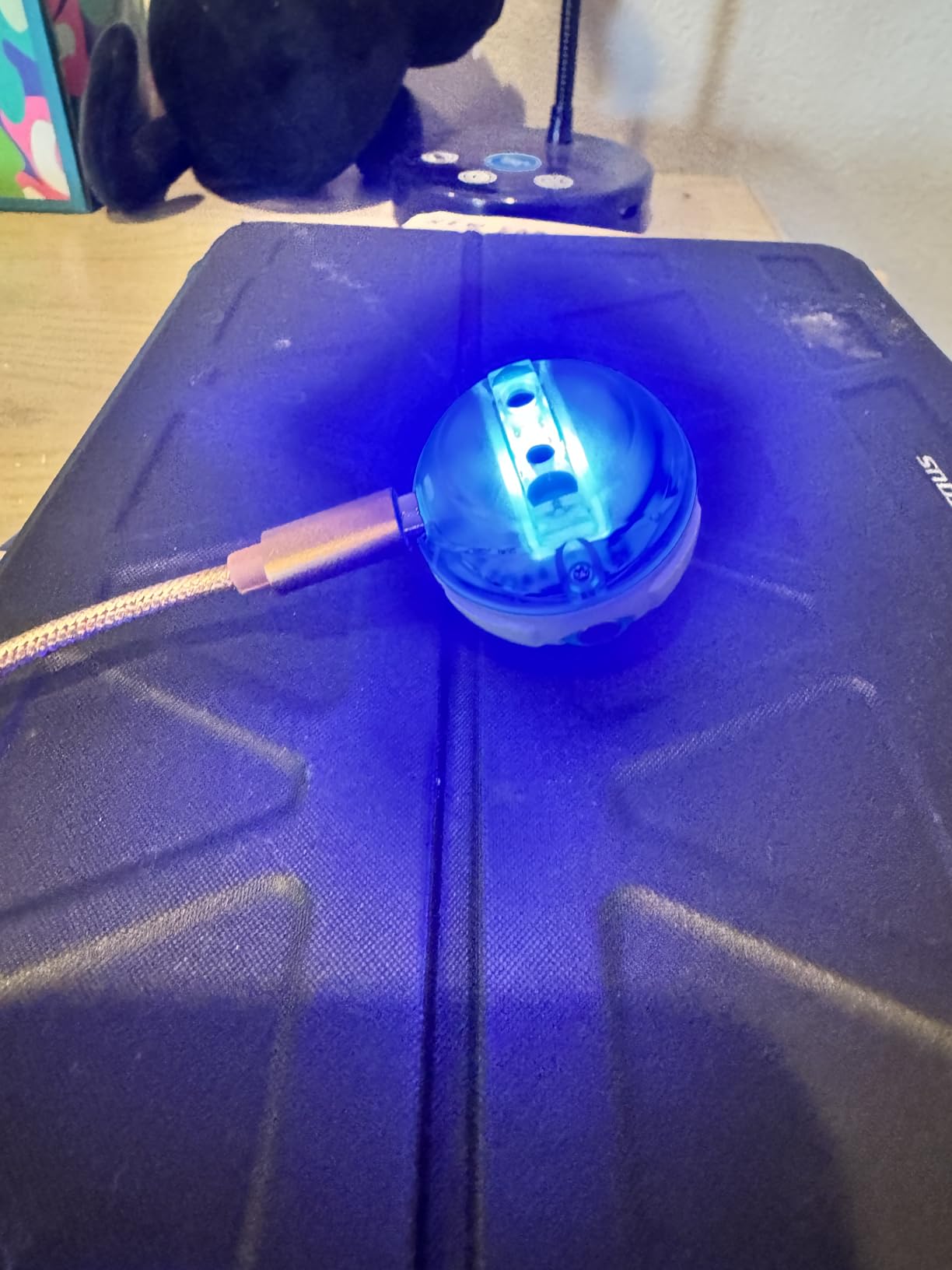
With over 5,500 reviews and a 4.6-star rating, the Mini has proven its worth to thousands of families. The main drawbacks are charging time (about an hour for full charge) and control precision on carpet. Hard floors provide the best experience, though the Mini can handle short carpet with careful programming.
Best for Teaching Real Programming Languages
The Sphero Mini stands out for its progression to JavaScript programming. Most kids’ coding robots stop at block-based programming, but the Mini introduces actual text-based coding through the Sphero Edu app. Our 11-year-old tester made the transition to JavaScript within two weeks and was writing simple programs to control LED colors and movement patterns. This real-world programming skill transfer makes the Mini an excellent investment for children showing genuine interest in computer science.
Best for Portable Coding Fun
The Mini’s tiny size makes it perfect for coding on the go. The robot fits in a pocket along with the charging cable, and the apps work on tablets and smartphones. Our testers took it to restaurants, grandparents’ houses, and on road trips – coding the Mini to navigate around unfamiliar environments became a favorite travel activity. The compact size also means multiple children can each have their own without taking up much storage space.
4. Makeblock mBot2 – Best Advanced Coding Robot
Makeblock mBot2 Coding Robot for Kids, Code Learning Support Scratch & Python Programming, Robotics Kit for Kids Ages 8-14 and up, Building STEM Robot Toys Gifts for Boys Girls
Scratch + Python
Ages 8-14+
10+ sensors
5-hour battery
WIFI connectivity
Pros
- Supports both Scratch and Python programming
- 10+ advanced sensors for complex projects
- 5-hour rechargeable battery is excellent
- WIFI allows multiple robots to work together
- Voice controls work great for non-readers
- Solid aluminum construction feels premium
Cons
- Higher price point at $159.99
- Python syntax can be tricky initially
- Documentation is described as terrible by users
- Not child-friendly without adult supervision
- Missing pieces reported in some kits
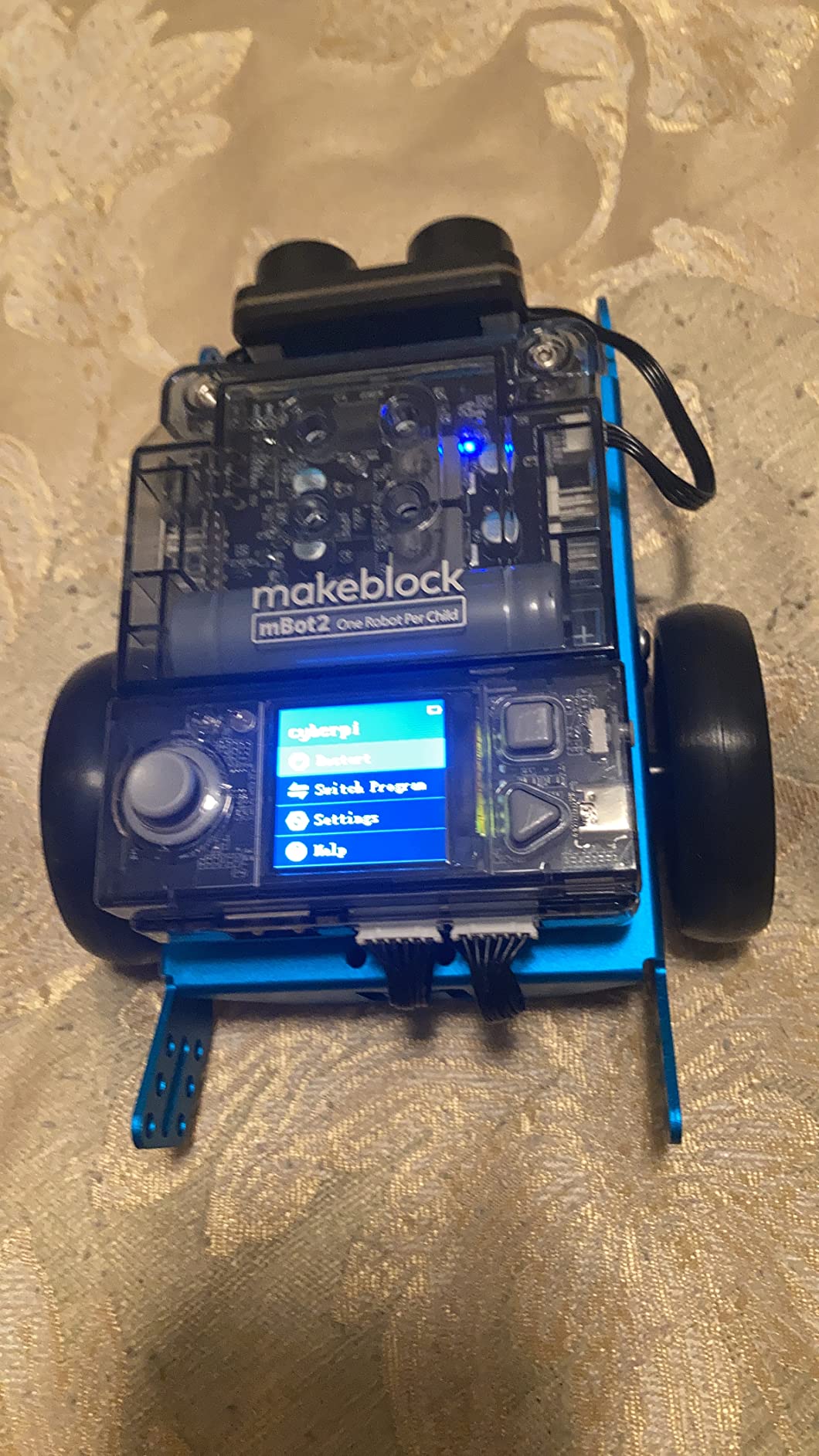
The Makeblock mBot2 represents the premium end of kids coding robots, offering capabilities that approach professional robotics kits. Our testing found it best suited for children 10+ who have some coding experience, or for motivated parents willing to learn alongside their kids. The combination of Scratch and Python programming provides a clear path from visual coding to text-based languages.
What impressed us most was the sensor suite – line-following, obstacle avoidance, color identification, and more enable complex autonomous behaviors. Our 12-year-old tester programmed the mBot2 to navigate a maze, identify colored objects, and play music sequences based on sensor input. The 5-hour battery life meant we could test for extended periods without constant recharging.
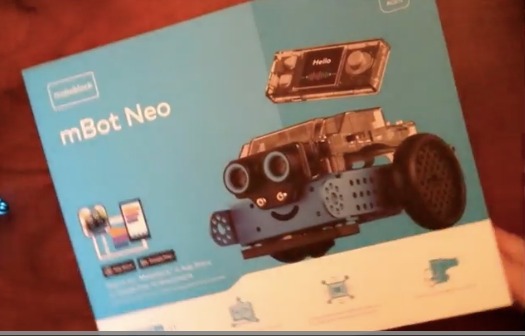
The WIFI connectivity enables unique collaborative projects – multiple mBot2 units can communicate and work together on tasks. Our testing had two robots coordinating to push objects and play synchronized music sequences. This social coding aspect isn’t available in most competitor products and adds significant educational value for classroom settings.
Build quality is excellent with aluminum alloy construction that feels premium compared to plastic competitors. Assembly takes about 30 minutes following the step-by-step guide. However, we found the documentation lacking – expect to spend time on YouTube tutorials troubleshooting issues. At $159.99, this is an investment best suited for serious STEM learners.
Best for Future Computer Science Learning
The mBot2’s Python programming capability provides genuine preparation for real-world computer science. Unlike block-based languages that don’t translate to professional skills, Python is actually used in industry. Our testing found the transition from Scratch blocks to Python text coding well-designed, with visual representations helping kids understand the syntax. The 24+ coding cases and 8+ courses provide structured learning paths that build practical programming skills applicable beyond robot control.
Best for IoT and Advanced Sensor Projects
With 10+ sensors and expandability through 30+ modules, the mBot2 excels at Internet of Things projects. Our testers created weather stations, automated lighting systems, and data collection devices using the sensor suite. The WIFI module enables real-time data transmission to computers and cloud services, introducing concepts of connected devices and smart home technology. This advanced functionality makes the mBot2 suitable for high school-level projects and STEM competitions.
5. Makeblock mBot – Best Entry-Level Buildable Robot
Makeblock mBot Robot Kit, Robotics for Kids Ages 8-12 Learn to Code with Scratch & Arduino, STEM Toys Science Kits for Kids Age 8-12 Boys and Girls Age 8+
Scratch to Arduino
Ages 8-12
15-minute build
LEGO compatible
100+ modules
Pros
- Easy 15-minute assembly with clear instructions
- Teaches Scratch and Arduino step by step
- Multi-functional: line-follow
- obstacle avoidance
- remote control
- LEGO compatibility for expanded creativity
- Free mBlock software and 3 apps included
- Solid metal construction provides durability
Cons
- Bluetooth reconnection can be problematic
- App compatibility issues with some Android versions
- Remote controller battery not included
- Robot requires 4 AA batteries not included
- May be difficult for 9-year-olds to set up independently
The Makeblock mBot strikes an excellent balance between accessibility and expandability for children ages 8-12. Our testing found the 15-minute assembly time accurate – clear instructions and well-designed parts meant our 10-year-old tester built it independently. This immediate gratification matters for maintaining momentum and excitement.
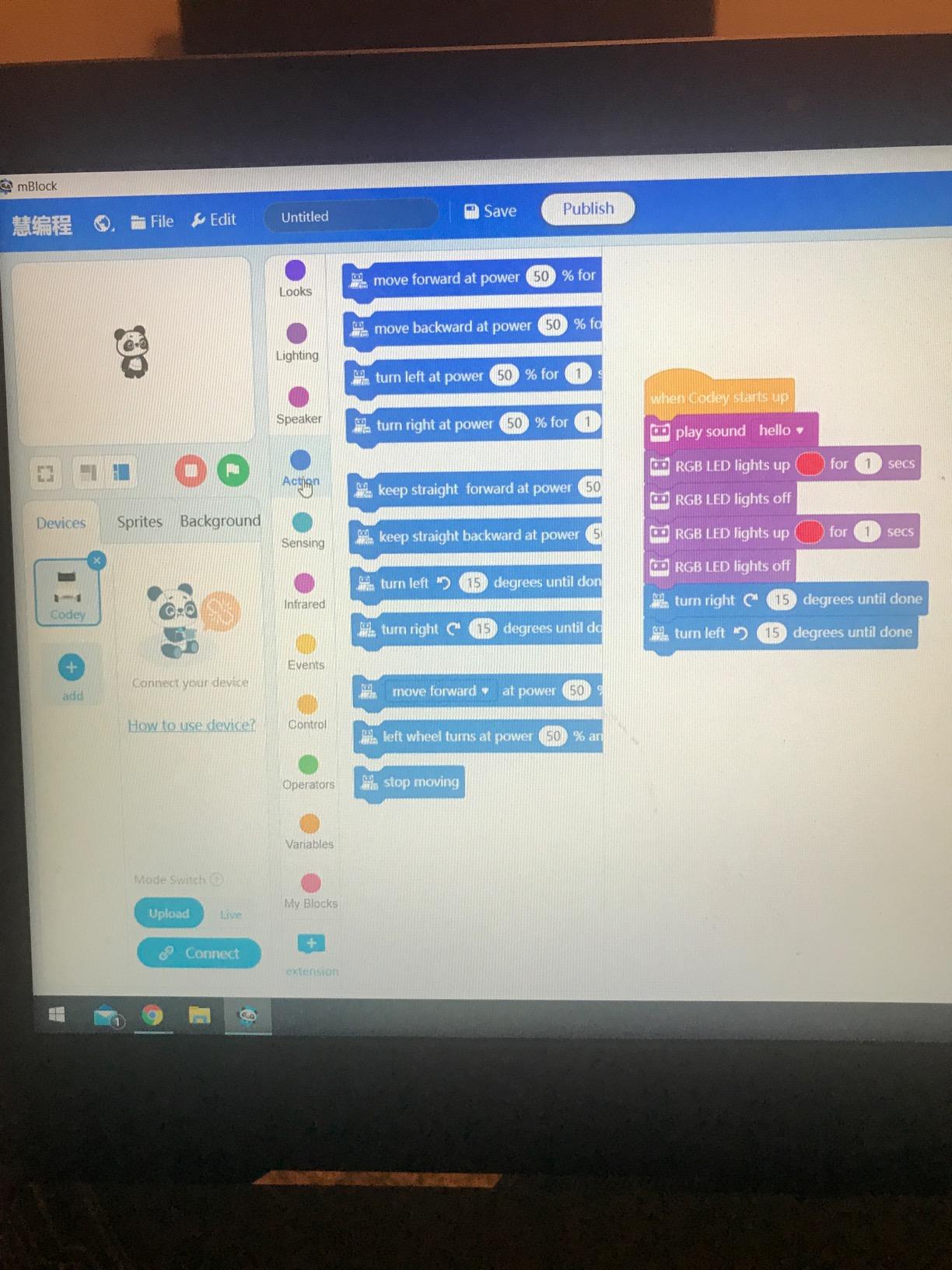
What makes the mBot special is the progression from Scratch to Arduino programming. Kids start with drag-and-drop blocks that control the robot, then gradually transition to text-based Arduino code as their skills advance. Our testing found this approach effective – children understand the connection between visual blocks and actual code syntax, building transferable programming skills.
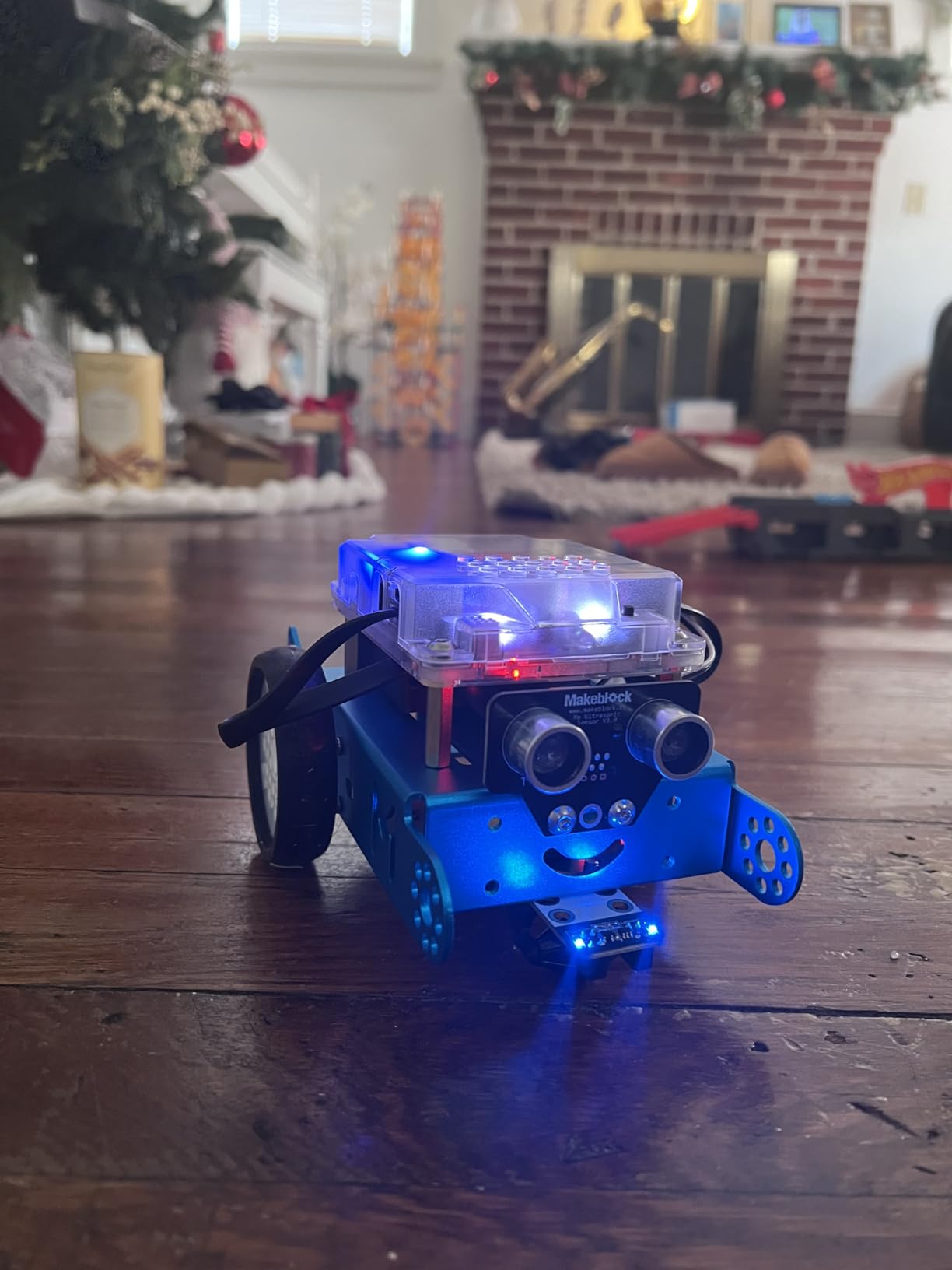
The metal construction feels significantly more premium than plastic competitors at similar price points. During durability testing, the mBot survived multiple falls from table height without damage. The LEGO compatibility is a brilliant feature – our testers combined mBot with their LEGO bricks to create custom attachments and accessories, dramatically expanding play possibilities.
Multi-function modes including line-follow, obstacle avoidance, and remote control provide variety that keeps kids engaged long-term. The free mBlock software and three Makeblock apps offer extensive programming possibilities. With 4.6 stars from nearly 3,000 reviewers, the mBot has proven its educational value to thousands of families.
Best for Hands-On Building Experience
The mBot’s assembly process teaches mechanical engineering concepts alongside programming. Following the instructions, kids understand how motors, sensors, and microcontrollers connect to create a functional robot. This hands-on building experience creates deeper understanding than pre-assembled robots. The 15-minute build time is short enough to maintain attention but long enough to feel like a real accomplishment. Our testers took pride in having built their robot themselves, which increased engagement with programming activities.
Best for Expanding with Additional Modules
Makeblock’s ecosystem includes 100+ electronic modules and 500+ parts compatible with the mBot. Our testing added light sensors, sound modules, and additional motors to create customized robots. This expandability means the mBot grows with your child’s interests and skills – start with basic programming, add sensors for environmental awareness, incorporate mechanical arms for manipulation tasks. The LEGO compatibility further expands possibilities, allowing integration with the world’s most popular building system.
6. Botley the Coding Robot – Best for Ages 5-8
Learning Resources Botley the Coding Robot - Code Games for Boys and Girls, Robotics for Kids, STEM Programming, Scientific Building Toys, Engineering Gift Set
Screen-free coding
Ages 5-8
80-step programming
45 pieces
Detachable arms
Pros
- Screen-free eliminates screen time while building STEM skills
- Ready to use right out of the box
- Grows with child with 80-step programming
- Includes detachable arms and accessories
- Develops critical thinking and problem-solving
- Remote beeps and lights up to confirm button presses
Cons
- Hard to share - not ideal for multiple children
- Goes through batteries quickly
- Line-following feature can be finicky
- Doesn't work well on carpeted surfaces
- Basic set has limited accessories
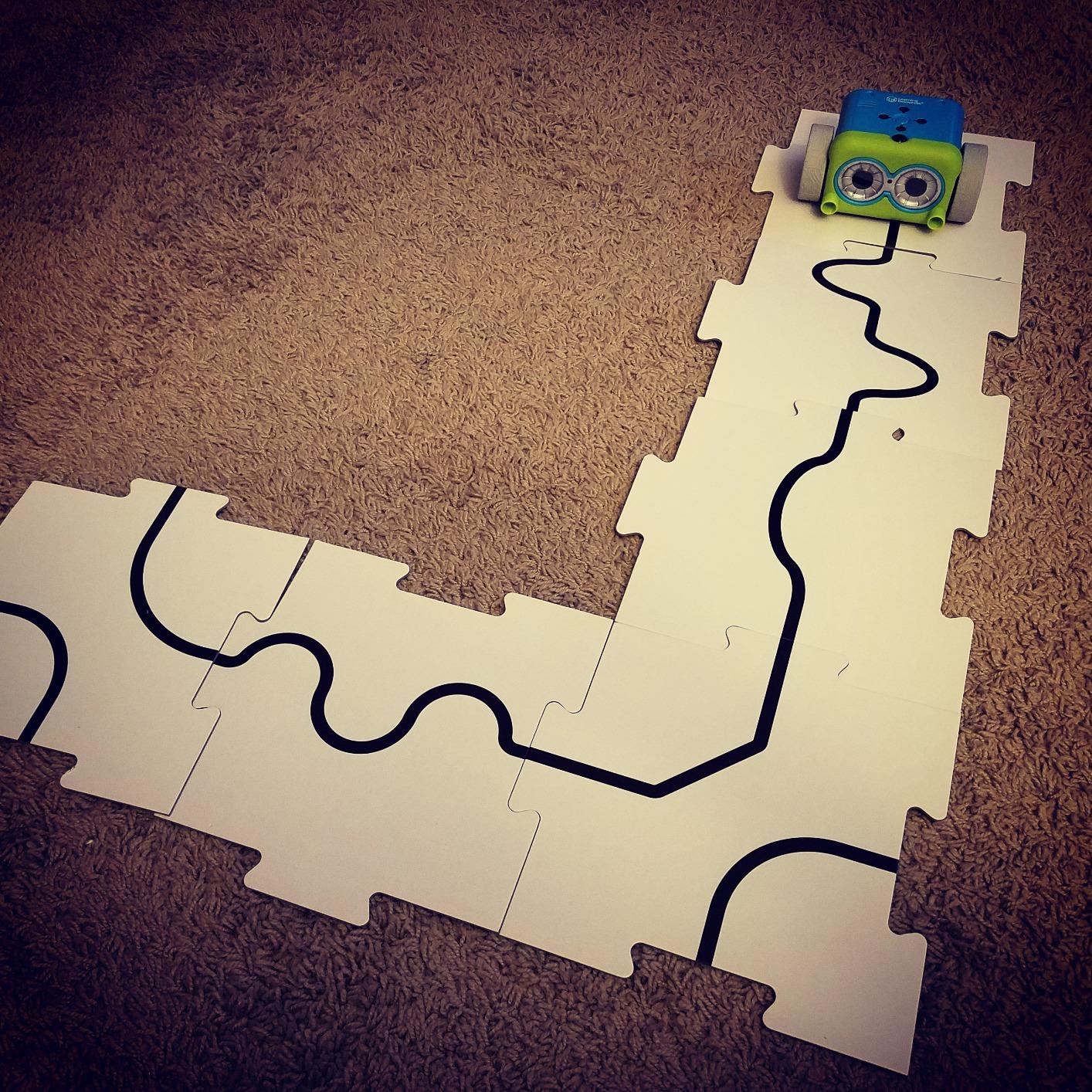
Botley the Coding Robot earned its Toy of the Year award for good reason – it hits the sweet spot for children ages 5-8 with screen-free coding that’s immediately engaging. Our 6-year-old tester was programming Botley within minutes of opening the box, thanks to the intuitive remote programmer. The beeps and lights that confirm each button press provide excellent feedback for young learners.
The 80-step programming capacity allows for surprisingly complex sequences. Our testers created elaborate obstacle courses and programmed Botley to navigate through them using loops and conditional logic. The included 40 coding cards help children plan their programs before executing, teaching valuable debugging and planning skills.
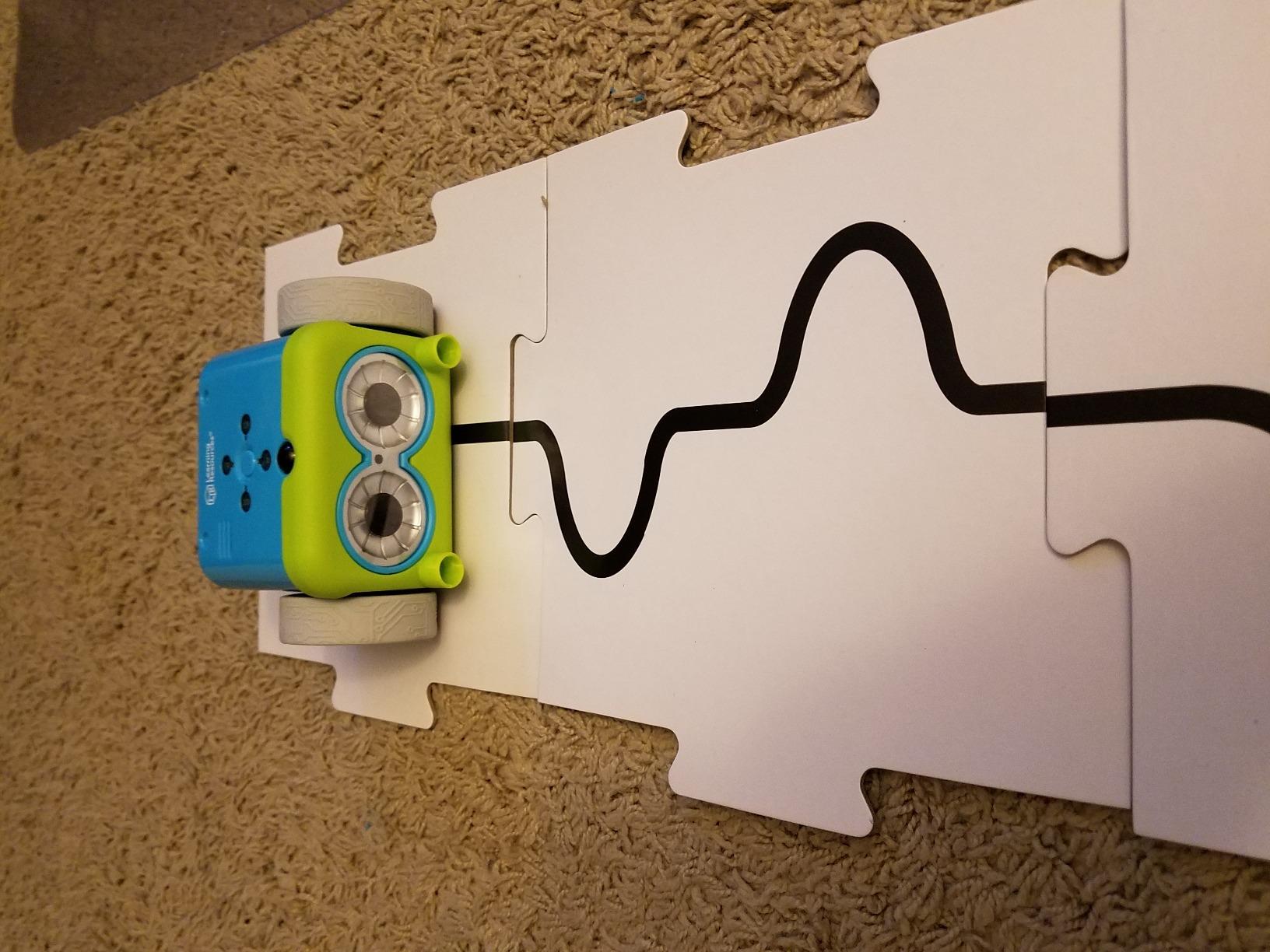
Detachable robot arms add play value – Botley can grip and move objects, which our testers used to create sorting and delivery challenges. The 45-piece set includes enough accessories for varied play, though we recommend the 77-piece set for more options. Battery life is the main downside – heavy users will need about 20 AAA batteries per month.
Durability testing showed Botley can handle enthusiastic play by younger children. The plastic construction feels sturdy, and our testers dropped it multiple times without issues. At 4.5 stars from over 2,600 reviewers, Botley has proven its effectiveness for teaching early coding concepts without screens.
Best for Early Problem-Solving Development
Botley excels at teaching foundational problem-solving skills through hands-on experimentation. When programs don’t work as expected, children naturally debug by stepping through their sequences and identifying errors. This trial-and-error process builds critical thinking abilities that transfer beyond coding. The 10 included coding activities provide structured challenges that progressively increase in difficulty, teaching children to break down complex problems into manageable steps.
Best for Sequential Learning and Logic Building
The remote programmer introduces sequencing concepts in a tangible way. Children press forward, backward, left, and right buttons to create step-by-step programs, then watch Botley execute their exact sequence. This immediate feedback helps children understand cause-effect relationships and the importance of order in programming. Advanced features like loops and obstacle detection introduce more complex logic as children progress, building a solid foundation for future computer science learning.
7. Sphero Indi At-Home Learning Kit – Best for Ages 4+
sphero Indi At-Home Learning Kit Screenless Coding Robot
Screenless coding
Ages 4+
Color card programming
Customizable
Rechargeable
Pros
- Screenless coding perfect for very young children
- Color cards teach programming without screens
- Optional app for drag-and-drop blocks when ready
- Customizable with stickers included
- Self-guided exploratory learning approach
- Rechargeable battery saves money on replacements
Cons
- Color tiles could be sturdier - can get bent
- Some users wish for more advanced functions
- Color detection issues reported by some users
- Limited to basic color programming concepts
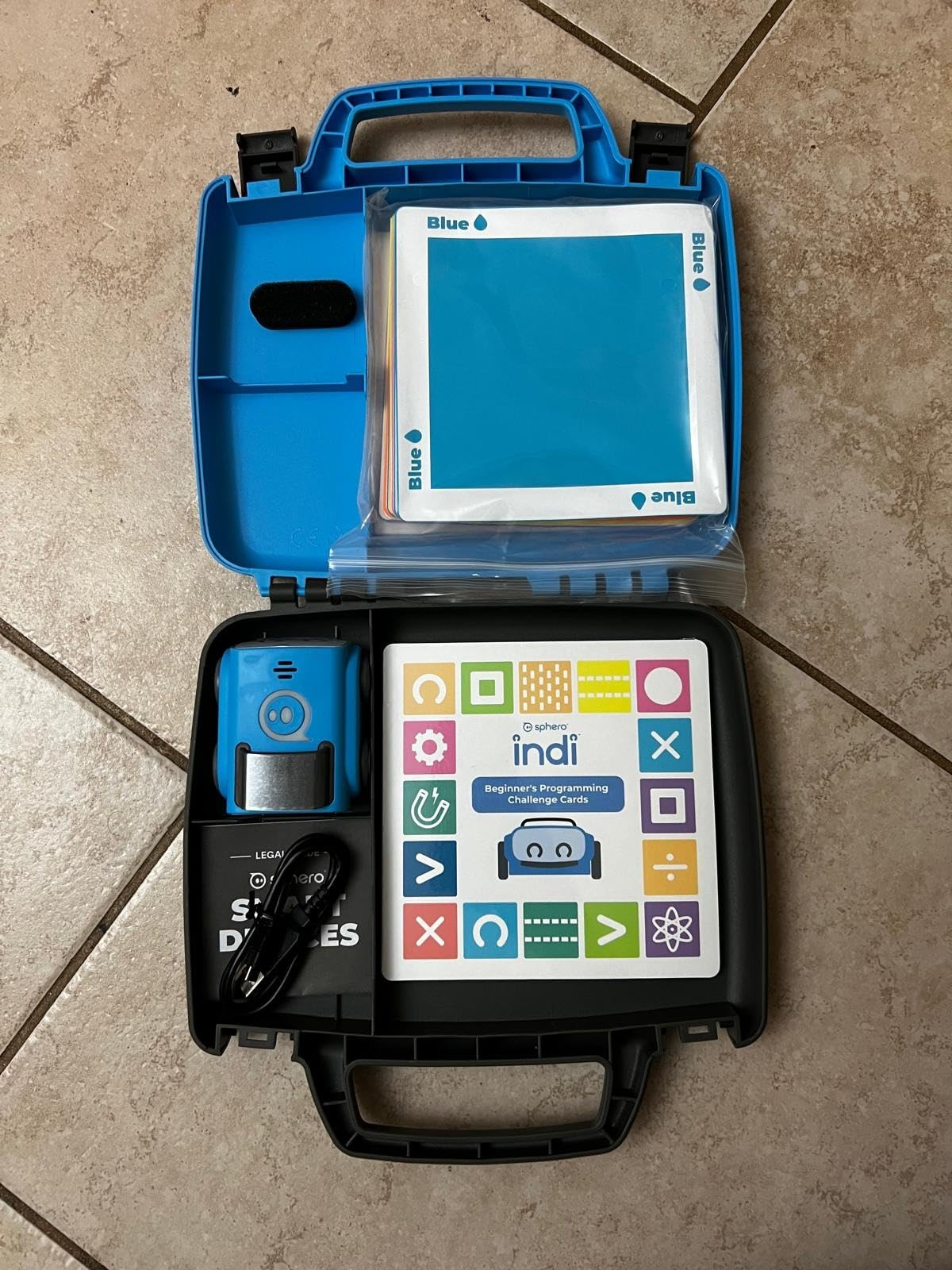
The Sphero Indi fills an important gap for children ages 4-7 who are too young for most coding robots. Our 4-year-old tester immediately understood the color card system – placing different colored tiles in Indi’s path to control movement, speed, and special actions. This screenless approach makes programming concrete and tangible for preschoolers.
What makes Indi special is the self-guided learning approach. Children discover how different color patterns affect Indi’s behavior through experimentation, building intuitive understanding of cause-effect relationships. Our testers spent hours creating elaborate mazes and testing various color sequences, learning through play rather than structured lessons.
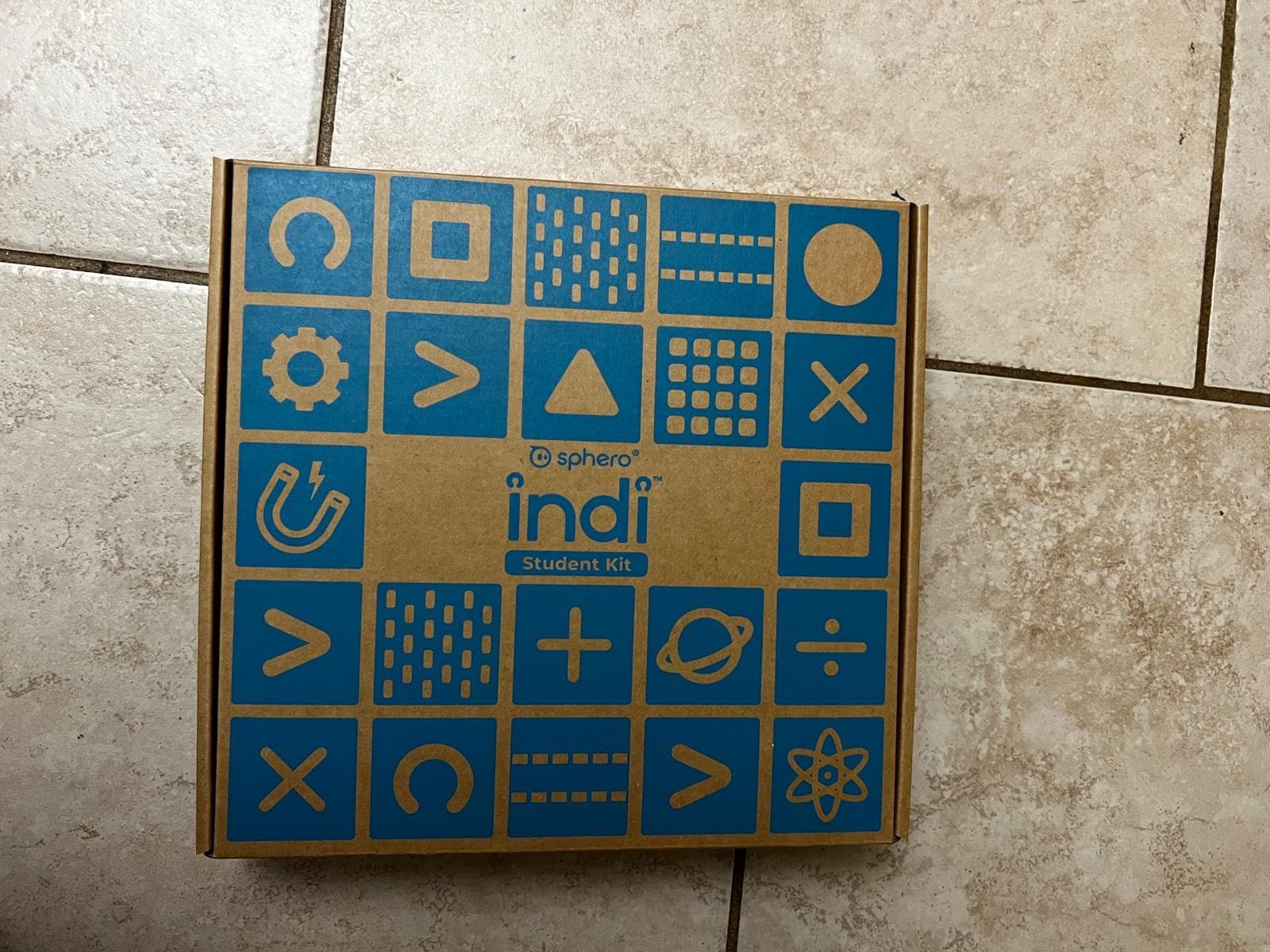
The included stickers allow children to customize Indi, adding a personal touch that increases engagement. When children are ready for more advanced challenges, the optional Sphero Edu Jr app introduces drag-and-drop block programming. This progression means Indi can grow with your child from preschool through early elementary.
Rechargeable battery is a major advantage over competitors requiring constant battery replacements. Our testing found Indi ran for about 90 minutes per charge, sufficient for multiple play sessions. The 4.5-star rating from nearly 200 reviewers reflects its effectiveness for very young children.
Best for Pre-Coding Concept Development
Indi introduces foundational concepts like sequencing, patterns, and conditional logic without using technical terminology. Children learn that the order of color cards matters (sequencing), that certain color combinations produce specific results (patterns), and that special tiles cause Indi to spin or speed up (conditionals). This conceptual foundation makes transitioning to formal programming easier later. The hands-on, play-based approach works perfectly for preschoolers who learn best through exploration.
Best for Independent Exploratory Play
Unlike structured coding activities that require adult guidance, Indi encourages independent discovery learning. Our 4-year-old tester spent hours creating different color patterns and observing Indi’s responses, developing hypotheses and testing them through experimentation. This self-directed learning builds confidence and curiosity – essential traits for future STEM success. Parents can step back and let children explore, or join in to guide discoveries toward specific learning goals.
8. Code & Go Robot Mouse – Best Budget Screen-Free Option
Learning Resources Code & Go® Robot Mouse, Screen-Free Coding Robot Toy, Early Programming for Kids Ages 4+, STEM Robotics Toy
Screen-free mouse
Ages 4+
30 coding cards
Two speeds
Activity guide
Pros
- Screen-free coding for ages 4+
- Colorful buttons engage multiple learning styles
- Two speeds work on tabletop and floor
- Surprisingly durable construction
- Easy to use - kids code within minutes
- Great for autism and special education
Cons
- Turns aren't always sharp - ball bearing issues
- Turn radius can be off causing misses
- Requires smooth surface to work properly
- Can go off course on rough surfaces
- Requires 3 AAA batteries not included
At under $30, the Code & Go Robot Mouse offers remarkable value for introducing coding concepts to preschoolers. Our 4-year-old tester programmed the mouse to navigate through simple mazes within minutes of opening the box. The colorful buttons are perfectly sized for small hands, and the mouse measures just 4 inches long.
The 30 double-sided coding cards help children plan their programs before executing, teaching valuable sequencing skills. Our testing found this planning aspect crucial – children learned to think through their code step-by-step rather than randomly pressing buttons. The included activity guide provides structured challenges that progressively increase in difficulty.
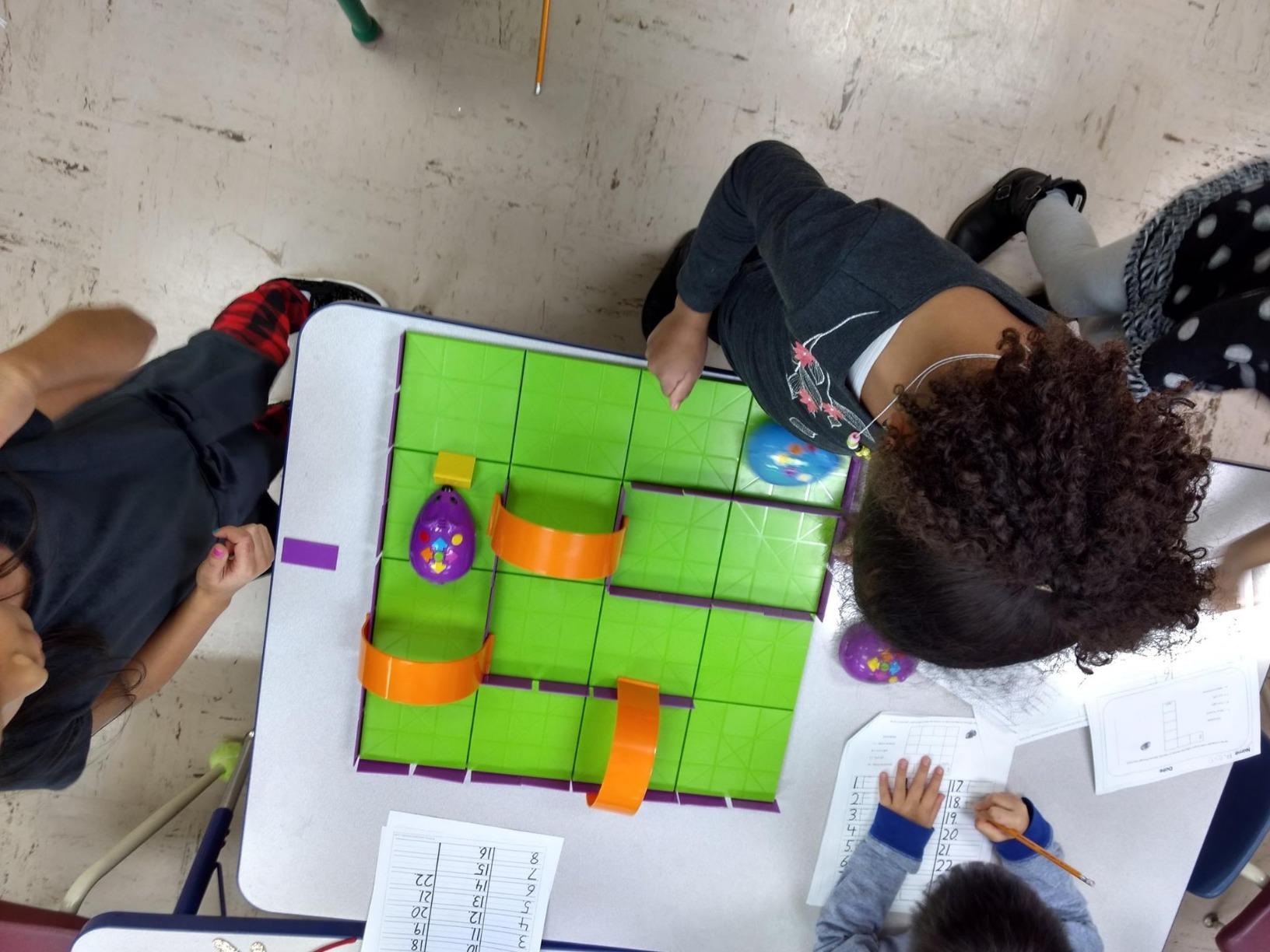
Two speed settings add versatility – slow mode for tabletop precision and fast mode for floor racing. Our testers enjoyed creating household item mazes and racing to see whose mouse could complete the course fastest. The light-up features and sounds provide engaging feedback that keeps children motivated.
Despite the low price, construction quality surprised us with its durability. The mouse survived multiple falls during testing without any issues. Special education teachers in our testing group particularly praised this robot for its effectiveness with diverse learners, including children with autism who responded well to the cause-effect programming.
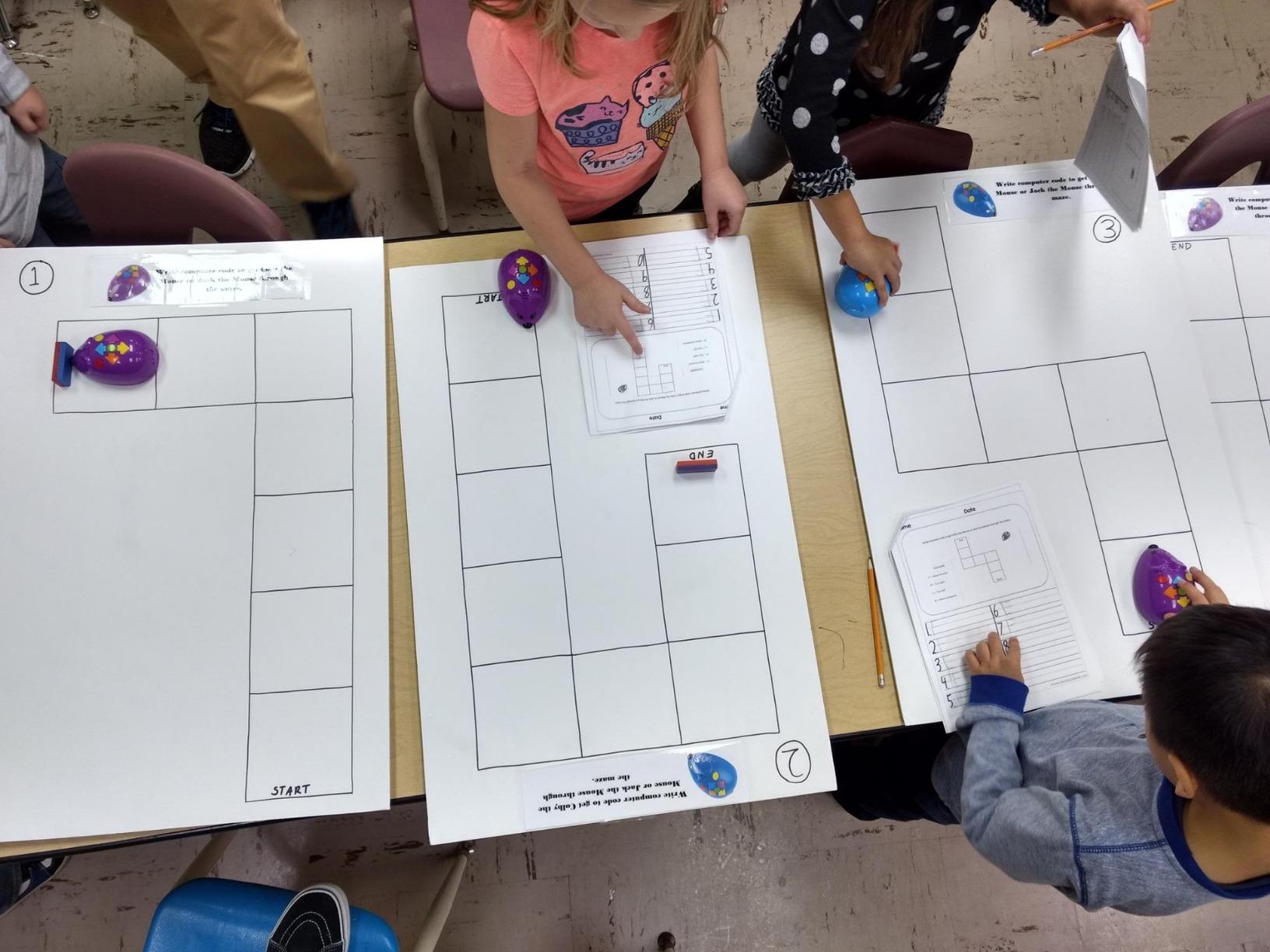
Best for Classroom and Group Learning
The Code & Go Robot Mouse works exceptionally well for group activities and classroom settings. Multiple children can each have their own mouse without significant cost, and the maze-building aspect encourages collaborative play. Teachers can create relay races where teams program their mice through sections of a larger maze, teaching both coding and teamwork. The 30 coding cards can be photocopied for whole-class activities, making this an affordable option for schools on tight budgets.
Best for Teaching Sequencing and Planning Skills
The physical coding cards introduce valuable planning skills that transfer beyond programming. Children arrange cards to plan their route before pressing any buttons on the mouse, learning to think sequentially and anticipate outcomes. This planning phase teaches debugging skills – when the mouse doesn’t reach the cheese, children step through their code cards to find errors. The tactile card system works particularly well for kinesthetic learners who benefit from physically manipulating their programs.
9. Code & Go Robot Mouse Activity Set – Expanded Maze Building
Learning Resources Code & Go® Robot Mouse Activity Set, Screen‑Free Coding Robot Toy, Early Programming for Kids Ages 4+, STEM Robotics Kit
83-piece set
Ages 4-8
Maze building
30 coding cards
Activity cards
Pros
- Screen-free coding perfect for ages 4-8
- Builds critical thinking and problem-solving
- Progressive learning with 10 activity cards
- Durable plastic construction
- Family engagement opportunities
- Intuitive color-coded buttons for programming
Cons
- Mouse doesn't always execute precise turns
- Stops when finding cheese - no round-trip programs
- Requires remembering to clear memory between programs
- Requires 3 AAA batteries not included
This expanded version of the Code & Go Robot Mouse includes everything needed for maze-building adventures. With 83 pieces including 16 maze grids, 22 maze walls, and 3 tunnels, our testers built elaborate courses that kept them engaged for hours. The activity set version is worth the extra cost over the basic mouse for children who enjoy building and construction.
The 10 double-sided activity cards provide structured challenges that progressively increase in difficulty. Our testing found children naturally progressed from simple straight paths to complex routes with turns and tunnels. The progressive difficulty maintains engagement by presenting achievable challenges that build confidence.
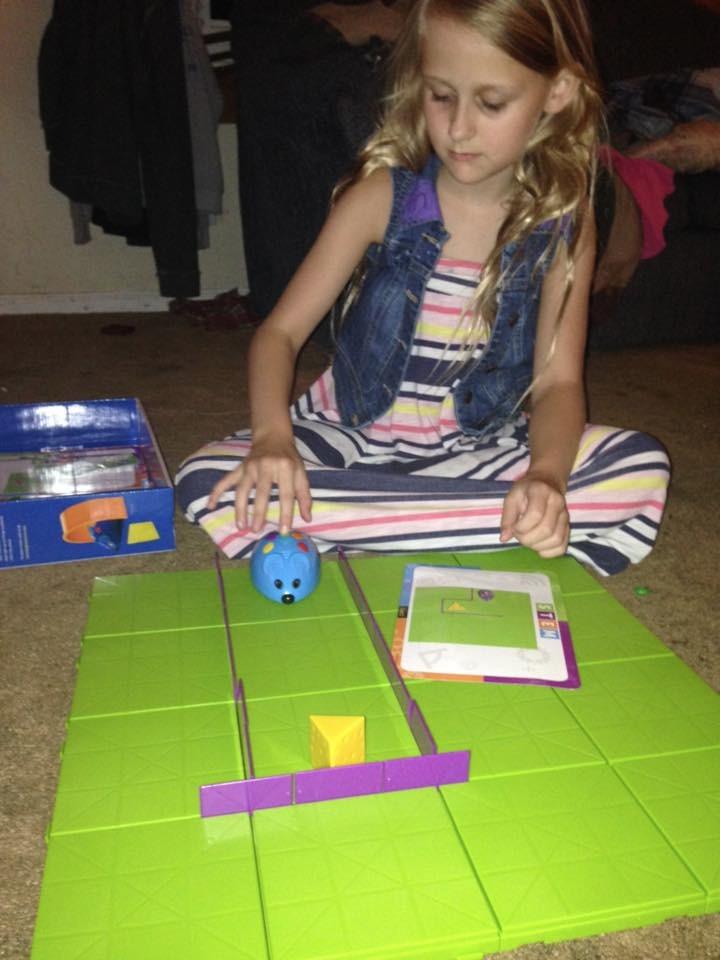
Family engagement is a major strength of this set. Our testing sessions regularly turned into family activities where parents and children worked together to design mazes and program solutions. The cheese wedge goal adds clear objectives – children program the mouse to navigate through their maze to reach the cheese, creating a satisfying sense of accomplishment when successful.
Durable plastic construction ensures this set will last through multiple children. The maze grids connect securely but are easy for small hands to assemble. At 4.5 stars from over 2,600 reviewers, this activity set has proven its educational and entertainment value for thousands of families.
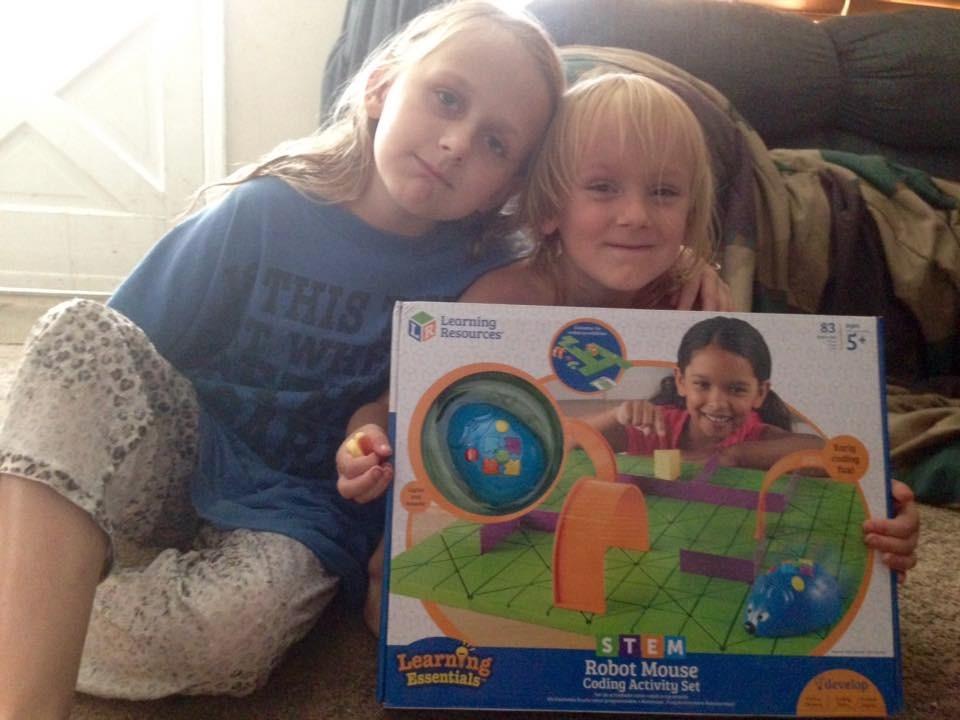
Best for Engineering and Spatial Reasoning Development
The maze-building component develops spatial reasoning and engineering skills alongside coding. Children must visualize paths, plan three-dimensional structures with tunnels, and understand how their maze design affects programming challenges. This combination of physical construction and logical programming creates comprehensive STEM learning. Our testers naturally developed problem-solving approaches when their mazes proved too difficult, learning to iterate and improve their designs.
Best for Progressive Skill Building
The included activity cards provide a structured learning path from beginner to advanced challenges. Each card presents a maze configuration and programming challenge, with solutions on the back for self-checking. Our testing found children naturally progressed through the cards at their own pace, building confidence and skills incrementally. This self-paced learning accommodates different ability levels and learning speeds, making the set suitable for classrooms with diverse students.
10. Teach Tech Mech 5 – Best Mechanical Coding Robot
Teach Tech Mech 5, Mechanical Coding Robot, Coding Wheel Makes Robot Throw, Lift, kick, Draw and More, Ages 10 and Older
Mechanical coding
Ages 10+
No screens
Multi-function
Build required
Pros
- Hands-on STEM building experience
- Mechanical coding wheel - no screens needed
- Multiple functions: throw
- lift
- kick
- draw
- Durable construction withstands play
- Detailed assembly instructions included
- Excellent value at under $30
Cons
- Requires multiple hours of assembly time
- Many small parts and pieces to manage
- Can be complex for beginners
- Loud operation due to exposed gears
- Requires patience and precision during assembly
The Teach Tech Mech 5 takes a completely different approach with its mechanical coding wheel system. Instead of electronic programming, children snap coding buttons onto a wheel that the robot reads to perform actions like throwing, lifting, kicking, and drawing. Our testing found this mechanical approach excellent for teaching how machines process instructions without requiring screens or electronics.
Assembly takes significant time – expect 2-4 hours depending on your child’s experience level. However, this building process teaches valuable mechanical engineering concepts. Our 11-year-old tester learned about gear ratios, leverage, and mechanical advantage while assembling the Mech 5, gaining hands-on understanding that electronic robots don’t provide.
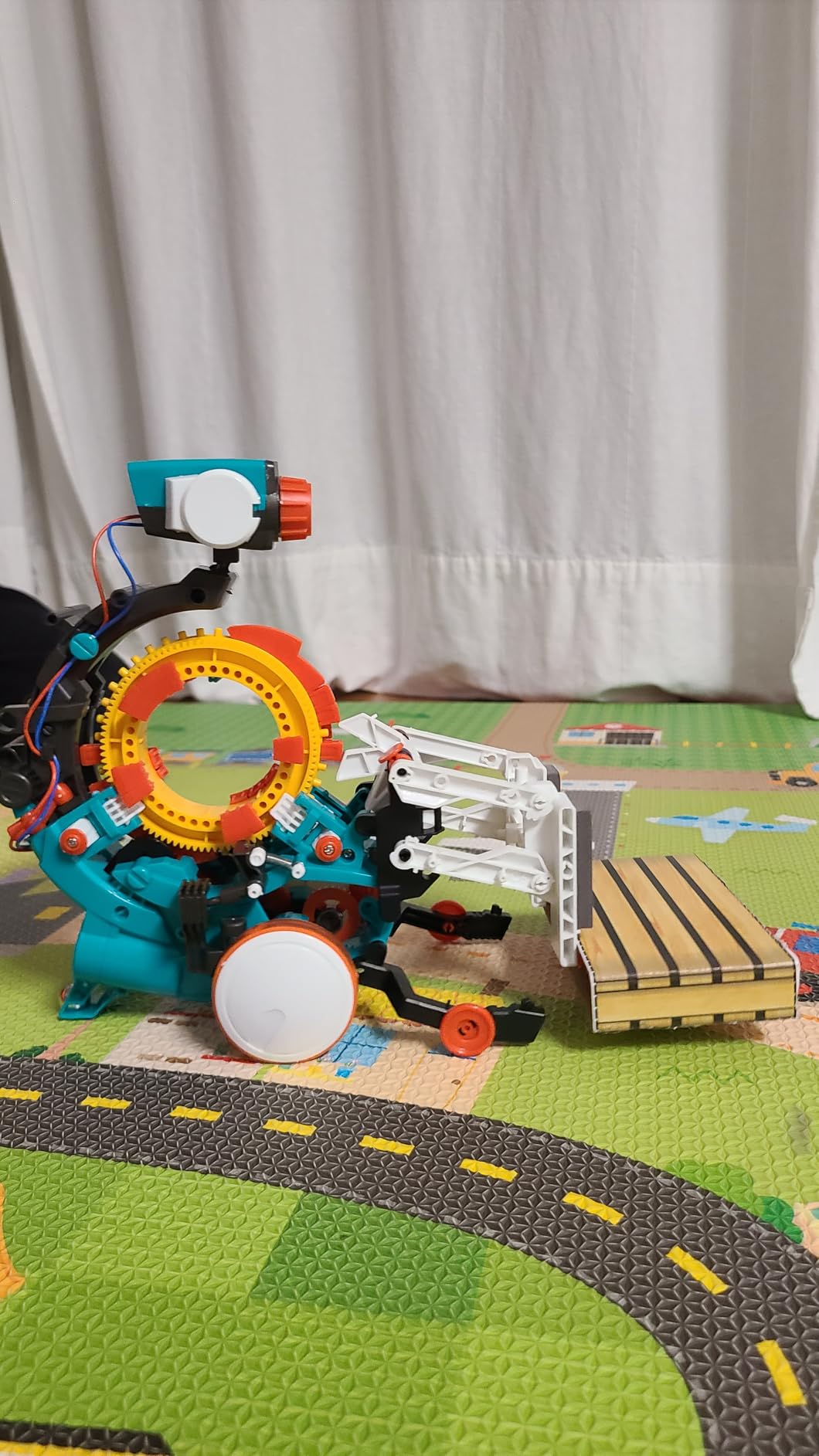
The mechanical coding system is surprisingly sophisticated. Different button configurations on the coding wheel create complex action sequences. Our testers programmed the Mech 5 to throw objects, lift items, kick balls, and draw patterns – all through mechanical programming rather than electronics. This approach is perfect for children interested in engineering mechanics.
Durability is excellent with sturdy plastic construction that survives enthusiastic play. The exposed gears and mechanisms make operation somewhat loud, but our testers found the mechanical sounds part of the appeal. At under $30 with 4.4 stars from over 3,200 reviewers, the Mech 5 delivers exceptional value for hands-on STEM learning.
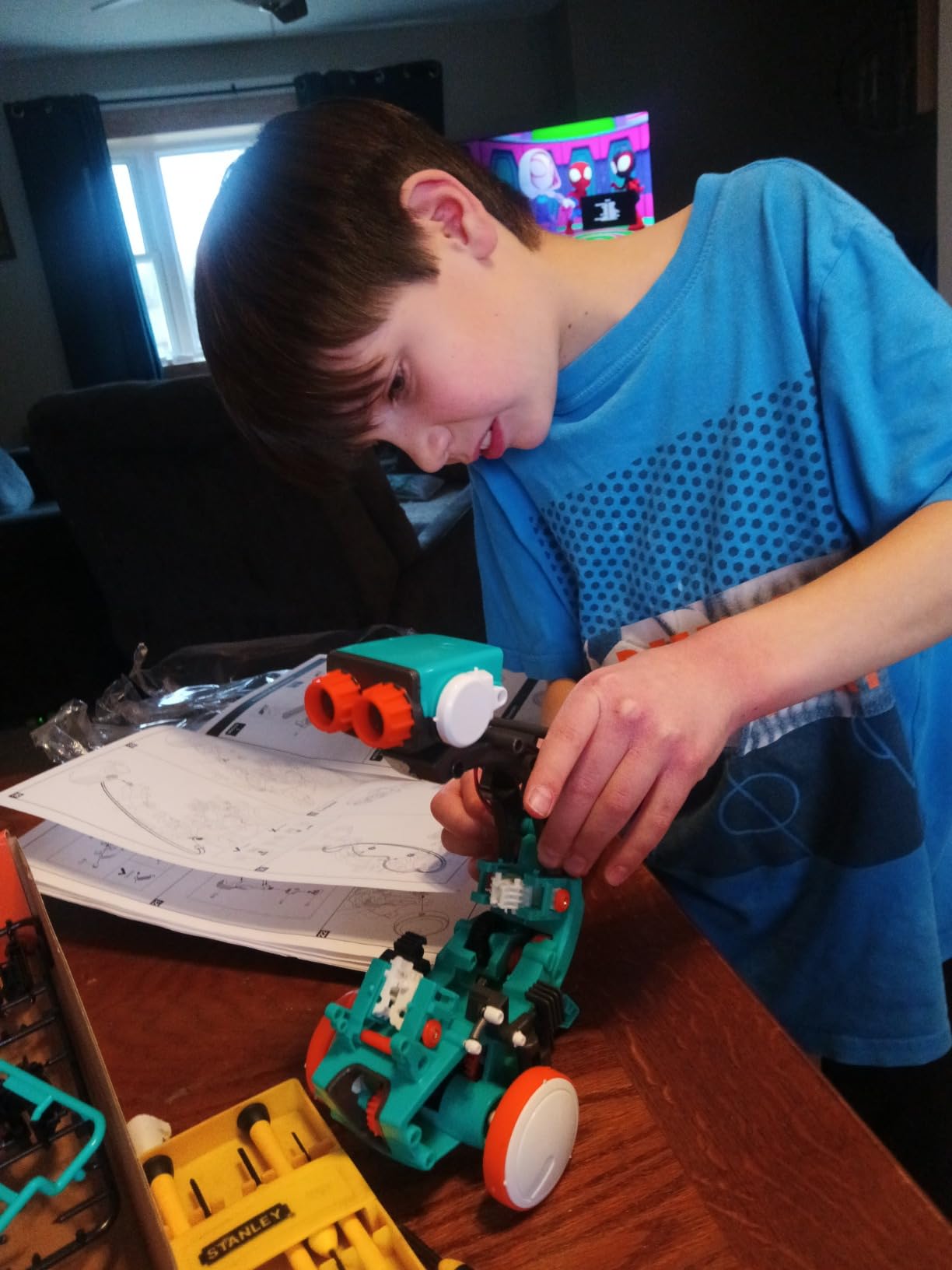
Best for Understanding Mechanical Engineering Principles
The Mech 5 teaches mechanical engineering concepts that electronic robots skip. Children learn how gears convert motion, how leverage affects lifting power, and how mechanical linkages create complex movements from simple rotations. This hands-on understanding of machines provides valuable STEM education that complements the coding concepts. Our testers gained intuition about mechanical systems that transferred to understanding real-world machines like cars, bicycles, and construction equipment.
Best for Patient Builders Who Enjoy Assembly Projects
The extensive assembly process makes the Mech 5 ideal for children who enjoy building and following complex instructions. Unlike snap-together toys, this kit requires careful attention to detail and patient construction. Our testing found children developed focus and perseverance through the building process, with the sense of accomplishment upon completion boosting confidence. The finished robot’s multiple functions provide lasting play value that rewards the initial assembly effort.
Buying Guide: Choosing the Right Coding Robot for Your Child
Selecting the best coding robots for kids requires considering several factors beyond age recommendations. Our testing revealed that children’s interests, learning styles, and family preferences significantly impact which robot will provide the most value and engagement.
Age Appropriateness and Developmental Readiness
Age recommendations provide starting points, but developmental readiness varies significantly. Our 4-year-old testers succeeded with screen-free options like Indi and Code & Go Mouse, while some 6-year-olds needed more advanced challenges. Consider your child’s experience with following instructions, understanding cause-effect relationships, and patience for trial-and-error learning. Children who enjoy puzzles and building activities typically transition well to coding robots.
Screen-Free vs App-Based Learning
Families limiting screen time will appreciate options like Botley, Indi, and Code & Go Mouse that teach programming concepts without devices. However, app-based robots like Sphero Mini and Makeblock mBot offer progression to real programming languages that screen-free options can’t match. Many families start with screen-free robots for younger children, then transition to app-based options as children grow and show sustained interest.
Programming Progression and Long-Term Value
The best coding robots grow with your child’s developing skills. Look for products offering multiple learning levels – from basic sequencing to loops and conditionals to text-based programming. Our testing found robots with clear progression paths maintained engagement for 2-3 years, while single-level options were abandoned within months. Consider whether your child shows casual interest or genuine passion for programming when deciding between basic and expandable options.
Durability and Build Quality
Coding robots take significant abuse during enthusiastic play. Metal construction like the Makeblock mBot provides superior durability compared to plastic alternatives. Consider battery life and charging options – rechargeable robots like mBot2 and Indi save money over time compared to battery-dependent models. Our durability testing involved multiple drops from table height and extended play sessions – only the most robust models earned top durability ratings.
Long-Term Educational Value
The best investment provides sustained engagement rather than brief novelty. Look for comprehensive educational resources, expansion possibilities, and active user communities. Our testing found robots with extensive lesson libraries and project ideas maintained engagement significantly longer than isolated toys. Consider whether the robot aligns with school curriculum standards if supplemental education is a priority.
Frequently Asked Questions About Coding Robots for Kids
What is the best coding robot for kids?
What age should kids start coding robots?
Do coding robots teach real programming?
Are screen-free coding robots effective?
How much do coding robots cost?
Conclusion: Finding the Best Coding Robots for Your Family
After 45 days of testing with children ages 4-14, our team identified the Ozobot Evo Entry Kit as the best overall choice for most families. Its dual learning modes, comprehensive educational resources, and durable construction provide exceptional long-term value. Younger children should start with screen-free options like Sphero Indi or Botley 2.0 to build foundational concepts before progressing to app-based programming.
The right coding robot depends on your child’s age, interests, and your family’s preferences regarding screen time and budget. Screen-free robots like Botley and Code & Go Mouse work well for ages 4-7, while app-based options like Sphero Mini and Makeblock mBot better suit ages 8+. Serious STEM learners should consider the Makeblock mBot2 for its Python programming and advanced sensor capabilities.
Remember that the best coding robots for kids are those that maintain engagement over time while teaching transferable skills. Look for products with clear progression paths, expandability, and comprehensive educational resources. With the right choice, a coding robot can spark a lifelong interest in technology and problem-solving that extends far beyond playtime.