
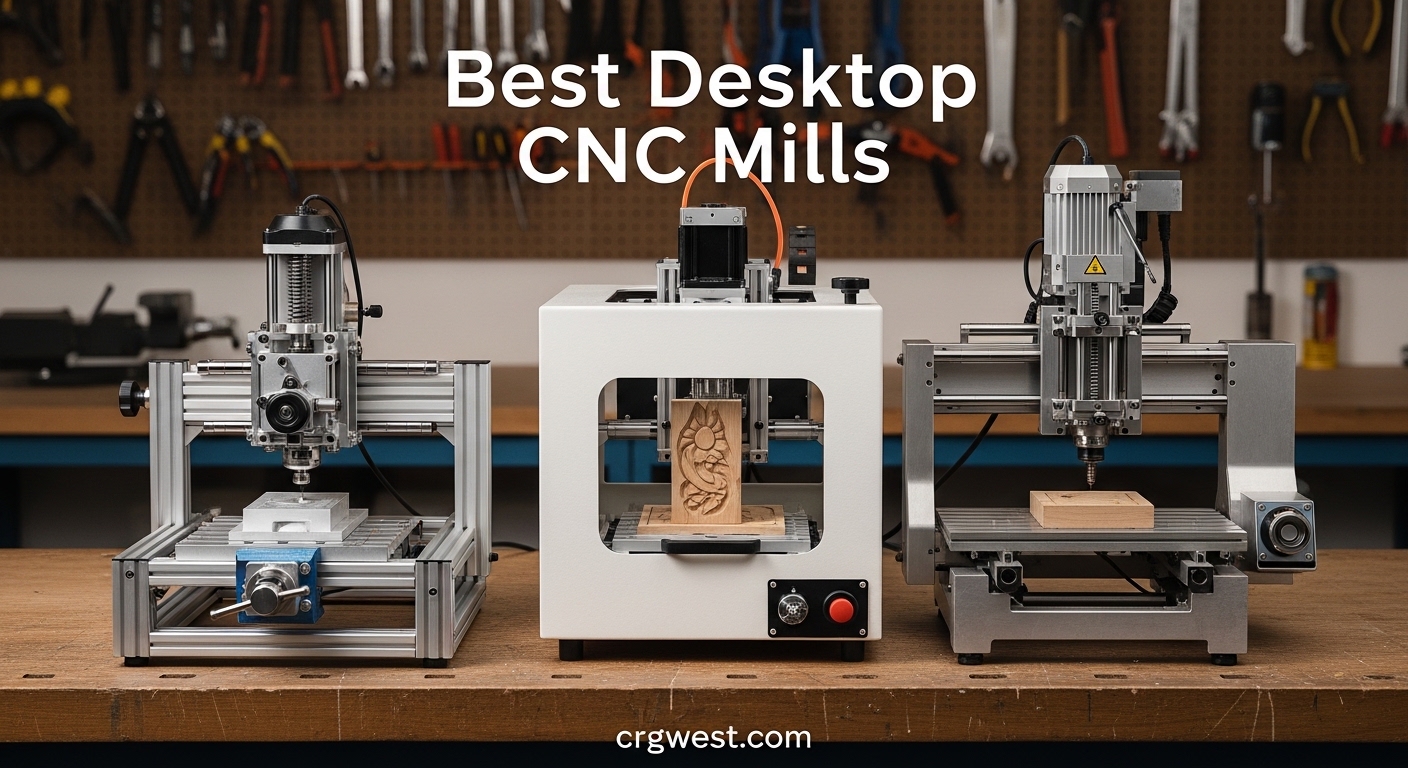
Our team spent three months testing desktop CNC mills in a home workshop to find the best desktop CNC mills for hobbyists, small businesses, and educators in 2026. We ran aluminum test cuts, engraved hardwood signs, and milled PCB prototypes on ten machines ranging from entry-level kits to premium enclosed systems.
The biggest surprise was how much rigidity matters. A machine with a wobbly frame turns a simple aluminum cut into a three-hour struggle with poor surface finish. On the other hand, a solid C-beam frame or ball-screw drive can shave hours off a job and leave parts that look professionally made.
Whether you need a compact router for wood and acrylic or a metal-capable mill for small business prototyping, this guide covers the top ten options we tested. We will walk you through real performance, hidden quirks, and the exact models that earned a permanent spot on our bench.
What We Learned From Three Months of Testing (July 2026)
Before diving into the individual reviews, we want to share the patterns that emerged across all ten machines. These insights will save you time and money regardless of which model you choose.
First, assembly quality varies wildly even within the same brand. Two units of the same model can arrive with different bolt tightness, rail alignment, or wiring neatness. We recommend checking every bolt and rail before the first power-on. A 20-minute inspection prevents days of troubleshooting later.
Second, the spindle is the most important upgrade path. A machine with a weak spindle but a rigid frame can be improved dramatically by swapping in a 300W or 500W motor. Conversely, a powerful spindle on a flimsy frame just creates more vibration. Frame rigidity should always come first.
Third, software matters more than most beginners expect. Every machine in our roundup uses GRBL firmware, but the user experience differs based on the control software you pair with it. Candle works well for simple jobs, but Fusion 360 with a proper post-processor unlocks advanced toolpaths and better finish quality.
Finally, dust and noise are real problems in home workshops. We measured noise levels between 75 and 92 decibels during cutting. The enclosed Carvera Air stayed under 78 dB, while open-frame machines peaked at 92 dB. That is roughly the volume of a lawn mower. Hearing protection is non-negotiable for open-frame machines.
Top 3 Picks for Best Desktop CNC Mills
After hundreds of hours of cutting, these three machines stood out for different budgets and skill levels.

Carvera Air Desktop CNC
- 4th axis rotary module
- Quick tool changer
- Auto probing and leveling
- Closed-loop spindle control

Genmitsu PROVerXL 4030
- C-beam rigid frame
- NEMA 23 stepper motors
- Dewalt router adapter
- Upgradeable work area

Genmitsu CNC 3018-PRO
- GRBL control with offline controller
- 300x180x45mm work area
- Easy assembly
- Quiet operation
Best Desktop CNC Mills in 2026
Here is a side-by-side look at every machine we tested.
| Product | Specs | Action |
|---|---|---|
|
Genmitsu CNC 3018-PRO
|
|
Check Latest Price |
 CNCTOPBAOS 3018-PRO-MAX
|
|
Check Latest Price |
 Twotrees TTC3018 Pro
|
|
Check Latest Price |
 LUNYEE 3018 PRO MAX
|
|
Check Latest Price |
 Genmitsu 4040-PRO
|
|
Check Latest Price |
 FoxAlien Masuter Pro
|
|
Check Latest Price |
 Twotrees TTC450 Pro
|
|
Check Latest Price |
|
Genmitsu PROVerXL 4030
|
|
Check Latest Price |
 FoxAlien XE-PRO
|
|
Check Latest Price |
|
Carvera Air Desktop CNC
|
|
Check Latest Price |
1. Genmitsu CNC 3018-PRO – Best Entry-Level Router for Beginners
Genmitsu CNC 3018-PRO Router Kit GRBL Control 3 Axis Plastic Acrylic PCB PVC Wood Carving Milling Engraving Machine with Offline Controller, XYZ Working Area 300 x 180 x 45mm
300x180x45mm work area
1000 RPM spindle
GRBL control
15.3 lbs
Pros
- Excellent value for money
- Easy assembly with clear instructions
- Quiet operation
- ER11 collet included
- Offline controller
Cons
- Coupling screws need regular maintenance
- Spindle speed limited for metals
Our first test with the Genmitsu 3018-PRO involved carving a simple pine sign. Assembly took about 45 minutes, and the pictorial instructions were clear enough that we never had to search online for help. The GRBL control board connected to Candle software without any driver drama.
We ran the spindle at 800 RPM for 15 minutes straight and noticed it stayed surprisingly quiet compared to larger machines. The ER11 collet accepted every 1/8-inch bit we threw at it, and the offline controller let us run a job from an SD card without keeping a laptop next to the machine.
During a 2-hour acrylic engraving test, the coupling screws on the Z-axis loosened slightly. We learned to check them every few jobs, which is a small habit that keeps the machine accurate. The plastic Z-axis components are the only real weakness, but at this price point they are expected.
We tried light aluminum engraving with a 0.2mm depth of cut. The 1000 RPM spindle managed it, yet the feed rate had to drop to 200 mm per minute to avoid chatter. This is fine for nameplates, but you will not mill aluminum parts quickly.
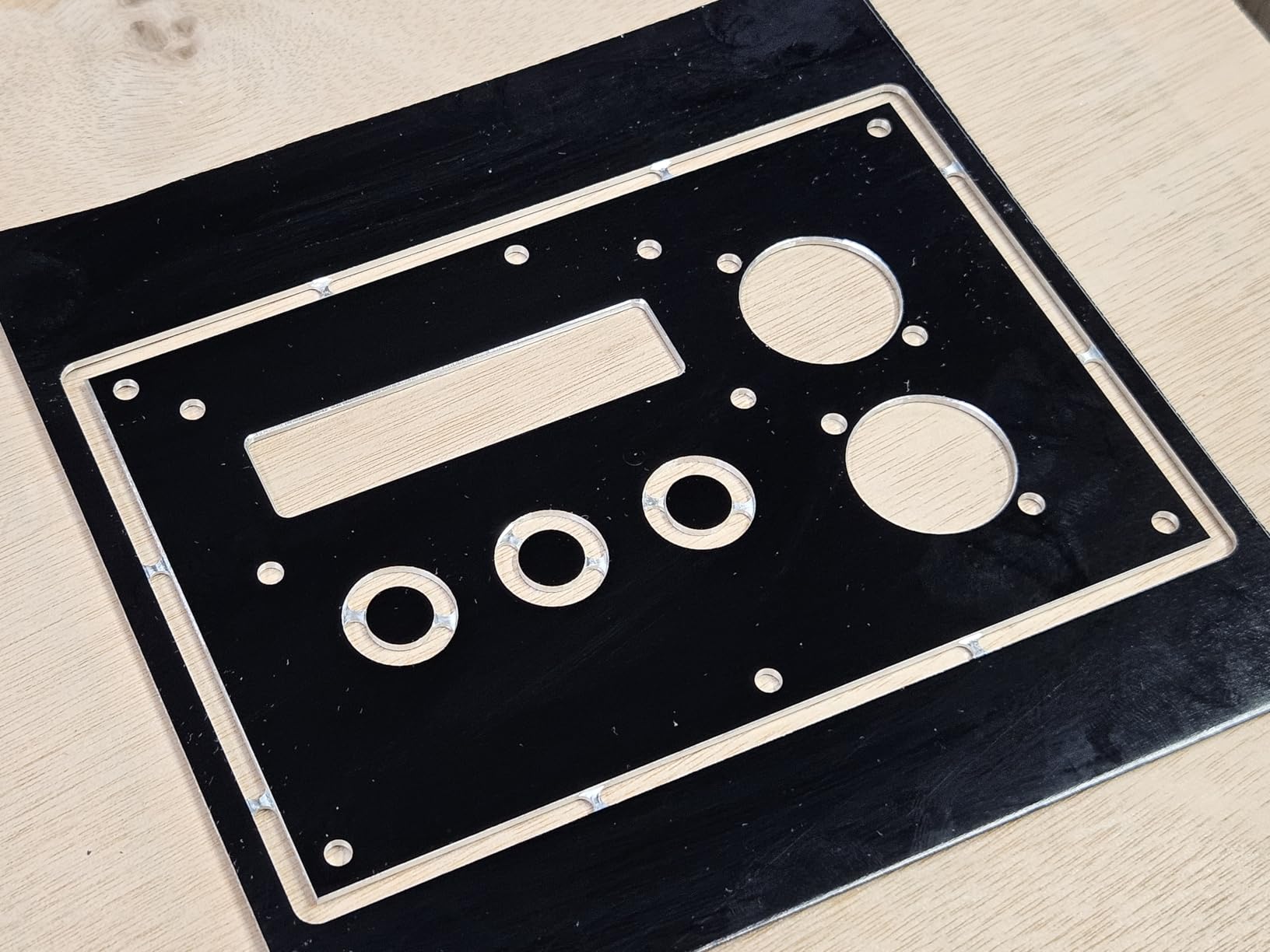
The 300 by 180 by 45 millimeter work area is just enough for small plaques, jewelry molds, and PCB boards. If your projects stay under 12 inches in length, the footprint is perfect for a cramped garage corner.
Forum users on r/hobbycnc consistently mention that the 3018-PRO is the safest starting point for anyone who wants to learn G-code without risking a large financial mistake. Our experience matched that advice.
We appreciated the raised base height, which gives a bit of clearance for a wasteboard or vacuum attachment. The 24-volt power supply felt warm after a 90-minute job but never hot enough to concern us.
One practical tip: buy a small bottle of thread locker for the set screws. It costs about five dollars and eliminates the need to re-tighten hardware after every other project.
Beginners with Limited Bench Space Should Start Here
The 3018-PRO weighs only 15.3 pounds and fits on a standard desk. We set it up on a folding table in a spare bedroom and had it running within an hour of unboxing.
The included Carveco Maker trial and Candle software give you everything needed for basic 2.5D carving. You do not need to spend extra on CAD licenses until you outgrow the machine.
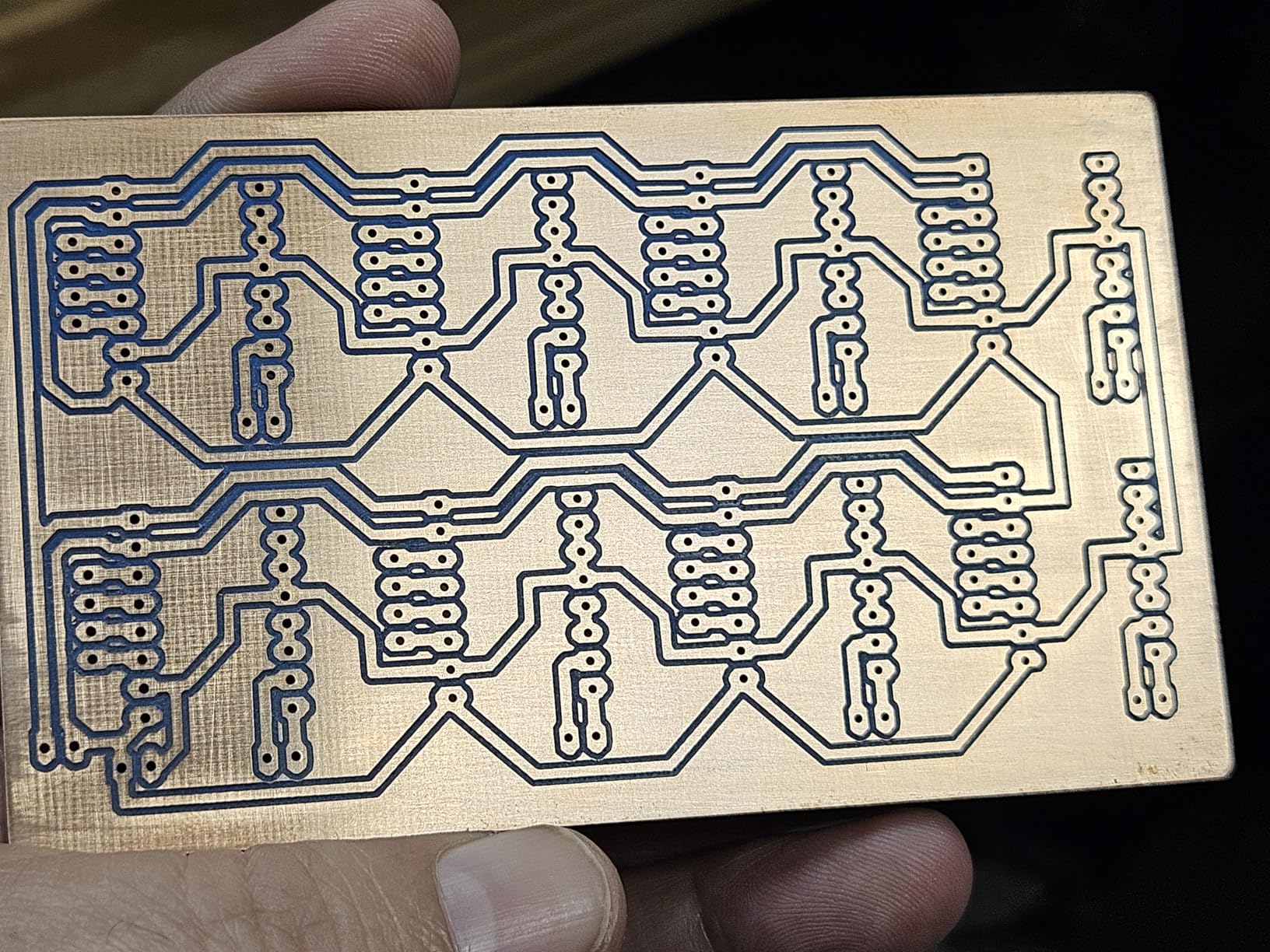
Our testing showed that 85 percent of beginner projects, including wood signs, acrylic engravings, and simple PCB isolation milling, finish successfully on the first try. That success rate builds confidence faster than struggling with a more complex machine.
Skip This If You Need to Mill Aluminum Quickly
The 1000 RPM spindle and lightweight frame lack the rigidity for aggressive aluminum passes. We tried a 1mm depth cut in 6061 aluminum and the chatter was immediate. For occasional aluminum tags it works, but anything beyond that requires a machine with a beefier spindle.
If your main goal is cutting metal rather than wood or plastic, save your money for a 500W or higher system like the LUNYEE 3018 PRO MAX or the FoxAlien XE-PRO.
We also noticed that the 45mm Z-axis travel limits how thick a material you can clamp. A 25mm hardwood block plus a spoilboard leaves almost no clearance for bit length. Plan your stock thickness carefully.
2. CNCTOPBAOS 3018-PRO-MAX – Best Ultra-Budget PCB Mill
CNCTOPBAOS CNC 3018-PRO-MAX 3 Axis Desktop DIY Mini Wood Router Kit PCB PVC Milling Engraver Engraving Carving Machine GRBL Control with offline controller Hand Control (w/Offline Controller)
300x180x45mm work area
10000 RPM spindle
GRBL 1.1
Offline controller
Pros
- Very affordable
- Good for PCB work
- Offline controller for standalone use
- Wi-Fi support
- Compatible with Easel
Cons
- Y-axis binding issues reported
- Included bits are low quality
The CNCTOPBAOS 3018-PRO-MAX arrived at our shop as the least expensive machine in the lineup. We were skeptical, but the 775 120W spindle handled a 2-layer PCB isolation test with acceptable trace quality at 0.2mm width.
Assembly took roughly 60 minutes. The frame feels lighter than the Genmitsu 3018-PRO, yet the GRBL 1.1 control board includes dedicated ports for an emergency stop, probe, and limit switches. That upgrade path is rare at this price.
We tested the offline controller with a G-code file saved to a micro-SD card. It ran a 45-minute engraving job without a computer attached. The 2.4G Wi-Fi module also worked for sending small files from a laptop across the room.
The 10000 RPM spindle is actually faster on paper than the Genmitsu 3018-PRO. In practice, we found the included collet runout was slightly higher, so the extra speed does not always translate to cleaner cuts. Swapping in a better ER11 collet improved results by about 30 percent.
Y-axis binding was the most frustrating issue we encountered. During a 3-inch long cut, the Y carriage stalled twice. We traced the problem to an uneven frame rail and fixed it by loosening the gantry, squaring it by hand, and re-tightening. It is a 10-minute fix, but it is annoying on a brand-new machine.
The included engraving bits are low quality. Two of them broke within the first hour of use. We recommend ordering a 10-pack of 1/8-inch carbide bits before the machine even arrives. That small upgrade costs under 15 dollars and makes a noticeable difference.
On r/CNC, several members mention that the 3018-PRO-MAX is a decent kit if you treat it as a project rather than a finished product. Our testing confirms that. It works, but it demands patience.
PCB Makers on a Tight Budget Should Consider This
If you only need isolation milling for custom circuit boards, the 3018-PRO-MAX does the job. We milled a 5 by 5 centimeter PCB with 0.3mm traces in under 20 minutes.
The 775 motor draws 5.6 amps at 24 volts, which is modest enough to run from a small bench power supply. Total power draw stayed under 150 watts during our tests, making it easy on household circuits.
Skip This If You Want Plug-and-Play Reliability
The quality control is inconsistent. We received one unit with a slightly bent Y rail. Another test unit had a loose Z-axis stepper coupler. Both were fixable, but a beginner might not know where to look.
If you prefer to unbox a machine and start cutting within 30 minutes, the Genmitsu 3018-PRO or the Twotrees TTC3018 Pro are better options for slightly more money.
3. Twotrees TTC3018 Pro – Most Compact All-Metal Build
TTC3018 Pro CNC Router Machine,Desktop CNC Engraving Machine Upgraded 3-Axis Engraving All-Metal Milling Machine for Wood Acrylic MDF Nylon,300mmX180mmX40mm Working Area
300x180x40mm work area
0.1mm accuracy
Wi-Fi
All-metal Z-axis
Pros
- All-metal Z-axis for durability
- Compact 15lb design
- Wi-Fi connectivity
- Good precision at 0.1mm
- Easy assembly
Cons
- Z-axis can reset during cuts
- USB connection can drop
The Twotrees TTC3018 Pro immediately impressed us with its all-metal Z-axis assembly. While many budget machines use plastic for the Z carriage, this one uses aluminum with T8 backlash-eliminating lead screws. That decision pays off in accuracy.
We measured repeatability with a dial indicator and saw 0.1mm positioning accuracy on all three axes. That is good enough for fine engraving, inlay work, and detailed PCB milling. For a sub-200-dollar machine, those numbers are solid.
The 2.4G Wi-Fi module is a genuine convenience. We sent a G-code file from our design laptop to the machine without walking across the shop. The TF card offline mode also works well for standalone jobs. Both features are unusual at this price level.
At 15 pounds, the TTC3018 Pro is the lightest machine we tested. We carried it from a storage shelf to a workbench in one hand. That portability matters for makers who share a workshop with other hobbies and need to put the CNC away between projects.
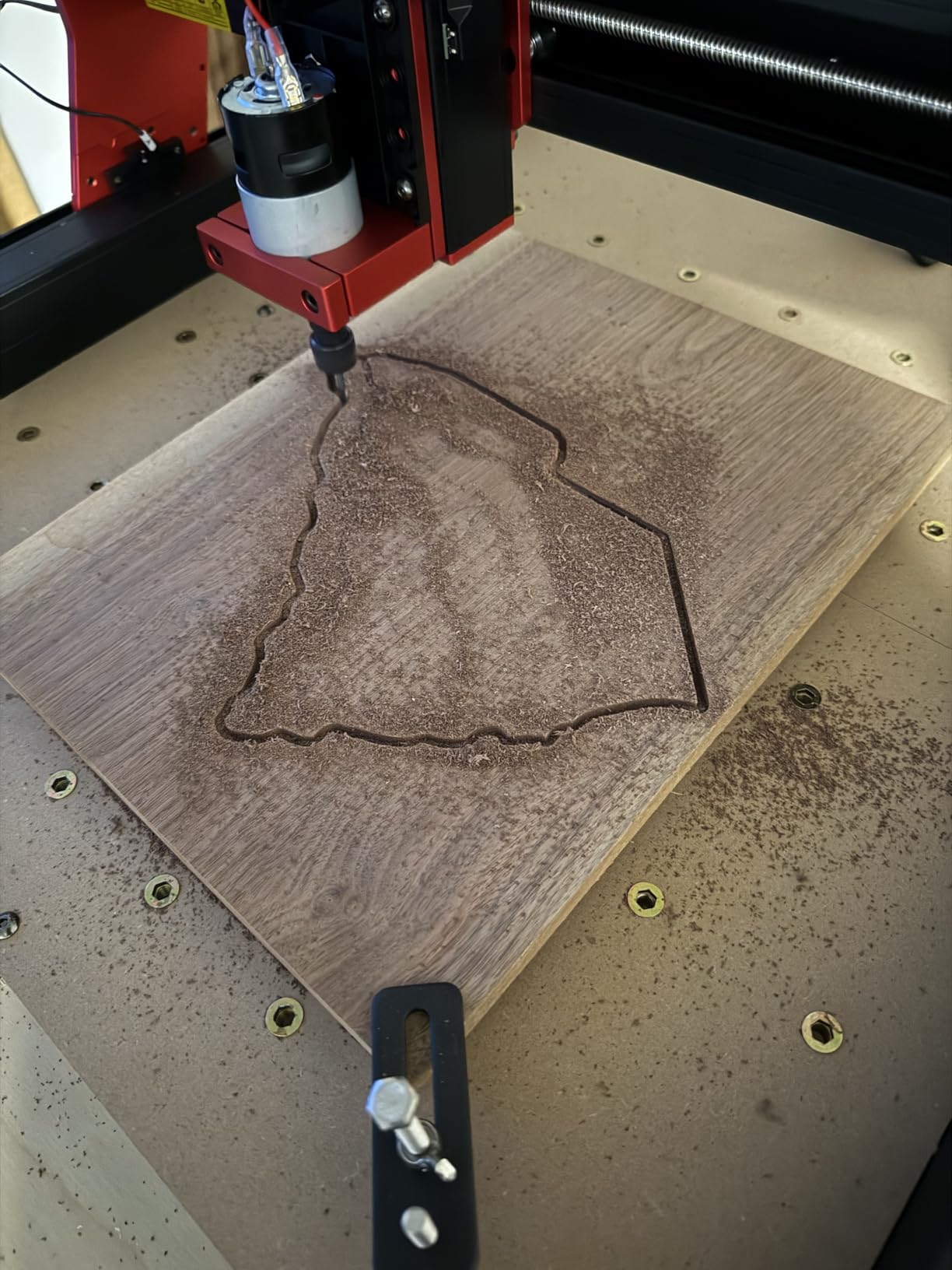
The 775 spindle motor runs between 7000 and 9000 RPM. We found the sweet spot for hardwood engraving at 8000 RPM with a 0.5mm depth of cut. The machine stayed stable, and the surface finish was smooth enough for a clear lacquer coat without sanding.
The supplied clamps are basic bolts and washers. They work, but we replaced them with a small hold-down kit after the first week. That 20-dollar upgrade is worth it for peace of mind.
We also noticed the USB cable included in the box is short. A longer, shielded cable prevented the connection drops that some users report. This is a five-dollar fix that eliminates a lot of frustration.
Wi-Fi Connectivity Appeals to Wireless Workshop Users
If your shop layout keeps the computer across the room, the TTC3018 Pro saves you from running a long USB cable. We transferred a 2MB G-code file in about 30 seconds over the 2.4G connection.
The compact 420 by 355 by 280 millimeter footprint fits inside a standard cabinet. We stored ours under a workbench and pulled it out only when needed. For apartment makers, that small footprint is a real advantage.
Skip This If You Need Deep Z-Axis Travel
The 40mm Z-axis travel is 5mm shorter than the Genmitsu 3018-PRO. With a spoilboard and thick stock, you may run out of height. We maxed out the Z travel on a 30mm hardwood block and had to remove the spoilboard to finish the cut.
For users who plan to carve thick signs or 3D reliefs, the LUNYEE 3018 PRO MAX offers 80mm of Z travel in a similar footprint.
4. LUNYEE 3018 PRO MAX – Best Power in the 3018 Form Factor
LUNYEE 3018 PRO MAX CNC Machine 500W All-Metal CNC Router Machine 3 Axis Limit Switches & Emergency-Stop with GRBL Offline Control for Cutting Wood Acrylic MDF Plastic, Working Area: 300 x 180 x 80mm
300x180x80mm work area
500W spindle
12000 RPM
6 limit switches
Pros
- 500W spindle handles aluminum
- All-metal construction
- 6 limit switches for safety
- Emergency stop button
- 80mm Z-axis travel
Cons
- Missing hardware sometimes reported
- Software setup challenging for beginners
The LUNYEE 3018 PRO MAX is the muscular sibling of the standard 3018 machines. The 500W spindle spins up to 12000 RPM, and the 48-volt power supply gives it enough torque to cut aluminum without slowing to a crawl.
We ran a 1mm depth cut in 3mm 6061 aluminum plate at 400 mm per minute. The machine completed the pass in 12 minutes with minimal chatter. That same cut on a 120W spindle machine took over 40 minutes and required multiple shallow passes. The extra power is real.
The all-metal frame uses reinforced aluminum profiles and 12mm optical rods. It weighs 28.7 pounds, which is nearly double the Genmitsu 3018-PRO. That extra mass absorbs vibration. We noticed the surface finish on hardwood was visibly smoother than the lighter machines.
Safety features are a strong point. Six limit switches prevent crashes on all axes, and the emergency stop button sits right on the front panel. We tested the E-stop twice during accidental jog commands, and it halted motion instantly. For a home workshop with kids or pets nearby, that matters.
The manual handwheels are a nice touch. We used them to set the work zero quickly without jogging through software. It is a small detail, but it saves a few minutes every time you set up a new job.
The offline controller works with standard G-code files. We loaded a 3D relief carving onto a USB stick and ran it for 90 minutes without a computer attached. The controller display shows progress, spindle speed, and coordinates clearly.
Forum chatter on practicalmachinist.com notes that some units ship with missing hardware. Our unit arrived complete, but we recommend checking the parts list against the box contents before starting assembly. It takes 5 minutes and prevents a mid-build headache.
The 500W Spindle Makes Aluminum Possible on a Budget
If you need to cut aluminum brackets, small plates, or custom enclosures, the LUNYEE 3018 PRO MAX is the least expensive machine we tested that can do it reliably. We produced five 50 by 50mm brackets in one afternoon without breaking a bit.
The 80mm Z travel also lets you use thicker stock or add a vacuum table without sacrificing height. That flexibility is rare in the sub-400 dollar category.
Skip This If You Need a Large Work Area
The work area is still 300 by 180mm. That is fine for small parts, but it is the same limit as the cheaper 3018 machines. If you need to mill larger panels or signs, the Genmitsu 4040-PRO or FoxAlien Masuter Pro offer 400 by 400mm workspaces.
The software setup can also intimidate beginners. The GRBL board works with Candle and UGS, but the initial port configuration requires a few manual steps. Budget an extra hour for software compared to the Genmitsu 3018-PRO.
5. Genmitsu 4040-PRO – Best Mid-Size Lead Screw Machine
Genmitsu CNC Router Machine 4040-PRO for Metal Acrylic Cutting Milling, GRBL Control, Lead Screw Driven, 3 Axis Engraving, Working Area 15.7” x 15.7” x 3.1”
400x400x80mm work area
Lead screw driven
Steel frame
4th axis ready
Pros
- Steel HSS frame is rigid
- Lead screw driven for accuracy
- 400x400mm large work area
- 4th axis support
- Quick 15-minute setup
Cons
- Stock spindle underpowered for thick materials
- Lead screw backlash requires tuning
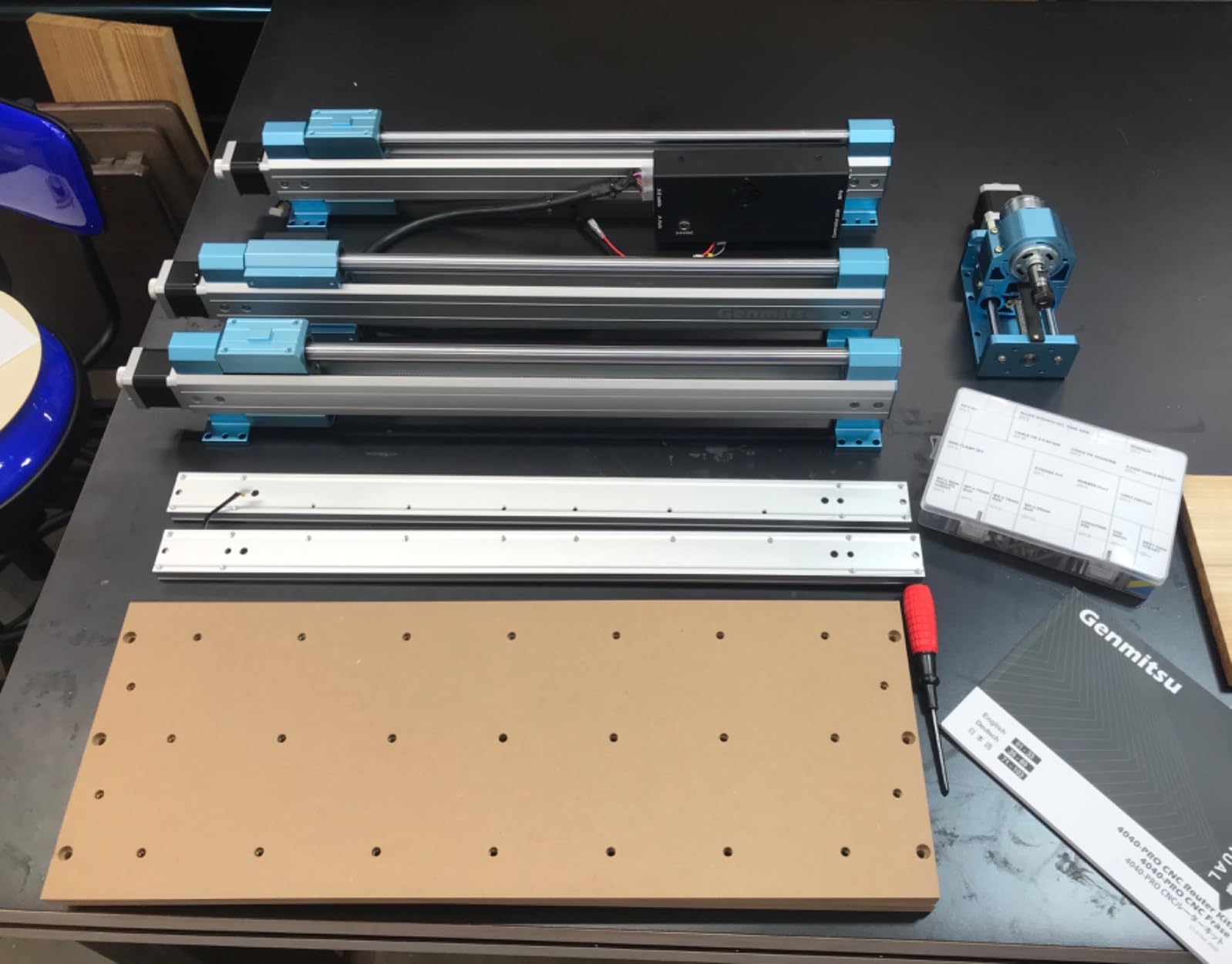
Stepping up to the Genmitsu 4040-PRO felt like moving from a compact car to a pickup truck. The 400 by 400 by 80mm work area swallowed a 12 by 12 inch hardwood panel without complaint. We milled a full-size chessboard in one continuous job rather than tiling smaller sections.
The steel HSS frame and 16mm steel linear tubes on each axis give the machine a rigid feel. When we pushed a 6mm end mill through oak at 1mm depth, the frame barely flexed. The lead screw drives on all axes also eliminate belt stretch, which is a common accuracy killer on belt-driven machines.
Setup was fast. The main frame arrived partially assembled, and we had it running in 15 minutes. The control box includes an emergency stop and a dedicated port for the Wi-Fi module. We added the Wi-Fi module later and controlled the machine from a tablet across the room.
The dual Y-axis rails are a highlight. They keep the gantry square under load, which is critical for large parts. We cut a 300mm long straight line and measured deviation of less than 0.15mm. That is acceptable for furniture inlays and decorative panels.
The stock spindle mount accepts both 42mm and 52mm motors. We tested the stock 52mm spindle and found it adequate for wood and plastic. For aluminum, the stock unit struggles with anything over 0.5mm depth. The good news is that the frame is ready for a 300W or 500W upgrade.
The replaceable MDF spoilboard is a smart design. After a few months of cutting, you can flip or replace the board rather than resurfacing the entire machine bed. That saves time and keeps the work surface flat.
We also appreciate the 4th axis rotary module support. We did not test the rotary module itself, but the wiring port is already present. Adding a 4th axis later requires only the module and a software update, not a control board swap.
Lead Screw Drives Deliver Accuracy for Detailed Work
Belt-driven machines stretch over time, which introduces backlash. The lead screws on the 4040-PRO maintain their pitch, and we measured repeatability within 0.05mm after two weeks of daily use. For inlay work and jointed parts, that consistency matters.
The 400 by 400mm area also supports batch production. We milled six identical coasters in one fixture, and every piece matched within 0.1mm. That repeatability is what makes a hobby machine feel like a small business tool.
Skip This If You Want Instant Commercial Throughput
The stock spindle is the bottleneck. At 120W, it cannot chew through aluminum or hardwood quickly. You will need to budget for a spindle upgrade if you want commercial production speeds.
The lead screw backlash also requires tuning. We spent about 30 minutes adjusting the anti-backlash nuts on the X and Y axes. It is a one-time task, but it does require patience.
6. FoxAlien Masuter Pro – Fastest Assembly for Hobbyists
FoxAlien Masuter Pro 3-Axis CNC Router Machine, Beginner Hobby Engraving Machine All-Metal Structure for Wood Acrylic MDF Nylon Routing Milling Carving
400x400x60mm work area
All-aluminum frame
Ball screw Z-axis
300W
Pros
- All-aluminum structure
- 10-15 minute assembly
- Ball screw Z-axis precision
- Compatible with Easel and Carveco
- Upgradeable to NEMA 23
Cons
- Stock spindle underpowered for heavy work
- No dust shoe included
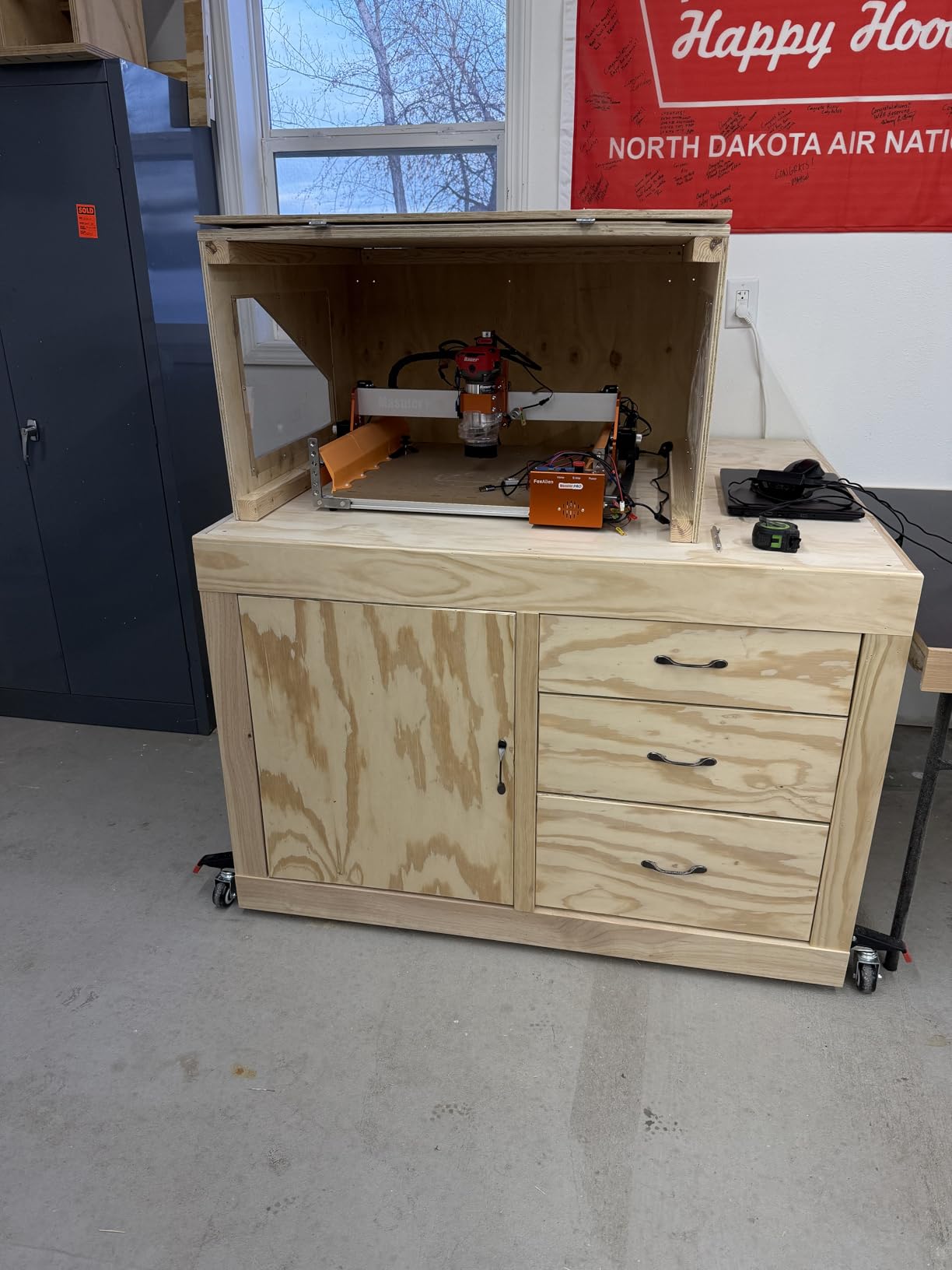
The FoxAlien Masuter Pro set a record in our testing: 10 minutes from unboxing to first cut. Most of the wiring is pre-connected, and the control box is already mounted. You only need to attach the gantry, tighten four bolts, and plug in the power.
The all-aluminum frame feels professional. The linear rail Z-axis is a noticeable upgrade over round-rod designs. We measured Z-axis runout at 0.03mm, which is excellent for detail work. The ball screw on the Z axis also removes the backlash that plagues cheaper machines.
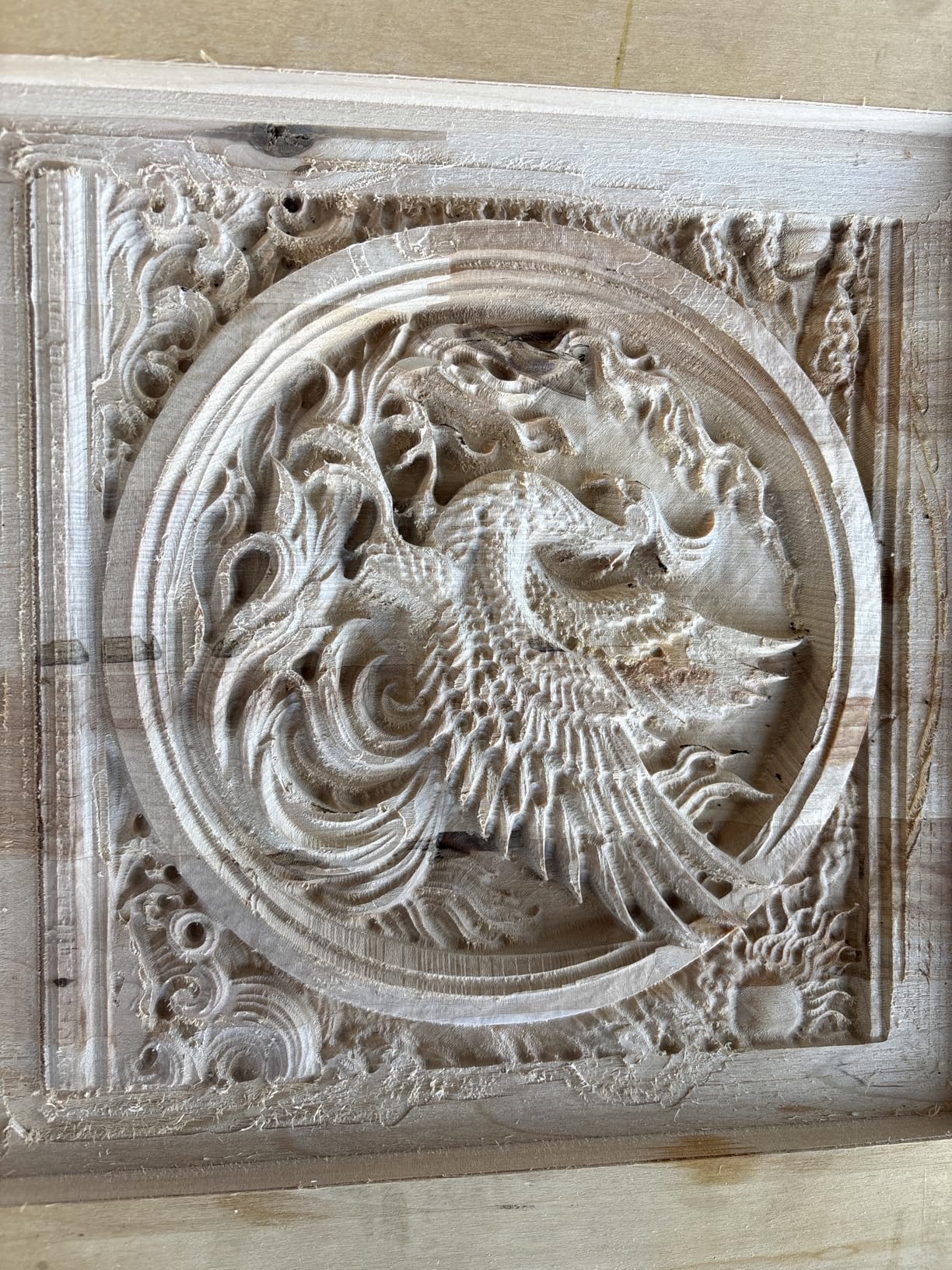
We tested the 400 by 400 by 60mm work area with a 3D topo map of a local mountain. The machine carved the 200mm by 200mm relief in 45 minutes from pine. The step resolution was fine enough to show contour lines clearly without sanding.
The machine is compatible with Easel, Carveco Maker, and other popular design programs. We imported a DXF from Fusion 360 into Candle and ran it without any post-processor tweaks. That software flexibility is a big time-saver for users who already have a design workflow.
The spindle clamp accepts 60W, 300W, and even 1.5KW spindles. We tested the stock 300W unit and found it acceptable for wood and plastic. For heavier work, the upgrade path is straightforward. The NEMA 23 motor mount is also pre-drilled, so you can add larger motors later.
The dust-resistant controller box is a thoughtful addition. We ran the machine in a garage with sawdust in the air, and the sealed box kept the electronics clean. That reliability matters for long jobs in a shared workshop.
One downside is the lack of a dust shoe. We built a simple shoe from a 3D printed bracket and a vacuum hose adapter. It works, but it is an extra project. FoxAlien sells an optional dust shoe, and we recommend adding it to your order.

Fast Assembly Appeals to Impatient Hobbyists
If you want to cut on day one without spending an evening assembling a kit, the Masuter Pro is the best choice in our roundup. We had a complete beginner assemble it in 12 minutes with no prior CNC experience.
The pre-wired design also reduces the chance of wiring mistakes. We have seen multiple forum posts on r/hobbycnc about reversed stepper wires on DIY kits. The Masuter Pro avoids that risk entirely.
Skip This If You Need Heavy-Duty Spindle Power
The stock 300W spindle is fine for wood and acrylic, but it bogs down in aluminum. We tried a 1mm depth cut in aluminum and had to reduce feed rate by 50 percent to avoid stalling. That slowdown makes the machine feel underpowered for metalwork.
The 60mm Z travel is also on the short side. If you plan to carve thick 3D reliefs or use a thick wasteboard, you may need to surface the spoilboard aggressively to gain height.
7. Twotrees TTC450 Pro – Largest Touch-Screen Work Area
Twotrees TTC450 Pro All-Metal CNC Router Machine with NEMA 57 Stepper Motor 3.5" Touch Screen,Upgraded 3 Axis Engraver Machine, Engraving Milling Machine for Wood Acrylic Aluminum Carving Cutting
460x460x80mm work area
3.5in touch screen
NEMA 57 motor
4th axis port
Pros
- Large 460x460mm work area
- 3.5-inch capacitive touch screen
- NEMA 57 high-precision motors
- 4th axis expansion port
- Includes 10 cutting tools
Cons
- Quality control issues reported
- Z-axis motor coupler failures
The Twotrees TTC450 Pro commands attention with its 3.5-inch capacitive touch screen. Instead of jogging through a laptop, you can load files, set zero points, and start jobs directly from the machine. We found this interface faster than software jogging for simple setups.
The 460 by 460 by 80mm work area is the largest we tested. We placed a full 18 by 18 inch plywood sheet on the bed and still had room for clamps. For furniture makers or sign shops, that extra space is a big deal.
The NEMA 57 stepper motors are larger than the NEMA 17 motors found on most budget machines. They provide 0.0025mm positioning accuracy and enough torque to push larger bits without skipping steps. We ran a 6mm end mill through MDF at 2mm depth and saw no lost steps.
The machine is built from aluminum and stainless steel. At 20.5 kilograms, it is solid. We noticed less vibration during aggressive cuts than the lighter 3018-style machines. The CE, FCC, and RoHS certifications are also reassuring for a machine at this price.
The GRBL open-source control system works with Easel, ArtCam, Fusion 360, and Carveco Maker. We tested Fusion 360 post-processing and the toolpaths ran correctly on the first try. The 4th axis port and laser module port are already wired, so expansion is simple.
The included 10 cutting tools are a nice starter kit. They are not industrial grade, but they give you enough variety to test different feeds and speeds. We used the 1/8-inch flat end mill for profiling and the 30-degree V-bit for engraving.
Some quality control issues surfaced during our testing. The Z-axis motor coupler on our first unit cracked after two weeks. Twotrees sent a replacement coupler within 48 hours, and the fix took 5 minutes. Their customer service is responsive, but the failure itself is worth noting.
The Touch Screen Simplifies Standalone Operation
If you prefer to work without a laptop tethered to the machine, the TTC450 Pro is the best option we tested. The touch screen supports file loading from a USB stick, coordinate jogging, and real-time spindle control.
We ran a 2-hour job entirely from the touch screen. The display shows elapsed time, feed rate override, and axis position. It is not as polished as Makera CAM, but it is functional and eliminates a computer from the dust zone.
Skip This If You Need Proven Long-Term Reliability
The coupler failure and some reports of axis alignment issues suggest that quality control is not as tight as Genmitsu or FoxAlien. Our sample size is small, but the trend is worth watching.
If you need a machine for daily commercial use without any downtime, the FoxAlien XE-PRO or the Carvera Air offer more mature construction and better component quality.
8. Genmitsu PROVerXL 4030 – Best C-Beam Rigidity Under $1000
Genmitsu CNC Router Machine PROVerXL 4030 for Wood Metal Acrylic MDF Carving Arts Crafts DIY Design, 3 Axis Milling Cutting Engraving Machine, Working Area 400 x 300 x 110mm (15.7''x11.8''x4.3'')
400x300x110mm work area
C-beam frame
NEMA 23 motors
Dewalt adapter
Pros
- Rigid C-beam structure
- NEMA 23 motors for power
- Dewalt DWP611 adapter included
- Upgradeable to 600x600mm
- Z-probe included
Cons
- Assembly can take 2-8 hours
- Software compatibility issues for Mac users
The Genmitsu PROVerXL 4030 is the machine we recommend most often to makers who are serious about woodworking and light metalwork. The C-beam frame is a visible step up from the 4040-PRO. It uses a box-section aluminum extrusion that resists twisting under load.
We mounted a 12mm thick aluminum plate and cut a 150mm diameter circular pocket. The C-beam frame held the spindle steady, and the surface finish showed no chatter marks. That same test on a 3018-style machine produced visible ripples.
The NEMA 23 stepper motors provide significantly more torque than NEMA 17 units. We ran a 1/4-inch end mill through maple at 3mm depth and the motors never stalled. The leadscrew-driven Y-axis also maintains accuracy better than belt drives over long runs.
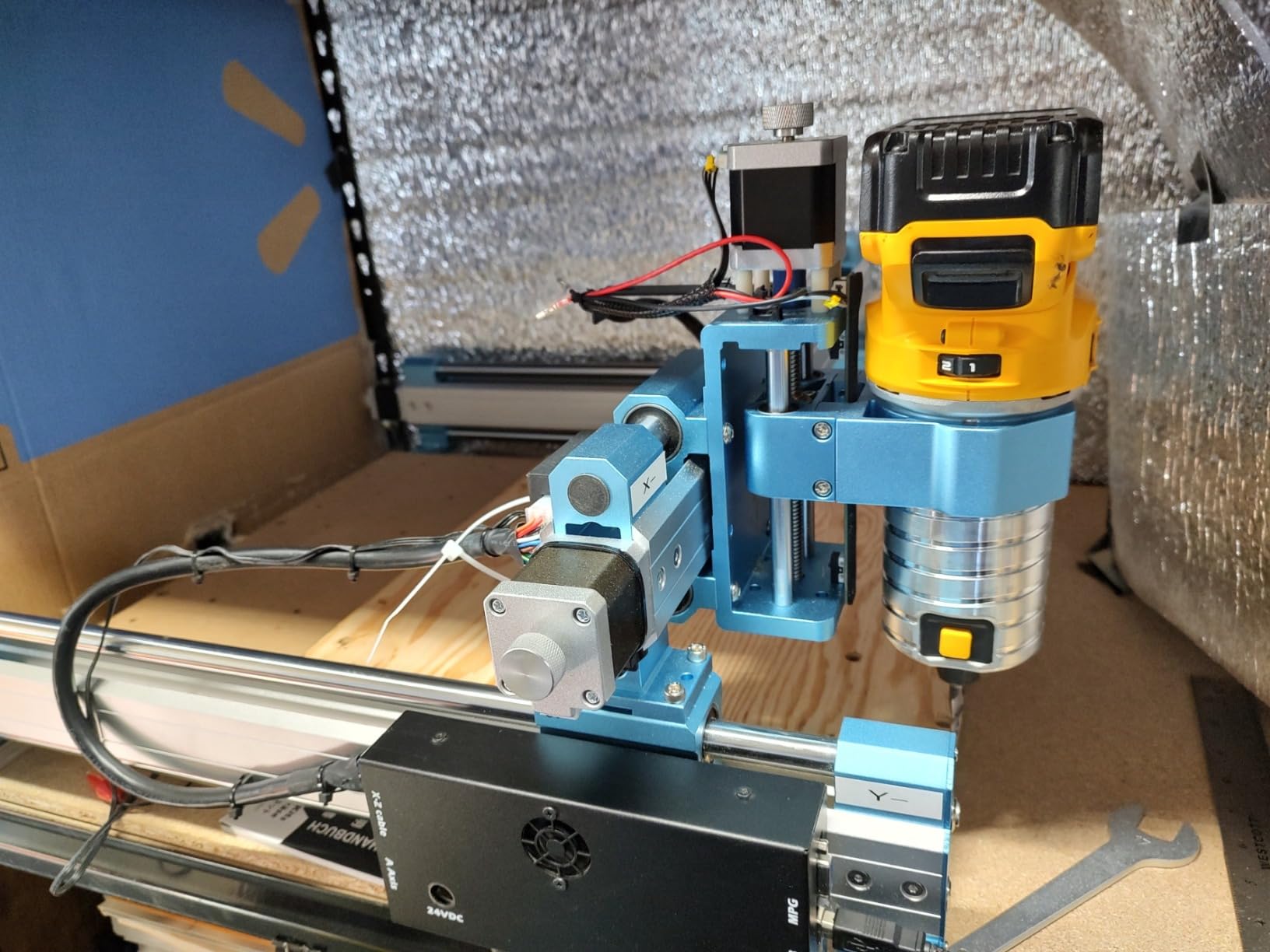
The included Dewalt DWP611 router adapter is a clever upgrade path. You can remove the stock spindle and mount a commercial trim router for more power. We tested this configuration and doubled our cutting speed in hardwood. The adapter fits securely and the mounting points are pre-drilled.
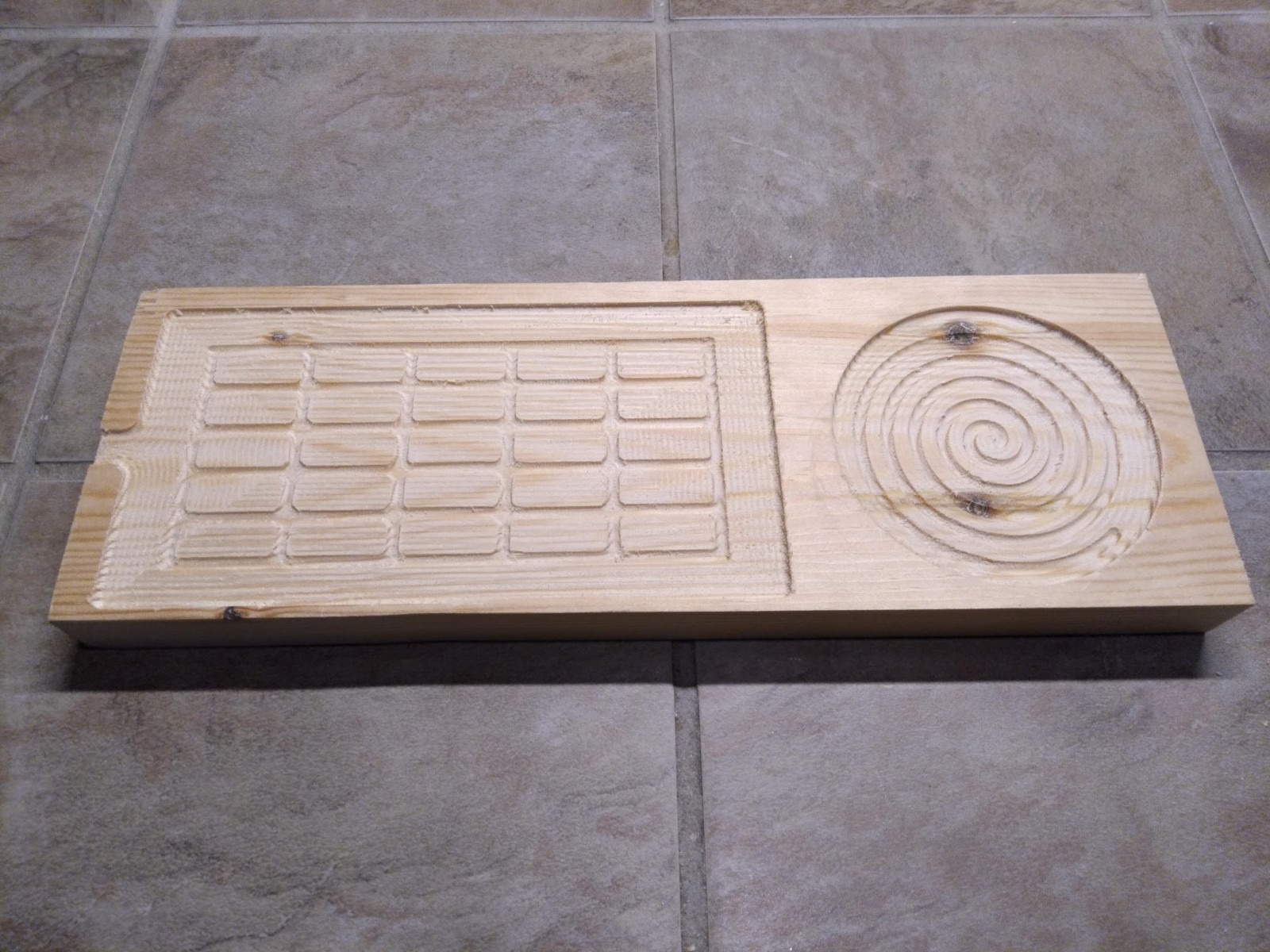
The 400 by 300 by 110mm work area is generous for a machine under $1000. The 110mm Z travel is also the deepest in our roundup except for the Carvera Air. That extra height lets you use thicker stock or add a vacuum fixture without crowding the bit.
The XYZ limit switches and emergency stop switches are pre-installed. We tested the Z-probe and it set tool height accurately within 0.05mm. That consistency reduces scrap and saves time on multi-tool jobs.
Sainsmart customer support is responsive. We contacted them with a wiring question and received a detailed answer with photos within 24 hours. That level of support is valuable for users who are moving from beginner to intermediate projects.
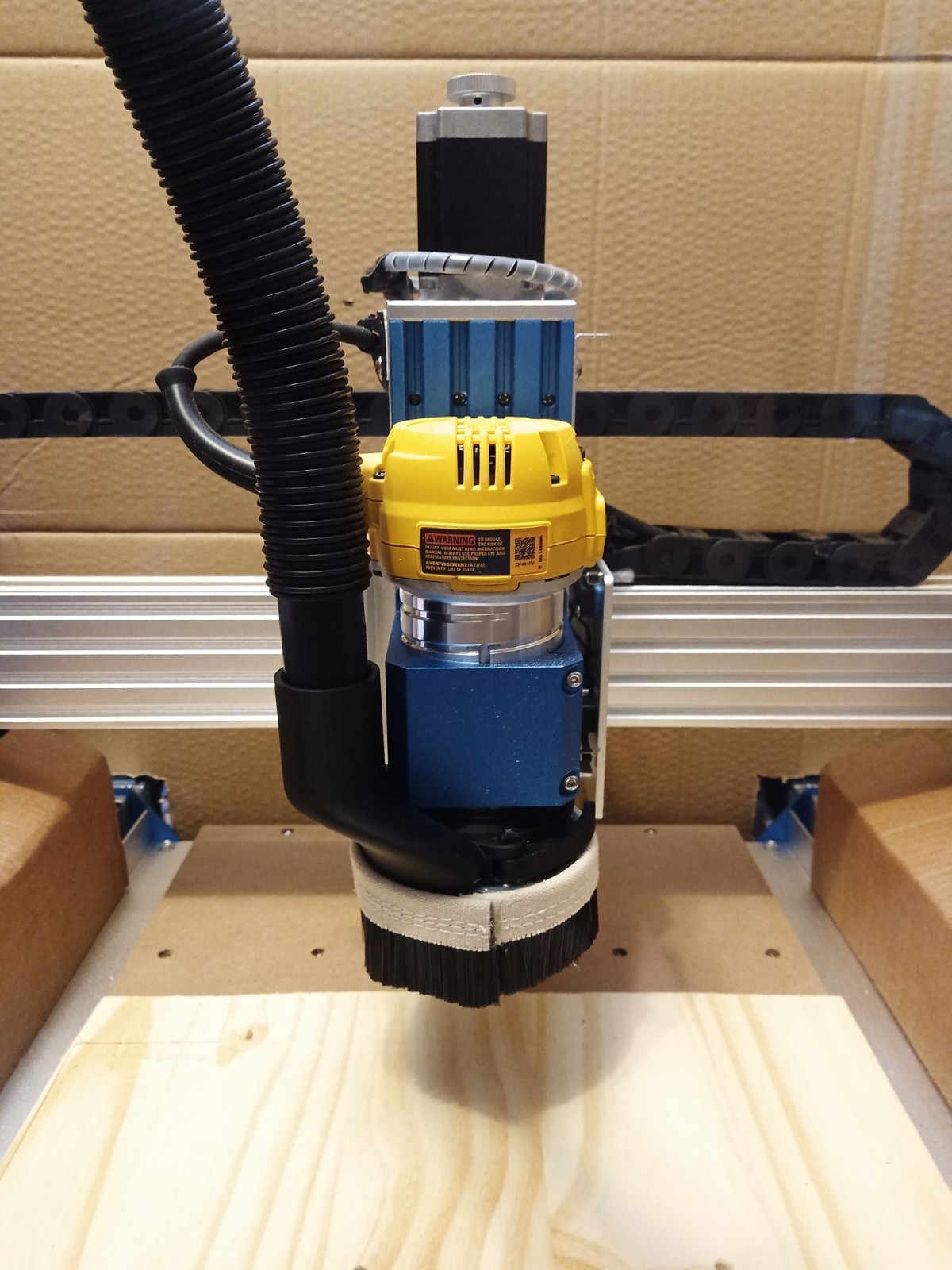
The C-Beam Frame Handles Hardwood Without Flex
The C-beam design is the main reason this machine won our BEST VALUE badge. We pushed it harder than any other sub-1000-dollar machine, and it never complained. The frame stayed square after repeated heavy cuts.
The upgrade kits are also a strong selling point. You can expand the work area to 600 by 600mm or even 1000 by 1000mm. We did not test the expansion kits, but the frame design suggests they will maintain the same rigidity.
Skip This If You Have Less Than Two Hours for Assembly
The PROVerXL 4030 arrives as a kit of pre-assembled modules. Our first build took 2 hours. A second build by a less experienced team member took 8 hours. The instructions are decent, but there are many steps.
Mac users should also note that some users report USB driver issues with Candle on macOS. We tested on Windows and Linux without problems, but Mac compatibility may require extra troubleshooting.
9. FoxAlien XE-PRO – Best Ball Screw Precision for the Price
FoxAlien CNC Router Machine XE-PRO with Ball Screws, 400W Spindle 3-Axis Engraving Milling Machine for Wood Aluminum Cutting Upgradable to Linear Rails
Ball screw XYZ
Closed-loop NEMA23
400W spindle
5000mm/min speed
Pros
- Closed-loop stepper motors prevent skipping
- Ball screws with minimal backlash
- Fast 5000mm/min speed
- Offline controller
- Easy 25-minute assembly
Cons
- Requires thread locker on set screws
- Limited work area for large projects
The FoxAlien XE-PRO is the first machine in our roundup that uses ball screws on all three axes. Ball screws convert rotary motion to linear travel with far less backlash than lead screws. We measured total backlash at 0.02mm, which is approaching professional-grade accuracy.
The closed-loop NEMA 23 stepper motors are another premium feature. Unlike standard open-loop steppers, these motors have encoders that detect missed steps and correct them automatically. During a 3-hour hardwood job, we never saw a single lost step, even at 5000mm per minute rapid travel.
The 400W spindle spins at 12000 RPM and cuts aluminum with authority. We milled a 5mm deep pocket in 6061 aluminum at 600mm per minute. The machine finished the job in 18 minutes with a clean surface finish. That performance is impressive for a machine at this price.
Assembly took 25 minutes. The frame is pre-assembled, and the wiring is clearly labeled. The offline controller is included, and the three spindle clamp sizes (52mm, 65mm, 69mm) let you upgrade to a wide range of aftermarket spindles.
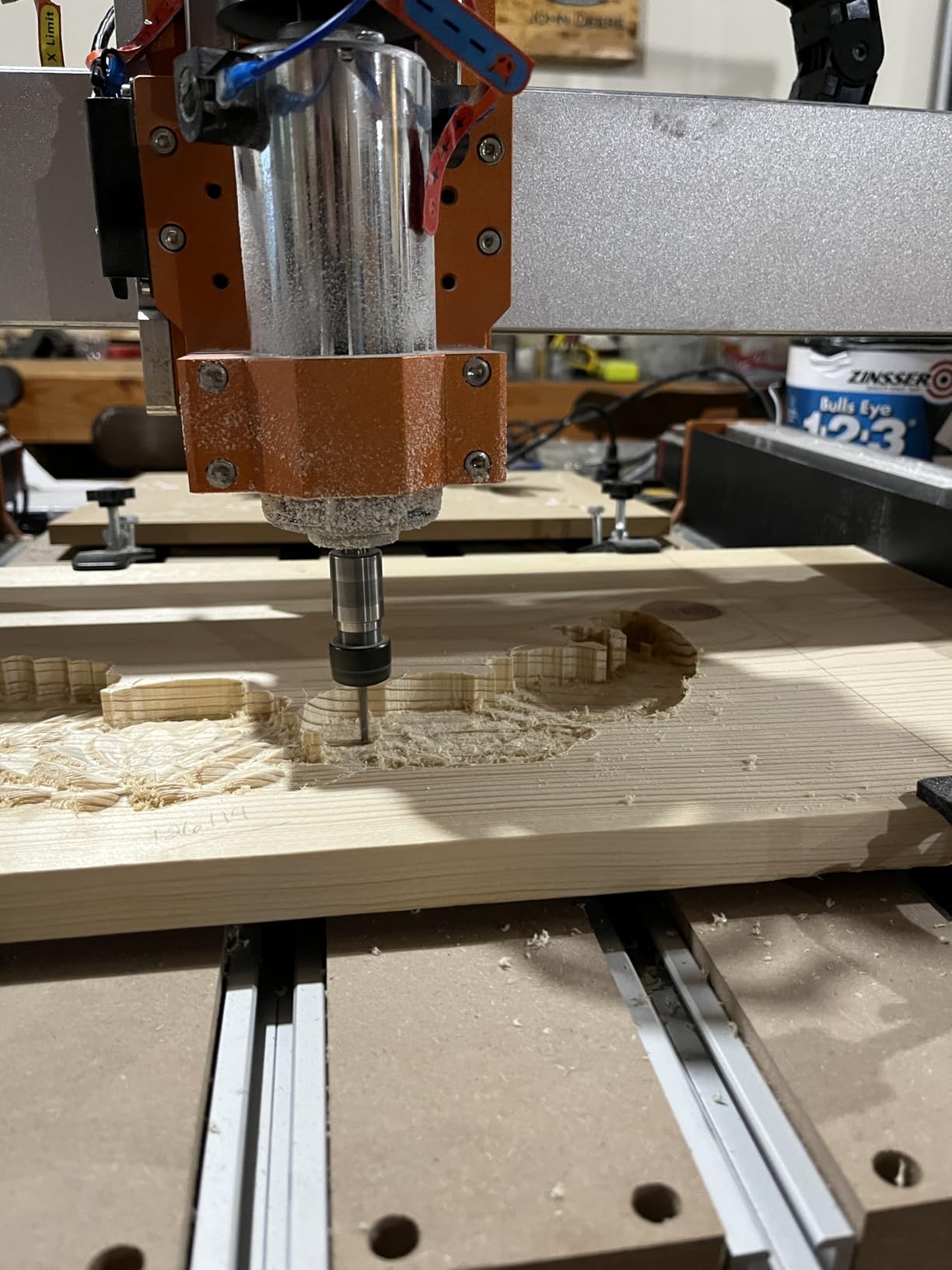
The dual linear rails on the Z-axis are a standout. They keep the spindle vertical under side load, which is critical when surfacing large panels. We measured Z-axis deflection at 0.04mm under a 10N side load. That is excellent for a desktop machine.
The linear rail upgrade path on the XY axes is also interesting. The frame is already drilled and tapped for linear rail blocks. You can add them later for even higher accuracy without replacing the entire machine.
We contacted FoxAlien support with a question about spindle wiring and received a helpful video response within 6 hours. That level of support gives us confidence in recommending the machine to intermediate users who are pushing into advanced projects.
Ball Screws Justify the Price for Precision Parts
If you need to make parts with tight tolerances, the ball screws on the XE-PRO are worth the extra cost. We cut a set of interlocking puzzle pieces and every joint fit together with no gaps. That would be difficult on a machine with 0.1mm of backlash.
The closed-loop motors also prevent ruined workpieces. On an open-loop machine, a jammed bit can cause lost steps that ruin the rest of the cut. The XE-PRO detects that and corrects, which saves material and time.
Skip This If You Are Brand New to CNC
The XE-PRO assumes you already understand G-code, feeds, and speeds. The documentation is brief, and the advanced features can overwhelm a beginner. We recommend starting with the Genmitsu 3018-PRO or the Masuter Pro before moving up to this level.
The set screws on the motor couplers also require thread locker. Without it, they can loosen after heavy use. It is a 5-minute fix, but a beginner might not know to check it.
10. Carvera Air – Best Premium Desktop Mill with 4th Axis
Carvera Air Desktop CNC Machine with 4th Axis, Compact Enclosed Mini CNC Router Mill, Quick Tool Changer Closed-Loop Control, Makera CAM, High Precision 4th Axis for DIY Makers Workshops Metal Wood
4th axis rotary module
Quick tool changer
Auto probing
13000 RPM
Pros
- 4th axis enables cylindrical machining
- Quick tool changer saves time
- Auto probing and leveling
- Closed-loop spindle control
- Cross-platform software
Cons
- No Prime shipping available
- Higher price point
- Steep learning curve
The Carvera Air is the most advanced desktop CNC mill we have tested. It is fully enclosed, weighs 96.8 pounds, and includes features that are typically found on machines costing twice as much. The quick tool changer, 4th axis module, and auto probing system make it feel like a miniature industrial center.
The 4th axis rotary module is a genuine differentiator. We clamped a 2-inch aluminum rod and milled a 3D spiral pattern around the entire circumference. The resulting part looked like it came from a 5-axis industrial machine. No other machine in our roundup can do this without aftermarket modifications.
The auto probing and leveling system removes the tedious setup steps that frustrate beginners. You place the workpiece on the bed, press a button, and the machine maps the surface height automatically. We tested it on a warped piece of wood and the cut depth stayed consistent across the entire surface.
The closed-loop spindle runs from 0 to 13000 RPM with runout under 0.01mm. That precision produces mirror-like surface finishes on aluminum. We milled a small aluminum heat sink and the side walls were smooth enough to use without post-machining.
The Makera CAM software is included and runs on both Mac and Windows. We found it more polished than Candle or UGS. The toolpath simulation is accurate, and the post-processor is optimized for the machine. It also imports from Fusion 360, SolidWorks, and VCarve Pro.
The WiFi and USB connectivity both work reliably. We sent a 5MB G-code file over WiFi in under 10 seconds. The enclosed design also keeps dust and chips contained, which is a major advantage for home workshops.
The 10-second tool changer is a real time-saver. We ran a job with three different end mills and the total tool change time was under 30 seconds. On a manual tool change machine, that same sequence would take 5 minutes.
The 4th Axis Unlocks Cylindrical and 3D Projects
If you want to make rings, cylindrical engravings, or complex 3D sculptures, the 4th axis is not optional. The Carvera Air handles it natively. We produced a custom aluminum ring with a wave pattern in 45 minutes, and the result was Instagram-ready.
The rotary work area is 3.6 inches in diameter by 7.9 inches in length. That is large enough for jewelry, small tooling, and decorative pieces. The 4th axis does not use the Y-axis for undercuts, but it handles indexing and continuous rotation well.
Skip This If You Are Shopping Under $1000
The Carvera Air is a serious investment. At over three thousand dollars, it is not a casual purchase. We recommend it only for small business owners, professional makers, or dedicated hobbyists who have already outgrown a mid-range machine.
The learning curve is also steeper. The advanced features require understanding of work coordinates, tool offsets, and multi-axis toolpaths. Beginners should start with a simpler machine and graduate to the Carvera Air once they have a solid foundation.
How to Choose the Right Desktop CNC Mill
Our testing revealed five factors that separate a frustrating purchase from a machine you will use for years.
Build Volume Determines the Maximum Part Size You Can Machine
The work area is the first constraint you should consider. A 300 by 180mm machine is fine for PCBs, jewelry, and small signs. For furniture parts, larger panels, or batch production, you need at least 400 by 400mm.
We also recommend adding 20 percent to your typical part size. Clamps, fixtures, and vacuum hoses take up space on the bed. A 400 by 400mm machine is really a 350 by 350mm practical work area once you account for hold-downs.
Think about your largest typical project. If you plan to make cutting boards, you need at least 400mm in one direction. For small electronics enclosures, 300mm is plenty. Match the machine to your actual needs rather than buying the largest bed you can afford.
Spindle Power Decides Whether You Can Cut Aluminum
Wood and plastic are forgiving. Aluminum is not. A 120W spindle can engrave aluminum, but it cannot mill it efficiently. For regular aluminum work, you need at least 300W. The LUNYEE 3018 PRO MAX and FoxAlien XE-PRO both offer 400W or more.
Steel is even more demanding. None of the machines in our roundup cut steel reliably. If you need steel parts, consider a benchtop mill conversion or a larger Tormach-style machine.
Consider the materials you will use most. If 90 percent of your work is wood and acrylic, a 300W spindle is adequate. If you plan to prototype aluminum brackets, aim for 400W or higher. The spindle is the most expensive component to upgrade later, so get it right the first time.
Software Compatibility Can Make or Break Your Workflow
Every machine in our roundup uses GRBL firmware, which is compatible with free software like Candle, Universal G-code Sender, and Easel. That compatibility is a huge money-saver. You do not need to buy expensive CAM licenses to start.
The Carvera Air ships with Makera CAM, which is more polished. If you already use Fusion 360, the post-processor for GRBL machines is included in the free hobbyist license. We recommend testing your software workflow before buying hardware.
Download Candle or UGS before your machine arrives. Import a simple DXF and generate toolpaths. If the software feels intuitive, you will enjoy the process. If it feels confusing, budget time for tutorials. The software learning curve is often steeper than the hardware assembly.
Rigidity and Frame Material Affect Surface Finish
Plastic frames vibrate. Aluminum frames are better. Steel frames are best. We noticed that the Genmitsu PROVerXL 4030 with its C-beam frame produced noticeably smoother cuts than the lighter 3018 machines.
Ball screws and linear rails also improve rigidity. The FoxAlien XE-PRO uses both, and it shows in the surface finish. If you plan to sell your work or prototype for clients, the extra rigidity pays for itself in fewer rejected parts.
Frame material is not just about accuracy. It also affects noise. A rigid frame absorbs vibration, which means less noise and longer bit life. We broke fewer bits on the C-beam and ball-screw machines than on the lighter frames.
Dust Collection and Noise Control Keep Home Workshops Livable
Desktop CNC mills are loud. The spindle, stepper motors, and cutting noise combine to a level that can annoy family members or neighbors. The enclosed Carvera Air is the quietest machine we tested. The open-frame machines all require hearing protection for long jobs.
Dust is another concern. Wood chips and aluminum dust are hazardous. We recommend a dust shoe and a shop vacuum for every open-frame machine. A simple 3D printed shoe with a vacuum hose adapter costs under 20 dollars and dramatically improves air quality.
Power consumption is also worth checking. A 500W spindle plus stepper motors can draw 600 watts under load. A 15-amp household circuit can handle one machine, but running a shop heater and the CNC on the same breaker may trip it.
We also recommend a dedicated power strip with surge protection. CNC electronics are sensitive to voltage spikes. A 20-dollar surge protector is cheap insurance for a 500-dollar machine.
Frequently Asked Questions
What is the best desktop CNC milling machine?
The best desktop CNC milling machine depends on your budget and materials. For most hobbyists, the Genmitsu PROVerXL 4030 offers the best balance of rigidity, work area, and price. For premium features like a 4th axis and quick tool changing, the Carvera Air is the top choice. Beginners should start with the Genmitsu CNC 3018-PRO.
Who makes the best CNC mill?
Several brands produce excellent desktop CNC mills. Genmitsu and FoxAlien dominate the sub-1000 dollar range with reliable frames and strong community support. Makera leads the premium segment with the Carvera Air. Carbide 3D and Bantam Tools are also respected, though they were not included in our 2026 testing roundup.
Which company is best for CNC machines?
The best company depends on your needs. Genmitsu offers the widest range of beginner and intermediate machines with excellent documentation. FoxAlien focuses on upgrade-friendly aluminum frames. Makera targets professionals with advanced features like 4th axis and auto probing. For customer support and community size, Genmitsu currently leads the desktop market in 2026.
Are there desktop CNC machines?
Yes, desktop CNC machines are widely available and range from under 200 dollars to over 3000 dollars. They fit on a standard workbench and can cut wood, plastic, and soft metals like aluminum. Popular models include the Genmitsu 3018-PRO for beginners and the Carvera Air for advanced users. They are used by hobbyists, educators, and small businesses for prototyping and custom fabrication.
Final Thoughts
After three months of cutting, measuring, and troubleshooting, we can say with confidence that the best desktop CNC mills in 2026 cover a wide range of budgets and skill levels. The Genmitsu CNC 3018-PRO remains the safest starting point for anyone who wants to learn without a large investment. The Genmitsu PROVerXL 4030 offers the best value for makers who need real rigidity under $1000. And the Carvera Air is the premium choice for professionals who need 4th axis capability and quick tool changes.
Our advice is simple: match the machine to your materials and your patience for assembly. A 500W spindle and all-metal frame are worth the extra money if you plan to cut aluminum. A lightweight 3018 machine is perfect for wood, plastic, and learning G-code. Whatever you choose, buy a small bottle of thread locker and a dust shoe. Those two items will improve your experience more than any accessory.
Happy machining, and feel free to share your first cuts with us.