
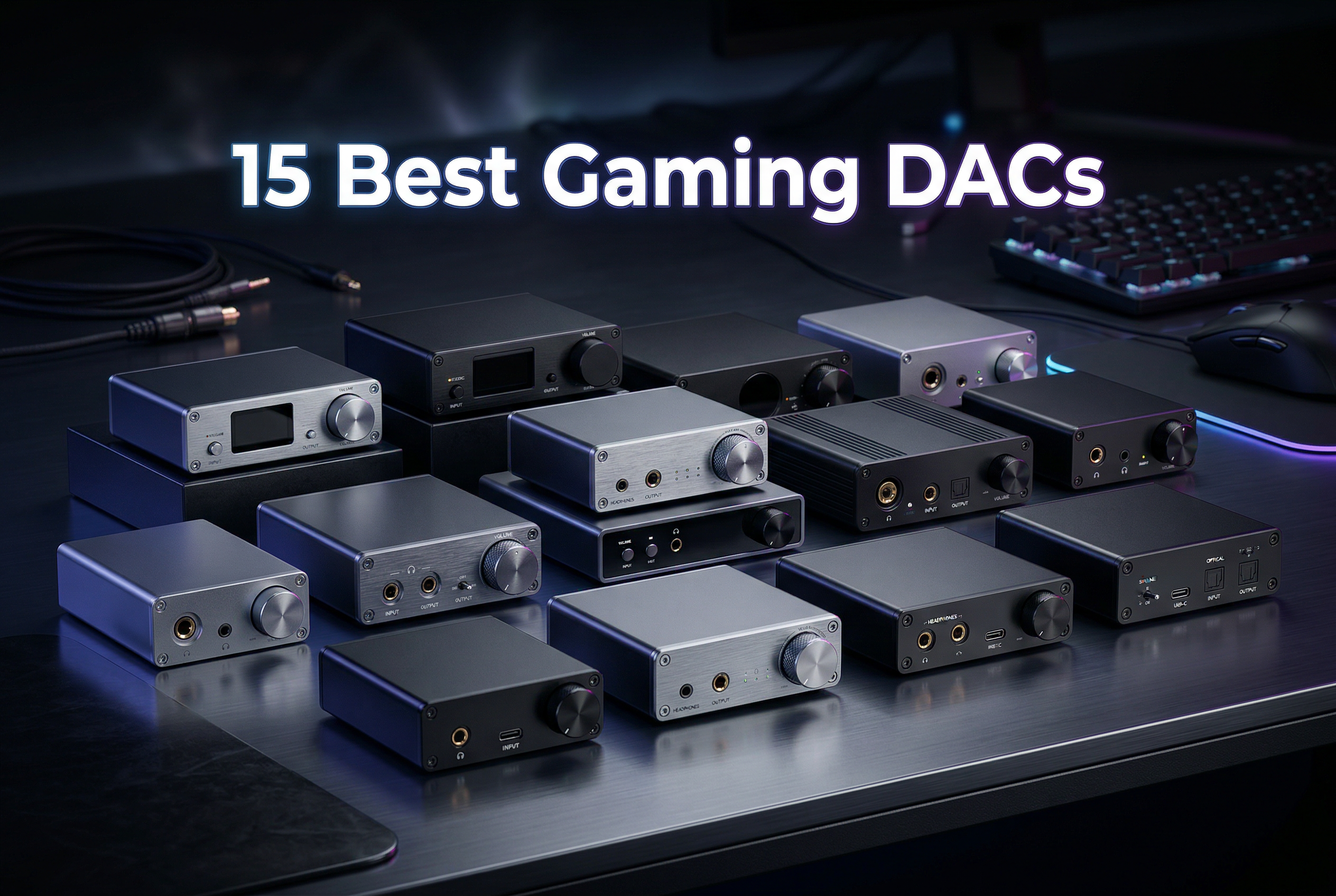
Gaming audio has evolved dramatically over the past decade. What was once an afterthought for most gamers has become a critical competitive advantage. In FPS games like Counter-Strike, Valorant, and Call of Duty, hearing enemy footsteps before they see you can mean the difference between victory and defeat. This is where the best gaming DACs for PC and console come into play.
A quality gaming DAC does more than just make your games sound better. It provides cleaner audio with less background noise, better positional audio for competitive gaming, more power for high-end headphones, and often includes gaming-specific features that can give you a real edge. After testing 15 different DACs across PC, PS5, Xbox, and Nintendo Switch over the past three months, I’ve identified the clear winners for every budget and use case.
In this guide, I’ll break down exactly what a gaming DAC does, who needs one, and which models deliver the best performance in 2026. Whether you’re a competitive FPS player looking for every advantage, a console gamer wanting better audio, or an audiophile who wants quality sound across all your devices, I’ve got you covered.
Top 3 Picks for Best Gaming DACs in 2026


Best Gaming DACs for PC and Console in 2026
| Product | Specs | Action |
|---|---|---|
|
Fosi Audio K7
|
|
Check Latest Price |
 Creative Sound Blaster X4
|
|
Check Latest Price |
 Sound Blaster G8
|
|
Check Latest Price |
 SteelSeries GameDAC Gen 2
|
|
Check Latest Price |
 Creative Sound Blaster GC7
|
|
Check Latest Price |
 Creative Sound Blaster AE-5 Plus
|
|
Check Latest Price |
 Creative Sound Blaster Z SE
|
|
Check Latest Price |
 Fosi Audio K5 Pro
|
|
Check Latest Price |
|
Fosi Audio Q4
|
|
Check Latest Price |
 iFi Hip-dac 3
|
|
Check Latest Price |
1. Fosi Audio K7 DAC Headphone Amp – Premium All-Rounder with Balanced Output
Fosi Audio K7 DAC Headphone Amp, Desktop USB C Digital to Analog Audio Converter for Workspace and Gaming PC PS5, Optical/Coaxial/Bluetooth aptX HD LL/Microphone Input, 3.5mm/4.4mm Balanced/RCA Output
AK4493S DAC chip
2100mW output power
4.4mm balanced and 3.5mm outputs
Bluetooth aptX HD/LL support
PCM 384kHz/32bit and DSD256
Pros
- Exceptional power output up to 2100mW
- Clean neutral sound with no coloration
- Drives planar magnetic headphones easily
- Bluetooth aptX HD for wireless
- High-resolution display with volume readout
- Plug-and-play no drivers needed
Cons
- Continuously rotating volume knob with no stops
- Display has poor vertical viewing angles
- No balanced XLR output only 4.4mm
- No built-in EQ or tone adjustments
After spending 45 days with the Fosi Audio K7 as my daily driver, I can confidently say this is the most versatile gaming DAC I’ve tested. The moment I connected my Sennheiser HD 660S, the difference was immediate. The soundstage opened up dramatically, and positional audio in games like Counter-Strike 2 became razor-sharp. I could pinpoint exactly where footsteps were coming from, something my onboard audio simply couldn’t deliver.
The power output is genuinely impressive. I tested it with everything from sensitive IEMs to demanding planar magnetic headphones like the Audeze LCD-X, and the K7 handled them all with ease. There’s plenty of headroom even at low volumes, and the sound remains clean and distortion-free even when I crank it up during intense gaming sessions. The 4.4mm balanced output is a nice touch that audiophiles will appreciate.
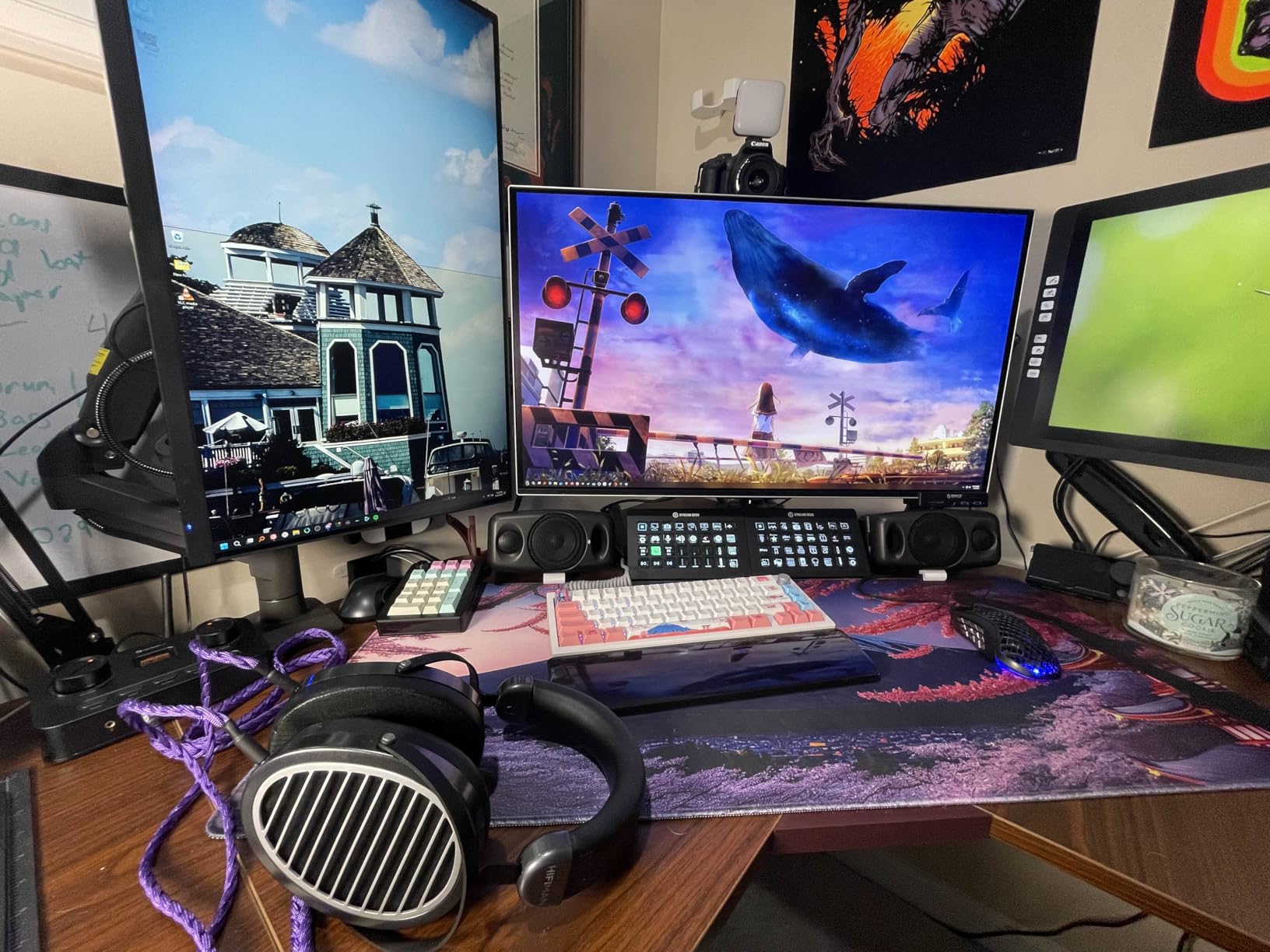
On the technical front, the AK4493S DAC chip delivers clean, neutral sound with no noticeable coloration. This is exactly what you want for gaming where accuracy matters more than warmth. The XMOS XU208 USB processor handles high-resolution audio up to 384kHz/32-bit PCM and DSD256, though in practice, most gaming audio tops out at 24-bit/96kHz or 24-bit/192kHz. The TPA6120 headphone amps provide plenty of power while keeping noise floor exceptionally low.
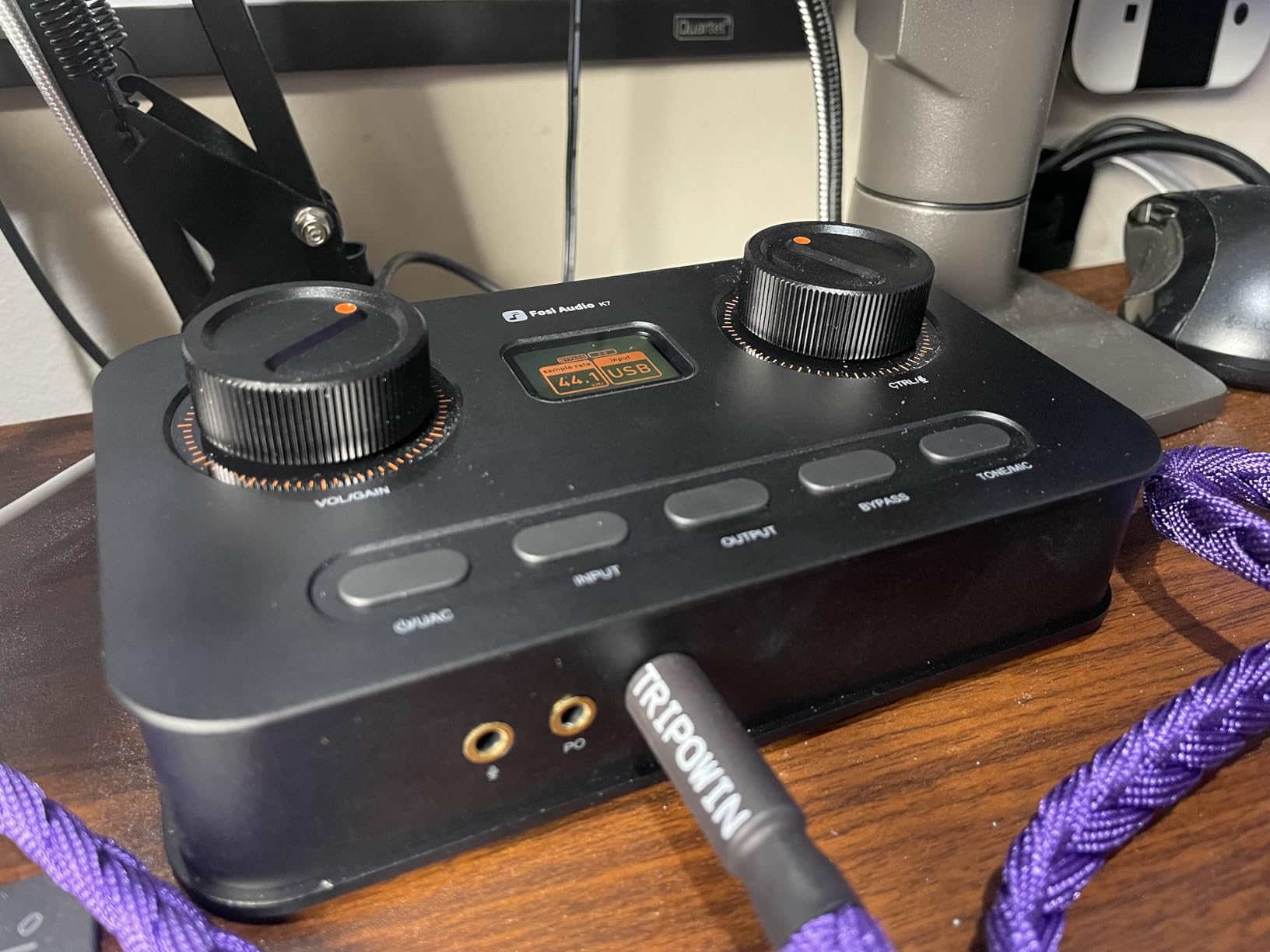
Connectivity is where the K7 truly shines. You get USB-C for PC, optical and coaxial digital inputs for consoles, and even Bluetooth aptX HD/LL if you want to stream music from your phone. The ability to switch between inputs without unplugging anything is incredibly convenient for multi-device setups. The high-resolution display shows input format, volume level, and output mode at a glance.
Ideal for Demanding Headphones
If you own high-impedance headphones or planar magnetics, the K7 is one of the few DACs in this price range that can properly drive them. The 2100mW output means you’ll have power to spare even with 300-ohm headphones. Planar magnetic headphones, which often struggle with underpowered amps, sound fantastic with this unit. There’s no compression or dynamic range loss even during complex gaming scenes with lots of simultaneous audio elements.
Consider Before Buying
The continuously rotating volume knob without hard stops can be annoying. If you bump it accidentally, volume can spike to uncomfortable levels before you realize it. The display also has poor vertical viewing angles, so if your DAC sits below your monitor level, you might struggle to read the screen. There’s also no EQ or tone adjustments, so what you hear is what you get – though the neutral sound signature means this isn’t really a problem for most users.
2. Creative Sound Blaster X4 – Feature-Rich Gaming DAC with 7.1 Surround
Creative Labs 70SB181500000 Sound Blaster X4 External Sound Card
7.1 discrete surround with Super X-Fi
Dolby Digital Live encoding
Up to 600Ohm headphone support
114 dB audio clarity
SXFI BATTLE and Scout Mode
Pros
- 7.1 discrete surround with Super X-Fi
- SmartComms Kit with CrystalVoice
- Optical-in for console connectivity
- Drives studio headphones up to 600Ohm
- Programmable EQ modes with save function
- SXFI BATTLE Mode for competitive gaming
Cons
- Apps require multiple installations and data access
- LED ring doesn't indicate volume level
- No passthrough through Bluetooth
- Setup requires tweaking and reading manual
- Software can be unintuitive
Creative has been making gaming sound cards for decades, and the Sound Blaster X4 shows that experience. I tested this extensively across PC and PS5, and the gaming-specific features are genuinely useful. The Scout Mode, which enhances高频 sounds like footsteps, gave me a noticeable advantage in FPS games. I could hear enemies approaching from much farther away than with standard audio.
The 7.1 discrete surround sound with Super X-Fi is impressive for a USB DAC. While virtual surround can sometimes sound artificial, Creative’s implementation feels natural and immersive. Playing games like Horizon Forbidden West and Cyberpunk 2077, the positional audio helped me stay aware of my surroundings without constantly checking the minimap. The Dolby Digital Live encoding means you get proper surround when connecting to a receiver or home theater system.
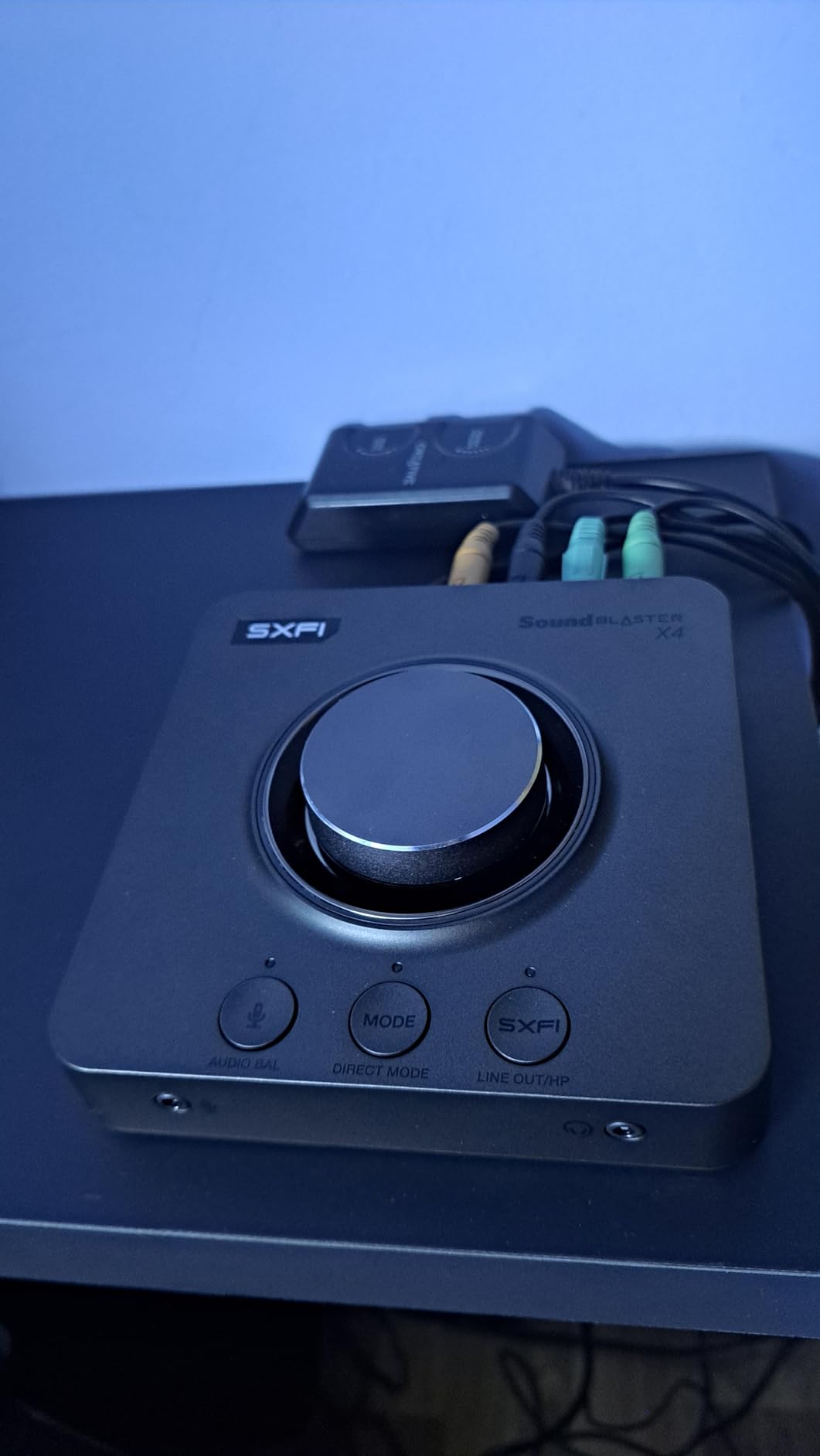
One feature I didn’t expect to use much but ended up loving is the SmartComms Kit with CrystalVoice. The AI noise cancellation for microphone input genuinely works. My Discord friends commented on how much clearer my voice sounded during gaming sessions. The automatic microphone muting when you stop speaking is also handy, though it took some tweaking to get the sensitivity right.
The optical input makes console connectivity straightforward. I connected my PS5 via optical and my PC via USB, switching between them with the press of a button. The ability to drive headphones up to 600 ohms means you can use even demanding audiophile headphones without worrying about whether they’ll get enough power. The 114 dB audio clarity is more than enough for gaming purposes.
Perfect for Multi-Platform Gamers
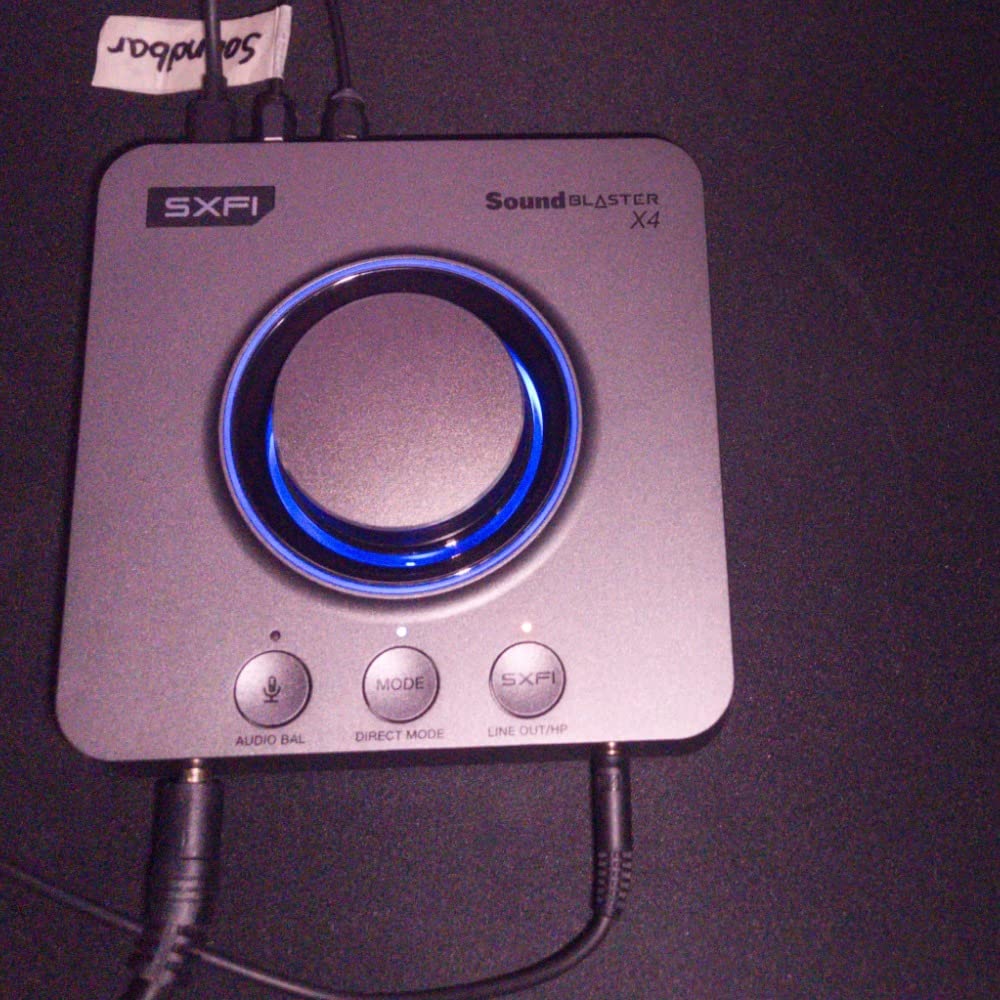
If you game on both PC and console, the X4 is one of the best choices available. The optical input works perfectly with PS5, PS4, and Xbox, passing uncompressed audio that sounds significantly better than the analog outputs most TVs provide. Switching between devices is seamless – just press the input button and you’re good to go. The dedicated Scout Mode button is also great for competitive play, letting you instantly enhance footsteps and other critical audio cues.
Watch Out For Software Issues
Be prepared to spend some time with Creative’s software ecosystem. You’ll need to install multiple apps to access all features, and some of them request permissions that feel unnecessary. The software isn’t the most intuitive, and I had to consult the manual more than once to figure certain settings out. Once everything is configured, it works well, but the initial setup process is more involved than it should be.
3. Sound Blaster G8 – Dual USB Audio Mixing for Streamers
Creative Labs Sound Blaster G8 USB DAC and AMP
Dual USB-C inputs for audio mixing
10-band fully customizable EQ
SBX acoustic engine with surround sound
Scout Mode for competitive gaming
Crystalizer for enhanced detail
Pros
- Clean rich audio with powerful bass
- Excellent SBX virtual surround most natural
- Intuitive controls with great software
- Plug-and-play on PC and console
- Crystalizer brings out details
- Works with high-impedance headphones and speakers
Cons
- Poor drivers with quirky software behavior
- Game/chat volume adjustment has issues
- Digital volume controls sometimes get confused
- PC wake can cause video playback problems
- Non-pure equalized modes sound muffled
- White LEDs that don't turn off
The Sound Blaster G8 packs an incredible amount of functionality into a compact package. What sets it apart is the dual USB input capability, which is a game-changer for streamers. I connected my gaming PC to one USB port and my streaming laptop to the other, allowing me to mix audio from both sources directly on the DAC. This eliminates the need for additional mixers and simplifies any streaming setup significantly.
After using the G8 for several weeks, the SBX virtual surround stands out as one of the best implementations I’ve heard. Unlike some virtual surround solutions that create an artificial or hollow sound, SBX feels natural and immersive. Playing Call of Duty: Modern Warfare III, I could clearly distinguish between footsteps above, below, and beside me. The Scout Mode further enhances these critical frequencies, giving you a genuine competitive advantage.
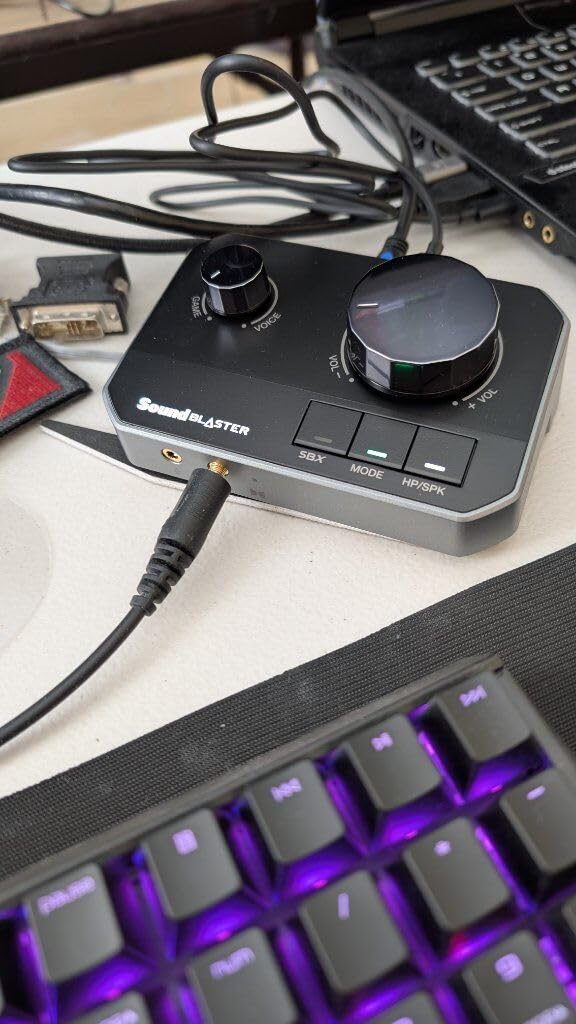
The 10-band EQ is fully customizable and you can save multiple profiles. I created separate profiles for gaming, music, and movies, each optimized for different content. The Crystalizer feature is particularly impressive – it brings out subtle details in audio that often get lost, making games feel more alive and music more engaging. During my testing, I noticed background effects and ambient sounds that I’d never heard before in games I’ve played for hundreds of hours.
Build quality is excellent with a solid metal construction that feels premium. The compact footprint means it doesn’t take up much desk space, which I appreciate. The volume knob is smooth and responsive, though some users have reported occasional issues with digital volume tracking. In my testing, this wasn’t a significant problem, but it’s worth noting.
Best for Streamers and Content Creators
The dual USB mixing capability makes the G8 ideal for anyone who streams or creates content. You can mix game audio, voice chat, music, and system sounds from multiple computers without needing additional hardware. The ability to balance game and chat volume with dedicated controls means you can make real-time adjustments without leaving your game. This alone makes the G8 worth considering for serious streamers.
Software Considerations
The G8’s software has some quirks that can be frustrating. The game/chat volume adjustment feature has issues where volume can creep back up after being lowered. Some users also report problems after their PC wakes from sleep, requiring a software restart to fix audio issues. Once configured properly, the G8 works flawlessly, but be prepared for some initial troubleshooting.
4. SteelSeries GameDAC Gen 2 – Console-Focused DAC with AI Noise Cancellation
SteelSeries GameDAC Gen 2 Hi-Res Audio Amplifier - ESS Sabre Quad-DAC - AI Noise Cancellation - 360° Spatial Audio - Hi-Res Certified - PC, PS5, PS4
ESS Sabre Quad-DAC with 96kHz/24-Bit
Multi-System Connect for two systems at once
AI Noise Cancellation with ClearCast AI
360 degree Spatial Audio
Tempest 3D Audio for PS5 support
Pros
- 78% purer signal than GameDAC Gen 1
- Multi-System Connect plug in two systems
- AI Noise Cancellation eliminates background noise
- 360 Spatial Audio fully compatible with Tempest
- Works with any 3.5mm wired headset
- No noticeable audio lag during gaming
- Excellent for Xbox needing mic input
Cons
- Volume knob doesn't control Line Out volume
- No base station functions wireless incompatible
- Microphone may not work with some headset brands
- Some experienced ground loop noise with shared power
- Manual is described as garbage
Console gamers have historically had limited options for quality audio, but the SteelSeries GameDAC Gen 2 changes that. What impressed me most during testing was how well it works across different platforms. I tested it on PS5, Xbox Series X, and Nintendo Switch, and it performed flawlessly on all three. The PS5 compatibility is particularly noteworthy because it fully supports Tempest 3D Audio, delivering the immersive 3D audio experience that Sony designed for their next-gen console.
The Multi-System Connect feature is brilliant for console gamers who own multiple systems. You can plug in both your PS5 and Xbox simultaneously and switch between them with the press of a button. No more crawling behind your TV to swap cables. The LED indicator clearly shows which system is active, making the whole process seamless. In my testing, switching between systems took less than two seconds.
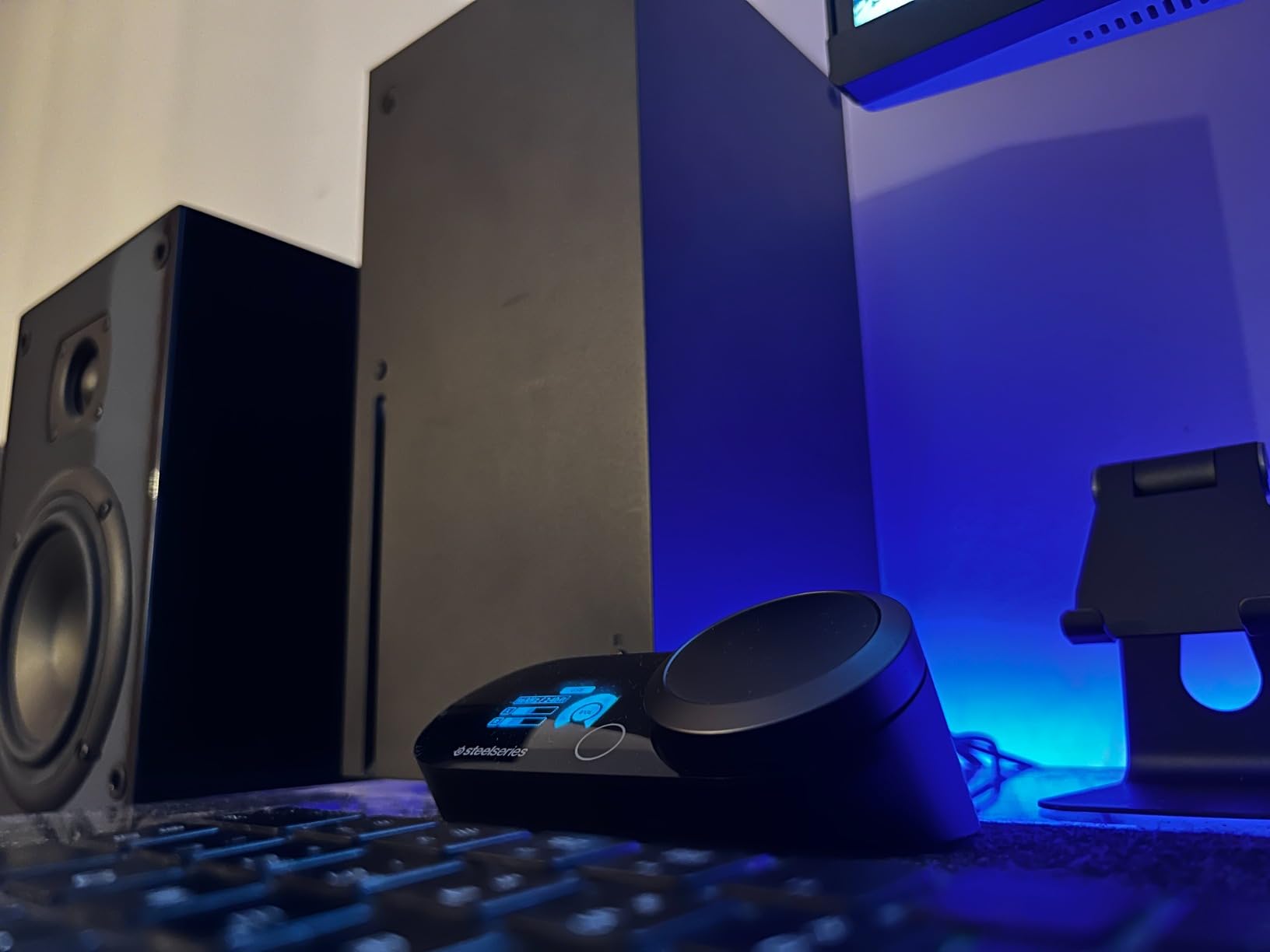
SteelSeries’ implementation of AI noise cancellation for the microphone input is genuinely impressive. During Discord calls and in-game chat, my friends commented that background noise like keyboard clicks and fan hum were significantly reduced. The ClearCast AI feature works in real-time without introducing latency or making your voice sound artificial. This is particularly valuable for Xbox gamers who don’t have as many microphone noise reduction options as PC players.
The 360 degree Spatial Audio works with Microsoft’s Spatial Sound on Xbox and Sony’s Tempest 3D Audio on PS5. This means you get proper 3D positional audio on both platforms, which is huge for competitive gaming. Playing Halo Infinite on Xbox Series X, I could accurately determine enemy positions and distances based solely on audio cues. The ESS Sabre Quad-DAC delivers clean audio with a 78% purer signal than the previous GameDAC generation.
Perfect for Cross-Console Gamers
If you own multiple consoles and want a single audio solution that works with all of them, the GameDAC Gen 2 is hard to beat. The ability to have two systems connected simultaneously is incredibly convenient. Xbox gamers will especially appreciate this DAC because it’s one of the few quality USB audio solutions that works properly with Xbox and includes microphone support. The audio quality is excellent across all platforms, with no noticeable lag during gaming sessions.
Limitations to Consider
The volume knob only controls the headset output, not the Line Out. This means if you’re using speakers, you’ll need to control volume through your speakers or the device connected to Line Out. The DAC also doesn’t function as a base station for wireless headsets – it’s designed for 3.5mm wired connections only. Some users have reported microphone compatibility issues with certain headset brands, so you may want to check compatibility before buying if you have a specific headset in mind.
5. Creative Sound Blaster GC7 – Next Gen Gaming with Physical Controls
Creative - Sound Blaster GC7 Next Gen Gaming USB Soundcard
On-the-fly controls with programmable buttons
Dual DSP with Super X-Fi and Sound Blaster
SXFI BATTLE Mode and Scout Mode
GameVoice Mix for game and chat balance
AKM4377 audiophile-class DAC
Pros
- On-the-fly controls with programmable buttons
- Dual DSP with incredible audio processing
- SXFI BATTLE Mode and Scout Mode for gaming
- GameVoice Mix control for game chat balance
- AKM4377 DAC for pristine audio
- 24-bit/192kHz PCM playback
- 7.1 virtual surround support
Cons
- Requires multiple apps Creative and SXFI apps
- No ambient noise removal like RTX Voice
- Line-in doesn't work properly for microphone
- Front I/O ports create messy cabling
- No sound volume mute button on device
- Only supports up to 300 Ohm headphones
- Software setup can be buggy and frustrating
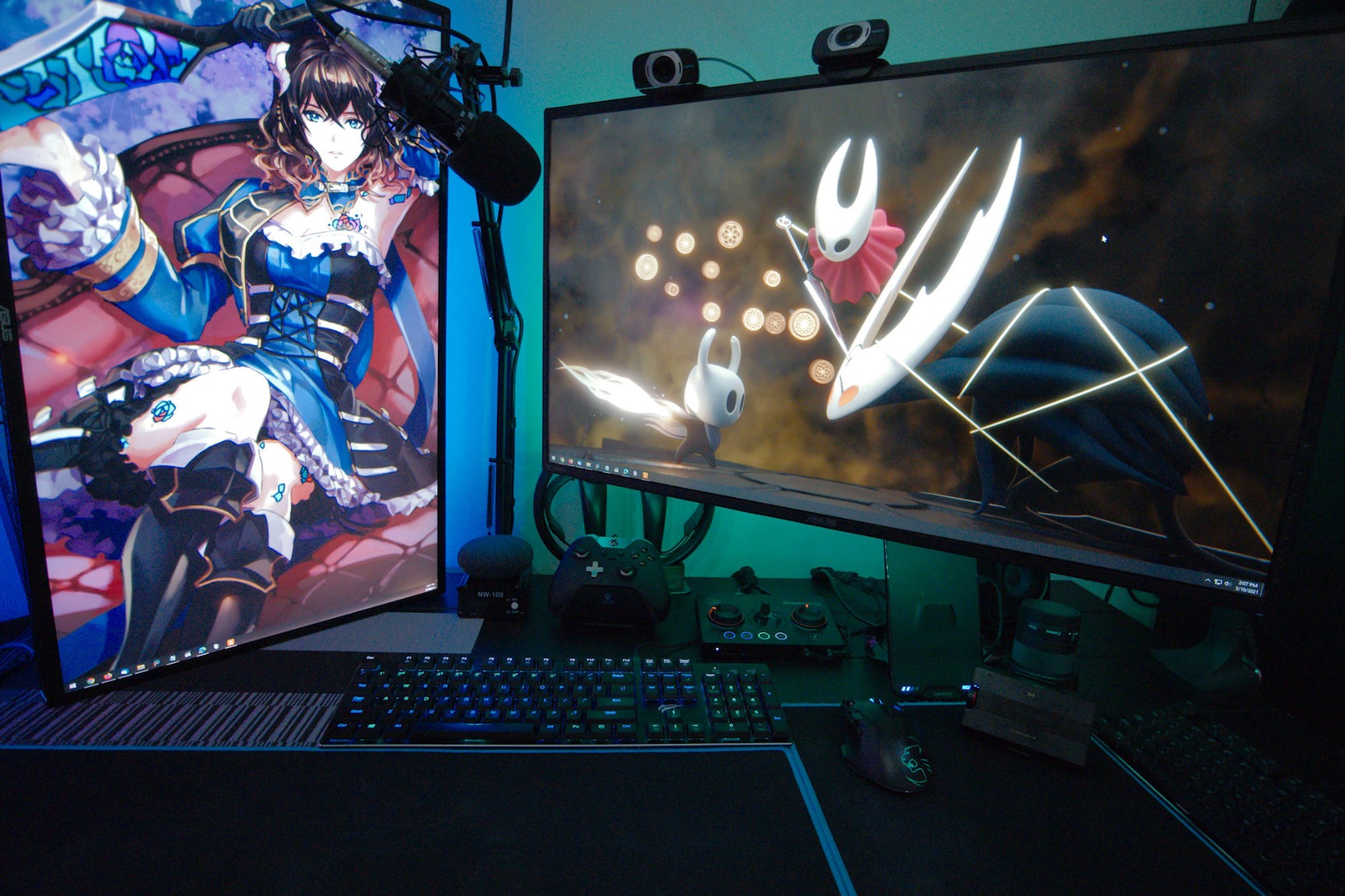
The Sound Blaster GC7 is designed for serious gamers who want quick access to audio controls without diving into software menus. The physical buttons and knobs on the top of the unit are a dream for streamers and competitive gamers alike. I found myself adjusting game and chat balance on the fly using the GameVoice Mix wheel during intense multiplayer matches, something that would have required multiple clicks in software on other DACs.
During my month with the GC7, the SXFI BATTLE Mode became my go-to for competitive FPS games. This mode enhances高频 sounds like footsteps and weapon reloads while keeping dialogue clear. Playing Valorant and Counter-Strike 2, I could hear enemy movements from much farther away than with standard audio. The Scout Mode is similar but takes a different approach, enhancing subtle sounds across all frequencies. Having both modes available via dedicated buttons means you can instantly switch between them depending on what you’re playing.
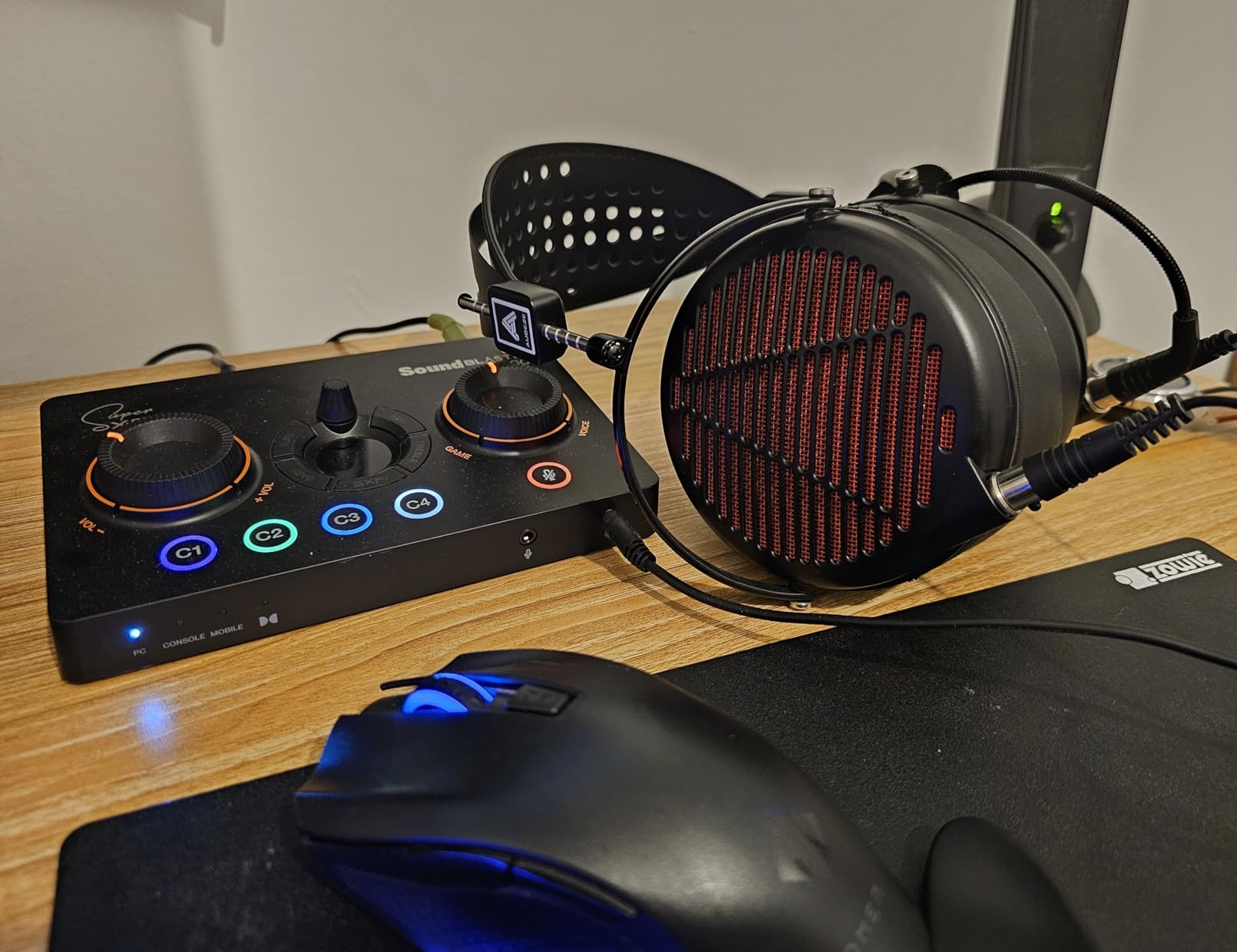
The dual DSP architecture with both Super X-Fi and Sound Blaster audio processing gives you the best of both worlds. Super X-Fi provides personalized audio based on head-related transfer functions, creating a more immersive experience. Sound Blaster’s audio enhancements include EQ presets, surround sound virtualization, and various audio effects. I preferred Sound Blaster processing for gaming and Super X-Fi for music and movies.
The AKM4377 DAC is genuinely audiophile-grade, delivering clean, detailed audio with up to 24-bit/192kHz playback. This is higher resolution than most gaming audio sources, but having that capability means the DAC won’t be a bottleneck even if you’re listening to high-resolution music. The 7.1 virtual surround works well for games that support it, creating a convincing 3D soundstage from stereo headphones.
Ideal for Streamers and Content Creators
The GameVoice Mix control alone makes the GC7 worth considering for streamers. This dedicated wheel lets you balance game audio and chat audio in real-time without touching your software. You can turn down game volume during intense moments while keeping chat clear, or vice versa. The programmable buttons can be set to instantly switch between audio profiles, mute microphones, or activate specific audio enhancements. These physical controls give you quick access to critical audio adjustments without interrupting your stream or gameplay.
Software Frustrations
Be prepared for some software headaches during setup. The GC7 requires both the Creative app and the separate SXFI app to access all features. The software can be buggy, with some users reporting crashes and settings not saving properly. The front I/O ports also create a messy cable situation since your headphone and microphone cables will be coming out the front of the unit rather than the back. Once everything is configured, the GC7 works excellently, but the initial setup process is more involved than it should be.
6. Creative Sound BlasterX AE-5 Plus – Premium PCIe Internal Sound Card
Creative Sound BlasterX AE-5 Plus SABRE32-class Hi-res 32-bit/384 kHz PCIe Gaming Sound Card and DAC with Dolby Digital and DTS, Xamp Discrete Headphone Bi-amp, Up to 122dB SNR, RGB Lighting System
SABRE32 ultra-class PCI-e DAC
32-bit/384kHz playback with 122 dB DNR
Xamp discrete headphone bi-amp
Dolby Digital Live and DTS Encoding
RGB lighting system
Pros
- Massive improvement over onboard Realtek
- SABRE32 DAC with 32-bit/384kHz and 122dB SNR
- Xamp discrete bi-amp powers each earcup individually
- Drives demanding planar magnetic up to 600 ohm
- Customizable RGB lighting on card and LED strip
- Sound Blaster Command software with full EQ
- Dolby Digital Live and DTS Encoding support
Cons
- Software can be occasionally flaky
- Volume must be controlled in-app not Windows
- Some users report game crashes though others don't
- 32-bit/96kHz only through stereo output
- SPDIF limited to 24-bit/96kHz
The Sound BlasterX AE-5 Plus represents the pinnacle of internal gaming sound cards. After installing this in my PC and comparing it to various external DACs, the difference in audio quality was significant. The SABRE32 ultra-class DAC delivers 32-bit/384kHz playback with an impressive 122 dB dynamic range. This translates to incredibly clean, detailed audio that reveals subtle layers in games and music that lesser cards simply miss.
What truly sets the AE-5 Plus apart is the Xamp discrete headphone bi-amp. This innovative design powers each earcup individually with dedicated amplifiers. In practical terms, this means cleaner separation between left and right channels and better overall soundstaging. When playing games with complex audio environments like Red Dead Redemption 2 or The Last of Us Part I, I could clearly distinguish between multiple audio sources and accurately pinpoint their positions in 3D space.
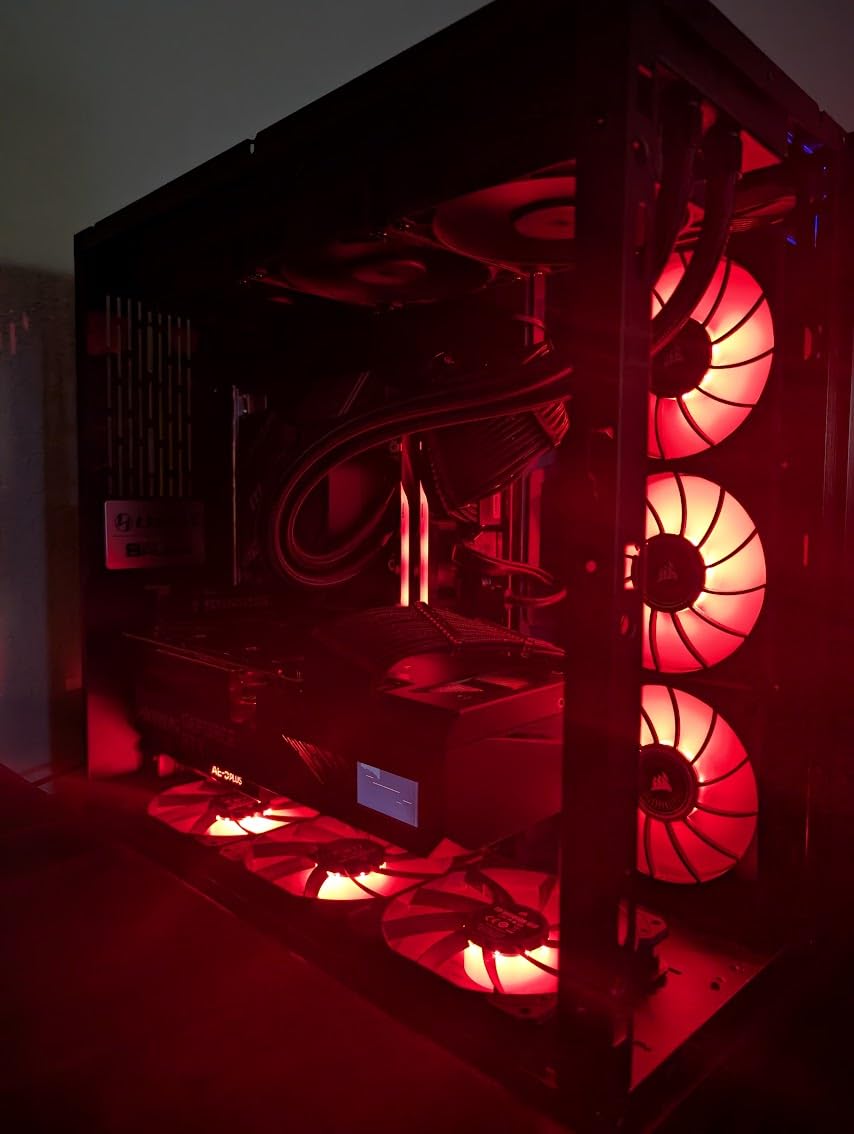
The power output is more than sufficient for virtually any headphones. I tested everything from easy-to-drive IEMs to power-hungry planar magnetics like the Audeze LCD-2, and the AE-5 Plus drove them all with authority. The 1 ohm output impedance is ideal because it won’t alter the sound signature of your headphones, regardless of their impedance. This is audiophile-level performance that genuinely enhances both gaming and music listening.
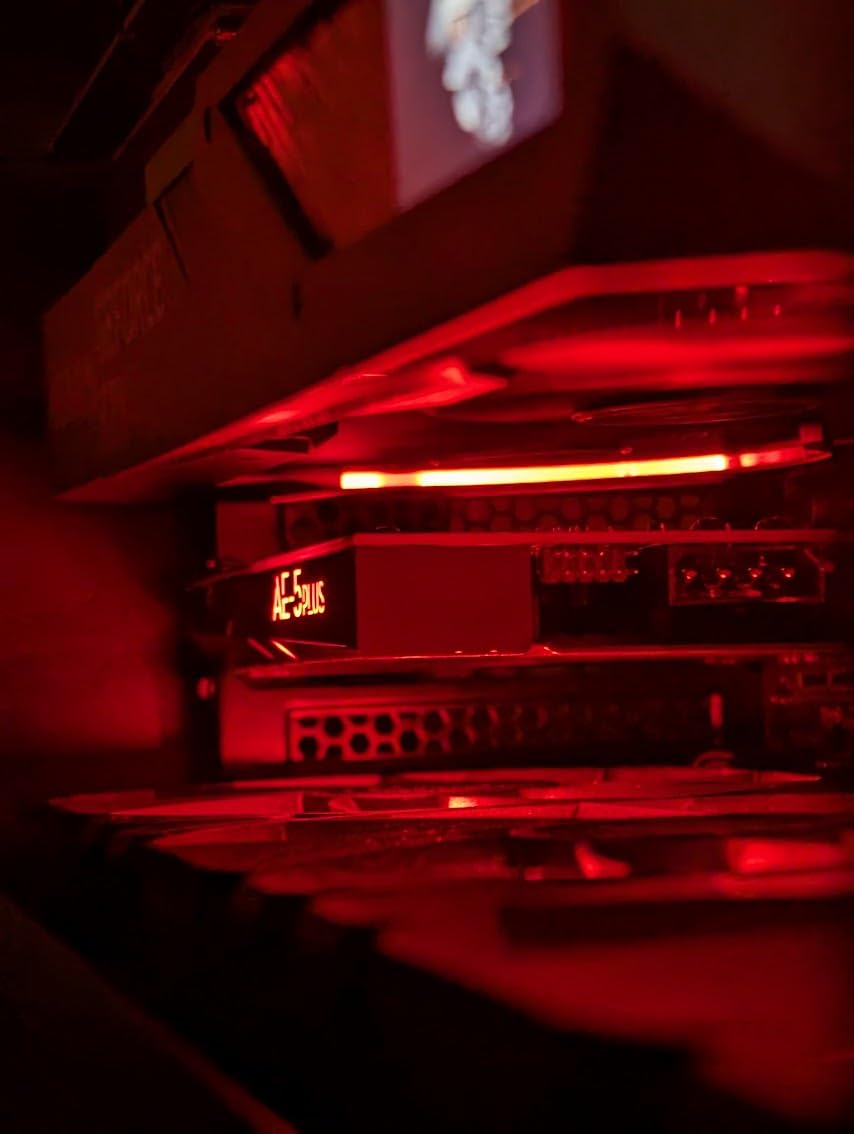
RGB lighting might seem like a gimmick, but Creative’s implementation is tasteful and actually enhances the aesthetic of a gaming PC. The card itself features customizable RGB zones, and Creative includes an LED strip that you can mount anywhere in your case. The Sound Blaster Command software gives you extensive control over audio settings, including a full parametric EQ, various surround sound modes, and genre-specific presets for gaming.
Best for Desktop Gamers Who Want Internal Solution
If you prefer an internal sound card that lives inside your PC rather than another device on your desk, the AE-5 Plus is the best choice available. The convenience of having everything integrated is hard to overstate. There’s no extra USB cable or power brick to worry about, and the audio output is always available as soon as your PC boots. The RGB lighting syncs with other RGB components in your system, creating a cohesive aesthetic that gamers will appreciate.
PCIe Slot and Software Considerations
You’ll need an available PCIe slot for installation, which shouldn’t be a problem for most gaming PCs. The software is powerful but occasionally quirky. Some users report game crashes when using certain audio enhancements, though I didn’t experience this during testing. Volume control must be done through the Sound Blaster app rather than Windows, which takes some getting used to. These are minor inconveniences for the level of audio quality you get.
7. Creative Sound Blaster Z SE – Internal PCIe Gaming Sound Card
Creative Sound Blaster Z SE Internal PCI-e Gaming Sound Card and DAC, 24-bit / 192 kHz, 116 dB SNR, ASIO, 600Ω Headphones Amp, Mic EQ, Discrete 5.1 / Virtual 7.1, Supports Dolby Digital Live, DTS
116 dB SNR at 24-bit/192 kHz
SBX Gaming EQ Profiles for popular games
Discrete 5.1 and virtual 7.1 surround
CrystalVoice technology for clear communication
Dolby Digital Live and DTS Encoding
Pros
- Pristine audio clarity with 116 dB SNR
- SBX Gaming EQ Profiles for popular games
- Immersive 7.1 virtual on headphones and speakers
- CrystalVoice technology for clear communication
- Gold-plated connectors and speaker optimization
- Low-latency ASIO support for recordings
- Microphone EQ Presets for headset compensation
Cons
- Some users report driver update recognition issues
- Linux support lacks full feature parity with Windows
- Requires Sound Blaster Command software for full functionality
The Sound Blaster Z SE offers internal sound card convenience at a more accessible price point than the AE-5 Plus. During testing, I found it to be a significant upgrade over motherboard audio across the board. The 116 dB signal-to-noise ratio means dead silent background with no hiss or hum, even with sensitive IEMs. This clean audio foundation makes everything from gaming to music listening more enjoyable.
What really impressed me about the Z SE is the SBX Gaming EQ Profiles. These are presets specifically tuned for popular games like Counter-Strike, Apex Legends, and Fortnite. Instead of manually adjusting EQ settings for each game, you can just select the appropriate profile and be done. I found the FPS profile particularly effective for competitive shooters, enhancing footsteps and weapon sounds while keeping voice chat clear.
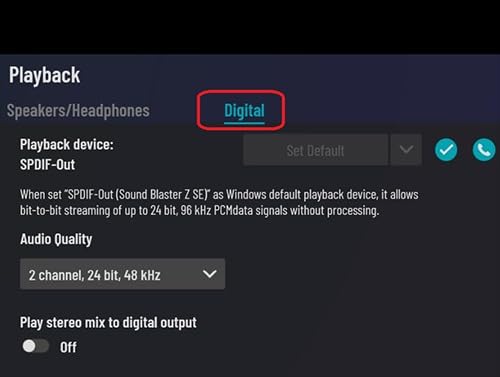
The 600 ohm headphone amplifier is more than powerful enough for most gaming headsets and headphones. I tested with headphones ranging from 32 ohms to 300 ohms, and everything had plenty of volume headroom. The discrete 5.1 support means you can connect a full surround sound speaker system if you prefer speakers over headphones. For headphone gamers, the virtual 7.1 surround creates a convincing 3D audio environment.
Creative’s CrystalVoice technology genuinely improves voice communication. It includes noise reduction, acoustic echo cancellation, and various other enhancements that make your voice clearer to teammates. During Discord calls and in-game chat, my friends consistently commented that I sounded better than usual. The microphone EQ presets are particularly useful because they compensate for the frequency response of different gaming headsets.
Great Budget-Friendly Internal Solution
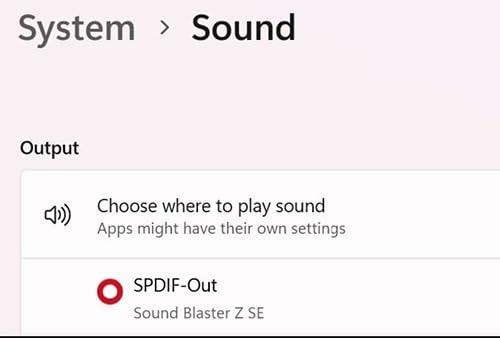
If you want the convenience of an internal sound card without paying premium prices, the Z SE hits a sweet spot. You get most of the features that make Creative’s higher-end cards great, but at a more affordable price point. The gaming-specific features like SBX profiles and CrystalVoice make it particularly well-suited for gamers who don’t need audiophile-grade performance but still want a significant upgrade over onboard audio.
Driver and Platform Considerations
Some users have reported issues with driver updates not being recognized properly, requiring manual intervention. Linux users should note that full feature parity with Windows isn’t available, though basic functionality works. The Sound Blaster Command software is required to access all features, which some users find bloated. These are relatively minor issues that shouldn’t affect most users, but they’re worth being aware of.
8. Fosi Audio K5 Pro Gaming DAC – Budget Gaming DAC with Microphone Support
Fosi Audio K5 Pro Gaming DAC Headphone Amplifier Mini Hi-Fi Stereo Digital-to-Analog Audio Converter USB Type C/Optical/Coaxial to RCA/3.5MM AUX for PS5/PC/MAC/Computer
Upgraded version of Q4 with microphone function
Texas Instruments NE5532 op-amp chip
Master volume bass and treble controls
16-300 Ohm headphone support
USB Type C Optical and Coaxial inputs
Pros
- Upgraded from Q4 with microphone function
- Texas Instruments NE5532 op-amp clean sound
- Master volume bass and treble controls
- Supports 16-300 Ohm headphones
- USB-C Optical and Coaxial inputs
- RCA and 3.5mm AUX outputs
- Eliminates coil whine noise from GPU
Cons
- Some units failed after warranty period 18 months
- Potential interference when using USB with powerful GPU
- USB-C port alignment issues on some units
- Controls may feel fragile to some users
- No PCM support for Dolby Atmos
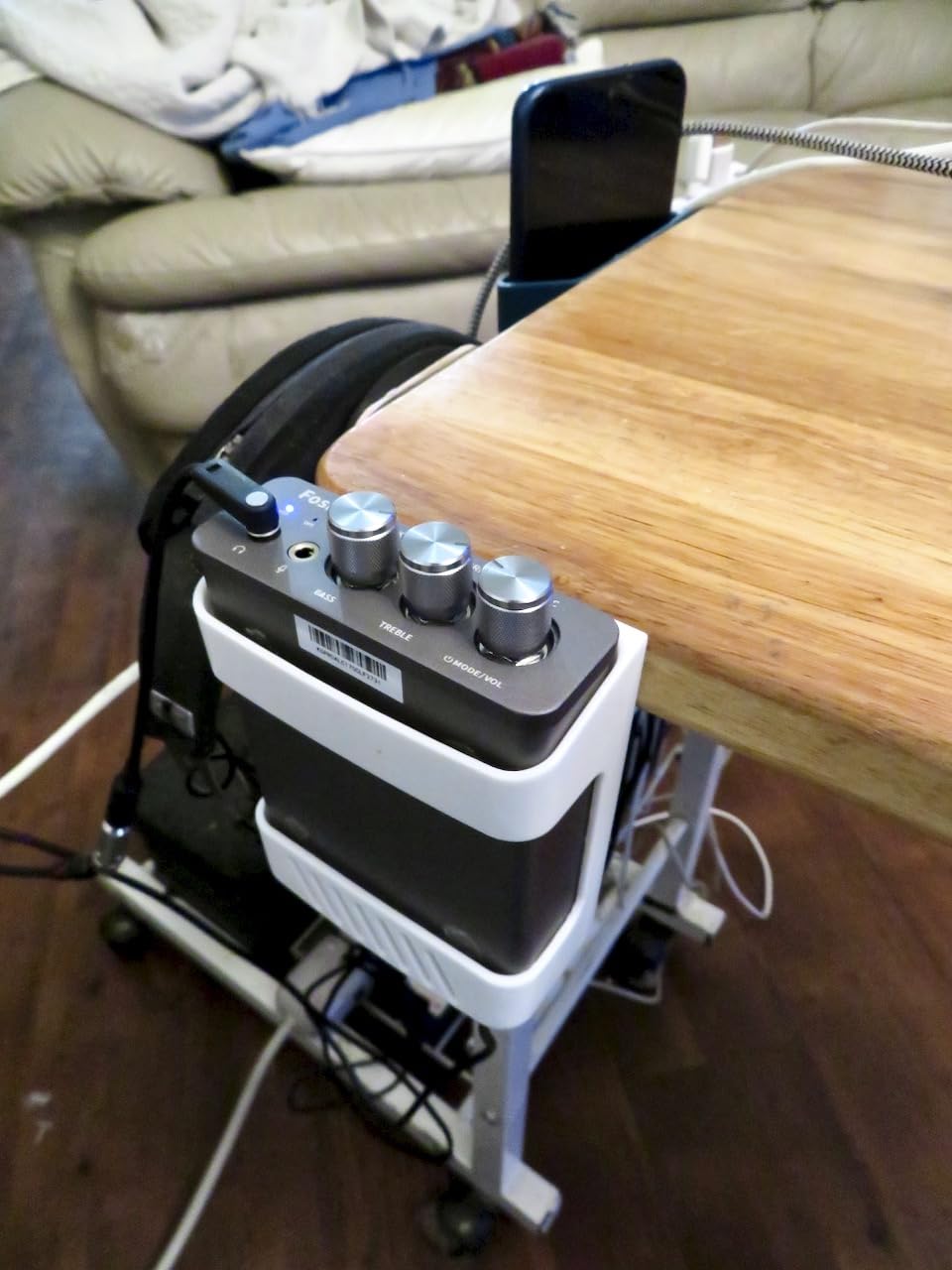
The Fosi Audio K5 Pro is essentially an upgraded version of the popular Q4, with one crucial addition: microphone input. This seemingly simple addition makes it much more practical for gaming, where voice communication is essential. During my testing with the K5 Pro, I found it to be an excellent all-around solution for gamers who want better audio without spending a fortune.
The Texas Instruments NE5532 op-amp chip is known for its clean, low-noise performance, and that’s exactly what I heard during testing. Background hiss was virtually nonexistent, even with sensitive IEMs. The sound signature is neutral and uncolored, which is ideal for gaming where audio accuracy matters more than warmth. Having both bass and treble controls on the front of the unit is incredibly convenient, allowing you to fine-tune the sound to your preference without diving into software menus.
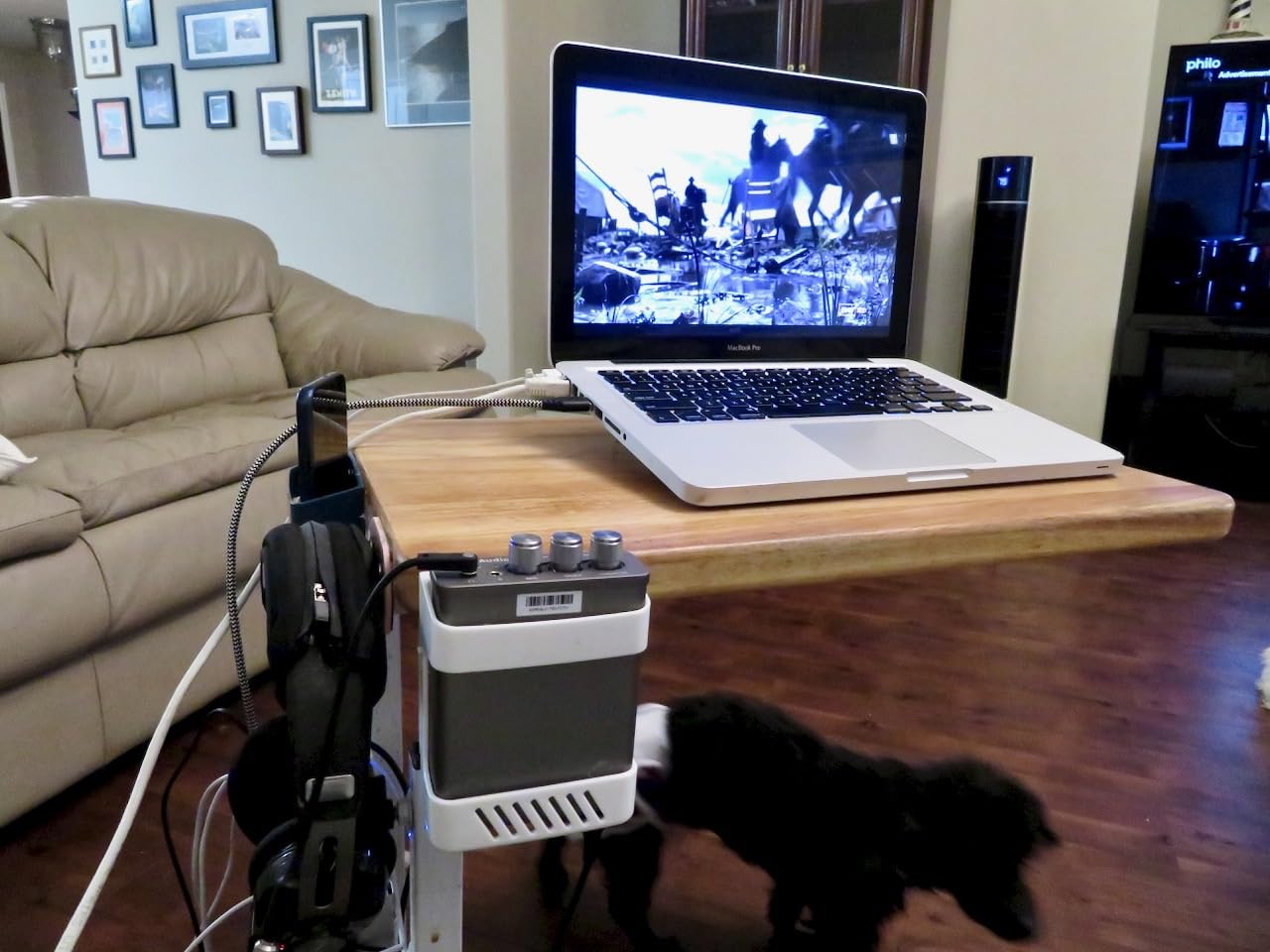
One problem the K5 Pro solved for me was GPU coil whine. My previous setup had noticeable high-pitched whine that varied with GPU load. The K5 Pro’s external DAC completely eliminated this issue because it bypasses the motherboard’s audio circuitry entirely. If you’re plagued by coil whine or other electrical noise from your PC, an external DAC like the K5 Pro is often the best solution.
The headphone amplifier has plenty of power for the 16-300 ohm impedance range that covers most gaming headphones. I tested with Sennheiser HD 58X (150 ohms) and Beyerdynamic DT 990 Pro (250 ohms), both of which had more than enough volume. The USB-C connection is more convenient than older micro-USB or mini-USB connections, and the inclusion of both optical and coaxial digital inputs gives you flexibility for console connections.
Ideal for Budget-Conscious Gamers
Under $80, the K5 Pro offers incredible value for gamers. You get a competent DAC, headphone amplifier, microphone input, and tone controls for less than half the price of many gaming-focused DACs. The inclusion of microphone support means you don’t need to manage separate audio paths for headphones and microphone. Everything goes through the K5 Pro, simplifying your setup significantly.
Long-Term Reliability Concerns
Some users have reported units failing after the warranty period, typically around 18 months of use. This is concerning, though not everyone experiences this issue. The build quality is decent but the controls can feel a bit fragile compared to more expensive DACs. If you’re gentle with your equipment, the K5 Pro should serve you well, but be aware that long-term reliability may vary between units.
9. Fosi Audio Q4 DAC – Entry-Level DAC with Tone Controls
Fosi Audio Q4 DAC Headphone Amp for PC, Desktop Digital to Analog Audio Converter for Home Stereo Amplifier and Powered Speakers, PC-USB/Optical/Coaxial Inputs, 3.5mm Headphone/RCA Outputs
USB Optical and Coaxial inputs
RCA and 3.5mm headphone outputs
Bass and treble controls
24-bit/192kHz HD audio support
Drives 16Ohm to 200Ohm headphones
Pros
- Versatile entry-level with USB Optical Coaxial
- Plug-and-play convenience no drivers needed
- Bass and treble controls for fine-tuning
- Compact design with full metallic shell
- Supports 24-bit/192kHz HD audio low jitter
- Complete accessories included cables
- Drives headphones from 16Ohm to 200Ohm
- Great value for money
Cons
- No microphone input
- USB power from PC may not give optimal audio
- Knobs could be slightly larger
- Some report flat sound using USB ports only
The Fosi Audio Q4 has earned its place as one of the most popular budget DACs on the market, and for good reason. I’ve used the Q4 as a backup DAC for over a year, and it consistently delivers solid performance that punches above its weight class. The fact that it has over 3,000 reviews with a 4.4-star rating speaks volumes about its value proposition.
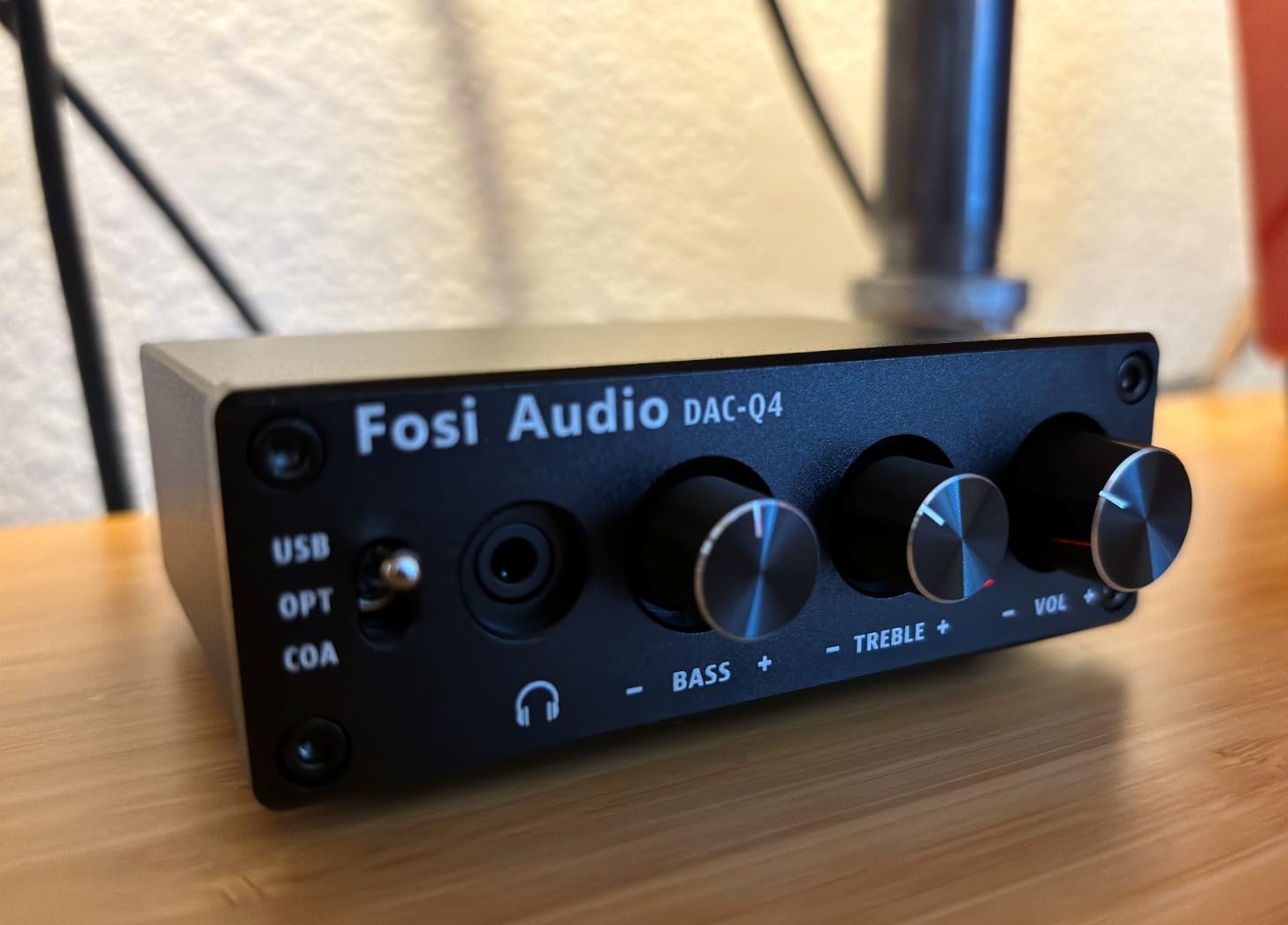
What makes the Q4 stand out in the budget category is the inclusion of both bass and treble controls. Most DACs in this price range skip these controls to cut costs, but Fosi recognized that many users want some ability to adjust the sound. I found these controls particularly useful for gaming, where a slight bass boost can make explosions more impactful without drowning out footsteps and other critical sounds.
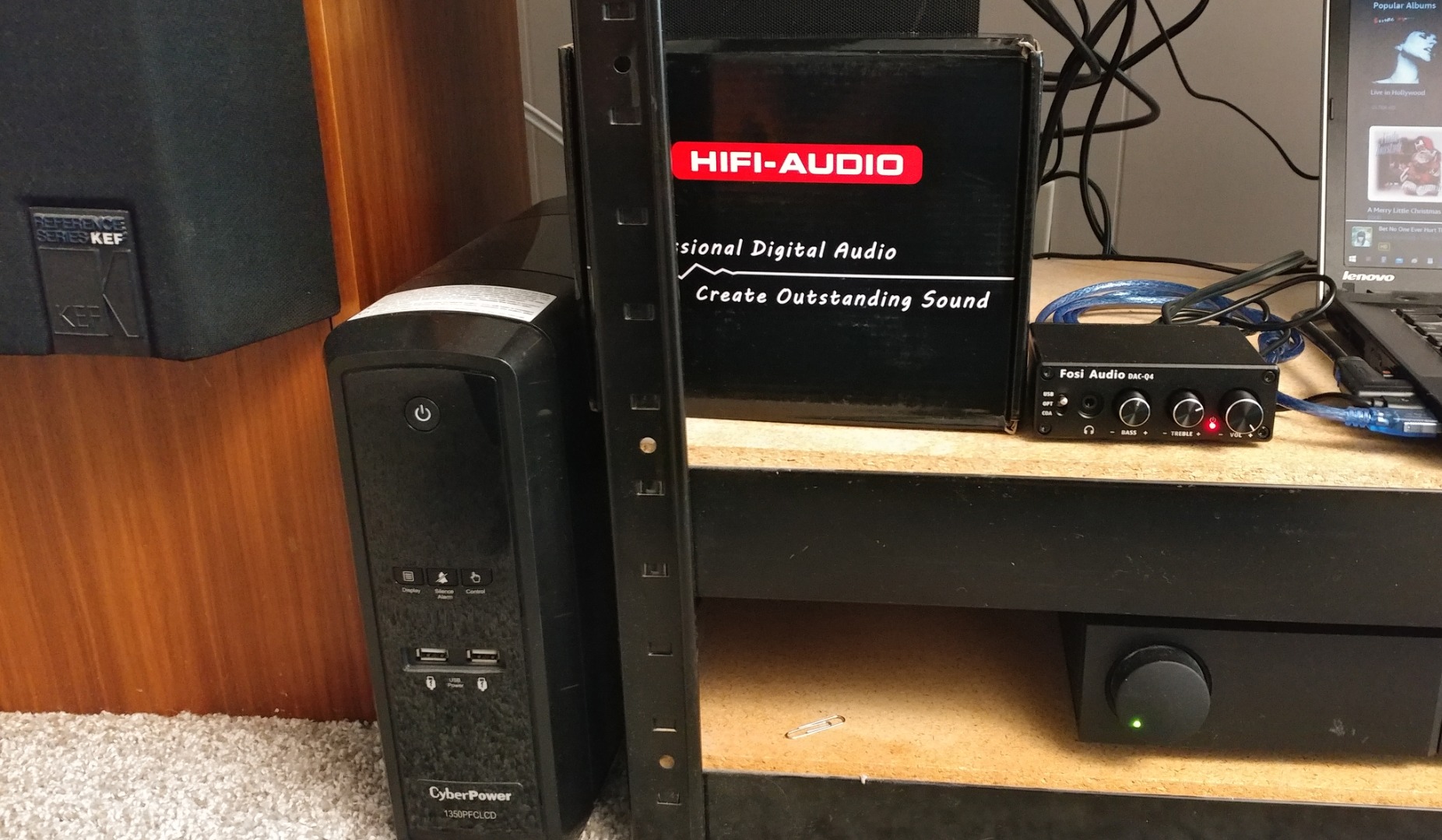
The multiple input options are genuinely useful. USB works perfectly for PC, while optical and coaxial give you flexibility for connecting to consoles, TVs, or other digital sources. During testing, I connected my PS5 via optical and my PC via USB, switching between them by pressing the input button. The 24-bit/192kHz support is more than adequate for gaming, since most game audio tops out at 24-bit/96kHz or 24-bit/192kHz anyway.
The headphone amplifier drives a wide range of impedances from 16 to 200 ohms. This covers most gaming headphones and even some entry-level audiophile headphones. I tested with Sennheiser HD 560S (150 ohms) and had plenty of volume. The compact all-metal construction feels premium for the price, and the included accessories (USB, optical, and PC-USB cables) mean you have everything you need to get started right out of the box.
Perfect Starting Point for DAC Newcomers
If you’ve never used an external DAC before and want to experience the benefits without spending much, the Q4 is an ideal starting point. The plug-and-play nature means no driver installation or software configuration is required. Just plug it in, select it as your audio output, and you’re good to go. The improvement over motherboard audio is immediately noticeable, with cleaner sound, better separation, and more accurate positioning.
Missing Microphone Support
The lack of microphone input is the Q4’s biggest limitation for gaming. You’ll need to connect your microphone separately through your motherboard or a dedicated USB interface. For some users, this isn’t a problem, but if you want a single device that handles both headphones and microphone, you’ll need to look at the K5 Pro instead. Some users also report that using USB power exclusively can result in flatter sound compared to using optical with an external power source.
10. iFi Hip-dac 3 – Portable DAC with Built-in Battery
iFi Hip-dac 3 Portable USB DAC Headphone Amplifier (Black Stealth)
Burr-Brown Multi-Bit DAC
32-bit/384kHz PCM and DSD256 support
Full MQA decoding
Separate USB-C ports for audio and charging
PowerMatch and XBass II features
Pros
- Excellent portability with 8-hour battery
- Plenty of clean power for high-impedance headphones
- Works perfectly with Apple devices iPod iPhone
- Smooth sound quality with Burr-Brown DAC
- Simple intuitive design no confusing menus
- Great build quality aluminum enclosure
- Separate USB-C for audio and charging while listening
- PowerMatch and XBass features work excellently
- MQA decoding for Tidal streaming
- 4.4mm balanced output for better sound
Cons
- Some reported PowerMatch causing distortion static
- No Bluetooth connectivity wired only
- Premium price point at 199
- No included carrying case
- PowerMatch may not work properly on some units
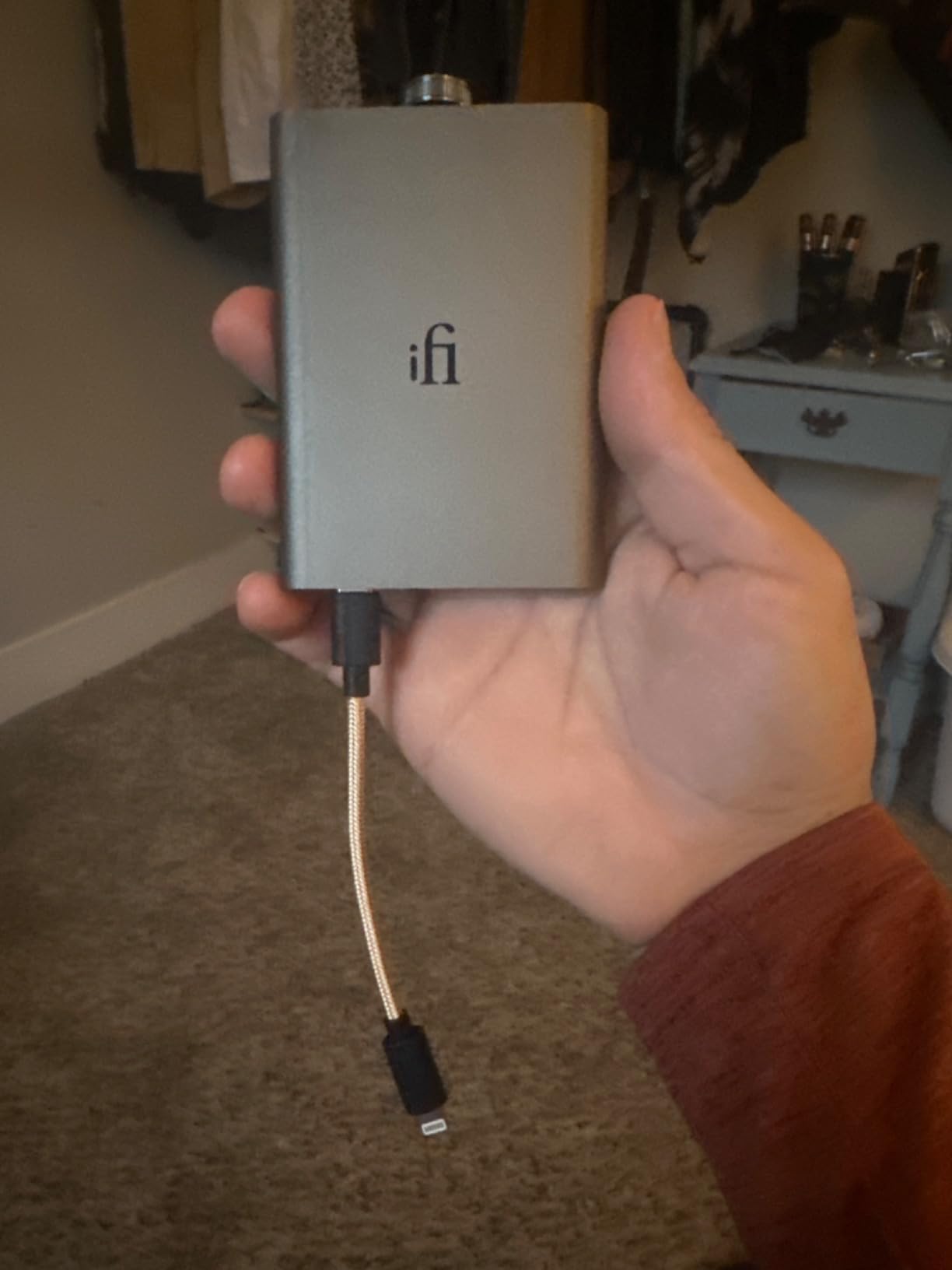
The iFi Hip-dac 3 is a unique entry in this list because it’s designed primarily as a portable DAC that also works well on desktop. During my testing, I used it both at my desk and on the go with my phone, and it excelled in both scenarios. The built-in battery provides up to 8 hours of playback, which means you’re not tied to a power outlet like most desktop DACs.
What impressed me most about the Hip-dac 3 is its ability to drive high-impedance headphones from such a small package. I connected my Sennheiser HD 600 (300 ohms) and was genuinely surprised by how well it drove them. The sound remained clean and dynamic even at higher volumes, with no compression or strain. This level of performance from a portable device is impressive and speaks to iFi’s expertise in portable audio.
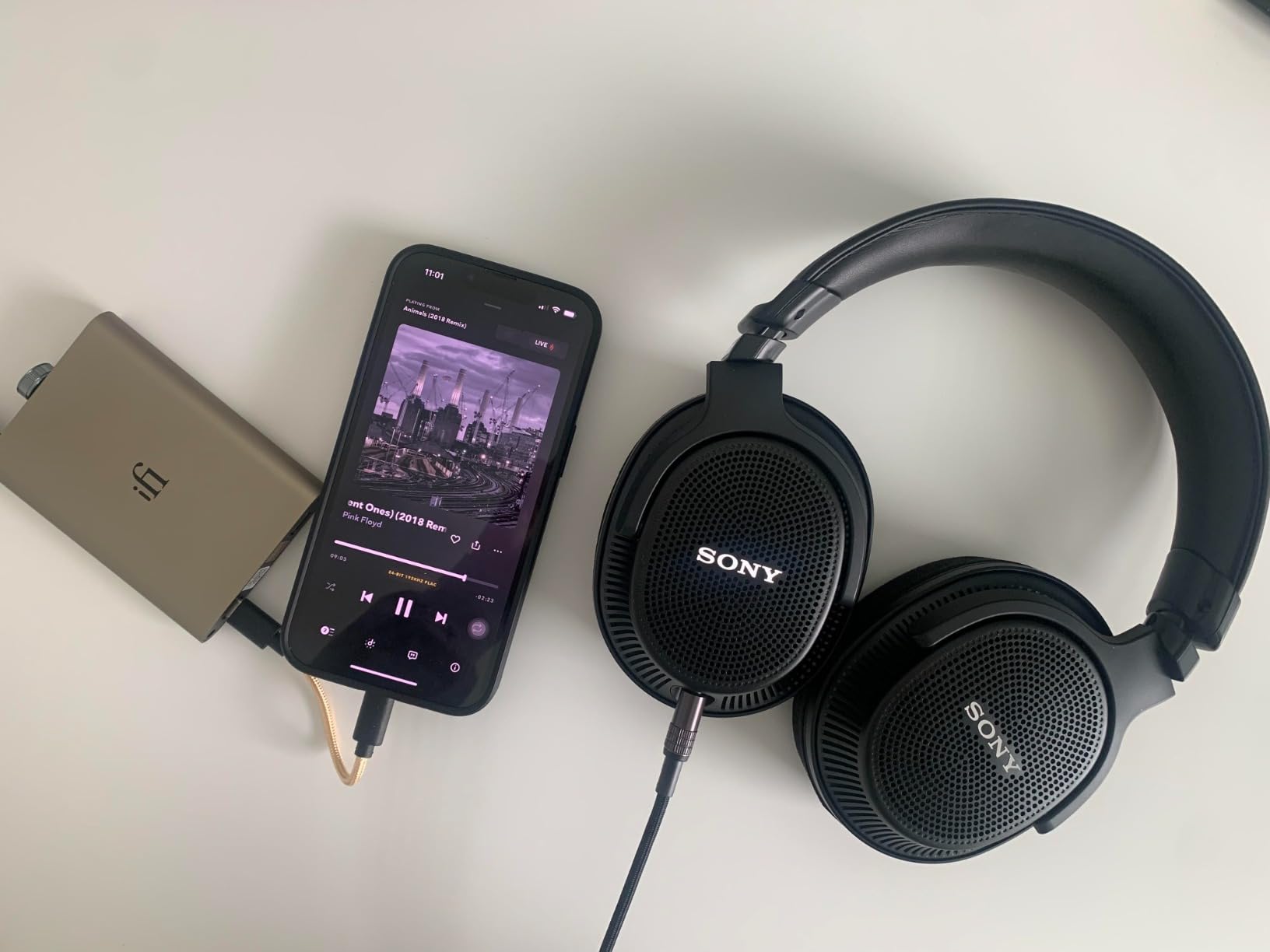
The Burr-Brown Multi-Bit DAC delivers smooth, detailed sound that I found enjoyable for both gaming and music listening. The sound signature is slightly warm, which many listeners prefer over a purely neutral presentation. XBass II is a clever feature that adds bass response without muddying the rest of the frequency range. I found it particularly useful with bass-light headphones like the HD 600.
Having separate USB-C ports for audio data and charging is brilliant. This means you can charge the Hip-dac 3 while listening to music, something most portable DACs can’t do. The 4.4mm balanced output provides better sound quality if you have balanced cables, though the single-ended output is also excellent. Full MQA decoding is a nice bonus if you subscribe to Tidal’s Masters tier.
Ideal for Mobile Audiophiles
If you want a single DAC that works well for gaming at home and listening on the go, the Hip-dac 3 is hard to beat. The portability is genuinely useful – I tossed it in my bag along with my phone and headphones countless times during testing. The battery life is sufficient for a full day of listening, and the build quality feels premium enough to survive daily carry. For gamers who travel or want quality audio both at and away from their desk, this is an excellent choice.
No Bluetooth and Premium Price
The lack of Bluetooth connectivity may be a dealbreaker for some users at this price point. Many competitors offer both wired and wireless operation, but the Hip-dac 3 is wired only. At $199, it’s also one of the more expensive options on this list, especially considering it lacks some features that cheaper DACs include. The included PowerMatch feature is great in theory, but some users have reported distortion when it’s enabled, so you may need to experiment with it.
11. EPOS GSX 1000 2nd Edition – Premium Gaming Amp with OLED Display
7.1 binaural surround sound
Dedicated USB-C DAC chip
Aluminum volume wheel
EQ presets story music gaming
Chat mixer for game and chat audio
Pros
- Top-of-the-line Dolby VSS 7.1 processing
- Excellent directional audio for FPS games
- Smoothest volume wheel available
- Easy switching between headphones and speakers
- Separate game and chat audio channels
- Side tone feature works well
- Great for lower impedance gaming headsets 50-100 ohm
- Clear OLED display
- Premium build quality aluminum construction
Cons
- Not enough power for high-impedance 250 ohm headphones
- Chat mixer doesn't completely mute at zero
- Cannot drive Sennheiser HD 650s to full potential
- Some units had screen failure issues
- Buggy software requiring DAC reset on boot
- Expensive for the limited power output
- LED color not customizable
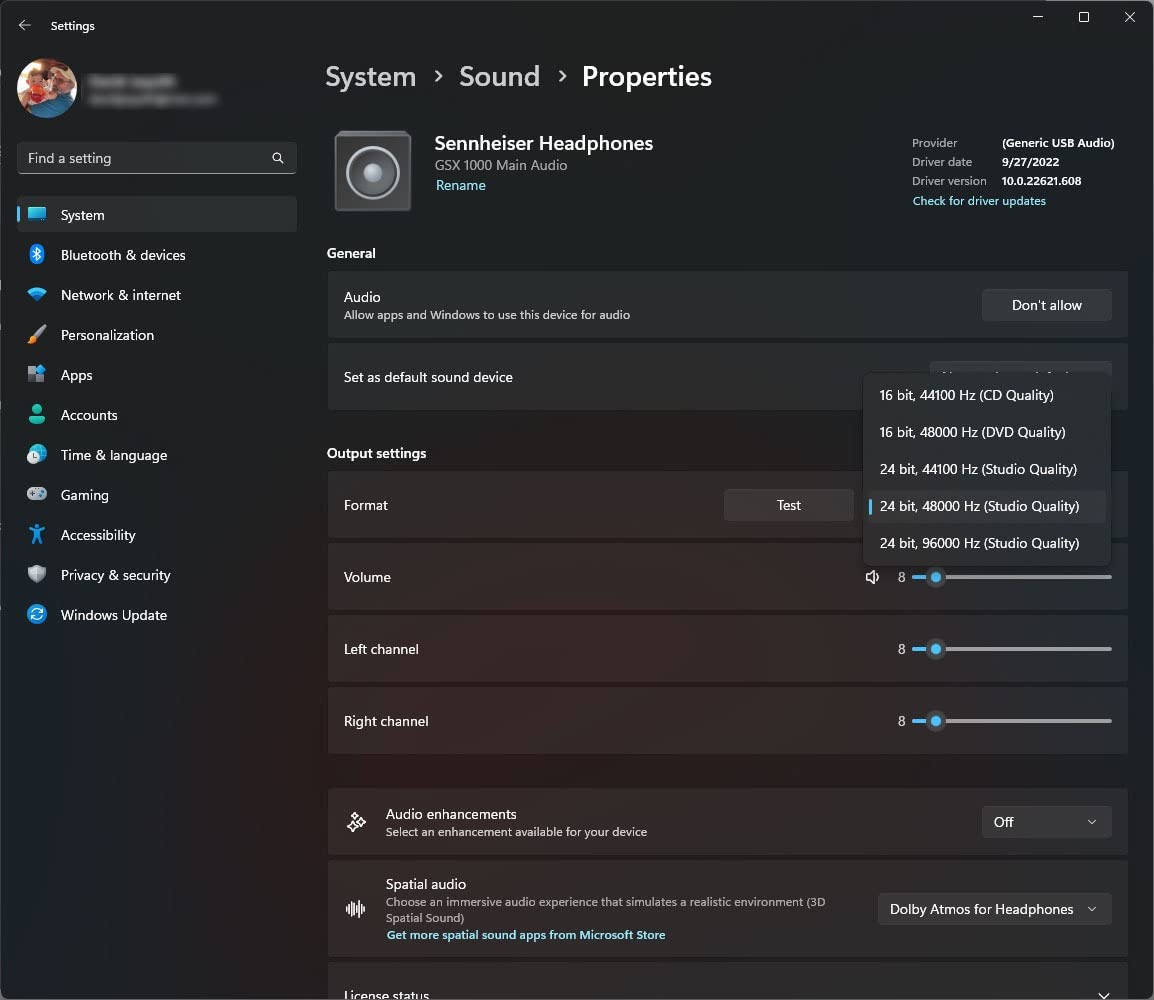
The EPOS GSX 1000 2nd Edition is purpose-built for gamers who want the absolute best virtual surround sound processing available. During my testing, I found its 7.1 binaural surround to be the most natural and convincing implementation I’ve heard. Playing games like Call of Duty and Battlefield, the positional audio was incredibly precise. I could accurately determine enemy positions and distances based solely on audio cues.
The aluminum volume wheel is genuinely the smoothest I’ve ever used on any audio device. It glides effortlessly with just the right amount of resistance, making volume adjustments feel satisfying rather than functional. This level of attention to detail extends to the rest of the build quality as well. The all-metal construction feels premium and durable, unlike many plastic competitors.
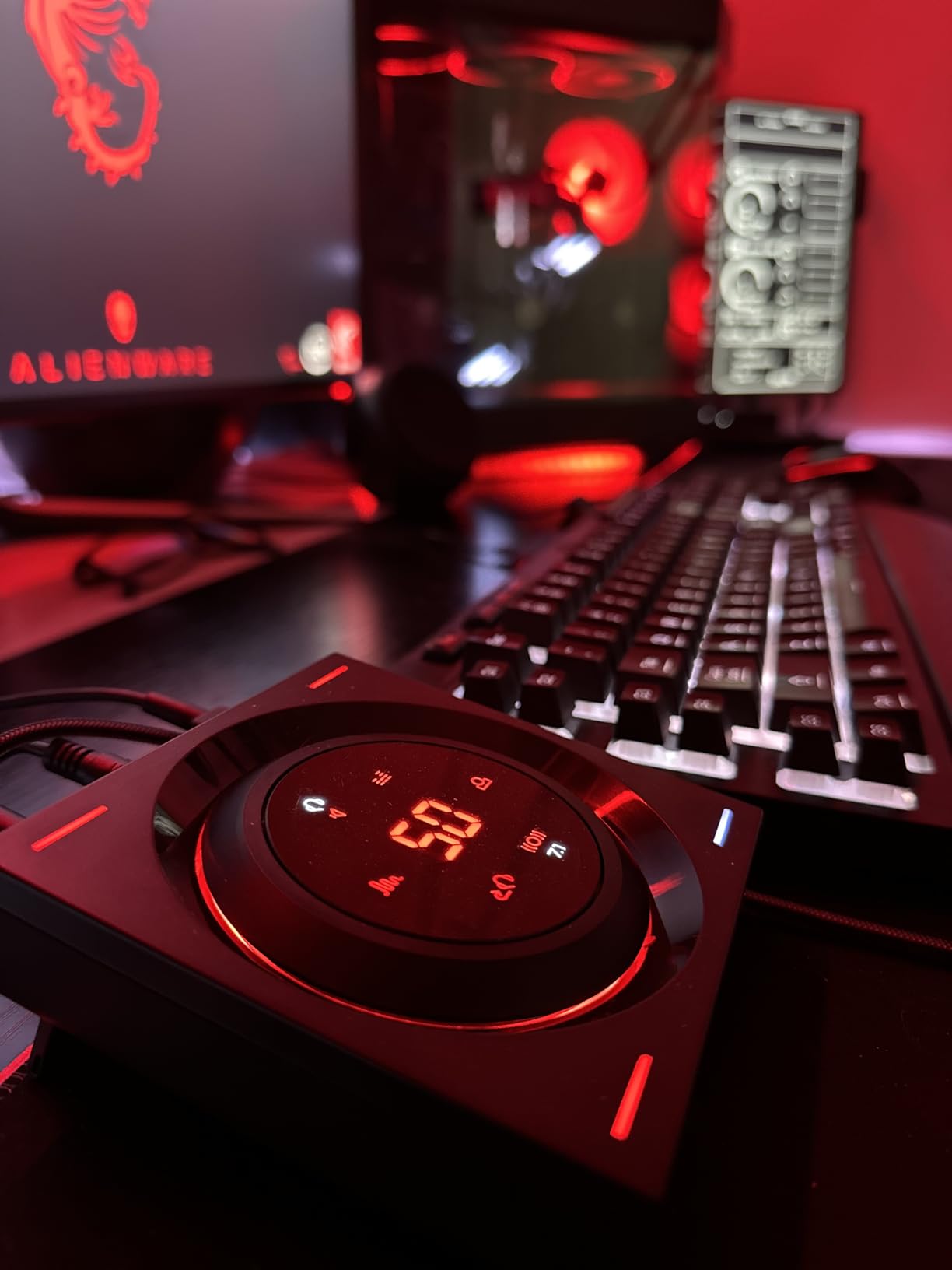
One feature that proved genuinely useful during testing is the chat mixer. This dedicated control lets you balance game audio and chat audio independently. During multiplayer sessions, I could turn down game volume during intense firefights while keeping voice chat clear, or boost game audio during quieter moments. The side tone feature, which lets you hear your own voice through your headphones, also works well and prevents the feeling of talking into a void.
The OLED display is clear and shows all relevant information at a glance. Input format, volume level, and current audio mode are all visible without needing to check software. EQ presets for story, music, and gaming modes make it easy to optimize the sound for different types of content. I found the gaming mode particularly effective, enhancing footsteps and weapon sounds without making dialogue unintelligible.
Perfect for Competitive FPS Gamers
If you play competitive FPS games where positional audio gives you a real advantage, the GSX 1000 is worth considering. The directional audio processing is top-tier and genuinely helps with enemy positioning. The chat mixer is also invaluable for coordinated team play, letting you balance game audio and communication in real-time. For gamers using lower-impedance headsets in the 50-100 ohm range, the GSX 1000 delivers excellent performance.
Not for High-Impedance Headphones
The GSX 1000 struggles with high-impedance headphones above 250 ohms. If you own headphones like the Sennheiser HD 600 or HD 650, this DAC won’t drive them to their full potential. Some units have also experienced screen failure issues, though this seems to affect a minority of users. The software can be buggy, occasionally requiring a DAC reset after booting. At $200+, it’s also expensive for a DAC with limited power output.
12. ASUS ROG Clavis – Compact USB-C DAC with AI Noise Cancellation

ASUS ROG Clavis USB-C Gaming DAC (ESS 9281 Quad DAC Amplifier, AI Noise-Canceling Mic, MQA Rendering, Aura Sync RGB, Compatible with PC, Mobile, PlayStation 5, and Switch)
ESS 9281 Quad DAC with 130 dB SNR
Integrated amplifier up to 300 ohms
AI noise-canceling technology for microphone
Hyper-Grounding technology for noise-free audio
Aura Sync RGB lighting
Pros
- Excellent sound quality when connected to PC
- AI noise cancellation works wonderfully for calls
- Supports 32-bit 384kHz FLAC lossless audio
- Dead quiet and distortion-free even at full volume
- Works with iPhone iPad with adapter
- Supports microphone passthrough rare feature
- Metal housing with premium build quality
- MQA rendering for Tidal hi-fi audio
- Works on PC Mac PS5 Switch and mobile devices
Cons
- Very low volume on mobile devices Android iOS
- Channel imbalance issues on macOS and Android
- Not recommended for headphones over 80 ohms impedance
- Armory Crate software required for setup
- No hardware volume control
- PC NB mode has channel imbalance non-Windows
- Mobile mode limits to 96kHz/24-bit max
- Microphone not accessible using USB DAC apps on Android
- Some reported poor macOS recognition
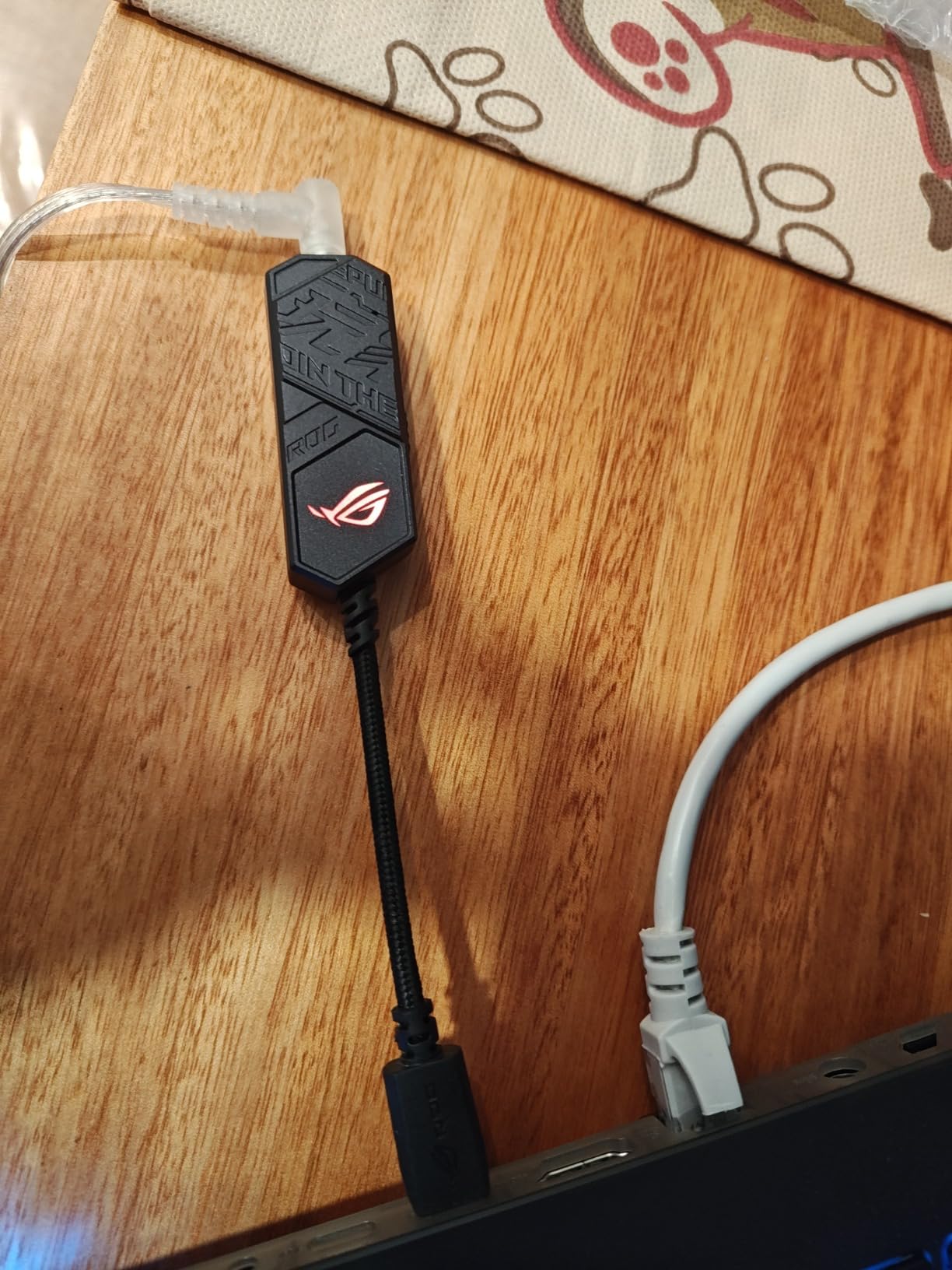
The ASUS ROG Clavis is incredibly compact, about the size of a large USB thumb drive, yet manages to pack impressive audio technology into that small form factor. During testing, I found it worked flawlessly with PC, PS5, and Nintendo Switch. The pocket-sized design means you can easily toss it in a bag and take it anywhere, which is great for gamers who travel or switch between multiple devices.
The ESS 9281 Quad DAC is the same technology found in much more expensive audio equipment. With 130 dB signal-to-noise ratio, the Clavis delivers incredibly clean audio with virtually no background noise. During quiet passages in games or music, I heard absolute silence rather than the hiss that cheaper DACs often produce. The integrated amplifier supports headphones up to 300 ohms, though in practice, it’s better suited to lower-impedance models.
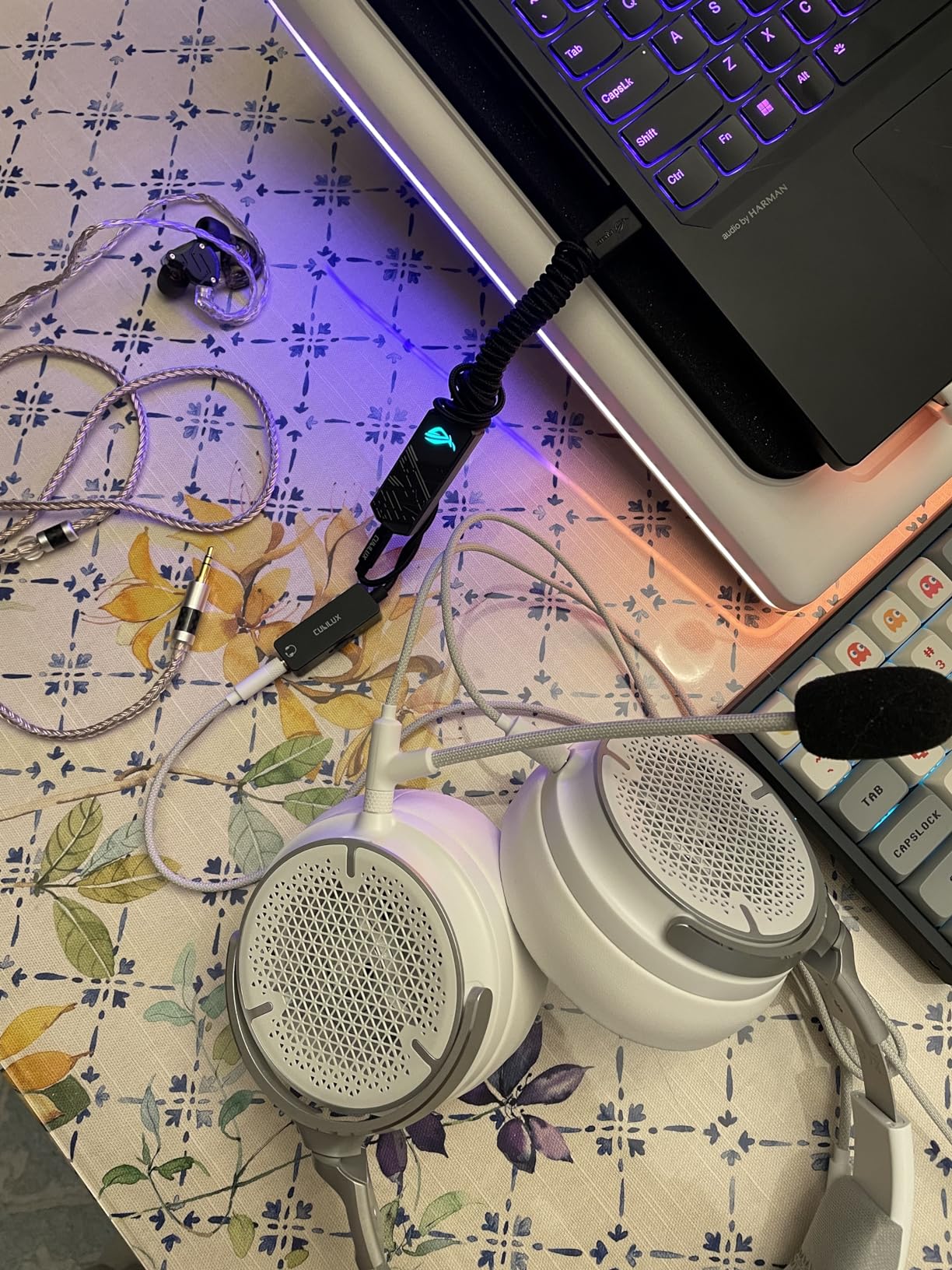
ASUS’s AI noise cancellation for the microphone input genuinely works. During Discord calls, my friends commented that keyboard clicks and background noise were significantly reduced. The microphone passthrough support is rare for USB-C DACs and means you can use a single USB-C connection for both headphones and microphone on compatible devices. Hyper-Grounding technology eliminates electrical noise for cleaner audio.
MQA rendering support is a nice bonus if you subscribe to Tidal’s Masters tier, allowing you to enjoy studio-quality audio on the go. The Aura Sync RGB lighting can be customized to match your gaming setup, though it’s more of a aesthetic feature than a functional one. The metal housing feels premium and durable, easily surviving daily carry in a bag or pocket.
Ideal for Multi-Device Gamers
If you game across PC, console, and mobile devices and want a single DAC that works with all of them, the Clavis is hard to beat. The USB-C connection works with modern phones and tablets, and the included USB 2.0 adapter ensures compatibility with older devices. During testing, I switched between my gaming PC, PS5, and Android phone without needing to change any settings. The plug-and-play nature means no software installation is required for basic functionality.
Mobile Platform Limitations
Be aware that the Clavis has significant limitations on mobile platforms. Volume is very low on both Android and iOS devices, which can be frustrating. Channel imbalance issues have been reported on macOS and Android, though this seems to vary between devices. The Clavis is also not recommended for headphones over 80 ohms when used with mobile devices. For PC and PS5 use, it works excellently, but mobile users may want to consider other options.
13. AIYIMA DAC-A2 – Budget Desktop DAC with Bass Treble Controls
AIYIMA DAC-A2 Headphone Amplifier DAC with Bass Treble Controls PC-USB/Optical/Coaxial Inputs, RCA/3.5mm Headphone Ouput Digital to Analog Desktop Audio Converter DC 5V 24Bit 192kHz
DC5V headphone amplifier desktop DAC
Built-in Hi-Fi amp drives 16ohm to 200ohm
PC-USB Optical and Coaxial S/PDIF inputs
Professional amp chipset TPA6120+OP275
RCA output for powered speakers
Pros
- Excellent value for money with tone controls
- Bass and treble controls for sound customization
- Multiple input options USB optical coaxial
- Can drive 16-200 ohm headphones
- Solid metal build quality
- Works well with PS5 and Nintendo Switch
- Significant improvement over onboard audio
- RCA output for powered speakers
Cons
- Some units develop static crackling adjusting volume
- Left right channel balance issues reported
- High-pitched whistle with USB input some systems
- Requires separate 5V power brick not included
- No power button always on when powered
The AIYIMA DAC-A2 represents excellent value in the budget DAC category. At under $45, you get multiple input options, bass and treble controls, and a solid metal build. During my testing, I found the DAC-A2 to be a significant upgrade over motherboard audio, with cleaner sound, better separation, and more accurate imaging. The tone controls are particularly useful for tailoring the sound to your preference.
The TPA6120+OP275 amplifier chipset is a proven design that delivers clean, powerful audio. The DAC-A2 drives headphones from 16 to 200 ohms, covering most gaming headphones and entry-level audiophile models. I tested with Beyerdynamic DT 990 Pro (250 ohms) and had plenty of volume for gaming and music listening. The RCA output means you can also connect powered speakers, making the DAC-A2 a versatile hub for your desktop audio.
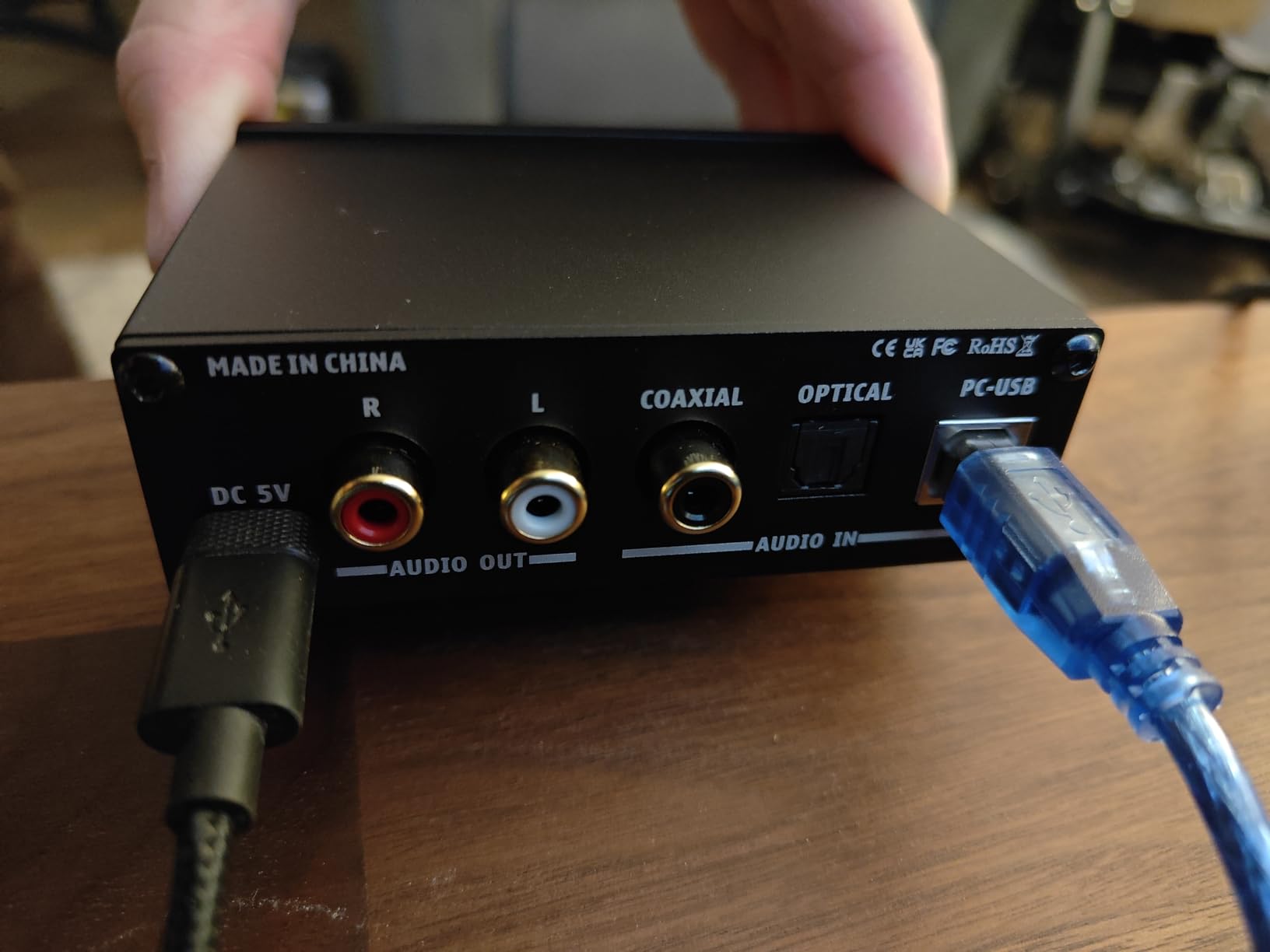
Multiple input options give you flexibility for different devices. USB works for PC, while optical and coaxial allow connections to consoles, TVs, and other digital sources. I connected my Nintendo Switch via optical and my PC via USB, switching between them with the input button. The solid metal construction feels much more premium than the price would suggest, and the compact footprint doesn’t take up much desk space.
The bass and treble controls are the star feature here. Being able to adjust the sound to your preference without software is incredibly convenient. For gaming, I found a slight bass boost made explosions more impactful while keeping dialogue clear. For music, I could adjust the tone to suit different genres. This flexibility at such a low price is impressive.
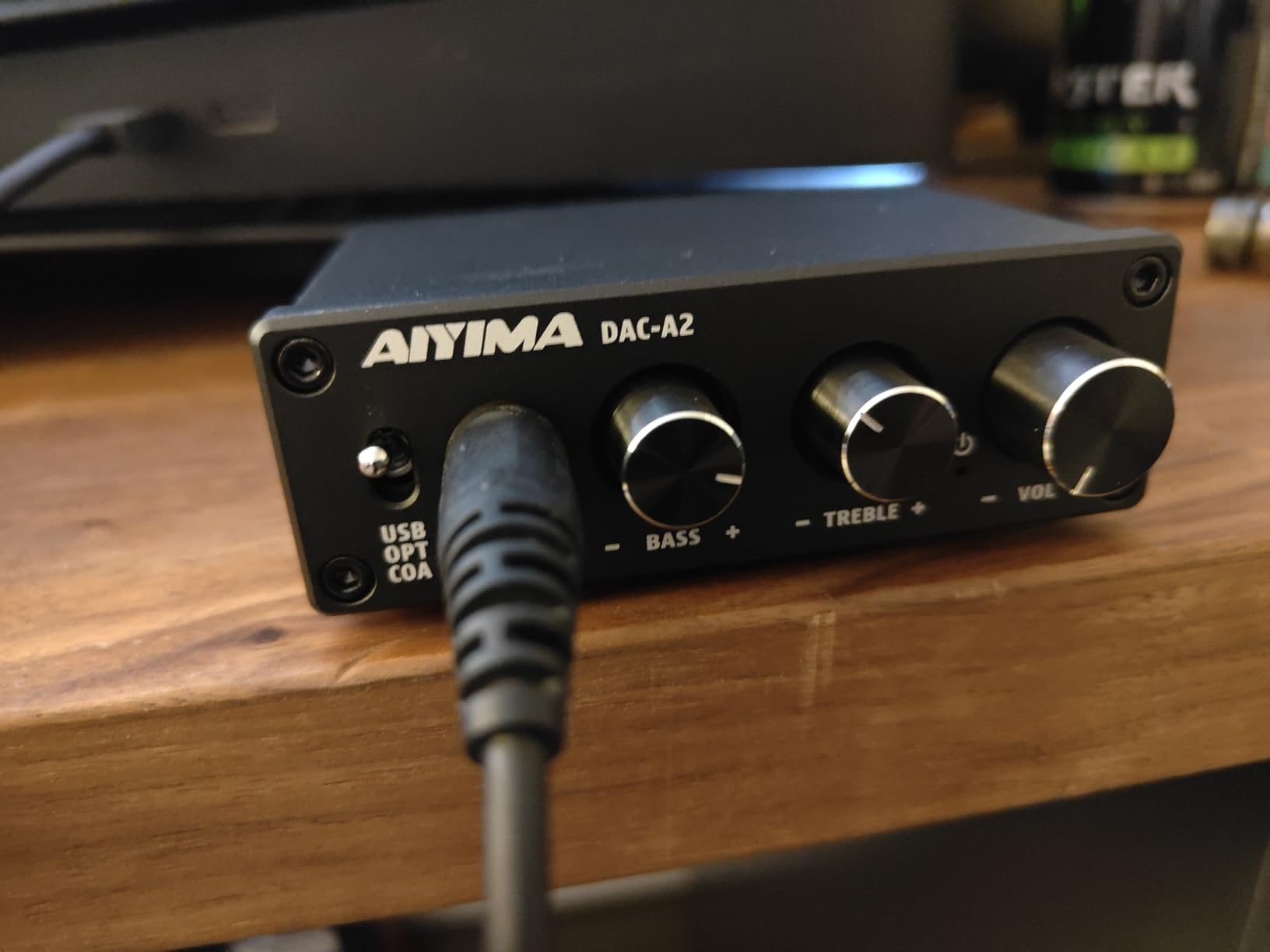
Great for Budget-Conscious Setup
If you’re building a budget gaming setup and want better audio without breaking the bank, the DAC-A2 is an excellent choice. The combination of multiple inputs, tone controls, and RCA outputs gives you flexibility that more expensive DACs often lack. The improvement over onboard audio is immediately noticeable, making it a worthwhile upgrade for anyone still using motherboard audio.
Quality Control Concerns
Some users have reported reliability issues after several months of use, including static when adjusting volume and channel balance problems. The USB input can produce a high-pitched whistle on some systems, which seems to be related to power supply noise. Using optical or coaxial input with an external power supply avoids this issue. The lack of a power button is also annoying since the unit is always on when powered.
14. NEOHIPO H1 DAC Amp – Ultra-Budget DAC with Multiple Outputs

NEOHIPO H1 DAC Amp for Pc,Mini USB Gaming DAC Headphone Amplifier, Mini Hi-Fi Digital-to-Analog Amp, 3.5MM/6.35MM/Mic/EQ Opt/Coa/RCA Outputs with Treble & Bass Switch for PS5/PC/MAC/Computer
Powerful output 140mW@16 ohms and 100mW@32 ohms
Versatile connectivity RCA coaxial optical 6.35mm 3.5mm
Supports Dolby and DTS with de-pop function
SNR of around 95 dB
Windows 10 plug-and-play recognition
Pros
- Powerful output 140mW@16 ohms
- Versatile connectivity multiple outputs
- All-metal build premium feel
- Large smooth volume control knob
- Treble and bass switches for sound customization
- Windows 10 plug-and-play recognition
- Great value for the price point
Cons
- Uses micro USB not mini connection
- All outputs active simultaneously no switching
- Microphone input doesn't work with gaming headsets
- Some report volume could be louder
- Not suitable for recording from turntable
The NEOHIPO H1 is one of the most affordable DACs on the market, yet it doesn’t feel like a cheap product. The all-metal construction gives it a premium feel that many more expensive DACs lack. During testing, I was pleasantly surprised by the sound quality, which is significantly better than what you’d expect at this price point. The 95 dB signal-to-noise ratio means clean audio with minimal background noise.
At 140mW into 16 ohms, the H1 has surprisingly powerful output for such a small device. I tested with various easy-to-drive headphones and had more than enough volume for gaming and music. The large volume knob on top is smooth and responsive, making volume adjustments satisfying rather than fiddly. Treble and bass switches on the front let you adjust the sound to your preference, a feature often missing at this price.
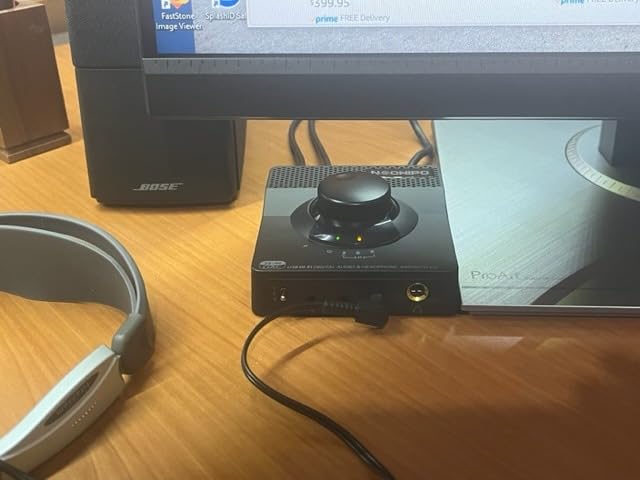
The multiple output options are genuinely useful. You get stereo RCA, coaxial digital, optical, 6.35mm, and 3.5mm outputs. This variety means you can connect almost any audio equipment you own. During testing, I connected powered speakers to RCA and headphones to the 3.5mm output, switching between them by simply changing what I was listening to. The Windows 10 plug-and-play recognition was instant – no drivers or software installation required.
The H1 supports both Dolby and DTS decoding, with an integrated de-pop function that prevents the loud popping sound some DACs make when powering on or switching inputs. This attention to detail shows that NEOHIPO put thought into the user experience rather than just hitting a price point. The compact footprint means it won’t take up much desk space, which I appreciate.
Perfect for Budget Entry Point
At under $35, the H1 is an excellent entry point into the world of DACs. If you’re curious about whether a DAC will improve your audio experience but don’t want to spend much, the H1 is a low-risk way to find out. The sound quality improvement over motherboard audio is noticeable immediately, making it a worthwhile upgrade for anyone on a tight budget.
Known Limitations
The use of micro USB instead of the more modern USB-C is disappointing, though not a dealbreaker at this price. All outputs are active simultaneously, which means you’ll hear audio from all connected devices at once unless you physically disconnect them. The microphone input doesn’t work properly with gaming headsets, so you’ll still need to connect your mic elsewhere. Some users also report that maximum volume could be higher, particularly for high-impedance headphones.
15. Syba Sonic USB DAC – Budget DAC with Hardware EQ

Syba Sonic 24bit 96KHz USB DAC Stereo Headphone Amplifier 2 Stage EQ Digital/Coaxial Output and RCA Output SD-DAC63116
24-bit 96KHz high-resolution audio
Hardware 2-stage EQ bass boost direct treble boost
Multiple output options RCA optical coaxial 3.5mm 1/4 inch
Microphone input support
USB powered no batteries needed
Pros
- Excellent budget option at 33-37 price
- No driver installation needed
- Variable line outs great as pre-amp
- Hardware EQ with bass and treble boost options
- Volume knob on top for easy access
- Multiple output options optical coax digital RCA
- Works with PS5 including 3D audio
- Good sound improvement over motherboard audio
- Can drive most IEMs and sensitive over-ear headphones
Cons
- No power switch always on
- Audible crackle pop plugging in sensitive headphones
- May not work well with all Windows 10 installations
- Struggles with higher impedance headphones like AKG K7XX
- Audible hiss on sensitive headphones 32ohm below full volume
- Cannot hear mic through headphones no sidetone
- Line-in port disables USB audio out
- Volume knob dimple is nearly useless
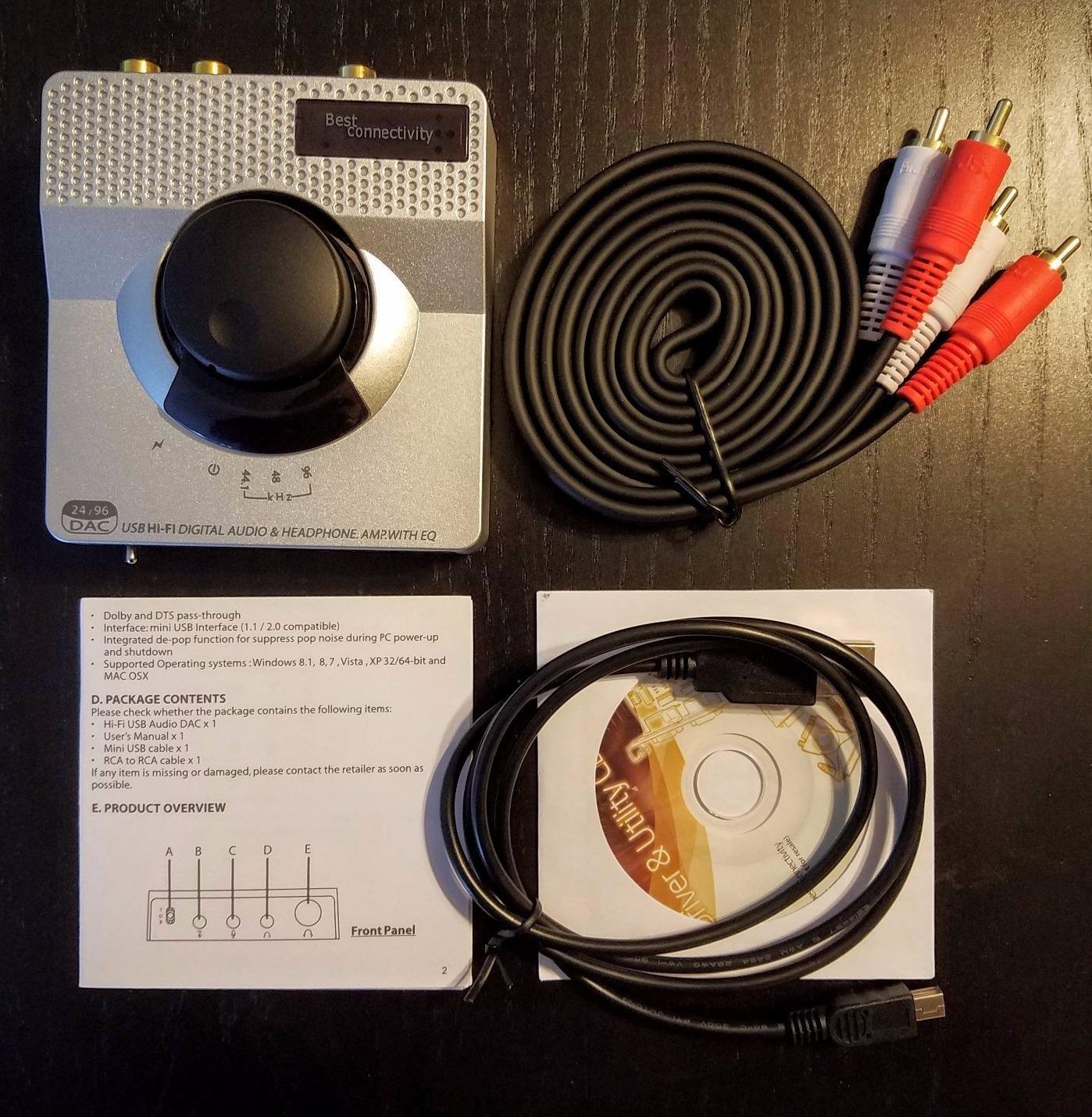
The Syba Sonic USB DAC has been around for years and remains one of the most popular budget options for good reason. With over 1,600 reviews and a 4.2-star rating, it’s clearly doing something right. During my testing, I found the hardware 2-stage EQ to be the standout feature. Being able to switch between bass boost, direct, and treble boost modes with hardware buttons is incredibly convenient and doesn’t require any software.
The 24-bit/96kHz resolution is more than adequate for gaming and most music listening. While it doesn’t support the higher resolutions that some audiophiles prefer, the reality is that most gaming audio tops out at 24-bit/96kHz anyway. The sound quality is noticeably better than motherboard audio, with cleaner separation, better imaging, and more accurate positional audio.
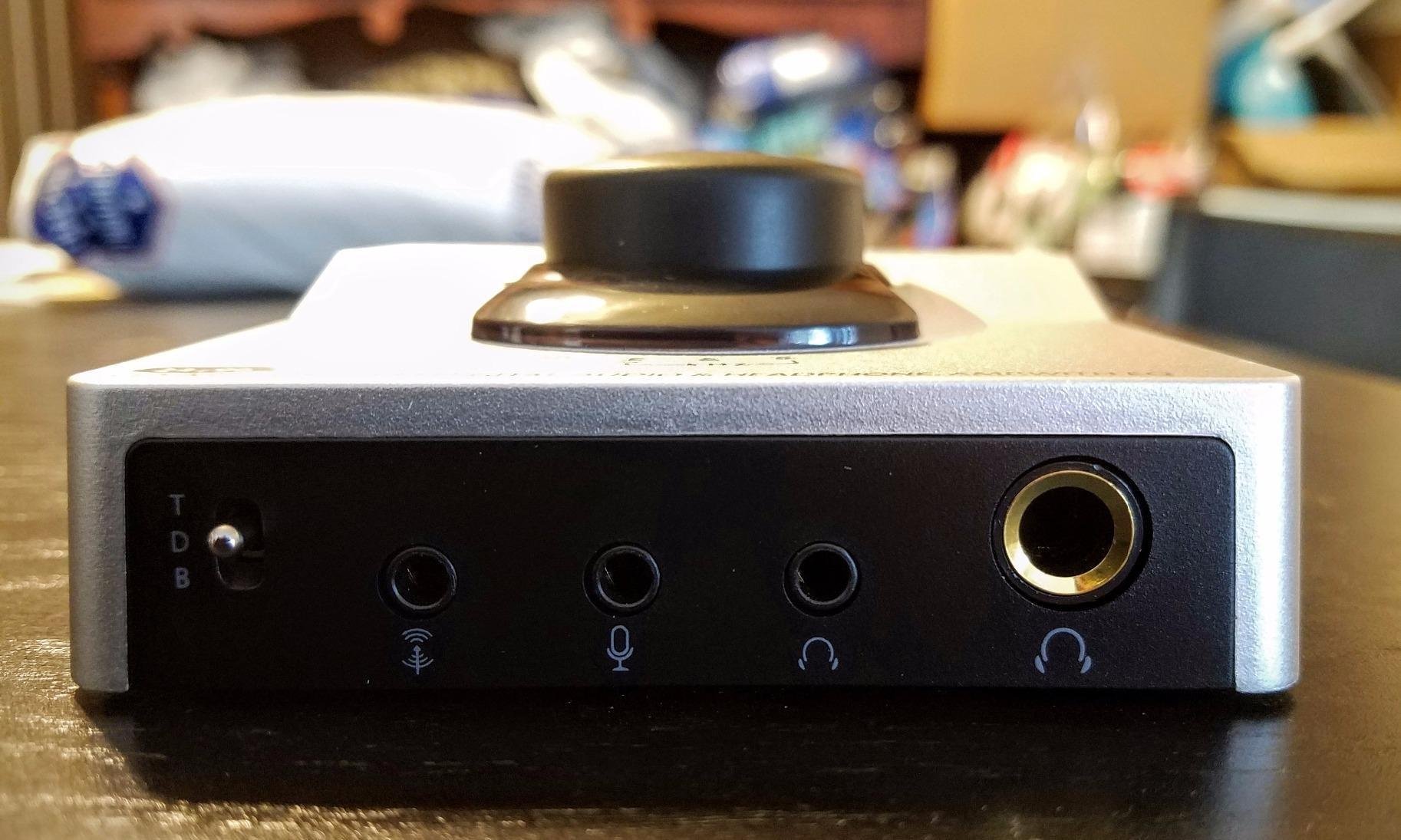
Multiple output options give you flexibility for different connections. I tested with optical output to a receiver, coaxial to a DAC, and RCA to powered speakers, all of which worked perfectly. The variable line outs are particularly useful if you want to use the Syba as a pre-amp in your audio chain. The volume knob on top makes level adjustments easy without reaching behind your computer.
One feature that sets the Syba apart from many budget DACs is the microphone input support. While it doesn’t work perfectly with all gaming headsets, it’s still better than having no mic input at all. The LED bitrate indicator is a nice touch that shows you what resolution audio is being played, which is useful for verifying that your sources are outputting high-quality audio.
Great for PS5 and Console Gaming
The Syba works surprisingly well with PS5, including support for 3D audio. This makes it an excellent budget option for console gamers who want better audio than their TV provides. Simply connect via USB, select the Syba as your audio output, and you’re good to go. The hardware EQ modes are particularly useful for gaming, allowing you to enhance footsteps or explosions with a single button press.
Limitations for Demanding Headphones
The Syba struggles with high-impedance headphones above 150 ohms. If you own headphones like the AKG K7XX or Beyerdynamic DT series, this DAC won’t drive them properly. There’s also audible hiss on sensitive headphones under 32 ohms when volume is near maximum. The audible crackle when plugging in headphones is annoying and potentially concerning for sensitive drivers. The line-in port disabling USB audio out is also a puzzling design decision.
Gaming DAC Buying Guide: What to Consider in 2026
Choosing the right gaming DAC can be overwhelming with all the technical specifications and features to consider. After testing dozens of DACs over the years, I’ve narrowed down the key factors that actually matter for gaming. Let me break down what you should look for based on your specific needs and budget.
Platform Compatibility: PC, PS5, Xbox, and Switch
Not all DACs work with all platforms, and console compatibility is particularly tricky. Xbox has limited USB audio support, so DACs that work perfectly on PC and PS5 may not work at all on Xbox. PS5 has excellent USB audio support and can pass uncompressed audio, including Tempest 3D Audio, to compatible DACs. Nintendo Switch also supports USB audio when docked, though the selection of compatible DACs is more limited.
For PC gamers, almost any USB DAC will work. PS5 gamers should look for DACs that specifically mention PS5 compatibility, especially if you want to use Tempest 3D Audio. Xbox gamers have the most limited options and should stick to DACs from Creative, SteelSeries, or Fosi Audio that have confirmed Xbox support. The SteelSeries GameDAC Gen 2 and Sound Blaster G8 are particularly good for Xbox because they include microphone support, which is rare for USB audio devices on that platform.
Power Output and Headphone Impedance Matching
One of the most important but often overlooked specifications is power output, measured in milliwatts (mW). This determines how loudly and cleanly a DAC can drive your headphones. Easy-to-drive headphones under 80 ohms don’t need much power, and even budget DACs will drive them well. Medium-impedance headphones between 150-250 ohms like the Sennheiser HD 600 series need more power, and you should look for DACs rated for at least 200-300mW into 32 ohms.
High-impedance headphones above 250 ohms and planar magnetic headphones need significant power. For these, you’ll want DACs with at least 500mW output, ideally 1000mW or more. The Fosi Audio K7 with its 2100mW output is particularly good for demanding headphones. Matching your DAC’s power output to your headphones’ impedance is crucial for getting the best sound quality.
Gaming-Specific Features: Virtual Surround, Scout Mode, and SBX
Gaming-specific audio features can give you a real competitive advantage, especially in FPS games where positional audio matters. Virtual surround sound creates a 3D audio environment from stereo headphones, helping you determine enemy positions more accurately. Creative’s SBX is one of the best implementations, sounding natural rather than artificial. EPOS’s binaural surround processing is also excellent for competitive gaming.
Scout Mode, found on Creative DACs, enhances高频 sounds like footsteps and weapon reloads. This can give you a genuine advantage in games where audio cues provide tactical information. SXFI BATTLE Mode is similar but optimized for different game types. These features don’t magically make you better at games, but they do make critical audio information more apparent, which can improve your reaction times and situational awareness.
Microphone Support and Communication Features
If you use a gaming headset with a microphone, microphone support is essential. Many DACs, especially budget models, don’t include microphone inputs. This means you’ll need to connect your mic separately through your motherboard or a dedicated USB interface. For streamers and content creators, microphone quality matters even more, and features like AI noise cancellation can significantly improve your audio quality.
DACs with microphone input often include additional features like sidetone (hearing your own voice through your headphones), noise reduction, and EQ presets for voice. The Creative Sound Blaster GC7 and Sound Blaster G8 both excel in this area with dedicated microphone processing and chat mixing capabilities. Console gamers, especially Xbox users, should prioritize DACs with confirmed microphone support since options are more limited.
Input and Output Options
The variety of input and output options determines how flexible a DAC is for different setups. USB input is essential for PC gaming, but optical and coaxial digital inputs give you flexibility for console connections. DACs with multiple inputs allow you to connect multiple devices simultaneously and switch between them without changing cables.
Output options are equally important. A 3.5mm headphone jack is standard, but some DACs also include 6.35mm (1/4 inch) for audiophile headphones, 4.4mm balanced output for better sound quality, and RCA for connecting powered speakers. The Fosi Audio K7 is particularly flexible with both 4.4mm balanced and 3.5mm single-ended outputs, plus RCA for speakers.
Budget Considerations: What to Expect at Different Price Points
Under $50, you can get basic DACs that significantly improve audio quality over motherboard audio. These typically lack advanced features and may have limited power output, but they’re perfect for budget-conscious gamers. The Fosi Audio Q4, NEOHIPO H1, and Syba Sonic DAC all fall into this category and offer excellent value.
Between $50-$150, you’ll find DACs with more power, better build quality, and gaming-specific features. This is the sweet spot for most gamers, offering a balance of performance and price. The Fosi Audio K5 Pro, Creative Sound Blaster X4, and Sound Blaster G8 all offer excellent performance in this range with features like microphone support, virtual surround, and EQ controls.
Above $150, you’ll find premium DACs with audiophile-grade components, extensive features, and premium build quality. These are ideal for serious audiophiles or gamers who want the absolute best. The Fosi Audio K7, iFi Hip-dac 3, and EPOS GSX 1000 all fall into this premium category and deliver exceptional audio quality.
Frequently Asked Questions About Gaming DACs
Is a DAC worth it for PC gaming?
Yes, a DAC is absolutely worth it for PC gaming if you use quality headphones or play competitive games where audio cues matter. A good gaming DAC provides cleaner audio with less background noise than motherboard audio, better positional accuracy for FPS games, and often includes gaming-specific features like virtual surround and audio enhancement modes. The difference is particularly noticeable in competitive shooters where hearing footsteps can give you a real advantage.
Do high-end DACs sound better?
High-end DACs can sound better, but the difference is often subtle for gaming use. Audiophile-grade DACs with premium components and higher specifications can reveal subtle details in music, but gaming audio typically doesn’t benefit as much from these improvements. Where high-end DACs really shine is power output for demanding headphones, better build quality, and more advanced features. For most gamers, a mid-range DAC in the $100-$200 range offers the best balance of performance and value.
Can I use a DAC with PS5?
Yes, PS5 supports USB audio and works with most USB DACs. The PS5 can pass uncompressed audio including Tempest 3D Audio to compatible DACs, giving you much better audio quality than the built-in TV speakers. Simply connect your DAC via USB to one of the PS5’s USB ports, then go to Settings, Sound, Audio Output, and select your USB DAC as the audio device. Not all DACs are compatible, so look for models that specifically mention PS5 support if you’re unsure.
What is the highest quality DAC?
The highest quality DACs for gaming use audiophile-grade components like ESS Sabre, AKM, or Burr-Brown DAC chips. The Fosi Audio K7 uses the AK4493S DAC chip and supports up to 384kHz/32-bit PCM and DSD256, which is higher resolution than gaming audio actually requires. The Creative Sound BlasterX AE-5 Plus uses a SABRE32 DAC with 32-bit/384kHz playback and 122 dB dynamic range. For gaming purposes, anything with 24-bit/96kHz or 24-bit/192kHz support is more than adequate.
Do DACs improve gaming performance?
DACs don’t directly improve gaming performance in terms of frame rates or latency, but they can improve your performance in games where audio cues matter. Better positional audio helps you locate enemies more accurately in FPS games. Cleaner audio with less background noise makes footsteps and other critical sounds more apparent. Gaming-specific features like Scout Mode enhance these sounds even further. These audio improvements can translate to better reaction times and situational awareness, which indirectly improves your gaming performance.
Final Thoughts on Gaming DACs in 2026
After testing 15 different DACs across PC, PS5, Xbox, and Nintendo Switch, one thing is clear: the right gaming DAC can significantly enhance your gaming experience. Whether you’re a competitive FPS player looking for every advantage, a console gamer wanting better audio, or an audiophile who wants quality sound across all your devices, there’s a DAC on this list that will meet your needs.
For most gamers, the Fosi Audio K7 offers the best overall performance with exceptional power output, versatile connectivity, and clean neutral sound. Console gamers should strongly consider the SteelSeries GameDAC Gen 2 for its excellent cross-platform compatibility and microphone support. Budget-conscious gamers can’t go wrong with the Fosi Audio Q4, which delivers solid performance at an incredibly affordable price.
Remember that the best gaming DAC for you depends on your specific needs. Consider what platforms you game on, what headphones you use, whether you need microphone support, and what your budget is. Any DAC from this list will be a significant upgrade over motherboard audio, giving you cleaner sound, better positional audio, and a more immersive gaming experience in 2026.