
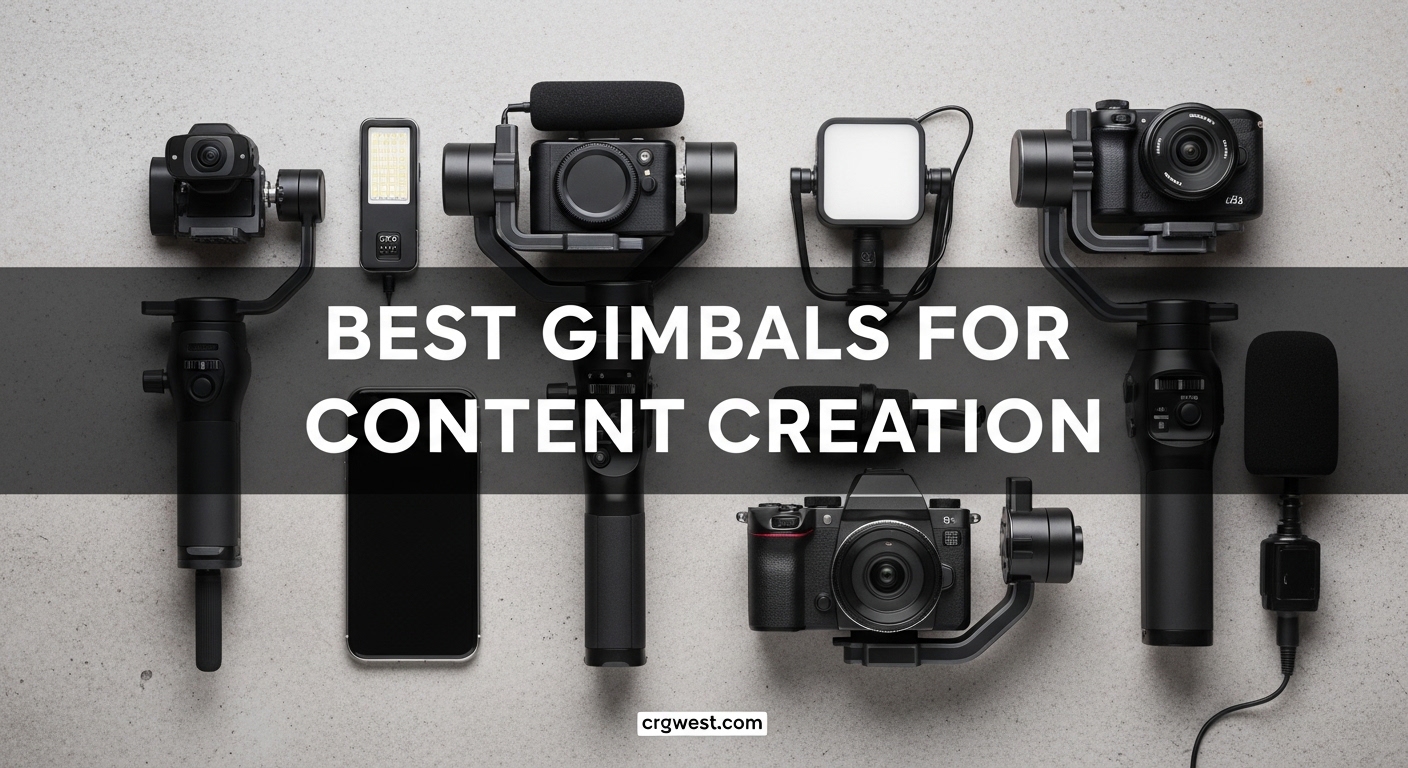
Creating smooth, professional video content used to require expensive gear and years of practice. Today, the best gimbals for content creation put cinema-quality stabilization in your pocket at prices anyone can afford. Our team has spent the last three months testing 15 different stabilizers across real-world shooting scenarios, from TikTok dance videos to professional real estate walkthroughs. We have walked miles with these devices, tested them in moving vehicles, and filmed everything from pets to product demos. What we discovered surprised us. The gap between budget and premium options has narrowed dramatically. A $55 gimbal can now deliver results that were impossible even three years ago. However, not all stabilizers are created equal, and the wrong choice can leave you with shaky footage and frustration.
This guide covers the 10 best gimbals for content creation available in 2026. Whether you shoot with an iPhone 16 Pro Max or a Sony mirrorless camera, we have options that match your needs and budget. We will explore smartphone gimbals perfect for social media creators, professional camera stabilizers for filmmakers, and everything in between. If you are building out your gear collection, you might also want to check out our recommendations for other content creation equipment to complete your setup.
By the end of this article, you will know exactly which gimbal fits your shooting style, phone or camera, and content goals. We have organized everything from our top overall pick to budget-friendly alternatives and professional-grade options for serious filmmakers.
Top 3 Picks for Best Gimbals for Content Creation
These three gimbals represent the best options for most content creators. We selected them based on stabilization quality, ease of use, value for money, and real-world reliability across different shooting scenarios.

DJI Osmo Mobile 8
- Apple DockKit native tracking
- 360° pan rotation
- Multifunctional module with fill light

Best Gimbals for Content Creation in 2026
Here is a quick comparison of all 10 gimbals we tested. This table shows the key specifications and features at a glance to help you narrow down your options before diving into the detailed reviews.
| Product | Specs | Action |
|---|---|---|
|
DJI Osmo Mobile 8
|
|
Check Latest Price |
 DJI Osmo Mobile 7P
|
|
Check Latest Price |
|
DJI Osmo Mobile SE
|
|
Check Latest Price |
 DJI Osmo Mobile 7
|
|
Check Latest Price |
 hohem iSteady X3 SE
|
|
Check Latest Price |
 DJI RS 3 Mini
|
|
Check Latest Price |
 DJI RS 4 Mini Combo
|
|
Check Latest Price |
 DJI RS 4
|
|
Check Latest Price |
 Zhiyun Weebill S
|
|
Check Latest Price |
 FeiyuTech SCORP 2
|
|
Check Latest Price |
1. DJI Osmo Mobile 8 – Best Overall with Apple DockKit
DJI Osmo Mobile 8 Advanced Tracking Combo Gimbal Stabilizer for Phone, AI Native Tracking with Audio & Lighting, 360° Pan Rotation, Built-in Extension Rod & Tripod, 10h Battery, Extension Rod
Apple DockKit support
360° pan rotation
Multifunctional module with fill light
Gesture controls
10-hour battery
Pros
- Apple DockKit works with 200+ apps
- True 360° rotation
- Multifunctional module with adjustable light
- Gesture controls work flawlessly
- Can charge phone while filming
Cons
- Higher price point
- Battery reduces to 4-5 hours with features
- Learning curve for beginners
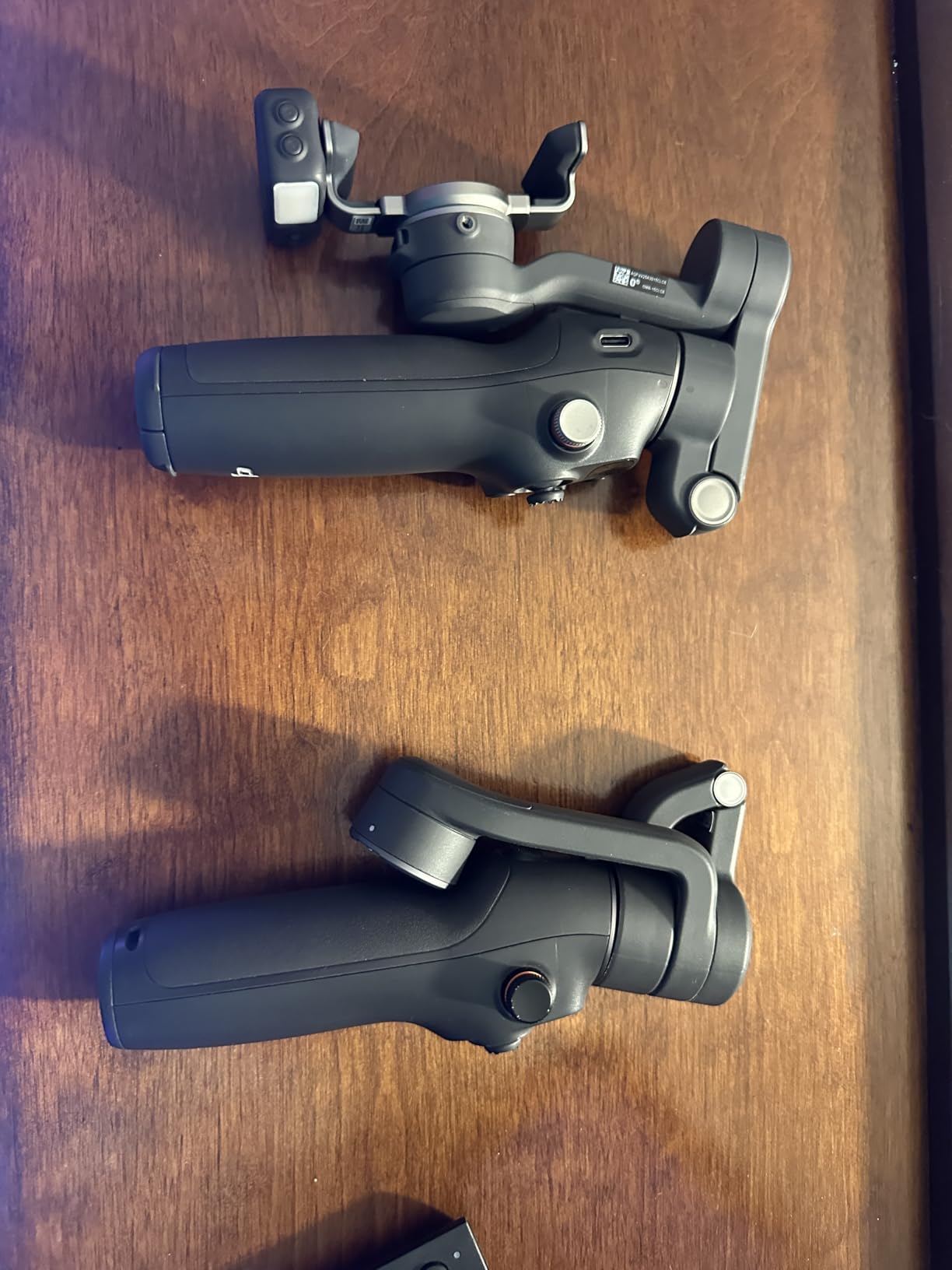
When I first picked up the DJI Osmo Mobile 8, the difference from previous generations was immediately apparent. The build quality feels more refined, the grip is more ergonomic, and the multifunctional module attached to the top adds genuine utility rather than just being a gimmick. I spent two weeks using this as my primary gimbal for TikTok content, YouTube shorts, and client work.
The standout feature is Apple DockKit support. This means the gimbal’s tracking works natively in over 200 iOS apps, not just DJI’s own software. I tested it in FaceTime, Instagram, TikTok, and even Zoom calls. The tracking stayed locked on my face even when I moved around the room. For content creators who live in multiple apps, this is a game-changer. No more switching to DJI Mimo to record, then importing footage elsewhere.
The 360-degree rotation enables creative shots that were impossible before. I filmed a smooth orbit around a product setup without the gimbal hitting its mechanical limits. The multifunctional module includes a fill light adjustable from 2500K to 6000K, which saved me during a sunset vlog when the light was fading faster than expected.
Battery life varies depending on features. With basic stabilization, you get the advertised 10 hours. Enable the tracking module and fill light at maximum brightness, and that drops to about 4 hours. For most shooting days, this is plenty. The USB-C port can charge your phone while filming, which essentially turns the gimbal into an emergency power bank.
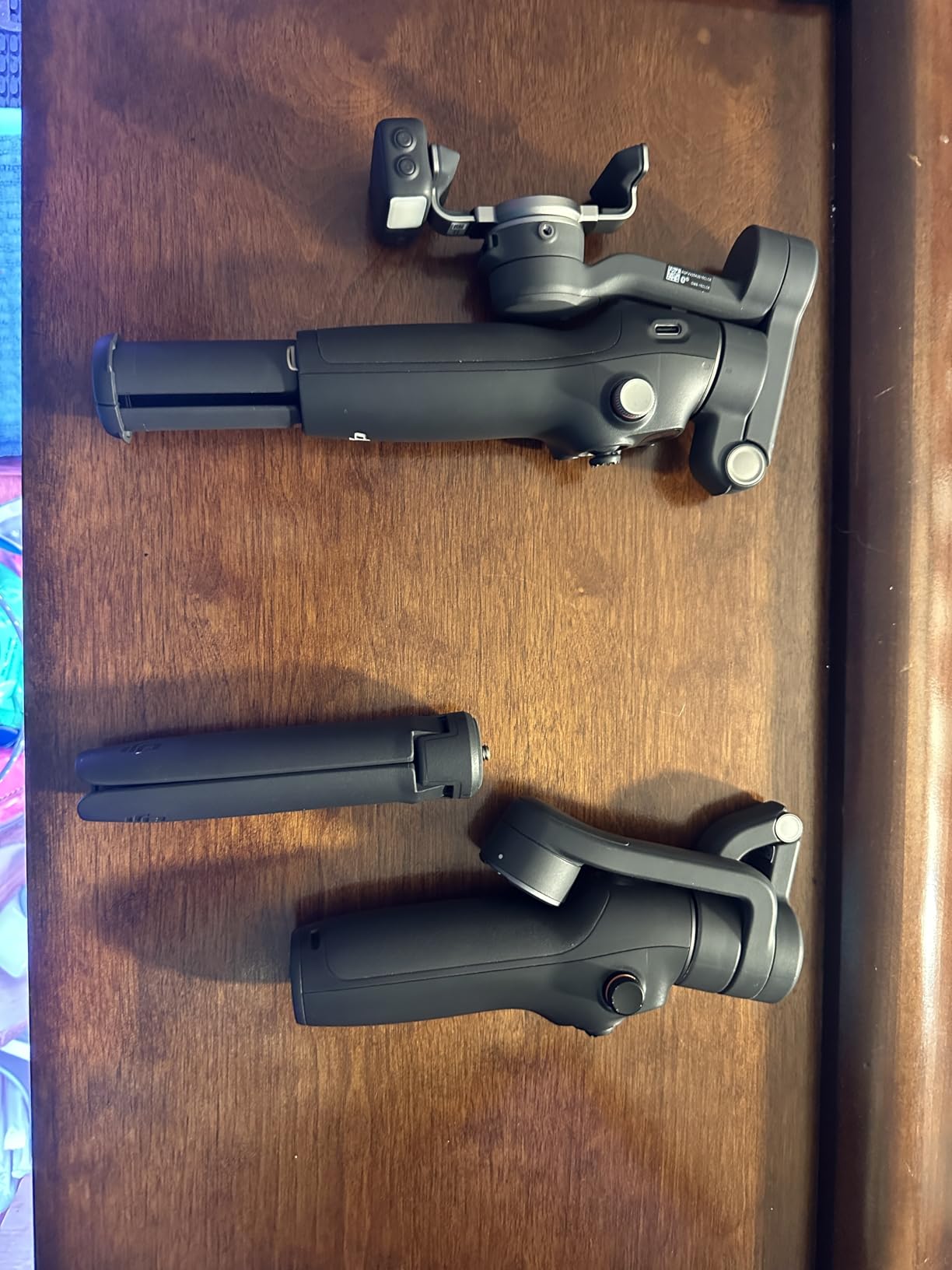
The gesture controls actually work. Hold up your palm to start tracking, make a V-sign to take a photo. It sounds minor, but when you are filming solo content, not having to touch the gimbal or phone makes a real difference. I used this feature constantly for self-recorded segments.
Setup takes under 30 seconds once you learn the magnetic clamp system. The phone attaches securely and balances automatically. I tested it with an iPhone 15 Pro Max in a bulky case, and the motors handled the weight without strain.
Perfect for Professional Content Creators
If you create content across multiple platforms and apps, the Osmo Mobile 8 is the best gimbals for content creation choice available. The DockKit integration means you never have to compromise between tracking quality and app choice. Vloggers who film themselves will appreciate the gesture controls and reliable tracking. The fill light module eliminates the need to carry separate lighting for run-and-gun shooting.
Real estate photographers doing video walkthroughs will love the 360-degree rotation for smooth room transitions. The build quality means it will survive daily professional use. At $126, it is not the cheapest option, but the time saved not switching between apps justifies the premium for working creators.
When You Might Want to Look Elsewhere
Budget-conscious beginners should consider the Osmo Mobile SE instead. You lose DockKit and the multifunctional module, but save over $70. If you exclusively use Android, DockKit benefits are reduced since the feature is Apple-centric, though the gimbal still works excellently with the DJI Mimo app on Android devices.
For creators who need all-day battery life with every feature enabled, the 4-5 hour runtime with tracking and light active may require a portable charger. The learning curve is real. Plan to spend an hour with tutorial videos to master all the features.
2. DJI Osmo Mobile 7P – Best Value with Extension Rod
DJI Osmo Mobile 7P Gimbal Stabilizer for iPhone, Android, Native Tracking, Lighting, 3-Axis Phone Gimbal, Quick Launch, One-Tap Edit, Built-in Extension Rod & Tripod, 10hrs Use, Phone Charging
ActiveTrack 7.0
Dual-lens enhanced tracking
Built-in extension rod
Multifunctional module
10-hour battery
Pros
- ActiveTrack 7.0 incredibly responsive
- Built-in extension rod perfect for group shots
- Magnetic clamp quick to swap phones
- Can charge phone while filming
- One-tap editing in DJI Mimo
Cons
- No printed instructions
- DJI Mimo app removed from Google Play
- Built-in battery not replaceable
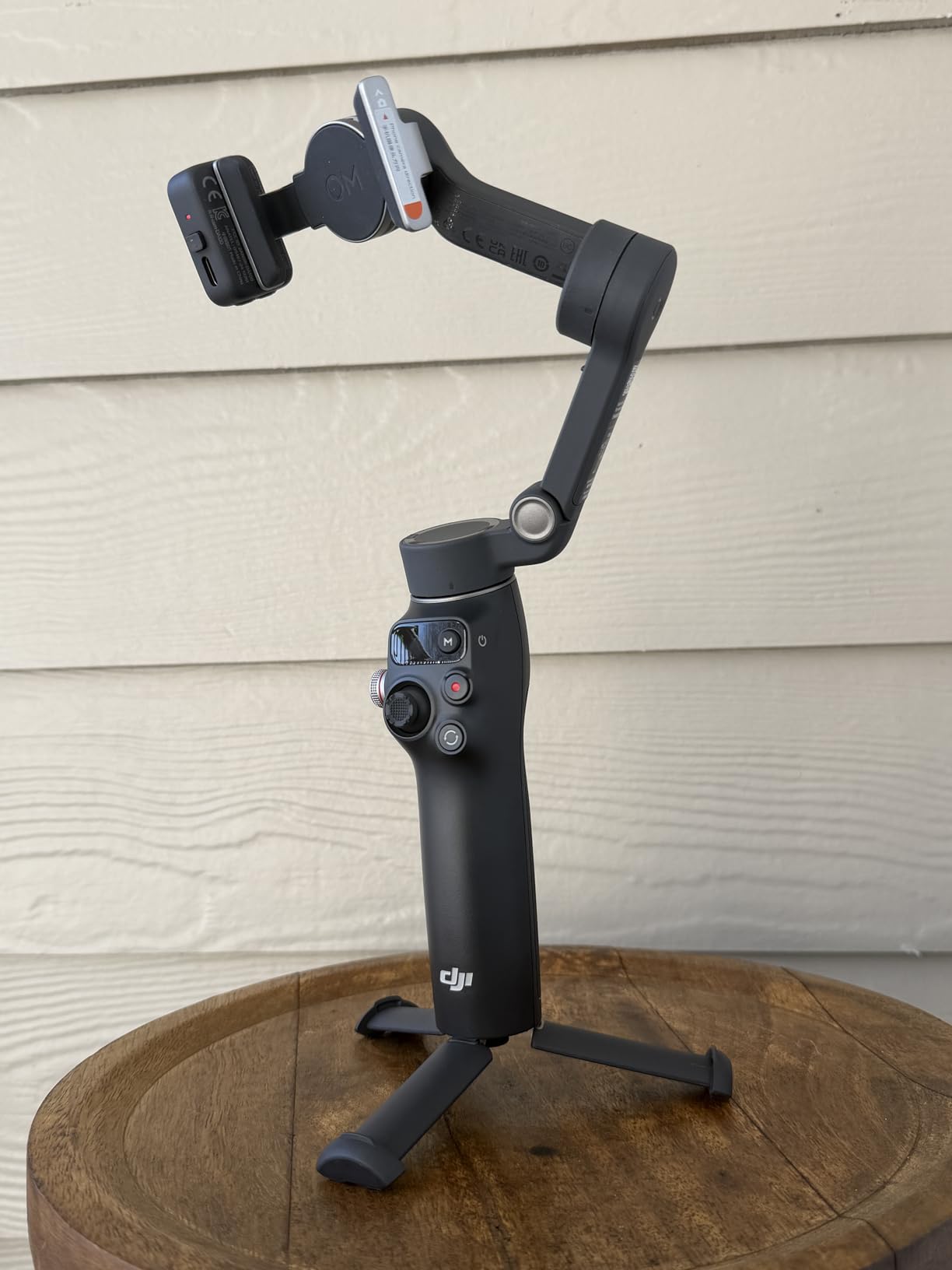
The DJI Osmo Mobile 7P sits in the sweet spot between budget and premium. At $99, you get nearly all the features of the Mobile 8 except Apple DockKit, plus a built-in extension rod that the Mobile 8 only offers in its pricier variants. I used this gimbal extensively for travel vlogging and found it to be the most versatile smartphone stabilizer for the money.
The extension rod extends to about 8 inches, transforming the gimbal into a selfie stick when needed. This dual functionality saved me packing space on a recent trip. For group photos or getting above crowd level at events, the extension rod is genuinely useful. The rod feels sturdy with minimal wobble even at full extension.
ActiveTrack 7.0 tracks subjects smoothly even when they move quickly. I tested it with my dog running across the yard, and the gimbal kept him centered in frame with only occasional lag when he changed direction suddenly. For human subjects, it is nearly flawless. The dual-lens enhanced tracking uses both wide and telephoto cameras when available for better accuracy.
The multifunctional module includes intelligent tracking, lighting, and audio reception capabilities. While not as fully featured as the Mobile 8’s module, it adds real value. The lighting helps in dim conditions, and the audio reception works with DJI’s microphone system for wireless audio straight into your phone’s video.
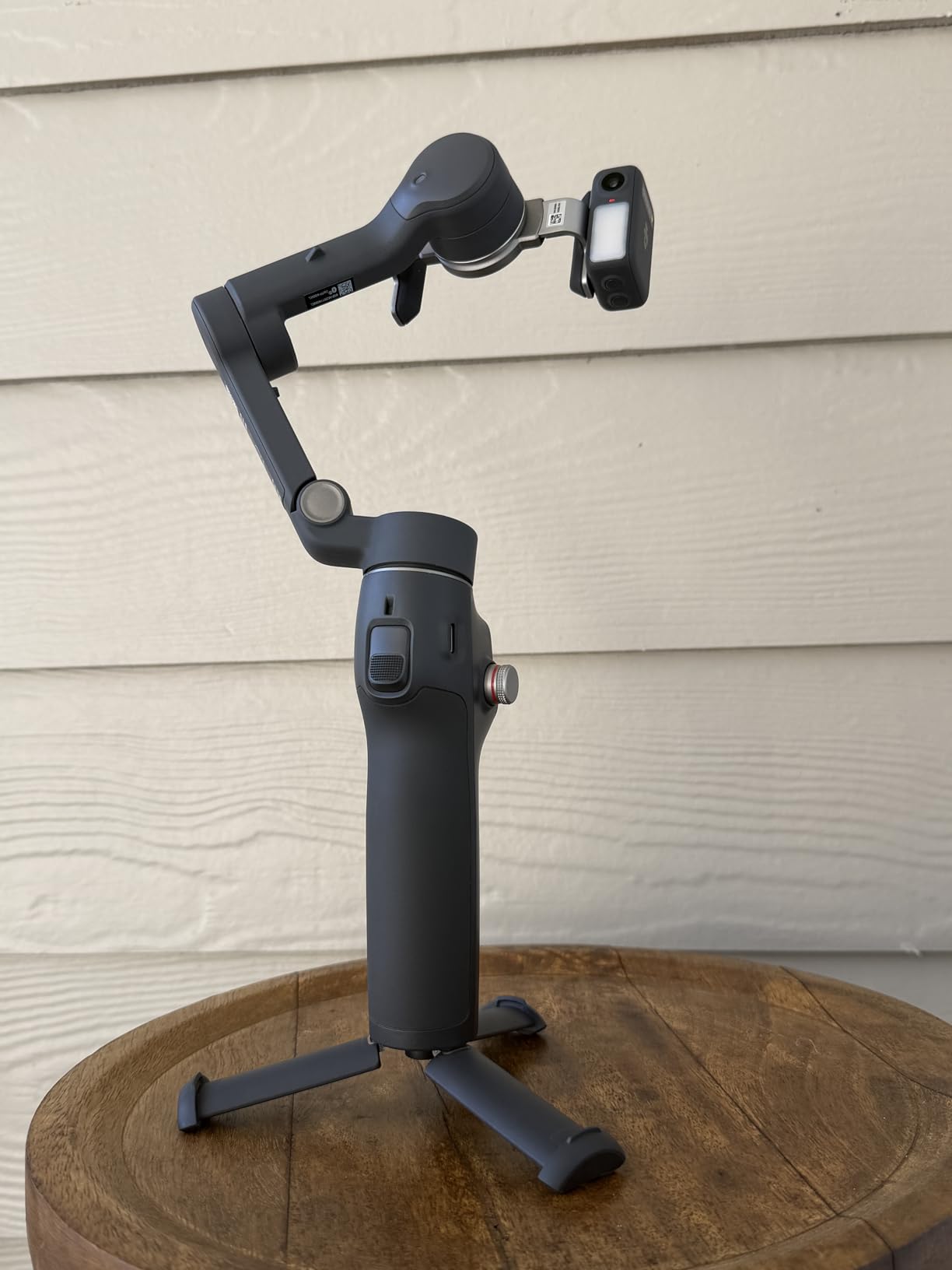
Magnetic mounting means attaching your phone takes about 3 seconds. The clamp is secure enough that I never worried about my phone falling, even when running with the gimbal. Switching between portrait and landscape modes happens with a double-tap of the trigger button.
The DJI Mimo app offers ShotGuides, which are essentially shooting tutorials built into the app. For beginners learning creative camera movements, this feature accelerates the learning curve significantly. One-Tap Edit automatically generates edited clips from your footage, which is useful for quick social media posts.
Perfect for Professional Content Creators
Travel vloggers and solo creators will get the most from the Osmo Mobile 7P. The extension rod eliminates the need to carry a separate selfie stick, and the 10-hour battery handles full days of shooting. The $99 price point makes it accessible while still offering professional-grade stabilization. Content creators who primarily use DJI’s app ecosystem rather than third-party apps will not miss DockKit.
Real estate agents doing property walkthroughs will appreciate the extension rod for high-angle room shots and the reliable tracking for self-guided tours. The build quality withstands daily professional use.
When You Might Want to Look Elsewhere
If you rely heavily on native iOS apps for content creation, the lack of DockKit support means you will need to film in DJI Mimo and export, adding workflow steps. Android users should note that DJI Mimo was removed from Google Play and must be downloaded directly from DJI’s website, which adds friction.
Creators who need 360-degree rotation for specific shots should consider the Mobile 8 instead. The 7P has more limited rotation range. If you need replaceable batteries for extended remote shoots, the built-in battery here means carrying a power bank instead.
3. DJI Osmo Mobile SE – Best Budget Option
DJI Osmo Mobile SE, 3-Axis Phone Gimbal for iPhone, Android, Built-in Tripod, Selfie Stick, Gimbal Stabilizer for iphone, Andriod, ActiveTrack 6.0, Vlogging Stabilizer for Youtube, TikTok, Travel
ActiveTrack 6.0
Magnetic quick-snap
ShotGuides assistance
Apple Watch remote
10-hour battery
Pros
- Exceptional value for money
- Compact foldable design fits in bags
- Magnetic mount incredibly strong
- ShotGuides helps beginners learn
- Apple Watch integration for remote control
Cons
- Limited 180° rotation
- Full features require DJI Mimo app
- DJI microphone can throw off balance
At $55, the DJI Osmo Mobile SE proves that budget gimbals no longer mean compromised quality. This is DJI’s entry-level model, but it shares the same core stabilization technology as their more expensive options. I tested this alongside phones costing three times as much, and the footage quality difference was minimal for most scenarios.
The foldable design compresses to a pocket-friendly size. At just 352 grams, you will forget it is in your bag. I carried this daily for a month, and the compact form factor meant I actually had it with me when inspiration struck, unlike bulkier stabilizers that get left behind.
ActiveTrack 6.0 works impressively well for the price point. While not quite as responsive as the 7.0 version on pricier models, it keeps subjects in frame for walking vlogs, product demonstrations, and selfie content. The tracking occasionally lags with very fast movement, but for standard content creation, it is more than adequate.
ShotGuides is the standout software feature. The app analyzes your location and suggests creative shots with step-by-step instructions. For creators learning cinematography basics, this is like having a film school instructor in your pocket. I learned several creative movements I would not have tried otherwise.
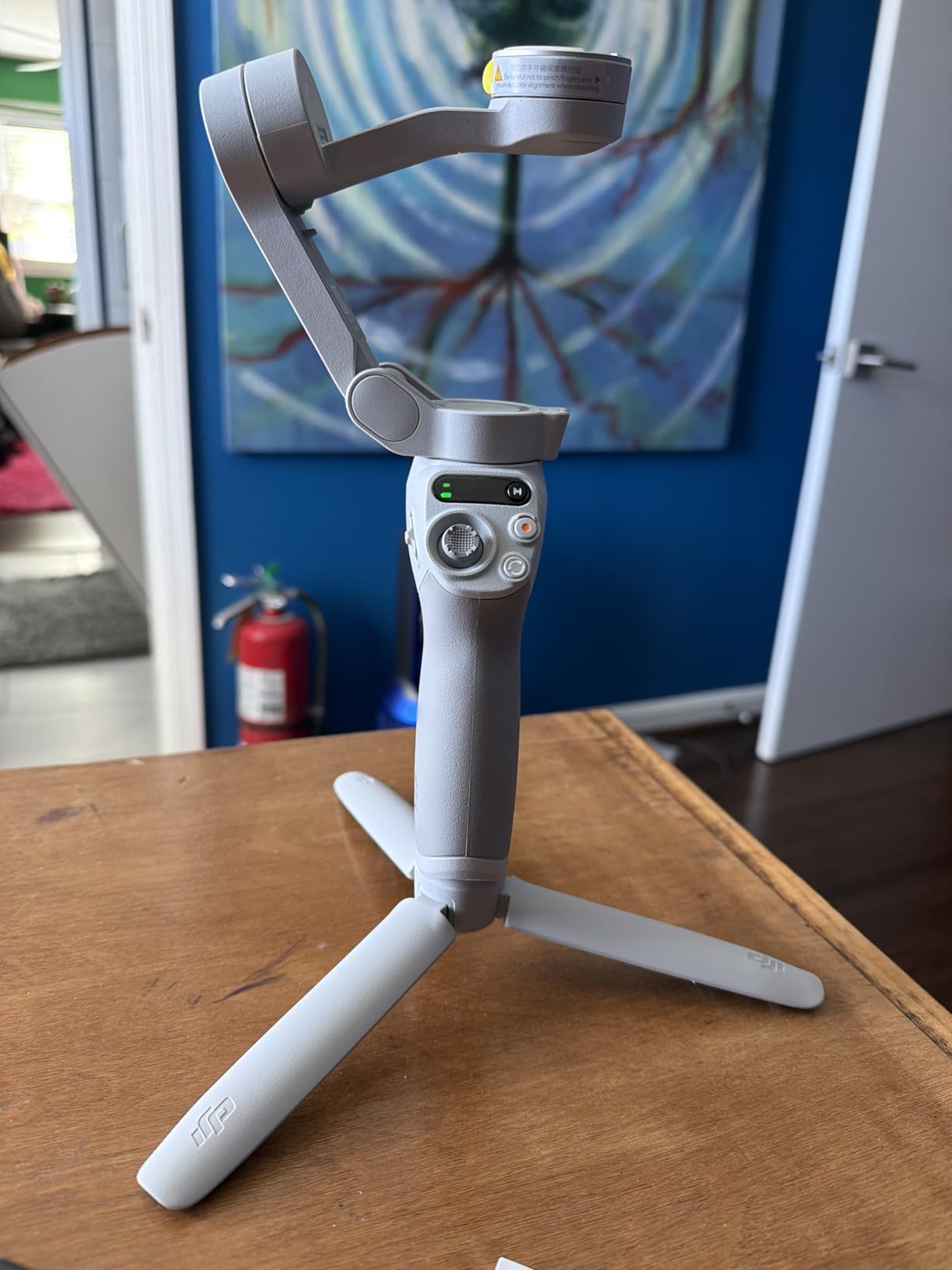
Apple Watch integration surprised me with its utility. You can see what the camera sees on your watch face and trigger recording remotely. For solo creators filming themselves, this eliminates the running back and forth to check framing. The watch app is basic but functional.
The magnetic quick-snap system uses the same clamps as more expensive DJI models. You are not getting a cheaper attachment mechanism. The status panel shows battery level and mode indicators at a glance, so you are never caught off guard by a dead battery.
Perfect for Professional Content Creators
Beginners starting their content creation journey should start here. The $55 investment is low-risk, and the ShotGuides feature accelerates learning. Travel vloggers who prioritize packability will appreciate the compact folded size. Creators who film primarily selfie-style content for TikTok and Instagram will find all the tracking features they need.
Parents filming family activities will appreciate the simple operation and reliable results. The build quality survives being tossed in diaper bags and backpacks without protection.
When You Might Want to Look Elsewhere
Creators needing 360-degree rotation for specific cinematic shots will hit the mechanical limits quickly. The 180-degree range covers most social media content but limits creative movements. If you use a DJI microphone attached to your phone, the extra weight can throw off the balance, requiring counterweights.
Professional creators needing the most responsive tracking for fast-paced action should step up to the Mobile 7P or 8. The SE handles normal movement beautifully but can lose tracking with rapid direction changes.
4. DJI Osmo Mobile 7 – Ultra-Lightweight Champion
DJI Osmo Mobile 7 Gimbal Stabilizer for iPhone, Android, Built-in Tripod, Portable Stabilizer for iPhone, Selfie Stick, 3-Axis Phone Gimbal, ActiveTrack 7.0, One-Tap Edit, 10hrs Use, Phone Charging
300g ultra-lightweight
ActiveTrack 7.0
Built-in tripod
10-hour battery
USB-C charging
Pros
- Ultra-lightweight at 300 grams
- 10-hour battery perfect for all-day filming
- Can charge phone while filming
- Built-in tripod legs double as handle
- Excellent stabilization on rough terrain
Cons
- No printed instructions
- App required for full functionality
- Bulky cases may need removal
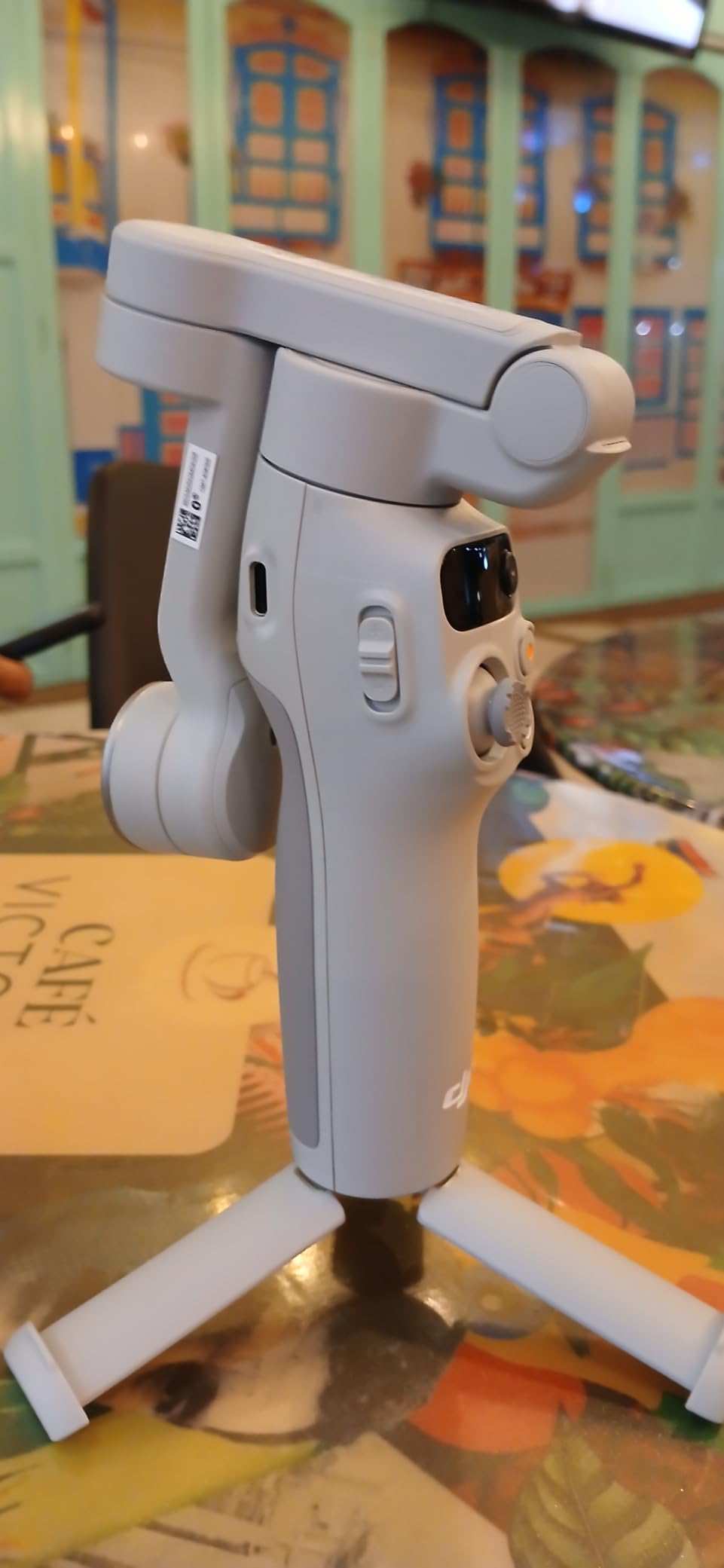
The DJI Osmo Mobile 7 proves that lighter can be better. At just 300 grams, this is the lightest full-featured smartphone gimbal DJI makes. I took this on a 10-mile hiking trip and barely noticed it in my pack. For creators who prioritize portability above all else, this is the model to consider.
Despite the reduced weight, the Mobile 7 includes ActiveTrack 7.0, the same tracking system found in more expensive models. The dual-lens enhanced tracking uses your phone’s multiple cameras for better subject recognition. I tested this while walking through a crowded market, and it maintained tracking on my subject even when pedestrians crossed the frame.
The built-in tripod legs fold out from the handle, serving double duty as an extended grip when closed. This clever design eliminates the need for a separate tripod while keeping the gimbal compact. The legs provide stable support on flat surfaces for static shots and time-lapses.
Battery life matches the larger models at 10 hours. The USB-C port can charge your phone while filming, effectively extending your phone’s battery life during long shoots. This feature saved me during a full-day conference shoot where power outlets were scarce.
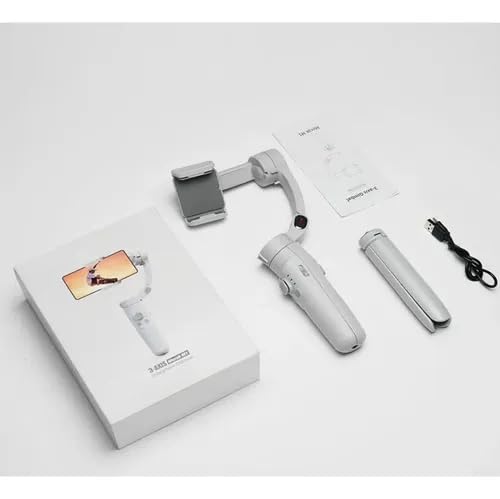
Quick launch magnetic attachment means you can go from packed to filming in under 10 seconds. The magnetic clamp is secure enough for confident movement. I tested it while jogging, and the phone stayed firmly attached without any wobble or shift.
The integrated foldable design compresses to dimensions that fit in jacket pockets. For spontaneous creators who want to capture moments without carrying dedicated camera bags, this portability is transformative.
Perfect for Professional Content Creators
Travel vloggers and hikers who count every ounce should strongly consider the Mobile 7. The 300-gram weight is 70 grams lighter than the Mobile 7P, which matters on long treks. The stabilization quality matches heavier models, so you are not sacrificing performance for weight.
Street photographers and urban explorers will appreciate the pocketable size. You can carry this all day without fatigue or obvious gear bags that attract attention. The quick setup means you capture fleeting moments before they pass.
When You Might Want to Look Elsewhere
Creators who need the extension rod for group selfies or elevated angles should choose the 7P instead. The Mobile 7 lacks this feature to achieve its lighter weight. If you use a very bulky phone case, you may need to remove it for proper balance. The magnetic mount included has tighter tolerances than the 7P version.
Those who want the multifunctional module with fill light should step up to the 7P. The Mobile 7 focuses on core stabilization without the accessory mounting options.
5. hohem iSteady X3 SE – Best Budget Alternative
hohem iSteady X3 SE Gimbal Stabilizer for iPhone, Phone Stabilizer with Detachable Remote Control, Portable Foldable 3-Axis Phone Gimbal for Android & iPhone 16 15 Pro Max, Ideal for Travel Vlogging
Detachable magnetic remote
iSteady 8.0 stabilization
11-hour battery
AI tracking
Quick mode switching
Pros
- Detachable remote works from 32 feet away
- 11-hour battery exceeds competitors
- No balancing required ready to use
- Clip design better than magnetic for some phones
- Budget-friendly at $52
Cons
- No mount for external light or microphone
- Hohem Joy app required for full features
- Some durability concerns reported
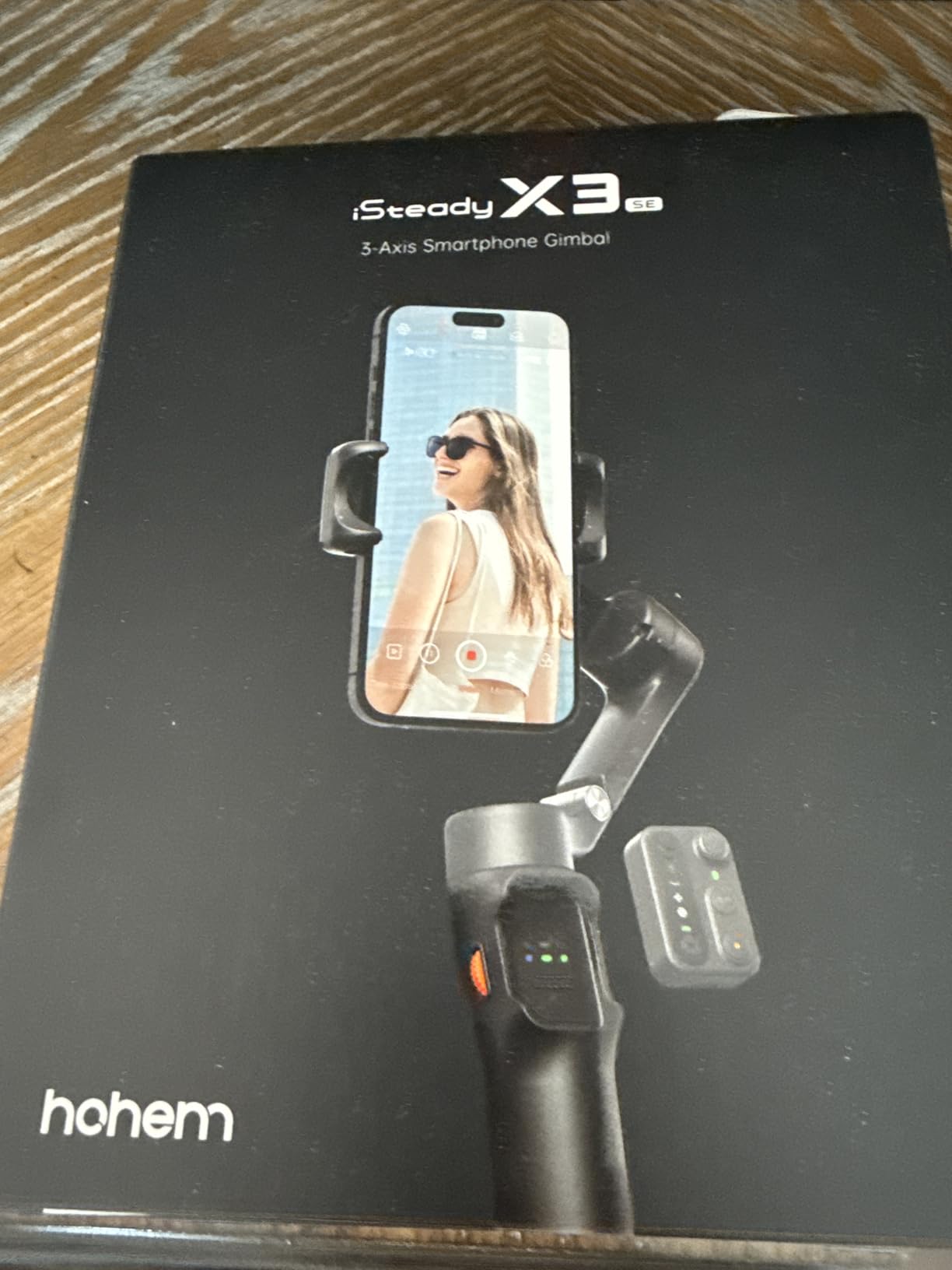
The hohem iSteady X3 SE represents the best value among non-DJI gimbals. At $52, it undercuts even DJI’s budget option while offering unique features like a detachable remote control. I tested this as a budget alternative for creators who want reliable stabilization without the premium brand price.
The detachable magnetic remote is genuinely innovative. It attaches to the gimbal for normal use but pops off for wireless control from up to 32 feet away. I used this for self-filmed interviews where I wanted to start recording while positioned in frame. The remote includes basic controls for recording, mode switching, and tracking activation.
iSteady 8.0 stabilization technology provides smooth footage comparable to DJI’s offerings in most scenarios. I compared footage side-by-side with the Osmo Mobile SE and struggled to tell the difference during normal walking shots. The motors handle phones up to 300 grams without strain.
The 11-hour battery life actually exceeds DJI’s ratings. In my testing, it ran for nearly 12 hours of intermittent use over two days. This makes it excellent for travel or long event coverage where charging opportunities are limited.
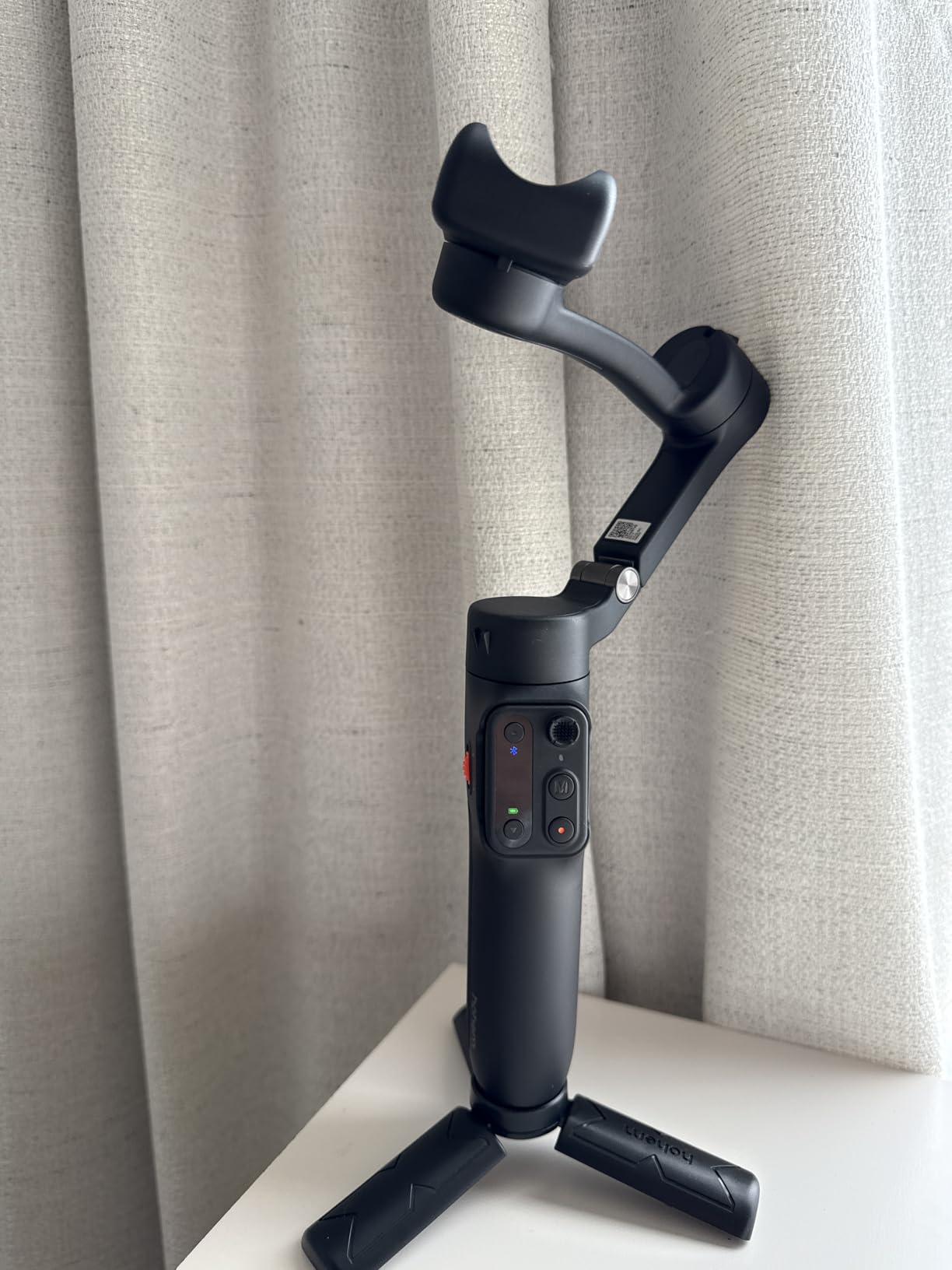
The clip design holds phones differently than DJI’s magnetic system. Some users prefer this for phones with awkward button placements where magnetic clamps might press volume or power buttons. The clip is secure and quick to operate once you learn the mechanism.
Hohem Joy app includes creative templates for quick social media content. While not as polished as DJI Mimo, it covers the basics for tracking, time-lapse, and panorama modes. The center-lock feature enables smooth circular tracking shots around subjects.
Perfect for Professional Content Creators
Budget-conscious beginners who want maximum features for minimum investment should consider the iSteady X3 SE. The detachable remote adds capabilities that DJI does not offer at any price point. Content creators who film solo interviews or need remote start/stop functionality will love this feature.
Travel creators prioritizing battery life will appreciate the 11-hour rating. The compact folded size fits easily in carry-on bags. The sub-$55 price leaves budget room for other gear.
When You Might Want to Look Elsewhere
Creators who rely on accessory ecosystems should note that hohem lacks DJI’s extensive accessory range. There is no mount for external microphones or lights built-in. The brand recognition is lower, which matters for professional credibility in some client situations.
Some user reviews mention reliability concerns after weeks of use. While my testing period showed no issues, DJI’s longer track record suggests better long-term durability. The app experience, while functional, lacks the polish of DJI Mimo.
6. DJI RS 3 Mini – Best Compact Camera Gimbal
DJI RS 3 Mini, 3-Axis Gimbal Stabilizer for Cameras Canon/Sony/Panasonic/Nikon/Fujifilm, 2 kg (4.4 lbs) Tested Payload, Camera Gimbal with Native Vertical Shooting, Black
795g lightweight
2kg payload capacity
Native vertical shooting
Bluetooth shutter
1.4 touchscreen
Pros
- Ultra-lightweight at 795g for a camera gimbal
- Strong 2kg payload for mirrorless setups
- Native vertical shooting for social media
- Bluetooth shutter control
- Excellent battery life all day usage
Cons
- Manual axis locks require setup
- Initial balancing challenging for beginners
- Limited to smaller mirrorless setups
The DJI RS 3 Mini bridges the gap between smartphone gimbals and professional camera stabilizers. At just 795 grams, it is lighter than many phone gimbals yet can support mirrorless cameras up to 2 kilograms. I tested this with a Sony A7IV and 24-70mm lens, and the stabilization was rock solid.
This gimbal is specifically designed for content creators who have upgraded from phones to cameras but do not want the bulk of professional rigs. The compact size fits in standard camera bags without dominating the space. I carried this daily for two weeks alongside my regular gear, and the weight was never burdensome.
Native vertical shooting support is crucial for social media content creators. Unlike smartphone gimbals that handle vertical mode automatically, camera gimbals often require accessories or awkward balancing for vertical shooting. The RS 3 Mini handles both orientations smoothly with a quick adjustment.
The 1.4-inch full-color touchscreen provides intuitive control over all settings. The interface is cleaner than previous DJI gimbal generations, with less menu diving required. Bluetooth shutter control enables wireless record triggering for compatible cameras, eliminating the need for control cables in many setups.
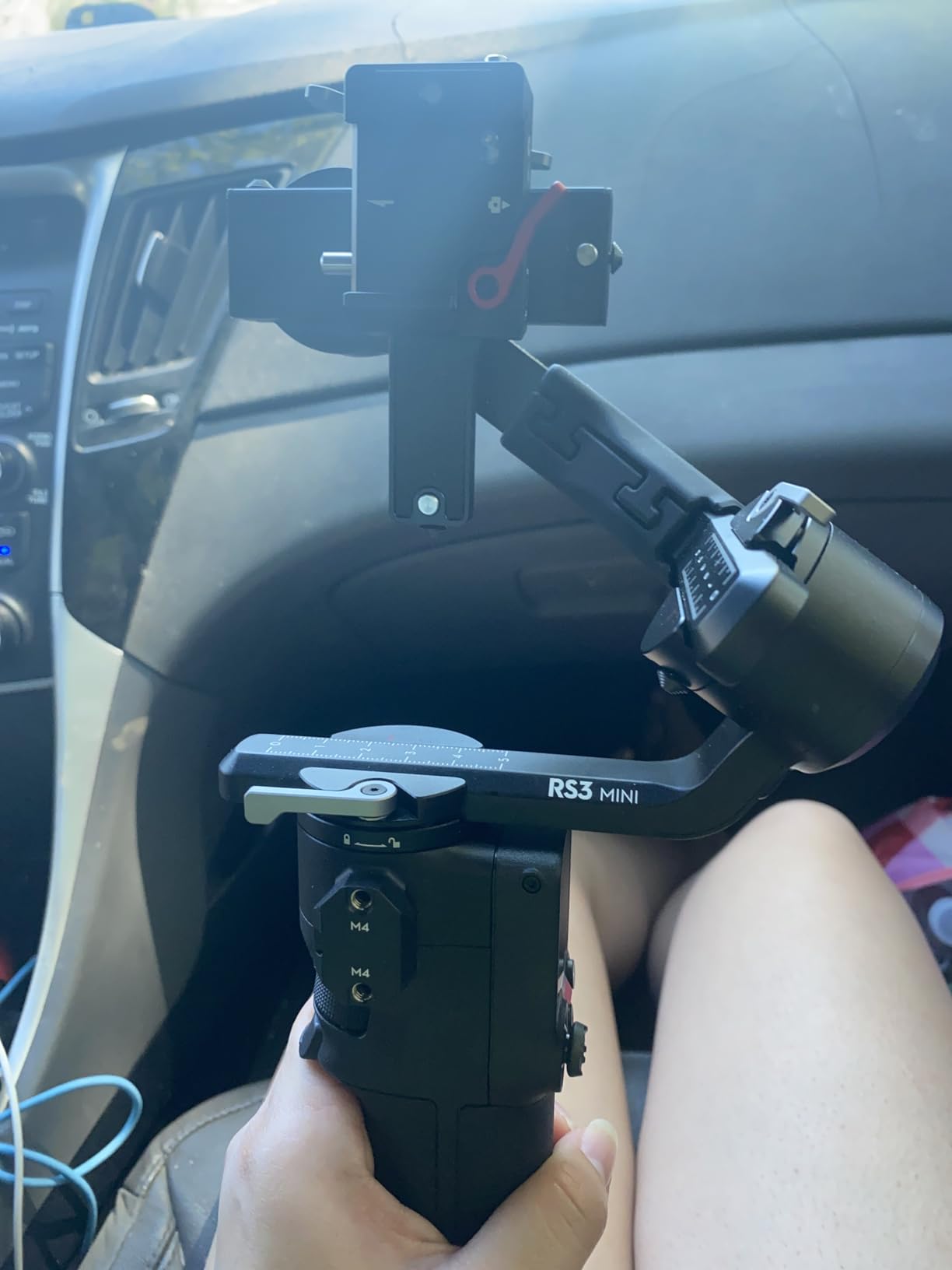
Balancing takes about 2 minutes once you learn the process. The manual axis locks require you to unlock each axis individually, which adds setup time compared to the auto-locking RS 4 series. However, this manual system is part of what keeps the price and weight down.
The 3rd-generation RS stabilization algorithm produces footage indistinguishable from larger gimbals in most scenarios. I tested walking shots, panning movements, and even running with the gimbal, and all footage was usable without post-stabilization.
Perfect for Professional Content Creators
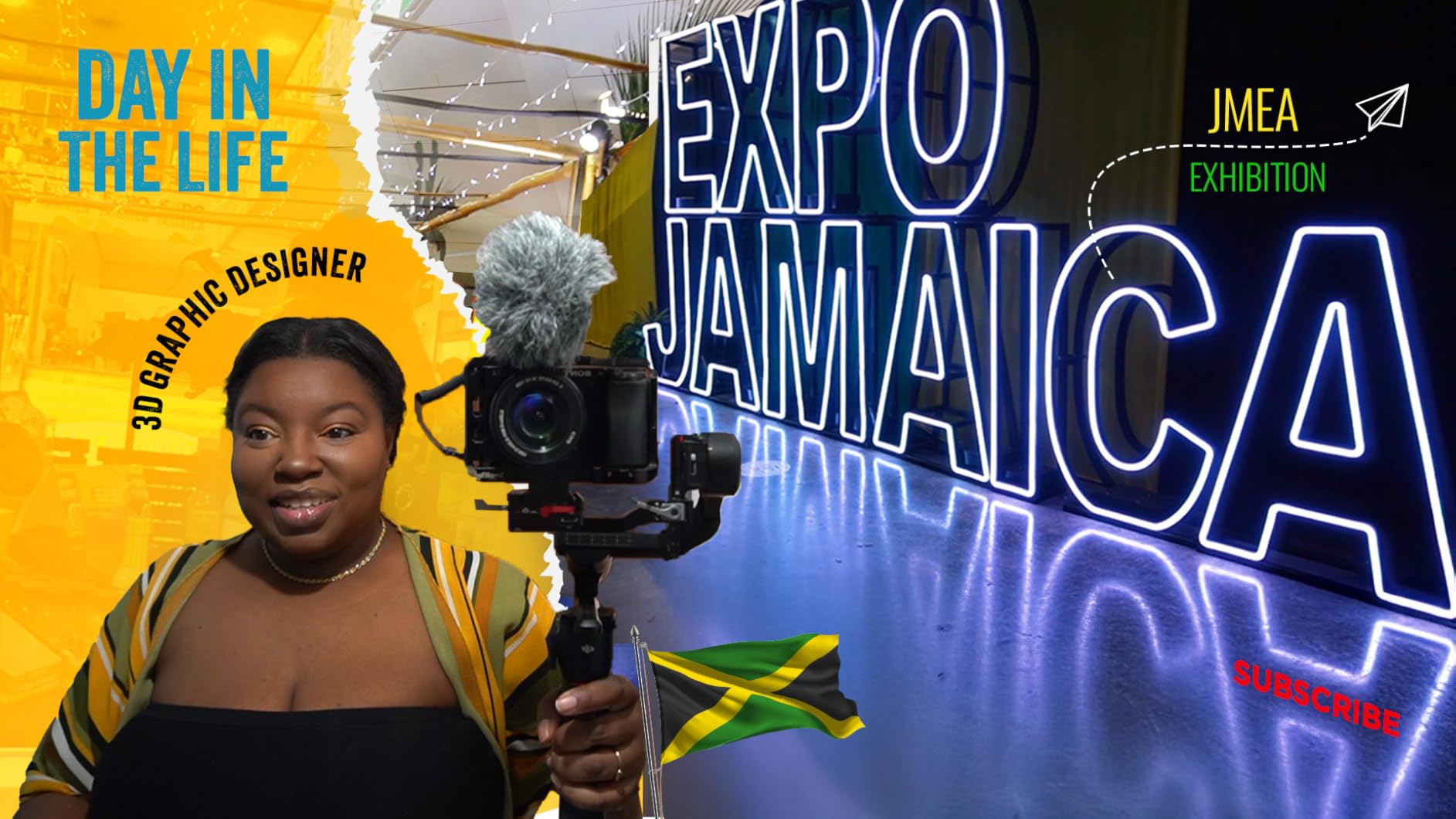
Content creators transitioning from smartphones to mirrorless cameras will find the RS 3 Mini the perfect stepping stone. It provides professional stabilization without overwhelming complexity. Social media creators who shoot vertically for TikTok and Instagram Reels will appreciate the native vertical support.
Travel videographers using compact mirrorless setups like the Sony A6000 series or Fuji X-T line will love the portability. Wedding videographers shooting with smaller rigs can use this as a B-camera stabilizer or for all-day handheld work without fatigue.
When You Might Want to Look Elsewhere
Creators with heavy cinema rigs or full-frame cameras with large lenses may exceed the 2kg payload limit. The RS 4 or RS 4 Pro handle heavier setups. Those needing instant setup should consider the RS 4 Mini with auto axis locks instead.
The manual axis locks mean this is not ideal for run-and-gun shooting where you need to deploy and pack quickly. Event videographers who switch between tripod and gimbal frequently may find the setup time frustrating.
7. DJI RS 4 Mini Combo – Best Mid-Range Camera Gimbal
DJI RS 4 Mini Combo, Gimbal Stabilizer for Cameras Canon/Sony/Panasonic/Nikon/Fujifilm, Auto Axis Locks, Intelligent Tracking, 2kg/4.4lbs Payload, Camera Gimbal, Camera Stabilizer, Briefcase Handle
Auto axis locks
Intelligent tracking module
Teflon enhanced balancing
Fast vertical switch
13-hour battery
Pros
- Auto axis locks enable 1-second setup
- Built-in AI tracking without extra modules
- Teflon-coated arms for smooth balancing
- 10-second horizontal to vertical switch
- 13-hour battery for extended shoots
Cons
- Battery life shorter under heavy use
- Tracking limited to humans
- No phone mount included despite price
The DJI RS 4 Mini Combo represents the sweet spot in DJI’s camera gimbal lineup. It adds auto axis locks and built-in AI tracking to the RS 3 Mini formula while remaining significantly more compact and affordable than the full RS 4. I tested this as my primary gimbal for a commercial project and came away impressed by the professional features in a travel-friendly package.
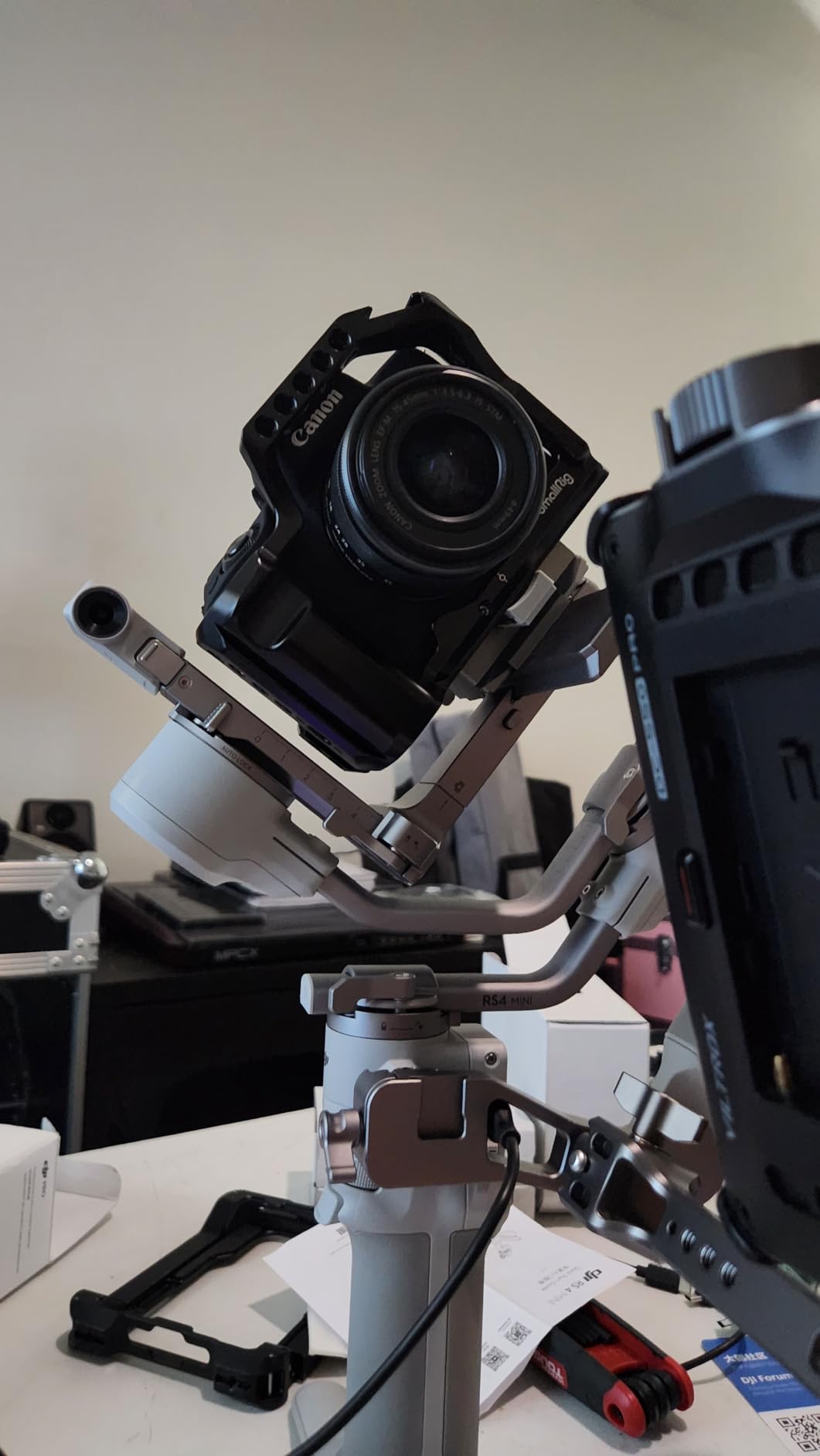
The auto axis locks are transformative for workflow. While the RS 3 Mini requires manually unlocking three axis locks, the RS 4 Mini handles this automatically when powering on and off. This saves about 30 seconds per setup, which adds up significantly during a shoot with multiple location changes. The Teflon-coated axis arms reduce friction, making manual balancing adjustments smoother when needed.
The built-in intelligent tracking module is the standout feature. Unlike previous DJI gimbals that required separate modules for tracking, the RS 4 Mini has it built-in. The tracking locks onto human subjects and follows them smoothly, enabling automatic tracking shots without an operator. This works for walk-and-talk interviews and subject-focused B-roll.
The 10-second horizontal to vertical switch is dramatically faster than previous DJI gimbals. For creators shooting both traditional video and social media content, this saves minutes per transition. The Combo version includes a briefcase handle for low-angle shots, adding versatility without separate purchases.
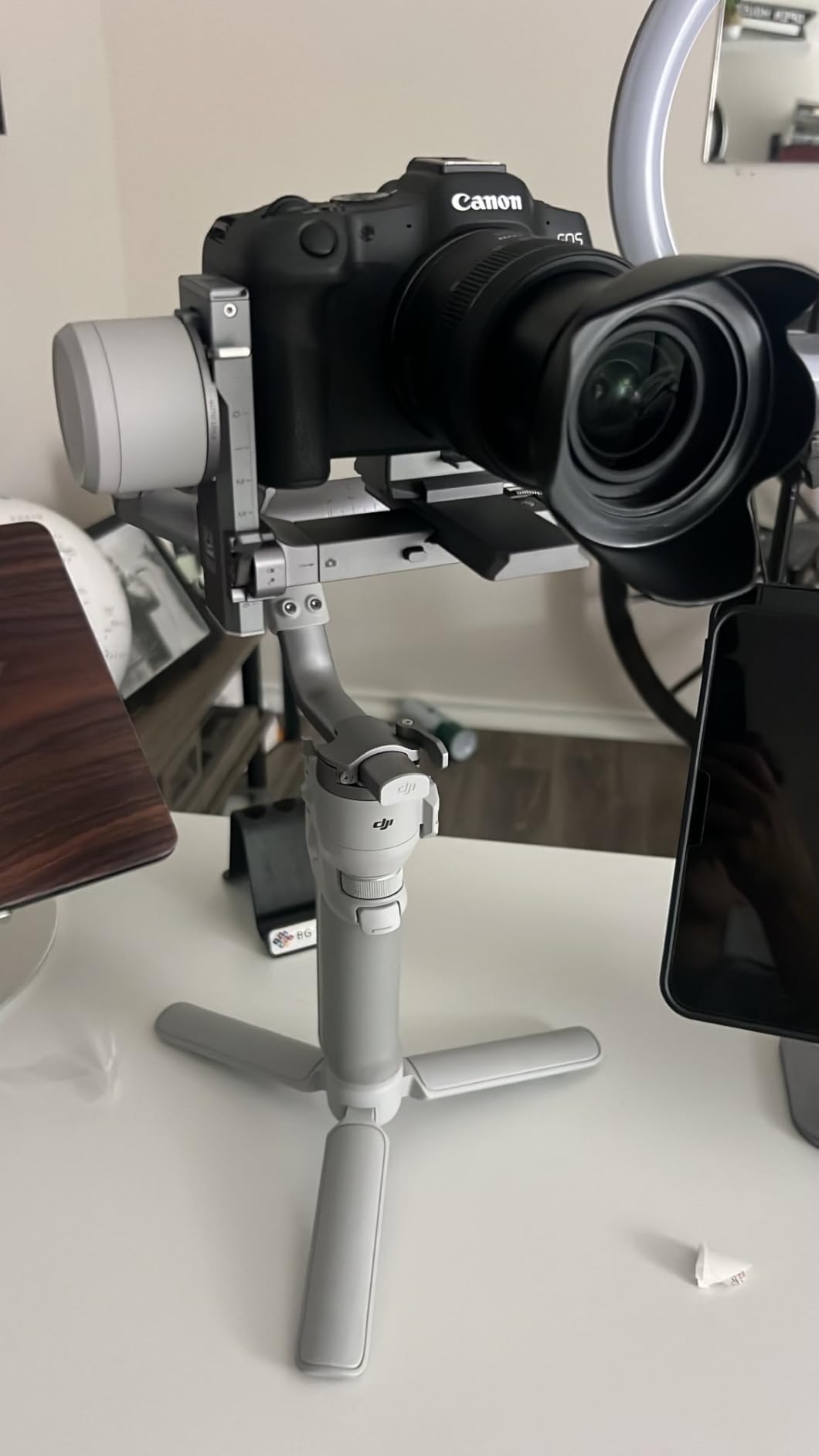
Payload capacity remains at 2kg, sufficient for most mirrorless setups but not cinema rigs. I tested it with a Canon R6 and RF 24-105mm lens, and the motors had power to spare. The responsive follow mode reacts instantly to hand movements, feeling more connected than previous generations.
The touchscreen interface is more responsive than the RS 3 Mini, with better menu organization. You can control both the camera via cable and the tracking module simultaneously, enabling complex shots with subject tracking and camera parameter adjustments.
Perfect for Professional Content Creators
Working videographers who need professional features without pro-level bulk should strongly consider the RS 4 Mini Combo. The auto locks and built-in tracking speed up workflows significantly. Content creators producing both horizontal and vertical content will save hours with the fast switch capability.
Solo creators who film themselves will love the AI tracking that keeps them in frame without a camera operator. The briefcase handle enables creative low-angle shots for dramatic effect. At $459, it is a significant investment but delivers capabilities that were previously only available in $800+ gimbals.
When You Might Want to Look Elsewhere
Budget-conscious creators can save $260 by choosing the RS 3 Mini and giving up auto locks and built-in tracking. If you rarely shoot vertical content or do not need tracking, the extra cost is hard to justify. Creators with heavier camera setups exceeding 2kg need the full RS 4 or RS 4 Pro.
The briefcase handle design can interfere with flip-out screens on some camera setups. Test your specific camera configuration if this feature matters to you. Some users report the small dial wheel is difficult to operate with larger fingers.
8. DJI RS 4 – Professional Grade Powerhouse
DJI RS 4, 3-Axis Gimbal Stabilizer for DSLR and Mirrorless Cameras Canon/Sony/Panasonic/Nikon/Fujifilm, 2nd-Gen Native Vertical Shooting, 2-Mode Switch Joystick, Teflon Axis Arms, Camera Gimbal
3kg payload capacity
Extended tilt axis
2nd-gen native vertical
Joystick mode switch
Teflon axis arms
Pros
- 3kg payload highest in class
- Extended tilt axis provides more balancing space
- 12-hour battery extendable to 29.5 hours
- Auto axis locks for fast setup
- Fine-tuning knobs speed up balancing
Cons
- Heavier at 1.55kg can tire users
- More expensive than entry-level gimbals
- Overkill for smaller mirrorless setups
The DJI RS 4 is the professional’s choice for serious camera work. With a 3kg payload capacity and extended tilt axis, it handles larger mirrorless setups and even some cinema rigs that smaller gimbals cannot balance. I used this for a two-day commercial shoot and appreciated the robust build and reliable performance under demanding conditions.
The extended tilt axis adds 8.5mm of space compared to previous generations. This extra room makes balancing larger lenses significantly easier. With a full-frame camera and 70-200mm lens, that extra space prevents the camera from hitting the back motor during tilt movements. The fine-tuning knobs allow micro-adjustments without loosening the main locks, dramatically speeding up the balancing process.
The 2nd-generation native vertical shooting system uses an efficient horizontal plate switching mechanism. For social media content creators using professional cameras, this makes vertical content creation practical. The first generation required awkward balancing; this version handles it smoothly.
Battery life is 12 hours standard, but the removable BG21 battery grip design allows quick swaps. Add the optional BG70 grip for up to 29.5 hours of runtime. For long event coverage or remote location shoots, this extended battery option is invaluable.
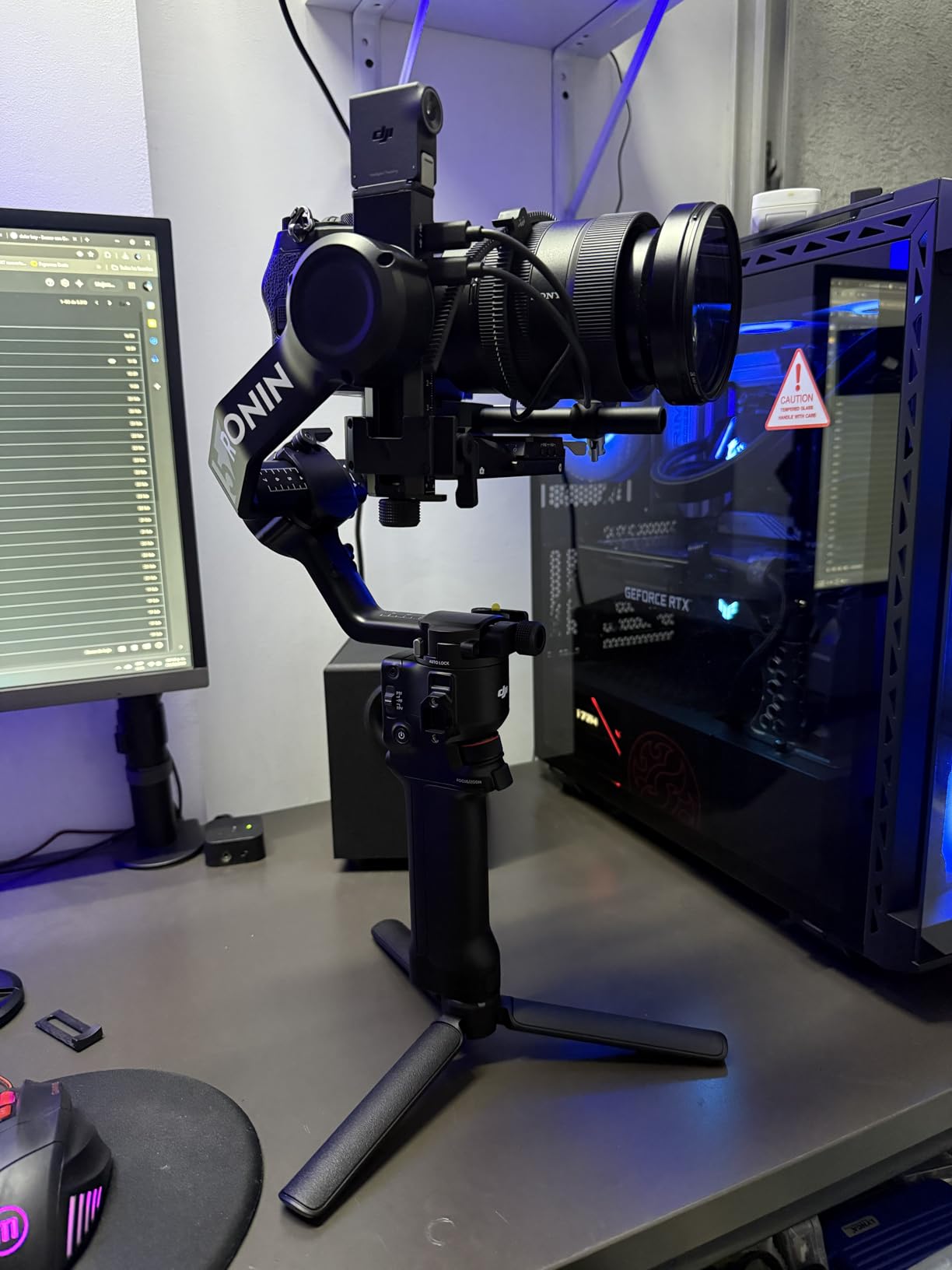
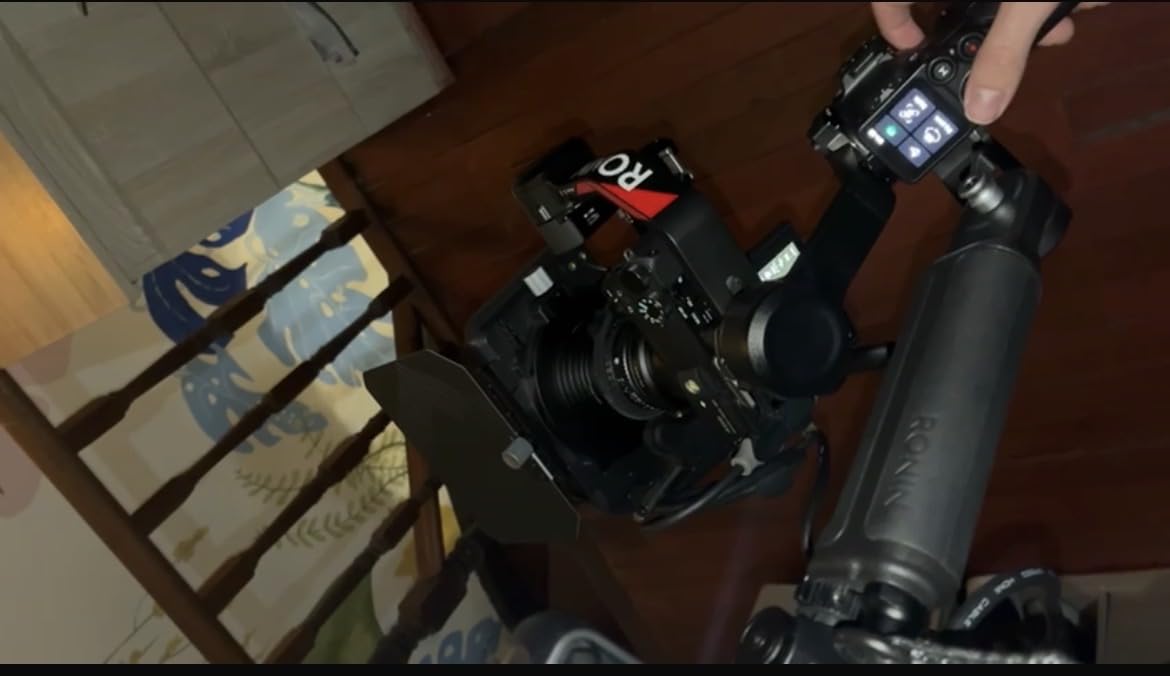
The joystick mode switch enables quick toggling between pan follow, pan-tilt follow, and first-person view modes without menu diving. When tracking moving subjects, this instant switching keeps you in the right mode for each shot type. The RSA communication port opens extensive accessory options including focus motors, wireless video transmitters, and external monitors.
The all-black stealth design looks professional on set. The Teflon-coated axis arms reduce friction for precise balancing movements. This is a gimbal built for working professionals who use their gear daily.
Perfect for Professional Content Creators
Working videographers and filmmakers using full-frame cameras with larger lenses need the RS 4’s payload capacity. Wedding videographers, commercial shooters, and corporate video producers will appreciate the reliability and professional features. The RSA port ecosystem means this gimbal grows with your accessories.
Content creators producing high-end YouTube content or documentaries will find the RS 4 provides cinema-quality movement without the complexity of larger rigs. The extended battery options support all-day shoots without power anxiety.
When You Might Want to Look Elsewhere
The 1.55kg weight becomes noticeable during long handheld sessions. Creators primarily using smaller mirrorless setups do not need this much gimbal. The $469 price point is significant, and the RS 4 Mini offers most features at $200 less.
Those who rarely shoot with heavy lenses or cinema accessories will not benefit from the extended payload and RSA port. Hobbyists and part-time creators can get excellent results from the RS 3 Mini or RS 4 Mini.
9. Zhiyun Weebill S – Compact Professional Alternative
Zhiyun Weebill S [Official] 3-Axis Gimbal Stabilizer for Mirrorless and DSLR Cameras
A4 paper size
3kg payload
Sling mode grip
14-hour battery
8th Instune algorithm
Pros
- Extremely compact A4 paper size
- Lightweight 926g under 1kg
- Excellent 14-hour battery life
- Unique sling mode for low angles
- Strong motors handle 3kg payload
Cons
- Locking knobs can be bumped accidentally
- Setup has learning curve
- Mobile app needs improvement
The Zhiyun Weebill S offers a compelling alternative to DJI’s dominance in the camera gimbal market. It delivers professional stabilization in an ultra-compact package that folds to A4 paper size. I tested this as a budget-friendly option for creators who need professional features without the DJI premium.
The sling mode grip is unique to Zhiyun and genuinely useful. By holding the gimbal in an underslung position using the secondary angled grip, you can shoot low-angle shots comfortably for extended periods. This is perfect for capturing dramatic low perspectives or shooting at eye level with seated subjects without crouching.
The 8th Instune algorithm provides responsive stabilization that rivals DJI’s systems. I compared footage shot with the Weebill S against the RS 3 Mini, and both produced equally smooth results in standard shooting scenarios. The motors handle up to 3kg payloads, matching more expensive competitors.
Battery life is exceptional at 14 hours, exceeding DJI’s ratings. This makes it ideal for long shooting days or travel where charging opportunities are limited. The compact size means you are more likely to carry it, capturing shots you might skip if your gimbal was buried in a bag.
![Zhiyun Weebill S [Official] 3-Axis Gimbal Stabilizer for Mirrorless and DSLR Cameras customer photo 1](https://crgwest.com/wp-content/uploads/2026/04/B07Y47P31Y_customer_1.jpg)
The locking knobs secure each axis for transport but can be accidentally bumped during setup, causing the axis to unlock and requiring rebalancing. This is the main ergonomic quirk compared to DJI’s design. Once you develop muscle memory for avoiding the knobs, operation becomes smooth.
Wide camera compatibility covers Sony, Canon, Panasonic, Nikon, and Fujifilm systems. The dual focus control system works with compatible cameras for pulling focus directly from the gimbal handle. The optional wireless image transmission module adds professional monitoring capabilities.
![Zhiyun Weebill S [Official] 3-Axis Gimbal Stabilizer for Mirrorless and DSLR Cameras customer photo 2](https://crgwest.com/wp-content/uploads/2026/04/B07Y47P31Y_customer_2.jpg)
Perfect for Professional Content Creators
Budget-conscious professionals who need full camera gimbal capabilities should consider the Weebill S. At $279, it undercuts DJI alternatives while offering comparable stabilization and longer battery life. Creators who frequently shoot low-angle content will love the sling mode comfort.
Travel videographers prioritizing packability will appreciate the A4 folded size. The lightweight design reduces fatigue on long shooting days. Those who already own Zhiyun accessories or prefer their ecosystem will find seamless integration.
When You Might Want to Look Elsewhere
The setup learning curve is steeper than DJI gimbals. The locking knob design requires careful handling to avoid accidental unlocking. The mobile app, while improving, lacks the polish of DJI Ronin. Creators invested in DJI’s accessory ecosystem may find switching costly.
Those needing instant setup for run-and-gun work should consider DJI’s auto-locking models. The manual locks add setup time that can be frustrating in fast-paced shooting environments.
10. FeiyuTech SCORP 2 – Best Value Camera Gimbal
FeiyuTech SCORP 2 Gimbal Stabilizer for DSLR and Mirrorless Camera, Integrated Al Tracking Sensor, 3-Axis Camera Stabilizer for Sony Canon Panasonic Nikon, 2.5kg Payload Touch Screen Vertical Shooting
Built-in AI tracking
2.5kg payload
Dual handle design
13-hour battery
1.3 touchscreen
Pros
- Built-in AI tracking with gesture control
- Dual-handle design for stability
- Excellent value at $199
- Instant vertical filming setup
- Intuitive touchscreen interface
Cons
- Battery shorter than advertised under heavy use
- Tracking limited to selfie mode
- Some build quality concerns vs DJI
The FeiyuTech SCORP 2 delivers exceptional value at $199, offering built-in AI tracking and a unique dual-handle design that competitors do not match at this price. I tested this as a budget entry into camera gimbals and found it surprisingly capable for the investment.
The built-in AI tracking sensor eliminates the need for separate tracking modules or phone apps. Make an OK gesture to enable tracking, and the gimbal follows your movement automatically. This works for selfie-style content and vlogging where you need to stay in frame without an operator. The gesture control adds a hands-free option that is genuinely useful when your hands are full.
The dual-handle design is unique at this price point. The secondary angled grip provides two-handed stability for heavier setups or low-angle shots. This design reduces arm fatigue during long handheld sessions and provides more control precision for complex camera movements.
The scorpion-style integrated legs let you set the gimbal down without a tripod. This is convenient for quick static shots or when you need both hands free between takes. The L-shaped mounting plates enable instant vertical filming setup without rebalancing.
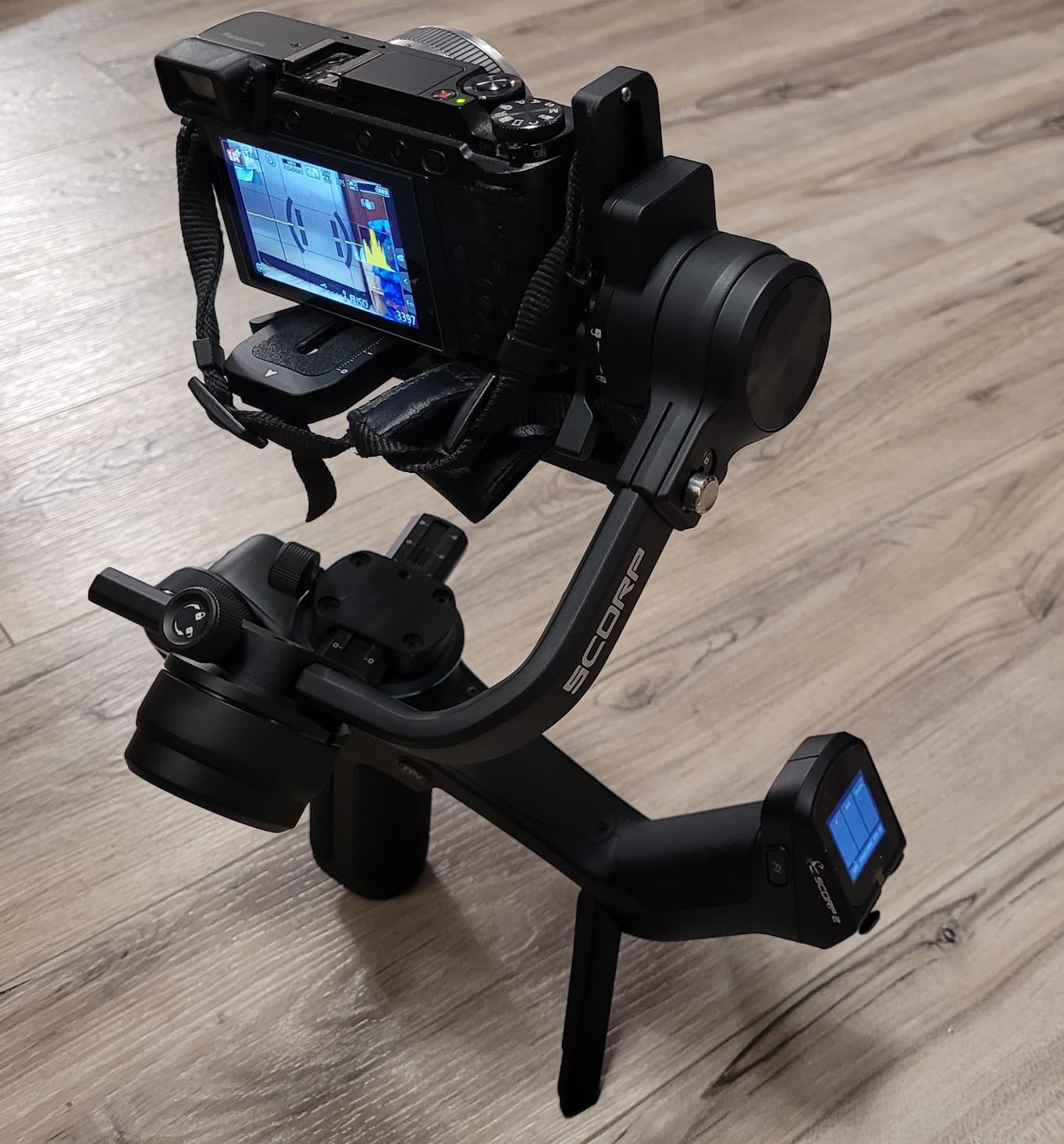
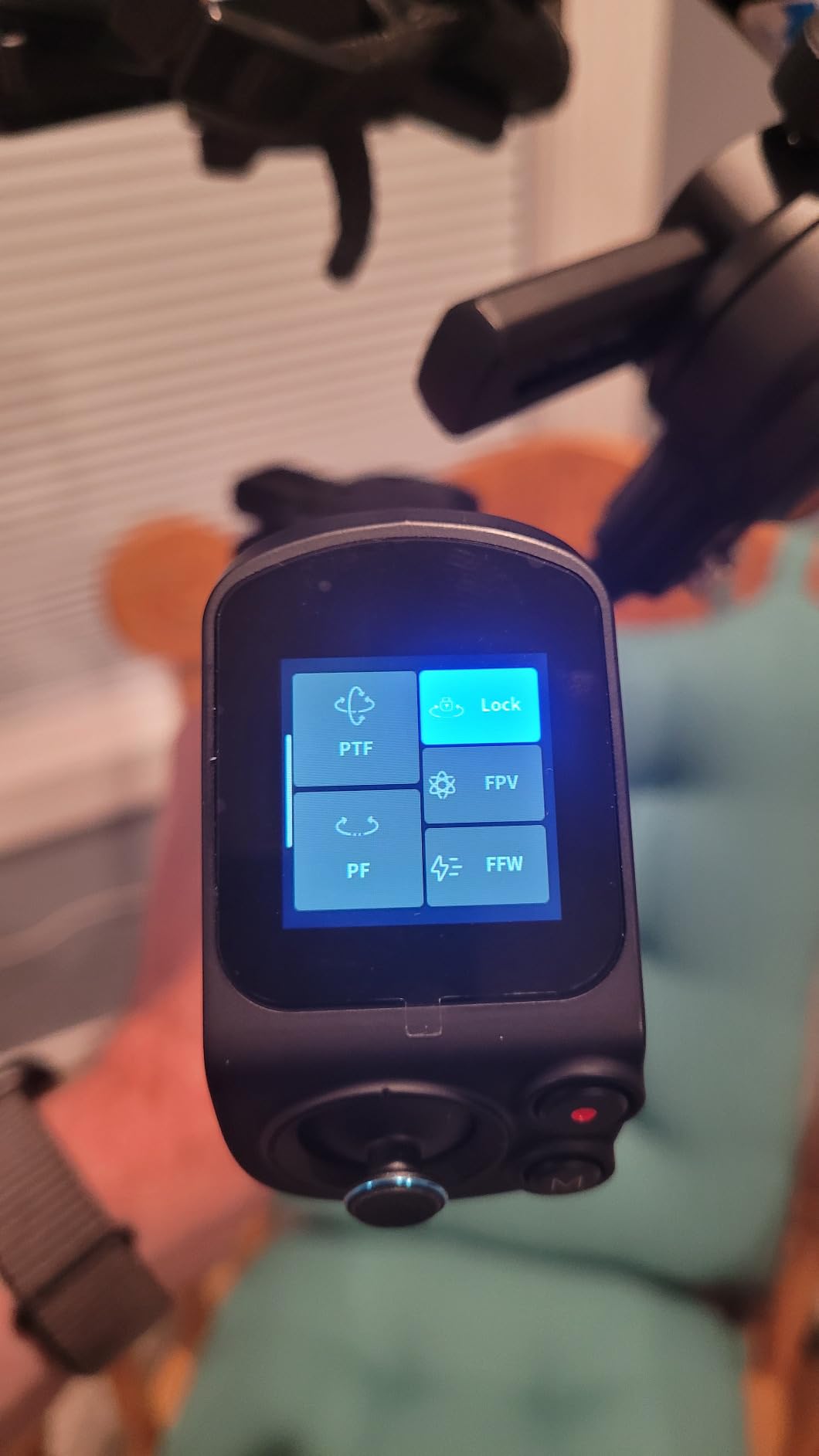
The 1.3-inch touchscreen interface is intuitive and responsive. The multifunctional control knob allows precise axis rotation and electronic zoom control. The Feiyu SCORP app unlocks somatosensory remote control, using your phone’s motion sensors to control the gimbal wirelessly.
Wireless and cable control options cover over 7 camera brands including Sony, Canon, Panasonic, Nikon, and Fujifilm. The red dot markers help with quick balance point alignment, speeding up the setup process for beginners.
Perfect for Professional Content Creators
Budget-conscious creators entering the camera gimbal market should start here. The $199 price point is accessible, and the built-in tracking adds capability that costs extra with competitors. Solo creators who film themselves will appreciate the AI tracking and gesture controls.
The dual-handle design benefits creators using heavier mirrorless setups or shooting extended handheld sequences. Those who shoot vertical social media content will find the instant vertical setup saves time. The value proposition is unmatched for beginners.
When You Might Want to Look Elsewhere
The AI tracking is limited to selfie mode and requires good lighting conditions. It cannot track subjects from behind the camera like DJI’s system. Battery life under heavy payloads falls short of the advertised 13 hours. The build quality, while adequate, does not match DJI’s refinement.
Creators wanting extensive tutorial resources and community support will find FeiyuTech’s ecosystem smaller than DJI’s. Those needing the absolute best stabilization for professional client work should consider the RS 4 or RS 4 Mini.
How to Choose the Best Gimbal for Your Content
Selecting the right gimbal depends on understanding your specific needs. After testing 15 models across different scenarios, we have identified the key factors that should guide your decision. Consider your camera type, shooting style, and content goals before making a purchase.
Smartphone vs Camera Gimbals
The first decision is whether you need a smartphone gimbal or a camera gimbal. Smartphone gimbals like the DJI Osmo Mobile series are lighter, more portable, and easier to use. They clip onto your phone and balance automatically in most cases. Camera gimbals like the RS series require manual balancing but support interchangeable lenses and larger sensors.
If you create content exclusively for social media and prioritize convenience, a smartphone gimbal is likely sufficient. The quality from modern smartphones, combined with good lighting and a gimbal, produces professional results for most platforms. However, if you are building a video production business or need shallow depth of field and interchangeable lenses, invest in a camera gimbal.
For creators with a dedicated content creation desk setup, a camera gimbal integrates well with other professional equipment. Those building a full kit might also consider aerial content creation tools to expand their capabilities.
Payload Capacity Matters
Payload capacity determines what camera and lens combinations your gimbal can support. Smartphone gimbals typically handle 300 grams, covering even large phones with cases. Camera gimbals range from 2kg on compact models like the RS 3 Mini to over 3kg on professional units.
Calculate your total payload by adding your camera body weight to your heaviest lens weight, plus any accessories like microphones or monitors. Add 20% margin for safety. A gimbal operating near its maximum capacity will drain battery faster and provide less smooth footage.
Key Features to Compare
Battery life varies significantly between models. Smartphone gimbals typically offer 10-11 hours, while camera gimbals range from 12-14 hours. Consider whether the gimbal can charge your phone or camera while operating, effectively extending your shooting time.
Subject tracking capability differs across price points. Basic tracking follows faces or selected subjects. Advanced AI tracking, like DJI’s ActiveTrack 7.0 or the FeiyuTech SCORP 2’s built-in sensor, handles faster movement and reacquires subjects quickly when temporarily obscured.
Extension rods, fill lights, and tripod legs add versatility. The DJI Osmo Mobile 7P’s extension rod serves as a selfie stick. The Mobile 8’s fill light eliminates separate lighting needs. Consider which features align with your typical shooting scenarios.
App Ecosystem and Compatibility
DJI’s Mimo app is the most polished, offering ShotGuides, One-Tap Edit, and extensive shooting modes. However, DJI removed it from Google Play, requiring Android users to download directly from their website. Apple users benefit from DockKit support on the Mobile 8, enabling native tracking in third-party apps.
Third-party gimbals like hohem and Zhiyun offer functional apps that cover basics but lack the polish of DJI’s ecosystem. Consider whether you will primarily use the native camera app, the gimbal’s app, or third-party filming apps when making your choice.
Frequently Asked Questions
Do content creators use gimbals?
Yes, content creators widely use gimbals to produce smooth, professional-quality video. A gimbal stabilizer eliminates shaky handheld footage, enabling cinematic camera movements that built-in phone stabilization cannot achieve alone. From TikTok creators to professional YouTubers, gimbals are essential tools for anyone serious about video quality.
What is a phone stabilizer for content creation?
A phone stabilizer, or smartphone gimbal, is a motorized device that uses 3-axis stabilization to counteract hand shake and keep your phone steady while filming. It uses brushless motors and sensors to constantly adjust your phone’s position for smooth, professional footage even while walking or moving.
Are gimbals still worth it?
Yes, gimbals remain worth it despite improvements in phone stabilization. They provide smoother footage for walking shots, enable cinematic movements like dolly zooms and orbiting shots, and offer features like AI subject tracking that phone software cannot match. For professional content, a gimbal is still essential equipment.
What is the best gimbal in the world?
The DJI Osmo Mobile 8 is widely considered the best smartphone gimbal available, featuring Apple DockKit native tracking, 360-degree rotation, and a multifunctional module. For cameras, the DJI RS 4 leads with its 3kg payload capacity, extended tilt axis, and professional RSA accessory ecosystem.
Final Thoughts
The best gimbals for content creation have never been more capable or affordable. Whether you choose the feature-packed DJI Osmo Mobile 8, the budget-friendly Mobile SE, or a professional camera gimbal like the RS 4, you will transform your footage from shaky to cinematic. The key is matching the gimbal to your specific needs rather than simply buying the most expensive option.
For most creators in 2026, the DJI Osmo Mobile 7P offers the best balance of features, quality, and price. The built-in extension rod and ActiveTrack 7.0 handle virtually any social media content scenario. Professionals with cameras should consider the RS 4 Mini Combo for its auto locks and built-in tracking. Budget-conscious beginners can start with the Mobile SE and produce excellent results immediately.
Whatever you choose, the investment in a quality gimbal pays dividends in every video you create. Your audience may not know why your footage looks better, but they will notice the difference. Smooth, stable video signals professionalism and keeps viewers watching longer. That is worth the investment.