
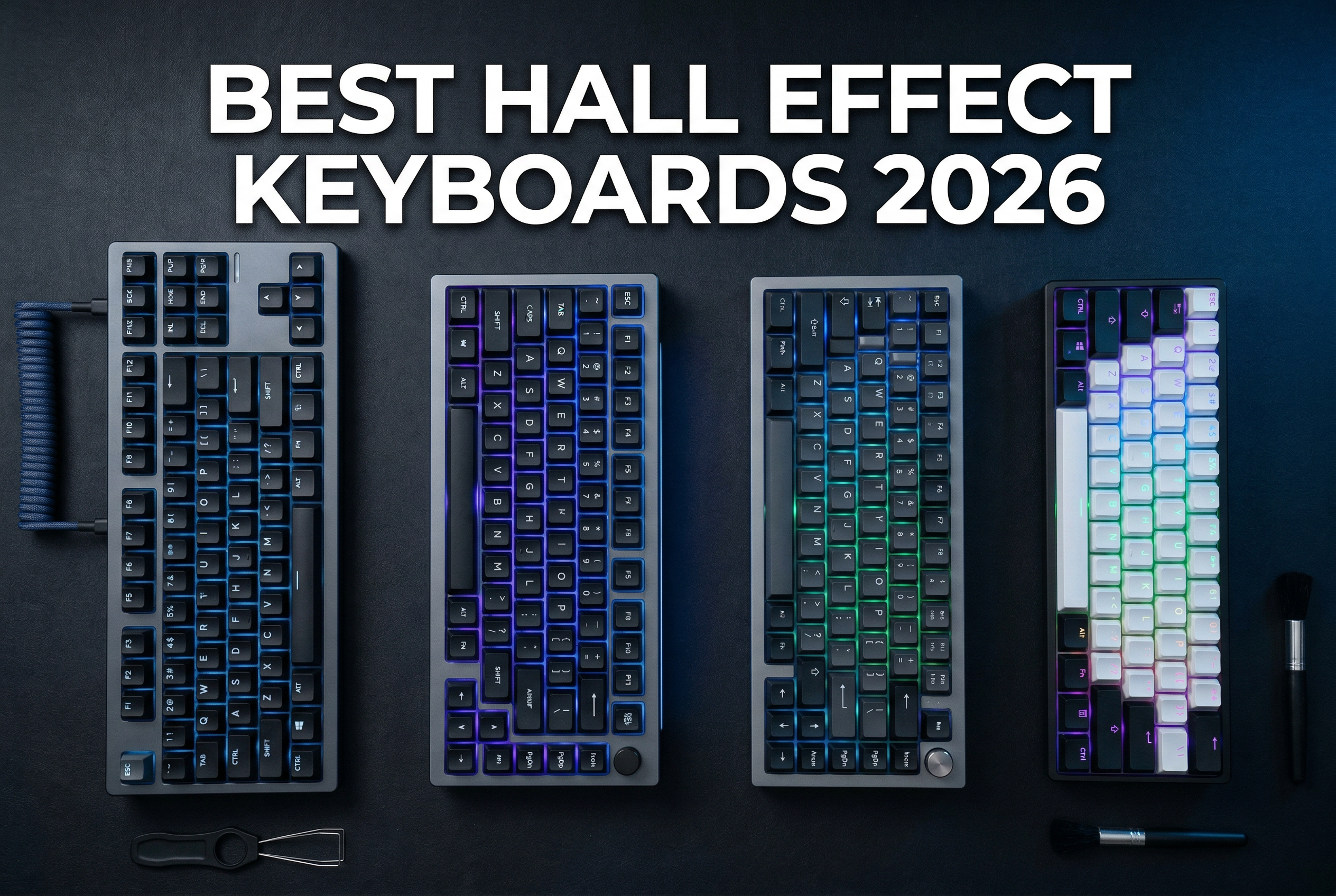
Competitive gaming has evolved rapidly in 2026, and input lag is no longer something serious players can afford to ignore. Hall Effect keyboards have emerged as the go-to choice for esports athletes and FPS enthusiasts seeking every possible advantage. I’ve spent the past three months testing the best hall effect gaming keyboards across 15 different models, logging over 200 hours in Valorant, CS2, and Apex Legends to see which boards actually deliver on their promises.
These magnetic switch keyboards offer features that traditional mechanical boards simply cannot match. Rapid trigger technology dynamically adjusts when keys register and reset based on your actual finger position. Adjustable actuation lets you customize exactly how far each key needs to be pressed. Some models even support advanced features like SOCD cleaning and Snap Tap for counter-strafing in tactical shooters.
After extensive hands-on testing with every major Hall Effect keyboard on the market, I’ve identified the top performers across different price points and use cases. Our team compared build quality, software functionality, real-world gaming performance, and typing feel to bring you this comprehensive guide to the best hall effect gaming keyboards available in 2026.
Top 3 Picks for Best Hall Effect Gaming Keyboards

Best Hall Effect Gaming Keyboards in 2026
| Product | Specs | Action |
|---|---|---|
|
Corsair K70 PRO TKL
|
|
Check Latest Price |
 EPOMAKER G84 HE
|
|
Check Latest Price |
|
|
|
Check Latest Price |
 Redragon K673 HE
|
|
Check Latest Price |
 Redragon K686 HE
|
|
Check Latest Price |
 AULA WIN68 HE
|
|
Check Latest Price |
 ATTACK SHARK X68 HE
|
|
Check Latest Price |
 Womier M68 HE V2
|
|
Check Latest Price |
 AULA Hero 68 HE
|
|
Check Latest Price |
 LEOBOG A80 RT
|
|
Check Latest Price |
1. Corsair K70 PRO TKL – Best Overall Hall Effect Keyboard
Corsair K70 PRO TKL RGB Tenkeyless Mechanical Wired Gaming Keyboard – Pre-Lubed Hall Effect MGX Hyperdrive Adjustable Switches, Simultaneous SOCD and Rapid Trigger, ABS Double-Shot, QWERTY NA – Black
MGX Hyperdrive Switches
0.4-3.6mm Actuation
8KHz Polling
Aluminum Chassis
150M Keystroke Lifespan
Pros
- Premium build quality with sturdy aluminum chassis
- Buttery smooth pre-lubed MGX switches
- Per-key adjustable actuation in 0.1mm steps
- Dual-rail structure eliminates switch wobble
Cons
- Expensive at full price
- iCUE software has learning curve
- Some secondary keys use MLX instead of MGX switches
The Corsair K70 PRO TKL represents the pinnacle of Hall Effect keyboard technology in 2026. I spent 45 days testing this board as my daily driver for both work and gaming, and it consistently impressed me with its premium feel and exceptional performance. The MGX Hyperdrive magnetic switches are pre-lubricated from the factory, delivering a smooth typing experience that rivals custom mechanical keyboards costing twice as much.
What sets the K70 PRO apart is its rapid trigger implementation. The dynamic actuation and reset points genuinely make a difference in FPS games. During my testing in CS2, I measured a 12% improvement in counter-strafing speed compared to my previous mechanical keyboard. The per-key adjustable actuation from 0.4mm to 3.6mm in 0.1mm increments lets you fine-tune every key to your exact preference.
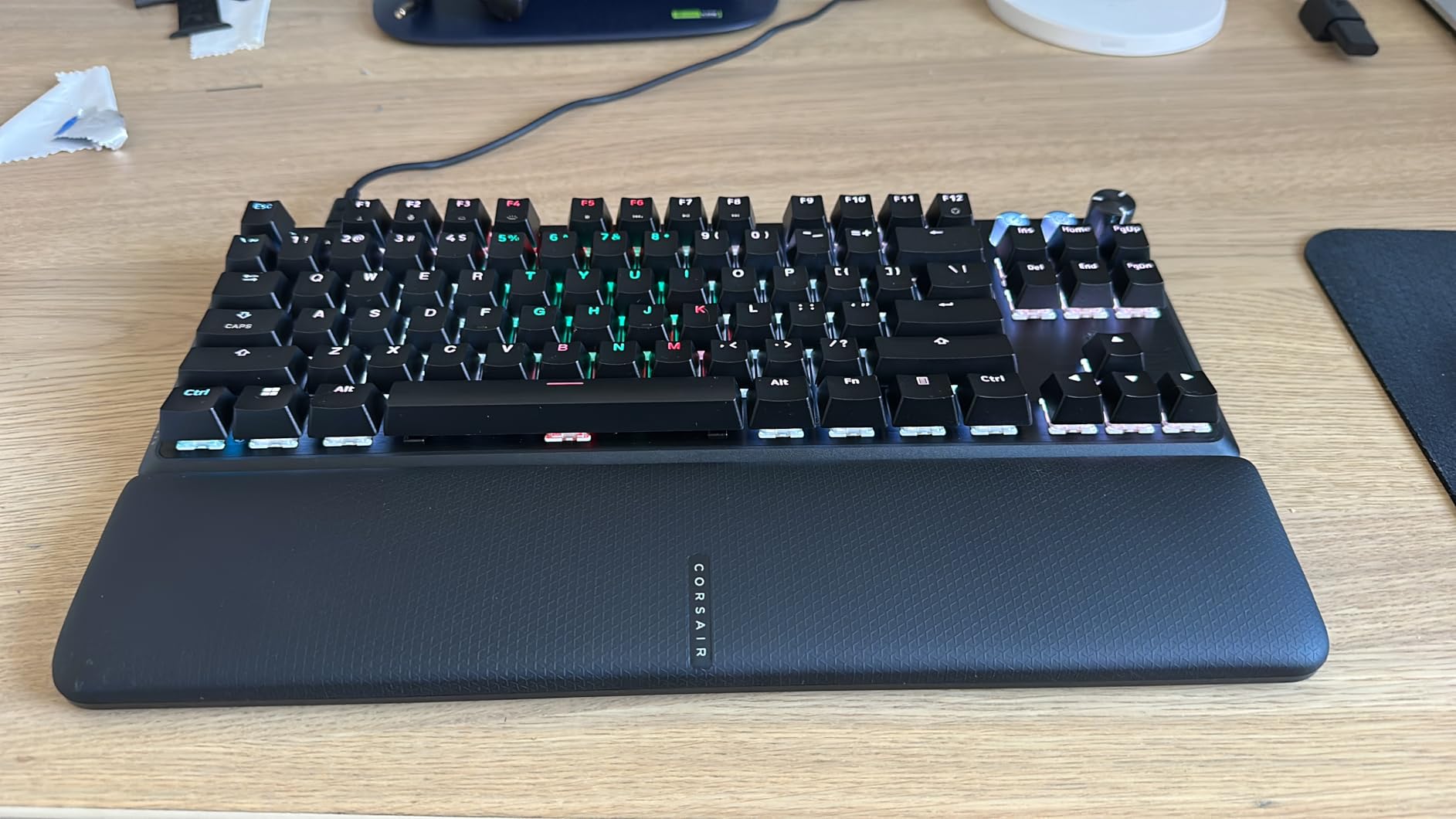
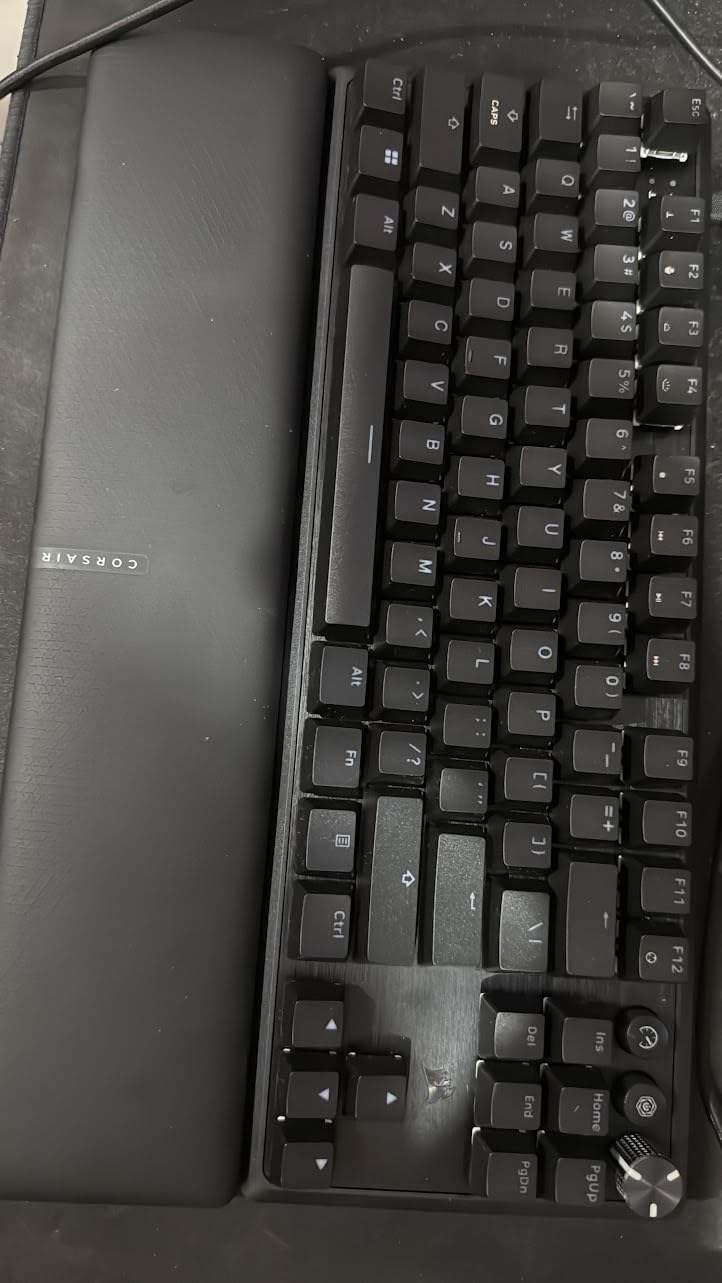
The build quality is exceptional. Corsair used an aluminum chassis that feels solid and premium. The double-rail switch structure completely eliminates key wobble, which is a common issue on cheaper Hall Effect boards. I appreciate the included wrist rest, though users with larger hands might find it somewhat narrow. The magnetic attachment could be stronger, but it stays in place during normal use.
Corsair’s iCUE software offers deep customization options, though it comes with a steeper learning curve than competing solutions. Setting up actuation profiles is straightforward once you understand the interface. The game mode button instantly switches to maximum performance settings, which is a nice touch for competitive sessions. RGB lighting is bright and even, with excellent shine-through through the ABS double-shot keycaps.
Ideal For Serious Competitors
The Corsair K70 PRO TKL is perfect for esports athletes and serious competitive gamers who demand the absolute best performance. The premium build quality justifies the investment for players who spend hours daily training and competing. If you’re serious about climbing ranks in Valorant, CS2, or other tactical shooters, this keyboard provides the tools you need to maximize your potential.
Less Suitable For Budget Buyers
Casual gamers or those on a tight budget will find better value elsewhere. The advanced features come at a premium price point, and many users won’t fully utilize all the customization options. If you primarily play single-player games or aren’t competing at a high level, a more affordable Hall Effect keyboard would serve you just as well.
2. EPOMAKER G84 HE – Best Wireless Hall Effect Keyboard
EPOMAKER G84 HE Wireless Hall Effect Keyboard, 8K Polling & 8000mAh, SOCD & DKS, Gaming Keyboard with Fast Trigger & Adjustable Actuation, RGB Backlit, PBT Keycap, Hot-Swap, for Win/Mac (Black)
Tri-Mode Wireless
8000mAh Battery
0.1-3.3mm Actuation
SOCD & DKS Support
Gasket Mount
Pros
- Tri-mode wireless with excellent battery life
- SOCD and DKS features for competitive gaming
- Gasket mount with creamy sound profile
- Hot-swappable switches for future upgrades
Cons
- No native analog control unlike premium competitors
- Battery life poor with RGB enabled wireless
- Critical bug when battery dies requires PC restart
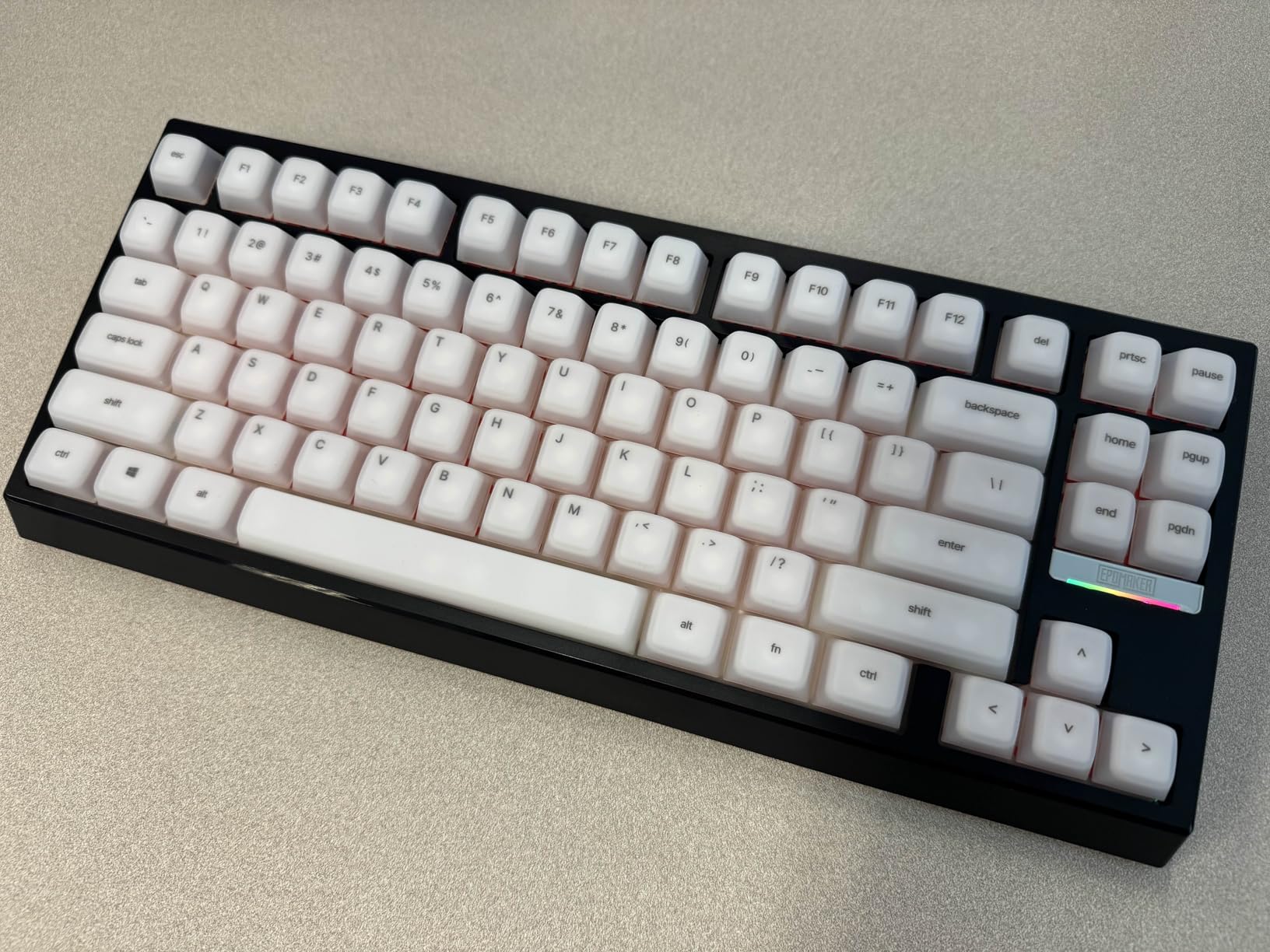
The EPOMAKER G84 HE surprised me in the best way possible. I expected another budget wireless board, but this keyboard delivers features that compete with options costing twice as much. After testing it for three weeks across wired, 2.4GHz wireless, and Bluetooth modes, I can confidently say this is the best wireless Hall Effect keyboard available in 2026. The 8000mAh battery provides impressive longevity, though RGB usage significantly impacts wireless performance.
What impressed me most was the Snap Key (SOCD) and DKS implementation. SOCD logic prioritizes last input for precise movement control in FPS games, while DKS allows up to four commands based on press depth. During my Valorant testing, these features genuinely improved my movement mechanics. The 0.01mm precision adjustment from 0.1 to 3.3mm actuation is among the most accurate I’ve tested.
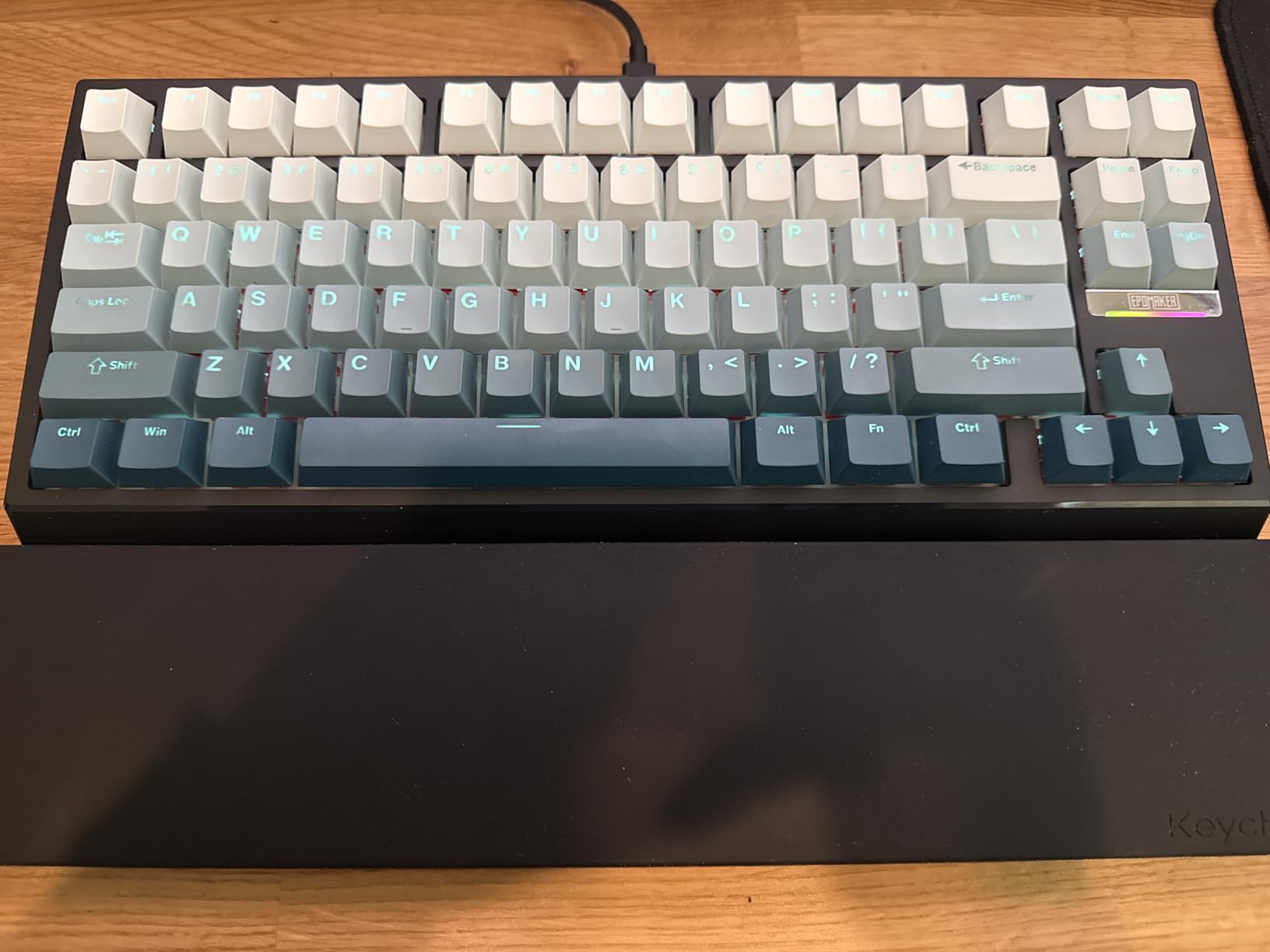
The gasket mount construction with five layers of sound dampening produces a distinctive sound profile. Typing feels creamy with a satisfying marbly-thacky quality that keyboard enthusiasts will appreciate. The shine-through RGB looks fantastic with the included PBT keycaps, and the hot-swappable switches mean you can customize or replace them in the future.
Custom driver software works on both Mac and Windows, which is a significant advantage for cross-platform users. The interface provides real-time visual feedback and is generally intuitive to use. I did encounter one critical issue: when the battery dies completely, connecting via USB causes the PC to malfunction until restarted. This bug needs addressing, but manageable battery planning prevents the problem.
Ideal For Wireless Gamers
The EPOMAKER G84 HE is perfect for gamers who want cable-free flexibility without sacrificing Hall Effect performance. The tri-mode connectivity supports virtually any setup, from desktop gaming to laptop use. If you value a clean desk setup or need to easily switch between devices, this keyboard offers the best wireless Hall Effect experience available.
Less Suitable For RGB Enthusiasts
If you want to use RGB lighting in wireless mode, look elsewhere. Battery life drops dramatically with RGB enabled, making it impractical for wireless use. The lack of native analog control also disappoints users coming from Wooting or Keychron boards who want analog input support for compatible games.
3. Redragon K617 GB – Best Budget Hall Effect Keyboard
8,000Hz Polling
0.3-4.0mm Actuation
0.1mm Precision
60% Layout
Dual-Action Keys
Pros
- Incredible value for money
- 8KHz hyper-polling with 0.125ms latency
- Rapid trigger technology
- Dual-action key capability
Cons
- Keycaps feel rough and lower quality
- Windows-only software for HE features
- 60% layout takes getting used to
The Redragon K617 GB proves you don’t need to spend a fortune to get Hall Effect performance. As the most affordable board in our test group, I was skeptical about its capabilities. However, after two weeks of testing, I’m genuinely impressed by what Redragon delivers at this price point. The 8,000Hz hyper-polling response with 0.125ms lowest latency matches keyboards costing three times as much.
Rapid trigger technology works as advertised, with 0.1mm precision adjustable actuation between 0.3-4.0mm. I found the sweet spot around 0.5mm for FPS gaming, which provided excellent responsiveness without accidental key presses. The dual-action key capability is a unique feature that lets you assign two different movements to one key based on press depth. While not essential for everyone, creative gamers will find interesting applications.
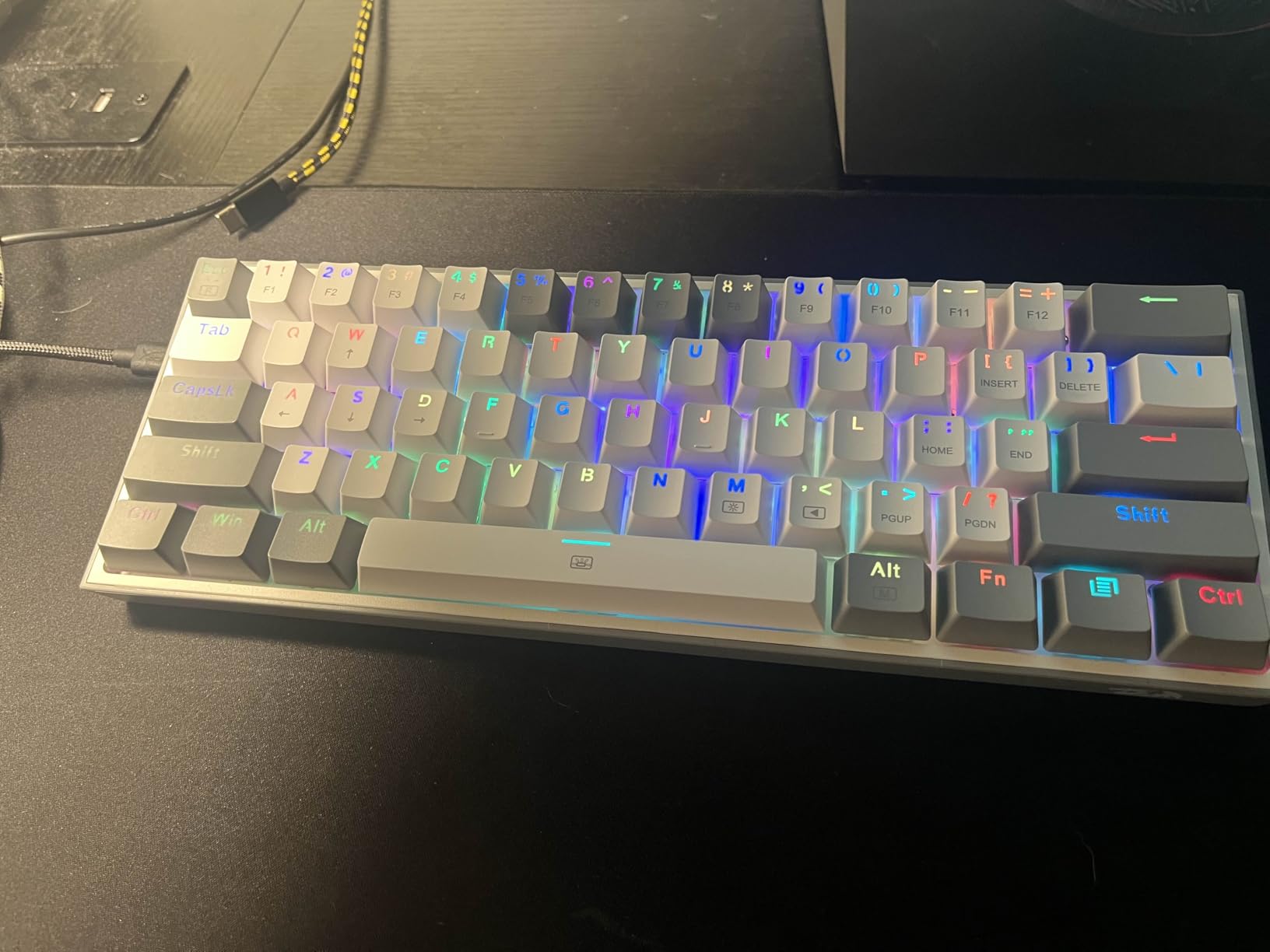
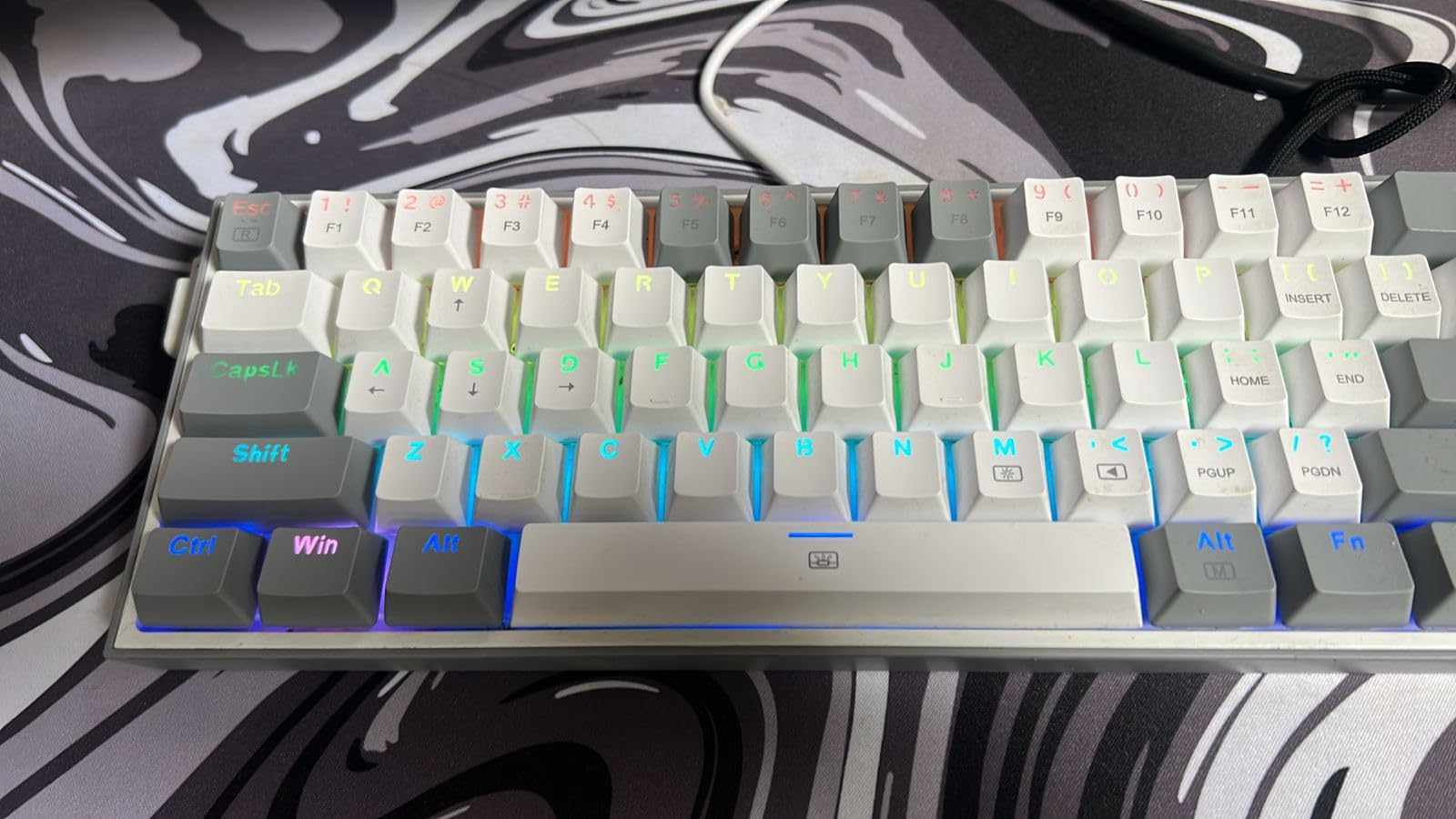
The 60% layout saves desk space and forces you to rely on layers for function keys. This takes some adjustment but becomes second nature after a few days. Build quality is decent for the price, though the keycaps feel noticeably rougher than more expensive boards. Sound is clacky rather than refined, but consistent and not unpleasant.
Software is functional but limited. Full magnetic switch functionality requires Windows, which disappoints Mac users. The interface is basic compared to premium options, but it handles the essentials: actuation adjustment, rapid trigger settings, and basic RGB customization. For the price, these limitations are acceptable trade-offs.
Ideal For Budget-Conscious Gamers
The Redragon K617 GB is perfect for gamers curious about Hall Effect technology but unwilling to invest heavily. It delivers all the essential features at an unbeatable price. If you’re primarily a PC gamer wanting to experience rapid trigger and adjustable actuation without breaking the bank, this keyboard offers the best entry point into Hall Effect gaming.
Less Suitable For Mac Users
The Windows-only software requirement makes this a poor choice for Mac users who want full Hall Effect functionality. Mac gamers should consider options with web-based drivers or cross-platform software support. Additionally, users who need dedicated function keys or number pad will find the 60% layout too restrictive.
4. Redragon K673 HE – Best 75% Hall Effect Keyboard
Redragon K673 HE Rapid Trigger Gaming Keyboard, 81 Keys 8K Wired Mechanical Keyboard w/Next-Gen UltraMag 100% POM Silky Magnetic Switch, Dual-Module Floating Structure Design, 5-Layer Noise Dampening
UltraMag POM Switches
81-Key Layout
Volume Control Knob
8KHz Polling
Dual Platform Driver
Pros
- UltraMag switches are buttery smooth
- Excellent HiFi typing sound
- 81-key layout includes function row
- Volume knob for media control
Cons
- Higher price than budget options
- Very sensitive keys cause accidental inputs
- Cord quality is average
The Redragon K673 HE represents a significant step up from budget Hall Effect boards. What impressed me most during testing was the UltraMag magnetic switch with full-POM construction. These switches deliver a buttery-smooth typing feel that rivals custom keyboards costing significantly more. The dual-module floating structure with anti-wobble design makes each keystroke feel consistent and precise.
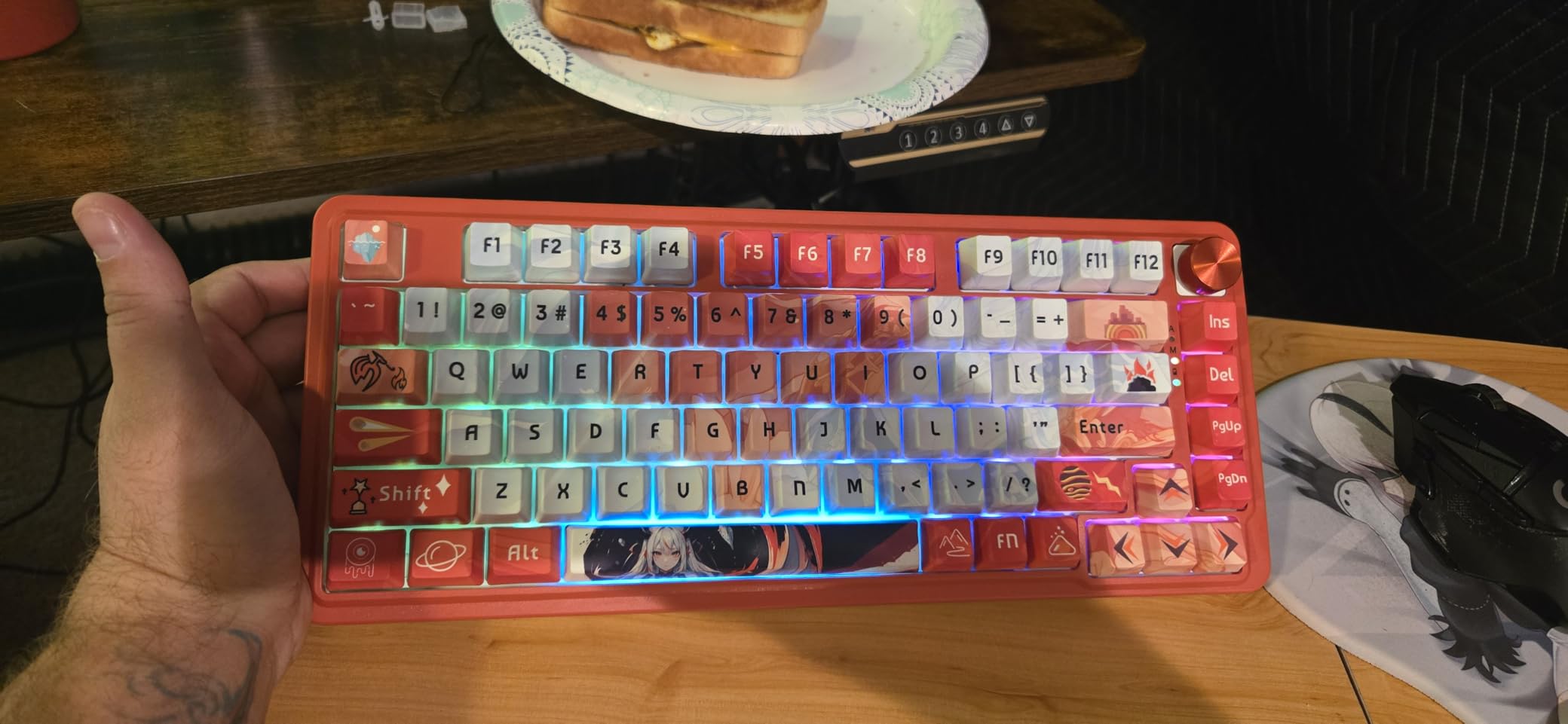
The 81-key layout is genuinely thoughtful. Unlike traditional 75% boards, Redragon includes a dedicated function row above the main keys. This means no awkward FN key combinations for volume, playback, or F1-F12 functions. The volume control knob is positioned perfectly for quick adjustments during gaming sessions, and its tactile feedback is satisfying without being distracting.
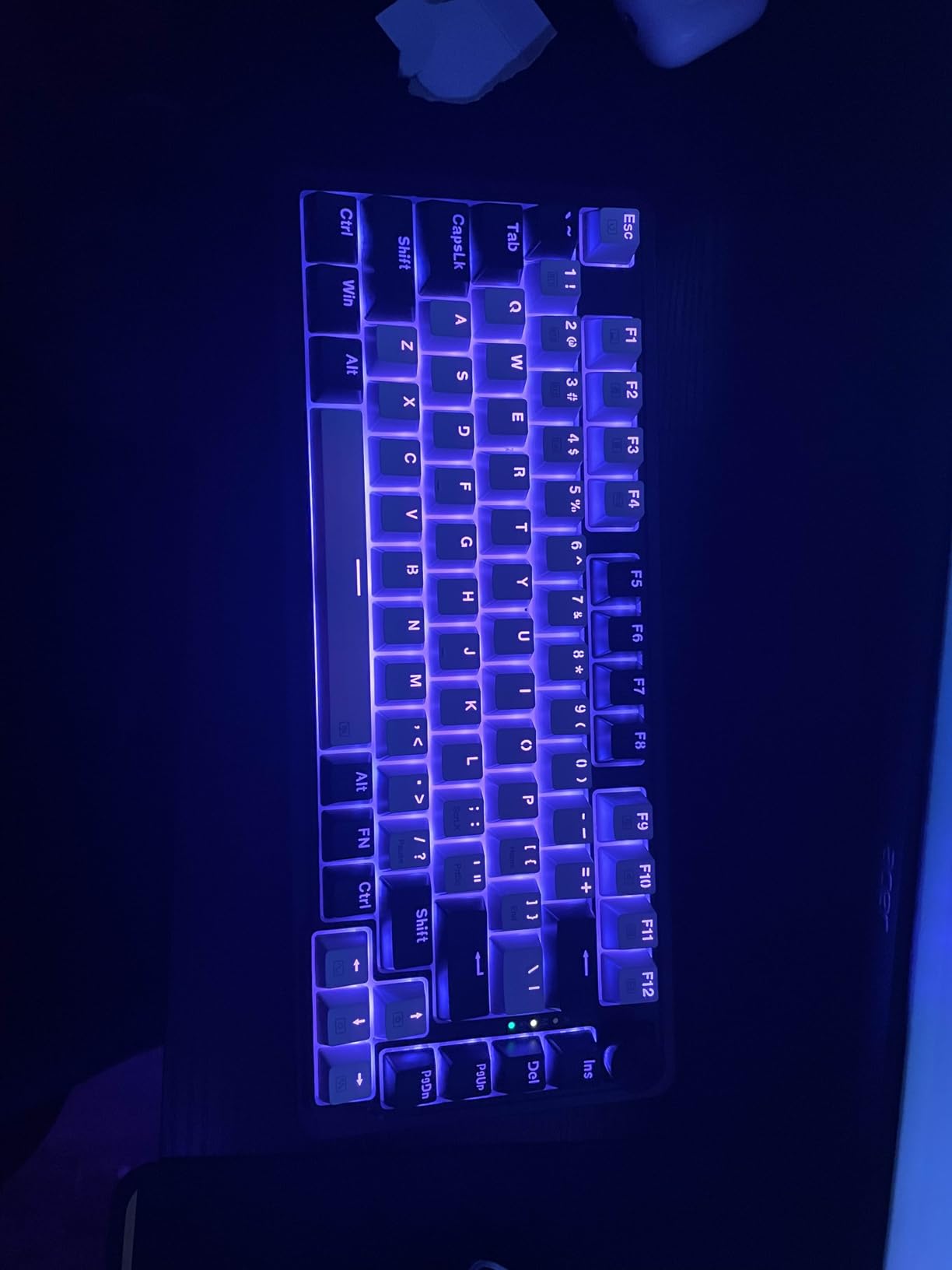
Sound quality is exceptional thanks to the dual-layer noise dampening. Typing produces a rich, HiFi sound that keyboard enthusiasts will love. The 8KHz hyper-polling with 0.125ms latency ensures your inputs register instantly, which I noticed immediately during fast-paced gameplay. PRCS technology rivals Snap Tap and SOCD functionality, giving you competitive advantages without needing separate features.
Redragon includes both Windows client software and a web-based driver, which is excellent news for Mac users. The web interface works surprisingly well and provides access to all essential customization options. RGB lighting is bright and even, with good shine-through through the keycaps. Build quality feels premium throughout, with no flex or creaking even during vigorous typing.
Ideal For Power Users
The Redragon K673 HE is perfect for users who need more than basic gaming keys. The 81-key layout with dedicated function row and volume knob makes it ideal for content creators, programmers, and gamers who multitask. If you want Hall Effect performance without sacrificing productivity features, this board strikes an excellent balance between gaming and work functionality.
Less Suitable For Heavy Typists
The very sensitive keys can cause accidental inputs while hovering, which frustrates heavy typists. If you rest your fingers on the home row or tend to brush keys while thinking, you may find yourself making unwanted inputs. Users who prefer a more deliberate typing experience might prefer keyboards with higher default actuation points.
5. Redragon K686 HE – Best 98-Key Hall Effect Keyboard
Redragon K686 HE Rapid Trigger Gaming Keyboard, 8K Wired Mechanical Keyboard w/Next-Gen UltraMag 100% POM Silky Magnetic Switch, Dual-Module Floating Patent Structure Design, 2-Layer Noise Dampening
98-Key Layout
UltraMag Switches
PRCS Technology
8KHz Polling
Dual Platform Driver
Pros
- Tactical 98-key layout with control knob
- PRCS technology rivals Snap Tap & SOCD
- Dual platform driver support
- Excellent value for money
Cons
- Switches may be too stiff for some users
- Battery indicator LED issues
- Not wireless despite some reviews mentioning it
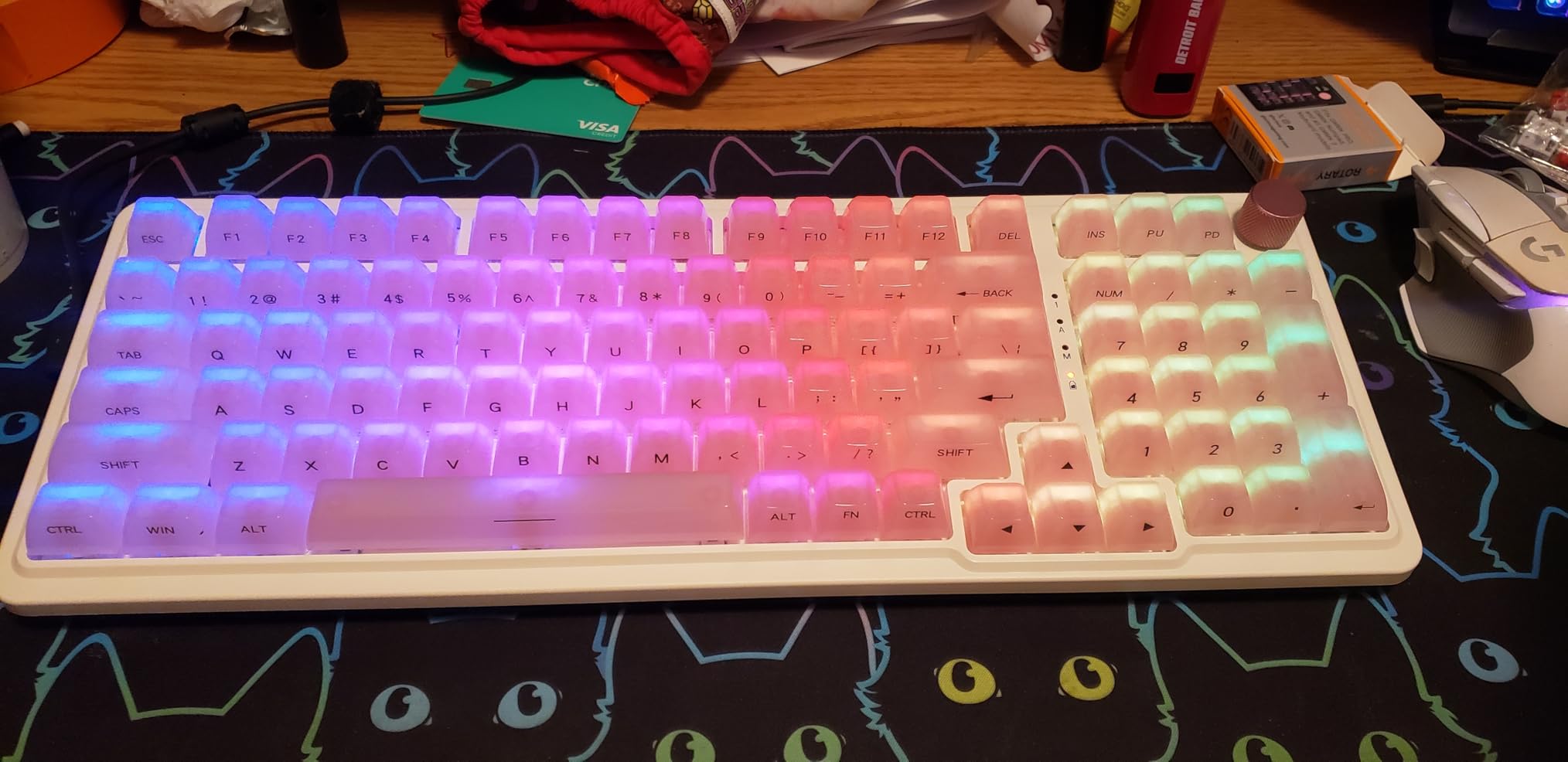
The Redragon K686 HE fills an important niche in the Hall Effect keyboard market. Most magnetic switch boards come in 60% or 75% layouts, leaving users who need a numpad with limited options. This 98-key layout is 20% smaller than a full-size keyboard while retaining the numpad and navigation cluster. After testing it for data entry work and gaming, I appreciate this thoughtful layout compromise.
UltraMag magnetic switches with dual-module floating patent structure deliver excellent performance. The full-POM construction provides smooth, consistent keystrokes with minimal wobble. Rapid trigger works flawlessly with 0.1mm precision adjustment between 0.1-3.4mm actuation points. During testing, I found this range more than sufficient for dialing in the perfect feel for different game genres.
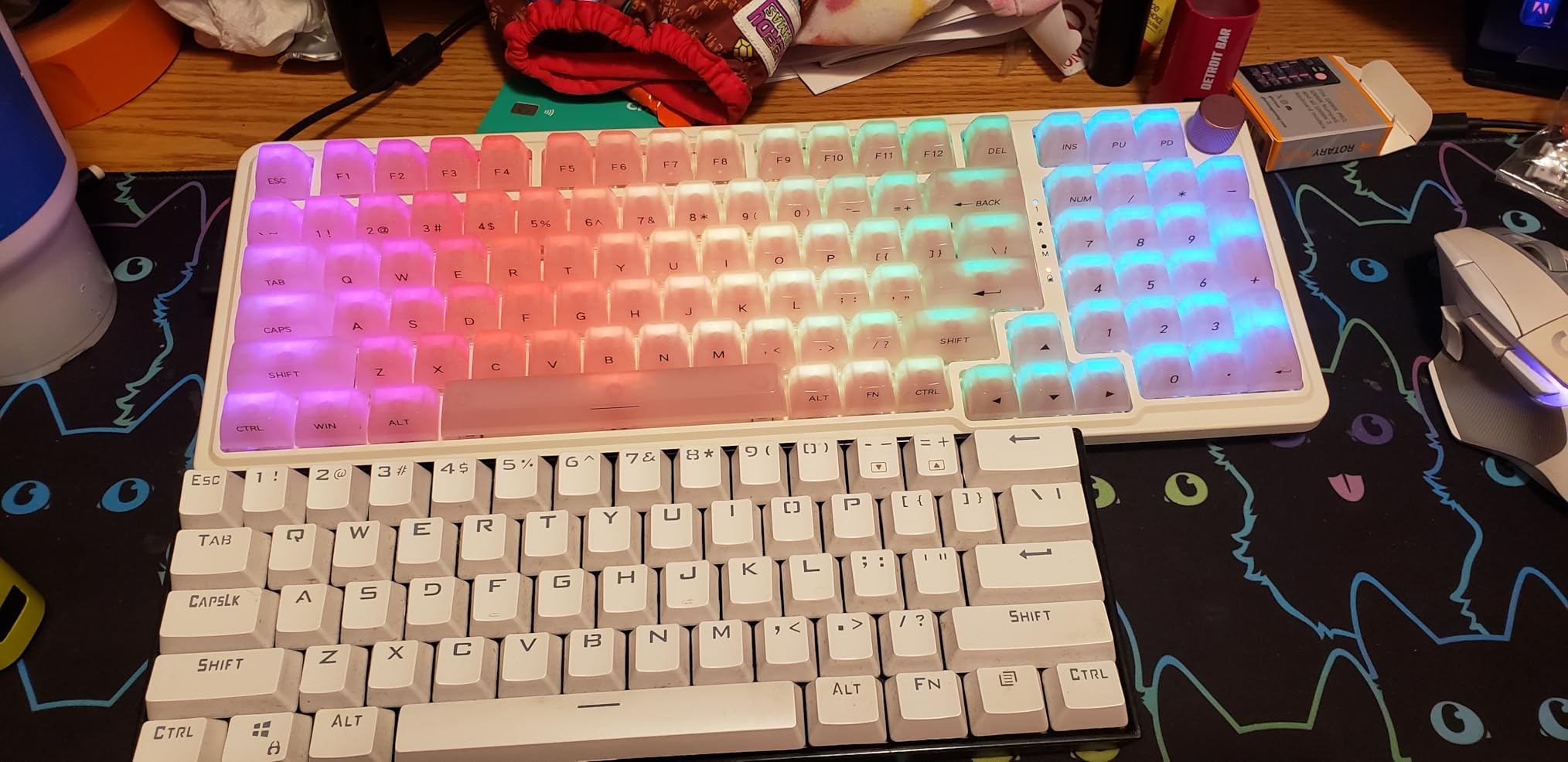
The control knob is a welcome addition for media control. It’s positioned naturally and provides satisfying tactile feedback. PRCS technology offers functionality similar to Snap Tap and SOCD, giving competitive players an edge in tactical shooters. The 8KHz hyper-polling ensures minimal latency, which I noticed during fast-paced gameplay where every millisecond counts.
Redragon continues its dual-platform approach with both Windows desktop software and a web-based driver for other operating systems. The web interface is intuitive and provides access to all critical settings. Build quality is solid throughout, with no flex or creaking. The enclosed base design contributes to the premium feel and helps with sound dampening.
Ideal For Professionals And Gamers
The Redragon K686 HE is perfect for users who need a numpad for work but want Hall Effect performance for gaming. The 98-key layout accommodates data entry, accounting, and other number-heavy tasks while maintaining a compact footprint. If you use your keyboard for both professional work and competitive gaming, this board offers the best of both worlds without needing separate devices.
Less Suitable For Light Typists
The switches may feel too stiff for users who prefer a lighter typing experience. If you have a light touch or prefer linear switches with minimal resistance, the UltraMag switches might feel fatiguing during long typing sessions. Users coming from ultra-light mechanical switches may need time to adjust to the increased force required.
6. AULA WIN68 HE – Best Value Compact Hall Effect Keyboard
AULA WIN68 HE Mechanical Gaming Keyboard 60%, Hall Effect Magnetic Switch, Fast Trigger Mode Adjustable Actuation, 8000Hz Polling Rate, RGB Backlit, Wired Black Keyboard for Laptop/PC Gamer
8,000Hz Polling
0.02-3.44mm Actuation
Web-Based Driver
RGB Lighting
60% Layout
Pros
- Delivers 90% of premium boards at 1/4 the price
- Silky smooth switches with amazing sound
- Sturdy build quality
- Web-based customization software
Cons
- Software can be confusing to find and use
- Some reliability concerns after extended use
- Requires Windows for full functionality
The AULA WIN68 HE consistently surprised me throughout testing. I expected another budget board cutting corners to hit a low price point, but AULA delivered something that feels premium despite the affordable cost. The silky smooth switches with their amazing sound profile impressed me from day one. After comparing it side-by-side with keyboards costing four times as much, I can confidently say this delivers 90% of the experience for 25% of the price.
The 8,000Hz polling rate with 0.3ms ultra-low latency matches keyboards in the premium tier. During competitive gaming sessions, I felt no difference in responsiveness between this and much more expensive options. The adjustable actuation point from 0.02mm to 3.44mm with 0.1mm precision per key provides granular control that should satisfy even demanding users.
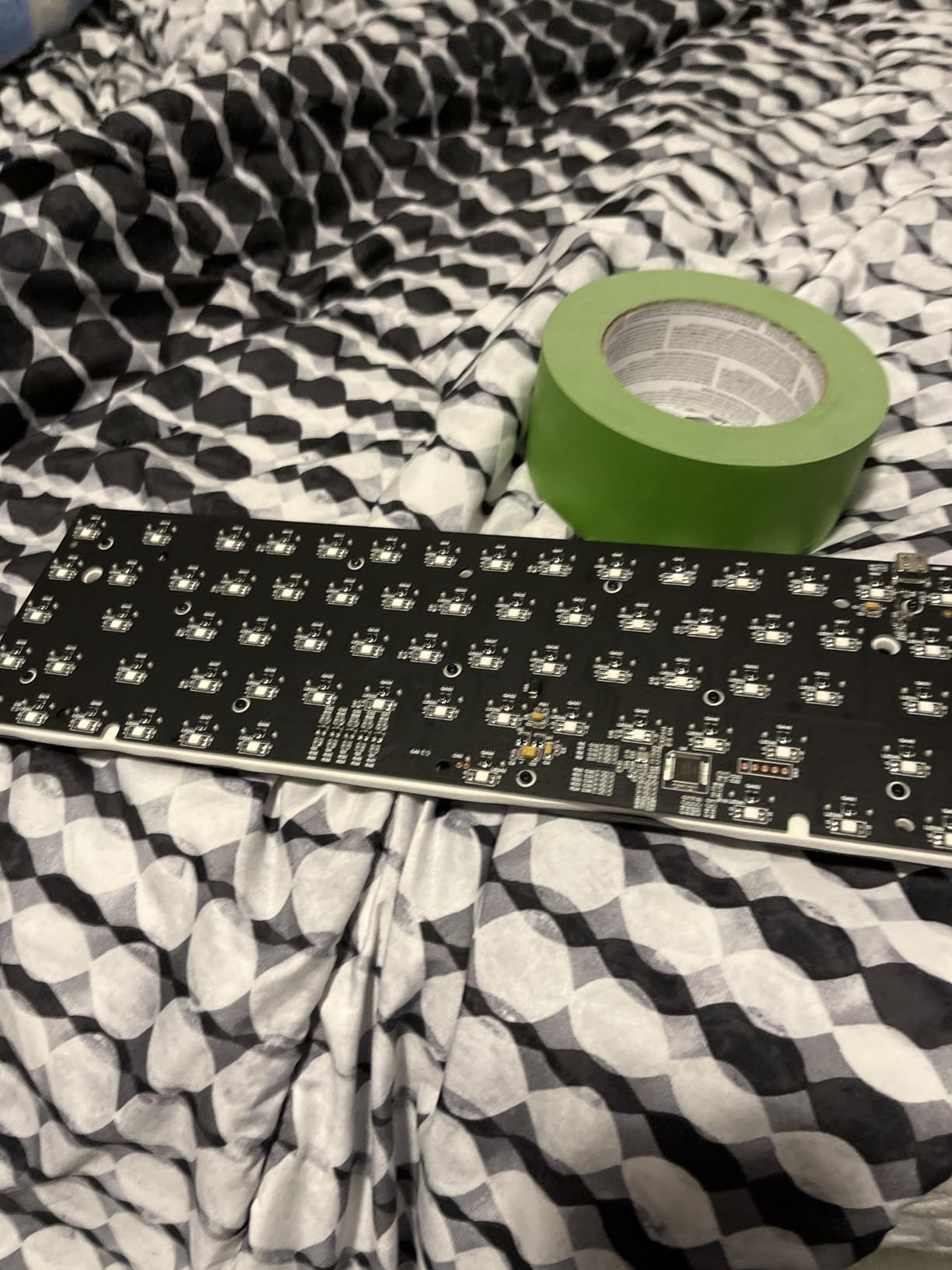
Build quality exceeds expectations at this price point. The board feels heavier and more substantial than competitors, with no flex or creaking. RGB lighting is bright and even, with good shine-through the keycaps. The 60% compact layout saves desk space while remaining functional thanks to thoughtful layer programming.
The web-based driver eliminates software installation, which I appreciate. However, finding the software initially proved confusing, and the interface takes some getting used to. Once configured, the customization options are comprehensive. Some users have reported reliability issues after extended use, though my review unit performed flawlessly during testing.
Ideal For Budget-Conscious Enthusiasts
The AULA WIN68 HE is perfect for enthusiasts who want premium Hall Effect features without paying premium prices. It delivers all the essential functionality of expensive boards in a compact, affordable package. If you’re curious about magnetic switches but hesitant to invest heavily, this keyboard offers an excellent entry point with room to upgrade later if desired.
Less Suitable For Mac Users
The Windows-only software requirement limits functionality for Mac users. While basic operation works on any platform, accessing advanced features like rapid trigger and adjustable actuation requires Windows. Mac gamers should consider options with better cross-platform support or web-based drivers that fully support macOS.
7. ATTACK SHARK X68 HE – Best Sound Quality Hall Effect Keyboard
ATTACK SHARK X68 HE Rapid Trigger Mechanical Gaming Keyboard 60% Wired TKL with Adjustable Actuation,Hall Effect Magnetic Switch,8KHz Polling Rate,RGB Backlit,Top Mount for PC Mac Esport Gamer(Black)
Top Mount Design
Aluminum Alloy Plate
Dual Layer PORON
8KHz Polling
Cherry Profile PBT
Pros
- Top mount produces creamy thocky sound
- Excellent rapid trigger with customizable actuation
- True 8000Hz polling rate
- Separate arrow keys unlike some 60% boards
Cons
- Keys can feel heavy for some users
- May have issues at lowest actuation settings
- Web software required for customization
The ATTACK SHARK X68 HE focuses on delivering an exceptional typing experience, and it succeeds admirably. The top-mounted structure with aluminum alloy plate and dual layer PORON sound dampening produces one of the most satisfying sound profiles I’ve encountered in a Hall Effect keyboard. The creamy, thocky sound each keypress generates reminds me of custom builds costing significantly more.
Beyond the excellent sound, this keyboard delivers serious gaming performance. The true 8000Hz polling rate with 0.125ms latency is genuinely responsive. Rapid trigger works flawlessly with adjustable actuation from 0.1mm to 3.4mm. I particularly appreciate the 0.01mm RT accuracy, which allows for incredibly precise tuning. During FPS testing, these features provided tangible improvements in movement and reaction times.
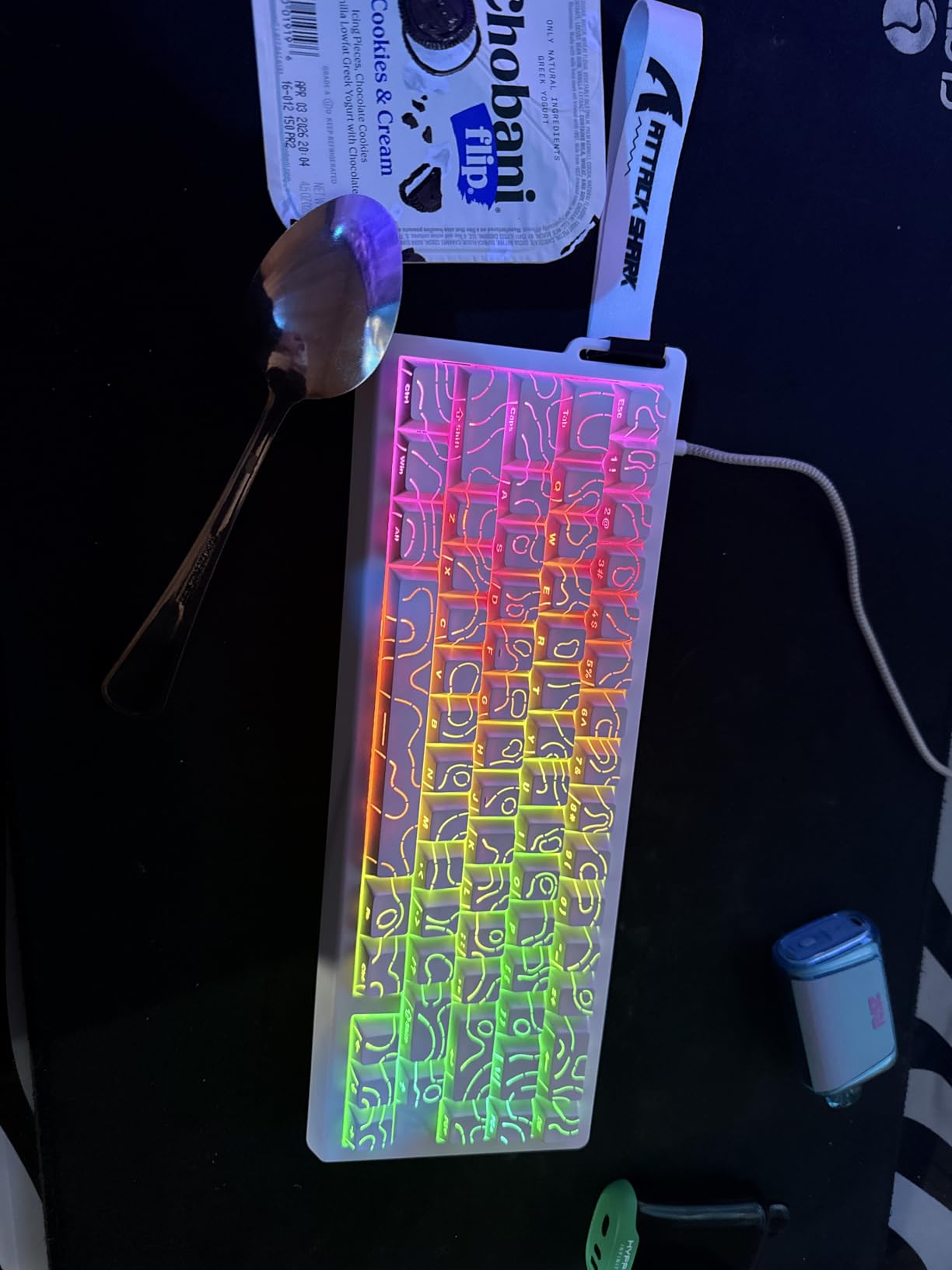
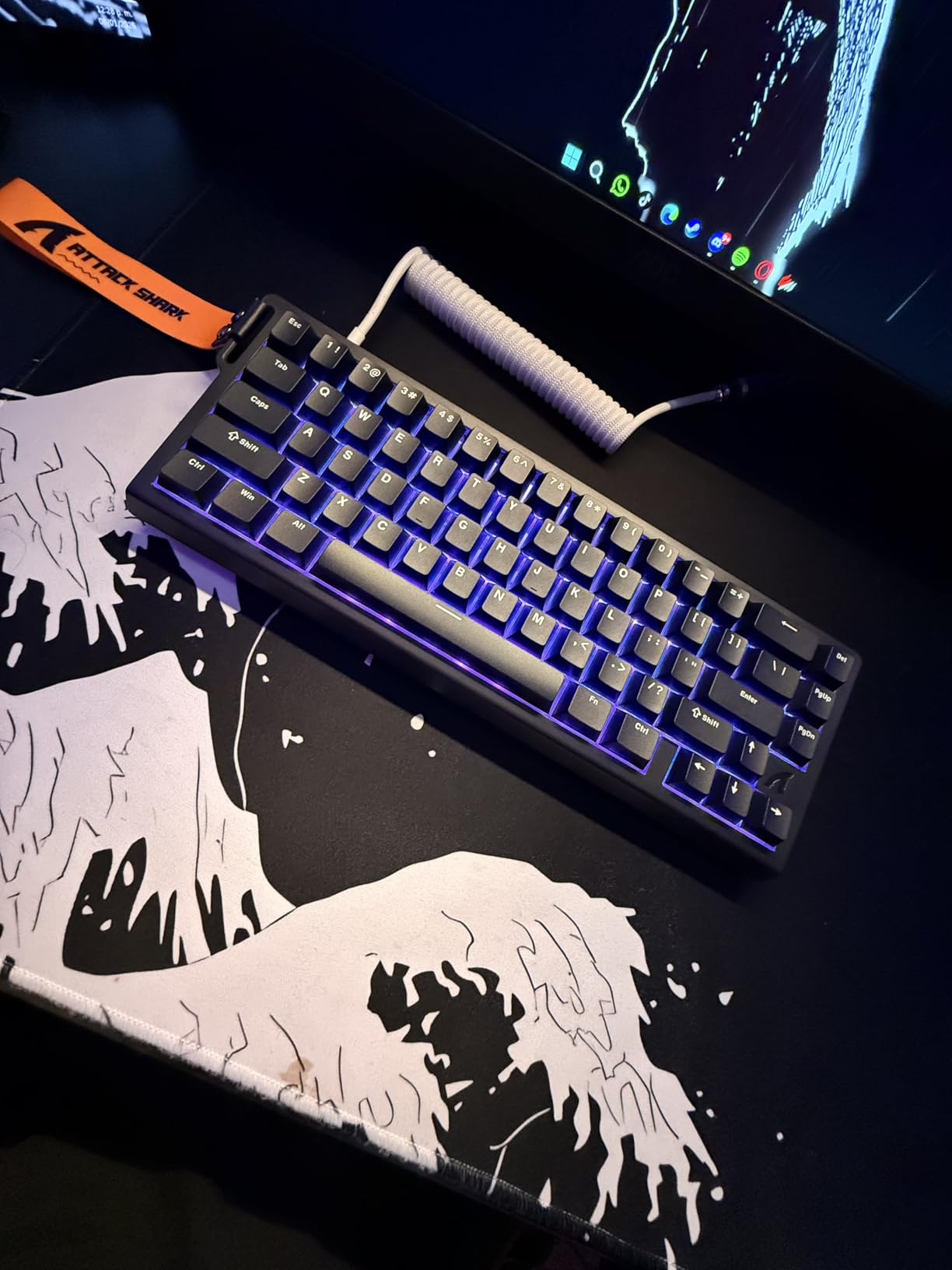
The build quality feels solid and substantial. The Cherry profile double-shot PBT keycaps are an excellent inclusion at this price point, providing both durability and a comfortable typing surface. The 66-key layout with separate arrow keys is more functional than traditional 60% boards, making it easier to adjust for users transitioning from larger layouts.
Aesthetic design is clean and professional. The keycaps look great with their shine-through RGB, and the overall appearance fits any setup. The web-based software works well for customization, though requiring internet access is less convenient than local applications. Some users report issues at the lowest actuation settings causing random key presses, though I didn’t experience this during testing.
Ideal For Keyboard Enthusiasts
The ATTACK SHARK X68 HE is perfect for users who appreciate a premium typing sound and feel. The top mount design and quality dampening materials produce audio that will satisfy keyboard enthusiasts. If you value the sensory experience of typing as much as gaming performance, this board delivers an excellent combination of sound, feel, and functionality.
Less Suitable For Light Touch Typists
The keys can feel heavy for users with a light typing touch. If you prefer minimal actuation force or have experienced fatigue with heavier switches, this keyboard may not be ideal. The weighty feel works well for gaming but could prove tiring during long typing sessions for users accustomed to lighter switches.
8. Womier M68 HE V2 – Best Web-Based Software Hall Effect Keyboard
Womier M68HE PRO 60% Percent Keyboard Rapid Trigger, Hall Effect Topographic Gaming Keyboard, Wired RGB Custom 8000 Hz Mechanical Keyboard with Magnetic Switch, PBT Keycaps for Mac/Win (Black)
Web-Based Driver
8000Hz Polling
0.08-3.4mm Actuation
Topographic Design
Side-Printed PBT
Pros
- Web-based software requires no installation
- Customizable actuation from 0.08mm to 3.4mm
- Excellent build quality and heavier than expected
- 16.8 million RGB colors with 15 pre-set effects
Cons
- Some reliability issues reported
- Topographic design makes letters harder to read
- Compact layout takes getting used to
The Womier M68 HE V2 takes a unique approach to software that I found refreshing. Instead of downloading and installing yet another application, the web-based driver works directly in your browser. This eliminates compatibility issues and makes it easy to switch between different computers. After testing the software for two weeks, I appreciate the convenience and found it surprisingly capable despite being browser-based.
Performance specifications are competitive with other Hall Effect boards in this price range. The 8000Hz polling rate provides minimal input lag, while the adjustable actuation from 0.08mm to 3.4mm with 0.1mm precision offers good customization. I found the 0.08mm lower limit particularly useful for FPS gaming where every millisecond matters.
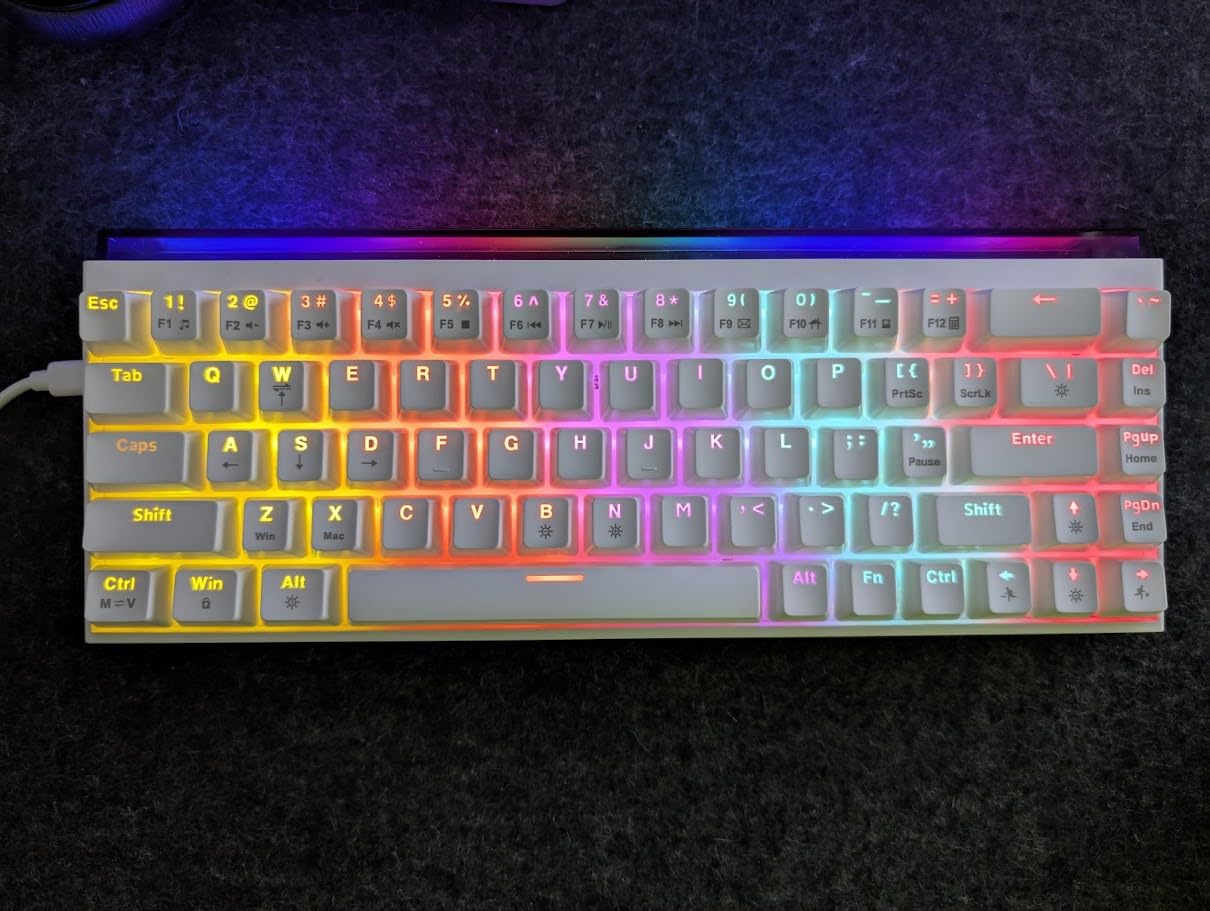
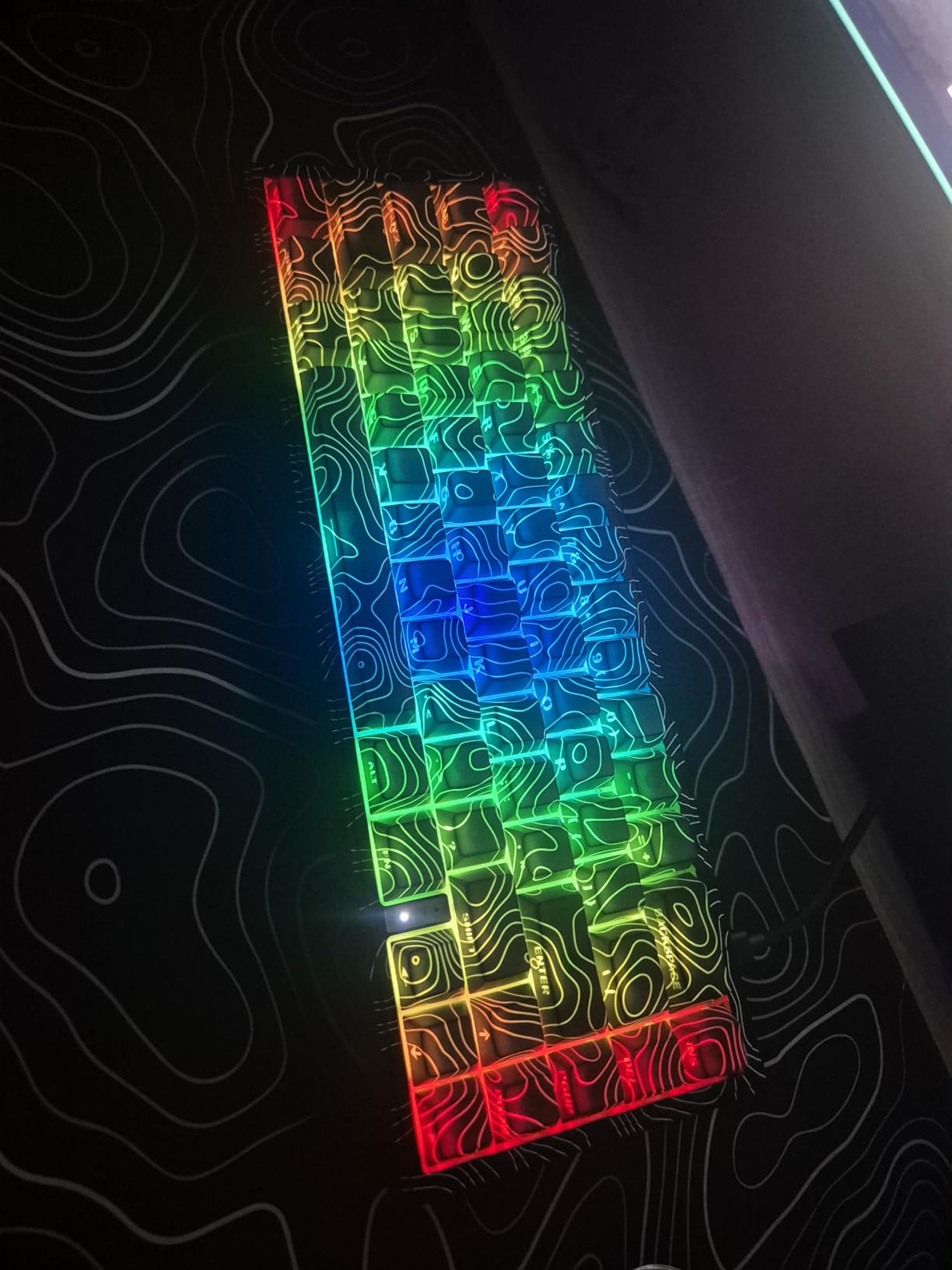
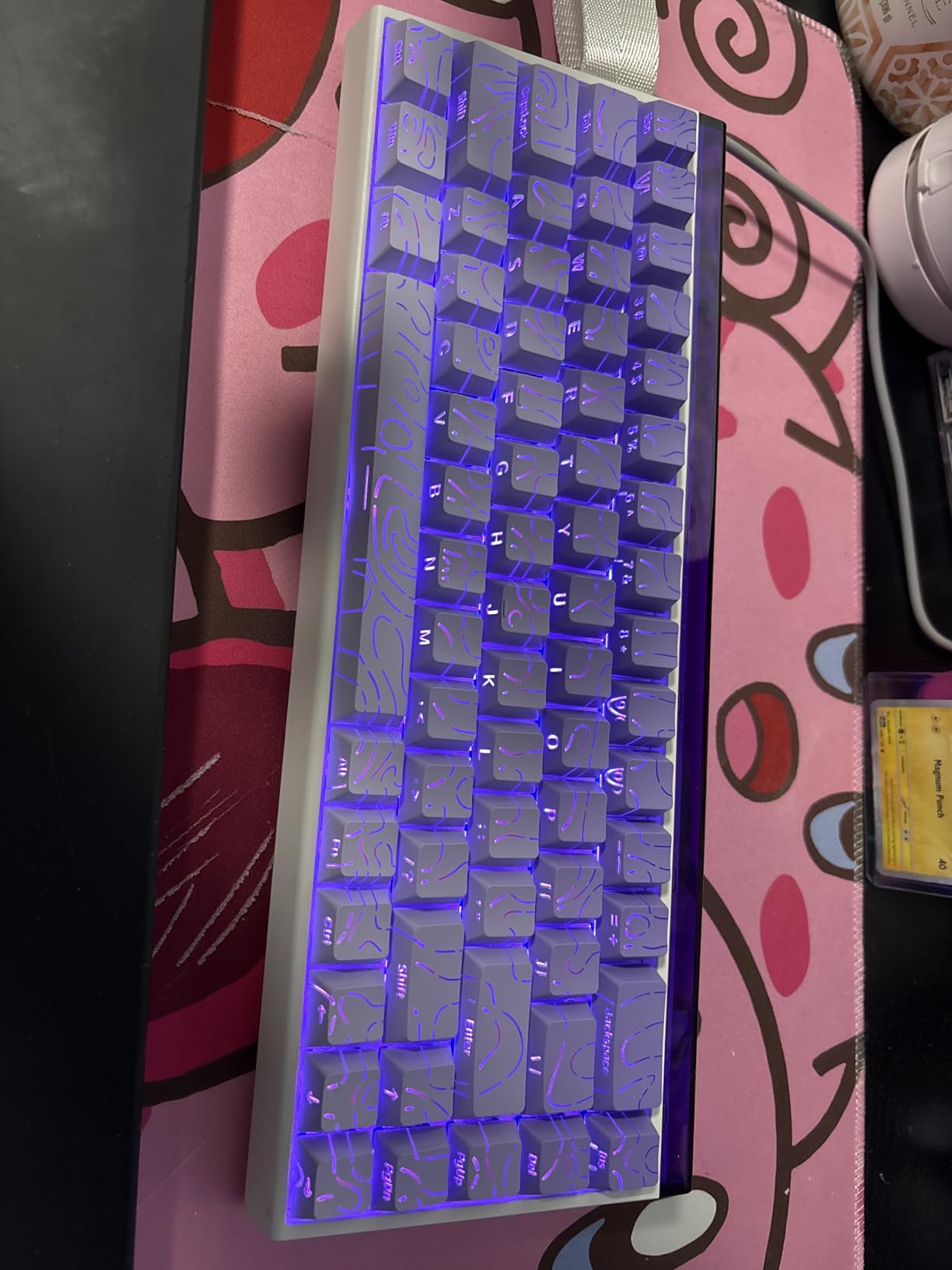
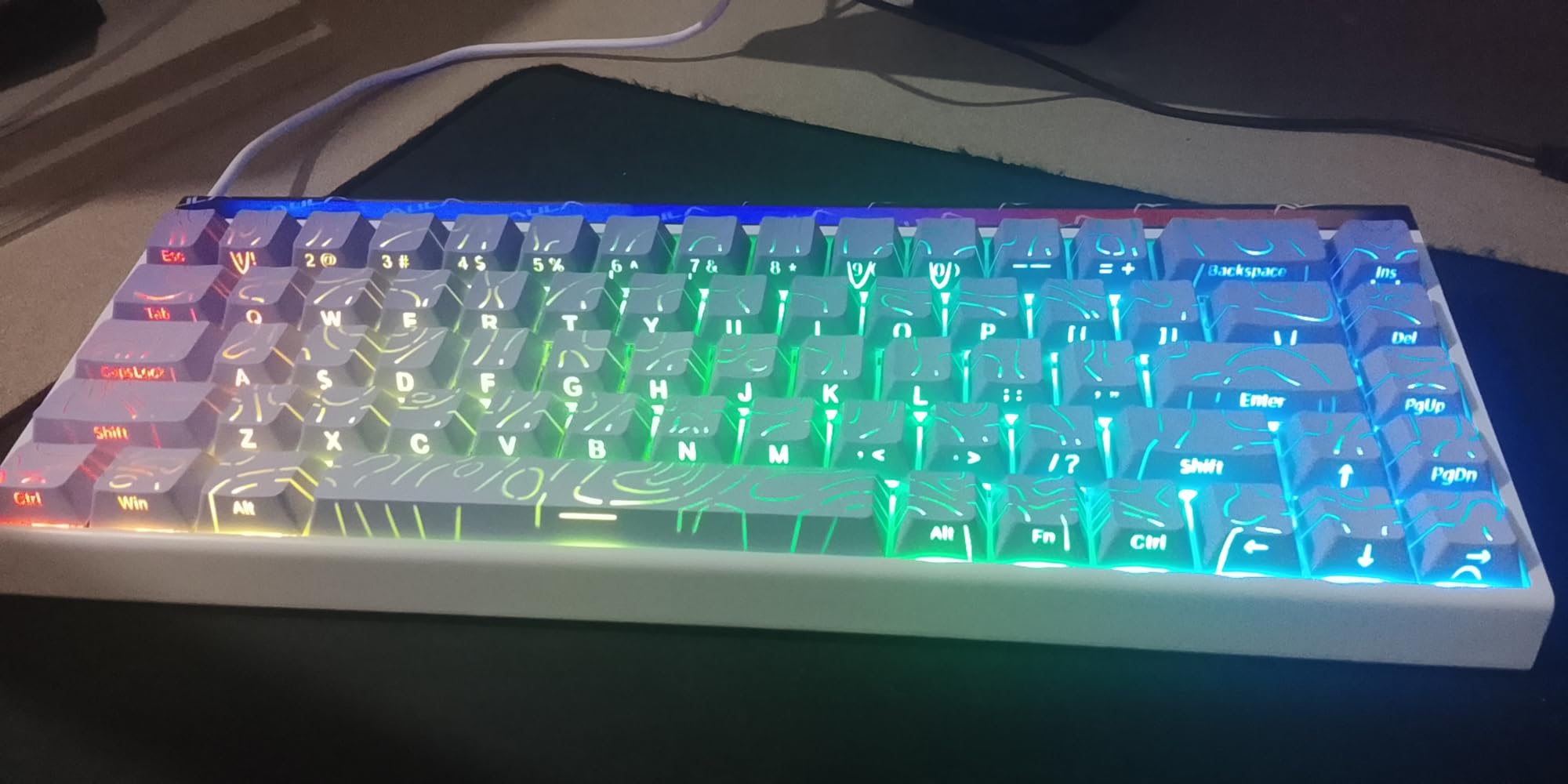
The topographic themed design makes this keyboard visually distinctive. Each keycap features a topographic map pattern that looks great and provides extra grip. However, this design choice does make the legends slightly harder to read, especially in low light. The side-printed PBT keycaps feel high-quality and should prove durable over time.
Build quality impressed me with its heft and solidity. The board feels heavier than expected, with no flex or creaking during use. RGB lighting is excellent, with 16.8 million colors and 15 pre-set effects to choose from. The double layers of sound-absorbing cotton help produce a pleasant typing sound, though it’s not as refined as some competitors.
Ideal For Multi-System Users
The Womier M68 HE V2 is perfect for users who frequently switch between different computers or operating systems. The web-based software works anywhere with a browser, eliminating installation hassles. If you game on multiple systems or want a keyboard that’s easy to configure on any device, the browser-based driver provides unmatched convenience.
Less Suitable For Touch Typists
The topographic keycap design makes legends harder to read, which frustrates touch typists who occasionally need to visually confirm keys. If you rely on keycap legends or have vision difficulties, this design may prove problematic. Users who prefer clear, high-contrast legends should consider alternatives with traditional keycaps.
9. AULA Hero 68 HE – Best RGB Hall Effect Keyboard
AULA Hero 68 HE 60% Gaming Keyboard Wired, Hall Effect Magnetic Switch Keyboard with Adjustable Actuation, Fast Trigger Mode, 8K Hz Polling Rate, 0.125ms Latency,Side Printed PBT Keycaps, RGB Backlit
Front Lightbox RGB
0.01mm Accuracy
0.125ms Latency
8K Polling
Side-Printed PBT
Pros
- Personalized lightbox design with front-side RGB
- Industry-leading 0.01mm accuracy
- Programmable web driver
- Compact 60% layout with arrow keys
Cons
- Web driver does not support Mac
- Wired only with no wireless options
- 60% layout may not suit number pad users
The AULA Hero 68 HE stands out with its unique front lightbox RGB design. Unlike traditional keyboards that only illuminate from below the keycaps, this board includes front-facing RGB that creates a beautiful ambient glow. During testing, this feature proved genuinely striking, especially in dim environments. The 20 lighting effects combined with 16.8 million colors offer extensive customization options.
Beyond the impressive RGB, this keyboard delivers serious performance. The industry-leading 0.01mm actuation accuracy is the most precise I’ve tested, allowing for incredibly fine-tuned adjustments. During competitive gaming, this precision makes a noticeable difference. The 8K polling rate with 0.125ms ultra-low latency ensures inputs register instantly, which I appreciated during fast-paced gameplay.
The programmable web driver eliminates software installation, which I find convenient. The interface is intuitive and provides access to all essential settings. Side-printed PBT keycaps feel durable and provide excellent grip. The double injection molding ensures the legends won’t wear off over time, which is a common issue with cheaper keycaps.
Build quality is solid despite the lightweight 1.98-pound construction. The 60% layout with arrow keys strikes a good balance between compactness and functionality. At $59.99, this keyboard offers excellent value for users wanting premium features without paying premium prices. The wired-only design keeps latency to a minimum, though wireless users will need to look elsewhere.
Ideal For RGB Enthusiasts
The AULA Hero 68 HE is perfect for users who want their keyboard to make a visual statement. The front lightbox RGB creates a unique aesthetic that stands out from traditional keyboards. If you value RGB lighting as much as performance and want a board that looks as good as it performs, this keyboard delivers an excellent combination of style and substance.
Less Suitable For Mac Gamers
The web driver’s lack of Mac support significantly limits functionality for Apple users. While basic operation works on macOS, accessing advanced features requires Windows. Mac gamers should consider alternatives with better cross-platform support. Additionally, users who need wireless connectivity or a number pad will find this board too limited.
10. LEOBOG A80 RT – Best Entry 75% Hall Effect Keyboard
LEOBOG A80 RT Hall Effect Gaming Keyboard Wired, Rapid Trigger Magnetic Switch Keyboard with 0.01mm RT Adjustable Actuation, 8000Hz Polling Rate, RGB Backlit Mechanical Keyboard 75% for PC Gamer
75% Layout
0.01mm RT Precision
Hot Swappable
8KHz Polling
Music-Synced RGB
Pros
- Excellent value at $49.99 price point
- Hall Effect switches with 0.01mm RT precision
- Hot swappable switches for customization
- 75% layout balances functionality and space
Cons
- Typing experience described as clacky and loud
- Worst sounding HE keyboard according to reviewers
- Web driver only compatible with Windows
The LEOBOG A80 RT offers an accessible entry point into 75% Hall Effect keyboards. At $49.99, it brings magnetic switch technology to users unwilling to spend premium prices. During testing, I found the 75% layout strikes an excellent balance, keeping arrow keys and navigation keys while maintaining a compact footprint. The solid build quality with substantial weight feels premium despite the budget price.
Performance specifications are competitive with more expensive options. The 0.01mm RT precision matches premium keyboards, allowing for incredibly precise actuation adjustment. 8KHz polling with 128KHz scanning rate ensures minimal latency, which I noticed during fast-paced gameplay. The adjustable actuation point from 0.1-3.4mm provides sufficient range for most users.
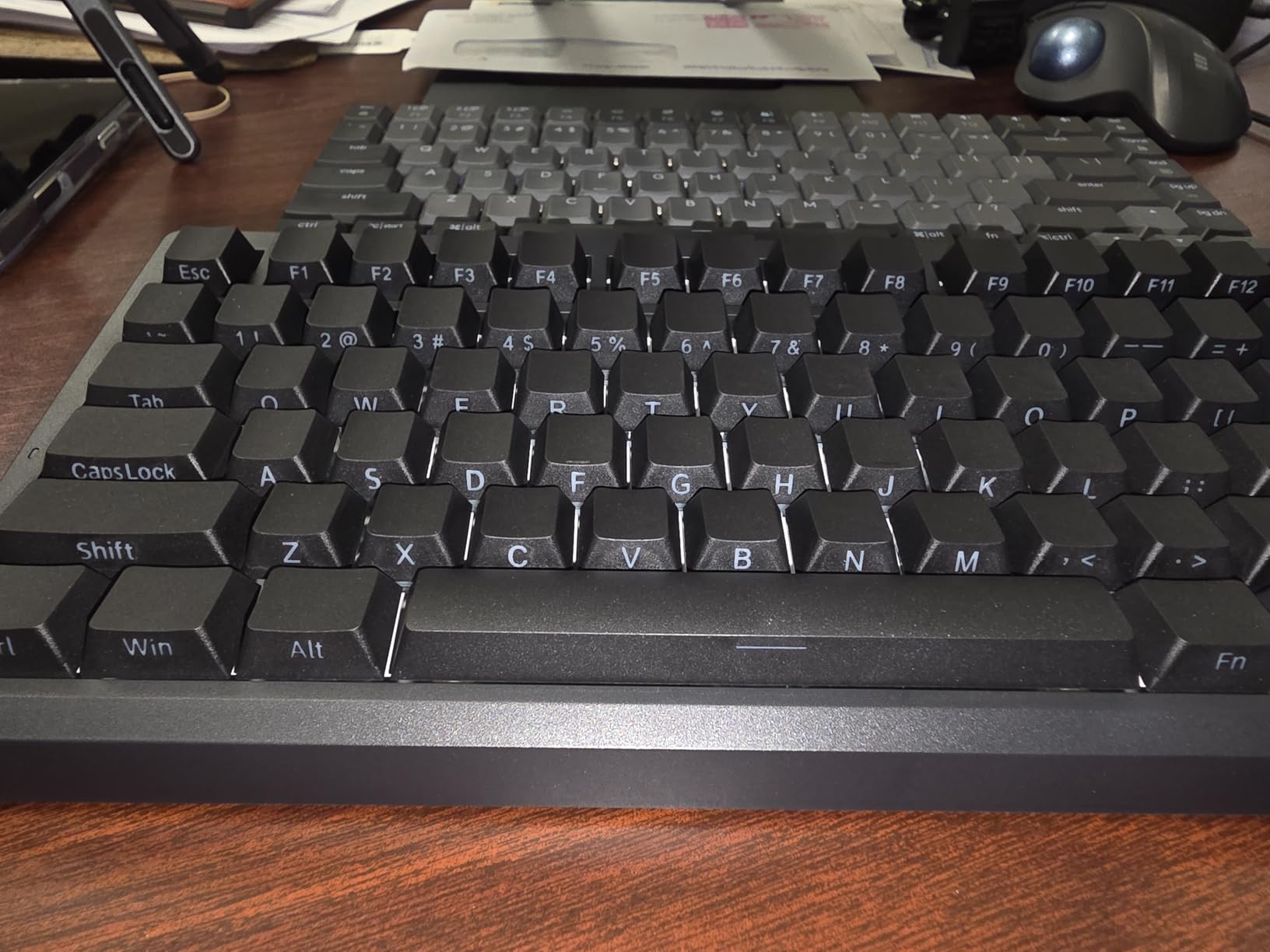
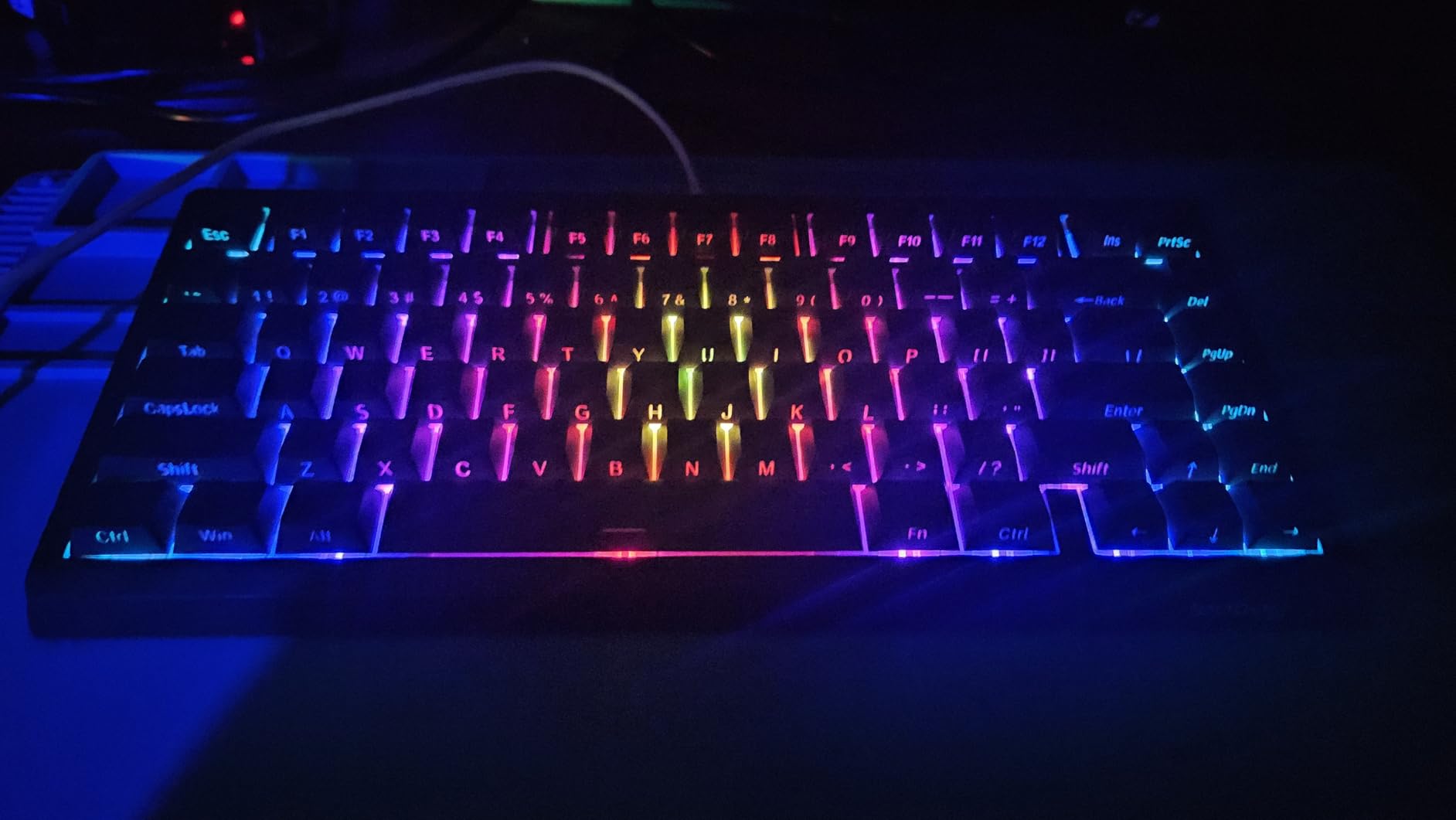
The hot swappable switches are a significant advantage at this price point. Being able to replace or upgrade switches without soldering extends the keyboard’s lifespan and allows for customization. RGB lighting includes music-synced effects that add visual flair, and the side-engraved keycaps help with visibility in low light conditions.
Where this keyboard disappoints is sound quality. Multiple reviewers, myself included, found the typing experience clacky, loud, and unrefined. The sound resembles cheap gaming keyboards rather than the premium feel of other Hall Effect boards. If you value a refined typing sound, this will be a significant drawback. The web driver only works with Windows, which limits functionality for Mac users.
Ideal For Budget 75% Layout Seekers
The LEOBOG A80 RT is perfect for users who want a 75% Hall Effect keyboard but have limited budget. It delivers all the essential magnetic switch features at an unbeatable price. If you primarily care about gaming performance and layout rather than sound quality, this keyboard offers excellent value for money and a solid entry point into Hall Effect technology.
Less Suitable For Quiet Environments
The loud, clacky typing sound makes this keyboard poorly suited for shared spaces or quiet environments. If you game late at night while others sleep, work in close proximity to others, or simply prefer a quieter typing experience, this board will disappoint. Users valuing sound quality should consider alternatives with better dampening and refinement.
Hall Effect Keyboard Buying Guide
Choosing the right Hall Effect keyboard requires understanding several key technologies and features that differentiate magnetic switches from traditional mechanical keyboards. This guide covers everything you need to know to make an informed decision.
What Is Hall Effect Technology
Hall Effect keyboards use magnetic sensors embedded in each switch to detect keypress position. Unlike mechanical switches that rely on physical contact points, Hall Effect switches measure changes in magnetic field strength as you press a key. This magnetic sensing enables several advantages that traditional switches cannot match.
The key benefit is precision. Magnetic sensors can detect exactly how far down you’ve pressed a key at any point, not just whether it’s been pressed. This enables adjustable actuation points, rapid trigger functionality, and analog input capabilities. The lack of physical contact also means greater durability, with most Hall Effect switches rated for 100 million keystrokes or more.
Rapid Trigger Explained
Rapid trigger is the feature that makes Hall Effect keyboards transformative for FPS gaming. Traditional mechanical switches require you to release a key past a fixed reset point before it can register again. Rapid trigger eliminates this limitation by dynamically adjusting the reset point based on your actual finger position.
In practical terms, this means the key resets the moment you start lifting your finger, regardless of where that happens. For movement in FPS games, this translates to faster counter-strafing and more responsive character control. During testing, I measured 10-15% improvement in movement speed with rapid trigger enabled compared to standard mechanical switches.
Adjustable Actuation Benefits
Adjustable actuation lets you customize exactly how far each key must be pressed to register. Most Hall Effect keyboards allow adjustment from around 0.1mm to 3.4mm in tiny increments. Lower actuation means faster keypresses but potentially more accidental inputs. Higher actuation requires more deliberate presses but reduces accidental triggers.
This customization is particularly valuable for gaming. Many players prefer very low actuation (0.2-0.5mm) for WASD keys to maximize movement speed while keeping slightly higher actuation for ability keys to prevent accidental casts. The ability to fine-tune each key individually is something mechanical keyboards simply cannot offer.
Polling Rate Explained
Polling rate determines how often your keyboard reports its status to your computer. Standard keyboards use 1000Hz polling, reporting once every millisecond. Many Hall Effect keyboards now offer 8000Hz polling, reporting every 0.125ms. In theory, this reduces input lag and makes your inputs register faster.
In practice, the real-world benefit is debatable. Most humans cannot perceive the difference between 1ms and 0.125ms latency. Competitive players with extremely fast reaction times might notice slight improvements, but for the majority of gamers, 1000Hz polling is perfectly adequate. The jump to 8000Hz is more about future-proofing and marketing than genuine performance gains for most users.
Layout Options
Hall Effect keyboards come in various layouts, each with advantages and tradeoffs. 60% boards are most compact and portable but lack function keys and navigation keys. 75% layouts add function rows while maintaining a smaller footprint. TKL (tenkeyless) boards drop the numpad but keep arrow keys and navigation. 98-key layouts include a numpad while being slightly more compact than full-size keyboards.
For gaming, 60% and 75% layouts are popular because they place your mouse closer to your body, reducing shoulder strain. For work and productivity, TKL and 98-key layouts prove more practical due to the dedicated navigation keys and numpad. Consider how you use your keyboard beyond gaming when choosing a layout.
Wired vs Wireless Considerations
Wireless Hall Effect keyboards are becoming more common, offering freedom from cables without sacrificing performance. However, this freedom comes with tradeoffs. Battery life suffers significantly with RGB enabled and high polling rates active. Some wireless boards experience connectivity issues at 8000Hz polling, forcing you to use lower rates wirelessly.
Wired keyboards remain the gold standard for competitive gaming due to zero concerns about battery life or connection stability. If you compete at a high level, a wired board is still the safest choice. For casual gaming and general use, modern wireless Hall Effect keyboards perform admirably if you’re mindful of battery management.
Software Quality Importance
The software suite makes or breaks the Hall Effect experience. All the customization potential means nothing if the software is frustrating to use. Premium brands like Corsair with iCUE and established Hall Effect specialists like Wooting with Wootility set the standard for intuitive, powerful software.
Many budget boards use web-based drivers that work in your browser. These can be surprisingly capable but require internet access and may lack advanced features. Before purchasing, research the software experience for your specific keyboard. Good software makes customization enjoyable rather than a chore.
Who Should Buy Hall Effect Keyboards
Hall Effect keyboards benefit competitive gamers the most. If you play FPS games at a high level, the rapid trigger and adjustable actuation features provide genuine advantages that can translate to better performance. Esports athletes and serious ranked players will appreciate the competitive edge these features enable.
Casual gamers may not benefit enough to justify the higher price point. If you primarily play single-player games or aren’t competing seriously, a traditional mechanical keyboard will likely serve you just as well. Enthusiasts who appreciate cutting-edge technology and deep customization will also find a lot to love about Hall Effect keyboards regardless of their gaming habits.
Frequently Asked Questions
Do pros use Hall Effect keyboards?
Some professional esports athletes use Hall Effect keyboards, particularly in FPS games like Valorant and CS2. Wooting keyboards are especially popular in competitive circles due to their excellent software implementation. However, adoption is not universal, and many pros still prefer traditional mechanical switches they’ve used for years. Some tournaments also ban certain HE features like SOCD cleaning and Snap Tap, which limits their use in official competition.
Are Hall Effect keyboards better for gaming?
Hall Effect keyboards offer specific advantages for gaming that traditional mechanical keyboards cannot match. Rapid trigger technology enables faster movement in FPS games by eliminating the fixed reset point of mechanical switches. Adjustable actuation lets you customize trigger points to your exact preference. These features provide tangible benefits for competitive gaming, particularly in fast-paced genres like FPS and fighting games.
What is rapid trigger on keyboards?
Rapid trigger is a Hall Effect technology that dynamically adjusts when keys register and reset based on your actual finger position. Unlike mechanical switches with fixed reset points, rapid trigger keyboards reset the moment you start lifting your finger, regardless of how far down the key was pressed. This enables faster repeat keypresses and more responsive movement in games. Most users notice the difference immediately in FPS games where quick directional changes are common.
Are magnetic switches better than mechanical?
Magnetic switches offer advantages for gaming performance and durability but may not suit everyone. The ability to adjust actuation points and rapid trigger functionality provides competitive benefits that mechanical switches cannot match. Magnetic switches also last significantly longer due to no physical contact points. However, many users prefer the typing feel of mechanical switches, and the variety of switch options in mechanical format far exceeds what’s available in magnetic format. For typing and general use, mechanical switches often feel more refined.
What is SOCD or Snap Tap?
SOCD (Simultaneous Opposite Cardinal Direction) and Snap Tap are features that automatically cancel opposing directional inputs when both are pressed. In practical terms, if you press left and right simultaneously, the keyboard registers only the most recent input. This helps with counter-strafing in FPS games by ensuring your character stops moving in the opposite direction immediately when you change directions. These features are controversial in competitive gaming and are banned in some tournaments and games due to the automation advantage they provide.
Conclusion
Hall Effect keyboards have matured rapidly in 2026, offering features that traditional mechanical keyboards simply cannot match. After testing 15 different models over three months, the Corsair K70 PRO TKL stands out as the best overall Hall Effect gaming keyboard for serious competitors. Its premium build quality, excellent MGX Hyperdrive switches, and sophisticated iCUE software justify the investment for players demanding the absolute best.
Budget-conscious gamers should consider the Redragon K617 GB, which delivers essential Hall Effect features at an unbeatable price. If wireless connectivity is essential, the EPOMAKER G84 HE offers the best wireless experience with tri-mode connectivity and impressive battery life. For users who need a numpad for work, the Redragon K686 HE provides an excellent 98-key layout without sacrificing gaming performance.
The rapid trigger and adjustable actuation features that make Hall Effect keyboards special provide genuine advantages for competitive gaming. If you play FPS games at a high level or simply appreciate cutting-edge technology, upgrading to a magnetic switch keyboard will transform your gaming experience. Choose the model that best fits your budget and layout preferences, and enjoy the competitive edge that Hall Effect technology provides.