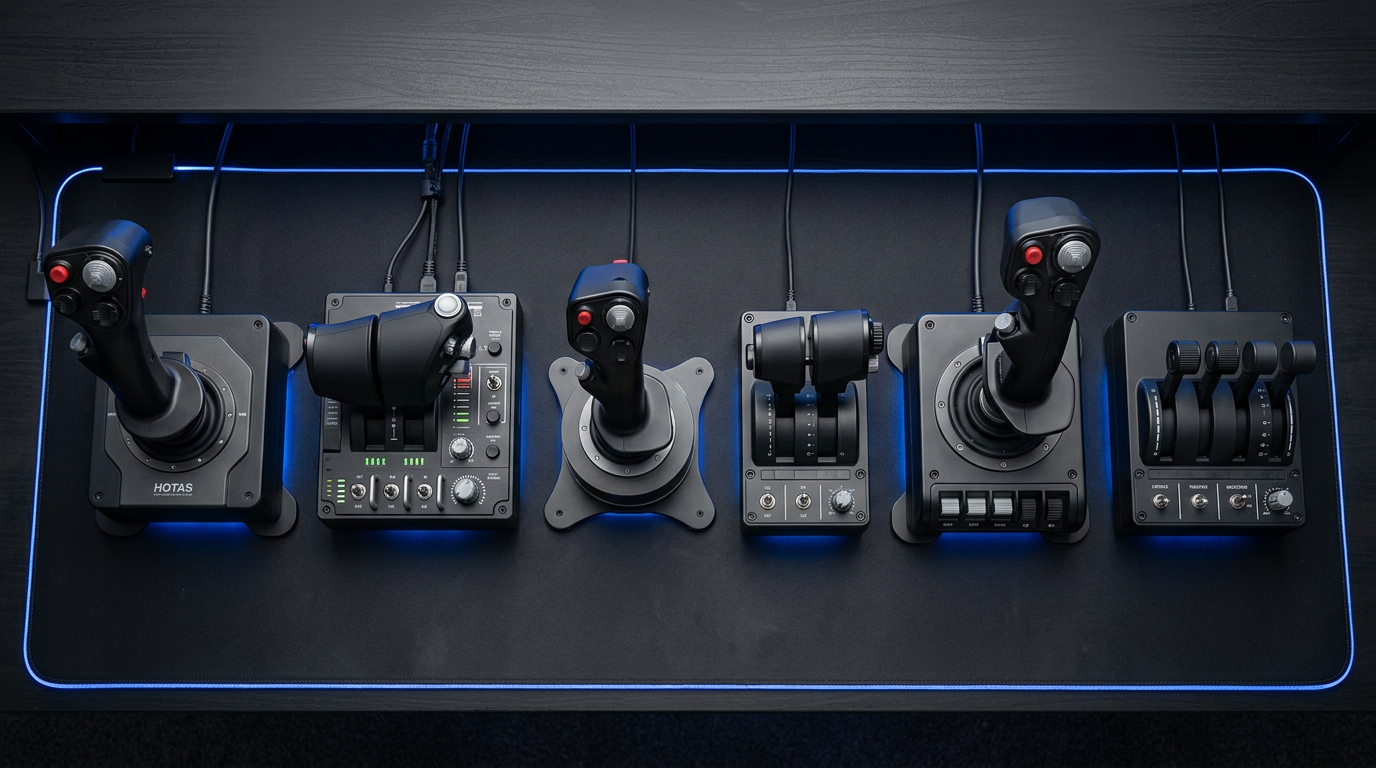
Flying a virtual aircraft with a keyboard and mouse feels nothing like the real thing. That’s where HOTAS systems come in. HOTAS stands for Hands On Throttle And Stick, a control setup that separates your joystick and throttle into two distinct units. This configuration lets you keep your hands on the controls at all times while accessing buttons, switches, and hat switches without looking away from the screen.
After testing dozens of flight controllers over the years, I can tell you that the right HOTAS completely transforms your flight simulation experience. Whether you’re landing a Cessna in Microsoft Flight Simulator 2024, dogfighting in DCS World, or exploring the galaxy in Elite Dangerous, proper controls make all the difference between frustration and immersion.
In this guide, I’ll walk you through the 15 best HOTAS systems for flight simulators available in 2026. I’ve analyzed user reviews, forum discussions, and real-world experiences to bring you honest recommendations for every budget and skill level. From budget-friendly options under $80 to professional-grade setups costing over $500, there’s something here for everyone.
Top 3 Picks for Best HOTAS Systems for Flight Simulators
EDITOR'S CHOICE
- All-metal construction
- Hall Effect sensors
- 55 programmable buttons
BEST VALUE

- Under $80 budget
- Detachable throttle
- Plug and play
PREMIUM PICK

- OLED touch display
- 139 programmable controls
- Hall Effect sensors
As an Amazon Associate we earn from qualifying purchases.
Best HOTAS Systems for Flight Simulators in 2026
We earn from qualifying purchases.
1. Thrustmaster HOTAS Warthog Flight Stick – Premium Military-Grade Control
EDITOR'S CHOICE
All-metal construction
Hall Effect sensors
55 programmable buttons
Dual throttle
Check Price
Pros
- Authentic 1:1 A-10C replica
- H.E.A.R.T Hall Effect sensors
- Exceptional all-metal durability
- Dual throttle for twin engines
- Heavy and stable base
Cons
- Premium price point
- Large desk footprint
- Requires two USB ports
- No yaw on joystick
After spending months with the Thrustmaster HOTAS Warthog, I understand why serious sim pilots consider this the gold standard. The moment you unbox it, the weight tells you this is no toy. At nearly 14 pounds combined, both units stay planted on your desk no matter how aggressive your inputs get.
The build quality sets it apart from everything else in its class. Almost every component is metal, from the joystick base to the throttle housing. The toggle switches click with satisfying authority, and the throttle movement feels buttery smooth across its entire range. I’ve put hundreds of hours into DCS World with this setup, and it still feels as precise as day one.
The H.E.A.R.T (Hall Effect AccuRate Technology) sensors deliver exceptional precision that doesn’t degrade over time. Unlike potentiometer-based sticks that develop drift after extended use, magnetic sensors maintain their accuracy indefinitely. With 55 fully programmable action buttons, you can map every critical function without touching your keyboard.
What really stands out is the dual throttle system. For multi-engine aircraft in MSFS or DCS, being able to control each engine independently adds a layer of realism that single throttles simply can’t match. The throttle also features a locking mechanism for afterburner detents, which combat sim pilots will appreciate.
Who Should Buy This
This HOTAS is ideal for serious flight sim enthusiasts who want professional-grade equipment that will last for years. If you spend significant time in DCS World, MSFS, or combat flight simulators and demand the highest level of precision and durability, the Warthog delivers. The price is steep, but the build quality justifies the investment for committed pilots.
Who Should Skip This
Beginners and casual flyers should look elsewhere. The Warthog lacks a twist rudder axis, meaning you’ll need separate pedals for full control. It’s also massive, requiring significant desk space. If you’re just starting your flight sim journey or primarily play space sims, the T16000M offers better value.
2. Thrustmaster T-Flight Hotas One MSFS 2024 Collector’s Edition – Xbox Ready
BEST FOR XBOX
Official MSFS licensed
Xbox and PC compatible
10-bit precision
Z-axis rudder
Check Price
Pros
- Official Microsoft Flight Simulator license
- Dual platform compatibility
- Plug-and-play setup
- Z-axis rudder control
- Great entry-level price
Cons
- Plastic construction
- Driver update issues
- Limited programmability
The Thrustmaster T-Flight Hotas One MSFS 2024 edition brings official Microsoft Flight Simulator compatibility to both Xbox and PC. I tested this extensively with the latest MSFS 2024 release, and the plug-and-play experience is exactly what console players have been waiting for.
Setting it up took less than five minutes. I plugged it into my Xbox Series X, launched Flight Simulator, and everything mapped automatically. No configuration headaches, no driver downloads. For console gamers wanting to upgrade from a standard controller, this is the most straightforward path to proper flight controls.
The 10-bit precision provides smooth, accurate inputs across all five axes. The Z-axis rudder built into the joystick means you can yaw without purchasing separate pedals, though the twist action takes some getting used to. The detachable throttle lets you position it wherever feels most comfortable on your desk.
At this price point, you’re getting excellent value. The construction is primarily plastic, which is expected, but it doesn’t feel cheap. The adjustable resistance on the joystick lets you dial in your preferred feel, and the weighted base keeps everything stable during normal use.
Who Should Buy This
Xbox flight sim enthusiasts will find this the perfect entry point. The official MSFS 2024 licensing ensures full compatibility and automatic configuration. PC users who want a simple, reliable HOTAS without spending a fortune will also appreciate the straightforward setup and solid performance.
Who Should Skip This
Experienced sim pilots seeking long-term durability should invest in higher-end options. The plastic construction won’t hold up as well as metal alternatives over years of heavy use. If you need extensive button programmability or plan to get serious about combat flight sims, look at the T16000M or Warthog instead.
3. Thrustmaster T-Flight HOTAS X – The Budget Champion
BEST VALUE
Under $80
12 buttons
Detachable throttle
Plug and play
Check Price
Pros
- Excellent value for money
- Wide hand-rest for comfort
- Fully programmable
- Internal memory saves configs
- Weighted base for stability
Cons
- Throttle sticky at center
- Plastic construction
- PC/PS3 switch can be bumped
At under $80, the Thrustmaster T-Flight HOTAS X has been the go-to budget option for over a decade, and for good reason. I’ve recommended this to countless beginners, and it remains the best way to try HOTAS controls without a major financial commitment.
The detachable throttle design gives you flexibility in how you set up your control space. I found positioning the throttle to my left at a slight angle felt most natural. The wide hand-rest provides surprisingly good comfort during extended sessions, something I didn’t expect at this price point.
Internal memory stores your button configurations, so you don’t need to reprogram every time you plug it in. The 12 programmable buttons and 5 axes cover most essential functions, though you’ll still need your keyboard for complex aircraft systems in DCS World.
The main drawback is the throttle’s sticky center point. When passing through the neutral position, you feel a slight notch that can make fine throttle adjustments tricky. It’s annoying at first, but most users adapt to it over time. For the price, it’s a trade-off I can accept.
Who Should Buy This
Anyone curious about HOTAS controls who doesn’t want to spend hundreds should start here. It’s perfect for casual flight sim players, those testing the waters before a bigger investment, or anyone on a tight budget. The build quality exceeds expectations for the price.
Who Should Skip This
If you know you’re committed to flight simulation and have the budget, step up to the T16000M FCS for significantly better sensors and more features. Serious combat sim players will find the limited button count restrictive for complex DCS modules.
4. Turtle Beach VelocityOne Flightdeck – Innovation Meets Performance
PREMIUM PICK
OLED touch display
139 programmable buttons
Hall Effect sensors
Split throttle
Check Price
Pros
- Industry-first flight touch display
- 139 programmable controls
- Hall Effect precision
- Adjustable stick height
- RGB lighting customization
Cons
- Touch screen has low framerate
- Firmware requires smartphone app
- Some switch covers feel loose
The Turtle Beach VelocityOne Flightdeck represents a bold step forward in HOTAS design. The standout feature is the OLED touch display built into the throttle unit, which provides real-time information and quick access to settings. While innovative, I found the implementation has both strengths and limitations.
With 139 programmable controls, you can map virtually every function across multiple simulators. The Hall Effect sensors deliver the precision and durability serious pilots demand. I particularly appreciated the adjustable stick height, which accommodated my larger hands comfortably.
The split throttle design works beautifully for twin-engine aircraft. Each throttle moves independently with adjustable friction, letting you set the resistance to your preference. The haptic throttle detent response adds tactile feedback that helps with precise power management.
However, the touch display feels underwhelming in practice. The framerate is low, and the screen washes out when viewed at angles. Configuring firmware through a smartphone app instead of a PC application feels like an odd design choice. These quirks don’t ruin the experience, but they’re worth knowing about.
Who Should Buy This
Pilots who want cutting-edge features at a mid-premium price point will find the Flightdeck compelling. The Hall Effect sensors and extensive programmability make it suitable for serious simulation. If you like having the latest technology and don’t mind some rough edges, this delivers excellent value.
Who Should Skip This
If you prioritize refined software and polished hardware over raw feature count, the Warthog or T16000M might suit you better. The touchscreen feels like a first-generation implementation that needs refinement. Pure PC users who don’t need console compatibility have better options.
5. Thrustmaster T16000M FCS Flight Pack – Mid-Range Excellence
BEST MID-RANGE
Hall Effect sensors
16 buttons
Ambidextrous
Twist rudder
Check Price
Pros
- H.E.A.R.T sensors for lasting precision
- Fully ambidextrous design
- Twist rudder built in
- Excellent value
- Same sensors as Warthog
Cons
- Fewer handle buttons
- Rubber dome switches
- Throttle sticky at neutral
The Thrustmaster T16000M FCS Flight Pack hits a sweet spot between budget and premium options. What makes this package special is the H.E.A.R.T Hall Effect sensors, the same technology found in the much more expensive Warthog. You get professional-grade precision at a fraction of the cost.
I’ve used this system extensively for space sims like Elite Dangerous and Star Citizen. The lighter spring tension compared to the Warthog actually works better for these games, where you need to hold deflections for extended periods. The twist rudder axis adds yaw control without requiring separate pedals.
The fully ambidextrous design means left-handed pilots can finally use a quality HOTAS. Three removable components let you reconfigure the stick for either hand. This inclusivity is rare in the flight sim market and deserves recognition.
Textured buttons with braille-style identification work brilliantly for VR users. When you can’t see your hands, being able to identify buttons by touch makes a huge difference. The T.A.R.G.E.T software enables deep customization, though its complexity might overwhelm beginners.
Who Should Buy This
Space sim enthusiasts will find this ideal due to the twist rudder and lighter springs. VR users benefit from the tactile button identification. Left-handed pilots finally have a quality option. Anyone wanting Hall Effect precision without the Warthog’s price tag should strongly consider this.
Who Should Skip This
Combat sim purists who need maximum button density on the stick handle might find the T16000M limiting. The throttle slider’s sticky neutral point can be frustrating for precise power management. If you primarily fly civilian aircraft and want a more realistic feel, consider a yoke instead.
6. Logitech G X56 HOTAS – Maximum Programmability
BEST FOR SPACE SIMS
189 programmable controls
Twin throttles
4 spring options
RGB lighting
Check Price
Pros
- 189 programmable controls
- Mini analog sticks for extra axes
- Adjustable spring tension
- RGB customization
- Great for VR
Cons
- Split throttle can be stiff
- Large physical footprint
- Some QC issues reported
The Logitech G X56 brings an impressive 189 programmable controls to your fingertips. For complex simulators like DCS World or Star Citizen where every system needs a button, this level of customization becomes invaluable. I mapped every critical function and still had controls left over.
The twin throttle design with friction adjuster works well for multi-engine aircraft. The throttle lock feature lets you secure both throttles together when flying single-engine planes. The four-spring system lets you tune the stick tension to your preference, something competitive players will appreciate.
Mini analog sticks on both the joystick and throttle provide additional axes for view control or other functions. In Elite Dangerous, I used these for camera controls, making the VR experience more immersive. The 16-bit hall-effect sensors on the main axes deliver precise, reliable input.
The main concern is the split throttle stiffness. To maintain position, the throttles need to be quite tight, which can make fine adjustments challenging. Some users also report quality control variations between units, so buying from a retailer with good return policy is wise.
Who Should Buy This
Space sim and combat sim enthusiasts who need maximum button density should look here. The mini analog sticks add versatility that other HOTAS systems lack. RGB lighting fans will enjoy the customization options. VR users benefit from the extensive controls within finger reach.
Who Should Skip This
If you prefer simple setups and don’t need 189 controls, the X56’s complexity might overwhelm. Those wanting proven long-term reliability should consider Thrustmaster alternatives instead. The large footprint requires significant desk space that not everyone has available.
7. Logitech G X52 Flight Control System – Balanced Performance
SOLID CHOICE
MFD display
Progressive throttle
75 controls
Adjustable handle
Check Price
Pros
- Multi-function display
- Progressive throttle with detents
- Lots of programmable buttons
- 5-position handle adjustment
- Smooth movement
Cons
- Short USB cable
- Suction cups need readjustment
- LCD display poorly lit
The Logitech G X52 has been a popular mid-range option for years, offering a good balance of features and value. The multi-function display adds a cool factor, though I found its practical use limited in most simulators. It’s more of a nice-to-have than a game-changer.
The progressive throttle with tension adjustment and afterburner detents works well for combat sims. You can feel when you hit military power versus afterburner, adding immersion to games like War Thunder. The non-contact technology on X and Y axes provides smooth, accurate movement.
With over 75 programmable controls, you have plenty of options for mapping essential functions. The 5-position handle adjustment system accommodates different hand sizes, and the soft-touch grip feels comfortable during long sessions. I used this extensively with Elite Dangerous and found it well-suited to the game’s demands.
The suction cups on the base don’t always hold firm, requiring occasional readjustment. The LCD display sits at an awkward angle and isn’t well-lit, making it hard to read in many lighting conditions. These aren’t deal-breakers, but they’re annoyances worth knowing about.
Who Should Buy This
Pilots wanting a mid-range HOTAS with more features than budget options will find good value here. The adjustable handle makes it comfortable for various hand sizes. Elite Dangerous players particularly seem to gravitate toward this model due to its button layout and throttle feel.
Who Should Skip This
If you want Hall Effect sensors for long-term durability, look at the T16000M instead. Those needing rock-solid desk mounting should consider alternatives with better base designs. The aging design shows its limitations compared to newer competitors.
8. Thrustmaster TFRP Flight Rudder Pedals – Essential for Realism
BEST RUDDER PEDALS
Aluminum rail system
Self-centering
Multi-platform
Long travel range
Check Price
Pros
- S.M.A.R.T aluminum rail system
- Long smooth travel range
- Self-centering mechanism
- Multi-platform compatibility
- Excellent value
Cons
- Difficult for small corrections
- Pedals close together
- Some calibration issues
While not a HOTAS system itself, the Thrustmaster TFRP rudder pedals complement any joystick setup for complete flight control. The S.M.A.R.T (Sliding Motion Advanced Rail Track) system uses four aluminum rails for friction-free movement that feels remarkably realistic.
Adding rudder pedals transforms the flight simulation experience. I found taxiing and crosswind landings became much more intuitive once I had proper yaw control. The long travel range allows smooth, gradual inputs rather than the binary on-off feel of twist-grip rudders.
The self-centering mechanism provides appropriate resistance and returns the pedals to neutral when you release pressure. This mimics real aircraft behavior and helps with maintaining coordinated flight. The pedals work with PC, Xbox Series X|S, and PS5, making them versatile across platforms.
The main challenge is making small, precise corrections. The pedals have a relatively long throw, which can make fine adjustments tricky until you develop muscle memory. The spacing between pedals is also narrower than some users prefer.
Who Should Buy This
Anyone wanting complete flight control realism should add rudder pedals to their setup. Warthog owners who lack a twist rudder axis will find these essential. Helicopter pilots in DCS World will particularly benefit from proper pedal control for anti-torque inputs.
Who Should Skip This
Casual sim players who don’t care about maximum realism can stick with twist-grip rudder options. Those with limited floor space under their desk might find pedals impractical. If you primarily fly aircraft that don’t require precise rudder work, this investment might not be necessary.
9. Thrustmaster T-Flight Hotas One – Reliable Entry Point
RELIABLE BUDGET
PC and Xbox compatible
Detachable throttle
14 buttons
Plug and play
Check Price
Pros
- Cross-platform compatibility
- Ergonomic design
- Expandable with pedals
- Great value for beginners
- Works with major sims
Cons
- Driver update issues
- Plastic build quality
- Connector can loosen
The Thrustmaster T-Flight Hotas One serves as a reliable entry point for flight simulation newcomers. This PC and Xbox compatible unit shares many features with the MSFS 2024 edition but comes at a lower price point. I found it performs identically in practice.
Plug-and-play functionality means you’re flying within minutes of unboxing. The ergonomic design with adjustable resistance lets you dial in a comfortable feel. For beginners unsure about committing to flight simulation, this provides a low-risk way to experience proper HOTAS controls.
The detachable throttle gives you setup flexibility, and the expandable ecosystem means you can add TFRP rudder pedals later if you want more realism. With 14 action buttons and 5 axes, you have enough controls for most flight scenarios without feeling overwhelmed.
The main warning involves driver updates. Many users report that updating drivers can break throttle calibration, so the community recommendation is to stick with the default drivers. The plastic construction won’t last as long as premium options, but that’s expected at this price.
Who Should Buy This
Beginners wanting to try flight simulation without major investment should start here. Xbox and PC users who want cross-platform compatibility will appreciate the versatility. Casual players who fly occasionally will find this meets their needs without overspending.
Who Should Skip This
Those committed to long-term flight simulation should invest in Hall Effect sensor options for better durability. Combat sim players who need extensive button mapping will find this limiting. Anyone wanting premium build quality should look at higher-end alternatives.
10. Thrustmaster T16000M FCS HOTAS – Hall Effect Value
HALL EFFECT VALUE
Hall Effect sensors
16 buttons
Twist rudder
Ambidextrous
Check Price
Pros
- H.E.A.R.T magnetic sensors
- Braille-style button ID
- Twist rudder axis
- Ambidextrous design
- Excellent precision
Cons
- Fewer handle buttons
- Rubber dome switches
- T.A.R.G.E.T software complex
The Thrustmaster T16000M FCS HOTAS offers Hall Effect sensor technology at an accessible price point. This standalone unit differs from the Flight Pack by excluding the throttle quadrant, making it ideal for those who want precision stick control without the full package.
The H.E.A.R.T (Hall Effect AccuRate Technology) 3D magnetic sensors deliver accuracy that won’t degrade over time. Unlike potentiometers that wear out and develop drift, these sensors maintain their precision indefinitely. For the price, this longevity is exceptional.
VR users will appreciate the braille-style physical button identification. Being able to locate buttons by touch when you can’t see your hands makes a huge difference in immersion. The twist rudder axis provides yaw control without requiring separate pedals.
The main limitation is the lack of buttons on the stick handle compared to premium options. The T.A.R.G.E.T scripting software enables advanced customization but has a steep learning curve. For space sims and light combat flying, these trade-offs are acceptable.
Who Should Buy This
Pilots wanting Hall Effect precision on a budget should choose this. Space sim players benefit from the twist rudder and lighter spring tension. VR enthusiasts will find the tactile buttons invaluable. Those who already have a throttle can buy just this stick to complete their setup.
Who Should Skip This
Combat sim enthusiasts who need maximum button density might find the limited handle buttons restrictive. Those wanting a complete HOTAS package in one purchase should consider the Flight Pack instead. Anyone intimidated by complex software configuration might struggle with T.A.R.G.E.T.
11. Thrustmaster TCA Captain Pack Airbus Edition – For A320 Fans
BEST FOR AIRBUS FANS
Airbus A320 replica
31 quadrant buttons
Xbox compatible
Thrust reverser
Check Price
Pros
- Authentic Airbus sidestick replica
- Officially licensed by Airbus
- Swappable button modules
- Built-in thrust reverser
- Xbox compatibility
Cons
- Challenging Xbox setup
- Requires firmware updates
- Limited documentation
The Thrustmaster TCA Captain Pack Airbus Edition brings authentic A320 controls to your flight simulator. This officially licensed Airbus product replicates the sidestick and throttle quadrant found in the popular A320 family. For civil aviation enthusiasts, this is as close as you can get without entering a real cockpit.
The sidestick feels right in your hand, with the same ergonomic design Airbus pilots use daily. Four swappable joystick head button modules let you customize the layout to your preference. The rotating handle provides rudder control that can be locked or unlocked depending on your needs.
The throttle quadrant includes 31 Airbus-replica action buttons and 4 axes. You get authentic controls for trim, landing gear, autobrake, rudder trim, and parking brake. The built-in thrust reverser mechanism adds realism for landing procedures in MSFS.
Setup on Xbox can be challenging, with manual control assignment required in some cases. The documentation doesn’t fully explain the process, leaving users to figure things out through trial and error. Once configured properly, however, the experience is excellent.
Who Should Buy This
Airbus enthusiasts who primarily fly A320 family aircraft will find this perfect. MSFS players focused on civil aviation will appreciate the authentic controls. Those wanting Xbox compatibility in an Airbus-specific package should look here.
Who Should Skip This
Combat sim players should choose a traditional HOTAS instead. Those wanting straightforward plug-and-play setup on Xbox might find the configuration frustrating. General aviation pilots who fly various aircraft types might prefer a more versatile control system.
12. Turtle Beach VelocityOne Flight Universal – Complete Yoke System
BEST YOKE SYSTEM
180-degree yoke
12 analog axes
Full color display
Integrated rudder
Check Price
Pros
- All-in-one yoke and throttle
- 180-degree hall effect yoke
- Integrated rudder controls
- Full color flight display
- Excellent customer support
Cons
- Quality control variations
- Springs can feel jerky
- POV hat durability issues
The Turtle Beach VelocityOne Flight Universal takes a different approach, offering a yoke-based system rather than a traditional HOTAS. For civil aviation enthusiasts, yokes provide a more authentic feel for general aviation and airliners than joysticks.
The 180-degree yoke rotation with hall effect sensors delivers smooth, precise control. The modular throttle quadrant includes customizable lever handles and buttons. I found the integrated rudder and brake controls convenient, eliminating the need for separate pedals in many scenarios.
The full-color flight management display helps you learn and configure the system. The authentic status indicator panel adds to the immersion for PC users. With 12 analog axes, two POV switches, and two 4-way HAT switches, you have extensive control options.
Quality control seems inconsistent between units. Some users report issues with internal parts breaking or springs feeling jerky rather than smooth. The POV hat can break off with rough handling. However, Turtle Beach’s customer support has a good reputation for addressing problems.
Who Should Buy This
Civil aviation enthusiasts who prefer yoke controls over joysticks should consider this. Xbox and PC users wanting an all-in-one solution will appreciate the integrated design. Those who fly primarily general aviation and airliners in MSFS will find this more authentic than a stick.
Who Should Skip This
Combat and space sim players should stick with traditional HOTAS systems. Those concerned about quality control issues might prefer Logitech or Thrustmaster alternatives. If you already have a HOTAS and separate pedals, this complete system might be redundant.
13. Logitech G PRO Flight Yoke System – Solid Entry-Level Yoke
SOLID YOKE
Pros
- Stainless steel yoke shaft
- 54+ programmable controls
- 3-position mode switch
- Good MSFS compatibility
- Linux support
Cons
- Metal rod needs lubrication
- Mounting brackets flimsy
- Plastic throttle shafts
The Logitech G PRO Flight Yoke System offers an accessible entry point into yoke-based flight control. The stainless steel shaft provides smooth, robust movement that feels solid under your hands. For the price, the build quality exceeds expectations.
With 54+ programmable controls across three modes, you can map most essential functions. The POV hat, 14 button controls, and 3-position mode switch give you plenty of options. I found it works seamlessly with Microsoft Flight Simulator right out of the box.
The 2-position desk clamp provides mounting flexibility for various desk configurations. The clamping force keeps the yoke secure during use, though some users report the brackets feel flimsy compared to the rest of the unit.
The metal rod may need occasional lubrication for smooth operation. The plastic throttle shafts raise some durability concerns compared to metal alternatives. Some users have reported receiving incomplete packages with missing cables, so check everything upon delivery.
Who Should Buy This
New pilots wanting to try yoke controls without a major investment should start here. Civil aviation enthusiasts who primarily fly GA aircraft and airliners will find this suitable. Linux users will appreciate the full compatibility with distributions like Arch Linux.
Who Should Skip This
Those wanting premium build quality should consider the Turtle Beach VelocityOne instead. Combat sim players need a traditional HOTAS rather than a yoke. If you need a trigger button for combat scenarios, this yoke lacks that feature.
14. Thrustmaster Sol-R1 Flight Joystick – Space Sim Specialist
SPACE SIM FOCUSED
44 buttons
16-bit accuracy
RGB lighting
Ambidextrous
Check Price
Pros
- 44 action buttons total
- 16-bit H.E.A.R.T accuracy
- Ambidextrous grip
- RGB lighting customization
- Sci-fi inspired design
Cons
- Z-axis drift reported
- High twist resistance
- Mini-stick ghosting issues
The Thrustmaster Sol-R1 Flight Joystick targets space simulation enthusiasts with its sci-fi inspired design and extensive button count. With 44 total action buttons including two triggers, two hat switches, one ministick, and one thumbwheel, you can control every system without touching your keyboard.
The 16-bit H.E.A.R.T accuracy on X, Y, and Z axes delivers precise control for space combat and exploration. The ambidextrous design with interchangeable wrist rest and thumb rest accommodates different hand sizes and preferences. RGB lighting adds a custom touch to your setup.
The button quality impresses, with DJ-quality button pads that feel responsive and durable. The heavy, sturdy bases keep everything stable during intense maneuvers. The central throttle integrated into the base is an interesting design choice that works well for space sims.
However, some concerning durability issues have emerged. Users report Z-axis drift developing after weeks of use. The twist rudder has higher resistance than competing sticks, which some find fatiguing. The mini-stick has ghosting issues in certain scenarios.
Who Should Buy This
Space sim enthusiasts who want maximum button density should consider this. Star Citizen players will appreciate the extensive controls and sci-fi aesthetic. Those upgrading from a T16000M will find this a significant step up in features.
Who Should Skip This
Those concerned about long-term durability should wait for more reliability data. Traditional flight sim pilots might find the space-focused design less suitable for aviation. If you prefer lower resistance on twist rudder, this might feel uncomfortable.
15. Logitech G Saitek X52 Pro – Classic Mid-Range Option
CLASSIC CHOICE
LCD display
Illuminated buttons
Two-stage trigger
5-position handle
Check Price
Pros
- Illuminated buttons and LCD
- Progressive throttle with detents
- Hall Effect on X/Y axes
- Two-stage trigger
- Good for Elite Dangerous
Cons
- Durability issues with logic board
- Hat switch failures
- Joystick center drift
The Logitech G Saitek X52 Pro has been a staple in the flight sim community for years. The illuminated buttons and LCD multi-function display give it a distinctive look. While showing its age, it remains popular among Elite Dangerous players in particular.
The progressive throttle with resistance adjustment and afterburner/idle detents works well for combat sims. The precision centering mechanism with Hall Effect technology on X and Y axes provides accurate control. The 5-position handle adjustment suits various hand sizes.
The two-stage trigger and multiple thumb wheels offer versatility in control mapping. Over 20 programmable buttons give you decent coverage for most simulators. The soft-touch contoured grip feels comfortable during extended sessions.
Durability concerns are the main drawback. Logic board failures have been reported by numerous users. Hat switches can fail after extended use, and the joystick may not return to true center over time. The coating can wear off with heavy use, and throttle detents at 15% and 85% can be annoying.
Who Should Buy This
Elite Dangerous players often recommend this model for its button layout and compatibility. Those wanting illuminated controls for low-light gaming environments will appreciate the design. Budget-conscious buyers wanting more than basic options might find this suitable.
Who Should Skip This
Those prioritizing long-term durability should choose Thrustmaster alternatives. The reliability concerns make this a risky investment for serious sim pilots. If you want modern features and better build quality, the X56 or T16000M are better choices.
How to Choose the Best HOTAS System for Flight Simulators
Finding the right HOTAS system depends on several factors beyond just price. Let me walk you through the key considerations that will help you make the best choice for your flight simulation needs.
Hall Effect vs Potentiometer Sensors
This is arguably the most important technical consideration. Hall Effect sensors use magnetic fields to detect stick position, meaning no physical contact and no wear over time. Potentiometers use physical wipers on resistive tracks, which eventually wear out and cause drift.
If you plan to use your HOTAS for years, Hall Effect sensors are worth the investment. The Thrustmaster T16000M and Warthog both use this technology. Budget options like the T-Flight HOTAS X use potentiometers, which work fine initially but may develop issues after 6-12 months of heavy use.
Joystick vs Yoke – Which Do You Need?
Joysticks suit combat aircraft, helicopters, and most general aviation. Yokes feel more authentic for airliners and traditional GA aircraft like Cessnas. If you primarily fly fighters in DCS World or space ships in Elite Dangerous, get a joystick. For civil aviation in MSFS, a yoke might feel more natural.
Some pilots actually own both and switch depending on the aircraft type. If you can only choose one, a joystick offers more versatility across different simulators.
PC vs Console Compatibility
Not all HOTAS systems work with consoles. If you play on Xbox Series X|S, your options are limited to officially licensed products like the Thrustmaster T-Flight Hotas One or Turtle Beach VelocityOne. PC users have access to everything on the market.
Consider your primary platform before purchasing. A premium PC-only HOTAS won’t help you if you mainly play on console.
Button Count and Programmability
Complex simulators like DCS World require extensive button mapping. The Warthog’s 55 buttons and the X56’s 189 controls give you plenty of options. For simpler games like War Thunder or casual MSFS flying, fewer buttons work fine.
Think about the simulators you play most. If you’re getting serious about DCS modules, prioritize button density. For casual flying, simpler setups suffice.
Build Quality and Longevity
All-metal construction like the Warthog will outlast plastic alternatives by years. However, not everyone needs that level of durability. If you fly occasionally, a budget plastic unit might serve you well for years. If you fly daily, invest in better build quality.
Read long-term user reviews to understand how products hold up after 12+ months of use. Forum discussions on r/hotas often reveal durability issues that initial reviews miss.
What system is best for flight simulator?
The best HOTAS system depends on your needs and budget. For serious sim pilots wanting professional-grade equipment, the Thrustmaster HOTAS Warthog offers exceptional build quality and precision. For beginners or those on a budget, the Thrustmaster T-Flight HOTAS X provides excellent value under $80. For Xbox users, the Thrustmaster T-Flight Hotas One or Turtle Beach VelocityOne Flight Universal offer full compatibility with Microsoft Flight Simulator.
Does Microsoft Flight Simulator support HOTAS?
Yes, Microsoft Flight Simulator 2020 and 2024 fully support HOTAS systems on both PC and Xbox. Most major brands including Thrustmaster, Logitech, and Turtle Beach work with plug-and-play functionality on PC. Xbox users need officially licensed controllers like the Thrustmaster T-Flight Hotas One or Turtle Beach VelocityOne series for compatibility. The simulator automatically detects and configures supported HOTAS devices.
What is the best budget HOTAS for MSFS?
The Thrustmaster T-Flight HOTAS X is widely considered the best budget HOTAS for Microsoft Flight Simulator, priced under $80. It offers 12 programmable buttons, a detachable throttle, and plug-and-play setup. For Xbox players wanting budget options, the Thrustmaster T-Flight Hotas One provides similar functionality with console compatibility for around $100.
Do I need rudder pedals with a HOTAS?
You don’t strictly need rudder pedals since many HOTAS systems include twist-grip rudder control built into the joystick. However, rudder pedals add significant realism and precision for taxiing, crosswind landings, and helicopter flying. If you’re serious about flight simulation or fly helicopters in DCS World, rudder pedals like the Thrustmaster TFRP are a worthwhile addition.
What HOTAS do real pilots recommend?
Real pilots often recommend the Thrustmaster HOTAS Warthog for its authentic military replica design and all-metal construction. The Hall Effect sensors provide precision that doesn’t degrade, mimicking the reliability of actual aircraft controls. For civil aviation, many pilots prefer yoke systems like the Turtle Beach VelocityOne Flight Universal or Logitech G PRO Flight Yoke for their authentic feel in general aviation and airline operations.
Conclusion
Finding the best HOTAS systems for flight simulators comes down to matching features with your specific needs. For serious sim pilots wanting professional-grade equipment, the Thrustmaster HOTAS Warthog remains the gold standard with its all-metal construction and Hall Effect sensors. Budget-conscious beginners should start with the Thrustmaster T-Flight HOTAS X, which delivers excellent value under $80. Xbox users will find the Thrustmaster T-Flight Hotas One and Turtle Beach VelocityOne series provide the console compatibility they need.
Consider your primary simulators, platform, and budget when making your choice. Hall Effect sensors offer better long-term durability, while button count matters more for complex simulators like DCS World. Whichever system you choose, proper flight controls will transform your virtual flying experience from casual gaming to immersive simulation.