
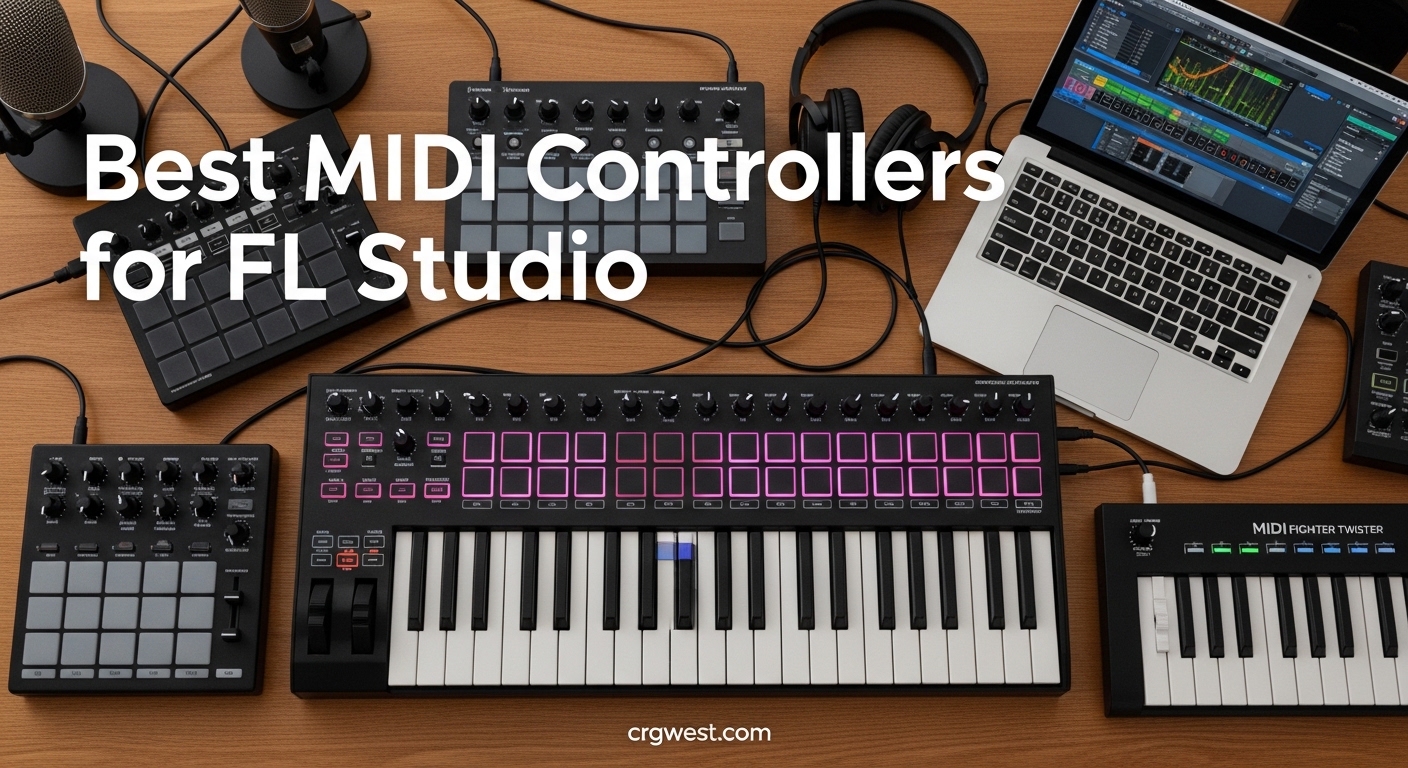
If you produce music in FL Studio, you already know the pain of hunting through menus with your mouse. A dedicated MIDI controller turns that workflow around. When you can tap pads, twist knobs, and play keys while your hands stay on hardware, everything moves faster. The best MIDI controllers for FL Studio go further than simple note input. They give you hands-on control over the mixer, Channel Rack, and even the piano roll.
I spent weeks testing controllers across different budgets and setups. My goal was finding which ones actually reduce mouse time in FL Studio. Some controllers promise FL Studio integration but require complex manual mapping. Others work immediately and become part of your creative process from day one. Here is what I found after testing ten of the most popular options.
Top 3 Picks for Best MIDI Controllers for FL Studio in 2026
These three controllers represent the best options across different categories. Each one brings something different to your FL Studio workflow.
Novation FLkey 61
- 61 full-size keys
- Mixer and fader control
- Scale and Chord modes
- Seamless FL Studio integration

Akai Professional MPK Mini MK3
- 25 mini keys
- 8 MPC-style pads
- 8 assignable knobs
- NKS integration

Best MIDI Controllers for FL Studio in 2026
Here is how all ten controllers compare on the features that matter most for FL Studio production.
| Product | Specs | Action |
|---|---|---|
 Akai Professional LPK25
|
|
Check Latest Price |
 M-AUDIO Keystation Mini 32 MK3
|
|
Check Latest Price |
|
Akai Professional MPK Mini MK3
|
|
Check Latest Price |
 Novation FLkey Mini
|
|
Check Latest Price |
 Akai Professional MPK Mini IV
|
|
Check Latest Price |
 M-AUDIO Keystation 49 MK3
|
|
Check Latest Price |
 Novation Launchkey Mini 25 MK4
|
|
Check Latest Price |
|
Akai Professional MPK Mini Plus
|
|
Check Latest Price |
 Novation FLkey 49
|
|
Check Latest Price |
|
Novation FLkey 61
|
|
Check Latest Price |
1. Akai Professional LPK25 – Best Budget FL Studio Controller
Akai Professional LPK25 - USB MIDI Keyboard Controller with 25 Responsive Synth Keys for Mac and PC, Arpeggiator and Music Production Software,black
25 mini keys
Weight: 0.48 kg
Arpeggiator included
Pros
- Responsive keys with good dynamics
- Easy plug-and-play setup
- Arpeggiator and clock for creative control
- 8 programmable preset slots
- Portable and compact
Cons
- Keys are small (mini keys)
- Limited touch sensitivity
- No drum pads
The LPK25 sits at the bottom of the price range for FL Studio MIDI controllers, but calling it basic would be unfair. I used it for two weeks in a small home studio setup. The 25 keys feel surprisingly responsive for a controller in this price bracket. Dynamics came through clearly when I played piano parts in FL Studio.
The built-in arpeggiator surprised me most. When you hold a note, it cycles through patterns automatically. This feature alone makes the LPK25 useful for synthesizer leads and basslines. The clock input syncs with FL Studio tempo, so arpeggiator patterns stay locked to your project.

Setup took under two minutes. FL Studio recognized it immediately over USB. No driver installation, no manual mapping. The eight preset slots store different configurations, which helps if you switch between projects with specific needs.
That said, the mini keys require adjustment. If you primarily play piano, the small key size will feel cramped. This controller works best for producers who prioritize portability or desk space. Beatmakers will miss having pads since there are none here.
Best for beginners or traveling producers
If you are new to FL Studio and want to experiment with MIDI input without spending much, the LPK25 makes sense. It covers the essentials and leaves room to grow. When you eventually want pads and more keys, you will know exactly what features matter most to your workflow.
What to consider before buying
The lack of drum pads limits its usefulness for beatmakers. You also cannot control mixer parameters without mapping them manually. For pure melody and chord input, it works well. But if your FL Studio sessions involve a lot of finger drumming or mixing from hardware, look at controllers with pads and faders.
2. M-AUDIO Keystation Mini 32 MK3 – Best Mini Keyboard for FL Studio
M-AUDIO Keystation Mini 32 MK3 USB MIDI Keyboard Controller with 32 Velocity Sensitive Mini Keys and Recording Software Included
32 mini keys
Weight: 454g
3 velocity curves
Pros
- 32 keys for extended range
- Selectable velocity curves
- Includes MPC Beats software
- Simple plug-and-play
Cons
- USB port durability concerns
- Keys can feel slightly spongy
- Software registration cumbersome
The Keystation Mini 32 MK3 gives you more keys than most compact controllers at this price. Those extra seven keys make a difference when playing chords or covering wider melodic ranges. I tested it with FL Studio piano rolls and found the velocity sensitivity held up well after calibrating the curves.
The three selectable velocity curves let you match how you play to how FL Studio responds. I preferred the medium curve for general playing. Switch to the light curve if you play softly, or the heavy curve if you have a heavier touch.
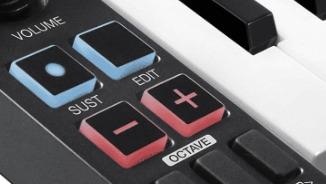
Pitch and modulation buttons sit where your left hand naturally falls. The buttons work fine but lack the smoothness of a proper joystick or wheel. For basic pitch bends and mod wheels, they get the job done without adding bulk to the controller.
One thing I noticed during extended sessions: the USB connection felt less secure than premium controllers. If you constantly unplug and replug your controller, the port might wear faster. For permanent studio setups, this concern disappears.
Piano players wanting maximum portability
Thirty-two keys let you play full chords with both hands while keeping the controller small enough to fit in a laptop bag. Producers who travel to sessions or work in coffee shops will appreciate this balance. The keyboard does not overwhelm a small workspace.
Included software adds real value
M-Audio bundles MPC Beats with the Keystation Mini 32 MK3. You also get sixty lessons through Melodics. These extras do not transform the controller, but they give beginners enough tools to practice keyboard skills alongside FL Studio production.
3. Akai Professional MPK Mini MK3 – Best Value MIDI Controller for Beatmakers
Akai Professional MPK Mini MK3 25 Key USB MIDI Keyboard Controller With 8 Backlit Drum Pads, 8 Knobs, Music Production Software and Native Instruments Sound Package (NKS Integration), Black
25 mini keys
8 MPC pads
8 knobs
NKS integration
Pros
- 8 backlit MPC-style pads
- 4-way thumbstick for pitch/mod
- 8 assignable 360-degree knobs
- NKS integration with Native Instruments
- 1500+ sounds included
Cons
- 25 keys limiting for full piano pieces
- Mini keys take adjustment time
After testing the MPK Mini MK3 for a month, I understand why it stays at the top of bestseller lists. The balance between price, features, and build quality hits a sweet spot that most competitors miss. The pads alone justify the price for anyone making beats in FL Studio.
Akai brought their MPC heritage into a compact format here. The eight pads respond to velocity and pressure just like the original MPCs. When triggering FPC or Drumaxx in FL Studio, the pads feel natural and expressive. Note Repeat and Full Level buttons add drum programming features borrowed from Akai hardware.
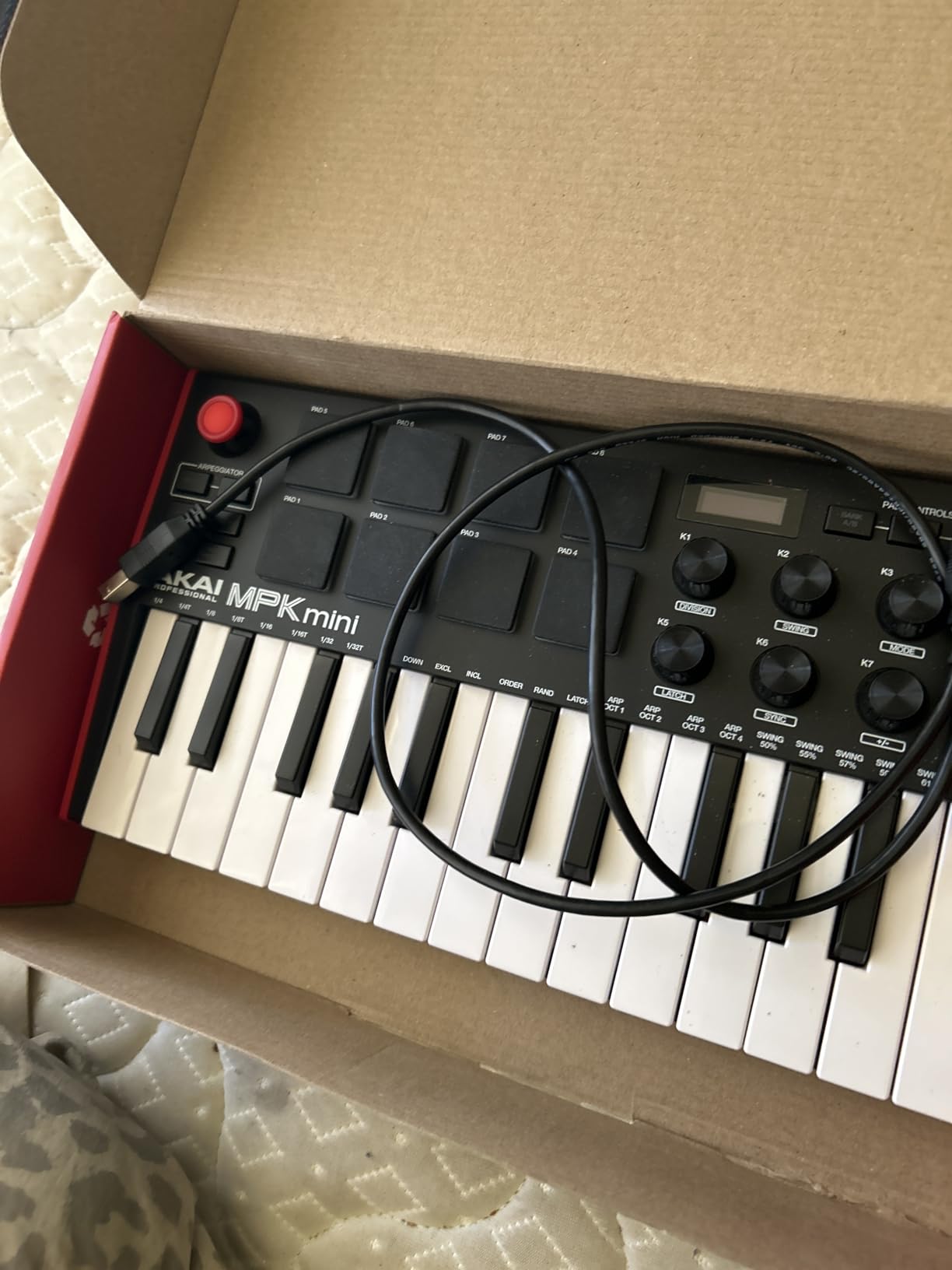
The 4-way thumbstick replaces separate pitch and modulation wheels. Sliding your thumb forward/back controls pitch bend. Left/right handles modulation. After initial muscle memory training, the system works smoothly. Some users prefer separate wheels, but the thumbstick actually saves space and feels intuitive once learned.
Eight assignable knobs connect to any parameter you want in FL Studio. I mapped mixer volume faders for three channels, a filter cutoff, and a few plugin parameters. The knobs feel solid with smooth rotation and clear stops at each end.
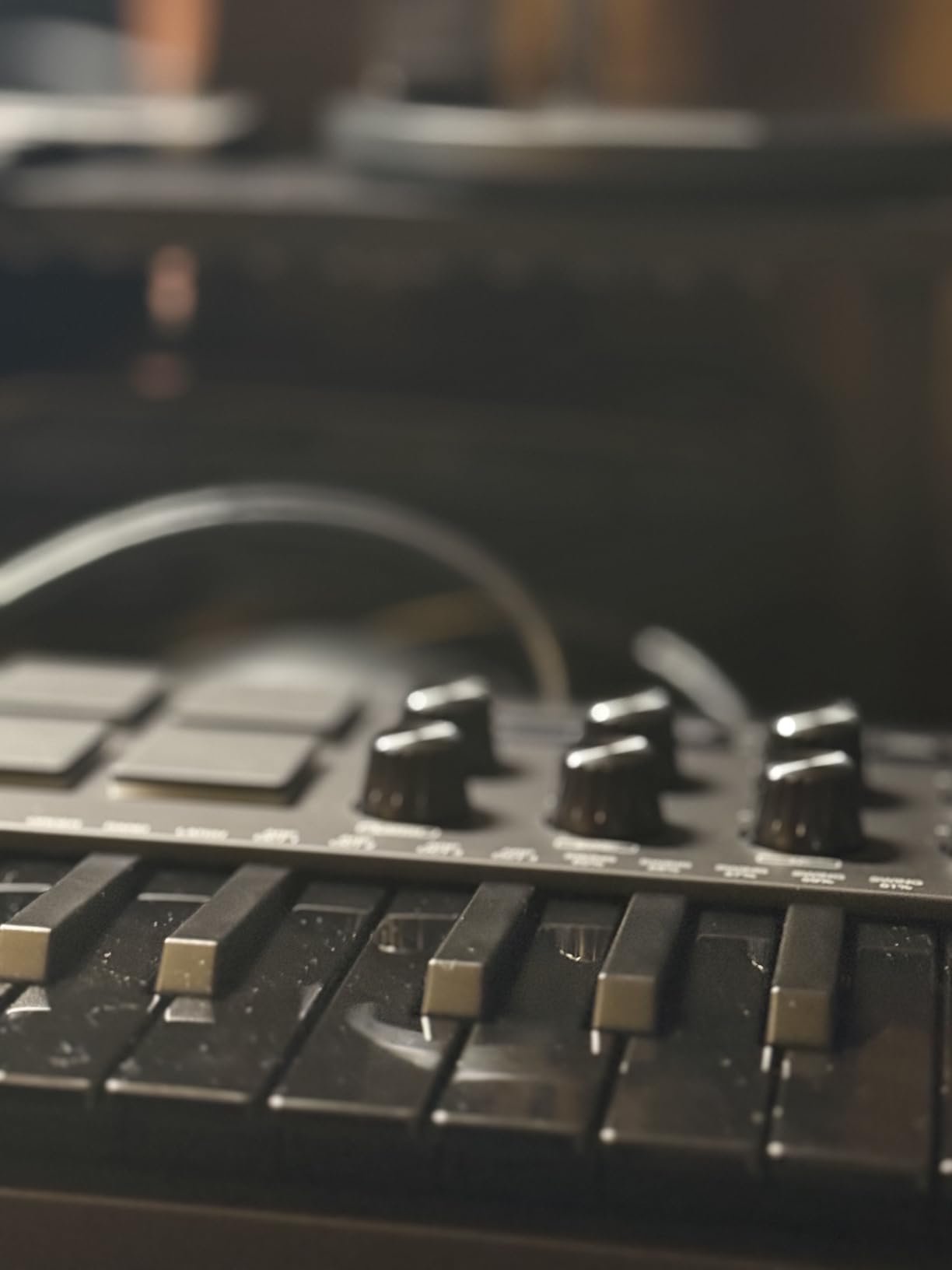
NKS integration opens up Native Instruments sounds directly from the controller. If you use Kontakt libraries or Maschine, this connection streamlines your workflow significantly. FL Studio treats the MPK Mini MK3 as a class-compliant device, so mapping works without proprietary software running in the background.
Best for FL Studio producers focused on beats and rhythm
Beatmakers and drum programmers will get the most from this controller. The pads alone outperform anything else at this price point. When you combine those with the knobs and the comprehensive software bundle, the MPK Mini MK3 becomes difficult to beat for the money.
Upgrading from MK2 or original MPK Mini
If you own an older MPK Mini generation, the MK3 brings meaningful improvements. The pads feel more responsive, the knobs have better resolution, and the overall build quality increased. USB-C would have been welcome, but the legacy USB-B connection remains reliable for studio use.
4. Novation FLkey Mini – Best FL Studio-Native Controller Under $100
Novation FLkey Mini - Portable 25-Key, USB, MIDI Keyboard Controller with FL Studio Integration for Music Production
25 mini keys
8 mixer knobs
16 RGB pads
Scale mode
Pros
- Seamless FL Studio integration
- Mixer and Channel Rack control
- Step sequencer control
- Scale mode for always-on-key playing
- Trigger FPC and SliceX with pads
Cons
- Only compatible with FL Studio
- Requires USB A to USB C adapter for newer Macs
The FLkey Mini stands apart from every other controller on this list. Novation built it specifically for FL Studio, and that focus shows in every feature. When you connect it, FL Studio simply recognizes it and enables dedicated controls. No mapping, no configuration, no hunting through settings.
The eight knobs on the right side control mixer parameters directly. In FL Studio, your mixer channels map automatically. Turn knob one and channel one volume changes. This immediate feedback eliminates the mouse work that slows down mixing sessions.
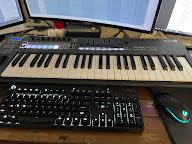
Pads do double duty here. They trigger drums through FPC and Slicex, but they also control the step sequencer. In Sequencer Mode, each pad represents a step in the FL Studio step sequencer. You can program beats by tapping pads rather than clicking in the piano roll. For beatmakers, this workflow feels natural and fast.
Scale mode uses the keyboard to keep every note in key. If you enable C major, every key you press plays a note from that scale. This feature helps producers who lack formal music training. You cannot play a wrong note, which removes hesitation and keeps creative flow moving.
Best for producers committed to FL Studio workflow
The FLkey Mini makes sense only if FL Studio is your primary DAW. The controller does not work extensively with other software. If you exclusively use FL Studio, these native controls shave minutes off every session. Over months of use, that time adds up significantly.
Dedicated controls versus general MIDI
Generic MIDI controllers require manual mapping for every parameter. With the FLkey Mini, everything works immediately because Novation designed the mapping. The mixer knobs know they control mixer channels. The pads know they trigger FPC. This pre-configuration distinguishes FL Studio-native controllers from more general options.
5. Akai Professional MPK Mini IV – Best Mini Controller with Screen
Pros
- Full-color screen for easy navigation
- USB-C connectivity
- True pitch and modulation wheels
- Arpeggiator with Pattern/Freeze/Mutate
- Full-size MIDI DIN Out
Cons
- Cannot hear pad sounds in edit mode
- Menu system can be unintuitive
The MPK Mini IV represents the latest generation of Akai compact controllers. The addition of a full-color screen addresses one of the biggest frustrations with previous generations. Now you see which preset loads, which parameters the knobs control, and what mode you currently operate in.
True pitch and modulation wheels replace the thumbstick from the MK3. Players wanting more traditional keyboard control will prefer this arrangement. The wheels feel smooth and allow precise bend and modulation depth control during performances.
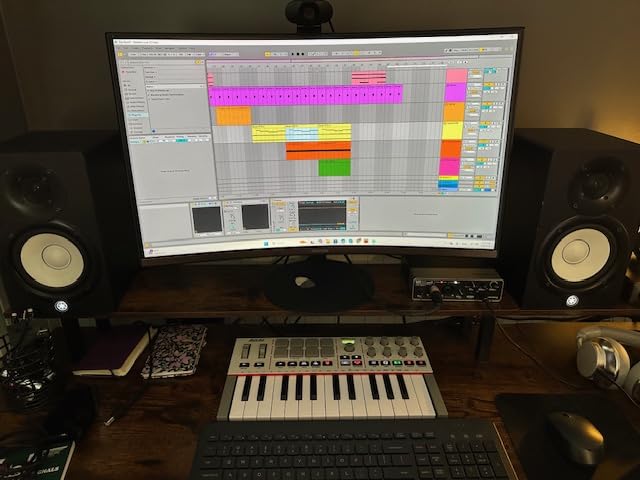
USB-C connectivity future-proofs this controller for modern laptops and desktops. The previous generation used USB-B, which required different cables and felt less modern. If your computer only has USB-C ports, you avoid carrying adapters.
The arpeggiator received significant upgrades in the MK4. Pattern mode creates rhythmic variations automatically. Freeze holds a segment for looping. Mutate transforms patterns into related variations. These features work well in FL Studio for building textures and textures from simple inputs.
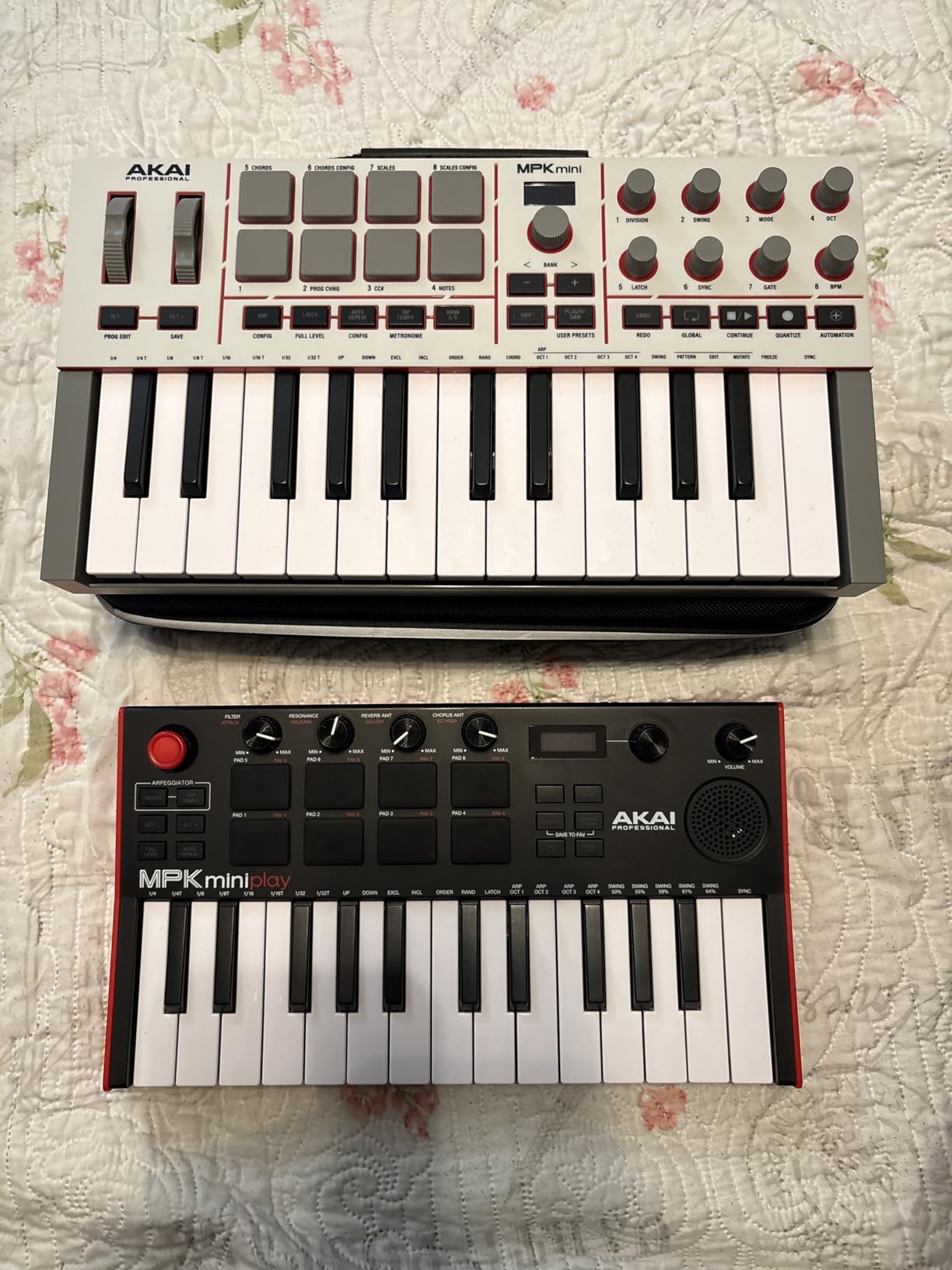
Chord and Scale modes help non-keyboard players create harmonic content. Enable a chord mode, press one key, and the controller plays a full chord. Scale mode locks to your chosen key, similar to the Novation FLkey system. The implementation differs but the goal remains the same.
Best for producers wanting modern connectivity
USB-C, MIDI DIN output, and the color screen make this the most future-proof compact controller available. If you plan to expand into modular gear or external synthesizers, the MIDI DIN output opens those possibilities immediately.
Comparing MK4 to MK3
The screen alone justifies the upgrade if you constantly change presets or parameters. For producers satisfied with the MK3, the IV offers incremental improvements rather than a complete redesign. Both remain excellent choices depending on your budget and feature needs.
6. M-AUDIO Keystation 49 MK3 – Best Full-Size Budget MIDI Keyboard
M-AUDIO Keystation 49 MK3 - Synth Action 49 Key USB MIDI Keyboard Controller with Assignable Controls, Pitch and Mod Wheels, and Software Included
49 full-size keys
Semi-weighted
Velocity sensitive
Transport controls
Pros
- 49 full-size keys for realistic playing
- Semi-weighted action feels natural
- Volume fader and transport controls
- Includes Ableton Live Lite and premium software
- Easy plug-and-play setup
Cons
- Semi-weighted keys may not satisfy piano players
- Keys can be noisy for some preferences
The Keystation 49 MK3 marks a departure from the mini-key controllers above. With 49 full-size keys, this keyboard actually feels like an instrument rather than a compact input device. I spent a week using it for piano parts in FL Studio and found the playing experience much closer to acoustic pianos than the mini-key options.
The semi-weighted action balances between fully weighted piano keys and lightweight synth-action keys. This middle ground suits producers who play both piano and synthesizer parts. Heavy classical passages feel more authentic on these keys compared to mini keys.
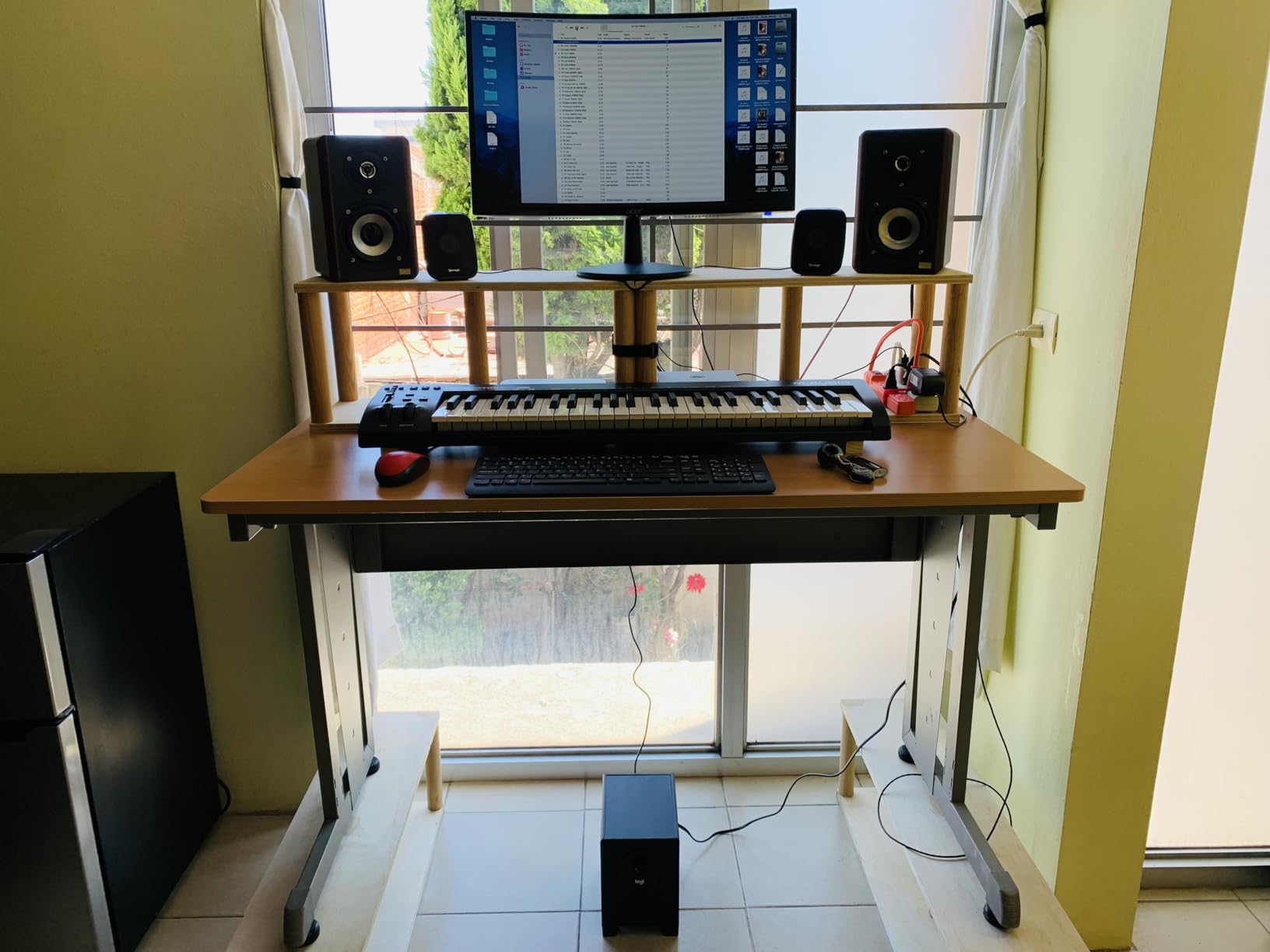
Transport controls and a volume fader bring basic mixing control to the hardware. You get play, stop, record, loop, and track up/down buttons. The volume fader handles master output level. These additions reduce mouse usage during recording and mixing sessions.
One thing I noticed during quiet late-night sessions: the keys generate noticeable noise when played aggressively. This might matter if you record in untreated spaces or use microphone setups sensitive to keyboard handling noise.
Best for keyboard players wanting hands-on DAW control
If you learned piano before producing in FL Studio, the full-size keys respect that background. You play naturally without adapting to miniature key spacing. The 49-key range covers most musical parts without octave-jumping constantly.
Included software bundle impresses
M-Audio bundles a comprehensive software package with the Keystation 49 MK3. Ableton Live Lite, AIR Xpand!2, Mini Grand, Velvet, and Touch Loops all come included. The Melodics lessons continue here as well. This bundle alone represents significant value added to an already fairly-priced controller.
7. Novation Launchkey Mini 25 MK4 – Best General DAW Controller with FL Studio Support
Novation Launchkey Mini 25 MK4 — Portable 25 Mini-Key, USB, MIDI Keyboard Controller with DAW Integration. Chord Mode, Scale Mode, Drum Pads, and Arpeggiator. Includes Music Creation Software Bundle
25 mini keys
16 FSR pads
Scale/Chord modes
Polyphonic aftertouch
Pros
- FSR pads with polyphonic aftertouch
- Scale and Chord modes work excellently
- Works with all major DAWs
- Includes Ableton Live Lite
- Cubase LE
- Great velocity sensitivity
Cons
- Mini keys require adjustment
- Software bundle requires multiple accounts
Unlike the FLkey Mini, the Launchkey Mini 25 MK4 works across multiple DAWs including FL Studio, Ableton Live, Logic, and Cubase. Novation designed this controller for producers who might switch between software or collaborate across different setups.
Force Sensitive Response pads detect not just velocity but also pressure. Polyphonic aftertouch means each pad responds to individual finger pressure independently. When triggering drums or samples, you get expressive dynamics beyond simple on/off switching.
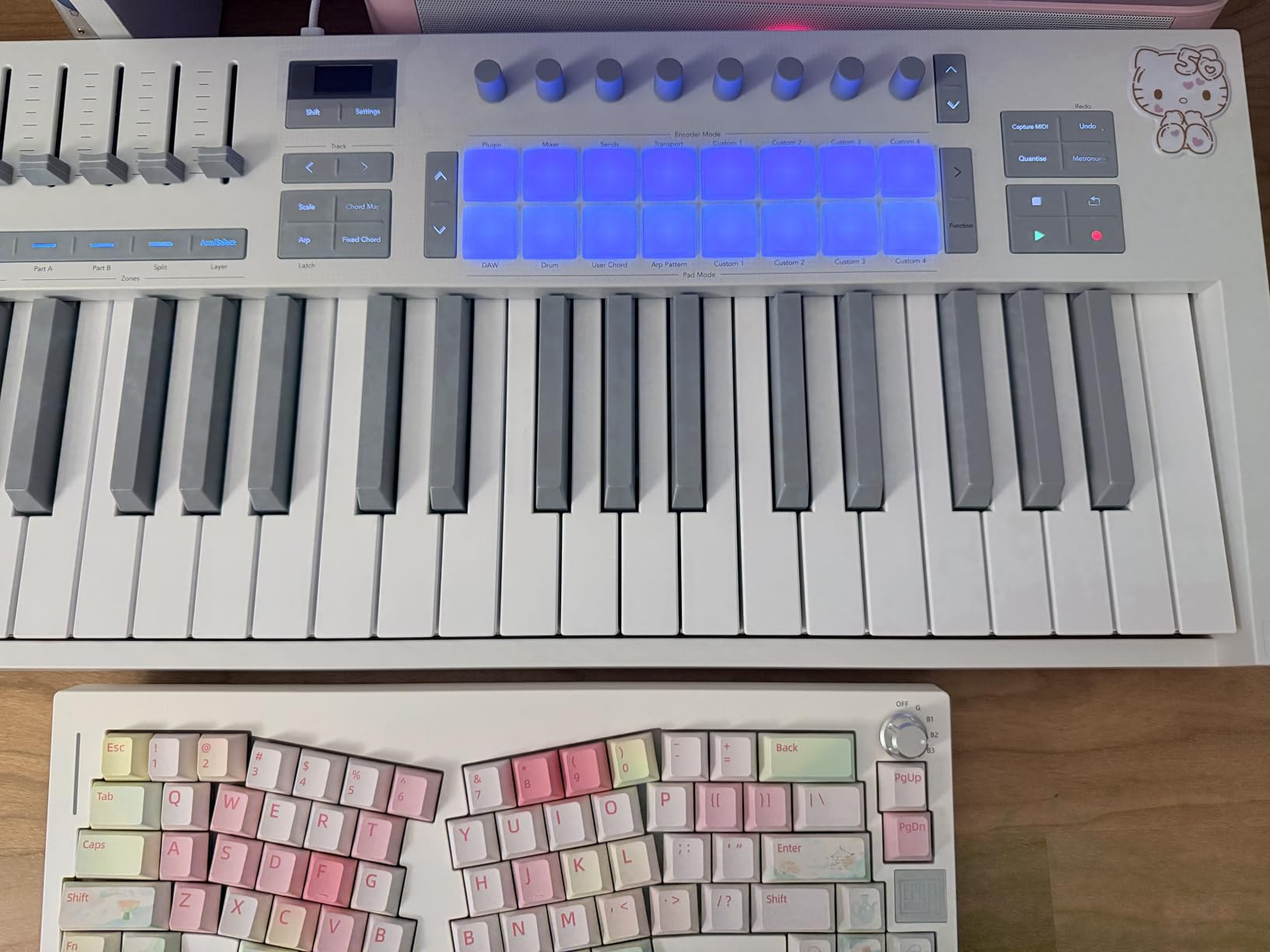
Scale mode locks your playing to notes within your chosen key. The implementation here works across all supported DAWs, not just FL Studio. If you produce in multiple programs, this consistency helps. You learn one system that applies everywhere.
The arpeggiator includes mutation controls that generate variations on your played patterns. Mutate, Randomize, and other functions transform simple inputs into complex textures. Electronic music producers working in FL Studio will find these tools valuable for sound design.
Best for multi-DAW producers
If you collaborate with other producers or might switch DAWs in the future, the Launchkey Mini 25 MK4 protects your investment. The controller learns your workflow in whatever software you use. This flexibility matters for working musicians who do not tie themselves to single programs.
Comparing Launchkey to FLkey
The Launchkey lacks the dedicated FL Studio controls that make the FLkey special. Mixer knobs do not auto-map to FL Studio channels. Sequencer mode works differently. For FL Studio-only producers, the FLkey Mini remains the better choice. For versatility across DAWs, the Launchkey wins.
8. Akai Professional MPK Mini Plus – Best Premium Compact MIDI Controller
Akai Professional MPK Mini Plus - USB MIDI Keyboard Controller with 37 Mini Keys, 8 MPC Pads, Sequencer, MIDI/CV/Gate I/O, Music Production Software and Native Instruments Sound Package
37 mini keys
64-step sequencer
MIDI/CV/Gate I/O
8 RGB pads
Pros
- 37 keys provides good playing range
- Best-in-class MPC pads
- Built-in 64-step sequencer
- MIDI/CV/Gate connectivity for modular gear
- Excellent build quality
Cons
- Mini keys not ideal for traditional keyboard players
- No faders included
- Some DAW preset mappings incomplete
The MPK Mini Plus moves beyond the compact controller formula with features borrowed from larger professional controllers. The 37-key layout gives you three full octaves without becoming unwieldy. This balance between playability and portability defines the Plus model.
The 64-step sequencer built into the controller programs beats independently of your DAW. Connect it to modular gear through MIDI/CV/Gate outputs and the sequencer drives external synthesizers and drum machines. This connectivity opens creative possibilities that USB-only controllers cannot match.
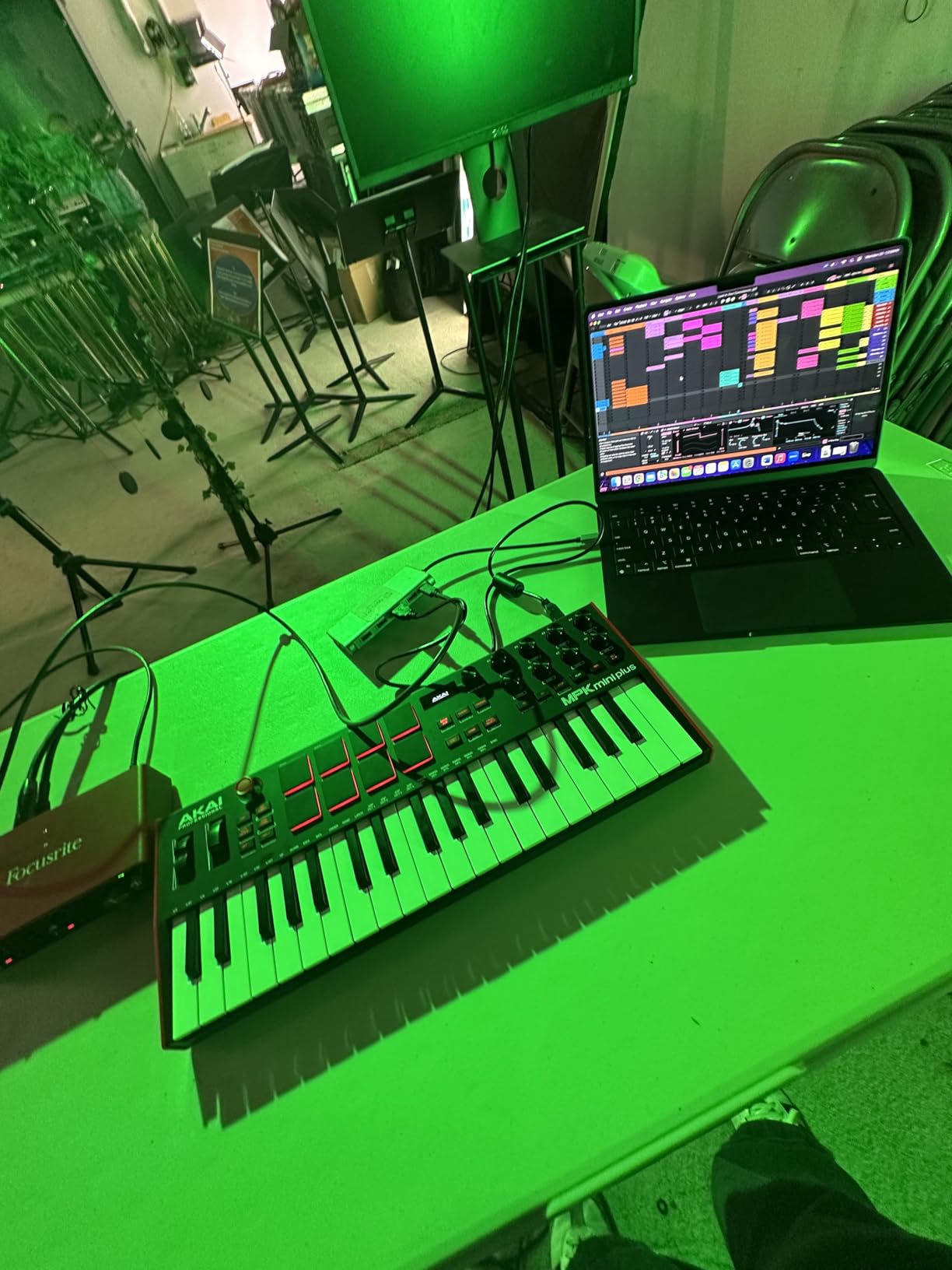
Eight premium RGB MPC pads sit at the heart of this controller. These pads feel more responsive than those on the standard MPK Mini. The improved response matters for expressive drum programming where velocity nuance translates into human-sounding beats.
NKS integration continues here from the MK3, connecting directly to Native Instruments Komplete and Kontakt software. FL Studio producers using NI soundscapes and instruments benefit from this deeper integration without additional configuration.
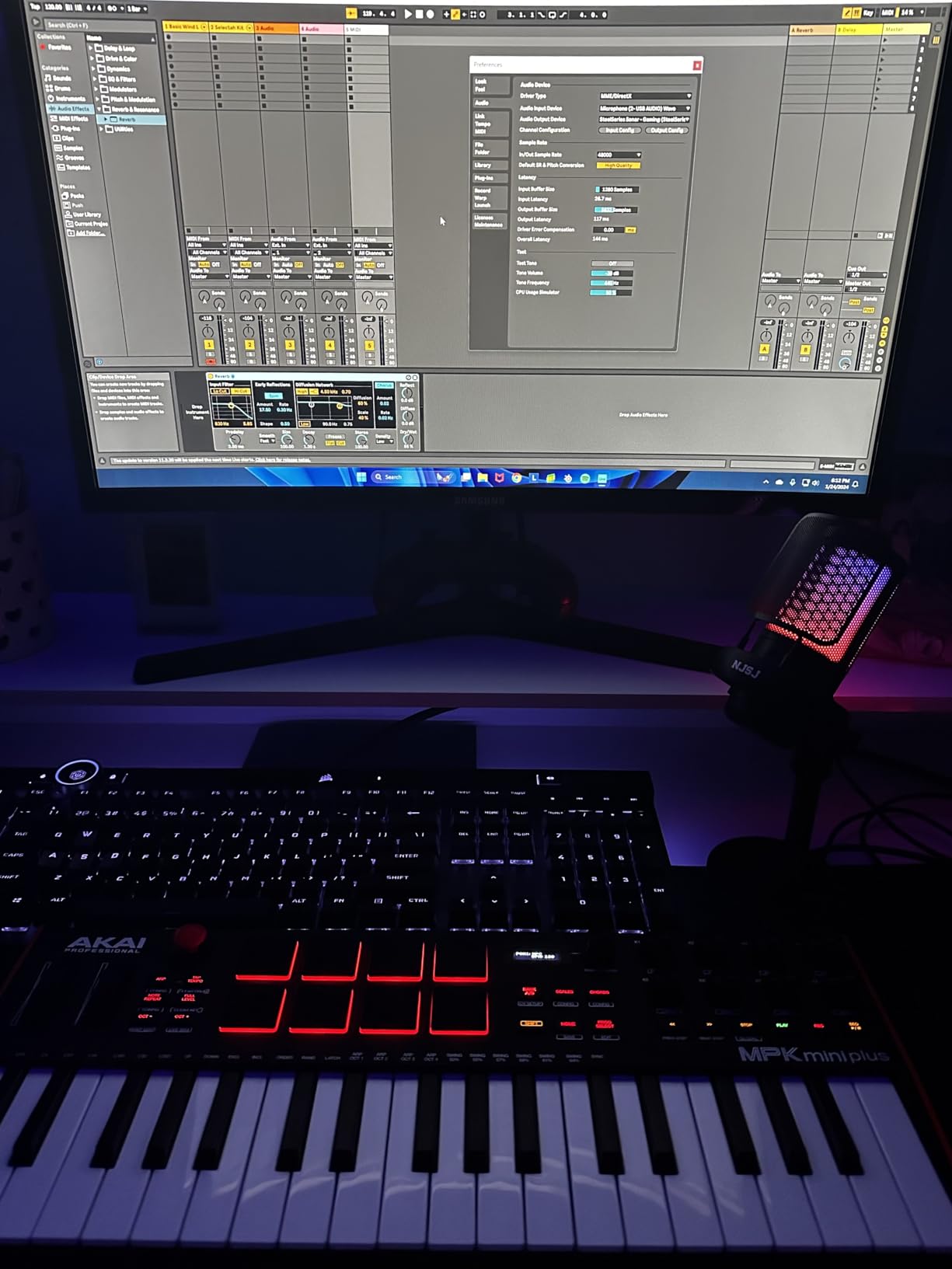
The OLED display shows current settings, parameter values, and navigation information. Comparing parameter values visually rather than audibly speeds up workflow. You know exactly which knob controls what without having to touch it first.
Best for producers with modular or external gear
MIDI/CV/Gate outputs distinguish the Plus from almost every competitor. If you own modular synthesizers, vintage drum machines, or any gear with CV/Gate inputs, this controller becomes a bridge between FL Studio and your hardware. The 64-step sequencer drives external instruments directly, letting FL Studio act as a master clock and recorder while hardware generates sound.
Balancing features against portability
Compared to the standard MPK Mini, the Plus sacrifices some portability for expanded capability. The additional keys, sequencer, and connectivity add weight and size. For purely laptop-based production, the standard MK3 might suffice. For producers building hybrid hardware/software setups, the Plus makes more sense.
9. Novation FLkey 49 – Best FL Studio Controller for Keyboard Players
Novation FLkey 49 MIDI Keyboard - Seamless FL Studio Integration with Chord Mode and Scale Mode. All the software you need for Music Production
49 full-size keys
9 faders
8 pots
FL Studio integration
Pros
- Full-size keys for authentic playing feel
- Seamless FL Studio integration
- 9 faders for channel rack control
- Mixer pots work intuitively
- Scale and Chord modes
- Transport and score log access
Cons
- Only designed for FL Studio
- Occasional FL freezes requiring re-plug
The FLkey 49 combines Novation FL Studio integration with a full-size 49-key keyboard. For producers who need authentic piano-key dimensions alongside native DAW control, this model delivers both. The keys feel substantial and responsive during extended playing sessions.
Nine faders across the bottom control FL Studio channel rack volumes directly. Each fader maps to a sequential channel, letting you adjust levels without touching the mouse. The mixer section includes eight pots for additional parameter control beyond simple volume.
Transport controls handle playback without switching to your computer keyboard. Score log access lets you capture spontaneous ideas before they disappear. These workflow features might seem minor individually, but combined they significantly reduce friction during creative sessions.
Sequencer Mode uses the pads to control the FL Studio step sequencer, just like the FLkey Mini. The larger keyboard means more notes available during step programming, letting you work with wider melodic ranges directly from hardware.
Best for serious FL Studio keyboard players
If you primarily produce in FL Studio and want full-size keys with complete DAW integration, the FLkey 49 satisfies both requirements. The investment makes sense when you consider that every knob, pad, and fader works immediately in FL Studio without configuration.
Comparing to the FLkey 61
The 49-key version costs less and takes up less space than the 61-key model. For most musical production, 49 keys cover the necessary range. You sacrifice the lowest two octaves present on the 61, but many producers never use those ranges in FL Studio arrangements.
10. Novation FLkey 61 – Best Overall FL Studio MIDI Controller
Novation FLkey 61 MIDI Keyboard - Seamless FL Studio Integration with Chord Mode and Scale Mode. All the software you need for Music Production
61 full-size keys
10 faders
8 pots
3-year warranty
Pros
- 61 full-size keys for maximum range
- Complete FL Studio integration
- 10 faders for channel rack control
- Mixer pots with intuitive mapping
- Scale and Chord modes
- Sequencer Mode with pads
- 3-year warranty for peace of mind
Cons
- Only designed for FL Studio
- Requires USB A to USB C adapter for newer Macs
- Larger size less portable than smaller models
The FLkey 61 earns its top recommendation through comprehensive FL Studio control and a keyboard that satisfies players at every skill level. Sixty-one full-size keys cover nearly any musical part without octave switching. Combined with ten faders and eight pots, this controller gives you complete hands-on command of your FL Studio session.
During testing, I produced a full arrangement using only the FLkey 61 for input and control. The mixer faders adjusted channel volumes in real-time. The pots controlled plugin parameters. Pads triggered drums through FPC. Every function worked immediately upon connection.
Channel rack control through the faders remains the standout feature. Ten faders map to ten consecutive channel rack slots. You scroll through channels and adjust volumes without ever touching your mouse or computer keyboard. Mixing sessions flow faster with this workflow.
Scale Mode locks your playing to musical keys, removing wrong notes entirely. Three Chord modes generate harmonies from single keys or pad presses. These tools help producers without formal music training create harmonically correct parts quickly.
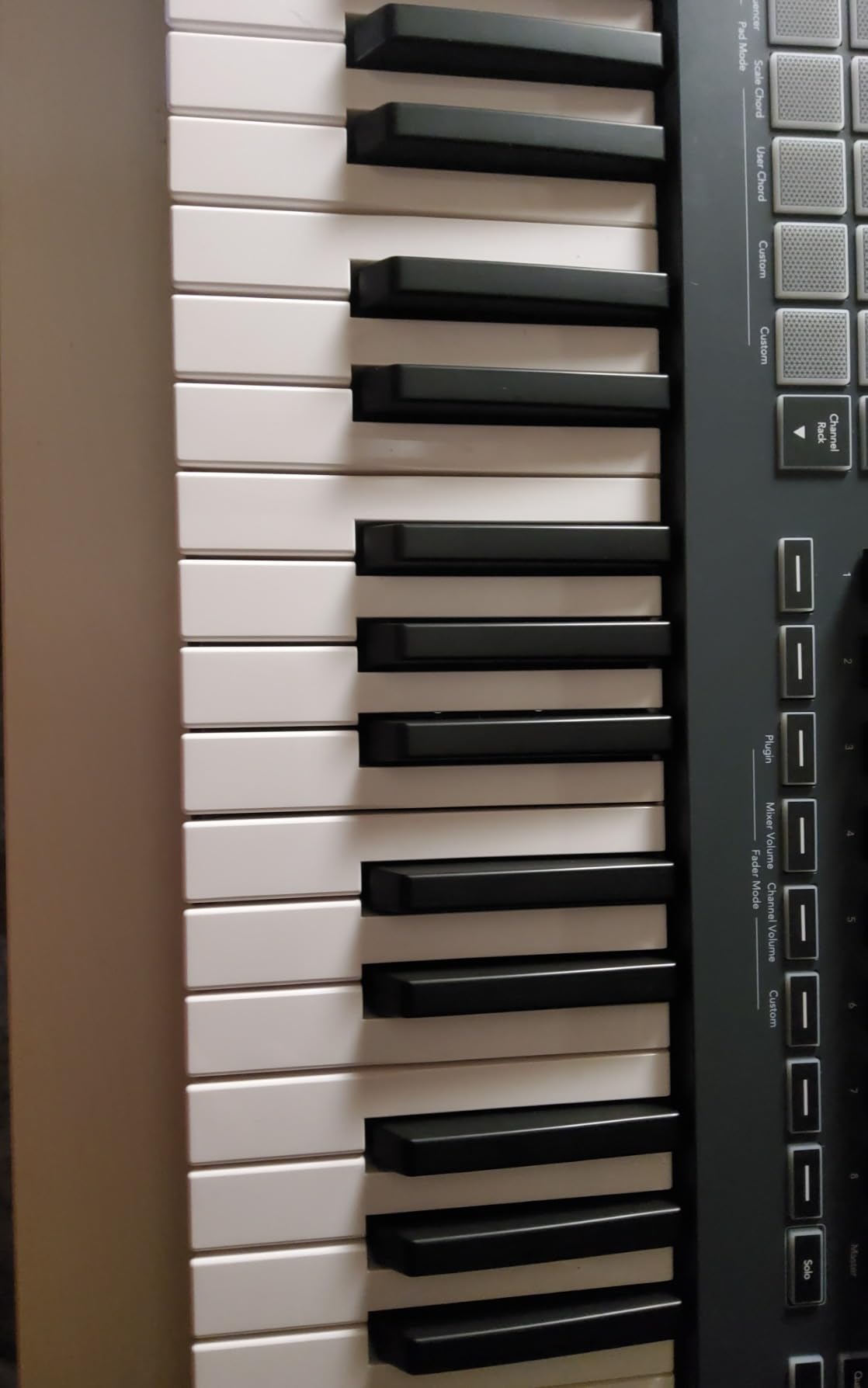
The Sequencer Mode transforms how you program beats. Each pad represents a step in the FL Studio step sequencer. Tapping pads programs patterns faster than clicking in the piano roll. For beatmakers, this direct hardware control significantly accelerates the creative process.
Best for dedicated FL Studio producers
If FL Studio is your primary production environment, the FLkey 61 represents the most complete hardware control available. Every function maps logically to FL Studio features. The investment pays dividends through faster workflow and more creative focus during every session.
Who should choose the FLkey 61 over alternatives
Producers wanting full-size keys AND complete FL Studio integration will find the FLkey 61 purpose-built for their needs. The 61-key range exceeds what mini-key controllers offer while maintaining the native FL Studio mapping that generic controllers lack.
How to Choose the Best FL Studio MIDI Controller
Selecting the right MIDI controller depends on your specific production needs, budget, and workspace constraints. Here are the factors that matter most when making your decision.
Budget considerations
FL Studio MIDI controllers range from around $59 to $300. Budget controllers like the Akai Professional LPK25 and M-AUDIO Keystation Mini 32 MK3 provide essential MIDI input without advanced features. Mid-range options like the Akai Professional MPK Mini MK3 add pads and knobs for more comprehensive control. Premium controllers like the Novation FLkey 61 deliver complete FL Studio integration with full-size keys.
Spending more gets you better key action, more pads, and native FL Studio controls. However, the best controller for you depends on how you actually produce music. A bedroom producer on a tight budget benefits more from an affordable controller they can afford than an expensive one they cannot buy.
Key count and key size
Compact controllers with 25-32 mini keys fit small desks and travel easily. They work well for beatmakers who primarily use pads and only occasionally play melody lines. Full-size 49-61 key controllers satisfy pianists and anyone playing complex chord arrangements.
Mini keys require adjustment if you learned piano on full-size instruments. The spacing and resistance differ from acoustic piano keyboards. Consider your playing background when deciding between mini and full-size keys.
FL Studio integration versus general MIDI
Native FL Studio controllers like the Novation FLkey series offer plug-and-play control over mixer, channel rack, and transport. Generic MIDI controllers require manual mapping for every parameter you want to control.
If you work exclusively in FL Studio, native integration saves significant setup time and makes hardware control more intuitive. If you switch between DAWs or collaborate across software, a general MIDI controller with multi-DAW support serves better.
Pad quality and drum control
Beatmakers should prioritize pad quality above almost everything else. The Akai Professional MPK Mini series features MPC-style pads that feel responsive and expressive. Novation FLkey controllers offer pads optimized for FL Studio plugin triggering and step sequencing.
Velocity sensitivity, aftertouch, and pad size all affect how well you can program drums. Test pads in person if possible, or trust the specifications and reviews of controllers with proven pad performance.
Future expandability
Consider whether your setup might grow beyond current needs. The Akai Professional MPK Mini Plus includes MIDI/CV/Gate outputs for connecting to modular gear. Full-size MIDI DIN outputs on other controllers allow connection to external synthesizers and drum machines.
If you plan to expand into hardware, choosing a controller with expandability built-in prevents needing to replace your controller later. This consideration might justify spending more upfront on a controller with additional connectivity.
Frequently Asked Questions
Which MIDI controller is best for FL Studio?
The Novation FLkey 61 stands out as the best FL Studio MIDI controller for most producers. It offers 61 full-size keys, 10 faders for channel rack control, complete FL Studio integration, and features like Scale Mode and Chord Mode. The FLkey series provides the deepest native integration available, with every knob, pad, and fader working immediately in FL Studio without manual mapping.
Can I use a MIDI controller with FL Studio?
Yes, FL Studio works with any class-compliant MIDI controller over USB. Simply connect the controller, and FL Studio recognizes it as an input device. For full functionality, choose controllers designed specifically for FL Studio like the Novation FLkey series, or map parameters manually using FL Studios MIDI settings.
What is the best brand of MIDI controller?
The best brand depends on your needs. Novation leads for FL Studio-specific integration with the FLkey series. Akai Professional excels in pad quality and build durability with the MPK series. M-Audio offers solid budget options with good key action. Each brand serves different producer priorities.
What MIDI do producers use?
Professional FL Studio producers commonly use Novation FLkey controllers for deep DAW integration, Akai Professional MPK controllers for superior pads and general use, and Native Instruments Komplete Kontrol for working with NI software. Many producers own multiple controllers serving different workflow purposes.
Final Recommendation
The best MIDI controllers for FL Studio in 2026 offer something for every producer. If you want the most complete FL Studio control available, the Novation FLkey 61 delivers full-size keys, ten faders, and seamless integration that reduces mouse work dramatically.
Beatmakers on a budget will find the Akai Professional MPK Mini MK3 hits the sweet spot of pad quality, knob control, and price. For producers wanting the smallest footprint without sacrificing pads, the Novation FLkey Mini brings native FL Studio control to compact setups.
Whatever controller you choose, adding hardware control to FL Studio changes how you produce. The tactile feedback of pads, knobs, and keys creates a more engaging creative process. Start with a controller matching your current budget and upgrade as your needs grow.