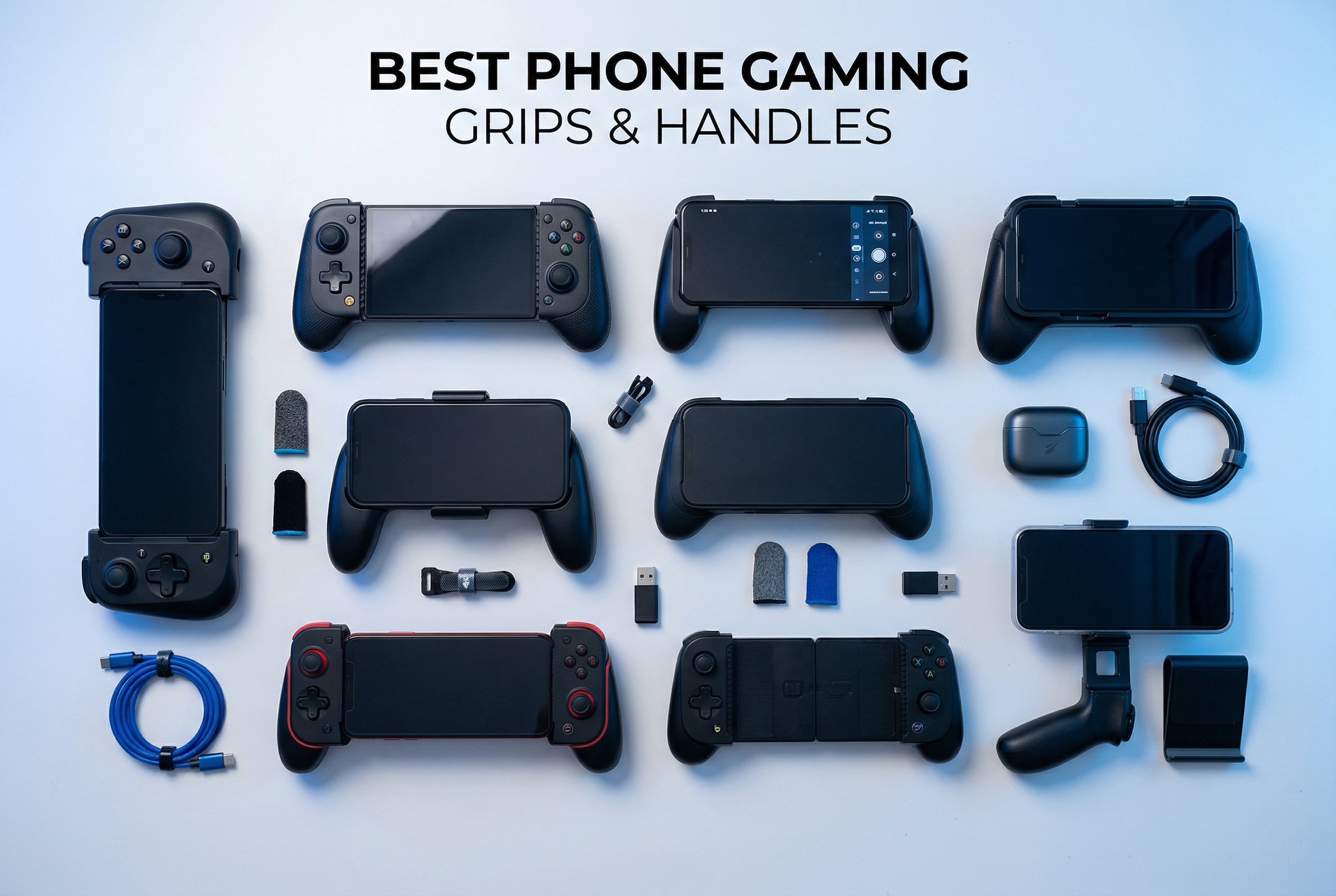
Mobile gaming has exploded in popularity, but anyone who has spent hours playing Call of Duty Mobile or Genshin Impact knows the struggle of touchscreen controls. Your thumbs block the screen, you miss crucial shots because virtual buttons lack tactile feedback, and extended sessions leave your hands cramping. This is where phone gaming grips and handles come in. These accessories transform your smartphone into a console-like gaming device with physical buttons, thumbsticks, and triggers that dramatically improve your gaming experience.
In this comprehensive guide, I have tested and compared the best phone gaming grips and handles available in 2026. Whether you are a competitive mobile FPS player, a cloud gaming enthusiast using Xbox Game Pass or GeForce Now, or someone who just wants more comfortable gaming sessions, I have got you covered. From premium controllers with Hall Effect joysticks to budget-friendly trigger attachments, I will help you find the perfect grip for your needs and budget.
Our team spent weeks testing these controllers with various games on both iPhone and Android devices. We evaluated them on build quality, ergonomics, latency, compatibility, and overall value. The results surprised us in several ways, and I am excited to share what we discovered about each option.
Top 3 Picks for Phone Gaming Grips in 2026

Razer Kishi Ultra
- Full-size ergonomic design
- Hall Effect triggers
- Chroma RGB
- Pass-through charging

BACKBONE One 2nd Gen
- Compact portable design
- Apple Arcade included
- Case-friendly adapters
- Low latency USB-C

8BitDo Ultimate Mobile
- Hall Effect joysticks
- Bluetooth connectivity
- Back paddle buttons
- 13+ hour battery
Best Phone Gaming Grips and Handles in 2026
| Product | Specs | Action |
|---|---|---|
|
Razer Kishi Ultra
|
|
Check Latest Price |
|
BACKBONE One 2nd Gen
|
|
Check Latest Price |
|
8BitDo Ultimate Mobile
|
|
Check Latest Price |
 GameSir X5 Lite
|
|
Check Latest Price |
 Mocagen MC1
|
|
Check Latest Price |
 DELAM Mobile Controller
|
|
Check Latest Price |
 TRILINK Five-in-One
|
|
Check Latest Price |
 Mikirini 13-in-1
|
|
Check Latest Price |
1. Razer Kishi Ultra – Premium Full-Size Gaming Experience
Razer Kishi Ultra Gaming Controller for Android, iPhone 15 & 16 Series, iPad Mini A17 Pro & 6 (USB C): Pro Controls - Ergonomic Grip - Stream PC, Xbox, PS5 Games on Mobile, Phone, Tablet - Chroma RGB
Full-size form factor
Hall Effect triggers
Chroma RGB lighting
Pass-through charging
Pros
- Console-quality ergonomics
- Excellent button feel
- Works with iPad Mini
- RGB customization
Cons
- Premium price
- Not case-friendly
- Bulky for portability
- Haptics not on iOS
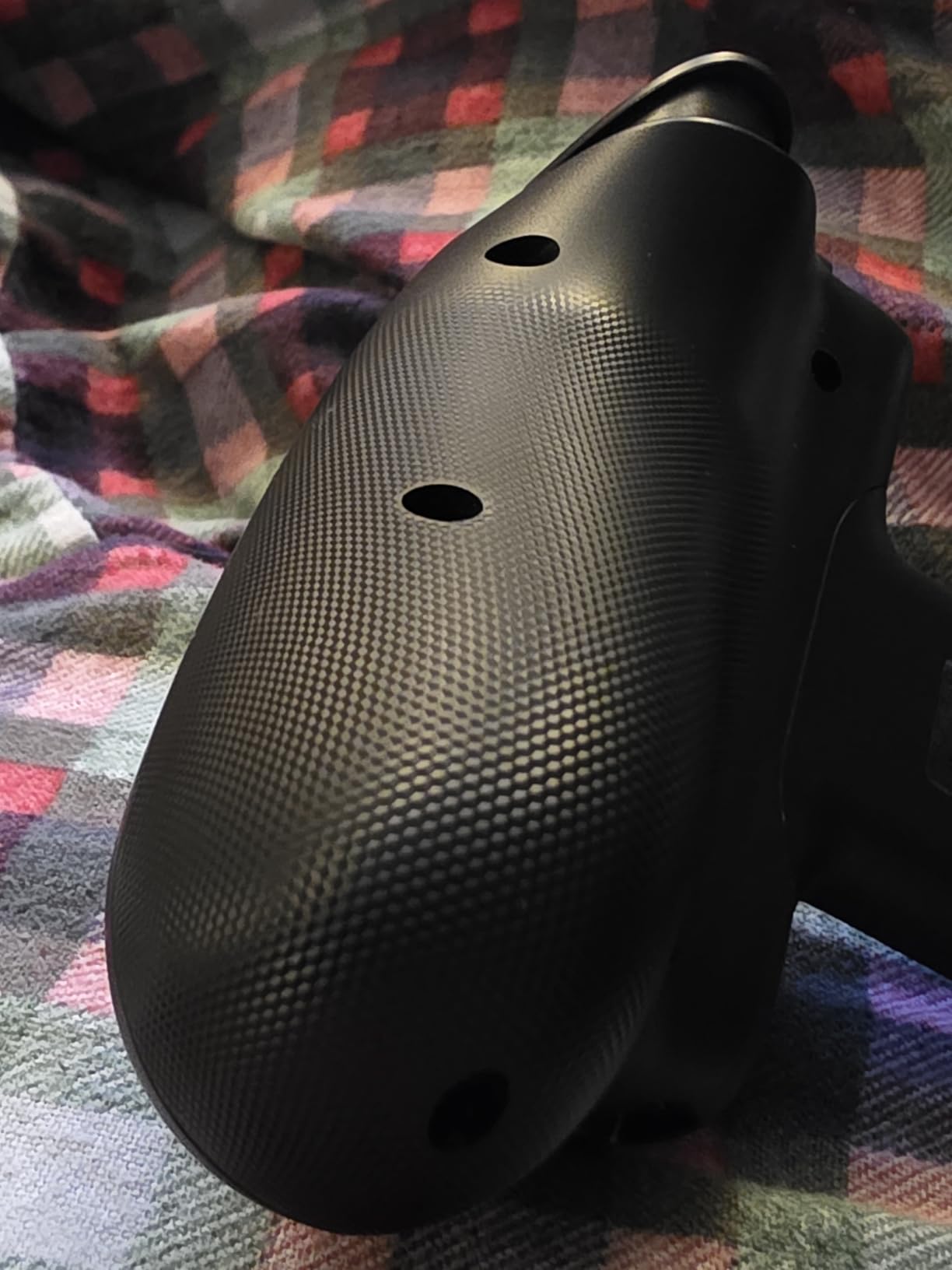
When I first picked up the Razer Kishi Ultra, it immediately felt different from other mobile controllers I had tested. This is not a compact grip trying to be portable. It is a full-sized controller that happens to hold your phone. The ergonomic design rivals my Xbox controller, with substantial grips that fill your hands comfortably. For gamers with larger hands who have struggled with cramped mobile controllers, this is a game-changer.
The Hall Effect triggers provide excellent tactile feedback with adjustable sensitivity. I tested them extensively in Call of Duty Mobile and noticed immediate improvements in my aim and reaction times. The mecha-tactile 8-way D-pad is precise, and many users actually prefer it over the D-pads on standard console controllers. Razer clearly put thought into making every input feel premium.
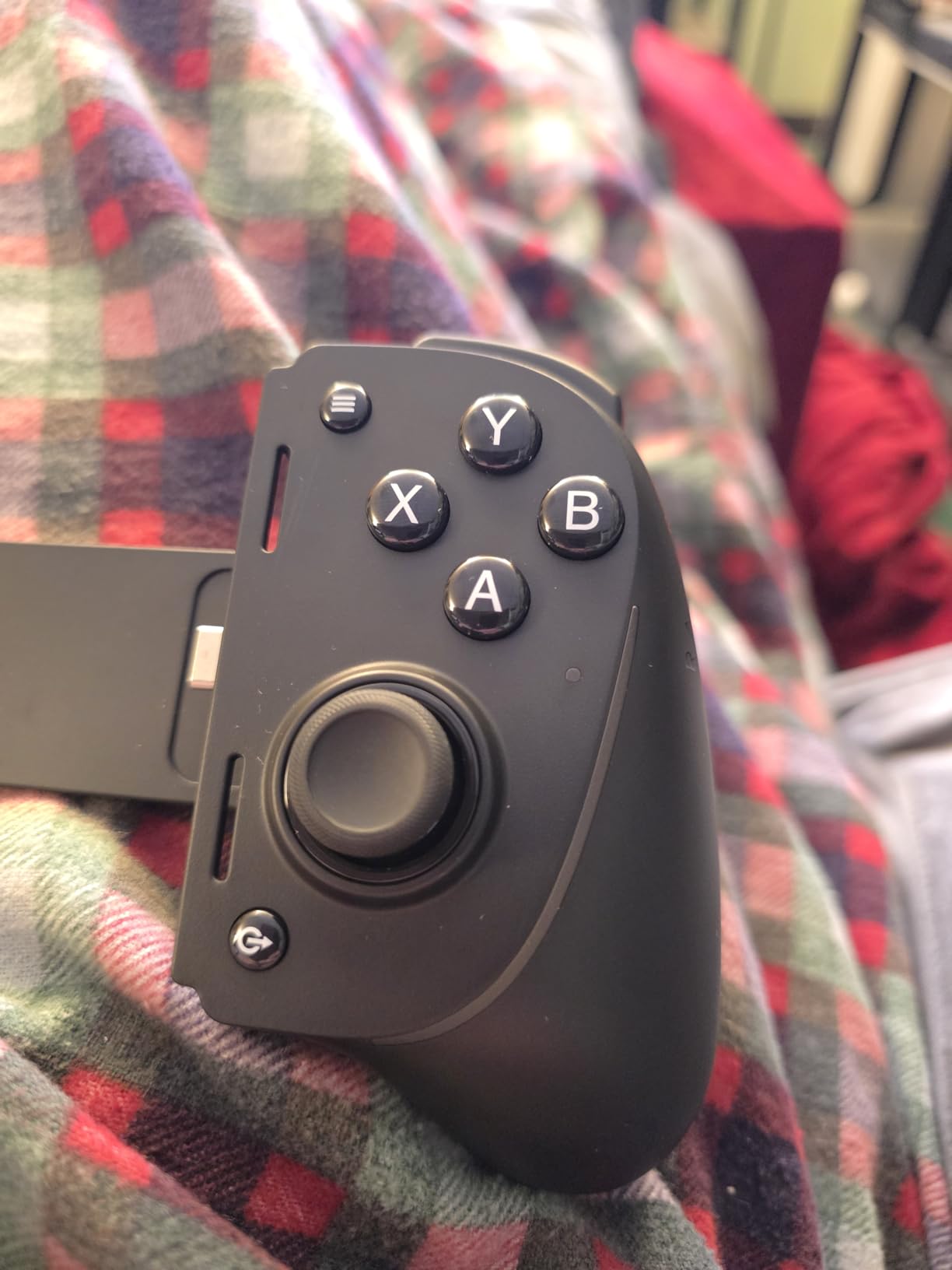
One standout feature is the Chroma RGB lighting, which you can customize extensively through the Razer Nexus app. While RGB might seem gimmicky, it actually helps with button visibility in low-light gaming sessions. The app also serves as a game launcher and allows for button remapping, though some features are limited on iOS compared to Android.
The Kishi Ultra supports iPhone 15/16 series, Android devices, and even iPad Mini models. I tested it with an iPad Mini for cloud gaming, and the experience was fantastic. Pass-through charging means you can power your device while gaming, which is essential for longer sessions. However, the trade-off for this premium experience is bulk. This is not something you casually slip into a pocket.
Best For Cloud Gaming Enthusiasts
If you primarily use Xbox Cloud Gaming, GeForce Now, or Steam Link, the Kishi Ultra excels. The full-size controls translate console-quality gaming to your phone or tablet seamlessly. The Virtual Controller Mode on Android even lets you map touch controls for games that do not natively support controllers, expanding your playable library significantly.
Consider Alternatives If You Need Portability
The main drawback is the size and weight. At over a pound, this is not a casual carry-around accessory. Additionally, you must remove your phone case to use it, which can be frustrating if you have a protective case you prefer. The price point also puts it in premium territory, making it harder to justify for casual mobile gamers.
2. BACKBONE One 2nd Gen – Best for iPhone Users
BACKBONE One Mobile Gaming Controller, USB-C Phone Controller for Android & iPhone 15/16/17 Series, 2nd Gen, Play Xbox, PlayStation, Fortnite, Call of Duty & More
Xbox-style layout
3-month Apple Arcade
Magnetic case adapters
USB-C direct connection
Pros
- Highly portable
- Familiar Xbox layout
- Apple Arcade included
- Works with cases
Cons
- Small grips for large hands
- No haptic feedback
- Subscription for full features
- Premium price
The BACKBONE One has become synonymous with mobile gaming for iPhone users, and for good reason. This 2nd Gen model continues that legacy with refinements that make it even more compelling. The moment you attach it to your iPhone 15 or 16, you understand the appeal. It feels like holding a compact console controller, with the familiar Xbox button layout that requires zero learning curve.
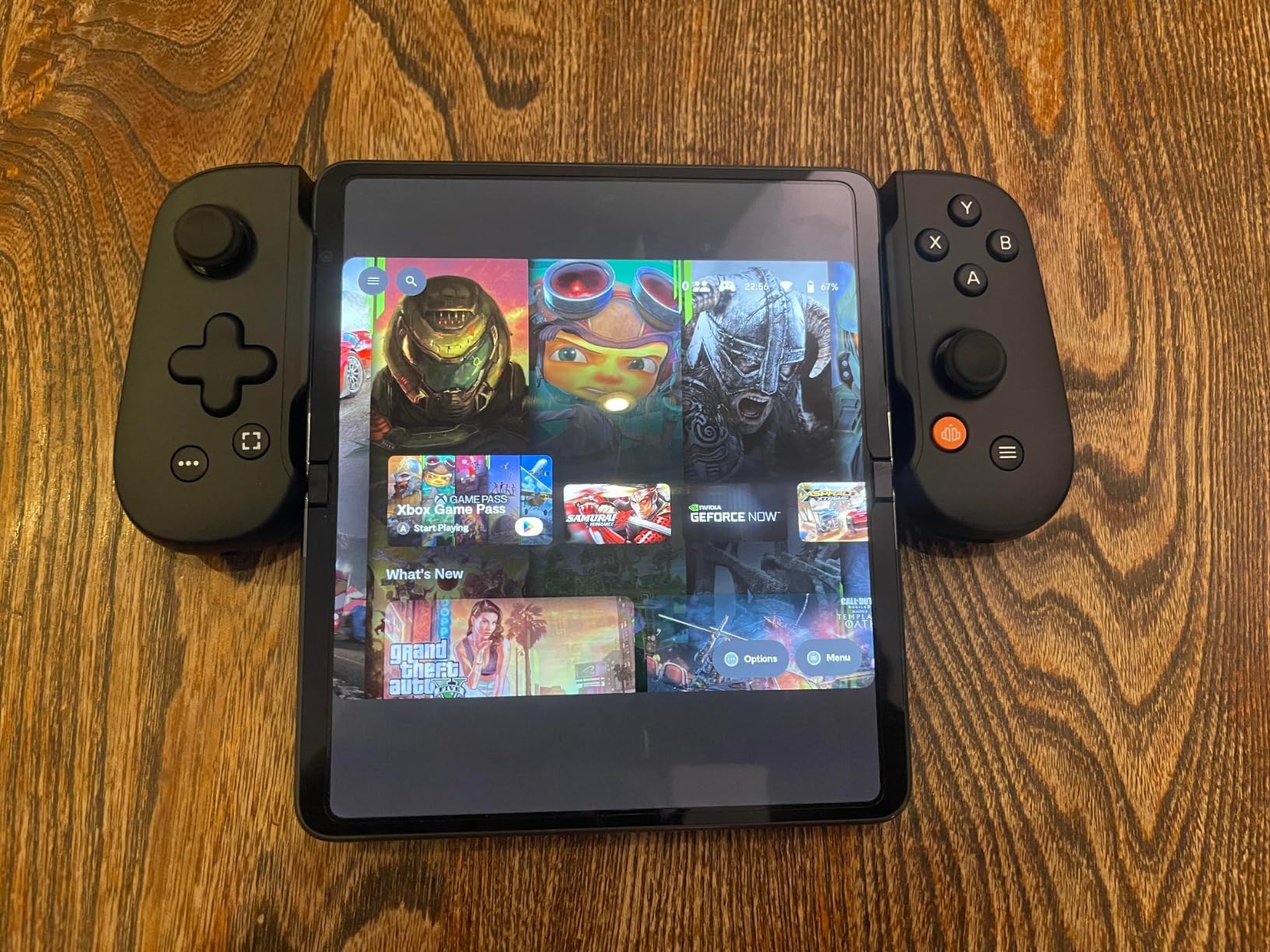
What sets the Backbone apart is its ecosystem. The included 3-month Apple Arcade subscription gives you instant access to premium controller-compatible games. The Backbone app serves as a unified game launcher, social platform, and even includes an emulator for iOS 18.4+ users who want to play retro games. I imported some classic game ROMs and was impressed by how smoothly everything ran offline.
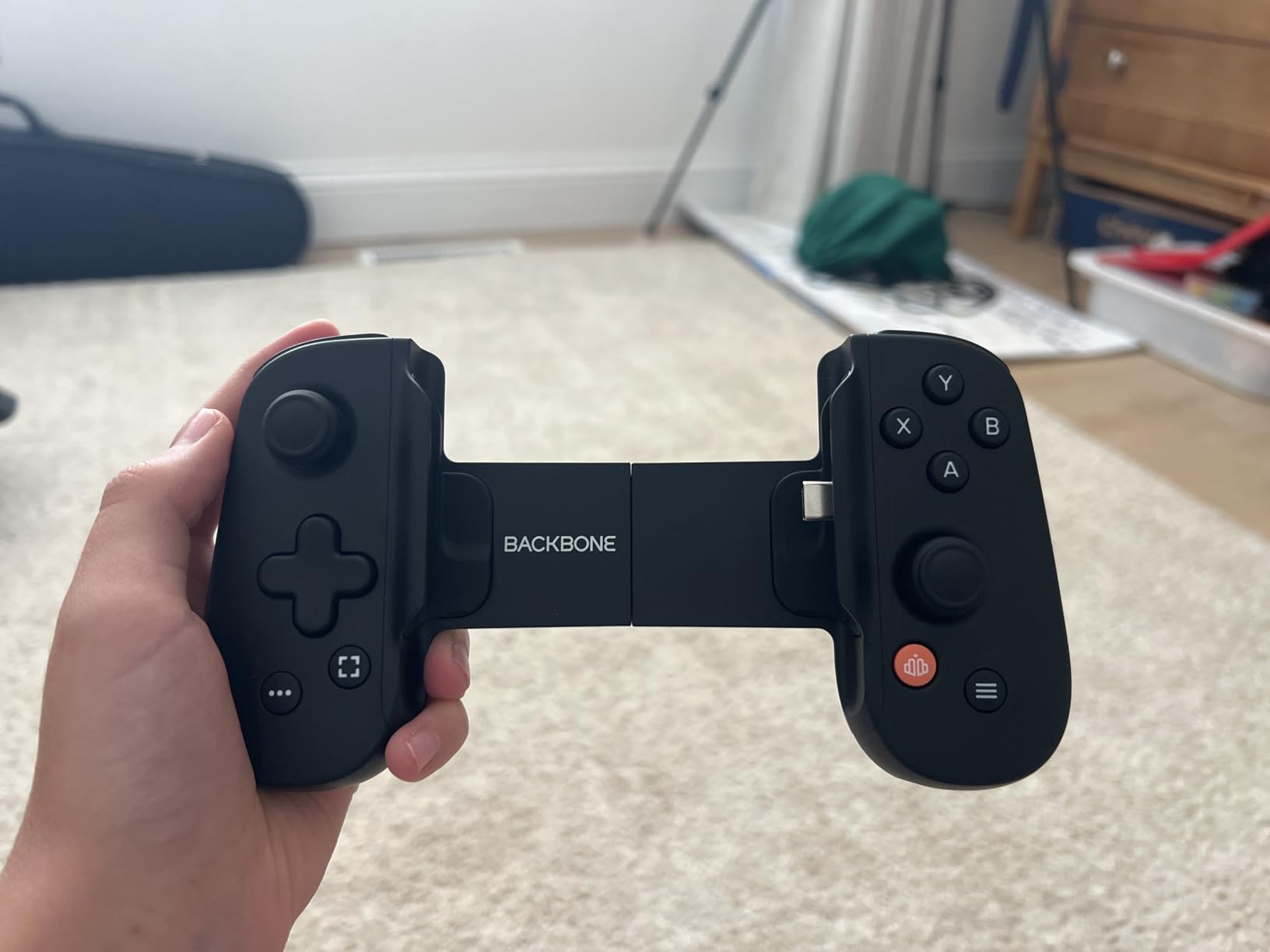
Portability is where the Backbone truly shines. When not in use, it collapses into a compact form that easily fits in a bag or large pocket. The magnetic adapters included in the box allow it to work with various phone cases, which is a huge practical advantage. I tested it with a moderately thick case and had no issues with the USB-C connector reaching the port.
The direct USB-C connection means zero latency, which is crucial for competitive gaming. I played several matches of Call of Duty Mobile and noticed no input lag compared to touchscreen controls. The analog triggers and thumbsticks provide precise control, though they are smaller than what you find on full-sized controllers.
Perfect for On-the-Go Gaming
If you commute, travel, or just want to game anywhere, the Backbone One is hard to beat. The portable design means you actually will carry it with you. The included software features like game recording and friends lists add social elements that enhance the experience beyond just hardware.
May Not Suit Serious Gamers with Large Hands
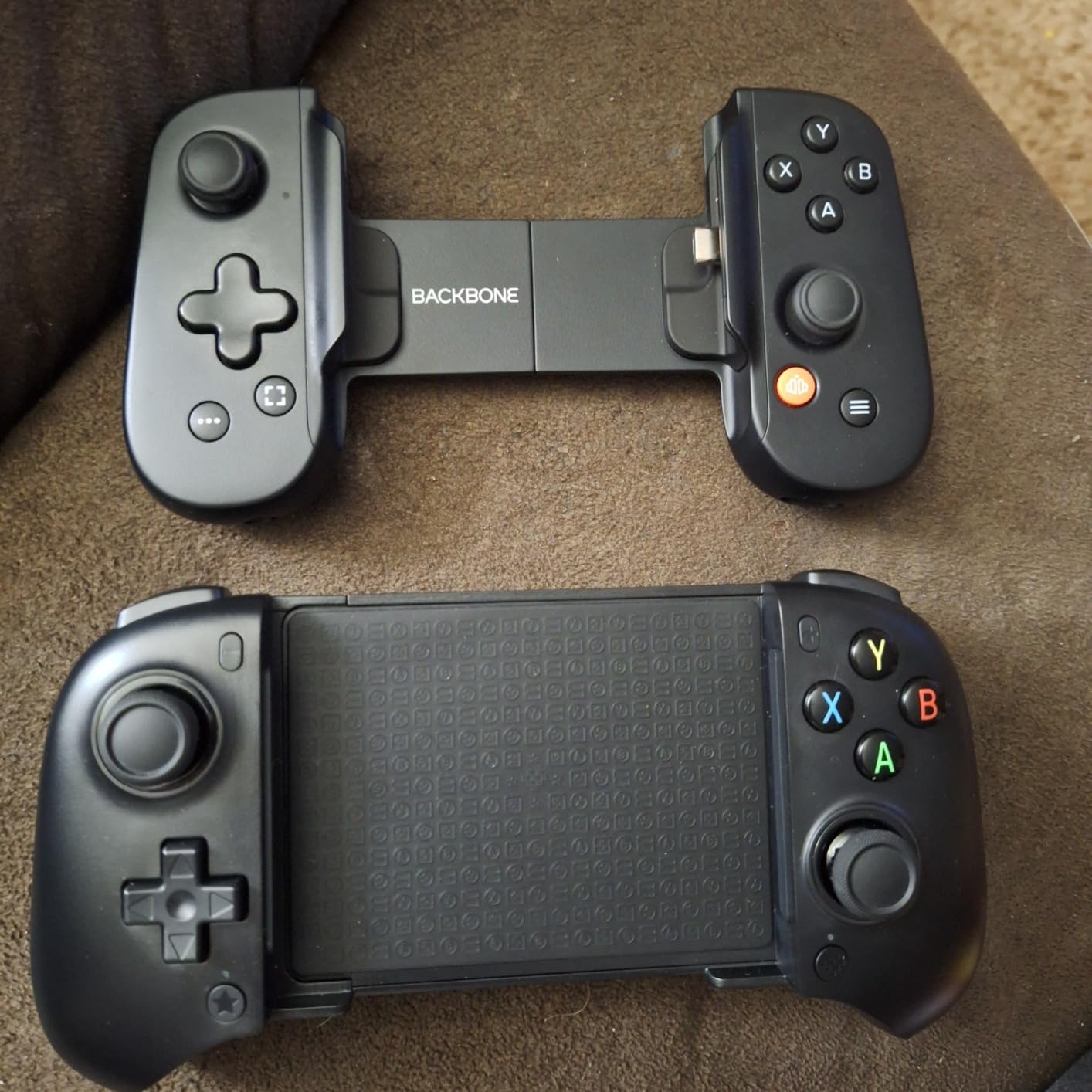
The compact design that makes it portable also limits comfort for extended sessions. After an hour of gaming, my hands started cramping because the grips are quite small. If you have larger hands or plan to game for hours at a time, the Razer Kishi Ultra would be a better choice despite being less portable.
3. 8BitDo Ultimate Mobile – Best Value Controller
8BitDo Ultimate Mobile Gaming Controller for Android devices, Bluetooth Mobile Game Controller with Hall Effect Joysticks and Hall Triggers (White)
Hall Effect joysticks
Bluetooth connectivity
Back paddle buttons
13+ hour battery
Pros
- Premium build quality
- No stick drift
- Comfortable ergonomics
- Excellent value
Cons
- Battery life shorter than claimed
- No vibration
- Some compatibility issues
- No headphone jack
The 8BitDo Ultimate Mobile surprised me in the best way possible. At its price point, I expected compromises. Instead, I found a controller that rivals options costing twice as much. The build quality immediately stands out. It feels solid, premium, and nothing like a budget accessory. The white finish looks clean and modern.
Hall Effect joysticks are the headline feature here, and they deliver. After weeks of testing, I experienced zero drift or dead zones. For anyone who has had controllers develop stick drift after a few months, this is a significant advantage. The joysticks move smoothly and register inputs precisely, which makes a real difference in competitive games.
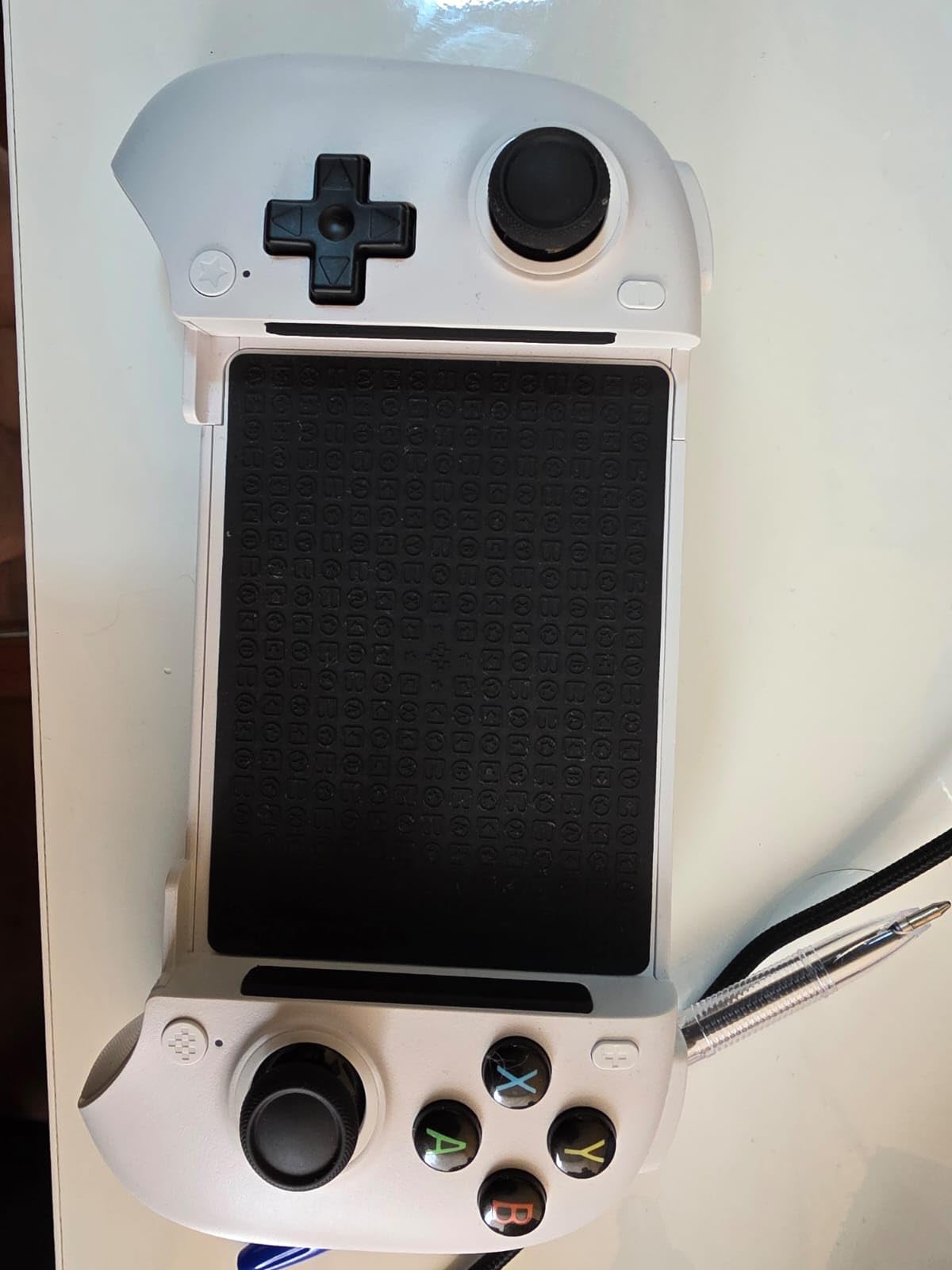
Bluetooth connectivity worked flawlessly in my testing. I paired it with both Android phones and had no noticeable input lag. The controller supports the 8BitDo Ultimate Software V2 app, which allows for button remapping and profile customization. The two Pro back paddle buttons are genuinely useful once you get used to them.
Battery life is advertised at 13+ hours, though in my testing I averaged around 3.5 to 4 hours per charge. This is still decent for a wireless controller but falls short of the claimed figure. USB-C charging means you can top it up quickly, and the lightweight design at under 2 ounces makes it comfortable for extended sessions.
Ideal for Cross-Platform Gamers
If you game across multiple devices or want a controller that works beyond just your phone, the 8BitDo Ultimate Mobile is excellent. The Bluetooth connection and solid build make it versatile enough for various gaming scenarios. It works particularly well with Xbox Cloud Gaming and emulation apps.
Consider If You Want Haptics or Headphone Jack
The lack of vibration feedback and headphone jack are notable omissions. Some users also report compatibility issues with certain games that expect Xbox-certified controllers. If those features matter to you, the Razer Kishi Ultra or Backbone One might be better choices.
4. GameSir X5 Lite – Best Case-Friendly Option
GameSir X5 Lite Mobile Gaming Controller for Android & iPhone 15/16 Series (USB-C), Hall Effect Joystick, Lightweight Ergonomic Phone Controller- Play Genshin Impact & Zenless Zone Zero
Hall Effect joysticks
Case-friendly design
Pass-through charging
Fits up to 213mm
Pros
- Works with most cases
- Fits large phones and tablets
- Lightweight design
- USB-C reliability
Cons
- USB-C connector fragile
- Loud button clicks
- Budget build quality
- Mode switching required
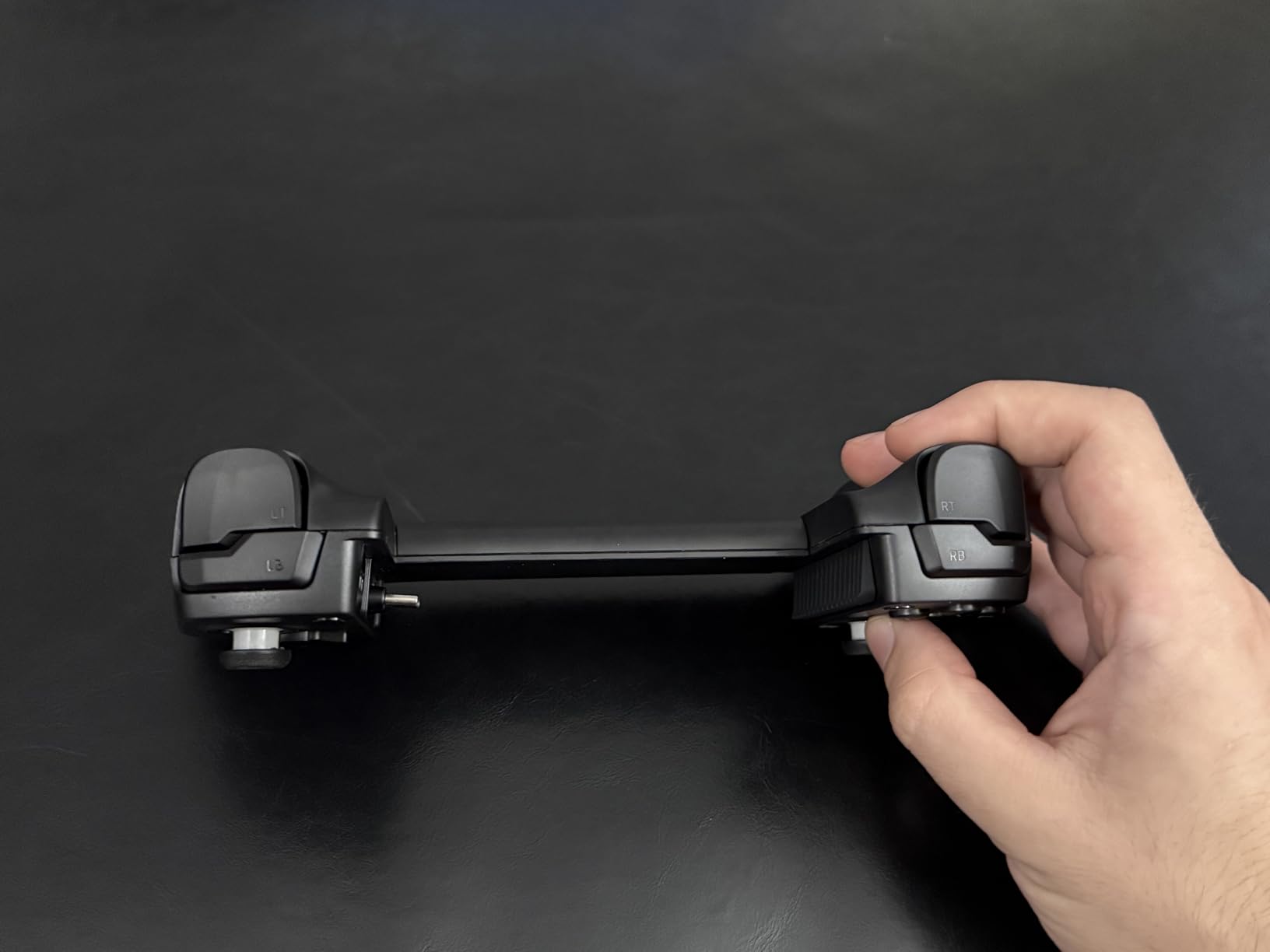
Finding a mobile controller that works with your phone case is one of the most common frustrations gamers face. The GameSir X5 Lite addresses this directly with a thoughtful design that includes multiple pad sizes to accommodate various case thicknesses. I tested it with phones in cases up to 13mm thick and had no connection issues.
The telescopic design stretches up to 213mm, which means it can hold not just phones but also iPad Mini devices. This flexibility is impressive for the price point. The USB-C direct connection ensures zero latency, which I appreciated during competitive FPS matches. There is no Bluetooth lag to worry about here.
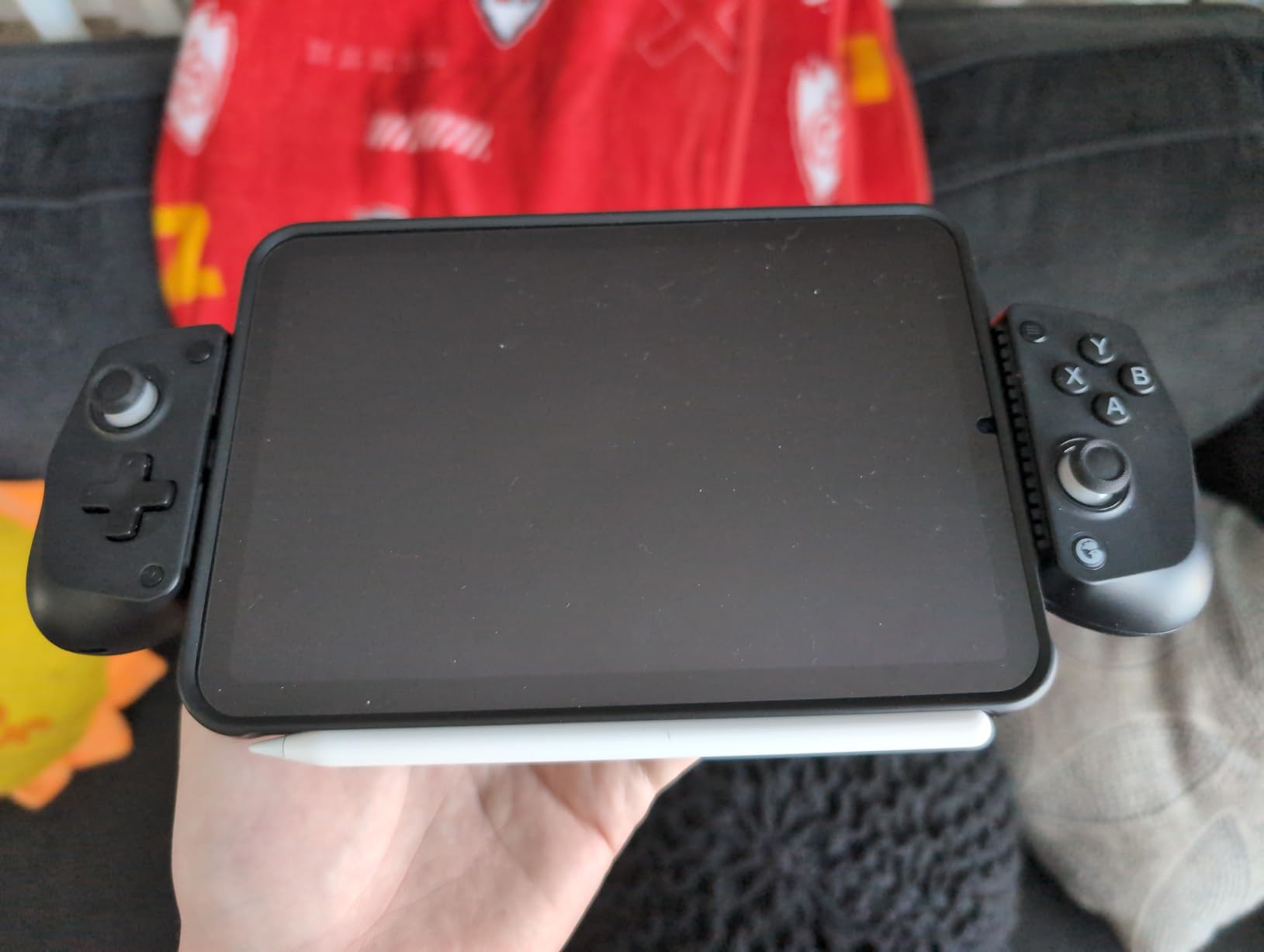
Hall Effect joysticks provide precise 360-degree control without the drift issues that plague cheaper controllers. The lightweight design at just 135 grams makes it comfortable for extended sessions. Pass-through charging is included, so you can power your phone while gaming, which is essential for battery-intensive games.
The GameSir app allows for button customization and turbo function programming. I found the turbo feature particularly useful in games that benefit from rapid button presses. However, the app experience can be inconsistent, with some users reporting bugs and crashes.
Perfect for Gamers Who Keep Cases On
If removing your phone case every time you want to game sounds annoying, the GameSir X5 Lite is your answer. The included pad sizes accommodate most common cases, and the stretchy design fits everything from compact phones to small tablets. The value proposition here is excellent.
Be Careful with the USB-C Connector
The main concern with this controller is the USB-C connector durability. Several users report that it can be fragile and requires careful handling when attaching and removing phones. If you are rough with your accessories, this might not be the best long-term choice.
5. Mocagen MC1 – Feature-Rich RGB Controller
Mocagen MC1 Phone Controller for iPhone & Android – Ergonomic Grip, Low Latency, Case Friendly, Bluetooth Mobile Controller with Hall Effect Joysticks, Turbo, Portable Travel Companion for Car/Leisure
Hall Effect joysticks
8-color RGB lighting
15-hour battery
Dual motor vibration
Pros
- Works with phone cases
- RGB lighting looks great
- Long battery life
- Dual vibration motors
Cons
- Some reliability issues
- No pass-through charging
- Heavier than competitors
- L2/R2 not analog
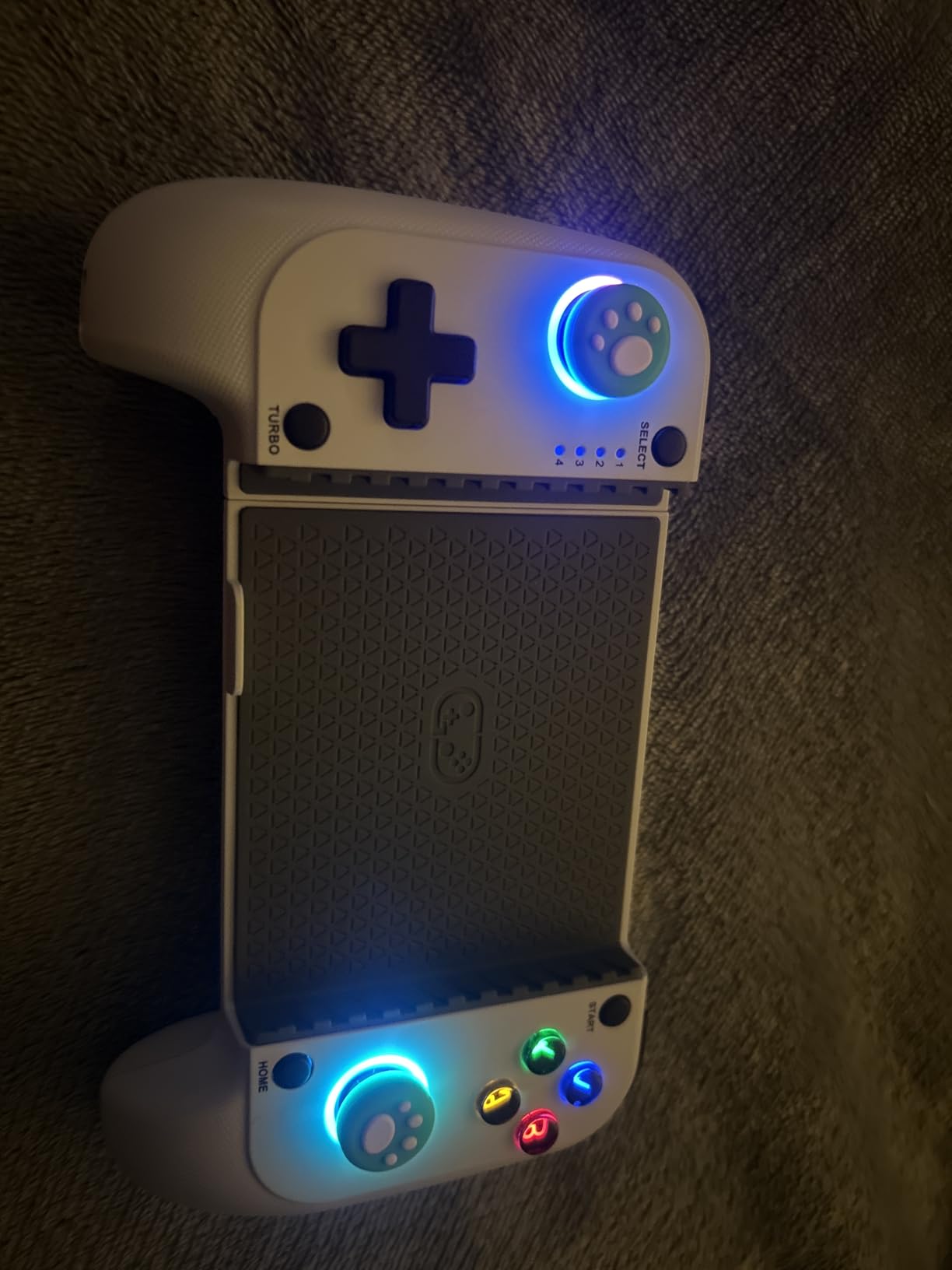
The Mocagen MC1 is designed for gamers who want features without breaking the bank. The 8-color RGB lighting on the joysticks and ABXY buttons adds personality that most competitors lack. While RGB might seem purely aesthetic, I found it genuinely helpful for gaming in low-light environments where button visibility matters.
Bluetooth connectivity worked smoothly in my testing with both iPhone and Android devices. The Hall Effect joysticks performed well with no drift or dead zones. The controller supports Xbox Game Pass, Steam Link, and GeForce NOW, making it versatile for cloud gaming enthusiasts. Dual motor vibration adds immersion that many mobile controllers lack.
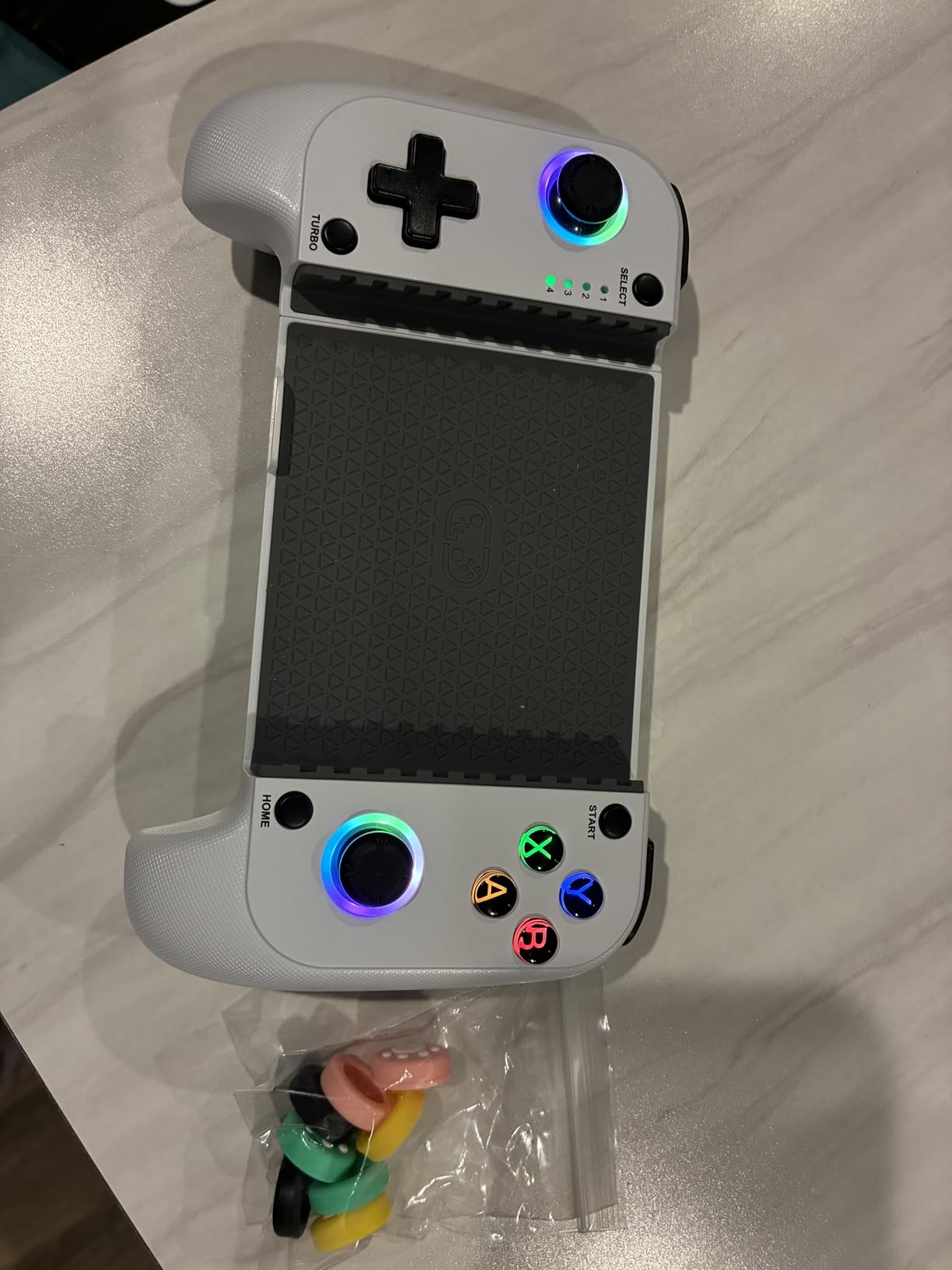
The case-friendly design accommodates phones from 4 to 7 inches, including those with camera bumps. This practical consideration shows Mocagen understands real-world usage. The 15-hour battery life is genuinely impressive, and the 2-hour quick charging via USB-C means minimal downtime between sessions.
However, the controller is heavier than many competitors at 15.5 ounces. This weight becomes noticeable during longer gaming sessions. Additionally, there is no pass-through charging, so you cannot charge your phone while playing. The L2 and R2 triggers are not analog, which limits precision in games that support pressure-sensitive inputs.
Great for Style-Conscious Gamers
If you want a controller that looks as good as it performs, the Mocagen MC1 delivers. The RGB lighting is customizable and genuinely useful. The combination of Hall Effect sticks, vibration feedback, and long battery life makes it a compelling mid-range option.
Watch Out for Durability Concerns
Some users report controller failures after 1-2 months of regular use. While my testing period did not reveal any issues, the reliability reports are concerning. Consider the warranty options and your usage patterns before committing to this controller.
6. DELAM Mobile Game Controller – Budget Pick with Cooling Fan
DELAM Mobile Game Controller for iPhone & Android, Pubg Mobile Controller with Cooling Fan, Phone Triggers for Gaming, Gaming Grip Joystick Gamepad Shoot Aim Keys for 4.7-6.5" Phone
6-finger operation
Cooling fan
1200mAh battery
Telescopic grip
Pros
- Very affordable
- Built-in cooling fan
- Emergency power bank
- 6-finger operation
Cons
- Trigger mechanisms flimsy
- Not for large phones
- Build quality issues
- No case compatibility
For gamers on a tight budget, the DELAM Mobile Game Controller offers surprising value. The standout feature is the built-in cooling fan, which addresses one of mobile gaming’s biggest problems: phone overheating. During extended sessions of graphics-intensive games, I noticed my phone stayed significantly cooler than usual. This is a practical feature that genuinely improves the gaming experience.
The 6-finger operation design allows you to use your index and middle fingers for L1, R1, L2, and R2 triggers simultaneously. This gives you a competitive advantage in shooting games where quick reactions matter. The 1200mAh emergency power bank can provide a boost when your phone battery runs low, though it will not fully charge your device.
The ergonomic controller design extends your phone like a traditional Xbox or PlayStation controller, which feels more natural than some compact alternatives. The alloy L1 and R1 buttons are rated for over 100,000 uses, suggesting decent durability for the price point. The telescopic grip supports phones from 4.7 to 6.5 inches.
However, the budget price shows in the build quality. The trigger mechanisms feel flimsy and may lose contact over time. Users with larger phones report that the triggers rest too far from the screen edges, making them uncomfortable to reach. The controller also struggles with thick cases like Otterbox, so you will likely need to remove your case.
Best for Casual Mobile Gamers
If you game casually and want something functional without spending much, the DELAM delivers. The cooling fan is genuinely useful, and the 6-finger operation can improve your performance in shooting games. Just temper your expectations regarding build quality and long-term durability.
Not Ideal for Serious Competitive Gaming
The trigger latency and build quality issues make this unsuitable for serious competitive gaming. If you are grinding ranked matches or participating in mobile esports, investing in a higher-quality controller will serve you better in the long run.
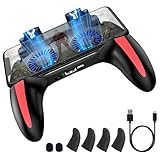
7. TRILINK Five-in-One – All-in-One Gaming Solution
Mobile Game Controller with 4000mAh Power Bank & Cooling Fan, L1R1 Triggers Joystick for PUBG/Call of Duty/Fortnite, Gaming Grip Gamepad for 4.7-7" Android iOS Phone
5-in-1 design
4000mAh power bank
Dual cooling fans
L1R1 triggers
Pros
- Excellent cooling performance
- Large built-in battery
- Ergonomic grip
- Universal compatibility
Cons
- Fan noise affects microphone
- Trigger pads fall off
- Micro USB charging
- Budget build quality
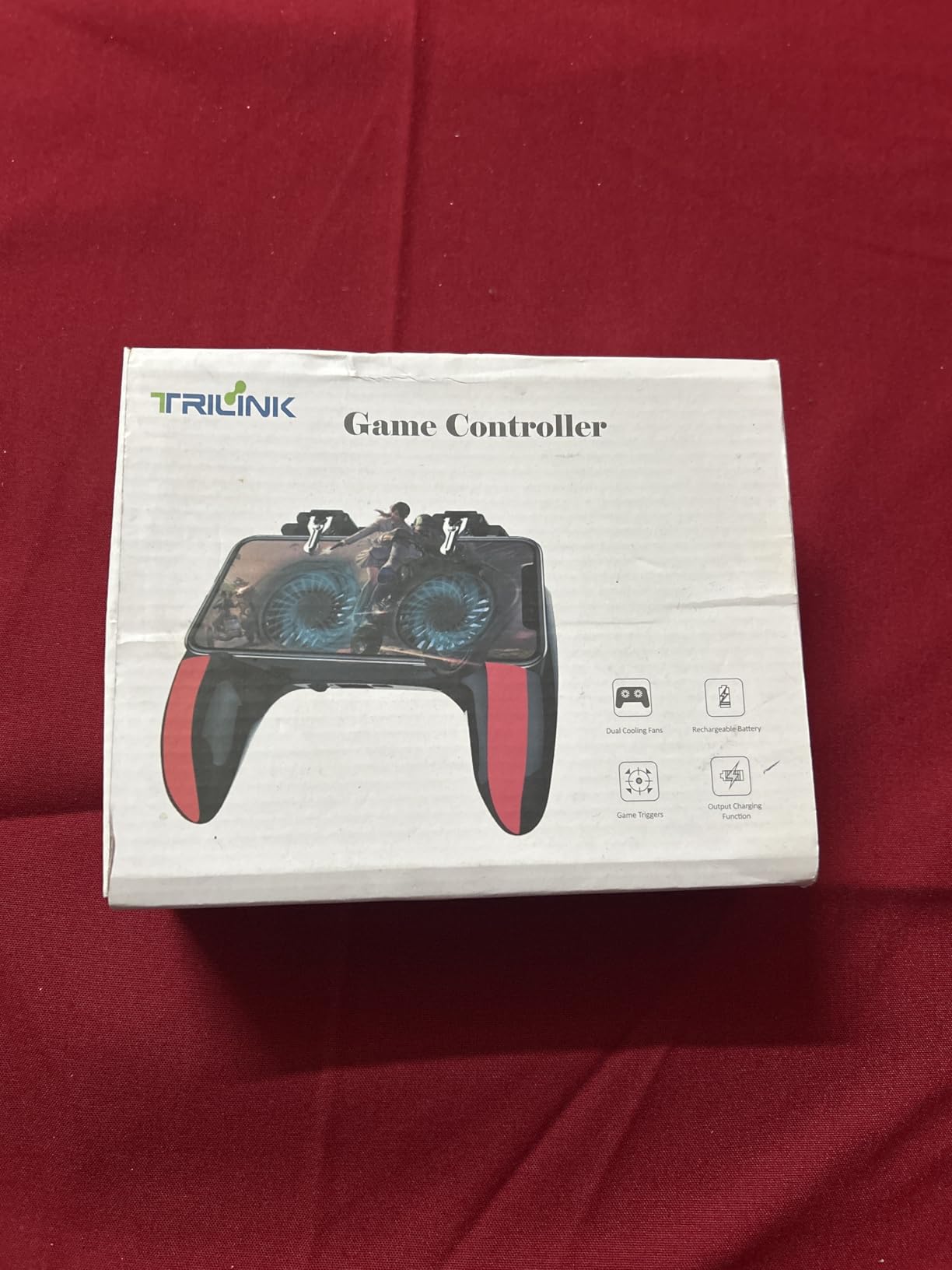
The TRILINK Five-in-One takes a different approach by combining multiple gaming accessories into one device. It functions as a game pad, trigger controller, cooling fan, power bank, and phone holder simultaneously. For gamers who want everything in one package, this is an intriguing option.
The dual cooling fans with LED lighting do an excellent job of preventing phone overheating. I tested it during extended sessions of PUBG Mobile, and my phone remained cool even after an hour of intensive gaming. The two-speed fans let you adjust cooling intensity based on your needs.
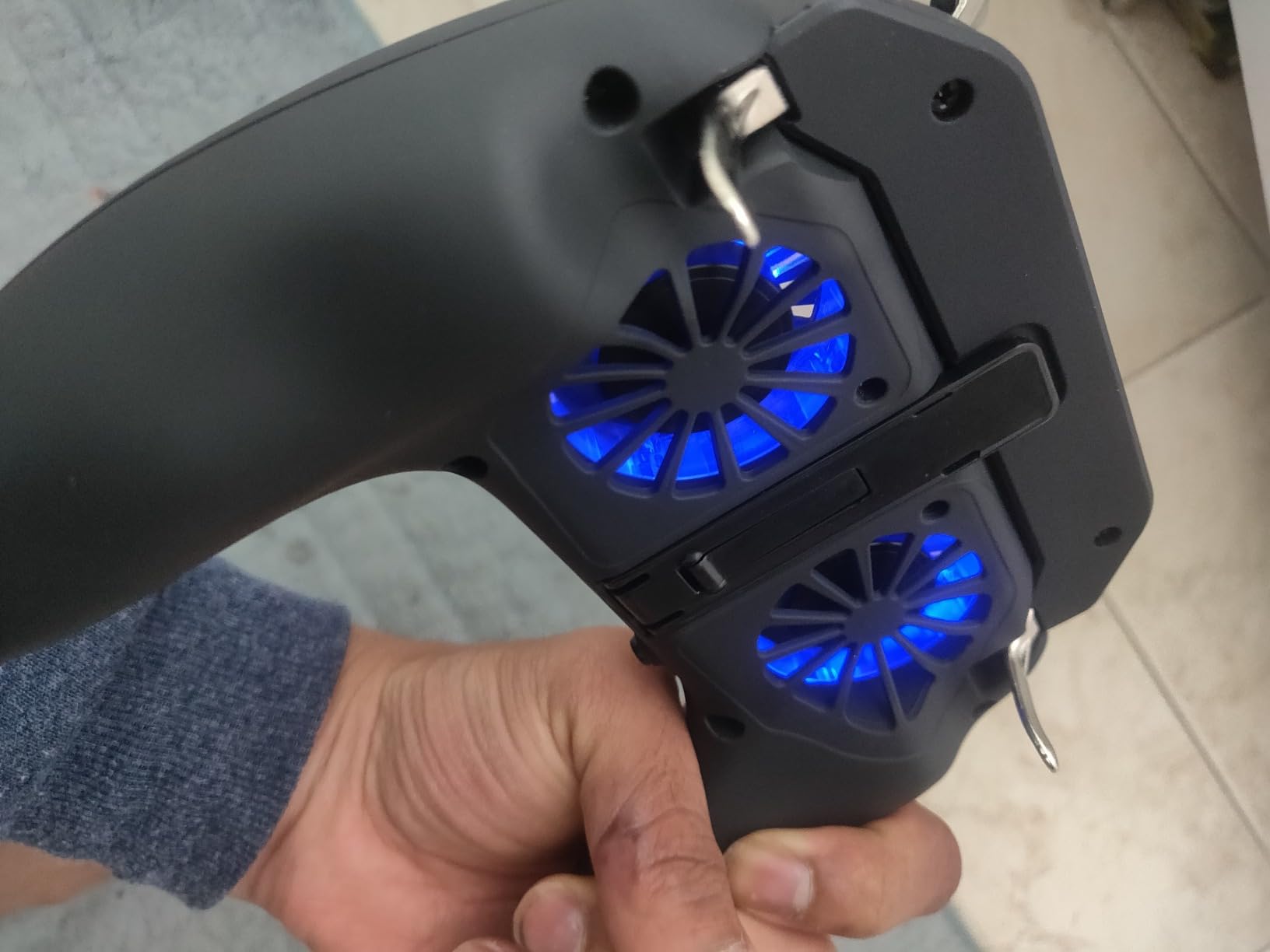
The built-in 4000mAh battery is the largest among the controllers I tested. It can charge your phone while gaming, extending your play sessions significantly. The L1R1 triggers enable 4-finger operation, which improves reaction times in shooting games. The adjustable phone stand also doubles as a media viewing stand when you are not gaming.
However, the cooling fans generate noise that can interfere with microphone audio during voice chat. If you play with friends or use in-game communication, this could be problematic. The trigger touch pads also have a tendency to fall off over time, and the older Micro USB charging port feels outdated compared to USB-C.
Perfect for Long Gaming Sessions
If you frequently game for hours at a time and worry about phone battery and temperature, the TRILINK addresses both concerns effectively. The large battery and dual fans keep you gaming longer without interruptions.
Consider If You Use Voice Chat
The fan noise issue makes this less suitable for gamers who rely on voice communication. The build quality is also budget-focused, so expect some durability compromises. For casual solo gaming, it works well enough.
8. Mikirini 13-in-1 – Complete Trigger Kit
Mikirini 13 in 1 Mobile Gaming Combo Kits, L2R2 4 Triggers Cell Phone Controller for iPhones/Android Phones, compatible with PUBG/Fortnitee/Call of Duty/Knives Out/Apex Legends Mobile
L2R2 4 triggers
Mechanical switches
Case-friendly
13-piece set
Pros
- Very affordable
- Mechanical switch feedback
- Works with cases
- Includes finger sleeves
Cons
- Durability issues
- Triggers fail after weeks
- Budget build
- Not for serious gaming
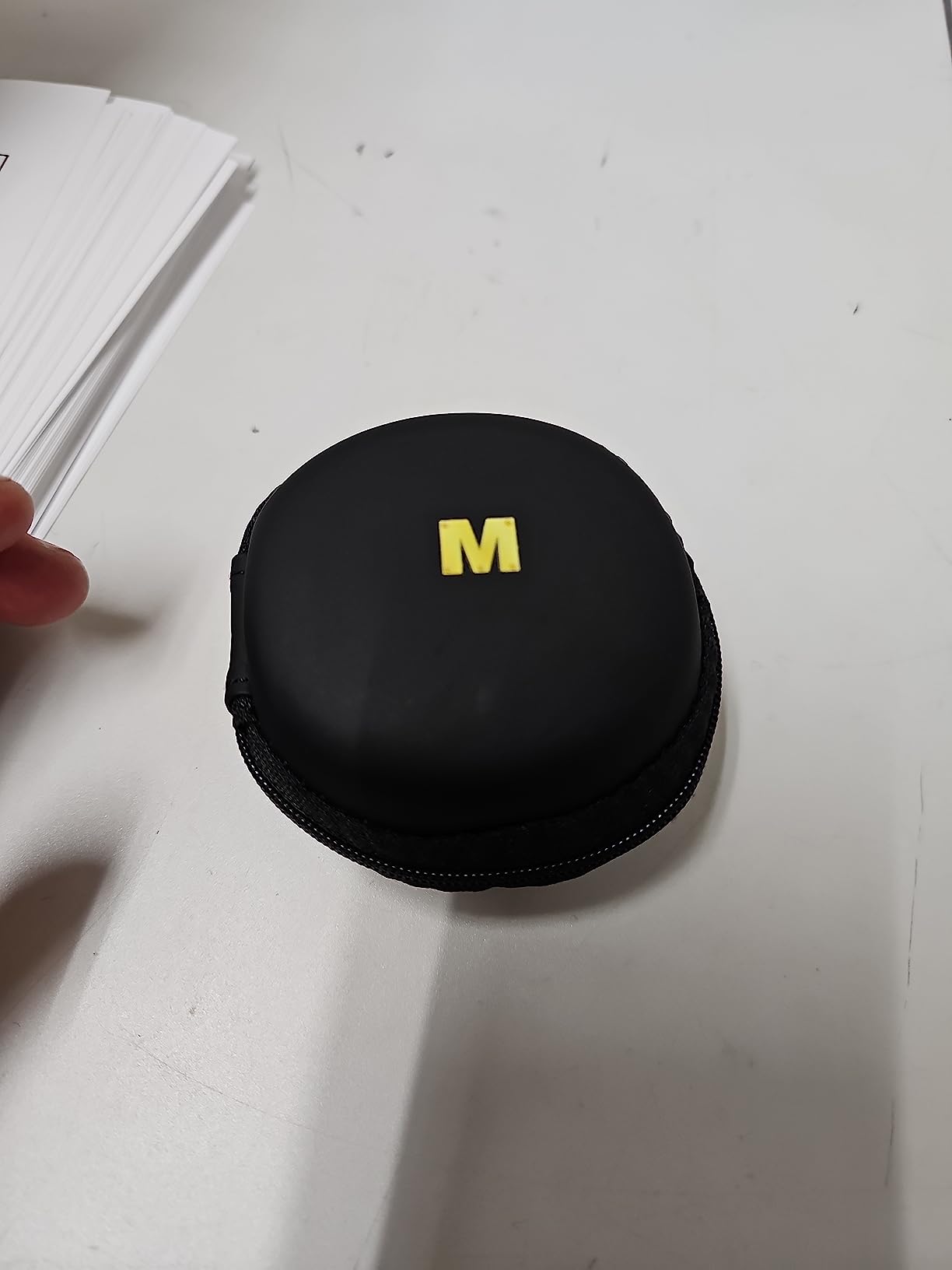
The Mikirini 13-in-1 is not a traditional controller but rather a trigger attachment system. It provides L2 and R2 triggers that clamp onto your phone screen, enabling 6-finger operation for competitive advantage in shooting games. The 13-piece kit includes 4 triggers, 9 finger sleeves, a keyring, and a storage case.
The mechanical mouse micro switches provide tactile feedback that feels satisfying. The switches are rated for over 2 million clicks, though real-world durability varies. The triggers work with phones up to 13mm thickness, which means most cases are compatible. No battery or drivers are required, making setup instant and hassle-free.
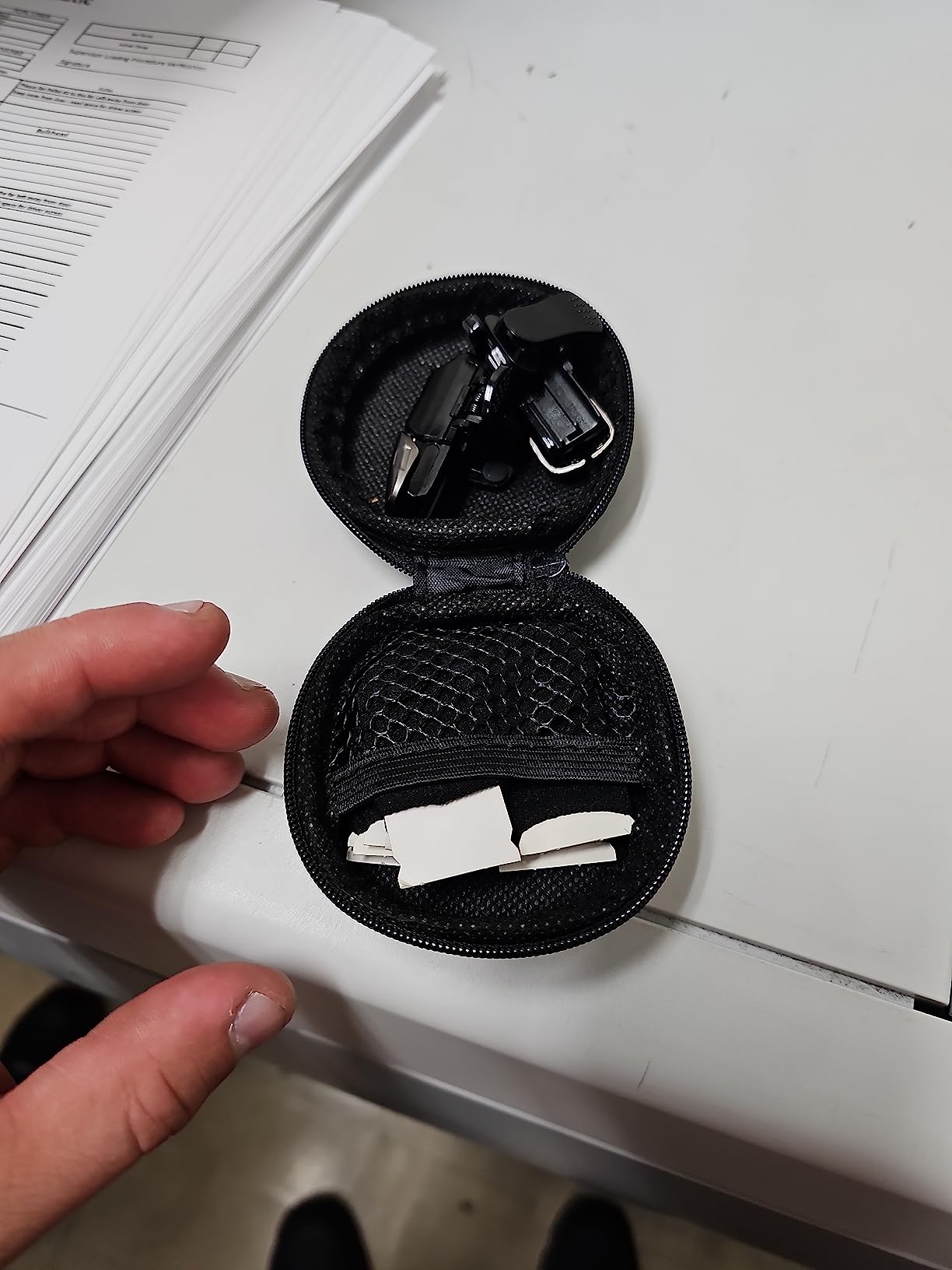
The included finger sleeves are a nice touch, reducing friction between your fingers and the screen. This improves touch accuracy and comfort during extended sessions. The storage case keeps everything organized, which I appreciated for portability.
However, durability is a significant concern. Many users report triggers failing after just 5-8 weeks of regular use. The rubber touch pads can fall out, and some phones experience electromagnetic interference that affects trigger performance. This is very much a budget option with corresponding build quality compromises.
Great for Trying Trigger Gaming
If you are curious about trigger-based gaming but do not want to invest in a full controller, the Mikirini kit lets you experiment for very little money. The finger sleeves and storage case add value beyond just the triggers.
Expect Frequent Replacements
Given the durability issues, plan on replacing this product every few months if you game regularly. It works well initially but is not built for long-term serious use. Consider it disposable gaming gear rather than a lasting investment.
How to Choose the Best Phone Gaming Grip
Finding the right phone gaming grip involves more than just picking the highest-rated option. Your specific needs, gaming habits, and phone model all factor into the decision. Here is what you should consider before making your purchase.
Connection Type: USB-C, Lightning, or Bluetooth
The connection type affects latency, compatibility, and convenience. USB-C direct connections like those on the Razer Kishi Ultra and GameSir X5 Lite offer zero latency, which is crucial for competitive gaming. They also draw power from your phone, so no separate charging is needed. However, they only work with USB-C devices, which includes most Android phones and iPhone 15/16 series.
Bluetooth controllers like the 8BitDo Ultimate Mobile and Mocagen MC1 offer more flexibility. They work with virtually any phone, and some can connect to other devices like tablets or PCs. The trade-off is potential latency, though modern Bluetooth has minimized this issue for most users.
Hall Effect Joysticks: Why They Matter
Hall Effect joysticks use magnetic sensors instead of physical contacts, eliminating the wear that causes stick drift. Traditional potentiometer-based joysticks develop drift over time as components degrade. If you plan to use your controller extensively, Hall Effect sticks are worth seeking out.
Controllers like the Razer Kishi Ultra, 8BitDo Ultimate Mobile, GameSir X5 Lite, and Mocagen MC1 all feature Hall Effect technology. This adds longevity to your investment and ensures consistent performance over the controller’s lifetime.
Phone Case Compatibility
Many gamers prefer keeping their phone case on for protection. Unfortunately, most controllers require case removal for proper fit. If this is important to you, look for case-friendly options like the GameSir X5 Lite, Mocagen MC1, or Mikirini triggers, which accommodate cases up to 13mm thick.
The Backbone One includes magnetic adapters that work with some cases, though very thick protective cases will still need to be removed. Premium controllers like the Razer Kishi Ultra have no case compatibility, requiring naked phone attachment.
Ergonomics and Hand Size
Comfort varies significantly based on your hand size and grip preferences. The Razer Kishi Ultra offers full-sized ergonomics ideal for larger hands, while compact options like the Backbone One may cause cramping during extended sessions. Consider how long you typically game and whether portability or comfort matters more.
If you have larger hands and game for hours at a time, prioritize controllers with substantial grips. The DELAM and TRILINK options also offer decent ergonomics despite their budget pricing, as they extend the phone like traditional console controllers.
Pass-Through Charging
Mobile gaming drains battery quickly. Pass-through charging lets you power your phone while playing, which is essential for long sessions. The Razer Kishi Ultra, GameSir X5 Lite, and Backbone One all support this feature. Bluetooth-only controllers like the Mocagen MC1 cannot charge your phone while connected.
Game Compatibility
Not all mobile games support controllers. Popular titles like Call of Duty Mobile, PUBG Mobile, Genshin Impact, and Fortnite have controller support, but many casual games do not. Cloud gaming services like Xbox Cloud Gaming, GeForce Now, and PlayStation Remote Play work excellently with controllers.
Some controllers like the Razer Kishi Ultra offer Virtual Controller Mode on Android, which maps touch controls to physical buttons even for games without native controller support. This significantly expands your playable library.
What is the best phone gaming controller?
The Razer Kishi Ultra is the best overall phone gaming controller, offering full-sized ergonomics, Hall Effect triggers, Chroma RGB lighting, and excellent build quality. For iPhone users, the BACKBONE One 2nd Gen provides a more portable option with Apple Arcade included. For value seekers, the 8BitDo Ultimate Mobile offers premium features at a mid-range price.
Are phone grips worth it?
Yes, phone gaming grips are worth it if you play mobile games regularly. They transform touchscreen controls into physical buttons, improving accuracy, reducing hand fatigue, and enabling console-like gaming experiences. For competitive games like Call of Duty Mobile or cloud gaming services, a quality grip significantly enhances performance and enjoyment.
Do mobile games support controllers?
Many popular mobile games support controllers, including Call of Duty Mobile, PUBG Mobile, Genshin Impact, Fortnite, Minecraft, and most cloud gaming services like Xbox Cloud Gaming and GeForce Now. However, many casual games and some competitive titles remain touch-only. Android users can use Virtual Controller Mode on some controllers to map touch controls to physical buttons.
What are Hall effect joysticks?
Hall Effect joysticks use magnetic sensors to detect movement instead of physical contacts. This eliminates the friction and wear that causes stick drift in traditional potentiometer joysticks. Controllers with Hall Effect sticks maintain precise control over their entire lifespan and are highly recommended for serious gamers who want long-lasting equipment.
How do I connect a controller to my phone?
For USB-C controllers, simply plug the controller into your phone’s USB-C port and it should work immediately. For Bluetooth controllers, enable Bluetooth on your phone, put the controller in pairing mode (usually by holding the home or pair button), then select the controller from your phone’s Bluetooth menu. Some controllers require their companion app for initial setup.
Final Thoughts
Finding the best phone gaming grips and handles for your needs comes down to balancing features, comfort, and budget. The Razer Kishi Ultra stands out as the premium choice for serious gamers who want console-quality controls, while the BACKBONE One 2nd Gen offers iPhone users the best portable experience. For value-conscious gamers, the 8BitDo Ultimate Mobile delivers impressive quality without the premium price tag.
Consider your primary use case before deciding. Cloud gaming enthusiasts should prioritize controllers with pass-through charging and low latency. Competitive FPS players need responsive triggers and Hall Effect joysticks. Casual gamers might find budget options like the DELAM or Mikirini sufficient for occasional sessions.
Whichever option you choose, upgrading from touchscreen controls to a proper gaming grip will transform your mobile gaming experience. Your thumbs will thank you, and your kill counts will likely improve too.