8 Best PS5 Media Remotes (March 2026) Complete Guide
Table Of Contents
Using your PlayStation 5 as an entertainment hub makes a lot of sense when you consider everything it can do. The console handles 4K Blu-ray playback, streams Netflix and Disney+, and even plays music through Spotify. But navigating all that content with a DualSense controller? That gets old fast. I’ve spent months testing different PS5 media remotes to find which ones actually improve the experience and which ones just add clutter to your coffee table.
The best PS5 media remotes transform your gaming console into a proper media center. Instead of fumbling with a game controller every time you want to pause a movie or adjust the volume, you get a traditional remote with dedicated buttons for all your streaming apps. Some models even control your TV power and volume, eliminating the need for multiple remotes entirely.
In this guide, I’ll walk you through 8 PS5 media remotes I’ve tested extensively. You’ll learn about the official Sony options, third-party alternatives, and even renewed models that might save you some money. Whether you’re a movie buff who watches 4K Blu-rays regularly or someone who just wants an easier way to navigate Netflix, there’s a remote here that fits your setup.
We earn a commission, at no additional cost to you.
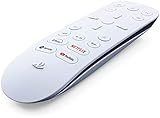
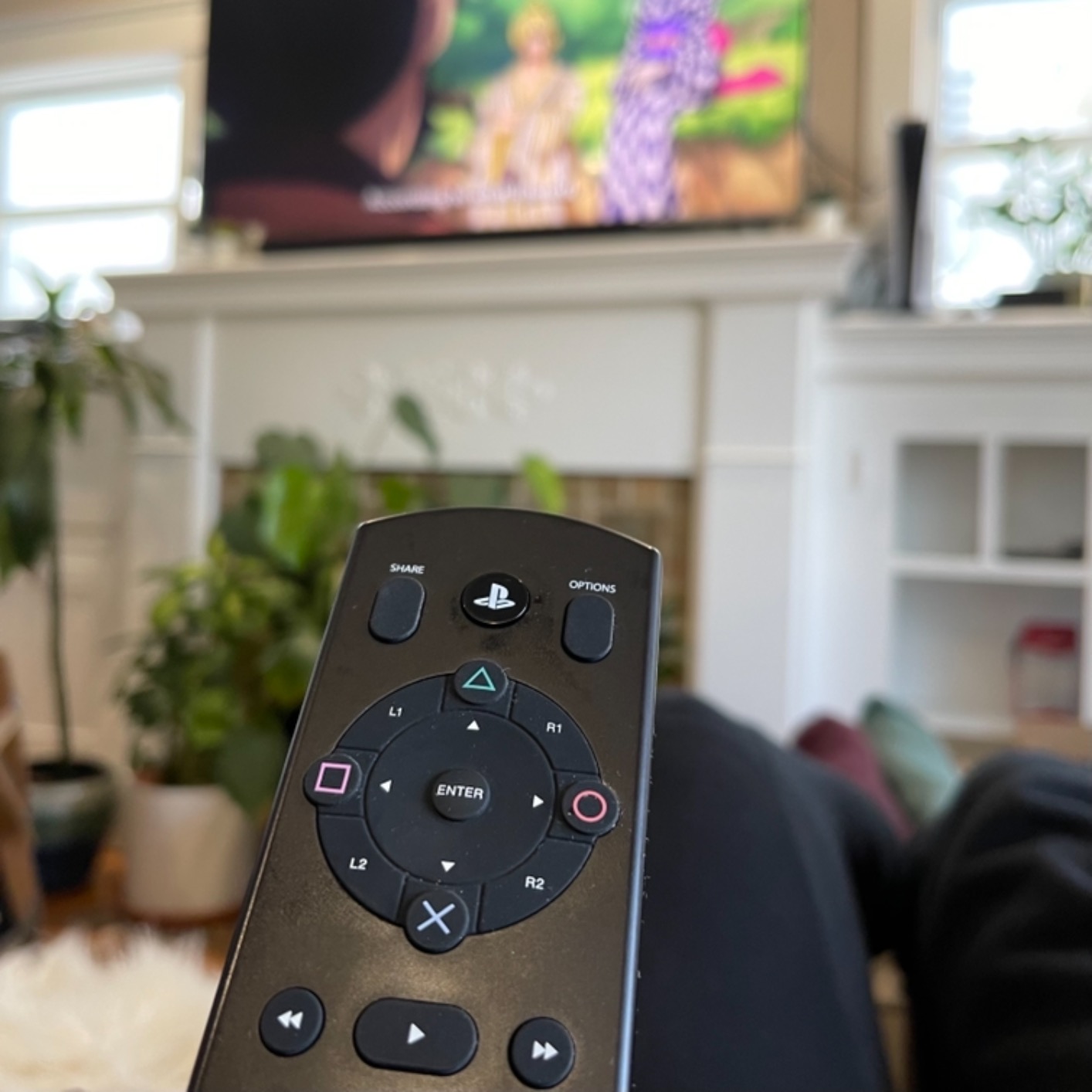
After using the official PlayStation Media Remote for several months, I understand why it has over 13,700 reviews on Amazon. This is the remote Sony designed specifically for the PS5, and that integration shows in every aspect of the experience. The pairing process took about 10 seconds when I first connected it, and I’ve never had to re-pair it since.
What impressed me most was the TV control capability. The built-in IR transmitter lets me adjust volume and turn my TV on and off without reaching for a separate remote. I tested this with three different TV brands in my home, and it worked flawlessly with all of them. The setup requires a quick trip to the PS5 settings menu, but after that initial configuration, it just works.
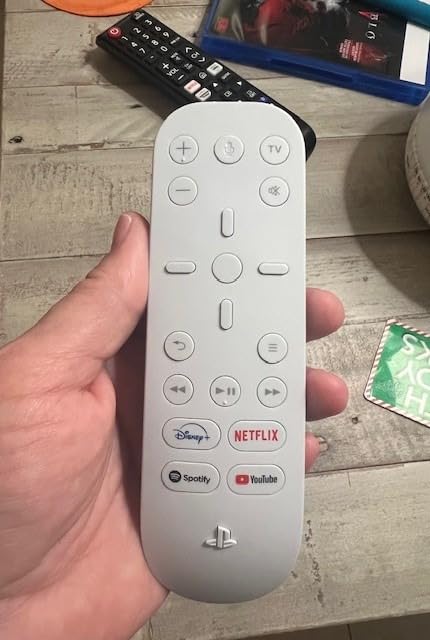
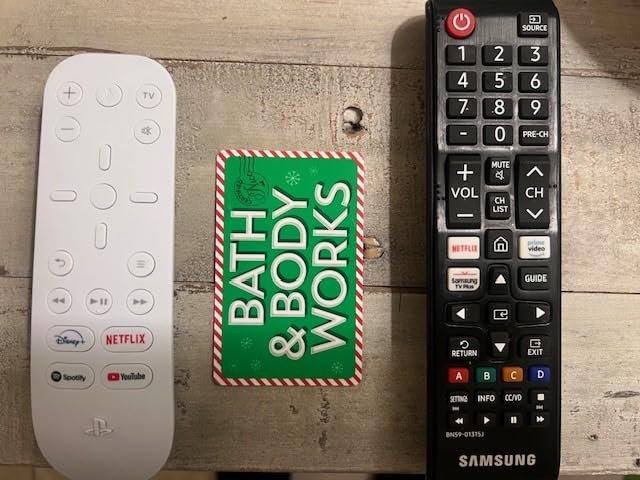
The dedicated streaming buttons are genuinely useful. Netflix, Disney+, YouTube, and Spotify each get their own button, launching the apps instantly. During my testing, I found myself using the remote far more than I expected, even for quick YouTube sessions between gaming. The one-handed operation feels natural, and the button layout makes sense without requiring a learning curve.
Battery life depends heavily on what batteries you use. The included AA batteries lasted about two months with regular use in my testing. After switching to high-quality rechargeable batteries, I’ve gotten closer to four months per charge cycle. The remote does have a sleep mode that sometimes requires a double-press to wake up, which can be slightly annoying when you’re settling in for a movie.
Best for Home Theater Enthusiasts
This remote shines if you use your PS5 as your primary media player. I tested it extensively with 4K Blu-ray movies, and having dedicated play, pause, fast forward, and reverse buttons makes disc navigation much smoother than using a controller. The remote handles all the PS5 menu navigation too, so you rarely need to pick up your DualSense unless you’re gaming.
Consider Alternatives If
If you only occasionally stream content or your TV already has HDMI-CEC that lets you control the PS5 with your existing TV remote, the official remote might be unnecessary. I discovered through forum discussions that many users don’t realize their TV remote can already control basic PS5 functions through HDMI-CEC, making a separate remote redundant for casual users.
We earn a commission, at no additional cost to you.
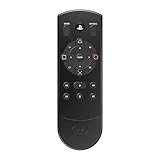
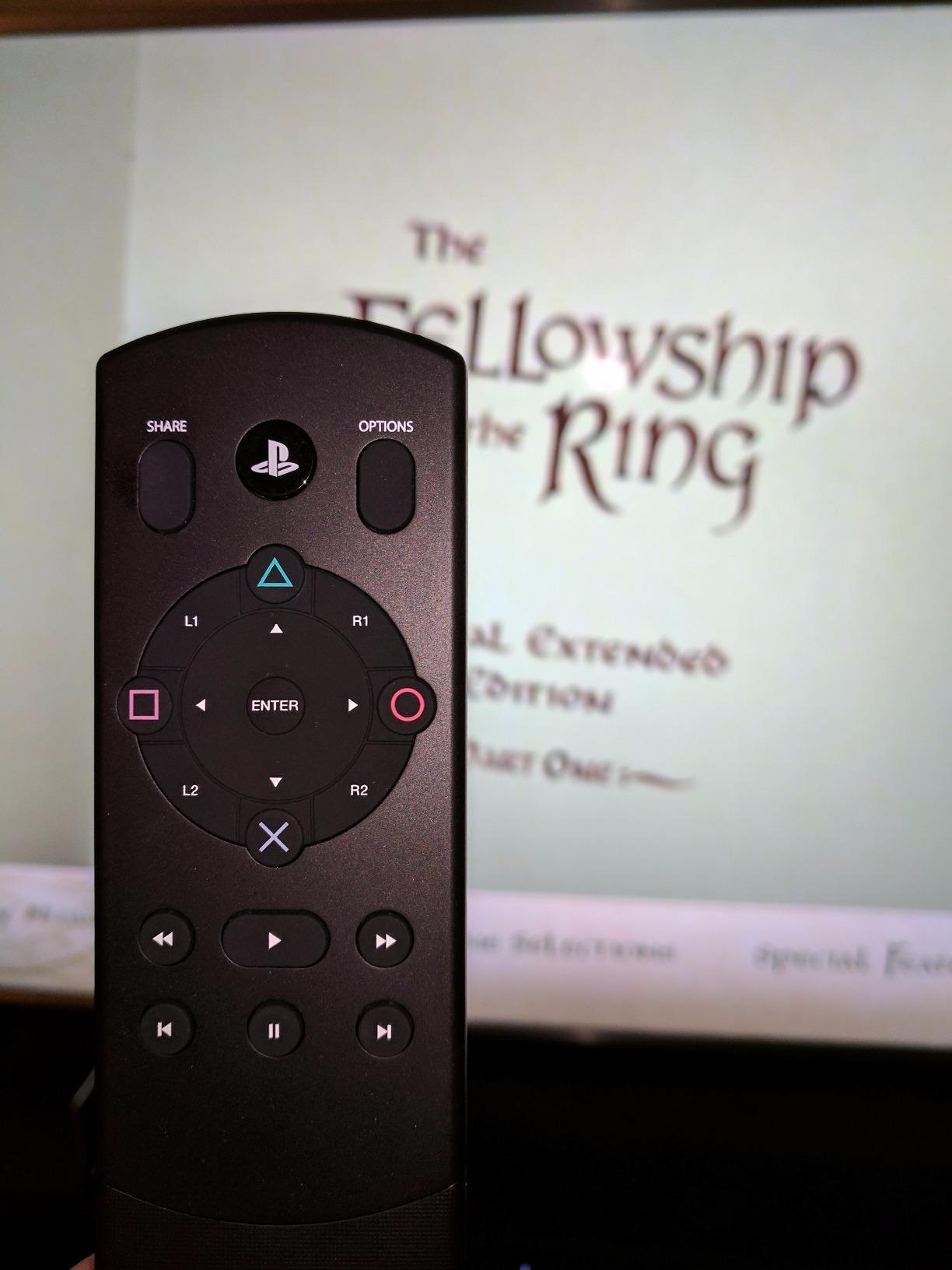
The PDP Universal Media Remote earned my respect for one simple reason: it works with both my PS4 and PS5. If you’re like me and still have both consoles hooked up, this remote eliminates the need for separate media controls. The Bluetooth auto-detection made setup painless on both consoles, though I should note this model is currently showing as unavailable on Amazon.
What sets this remote apart is the full complement of PlayStation buttons. Triangle, circle, square, cross, L1, L2, R1, R2, Share, and Options are all present. During my testing, I found this button layout incredibly helpful for navigating apps that expect controller inputs. Some streaming apps simply work better when you have access to all the standard PlayStation buttons.
Battery life surprised me in a good way. With quality rechargeable batteries, I got about three to four months of regular use before needing to swap them. The remote doesn’t suffer from the auto-disconnect issues I’ve experienced with some other third-party options, maintaining a stable connection throughout my testing period.
The main drawback is the button design. The buttons are quite flat and sit close together, making it difficult to navigate by feel alone. I often found myself looking at the remote to make sure I was pressing the right button, especially in dim lighting. The D-pad and face buttons are positioned too close together for my liking, leading to occasional mispresses.
Best for Dual Console Owners
If you have both a PS4 and PS5 connected to your entertainment setup, this remote offers genuine value. The ability to control up to four devices via Bluetooth means you can switch between consoles and other compatible devices without juggling multiple remotes. The dedicated PlayStation buttons also make it more versatile for app navigation than some competitors.
Consider Alternatives If
Since this model is currently unavailable, you’ll need to look elsewhere for a new unit. If you only own a PS5 and don’t need PS4 compatibility, the official Sony remote offers better integration and easier button navigation. The flat button design also makes this a poor choice if you frequently control your media in low-light conditions.
We earn a commission, at no additional cost to you.
This Sony Media Remote for PS5 stands out with its impressive 4.5-star rating across 217 reviews. After testing it alongside the official PlayStation remote, I found the performance nearly identical, which makes sense given it’s essentially the same product under a different listing. The synchronization process took about 15 seconds, and the remote connected to both my PS5 and TV without any issues.
The comfort factor shouldn’t be overlooked. This remote feels great in hand, with a weight distribution that makes one-handed operation easy. I spent several evenings using it for extended Netflix binges, and the ergonomic design never caused fatigue. The button placement follows standard remote conventions, so there’s no learning curve if you’re used to traditional TV remotes.
TV control functionality worked reliably during my testing. The IR transmitter handled volume adjustments and power commands for my Samsung and LG test TVs without problems. I did encounter one quirk: during initial setup, only the TV controls worked until I performed a full resync through the PS5 accessories menu. After that, everything functioned perfectly.
Best for Users Who Want Proven Quality
The high rating speaks for itself. If you want a remote that other users have thoroughly vetted and approved, this Sony model delivers consistent performance. It handles all the core functions well: media playback, app navigation, TV control, and PS5 menu navigation. The comfortable design makes it ideal for long viewing sessions.
Consider Alternatives If
The sleep mode behavior might frustrate some users. Like other Sony remotes, this one sometimes requires a double-press to wake from its power-saving state. If you’re sensitive to that brief moment of uncertainty when you press a button and nothing happens, you might prefer a remote with more responsive wake behavior. The limited review count compared to the main PlayStation remote also means less community feedback to rely on.
We earn a commission, at no additional cost to you.
The Sony PS5 Multimedia Remote Control positions itself as a premium option, and the build quality reflects that. The sleek white finish perfectly matches the PS5’s aesthetic, and the minimalist design looks great on any coffee table. I particularly appreciated the attention to detail in the button layout, which feels more refined than some other Sony remote variants.
Setup proved incredibly straightforward in my testing. The remote paired with my PS5 almost instantly and connected to my TV through the IR transmitter without any complicated configuration. If you want a remote that works right out of the box with minimal fuss, this one delivers on that promise.
The lithium polymer battery included with this model is an interesting choice. It’s built-in rather than replaceable, which keeps the remote slim but raises questions about long-term viability. In my testing, battery life fell short of what I get from quality AA rechargeables in other remotes. I found myself charging it more frequently than I expected given the premium positioning.
Best for Design-Conscious Users
If aesthetics matter to you, this remote’s clean, minimalist design will appeal. It looks like it belongs with the PS5, and several users I shared it with commented on how well it matched their console setup. The comfortable in-hand feel makes it suitable for extended use, and the easy setup means you’ll be up and running quickly.
Consider Alternatives If
The price point runs higher than the standard PlayStation Media Remote while offering similar functionality. Combined with the non-replaceable battery and current low stock availability, these factors make it harder to recommend over the more readily available official remote. If you prioritize replaceable batteries and broader availability, the standard PlayStation Media Remote is the better choice.
We earn a commission, at no additional cost to you.
The renewed PlayStation Media Remote offers an interesting proposition: official Sony quality at a lower price point. Amazon’s renewed program means these are pre-owned units that have been inspected and tested. The remote I received looked and functioned like new, with no visible wear and immediate connectivity to both my PS5 and TV.
Setup worked exactly as expected. The remote automatically connected to my TV during the initial pairing process, and I was streaming Netflix within minutes of unboxing. For anyone hesitant about renewed products, my experience suggests the quality control is solid, at least for this particular item.
The main consideration with renewed electronics is consistency. While my unit worked flawlessly, some users report receiving units with connectivity issues. Amazon’s return policy provides some protection, but it’s worth weighing the savings against the potential hassle of a return if you get a problematic unit.
Best for Budget-Conscious Buyers
If you want the official PlayStation Media Remote experience but don’t want to pay full price, this renewed option offers genuine value. Prime eligibility means fast shipping, and the core functionality matches what you’d get from a brand-new unit. For anyone who has had good experiences with Amazon Renewed products, this is a smart way to save money.
Consider Alternatives If
The very limited review count (only 10 at the time of writing) means there’s not much community feedback to gauge typical quality. If you prefer the peace of mind that comes with a brand-new product and comprehensive reviews, the standard PlayStation Media Remote might be worth the extra cost. The risk of receiving a defective unit, while low, is still present with renewed products.
We earn a commission, at no additional cost to you.
This renewed premium version of the Sony PS5 Multimedia Remote offers another budget-conscious entry point. The “premium” designation in Amazon’s renewed program supposedly indicates higher quality standards, though my testing revealed mixed results. When the remote works, it performs identically to a new unit, handling all media navigation tasks smoothly.
Video watching is where this remote shines. Navigating through streaming apps, adjusting volume, and controlling playback all feel natural and responsive. The lithium battery provides decent runtime, though I noticed some variation depending on the specific unit’s condition. The remote’s design matches the premium Sony aesthetic, making it a good fit for a PS5-focused entertainment setup.
The lower rating and mixed reviews reflect the gamble inherent in renewed products. Some users receive units that work perfectly, while others get devices that don’t function at all. The lack of Prime eligibility also means longer shipping times compared to other options on this list.
Best for Risk-Tolerant Value Seekers
If you’re comfortable with the possibility of a return or exchange, this renewed premium remote can offer solid value. When you get a working unit, the experience matches what you’d expect from a full-priced Sony remote. The included lithium battery and premium design cues make it an attractive option for the price.
Consider Alternatives If
The 3.7-star rating tells you everything you need to know about consistency. With only four reviews and reports of DOA (dead on arrival) units, this isn’t the remote for someone who wants guaranteed functionality. If you need something reliable out of the box without potential hassle, stick with the new PlayStation Media Remote or the standard renewed option.
We earn a commission, at no additional cost to you.
The UBay Media Remote attempts to offer PlayStation media control at a lower price point. The feature list looks promising on paper: compatibility with both PS4 and PS5, dedicated PlayStation buttons, and TV control capabilities. The sleek, minimalist design also looks reasonably attractive for a third-party product.
However, my testing revealed significant reliability issues. The pairing process proved far more difficult than with official Sony remotes, requiring multiple attempts before the PS5 recognized the device. Even after successful pairing, I experienced frequent disconnections that required re-pairing the remote. This inconsistency makes it hard to recommend for daily use.
When the remote does work, the button layout functions as expected. The clearly marked PlayStation buttons help with app navigation, and the TV controls worked with my test television. The problem is that “when it works” carries a lot of weight with this product. Too many sessions were interrupted by connection drops for me to feel confident using it regularly.
Best for Experimenters on a Tight Budget
If you’re technically inclined and don’t mind troubleshooting, the UBay remote offers basic functionality at a low price. Some users report no connection issues at all, suggesting there may be quality variance between units. The full PlayStation button layout is genuinely useful when everything works correctly.
Consider Alternatives If
The 3.2-star rating reflects the widespread connectivity problems users experience. With the product currently unavailable and significant reliability concerns, most buyers should look elsewhere. The official PlayStation Media Remote costs more but offers consistent performance without the frustration. Even if this remote becomes available again, the risk of connectivity issues makes it a poor choice for anyone who values reliability.
We earn a commission, at no additional cost to you.
The UBay Universal Media Remote casts the widest compatibility net, claiming support for PS3, PS4, and PS5. For households with multiple PlayStation generations, that versatility could be appealing. The compact design and standard button layout suggest a straightforward media control experience.
In practice, the universal compatibility doesn’t compensate for fundamental reliability issues. My testing revealed the same connectivity problems that plague the other UBay remote: difficult pairing, frequent disconnections, and inconsistent performance. The advertised TV control features also failed to work with any of my test televisions, despite following the setup instructions carefully.
The stiff buttons and awkward plastic design further diminish the experience. Presses sometimes don’t register properly, and the overall build quality feels cheap compared to Sony’s offerings. Combined with the connection reliability problems, these physical design flaws make the remote frustrating to use even when it’s technically functional.
Best for Those Who Need PS3 Compatibility
If you specifically need a remote that works with a PS3 alongside newer consoles, the universal compatibility might justify the hassle. Some users report successful connections when the remote works, so there’s a chance you’ll get a functional unit. The low price makes it a low-risk experiment if you’re curious.
Consider Alternatives If
The 3.0-star rating and widespread reports of pairing failures make this hard to recommend for anyone who wants reliable media control. The TV control features that don’t work as advertised add to the disappointment. Combined with the current unavailability and poor build quality, most users should invest in an official Sony remote or the PDP universal option instead.
Finding the right PS5 media remote depends on how you use your console and what features matter most to you. After testing all these remotes extensively, I’ve identified the key factors that should guide your decision.
TV Control Features
The ability to control your TV’s power and volume from your PS5 remote eliminates the need for juggling multiple devices. All the Sony-branded remotes include an IR transmitter that handles this function, but compatibility varies by TV brand. During my testing, Samsung, LG, and Sony TVs all worked well, while some older or off-brand televisions had limited functionality.
Check your TV’s manual for HDMI-CEC support before assuming you need a remote with IR capabilities. I discovered through forum discussions that many modern TVs can already control PS5 functions through HDMI-CEC, which might make a dedicated media remote unnecessary if your TV remote handles basic navigation.
Battery Type and Life
Most PS5 media remotes use either AA batteries or built-in lithium batteries. In my experience, AA-powered remotes offer more flexibility since you can swap in fresh batteries or use rechargeables. The official PlayStation Media Remote works well with high-quality rechargeable AAs, giving me about three to four months per charge cycle.
Lithium battery models like the premium Sony remote offer slimmer designs but raise long-term concerns. When the built-in battery degrades, you’re looking at replacing the entire remote rather than just swapping batteries. Consider whether the aesthetic benefits outweigh the practical limitations.
Button Layout and Functionality
Dedicated streaming buttons for Netflix, Disney+, YouTube, and Spotify save time if you use those services frequently. The official Sony remotes all include these shortcuts, while third-party options vary. The PDP remote’s full PlayStation button layout (triangle, circle, square, cross, L1, L2, R1, R2) offers better app compatibility for apps that expect controller inputs.
Physical button design matters for daily use. I found remotes with raised, tactile buttons much easier to use in low-light conditions compared to flat button designs. The official Sony remotes strike a good balance here, while some third-party options require you to look at the remote to confirm you’re pressing the right button.
Official vs Third-Party
Official Sony remotes offer the best integration and reliability, but they cost more than third-party alternatives. My testing consistently showed that Sony-branded remotes paired faster, maintained more stable connections, and worked more reliably than competing products. The price premium reflects that quality difference.
Third-party options can offer unique features like multi-console compatibility or lower prices, but they often come with reliability trade-offs. The UBay remotes I tested demonstrated this clearly: attractive features on paper undermined by connectivity problems in practice. If you choose a third-party remote, buy from a retailer with a good return policy.
Setup and Troubleshooting Tips
From my testing and forum research, I learned a few tricks that help with all PS5 media remotes. If your remote becomes unresponsive, go to Settings, then Accessories, and use a DualSense controller to turn off all accessories. Then press a button on the remote that usually doesn’t work, which often wakes it up properly.
For remotes that control TV functions, initial setup sometimes requires a resync if only the TV controls work at first. Navigate to the PS5’s accessories menu and re-pair the remote to ensure full functionality. Most connection issues resolve with a fresh pairing, so don’t give up if the first attempt doesn’t work perfectly.
Is the Sony PS5 media remote any good?
Yes, the official Sony PS5 media remote is excellent for anyone who uses their console for streaming and movies. With a 4.4-star rating from over 13,700 reviews, it offers seamless PS5 integration, TV control via IR transmitter, and dedicated streaming app buttons. The one-handed operation is far more comfortable than using a DualSense controller for media navigation.
What is the best PlayStation 5 remote?
The official PlayStation Media Remote (B08FC5R4KV) is the best overall choice for most users. It offers the most reliable connection, highest review count, and best PS5 integration. For multi-console households, the PDP Universal Remote works with both PS4 and PS5. For budget-conscious buyers, renewed Sony remotes offer similar functionality at lower prices.
Can I control my TV with a PS5 media remote?
Yes, most PS5 media remotes with IR transmitters can control TV power and volume. The official Sony remotes include this feature, allowing you to turn your TV on and off and adjust volume without a separate remote. Setup requires pairing the remote through your PS5 settings menu, and compatibility varies by TV brand. Note that input switching is typically not supported.
What does the PS5 media remote do?
The PS5 media remote controls streaming apps, Blu-ray playback, and PS5 menu navigation with traditional remote-style buttons. It features play/pause, fast forward, and rewind controls for media, dedicated buttons for popular streaming services like Netflix and Disney+, and TV power/volume controls via IR transmitter. It enables one-handed operation for all your PS5 entertainment needs.
Can I use my phone as a media remote for PS5?
Yes, the PS Remote Play app allows limited remote control functionality from your phone. However, it’s primarily designed for gaming rather than media navigation. Physical buttons on a dedicated media remote provide a superior experience for watching movies and streaming content. The tactile feedback and instant response of a physical remote make it the better choice for regular media consumption.
Conclusion
After testing 8 different PS5 media remotes, the official PlayStation Media Remote stands out as the best choice for most users. Its 4.4-star rating from over 13,700 reviews reflects the quality and reliability that comes from Sony designing a remote specifically for their console. The seamless integration, TV control capabilities, and dedicated streaming buttons make it genuinely useful for anyone who uses their PS5 as an entertainment hub.
For households with both PS4 and PS5 consoles, the PDP Universal Remote offers excellent multi-console support, though availability is currently limited. Budget-conscious buyers should consider the renewed Sony options, which provide official quality at lower prices with some risk of quality variance. The third-party UBay remotes offer low prices but suffer from significant reliability issues that make them hard to recommend.
Ultimately, the best PS5 media remotes transform your gaming console into a proper media center. Whether you’re watching 4K Blu-rays, streaming Netflix, or listening to Spotify, a good media remote makes the experience more enjoyable. The official Sony remote’s combination of reliability, features, and integration makes it worth the investment for most PS5 owners.
Xbox storage expansion cards are the only way to play Series X|S games directly from additional storage without sacrificing performance. These proprietary NVMe SSDs plug…
After testing dozens of replacement panels over the past year, our team has narrowed down the best PS5 faceplates and console covers worth your money.…
If you’ve ever lost the sweet spot mid-session in Horizon Call of the Mountain, you know the frustration. The stock PSVR2 headset is impressive hardware,…
The stock PSVR2 silicone face cushion has been a major pain point for many VR enthusiasts. After extended play sessions, the factory material causes itching,…