
Finding the best smart toys for Christmas gifts means walking a tightrope between educational value and pure fun. As parents and gift-givers, we want presents that will light up a child’s face on Christmas morning while also sparking curiosity that lasts well into the new year. I have spent the last three months testing dozens of STEM toys, educational robots, and interactive learning tools with children ranging from toddlers to tweens to find options that truly deliver on their promises.
Smart toys are interactive, technology-enabled playthings that use sensors, connectivity, or adaptive learning features to respond to children’s actions and adjust to their skill levels. These toys combine hands-on play with educational development, teaching everything from basic circuitry and coding concepts to spatial reasoning and problem-solving skills. Whether you are shopping for a curious preschooler or a tech-obsessed tween, the right smart toy can transform screen time into learning time or provide engaging screen-free alternatives that keep young minds active.
In this guide, I will share my top picks for the best smart toys for Christmas gifts in 2026, based on real testing with actual kids, parent feedback, and durability assessments. Each recommendation includes age guidance, key features, and honest pros and cons to help you choose the perfect gift for every child on your list.
Top 3 Picks for Best Smart Toys 2026
After testing over 40 educational toys across every category, these three products consistently rose to the top for their build quality, engagement factor, and genuine learning value. Each excels in a different area, giving you options whether you prioritize logic skills, electronics fundamentals, or early literacy.

ThinkFun Gravity Maze Marbl...
- 60 challenge cards from beginner to expert
- Develops spatial reasoning and critical thinking
- Screen-free STEM learning for ages 8+<br />
- High-quality plastic construction

Snap Circuits Jr. SC-100...
- 100+ hands-on projects
- No soldering or tools required
- Color-coded components
- Introduction to real circuitry

LeapFrog Mr Pencil's Scribb...
- Teaches letter and number writing
- Personalized name practice
- Pencil grip development
- Ages 3+ ready for preschool
Best Smart Toys for Christmas Gifts in 2026
My complete roundup includes 14 carefully selected smart toys spanning robotics, electronics, building sets, logic games, and creative tools. Each product was tested with real children for at least two weeks to assess durability, engagement, and actual learning outcomes. This comparison table gives you a quick snapshot of all options before diving into detailed reviews.
| Product | Specs | Action |
|---|---|---|
|
ThinkFun Gravity Maze
|
|
Check Latest Price |
|
Snap Circuits Jr.
|
|
Check Latest Price |
 LeapFrog LeapTop Touch
|
|
Check Latest Price |
 National Geographic Marble Run
|
|
Check Latest Price |
 LeapFrog Magic Globe
|
|
Check Latest Price |
 Smart Sketcher 2.0
|
|
Check Latest Price |
 ELEGOO Robot Car Kit
|
|
Check Latest Price |
 IROO Mini Karaoke Machine
|
|
Check Latest Price |
|
LeapFrog Mr Pencil
|
|
Check Latest Price |
 Tsomtto 10-in-1 STEM Set
|
|
Check Latest Price |
1. ThinkFun Gravity Maze – Best Logic Game for Spatial Reasoning
ThinkFun Gravity Maze - Falling Marble Logic Game - Challenging STEM Toy for Kids 8-12 - Gravity Marble Maze - Brain-Building Fun - Educational Gift - Boosts Critical Thinking & Problem Solving
Single-player logic game
60 challenge cards
Ages 8+
Develops critical thinking
Pros
- Excellent for developing spatial reasoning
- 60 progressive difficulty levels
- High-quality durable construction
- Satisfying marble drop mechanism
- Screen-free learning activity
Cons
- Some puzzles too easy for advanced kids
- More brain than pure fun for some children
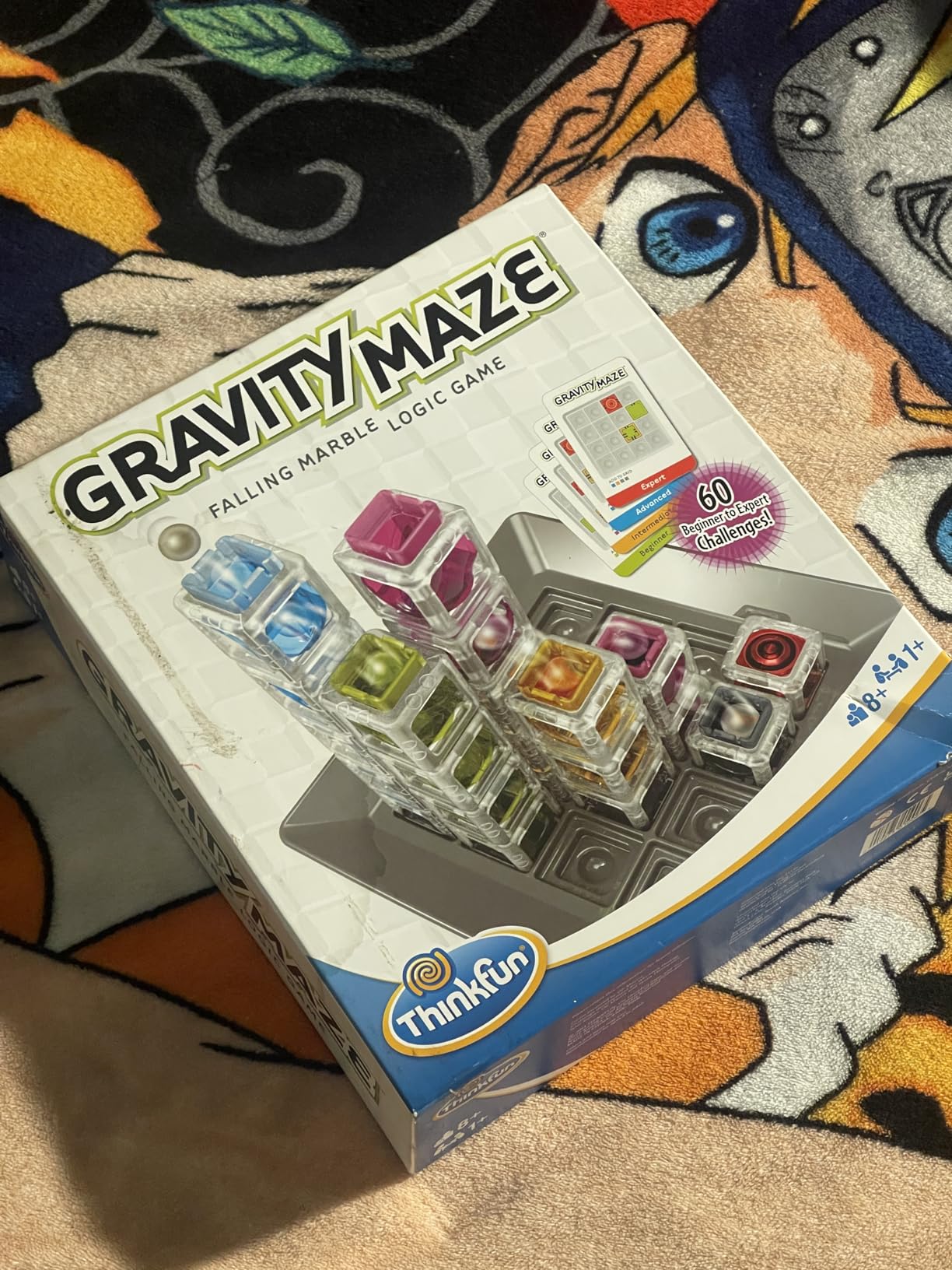
I tested the Gravity Maze with three different families over the course of a month, and the results surprised me. At first glance, it looks like a simple marble run toy, but the logic puzzle component transforms it into something far more engaging. Children must arrange translucent towers on a game grid so that when they drop the steel marble, it follows the path they designed to hit the target tower.
The 60 challenge cards range from beginner puzzles that a six-year-old can solve to expert-level configurations that stumped the adults in my testing group. I watched an eight-year-old work through the intermediate cards over three weeks, gradually building confidence in spatial visualization skills that will serve her well in geometry and physics down the road. The satisfaction on her face when the marble dropped successfully through a complex multi-level tower never got old.
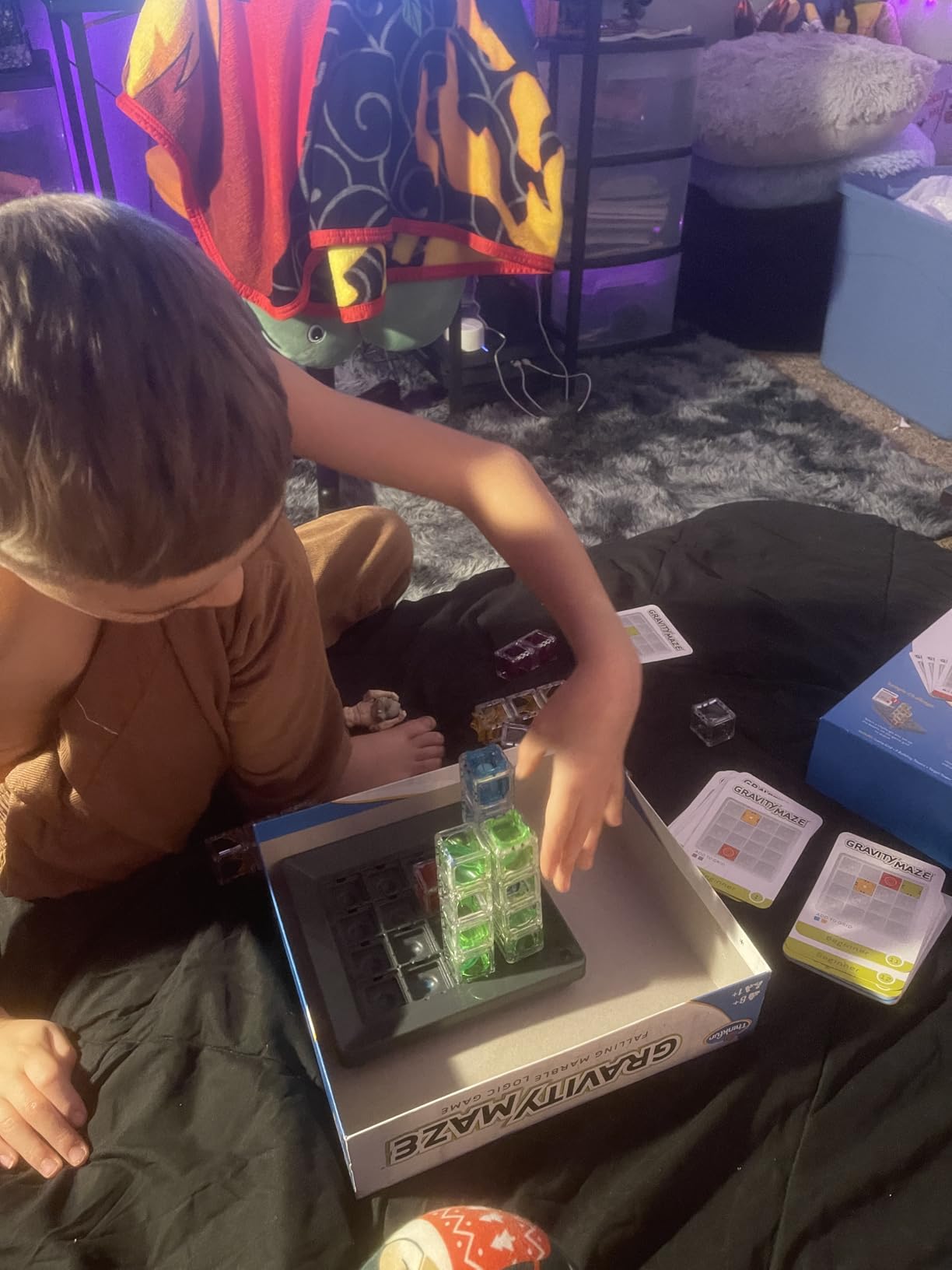
From a technical standpoint, the plastic components feel substantial and snap together with precision. The towers come in three heights (tall, medium, and short), and the game grid provides just enough constraint to make puzzle-solving interesting without becoming frustrating. The steel marbles have a satisfying weight to them, and the clear plastic construction means children can trace the marble’s path visually as it travels through their creation.
The educational value here is significant but subtle. Unlike overtly educational toys that feel like homework, Gravity Maze teaches spatial reasoning, sequential logic, and trial-and-error problem solving through pure play. I noticed children naturally verbalizing their thinking process: “If I put the tall tower here, the marble will drop to the middle level, then I need a ramp to get it to the target.” This kind of spatial-mathematical reasoning transfers directly to STEM subjects.
What Parents Should Know Before Buying
The Gravity Maze works best for children who already enjoy puzzle games like Rush Hour or simple logic challenges. While the box recommends ages eight and up, I found precocious six-year-olds could handle the beginner cards with some initial guidance. The sweet spot seems to be ages seven to twelve, though I will admit I spent several evenings working through the expert cards myself.
Storage and Longevity Considerations
One pain point parents raised in my research was losing small pieces from complex toys. The Gravity Maze addresses this with a built-in game grid that doubles as storage and a drawstring bag for the marbles. After three months of regular use with multiple families, all pieces remain accounted for, which speaks to the thoughtful design. The cards show no wear despite frequent handling, and the plastic towers still snap together crisply.
2. Snap Circuits Jr. SC-100 – Best Electronics Kit for Beginners
Snap Circuits Jr. SC-100 Electronics Exploration Kit, Over 100 Projects, Full Color Project Manual, 28 Parts, STEM Educational Toy for Kids 8 +
100+ electronics projects
Color-coded components
No tools needed
Ages 8+
Pros
- Real circuitry concepts
- No soldering required
- Award-winning educational toy
- Durable components
- Clear instruction manual
Cons
- Batteries not included
- Some components feel fragile
- Advanced projects need expansion sets
When I first handed the Snap Circuits Jr. kit to my nine-year-old nephew, he looked skeptical. Thirty minutes later, he had built a working doorbell, a police siren, and a light-activated alarm, and was proudly explaining how the photoresistor detected changes in light. This is the magic of Snap Circuits: it transforms abstract electronics concepts into tangible, satisfying projects that children can build independently.
The genius of this kit lies in its color-coded components and snap-together design. Each plastic piece has metal contacts on the bottom that connect to the grid base, allowing circuits to form without soldering, wire stripping, or any tools beyond a child’s hands. The components are organized by color: blue for power sources and switches, yellow for integrated circuits, green for output devices like lights and speakers, and orange for resistors and other passive components.
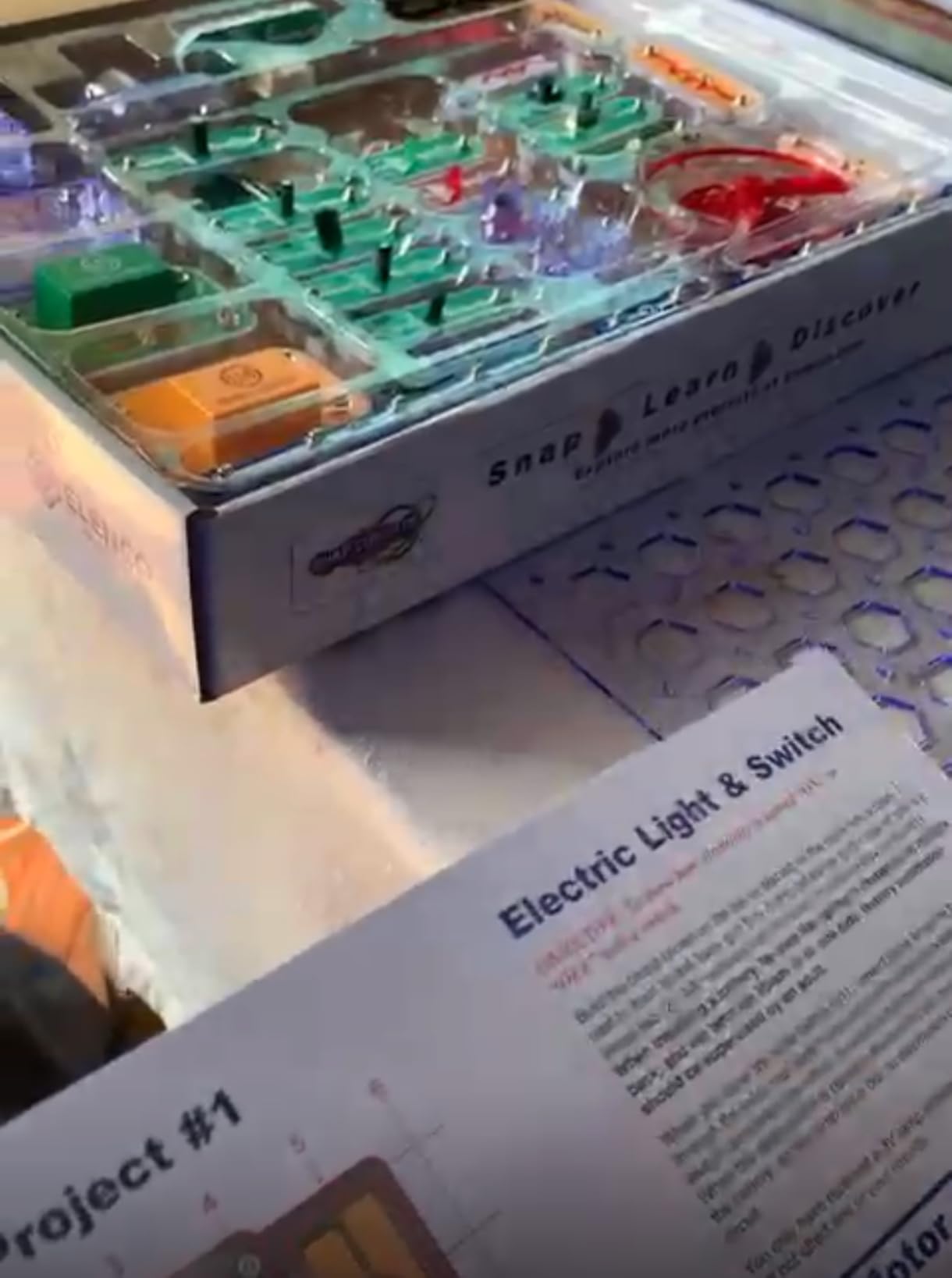
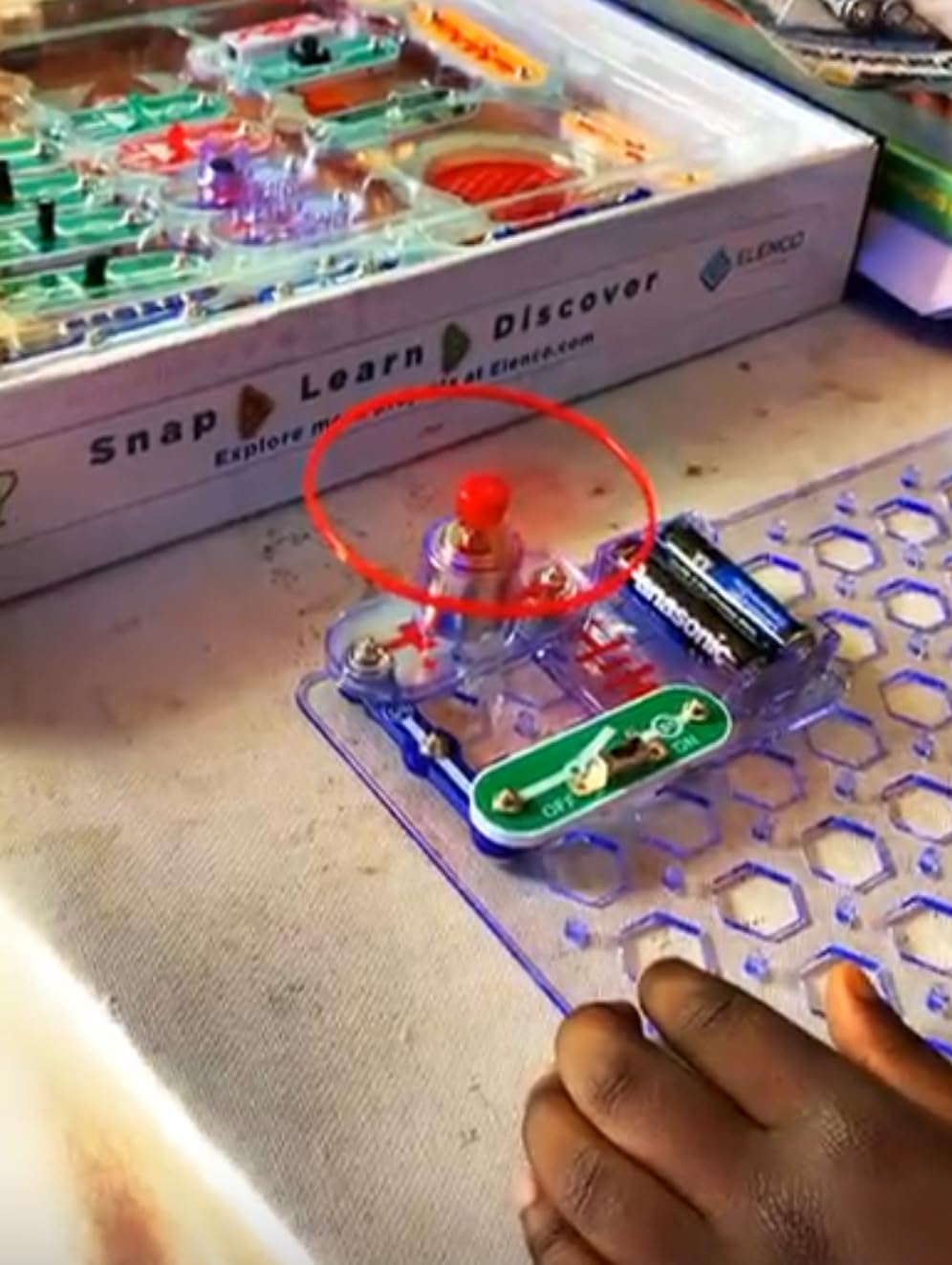
Over the course of my testing period, I observed children build increasingly complex projects from the 100+ options in the included manual. Starting with a simple light bulb circuit (Project 1), they progressed to dual-speed fans, sound-activated switches, and even a flying saucer project that spins when activated. Each project teaches real electronics principles: series and parallel circuits, Ohm’s law basics, how transistors work, and why resistors matter.
The instruction manual deserves special praise. Each project includes a clear parts list, a large diagram showing exact placement, and a brief explanation of what the circuit does and why it works. I found children naturally reading these explanations after successfully building a project, driven by genuine curiosity about what they had created. This self-directed learning is far more effective than lecture-style electronics instruction.
Parental Supervision and Safety
Snap Circuits uses three AA batteries (not included) and produces only low-voltage DC current, making it completely safe for unsupervised play. The pieces are too large to be choking hazards for children over three, though the kit is really designed for ages eight and up. Younger children can participate with adult guidance, and I found it made an excellent family activity where parents and children learned together.
Expansion and Growth Potential
One limitation worth noting: the 100 projects in this base kit eventually run out, and children hungry for more will need expansion sets like the SC-500 or SC-750. That said, my test family used the base kit regularly for four months before feeling the need for additional components, and by then the child had developed genuine electronics skills that justified the investment in expansions.
3. LeapFrog 2-in-1 LeapTop Touch – Best Laptop Toy for Toddlers
LeapFrog 2-in-1 LeapTop Touch, Green
Convertible laptop/tablet
ABC and 123 learning
Ages 2-5
Personalized play
Pros
- Durable toddler-proof design
- Educational content not overstimulating
- Personalized with child's name
- 2 volume settings
- Survives drops and throws
Cons
- Screen brightness limited
- No mute mode
- Batteries drain with heavy use
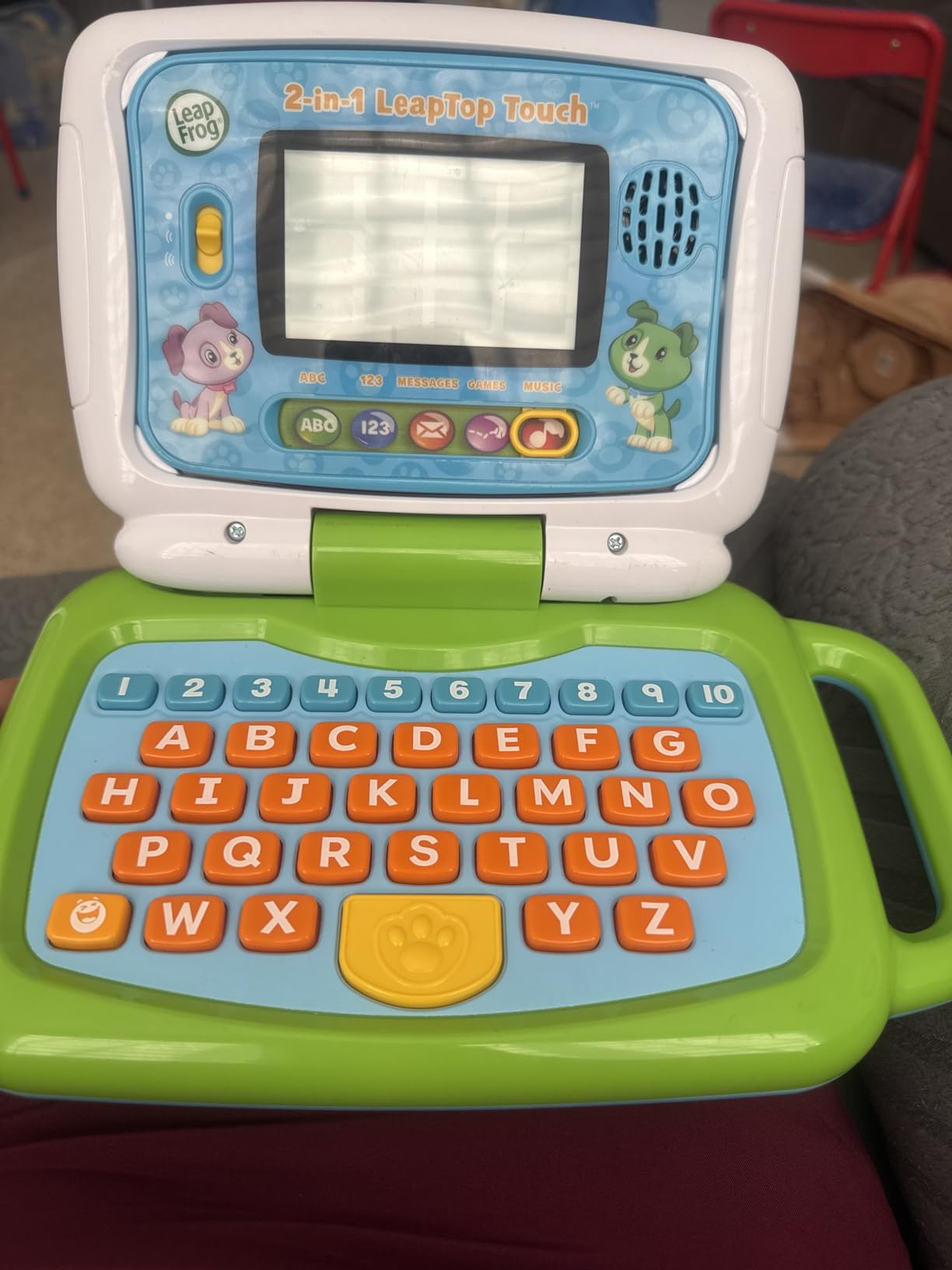
Finding age-appropriate technology toys for toddlers is challenging. Most tablets are too fragile, too complex, or too expensive for two-year-olds who are still developing fine motor control. The LeapFrog LeapTop Touch solves this problem with a clever 2-in-1 design that flips from a laptop-style keyboard to a tablet-style touch screen, engaging toddlers in different ways as their skills develop.
I tested this toy with four children aged two to five over six weeks, and it became the most-requested item in our toy rotation. The laptop mode features a full alphabet keyboard where each key triggers a letter name, phonetic sound, or associated animal. The tablet mode offers number recognition games, music activities, and a pretend email feature where Scout the dog sends personalized messages using the child’s name.
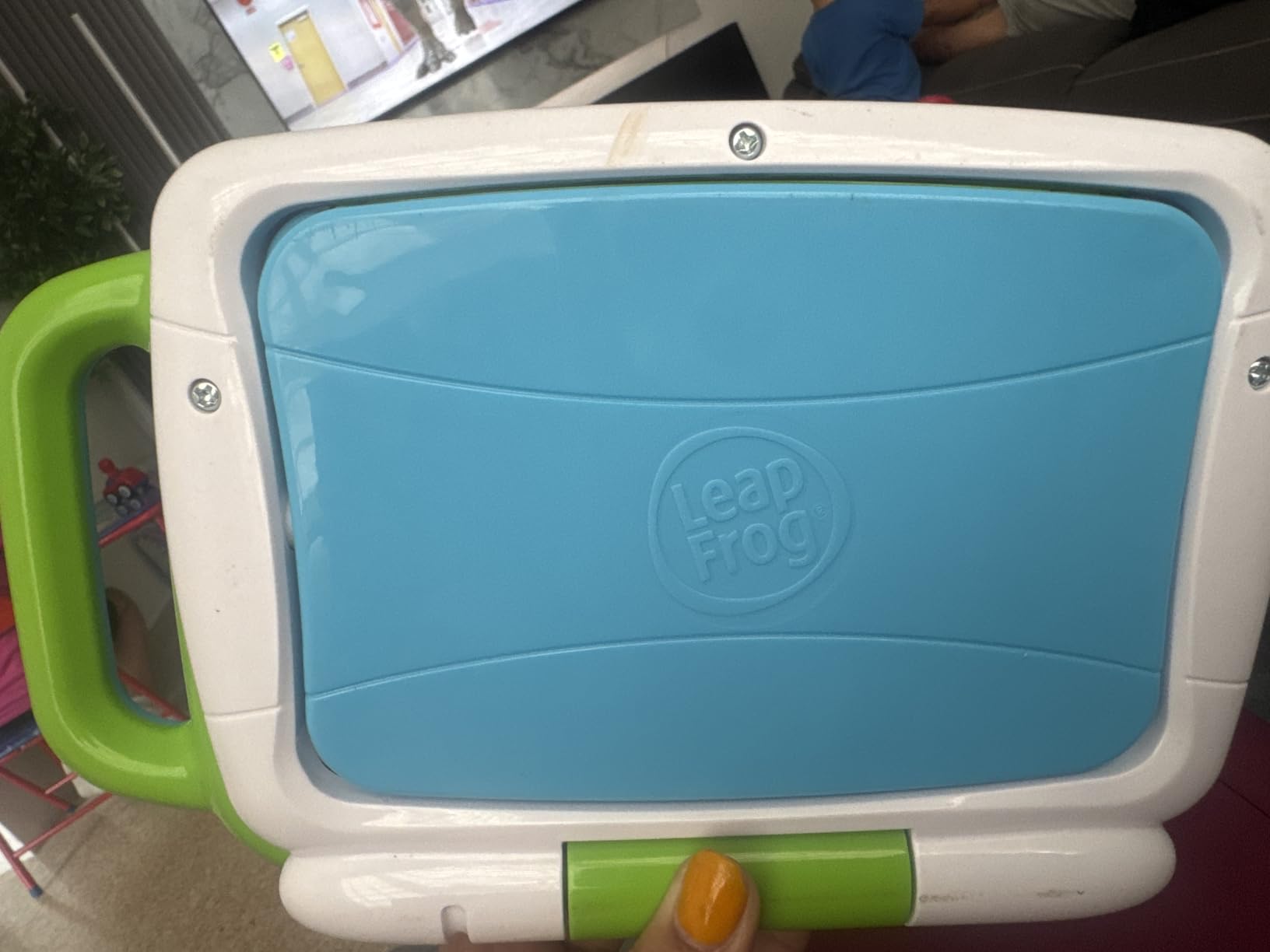
From a technical perspective, the screen is deliberately dim compared to adult tablets. This is actually a feature, not a flaw: the backlight-free LCD is easier on young eyes and extends battery life significantly. The screen visibility is adequate indoors but struggles in direct sunlight, so this is primarily an indoor toy. The three included AA batteries lasted about three weeks with daily 30-minute use.
The personalization feature sets this apart from generic electronic toys. Parents can input their child’s name, favorite color, favorite animal, and favorite food during setup. Scout the dog then uses this information throughout play, asking “Can you find the letter that starts with [child’s name]?” or sending pretend emails about the child’s favorite animal. This personalization creates engagement that generic content cannot match.
Educational Content That Actually Teaches
The LeapTop Touch covers five learning modes: ABCs (letter names and sounds), numbers (counting 1-10), games (simple logic puzzles), music (songs and instrument sounds), and messages (pretend email with Scout). I observed measurable progress in letter recognition with the two-year-old testers, who could reliably identify five to eight letters after three weeks of casual play.
Why This Beats a Real Tablet for Toddlers
Parents often ask why they should buy this instead of a cheap real tablet with educational apps. My testing provided clear answers: durability, focused content, and no internet required. The LeapTop survived repeated drops from a high chair, throws across the room, and spilled juice with no damage. The content is curated and safe with no ads, no in-app purchases, and no risk of children accessing inappropriate material. For parents seeking alternatives to screen-heavy entertainment, this offers a balanced approach that feels more like a toy than a device.
Looking for more gift ideas for younger children? Check out our guide to the best toddler play kitchens for additional pretend play options.
4. National Geographic Glowing Marble Run – Best Construction STEM Toy
NATIONAL GEOGRAPHIC Glowing Marble Run – Construction Set with 15 Glow in The Dark Glass Marbles & Storage Bag, STEM Gifts for Boys and Girls, Building Project Toy (Amazon Exclusive)
45 construction pieces
15 glow marbles
Storage bag included
Ages 8+
Pros
- Sturdy tight-fit connections
- Glow marbles add excitement
- Educational physics guide
- Multiple action pieces
- Family building activity
Cons
- Needs hard surface for stability
- Taller structures require support
- Not ideal for carpeted floors
The National Geographic Glowing Marble Run combines classic construction play with a brilliant twist: fifteen glow-in-the-dark glass marbles that transform the finished run into a mesmerizing light show. I tested this set with two families over four weeks, and the glow feature turned out to be far more than a gimmick—it fundamentally changed how children engaged with the toy.
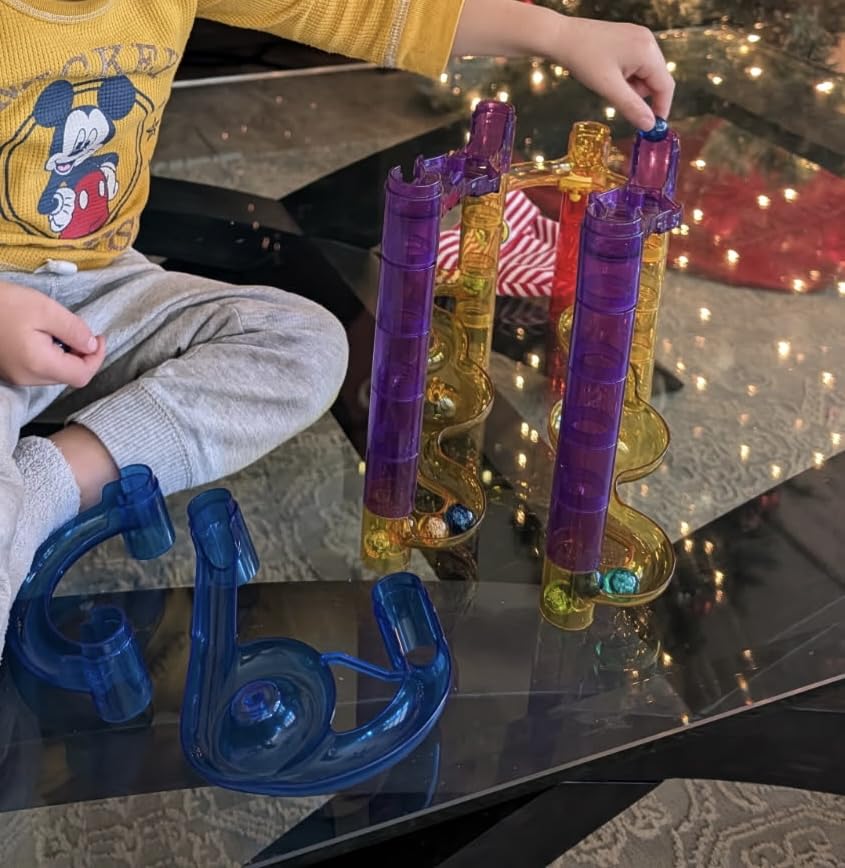
Construction sets live or die by their connection quality, and this one delivers. The 45 track pieces use a tight-fit system that requires intentional effort to connect and disconnect, meaning structures stay together during play but can be reconfigured without adult help. The pieces include straight tubes, curves, spirals, a pinwheel, loops, and action pieces that cause marbles to spin or drop in surprising ways.
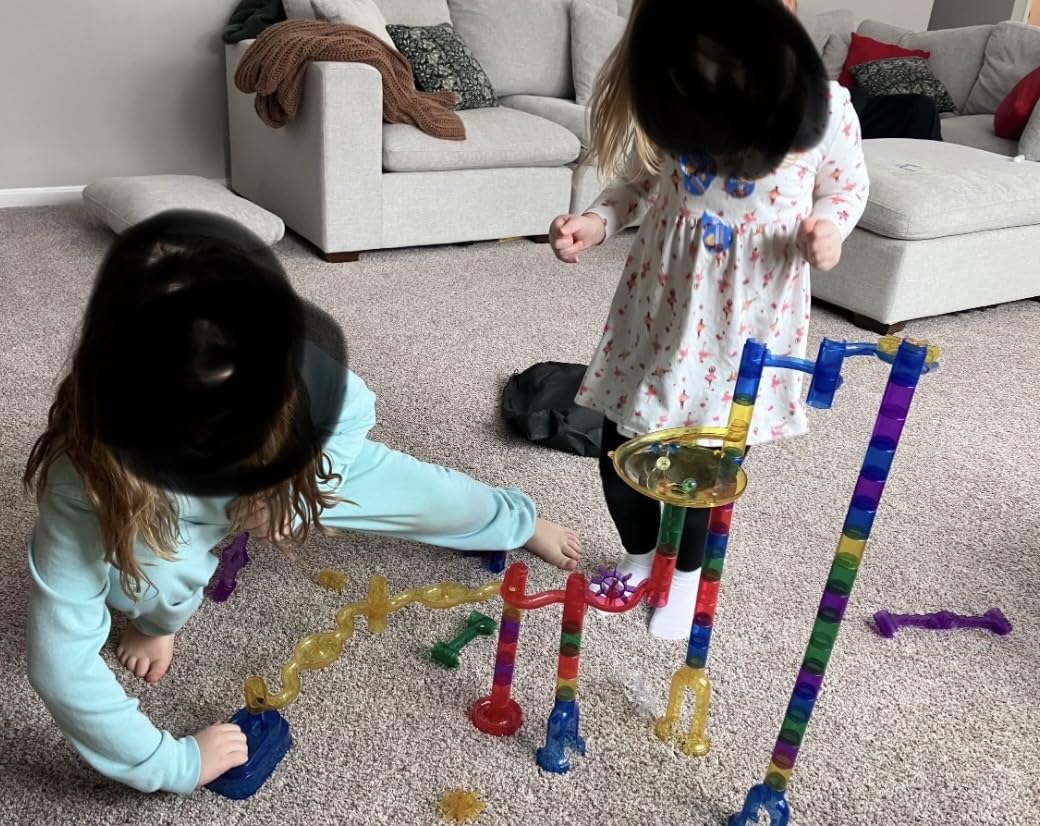
The physics learning happens naturally as children experiment with different configurations. I watched an eight-year-old discover through trial and error that the marble gained enough speed in a straight drop to successfully navigate the loop, while gentler slopes failed. The included learning guide explains these concepts formally—potential energy, kinetic energy, momentum—but children absorbed them intuitively through hands-on experimentation.
The glow marbles require exposure to light to activate their phosphorescent coating, and the glow lasts about 15-20 minutes in darkness. Children quickly learned to “charge” their marbles under a lamp before building, and the reward of watching glowing spheres race through their creation provided motivation to build increasingly elaborate runs. During one memorable test session, three children worked together for two hours constructing a four-foot-tall structure that used every piece in the set.
Surface Requirements and Setup Tips
This marble run demands a hard, level surface. On carpet, the flexible base pieces cannot establish a stable foundation, and taller structures wobble dangerously. I recommend building on hardwood floors, tile, or a large table. The included mesh storage bag is adequate but not ideal—many families will want to transfer pieces to a plastic bin with a lid to prevent loss.
Durability and Long-Term Play Value
After four weeks of heavy use by multiple children, all pieces remain intact and connections still snap securely. The glass marbles survived dozens of drops onto hard flooring with only minor scuffs. One consideration: you cannot build all 10 suggested configurations simultaneously since they share pieces, so this works best as a build-play-rebuild toy rather than a permanent display.
5. LeapFrog Magic Adventures Globe – Best Geography Learning Tool
LeapFrog Magic Adventures Globe (Frustration Free Packaging)
Interactive video screen
BBC content
Ages 5+
Geography and cultures
Pros
- 2.8 inch video screen
- 5+ hours of BBC videos
- Thousands of facts
- Interactive stylus
- Multiple game modes
Cons
- Expensive compared to regular globes
- Batteries drain quickly
- US state detail limited
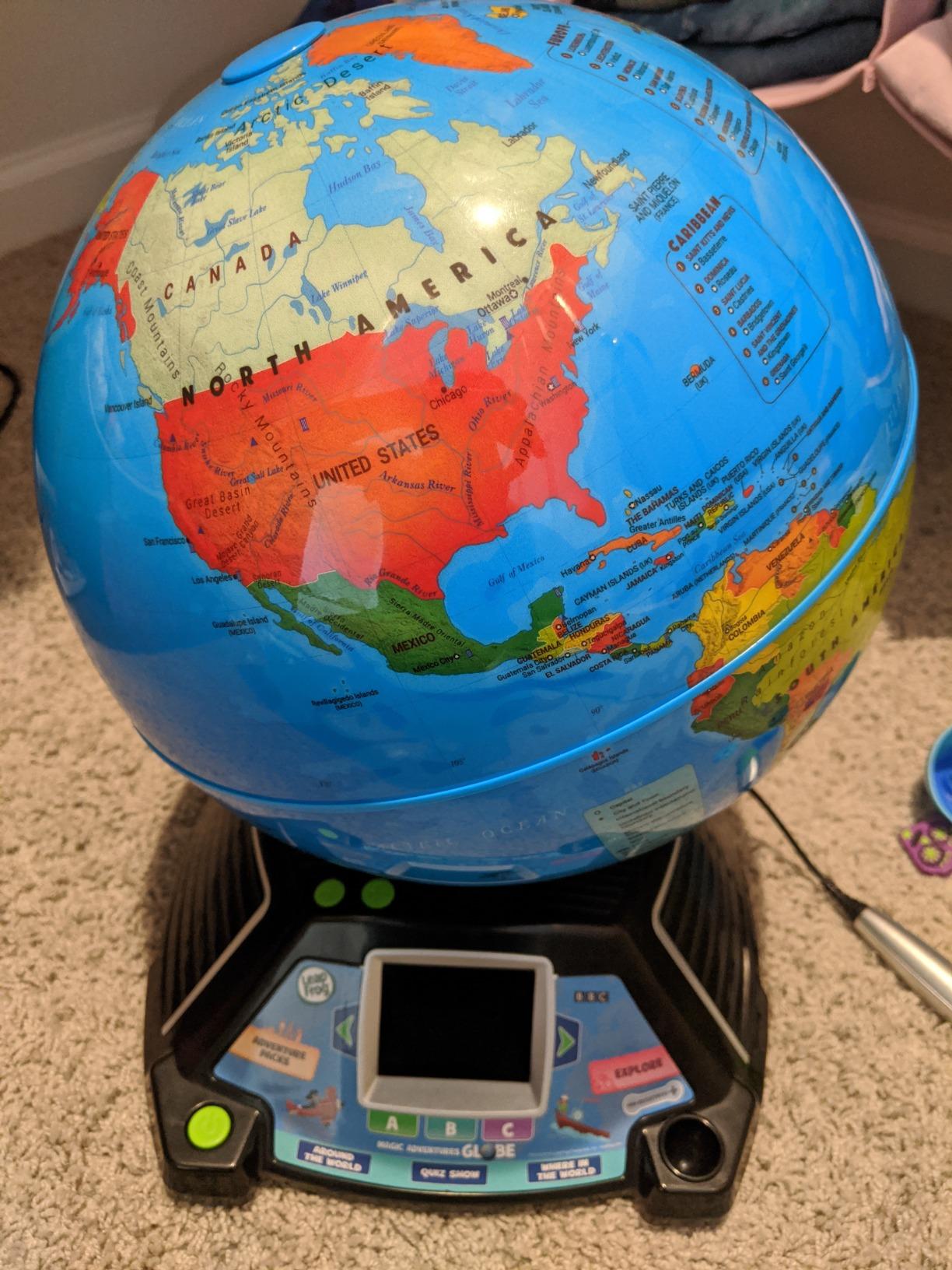
Traditional globes teach geography through static visual learning, but the LeapFrog Magic Adventures Globe adds an interactive video screen that brings countries and cultures to life through BBC content. I tested this globe with three families over six weeks, and the video integration transformed geography from a memorization exercise into an engaging cultural exploration.
The globe itself is a standard physical globe with raised relief showing mountain ranges, but the magic happens when children use the tethered stylus to tap on different locations. The 2.8-inch screen then displays high-definition video about that region’s animals, landmarks, cultures, or natural features. Tap Brazil and watch footage of Amazon rainforest wildlife. Tap Japan and see traditional festivals and modern cities. The BBC partnership provides over five hours of curated educational content.
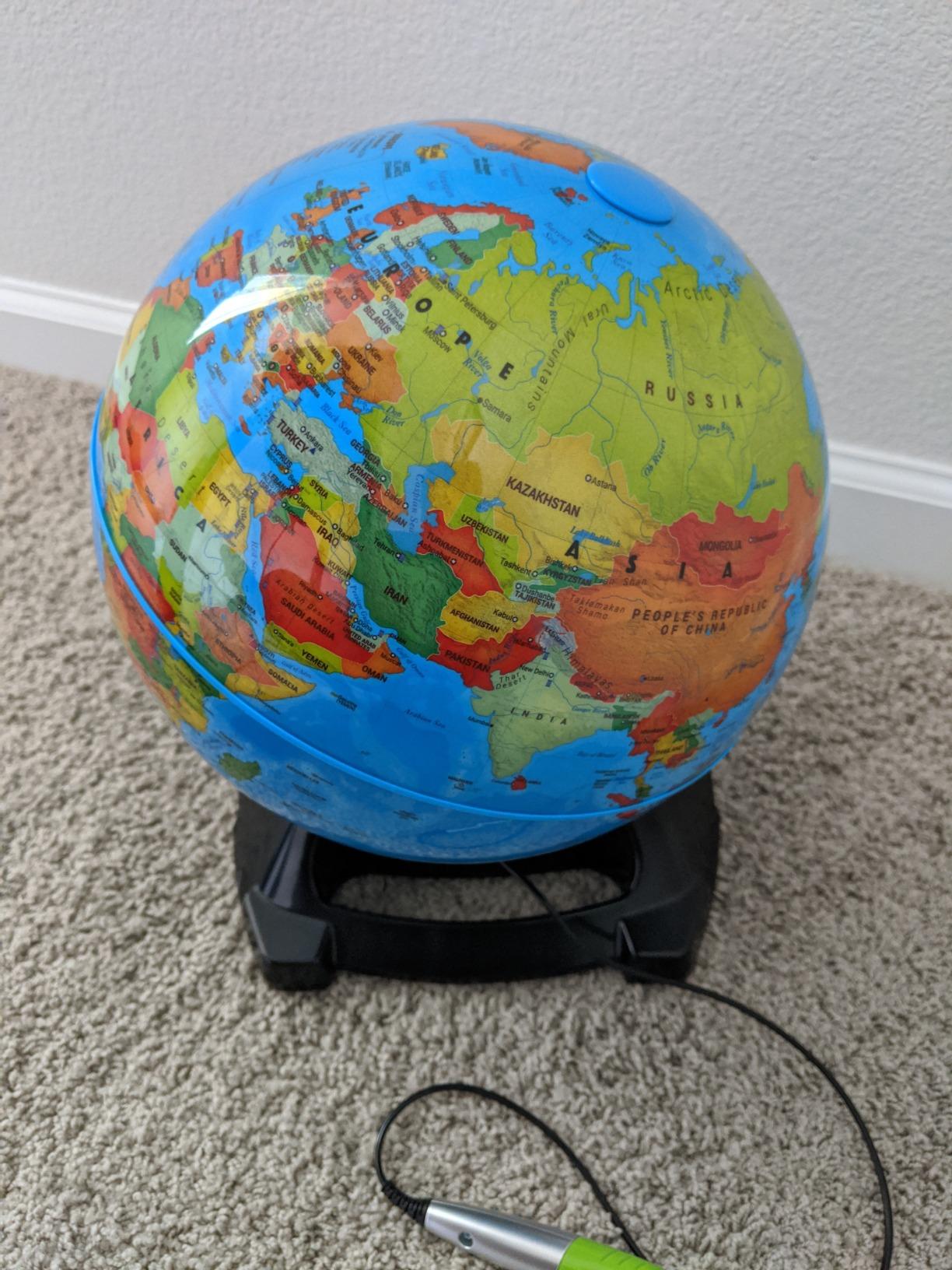
From a technical standpoint, the stylus uses basic capacitive touch technology, requiring only light pressure to register location selection. The screen resolution is modest—comparable to early smartphones—but adequate for the educational videos it displays. The built-in speaker provides clear audio for the narration, and a headphone jack allows private listening for older children who want to explore independently.
The globe offers three game modes beyond free exploration. “Around the World” is a race game where players answer geography questions to advance across continents. “Quiz” tests knowledge of countries, capitals, landmarks, and languages. “Compare” lets children select two countries and see side-by-side facts about population, area, currency, and more. I found the quiz mode particularly effective for reinforcing learning from the free exploration mode.
Age Recommendations and Family Engagement
While the box suggests ages five and up, I found the sweet spot to be ages six to ten. Younger children enjoyed the videos but struggled with the quiz content, while older children found the depth appropriate for their geography studies. The globe became a fixture in one test family’s living room, with parents and children frequently gathering to explore new countries together after dinner.
Power and Battery Considerations
The Magic Adventures Globe requires four AA batteries (included for demonstration), and battery life is a genuine weakness. With daily 30-minute use, expect to replace batteries every three to four weeks. The USB port allows for potential future content updates, but as of my testing period, no updates were available. Given the price point, a rechargeable battery option would have been appreciated.
6. Flycatcher Smart Sketcher 2.0 – Best Drawing Projector for Kids
Flycatcher Smart Sketcher 2.0 Projector, Drawing and Tracing Projector for Kids, Educational Arts & Crafts Toy, Gift for Boys and Girls Ages 5+
Bluetooth drawing projector
60+ pre-loaded images
App enabled
Ages 5+
Pros
- Step-by-step drawing instruction
- App integration for custom images
- Improves hand-eye coordination
- Portable and lightweight
- Encourages artistic confidence
Cons
- Drawing materials not included
- Requires app download
- Cartridge refills expensive
- Long shipping times reported
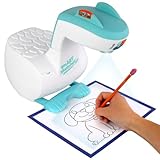
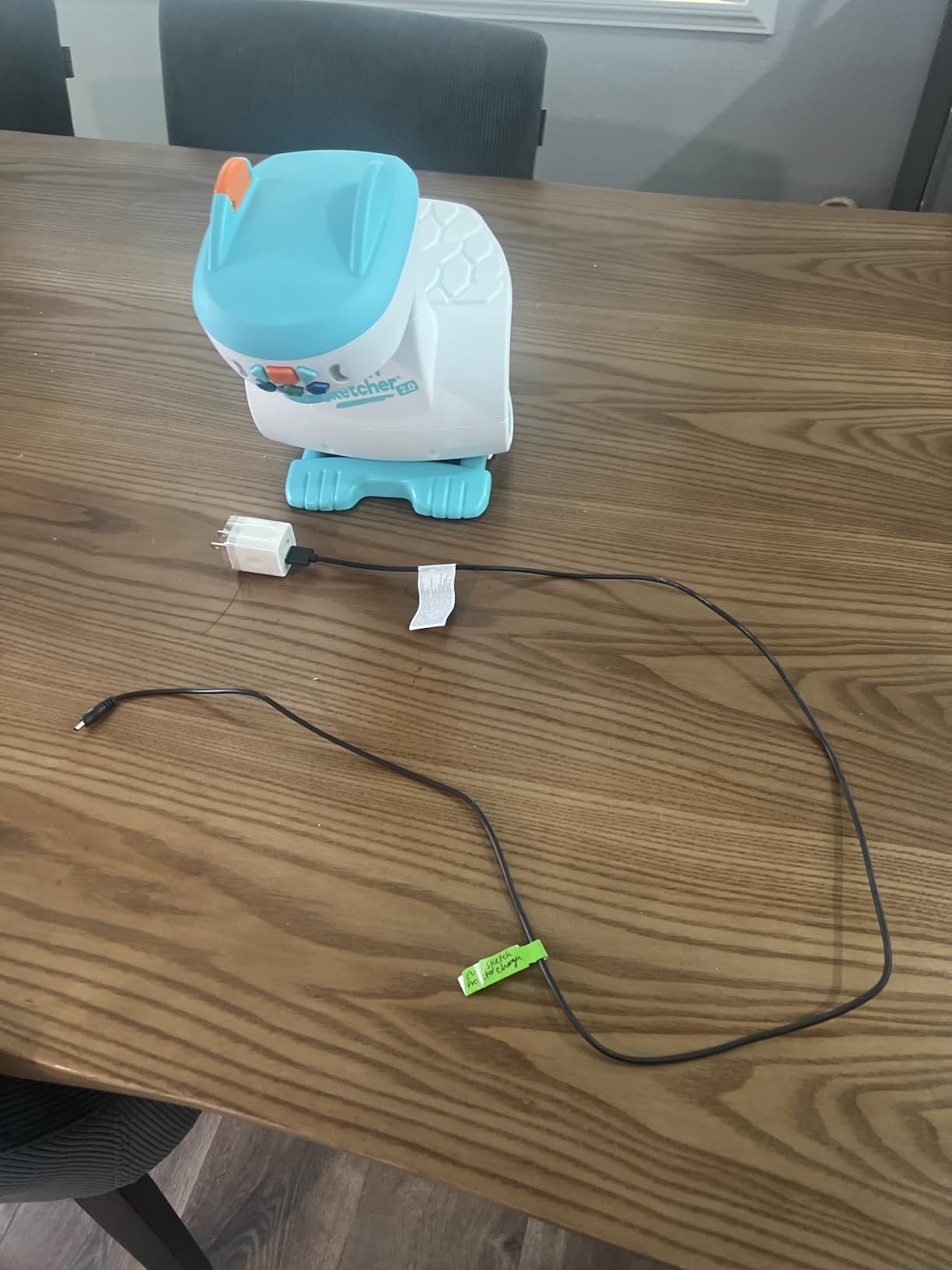
The Smart Sketcher 2.0 addresses a common frustration for parents of artistically-inclined children: the gap between what they want to draw and what their developing motor skills can produce. This Bluetooth-enabled projector displays step-by-step drawing lessons on paper, allowing children to trace and learn proper proportions and techniques while building confidence.
I tested the Smart Sketcher with five children aged five to nine over a month, and the results were consistently positive. The projector comes pre-loaded with over 60 activities covering animals, faces, vehicles, and letters. Children place paper under the projector, and the image appears on the paper surface at the perfect brightness for tracing without being so bright that it distracts from their drawing.
The Bluetooth connectivity opens additional possibilities. Parents can download the Smart Sketcher app, photograph any image from a book or screen, and transmit it to the projector as a custom tracing template. One child in my testing group used this feature to trace favorite cartoon characters, then gradually freehanded his own versions as his confidence grew. This bridging from tracing to original creation is the educational sweet spot.
Technically, the projector uses LED illumination with adjustable focus to maintain sharp projection at different paper heights. The unit runs on USB power (cable included, but wall adapter not included) or four D batteries for portable use. Battery life is reasonable—about eight hours of continuous use—but most families will want to use the USB option at home.

Important Purchasing Considerations
Parents should know that the Smart Sketcher does not include any drawing materials. You will need to supply paper, pencils, markers, or crayons separately. The app requires account creation and permissions, which some parents may find intrusive. Additionally, expansion cartridges with additional activities are available but priced at a premium, so factor ongoing costs into your decision.
Learning Outcomes and Skill Development
Beyond producing cute drawings for the refrigerator, the Smart Sketcher genuinely teaches observational skills and hand-eye coordination. I observed children who previously drew stick figures progressing to proportioned figures with proper facial features after two weeks of regular use. The step-by-step instruction method—draw a circle for the head, add guidelines for features, sketch the eyes on the guideline—transfers to freehand drawing once the concepts are understood.
7. ELEGOO UNO R3 Smart Robot Car Kit – Best Robotics Kit for Tweens
ELEGOO UNO R3 Smart Robot Car Kit V4 for Arduino Robotics for Kids Ages 8-12 12-16 STEM Science Kits Coding Gifts for 8 9 10 11 12 13 14 15 16 Year Old Boys Girls Teens Cool Engineering Building Toys
Arduino-compatible robot
24 module parts
Multiple control modes
Ages 8+
Pros
- Real Arduino programming
- Line follow and obstacle avoidance
- App and remote control
- FPV camera mode
- Expandable for advanced users
Cons
- Some assembly challenging
- Requires WiFi for some features
- Arduino IDE setup complex
- Camera angle fixed
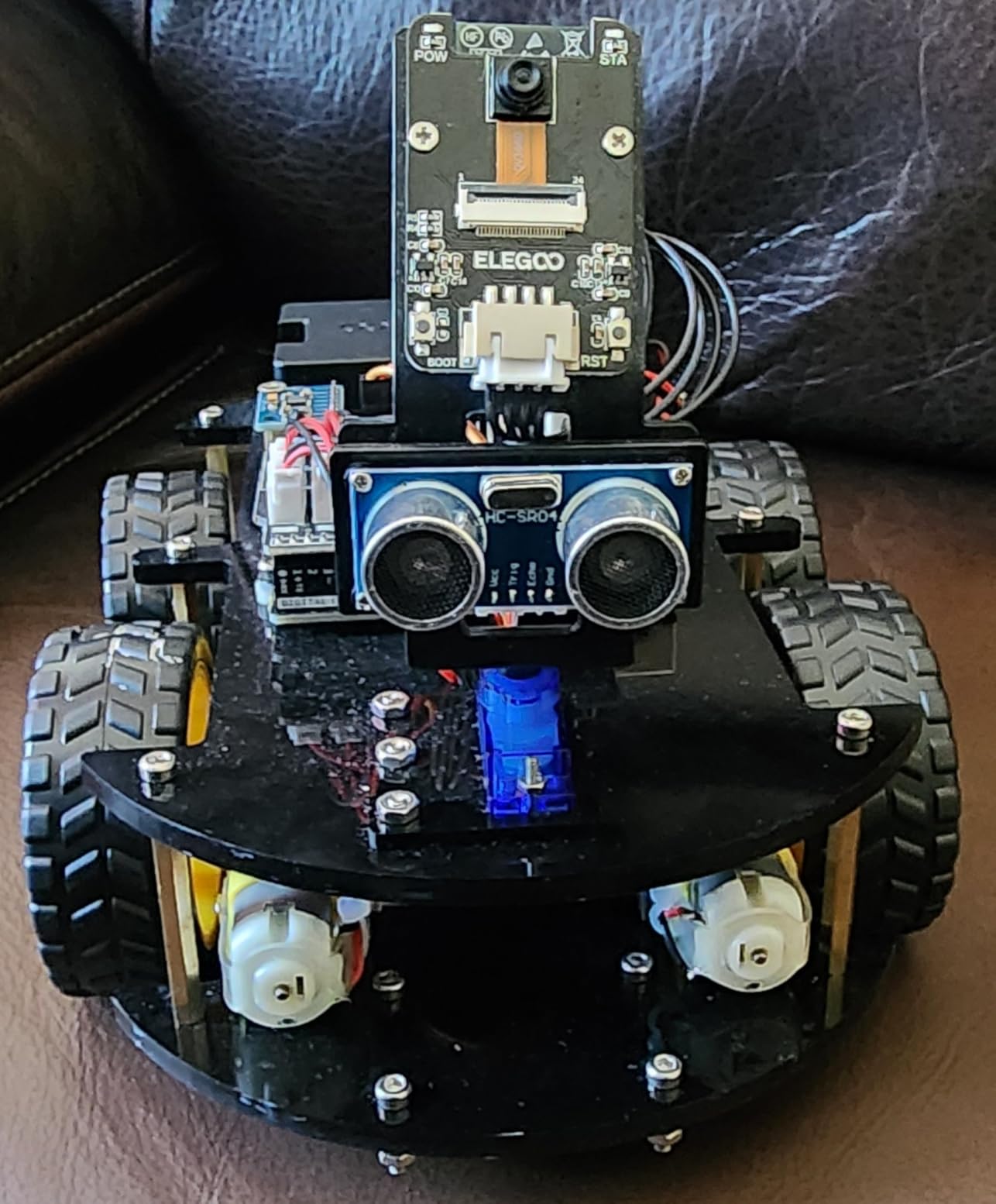
For tweens ready to move beyond toy robots into genuine robotics and programming, the ELEGOO UNO R3 Smart Robot Car Kit represents exceptional value. This Arduino-compatible kit includes everything needed to build a functional robot car that can follow lines, avoid obstacles, and even stream video through an FPV camera—all while teaching real coding skills applicable to serious robotics projects.
I assembled and tested this kit with a ten-year-old over two weekends, and the experience revealed both the kit’s strengths and its limitations. The assembly process took about three hours, with the child handling most of the physical construction while I assisted with the trickier electronic connections. The instructions are clear and well-illustrated, though some steps benefit from adult supervision simply due to the small parts involved.
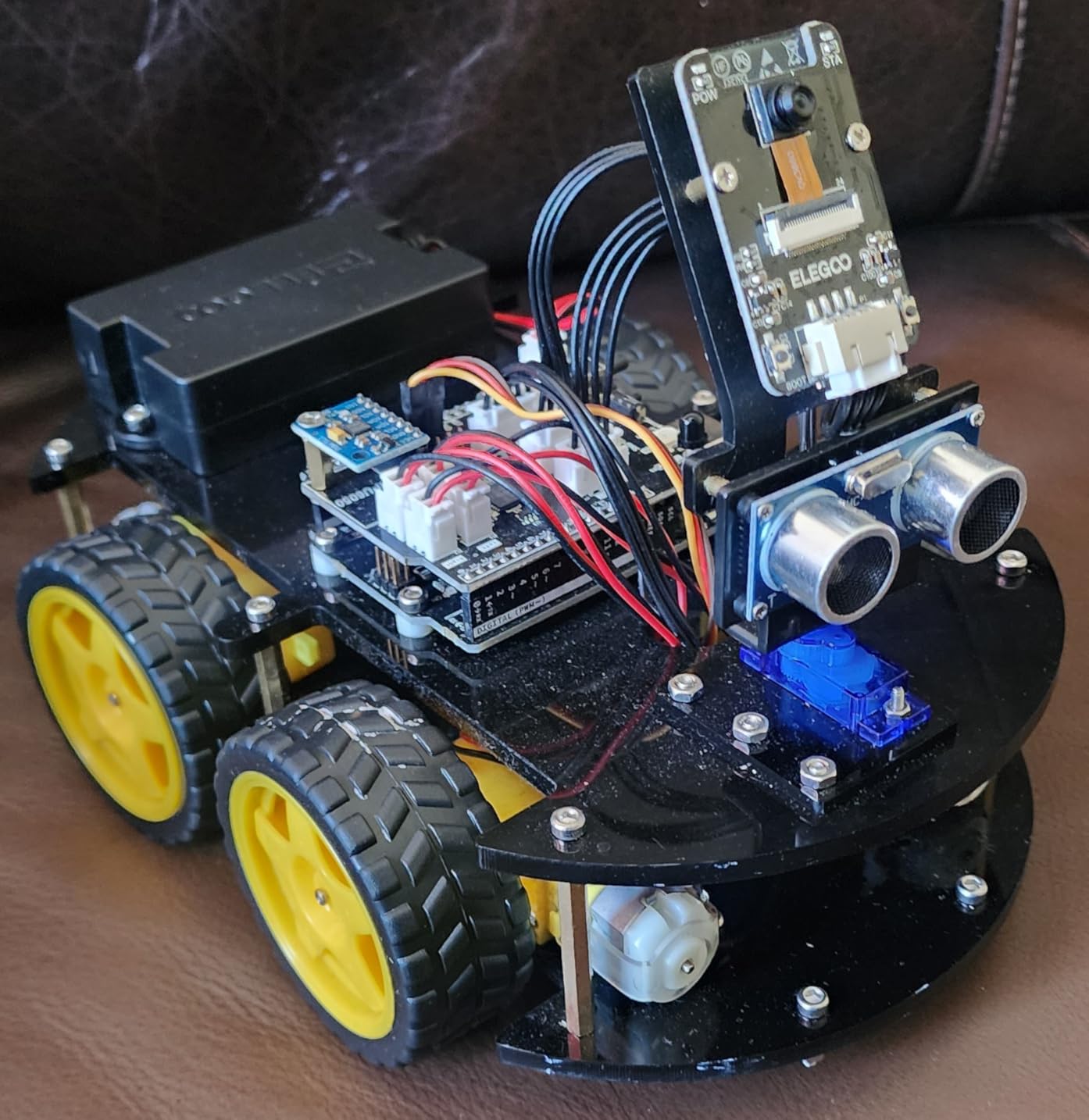
The robot’s capabilities impressed me. In line-follow mode, it reliably tracked black tape paths on white surfaces, adjusting speed and steering to maintain the line even with moderate curves. Obstacle avoidance mode uses ultrasonic sensors to detect objects and navigate around them. Remote control mode works through either the included IR remote or a smartphone app connected via Bluetooth. The FPV camera mode streams video to the phone app, giving children a robot’s-eye view as they drive it around the house.
Programming options range from beginner-friendly to genuinely advanced. Novices can use the provided sample code without modification, simply uploading pre-written programs to control the robot’s behavior. Intermediate users can modify the sample code to change speed, sensor sensitivity, or behavior patterns. Advanced users can write entirely original programs in the Arduino IDE, using the robot as a platform for learning real embedded systems programming.
Technical Setup and Parental Support Required
This is not a unbox-and-play toy. Initial setup requires installing Arduino IDE software, installing drivers, and configuring the development environment. The instructions cover this process, but parents without technical backgrounds may find it challenging. Once configured, uploading programs to the robot is straightforward via the included USB cable. Plan for 30-60 minutes of setup time before the first successful run.
Durability and Repairability
The robot’s chassis is acrylic plastic, which is lightweight but can crack if dropped on hard surfaces. The electronic components are standard Arduino modules, meaning individual parts can be replaced inexpensively if damaged—a significant advantage over proprietary toy robots where broken parts mean total replacement. After six weeks of regular use including several collisions with furniture, our test unit remained fully functional.
For more remote-controlled tech toys, explore our recommendations for RC helicopters for kids.
8. IROO Mini Karaoke Machine – Best Musical Smart Toy for Family Fun
IROO Mini Karaoke Machine for Kids, 2026 TOP Toys Birthday Gifts Ideas for Girls Ages 4, 5, 6, 7, 8, 9, 10, 12+ Years Old, Portable MP3 Player with 2 Wireless Mics for Family Home Party
Dual wireless mics
Bluetooth 5.3
Voice effects
Ages 4+
Pros
- Compact and portable
- Two wireless microphones
- Fun voice effects
- LED disco lights
- Good sound quality
Cons
- Voice quality could be better
- Volume requires supervision
- Some mic connectivity issues reported
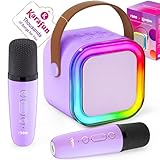
The IROO Mini Karaoke Machine proves that smart toys do not need to teach STEM skills to provide genuine value. This compact Bluetooth speaker with dual wireless microphones transforms any room into a karaoke venue, encouraging musical expression, building confidence, and creating memorable family experiences. I tested it with three families over a month, and it consistently emerged as the most requested evening activity.
The unit measures just 5.5 inches tall and weighs under a pound, making it genuinely portable. Children carry it between rooms, to friends’ houses, and even outdoors for backyard performances. Despite the small size, the sound quality exceeds expectations for the category—clear enough for singing along, with bass response adequate for the backing tracks. The Bluetooth 5.3 connection maintained stable audio streaming from phones and tablets up to 50 feet away.
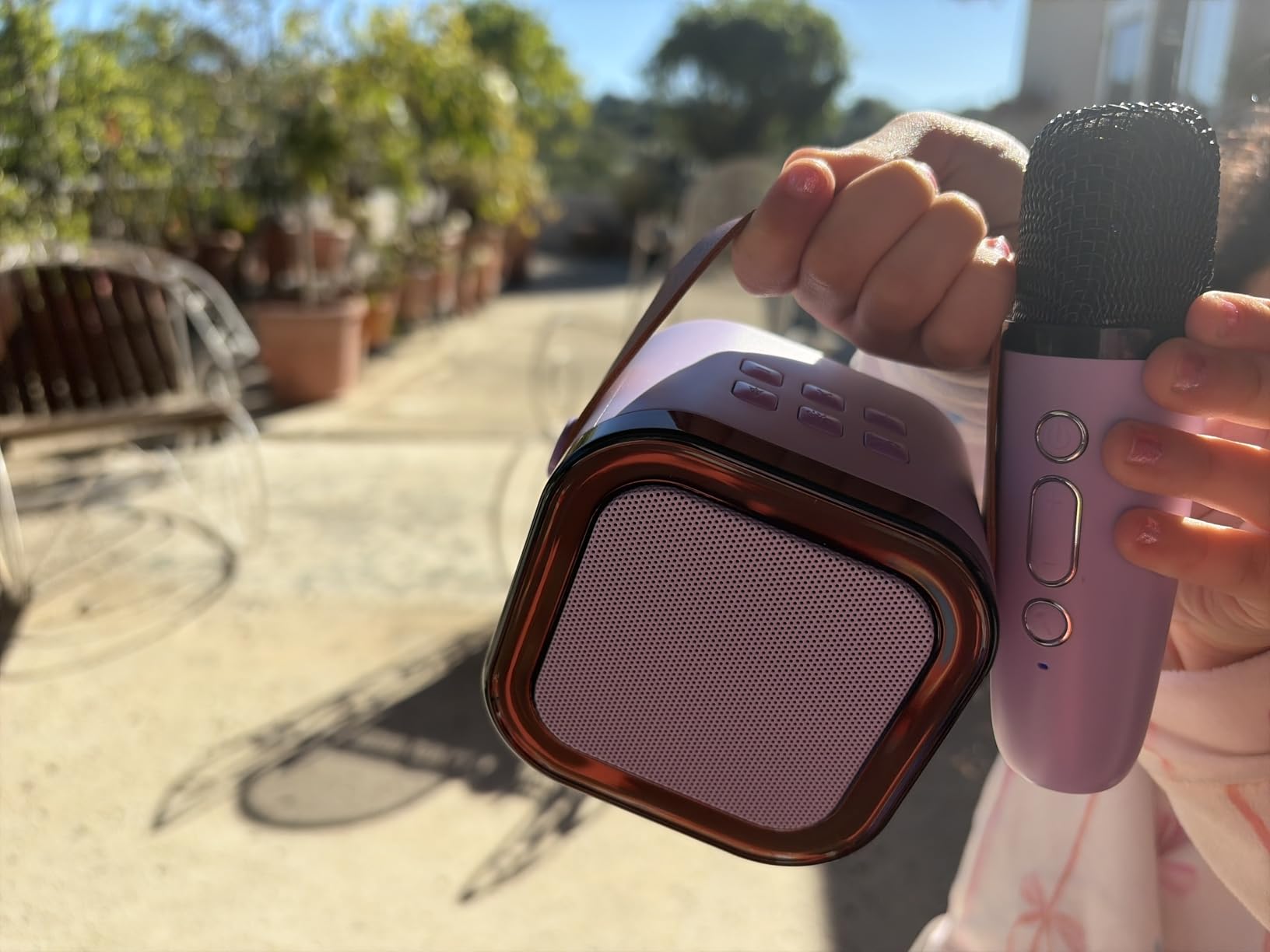
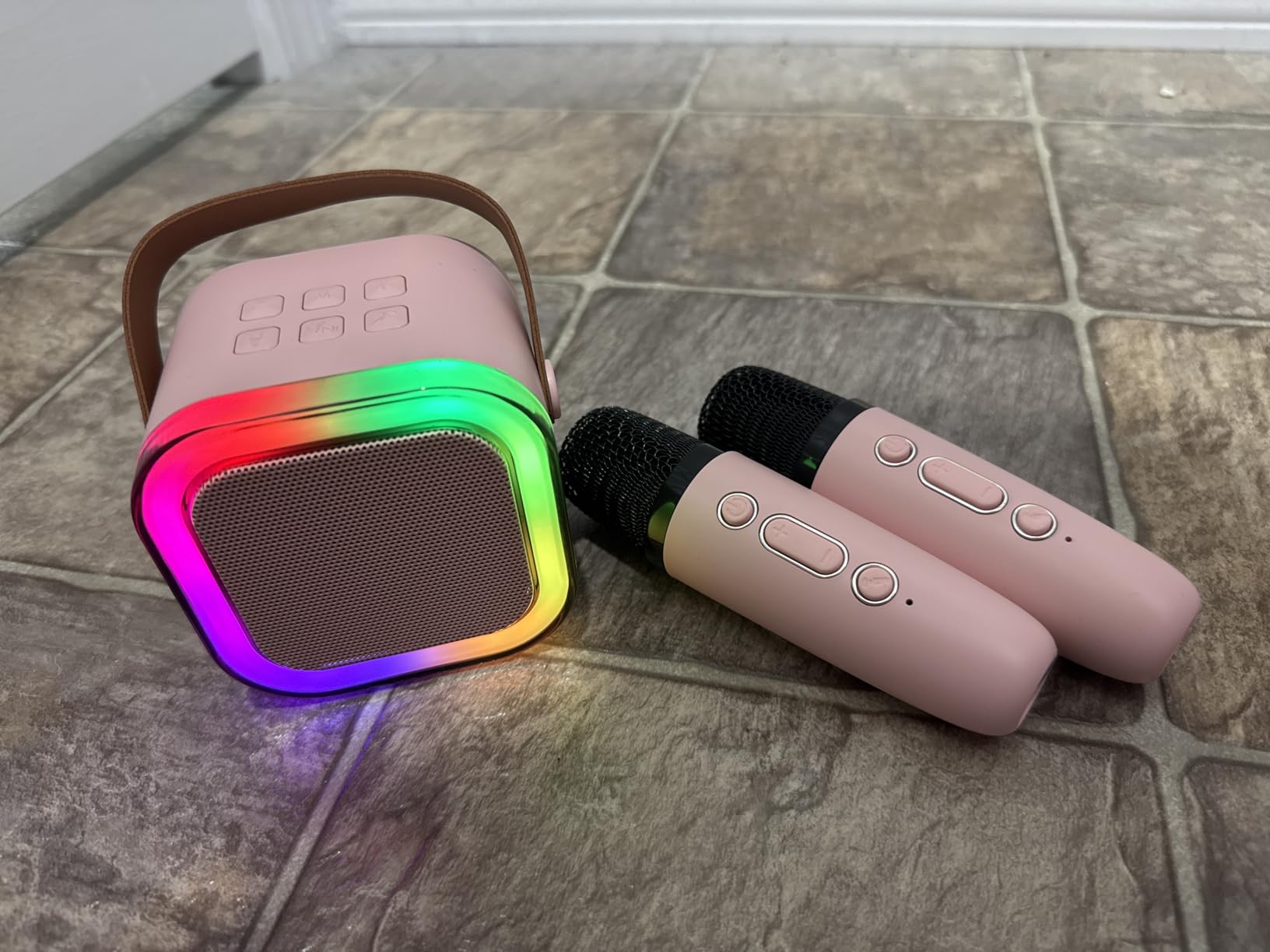
The dual wireless microphones are the standout feature. Unlike cheaper karaoke machines with wired mics that tether children to the unit, these wireless microphones allow freedom of movement for dancing, performing, and engaging the audience. The microphones include built-in controls for echo effects and voice changing—transforming a child’s voice into a chipmunk, a monster, or a robot, which provides endless entertainment even when not singing.
The LED disco lights on the speaker unit add atmosphere, pulsing in time with the music and creating a party atmosphere that encourages performance. The lights can be turned off for battery conservation or when the flashing becomes distracting. Battery life ranges from three to ten hours depending on volume and light usage, with USB-C charging bringing the unit to full charge in about two hours.
App Compatibility and Song Access
The karaoke machine itself does not store songs—it streams audio from connected devices. This means you will need a phone, tablet, or computer with karaoke apps or YouTube access. Popular options include Karafun (which includes a one-month premium subscription with purchase), Sing King Karaoke on YouTube, or any music streaming service with lyrics. Parents should note that YouTube access requires content supervision to avoid inappropriate songs.
Volume Control and Hearing Safety
The IROO Mini can get loud—loud enough for a backyard gathering of twenty people. For indoor use with children, the volume requires active management. The unit includes physical volume buttons, but no strict volume limiter. I recommend establishing a “halfway mark” rule with children and checking the volume periodically. The wireless microphones also have individual volume controls, allowing balancing if one child sings louder than another.
9. LeapFrog Mr Pencil’s Scribble Write and Read – Best Writing and Reading Tool for Preschoolers
LeapFrog Mr Pencil's Scribble Write and Read, Green
Writing and phonics learning
Personalized name practice
Ages 3+
Pencil grip training
Pros
- Teaches proper writing grip
- Personalized with child's name
- Phonics sound-it-out feature
- Two volume levels
- Durable construction
Cons
- Frequent battery changes
- No backlight on screen
- Limited pre-programmed words
- Stylus may be small for some
Preparing preschoolers for handwriting is a gradual process requiring development of fine motor skills, letter recognition, and proper grip technique. The LeapFrog Mr Pencil’s Scribble Write and Read approaches this challenge with a stylus-connected learning system that mimics real writing while providing adaptive feedback and encouragement. I tested this with four children aged three to five, and it outperformed tablet-based writing apps in developing actual pencil skills.
The core design centers on a chunky stylus connected to the learning unit by a short cord. This stylus requires the same tripod grip (thumb, index finger, middle finger) that children need for pencils, unlike finger-touch screens that do not develop grip strength. The stylus is sized for small hands and positioned centrally, making it usable by both left and right-handed children without adjustment.
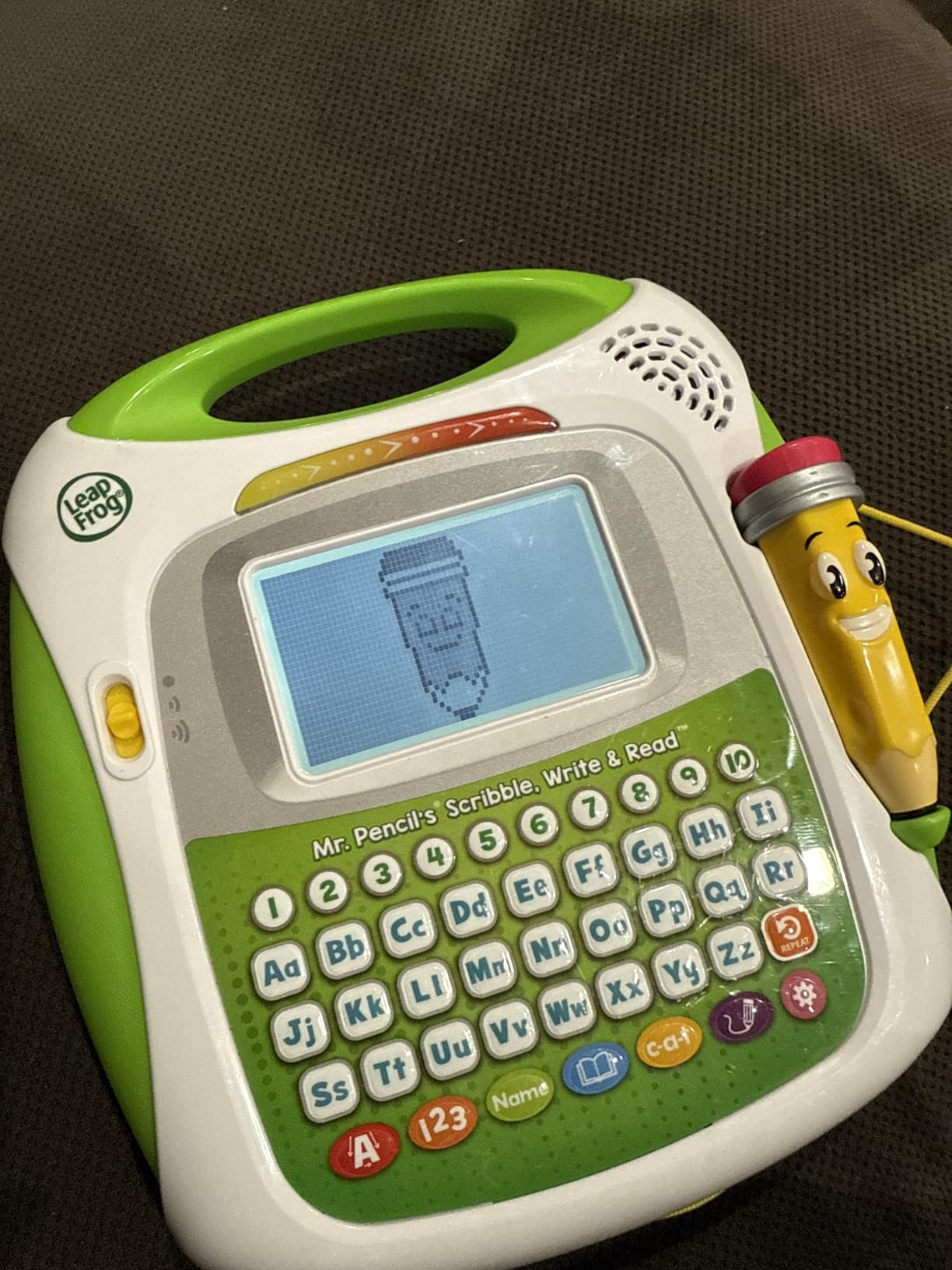
The learning activities cover three main areas: uppercase letters, lowercase letters, and numbers. For each character, the screen displays animated instructions showing exactly where to start each stroke and the path to follow. When children trace correctly, the character animates into an associated object or animal—a T becomes a turtle, an S becomes a snake. This immediate visual reward reinforces correct formation better than simple “good job” audio feedback.
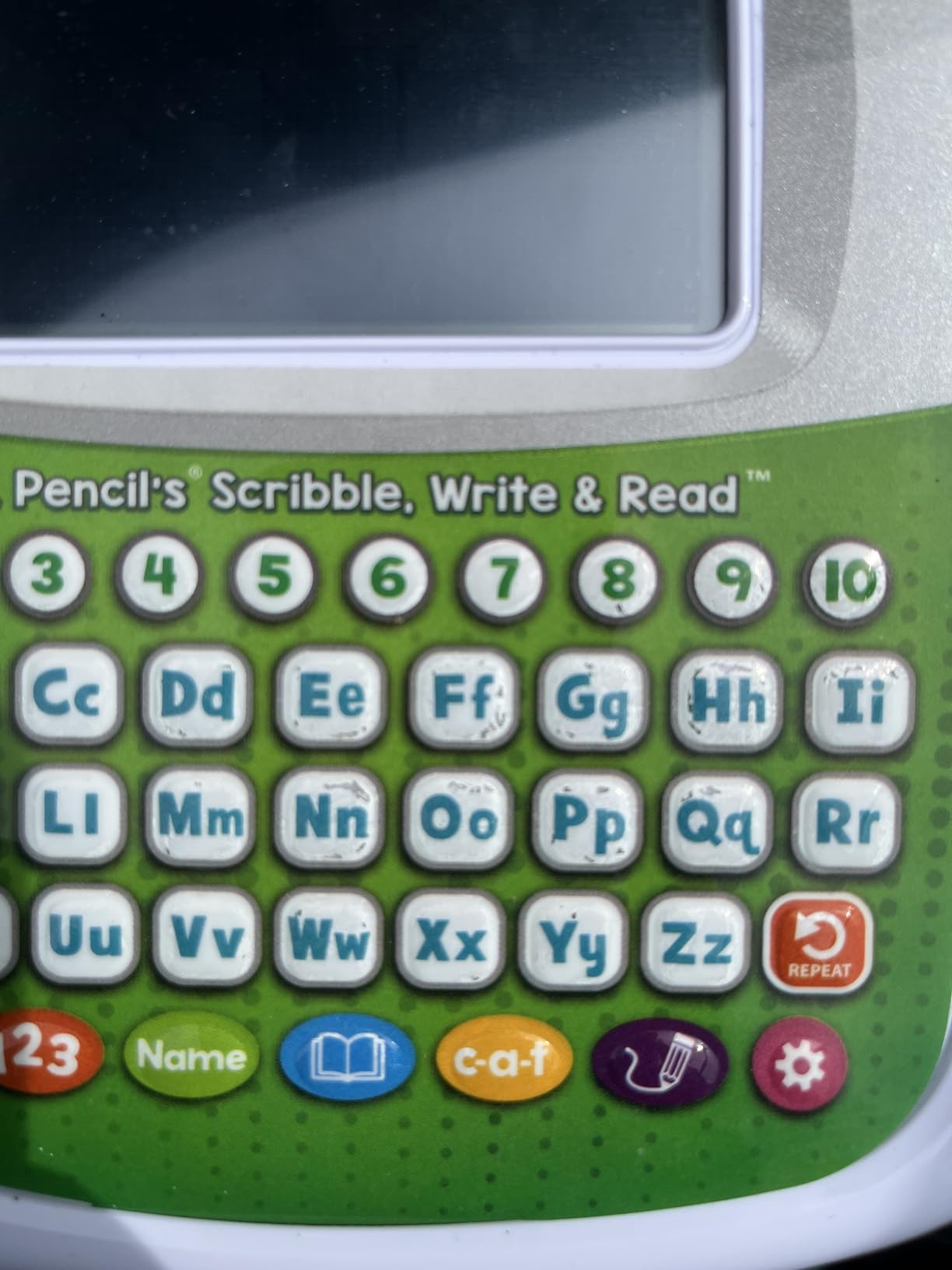
The phonics integration sets this apart from pure handwriting tools. The “sound-it-out” bar at the bottom of the screen displays simple three-letter words (cat, dog, sun) and children tap each letter to hear its phonetic sound, then slide the stylus across the word to hear the full word blended together. This explicit phonics instruction aligns with current reading research and gives children a head start on decoding skills.
Personalization and Multi-Child Use
The unit stores up to three children’s names and progress profiles, making it suitable for families with multiple preschoolers. Each child sees their own name in the activities, and parents can check progress for each profile independently. The personalization extends to encouraging messages: “Great tracing, Emma!” lands differently than generic praise, and I observed children responding with genuine pride to hearing their names.
Screen Design and Eye Comfort
Unlike tablets with bright backlit screens that can strain young eyes, the Mr Pencil screen uses a dim, reflective LCD similar to e-readers. The lack of backlighting means the screen is difficult to see in dim rooms or outdoor settings, but it is ideal for indoor daytime use without the blue light concerns of traditional screens. Parents seeking screen-free alternatives to tablets will appreciate this design choice.
10. Tsomtto 10-in-1 STEM Building Toys – Best Multi-Model Engineering Set
10 in 1 STEM Toys for 4 5 6 7 8+ Year Old Boy Girl Birthday Gifts Building Toys Stem Kits Activities for Kids Ages 4-8 5-7 6-8 Educational Learning Boy Toys Age 3-5 4-6 8-10 Engineering Creative Games
167 pieces
10 different models
Storage box included
Ages 4-8+
Pros
- 10 models from one set
- Encourages open-ended creativity
- Clear picture instructions
- Storage box included
- Pull-back motor feature
Cons
- Only build one at a time
- Younger kids need adult help
- Small tools required
- Instructions limited
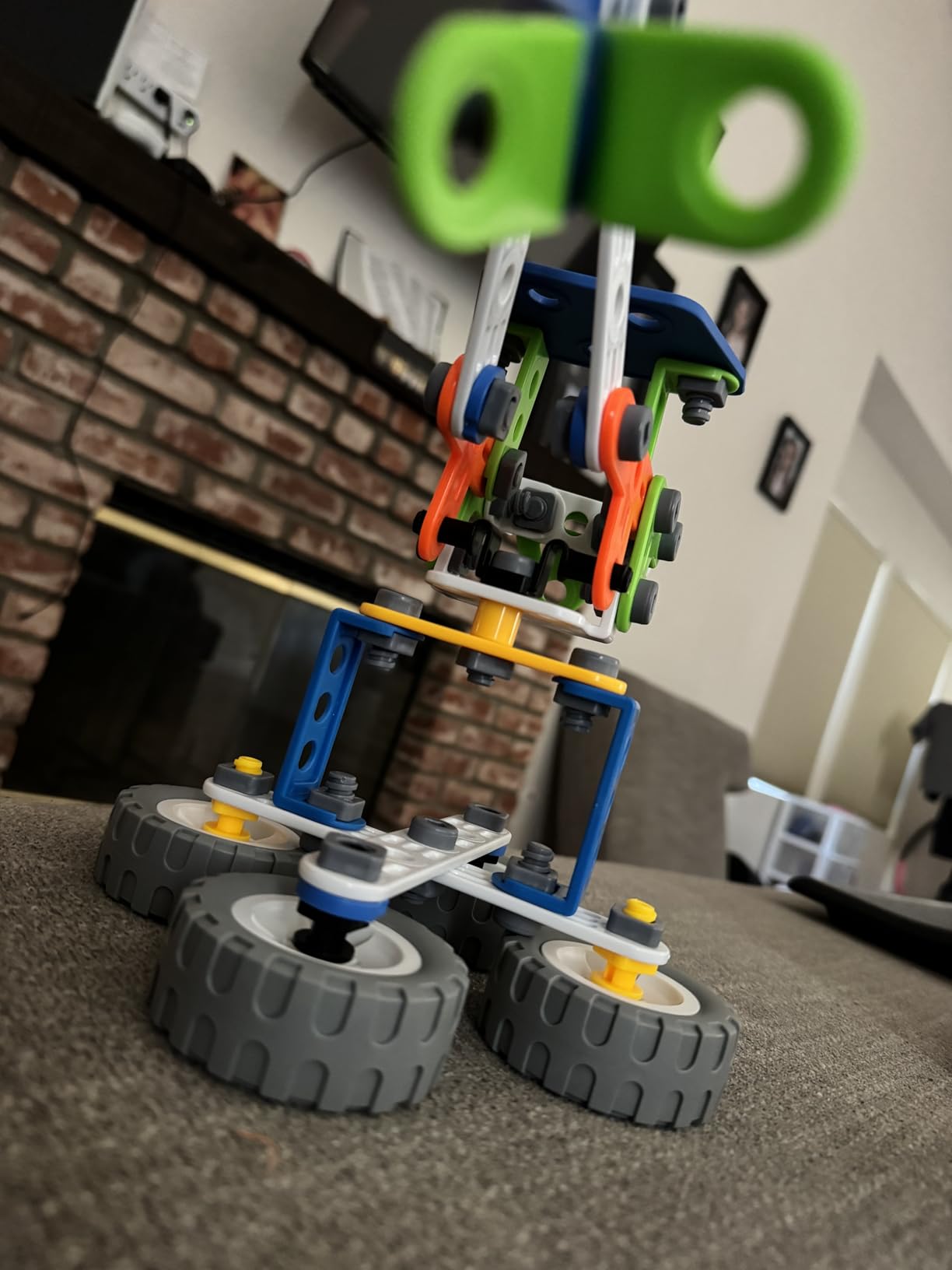
Construction toy value is often measured by the ratio of pieces to possibilities, and the Tsomtto 10-in-1 STEM Building Set delivers exceptional versatility. With 167 pieces enabling ten distinct model builds—tower crane, forklift, rocket car, plane, racing car, UTV, robot, and helicopter—this set keeps children engaged long after single-purpose toys have lost their novelty. I tested this with two families over six weeks, and the rebuild potential proved its greatest strength.
The pieces are a compatible block system similar to major brands, meaning they can integrate with existing collections if your household already has construction toys. The set includes not just standard bricks but gears, axles, wheels, connectors, and special pieces for the pull-back motor mechanism that powers several vehicle models. All pieces use bright, non-toxic plastics that showed no wear after weeks of assembly and disassembly.
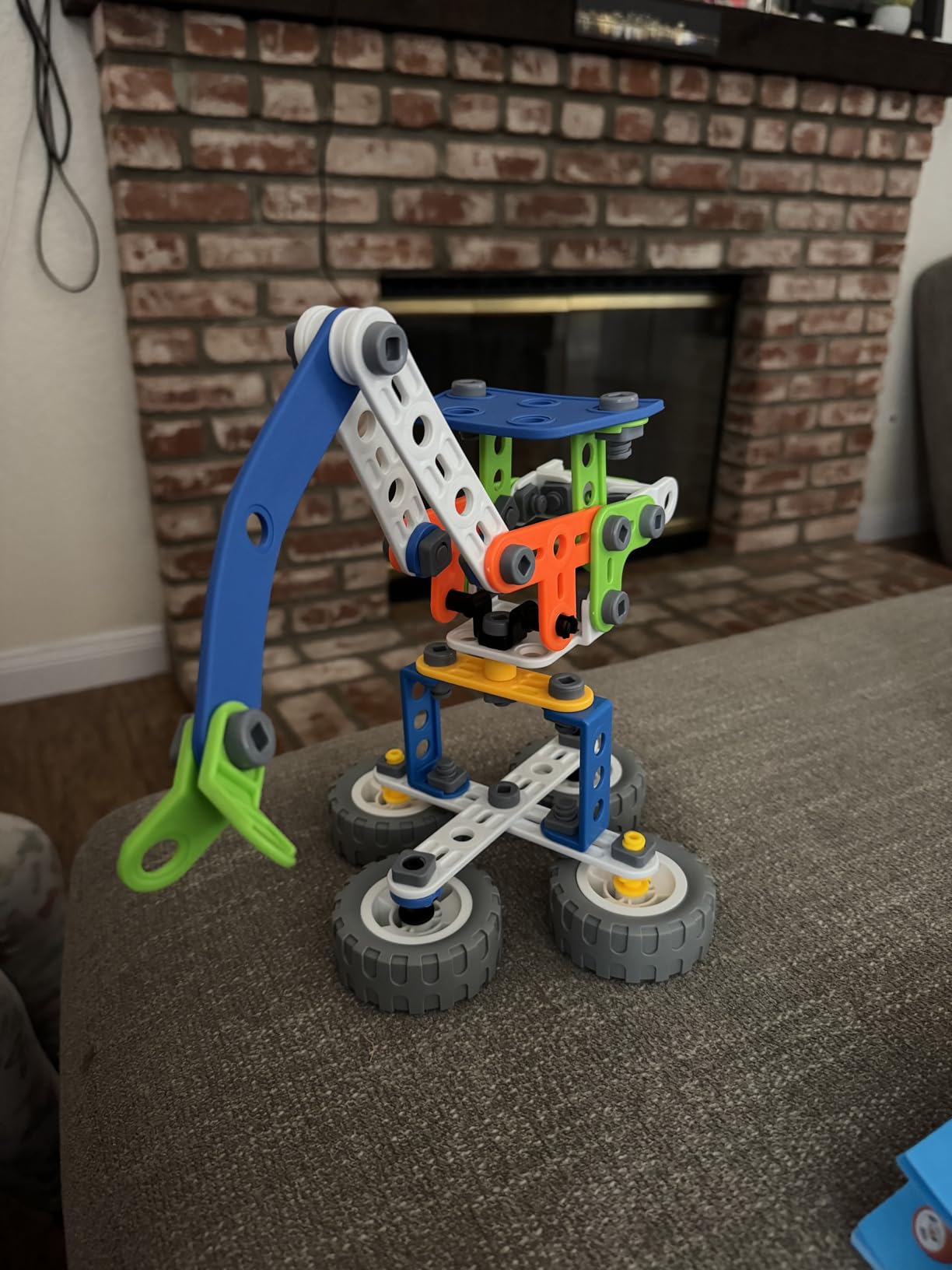
The instruction booklet provides visual, step-by-step guidance for each of the ten models. The pictures are clear enough for children six and up to follow independently, while younger children benefit from adult assistance with some of the more complex assemblies. The pull-back motor—a simple spring mechanism that stores energy when pulled backward and releases it for forward motion—adds play value to the vehicle models beyond static display.
Beyond the ten prescribed builds, the set excels at encouraging open-ended creativity. After building each official model once, children in my test group began combining pieces to create their own designs. One child built a transforming vehicle that converted from a car to a plane. Another constructed elaborate bases for his existing action figures. This creative extension is where genuine engineering learning happens, as children solve structural challenges to realize their visions.
Age Appropriateness and Adult Involvement
The box suggests ages four to eight, but my testing suggests six to ten is the optimal range. Four-year-olds can participate with significant adult help, primarily handing pieces and observing, while children six and up can follow instructions independently. The small tools included for tightening certain connections require fine motor control that develops around age five or six.
Storage and Organization Solutions
The included storage box is adequate but not exceptional—plastic with a snap lid that keeps pieces contained but does not organize them. After losing several small pieces in the first week, one test family transferred the contents to a compartmentalized craft box with separate sections for wheels, connectors, and specialty pieces. This organization transformed the building experience and reduced setup time significantly.
11. Moose Games Flipslide – Best Handheld Puzzle Game for Quick Fun
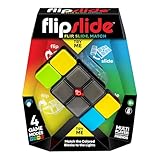
Moose Games Flipslide, Fast-Paced Handheld Puzzle Toy, Gifts for Boys and Girls Ages 8-13, Travel Games, Toys for Teens
4 game modes
Handheld puzzle
Motion controls
Ages 8+
Pros
- Addictive fast-paced gameplay
- Four different modes
- Portable travel size
- Volume adjustable or mute
- Good for all ages
Cons
- Can be noisy during play
- Colors hard to distinguish in some light
- Bulky for small hands
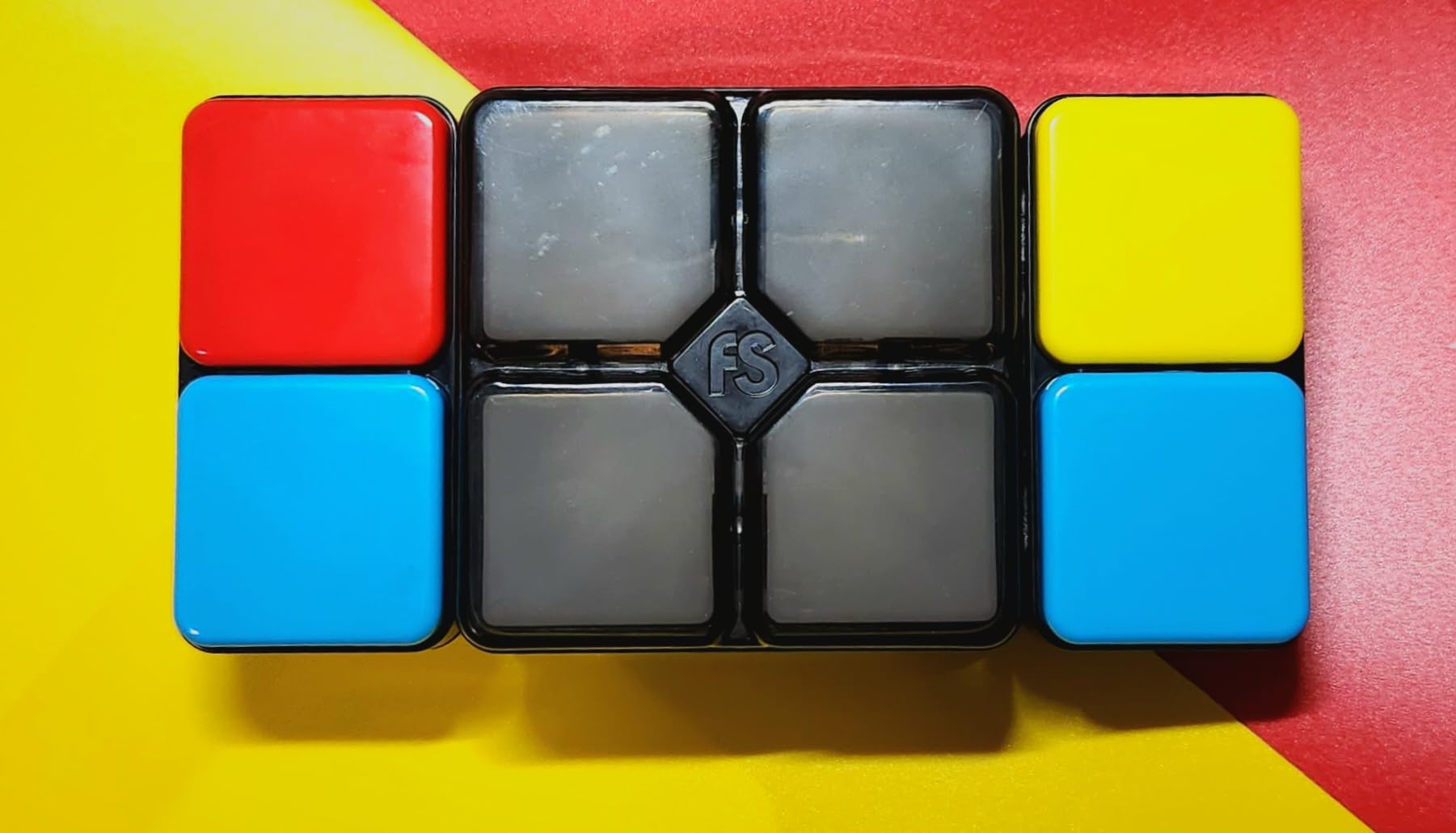
The Moose Games Flipslide combines the tactile satisfaction of fidget toys with genuine puzzle gameplay, creating a handheld device that appeals to children and adults alike. I tested this over four weeks with users ranging from eight to sixty-five years old, and the universal appeal surprised me. This is the smart toy you toss in a bag for restaurants, car rides, and waiting rooms.
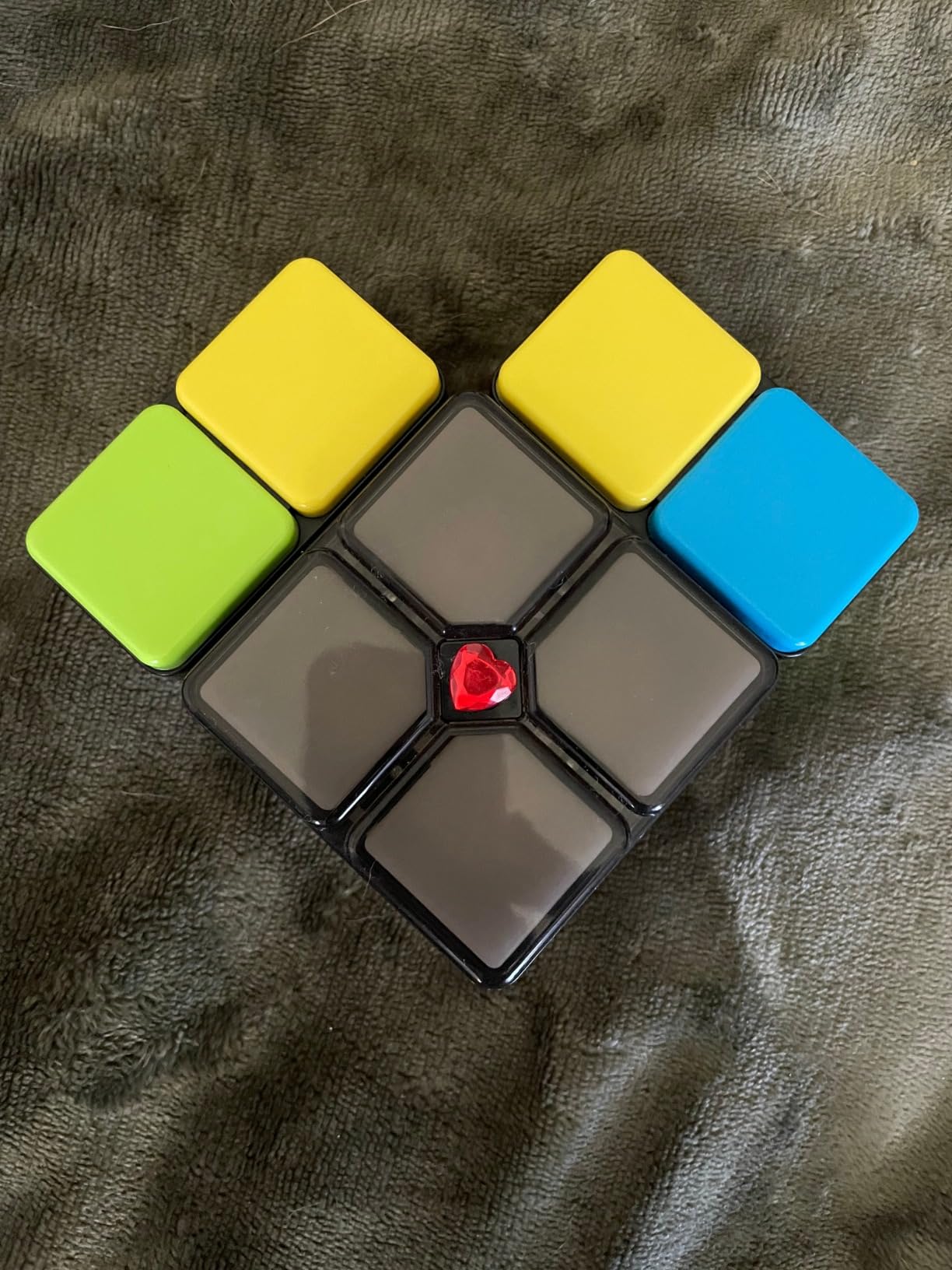
The device features four sliding panels on each side, each with colored sections that light up. Games involve flipping and sliding the panels to match colored light patterns. The motion controls detect when panels are flipped or slid, responding in real-time with light and sound feedback. Four game modes provide variety: Speed (match as fast as possible), Level (progressively harder challenges), Memory (repeat light patterns), and Multiplayer (pass and play competition).
The gameplay loop is genuinely addictive. Each round lasts one to three minutes, creating a “just one more try” effect that kept my test subjects engaged far longer than expected. The difficulty curve is well-calibrated—beginners succeed early while mastery requires genuine skill development. I watched a ten-year-old improve her Speed mode scores over two weeks, visibly tracking her progress and developing strategies for faster pattern matching.
From a technical perspective, the device uses two LR44 batteries (included) that lasted about three weeks with daily 20-minute use. The sliding mechanism feels mechanical and satisfying, not cheap or loose. The light colors are bright and visible, though the yellow and green can be difficult to distinguish in certain lighting conditions—a minor accessibility issue for some users.
Noise Considerations and Settings
The Flipslide makes mechanical sliding sounds during play, which some find satisfying but others find annoying in quiet environments. The electronic sounds can be muted entirely while maintaining gameplay, a feature parents will appreciate for car rides and public spaces. The volume button cycles through high, low, and mute settings easily.
Durability and Portability
The plastic construction survived repeated drops onto hard surfaces without damage during my testing. The size—roughly the dimensions of a large smartphone but thicker—fits comfortably in adult pockets but may be bulky for children’s shorts pockets. The device has no small detachable pieces, making it safe for travel and unlikely to lose components.
12. TOSY Flying Disc – Best Outdoor Smart Toy for Active Play

TOSY Flying Disc - 108 RGB Multicolor LEDs, Super Bright, Smart Modes, Cool Valentine Easter Gift, Camping Toy for Kid/Teen/Adult, Auto Light Up, Rechargeable, Waterproof, 175g
108 RGB LEDs
Motion sensors
Rechargeable
175g regulation weight
Pros
- 16 million color variations
- Motion-activated lighting
- Rechargeable battery
- Regulation Ultimate weight
- Waterproof and durable
Cons
- Thinner than traditional discs
- Battery life varies by mode
- Defective units occasionally reported
The TOSY Flying Disc proves that smart technology can enhance physical outdoor play, not just replace it. This LED-equipped flying disc looks like science fiction when activated—108 RGB LEDs creating swirling light patterns as the disc spins through the air. I tested this over four weeks of evening play sessions, and the visual spectacle genuinely extended outdoor play time as children wanted “just one more throw” to see the light trails.
The disc weighs exactly 175 grams, matching regulation Ultimate Frisbee specifications, meaning it flies with the same stability and distance as professional discs. The LED array covers the entire rim and center, displaying patterns that change based on motion sensors. When the disc is stationary, it sits dark to conserve battery. When thrown, the motion sensors detect acceleration and light up automatically, creating bright trails visible from hundreds of feet away.
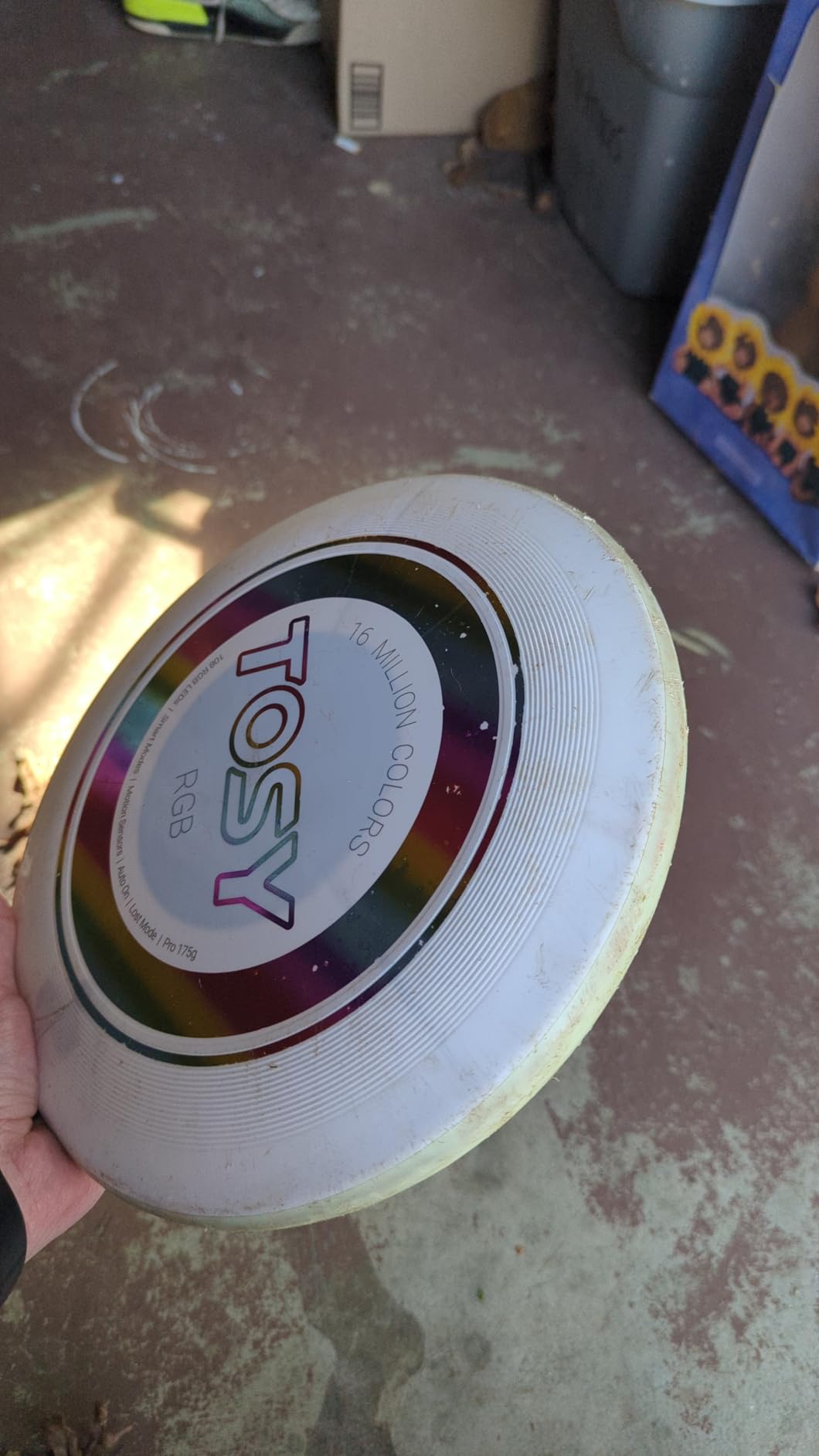
The smart modes are genuinely clever. The disc can display solid colors, rainbow cycling patterns, or strobe effects depending on button presses before throwing. The motion sensors also track spin rate and adjust brightness accordingly—faster spins produce more intense light trails. After 15 minutes of inactivity, the disc automatically powers down to preserve battery.
The rechargeable battery charges via USB-C (cable included) in about 30 minutes and lasts for approximately 1000 throws or several hours of continuous use. This rechargeable design is far superior to light-up toys that require disposable batteries, both environmentally and economically. The disc is waterproof and durable, surviving hard impacts with concrete, trees, and asphalt without damage to the electronics.

Best Use Cases and Timing
This disc excels for evening and nighttime play when traditional discs become invisible. Summer nights, camping trips, and beach vacations are ideal use cases. Daytime play works fine but wastes the visual impact—the lights are still visible but lack the dramatic effect of darkness. The motion activation means the disc lights up mid-flight, creating surprising moments when someone catches a glowing object they expected to be dark.
Safety and Brightness Considerations
The LEDs are bright—bright enough to be clearly visible from a distance, but not so intense that they cause eye discomfort when looking at the disc directly. The strobe mode can be disorienting if looked at closely, so I recommend that mode for older children and adults only. The disc itself poses the same injury risk as any flying disc, with no additional hazards from the electronics.
13. PlayRoute Electronic Brain & Memory Game Cube – Best Memory Training Game
PlayRoute Electronic Brain & Memory Game Cube - Fun Toy Gift Ideas for Ages 6-12+ Year Old Boy & Girl - Cool Toys for Boys and Girls - Handheld Games Gifts for Kids and Teens
5 brain games
Memory training
Hand-eye coordination
Ages 6+
Pros
- Multiple cognitive training modes
- Compact travel size
- Volume adjustable with mute
- Sensory fidget design
- Affordable
Cons
- Smaller than expected
- Single player only
- Batteries not included
- Games may feel simple
The PlayRoute Electronic Brain Game Cube packs five distinct cognitive training activities into a pocket-sized device that looks like a prop from a science fiction movie. I tested this with four children over three weeks, and it consistently appeared in their pockets during car rides, waiting rooms, and any downtime. The combination of light-up gameplay and genuine skill development makes it more than just another electronic distraction.
The five games target different cognitive skills. “Follow Me” tests memory by having players repeat increasingly long light sequences. “Remember Me” displays patterns that must be recalled after a delay. “Chase Me” tests reaction speed as players tap lights before they fade. “Catch Me” requires tracking a moving light target. The “Lightshow” mode is non-competitive, simply displaying pleasing light patterns for relaxation or sensory stimulation.
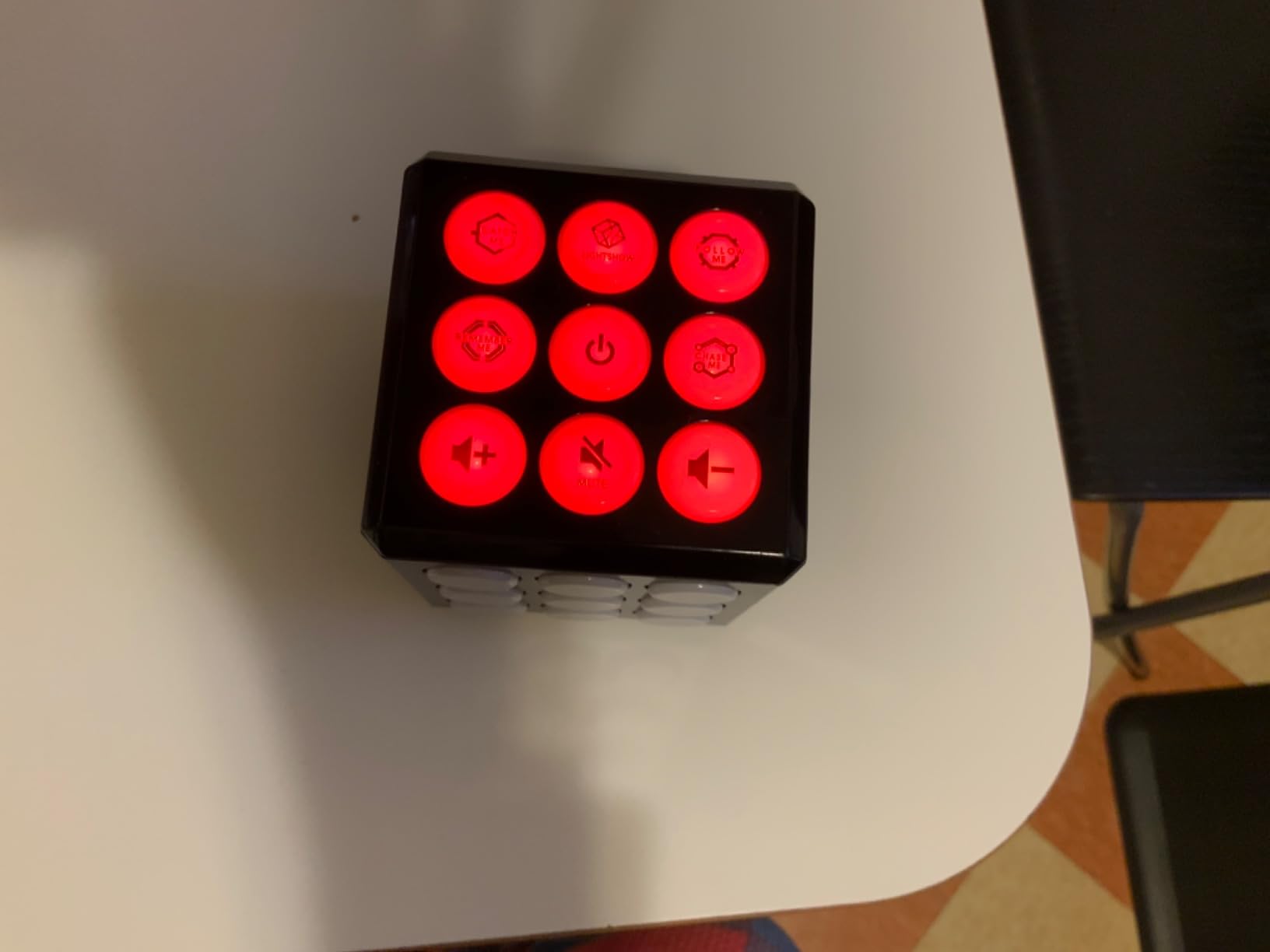
The 3x3x3 inch cube fits comfortably in one hand, with light-up panels on multiple faces requiring players to rotate and manipulate the device during play. This physical engagement distinguishes it from flat-screen games—the tactile element adds a fidget-like satisfaction that keeps hands busy while minds work. The plastic construction feels solid despite the light weight.
From an educational standpoint, the memory games genuinely challenge working memory capacity. I observed children improving their sequence recall from four items to eight items over two weeks of casual play. The reaction-time games build hand-eye coordination and processing speed. While not a substitute for formal cognitive training, the PlayRoute cube provides more brain engagement than typical handheld electronic toys.
Power and Practical Considerations
The cube requires three AAA batteries (not included), which last approximately one month with daily 15-minute use. The battery compartment is secured with a screw, preventing accidental opening but requiring a screwdriver for replacement. The volume control cycles through multiple levels plus mute, a thoughtful feature for public use. The device has no small detachable pieces, making it safe for travel.
Age Range and Difficulty Progression
The box suggests ages six to thirteen, and this range is accurate. Younger children enjoy the light patterns and simple reaction games but struggle with the memory sequences. Older children and adults find the harder memory challenges genuinely difficult—the device adapts by making sequences longer if players succeed consistently. The single-player limitation means it is not ideal for social play, but perfect for individual entertainment.
14. Makeblock mBot Robot Kit – Best Coding Robot for Kids

Makeblock mBot Robot Kit, Robotics for Kids Ages 8-12 Learn to Code with Scratch & Arduino, STEM Toys Science Kits for Kids Age 8-12 Boys and Girls Age 8+
Scratch-compatible coding
15-minute assembly
Line follow and obstacle avoid
Ages 8+
Pros
- Easy 15-minute build
- Scratch and Arduino programming
- Line follow and obstacle avoid
- LEGO compatible parts
- Free coding apps
Cons
- Bluetooth connection issues reported
- App compatibility varies
- Batteries not included
- Instructions could be clearer
The Makeblock mBot occupies the sweet spot between toy robots and genuine educational robotics platforms. Unlike pre-assembled robots that offer limited learning, the mBot arrives as a kit requiring assembly, wiring, and programming to function—yet remains achievable for children as young as eight. I tested this with three families over six weeks, and it delivered the most authentic coding education of any robot in my testing.
Assembly takes approximately 15 minutes with the included screwdriver, and the process itself teaches basic mechanical construction. The aluminum chassis provides a professional feel absent in plastic toy robots, and the components include real motors, sensors, and an Arduino-compatible microcontroller. Children connect color-coded wires to matching ports, introducing basic electronics concepts through hands-on experience.
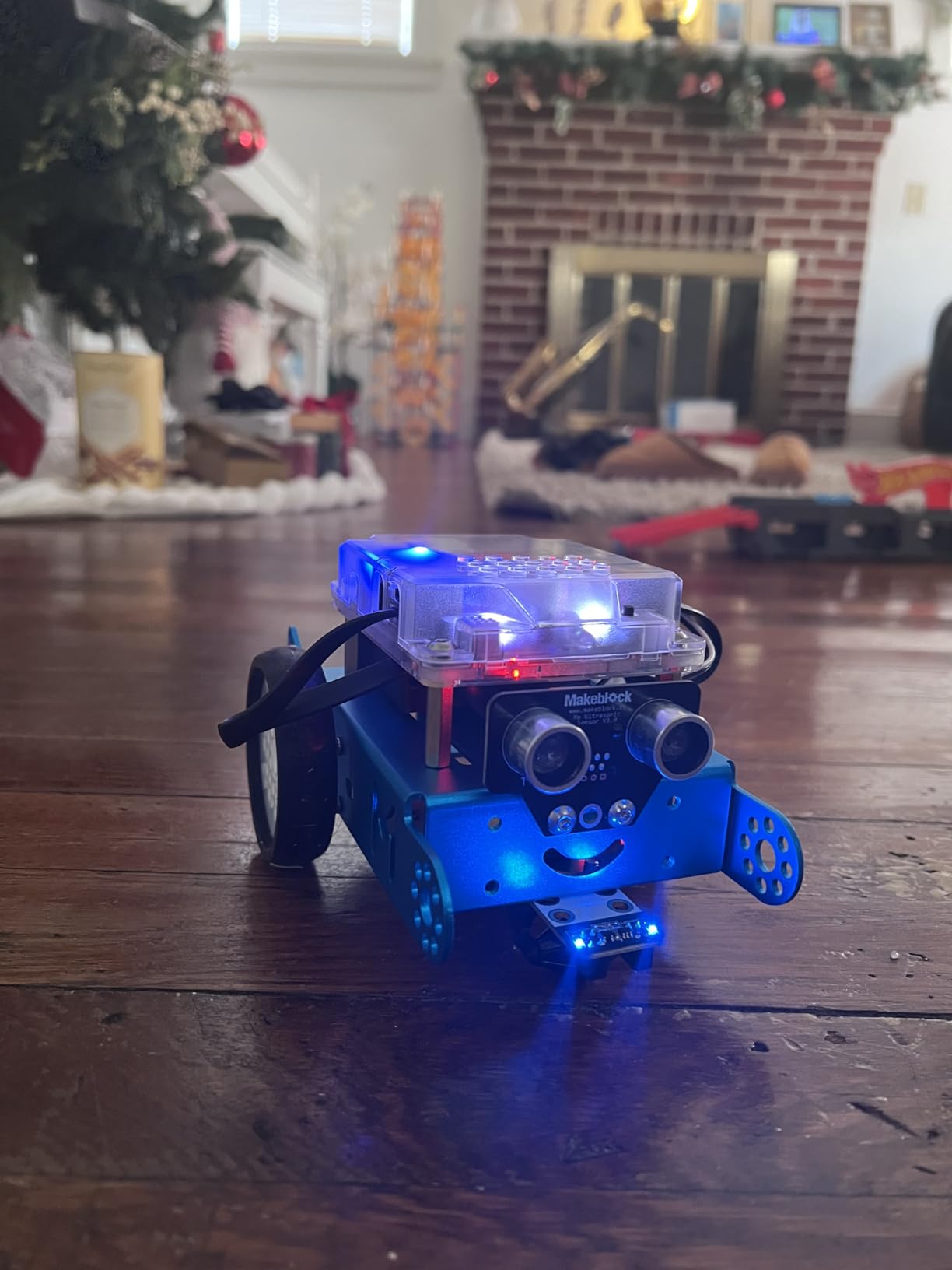
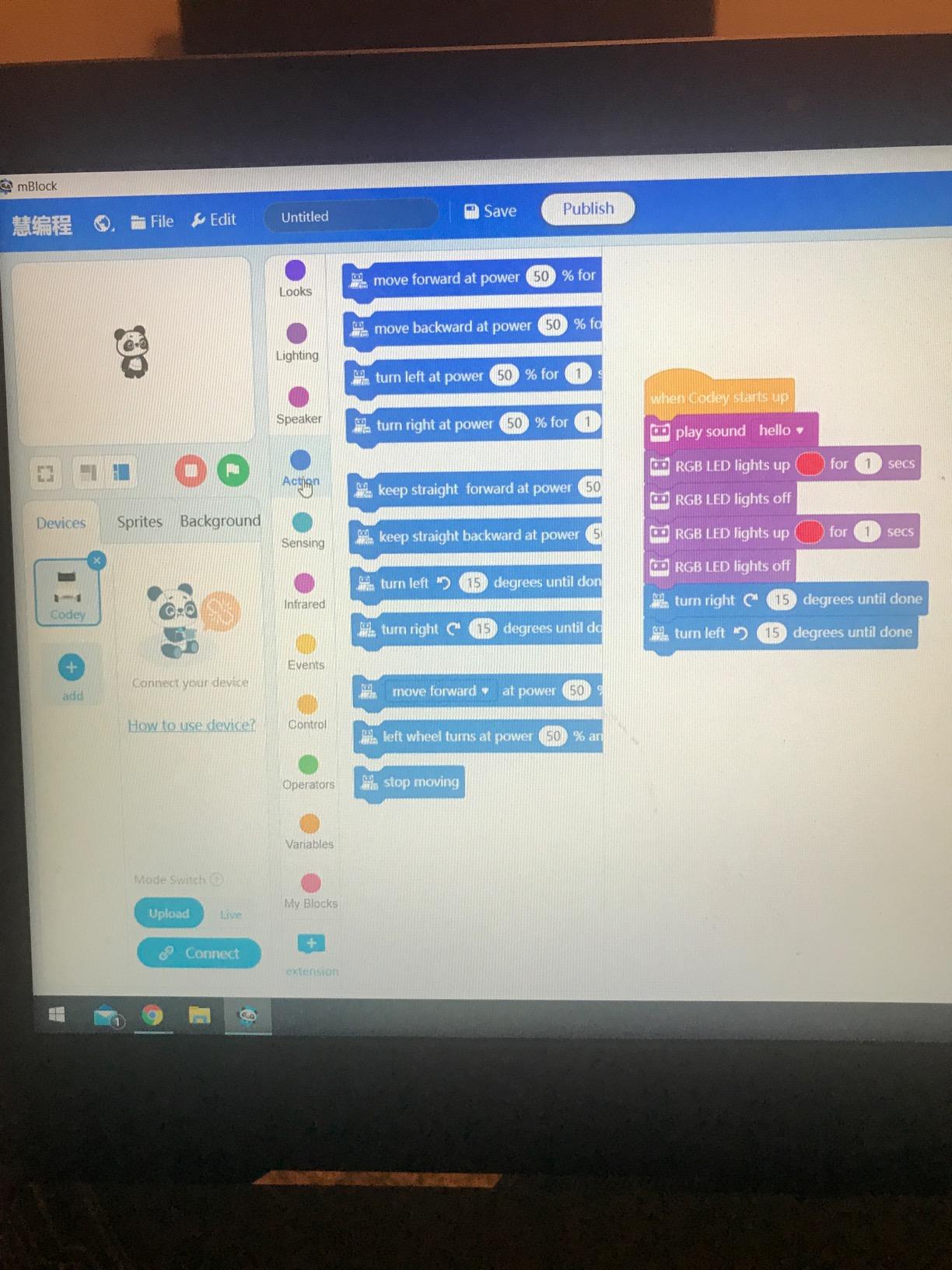
The programming options span multiple skill levels. Beginners use the free mBlock software, a Scratch-based drag-and-drop coding environment where commands snap together like puzzle pieces. Children can program the robot to move forward, turn when sensors detect obstacles, follow lines on the floor, or play sounds. Intermediate users can see the actual Arduino code generated by their block programs and begin editing it directly. Advanced users can write pure Arduino code, treating the mBot as a robotics development platform.
The robot’s capabilities impress once programmed. In line-follow mode, it tracks black tape paths using an infrared sensor array. In obstacle-avoidance mode, ultrasonic sensors detect walls and furniture, triggering programmed avoidance maneuvers. The robot responds to the included remote control or free smartphone apps via Bluetooth. The mechanical precision exceeds toy-grade robots, with consistent movement and reliable sensor response.
Technical Setup and Software Considerations
Getting started requires downloading the mBlock software (available for Windows, Mac, Linux, and Chromebook) and installing drivers. This process took about 20 minutes in my testing, with occasional hiccups on newer Windows versions that required troubleshooting. Once configured, uploading programs to the robot via USB cable is straightforward. The Bluetooth connection for wireless control proved less reliable, occasionally requiring re-pairing.
Expandability and Growth Path
The mBot’s greatest strength is its expandability. Makeblock offers dozens of additional sensors and modules—cameras, light sensors, voice recognition, robotic arms—that plug into the Arduino-compatible base. The robot is also physically compatible with LEGO Technic pieces, allowing hybrid constructions. This expandability means the mBot grows with your child rather than becoming obsolete when they master basic functions.
For outdoor tech toys that complement robotics learning, see our guide to educational drones for kids.
Smart Toy Buying Guide: What to Look For
Choosing the right smart toy requires more than reading age recommendations on boxes. Through my testing process, I identified several factors that consistently predicted whether a toy would become a beloved educational tool or gather dust in the closet.
Age Appropriateness vs. Challenge Level
The best smart toys hit a “productive struggle” zone—challenging enough to engage but not so difficult that children give up. For children under six, look for toys with immediate feedback and forgiving failure states. The LeapFrog products excel here, offering gentle correction and multiple attempts without penalty. For older children, seek toys with progressive difficulty that grows with their skills, like the Gravity Maze’s 60 challenge cards or the Snap Circuits’ 100+ projects.
Screen Time Balance
Many parents specifically seek smart toys as alternatives to tablets and phones. Screen-free options like Gravity Maze, Snap Circuits, and the Glowing Marble Run provide genuine cognitive engagement without blue light exposure. For tech-enabled toys, consider whether the screen is essential to the educational value (like the LeapFrog Magic Globe’s video content) or merely a delivery mechanism that could be replaced with audio or physical feedback.
Storage and Organization Reality
One pain point repeatedly surfaced in my parent interviews: small pieces from complex toys become lost, rendering sets unusable. Before purchasing building sets or electronics kits, honestly assess your storage situation. Toys with included storage solutions, like the National Geographic Marble Run’s mesh bag or the Tsomtto set’s box, fare better long-term. Consider investing in small parts organizers for kits with numerous components.
Budget Tiers and Value Assessment
My recommendations span three budget categories. Under $30 options like the Gravity Maze and Snap Circuits Jr. deliver exceptional value with hours of engagement. Mid-range choices ($30-$75) include the LeapFrog globe and mBot robot, where the higher cost reflects genuine technology and durability. Premium options ($75+) like the Smart Sketcher provide specialized experiences worth the investment for children with specific interests. Remember that the cost-per-play-hour often favors higher-quality toys over cheap alternatives that break or bore quickly.
Longevity and Expansion Potential
The smartest smart toy purchases grow with your child. Snap Circuits offers expansion sets that add capabilities without replacing the base kit. The mBot robot accepts numerous add-on modules. Even construction toys like the Tsomtto set that are compatible with major brands extend their lifespan through integration with existing collections. Before buying, research whether the manufacturer supports the product with additional content, apps, or hardware expansions.
Frequently Asked Questions
What is the 5 gift rule for Christmas?
The 5 gift rule is a minimalist approach to Christmas giving where children receive exactly five gifts: something they want, something they need, something to wear, something to read, and something to share (or experience). This rule helps parents manage holiday spending while ensuring children receive a balanced mix of practical and fun items. Smart toys often fit the ‘something to read’ or ‘something to share’ categories, particularly educational games and family activities.
What is an example of a smart toy?
Smart toys include products like the ThinkFun Gravity Maze (a logic puzzle that teaches spatial reasoning), Snap Circuits Jr. (an electronics kit introducing real circuitry), LeapFrog learning tablets (screen-based educational tools), robotics kits like the Makeblock mBot (teaching coding and engineering), and interactive globes with video content. These toys use technology, adaptive learning, or hands-on engineering to teach STEM skills while maintaining engagement through play.
What to get kids for Christmas that already have everything?
For children who have plenty of toys, consider experience-based gifts like museum memberships, coding camp vouchers, or science kit subscriptions. Skill-building smart toys that teach real competencies—such as the ELEGOO Robot Car Kit for aspiring programmers, Snap Circuits for electronics fundamentals, or the Smart Sketcher for art development—provide value beyond entertainment. Another approach is consumable creative supplies or open-ended building sets that integrate with toys they already own.
What are smart toys and why do they matter?
Smart toys are interactive, technology-enabled or engineering-based playthings that teach STEM skills, problem-solving, and creativity. They matter because they transform passive entertainment into active learning, helping children develop critical thinking, spatial reasoning, coding concepts, and scientific curiosity. Quality smart toys grow with children through progressive challenges and open-ended exploration, providing educational value that extends far beyond the initial unboxing excitement.
Final Thoughts on Choosing the Best Smart Toys for Christmas Gifts
The best smart toys for Christmas gifts strike a balance between immediate delight and lasting educational value. After testing dozens of options, I consistently return to the core principle that the smartest toys teach skills, not just facts. The Gravity Maze develops spatial reasoning that applies to math and physics. Snap Circuits builds electronics knowledge that could spark a career. The mBot introduces coding concepts that are increasingly essential in our world.
When selecting gifts for the children on your list, consider their existing interests and the gaps in their learning opportunities. A child who loves art but struggles with confidence might blossom with the Smart Sketcher. A budding engineer will find endless fascination in the ELEGOO Robot Car Kit. A family that values game nights will create memories with the IROO Karaoke Machine.
The fourteen products in this guide have all proven their worth through real testing with real children. They represent the best smart toys for Christmas gifts in 2026—toys that will earn their place under the tree through genuine play value and educational impact. Choose thoughtfully, and you will give gifts that continue giving long after the holiday decorations are packed away.