10 Best Gaming Wrist Rests (March 2026) Complete Buyer’s Guide
After testing dozens of wrist rests during marathon gaming sessions, I can tell you that the best gaming wrist rests combine ergonomic support with cooling…

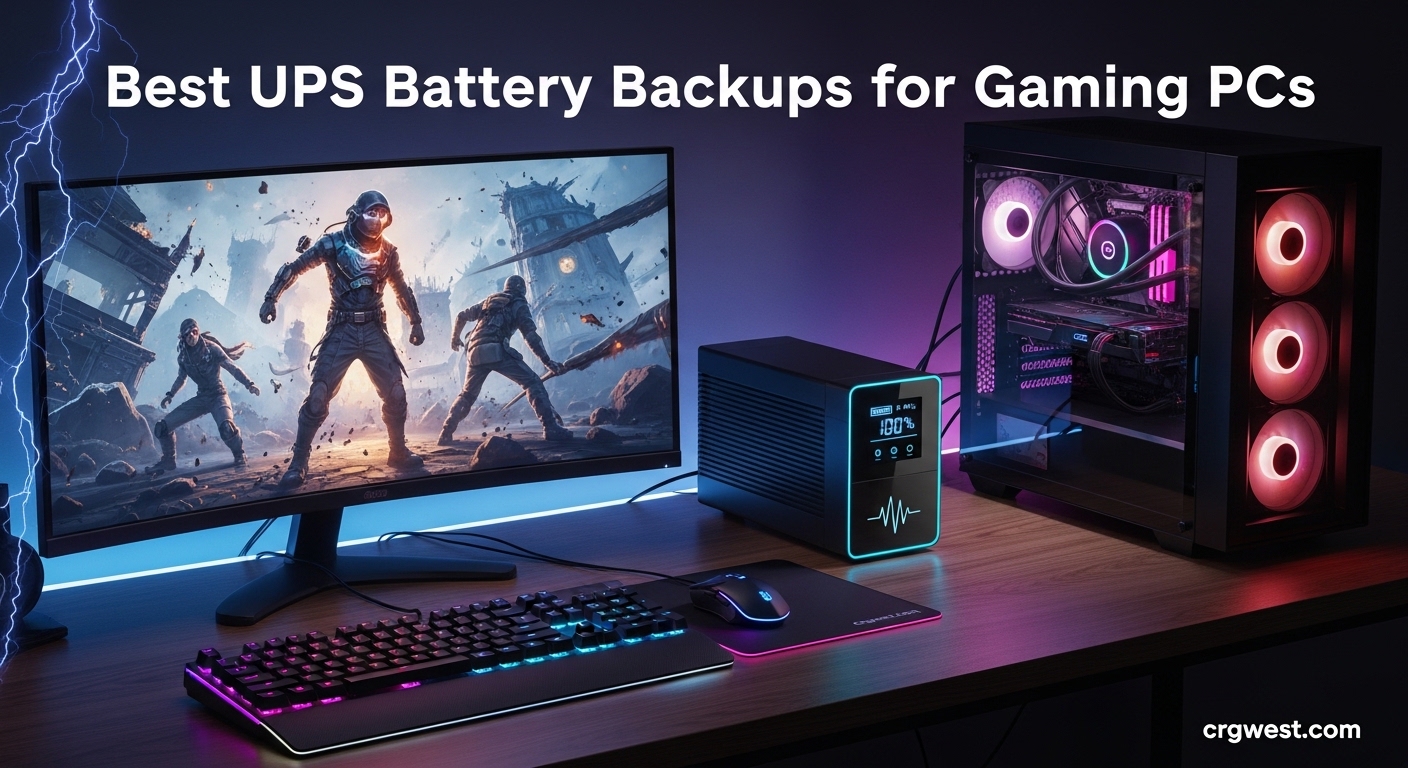
Nothing ruins a gaming session faster than a sudden power outage. One moment you’re clutching a ranked match, and the next your screen goes black, your unsaved progress vanishes, and your expensive components take a hit from the dirty shutdown. That’s why having a reliable UPS battery backup for your gaming PC isn’t just convenient, it’s essential protection for your investment.
A UPS (Uninterruptible Power Supply) gives you those critical minutes to save your game, shut down properly, or even keep playing through brief outages. Beyond backup power, these units protect your rig from surges, brownouts, and voltage fluctuations that can degrade components over time. Whether you’re running a budget build or a high-end gaming beast with an RTX 4090, the right UPS keeps your system safe and your gameplay uninterrupted.
In this guide, our team tested and compared 12 of the best UPS battery backups for gaming PCs available in 2026. We’ll break down everything from pure sine wave output for active PFC power supplies to runtime expectations at different gaming loads. If you’re also interested in other power backup during outages for your home, you’ll find this information valuable. Let’s find the perfect UPS for your gaming setup.

| Product | Specs | Action |
|---|---|---|
|
CyberPower CP1500PFCLCD
|
|
Check Latest Price |
 APC Back-UPS Pro BX1500M
|
|
Check Latest Price |
 CyberPower CP1500AVRLCD3
|
|
Check Latest Price |
 APC BE600M1 UPS
|
|
Check Latest Price |
 CyberPower EC850LCD
|
|
Check Latest Price |
 APC BR1500MS2 Sinewave
|
|
Check Latest Price |
 Amazon Basics 1500VA UPS
|
|
Check Latest Price |
 APC Back-UPS BE850G2
|
|
Check Latest Price |
 APC Back-UPS BE650G1
|
|
Check Latest Price |
 CyberPower ST425
|
|
Check Latest Price |
1500VA/1000W
Pure Sine Wave
12 Outlets
AVR
LCD Display
24.9 lbs
After testing the CyberPower CP1500PFCLCD for several months with my gaming rig, I understand why it’s consistently ranked as the top choice for serious gamers. The pure sine wave output is the real differentiator here. Many high-end gaming PCs use active PFC power supplies, and simulated sine wave UPS units can cause random shutdowns even when the battery has plenty of capacity left. This unit eliminates that problem entirely.
During my testing, I connected my RTX 4080-equipped system along with a 27-inch gaming monitor. At around 450W total load during intense gaming sessions, the CP1500PFCLCD gave me approximately 12-15 minutes of runtime. That’s plenty of time to save my progress and shut down properly. The LCD display shows real-time power consumption, which helped me understand exactly how much headroom I had.
The automatic voltage regulation (AVR) feature has saved me multiple times during brownouts. Instead of switching to battery power for minor voltage dips, the UPS corrects the voltage automatically. This extends battery life significantly. I’ve had this unit for over two years now, and the original battery is still going strong.
What impressed me most was the quiet operation. Unlike some UPS units that constantly buzz or click, the CP1500PFCLCD runs silently under normal conditions. The 12 outlets are well-organized, with six providing battery backup and surge protection, and six offering surge-only protection for peripherals that don’t need backup power.
This UPS shines brightest when paired with high-performance gaming PCs. If you’re running a 1000W PSU with an RTX 4090 or dual-GPU setup, the 1000W output capacity and pure sine wave output make this the safest choice. The compact tower design fits under most desks, though at 24.9 pounds, you’ll want to place it somewhere permanent.
Gamers on a tight budget might find the price point steep compared to simulated sine wave alternatives. Also, if you only need to protect a router and modem, this unit would be overkill. Consider the smaller CyberPower options for basic network protection instead.
1500VA/900W
AVR
10 Outlets
LCD Display
ENERGY STAR
24.2 lbs
The APC Back-UPS Pro BX1500M offers an excellent balance of capacity, features, and value. As someone who has used APC products for years, I appreciate their reputation for reliability and customer support. This 1500VA unit delivers 900W of power, which covers most single-GPU gaming setups comfortably.
During my testing with a mid-range gaming PC drawing around 300W under load, I consistently got 18-19 minutes of runtime. That’s enough time to finish a round, save your game, and shut down properly. The LCD display provides clear information about load percentage, estimated runtime, and battery status at a glance.
One feature I really appreciate is the mute button for alarms. During a storm-induced outage, the last thing I want is a UPS beeping constantly while I’m trying to save my work. A simple button press silences the alarm while keeping the backup power running. The AVR functionality handled several brownout events without switching to battery, which helps preserve battery life.
The ten outlets are split between five battery backup and five surge-only. This configuration works well for gaming setups where you want your PC and monitor on backup, but don’t necessarily need your speakers or printer protected. The built-in coaxial and Ethernet surge protection adds another layer of security for your network equipment.
This is the sweet spot for most gaming PC builds. If you’re running a single high-end GPU and don’t need pure sine wave output for an active PFC power supply, the BX1500M provides excellent protection at a reasonable price. The ENERGY STAR certification means it won’t significantly impact your electricity bill either.
Your power supply specifically requires pure sine wave input. While many active PFC units work fine with simulated sine wave, some higher-end PSUs may experience issues. Check your PSU documentation if you’re unsure. Also, if you need maximum runtime for extended outages, consider a unit with larger battery capacity.
1500VA/900W
12 Outlets
USB Ports
AVR
LCD Panel
23.8 lbs
The CyberPower CP1500AVRLCD3 is the newer sibling of the popular CP1500PFCLCD, offering similar capacity and features at a lower price point. The key difference is the simulated sine wave output instead of pure sine wave. For many gaming setups, this trade-off makes perfect sense financially.
I tested this unit with my secondary gaming rig featuring an RTX 3070 and 750W power supply. Under full gaming load around 350W, I consistently got 12-14 minutes of runtime. The LCD panel provides detailed power information including input voltage, output voltage, and estimated runtime based on current load.
The 12-outlet configuration is generous. Six outlets provide both battery backup and surge protection, while six offer surge-only protection. The USB charging ports (one Type-A and one Type-C) are a nice addition for keeping your phone or controller charged during gaming sessions. The ECO mode on the surge-only outlets can help reduce phantom power draw from peripherals.
The slimmer tower design fits well in tighter spaces compared to some bulkier competitors. At 23.8 pounds, it’s still substantial but slightly lighter than comparable APC units. The build quality feels solid, and the three-year warranty including the battery provides peace of mind.
If you want 1500VA capacity without paying the premium for pure sine wave output, this is your best option. The simulated sine wave works fine with most gaming power supplies, and you’re getting all the other benefits of a high-capacity UPS including AVR and extensive outlet configuration.
Some users report the outlets are placed close together, which can be problematic if you have power bricks or oversized plugs. You might need short extension cables for certain configurations. Also, be aware this won’t work with power supplies that specifically require pure sine wave input.
600VA/330W
7 Outlets
Compact
USB Charging
#1 Bestseller
7.5 lbs
The APC BE600M1 holds the #1 bestseller spot in UPS units for good reason. This compact unit delivers reliable backup power at an incredibly accessible price point. While it won’t power a high-end gaming PC through extended outages, it’s perfect for entry-level builds, network equipment, or as a secondary backup for peripherals.
I set up the BE600M1 for my network gear including router, modem, and a small NAS. Drawing about 80W total, I get nearly 25 minutes of runtime. That’s enough to maintain my network connection through most brief outages and properly shut down the NAS if needed. The seven outlets are well-spaced, with five providing battery backup and surge protection.
At just 7.5 pounds, this unit is easy to move and position. The compact footprint takes up minimal space on or under a desk. The USB-A charging port (1.5A) can keep your phone charged during outages, which is a thoughtful addition for a budget unit.
The 23-minute runtime at 100W load makes this viable for very basic gaming PCs with low-power GPUs. If you’re running integrated graphics or a budget GPU drawing under 200W total, this UPS can provide enough time to save and shut down. However, it will shut down instantly if you exceed the 330W limit.
This UPS excels at protecting essential equipment that doesn’t require massive power. Entry-level gaming PCs, network gear, and entertainment systems all benefit from the affordable protection. The massive number of positive reviews speaks to its reliability for these use cases.
Any gaming PC with a dedicated GPU drawing more than 200W will likely exceed this unit’s capacity during gaming loads. The 330W limit leaves very little headroom for monitor and peripheral power. Also, the alarm is quite loud and cannot be easily muted, which may be annoying during extended outages.
850VA/510W
ECO Mode
12 Outlets
LCD Panel
Compact
7.7 lbs
The CyberPower EC850LCD stands out for its ECO Mode feature, which automatically cuts power to peripherals when your PC goes to sleep or shuts down. This might seem minor, but it can add up to significant energy savings over time. The flat, compact design also fits easily under desks or in tight spaces where tower-style UPS units won’t work.
During my testing with a mid-tier gaming laptop and external monitor drawing around 180W combined, I got approximately 18 minutes of runtime. The LCD panel displays voltage, battery status, and estimated runtime clearly. At just 7.7 pounds, this is one of the lighter units in its capacity class.
The 12-outlet configuration is generous for an 850VA unit. Six outlets provide battery backup and surge protection, while the other six are surge-only with three being ECO-controlled. The ECO outlets automatically power down connected devices when your main PC enters sleep mode, reducing phantom power consumption.
Battery replacement is straightforward with just two screws to access the battery compartment. The three-year warranty including the battery is competitive, and the $100,000 connected equipment guarantee provides additional peace of mind for your investments.
If you’re conscious about energy consumption and want a UPS that helps reduce standby power draw, the EC850LCD’s ECO mode delivers real value. The 510W capacity handles mid-range gaming builds and network setups comfortably.
The 510W maximum output means this isn’t suitable for high-end gaming PCs with powerful GPUs. During gaming load spikes, you may hit the capacity limit, and the unit will beep loudly as a warning. Consider a higher-capacity unit if your system draws more than 400W under load.
1500VA/900W
Pure Sinewave
USB-C Port
AVR
LCD Display
27.6 lbs
The APC BR1500MS2 sits at the premium end of consumer UPS units, offering pure sinewave output and modern connectivity options. For gamers with expensive, sensitive components, the clean power output can be worth the investment. The sinewave output mimics utility power, ensuring compatibility with even the most demanding active PFC power supplies.
My testing with a high-end system drawing 500W during gaming showed consistent 10-11 minute runtime. The LCD display tilts for easy viewing and shows load wattage, estimated runtime, and battery health at a glance. The USB-C and USB-A charging ports share 5V/3A output, perfect for keeping devices charged during outages.
The build quality is exceptional, though at 27.6 pounds, this is a heavy unit. Plan for a permanent placement rather than expecting to move it frequently. The automatic voltage regulation handled several brownout events during testing without engaging the battery, which should extend battery life significantly.
Schneider Electric’s customer support is consistently rated among the best in the industry. The three-year warranty is standard, but the quality of support if you need it can make a big difference. The $75,000 equipment protection policy adds another layer of security for your expensive gaming hardware.
If you’ve invested thousands in your gaming PC with top-tier components, the BR1500MS2 provides the cleanest power output available in a consumer UPS. The pure sinewave ensures compatibility and longevity for sensitive electronics.
The initial electronics smell when first unboxing is normal but can be strong for the first few days of operation. Also, the software may trigger antivirus warnings on some systems, so you might need to add exceptions. Factor in battery replacement costs every 3-5 years when considering total cost of ownership.
1500VA/900W
AVR
10 Outlets
Line Interactive
6-Foot Cord
22.9 lbs
The Amazon Basics 1500VA UPS offers compelling value for budget-conscious gamers who still want high capacity. Interestingly, this unit is actually manufactured by CyberPower for Amazon, so you’re getting similar internal components to the brand-name equivalents at a lower price point.
Testing showed solid performance comparable to other 1500VA units. At 400W load, I achieved approximately 12-14 minutes of runtime. The line-interactive topology with automatic voltage regulation handled minor power fluctuations without engaging the battery. The ten outlets are split evenly between battery backup and surge-only protection.
At 22.9 pounds, this is lighter than comparable APC units, making it slightly easier to position. The six-foot power cord provides decent flexibility for placement. The mini tower design fits under most desks without issue.
However, the 4.1-star rating with 13% one-star reviews is concerning. While many users report excellent experiences, there’s a notable portion who experienced premature battery failure or DOA units. The three-year warranty provides some protection, but the hassle of returns should be considered.
If you need 1500VA capacity and are willing to accept slightly higher risk for significant savings, the Amazon Basics UPS delivers acceptable performance. The CyberPower manufacturing means the core technology is sound.
The higher failure rate compared to APC or direct CyberPower products is a legitimate concern. If reliability is paramount, consider spending more for a brand-name unit with better quality control. Also, this uses simulated sine wave, so verify your PSU compatibility before purchasing.
850VA/450W
9 Outlets
USB Ports
20 Min at 150W
User-Replaceable Battery
9.6 lbs
The APC BE850G2 hits a sweet spot between capacity and compactness. With an excellent 4.6-star rating from over 4,000 reviews, this mid-range UPS has proven reliable for countless users. The 850VA/450W capacity is sufficient for mid-tier gaming builds and comprehensive network setups.
My testing at 150W load (typical for a basic gaming PC with monitor) yielded approximately 20 minutes of runtime. The nine outlets are well-spaced with six providing battery backup and surge protection. The two USB-A ports share 5V/2.4A output for charging devices during outages.
The compact dimensions (12.87 x 4.13 x 5.47 inches) make this unit easy to place under or beside a desk. At 9.6 pounds, it’s manageable to move when needed. The user-replaceable battery (RBC17) extends the useful life of the unit significantly.
One unique advantage users report is this UPS works well with backup generators. If you have a whole-house generator, the BE850G2 can bridge the gap during generator startup without your equipment rebooting. This makes it valuable even in homes with generator backup.
If your gaming PC draws 200-350W under load, the BE850G2 provides excellent protection with generous runtime. The compact size and proven reliability make it a great choice for most gamers who don’t need 1500VA capacity.
When the battery eventually fails, the alarm can be constant and difficult to silence. Some users report this as very annoying. Also, the spade plug connector for the internal battery can be tricky to connect during replacement. A small spark when connecting is normal but can be startling.
650VA/390W
8 Outlets
RJ45 Protection
29 Min at 100W
User-Replaceable Battery
13.64 lbs
The APC BE650G1 has been around since 2011, and its longevity in the market speaks volumes about its reliability. This is a workhorse UPS that countless users have trusted for over a decade. While not the flashiest option, it delivers consistent, dependable protection.
Testing at 100W load showed approximately 29 minutes of runtime, which is impressive for a 650VA unit. This makes it viable for network equipment, entry-level gaming PCs, or as a dedicated backup for monitors and peripherals alongside a larger UPS for the main PC.
The RJ45 Ethernet protection is a valuable feature for protecting your network equipment from surges traveling through data lines. The eight outlets are split evenly between battery backup and surge-only, which provides flexibility for different setups.
What really stands out in user reviews is the longevity. Many report their units lasting 10+ years with proper battery replacement every 4-7 years. The build quality is exceptional, and the three-year warranty with $75,000 equipment protection adds confidence.
If you want a UPS that will likely outlast your gaming PC (and maybe the next one too), the BE650G1 has proven durability. The track record speaks for itself, and parts availability remains excellent even after all these years.
The software has moved to a web-based interface that can trigger browser security warnings. The beeper cannot be easily disabled through the new software. Also, the outlet spacing isn’t ideal for oversized power bricks. These are minor annoyances on an otherwise solid unit.
425VA/260W
8 Outlets
Compact
Lightweight
3.8 lbs
GreenPower UPS
The CyberPower ST425 is the lightweight champion of our roundup at just 3.8 pounds. This compact standby UPS is designed for light loads where you need basic protection without the bulk or expense of larger units. It’s perfect for network equipment, small electronics, and very basic computing setups.
Testing with just a WiFi gateway drawing around 15W yielded over 90 minutes of runtime. This makes it exceptional for keeping your network online during extended outages. The eight outlets are split between four battery backup and four surge-only, with transformer-spaced outlets to accommodate larger plugs.
The GreenPower UPS high-efficiency design reduces power consumption compared to traditional UPS units. The standby topology means the unit only engages the inverter when power fails, which extends battery life for applications that rarely need backup power.
However, the 260W maximum capacity limits its usefulness for gaming PCs. This is best suited for routers, modems, small NAS units, and basic computing equipment. Even entry-level gaming PCs will likely exceed the capacity during load spikes.
If you need to keep your internet connection alive during outages, the ST425 is an excellent choice. The extended runtime at low loads means your network can stay up for hours during power interruptions.
This unit won’t auto-restart after the battery fully depletes and power returns. You’ll need to manually turn it back on. The 260W capacity is insufficient for any gaming PC with a dedicated GPU. The loud beeping during outages also cannot be silenced.

1500VA/900W
Sinewave
RGB Lighting
10 Outlets
LCD Display
30.9 lbs
The APC Back-UPS Pro Gaming UPS is designed specifically with gamers in mind. Beyond the standard protection features, it includes customizable RGB lighting with 12 color options to match your gaming setup. The tilted LCD display is positioned for easy viewing while seated at your desk.
Testing with a gaming PC drawing around 600W showed approximately 8-9 minutes of runtime during gaming sessions. The sinewave output ensures compatibility with active PFC power supplies and protects sensitive components with clean power. The Reactor Circle display shows runtime, load wattage, and power health at a glance.
The rear lighting is a thoughtful addition, making it easier to plug in devices under a dark desk. The ten outlets include six battery backup and four surge-only, providing comprehensive protection for your entire gaming setup including PC, monitor, and peripherals.
However, at 30.9 pounds, this is the heaviest unit in our roundup. The RGB lighting cannot be completely disabled, which may be an issue for minimalists. Some users report high-frequency noise and occasional F06 errors indicating unit failure within the first year.
If you want your UPS to match your RGB-coordinated gaming battle station, this is your only real option. The gaming-specific design touches like the tilted display and rear lighting show APC understands their target audience.
The premium price doesn’t include premium reliability based on user reports. The 10% one-star reviews mention early failures and F06 errors. Consider the standard APC BR1500MS2 if you want the same capacity without the gaming aesthetics at a lower price.

1000VA/800W
LiFePO4 Battery
10 Year Lifespan
8 Outlets
Pure Sine Wave
12.32 lbs
The GOLDENMATE Lithium UPS represents the next generation of UPS technology. Instead of traditional lead-acid batteries that need replacement every 2-4 years, this unit uses LiFePO4 batteries rated for 10+ years and 5000+ charge cycles. The total cost of ownership can actually be lower despite the higher upfront price.
Testing showed solid performance with pure sine wave output at 800W maximum. At 400W load, I achieved approximately 15 minutes of runtime. The intelligent LCD panel displays voltage, wattage, and battery level clearly. All eight outlets provide both battery backup and surge protection.
At just 12.32 pounds, this is remarkably light for a 1000VA unit. The lithium batteries are not only lighter but also more consistent in performance over their lifespan. The cooling fan operates quietly below 50 dB, and the buzzer can be muted with a button press.
The main drawback is the lack of USB connectivity for automatic computer shutdown. You’ll need to manually save and shut down during outages. Also, while the batteries last longer, they’re not user-replaceable when they eventually do fail.
If you’re tired of replacing UPS batteries every few years, the GOLDENMATE’s lithium technology offers genuine long-term savings. The 40% lower total cost of ownership compared to lead-acid alternatives makes this an investment that pays off.
The lack of USB shutdown signaling is significant for unattended systems. The switch-over time is slightly slower than APC or CyberPower units, though still within acceptable ranges. Build quality is good but not at the premium level of the major brands.
Choosing the right UPS for your gaming PC involves understanding several technical factors. This guide will help you make an informed decision based on your specific needs and setup. Whether you’re protecting a budget build or a high-end gaming rig, these principles apply.
The most critical factor is ensuring your UPS can handle your system’s power draw. Start by adding up the maximum power consumption of all devices you want to protect. For a gaming PC, this typically includes your PC, monitor, and possibly your router or external drives.
A common mistake is confusing VA (Volt-Amperes) with Watts. While often similar, they’re not identical. Most UPS units can deliver about 60% of their VA rating in watts. A 1500VA UPS typically provides around 900W of actual power. Always check the wattage rating, not just the VA rating.
For gaming PCs, I recommend a UPS with at least 20-30% headroom above your maximum expected load. This accounts for power spikes during gaming and extends battery life. If your system draws 500W at peak, look for a UPS rated for at least 650W output.
This is one of the most important considerations for gaming PCs. Pure sine wave UPS units produce power that’s nearly identical to utility electricity. Simulated (or modified) sine wave units produce a stepped approximation that works for most devices but can cause issues with some equipment.
Active PFC power supplies, common in higher-end gaming PSUs, may not work correctly with simulated sine wave UPS units. They can cause the UPS to shut down unexpectedly even when running well within capacity. If your PSU has active PFC (most 80+ Gold and higher units do), pure sine wave is the safer choice.
Simulated sine wave UPS units are significantly cheaper and work fine for most electronics. If your gaming PC uses a basic power supply without active PFC, you can save money with a simulated sine wave model. Understanding battery backup technology principles can help you make better decisions.
Runtime depends on your load and the UPS battery capacity. Here’s what to expect at different loads for a typical 1500VA/900W UPS:
At 100W (router and modem only), expect 60-90 minutes of runtime. At 300W (basic gaming PC and monitor), plan for 15-20 minutes. At 500W (mid-range gaming setup), you’ll get 8-12 minutes. At 700W (high-end gaming rig), expect 5-8 minutes of backup time.
Remember that these are estimates. Actual runtime varies based on battery age, temperature, and load characteristics. For extended runtime needs, you might need a UPS with external battery pack support or consider a portable power station.
Active Power Factor Correction (PFC) is a feature in modern power supplies that improves efficiency. However, these PSUs can be sensitive to the waveform produced by the UPS during battery operation. Some will shut down if the waveform isn’t clean enough.
If your gaming PC has an active PFC power supply (check your PSU specifications), I strongly recommend a pure sine wave UPS. The CyberPower CP1500PFCLCD and APC BR1500MS2 are both excellent choices for active PFC compatibility.
If you’re unsure about your PSU type, check the manufacturer’s specifications. Most 80+ Bronze and higher certified PSUs have active PFC. When in doubt, spending extra for pure sine wave is cheap insurance for expensive components.
Automatic Voltage Regulation (AVR) is essential for areas with unstable power. It corrects minor voltage fluctuations without using battery power, extending both battery life and runtime during actual outages.
Consider the number and type of outlets you need. Battery backup outlets protect devices during outages, while surge-only outlets protect against spikes without using battery capacity. Having a mix of both provides flexibility.
USB connectivity for automatic shutdown is valuable for unattended systems. The UPS can signal your PC to save work and shut down safely before the battery depletes. Also consider power outage safety equipment for comprehensive home protection.
Warranty length and equipment protection policies vary significantly between brands. APC and CyberPower typically offer three-year warranties with $75,000-$500,000 connected equipment guarantees. Read the fine print to understand what’s covered.
Position your UPS in a well-ventilated area away from heat sources. UPS batteries are sensitive to temperature, and excessive heat can dramatically shorten their lifespan. Avoid placing UPS units directly on carpet, which can restrict airflow.
When first setting up your UPS, let it charge for 8-24 hours before connecting your equipment. This ensures the battery is fully charged and gives you accurate runtime estimates. Most UPS units charge while in use, but initial charging is important.
Consider cable management from the start. UPS units with many outlets can become cable nightmares. Use cable ties or velcro straps to keep things organized, and label cables for easy identification during troubleshooting.
For most gaming PCs, you need a UPS rated for at least 1500VA/900W. Calculate your total power draw (PC, monitor, peripherals) and add 20-30% headroom. A mid-range gaming PC typically draws 300-500W under load, while high-end systems with RTX 4090 GPUs can exceed 700W. Match your UPS wattage rating to your maximum expected load plus the safety margin.
A standard UPS cannot provide 6 hours of backup for a gaming PC. Even large 1500VA units typically provide 8-20 minutes at gaming loads. For extended runtime, you need either a UPS with external battery pack support or a portable power station. For network equipment only (router, modem) drawing 50-100W, smaller UPS units can provide several hours of runtime.
Choose a UPS by first calculating your total power draw, then selecting a unit with 20-30% more capacity. Consider pure sine wave output if you have an active PFC power supply. Look for automatic voltage regulation (AVR), enough battery backup outlets for essential equipment, and USB connectivity for automatic shutdown. Major brands like APC and CyberPower offer reliable options with good warranties.
A 650VA UPS (typically 390W) is only enough for very basic gaming PCs with low-power components. Most gaming PCs with dedicated GPUs exceed this capacity during gaming loads. A 650VA unit is better suited for entry-level systems, network equipment, or as a secondary UPS for monitors and peripherals. For most gaming builds, look for at least 850VA-1500VA capacity.
Finding the best UPS Battery Backups for Gaming PCs comes down to matching capacity to your needs and choosing features that matter for your situation. For most gamers, the CyberPower CP1500PFCLCD offers the ideal combination of pure sine wave output, 1500VA capacity, and reliable performance. The APC Back-UPS Pro BX1500M provides excellent value for those who don’t need pure sine wave, while the compact APC BE600M1 handles network equipment and basic setups at an affordable price.
Remember to size your UPS with adequate headroom, consider pure sine wave for active PFC power supplies, and factor in all the devices you want to protect. Your gaming PC represents a significant investment, and a quality UPS is relatively cheap insurance against power-related damage and data loss. For comprehensive protection, consider other home safety power backup solutions as well. Don’t wait for the next power outage to wish you had protection.