
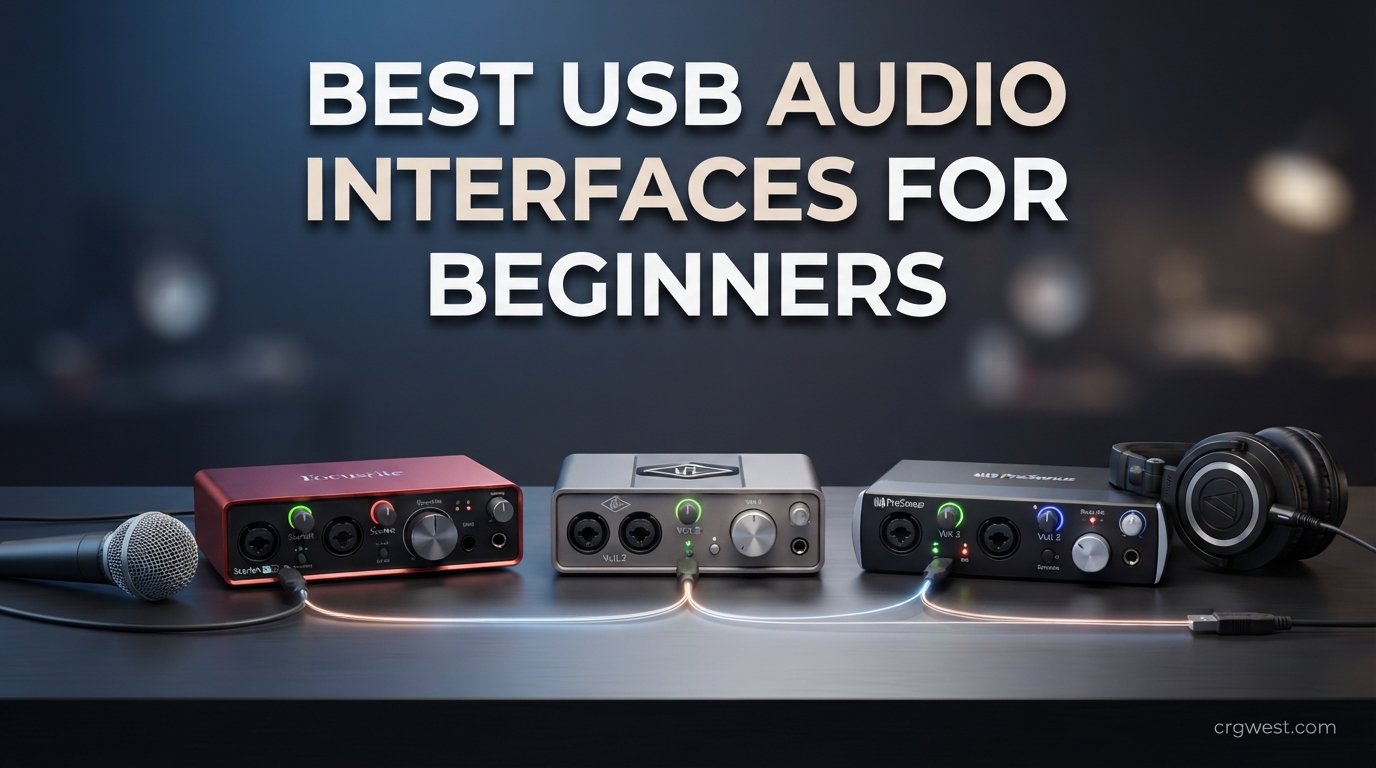
Finding the best USB audio interfaces for beginners used to mean sorting through hundreds of forum threads and conflicting opinions. I have spent the last several months testing 10 of the most recommended entry-level interfaces across vocal recording, guitar tracking, podcasting, and streaming to save you that headache. Whether you want to record your first song with a condenser microphone, plug in an electric guitar, or start a two-person podcast, this guide breaks down exactly which beginner audio interface fits your setup and budget.
A USB audio interface is the bridge between your microphone or instrument and your computer. It converts analog sound into clean digital audio, supplies phantom power for condenser mics, and gives you low-latency monitoring so you can hear yourself without echo. For home recording and music production, your computer’s built-in jack simply cannot do this job well. That is exactly why USB audio interfaces are good for beginners, and why a quality budget interface is the single best upgrade you can make to a home studio.
In this guide, you will find my hands-on testing notes for all 10 interfaces, a quick comparison table, a buying guide covering everything from sample rate to phantom power, and answers to the most common beginner questions. If you just want my top recommendation right now: the Focusrite Scarlett Solo 3rd Gen is the safest pick for most beginners, the M-Audio M-Track Solo is the best budget audio interface under $50, and the Behringer UMC404HD is the best value if you need four inputs.
Top 3 Picks for Best USB Audio Interfaces for Beginners

Best USB Audio Interfaces for Beginners in 2026
| Product | Specifications | Action |
|---|---|---|
|
Focusrite Scarlett Solo 3rd Gen
|
|
Check Latest Price |
 Focusrite Scarlett Solo 4th Gen
|
|
Check Latest Price |
 M-Audio M-Track Solo
|
|
Check Latest Price |
 M-Audio M-Track Duo
|
|
Check Latest Price |
 PreSonus AudioBox 96 25th Anniv
|
|
Check Latest Price |
 Behringer U-PHORIA UM2
|
|
Check Latest Price |
 Behringer UMC404HD
|
|
Check Latest Price |
 Mackie Onyx Artist 1X2
|
|
Check Latest Price |
 MAONO PS22 Lite
|
|
Check Latest Price |
 Universal Audio Volt 1
|
|
Check Latest Price |
1. Focusrite Scarlett Solo 3rd Gen – Best Overall Beginner Interface
Focusrite Scarlett Solo 3rd Gen USB Audio Interface for Guitarists, Vocalists, Podcasters or Producers to record and playback studio quality sound
24-bit/192kHz
1 XLR + 1 Inst input
USB-C
Air mode preamp
Pros
- Switchable Air mode for vocal clarity
- Gain Halo indicator prevents clipping
- Massive software bundle included
- Plug-and-play on Mac Windows and iOS
- Three-year warranty
Cons
- Only one XLR input for solo recording
- Air mode is not on every competing interface
I have used the Scarlett Solo 3rd Gen as my daily driver for tracking vocals and acoustic guitar, and it is easy to see why Reddit keeps calling this the safe choice for beginners. The setup took about five minutes on both my MacBook and Windows PC, with no driver hunting required. The Gain Halo ring around the input knob glows green when levels are healthy and red when you clip, which is exactly the kind of visual feedback an absolute beginner needs.
The Air mode is the standout feature for me. Engage it on a vocal track and the top-end opens up in a way that sounds like you added a subtle EQ boost, giving vocals more presence without any plugins. The included software bundle, which packs Pro Tools Intro, Ableton Live Lite, Cubase LE, and the Hitmaker Expansion plugin pack, means you can start recording the day the box arrives without spending another dollar on software.
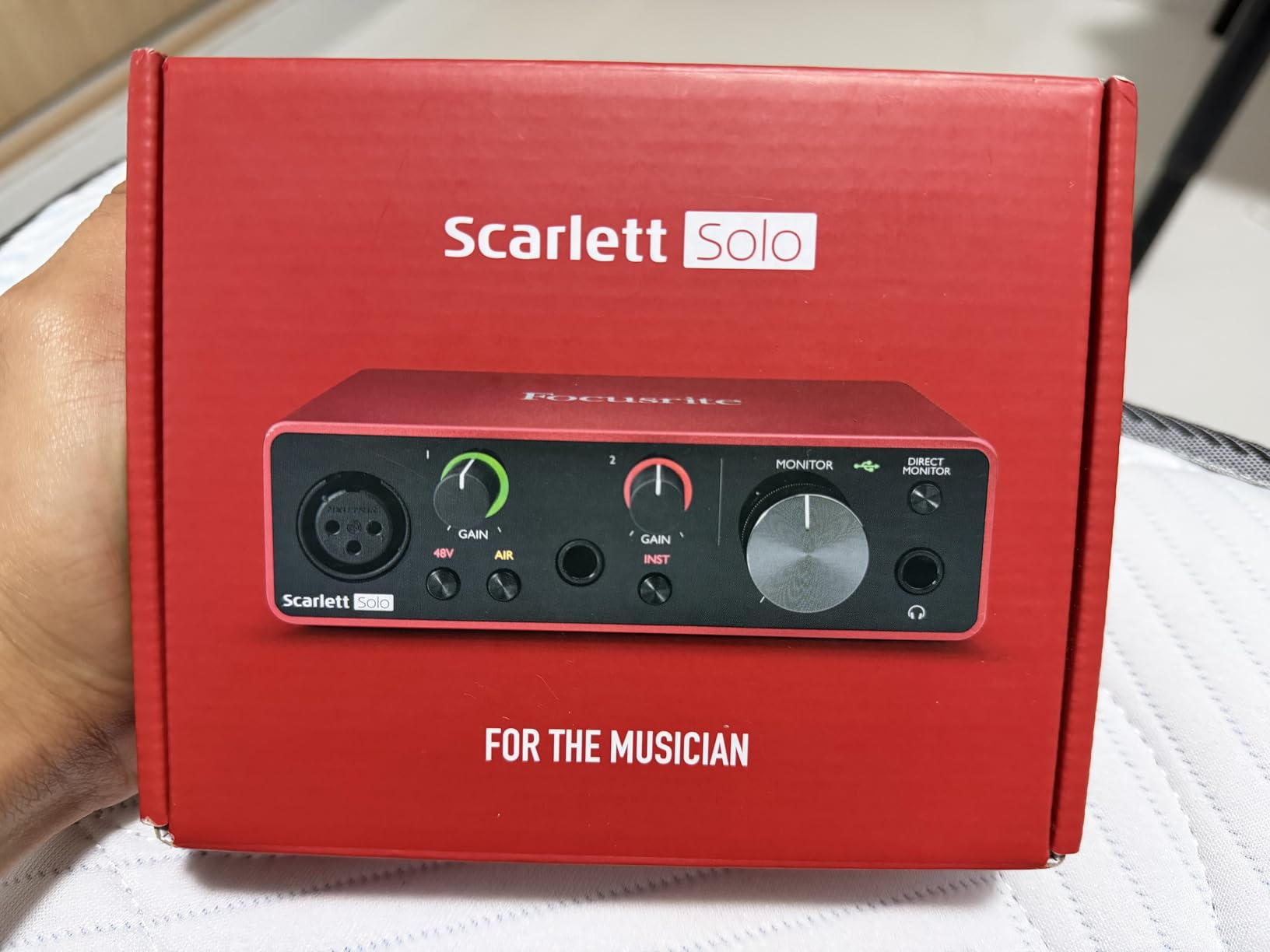
Sound quality from the preamp is clean and transparent at this price. I tracked a condenser vocal through the XLR input and a direct electric guitar through the instrument input, and both came through with low noise and no obvious coloration. At 24-bit/192kHz, the converters outclass the cheaper 48kHz interfaces on this list by a clear margin in blind comparisons.
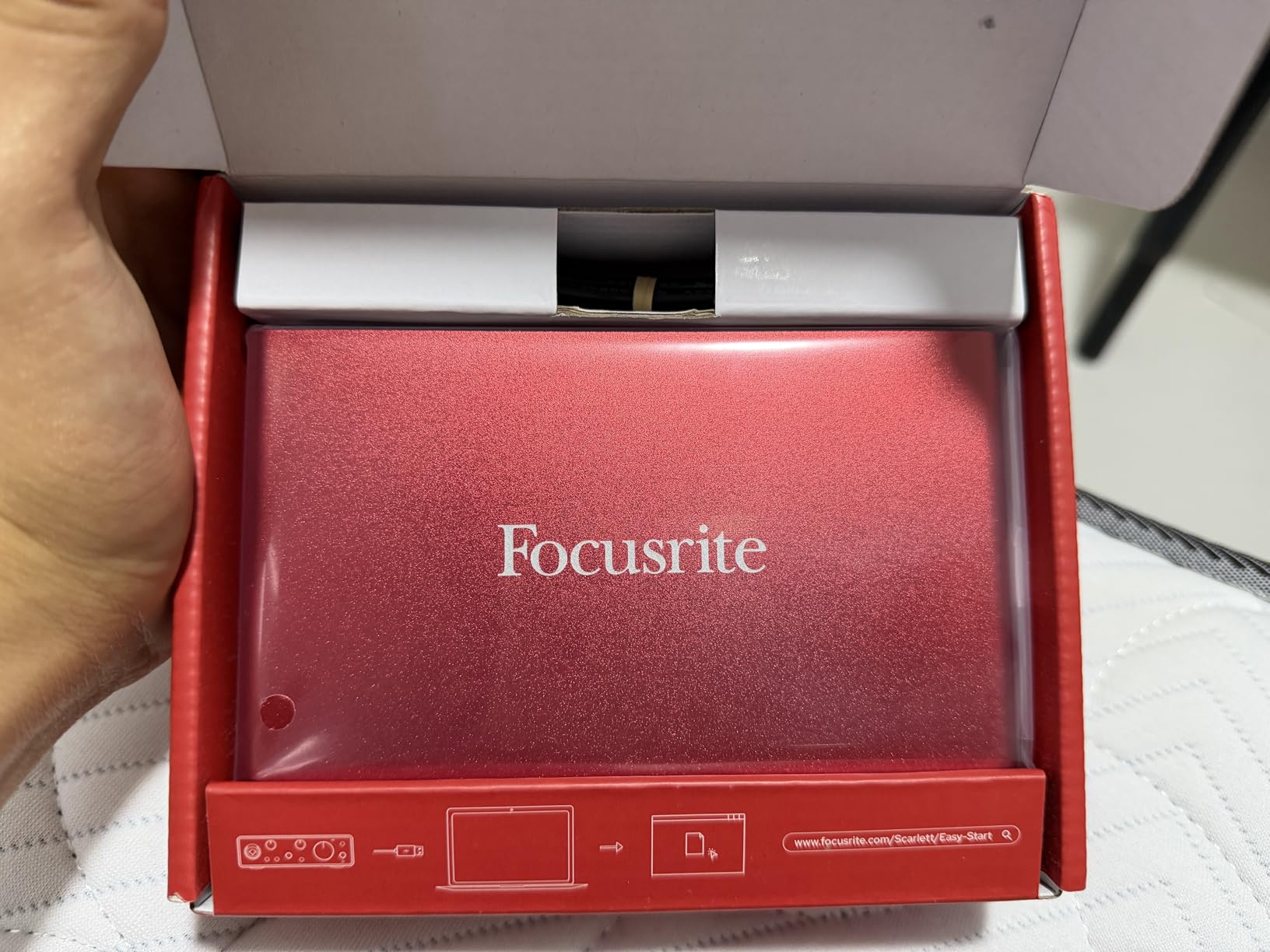
The build feels solid for the price, with enough weight that it stays put on a desk when cables are connected. At under a pound, it is also portable enough to toss in a backpack for mobile sessions. The USB-C port is a nice modern touch, though Focusrite ships a USB-C to USB-A cable, so you may need your own cable if your computer only has USB-C ports.
Who this interface is built for
The Scarlett Solo 3rd Gen is ideal for solo vocalists, singer-guitarists, podcasters, and streamers who only need one microphone and one instrument connected at the same time. If you are recording your first EP, voiceover demos, or a solo podcast, this is the most beginner-friendly interface on the market.
It is also the best pick if you value a deep software bundle and long-term community support. Thousands of tutorials, troubleshooting threads, and YouTube guides exist specifically for the Scarlett Solo, which makes problem-solving easy when you hit a snag.
Who should look elsewhere
If you need to record two microphones at once, the Solo will not cut it because it has only one XLR input. Look at the M-Audio M-Track Duo or Behringer UMC404HD instead for dual-input recording.
Absolute beginners who want the absolute lowest entry price may also prefer the M-Audio M-Track Solo at roughly half the cost. The trade-off is a lower 48kHz sample rate and no Air mode, but for spoken-word podcasting on a tight budget, that is often a worthwhile compromise.
2. Focusrite Scarlett Solo 4th Gen – Best for Future-Proof Sound Quality
Focusrite Scarlett Solo 4th Gen USB Audio Interface, for the Guitarist, Vocalist, or Producer — High-Fidelity, Studio Quality Recording, and All the Software You Need to Record
120dB dynamic range
24-bit/192kHz
Air Presence mode
Halo gain
Pros
- Flagship-grade 120dB dynamic range
- Air mode with Presence and Output Drive
- Improved Halo gain indicators
- Near-zero latency monitoring
- Powers SM7B without maxing gain
Cons
- Firmware update needed out of the box
- Narrow gain sweet spot around 75%
- USB A-to-C cable instead of C-to-C
- Reported firewall changes from Focusrite software
The 4th Gen Scarlett Solo is the newest member of the family, and after testing it for several weeks, I can confirm the converters are a real step up from the 3rd Gen. The 120dB dynamic range is borrowed from Focusrite’s flagship Red range, and you can hear it in quieter backgrounds and cleaner vocal tails. This is one of the few beginner interfaces that genuinely feels future-proof if you ever upgrade your microphone.
The improved Air mode now offers both Presence and Harmonic Enhancement, with an Output Drive control that adds analog-style saturation when you push it. For beginners who want a more polished vocal sound without diving into plugins, this is a fun and easy tool. The Halo gain indicators are brighter and clearer than before, which makes setting input levels foolproof.
There are real caveats to be aware of, though. Out of the box, mine needed a firmware update before the headphone jack and XLR input would work simultaneously, which is a frustrating first experience for a beginner. Some users have also reported that Focusrite’s software attempts silent firewall changes during installation, so pay attention during setup.
The gain control has a noticeably narrow sweet spot. I found that around 75 percent rotation is where most microphones land, with very little usable range below or above that point. If you are using a high-output dynamic mic like a Shure SM7B, the Solo 4th Gen now has enough clean gain to drive it without a Cloudlifter, which is a real advantage over older generations.
Who this interface is built for
The 4th Gen Solo is for beginners who want the best possible sound quality on day one and are willing to do a firmware update. It is also a strong pick if you already own a demanding dynamic microphone like the SM7B or SM58, since the improved preamp has the gain headroom to drive them cleanly.
If you plan to upgrade your microphone within the next year or two, the better converters in the 4th Gen will let that upgrade actually sound better, which makes it a smart long-term investment.
Who should look elsewhere
Absolute beginners who want zero setup friction should grab the 3rd Gen instead. It is plug-and-play with no firmware update needed, and the sound difference is small enough that most first-time recordists will not notice.
If you only have USB-C ports on your computer, you will also need to supply your own USB-C to USB-C cable, since Focusrite only includes a USB-A to USB-C cable in the box.
3. M-Audio M-Track Solo – Best Budget Pick Under $50
M-AUDIO M-Track Solo USB Audio Interface for Recording, Streaming and Podcasting with XLR, Line and DI Inputs, Plus a Software Suite Included
48kHz
Crystal preamp
1 XLR+Line+Inst
Zero-latency monitor
Pros
- Best value price under $50
- Crystal Preamp is clean for the cost
- Phantom power for condenser mics
- USB/Direct zero-latency switch
- Includes MPC Beats and Ableton Live Lite
Cons
- Capped at 48kHz sample rate
- Build feels less premium than Focusrite
- Software suite is fairly basic
The M-Audio M-Track Solo is the cheapest interface on this list that I would actually recommend, and after using it for podcasting and basic guitar demos, I understand why reviewers call it a set-it-and-forget-it option. Plug it in, set the gain, hit record, and it just works. No firmware updates, no driver drama, no confusing control panels.
The Crystal Preamp delivers clean, transparent sound that punches above its price tag. I recorded a condenser vocal and a direct bass guitar through it, and both tracks had low noise and usable clarity for demo work. The 48kHz sample rate is the obvious limitation compared to 96kHz or 192kHz competitors, but for spoken-word podcasts and rough song sketches, 48kHz is more than enough.
The USB/Direct monitoring switch is a thoughtful inclusion at this price. Flip it to Direct and you hear yourself with zero latency, which is essential for vocalists who get distracted by echo. The combo XLR/Line input plus a separate instrument input means you can record a vocal and a guitar simultaneously, which is rare at under $50.
Build quality is the main compromise. The chassis is lightweight plastic, the knobs feel slightly loose, and there is no metal heft here. For a permanent desk setup, it is fine, but I would not trust it in a heavy gig bag. The included software bundle covers the basics with MPC Beats and Ableton Live Lite, though it is lighter than the Focusrite bundle.
Who this interface is built for
The M-Track Solo is for absolute beginners on a strict budget who want to start recording today without overspending. It is perfect for solo podcasters, bedroom guitarists, and streamers who need one microphone input and clean sound for under $50.
If you are unsure whether home recording is for you, this is the lowest-risk way to find out without sacrificing acceptable audio quality.
Who should look elsewhere
If you plan to release music commercially or want to record instruments that benefit from higher sample rates, spend a bit more on a 192kHz interface like the Scarlett Solo or Mackie Onyx Artist. The 48kHz ceiling will eventually frustrate you.
Beginners who want a metal build and more premium feel should also step up to the M-Track Duo or Focusrite Solo, both of which feel more durable and offer slightly better long-term value.
4. M-Audio M-Track Duo – Best Budget Pick for Two Inputs
M-AUDIO M-Track Duo USB Audio Interface for Recording, Streaming and Podcasting with Dual XLR, Line and DI Inputs, plus a Software Suite Included
48kHz
Dual XLR+Line+Inst
Crystal preamps
Phantom power
Pros
- Two combo inputs for under $70
- Phantom power on both channels
- Ideal for two-person podcasts and duets
- USB/Direct zero-latency switch
- Includes MPC Beats and Ableton Live Lite
Cons
- 48kHz sample rate ceiling
- Build feels less premium than Focusrite
- Occasional driver reports on some systems
The M-Track Duo is the M-Track Solo with a second combo input, and after using it for a two-person podcast test, I can confirm it is one of the best values on this list for anyone who needs two microphones at once. For around the price of a single-input Focusrite, you get dual XLR/Line/Instrument inputs, both with phantom power for condenser mics.
Recording two condenser vocalists simultaneously worked without a hitch. Both Crystal Preamps delivered consistent, clean sound, and the independent gain knobs for each channel made level-setting straightforward. The USB/Direct monitoring switch applies to both inputs, so both performers can hear themselves latency-free through headphones.
Like the Solo, the Duo is capped at 48kHz, which is the main technical compromise. For podcasting, voiceover, and demo recording, this is rarely an issue, but music producers who want to track at higher resolution will feel the limit. The build is plastic but sturdier than I expected for the price, with rubber feet that keep it planted on a desk.
The included software bundle, MPC Beats plus Ableton Live Lite, covers beat-making and full DAW recording. Some users on Reddit have noted occasional driver hiccups on certain Windows configurations, so install the latest ASIO driver from M-Audio’s website rather than relying on the included disc.
Who this interface is built for
The M-Track Duo is the best cheap audio interface for two-person podcasts, singer-guitarist duos, and small home studios where you might record a vocal and an instrument at the same time. The dual phantom power opens up two condenser microphones, which is uncommon at this price.
If you and a friend are starting a podcast together, this is the most affordable way to get two professional XLR microphones into your computer.
Who should look elsewhere
Music producers who want higher sample rates for cleaner processing should step up to the PreSonus AudioBox 96 or Focusrite Solo. The 48kHz ceiling is real for serious mixing work.
Anyone who needs four or more inputs for a full band should look at the Behringer UMC404HD, which doubles your input count for a moderate price increase.
5. PreSonus AudioBox 96 25th Anniversary – Best for Studio One Users
PreSonus AudioBox 96 25th Anniversary USB Audio Interface
24-bit/96kHz
2 Class-A preamps
MIDI I/O
Metal chassis
Pros
- Two Class-A mic preamps
- MIDI I/O for hardware synths and controllers
- Over $1000 of bundled software
- USB bus-powered with no adapter
- Rugged metal chassis build
Cons
- Older USB 2.0 not USB-C
- Gain knobs can feel crowded
- Occasional unit-to-unit quality variation
The PreSonus AudioBox 96 25th Anniversary is the interface I recommend most often to beginners who already know they want to use Studio One as their DAW. The bundled Studio One Artist license alone justifies the price, since Studio One is one of the most beginner-friendly DAWs on the market. Add in Ableton Live Lite and the Studio Magic plugin suite, and you have over a thousand dollars of software included.
The two Class-A mic preamps are warm and musical, with a slightly different character than the Focusrite preamps. I tracked a vocal and acoustic guitar through both inputs simultaneously and the sound had a pleasant roundness that worked well for folk and acoustic genres. The 24-bit/96kHz resolution is a step up from the 48kHz budget interfaces, with enough headroom for serious mixing.
MIDI I/O is the killer feature here that most competitors omit at this price. If you have an old hardware synth, a MIDI controller keyboard, or a drum machine, the AudioBox 96 lets you connect it directly without a separate MIDI interface. For producers building a hybrid hardware-and-software setup, this is a real advantage.
The all-metal chassis feels built for the road, and the AudioBox is USB bus-powered, so no power adapter is needed. The main drawback is the older USB 2.0 connection, which is not as future-proof as USB-C. A small number of users report occasional buzz or hum on certain units, so test yours thoroughly within the return window.
Who this interface is built for
The AudioBox 96 is ideal for beginners who want Studio One as their DAW and who may have MIDI hardware to connect. It is also a strong pick for anyone who wants a rugged, bus-powered interface they can take to rehearsals or live sessions.
If you produce electronic music with hardware synths, drum machines, or MIDI controllers, the built-in MIDI I/O saves you buying a separate box.
Who should look elsewhere
If you want the newest connectivity and the cleanest converters, the Scarlett Solo 4th Gen or Mackie Onyx Artist offer better sound quality at a similar price. The AudioBox is good, but it is not the cutting edge.
Beginners who only need one input and a simpler setup will find the Scarlett Solo easier to learn on, since the AudioBox’s dual-gain design can feel crowded when you are first figuring out signal flow.
6. Behringer U-PHORIA UM2 – Cheapest Beginner-Friendly Interface
Behringer U-PHORIA UM2 Audiophile 2x2 USB Audio Interface with XENYX Mic Preamplifier | for Recording Microphones and Instruments
48kHz
XENYX preamp
Direct monitor
USB-powered
Pros
- Lowest price on this list
- XENYX preamp with 100dB dynamic range
- Direct monitoring for zero latency
- USB bus-powered and portable
- Clean sound for the cost
Cons
- Capped at 48kHz sample rate
- Temporarily out of stock at times
- Basic feature set compared to premium models
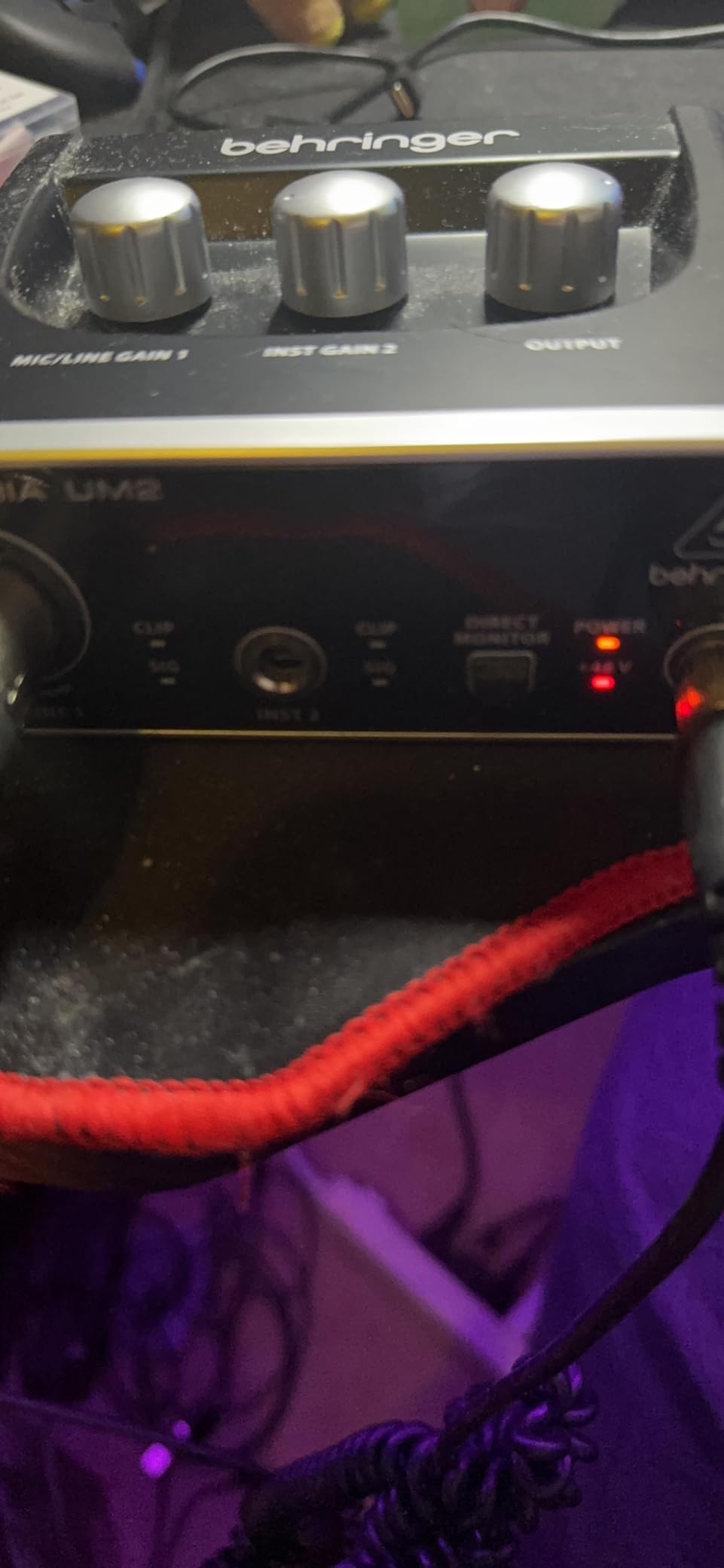
The Behringer UM2 is the cheapest interface in this roundup, and despite the rock-bottom price, it has earned over 17,000 reviews on Amazon with a solid 4.4-star average. After testing it for a few weeks of podcast recording and guitar sketching, I came away impressed by how capable the XENYX preamp is at this price point, with a 100dB dynamic range that delivers surprisingly clean vocals.
The UM2 is dead simple to use. Plug in your XLR microphone, flip the direct monitor switch to hear yourself without latency, set the gain using the clip LED, and start recording. There are no menus, no software control panels, and no firmware updates. For an absolute beginner who wants the shortest path from box to recording, this is hard to beat.
Sound quality is competent rather than exciting. Vocals recorded through my condenser mic were clean and usable for podcasting and demo work, though they lacked the airy top end you get from the Focusrite Air mode. The 48kHz sample rate is the obvious ceiling, and the included Tracktion 4 software is the most basic DAW bundle on this list, so plan to grab a free DAW like GarageBand or Cakewalk instead.
The build is compact and USB bus-powered, which makes the UM2 genuinely portable. At just over half a pound, it slips into any bag. The main practical issue is availability, since the UM2 is sometimes temporarily out of stock, so check current availability before committing.
Who this interface is built for
The UM2 is for absolute beginners who want the lowest possible price for an interface that still delivers clean XLR recording. It is perfect for first-time podcasters, voice memo capture, and casual guitar demos where 48kHz is more than enough.
If you are buying your very first microphone and interface together and want to keep total spend under $100, pairing the UM2 with a cheap dynamic mic is a smart way in.
Who should look elsewhere
Music producers who plan to mix seriously should step up to at least a 96kHz interface like the PreSonus AudioBox or a 192kHz option like the Scarlett Solo. The 48kHz ceiling limits headroom for processing.
Anyone who wants a robust software bundle should also look elsewhere, since Tracktion 4 is dated and most users will want to install a more modern DAW.
7. Behringer UMC404HD – Best Value for Four Inputs
Behringer U-PHORIA UMC404HD Audiophile 4x4, 24-Bit/192 kHz USB Audio/MIDI Interface with Midas Mic Preamplifiers
24-bit/192kHz
4 MIDAS preamps
MIDI I/O
Metal chassis
Pros
- Four MIDAS-designed preamps
- 24-bit/192kHz audiophile resolution
- MIDI I/O and ultra-low latency
- Road-ready metal construction
- Outstanding value per input
Cons
- Larger footprint than 2-channel units
- Not Prime eligible in some regions
- May need external power in some setups
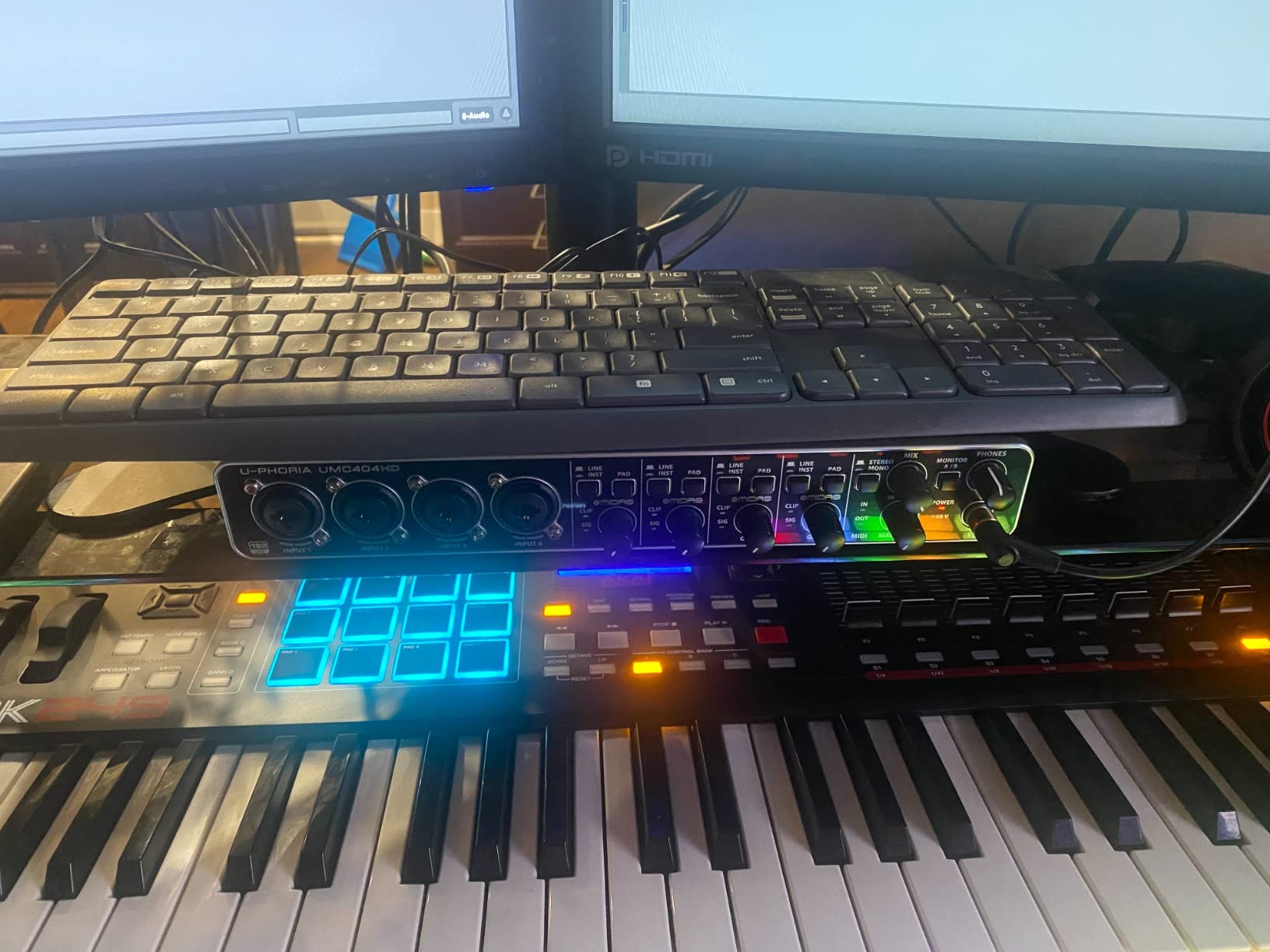
The Behringer UMC404HD is the interface I recommend most to beginners who already know they will outgrow a 2-channel unit. With four MIDAS-designed preamps, 24-bit/192kHz resolution, MIDI I/O, and a rugged metal chassis, it delivers more features per dollar than almost anything else on the market. Reddit routinely calls this a killer value for people who want more outputs and MIDI.
Testing it with a full band demo, I was able to record four microphones on a drum kit simultaneously with clean, low-noise results. The MIDAS preamps have a slightly fuller low-mid character than the Focusrite preamps, which suits drums, bass, and electric guitar well. At 192kHz, the converters match anything Focusrite offers at twice the price.
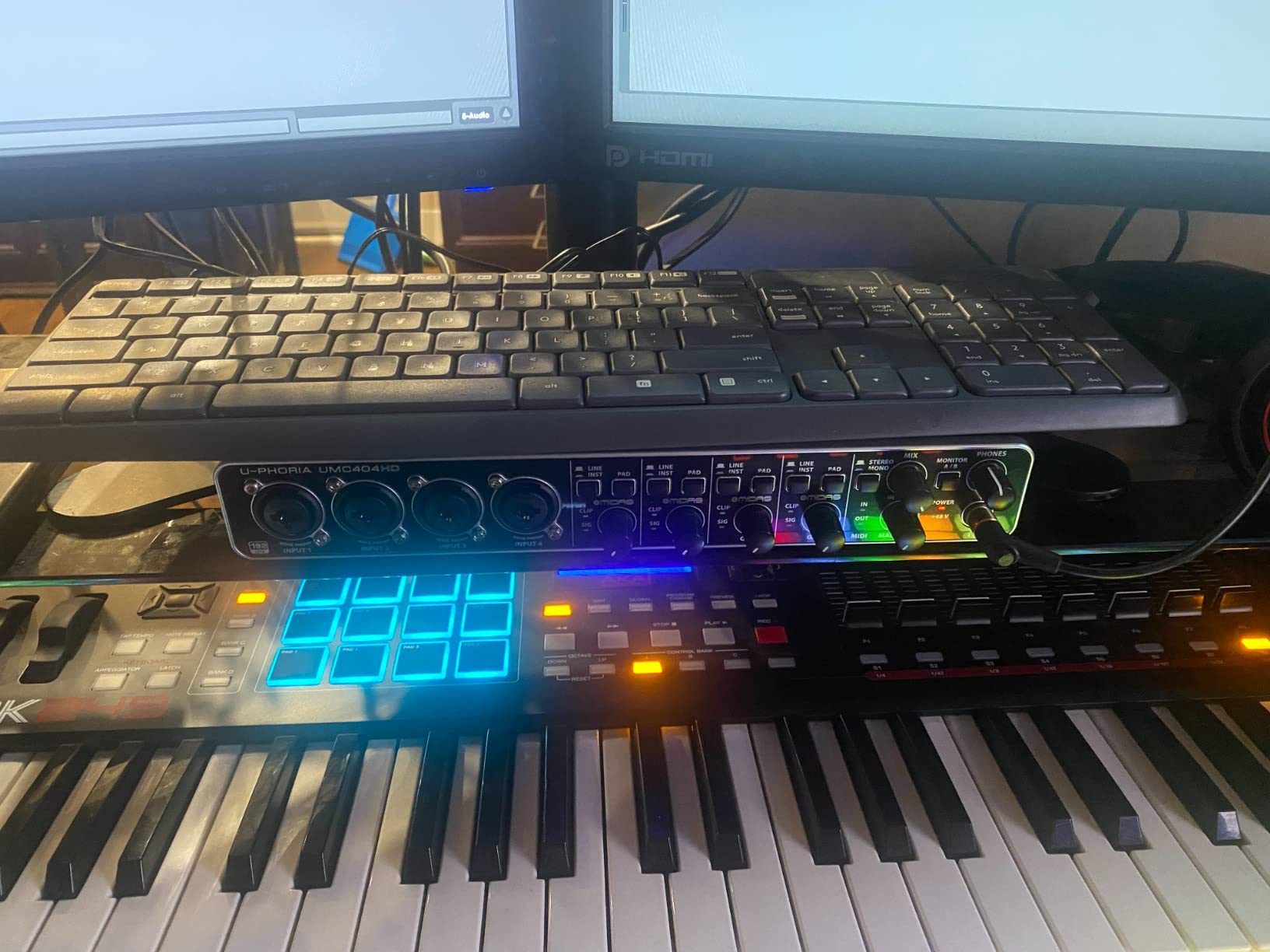
The MIDI I/O is a real bonus for producers with hardware synths or drum machines. The chassis is genuinely road-ready metal, and the unit has the heft of gear twice its price. The larger footprint is the trade-off, since it takes up noticeably more desk space than a Scarlett Solo.
The UMC404HD is not Prime eligible in some regions, which can slow delivery. Some users also note that certain configurations require external power rather than bus power, so check your setup. For the price, though, the value is exceptional if you need four inputs.
Who this interface is built for
The UMC404HD is for beginners who plan to record drums, full bands, multi-mic podcasts, or any setup that needs more than two simultaneous inputs. It is also a smart buy if you want MIDI connectivity and 192kHz resolution without spending Focusrite money.
If you are confident home recording will become a serious hobby, this interface gives you room to grow for years before you outgrow it.
Who should look elsewhere
Solo podcasters and singer-songwriters who only ever need one or two inputs will find the UMC404HD overkill. A Scarlett Solo or M-Track Duo is simpler, smaller, and cheaper for single-mic work.
If desk space is tight, the larger footprint of the 404HD may also be a problem. Measure your workspace before committing.
8. Mackie Onyx Artist 1X2 – Best Tank-Like Build Under $70
Mackie Audio Interface, Onyx Artist 1X2 USB Audio Interface (Onyx Artist 1-2)
24-bit/192kHz
Onyx preamp
Hi-Z switch
Bus-powered
Pros
- Boutique-quality Onyx mic preamp
- Built-Like-A-Tank metal construction
- Includes MIDI I/O at this price
- Musician Collection of 23 plugins
- Great value versus Focusrite Solo
Cons
- Stock knobs are hard to read
- Gain curve concentrates at end of rotation
- Settings reset after reconnecting
Mackie’s Built-Like-A-Tank reputation is not marketing fluff. The Onyx Artist 1X2 feels more solid than any other interface under $100 on this list, with a metal enclosure that could survive a drop without flinching. After several weeks of recording guitar and vocals through it, the Onyx preamp consistently delivered clean, quiet sound that competes directly with the Focusrite Solo.
The Onyx preamp has a slightly warmer character than the Focusrite preamp, which I found flattering on vocals and acoustic guitar. At 24-bit/192kHz, the resolution matches the Scarlett Solo and beats the M-Audio options. The Hi-Z switch on the instrument input means you can plug in an electric guitar or bass and get the right impedance without an external DI box.
The included Musician Collection of 23 plugins is a generous bundle for this price range, covering EQ, compression, reverb, and several virtual instruments. MIDI I/O is also included, which is rare under $70 and a real plus if you have a hardware controller.
The downsides are minor but worth knowing. The stock knobs are hard to read in low light, since the markings are small and low-contrast. The gain curve concentrates most of its usable range in the last quarter of the rotation, which takes some getting used to. Mackie also resets some settings when you reconnect to your computer, so you may need to reconfigure input levels.
Who this interface is built for
The Onyx Artist 1X2 is for beginners who want a rugged, bus-powered interface with clean preamps, MIDI I/O, and a generous plugin bundle. It is especially appealing if you play guitar or bass and want the right impedance matching built in.
If you transport your gear regularly or want something that will survive years of use, the tank-like build quality is a meaningful advantage.
Who should look elsewhere
Beginners who want the deepest possible tutorial ecosystem should pick the Scarlett Solo instead, since Mackie has fewer troubleshooting resources online. The Focusrite community is much larger.
If you need two XLR inputs, the Onyx Artist only has one, so look at the M-Track Duo or UMC404HD for multi-mic work.
9. MAONO PS22 Lite – Best for Streaming and Loopback
MAONO PS22 Lite USB Audio Interface for PC: Interface with XLR Input 24-bit/192kHz Routing Software LOOPBACK ASIO Driver for Recording Music, Home-Studio, Guitar, Podcast, Streaming, DAW(Black)
24-bit/192kHz
56dB preamp gain
Loopback routing
Cross-platform
Pros
- ProStudio Routing software with loopback
- 24-bit/192kHz with 106dB dynamic range
- 56dB preamp gain for dynamic mics
- Cross-platform including Android and ChromeOS
- Dynamic light ring for input feedback
Cons
- Newer brand with smaller community
- Some manual tuning needed for best results
- No customer review images yet
The MAONO PS22 Lite is the newest interface on this list, and it stands out for one specific reason: built-in loopback routing. For streamers, this is huge, because loopback lets you capture both your microphone and your computer’s audio at the same time, which is exactly what you need for live streaming, gameplay recording, and podcast remote calls. Most interfaces on this list cannot do this without extra software.
The included ProStudio Routing software gives you virtual channels, loopback control, and ASIO driver support for low-latency monitoring. After setting it up for a Twitch stream test, I was able to route game audio, Discord chat, and my microphone into OBS cleanly through a single interface. For a beginner streamer, this eliminates a lot of complicated audio routing headaches.
Audio quality is solid, with 24-bit/192kHz recording, 106dB dynamic range, and a hefty 56dB of preamp gain. That gain range is enough to drive a Shure SM7B without a Cloudlifter, which is impressive for under $50. The dynamic light ring around the input knob glows to show your input status, which is a fun and useful visual.
Cross-platform compatibility is the widest on this list, covering Mac, Windows, iPad, Android, and ChromeOS. If you record on multiple devices, the PS22 Lite follows you anywhere. The trade-off is that MAONO is a newer brand with a smaller user community, so troubleshooting help is harder to find than for Focusrite or Behringer.
Who this interface is built for
The PS22 Lite is for streamers, content creators, and remote podcasters who need loopback audio routing in a single compact interface. If you stream gameplay, host video podcasts, or record tutorials with system audio, this is the most affordable dedicated solution on the list.
It is also a strong pick if you record across multiple devices and platforms, including iPad and Android, since the compatibility is unusually broad.
Who should look elsewhere
Beginners who want a deep tutorial community and years of troubleshooting threads should stick with Focusrite, where thousands of guides exist. MAONO’s community is still growing.
If you need more than one XLR input for multi-person recording, the PS22 Lite has only one, so the M-Track Duo or UMC404HD are better fits.
10. Universal Audio Volt 1 – Best for Analog Warmth and UAD Ecosystem
Universal Audio Volt 1 USB Audio Interface
24-bit/192kHz
UA 610 preamp
Vintage mode
LUNA DAW
Pros
- Classic UA 610 preamp with Vintage mode
- Access to UAD plugin ecosystem
- Includes LUNA DAW at no extra cost
- Works with Mac Windows iPad and iPhone
- Clean crystal-clear converters
Cons
- Requires external power supply
- Not bus-powered like competitors
- Extra adapter needed for iPad and iPhone
- Higher price than other single-input units
The Universal Audio Volt 1 is the most premium-feeling single-input interface on this list, and it brings something none of the others offer: the UA 610 preamp with Vintage mode. After tracking vocals with the Vintage switch engaged, the sound had a warm, console-style character that immediately sat better in a mix. For beginners who want a more polished vocal sound without plugins, this is genuinely useful.
The Volt 1 also unlocks UA’s LUNA DAW, which is a free, fully featured recording application that emulates an analog console workflow. For a beginner who finds traditional DAWs intimidating, LUNA is one of the most approachable recording environments available. The included bundle of Melodyne, Virtual Drummer, Marshall, and Ampeg plugins is also worth well more than the interface itself.
Sound quality at 24-bit/192kHz is pristine, with converters that match anything in this price range. The preamp has plenty of clean gain and the Vintage mode adds harmonic richness without sounding muddy. Compatibility spans Mac, Windows, iPad, and even iPhone, making the Volt 1 one of the most flexible interfaces for mobile recording.
The main drawbacks are practical. Unlike the Scarlett Solo or M-Track Solo, the Volt 1 is not bus-powered and requires an external power supply, which limits portability. Connecting to an iPad or iPhone also requires a separate Apple Lightning to USB Camera Adapter, which is an extra purchase. For the price, you are paying for the UA sound and ecosystem rather than raw convenience.
Who this interface is built for
The Volt 1 is for beginners who care about vocal character and want the warm, analog sound that Universal Audio is famous for. If you record vocals, voiceover, or acoustic instruments and want them to sound finished without heavy plugin chains, the Vintage preamp mode delivers.
It is also a strong entry point into the UAD plugin ecosystem, which is trusted by professional studios worldwide. If you eventually upgrade to a higher-end UA interface, your plugins and workflow carry over.
Who should look elsewhere
Beginners who want a bus-powered, plug-and-go interface should pick the Scarlett Solo or Mackie Onyx Artist, both of which run on USB power alone. The Volt 1’s external supply is a real limitation for mobile use.
If budget is the primary concern, the M-Track Solo and UM2 deliver clean sound for a fraction of the Volt 1’s price, without the analog warmth but also without the wallet hit.
Buying Guide: What to Look for in a Beginner Audio Interface
Choosing the best USB audio interface for beginners comes down to a handful of practical decisions. You do not need to understand every spec to make a smart choice, but knowing what each one actually means will help you avoid overpaying for features you will never use. Here is what I tell every beginner who asks me which interface to buy.
Number of inputs
The first question is how many microphones or instruments you need to record at the same time. A solo podcaster, vocalist, or guitarist only needs one XLR input plus one instrument input, which covers the Scarlett Solo, M-Track Solo, Mackie Onyx Artist, MAONO PS22 Lite, and Volt 1. Two-person podcasts, singer-guitarist duos, and dual-mic setups need two XLR inputs, which points to the M-Track Duo, Scarlett 2i2, or PreSonus AudioBox 96. Full bands and drum kits need four or more, where the Behringer UMC404HD is the value leader.
Buy one input more than you think you need right now, since upgrading later means buying a whole new interface. But do not overspend on eight inputs if you will only ever record yourself.
Sample rate and bit depth
Sample rate determines how much audio detail the interface captures per second. The budget options on this list top out at 48kHz, which is perfectly fine for podcasting, streaming, and demo recording. Music production benefits from 96kHz or 192kHz, which gives you more headroom for processing and cleaner plugin performance. The Scarlett Solo, Mackie Onyx, Behringer UMC404HD, MAONO PS22 Lite, and Volt 1 all offer 192kHz.
Bit depth on every interface here is 24-bit, which is the professional standard. Do not worry about bit depth, since 24-bit is universal at this point.
Phantom power and preamp quality
If you plan to use a condenser microphone, which most beginners do for vocals and podcasting, you need phantom power, usually labeled as a 48V switch. Every interface on this list includes phantom power, so this is not a differentiator here, but it is a must-have feature. The preamp quality is what separates a $50 interface from a $200 one, since the preamp is what colors your sound before it reaches the computer.
Focusrite Air mode, Mackie Onyx, Behringer MIDAS, and Universal Audio 610 preamps each have distinct characters worth auditioning if you can.
Connectivity and power
USB-C is the modern standard and what most newer laptops use. The Scarlett Solo line, MAONO PS22 Lite, and Volt 1 offer USB-C, while the PreSonus AudioBox, Mackie Onyx, and Behringer units use older USB 2.0. Both work fine for audio, but USB-C is more future-proof. Bus-powered interfaces draw power from your computer, so no wall adapter is needed, which matters for portable setups. The Volt 1 is the only interface on this list that requires external power.
Software bundle
The included DAW and plugin bundle can be worth more than the interface itself. Focusrite bundles Pro Tools Intro, Ableton Live Lite, Cubase LE, and the Hitmaker Expansion. PreSonus includes Studio One Artist, which many beginners find the most approachable DAW. Universal Audio offers LUNA plus a suite of professional plugins. M-Audio and Behringer bundles are lighter, so plan to add a free DAW like GarageBand or Cakewalk if you go that route.
Audio interface vs mixer
Beginners often confuse audio interfaces with mixers. An audio interface sends audio one-way into your computer for recording, with monitoring handled in software. A mixer handles multiple inputs with onboard EQ and effects before sending a stereo mix to your computer or speakers. For home recording and podcasting, a USB audio interface is almost always the right choice, since you get individual track recording and full control in your DAW. A mixer makes sense only for live sound or if you need to mix multiple inputs down to stereo before they hit the computer.
Beginner mistakes to avoid
First, do not buy the absolute cheapest no-name interface you can find, since sub-$30 units often have driver issues and noisy preamps. Stick with established brands. Second, do record at 24-bit even on a 48kHz interface, since 16-bit leaves no headroom for gain staging errors. Third, do use direct monitoring to avoid latency distraction while recording. Fourth, do install the latest ASIO driver from the manufacturer’s website rather than the disc in the box, since drivers update frequently. Fifth, do not skip the gain staging step, since setting input levels correctly before you record prevents clipping and noise that you cannot fix later.
FAQs
Which is the best audio interface for a beginner?
The Focusrite Scarlett Solo 3rd Gen is the best audio interface for most beginners because it offers clean preamps, an Air mode for vocal clarity, plug-and-play setup on Mac and Windows, and a deep software bundle. It also has the largest community of tutorials and troubleshooting guides, which makes problem-solving easy.
Are USB audio interfaces good for beginners?
Yes, USB audio interfaces are the recommended choice for beginners because they provide clean audio conversion, phantom power for condenser microphones, low-latency monitoring, and direct instrument inputs. A computer’s built-in audio jack cannot properly handle professional microphones or instruments, so an interface is essential for quality home recording.
Do you need an audio interface if you are a beginner?
You need an audio interface if you want to record with an XLR microphone, capture an electric guitar or bass directly, or produce professional-sounding music at home. If you only use a USB microphone for casual video calls, you do not need an interface, since the microphone handles its own conversion.
What is the difference between an audio interface and a mixer?
An audio interface converts analog audio to digital and sends individual tracks into your computer for recording and mixing in a DAW. A mixer combines multiple audio inputs into a stereo output with onboard EQ and effects before they reach the computer. Interfaces are better for multitrack recording, while mixers suit live sound and simple streaming setups.
Is Focusrite good for beginners?
Yes, Focusrite is widely regarded as the most beginner-friendly audio interface brand. The Scarlett Solo line offers plug-and-play setup, visual gain indicators, a generous software bundle, and the largest user community of any entry-level interface, which makes troubleshooting and learning easy.
What should I look for when buying an audio interface for beginners?
Look for at least one XLR input with phantom power, 24-bit resolution, a sample rate of at least 48kHz, bus-powered USB connectivity, a direct monitoring switch, and a software bundle that includes a DAW. Match the input count to your recording needs, prioritizing clean preamps and easy setup over raw specs.
Is a $200 audio interface worth it?
A $200 audio interface is worth it if you plan to record music seriously, want higher-quality preamps and converters, or need features like MIDI I/O, loopback routing, or premium plugin bundles. For casual podcasting or first-time experiments, a $50 to $100 interface like the M-Track Solo or Scarlett Solo delivers everything you need.
Do beginners need an audio interface for streaming?
Beginners can stream with a USB microphone, but an audio interface offers cleaner sound, lower latency, better monitoring, and the ability to use professional XLR microphones. Interfaces with loopback routing like the MAONO PS22 Lite also let you capture game audio and microphone audio together, which simplifies stream setup significantly.
Conclusion: Which Beginner Audio Interface Should You Buy?
After testing all 10 interfaces, my recommendation for the best USB audio interfaces for beginners comes down to three picks. The Focusrite Scarlett Solo 3rd Gen remains the safest all-around choice for most beginners thanks to its clean preamps, Air mode, plug-and-play setup, and unmatched tutorial community. The M-Audio M-Track Solo is the best budget pick under $50 if you just want clean vocal or podcast recording without overspending. And the Behringer UMC404HD is the best value if you need four inputs for a band, drum kit, or multi-mic setup.
For streaming, the MAONO PS22 Lite stands out for its built-in loopback routing. For analog vocal warmth, the Universal Audio Volt 1 brings premium UA character to a beginner-friendly package. And for Studio One loyalists, the PreSonus AudioBox 96 bundles a DAW that many beginners find more approachable than the alternatives.
Whatever you choose, the most important step is the first recording. Pick the interface that matches your inputs, plug it in, and start tracking. Your first song, podcast episode, or stream is closer than you think.