8 Best Gaming Chair Floor Mats for Hardwood and Carpet (March 2026)
I learned the hard way that gaming chair wheels and hardwood floors do not mix. After just six months of daily use, my beautiful oak…

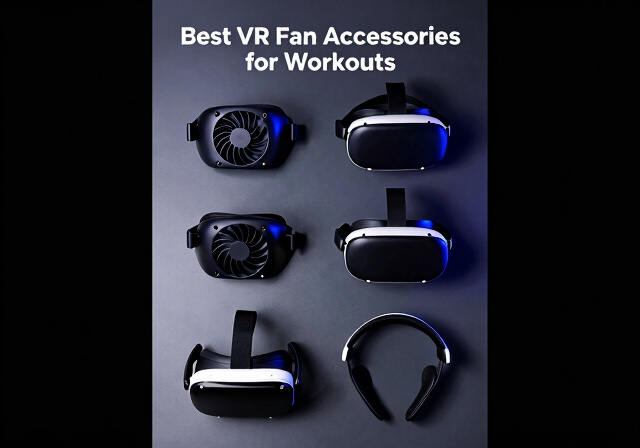
If you’ve ever tried doing a Beat Saber session or a round of Supernatural and ended up with fogged lenses, sweat dripping into your eyes, and a face pad that feels like a wet sponge — you already know the problem. I’ve been there. The inside of a VR headset during a real workout gets hot and humid fast, and the stock accessories simply weren’t built with high-intensity exercise in mind.
That’s exactly why picking the right VR fan accessories for workouts makes such a big difference. The right cooling fan or vented facial interface keeps your lenses clear, your face cool, and your session going without interruption. I tested and researched the best options available right now to help you find the perfect fit for your headset and workout style.
Whether you’re on a Quest 3, Quest 3S, or the older Quest 2, there’s a solid solution here. I’ve broken down the top picks — from active fan systems to passive vented covers and sweat-wicking masks — so you can stop wiping down your lenses every five minutes and just focus on the workout.


Quest 3 and 3S compatible
10000mAh battery
100-level fan speed
1.27 lb
This is the one I keep recommending to everyone serious about VR fitness. The BOBOVR S3 Pro does two things really well: it fixes the battery anxiety problem and it solves the heat problem at the same time. The 10,000mAh hot-swappable battery pack gives you well over 5 hours of continuous play, which means you can finish a full FitXR class and still have power left.
The built-in cooling fan is what sets it apart from every other battery strap on the market. It sits at the top of the halo-style frame and pushes air down toward the back of your head while ventilating the inside of the headset. With 100 levels of wind speed adjustment, you can dial it in to exactly what you need — a light breeze during warm-up, then crank it up for the intense intervals.
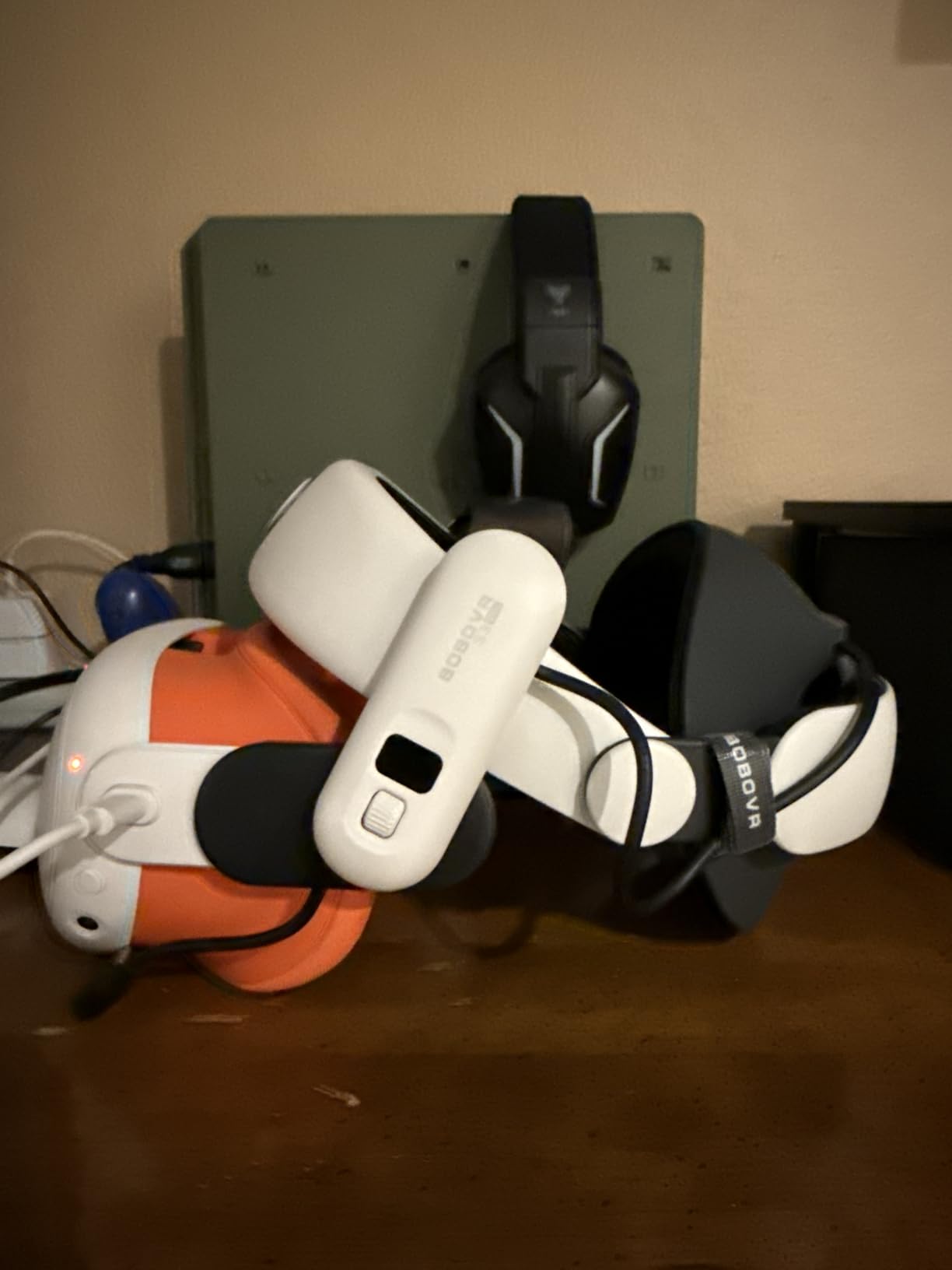
Comfort-wise, the halo design takes weight off the front of your face entirely, which is a massive upgrade over the stock strap during exercise. Real VR fitness users on Reddit consistently mention this: “BoboVR S3 halo strap with built-in fan allows workout with no face gasket — open air is much better.” You can actually remove the facial interface and train with the open design, which many workout enthusiasts prefer.
The ratchet adjustment makes getting a secure fit fast, even when you’re sweaty and need to pull the headset off between rounds. The hot-swap battery feature means you can swap in a fresh battery mid-session without restarting anything — genuinely useful if you do back-to-back workout classes.
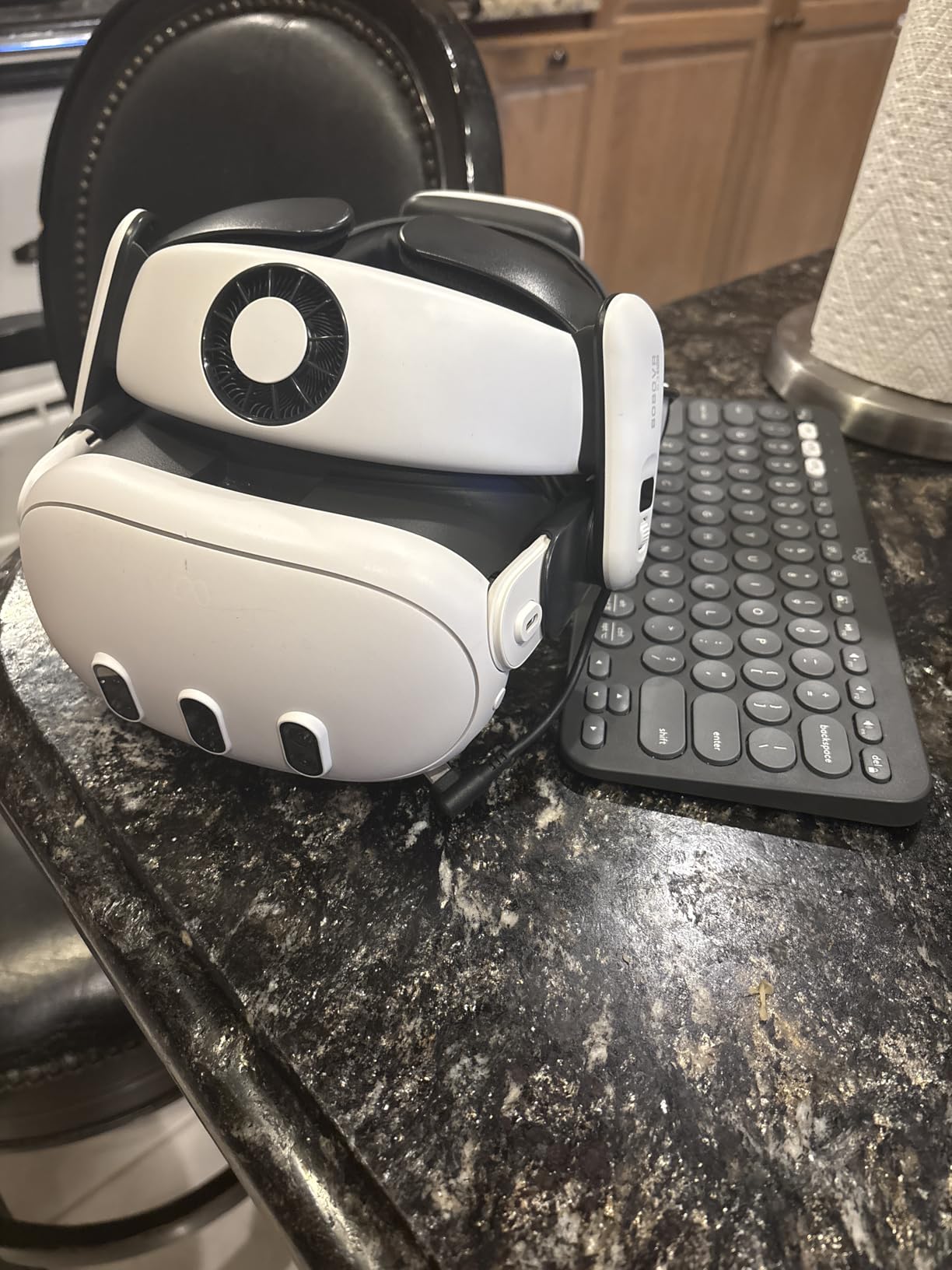
This is the top pick for anyone doing regular VR fitness — especially Beat Saber, Supernatural, or FitXR. If you do sessions longer than 60 minutes or you sweat heavily, the combination of extended battery and active cooling makes this worth every dollar. It pairs perfectly with the AMVR FC4A facial interface (reviewed next) for a full cooling system.
The S3 Pro is explicitly compatible with both Quest 3 and Quest 3S, which is a key advantage since many accessories only support one variant. If you’re unsure which generation you own, the BOBOVR fits both without any adapter needed. The build was updated to accommodate the slightly different shape of the 3S.
Quest 3 only (NOT 3S)
Ice Silk cushion
Fan-channeling ventilation
8.1 oz
If you’re running the BOBOVR S3 Pro, this facial interface is the missing piece that completes the cooling system. The AMVR FC4A was specifically engineered for halo head straps that have a built-in fan, and the ventilation openings are positioned to actually direct that airflow onto your face and eyes — where you need it most.
The Ice Silk cushion is the standout feature here. It feels noticeably cooler than PU leather or standard foam, and it doesn’t absorb sweat the way stock padding does. After a 45-minute Supernatural session, the cushion wipes clean in seconds. This is a significant upgrade if you’re doing daily workouts and need something that stays hygienic.
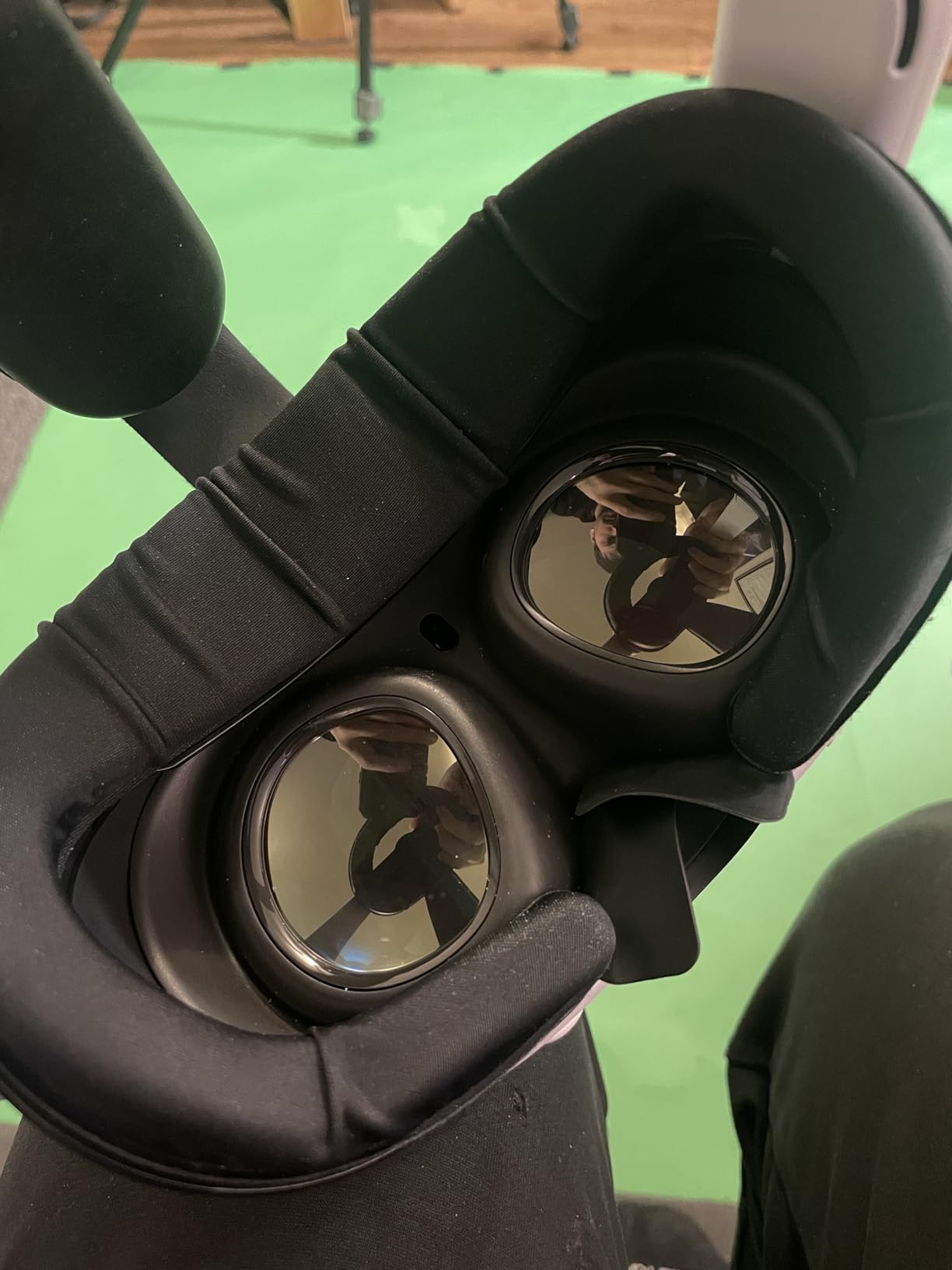
The knob stepless adjustment on both sides lets you dial in the perfect eye relief and FOV for your face shape. Reviewers with a wider face or deeper eye sockets specifically mention this as a feature that makes a real difference. You get a satisfying click as you adjust, and the position stays locked even during vigorous movement.
One thing to be crystal clear about: this is Quest 3 only. It does not fit the Quest 3S, and it’s not compatible with the Elite Strap either. If you have a Quest 3 with the BOBOVR S3 Pro, this is the interface to get. If you have a Quest 3S, look at the RCstyle or HiBloks options instead.
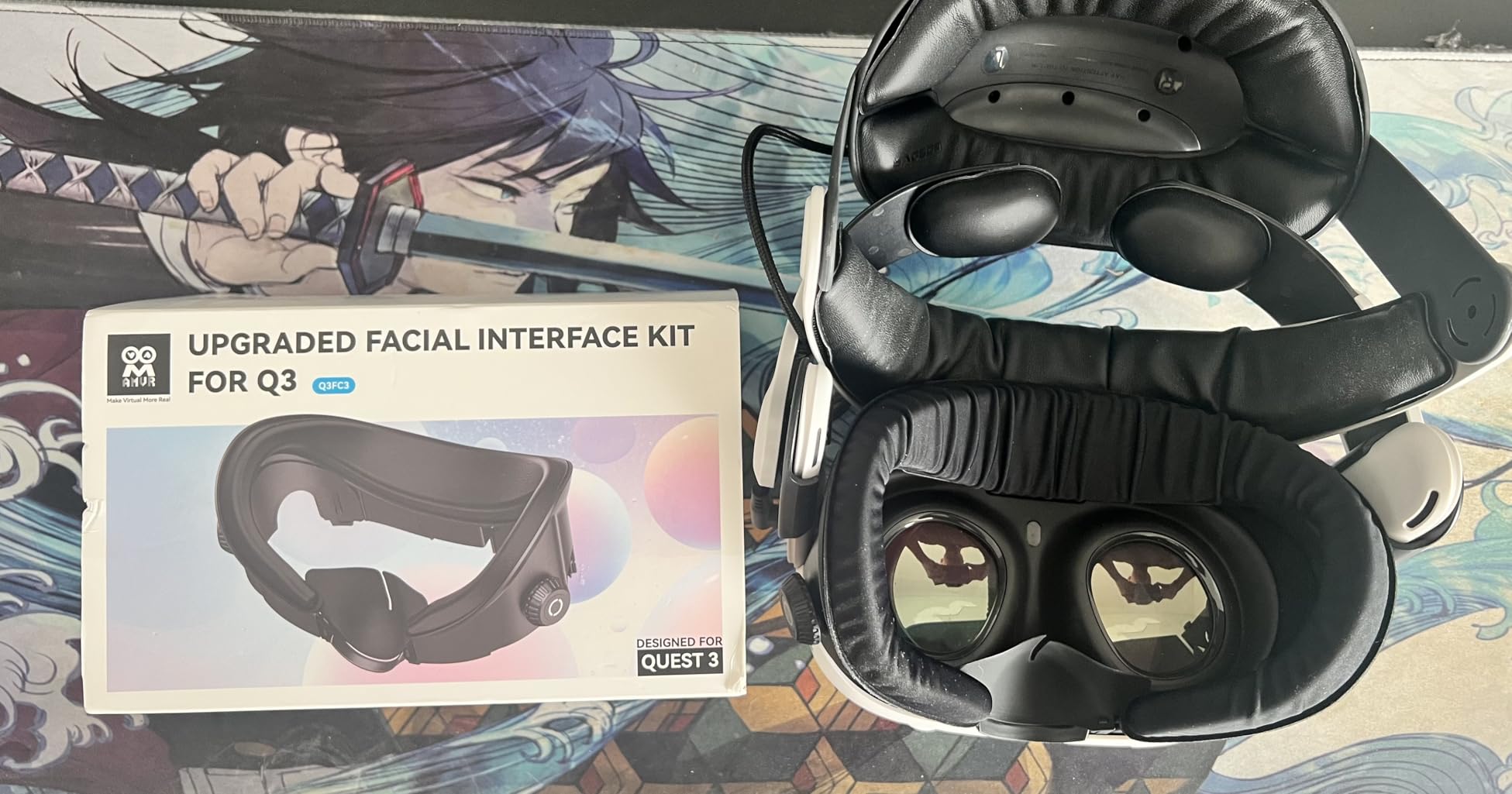
This interface works best as part of a system: BOBOVR S3 Pro on top + AMVR FC4A on the face. The fan pushes air through the ventilation channels in the interface and directly across your face. Users report that this combination essentially eliminates lens fogging, even during high-intensity HIIT VR sessions.
The Ice Silk material stays noticeably cooler than PU leather for the first 30-40 minutes of a session. After that, both materials reach similar temperatures from body heat — but Ice Silk still wins on sweat management because it doesn’t soak through and stays easier to wipe clean. For workout-focused use, Ice Silk is the better choice.
Quest 3 compatible
700mAh battery
2-speed fan
10.5 oz
The HiBloks is the most straightforward option for Quest 3 users who want active cooling without buying a whole new head strap. It’s a facial interface with a built-in fan that snaps on in place of your stock cover. You get cooling out of the box, no additional accessories needed.
The box includes both an Ice Silk pad and a PU leather pad, which is a nice touch — you can swap depending on how intense your session is or which one you prefer against your skin. Both are removable and washable, so hygiene isn’t a concern even with daily workouts. I found the Ice Silk pad more comfortable during cardio-heavy sessions like Les Mills Bodycombat.
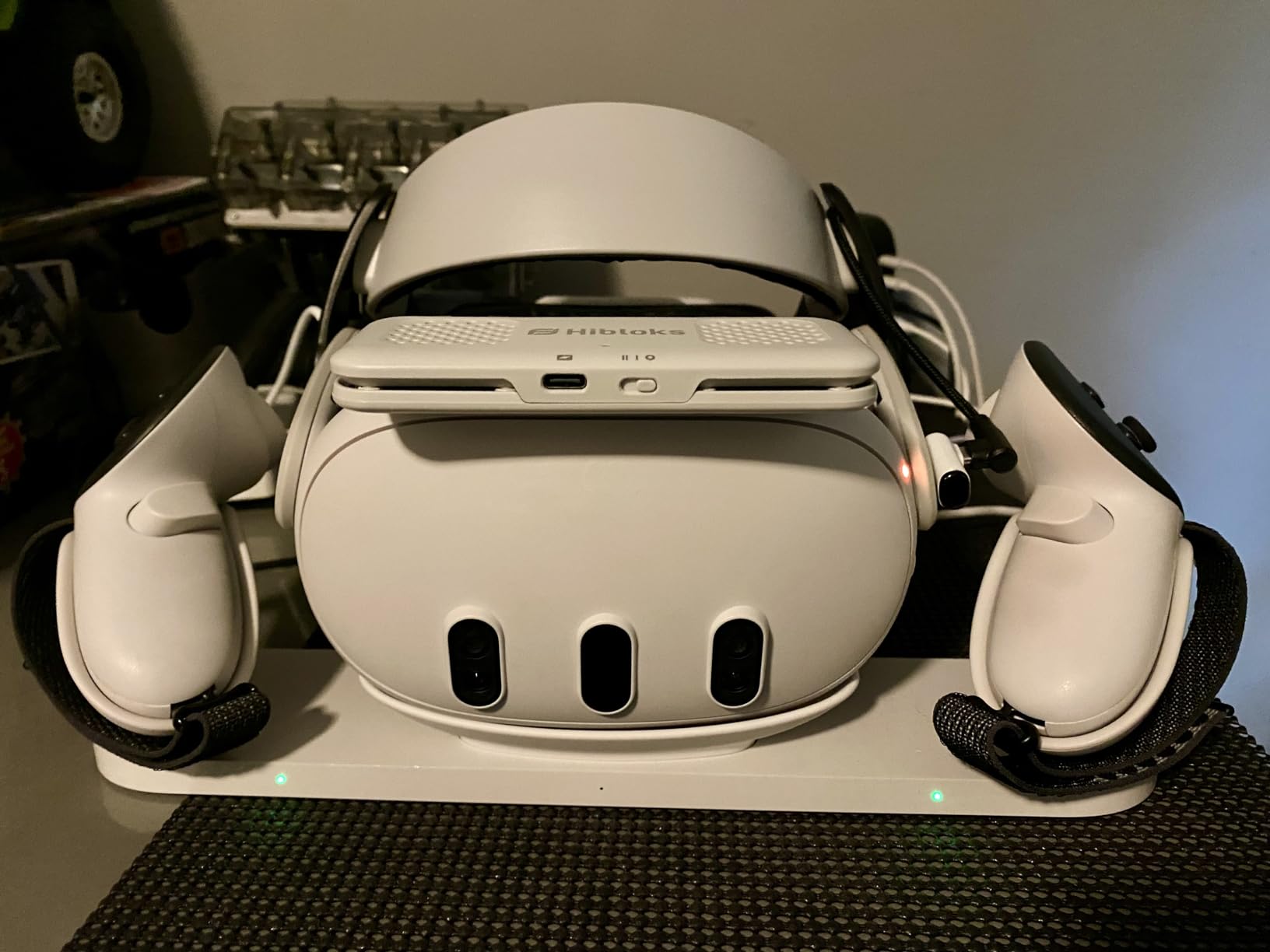
The 2-speed fan effectively prevents lens fogging, which is the #1 complaint I see from VR fitness users on Reddit and Facebook groups. On the lower speed, it’s nearly silent. On high, there’s some fan noise but nothing that competes with in-headset audio. Battery life of 2.5-3.5 hours covers most workout sessions, though you’ll want to charge between longer gaming days.
A few users have reported the nose section feeling less sturdy after extended use, so handle it carefully when cleaning. Overall for the price, this is one of the most complete cooling solutions for Quest 3 workouts without requiring any additional purchases.
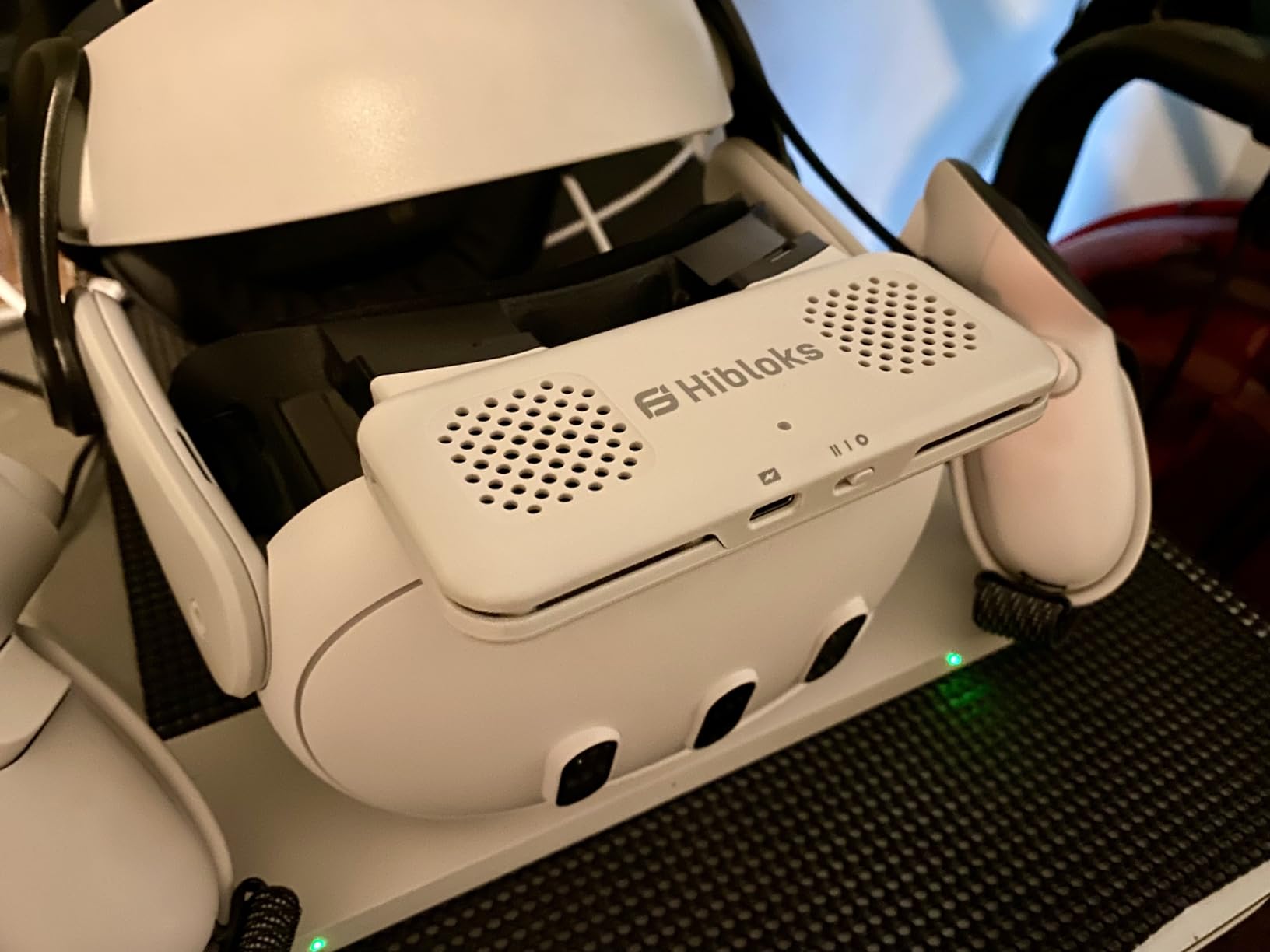
If you’re just getting into VR fitness and want to solve the fogging and heat problem right away without spending a lot, the HiBloks is the best starting point. It handles the basics well — cooling, sweat management, and comfort — without requiring you to buy a full system of accessories.
The built-in 700mAh battery charges via USB-C. One important note: you cannot charge the HiBloks fan while using it in-headset, so plan your charges accordingly. Charge it overnight and you’ll be ready for any workout session the next day. It takes about 90 minutes to fully charge from empty.

Quest 3 only (NOT 3S)
3-channel ventilation
Lycra nose guard
2.82 oz
The BOBOVR F3 is the natural companion to the S3 Pro if you want to stay within the BOBOVR ecosystem. The 3-channel ventilation design built into the forehead area allows air to pass through the interface, and when used with the S3 Pro fan strap above, the combined airflow is noticeably effective during intense gaming.
What I like about the F3 is the material combination: silicone padding where durability matters and soft foam where comfort counts. This hybrid approach means the interface doesn’t dig in during long sessions and stays easier to wipe clean than pure foam. The Lycra nose guard is soft and forms a decent seal without the rigid pressure of a hard nose piece.
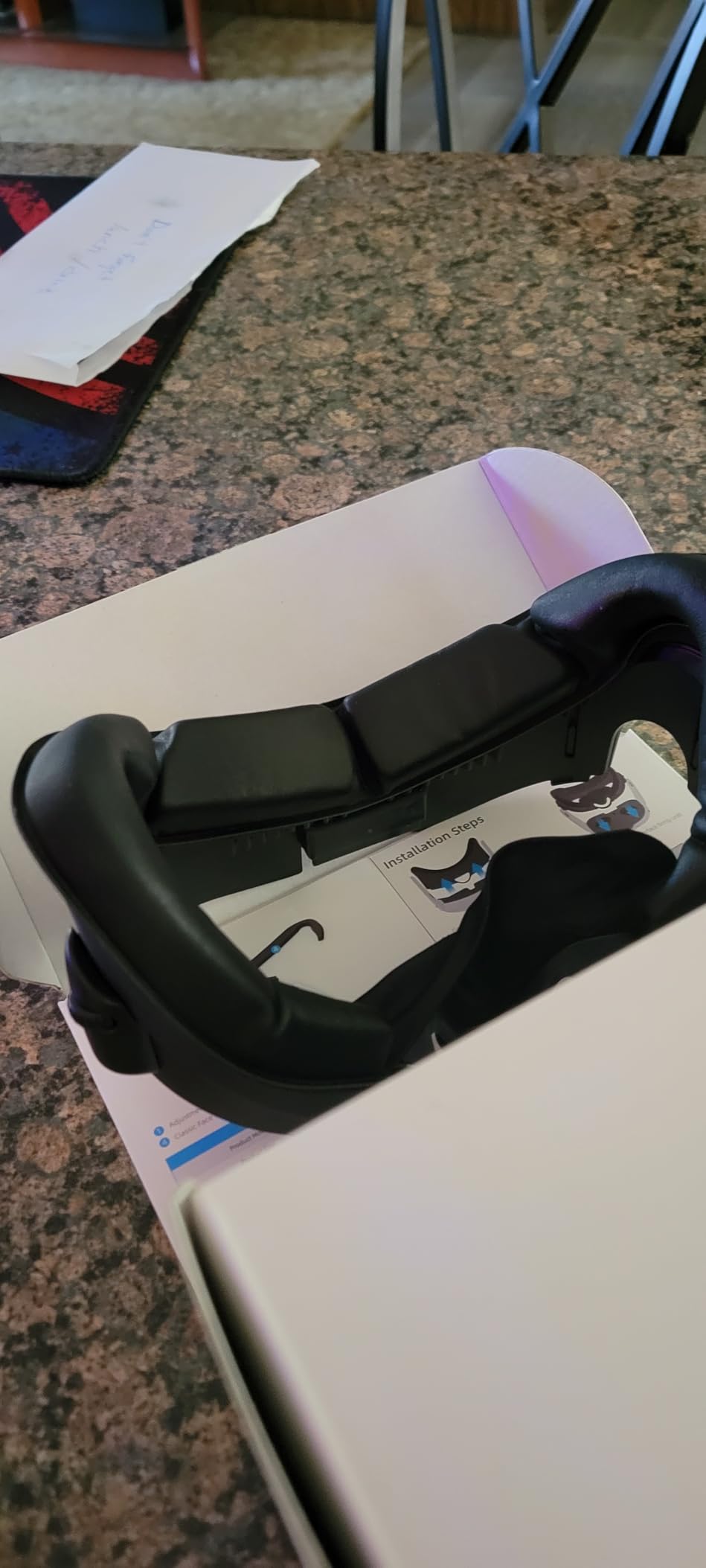
Glasses wearers will appreciate the generous depth adjustment. The stepless wheels on both sides let you push the interface far enough from your face that glasses arms don’t press uncomfortably. This is a detail that’s easy to overlook but makes a huge difference if you wear prescription glasses during VR workouts.
One honest caveat: the cooling effect is subtle when used alone without the S3 Pro strap. If you pair it with the S3 Pro, the improvement is significant. Without a fan driving air through those ventilation channels, you’re relying on passive airflow which helps some but won’t solve heavy sweating on its own.
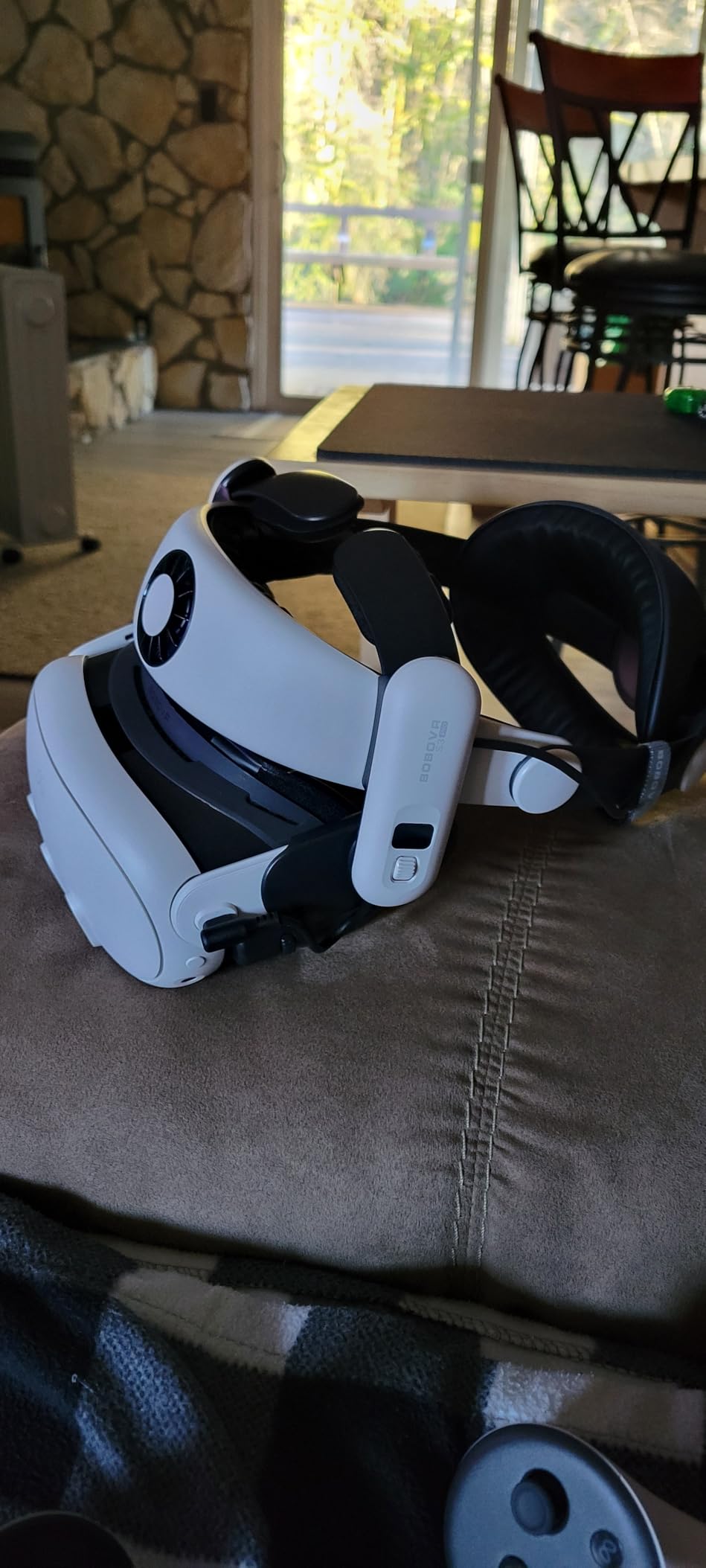
The F3 is designed to work specifically with the BOBOVR S3 Pro head strap and the D3 charging dock. If you already own any BOBOVR accessories, the F3 slots right into that setup without any fitment issues. The integration is seamless, which makes setup much faster when you’re getting ready for a workout.
Like the AMVR FC4A, the F3 is exclusively for Quest 3. It will not fit the Quest 3S. The shape of the face plate is different between the two headsets, and forcing an incompatible interface can damage both the accessory and the headset. Always double-check your headset model number before purchasing any facial interface.

Quest 3 only (NOT 3S or Quest 2)
Cooling gel cushions
Dual replaceable pads
9.5 oz
The DESTEK takes a different approach to cooling: instead of a fan, it uses a cooling gel pad that provides instant cold relief the moment you put the headset on. That first 15-20 minutes feels remarkably refreshing, especially on hot days or when you’re doing a warm-up. It’s a passive solution — no batteries, no noise, no charging required.
The box includes both an Ice Silk pad and a Cool Ice Gel pad, and you can swap them depending on which session you prefer. When the gel pad warms up from body heat, swap to the Ice Silk or rotate in a fresh pad. The design makes pad replacement genuinely fast — we’re talking seconds, not minutes, which is great if you’re in between rounds.
Installation takes about 10 seconds flat. The bracket system clicks into place on the Quest 3’s face gasket slot and stays put even during vigorous movement. The light-blocking nose pad is excellent — one of the best implementations I’ve seen at this price point, with no light bleeding in from below.
The main limitation is that the gel cooling effect is temporary. After about 20 minutes, the gel reaches body temperature and the cooling sensation fades. For high-intensity 30+ minute VR workouts, you’ll want to combine this with an external fan in your room, or consider an active fan interface instead.
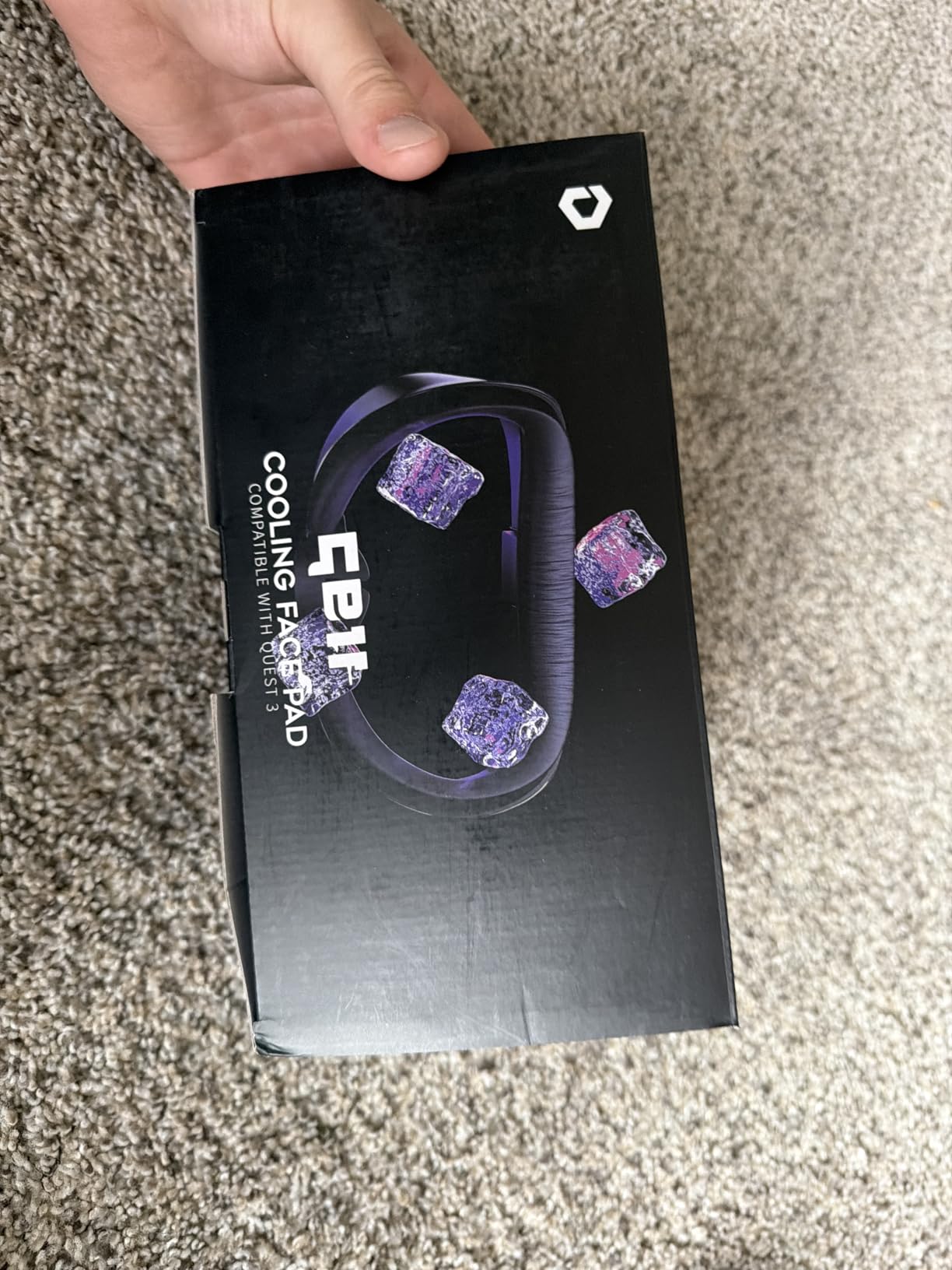
The DESTEK really shines for sessions under 30 minutes — warm-ups, quick dance sessions, or beginner VR fitness routines. The gel provides meaningful comfort right when you start, and the passive design means there’s absolutely nothing to charge, break, or maintain beyond rinsing the pads.
The included pads are easy to clean with an alcohol wipe, and DESTEK ships them already disinfected. When the pads eventually wear out, replacement pads are available separately — a detail that extends the useful life of this accessory significantly compared to one-piece interfaces that you’d need to fully replace.

Quest 2 only
Dual turbo fans
700mAh - 3.5 hour battery
59.7g lightweight
Quest 2 is still one of the most popular headsets for VR fitness, and the Hibloks fan cooling mask is the top pick for that platform. Two built-in turbo fans push air through the facial interface to keep your face cool and your lenses fog-free. The difference it makes during a Beat Saber session is immediately noticeable.
At only 59.7 grams, this is one of the lightest active cooling solutions available. You barely feel the extra weight on the front of the headset, which matters a lot during workouts where head movement is constant. The ice silk Lycra face cover is skin-friendly and doesn’t irritate skin even during sweaty sessions.
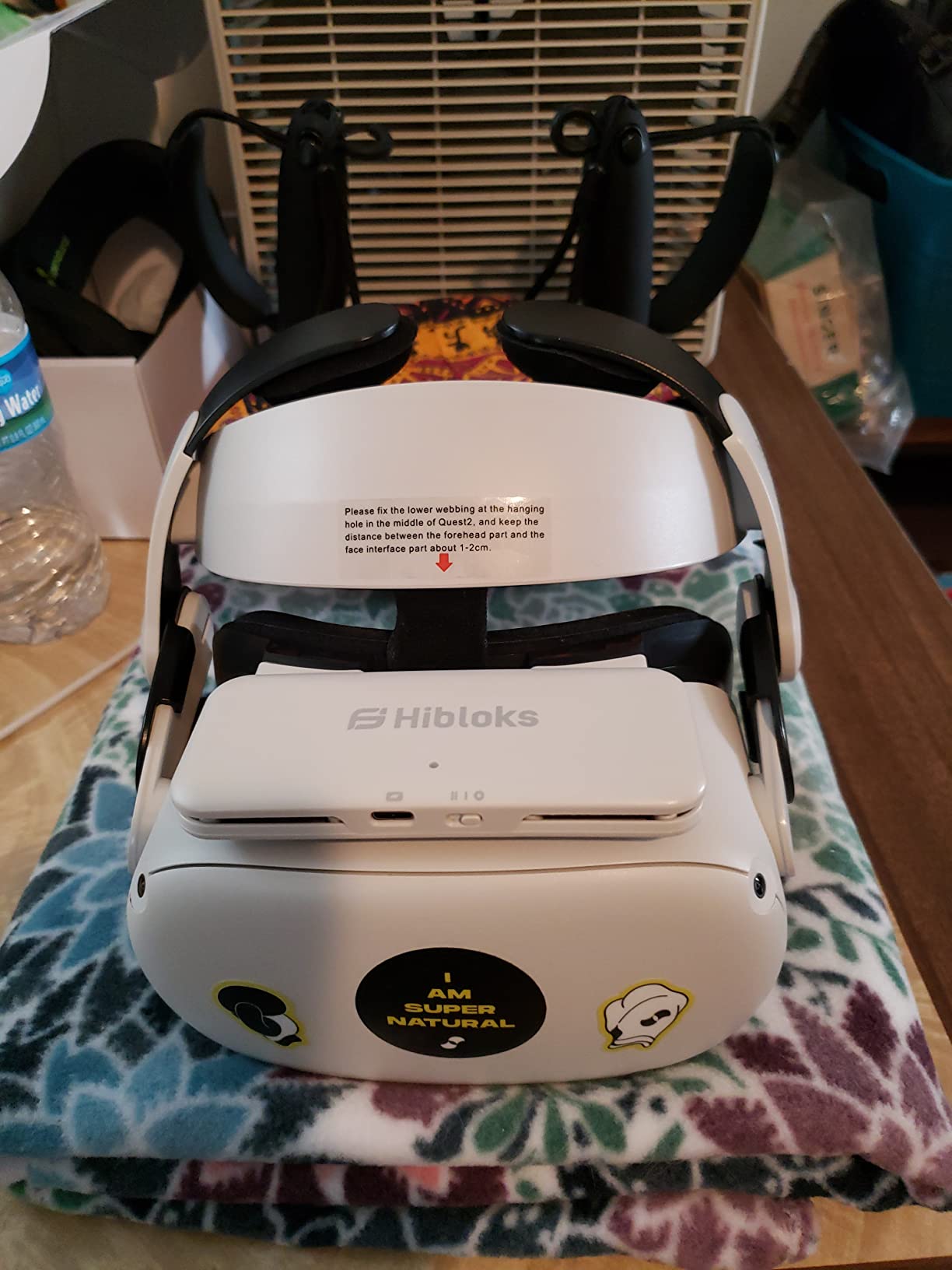
The two wind speed modes give you control — run it on low during warm-up and switch to high for intervals. At maximum speed, the fan stays under 50.6dB, which means it won’t interfere with in-game audio or voice instructions from workout apps. That’s genuinely useful since some fan accessories end up drowning out the audio they’re supposed to complement.
The 3.5-hour battery life is enough for most workout sessions. Glasses wearers in particular report this as one of the best solutions for Quest 2 fogging, since the fan keeps air moving across the lens surface. If you’ve given up wearing your glasses inside the headset because of fogging, this can change that experience entirely.
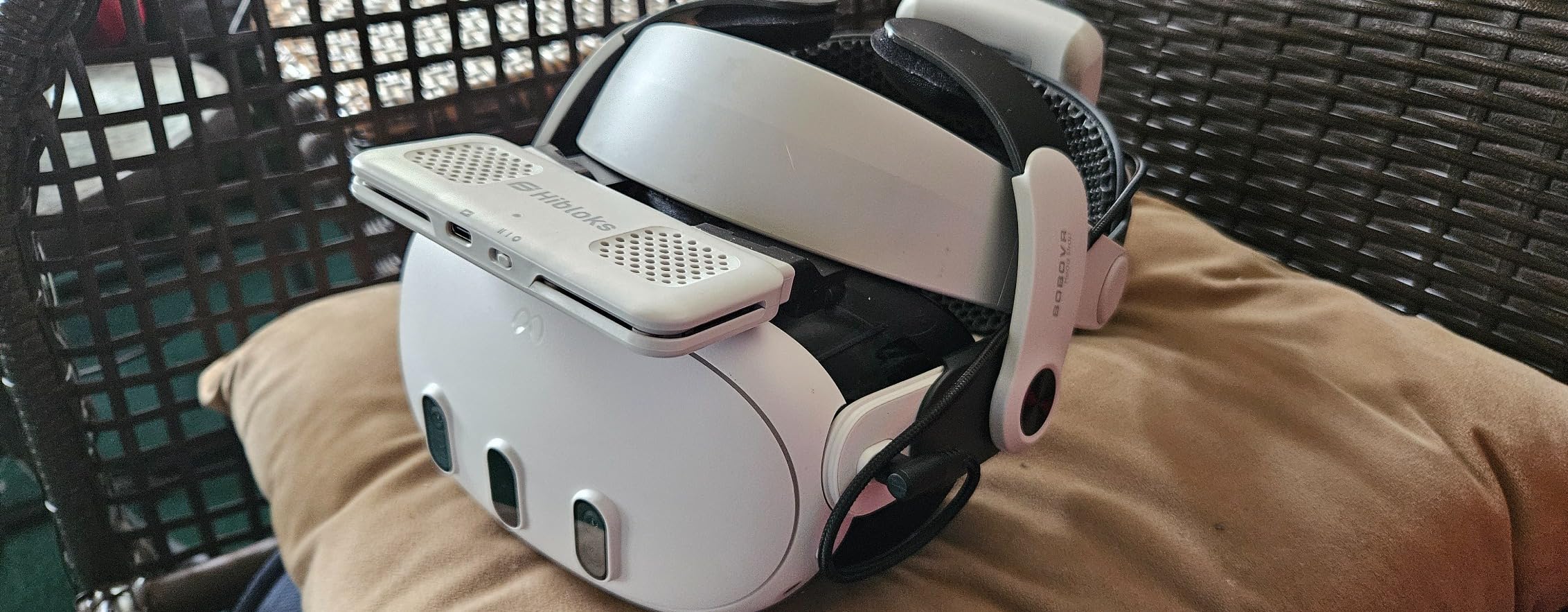
Glasses fogging is a major frustration for VR fitness enthusiasts. The combination of warm breath, body heat, and limited airflow inside the headset creates ideal conditions for condensation. The Hibloks dual fan creates enough airflow to continuously clear the air around your lenses and glasses, preventing fog from forming in the first place.
Several long-term users report that the battery capacity decreases after 6-12 months of daily use, which is normal for lithium polymer batteries under heavy cycling. If you use this every day, plan for the battery to perform at around 70-80% capacity after a year. Charge it properly (don’t let it fully drain regularly) to extend the battery lifespan.

Quest 3S only
Dual-speed fan
700mAh - 3.5 hour battery
Ice Silk material
One of the biggest content gaps in the VR accessories space is dedicated Quest 3S coverage, and the RCstyle fills that gap directly. This fan cooling mask was designed from the ground up for the Quest 3S form factor — not adapted from a Quest 2 or Quest 3 design. The fit is precise and the attachment is secure during vigorous movement.
The ice silk surface is comfortable against skin and handles sweat better than PU leather during intense cardio. The dual-speed fan keeps airflow going across the lens surface, which directly addresses the fogging problem that Quest 3S users face just as much as Quest 3 users.
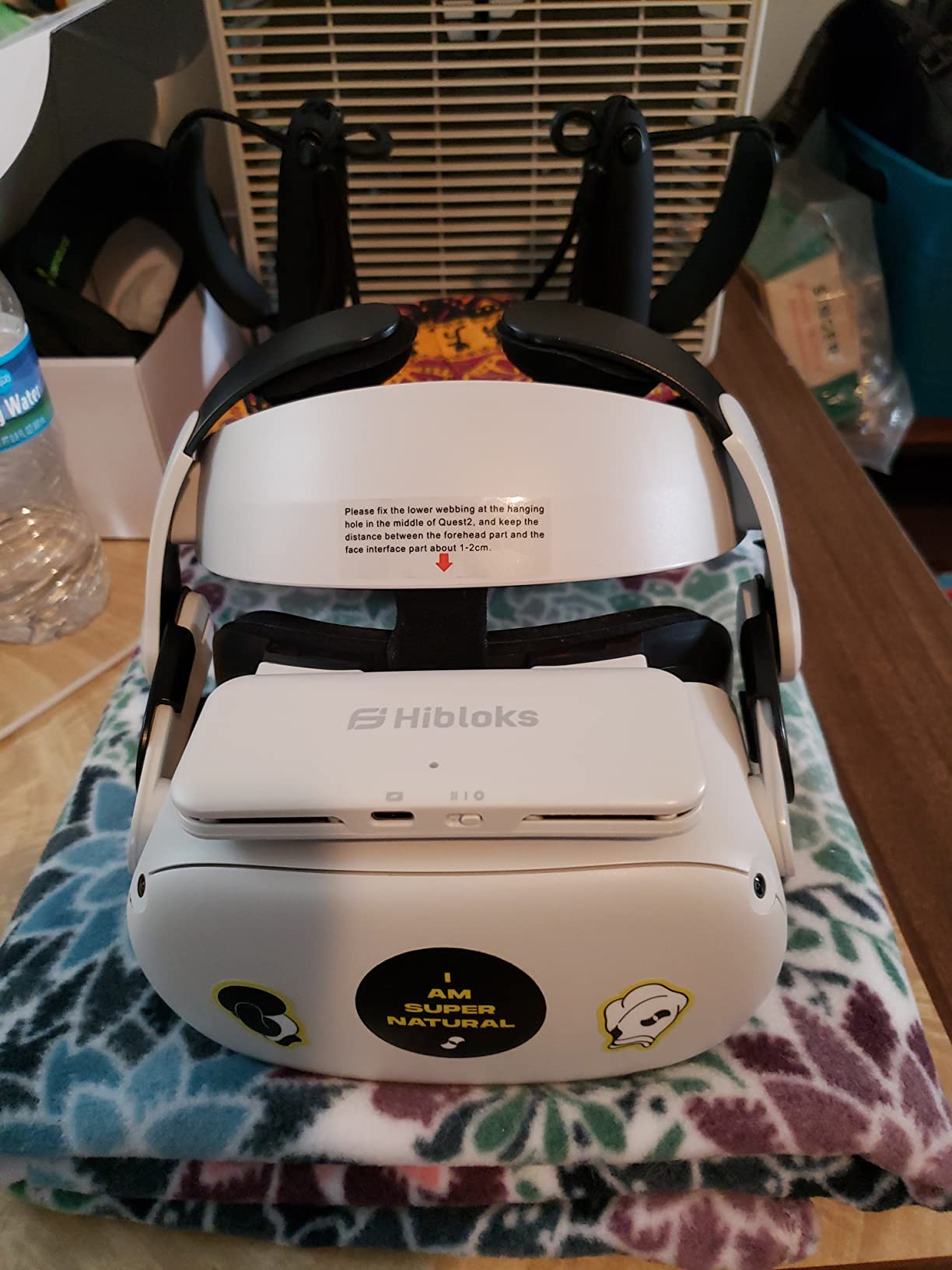
Glasses wearers report this as one of the most effective solutions for Quest 3S fogging. The fan creates enough circulation to prevent condensation from forming on both the headset lenses and eyeglasses. The face cover is removable and fully washable, which is important for a workout accessory you’ll be using regularly.
The 3.5-hour battery is identical to the Quest 2 version and covers the typical workout session comfortably. At 59.7g, the lightweight design doesn’t add noticeable front-heaviness to the 3S, which helps maintain comfort during long sessions. If you own a Quest 3S and struggle with fogging or overheating, this is the best fan accessory currently available for your specific headset.
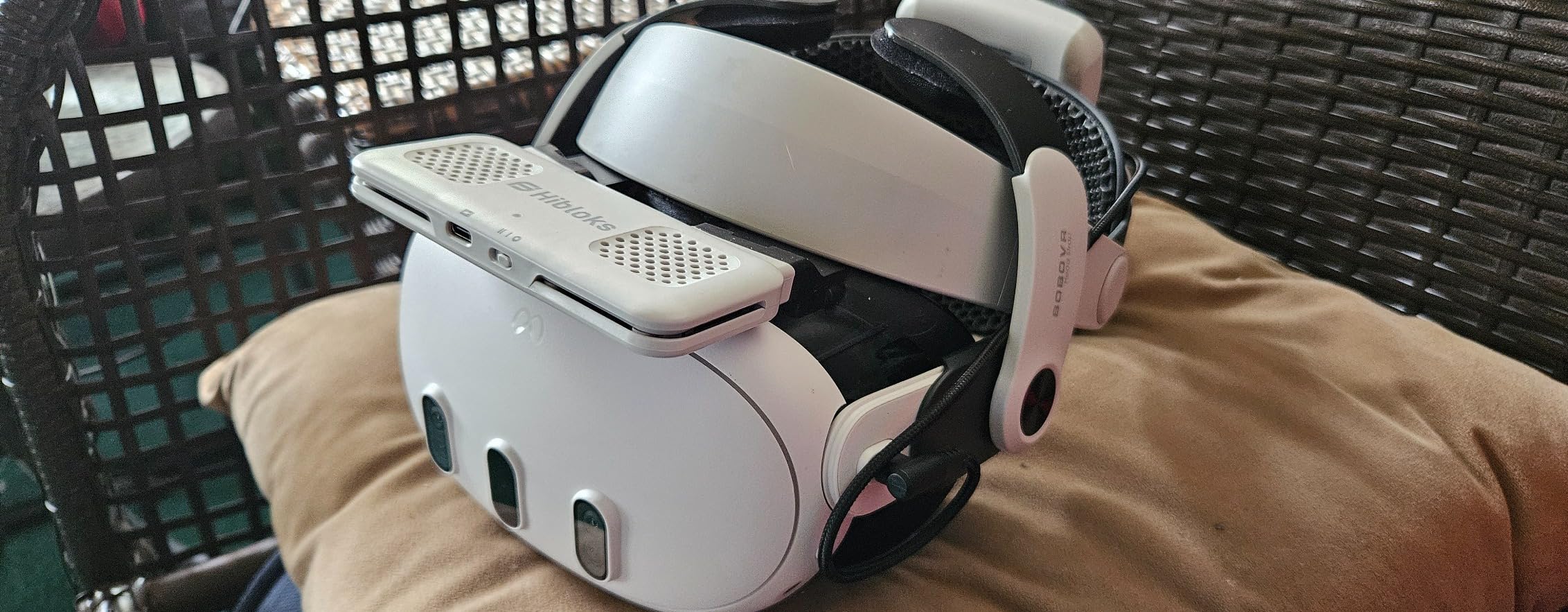
The Quest 3S has a different face gasket shape and attachment system than the Quest 3, despite being in the same product family. Accessories designed for the Quest 3 often won’t clip securely onto the 3S, or will fit loosely and shift during movement. The RCstyle is shaped specifically for the 3S, so you get a secure, stable fit from day one.
FitXR’s boxing and HIIT classes and Supernatural’s flow and movement workouts create the most demanding environment for VR thermal management. These are intense, sustained cardio experiences where sweat and heat build up quickly. The RCstyle’s combination of skin-friendly ice silk and active fan cooling keeps you comfortable through the hardest parts of these workouts.

Quest 3 only
4 air inlet fan
2-speed adjustment
3-level depth adjustment
The KKCOBVR K3 differentiates itself with 4 air inlets instead of the typical 2, which creates more distributed airflow across the lens surface. This matters because single or dual inlet designs can create uneven airflow that leaves fog-prone areas of the lens untreated. The K3’s 4-inlet pattern is noticeably more effective at full defogging.
The three-level depth adjustment is a practical feature that the HiBloks and some other interfaces lack. It lets you fine-tune how far the interface sits from your eyes, which improves both comfort and field of view clarity. For glasses wearers, this extra depth adjustment range makes the K3 easier to fit correctly.
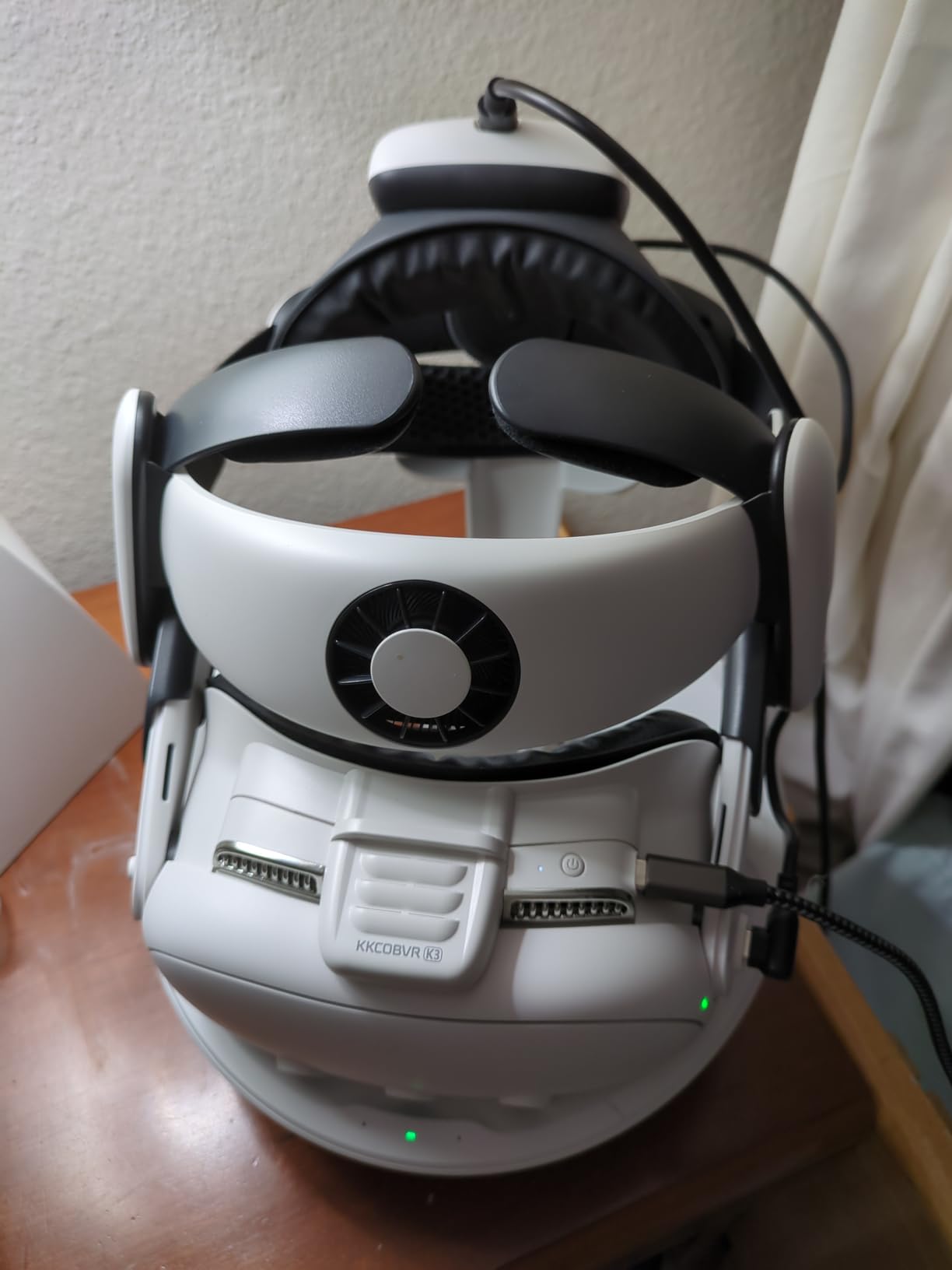
Users on Reddit who have paired this with the BOBOVR S3 Pro strap describe it as a “dual fan” setup — one fan from the strap above, one from the K3 below. The combined airflow is aggressive enough to handle even the sweatiest VR boxing session. The two-speed adjustment on the K3’s own fan means you can tune how much airflow you’re adding.
Build quality is mostly plastic, which some reviewers flag as a concern for long-term durability. The PU leather pad on velcro is easy to clean and replace, which partially offsets durability concerns — the pad being the part that wears out fastest is also the easiest part to swap. Battery life on high speed is closer to 2 hours than the advertised figure, so plan for mid-day charges if you’re a heavy user.
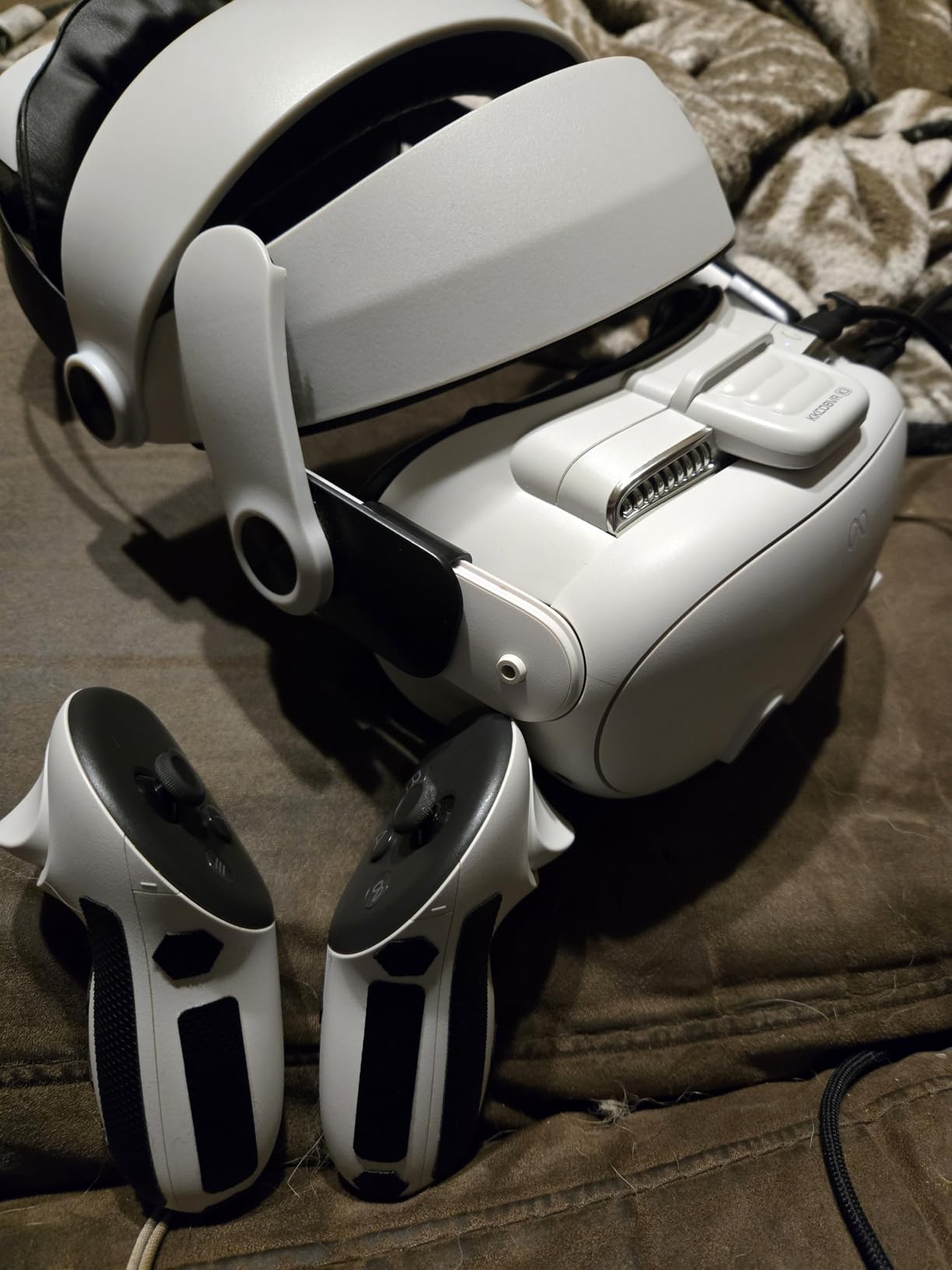
The K3 is a strong choice for VR users doing the most demanding workout types — boxing with Thrill of the Fight, intense HIIT in FitXR, or competitive Beat Saber. The 4-inlet fan provides enough airflow to handle heavy sweating without you needing to pause and wipe the lenses every few minutes.
The velcro attachment system for the face pad makes removal and reinstallation a matter of seconds. This is important for workout accessories because you want to clean the pad regularly. PU leather wipes clean with a damp cloth or alcohol wipe, and the velcro bond stays strong even after many removal cycles.

Quest 2 compatible
Sweat-proof PU foam
Passive air vents
3.52 oz
The SUPERUS is the simplest and most affordable upgrade on this list for Quest 2 users who don’t want to deal with batteries or charging. It replaces the stock facial interface with a sweat-proof PU foam cushion and adds passive air vents that allow natural airflow around the lenses.
The passive ventilation won’t match what an active fan provides, but it does make a real difference compared to the stock interface which has essentially no airflow. For moderate-intensity workouts — yoga VR, walking apps, lighter dance sessions — the passive vents combined with the sweat-proof material handle the heat and moisture well enough.
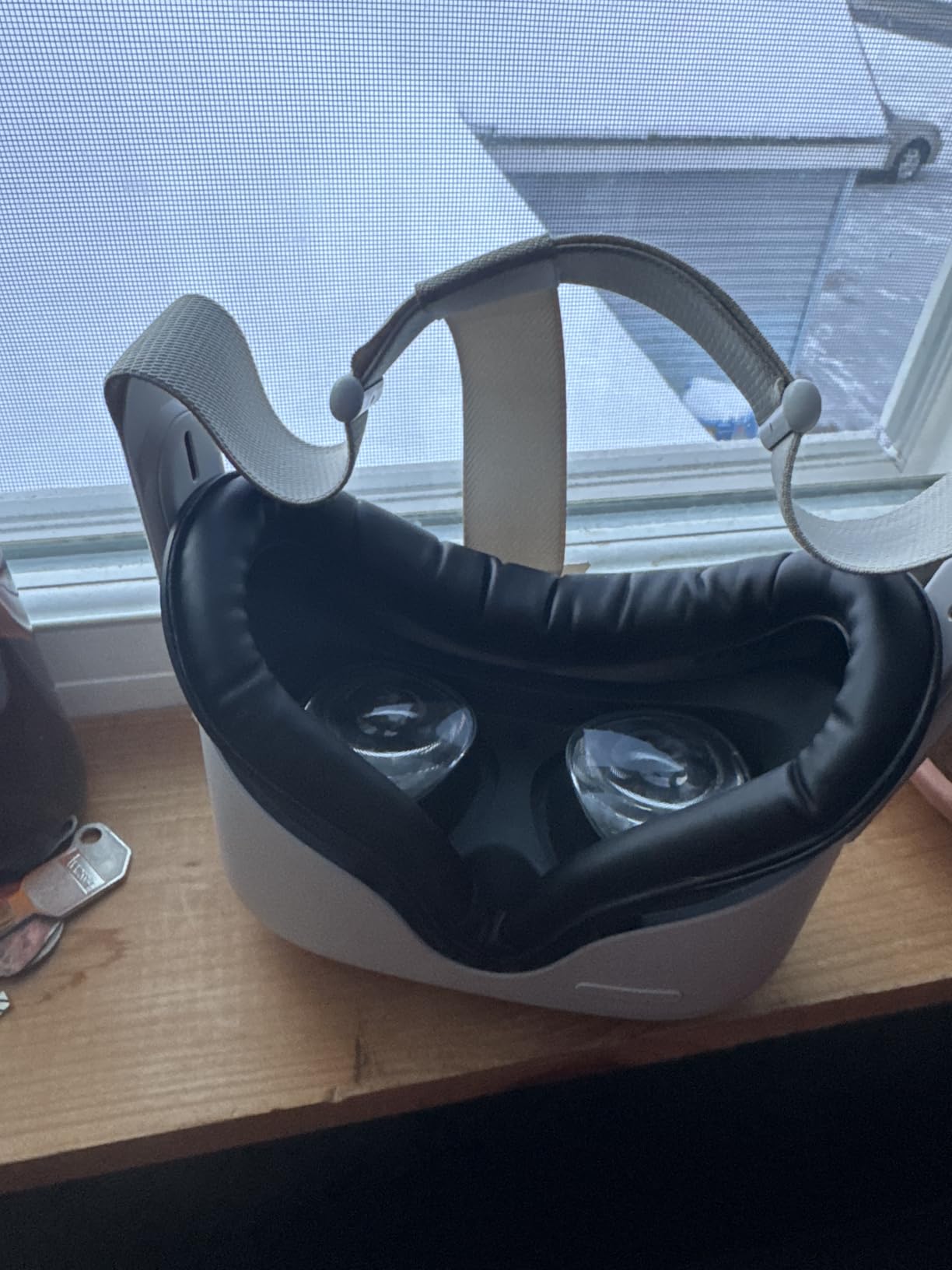
With over 5,000 reviews and a 4.5-star rating, the SUPERUS has proven itself as a reliable, no-fuss upgrade. Installation is a simple snap-in process that takes under a minute. The removable nose guard helps block light bleeding in from below, and it can be detached if you find it uncomfortable. The PU foam cleans easily with a damp cloth between sessions.
The main limitation for workout-focused use is that PU foam will eventually absorb sweat even with sweat-resistant coating, especially during high-intensity exercise. For heavy sweaters or intense cardio, the active fan options will serve you better. But for everyday VR sessions and light workouts, the SUPERUS is an excellent value upgrade over the stock interface.
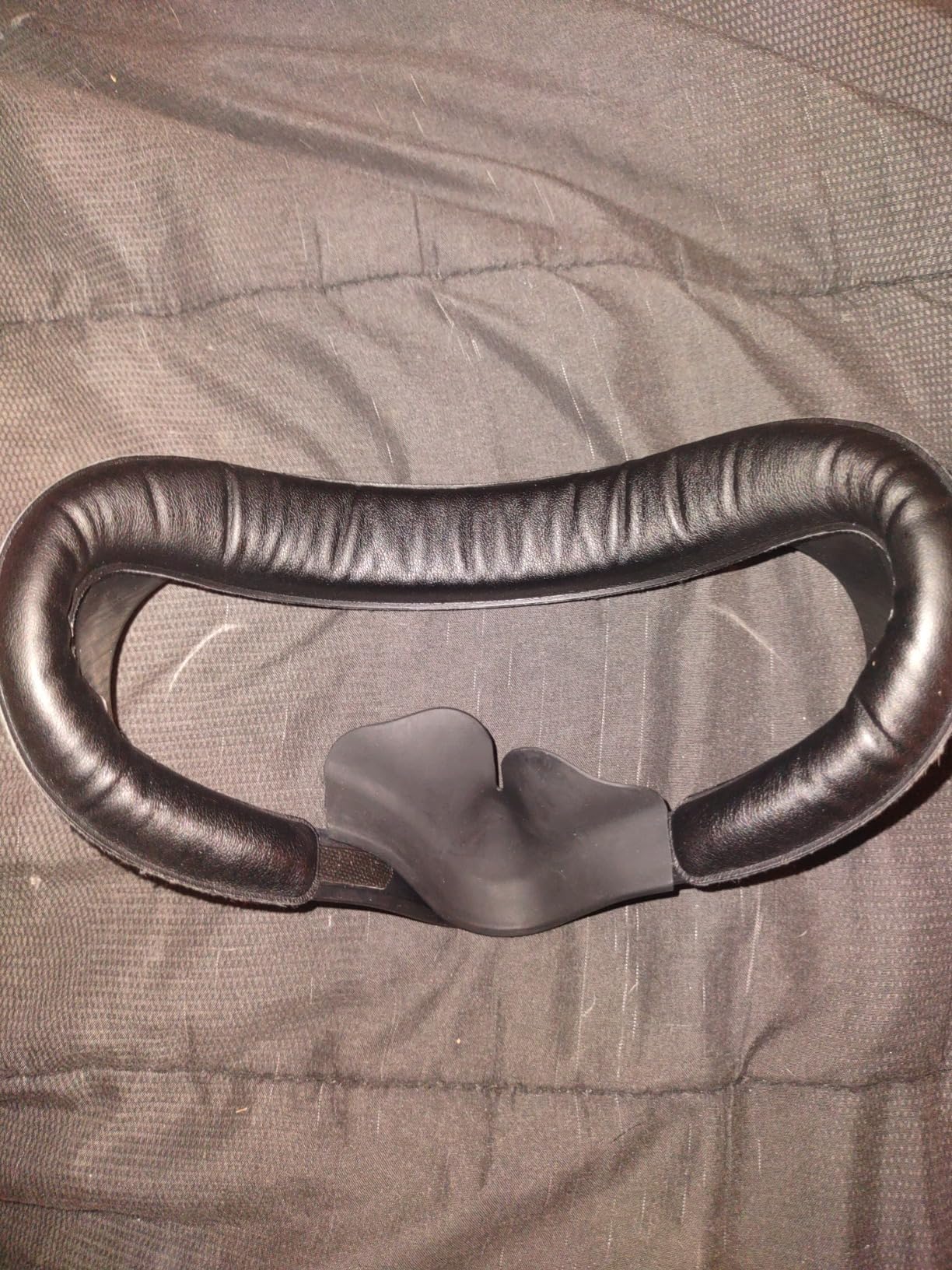
The sweat-proof coating on PU foam degrades over time with heavy washing and extended use. Most users report the coating staying effective for 6-12 months of regular use before the foam starts to absorb more moisture. When that happens, replacement covers are inexpensive and easy to swap in without replacing the full interface bracket.
One detail that matters for glasses wearers: the SUPERUS is compatible with the Quest 2’s original glasses spacer, which you can keep installed for extra depth. Many third-party facial interfaces remove this compatibility, so if you rely on the spacer for your prescription glasses, the SUPERUS maintains that option without any extra work.

Quest 3 only (not 3S)
Sweat-resistant silicone
Light-blocking nose pad
2.11 oz
Silicone is one of the best materials for VR workout accessories from a hygiene standpoint — sweat doesn’t soak in, it rolls off the surface, and you can wash it with soap and water in seconds. The APEXINNO uses silicone where it counts most: the face contact area where sweat buildup happens fastest.
For VR fitness users who hate dealing with soggy foam pads, this is a genuinely refreshing option. After a tough Les Mills Bodycombat session, you can rinse the silicone pad under running water and hang it to dry — it’ll be ready in minutes. That washability makes it a top choice for gym-like daily use.
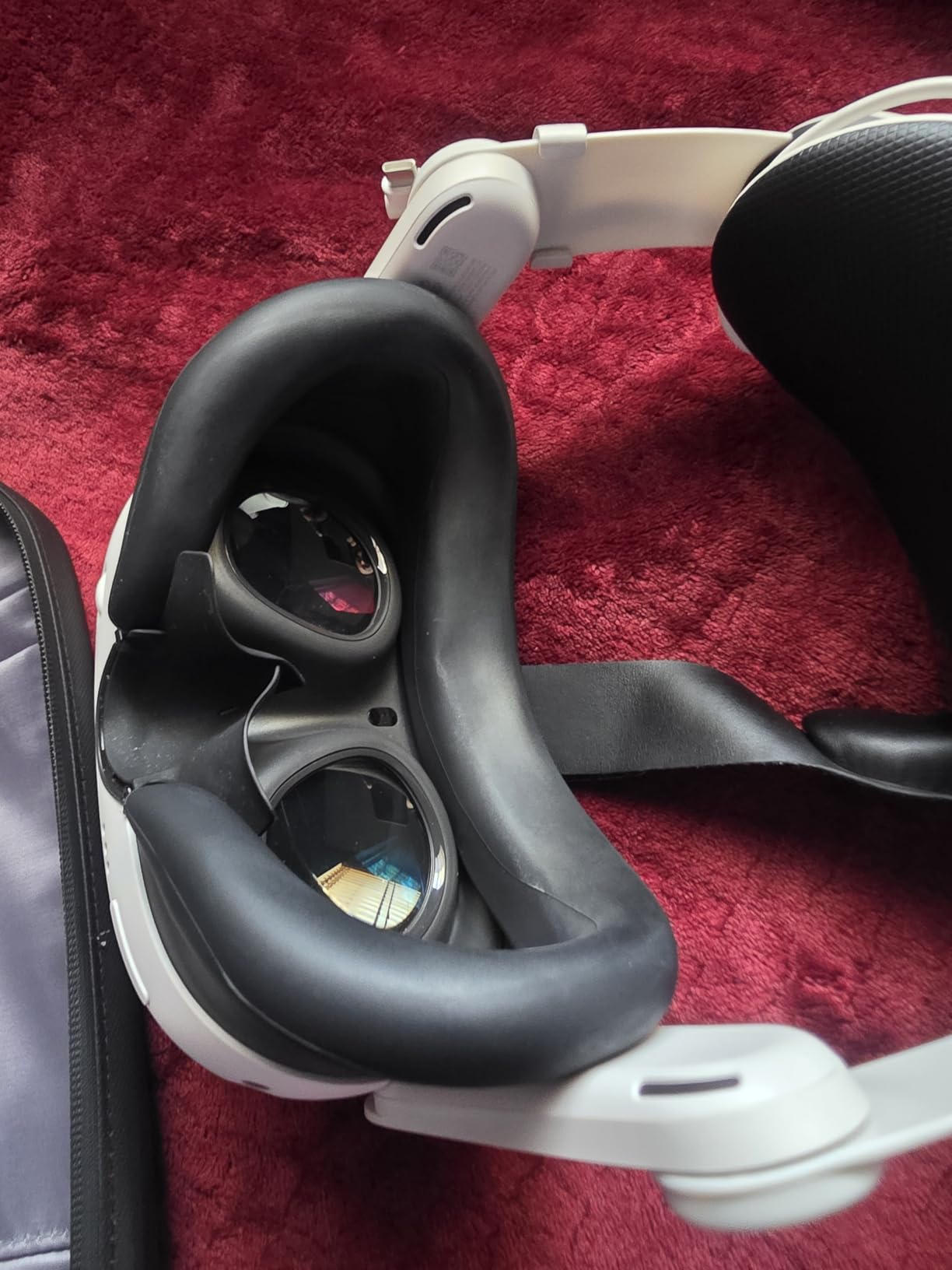
The light-blocking nose pad is effective and doesn’t create uncomfortable pressure on the bridge of the nose the way some rigid nose guards do. At just over 2 ounces, the APEXINNO is one of the lightest facial interfaces on the list, which keeps the front of the headset balanced even during intense movement.
The limitation with silicone as a material is breathability — or the lack of it. Silicone doesn’t allow air to pass through, so you won’t get any passive ventilation benefit. During very intense sessions, the sealed-off feeling can become uncomfortable. If you run hot, pair this with an external room fan or consider an active cooling option instead.
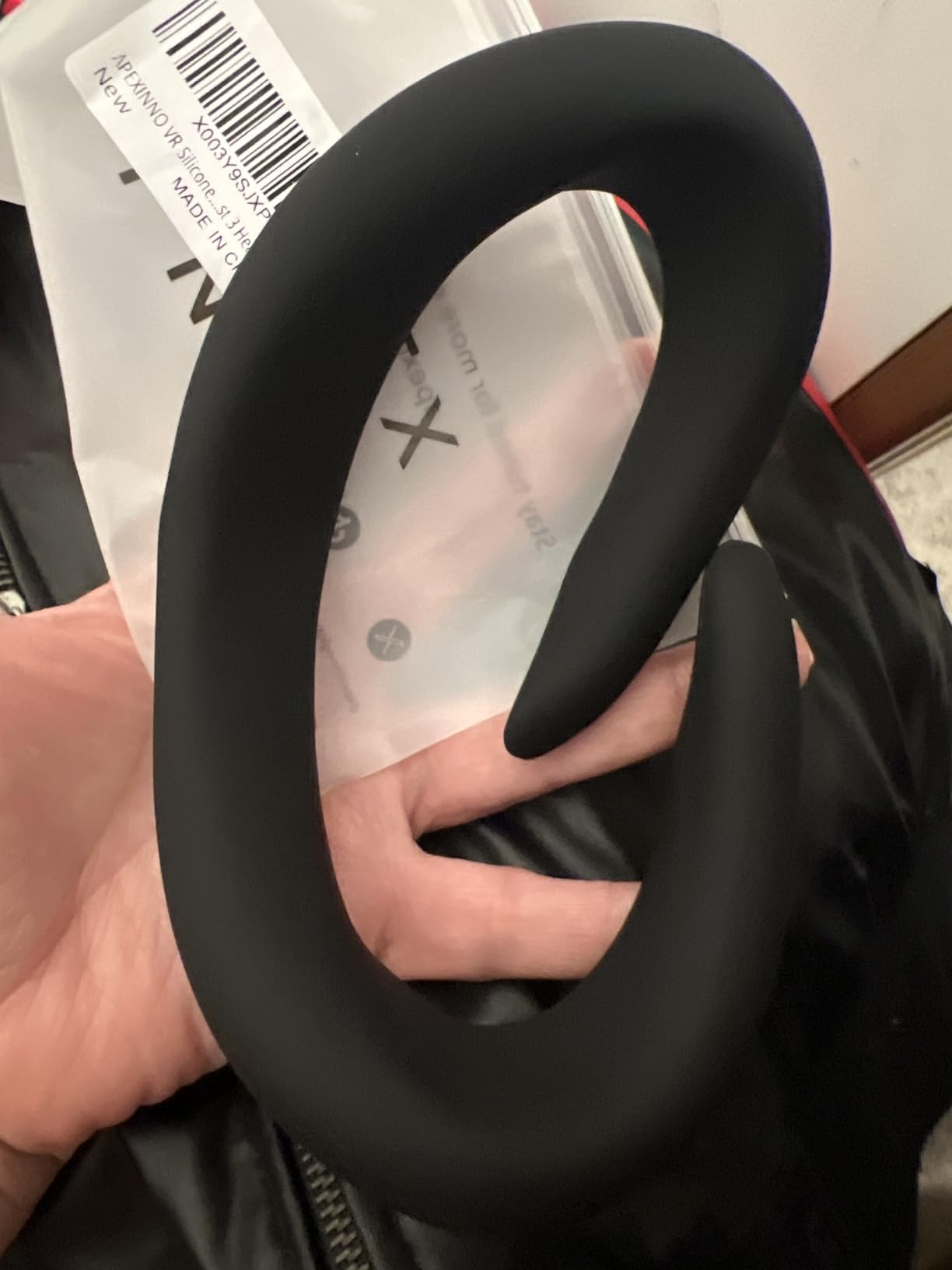
Silicone is the most hygienic material on this list from a cleaning perspective. Bacteria struggle to colonize smooth, non-porous silicone surfaces, and a quick wipe with an alcohol cloth or soap-and-water rinse is all you need. If you share your headset with family members, the silicone pad is the easiest to keep sanitary between different users.
A handful of reviewers note that the APEXINNO can feel slightly oversized on narrower faces, which can cause minor shifting during fast head movements. If you have a narrower face shape, test the fit carefully before a long session. The silicone is somewhat flexible, so it often conforms better with continued use than it feels initially.
Universal fit - Quest 2/3/3S/Pro/HTC/PS
Spandex and polyester
3-pack included
0.64 oz ultra-light
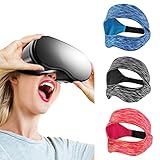
The SAYAFAN VR eye mask is a completely different approach to the sweat problem: instead of upgrading the facial interface, you wear a thin fabric mask underneath the headset that absorbs sweat before it ever reaches the foam or silicone padding. It works with any headset — Quest 2, Quest 3, Quest 3S, HTC Vive, PlayStation VR, Samsung Gear — making it the most universally applicable option on this list.
If you share a headset between multiple people or have friends over for VR fitness sessions, this 3-pack is genuinely practical. Everyone gets their own mask, keeps it hygienic, and tosses it in the washing machine after use. The spandex and polyester blend is breathable and stretchy, so it fits a wide range of head sizes without feeling tight.
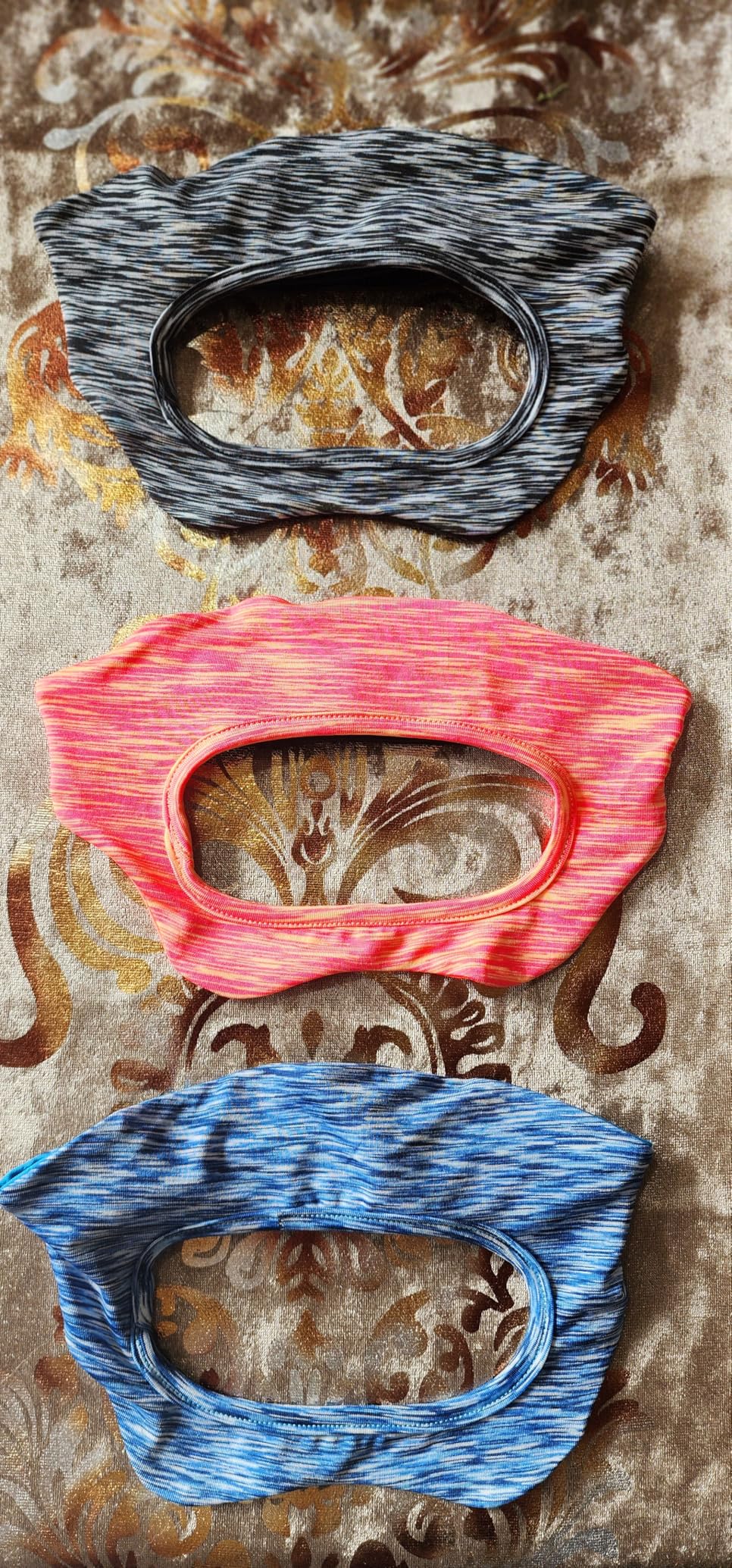
The mask works by keeping sweat on your face from soaking into the headset’s padding, which extends the life of your headset’s foam and keeps the headset itself smelling fresh. For families with kids using VR fitness apps or households where the headset gets heavy use, this is the most economical and practical hygiene solution available.
The fit takes some adjustment to get right, particularly around the nose section. A few users report the lower portion shifting during fast lateral movements in boxing or dance games. The adjustable buckle helps, but it’s worth taking a minute to dial it in before your first workout session rather than adjusting mid-game.
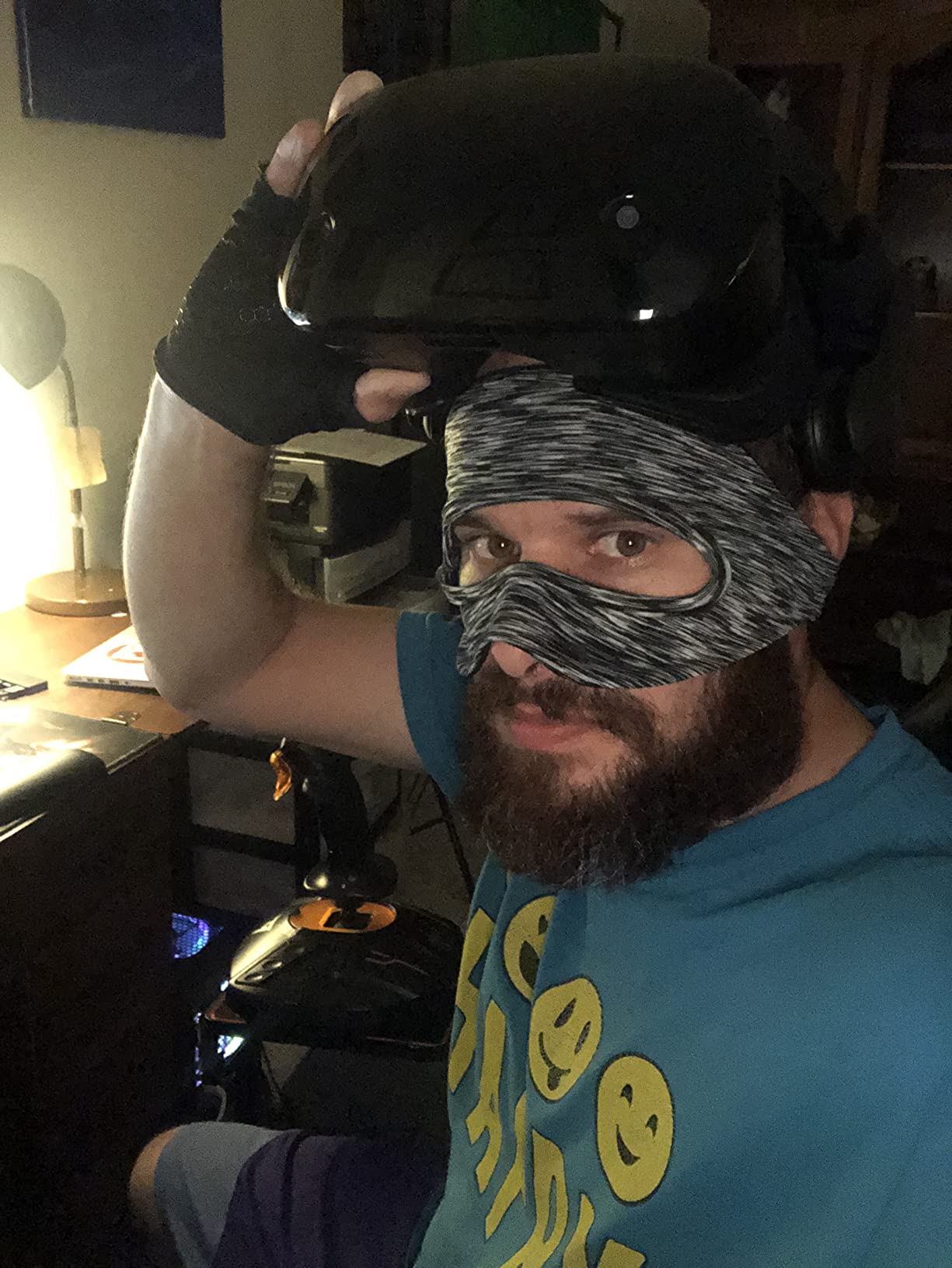
If multiple people in your household use the same VR headset for workouts, the SAYAFAN 3-pack is the most sensible hygiene solution available. Each person uses their own mask, which gets washed separately — the headset’s foam and padding stay clean and dry, extending the life of the headset significantly.
The SAYAFAN mask can be layered under any facial interface on this list, including active fan interfaces. Wearing a thin sweat-absorbing mask under an active fan interface creates a double layer of protection — the mask absorbs sweat while the fan keeps air moving. Some dedicated VR fitness users use exactly this combination for the most intense workout sessions.

Quest 2 compatible
3-speed fan
LED battery display
44.8g assembled
The NVNV stands out in the Quest 2 fan category for one specific feature: the LED display that shows your battery level and current fan speed right on the device. When you’re mid-workout and want to know if you need to switch fan speeds or how much battery is left, you don’t need to stop and check an app — you can glance at the display in seconds.
The three-speed system is thoughtfully designed for different use cases: Speed 1 for movies and passive viewing, Speed 2 for normal gaming, and Speed 3 specifically labeled for fitness and intense sessions. That fitness-specific setting runs the fan hard enough to actually move air across the lens and keep fog at bay during a real cardio workout.
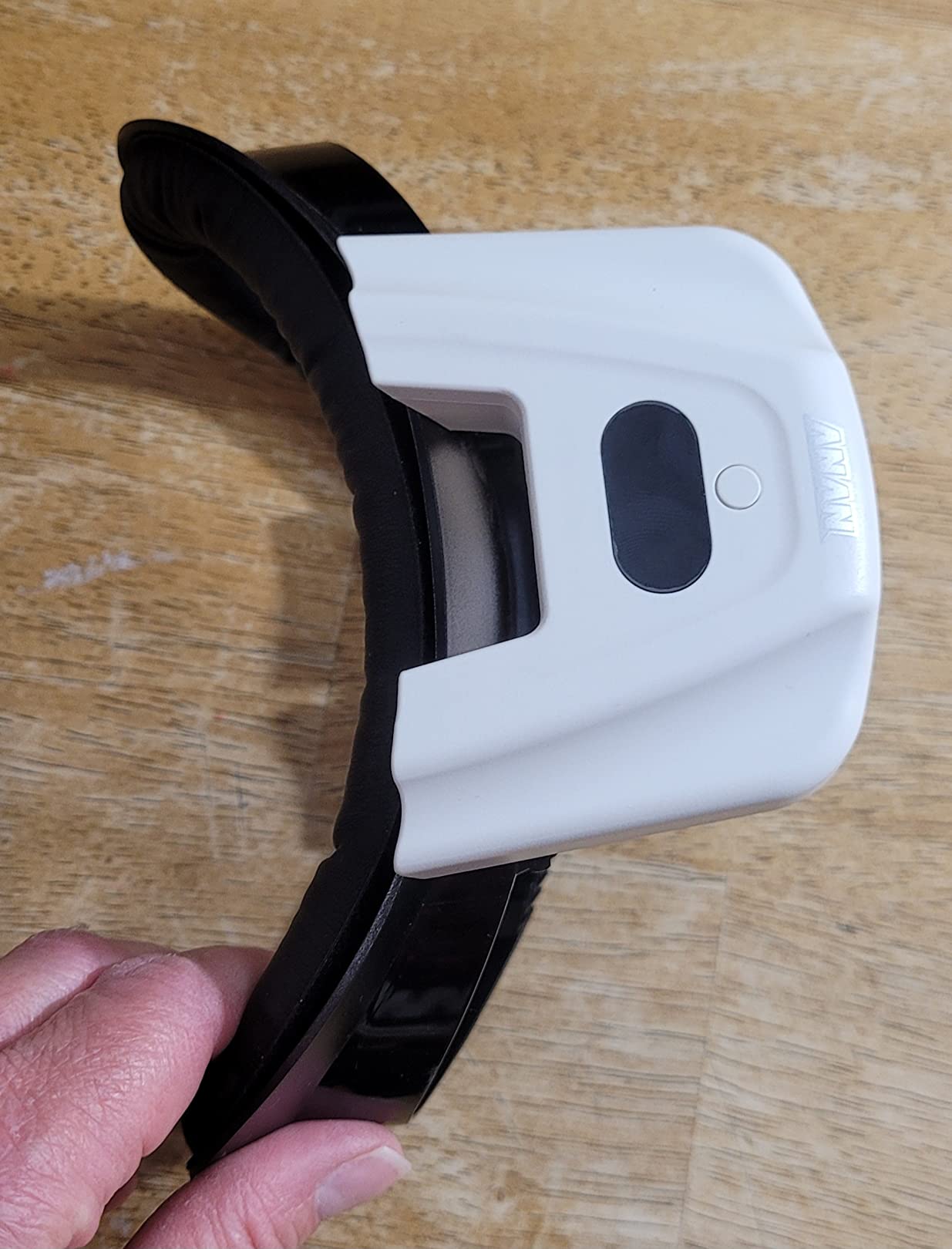
The turbo fan and air vents work in combination to pull warm air out while pushing fresh air in, which creates more effective circulation than a simple exhaust design. At 44.8 grams assembled, the NVNV adds minimal weight to the front of the Quest 2, and the snap-on installation takes seconds. The replaceable 0.63-inch thick cushion adds comfortable depth for both regular and glasses-wearing users.
Some reviewers have reported units where the fan falls out or develops a grinding noise over time, which pulls the rating down slightly from what would otherwise be a top-tier option. The 12-month warranty gives some peace of mind if you experience hardware issues, and NVNV’s customer service response has been praised consistently by reviewers who have contacted them.
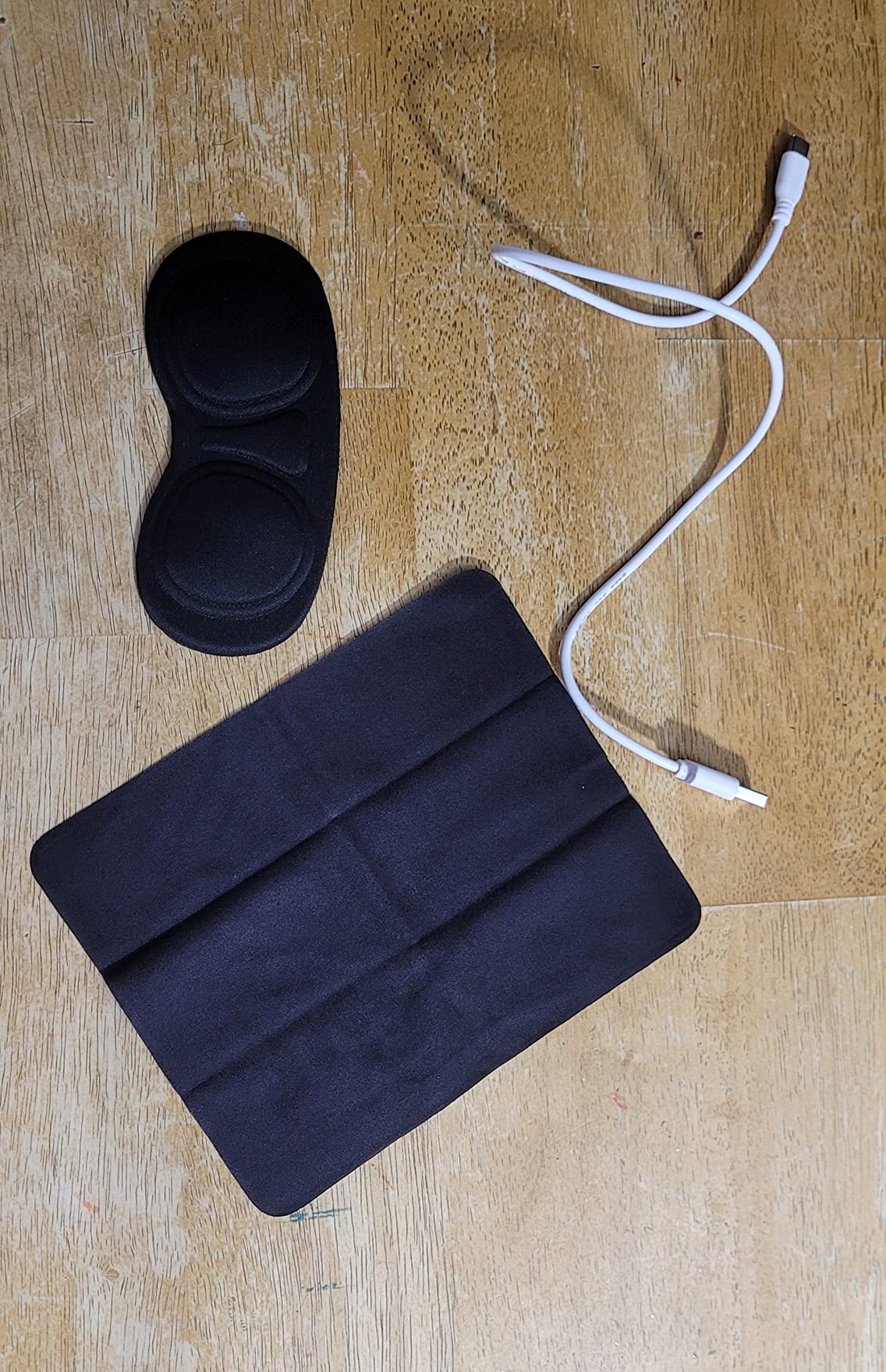
The LED battery indicator prevents a frustrating workout interruption: the fan dying mid-session with no warning. You can see at a glance if you have 20% battery left heading into a 30-minute class and decide whether to charge first or continue. That small quality-of-life feature is worth a lot when you’re in the middle of an exercise routine.
The 0.63-inch thick replaceable cushion is thicker than most stock facial interface pads, which some users prefer for glasses accommodation and general comfort depth. When the cushion wears out or becomes too saturated with use, replacement cushions are available separately. This modular approach extends the useful life of the accessory considerably.
Before buying any VR fan accessory, the single most important step is confirming your headset model. Many accessories on this list are specifically designed for one headset version and will not fit another. Quest 3 and Quest 3S have different face gasket shapes, and most accessories are not cross-compatible between them.
Here are the key factors to consider:
Active vs. Passive Cooling: Active cooling means a built-in fan — more effective for intense workouts but requires charging. Passive cooling uses ventilation openings to allow natural airflow — no battery needed but less effective during heavy sweating. If you do HIIT, boxing, or long cardio sessions, go active. For lighter sessions, passive vented interfaces work well.
Battery Life for Your Session Length: Most built-in fan accessories run 2.5-3.5 hours per charge. If your workout sessions regularly exceed 2 hours (including warm-up and cool-down), check the battery rating carefully. The BOBOVR S3 Pro’s 10,000mAh battery is in a separate category and handles multiple sessions without recharging.
Material and Sweat Resistance: Silicone wipes clean easiest and doesn’t absorb sweat. Ice Silk stays cooler but can eventually absorb moisture. PU leather is durable and easy to wipe but not as breathable. For heavy sweaters, silicone or ice silk with removable/washable pads is the best combination.
Glasses Compatibility: If you wear prescription glasses during VR, look for interfaces with depth adjustment (the KKCOBVR K3 and BOBOVR F3 do this well). Fan interfaces also help glasses wearers significantly by preventing lens fogging on both the headset and eyeglasses simultaneously.
Fan Noise Level: Most fan interfaces operate under 50dB, which is quiet enough that in-headset audio covers it completely. At maximum speed settings, some become slightly audible. Check the dB rating if noise is a concern — the Hibloks and RCstyle both specifically advertise operation below 43-50.6dB.
Yes, VR is genuinely effective for cardio and calorie burning. Studies and user data from apps like Supernatural and FitXR show that active VR games can burn between 6-12 calories per minute, comparable to cycling or aerobics. The immersive nature of VR keeps users moving longer than they would in traditional workouts since the gamified experience reduces perceived effort. VR is especially useful for people who find conventional exercise boring.
The most effective method is an active fan interface that creates airflow around the lenses. Products like the HiBloks Quest 3 fan cover, KKCOBVR K3, and NVNV fan for Quest 2 are specifically designed to prevent lens fogging during intense exercise. A secondary approach is using a vented passive interface that allows warm air to escape rather than condensing on the lenses. Removing the facial interface entirely and using a halo strap like the BOBOVR S3 Pro is the most aggressive anti-fog solution.
Both are excellent but suit different workout styles. Supernatural features flow-based movement and full-body workouts set to popular music in stunning landscapes — it works best for users who want a high-calorie mixed cardio experience. FitXR focuses more on structured fitness classes including boxing, HIIT, and dance, with instructor-led sessions. Supernatural has a monthly subscription, while FitXR offers both subscription and pay-per-class options. Most serious VR fitness users eventually try both.
VR workouts primarily develop cardiovascular fitness, endurance, and coordination rather than significant muscle mass. The resistance involved in VR games is typically body weight only, which builds functional strength and tone but won’t replace weight training for muscle growth. Some VR boxing games (Thrill of the Fight, Creed: Rise to Glory) do develop shoulder and arm endurance. Adding weighted glove attachments or resistance bands to VR workouts increases the muscle-building potential.
Yes, significantly. Built-in VR fans solve two separate problems: lens fogging (by keeping air moving across the lens surface) and face overheating (by directing fresh air onto your face and skin). Users consistently report being able to work out longer and more comfortably with an active fan interface. The difference is most noticeable during the first 20-30 minutes when heat buildup is highest. For glasses wearers, the anti-fog effect is even more pronounced since the fan prevents condensation on both the headset lens and eyeglasses simultaneously.
The right VR fan accessory changes the workout experience from something you tolerate to something you actually look forward to. Fogged lenses, overheated faces, and soaked foam pads are genuinely fixable problems — and every accessory on this list addresses at least one of them directly.
For most people, the BOBOVR S3 Pro is the best overall investment if you have a Quest 3 or Quest 3S. It solves battery life and cooling in one package, and it pairs beautifully with the AMVR FC4A facial interface for a complete system. The HiBloks fan cover is the best self-contained option if you just want to add active cooling to your Quest 3 without additional accessories.
Quest 2 users should look at the Hibloks fan cooling mask for active cooling, or the SUPERUS for a simpler passive upgrade. Quest 3S users have the RCstyle as the dedicated fan cooling option built specifically for their headset. Whatever you choose, even a modest accessory upgrade will make your VR fitness sessions more comfortable and longer-lasting in 2026.