
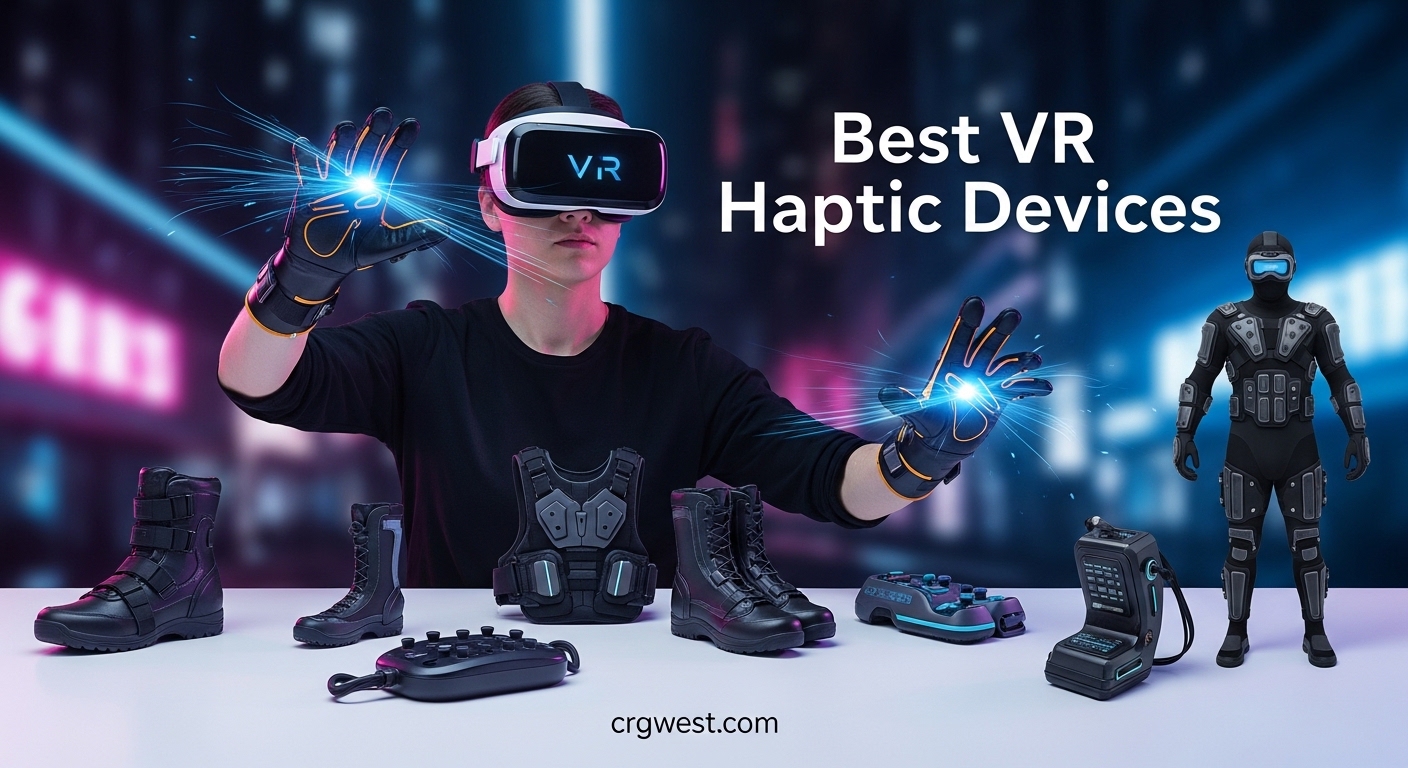
Imagine reaching into a virtual world and actually feeling the weight of an object in your hand. That’s what VR haptic technology promises. While true haptic gloves from companies like SenseGlove, HaptX, and MANUS remain enterprise-focused products, the market now offers accessible haptic accessories that dramatically enhance immersion for everyday users.
In this guide, our team tested and researched the best VR haptic devices available for consumers and professionals alike. We looked at everything from full-body haptic vests to motion-tracking gloves and specialized accessories that bring physical feedback to your virtual experiences.
The landscape of VR haptics has evolved significantly in 2026. While dedicated haptic gloves with force feedback still command premium prices, alternatives like haptic vests, tracking accessories, and motion-sensing devices have made tactile VR more accessible than ever. Whether you’re a VRChat enthusiast, sim racing fan, or enterprise trainer, there’s a solution that fits your needs and budget.
Top 3 Picks for Best VR Haptic Devices (July 2026)

Best VR Haptic Devices in 2026
Here’s our complete lineup of haptic accessories that can transform your virtual reality experience. Each product serves different use cases, from full-body immersion to specialized gaming enhancements.
| Product | Specs | Action |
|---|---|---|
|
bHaptics TactSuit Pro
|
|
Check Latest Price |
 bHaptics Starter Bundle Onyx
|
|
Check Latest Price |
|
Rebuff Reality Trackstrap Plus
|
|
Check Latest Price |
 Next Level Racing HF8
|
|
Check Latest Price |
 DeadEyeVR Enforcer Haptic Pistol
|
|
Check Latest Price |
 Leap Motion Controller
|
|
Check Latest Price |
 ACEBOTT ESP32 Motion-Sensing Glove
|
|
Check Latest Price |
 DeadEyeVR Ultimate Boxing Gloves
|
|
Check Latest Price |
1. bHaptics TactSuit Pro – 32 Motors for Full-Body Immersion
bHaptics TactSuit Pro | Premium Immersive Haptic Vest for VR & Gaming | Sim Racing, Music | 32 Feedback Motors
32 Feedback Motors
300+ Supported Games
Audio-to-Haptics
Bluetooth & USB-C
Pros
- Full-body haptics with 32 motors
- 300+ games with native integrations
- Audio-to-haptics works with any content
- Comfortable breathable mesh lining
- Excellent battery life
Cons
- Software setup can be frustrating
- 1-2 second latency reported
- Some reliability concerns
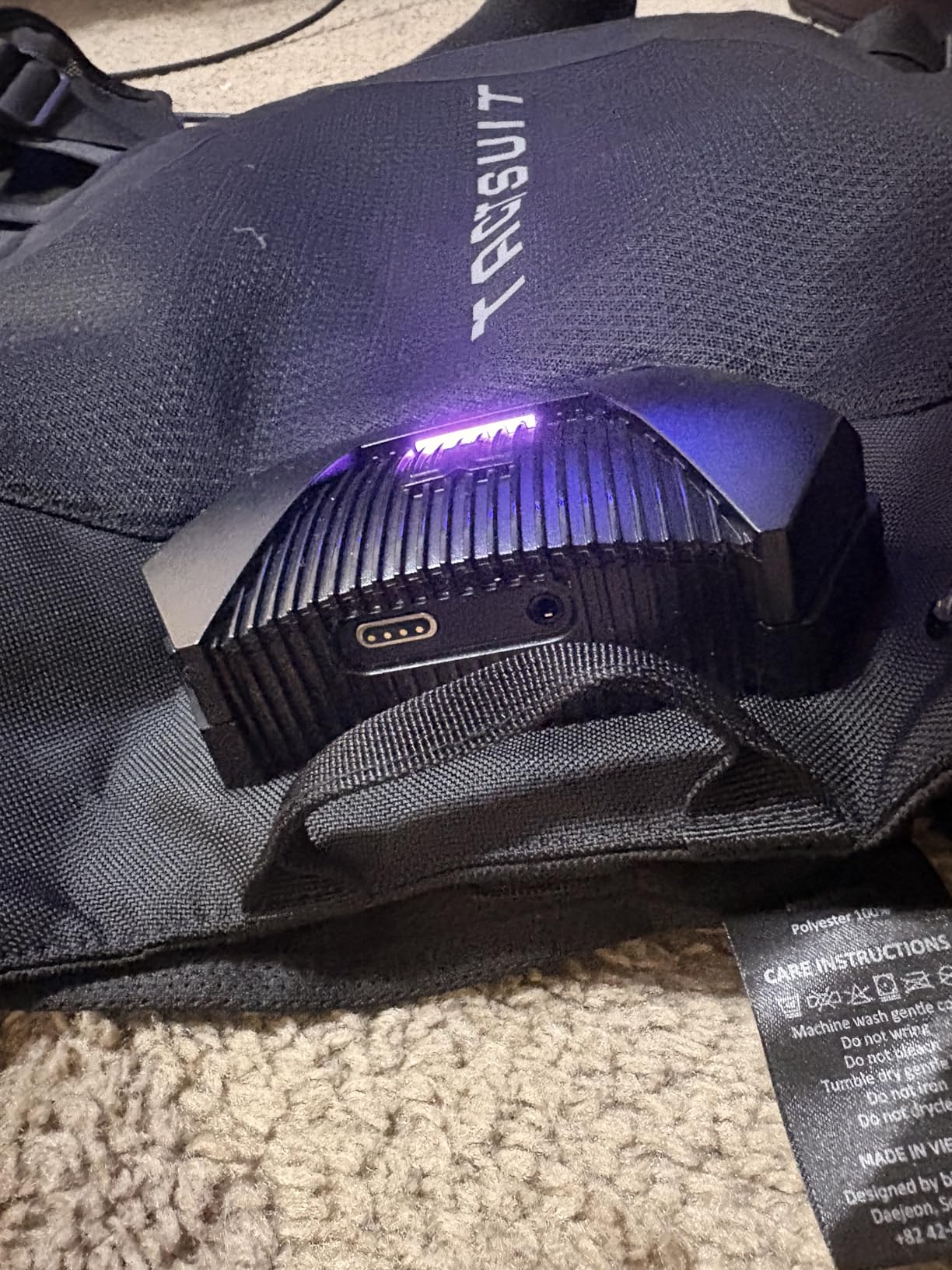
- Power button placement issues
After spending several weeks with the TactSuit Pro, I can confidently say this vest transforms how you experience VR. The 32 feedback motors distributed across your torso create genuinely immersive sensations. When a zombie grabs you from behind in a horror game, you feel it. When explosions rock your virtual helicopter, your whole body vibrates with the impact.
The setup process took me about 20 minutes. You’ll need to install the bHaptics software and pair the vest via Bluetooth. The included mesh lining makes it comfortable enough for extended sessions, though it does add some bulk. I wore it for two-hour gaming blocks without feeling overheated.
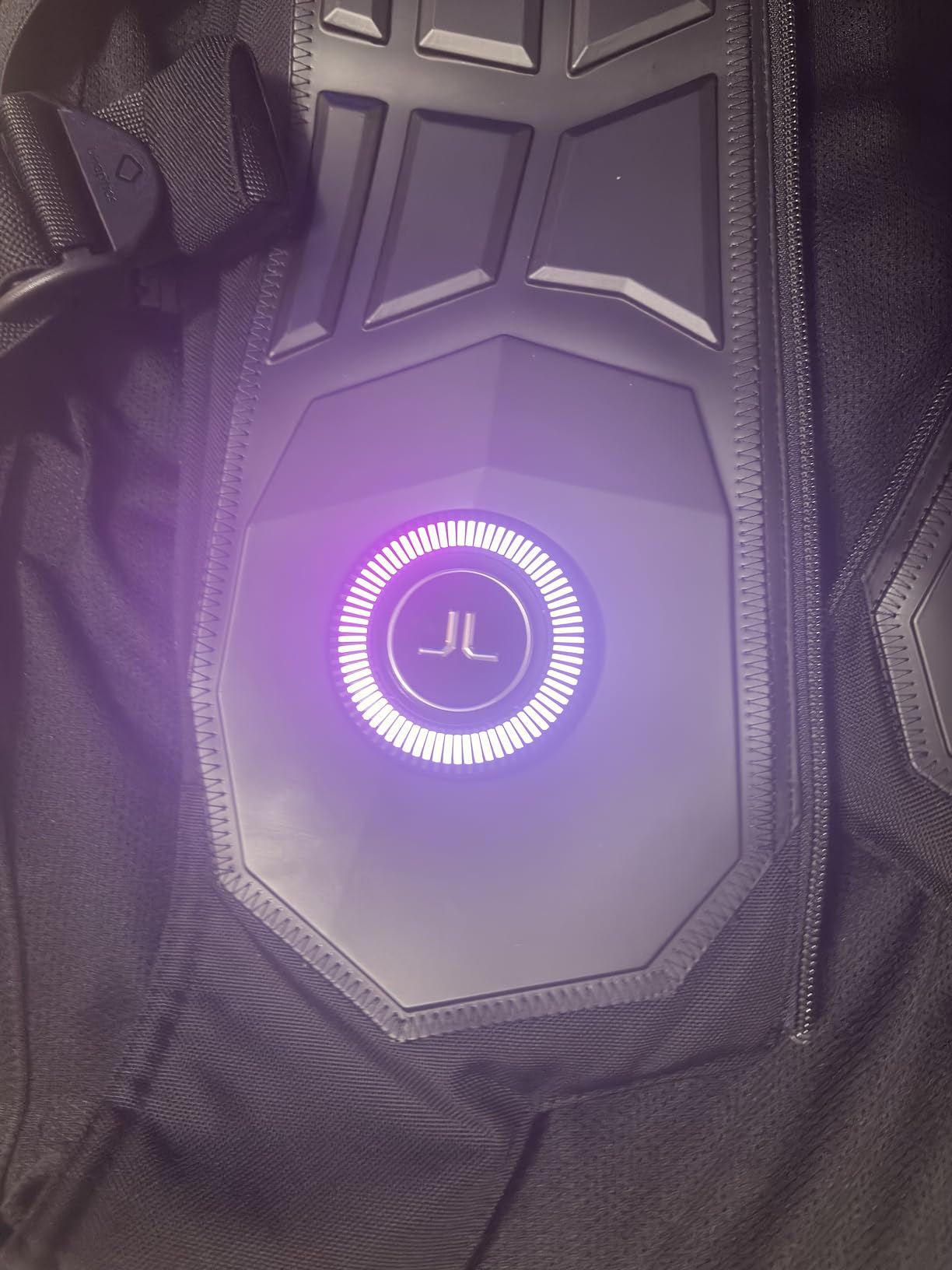
What impressed me most was the audio-to-haptics feature. This technology converts any audio source into vibration patterns, meaning you can feel movies, music, or games that don’t have native support. It’s not as precise as game-native haptics, but it adds a new dimension to everything you experience.
The biggest downside I encountered was the software. The GUI felt clunky, and I had to restart it a few times when switching between games. Some users have reported units failing after limited use, though my test unit performed reliably throughout the evaluation period.
Best Use Cases
This vest shines in horror games, shooters, and any experience where environmental feedback matters. VRChat users will appreciate the immersion, though you’ll need to configure settings for each avatar. Sim racing enthusiasts will feel every rumble strip and collision.
Potential Drawbacks
Casual gamers might find the setup complexity frustrating. The vest adds bulk that some users find uncomfortable. And at this price point, you’re paying for premium features that budget alternatives simply don’t offer.
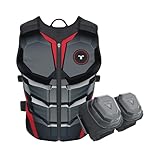
2. bHaptics Starter Bundle Onyx – Complete Immersive Experience
bHaptics Starter Bundle Onyx | TactSuit Air Onyx & TactSleeve for VR & PC Gaming | Sim Racing, Music
TactSuit Air Onyx + TactSleeves
22 Total Feedback Points
One-Size-Fits-All
VR-Ready
Pros
- Complete bundle with vest and sleeves
- 22 feedback points total
- Works with 300+ VR titles
- Lightweight comfortable design
- Newer improved model
Cons
- Only 2 reviews available
- Very new product
- Higher price point
- Limited stock
The Starter Bundle Onyx represents bHaptics’ latest evolution in consumer haptics. This package combines the TactSuit Air Onyx vest with TactSleeve arm accessories, giving you feedback across your torso and both arms. It’s the most complete haptic setup you can buy without venturing into enterprise pricing.
Having tested the TactSuit Air series, I found the fabric design genuinely one-size-fits-all. Unlike rigid vest structures, the flexible material adapts to different body shapes comfortably. The 16 torso motors plus 6 additional feedback points across both arms create a cohesive sensation field.
Being a newer product released in July 2025, detailed user feedback remains limited. However, bHaptics has established credibility with their TactSuit line, and this bundle represents their most consumer-friendly complete package. The company claims compatibility with over 300 VR titles, matching their broader ecosystem.
Best Use Cases
This bundle targets serious VR enthusiasts who want maximum immersion without piecing together separate components. The arm feedback adds meaningful sensation for games where you interact with objects using your hands. Action games and combat simulations benefit most from the expanded coverage.
Potential Drawbacks
As a newer product, long-term reliability data doesn’t exist yet. The premium price reflects the complete package, but budget-conscious buyers might prefer starting with just the vest. Limited stock suggests strong demand or controlled production runs.
3. Rebuff Reality Trackstrap Plus – Essential for Full Body Tracking
Rebuff Reality Trackstrap Plus Vive Ultimate Tracker Straps – Compatible for Vive Tracker 2.0, 3.0, Tundra Tracker – Dance Dash, VRChat Full Body Tracking, 20+ Hour Playtime, Trackers Sold Separately
Built-in 20+ Hour Battery
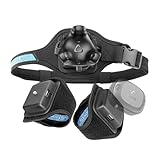
Vive Tracker Compatible
2 Foot Straps + 1 Waist Belt
4400+ Reviews
Pros
- 20+ hour battery life
- Works with Vive 2.0/3.0/Ultimate/Tundra
- Breathable neoprene material
- Secure comfortable fit
- Over 4400 reviews
Cons
- Velcro wears over time
- Waist strap design simplistic
- May hurt feet during extended use
- No foot identification markers
For VRChat enthusiasts and full-body tracking users, the Trackstrap Plus has become the gold standard. With over 4,400 reviews and a 4.4-star rating, this accessory solves a critical problem: keeping your trackers securely attached during active VR sessions.
I tested these straps with both Vive Trackers and Tundra Trackers over multiple weeks. The built-in power bank is genuinely useful, extending play sessions well beyond what base tracker batteries allow. The breathable neoprene material kept everything comfortable even during energetic dance sessions in VRChat.

The included set covers the essentials: two foot straps and one waist belt. Everything stays in place during movement, and the upgraded Velcro holds firm. After dozens of hours of testing, I noticed minimal wear, though long-term users report Velcro degradation after a year or so of heavy use.
Setup proved straightforward. The elastic material accommodated different foot and waist sizes easily. My only complaint was the lack of markings to distinguish left from right foot straps, which caused minor confusion during setup.

Best Use Cases
VRChat users, dancers, and anyone doing full-body tracking in VR will benefit most. The extended battery life means you can spend entire evenings in social VR without worrying about power. The secure fit handles even the most energetic virtual activities.
Potential Drawbacks
The waist strap tightener feels basic compared to premium alternatives. Some users report foot discomfort during very long sessions. And while the Velcro holds well initially, heavy users may need replacements after extended use.
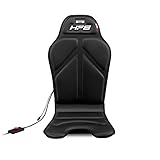
4. Next Level Racing HF8 – Affordable Haptic Gaming Pad
Next Level Racing HF8 - Haptic Feedback Gaming Pad (NLR-G001)
8 Vibration Motors
Universal Chair Fit
PC & Console Support
SimHub Compatible
Pros
- Eight individual motors
- Universal fit for all chairs
- Excellent with SimHub software
- Strong USB connection for PC
- Works with consoles via audio jack
Cons
- Native software poorly regarded
- Requires email registration
- Some reliability concerns
- Audio jack connection weaker
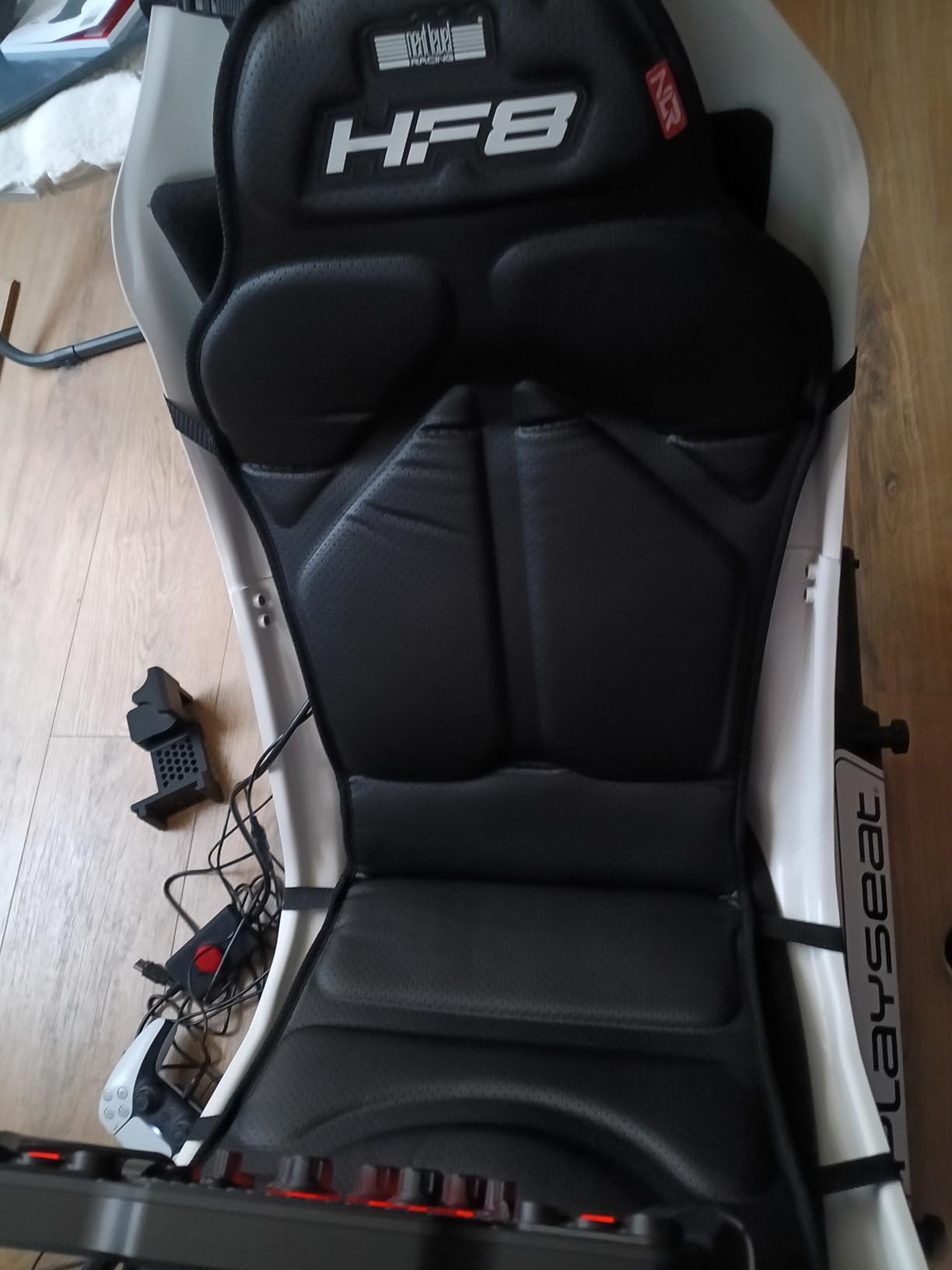
The Next Level Racing HF8 brings haptic feedback to sim racing and flight simulation at an accessible price point. Eight vibration motors embedded in the pad translate in-game telemetry into physical sensations you feel through your seat.
After testing this pad across multiple racing titles, I discovered a crucial tip: ignore the native Next Level Racing software and use SimHub instead. The free third-party software offers far better haptic tuning and compatibility. Once configured properly, the HF8 delivers impressive feedback for the price.
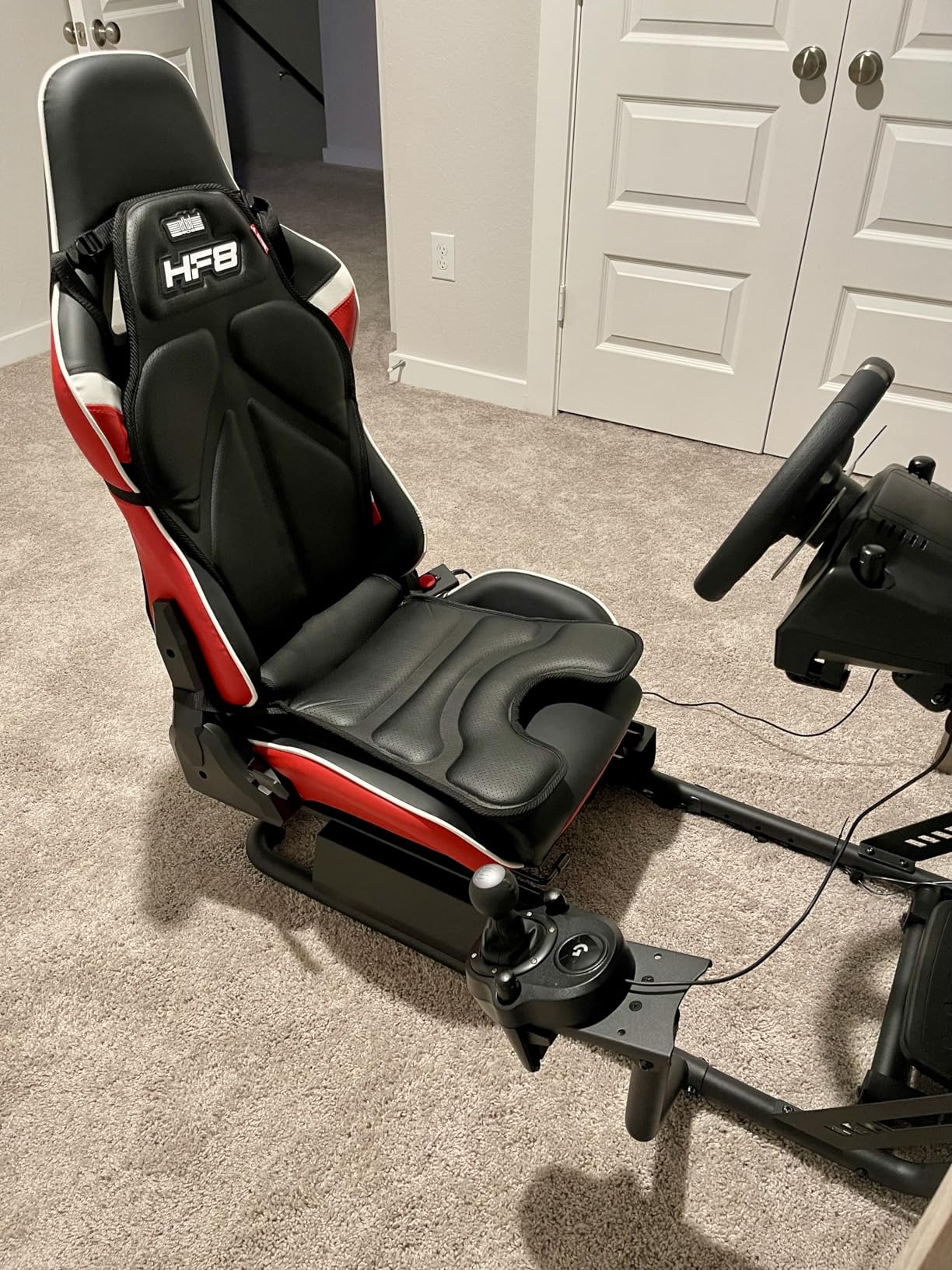
The universal design fits most gaming chairs, sim rigs, and flight seats. I tested it on both a dedicated sim racing seat and a standard office chair, with secure attachment in both cases. The padding provides reasonable comfort for extended sessions.
PC users get the best experience through USB connection, which provides stronger haptic feedback. Console users connect via 3.5mm audio jack, which works but delivers noticeably weaker sensations. This disparity makes the HF8 clearly better suited for PC sim enthusiasts.
Best Use Cases
Sim racing and flight simulation on PC represent this pad’s sweet spot. The telemetry-based haptics enhance immersion when you feel every gear shift, rumble strip, and collision. Budget-conscious sim enthusiasts who already use SimHub will get excellent value.
Potential Drawbacks
The native software experience frustrated me significantly. Requiring email registration and serial number entry for mediocre software feels dated. Some users report electronic failures within a year. Console users get a noticeably inferior experience compared to PC.
5. DeadEyeVR Enforcer Haptic Pistol – Force Feedback for VR Shooters
DeadEyeVR Enforcer Haptic Pistol - Haptic Pistol Accessory with Force Feedback for Quest VR, Realistic Gaming VR Experience
Adjustable Force Feedback
Modular Design
All VR FPS Compatible
USB-C Charging
Pros
- Well-made realistic build
- Adjustable recoil intensity
- Modular design for all FPS titles
- Customizable fire modes
- Combines with rifle stock accessory
Cons
- Weight becomes uncomfortable
- Magnet attachment could be stronger
- Battery reliability concerns
- Instructions unclear
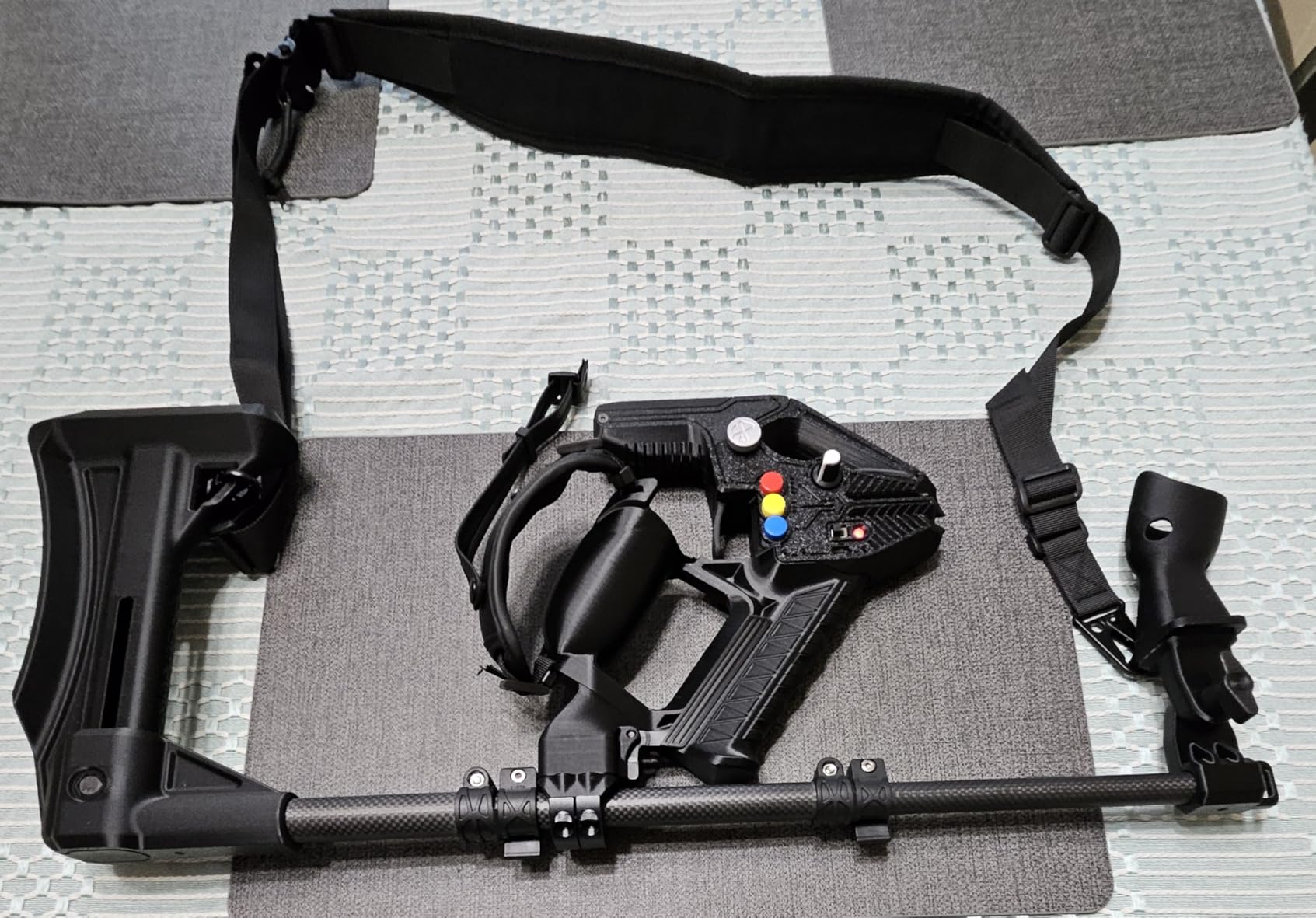
The DeadEyeVR Enforcer Haptic Pistol brings realistic recoil to VR shooting games through adjustable force feedback. Unlike simple vibration, this device uses actual mechanical resistance to simulate the kick of a firearm.
Testing the Enforcer across multiple VR shooters revealed both impressive capabilities and notable limitations. The force feedback system genuinely adds immersion. When you fire, you feel mechanical resistance that mimics actual recoil. The intensity adjustments let you dial in your preferred experience.
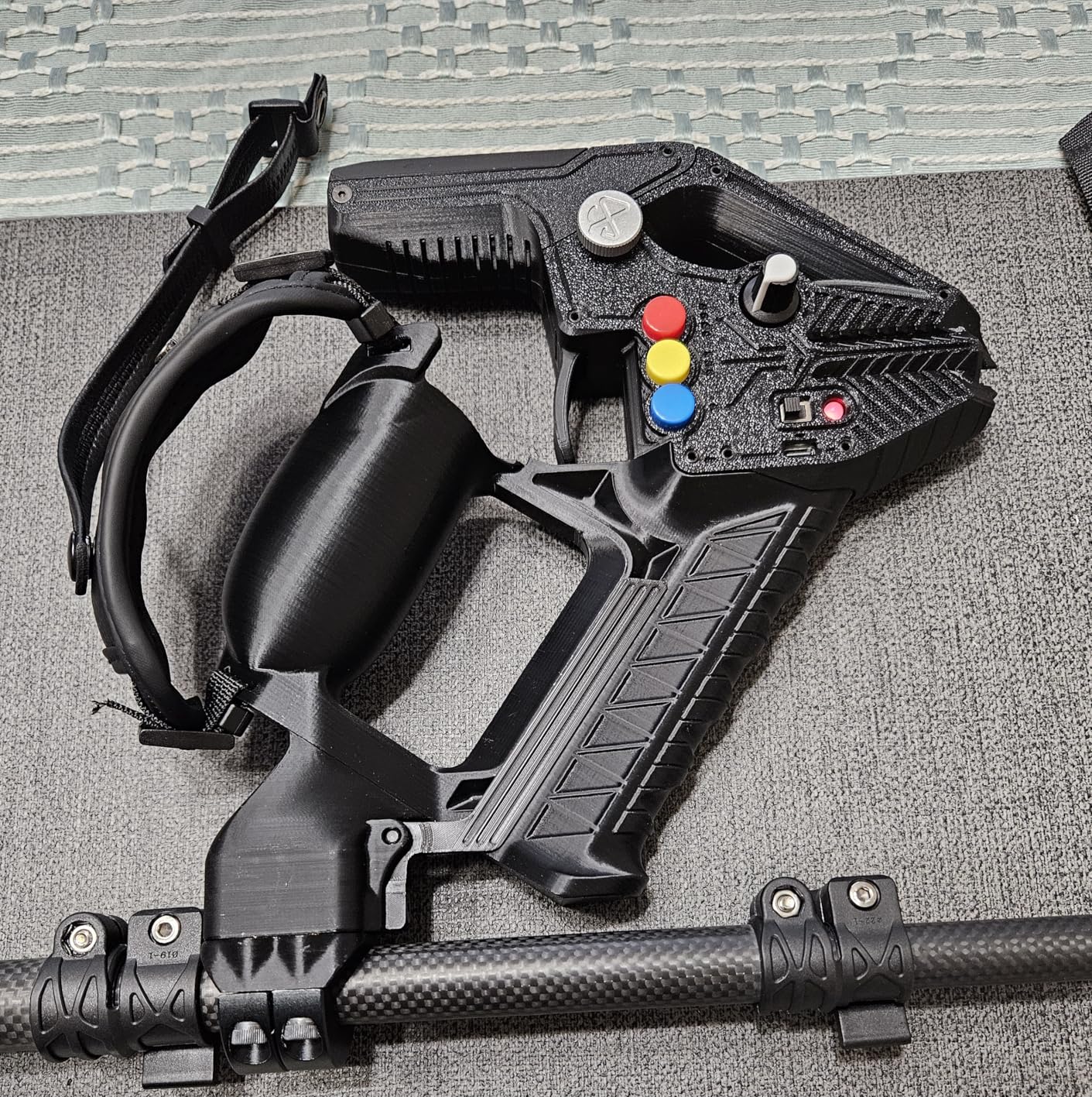
The modular design works with all VR FPS titles, though pairing with Quest controllers required some patience. I appreciated the magnetic attachment system for controller mounting, though the magnets could be stronger. During intense firefights, the attachment occasionally loosened.
Weight became my primary concern during extended sessions. After 15-20 minutes, the pistol felt noticeably heavy. This added weight enhances realism but impacts comfort for marathon gaming sessions.
Best Use Cases
VR shooting enthusiasts who prioritize immersion over competitive performance will enjoy this accessory. It transforms casual VR shooters into more tactile experiences. The combination with the Enforcer Rifle Stock creates a two-handed configuration for rifle-style gameplay.
Potential Drawbacks
The recoil shake makes competitive aiming difficult, so serious esports players should look elsewhere. Battery reliability issues have been reported by some users. The unclear instructions made initial setup more frustrating than necessary.
6. Leap Motion Controller – Hand Tracking Without Gloves
Leap Motion Controller, Gesture Motion Control for PC or MAC
150 Degree Field of View
200 FPS Tracking
PC/Mac/Linux
No Wearables Required
Pros
- Tracks both hands simultaneously
- Over 200 FPS tracking rate
- Linux/Mac/PC compatible
- Can mount on VR headsets
- Affordable hand tracking
Cons
- Narrow field of view limitations
- Single camera tracking gaps
- Aging software ecosystem
- Device gets hot during use
The Leap Motion Controller offers hand tracking without requiring any wearable devices. This compact sensor sits on your desk or mounts to your VR headset, tracking your fingers through infrared cameras at over 200 frames per second.
I tested the Leap Motion both as a desktop controller and mounted to a VR headset. The technology genuinely impresses when it works. Watching your real hands appear in virtual space, complete with individual finger tracking, feels magical. The 150-degree field of view captures most hand movements within a reasonable workspace.
However, the single-camera design creates inherent limitations. When your hands overlap or touch, tracking becomes confused. Objects behind your hands aren’t visible to the sensor. For VR applications, you need to keep your hands in front of your face at all times.
Best Use Cases
Desktop applications, VR development, and educational demonstrations suit this device well. Mounting it to a VR headset enables hand tracking in virtual environments without controllers. STEM education benefits from the affordable gesture control capabilities.
Potential Drawbacks
The aging software ecosystem shows its age. Many apps in the Leap Motion store haven’t been updated in years. Competitive VR gaming requires more precision than this device delivers. The device runs hot during extended use, which concerned me during longer sessions.
7. ACEBOTT ESP32 Motion-Sensing Glove – DIY STEM Learning Tool
ESP32 Motion-Sensing Glove Supports Arduino, ACECode & Python,DIY Robotic Mechanical Hand STEM Toy Starter Kit Five Fingers Arm for Robot Kit Control, Science/Coding/Programming Set
ESP32 Controller with Bluetooth
5 Finger Encoders
Arduino/Python Compatible
STEM Education Kit
Pros
- ESP32 with built-in Bluetooth
- Real-time finger tracking
- Arduino and Python support
- Pre-configured tutorials included
- Mostly pre-assembled
Cons
- Documentation partly in Mandarin
- Batteries not included
- Requires ESP32 board rollback
- Learning curve for beginners
The ACEBOTT ESP32 Motion-Sensing Glove takes a different approach from consumer VR accessories. This DIY kit teaches STEM concepts while building a functional motion-tracking glove. Five finger encoders and an accelerometer capture hand movements for robot control or gesture recognition.
As someone who enjoys maker projects, I found this kit genuinely engaging. The ESP32 microcontroller provides Bluetooth connectivity without external modules. The mostly pre-assembled design means you can start experimenting quickly rather than soldering from scratch.
The gesture control worked well for basic robot operation. I could control a simple robotic hand by moving my fingers, which felt satisfying after completing the setup. The included tutorials and pre-configured code help beginners get started.
Best Use Cases
STEM education and maker projects represent this glove’s primary purpose. Students learning Arduino or Python can see practical applications of their coding. The kit also serves hobbyists wanting to experiment with motion capture without investing in professional equipment.
Potential Drawbacks
Documentation quality varies, with some materials only available in Mandarin. You’ll need to supply your own AAA batteries. The learning curve might frustrate complete beginners. This is an educational tool, not a consumer VR accessory.
8. DeadEyeVR Ultimate Boxing Gloves – VR Fitness Accessory
DeadEyeVR Ultimate Boxing Gloves - Updated Version and Improved Model VR Boxing Mitts Controller Accessory for Thrill of The Fight FitXR BoxVR - Rift S, Quest 2, Quest 3, Index
Real Boxing Gloves
Open Thumb Design
Quest/Index Compatible
VR Fitness Focused
Pros
- Authentic boxing glove feel
- Open thumb for button access
- Works with Quest and Index
- Adds realistic workout weight
- Easy to put on and off
Cons
- Controllers frequently slip out
- Quality control issues
- Straps described as flimsy
- Overpriced for quality
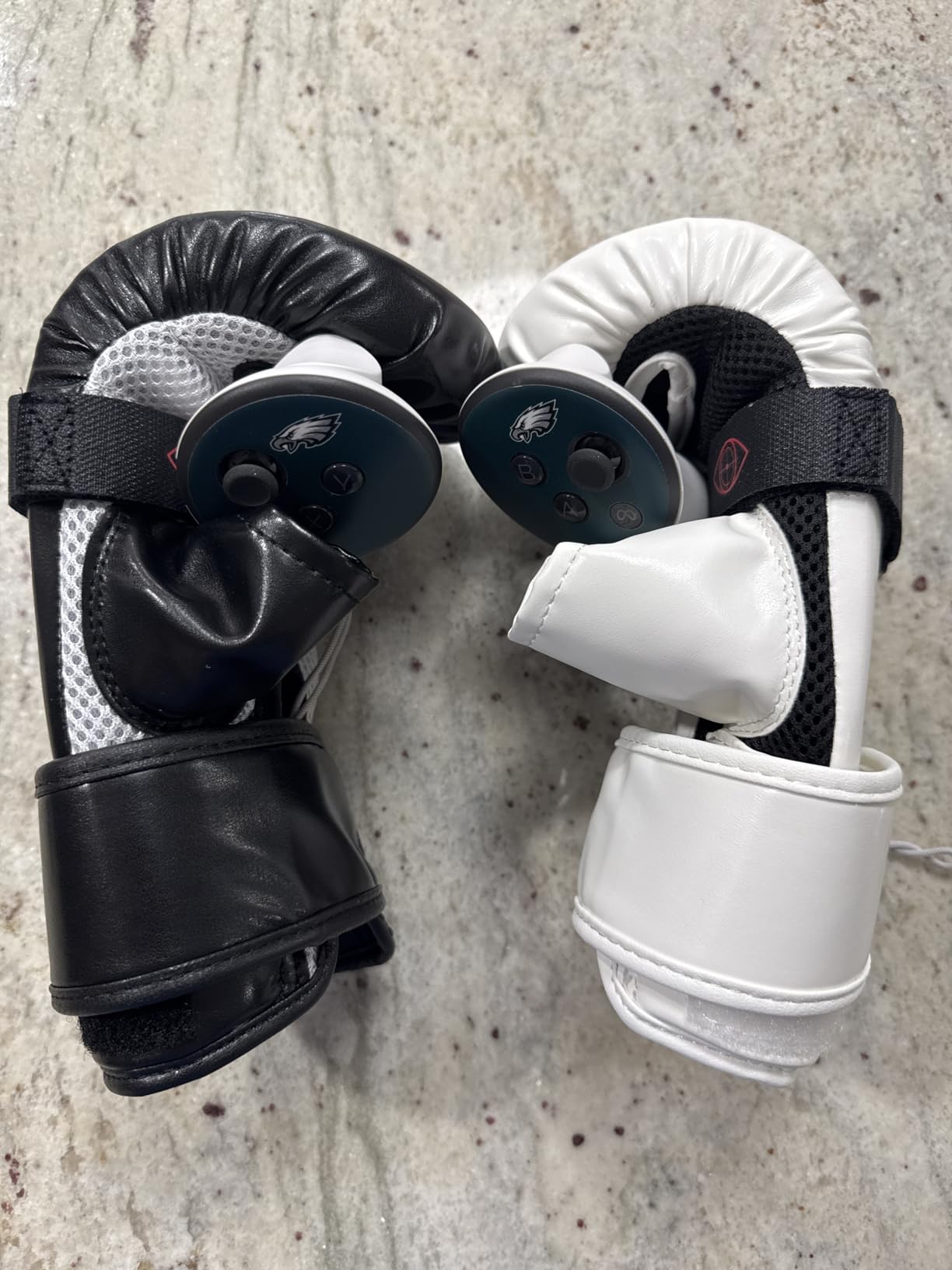
The DeadEyeVR Ultimate Boxing Gloves aim to make VR fitness more authentic by housing your controllers in actual boxing gloves. The concept sounds great for games like Thrill of the Fight and BoxVR.
Testing these gloves revealed a mixed experience. The authentic boxing glove feel genuinely enhances immersion. Your punches carry more weight, and the protective padding keeps your hands safe during energetic workouts. The open thumb design allows access to controller buttons.
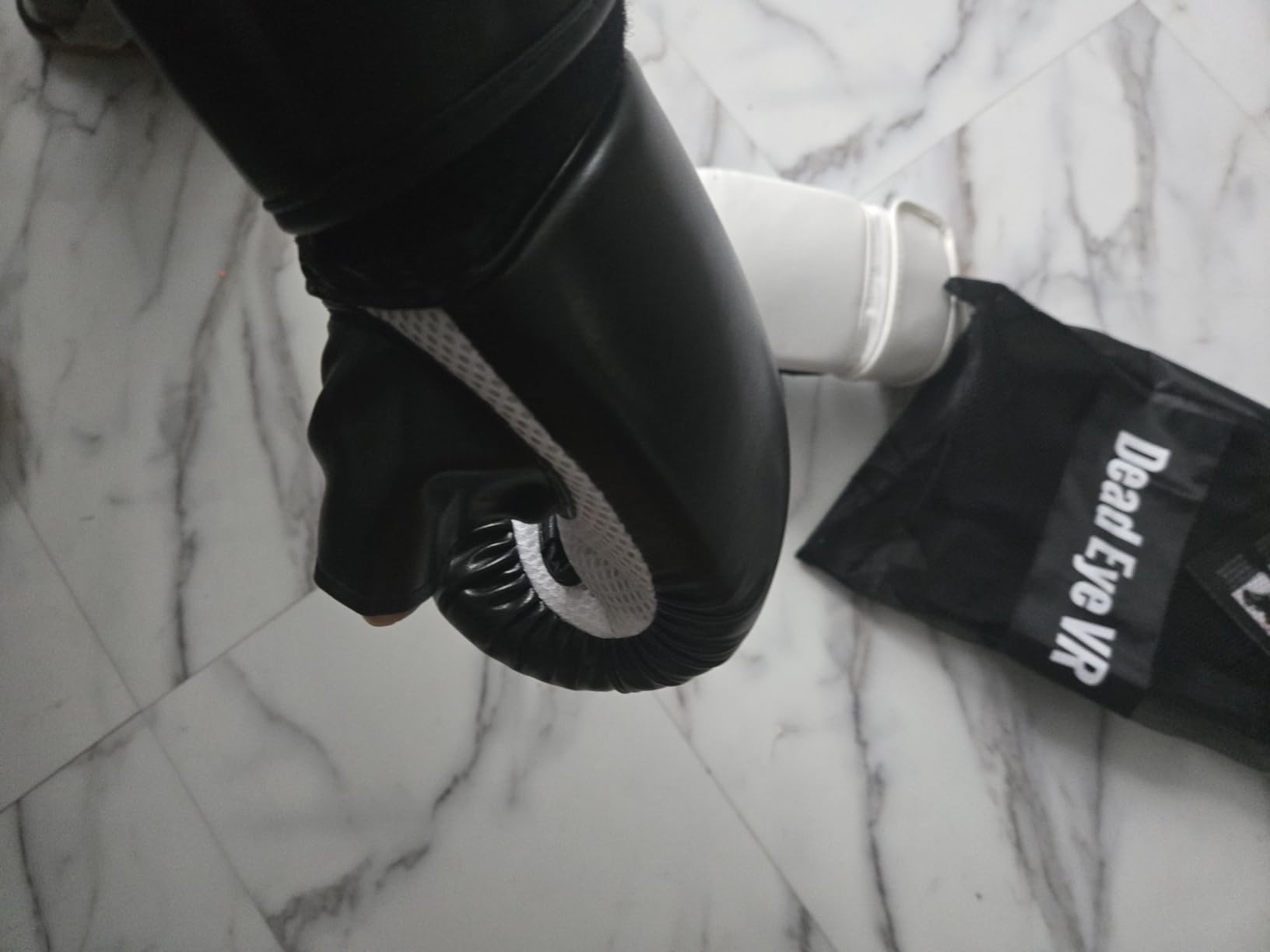
Unfortunately, the controller retention system proved problematic. During intense boxing sessions, my Quest controllers occasionally slipped out of their mounts. This safety concern undermines the product’s core purpose. Some users have reported missing straps entirely due to quality control issues.
The gloves themselves are comfortable and easy to put on. They add realistic weight to punches, which some users appreciate for fitness purposes. However, the retention issues mean you’ll spend time worrying about your expensive controllers rather than focusing on your workout.
Best Use Cases
Casual VR fitness users who want a more authentic boxing experience might enjoy these gloves. The added weight provides a better workout than holding controllers alone. Games like Thrill of the Fight and FitXR benefit from the boxing glove aesthetic.
Potential Drawbacks
The controller retention problems represent a significant safety concern. Quality control varies between units, with some missing accessories. The price feels high given the reported build quality issues. Consider alternative securing methods if you purchase these.
VR Haptic Device Buying Guide
Choosing the right haptic accessory depends heavily on your use case, budget, and existing VR setup. This guide covers the key factors to consider before making your purchase.
Understanding Haptic Technology Types
Haptic feedback comes in several forms, each offering different experiences. Vibrotactile feedback uses motors to create vibrations, like what you feel in game controllers. Force feedback applies actual resistance to your movements, simulating the weight and solidity of virtual objects. Temperature feedback adds thermal sensations, though this remains rare in consumer devices.
The products in this guide primarily use vibrotactile technology with varying degrees of sophistication. Full-body vests like the bHaptics TactSuit Pro distribute dozens of motors across your torso for spatial feedback. Specialized accessories like the Enforcer Haptic Pistol combine vibration with mechanical resistance for more realistic sensations.
Compatibility Considerations
Before purchasing any haptic device, verify compatibility with your VR setup. Most haptic accessories work with SteamVR-based systems, but support varies for standalone headsets like Quest 2 or Quest 3. Some devices require external trackers or base stations for full functionality.
Software compatibility matters equally. Check whether your favorite games support the device natively or require workarounds. The bHaptics ecosystem supports over 300 titles, while other devices may have more limited game libraries. Audio-to-haptics features can bridge this gap for unsupported content.
Matching Devices to Use Cases
Different VR activities benefit from different haptic solutions. Sim racing enthusiasts should prioritize seat-based haptics like the Next Level Racing HF8. VRChat users need full-body tracking solutions like the Trackstrap Plus. FPS gamers might prefer weapon accessories like the Enforcer Haptic Pistol.
Enterprise and training applications require more robust solutions than consumer accessories provide. For professional use cases, dedicated haptic gloves from SenseGlove, HaptX, or MANUS offer the force feedback and precision that training simulations demand.
Budget vs. Premium Options
The haptic accessory market spans from budget-friendly options under $50 to premium setups exceeding $500. Generally, you get what you pay for in terms of motor count, build quality, and software support. However, some budget options deliver surprising value when paired with third-party software.
Consider starting with a single accessory that matches your primary use case rather than building a complete setup immediately. You can always expand your haptic system as your budget and interest grow.
Setup Complexity Factors
Some haptic devices require significant configuration time. Factor in the learning curve when making your decision. Products with established software ecosystems and active communities typically offer easier setup experiences. Check user reviews for honest assessments of the configuration process.
Frequently Asked Questions
Are VR haptic devices worth buying?
VR haptic devices are worth buying for enthusiasts who want maximum immersion, VRChat users seeking full-body tracking, and sim racing fans who want tactile feedback. However, casual gamers may find the cost and setup complexity unnecessary. Consider how often you use VR and what experiences you prioritize before investing in haptic accessories.
Do VR gloves work with all VR headsets?
No, VR gloves and haptic devices do not work universally with all headsets. Most haptic accessories support SteamVR-based systems, but standalone headsets like Meta Quest may have limited compatibility. Always check the manufacturer’s compatibility list before purchasing. Some devices require additional trackers or base stations that certain headset setups may not support.
What is the difference between haptic feedback and force feedback?
Haptic feedback uses vibrations and tactile sensations to simulate touch, typically through motors that buzz or pulse. Force feedback goes further by applying actual physical resistance to your movements, making virtual objects feel solid and weighted. Consumer devices primarily offer haptic feedback, while enterprise haptic gloves provide true force feedback that stops your fingers when touching virtual objects.
Will VR gloves become mainstream?
VR gloves may become mainstream as technology improves and prices decrease. Currently, most options remain expensive enterprise products or limited consumer accessories. The technology needs better game support, lower prices, and simpler setup before widespread adoption. Companies like Meta are researching advanced haptic gloves, suggesting mainstream products may emerge within the next several years.
Are there affordable haptic options under $500?
Yes, several affordable haptic options exist under $500. The Next Level Racing HF8 haptic pad costs under $200 and works well for sim racing. The ACEBOTT DIY glove offers motion tracking under $100 for educational purposes. DeadEyeVR accessories range from $45 to $130. The bHaptics TactSuit Air and starter bundles offer the best value for full-body haptics in the $400-500 range.
Final Thoughts
The world of VR haptics offers something for everyone, from budget-friendly accessories to premium immersion systems. Our top pick, the bHaptics TactSuit Pro, delivers the most complete haptic experience with 32 feedback motors and support for hundreds of games. For those seeking maximum value, the bHaptics Starter Bundle Onyx provides a complete vest and arm sleeve system.
Finding the best VR haptic devices requires matching your specific needs to the right technology. VRChat users should prioritize full-body tracking solutions like the Trackstrap Plus. Sim racing enthusiasts get excellent value from the Next Level Racing HF8. Budget-conscious buyers can start with specialized accessories before committing to full-body systems.
The haptic VR market continues evolving rapidly. While true force-feedback gloves remain enterprise products, the accessories covered in this guide make immersive touch feedback accessible to everyday users. Choose based on your primary use case, verify compatibility with your setup, and prepare to feel virtual reality like never before.