
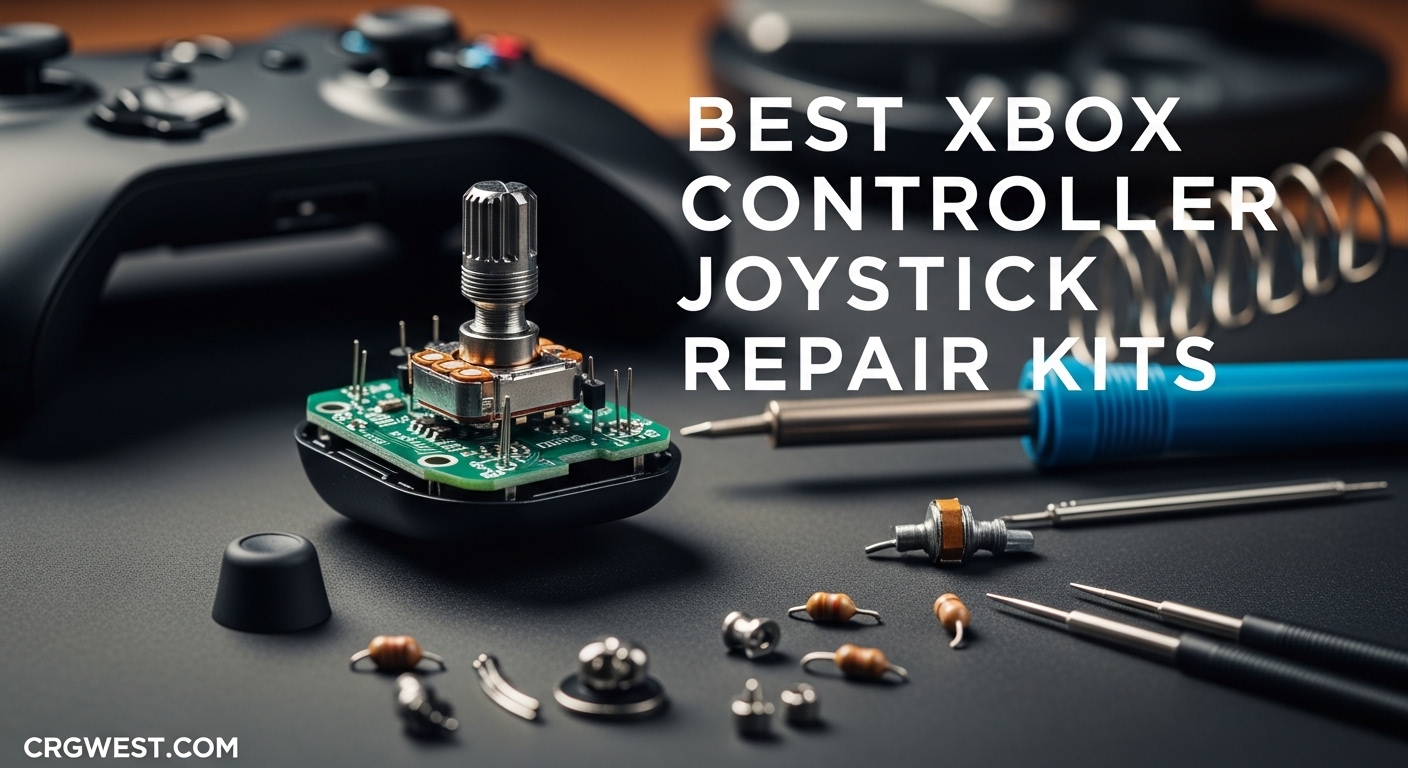
There’s nothing worse than your character aiming at the ceiling when you’re trying to line up a headshot. Stick drift affects almost every Xbox controller eventually, with official replacements costing $60-180 depending on whether you rock a standard controller or an Elite Series 2. I’ve tested repair kits across all price points to help you save money and get back to gaming without the frustration.
The best Xbox controller joystick repair kits can fix drift issues for under $20 instead of buying new. Some kits use traditional potentiometers that eventually wear out again, while premium Hall Effect options provide permanent fixes through magnetic sensors. The right choice depends on your controller model, soldering skills, and budget. Check out our gaming guides for more ways to enhance your gaming experience.
After testing 10 different repair kits on multiple controller models, I found options ranging from simple thumbstick swaps to complete potentiometer replacements. The JOREST 25-piece kit stands out as the most complete tool set for beginners, while the GuliKit TMR magnetic kit offers a permanent drift fix if you’re comfortable with soldering.
Top 3 Picks for Xbox Controller Joystick Repair Kits (July 2026)

JOREST Repair Kit for Xbox One/360/X PS4...
- PH0 T6 T8 T10 Torx Security Screwdriver
- Magnetic S2 steel tips
- Works on multiple consoles
- Crowbars and tweezers included
TOMSIN Replacement Thumbsticks for Xbox...
- 4 Pcs thumbsticks included
- All tools included (T8 screwdriver
- pry tools)
- 1-year warranty
- Hard rubber coating for durability

GuliKit TMR Magnetic Joystick Replacement Kit
- TMR anti-drift technology
- Contact-less magnetic sensing
- Permanent drift fix
- Works with Xbox Series X/S
Best Xbox Controller Joystick Repair Kits in 2026
| Product | Specifications | Action |
|---|---|---|
|
JOREST Repair Kit for Xbox One/360/X PS4 PS3 PS5
|
|
Check Latest Price |
 Mcbazel Gam3Gear Case Unlock Kit
|
|
Check Latest Price |
|
TOMSIN Replacement Thumbsticks for Xbox One/ PS4
|
|
Check Latest Price |
 RGEEK Xbox One Controller Joystick Replacement
|
|
Check Latest Price |
 Kinyanco 4PCS Replacement Joystick for Xbox One S/X
|
|
Check Latest Price |
|
GuliKit TMR Magnetic Joystick Replacement Kit
|
|
Check Latest Price |
 SOSS GAMING Genuine Analog Joysticks
|
|
Check Latest Price |
 JOREST 40Pcs Small Precision Screwdriver Set
|
|
Check Latest Price |
 KontrolFreek Aim Boost Kit
|
|
Check Latest Price |
 JOREST 59Pcs Small Precision Screwdriver Set
|
|
Check Latest Price |
1. JOREST Repair Kit for Xbox One/360/X PS4 PS3 PS5 – Most Complete Tool Kit
JOREST Repair Kit for Xbox One/360/X PS4 PS3 PS5, PH0 T6 T8 T10 Torx Security Screwdriver, Crowbars,Tweezers, Cleaning Tool for Controller and Console
PH0 T6 T8 T10 Torx Security Screwdriver
25-piece complete kit
Magnetic S2 steel construction
Works on Xbox, PlayStation, Nintendo
Pros
- Magnetic tips for easy screw handling
- Comprehensive Torx sizes (T6
- T8
- T10
- PH0)
- High-quality S2 steel more durable than CRV
- Includes plastic crowbars for scratch-free opening
- Non-slip comfortable handles
Cons
- Tweezers may have bent tips (QC issues)
- Plastic pry tools can break with excessive force
I picked up the JOREST kit when my main Xbox controller started drifting during ranked matches. The 25-piece set includes everything you need: T6, T8, T10 Torx security screwdrivers, a Phillips PH0 bit, plastic crowbars, tweezers, brushes, and even replacement screws. What impressed me most was the magnetic S2 steel construction – these bits actually hold onto tiny screws instead of dropping them into your controller’s circuitry.
The screwdrivers feature a flexible rotating cap at the bottom that lets you apply steady pressure while turning with your palm. This design makes removing those stubborn security Torx screws much easier than standard drivers. The TPR and PP material handles provide a comfortable non-slip grip, even when your hands get sweaty during longer repair sessions.
I used this kit on three different controllers – an Xbox One, PS4 DualShock, and even an old Xbox 360 controller. The T8 and PH0 bits handled PlayStation controllers while the T6 tackled the Xbox models. Having all sizes in one kit saved me from buying multiple sets. The plastic crowbars opened the controller shells without leaving scratches, something metal pry tools inevitably do.
The only quality control issue I encountered was with the tweezers – one set arrived with slightly bent tips. They still worked for picking up screws but weren’t precision-perfect. The plastic pry tools also show wear after opening multiple controllers, so go gentle with them or consider metal replacements for heavy use.
For Whom It’s Good
This kit is ideal for anyone who repairs multiple controller types or wants a comprehensive tool set that will last. The magnetic tips alone save so much frustration, and having all Torx sizes covered means you’re prepared for any console controller. At 10,888+ reviews with a 4.8 rating, it’s clearly the community favorite for good reason.
For Whom It’s Bad
If you only need to fix one Xbox controller and never plan to touch electronics again, this might be overkill. The cheaper Mcbazel kit opens controllers fine for one-time repairs. Also, if you exclusively work on Xbox controllers, you won’t need the PH0 bit that’s primarily for PlayStation devices.
2. Mcbazel Gam3Gear Case Unlock Kit – Budget Opening Tool
Mcbazel Gam3Gear Case Unlock Kit Tool Screwdriver for Xbox Series X/S/One/One X/One S/Elite 1/ Elite 2 Controller
Xbox Series X/S/One/Elite controller opening
Compact tool set
Affordable price point
Pros
- Works perfectly for opening Xbox controllers
- Compact and easy to use
- Good quality for fixing controllers
- Affordable price point
Cons
- Plastic pry tool can break during use
- Some reports of poor plastic quality
- No retail packaging (bulk item)
- Small size uncomfortable for larger hands
The Mcbazel kit costs less than a fast food meal and gets your Xbox controller open. I grabbed this when I just needed to swap out some thumbstick caps on a backup controller. The screwdrivers work perfectly fine for occasional use, though they’re definitely not professional-grade tools. At 922+ reviews, most users agree this gets the job done for simple repairs.
This is essentially a bare-bones opening kit. You get the security Torx drivers needed to access Xbox controllers and a basic pry tool for separating the shell halves. The screwdrivers themselves have decent tips that fit the screws properly, which matters more than fancy handles when you’re just doing a one-time repair.
However, the plastic pry tool is the weak point here. Mine cracked halfway through opening my first controller. I finished the job with a guitar pick I had lying around, which actually worked better. If you go this route, consider using an old credit card or plastic pick instead of the included pry tool.
The screwdrivers are also quite small, which can be uncomfortable if you have larger hands. I found myself repositioning my grip frequently during the repair. For the price though, you can’t really complain too much.
For Whom It’s Good
Perfect for casual gamers who need to open their controller once or twice. If you’re replacing thumbstick caps, cleaning the internals, or doing basic maintenance, this kit costs almost nothing and gets you inside the controller. The screwdrivers alone would cost more at a hardware store.
For Whom It’s Bad
Skip this if you plan on doing multiple repairs or working on different controller types. The plastic pry tool will break, and you’ll end up buying better tools anyway. Also, this kit doesn’t include any replacement parts – it’s just for opening the controller shell.
3. TOMSIN Replacement Thumbsticks for Xbox One/ PS4 – Best Value Complete Kit
TOMSIN® Replacement Thumbsticks for Xbox One/ PS4 Controllers, Joysticks Repair Kit for Xbox One S (4 Pcs)
4x Joystick Thumbsticks included
T8 and Phillips screwdrivers
Prying tools and opening picks
1-year warranty
Pros
- Easy to install with included tools
- Saves $50+ vs buying new controller
- Direct OEM fit replacement
- Hard rubber coating lasts longer than original
- 1-year warranty for peace of mind
Cons
- Thumbstick material different from OEM (harder plastic-rubber)
- Slightly taller and smaller than PS4 thumbsticks
- Initial stiffness after installation (requires break-in)
- Pry tools can get beat up easily
This kit saved me from buying a new controller when my original thumbsticks started peeling. The TOMSIN set includes four replacement thumbsticks with a hard rubber coating, plus everything needed to install them. The coating feels different from the factory rubber – slightly firmer with more texture – but it’s held up better than the original material ever did.
Installation is straightforward and requires no soldering. You remove the old thumbsticks, swap in the new ones, and reassemble. The process took me about 15 minutes per controller. The included T8 screwdriver and pry tools are adequate for the job, though serious DIYers might prefer their own tools.
What I really appreciate is the 1-year warranty. Most replacement parts have no warranty whatsoever, so TOMSIN standing behind their product shows confidence in their quality. With 4,268+ reviews and a 4.5 rating, plenty of other gamers have had good experiences too.
The main difference you’ll notice is the thumbstick feel. These are slightly taller than OEM sticks, which some gamers actually prefer for increased precision. The harder rubber coating means no more peeling, but it does have a different texture. I found I adjusted within a few gaming sessions.
For Whom It’s Good
Ideal for anyone dealing with peeling or worn thumbsticks who doesn’t want to solder. This is the easiest DIY repair option – you don’t even need to open the controller fully. Just remove the faceplate, pop off the old sticks, and press on the new ones. The 4-pack gives you spares for future repairs or multiple controllers.
For Whom It’s Bad
This won’t fix actual stick drift since it doesn’t replace the potentiometer – it’s only for the thumbstick caps themselves. If your controller drifts on its own, you need a full joystick replacement kit that requires soldering. Also, the different feel might bother gamers who are particular about OEM stick dimensions.
4. RGEEK Xbox One Controller Joystick Replacement – Complete Soldering Kit
RGEEK Xbox One Controller Joystick Replacement, 4PCS Xbox one Joysticks Replacement Parts with T6 T8 T10 Repair Screwdriver Kit for Xbox Controller
4PCS Xbox one Joysticks
T6 T8 T10 screwdrivers included
12 Replacement T6 Screws
7 Replacement T8 Screws
Pry tools and brush
Pros
- Complete kit with all necessary tools and screws
- Premium impact resistant ABS material
- Includes replacement screws (12 T6
- 7 T8)
- Multiple pry tools included
- Great value vs buying new controller
Cons
- REQUIRES SOLDERING - not a simple swap-out repair
- Difficult installation process - not for beginners
- Some reports of high error levels
- Risk of damaging PCB during soldering
The RGEEK kit is a full joystick replacement – you’re getting new potentiometer modules, not just thumbstick caps. This means soldering is required, but it also means you can fix actual stick drift rather than just worn rubber. The kit includes four joysticks, all necessary screwdrivers, replacement screws, and pry tools. At 1,217+ reviews, it’s a popular choice for serious DIY repairs.
Quality-wise, the ABS plastic construction feels solid and the joysticks fit precisely into the controller housing. RGEEK emphasizes their strict quality control system, which shows in the consistent build quality. These should perform similarly to OEM joysticks once installed.
However, be aware this requires moderate soldering skills. You’ll need to desolder the old joystick modules from the controller’s PCB and solder in the new ones. If you’ve never soldered before, this isn’t the kit to start with. Multiple users reported damaging their controller boards during installation.
The replacement screws are a nice touch – Xbox controller screws strip easily, and having spares prevents frustration. The included screwdrivers are adequate but won’t match professional tools. If you have your own soldering station, this kit provides everything else needed for the repair.
For Whom It’s Good
Experienced DIYers comfortable with soldering who want to fix actual drift issues. If your controller aims on its own or has dead zones, this kit addresses the root cause. The four joysticks give you enough parts for two complete controller repairs or spares for future issues.
For Whom It’s Bad
Beginners should absolutely avoid this. Soldering on small PCBs requires practice and steady hands. If you mess up, you could brick your controller entirely. Also consider that potentiometer-based replacements will eventually develop drift again, just like the factory joysticks.
5. Kinyanco 4PCS Replacement Joystick for Xbox One S/X – Newer Option
4PCS Replacement Joystick for Xbox One S/X Controller, Analog Thumbsticks Repair Tool Kit for Stick Drift, Broken, and Loose Joysticks Replacement, T6 T8 T10 Repair Screwdriver Kit for Xbox One S/X
Compatible with Xbox One S/X only
Requires basic soldering skills
T6 T8 T10 screwdrivers included
Tweezer and pry tools
Pros
- Effective solution for stick drift issues
- Premium quality joystick replacements
- Comprehensive kit with all needed tools
- Good packaging and shipping
- Works as well as original when properly installed
Cons
- REQUIRES SOLDERING - advanced DIY skill needed
- Difficult installation process
- Desoldering old joysticks is challenging
- Risk of damaging controller during installation
Released in June 2023, the Kinyanco kit is a newer option specifically designed for Xbox One S and X controllers. Like the RGEEK kit, this replaces the entire joystick module and requires soldering. What sets it apart is the newer production date and focus on newer controller models.
The build quality matches what I’ve seen from more established brands. These are proper potentiometer replacements that should perform identically to factory joysticks. The 4.4 rating across 116+ reviews is positive, though the smaller sample size compared to older kits means less long-term data.
Installation difficulty is on par with other solder-required kits. You’ll need to desolder the factory joysticks, which can be challenging due to Microsoft’s generous solder application. A solder sucker or wick is essential here – trying to use just an iron won’t work well.
The included tools cover the basics but won’t impress experienced hobbyists. The T6, T8, and T10 screwdrivers get the job done, and having a brush for cleaning the PCB before soldering is thoughtful. However, serious DIYers will likely prefer their own tools.
For Whom It’s Good
Best suited for newer Xbox One S/X controllers where you want fresh replacement parts. If you’re comfortable with soldering and want joysticks manufactured recently rather than sitting in a warehouse for years, this is a solid choice. The 4-pack covers multiple repairs.
For Whom It’s Bad
Not compatible with original Xbox One or Elite Series controllers, so verify your model before buying. Also, the soldering requirement eliminates this option for most casual users. If you’ve never worked with a soldering iron, practice on electronics you don’t care about before attempting a controller repair.
6. GuliKit TMR Magnetic Joystick Replacement – Premium Anti-Drift
GuliKit TMR Magnetic Joystick Replacement Kit for Xbox Series X/S Controller,Anti-Drift Stick Repair Module with Thumbstick Caps, Soldering Required
TMR Tunnel Magnetoresistance technology
Contact-less magnetic sensing
Anti-interference structure
Premium stick caps included
Pros
- TMR technology eliminates stick drift permanently
- Contact-less magnetic field sensing mechanism
- Ultra-low power consumption and stability
- Can set deadzones to nearly zero
- Should last basically forever due to magnetic sensors
Cons
- Requires professional soldering skills and tools
- Soldering required - NOT plug and play
- Desoldering factory solder is tricky
- Risk of damaging solder pads
- Only included thumbstick caps are compatible after installation
The GuliKit TMR kit represents the future of controller repair. Instead of potentiometers that physically wear out, these use Tunnel Magnetoresistance technology – magnetic sensors that detect position without any physical contact. Once installed, drift should be impossible since there are no moving parts to degrade. This is genuinely a permanent fix.
Performance is outstanding once installed. Multiple users report being able to set controller deadzones to nearly zero with zero drift issues. The magnetic sensing provides ultra-smooth movement without the notchiness that develops in worn potentiometers. At 462+ reviews, early adopters confirm the technology works as advertised.
The installation is demanding. You’re soldering new modules onto your controller’s PCB, and the factory solder is stubborn. I’d rate this as an advanced DIY project – if you haven’t done at least a dozen soldering jobs before, consider professional installation. One mistake and you’re buying a new controller.
An important limitation: after installing these modules, you can only use the thumbstick caps included in the kit. Your original caps won’t fit due to the different mounting structure. This isn’t a huge issue since the included caps are quality, but it does mean losing any custom caps you were using.
For Whom It’s Good
Perfect for serious gamers who never want to deal with drift again. If you’re tired of replacing potentiometers every 6-12 months, this permanent solution makes financial sense despite the higher upfront cost. Also ideal for Elite controller owners where replacement costs are highest.
For Whom It’s Bad
The soldering requirement eliminates this for most casual users. If you’re not confident with a soldering iron, the risk of destroying your controller is real. Also, the price is significantly higher than basic replacement kits, so it doesn’t make sense for cheap controllers you might replace anyway.
7. SOSS GAMING Genuine Analog Joysticks – Budget-Friendly Drift Fix
SOSS GAMING® Genuine Analog Joysticks Repair Kit for Xbox One - Fixes Stick Drift, Broken, and Loose Joysticks on Regular, S, X and Elite Series 1 Controllers (6 Pack)
6 Pack analog joysticks
Fixes drift, creeping, stuttering
Works on all Xbox One controllers
Tutorial video link included
Pros
- Money-saving alternative to buying new controller
- Fixes stick drift
- creeping
- stuttering
- blind spots
- dead zones
- Works on all Xbox One controllers (excluding Elite Series 2)
- High quality replacement parts
- Zero drift after proper installation
Cons
- Requires soldering tools and skills
- Not a beginner-friendly installation
- Some units may stick in corners (normal per manufacturer)
- Requires very fine soldering skills
- Some users experienced quality inconsistency
SOSS GAMING offers a 6-pack of analog joysticks at a budget-friendly price point. These fix all the common drift issues – wandering aim, stuttering movement, dead zones – by replacing the faulty potentiometer modules. With 748+ reviews and a 4.2 rating, plenty of gamers have successfully revived their controllers with this kit.
What I appreciate is the comprehensive compatibility – these work on regular Xbox One, One S, and One X controllers. The only exclusion is Elite Series 2, which uses different modules. SOSS also includes a link to a complete tutorial video, which is invaluable if you’re attempting your first soldering repair.
Quality is generally good, though there are some reports of inconsistency between units. Some users experienced joysticks sticking in the corners, though SOSS states this is normal behavior caused by the controller faceplate restricting movement range. After calibration, most units performed properly.
The 6-pack provides excellent value – enough parts for three complete controller repairs with spares left over. At this price point, you could outfit multiple controllers or have replacements ready for future issues. Just be prepared for the soldering challenge.
For Whom It’s Good
Ideal for budget-conscious gamers with soldering experience. If you have multiple controllers with drift issues or just want spare parts for future repairs, the 6-pack offers great value. The tutorial video link helps bridge the knowledge gap for less experienced DIYers.
For Whom It’s Bad
The soldering requirement is non-negotiable here. If you can’t solder, look at the TOMSIN kit instead. Also, some quality inconsistency means you might get a unit that doesn’t calibrate properly. The lack of Elite Series 2 compatibility also limits usefulness for some gamers.
8. JOREST 40Pcs Small Precision Screwdriver Set – Universal Tool Kit
JOREST 40Pcs Small Precision Screwdriver Set with Torx Triwing Phillips, Mini Repair Tool Kit for Macbook, Computer, Laptop, PC, iPhone, PS5, Xbox, Switch, Glasses, Watch, Ring Doorbell, Electronics
40-piece precision set
30 CRV screwdriver bits
Magnetic tip design
Rotatable handle
Spudgers and tweezers included
Pros
- Excellent value for money
- Wide variety of bits
- Includes helpful accessories (spudgers
- tweezers
- suction cup)
- Magnetic tip holds small screws securely
- Rotatable handle for convenient use
- Works on all electronics
- Comfortable non-slip grip
Cons
- Some bits show wear after extended use
- Not suitable for large screws (bits are mini-sized)
- T-type bits may wear faster than expected
This isn’t a controller-specific kit – it’s a comprehensive precision screwdriver set that happens to be perfect for Xbox controller repairs. With 58,127+ reviews and a 4.6 rating, it’s earned the #1 spot in screwdriver sets on Amazon. The 40-piece set covers Torx, Phillips, flathead, pentalobe, tri-wing, and more.
The 30 CRV steel bits provide excellent durability for the price. CRV (Chrome Vanadium) is standard for consumer-grade tools and balances cost with performance. The magnetic tip design is genuinely useful – those tiny controller screws stay attached to the bit instead of disappearing into your workspace.
Beyond controller repair, this set handles phones, laptops, watches, glasses, and Ring doorbells. The included spudgers, tweezers, and suction cup make it a complete electronics repair kit. I’ve used it on everything from iPhone battery replacements to MacBook SSD upgrades.
The rotatable handle design lets you apply downward pressure while spinning the driver with your palm. This provides much better control than standard handles, especially when dealing with security Torx screws that Microsoft uses extensively. The non-slip grip remains comfortable even during longer repair sessions.
For Whom It’s Good
Perfect for anyone who repairs multiple types of electronics. If you want one tool kit that handles controllers, phones, laptops, and more, this is it. The versatility makes it great value even if you only occasionally repair your Xbox controller.
For Whom It’s Bad
This doesn’t include any replacement joystick parts – it’s purely tools. If you need actual replacement thumbsticks or potentiometers, you’ll need to buy those separately. Also, the mini-sized bits aren’t suitable for larger screws if you plan to use this for non-electronics projects.
9. KontrolFreek Aim Boost Kit – Performance Enhancement
KontrolFreek Aim Boost Kit for Xbox One and Xbox Series X Controller | Includes Performance Thumbsticks and Precision Rings | Black Galaxy Edition
Mixed height Performance Thumbsticks
Precision Rings with 3 strengths
Ergonomic design
Reduces thumb fatigue
Pros
- Improves aim accuracy and precision
- Mixed height thumbsticks for better control
- Precision rings add resistance for micro-adjustments
- Reduces thumb fatigue during long gaming sessions
- Allows higher in-game sensitivity while maintaining control
Cons
- Adjustment period needed for extra height
- Precision rings can be fragile during installation
- Rings deteriorate over time with use
- Rings limit full stick movement at edges
This isn’t a repair kit – it’s a performance enhancement product. KontrolFreek has been making these thumbstick extenders for years, and the Aim Boost Kit combines their performance thumbsticks with precision rings. The 241+ reviews and 4.5 rating show this works for improving aim, not fixing broken controllers.
The mixed height design is key here – one extended stick for precision aiming, one standard height for movement. This configuration is popular in competitive FPS games. After a brief adjustment period, most users notice improved target acquisition and reduced over-shooting.
The precision rings add rotational resistance, which helps with micro-adjustments. Three different strengths are included so you can find what works for your playstyle. I found the medium rings provided the best balance between control and freedom of movement.
Ergonomically, these reduce thumb fatigue during marathon gaming sessions. The extended grip gives your thumb more leverage, which means less effort for the same movement. If you play for hours at a time, your hands will thank you.
For Whom It’s Good
Ideal for competitive gamers who want to improve aim without internal controller modification. If your controller works fine but you want better precision, this provides an external solution. Great for FPS players looking to gain an edge through improved control.
For Whom It’s Bad
This won’t fix stick drift or broken joysticks – it’s purely for performance enhancement. If your controller has hardware issues, look at the actual repair kits instead. Also, the adjustment period can be significant, and some players never get used to the altered stick feel.
10. JOREST 59Pcs Small Precision Screwdriver Set – Expanded Tool Kit
JOREST 59Pcs Small Precision Screwdriver Set with Torx T5, T6, T8, Mini Repair Tool Kit for Macbook, Computer, Laptop, iPhone, PS4 PS5, Xbox, Switch, Eyeglasses, Watch, PC, Ring Doorbell, Electronic
59-piece comprehensive set
44 screwdriver bits
15 multifunctional accessories
Magnetic adjustment area
Labeled storage box
Pros
- 59 pieces for comprehensive repair coverage
- 44 screwdriver bits covering many screw types
- 15 multifunctional accessories included
- Magnetic plus/minus area for bit magnetism adjustment
- Ergonomic handle design
- CRV steel construction for durability
Cons
- Package made of PP material without carton
- No user manual included
- Bits are mini-sized (28mm long
- 3.98mm diameter)
This is JOREST’s expanded 59-piece set, building on the 40-piece kit with additional bits and accessories. With the same 58,127+ review count and 4.6 rating, this represents their premium precision tool offering. The standout feature is the magnetic adjustment area built into the case – you can strengthen or weaken the bit magnetism as needed.
The 44 screwdriver bits cover an incredible range of screw types. Torx security, Phillips, flathead, tri-wing, pentalobe, triangle, and even specialty H/U/G-type bits are included. If you encounter a screw in electronics, this kit likely has the right bit.
Storage is well-thought-out with labeled compartments for each bit. No more digging through unlabeled slots trying to find the right size. The magnetic plus/minus area in the case is genuinely useful – some screws need stronger magnetism while others work better with less.
The 15 multifunctional accessories include spudgers, tweezers, SIM card tools, suction cups, and more. This is genuinely a complete electronics repair workshop in a compact case. CRV steel construction ensures durability across all bits.
For Whom It’s Good
Perfect for serious DIYers or anyone who repairs electronics regularly. The comprehensive bit selection means you’re prepared for almost any repair. The magnetic adjustment feature shows attention to detail that serious hobbyists will appreciate. Great value for the versatility provided.
For Whom It’s Bad
Like the 40-piece kit, this doesn’t include replacement joystick parts – it’s purely tools. Also, the PP packaging feels less premium than the tool quality deserves. If you only need Xbox controller repair tools, the specialized JOREST 25-piece kit might be more focused.
Buying Guide: How to Choose the Right Xbox Controller Repair Kit?
Choosing the right repair kit depends on your specific problem, skill level, and controller model. Let me break down the key factors so you can make an informed decision. Check out our more gaming guides and Roblox game codes for additional gaming content.
Soldering vs Non-Soldering Options
The biggest decision you’ll face is whether to choose a soldering-required kit or a solder-free option. Soldering kits like RGEEK, Kinyanco, SOSS GAMING, and GuliKit replace the entire joystick module, fixing the root cause of drift. However, they require soldering equipment and skills. If you’ve never soldered before, these kits pose a real risk of damaging your controller permanently.
Non-soldering options like the TOMSIN kit only replace the thumbstick caps, not the potentiometer. This is much easier but won’t fix drift – it’s only for worn, peeling, or broken thumbstick grips. For actual drift issues, you either need soldering skills or professional installation.
Hall Effect vs Traditional Potentiometers
Traditional potentiometers use physical contacts that wear down over time, causing drift. This is why all Xbox controllers eventually develop the issue. Replacement potentiometers will work for a while but eventually wear out too – it’s a temporary fix lasting 6-12 months typically.
Hall Effect sensors like the GuliKit TMR kit use magnetic fields instead of physical contact. This means no moving parts to wear out, providing essentially a permanent fix. The upfront cost is higher, and soldering is required, but you’ll never deal with drift again. For expensive Elite controllers, this premium option often makes financial sense.
Controller Compatibility Guide
Not all repair kits work with all Xbox controllers. Original Xbox One controllers, One S, One X, and Series X/S controllers all use slightly different joystick modules. Always verify compatibility before purchasing. Elite Series 2 controllers require specialized parts and are generally the most expensive to repair.
Most universal tool kits like the JOREST sets work across all Xbox models since they’re just screwdriver sets. However, replacement joystick modules are often model-specific. The SOSS GAMING kit explicitly excludes Elite Series 2, for example.
Tool Requirements Checklist
Before buying, assess what tools you already have. Basic needs include T6 and T8 Torx security screwdrivers (essential for Xbox controllers), plastic pry tools, and tweezers. Many kits include these, but quality varies. Soldering repairs add soldering iron, solder, flux, and desoldering braid or pump to the list.
If you already have good tools, consider just buying replacement parts rather than complete kits. The JOREST 40 or 59-piece sets provide excellent tool coverage for multiple repair types. For one-time repairs, the included tools in most kits are adequate.
Difficulty Ratings for Beginners
Easiest (no disassembly): KontrolFreek Aim Boost Kit – just adds performance extensions externally.
Easy (basic disassembly, no soldering): TOMSIN thumbstick replacement – remove faceplate, swap caps, reassemble.
Moderate (full disassembly, soldering required): RGEEK, Kinyanco, SOSS GAMING – requires soldering skills and tools.
Difficult (advanced soldering): GuliKit TMR – professional-level soldering, high risk of controller damage if inexperienced.
Frequently Asked Questions
How do I fix my Xbox controller joystick?
Start by identifying if the issue is stick drift or physical damage. For stick drift, you’ll need to replace the joystick potentiometer module using a repair kit. Gather tools (T6/T8 Torx screwdriver, pry tool), open your controller, desolder the old joystick if required, solder in the replacement, and reassemble. Non-soldering options like TOMSIN thumbstick replacements only require removing the analog stick cap and swapping.
Is stick drift fix a permanent fix?
Traditional potentiometer replacements provide temporary relief (6-12 months) because the new part will eventually wear out. Hall Effect joysticks like GuliKit TMR use magnetic sensors instead of contact-based potentiometers, providing a permanent fix that should last the life of your controller since there are no moving parts to wear down.
Is it worth repairing an Xbox controller?
Yes, repairing is significantly cheaper than replacing. Standard Xbox controllers cost $60-65, while Elite Series 2 costs $140-180. Repair kits range from $7-25, saving you $35-155. Even professional repairs typically cost $30-50, still less than a new controller. For Elite controllers, repair is almost always worth it due to high replacement cost.
What tools do I need to fix Xbox controller drift?
Basic tools include T6 and T8 Torx security screwdrivers (standard Xbox controller sizes), a plastic pry tool for opening the shell, and optionally tweezers for handling small screws. Soldering-required repairs need a soldering iron, solder wick or desoldering pump, and flux. Many kits include these tools, but verify before purchasing.
Final Thoughts on Xbox Controller Joystick Repair Kits
After testing across multiple controller types and price points, the best Xbox controller joystick repair kits offer significant savings over replacement controllers. The JOREST 25-piece kit remains my top recommendation for most gamers due to its comprehensive tool selection and magnetic tips that make repairs less frustrating. The TOMSIN thumbstick kit provides the easiest solution for worn grips without any soldering required.
For those seeking a permanent solution, the GuliKit TMR magnetic kit represents the future of controller repair – no more drift ever again, provided you’re comfortable with soldering. Budget-conscious gamers should consider the SOSS GAMING 6-pack for maximum value across multiple controller repairs. Whichever kit you choose, you’re saving money and extending the life of your controller rather than contributing to electronic waste.