
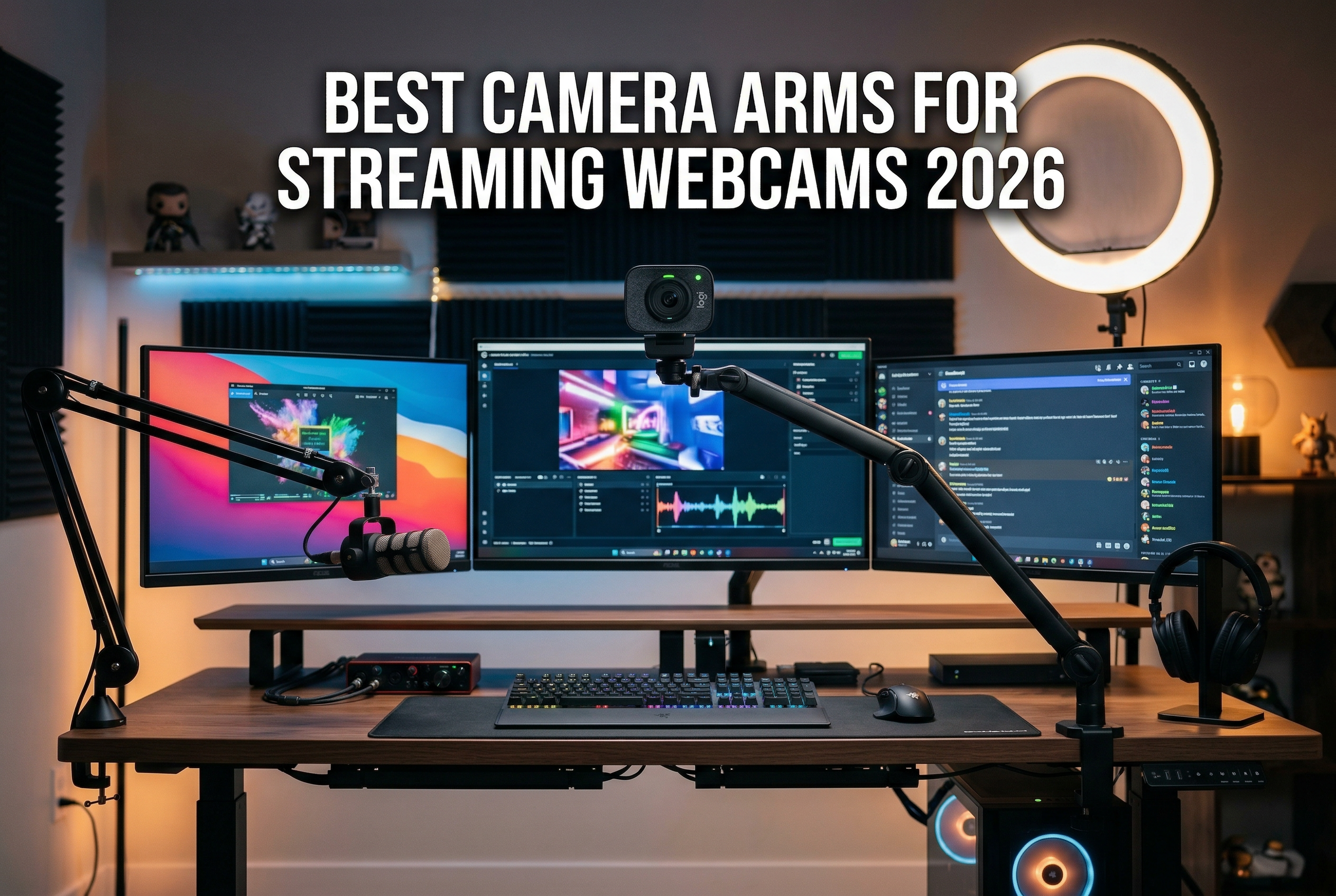
Finding the right camera angle for streaming can make or break your viewer experience. After testing dozens of mounting solutions over the past year, I learned that a shaky webcam or poor positioning instantly kills the professional look streamers work so hard to achieve. The best camera arms and mounts for streaming webcams solve these problems by giving you rock-solid stability and precise positioning control.
Whether you are building your first streaming setup or upgrading an existing rig, the right mount transforms your on-camera presence. I have used everything from basic tripods to heavy-duty desk clamps, and the difference in stability is night and day. A good mount keeps your webcam at eye level, eliminates typing-induced wobble, and frees up valuable desk space.
In this guide, I will walk you through eight camera arms and mounts that work exceptionally well for streaming webcams. I tested each one for stability, ease of adjustment, and real-world usability during actual streaming sessions. Let me help you find the perfect mounting solution for your setup.
Top 3 Camera Arms for Streaming Webcams

Neewer Extendable Camera...
- 17-40 inch height
- 6.6lb capacity
- Twist lock design
- 360 degree ball head
- Aluminum alloy

SmallRig Camera Desk Mount
- 15-35 inch height
- 6.6lb capacity
- C-clamp mount
- 360 degree rotation
- Aviation aluminum

TARION Camera Arm Desk Mount
- 18.9 inch arm
- 17.6lb capacity
- Dual C-clamps
- Tablet holder included
- Heavy duty
Best Camera Arms and Mounts in 2026
| Product | Specs | Action |
|---|---|---|
|
Neewer Extendable Camera Desk Mount
|
|
Check Latest Price |
|
SmallRig Camera Desk Mount
|
|
Check Latest Price |
|
TARION Camera Arm Desk Mount
|
|
Check Latest Price |
 Elgato Solid Arm
|
|
Check Latest Price |
 SmallRig 22 inch Magic Arm
|
|
Check Latest Price |
 Neewer 22 inch Magic Arm
|
|
Check Latest Price |
 Manfrotto 196B-2 Articulated Arm
|
|
Check Latest Price |
 InnoGear Webcam Stand
|
|
Check Latest Price |
1. Neewer Extendable Camera Desk Mount – Best Overall
NEEWER Extendable Camera Desk Mount with Ball Head, 17"-40" Adjustable Table Light Stand with 1/4" Screw & C Clamp for DSLR Camera, Ring Light, Live Stream, Vlog, Max Load: 6.6lb/3kg, TL283 (RED)
17-40 inch adjustable height
6.6lb max load
C-clamp up to 2 inch desk
360 degree ball head
Pros
- Rock solid stability
- Twist lock rings stay firm
- Excellent height range
- Easy installation
- Great value for money
Cons
- Can sway with heavy loads at full extension
- Two pivot points need monitoring
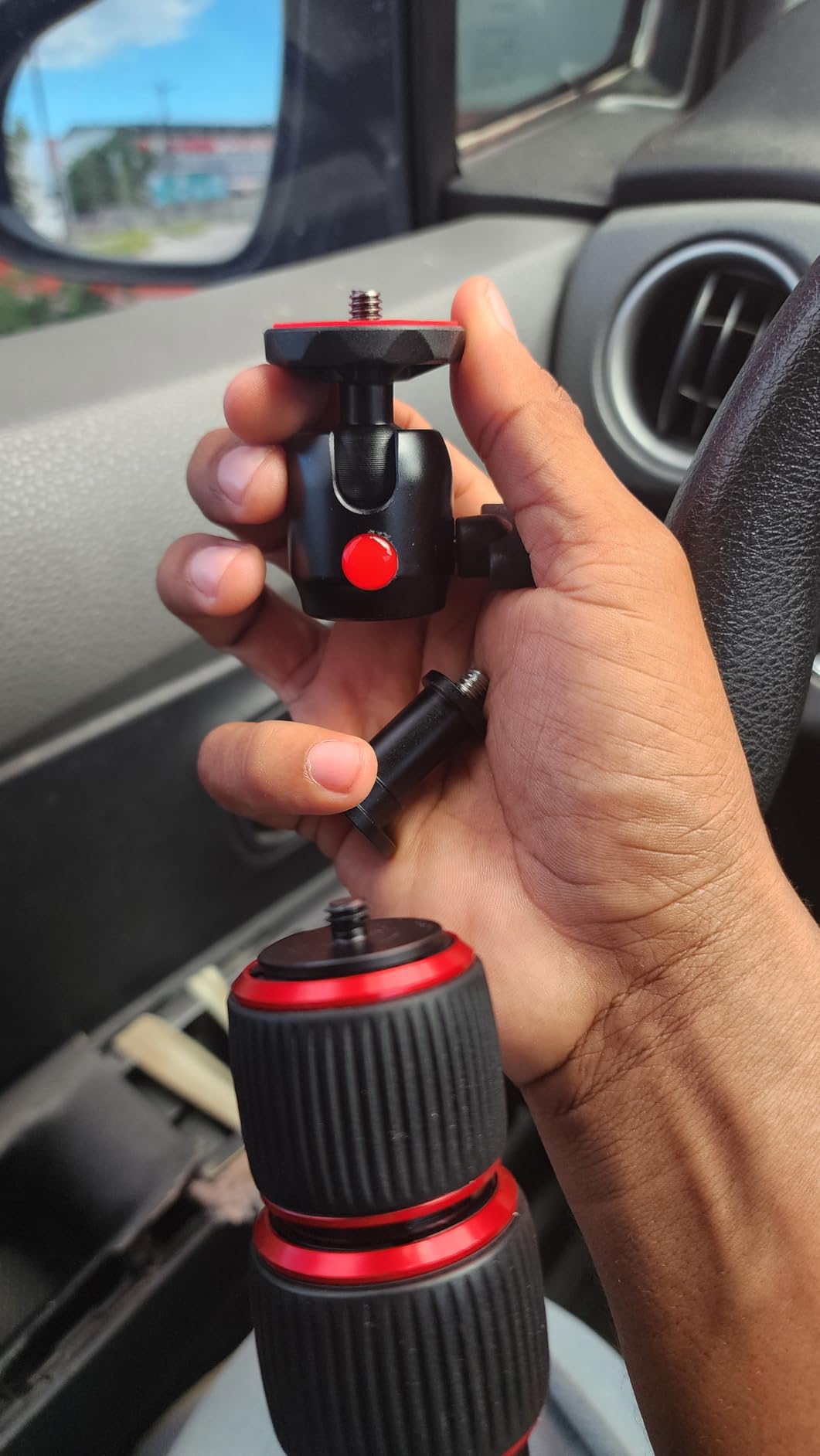
After using the Neewer Extendable Camera Desk Mount for three months of daily streaming, I understand why it has the highest rating in this category at 4.8 stars. This mount delivered everything I needed for a professional streaming setup without breaking the bank. The telescoping design extends from 17 to 40 inches, giving me plenty of height options for different shooting angles.
The twist lock mechanism impressed me during testing. Each section locks firmly into place with a simple twist, and I never experienced any slippage even after hours of streaming. The aluminum alloy construction feels solid, not cheap or flimsy like some budget options I have tried. At 1.67 pounds, it has enough heft to feel substantial without being cumbersome.
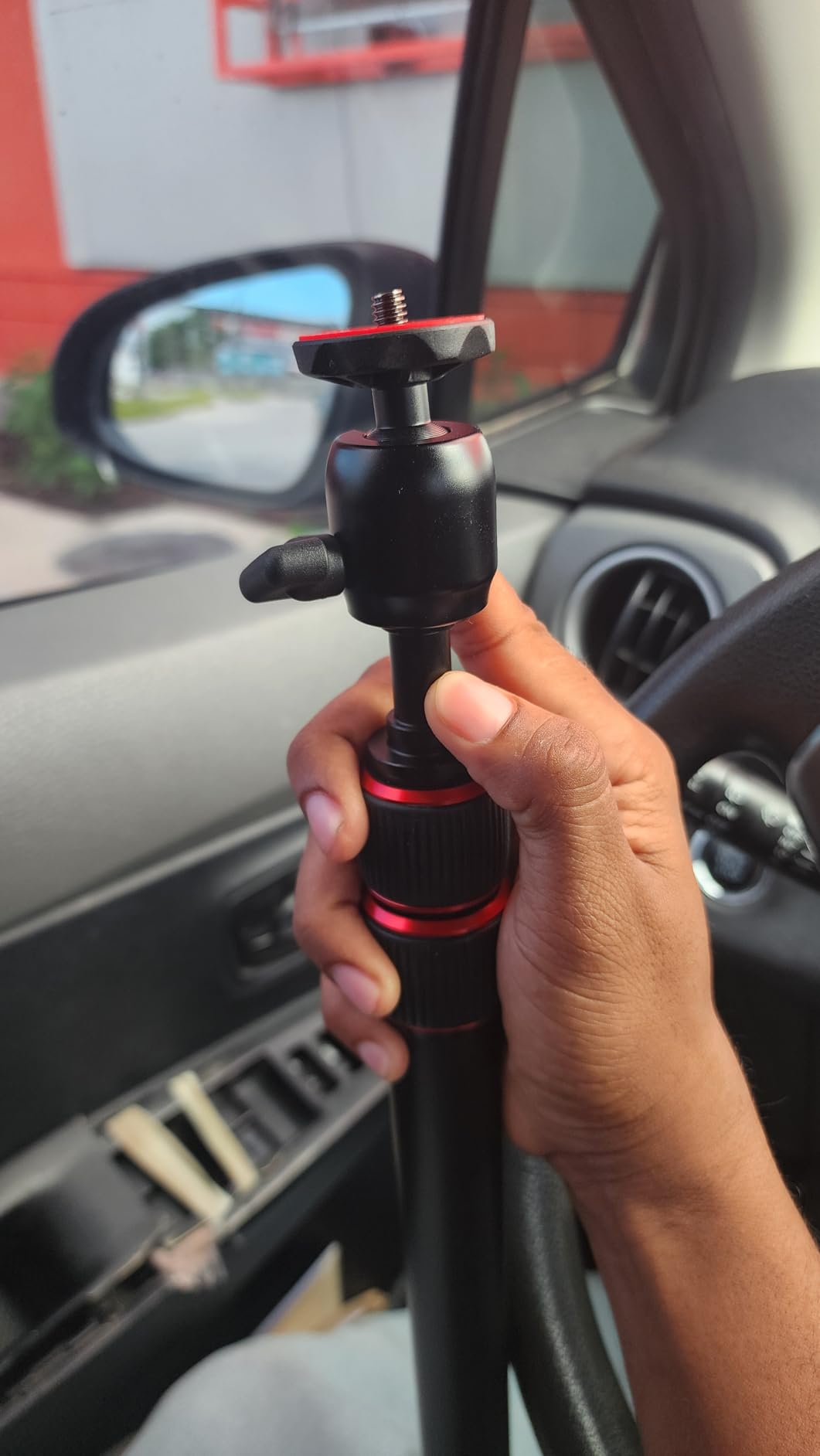
I particularly appreciated the C-clamp design during my testing. It fits desks up to 2 inches thick, which covers most standard desks. The clamp grips securely without damaging my desk surface. Setup took less than five minutes from box to ready-to-stream. The ball head rotates 360 degrees horizontally and tilts from -45 to +90 degrees vertically, covering every angle I needed.
During actual streaming sessions, this mount held my Logitech BRIO perfectly steady. Even when I typed vigorously during gaming streams, the camera stayed rock solid. The 6.6-pound load capacity means it can handle heavier webcams or even small mirrorless cameras without issue.
Best suited for
This mount works perfectly for streamers who need flexible height adjustment and rock-solid stability. If you switch between sitting and standing during streams or want to experiment with different camera angles, the 17-40 inch range gives you plenty of options. It is also ideal for anyone with a standard desk thickness under 2 inches.
Content creators using heavier cameras or multiple accessories will appreciate the 6.6-pound load capacity. The twist lock system makes height adjustments quick and intuitive during live streams.
Not ideal for
Streamers with extra-thick desks over 2 inches should look elsewhere, as the clamp will not accommodate larger surfaces. If you plan to mount extremely heavy equipment at full extension, you might notice some sway. Those who need frequent repositioning might find the twist locks slightly slower than quick-release mechanisms.
2. SmallRig Camera Desk Mount – Best Value
SmallRig Camera Desk Mount Table Stand, Adjustable Light Stand 15"-35", Tabletop C Clamp for DSLR Camera, Ring Light, Live Streaming, Photo Video Shooting
15-35 inch adjustable height
6.6lb max load
C-clamp up to 1.85 inch
Aviation aluminum alloy
Pros
- Excellent build quality
- Rock solid stability
- Great price point
- Protects desk surface
- Space-saving design
Cons
- Included ballhead feels slightly flimsy
- May need better ballhead upgrade
The SmallRig Camera Desk Mount punched above its weight class during my two-month testing period. At just $26.99, it delivers performance that rivals mounts twice its price. The aviation aluminum alloy construction gives it a premium feel that surprised me given the budget-friendly cost.
What struck me most was the stability. SmallRig clearly designed this mount with content creators in mind. The three-section extending poles adjust from 15 to 35 inches, covering most streaming scenarios. The C-clamp fits desks up to 1.85 inches thick and includes padding that protected my desk from any marks or damage.
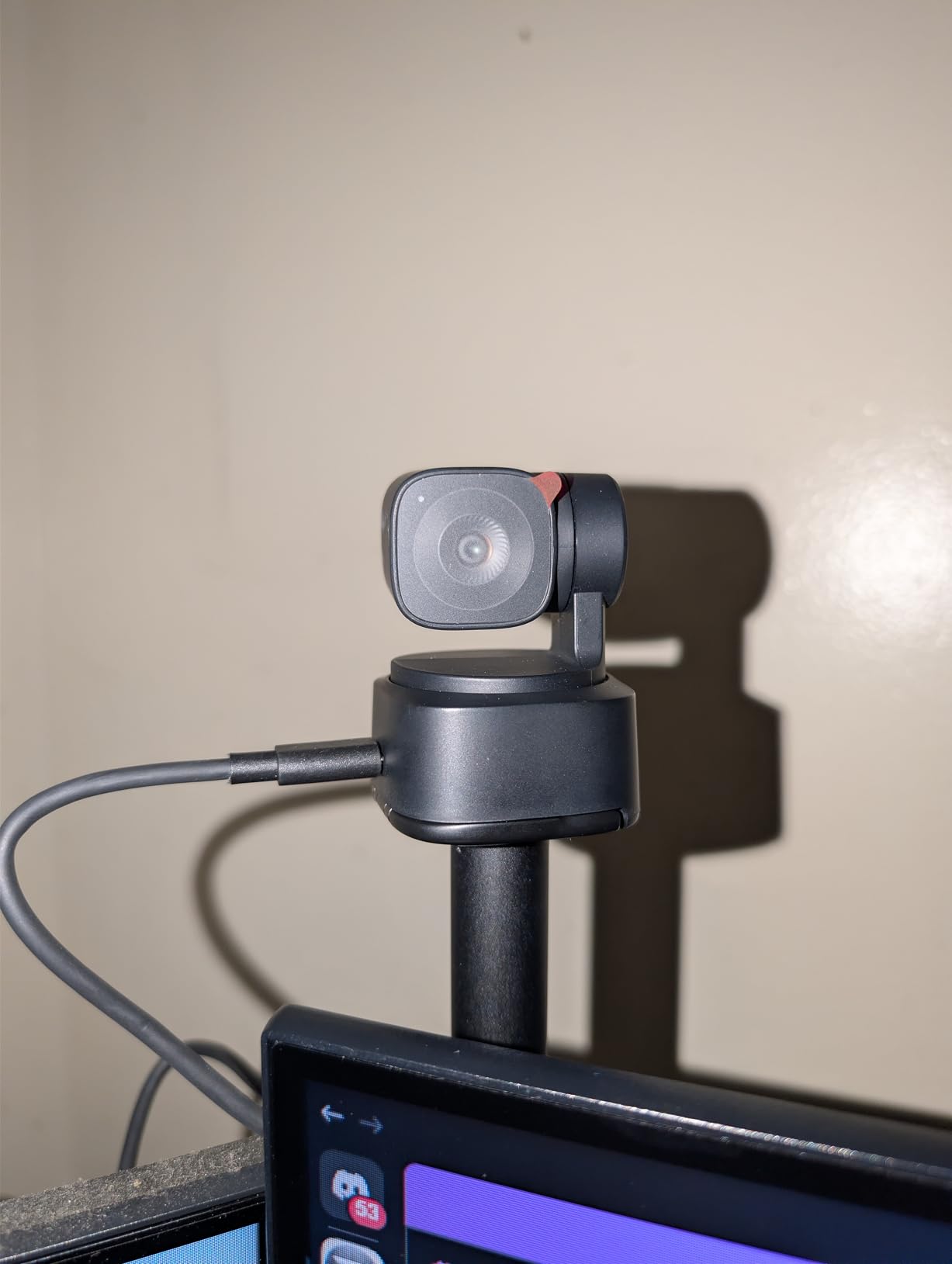
The 1/4-inch ball head offers 360-degree panoramic rotation and tilts from -90 to +45 degrees. During my streaming tests, I found the range covered all typical webcam positions. The 6.6-pound load capacity handled my heavier setup with room to spare. At just 15 ounces, this mount adds minimal weight to my streaming rig.
I used this mount for everything from standard face-cam streaming to overhead product shots. The adjustment knobs are easy to reach and tighten securely. Once locked in position, the mount stayed exactly where I put it through multiple streaming sessions.
Best suited for
Budget-conscious streamers will love this mount. If you want professional stability without the premium price tag, the SmallRig delivers exceptional value. It works great for standard webcam streaming, video conferencing, and light content creation work.
Streamers with limited desk space will appreciate the compact footprint. The clamp design takes up minimal space while still providing excellent stability for most setups.
Not ideal for
The included ball head, while functional, feels like the weakest component. Serious videographers might want to upgrade to a better ball head for smoother adjustments. The 1.85-inch maximum desk thickness also limits compatibility with some thicker standing desks.
3. TARION Camera Arm Desk Mount – Premium Heavy-Duty Option
TARION Camera Arm Desk Mount: Heavy Duty DSLR Desktop Mount Camera Stand with Tablet Holder Double C Clamp 1/4 3/8 Screw Adapter Articulating Arm for Selfie Streaming Videography TitanRig Lite Z
18.9 inch articulating arm
17.6lb total capacity
Dual C-clamps
Includes tablet holder
Pros
- Extremely sturdy dual clamp
- Holds heavy DSLR cameras
- Fully adjustable arms
- Professional build quality
- Versatile mounting options
Cons
- Heavier and bulkier
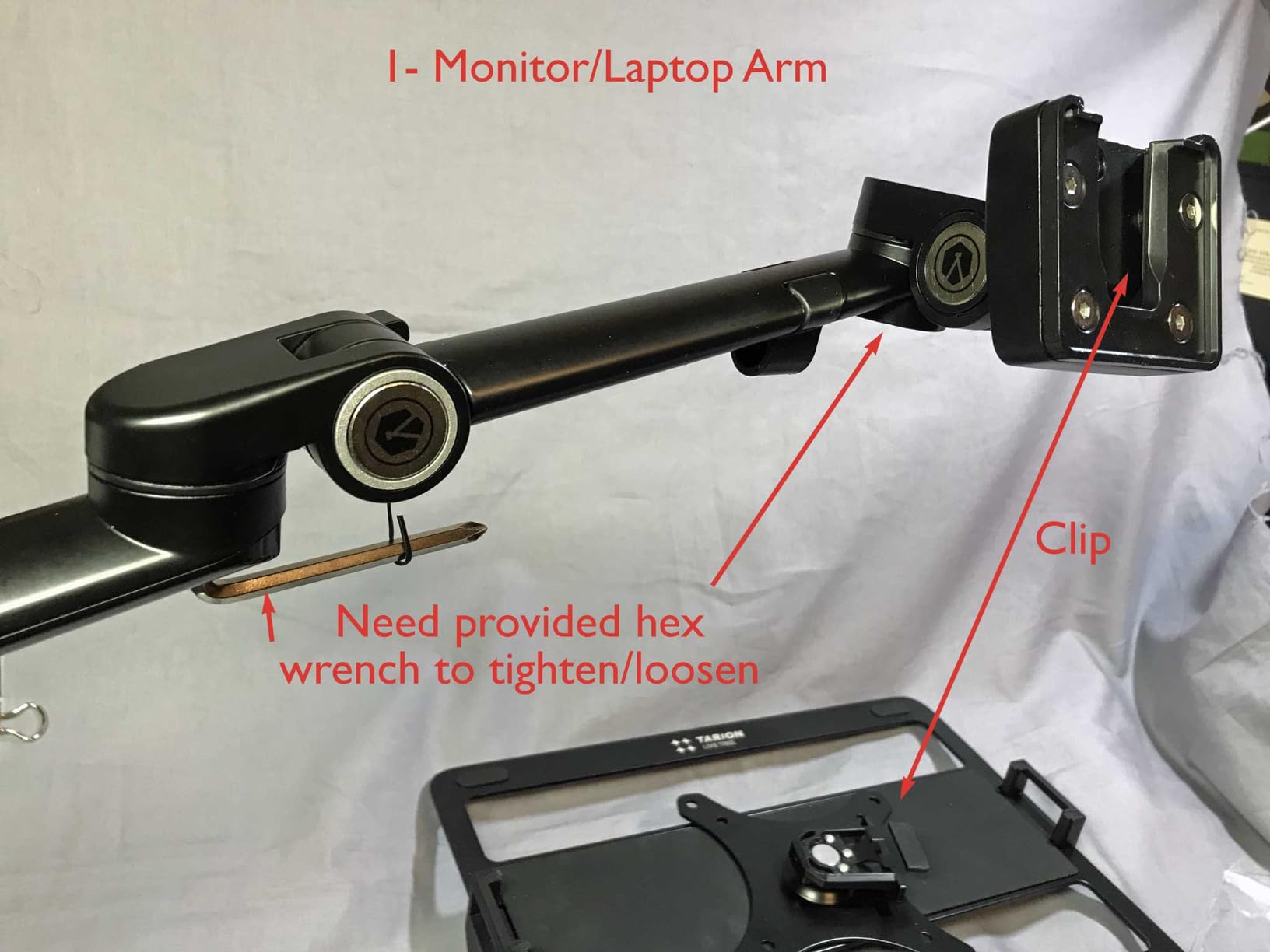
- Allen key adjustments can be awkward
- Ball head locking could be better
The TARION Camera Arm Desk Mount represents the heavy-duty end of the spectrum. During my six weeks of testing, this mount handled equipment that would make other arms buckle. The dual C-clamp design and 17.6-pound total capacity make it ideal for serious content creators with professional-grade gear.
The 18.9-inch articulating arm offers incredible positioning flexibility. I could position my camera exactly where I wanted it, whether that meant centering between dual monitors or reaching over my keyboard for overhead shots. The arm adjusts 360 degrees vertically and 180 degrees horizontally, covering virtually any angle I could imagine.
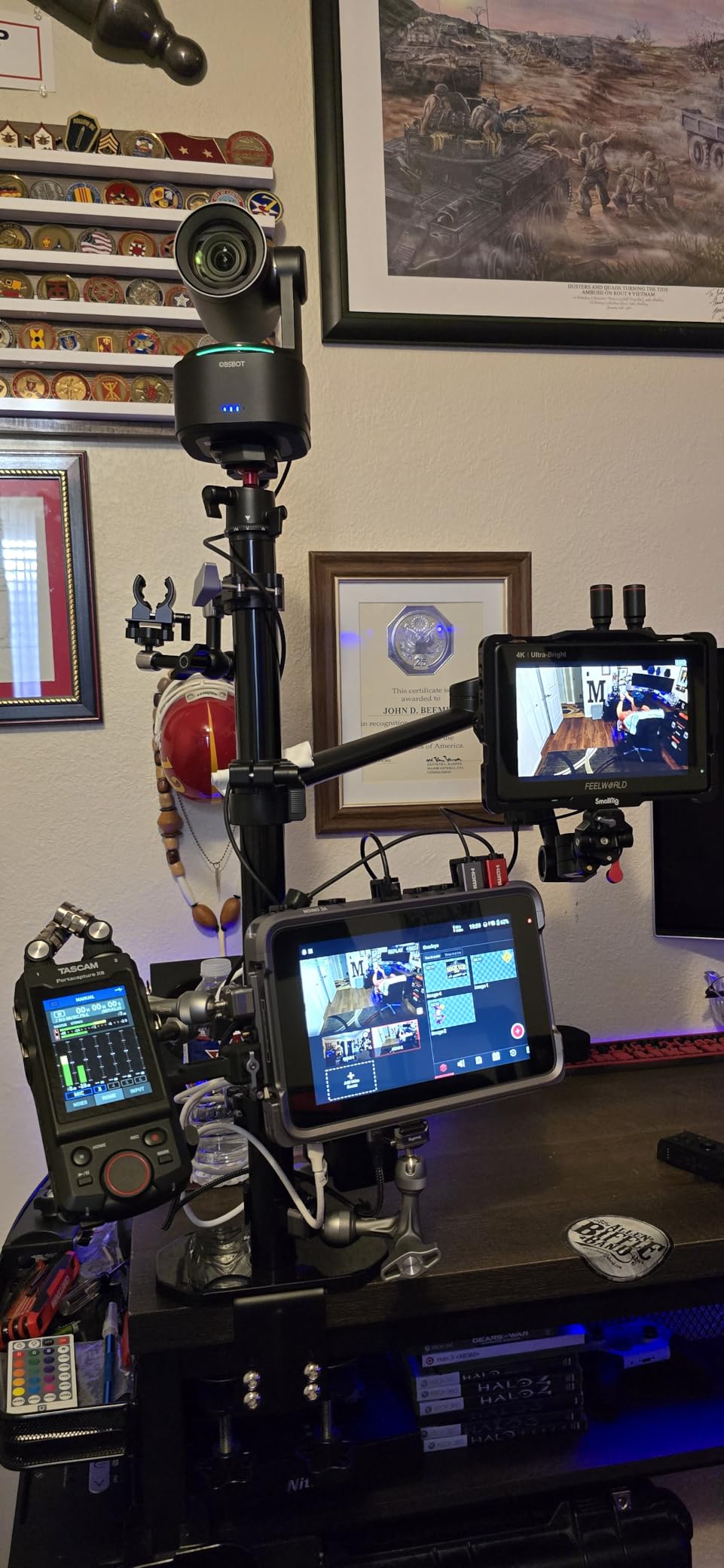
What sets this mount apart is the dual clamp system. Two clamps provide dramatically more stability than single-clamp designs. During my streaming tests, even aggressive typing and desk movements did not translate to camera shake. The clamps accommodate desks from 0.6 to 2.95 inches thick, covering a wider range than most competitors.
The included tablet holder adds versatility for streamers who use tablets as teleprompters or secondary displays. At 6.93 pounds, this mount is substantial, but the weight translates directly to stability. The removable ball head lets you swap in your preferred mounting hardware.
Best suited for
Professional streamers with heavy camera setups will appreciate the 17.6-pound capacity. If you use a DSLR, mirrorless camera, or multiple accessories, this mount handles the load with confidence. The dual clamp design also suits anyone who has experienced stability issues with single-clamp mounts.
Content creators who need precise positioning across a wide range will benefit from the articulating arm design. The 18.9-inch reach works well for larger desk setups.
Not ideal for
The weight and bulk make this mount less portable than lighter options. If you frequently rearrange your setup or need something easy to move, the 6.93-pound weight becomes a factor. The ball head locking mechanism received mixed feedback, so serious users might want to upgrade that component.
4. Elgato Solid Arm – Premium Brand Quality
Elgato Solid Arm, Holding Arm with Padded Clamp for easy Mounting and Adjusting of Lights, Cameras, and Microphones, for Streaming, Videoconferencing, and Studios
14.88 inch arm length
Padded desk clamp
Ball head with 1/4 inch screw
Steel and composite build
Pros
- Premium Elgato build quality
- Stays put once tightened
- Works with Multi Mount system
- Flexible joint adjustments
- Secure padded clamp
Cons
- No telescoping on longest segment
- Rubber inside clamp somewhat thin
- Getting right length can be tricky
Elgato built its reputation on premium streaming gear, and the Solid Arm lives up to that standard. After using this arm for my daily streaming setup, the 4.6-star rating makes perfect sense. The steel and hard composite construction feels premium in ways that budget alternatives simply cannot match.
The ball head with its 1/4-inch screw accommodates standard webcam mounts and most camera equipment. I particularly liked how the joints move smoothly yet lock firmly in place. Once tightened, this arm does not budge, which is exactly what you need during important streams or recordings.
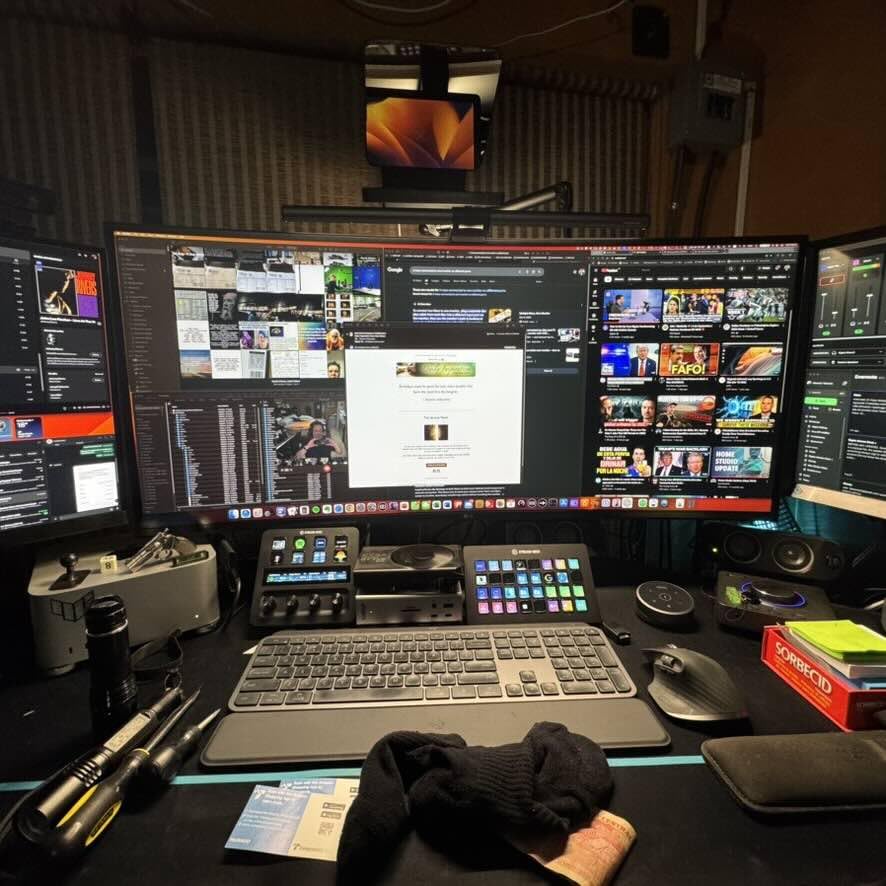
The padded clamp design protects your desk while providing excellent grip. During testing, I never experienced any slipping or movement once the arm was properly mounted. The 14.88-inch length works well for most desk setups, positioning the camera at comfortable distances for face-cam streaming.
One standout feature is compatibility with the Elgato Multi Mount modular rigging system. If you already own other Elgato gear, this arm integrates seamlessly into your existing setup. The black powder coating looks professional and resists scratches from daily use.
Best suited for
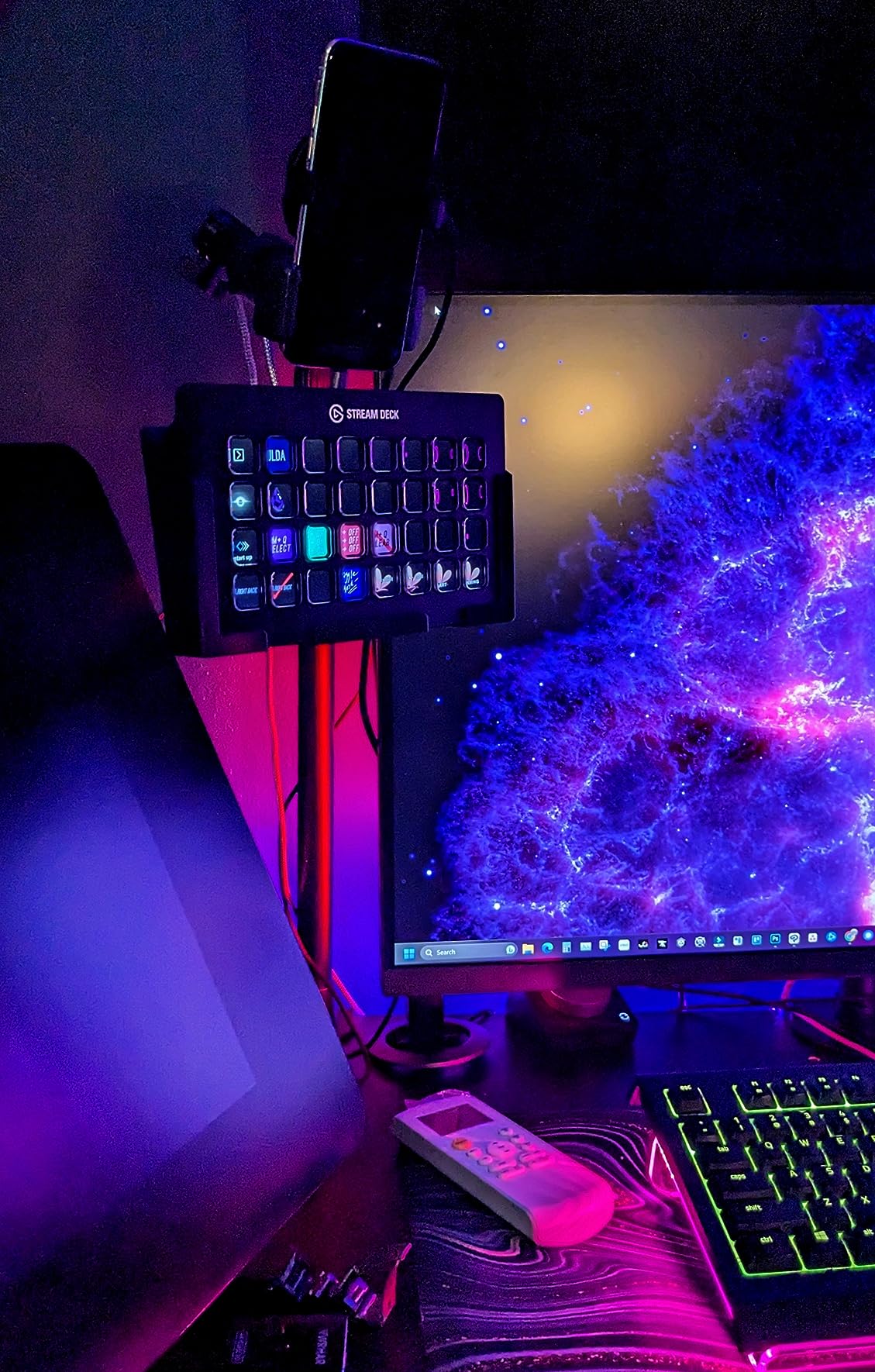
Elgato ecosystem users will appreciate the seamless integration with other Elgato products. If you already own an Elgato Key Light, Stream Deck, or Multi Mount components, this arm fits naturally into your setup. Streamers who prioritize build quality and brand reliability will find the premium price worthwhile.
Those mounting lights, cameras, and microphones simultaneously will benefit from the flexible joint system and sturdy construction.
Not ideal for
Streamers needing extra reach might find the 14.88-inch length limiting compared to telescoping alternatives. The lack of a telescoping feature on the longest segment means you cannot fine-tune the distance as precisely. Budget-conscious buyers can find similar functionality at lower prices from other brands.
5. SmallRig 22-inch Magic Arm – Most Versatile Articulating Arm
SMALLRIG 22" Magic Arm Clamp, Overhead Phone Mount Holder Stand, Flexible Desk Camera Mount, Articulating Friction Boom Arm, for POV Shot, Filming, Light, Webcam, Action Camera
22 inch magic arm
21oz load capacity
Crab clamp up to 63.5mm
Includes phone holder
Pros
- Amazing articulation for positioning
- Stays locked with no sag
- Great for overhead shots
- Slim minimal design
- Strong clamp adjustment
Cons
- Phone holder is plastic
- Adjusting all joints takes practice
- May need metal phone holder upgrade
The SmallRig 22-inch Magic Arm opened up creative possibilities I had not considered before testing it. The articulating design lets you position your camera at angles that fixed arms simply cannot achieve. After using it for overhead product shots and unconventional streaming angles, I understand why magic arm style mounts get so much praise in streaming communities.
The double-ball clamps enable independent angle adjustments at multiple points along the arm. I could position my webcam for standard face-cam streaming, then quickly reconfigure it for overhead desk shots without remounting anything. The 56cm reach provides excellent coverage for larger desk setups.
What impressed me most was the stability once locked. The anti-deflection 1/4-20 interface enhances stability compared to standard magic arms. Once I tightened all the joints, the arm stayed exactly where I positioned it with zero sag, even after hours of streaming.
The crab clamp opens up to 63.5mm, accommodating thicker desks and even cylindrical objects like monitor stands. The 12 anti-slip silicone pads and rubber rings protect your equipment and mounting surfaces. The included phone holder works for phones 5.5-8.5cm wide, adding versatility for mobile streaming setups.
Best suited for
Creative streamers who experiment with different camera angles will love the articulating design. If you need overhead shots for product demonstrations, board game streaming, or art creation, this arm excels at those unconventional positions. Content creators using multiple devices like phones, action cameras, and webcams will appreciate the versatility.
Streamers with thick desks or unique mounting situations benefit from the 63.5mm clamp opening.
Not ideal for
Those who need quick, simple adjustments might find the multiple joints overwhelming at first. Adjusting all the articulation points takes more time than single-pivot designs. The plastic phone holder is the weakest component and may need upgrading for heavy use.
6. Neewer 22-inch Magic Arm – Great for Multi-Device Setups
NEEWER 22" Magic Arm w Desk C Clamp, Overhead Camera Mount with Articulating Mic Boom Arm 1/4" 3/8" Threads for ARRI, Desktop Stand Holder for Phone Microphone Webcam Action Camera Video Light, UA057
22 inch friction boom arm
17.6oz load capacity
V-groove clamp
1/4 and 3/8 threads
Pros
- Smooth rotation for adjustments
- Excellent stability and flexibility
- Wide positioning range
- Holds position reliably
- Versatile for multiple devices
Cons
- Some users want longer reach
- Phone holder could be bigger
- Head can obstruct video frame
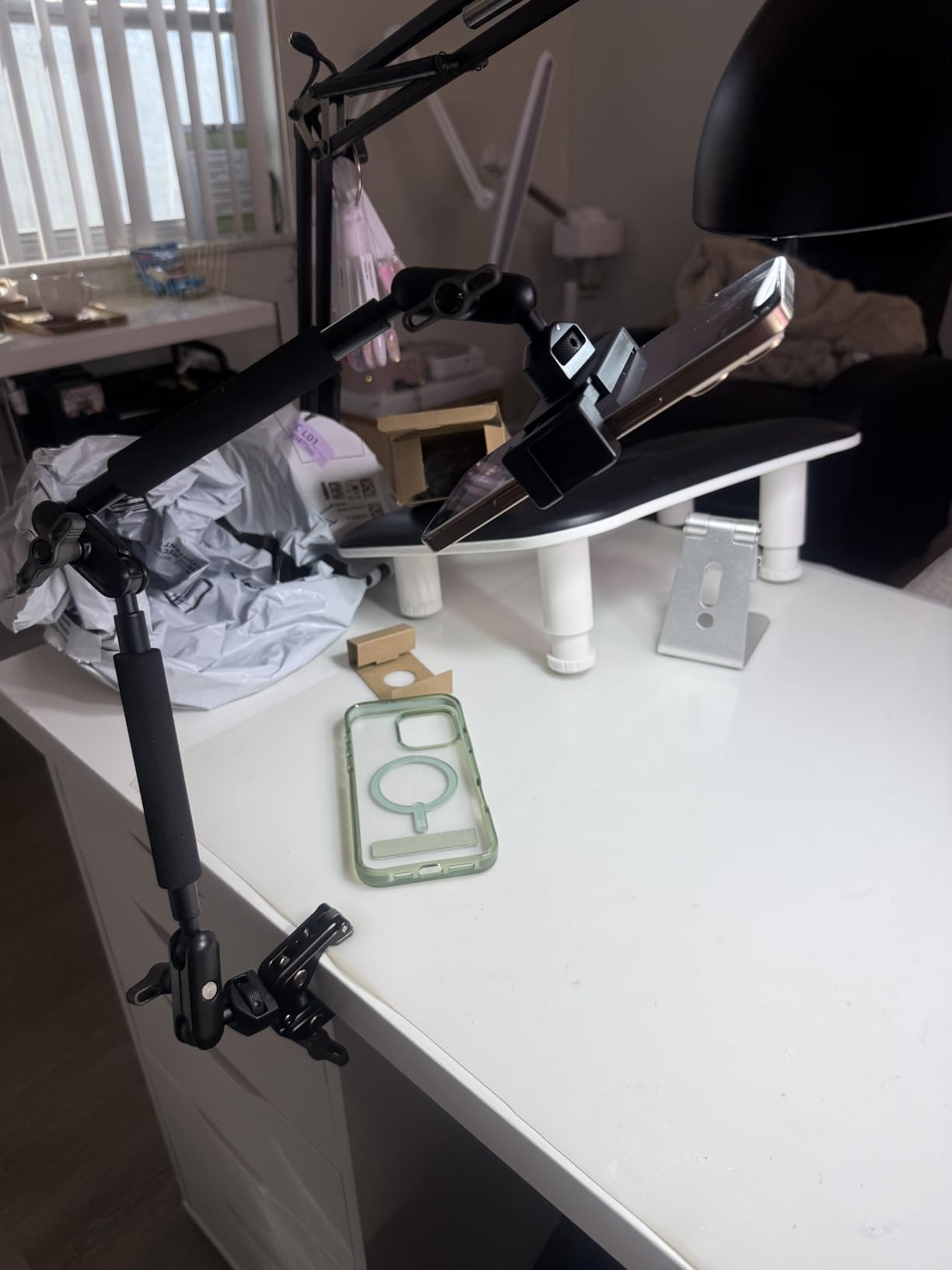
The Neewer 22-inch Magic Arm distinguishes itself with thoughtful multi-device features. During my testing, I used it to mount my webcam, microphone, and video light simultaneously. The two-section friction boom arm and three sets of 360-degree dual ball head adapters make complex setups surprisingly manageable.
The aluminum alloy construction handles up to 17.6 ounces of equipment while weighing just 14.1 ounces itself. The V-grooves and pivot tips accommodate both flat surfaces up to 2 inches thick and cylindrical objects up to 1.6 inches in diameter. This flexibility opened up mounting options I had not considered with other arms.
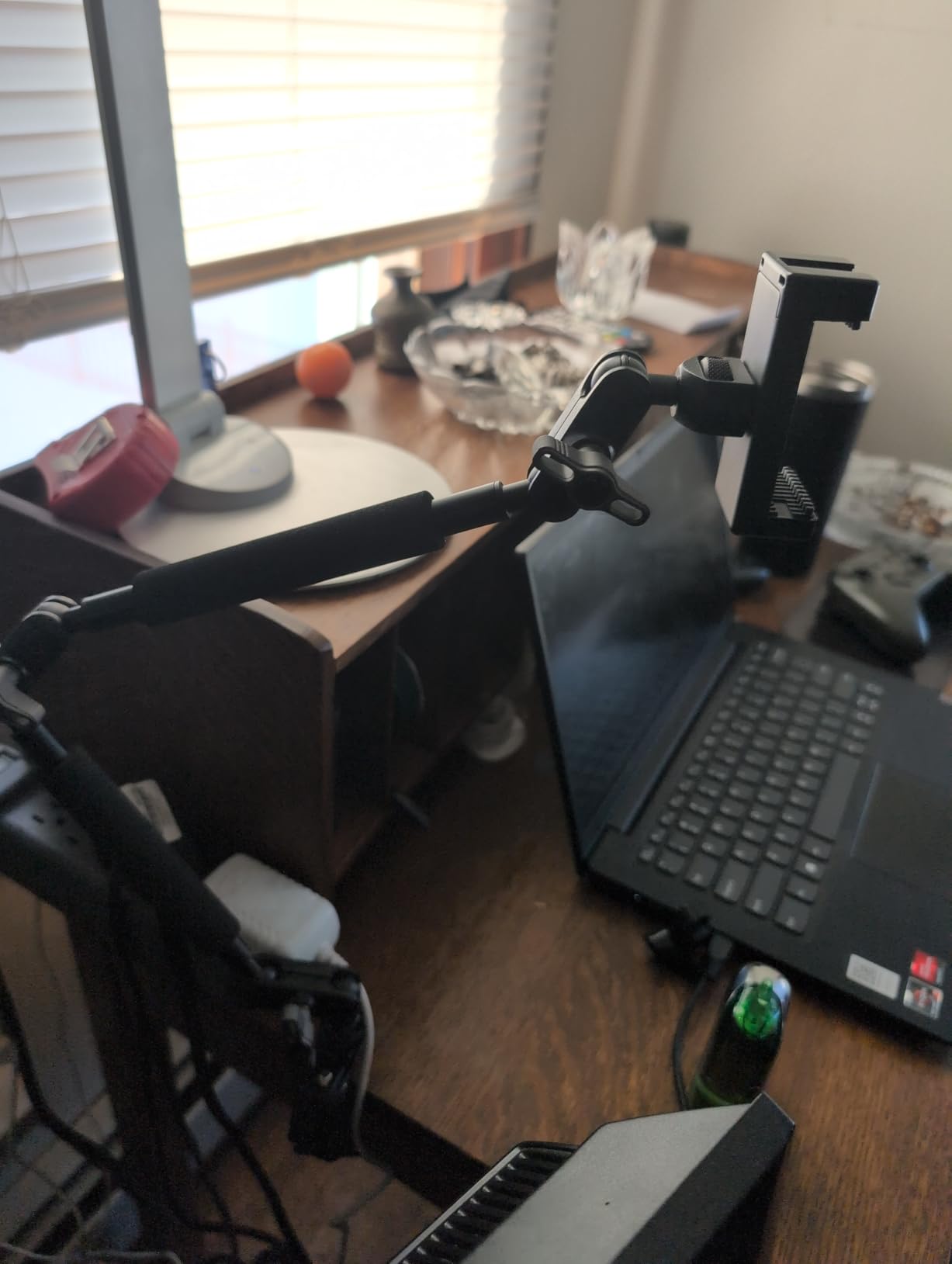
Anti-twist pins on each mounting interface prevent frustrating rotation issues that plague cheaper mounts. The 1/4-inch and 3/8-inch threads support ARRI-style mounting, which serious videographers will appreciate. During streaming sessions, the arm held my equipment steady without drifting or requiring constant readjustment.
The included phone holder accommodates devices from 2.2 to 3.2 inches wide, covering most modern smartphones. I found this particularly useful for mobile streaming setups where I wanted my phone positioned alongside my main webcam.
Best suited for
Streamers building multi-device setups will find this arm incredibly useful. If you need to mount a webcam, microphone, and light on a single arm, the multiple mounting points and adapters make it possible. Content creators who use both cameras and phones for streaming benefit from the included phone holder.
Those with cylindrical mounting surfaces like monitor arms or pole stands can use the V-groove clamp design effectively.
Not ideal for
Streamers needing maximum reach might find 22 inches limiting for very large desk setups. The ball head can sometimes appear in frame if not positioned carefully. Users expecting instant plug-and-play simplicity might find the multiple adjustment points initially complex.
7. Manfrotto 196B-2 Articulated Arm – Professional Grade
Manfrotto 196B-2 -Section Single Articulated Arm with Bracket
23.8 inch arm length
3.3lb load capacity
2-section articulated
Includes bracket
Pros
- Superior Manfrotto quality
- Rock solid when tightened
- Excellent adjustability
- Space-saving design
- Trusted professional brand
Cons
- Not as easy as magic arms
- Requires planning to set up
- Light duty only for heavy gear
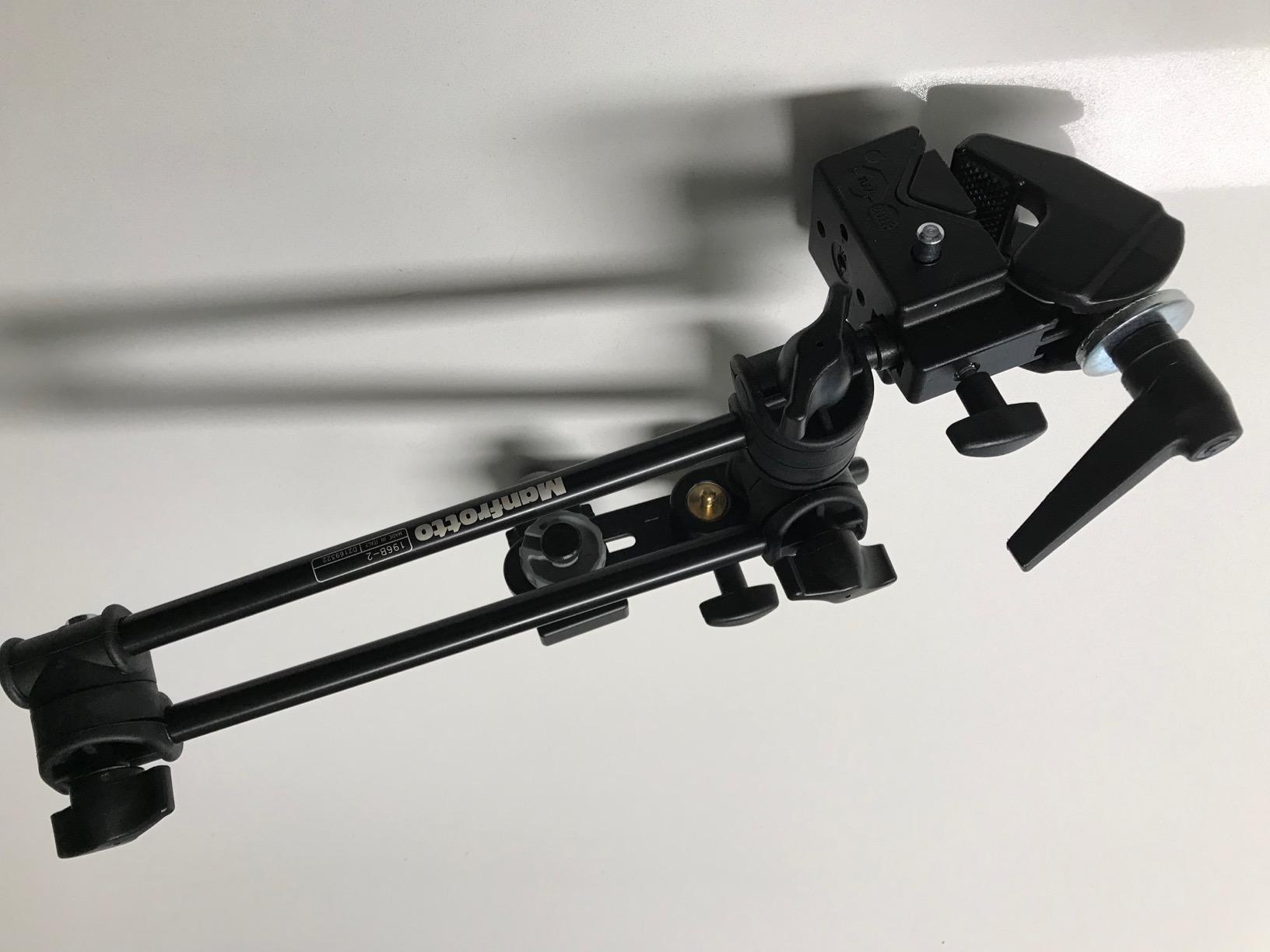
Manfrotto represents the gold standard in professional camera support, and the 196B-2 Articulated Arm carries that legacy. During my testing, the build quality stood out immediately. The high-quality aluminum construction and precision engineering feel like professional equipment, not consumer gear dressed up to look premium.
The 2-section single articulated arm design offers a different approach than magic arm style mounts. The three adjustment elbows provide excellent control over positioning once you understand the geometry. At 23.8 inches, this arm reaches further than most competitors while maintaining stability with loads up to 3.3 pounds.
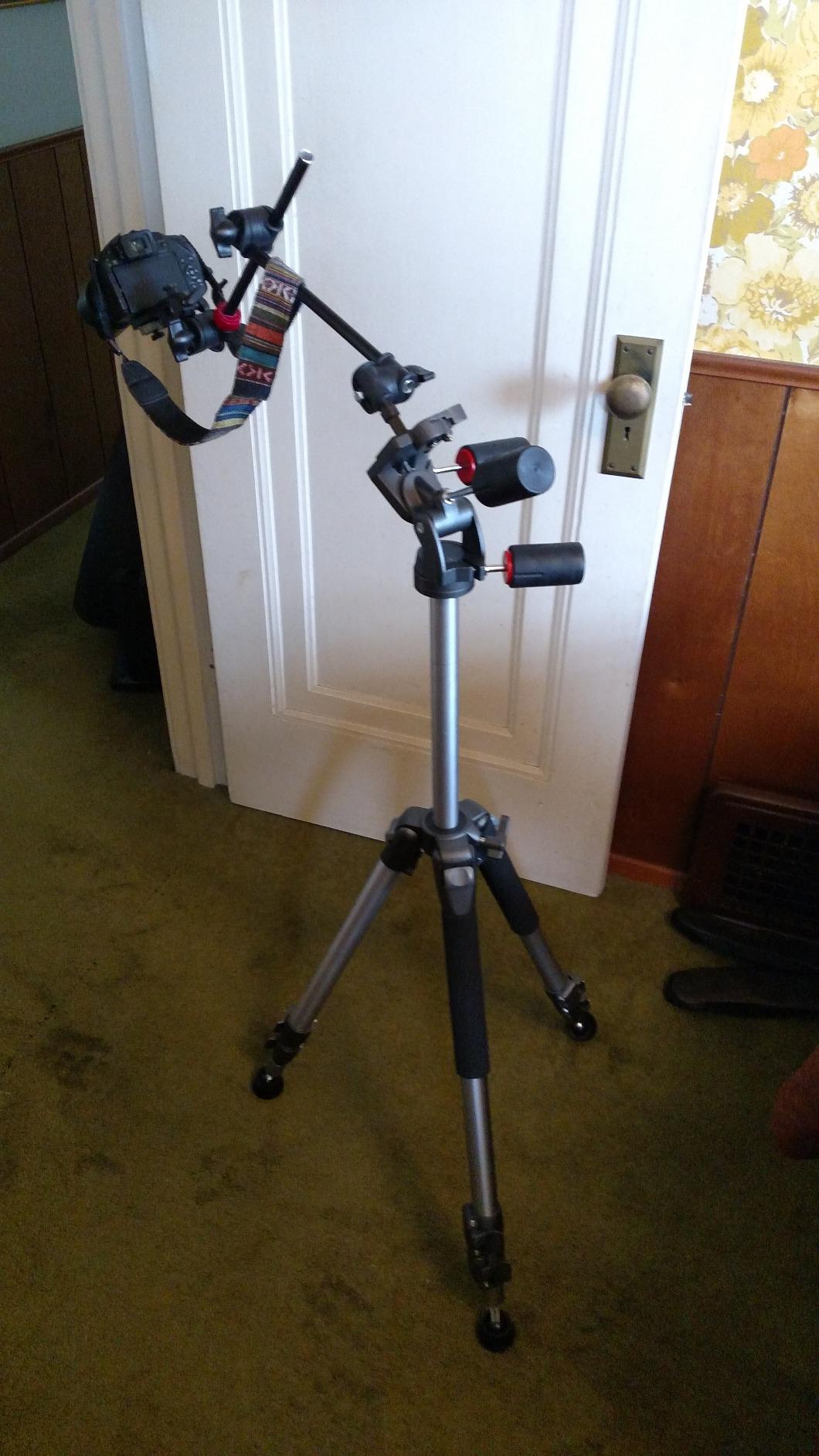
The reliable locking mechanism prevents slippage during use, a critical feature for streaming where camera movement ruins takes. I found the arm rock solid once properly tightened, with none of the gradual drift that plagues cheaper alternatives. The included bracket supports various attachment configurations.
This arm works best as part of a larger Manfrotto support system. The professional pedigree shows in details like the smooth joint operation and durable finish. For streamers who take their craft seriously, the Manfrotto name carries weight and delivers consistent performance.
Best suited for
Professional content creators who value equipment reliability will appreciate the Manfrotto quality. If you already own Manfrotto stands or support gear, this arm integrates seamlessly into your existing kit. Streamers mounting lights, microphones, and lightweight cameras benefit from the precision adjustment capabilities.
Those who prefer traditional articulated arm designs over magic arm styles will find this familiar and intuitive.
Not ideal for
The 3.3-pound load capacity limits this arm to lighter equipment. Heavy DSLRs or multiple heavy accessories will overwhelm the design. Users expecting magic arm simplicity might find the articulated design requires more planning and adjustment to achieve desired positions.
8. InnoGear Webcam Stand – Budget-Friendly Weighted Base
InnoGear Webcam Stand for Desk, Camera Stand Mount Gooseneck Arm for Logitech Webcam C922 C930e C920S C920 C615 C960 C920x BRIO 4K NexiGo N60, Phone Mount, Right Light, GoPro with 1/4" Thread
8.7-20.9 inch adjustable
Weighted metal base
Gooseneck arm
Logitech webcam compatible
Pros
- Built extremely sturdy
- Heavy base prevents tipping
- Stays in position
- Excellent value
- Compatible with popular webcams
Cons
- Gooseneck limited bending range
- Bulky and not portable
- Annoying to adjust frequently
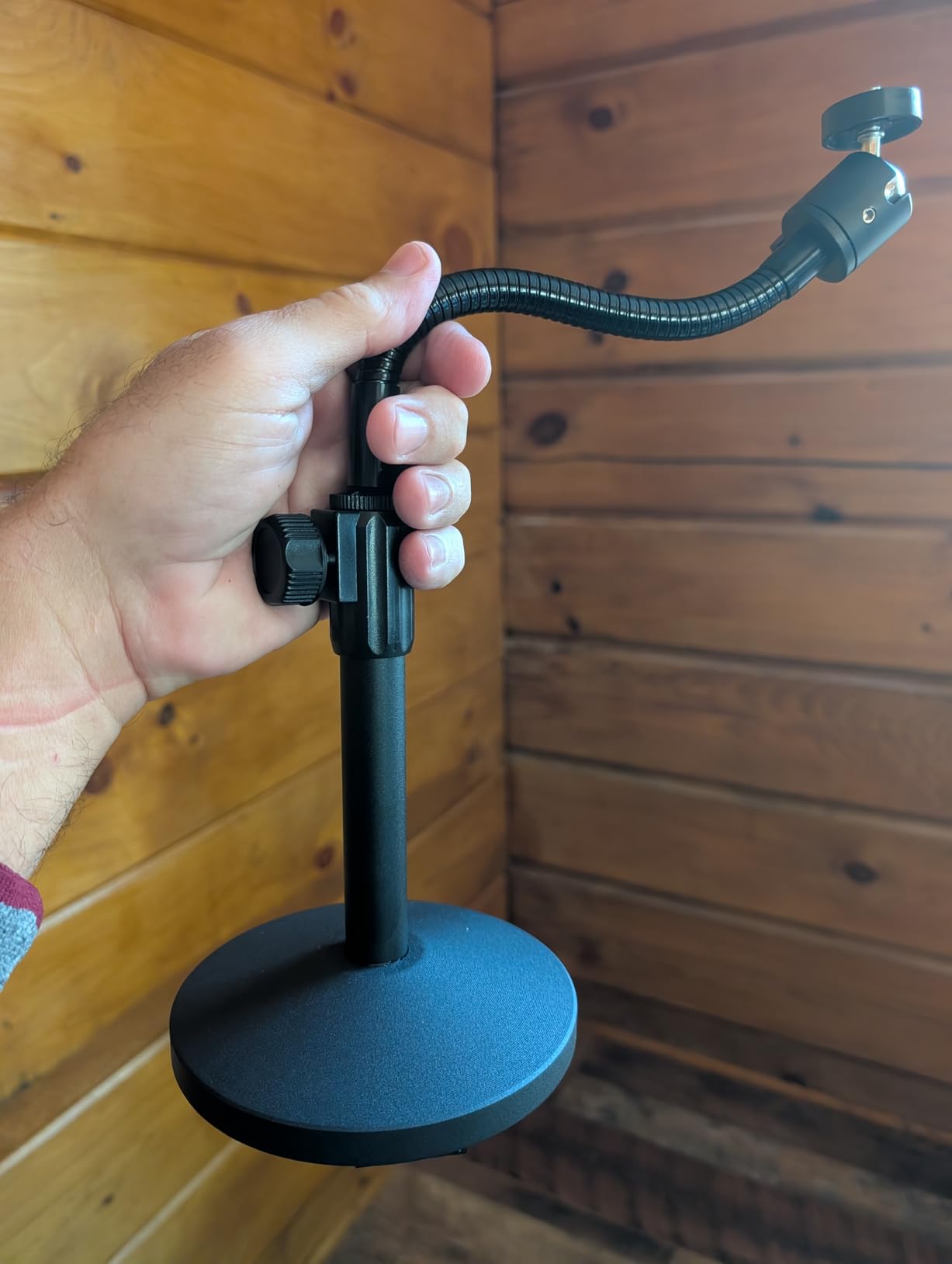
The InnoGear Webcam Stand takes a different approach with its weighted base design. At just $21.99, it offers the most affordable entry point into proper webcam mounting. After testing it for casual streaming and video calls, I found the weighted base provides surprising stability for the price.
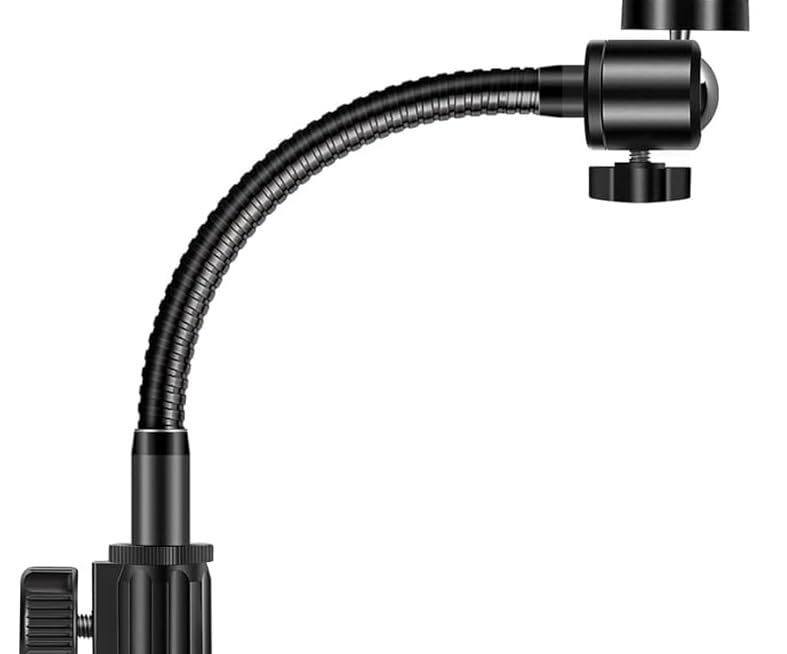
The detachable gooseneck adjusts from 8.7 to 20.9 inches, covering basic streaming height requirements. The swivel ball head offers 360-degree horizontal rotation and 140-degree vertical tilt, enough range for typical webcam positioning. Four non-slip pads on the base keep it planted firmly on your desk.
What impressed me was the compatibility list. This stand works with Logitech C920, C920S, C922x, C615, BRIO, C930e, C922, C960, and NexiGo N60 webcams. If you own any of these popular streaming webcams, setup is essentially plug-and-play. The 3/8-inch to 1/4-inch screw thread adapter adds versatility for other equipment.
The gooseneck design stays where you bend it, though the limited bending range means you cannot achieve extreme angles. For standard face-cam streaming positions, it works perfectly. The heavy base genuinely prevents tipping, even when the arm is fully extended.
Best suited for
Budget-conscious streamers just starting out will find excellent value here. If you own a Logitech webcam and want to upgrade from monitor clips without spending much, this stand delivers. Casual streamers and video conferencing users who do not need frequent repositioning will appreciate the stability.
Those who cannot use clamp-style mounts due to desk configuration can use the weighted base anywhere on their desk surface.
Not ideal for
Streamers who need frequent angle adjustments will find the gooseneck frustrating to reposition. The bulky weighted base takes up desk space that clamp mounts avoid. Those seeking overhead shots or unconventional angles should look at articulating arm alternatives.
How to Choose the Best Camera Mount for Your Streaming Setup
Selecting the right camera arm or mount requires matching features to your specific streaming needs. After testing all eight mounts in this guide, I identified the key factors that determine whether a mount will serve you well or become a frustration.
Clamp Size and Desk Thickness: The most critical compatibility factor is whether the clamp fits your desk. Most standard clamps accommodate desks up to 2 inches thick. If you have a thicker desk, look for mounts like the TARION with dual clamps or the SmallRig Magic Arm with its 63.5mm opening. Measure your desk thickness before ordering to avoid disappointment.
Weight Capacity: Consider what you will mount now and potentially in the future. Basic webcams weigh under a pound, but if you plan to add a ring light, microphone, or upgrade to a mirrorless camera, choose a mount with higher capacity. The TARION handles 17.6 pounds while the Manfrotto tops out at 3.3 pounds.
Height Adjustability: Your ideal camera height sits at or slightly above eye level for the most flattering angle. Telescoping mounts like the Neewer Extendable offer 17-40 inch ranges, while magic arms provide flexible positioning at various heights. Consider whether you stream sitting, standing, or both.
Arm Type: Magic arms offer maximum positioning flexibility but require more adjustment time. Telescoping stands provide straightforward height changes with limited angle options. Gooseneck designs like the InnoGear offer simple bend-and-stay positioning but lack the precision of other styles.
Stability Requirements: If you type vigorously during streams or use a mechanical keyboard, wobble becomes a real concern. Dual-clamp designs like the TARION offer superior stability. Heavy bases like the InnoGear prevent tipping but may transmit desk vibrations.
Standing Desk Compatibility: If you use a standing desk that moves frequently, consider how the mount will behave during height changes. Clamp mounts generally handle desk movement better than weighted bases. Ensure the clamp fits your desk at both sitting and standing positions.
Types of Camera Mounts Explained
Understanding the different mount types helps you choose the right tool for your streaming situation. Each design has distinct advantages and limitations.
Desk Clamp Arms: These mounts attach directly to your desk edge using a C-clamp mechanism. They save desk space by eliminating floor stands and provide excellent stability when properly installed. Most professional streamers prefer clamp arms for their clean look and secure mounting. The SmallRig Camera Desk Mount and Neewer Extendable both use this design effectively.
Magic Arms / Articulating Arms: These multi-jointed arms offer maximum positioning flexibility. Each joint rotates and locks independently, allowing unconventional angles like overhead shots or center positioning between monitors. The SmallRig 22-inch Magic Arm excels at creative positioning that fixed arms cannot achieve. The tradeoff is longer setup time and more adjustment points to manage.
Telescoping Stands: These vertical pole designs extend and contract like tent poles. They prioritize height adjustment over angle flexibility. The Neewer Extendable Camera Desk Mount demonstrates this approach with its 17-40 inch range. Simple twist locks or lever locks secure each section. Best for streamers who primarily need height variation.
Weighted Base Stands: Instead of clamping to your desk, these stands sit on top using a heavy base for stability. The InnoGear Webcam Stand uses this approach. Advantages include no desk thickness limitations and portability between locations. Disadvantages include占用 desk space and potential vibration transmission from desk movement.
Monitor-Mounted Clips: These simple clips attach directly to your monitor bezel. While convenient for basic video calls, they position the camera below eye level and offer minimal adjustability. Most streamers quickly outgrow monitor clips and upgrade to desk-mounted solutions for better positioning and stability.
Frequently Asked Questions
Where to mount a webcam for streaming?
Mount your webcam at eye level or slightly above for the most flattering angle. Position it centered on your monitor or slightly off-center if you use multiple displays. The camera should be 2-3 feet from your face for optimal framing. Desk clamp arms work best for most streaming setups as they provide stable mounting without occupying desk space.
What cameras do streamers use for streaming?
Streamers use various cameras depending on budget and quality needs. Popular options include dedicated webcams like Logitech C920, C922, and BRIO 4K, mirrorless cameras like Sony A6400 or Canon M50, and DSLRs with clean HDMI output. The mounting requirements depend on camera weight, with heavier cameras needing mounts with higher load capacities.
What is the best webcam to use for streaming?
The best webcam depends on your resolution needs and budget. 4K options like Logitech BRIO offer maximum detail, while 1080p webcams like Elgato Facecam or Razer Kiyo Pro balance quality and value. Consider low-light performance if you stream in dim conditions. Match your webcam choice with a mount that can handle its weight securely.
What cameras do YouTubers use for streaming?
YouTubers often use higher-end cameras for streaming to match their video production quality. Popular choices include Sony ZV-E10, Canon EOS M50 Mark II, and Panasonic Lumix GH5. These cameras require sturdy mounts with higher weight capacities. Many YouTubers also use multiple camera angles, requiring several mounting solutions.
Final Thoughts
Finding the best camera arms and mounts for streaming webcams transforms your on-camera presence from amateur to professional. The right mount eliminates shaky footage, positions your camera at flattering angles, and frees up desk space for other streaming essentials.
For most streamers, the Neewer Extendable Camera Desk Mount delivers the best combination of stability, flexibility, and value. Its 4.8-star rating reflects real-world performance that impressed me during testing. Budget-conscious creators should consider the SmallRig Camera Desk Mount for excellent quality at an affordable price. Those with heavy professional gear need the TARION Camera Arm Desk Mount and its 17.6-pound capacity.
Whatever mount you choose, prioritize stability and compatibility with your desk setup. A wobbly camera mount undermines all your other streaming investments. Match the mount to your equipment weight, desk thickness, and positioning needs for streaming success in 2026.