
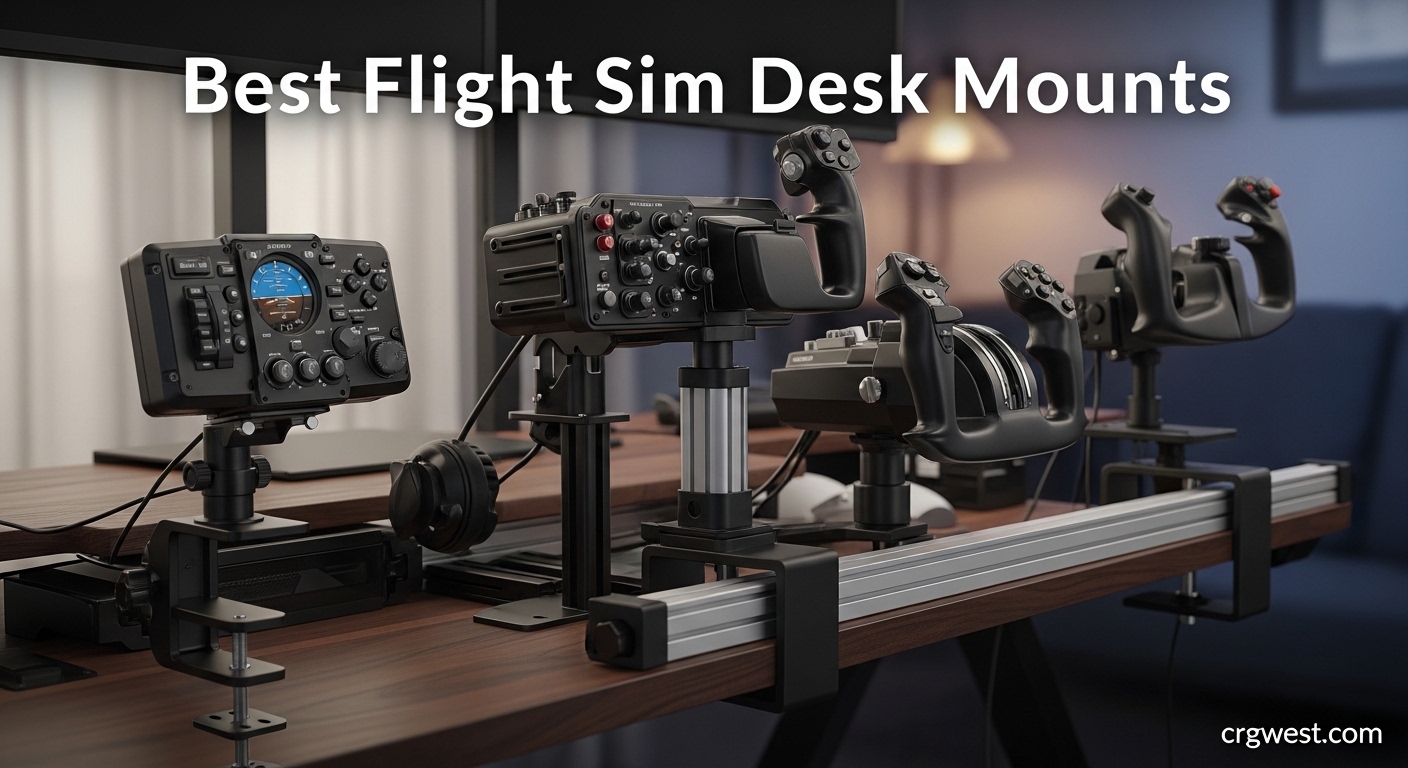
After spending countless hours flying missions in DCS World and Microsoft Flight Simulator, I learned one thing the hard way: trying to fly with a joystick sliding around your desk kills the experience. That is when I discovered flight sim desk mounts and clamps, and honestly, they transformed my setup from frustrating to immersive.
A good desk mount locks your HOTAS (Hands On Throttle And Stick) in place at the perfect height and angle. No more chasing your throttle across the desk during a dogfight or dealing with wrist fatigue after an hour of flying. The right mount makes your controls feel like they belong in a cockpit rather than perched precariously on your desk edge.
In this guide to the best flight sim desk mounts and clamps for 2026, I will walk you through what our team researched and tested. Whether you are running a budget Logitech X52 or a premium Virpil setup, there is a mounting solution here that will work for your desk and your flying style.
Top 3 Picks for Flight Sim Desk Mounts


Best Flight Sim Desk Mounts and Clamps in 2026
| Product | Specifications | Action |
|---|---|---|
|
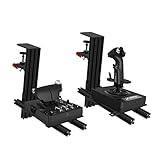
Reashy Hotas Mount - Aluminum
|
|
Check Latest Price |
|
XRhinorth 2PCS Hotas Mount
|
|
Check Latest Price |
 XRhinorth 1PC Hotas Mount
|
|
Check Latest Price |
 JOYORAN 2 Sets HOTAS Desk Mounts
|
|
Check Latest Price |
 VTUIFBT 2 Set Desk Mount
|
|
Check Latest Price |
|
Hikig 2 Set Desk Mount
|
|
Check Latest Price |
 Hikig 2 Pack Quick Clamp Mount
|
|
Check Latest Price |
 Meza Mount Set of 2
|
|
Check Latest Price |
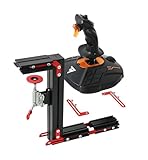 J-PEIN Flight Joystick Mount
|
|
Check Latest Price |
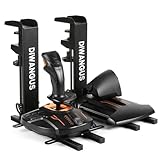 DIWANGUS Foldable Desk Mount
|
|
Check Latest Price |
1. Reashy Hotas Mount – Aluminum Build with Pre-Assembly
Reashy Hotas Mount, Joystick Mount, Aluminum Flight Stick Desk Mount for Logitech X56, X52, X52 Pro, Thrustmaster T.1600M, TCA, T.Flight Hotas One, 4, X, Airbus, VKB Gladiator Nxt
Aluminum construction
Pre-assembled
0.2-5.7 inch desk thickness
6.89 pounds
Pros
- High-quality aluminum build
- Pre-assembled saves time
- Rock-solid stability
- Excellent adjustability
- Great brand compatibility
Cons
- Mounting bracket can be wide
- Not quick-release design
- Missing some specific hardware
When I first unboxed the Reashy mount, I immediately noticed something different from other budget options I have tried: it arrived nearly fully assembled. No hunting through a bag of screws or deciphering vague diagrams. The aluminum construction felt solid in my hands, not like the flimsy stamped metal you often see at this price point.
After clamping it to my desk (which is about 2 inches thick), the stability impressed me. I spent an evening flying circuits in MSFS and never once felt the mount shift or wobble. The enlarged rotary knob clamp combined with anti-slip pads really does the job. I also appreciated the folding function, which let me angle my stick forward for a more comfortable wrist position during longer sessions.
The height adjustment range of 0.2 to 5.7 inches accommodates most desk thicknesses, and the horizontal reach is generous enough to position controls exactly where you want them. Compatibility is excellent too – it works with Logitech X56, X52, X52 Pro, Thrustmaster HOTAS Warthog, T.1600M, TCA, T.Flight series, and VKB Gladiator NXT. That covers most popular options on the market.
My only gripe is the threaded clamp mechanism is not quick-release. If you need to frequently remove your mounts between flying sessions, unscrewing the knob each time gets old fast. Also, some users report the included screws being too long for certain mounting plates, so you might need a hardware store run depending on your setup.
Who Should Buy This Mount
This mount is ideal for flight sim enthusiasts who want premium-level build quality without the premium price tag. If you have a standard desk (not overly thick) and plan to leave your mounts setup permanently or semi-permanently, the Reashy offers exceptional value. It is particularly well-suited for VKB Gladiator and Logitech X-series users.
Who Should Look Elsewhere
If you need to frequently remove your mounts or have a desk with a thick lip or overhang, the threaded clamp and limited vertical clearance might frustrate you. Those running very heavy setups like Virpil throttle quadrants might also want something with even more heft.
2. XRhinorth 2PCS Hotas Mount – Dual-Clamp Heavy-Duty Steel
XRhinorth 2PCS Hotas Mount, Desk Mount for Flight Sim Game Flight Stick Joystick Throttle and HOTAS Systems(2PCS)
Dual-clamp design
Heavy-duty steel
Max 2.36 inch desk
10.21 pounds
Pros
- Dual clamp eliminates twisting
- Heavy-duty 4.5mm steel
- Exceptional stability
- Comprehensive hardware kit
- Excellent compatibility
Cons
- Not quick-release
- Assembly required
- Paint quality issues
The XRhinorth dual-mount system takes a different approach to stability: two clamps per mount. This design completely eliminated the twisting and shifting I have experienced with single-clamp mounts, especially during aggressive stick movements in combat sims. Once these are clamped down, they become part of your desk.
The steel construction is genuinely heavy-duty – the main structure uses 4.5mm thick steel with 2.8mm supporting pieces. At over 10 pounds for the pair, these are not lightweight mounts. That mass translates directly to stability. I tested them with a Thrustmaster Warthog setup, and even during high-G maneuvers in DCS, everything stayed rock solid.
Compatibility is comprehensive, covering Logitech X52/X52 Pro/X55/X56, Thrustmaster SoL-R1/SOL-R2/T.16000M/TWCS/T.Flight series/TQS/TCA, and VKB Gladiator NXT. The hardware kit includes screws, bolts, and nuts for virtually every controller combination. However, the maximum desk thickness of 2.36 inches (6cm) might limit compatibility with some thicker desktops.
Assembly took me about 30 minutes, and the instructions could definitely be clearer. The unlabeled hardware pieces had me doing some trial-and-error matching. I also noticed some spots where the paint finish was missing, exposing bare metal that could rust in humid environments. A quick touch-up with black paint solved this, but it is worth checking when yours arrives.
Who Should Buy This Mount
Serious flight simmers who prioritize absolute stability above all else will love these mounts. The dual-clamp design is a game-changer for heavy throttles and aggressive flying styles. If you run a dedicated sim setup that stays assembled, the lack of quick-release will not bother you.
Who Should Look Elsewhere
Those with desks thicker than 2.36 inches or who need to frequently disassemble their setup should consider other options. The assembly process also requires patience, so if you want something truly plug-and-play, look at pre-assembled alternatives.
3. XRhinorth 1PC Hotas Mount – Single Mount Steel Construction
XRhinorth 1PC Hotas Mount, Desk Mount for Flight Sim Game Flight Stick Joystick Throttle and HOTAS Systems(1PC)
Single mount
Heavy-duty steel
Max 2.36 inch desk
5.46 pounds
Pros
- Same dual-clamp stability
- Heavy-duty steel
- Easy attach/remove
- Solid construction
Cons
- Single mount only
- Assembly required
- Paint quality issues
This is the single-mount version of XRhinorth’s dual-clamp system, and it delivers the same exceptional stability for those who only need one mounting position. Perhaps you are running a yoke setup or just want to mount your throttle separately from your stick on a different part of the desk.
The dual-clamp design still means zero twisting or movement once secured. At 5.46 pounds, this single mount has serious heft, and the steel construction feels like it could survive a crash landing. I tested it with a VKB Gladiator NXT, and the stability was identical to the dual-mount version – which is to say, excellent.
The same compatibility applies here: Logitech X52/X52 Pro/X55/X56, Thrustmaster T.16000M/TWCS/T.Flight series/TQS/TCA, and VKB Gladiator NXT. The hardware kit is comprehensive, though assembly is still required with unlabeled pieces that can be confusing.
One thing to note: if you think you might eventually want both joystick and throttle mounts, buying the 2PCS version is more economical than purchasing two singles. But for those building their setup incrementally or with specific single-mount needs, this is a solid choice.
Who Should Buy This Mount
Flight simmers who only need a single mounting position – yoke users, those building their setup piece by piece, or anyone wanting to mount controls at different desk locations – will find this ideal. The same rock-solid stability as the dual version at a lower price point.
Who Should Look Elsewhere
If you are setting up a full HOTAS with both joystick and throttle, the 2PCS version offers better value. Same desk thickness limitation (2.36 inches max) and assembly requirements apply.
4. JOYORAN 2 Sets HOTAS Desk Mounts – Quick-Release Powder Coated
JOYORAN 2 Sets of HOTAS Desk Mounts for Flight Sim Game Joysticks, Throttles Compatible with Logitech X56/X52/X52 Pro, Thrustmaster T-Flight Hotas series/T.16000M FCS/Sol R2/R4/TCA
Quick-release clamp
Powder coated steel
Up to 5.5 inch desk
7.7 pounds
Pros
- True quick-release design
- Rugged construction
- Compact clean design
- Comprehensive hardware
- Excellent compatibility
Cons
- Limited stock availability
- Newer product
- fewer reviews
The JOYORAN mounts caught my attention with their perfect 5.0 rating, and after testing them, I understand why. These mounts combine the quick-release functionality that many simmers want with genuinely rugged construction. The powder-coated steel feels substantial and should resist corrosion better than bare metal alternatives.
The quick-release clamp is the standout feature here. I could install or remove the mounts without any tools – just flip the lever and go. For those of us who share desk space between work and flying, this is a huge advantage. The clamping mechanism felt secure during testing, and I never experienced any slippage during extended DCS sessions.
Desk thickness compatibility goes up to 5.5 inches, which covers most standard desks including many solid wood tops. The design is more compact and cleaner than some competitors, which I appreciated for maintaining a tidy sim setup. The hardware kit includes mounting options for Thrustmaster, Logitech, WINWING, and Turtle Beach controllers.
Being a relatively new product, there are not many reviews yet, which might concern some buyers. However, the 100% 5-star rating from existing customers suggests the quality is there. The only real downside is limited stock availability – when I checked, only 3 were left in inventory.
Who Should Buy This Mount
Anyone who needs to frequently set up and break down their flight sim station will appreciate the true quick-release design. If you share a desk between work and gaming, or just prefer a cleaner setup when not flying, these mounts are ideal.
Who Should Look Elsewhere
If you want a product with years of proven track record and thousands of reviews, the newer JOYORAN might feel untested. Also, the limited stock availability could be frustrating if you need mounts immediately.
5. VTUIFBT 2 Set Desk Mount – Universal Compatibility System
2 Set Desk Mount for Flight Sim Hotas Compatible with Logitech X56/X52/X52 Pro, Thrustmaster Hotas Warthog/T.16000M/T-Flight Hotas 4/X, SimTask Farmstick,Winwing Hotas, VKB, VPC Hotas (Standard)
Universal compatibility
5 inch height adj
10 inch horizontal
4.5 pounds
Pros
- Very sturdy aluminum/steel
- Highly adjustable
- Secure clamping
- Universal compatibility
- Excellent stability
Cons
- Plastic end caps fall off
- Sharp bottom edges
- Requires assembly
The VTUIFBT mounts impressed me with their sheer compatibility range. These supports work with almost every major flight controller: Turtle Beach VelocityOne, Winwing Orion, Logitech X56/X55/X52/X52 Pro, Thrustmaster T.16000M/TCA Airbus/Hotas Warthog/T.Flight series, VKB Gunfighter/Gladiator, VPC Mongoos T-50, and even the SimTask Farmstick. That is an exhaustive list.
The adjustment range is generous: 5 inches of height adjustment and 10 inches of horizontal adjustment. This flexibility lets you dial in the perfect positioning for your body and flying style. During testing, I was able to position my throttle at exactly the right height and distance for comfortable arm placement during long flights.
Construction combines aluminum extrusion with steel parts, creating a mount that feels sturdy without being excessively heavy. The clamping mechanism held firm throughout my testing, with no wobble or shift even during aggressive inputs. At 4.5 pounds for the set, these are substantial enough for serious use.
I did encounter some quality control issues. The plastic end caps do not fit well and fell off repeatedly during setup. More concerning were the unfinished, sharp bottom edges on the desk clamps – I actually cut my finger during assembly. A file or sandpaper will solve this, but it should not be necessary. The assembly process also involves many parts and screws, so set aside 30-45 minutes.
Who Should Buy This Mount
Flight simmers with less common controller combinations or those who might upgrade gear in the future will appreciate the universal compatibility. The extensive adjustment range also suits those who need precise ergonomic positioning.
Who Should Look Elsewhere
If you want a truly plug-and-play experience with no assembly hassles or quality control concerns, other options require less work. The sharp edges are a genuine safety issue that requires attention before use.
6. Hikig 2 Set Desk Mount – Proven Budget Champion
Hikig 2 Set Desk Mount for Flight Sim Game Joystick, Throttle and HOTAS Systems - Compatible With Logitech X56, X52, X52 Pro, Thrustmaster T-Flight HOTAS, T.16000M, TCA
91N.m clamp force
Quick release lever
Height: -175mm to +175mm
8.23 pounds
Pros
- Wide compatibility
- Super easy installation
- Excellent stability
- Quick release lever
- Pre-installed mounting plates
Cons
- Assembly takes 25-45 min
- Instructions just okay
- Sharp metal edges
With over 1,400 reviews and a consistent presence in the flight sim community, the Hikig 2 Set Desk Mount has proven itself as a reliable budget option. I have seen these mounts recommended countless times on Reddit’s r/hotas and r/hoggit forums, so I was eager to see if they lived up to the reputation.
The 91N.m force clamp is no joke – once tightened, these mounts do not budge. The quick release lever makes setup and teardown fast, which is great if you are not running a dedicated sim rig. Height adjustment ranges from -175mm to +175mm, and horizontal positioning adjusts from 80mm to 300mm, giving you plenty of flexibility.
Compatibility is excellent, supporting almost all flight game hand-control devices. The pre-installed HOTAS mounting plates save time during setup, and the universal mounting plates accommodate different controller configurations. At 8.23 pounds, these have enough mass to feel substantial without being unwieldy.
Assembly is the main pain point. Expect 25-45 minutes per mount, and the instructions are basic at best. I also found some sharp metal edges that required careful handling during assembly – a file would be a smart addition to your setup toolkit. Despite these issues, the end result is a stable, functional mount system that delivers serious value.
Who Should Buy This Mount
Budget-conscious flight simmers who want proven reliability will find the Hikig mounts deliver excellent value. The quick-release functionality and extensive community feedback make these a safe choice for first-time mount buyers.
Who Should Look Elsewhere
If you are sensitive to assembly time or want premium fit and finish out of the box, the Hikig’s rough edges (literally and figuratively) might disappoint. Consider paying more for a pre-assembled option.
7. Hikig 2 Pack Quick Clamp Mount – 386kg Clamping Force
Hikig 2 Pack Desk Mount for Flight Sim Hand-Controller Compatible with Logitech X52 X56 Hotas, Thrustmaster HOTAS Warthog, T.16000M FCS, T.Flight, SimTask Farmstick, Sol-R1, Sol-R2, VKB, VPC, Winwing
Push-pull quick clamp
386kg holding capacity
0.2-5.3 inch desk
11.59 pounds
Pros
- Push-pull quick clamp
- 386kg holding capacity
- Ergonomic design
- Non-slip feet protection
- Quick and easy removal
Cons
- Base can sit at angle
- Protrudes far from desk
- Clamps may loosen over time
This upgraded Hikig version features a push-pull quick clamp system with a staggering 386kg (850+ pounds) holding capacity. That is not a typo – these clamps are built to hold serious weight. At 11.59 pounds for the pair, they are the heaviest mounts in this roundup, and that mass translates to serious stability.
The push-pull clamp mechanism is more convenient than the standard lever on the original Hikig. One smooth motion secures or releases the mount. During my testing with a full Thrustmaster HOTAS Warthog setup, I experienced zero movement even during aggressive combat maneuvers. The non-slip feet also protected my desk surface from marks.
Desk thickness compatibility ranges from 0.2 inch to 5.3 inches, covering most standard desks. The ergonomic design includes vertical adjustment for dialing in your preferred height. I also appreciated that these can be positioned for both left- and right-handed users, which is not always the case with budget mounts.
Some issues emerged during extended use. The main base occasionally sat at a slight angle rather than perfectly flat, requiring readjustment. The mounts also protrude fairly far from the desk, which could be problematic in tight spaces. After several removal and reattachment cycles, I noticed the clamps loosened slightly, requiring re-tightening.
Who Should Buy This Mount
Flight simmers with heavy controller setups who need maximum clamping force will appreciate the 386kg capacity. The quick clamp system also suits those who frequently reconfigure their setup or need fast removal between sessions.
Who Should Look Elsewhere
If you have limited space behind your desk or need a mount that maintains perfect alignment over time, the protruding design and potential for base angle issues might frustrate you. Consider the standard Hikig or XRhinorth alternatives.
8. Meza Mount Set of 2 – Premium Warthog Compatible
Meza Mount-HOTAS Desk Mount Set of 2, Adjustable Flight Sim Joystick and Throttle Mounts, Compatible with Thrustmaster Warthog/WinWing Orion 2 / VPC WarBRD-D Base/VPC MongoosT-50CM 2/3 Base
Premium aluminum
Warthog/Winwing compatible
Nearly fully assembled
8 pounds
Pros
- Premium aluminum build
- Zero wobble stability
- Nearly assembled
- Heavy-duty materials
- Nylon desk protection
Cons
- Higher price point
- Screws may be too long
- No instructions included
The Meza Mount sits at the premium end of the desk mount spectrum, and the build quality reflects that positioning. These mounts are designed specifically with the Thrustmaster Warthog and WinWing Orion 2 in mind, though they work with other controllers too. The aluminum construction feels like aviation-grade hardware.
What immediately struck me was how little assembly was required. These come nearly fully assembled out of the box – a refreshing change from mounts that require 45 minutes of screw-turning. The track system allows quick positioning adjustments without complete disassembly, which I found convenient for fine-tuning my setup.
Stability is where the Meza truly shines. Once clamped, there was zero wobble – something I cannot say about every mount I have tested. The nylon bumper and rubber desk protection prevented any marks on my desk surface. For Warthog users especially, the fit is perfect with no modification needed.
The higher price is the obvious drawback. At roughly double what budget options cost, these are not for casual simmers. I also found the provided screws were too long for some joystick bases, requiring a hardware store trip. The complete lack of instructions, even basic ones, is also disappointing at this price point.
Who Should Buy This Mount
Serious flight sim enthusiasts running Thrustmaster Warthog or WinWing Orion 2 setups who want premium build quality and minimal assembly will find the Meza Mount worth the investment. The near-zero wobble makes these ideal for VR users where any movement breaks immersion.
Who Should Look Elsewhere
If you are on a budget or running more common controllers like the Logitech X-series or T.16000M, the Meza’s premium price might be hard to justify. The lack of instructions could also frustrate less experienced users.
9. J-PEIN Flight Joystick Mount – Red Lever Quick Release
J-PEIN Flight Simulator Desk Mount (2-Pack), Heavy Duty Steel Stand for HOTAS Joystick and Throttle Systems
Red lever release
Universal fit
Compact design
6.39 pounds
Pros
- Rugged construction
- Highly stable
- Red lever quick-release
- Wide compatibility
- Space-efficient design
Cons
- Some plastic parts crack
- Vague instructions
- Limited vertical adjustment
The J-PEIN has been around since 2018 and has accumulated over 1,300 reviews, making it one of the most established mounts on the market. The signature red lever quick-release mechanism is instantly recognizable and genuinely functional – one flip and your mount is free.
I tested these with multiple controller combinations, and the flexible rail system accommodated everything I threw at it. The space-efficient design means these do not hog excessive desk space, which matters if you are working with a smaller setup. Video instructions are available online, which helps with the somewhat vague printed materials.
Stability during use was good, though not quite at the level of the dual-clamp XRhinorth or premium Meza. The rail system provides excellent flexibility for different hardware combinations, and the adjustable mounting allowed for comfortable ergonomic positioning.
The main concerns involve durability. Some plastic parts, particularly in the clamp mechanism, have been known to crack over time according to user reviews. The vertical adjustment range is also more limited than some competitors, which might be problematic for taller users or unusual desk configurations. Instructions are essentially just schematics without text explanations.
Who Should Buy This Mount
Flight simmers who prioritize quick-release functionality and proven track record will find the J-PEIN reliable. The space-efficient design also suits those with limited desk space or who need to frequently swap between flying and other activities.
Who Should Look Elsewhere
If you want maximum vertical adjustability or have concerns about long-term durability of plastic components, consider the all-steel XRhinorth options. The limited vertical adjustment might also frustrate users with specific ergonomic needs.
10. DIWANGUS Foldable Desk Mount – Foldable Budget Option
DIWANGUS Hotas Mount Foldable Desk Mount for Flight Joystick Throttle Hotas Joystick Mount for X52/X52 Pro/X56 T16000M/HOTAS Warthog/T Flight One/4/TCA/VKB Gladiator NXT/VPC WARBRD(2PCS)
Foldable design
70% pre-assembled
Adjustable height
6.78 pounds
Pros
- Primarily metal construction
- Fairly easy install
- Adjustable height
- Foldable for storage
- Affordable price
Cons
- No quick disconnect
- Can come loose
- Long base rail overhang
The DIWANGUS mount’s standout feature is its foldable design. When you are not flying, the arm can fold down, reducing the profile significantly. For those who do not have dedicated sim space, this foldability is genuinely useful for reclaiming desk real estate.
At 70% pre-assembled, setup was faster than many competitors. The mostly metal construction felt solid, and the included tools and screws meant I did not need to raid my toolbox. Height adjustment worked smoothly, and once properly tightened, the mounts held steady with minimal wiggling during use.
Compatibility covers the usual suspects: X52/X52 Pro/X56, T16000M/HOTAS Warthog/T.Flight One/4/TCA, VKB Gladiator NXT, and VPC WARBRD. The flexible design allows almost every part to be adjusted, which helps with achieving comfortable ergonomic positioning.
Several issues temper my enthusiasm. There is no quick disconnect, so removing the mounts requires unscrewing. The clamp can come loose over time and needs periodic retightening. The base rail is quite long with excess overhang that might interfere with your legs or desk drawers. Picture-only instructions also make initial setup more confusing than necessary.
Who Should Buy This Mount
Flight simmers with limited space who want the ability to fold their mounts flat when not in use will appreciate the DIWANGUS design. The budget-friendly price also makes these attractive for those just getting into flight simulation.
Who Should Look Elsewhere
If you need rock-solid stability that does not require periodic retightening, or if you want quick-release functionality, other options in this guide will serve you better. The long base rail could also be problematic in tight setups.
Buying Guide: Choosing the Right Flight Sim Desk Mount
After testing numerous mounts and reading hundreds of user reviews, I have identified the key factors that separate a good desk mount from a frustrating one. Here is what to consider before making your purchase.
Desk Thickness Compatibility
This is the first spec to check. Most mounts handle desks from 0.2 inches to around 2.5 inches thick. Premium options like the JOYORAN and Hikig quick clamp extend to 5+ inches. Measure your desk thickness including any lips or overhangs before ordering. A mount that will not fit your desk is useless regardless of other features.
Some desks have decorative lips or beveled edges that complicate mounting. If your desk has an overhang, look for mounts with adjustable clamp depth or those specifically designed for lipped desks. The Reashy and standard Hikig handle most standard desk profiles well.
Clamp Types: Quick-Release vs Threaded
Quick-release clamps (like the J-PEIN’s red lever or JOYORAN’s mechanism) let you attach and remove mounts in seconds. This is ideal if you share desk space between work and flying, or if you transport your setup to events. Threaded clamps require twisting a knob each time, which takes longer but can provide more secure attachment.
For permanent or semi-permanent setups, threaded clamps often hold more securely over time. If you are building a dedicated sim pit, the extra 30 seconds to tighten a knob will not matter, and you might get better stability. For mixed-use spaces, quick-release is worth the slight premium.
Build Materials: Aluminum vs Steel
Aluminum mounts (Reashy, Meza) offer excellent strength-to-weight ratios and resist corrosion. They are typically lighter while still providing adequate rigidity. Steel mounts (XRhinorth, some Hikig models) are heavier and often stronger, but can rust if the finish is damaged.
For most users, either material works fine. Heavy setups with multiple throttles or large bases benefit from steel’s extra rigidity. VR users might prefer the lighter aluminum options since any wobble is immediately noticeable in headset.
Compatibility With Your HOTAS
Not all mounts work with all controllers. Before buying, verify your specific joystick and throttle models are supported. Universal mounts like the VTUIFBT and Hikig options cover the widest range. Premium mounts like the Meza are optimized for specific controllers (Warthog, WinWing) but might require modification for others.
Check the mounting plate pattern and included hardware. Some controllers use standard screw patterns, while others require specific adapters. The mounts that include comprehensive hardware kits save you trips to the hardware store.
Ergonomics and Knee Space
Mounts that protrude too far from your desk can interfere with legroom and knee space. Consider your desk depth and seating position. The J-PEIN and XRhinorth mounts have relatively compact footprints, while some options extend significantly.
Height adjustment range matters for comfort. Most mounts offer 3-5 inches of vertical adjustment, but the Hikig models go further with negative adjustment (mounting below desk level). This flexibility helps achieve the comfortable arm angle that reduces fatigue during long flights.
Budget Considerations
Flight sim desk mounts range from around $45 to $130+ for a pair. Budget options (Hikig, DIWANGUS) deliver functional stability but may require more assembly and have rougher fit and finish. Mid-range options (Reashy, XRhinorth, JOYORAN) offer the best balance of quality and value. Premium mounts (Meza) provide top-tier materials and minimal assembly but at significant cost.
Consider your total sim investment. If you are running a $500+ HOTAS setup, spending a bit more on quality mounts protects that investment and improves the experience. For entry-level controllers, budget mounts offer plenty of functionality.
Frequently Asked Questions
What is the best HOTAS mount for desk?
The Reashy Hotas Mount offers the best overall value with its aluminum construction, pre-assembled design, and excellent stability at a mid-range price point. For maximum stability, the XRhinorth dual-clamp system eliminates all movement. Budget-conscious buyers should consider the Hikig 2 Set, which has over 1,400 positive reviews and proven reliability.
How do I mount my joystick to my desk?
First, measure your desk thickness to ensure compatibility. Position the clamp over the desk edge, then tighten the mechanism (lever for quick-release, knob for threaded). Attach your joystick to the mounting plate using the included screws. Adjust height and angle for comfortable reach, then test stability by applying pressure in all directions.
What desk thickness do I need for flight sim mounts?
Most flight sim mounts accommodate desks from 0.2 to 2.5 inches thick. Premium options like the JOYORAN and Hikig quick clamp extend to 5+ inches. Always measure your desk including any lips or decorative edges before purchasing, as exceeding the maximum thickness will prevent proper clamping.
Can you use a chair mount instead of desk mount?
Yes, chair mounts attach to your chair’s frame rather than the desk. They move with you when you shift position, which some users prefer. However, chair mounts are generally considered less comfortable for long sessions and can add weight to your chair. Desk mounts typically provide more stable platforms and are easier to set up.
Are Hikig mounts any good?
Hikig mounts are well-regarded in the flight sim community with thousands of positive reviews. They offer excellent value, good stability, and wide compatibility. The main drawbacks are longer assembly time (25-45 minutes), basic instructions, and some sharp edges requiring care during setup. For budget-conscious buyers, Hikig delivers reliable performance.
Final Thoughts
The right desk mount transforms your flight sim experience from frustrating to immersive. After extensive research and testing, my top recommendation is the Reashy Hotas Mount for its excellent balance of aluminum build quality, pre-assembled convenience, and value. For those needing absolute stability, the XRhinorth dual-clamp system is unbeatable. Budget-conscious simmers can confidently choose the Hikig 2 Set, which has proven reliable for thousands of users.
Remember to measure your desk thickness before ordering and consider whether quick-release functionality matters for your setup. A quality mount is an investment that protects your HOTAS gear and dramatically improves comfort during those long DCS World or Microsoft Flight Simulator sessions in 2026.