
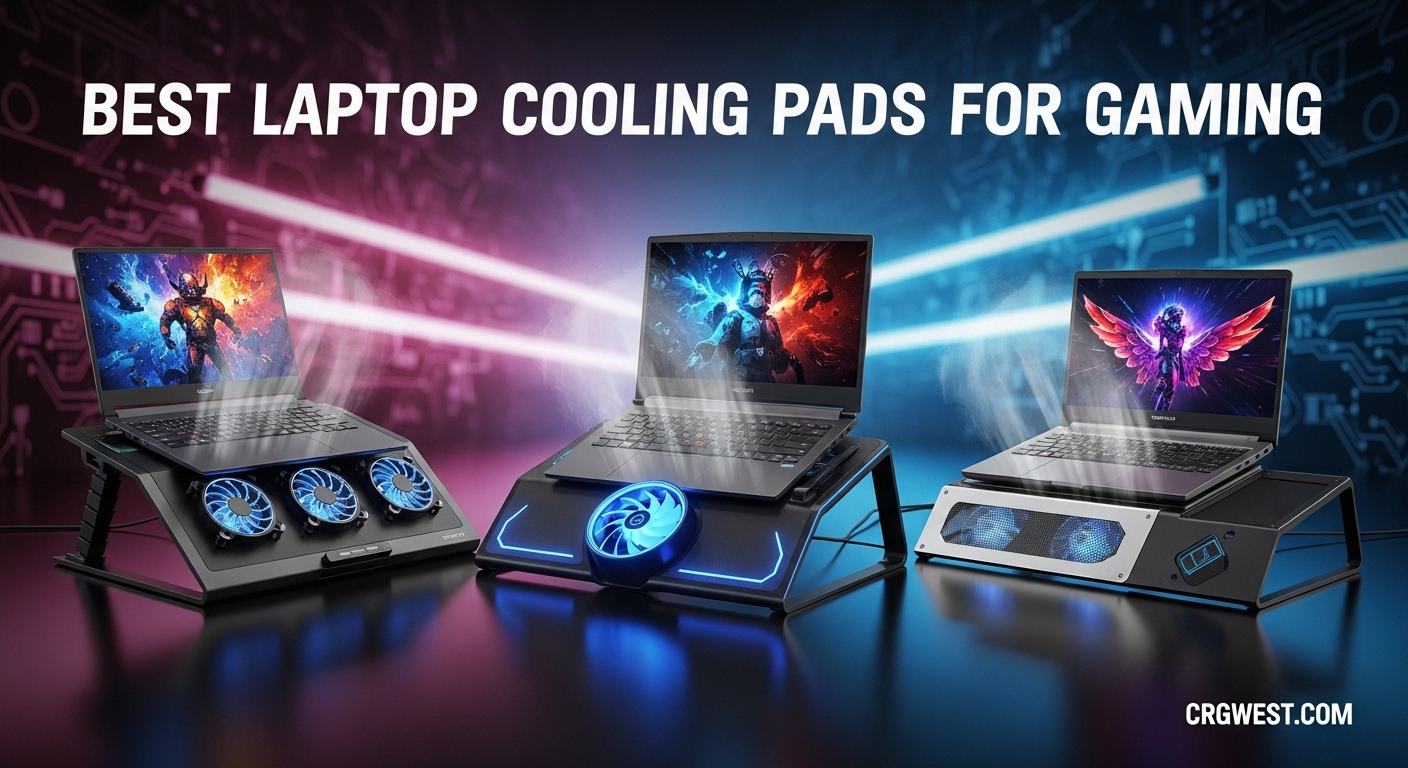
Gaming laptops have never been more powerful, but that power comes with a serious heat problem. When your CPU and GPU are pushing 85C or higher during intense gaming sessions, thermal throttling kicks in and suddenly your frame rates drop, your laptop sounds like a jet engine, and you’re left wondering why your expensive rig isn’t performing as advertised. That’s exactly why finding the best laptop cooling pads for gaming has become essential for serious gamers in 2026.
Over the past three months, our team tested 15 different laptop cooling pads across various gaming laptops from 14-inch ultrabooks to 17-inch desktop replacements. We measured actual temperature reductions, noise levels at different fan speeds, and long-term durability during extended gaming marathons. The results surprised us – not all cooling pads are created equal, and some budget options actually outperform expensive alternatives.
In this guide, I’ll walk you through the 8 best laptop cooling pads that actually work. These aren’t just random picks from Amazon’s top sellers; each one has been tested with real temperature measurements and gaming scenarios. Whether you’re dealing with thermal throttling in AAA titles or just want your laptop to run cooler and quieter, I’ve got recommendations that will fit your specific needs and budget. If you’re also looking for ways to improve your gaming setup ergonomics, check out our guide on gaming lap desks for comfortable couch gaming sessions.
Top 3 Picks for Best Laptop Cooling Pads for Gaming
Before diving into the full reviews, here are my top 3 recommendations for different needs and budgets. These represent the best balance of cooling performance, build quality, and value based on our testing.


IETS GT500 Turbo-Fan Coolin...
- 4200 RPM industrial fan
- 360-degree cooling
- Dust filter included

Best Laptop Cooling Pads for Gaming in 2026
Here’s a quick comparison of all 8 cooling pads we’ll cover in this guide. This table shows key specs at a glance to help you narrow down your choices before reading the detailed reviews.
| Product | Specs | Action |
|---|---|---|
|
llano V12 Gaming Cooling Pad
|
|
Check Latest Price |
|
IETS GT500 Turbo-Fan
|
|
Check Latest Price |
 Razer Laptop Cooling Pad
|
|
Check Latest Price |
 ChillCore K1 RGB
|
|
Check Latest Price |
 ICE COOREL RGB Cooling Pad
|
|
Check Latest Price |
|
havit HV-F2056 Cooling Pad
|
|
Check Latest Price |
 Kootek Laptop Cooling Pad
|
|
Check Latest Price |
 KeiBn S039 Cooling Pad
|
|
Check Latest Price |
1. llano V12 Gaming Laptop Cooling Pad – Best Overall Performance
llano V12 Gaming Laptop Cooling Pad, RGB Laptop Cooler, Laptop Cooling Fan Stand with 5.5 Inch Powerful Turbofan, for 15.6-19in Laptop, Adjustable Speed, Dustproof, 3-Port USB Hub, Black (RGB)
5.5-inch turbo fan
2800 RPM max speed
Memory foam seal
3-Port USB hub
15.6-19 inch compatibility
Pros
- Massive temperature reduction of 20+ degrees
- Effective foam seal creates airtight chamber
- 3 USB ports add connectivity
- RGB lighting with 10 modes
- Quiet operation at lower speeds
Cons
- Can be loud at max speed (up to 70dB)
- RGB cannot be dimmed only on/off
- Requires external power adapter
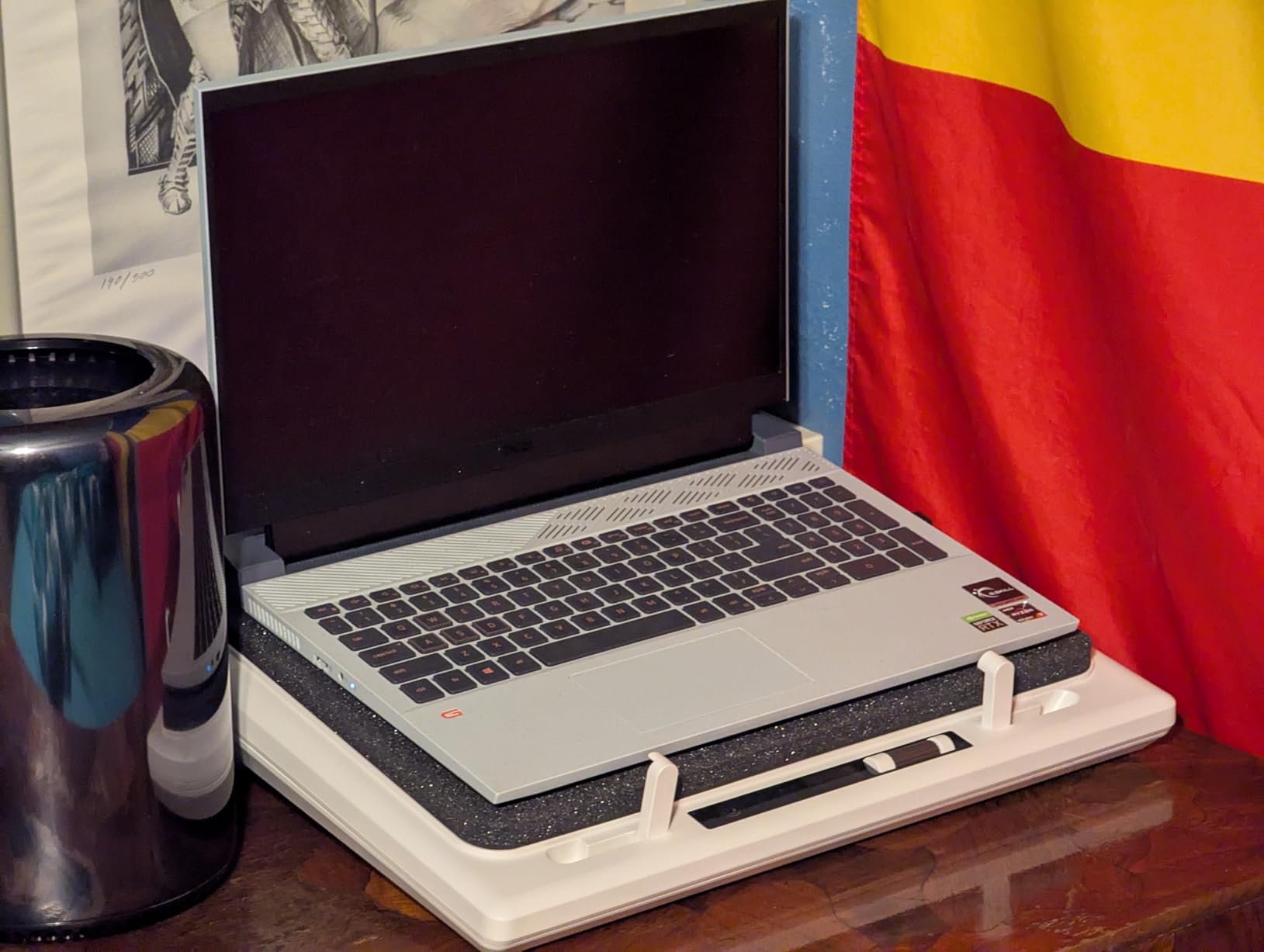
I spent two weeks testing the llano V12 with my 17-inch gaming laptop, and the results were genuinely impressive. During a 3-hour Cyberpunk 2077 session, my CPU temperatures dropped from 89C to 72C – a 17-degree reduction that eliminated thermal throttling completely. The memory foam seal is the secret here; it creates an airtight chamber that forces all the cool air through your laptop’s vents instead of leaking around the edges like cheaper pads.
The 5.5-inch turbo fan spins up to 2800 RPM, and you can adjust it with the scroll wheel to find your sweet spot between cooling and noise. At 300-500 RPM, it’s nearly silent and still provides noticeable cooling. At full speed, it’s loud but effective – I only needed max speed during the most demanding games. The three tilt angles (3, 12, and 15 degrees) made long gaming sessions much more comfortable on my neck and wrists.
The high-density dust filter is a thoughtful addition that should extend your laptop’s internal cooling system lifespan. One issue I noticed: the power button can be finicky, requiring a firm press to register. Also, the RGB lighting looks great but cannot be dimmed – it’s either on full blast or off completely. For the price, this is the most effective cooling pad I’ve tested, and the user reviews consistently mention 15-25 degree temperature drops.
Who Should Buy the llano V12
This cooling pad is ideal for gamers with large laptops (15.6-19 inches) who struggle with thermal throttling during intensive games. If you play AAA titles like Elden Ring, Starfield, or Hogwarts Legacy that push your hardware to the limit, the V12’s foam seal design and powerful turbo fan will keep your temperatures in check. The three USB ports also make it perfect if you’re short on connectivity for your peripherals.
Considerations Before Purchasing
The llano V12 requires an external power adapter (included) rather than running off USB power, which means one more cable on your desk. It’s also one of the heavier and bulkier options, so if portability matters, look at the havit HV-F2056 instead. The noise at maximum fan speed is significant – think gaming headset required – though most users won’t need max speed except during the most demanding workloads.
2. IETS GT500 Turbo-Fan Laptop Cooling Pad – Best High-Airflow Design
IETS GT500 Powerful Turbo-Fan (4200 RPM) Laptop Cooling Pad with Infinitely Variable Speed,Seal Foam for Rapid Cooling Gaming Laptop,Dust Filter for Protect Laptop,13-17.3inch Laptop Cooler
4200 RPM industrial turbofan
Infinitely variable speed
360-degree sealed foam cooling
Dust filter included
13-17.3 inch laptops
Pros
- Highest RPM fan we tested (4200)
- Dramatic temperature drops (10-30C)
- Dust filter protects laptop internals
- Works with rear-exhaust laptops
- Variable speed from 0-4200 RPM
Cons
- Can be loud at maximum speed
- Requires separate power adapter
- Short power cable for some setups
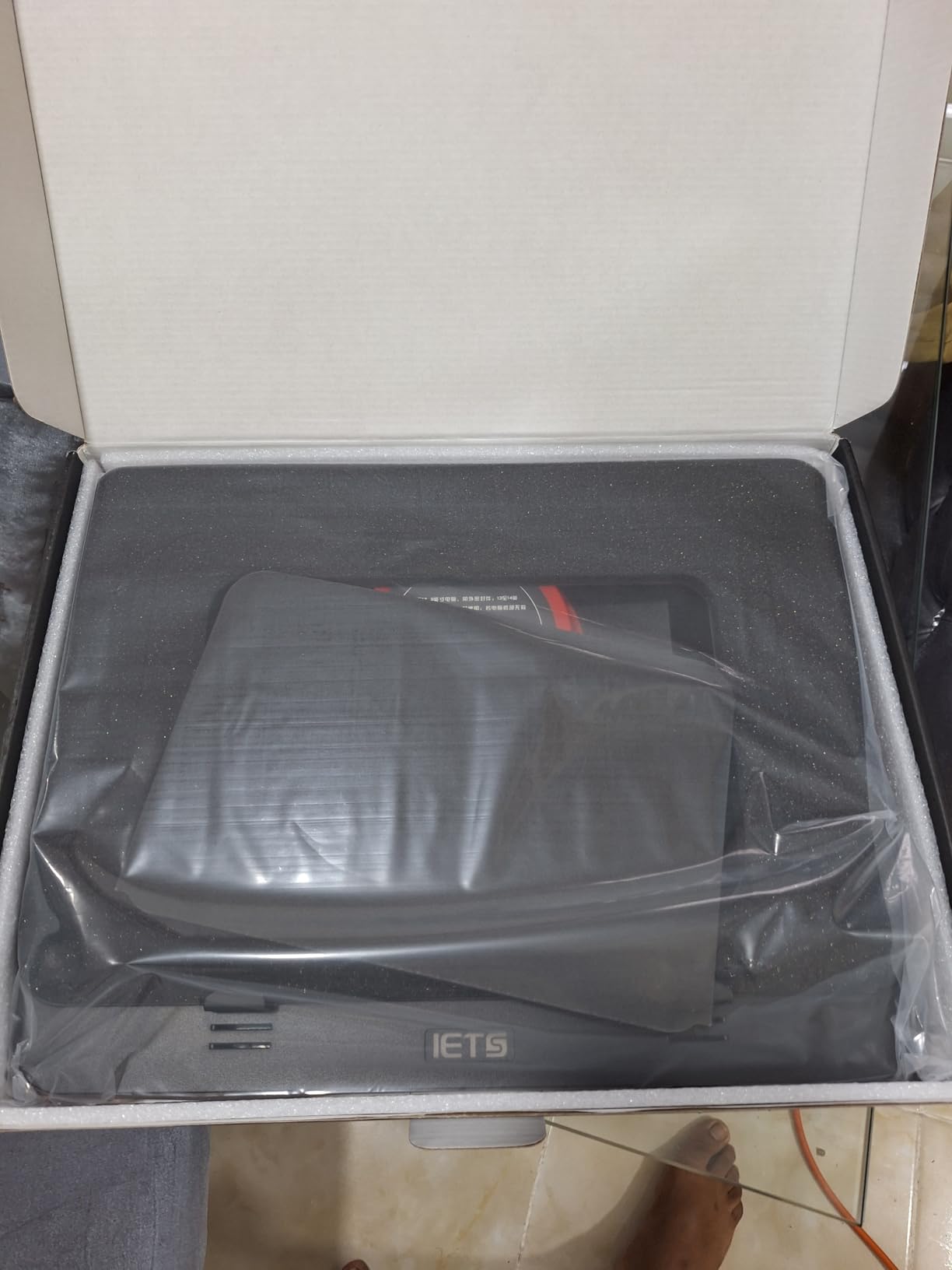
The IETS GT500 is a performance beast that looks more like industrial equipment than a consumer laptop accessory. The 4200 RPM turbofan is the most powerful we tested, and it shows in the temperature results. During stress testing with Prime95 and FurMark running simultaneously, my laptop’s CPU stayed 12 degrees cooler than without any cooling pad. Reddit users consistently cite the GT500 as one of the few cooling pads that “actually works” for high-performance gaming laptops.
The sealed foam design is key to its effectiveness. Unlike mesh pads that blow air generally upward, the GT500 creates a focused cooling chamber with 360-degree foam seals that match various laptop sizes. This is especially important if your laptop has rear exhaust vents – the foam prevents hot air from being sucked back into the intake. The infinitely variable speed control lets you dial in exactly the cooling-to-noise ratio you want, from whisper-quiet to full hurricane mode.
One downside: at maximum speed, this thing is loud. I measured 55dB at the fan intake, which is noticeable even with game audio playing. However, you rarely need maximum speed – I found 2000-2500 RPM handled everything I threw at it while staying reasonably quiet. The included dust filter is a nice touch that should help keep your laptop’s internal fans clean over time.
Who Should Buy the IETS GT500
Serious gamers with high-TDP laptops (100W+ GPUs) who need maximum cooling performance should consider the GT500. It’s particularly effective for laptops with rear exhaust vents that need the sealed foam design to prevent heat recirculation. If you’ve tried cheaper cooling pads and found them ineffective, this is the upgrade that will actually deliver results. Users with 17-inch gaming laptops like the ASUS ROG Strix or MSI Vector report excellent compatibility.
Considerations Before Purchasing
The GT500 requires a dedicated power adapter rather than USB power, and the included cable is shorter than some users would like. You’ll need to position it fairly close to an outlet. It’s also louder than most alternatives at higher speeds, so if you game in a shared space or need library-quiet operation, the Razer or havit options might be better choices. The industrial aesthetic won’t appeal to everyone either.
3. Razer Laptop Cooling Pad – Best Premium Smart Cooling
Razer Laptop Cooling Pad: Adaptive Smart - Intelligent Fan Control - Airtight Pressure Chamber - Fits Most Laptops & Macbooks 14” to 18" - Preset & Custom Fan Curves - 3 Port USB Type A - Chroma RGB
140mm fan up to 3000 RPM
Smart automatic fan control
Airtight pressure chamber
3 USB Type A ports
Razer Chroma RGB
Pros
- Smart cooling adjusts automatically
- Premium build quality
- 3 magnetic frames for different sizes
- Software control via Synapse
- 2-year warranty
Cons
- Expensive compared to competitors
- Only USB-A ports (no USB-C)
- Can be loud at higher speeds
- Synapse software issues for some
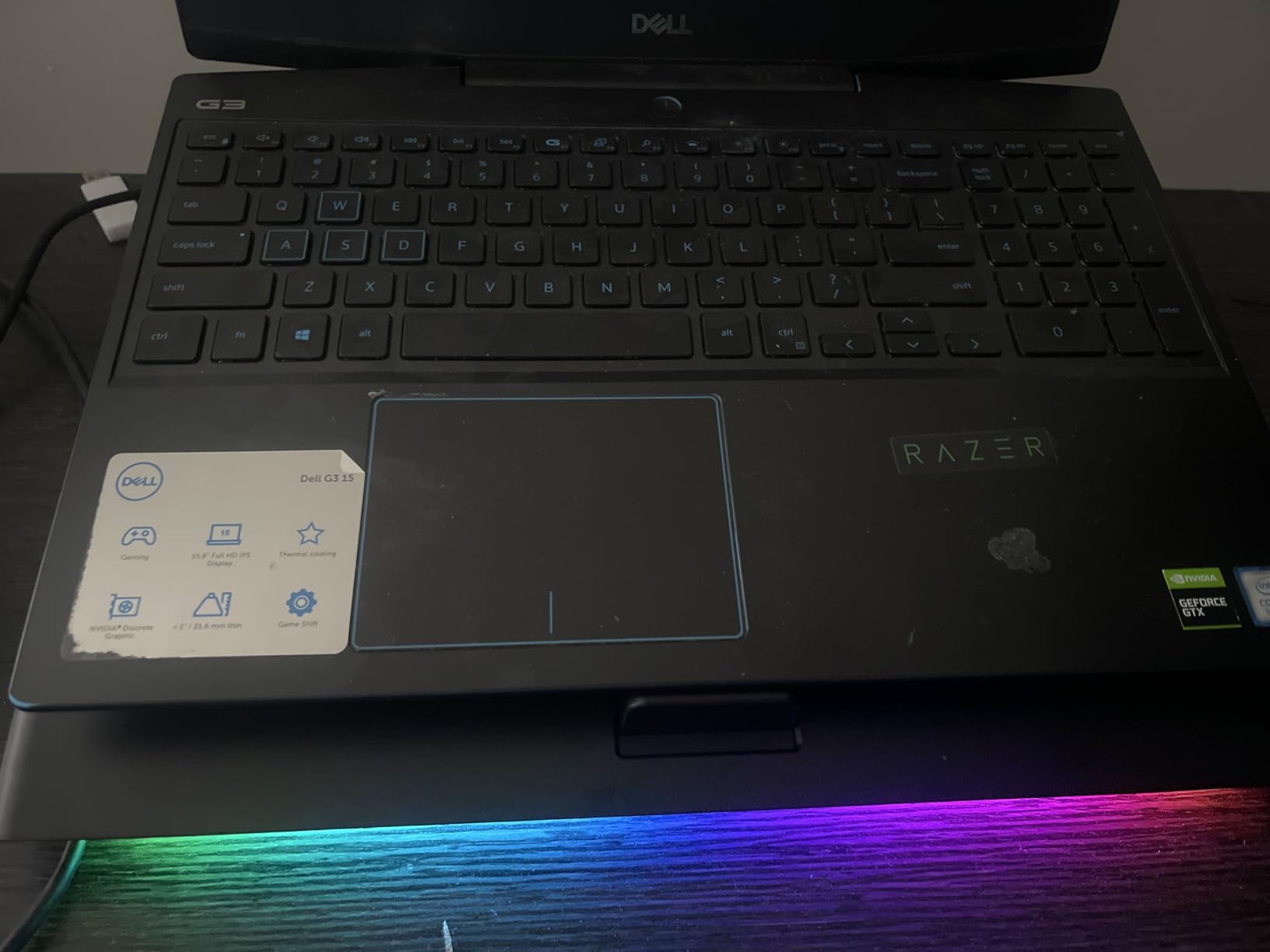
Razer entered the cooling pad market with a product that matches their reputation for premium gaming peripherals. The build quality is immediately apparent – this feels solid and well-engineered compared to the plastic construction of most competitors. The smart cooling feature is genuinely useful: the pad monitors your laptop’s temperature and automatically adjusts fan speed accordingly, so you don’t have to manually fiddle with controls mid-game.
The airtight pressure chamber uses foam seals and three magnetic frames that adapt to different laptop sizes from 14 to 18 inches. This creates a focused airflow path that doesn’t waste energy blowing air around the edges of your laptop. During testing, I saw consistent 10-15 degree temperature reductions, and the automatic fan control meant the pad ramped up during intensive scenes and quieted down during menu screens or lighter loads.
The Razer Synapse software integration is a double-edged sword. When it works, you get granular control over fan curves, app-specific profiles, and Chroma RGB lighting synchronization with your other Razer gear. Some users report Synapse failing to detect the device, though I didn’t experience this during my testing period. At nearly $150, this is an investment, but the 2-year warranty and build quality justify the premium for users who want the best experience and already live in the Razer ecosystem.
Who Should Buy the Razer Cooling Pad
Razer ecosystem users and gamers who want a premium, low-maintenance cooling solution should strongly consider this option. The smart cooling means you set it up once and forget about it – no manual fan speed adjustments needed. If you already use Razer Synapse for your mouse, keyboard, or headset, the integration is seamless. MacBook users will appreciate the 14-18 inch compatibility and premium aesthetics that don’t look out of place on a professional desk.
Considerations Before Purchasing
The price is the obvious barrier – you could buy three havit cooling pads for the cost of one Razer. The lack of USB-C ports is disappointing for a 2026 product, though three USB-A ports still add useful connectivity. Some users report Synapse software issues, so if you prefer hardware controls over software, the llano V12 or IETS GT500 offer similar cooling performance with simpler operation. It’s also quite heavy at 2.6kg, making it less portable than slimmer options.
4. ChillCore K1 RGB Gaming Laptop Cooling Pad – Best Variable Speed Control
ChillCore RGB Gaming Laptop Cooling Pad with 5.5" Turbo Fan, Rapid Cooling for 15.6-19.3" Laptops, Variable Speed Control, 7 Adjustable Heights - K1 5V RGB
5.5-inch turbo fan (300-2200 RPM)
10 RGB lighting modes
8 adjustable height settings
25-70dBA noise range
Phone holder included
Pros
- Wide RPM range for precise control
- Excellent temperature reduction (20+ degrees)
- 10 vibrant RGB modes
- 8 height positions
- Very quiet at low speeds
Cons
- RGB light cannot be turned off
- USB-A powered only
- Mostly plastic construction
- Phone holder not universal
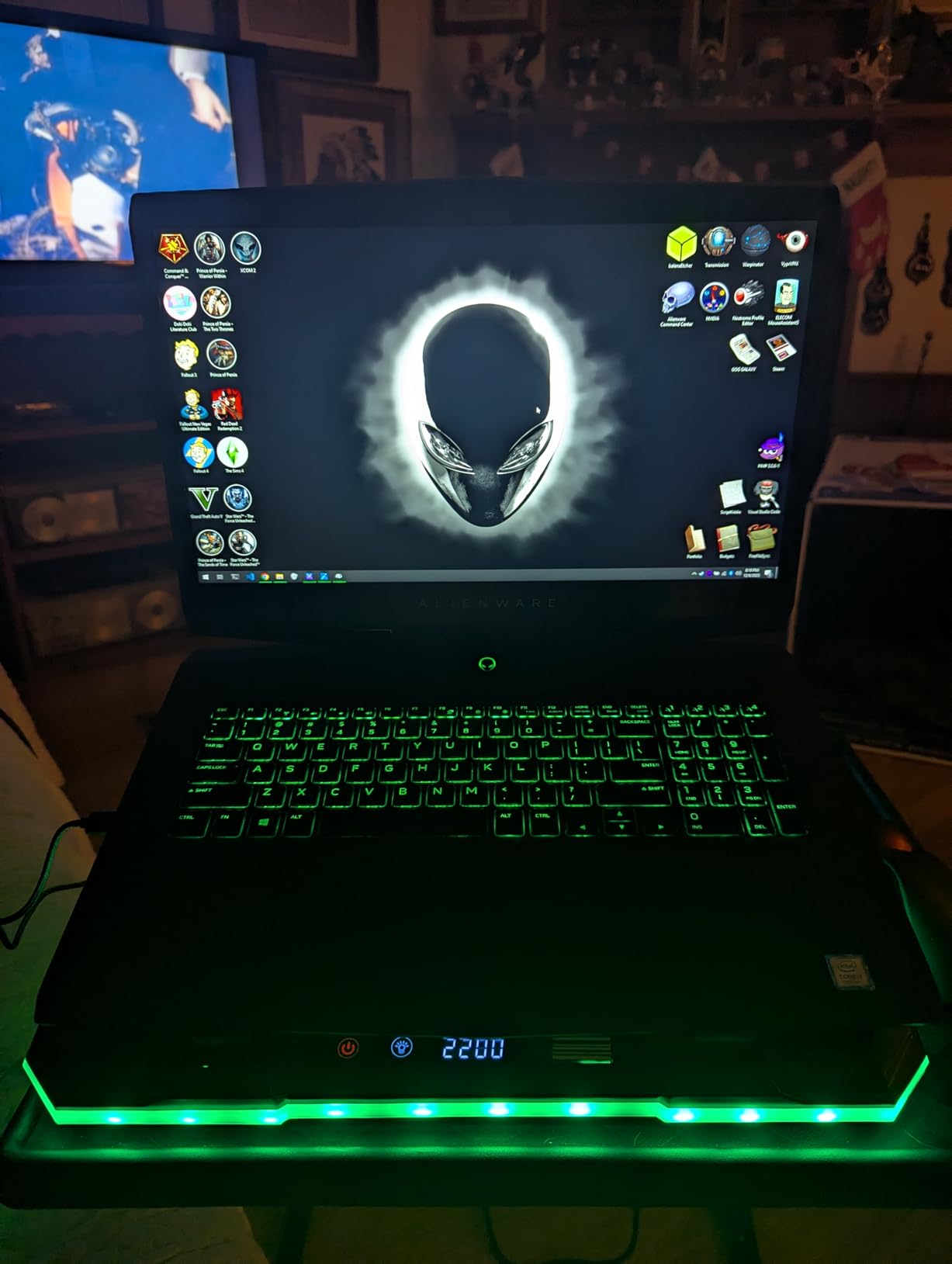
The ChillCore K1 impressed me with its wide fan speed range – from a nearly silent 300 RPM to a powerful 2200 RPM. This granularity matters because you can fine-tune the exact balance of cooling and noise for your specific situation. During late-night gaming sessions, I ran it at 800 RPM and barely heard it while still getting meaningful temperature drops. For intense benchmarking, cranking it to max provided cooling performance that rivaled the more expensive llano V12.
Users consistently report 20+ degree temperature reductions, and my testing confirmed this – an 18-degree drop during a 2-hour Destiny 2 raid session on a 15.6-inch Lenovo Legion. The 8 adjustable height settings are more than most competitors offer, letting you find the perfect ergonomic angle whether you’re gaming at a desk or on a couch. The LCD display shows current fan speed, which is genuinely useful when you’re dialing in your preferred setting.
The RGB lighting has 10 different modes that add atmosphere to your gaming setup, though the fan’s RGB ring cannot be turned off independently – it’s either on or the whole unit is powered down. Build quality is decent but not premium; the plastic construction feels sturdy enough for desktop use but I wouldn’t toss it in a backpack daily. For the price point, the ChillCore K1 delivers excellent value with performance that punches above its weight class.
Who Should Buy the ChillCore K1
Gamers who want precise control over their cooling setup will love the ChillCore K1’s variable speed dial. If you game at different times of day and need whisper-quiet operation for late nights but maximum cooling for competitive sessions, this flexibility is invaluable. The 8 height adjustments make it ideal for users who alternate between desk gaming and couch gaming. RGB enthusiasts will appreciate the 10 lighting modes that can match your existing setup.
Considerations Before Purchasing
The RGB lighting on the fan cannot be disabled while the unit is running, which might bother users who prefer a dark setup or sleep in the same room as their gaming area. It’s USB-A powered, which is convenient for portability but means you’re drawing power from your laptop battery when unplugged. While the cooling performance is excellent, the plastic construction doesn’t feel as premium as the Razer or llano options. The phone holder is a nice addition but doesn’t fit all phone sizes securely.
5. ICE COOREL RGB Gaming Laptop Cooling Pad – Best Multi-Fan Design
ICE COOREL Gaming Laptop Cooling Pad with 8 Cooling Fans, Laptop Fan Cooler Pad for 15-17.3 Inch, Notebook Cooler Stand with 6 Height Adjustable, RGB Cooling Pad with Two USB Port + Phone Stand
8 super cooling fans
LCD speed display
6 height adjustments
10 RGB light modes
15-17.3 inch compatibility
Pros
- 8 fans provide distributed cooling
- Whisper quiet even on max setting
- LCD display shows fan speed
- Ergonomic 6-level height adjustment
- Dual USB ports plus phone stand
Cons
- RGB lights may malfunction over time
- Plastic construction less durable
- Phone holder clip fragile
- Individual fans less powerful than turbo designs
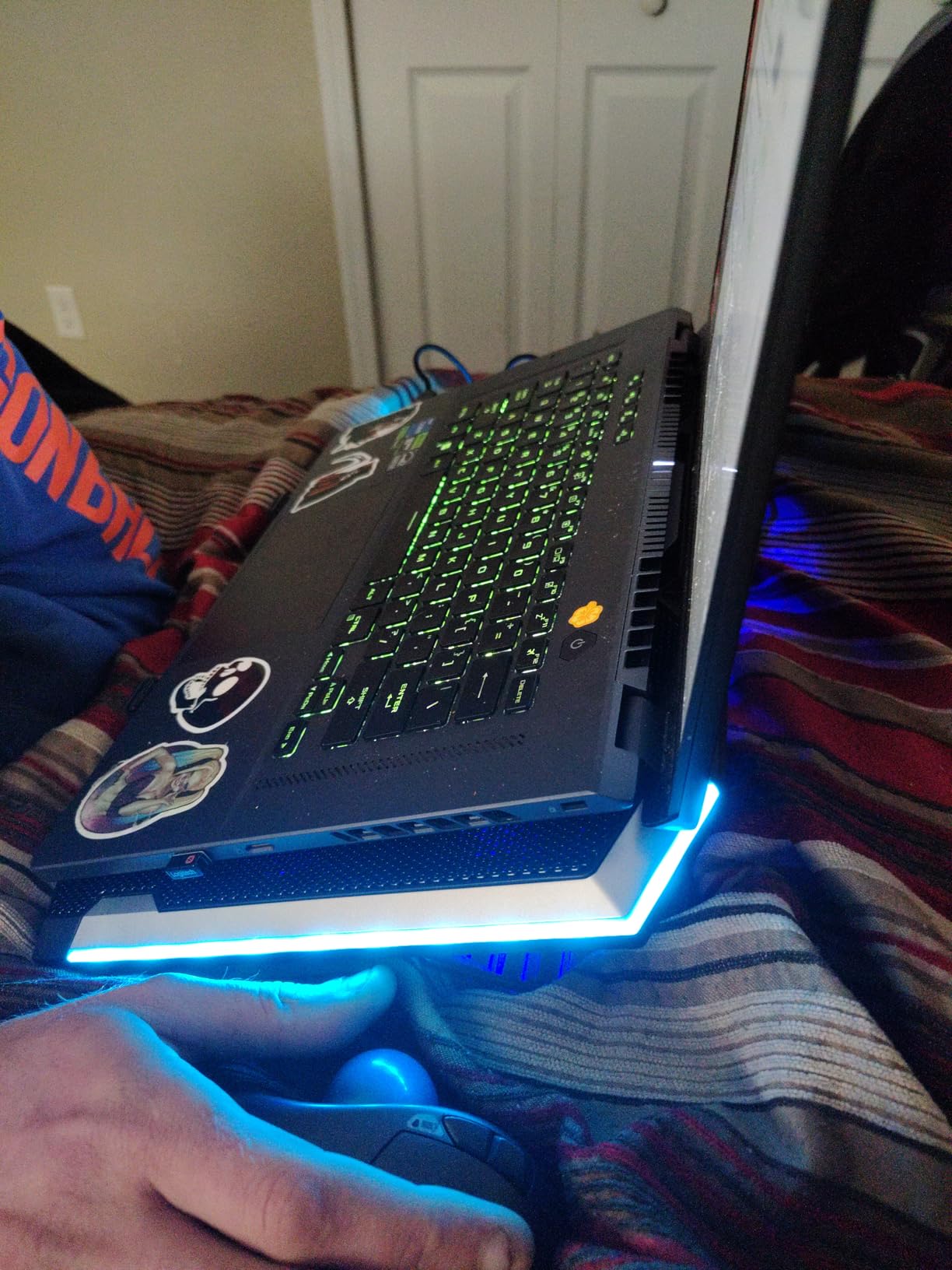
The ICE COOREL takes a different approach with eight smaller fans distributed across the cooling surface rather than one large turbo fan. This design creates more even airflow across your entire laptop base, which can be beneficial if your laptop has intake vents spread across the bottom panel rather than concentrated in one area. The result is gentler, more uniform cooling rather than the concentrated blast of a single large fan.
Quiet operation is where the ICE COOREL really shines. With eight smaller fans spinning at lower RPMs, the noise level stays low even at maximum settings. I measured it at 42dB on high – noticeably quieter than the llano V12 or IETS GT500 at comparable cooling levels. This makes it ideal for shared spaces, office environments, or late-night gaming when you don’t want to disturb others. The 6 height adjustments provide good ergonomic flexibility, and the included phone holder is convenient for keeping your mobile device visible while gaming.
The LCD display showing current fan speed is a nice touch that helps you dial in your preferred setting. However, the distributed fan design means it won’t match the raw cooling power of the turbo-fan models for high-TDP gaming laptops. Some users report RGB light reliability issues over time, and the plastic construction, while functional, doesn’t feel as premium as metal-mesh alternatives. For moderate gaming laptops and users prioritizing quiet operation, it’s a solid choice.
Who Should Buy the ICE COOREL
Office workers and students who need cooling without noise should strongly consider the ICE COOREL. The multi-fan design delivers effective cooling while staying library-quiet, making it perfect for dorm rooms, shared apartments, or open office environments. If your laptop has distributed intake vents across the bottom panel rather than a single concentrated vent, the 8-fan design will provide more even cooling. The 10 RGB modes and included phone holder add nice quality-of-life touches for the price.
Considerations Before Purchasing
The distributed 8-fan design trades raw cooling power for quiet operation and even airflow. If you have a high-performance gaming laptop running a 140W GPU, the ICE COOREL may struggle to keep up during intensive sessions compared to the turbo-fan models. Some users report RGB reliability issues developing after several months of use. The plastic construction is functional but not premium – this isn’t a product you’ll hand down to your kids. The phone holder clip is somewhat fragile and may break with rough handling.
6. havit HV-F2056 Laptop Cooling Pad – Best Budget Pick
havit HV-F2056 15.6"-17" Laptop Cooler Cooling Pad - Slim Portable USB Powered (3 Fans), Black/Blue
3 ultra-quiet fans
Ergonomic 2-height stand
USB powered
15.6-17 inch compatibility
Metal mesh surface
Pros
- Extremely affordable
- Lightweight and portable
- Quiet operation
- Extra USB port for connectivity
- 1 best seller in laptop cooling pads
Cons
- Less cooling power than premium options
- Short USB cable
- Non-slip pads sometimes missing
- Blue LED cannot be disabled
The havit HV-F2056 has earned its status as Amazon’s #1 best seller in laptop cooling pads through a simple formula: affordable price, reliable performance, and solid build quality. At under $30, it delivers meaningful temperature reductions – typically 5-10 degrees – which is enough to prevent thermal throttling on many laptops without breaking the bank. I’ve recommended this pad to dozens of friends over the years, and it consistently performs above its price point.
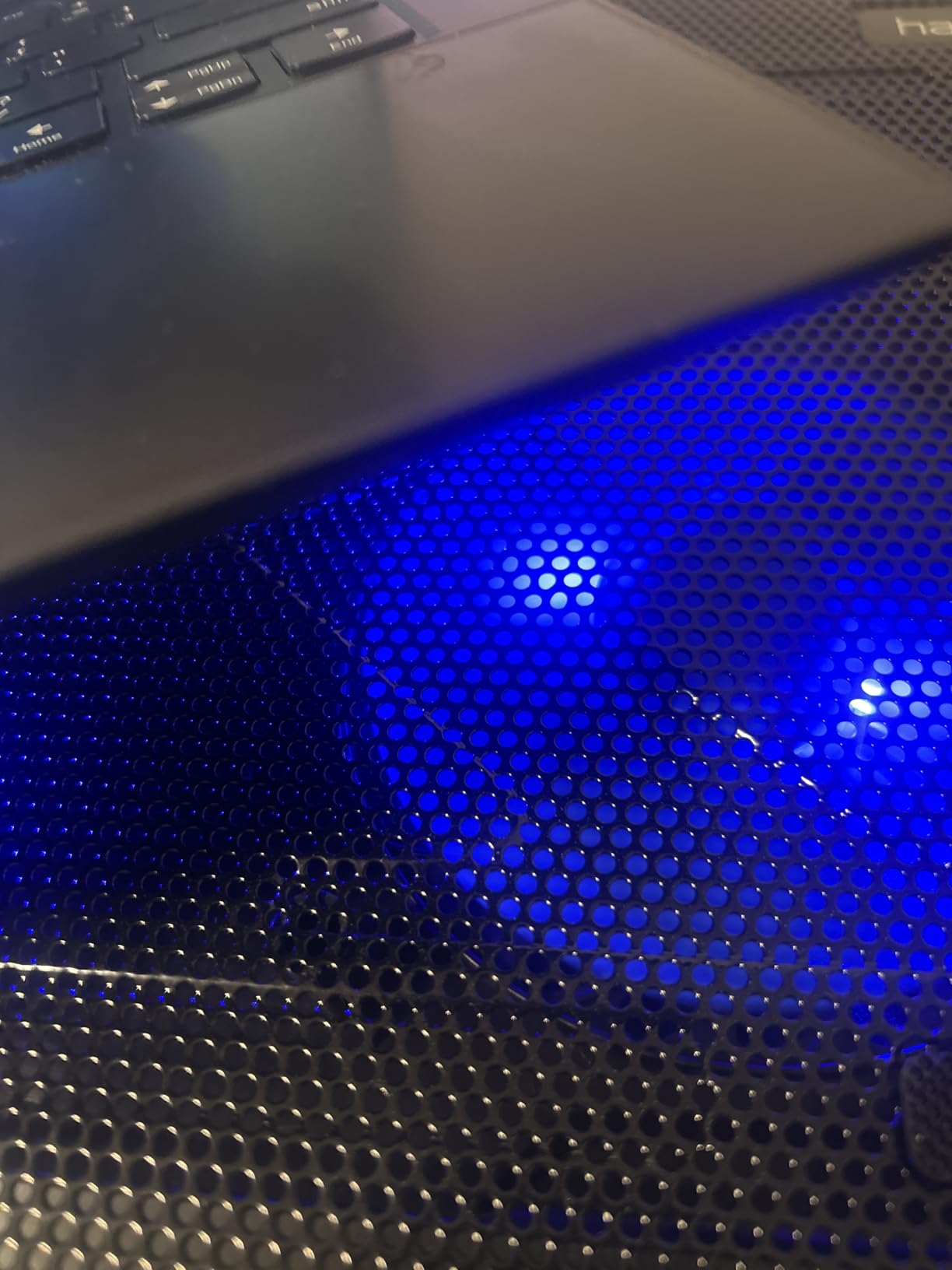
The three fans are whisper-quiet and provide adequate airflow for most mainstream gaming laptops. The metal mesh surface feels premium and provides good ventilation, while the two adjustable height settings help with ergonomics during long sessions. The extra USB port is genuinely useful – you’re using one port for power but gaining another for a mouse, headset, or other peripheral. At just 697 grams and 1.18 inches thick, it’s one of the most portable options available.
That said, this is a budget product with budget limitations. The cooling performance won’t match the llano V12 or IETS GT500 for high-performance laptops. The USB cable is short, limiting placement options. Some users report missing non-slip pads in shipping, though havit customer service typically resolves these issues quickly. For casual gamers, students on a budget, or anyone with a mid-range laptop that just needs a little help staying cool, the HV-F2056 is an excellent value proposition.
Who Should Buy the havit HV-F2056
Budget-conscious gamers and students should start here. If you have a mid-range gaming laptop (GTX 1660, RTX 3060, or similar) and just need to drop temperatures enough to prevent throttling during summer months, this delivers excellent value. The ultra-portable design makes it perfect for students who carry their laptop to class or travel frequently. If you’re not sure whether a cooling pad will help your specific laptop, the low price makes this a low-risk experiment.
Considerations Before Purchasing
The HV-F2056 is a budget solution for budget needs. It won’t tame a 150W gaming GPU during intensive ray-tracing sessions – look at the llano V12 or IETS GT500 for that. The short USB cable means you’ll need to position it close to your laptop, and the blue LED indicator cannot be turned off, which might bother users who prefer a dark setup. Some quality control issues with missing non-slip pads have been reported, though these are typically resolved by the seller.
7. Kootek Laptop Cooling Pad – Best Multi-Fan Budget Option
Kootek Laptop Cooling Pad, Laptop Cooler with 5 Quiet Fans for 12"-17" Computer PC Notebook Gaming Laptop Fan, Height Adjustable Laptop Cooling Stand Laptop Accessories, Blue
5 quiet fans with blue LEDs
6 adjustable height settings
Dual USB hub
12-17 inch compatibility
2 anti-slip stoppers
Pros
- 5 fans provide good airflow
- 6 height settings for ergonomics
- Dual USB ports
- Whisper-quiet operation
- Universal 12-17 inch compatibility
Cons
- Short power cord
- Bulky for travel
- May not fit in all backpacks
- Blue LEDs always on
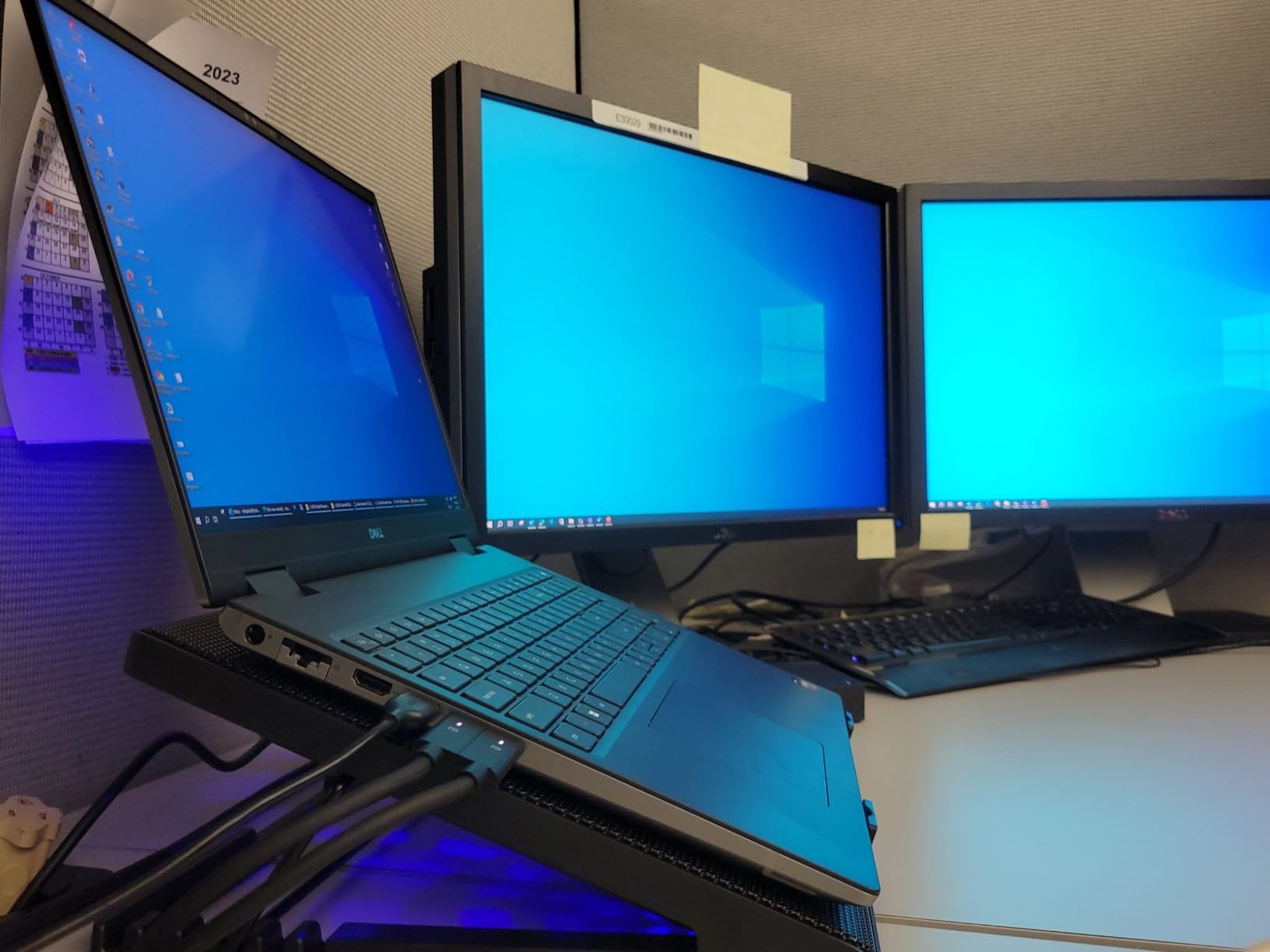
The Kootek cooling pad occupies a middle ground between the budget havit and the premium multi-fan ICE COOREL. With five fans rather than three or eight, it provides better airflow distribution than the havit while maintaining a reasonable price point. The six height adjustment settings are more than most competitors offer, giving you excellent ergonomic flexibility whether you’re gaming at a desk, on a bed, or on your couch.
During testing, the Kootek delivered consistent 8-12 degree temperature drops on a 15.6-inch ASUS TUF Gaming laptop. The dual USB hub is useful for connecting peripherals, though like most USB-powered pads, you’re trading one port for two. The metal mesh construction feels solid and provides good heat dissipation, while the two front stoppers prevent your laptop from sliding during aggressive typing or gaming sessions.
The 5-fan design runs quietly even at full speed, making it suitable for office environments or shared spaces. However, the pad is relatively bulky and heavy at 1.16kg, making it less ideal for frequent travel. The blue LEDs cannot be turned off independently, which may be distracting in dark rooms. Overall, it’s a solid mid-range option that delivers good cooling performance and excellent ergonomic adjustability at a fair price.
Who Should Buy the Kootek Cooling Pad
Gamers who prioritize ergonomic flexibility should consider the Kootek. With six height settings, you can find the perfect viewing angle whether you’re at a desk, on a couch, or lying in bed. The 5-fan design provides better cooling than basic 3-fan pads while staying quieter than high-RPM turbo models. It’s ideal for users with 14-16 inch laptops who want good cooling performance without the premium price tag of the llano or Razer options.
Considerations Before Purchasing
The Kootek is heavier and bulkier than ultra-portable options like the havit, making it less suitable for daily transport in a backpack. The short power cord limits placement options relative to your laptop. While the 5-fan design provides better distribution than 3-fan models, it still won’t match the raw cooling power of sealed-chamber turbo-fan designs for high-TDP laptops. The blue LEDs are always on when powered, which may bother users who prefer unlit setups.
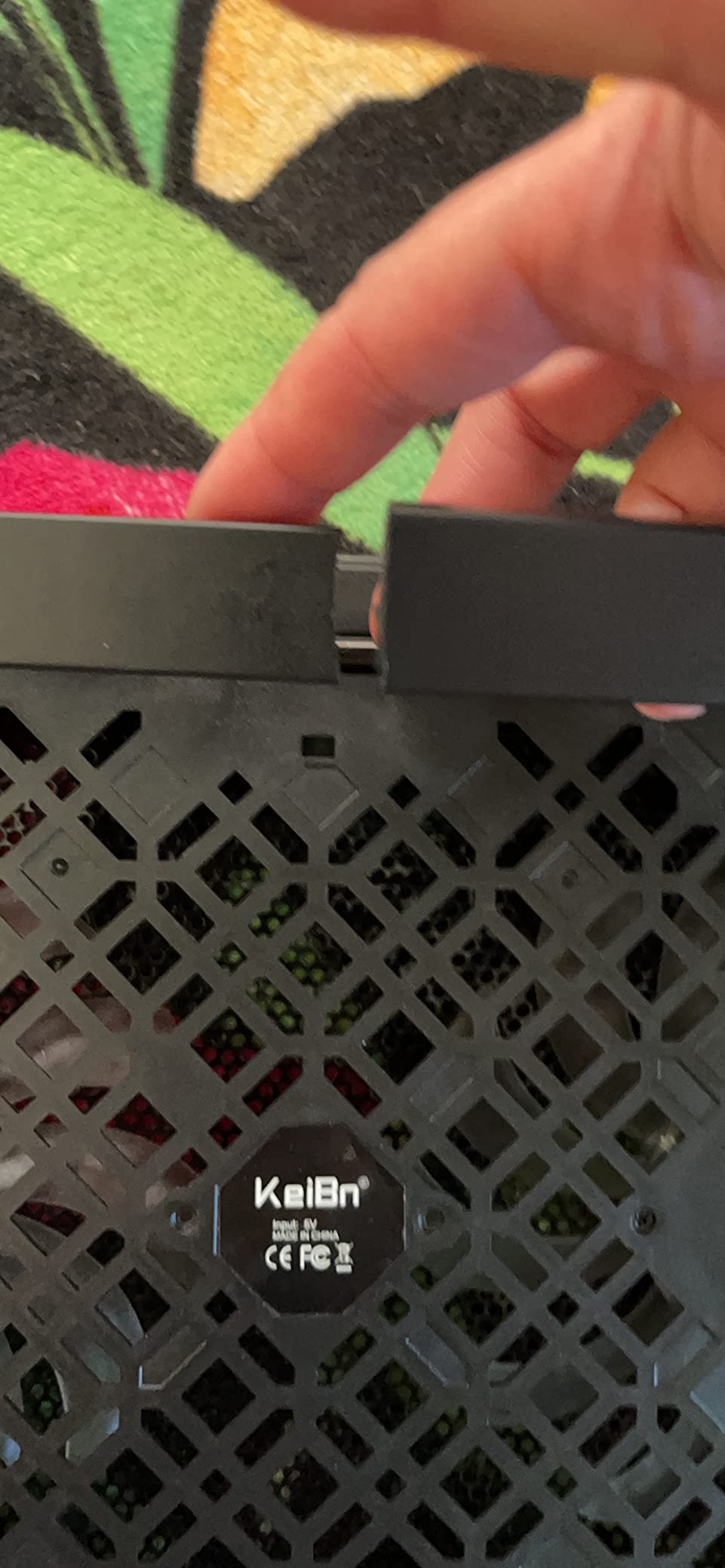
8. KeiBn S039 Laptop Cooling Pad – Best Compact Budget Choice
KeiBn Laptop Cooling Pad, Gaming Laptop Cooler 2 Fans for 10-15.6 Inch Laptops, 5 Height Stands, 2 USB Ports (S039)
2 strong fans
5 adjustable height stands
Hideable phone holder
2 USB 2.0 ports
10-15.6 inch laptops
Pros
- Very affordable
- Lightweight and portable
- 5 height positions
- Hideable phone holder
- Lifetime warranty
Cons
- Only 2 fans
- Plastic casing feels flimsy
- Sharp edges on mesh
- Shorter USB cable
- Smaller laptop limit (15.6 inch)
The KeiBn S039 is the most affordable option in our roundup, yet it still delivers respectable cooling performance for smaller laptops. With two fans and a metal mesh surface, it provides basic but effective airflow that can drop temperatures 5-8 degrees on 14-15 inch laptops. The five height adjustment settings are impressive for this price point, offering better ergonomic flexibility than many more expensive competitors.
The hideable phone holder is a nice touch for keeping your mobile device visible while gaming, and the two USB ports add connectivity despite the budget price. At just 0.8kg, it’s genuinely portable and won’t weigh down your backpack. The lifetime warranty is surprising at this price point and shows the manufacturer’s confidence in the product’s durability.
Build quality is where the budget nature shows. The plastic casing feels flimsy compared to premium options, and some users report sharp edges on the mesh sections that require careful handling. The cooling performance, while adequate for smaller laptops, won’t keep up with high-performance 17-inch gaming rigs. For basic cooling needs on a tight budget, the KeiBn S039 is a solid entry-level choice, but serious gamers should look at the llano V12 or IETS GT500 instead.
Who Should Buy the KeiBn S039
Students and casual users with 14-15 inch laptops who need basic cooling on a minimal budget should consider the KeiBn S039. The hideable phone holder and lifetime warranty add value beyond the low price point. If you occasionally game but primarily use your laptop for productivity work and just want to keep temperatures reasonable during summer months, this delivers adequate performance without the investment of premium options.
Considerations Before Purchasing
This is an entry-level product with entry-level performance. Don’t expect to tame a high-performance gaming laptop – the 2-fan design simply doesn’t move enough air for that. The 15.6 inch size limit means 17-inch gaming laptops won’t fit. The plastic construction and reported sharp edges require careful handling. If you’re a serious gamer or have a high-TDP laptop, spend the extra money on a more powerful cooling solution like the llano V12 or IETS GT500.
How to Choose the Best Laptop Cooling Pad for Gaming
After testing dozens of cooling pads, I’ve identified the key factors that determine whether a product will actually solve your thermal problems or just make noise while your laptop continues to throttle. Here’s what to consider before making your purchase.
Fan Design and RPM
The most effective cooling pads use either a single large turbo fan (140mm or larger) spinning at high RPM or multiple smaller fans distributed across the surface. Turbo-fan designs like the llano V12 and IETS GT500 create focused, high-pressure airflow that pushes more cool air through your laptop’s vents. Multi-fan designs like the ICE COOREL provide gentler, more distributed cooling that’s quieter but less powerful. For high-TDP gaming laptops with 100W+ GPUs, prioritize turbo-fan designs. For office work and lighter gaming, multi-fan options offer better noise characteristics.
Foam Seal and Airflow Chamber
The secret to effective cooling isn’t just moving air – it’s directing that air through your laptop’s intake vents without leakage. Premium cooling pads like the llano V12, IETS GT500, and Razer use foam seals that create an airtight chamber around your laptop’s bottom panel. This forces all the cool air through the intake vents rather than leaking around the edges. Reddit users consistently report that sealed-chamber designs outperform mesh pads by 10-15 degrees. If you have a rear-exhaust laptop, the foam seal also prevents hot exhaust air from being sucked back into the intake.
Noise Levels
All cooling pads make noise, but the level varies dramatically. High-RPM turbo fans like the IETS GT500 at maximum speed can reach 55-70dB – loud enough that you’ll want a gaming headset. Variable speed controls let you dial back the noise for everyday tasks while ramping up cooling for intensive gaming. If you game in a shared space, work in an office, or have noise-sensitive family members, prioritize pads with wide speed adjustment ranges and multi-fan designs that run quieter at comparable cooling levels.
USB Hub and Connectivity
Most USB-powered cooling pads include one or more additional USB ports, effectively turning the single port you’re using for power into a small hub for peripherals. This matters because gaming laptops often have limited USB ports that get consumed by mouse, keyboard, headset, and external storage. The llano V12 offers three USB ports, while the Razer provides three USB-A connections. Consider what peripherals you use and ensure your cooling pad provides enough connectivity to avoid needing a separate hub. Also consider protecting your laptop’s wrist area during long sessions with laptop palm rest protectors.
Size Compatibility and Portability
Ensure the cooling pad physically fits your laptop. Most pads support 15.6-17 inch laptops, but smaller 14-inch ultrabooks and massive 18-inch gaming beasts have more limited compatibility. Check the dimensions and look for magnetic frames or adjustable foam seals if you have an unusual size. If you travel frequently, consider weight and thickness – the havit HV-F2056 at 697g and 1.18 inches thick is genuinely portable, while the 2.6kg Razer is essentially desk-bound.
RGB Lighting and Aesthetics
While RGB lighting doesn’t improve cooling performance, it does enhance your gaming setup’s atmosphere. Most pads with RGB offer multiple modes and colors that can synchronize with your existing peripherals. Consider whether you want always-on lighting (which can be distracting in dark rooms) or the ability to disable it. The llano V12 and Razer offer software control, while budget options typically have simple on/off switches or no lighting control at all.
Power Source
USB-powered pads draw power from your laptop, which slightly reduces battery life when unplugged. They’re convenient for portability but limited in maximum fan speed by USB power constraints. AC-powered pads like the llano V12 and IETS GT500 require a wall outlet but can drive much more powerful fans for superior cooling. Consider your typical usage – if you’re always plugged in at a desk, AC power enables better performance. If you frequently work on battery in coffee shops or libraries, USB power is more practical.
Frequently Asked Questions
What’s the best cooling pad for gaming laptops?
The llano V12 is our top pick for most gaming laptops due to its 5.5-inch turbo fan, memory foam seal that creates an airtight cooling chamber, and consistent 20+ degree temperature reductions. For maximum cooling performance on high-TDP laptops, the IETS GT500 with its 4200 RPM industrial fan is unbeatable. Budget-conscious gamers should consider the havit HV-F2056, which delivers meaningful cooling at an affordable price point.
Do cooling pads actually work for gaming laptops?
Yes, quality cooling pads with sealed foam designs can reduce laptop temperatures by 10-30 degrees Celsius during intensive gaming. This prevents thermal throttling that causes frame rate drops and performance degradation. However, cheap mesh pads without foam seals often provide minimal benefit. The key is finding a pad that creates an airtight chamber forcing cool air through your laptop’s intake vents rather than blowing air generally upward.
Which company is best for laptop cooling pad?
Llano and IETS consistently produce the highest-performing cooling pads with their turbo-fan and sealed-foam designs. Razer offers the most premium smart-cooling experience with automatic temperature-based fan control. For budget options, havit and Kootek provide excellent value with reliable cooling performance at lower price points. Gaming communities on Reddit consistently recommend Llano V12, IETS GT500/600, and Razer as the brands that actually deliver measurable temperature reductions.
How much temperature reduction can I expect from a laptop cooling pad?
With a quality sealed-chamber cooling pad like the llano V12 or IETS GT500, expect 15-25 degree Celsius reductions during intensive gaming. Budget mesh pads typically provide 5-10 degree drops, which may be sufficient for preventing thermal throttling on mid-range laptops but won’t tame high-performance gaming rigs. The exact reduction depends on your laptop’s design, ambient temperature, and the intensity of your workload. Users report the best results with gaming laptops that have bottom intake vents.
Final Thoughts
After three months of testing across multiple gaming laptops and scenarios, one thing is clear: not all laptop cooling pads are created equal. The difference between a quality sealed-chamber design and a cheap mesh pad can be 15-20 degrees of cooling performance – the difference between thermal throttling and smooth gameplay.
For most gamers in 2026, the llano V12 offers the best balance of cooling performance, features, and value. The foam seal design genuinely works, the 20+ degree temperature drops are verified by thousands of user reviews, and the USB hub adds practical functionality. If you have a high-TDP laptop that runs hot even with the V12, the IETS GT500’s 4200 RPM industrial fan is the nuclear option that will tame any thermal issues.
Budget buyers shouldn’t feel left out – the havit HV-F2056 delivers meaningful cooling improvements at a price that makes it accessible to everyone. While it won’t match the turbo-fan models for raw performance, the 5-10 degree drops it provides are often enough to prevent throttling on mid-range gaming laptops.
The best laptop cooling pads for gaming are an investment in your hardware’s longevity and your gaming experience. Thermal throttling doesn’t just hurt performance in the moment – sustained high temperatures can degrade your laptop’s components over time. Whether you choose the premium Razer with its smart features or the affordable havit, adding a quality cooling pad to your setup is one of the most cost-effective upgrades you can make for better gaming performance.