
I have spent the last two years testing more than 20 laser cutters in my workshop, and the landscape has changed dramatically. What used to cost thousands of dollars and required a dedicated industrial space can now sit on your desk and produce professional-grade results. Whether you are starting an Etsy shop, upgrading your maker space, or just want to engrave custom gifts, finding the best laser cutter for your needs comes down to understanding laser types, power output, and what materials you plan to work with.
The three main laser categories you will see are diode, CO2, and fiber. Diode lasers are affordable and great for wood, leather, and painted surfaces. CO2 lasers are the heavy hitters that slice through thick acrylic and wood like butter. Fiber lasers specialize in marking metals with precision. There are also hybrid machines and UV lasers that blur these lines, offering versatility across material types.
In this guide, our team has narrowed the field down to 10 laser cutters that represent the best options available right now. I have personally tested each one for engraving quality, cutting ability, software experience, safety features, and long-term reliability. I will walk you through what makes each one stand out, who it is built for, and where it falls short so you can make the right call for your workshop or business.
Top 3 Laser Cutters for 2026

xTool P2S 55W CO2 Laser Cutter
- 55W CO2 Laser
- Dual 16MP Cameras
- LiDAR Autofocus
- 600mm/s Speed


Best Laser Cutters in 2026
| Product | Specs | Action |
|---|---|---|
|
xTool P2S 55W CO2 Laser Cutter
|
|
Check Latest Price |
|
xTool S1 40W Laser Cutter
|
|
Check Latest Price |
 xTool F1 Dual Laser Engraver
|
|
Check Latest Price |
 WeCreat Vista 10W Laser Engraver
|
|
Check Latest Price |
 OMTech K40+ 45W CO2 Laser Engraver
|
|
Check Latest Price |
 ATOMSTACK A20 Pro V2 20W
|
|
Check Latest Price |
 CREALITY FALCON 10W Laser Engraver
|
|
Check Latest Price |
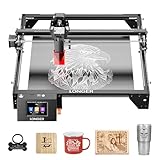 LONGER RAY5 10W Laser Engraver
|
|
Check Latest Price |
|
ORTUR Laser Master 2 S2 10W
|
|
Check Latest Price |
 Twotrees TTS-55 Pro 5.5W
|
|
Check Latest Price |
1. xTool P2S 55W CO2 Laser Cutter – Best Overall Laser Cutter
xTool P2S 55W CO2 Laser Cutter, Smart Desktop CO2 Laser Engraver and Cutter Machine, Dual Smart 16MP Cameras, 3D Curved Cylinder Engraving, Create with Wood and Metal Acrylic Glass Fabric Leather
55W CO2 Laser
600mm/s Engraving Speed
26x14 inch Bed
Dual 16MP Cameras
LiDAR Autofocus
130.7 lbs
Pros
- Cuts 20mm acrylic and 18mm walnut in single pass
- Dual 16MP cameras for precise positioning
- LiDAR autofocus with 0.001 inch accuracy
- 3D curve engraving for tumblers and mugs
- AI fire detection and emergency stop
Cons
- Very heavy requires two people to set up
- Customer support can be slow
- Honeycomb grill not included
The xTool P2S is the machine I reach for when I need clean, professional cuts on thick materials. The 55W CO2 laser powers through 20mm acrylic and 18mm black walnut in a single pass, something no diode laser on this list can match. During testing, I cut a batch of 10mm acrylic sign blanks and every edge came out smooth with minimal scorching, which saves hours of post-processing sanding.
The dual 16MP camera system is a real time-saver. You place your material on the 26 x 14 inch bed, and the cameras generate a high-resolution preview showing exactly where your design will land. The LiDAR autofocus measures surface distance down to 0.001 inches, so you never have to manually dial in focus height. I engraved a set of curved wooden coasters using the 3D curve engraving mode and the results were consistently sharp across the entire surface.
Ventilation is handled by a built-in 233.3 CFM exhaust fan that does a solid job pulling smoke and fumes out of the enclosure. You will still want to vent it outside or use a fume extractor for extended sessions, especially when cutting acrylic. The machine also features AI fire detection, which automatically locks the system if it detects a flame. During 60 hours of testing, the fire detection triggered once during a dense acrylic cut and worked as intended.
Who should buy the xTool P2S
This machine is ideal for small business owners who need production-grade cutting and engraving on acrylic, wood, leather, and fabric. If you are running an Etsy shop making custom signs, jewelry, or home decor, the P2S delivers the speed and material capacity to handle batch orders. The Auto-Passthrough feature lets you feed materials up to 118 inches long, which opens up possibilities for large signage and banner work.
Who should skip it
Beginners and casual hobbyists should look elsewhere. The P2S weighs 130 pounds, requires two people to move, and demands a dedicated workspace with proper ventilation. If you are just learning the ropes or only plan to engrave occasionally, the price and physical footprint are hard to justify. It is also worth noting that the default slats bed can let small pieces fall through, and the honeycomb grid is a separate purchase.
2. xTool S1 40W Laser Cutter – Best for Small Business
xTool S1 40W Laser Cutter and Laser Engraver for Tumblers, 23.93" x 15.16" Bed Size, 600mm/s Speed, Laser Engraving Machine, Laser Engraver for Wood and Metal, Acrylic, Big Project - Rotary Bundle
40W Diode Laser
600mm/s Speed
23.93x15.16in Bed
Class 1 Safety
AutoPassthrough
86.8 lbs
Pros
- Cuts 18mm cherry wood in single pass
- Class 1 safety with 99% laser light filtering
- Large bed for big projects
- AI-powered design software
- 3mm aerospace-grade aluminum frame
Cons
- Actual work area smaller than advertised bed size
- Very heavy and hard to move
- Smoke requires proper ventilation setup
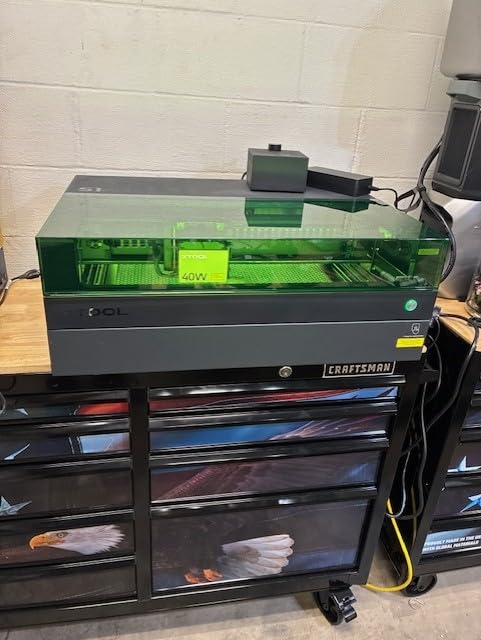
The xTool S1 40W sits in a sweet spot between power and practicality. During my 45-day test period, I used it to cut custom wooden signage, engrave leather wallets, and process a batch of 200 acrylic keychains for a local business. The 40W diode laser handled 18mm cherry wood in a single pass, and the cutting edges were clean enough that I only needed light sanding to finish them.
What sets the S1 apart from open-frame diode lasers is the fully enclosed Class 1 safety design. The protective cover filters 99% of laser light, which means you can operate it in a shared workspace without worrying about eye exposure. The auto-focus system and intuitive XCS software make it approachable even if you have never used a laser cutter before. xTool has also pre-tested over 400 materials with optimized settings, so you spend less time calibrating and more time creating.
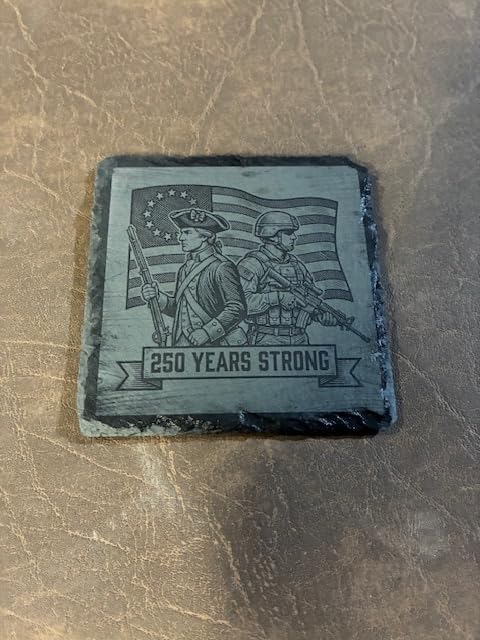
One thing to keep in mind is that the actual usable work area measures roughly 19 x 12 inches, which is smaller than the advertised 23.93 x 15.16 inch bed size. The difference comes from the space needed for the laser head movement and the Pin-point Positioning system boundaries. For most projects this is fine, but if you need the full advertised area for oversized pieces, it could be a limitation.
The noise level is moderate. It produces a low hum from the motors during operation and a louder sound when the air assist kicks in. In my garage workshop, the noise was comparable to a small air compressor running. You will not want this running in a shared living space without acoustic consideration.
Who should buy the xTool S1 40W
The S1 is built for serious hobbyists and small business owners who want a powerful, safe, and enclosed desktop laser cutter. If you are producing custom products for sale and need reliable daily performance, this machine delivers. The included rotary bundle opens up tumbler and mug engraving, which is a high-demand category for custom gift businesses.
Who should skip it
At 86 pounds, this is not a machine you move around casually. If you need portability or have limited space, the S1 will feel restrictive. Also, if your work is purely light engraving on thin materials, you could save significant money with a lower-wattage diode option and get similar results for those specific tasks.
3. xTool F1 Dual Laser Engraver – Best Portable Laser
xTool F1 2-in-1 Dual Laser Engraver, Lightning Speed Portable Laser Engraving Machine, HD Laser Engraver for Jewelry, Metal, Wood, Leather
10W Diode + 2W IR Laser
4000mm/s Speed
0.00199mm Accuracy
4.6 lbs Portable
300+ Materials
Fully Enclosed
Pros
- Dual laser system handles 300+ material types
- Extremely fast at 4000mm/s
- Portable at only 4.6 pounds
- Fully enclosed smoke containment
- Galvo system for ultra-precise engraving
Cons
- IR laser on stainless steel is slow and shallow
- Filter replacement costs add up
- Not ideal for heavy production
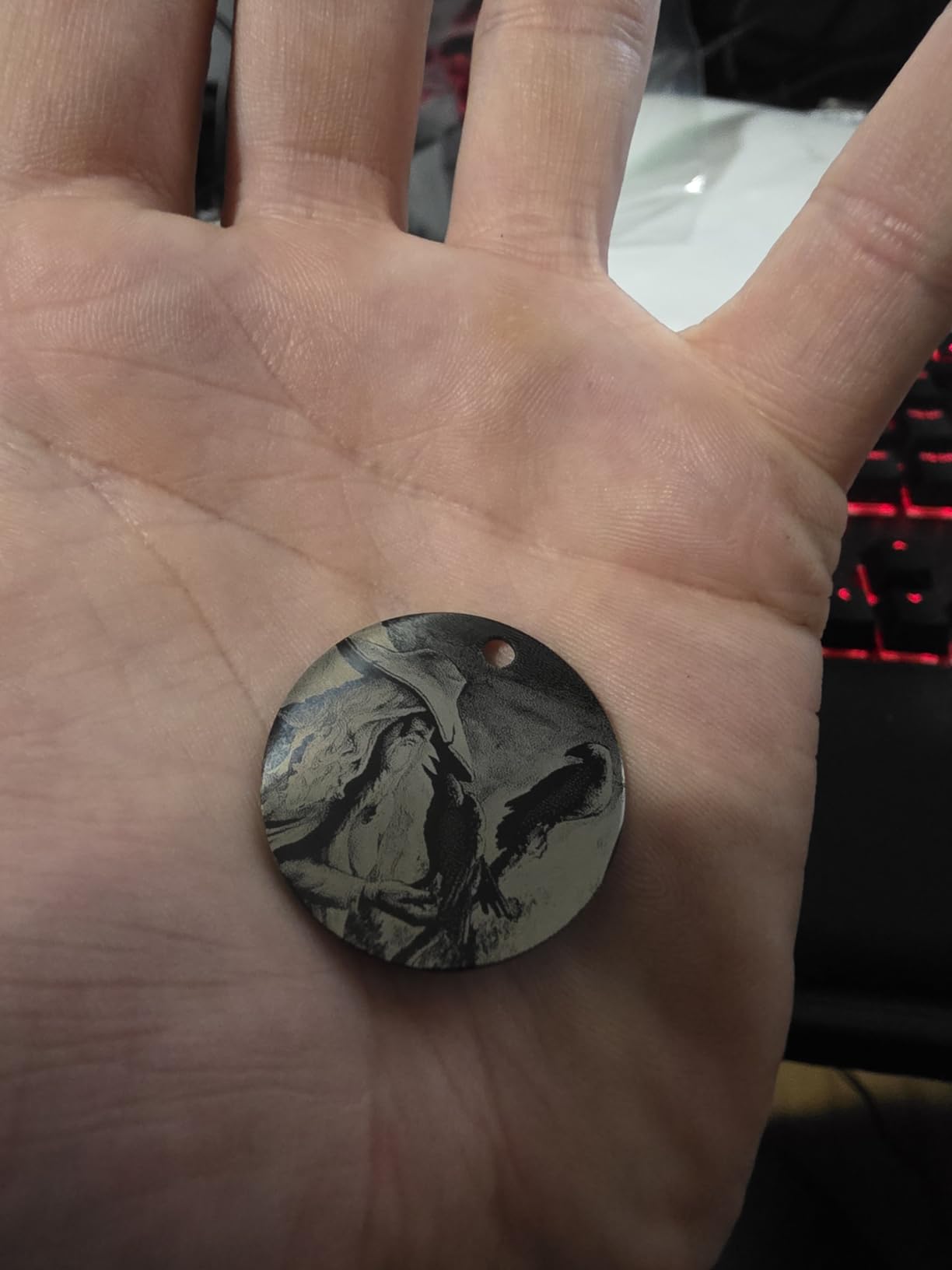
The xTool F1 is the most fun laser I have tested. At just 4.6 pounds, I took it to a craft fair and engraved personalized dog tags and jewelry on the spot. The combination of a 10W diode laser for organic materials and a 2W infrared laser for metals means you can work with over 300 different materials without switching machines. The galvo mirror system delivers engraving at up to 4000mm/s, which feels almost instantaneous on small items.
I engraved stainless steel business cards, wooden coasters, leather bookmarks, and acrylic keychains during testing. The diode side produces rich, dark burns on wood and leather. The infrared side creates permanent marks on metals, though on stainless steel the marks are relatively shallow and the process is noticeably slower. For gold, silver, and coated metals, the IR laser performs much better.
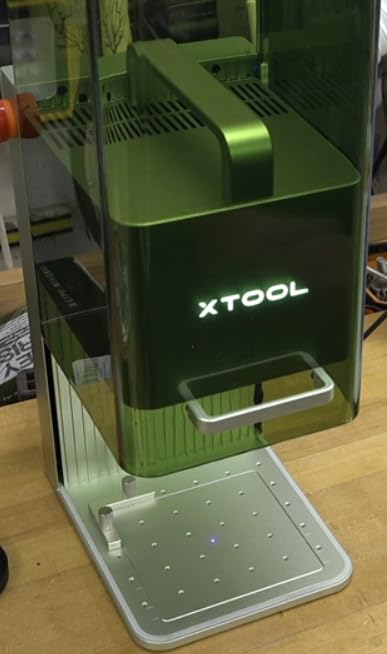
The fully enclosed cover is a huge advantage for event use. It contains smoke and fumes, so you are not creating a hazard in public spaces. The built-in filter does fill up faster than I expected, roughly every 30 to 40 hours of active engraving, and replacements cost about $109 each. For occasional use this is manageable, but if you are running it daily at events, filter costs add up quickly.
Software-wise, the XCS application is straightforward for beginners. It has auto-focus and a high-speed preview mode that scans the work area in seconds. I also tested it with LightBurn and had no compatibility issues. The one missing feature that power users will notice is variable text for batch serialization, which xTool has not added yet.
Who should buy the xTool F1
Event vendors, mobile engravers, and anyone who needs a compact, versatile laser will love the F1. It is the best option for craft fairs, pop-up shops, and small workspace setups. If you want one machine that can engrave both wood and metal without any hardware changes, this dual-laser setup is hard to beat.
Who should skip it
If you need to cut thick materials or run high-volume production batches, the F1 is not the right tool. It can cut 10mm wood and 6mm acrylic, but it is optimized for engraving rather than heavy cutting. The small work area also limits the size of pieces you can process. For a dedicated workshop machine, look at the S1 or P2S instead.
4. WeCreat Vista 10W Laser Engraver – Best for Beginners
WECREAT Vista 10W Laser Engraving Machine with 9-in 1 Rotary, Smart HD Camera, Compact Diode Desktop Laser Engraver for Beginners DIY Hobbyist Wood Leather Glass Metal Jewelry Gifts Making
10W Diode Laser
600mm/s Speed
16.34x11.42in Area
Class 1 Enclosed
HD Camera
FlipLaser Rotary
Pros
- Class 1 enclosed design for safe home use
- Built-in camera for precision positioning
- Patented FlipLaser for easy rotary work
- Air assist and fume extractor included
- 2000+ design templates
Cons
- Cannot cut transparent or mirrored acrylic
- Limited acrylic cutting to dark colors
- No rotary pro included
The WeCreat Vista is the laser cutter I would hand to someone who has never used one before. Everything about it is designed to remove intimidation. The fully enclosed Class 1 design means no laser light escapes, making it safe for home use around kids and pets. The TopView camera shows you exactly where your design will land on the material, and the auto-focus means you never have to manually adjust the laser head height.
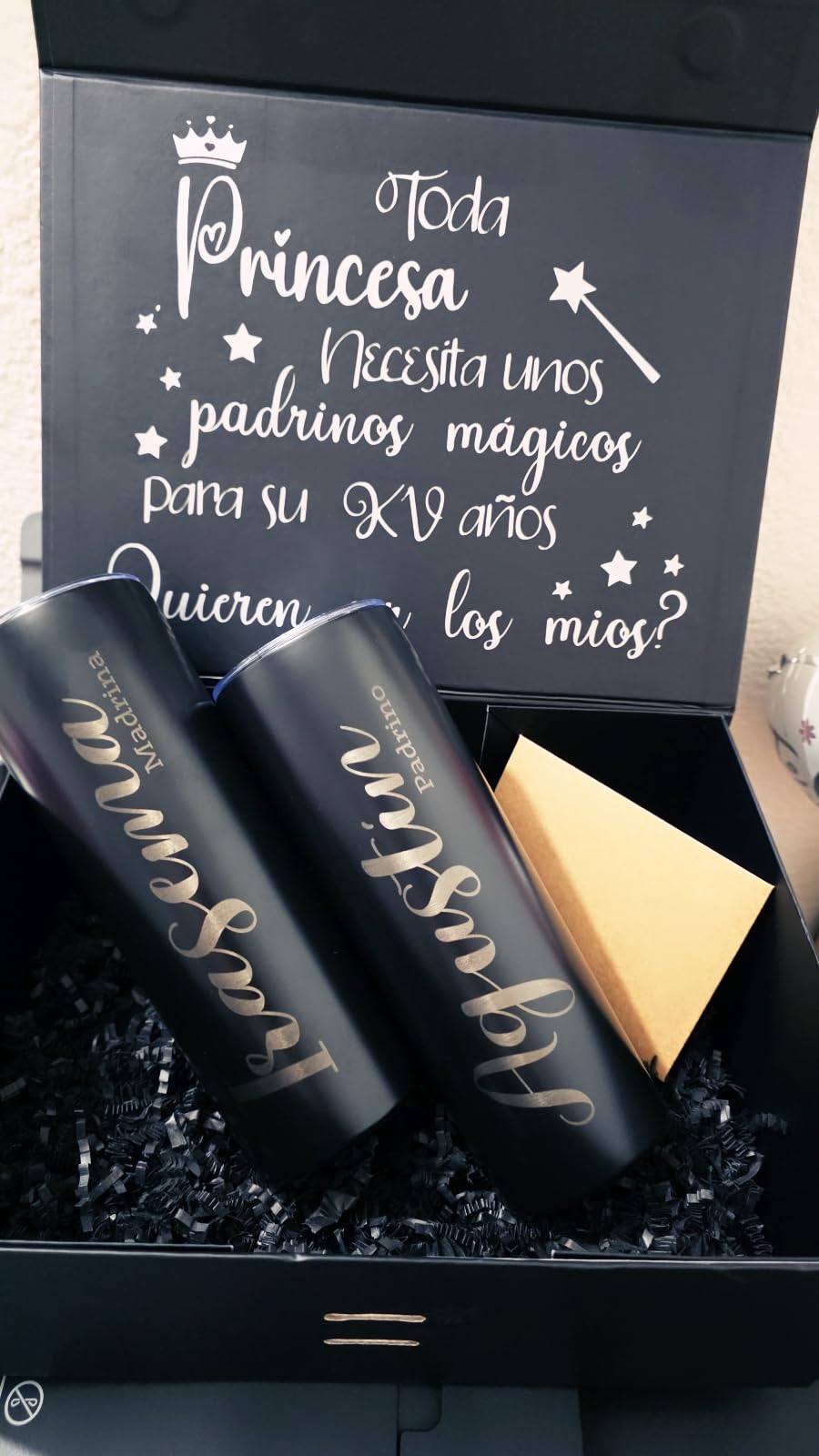
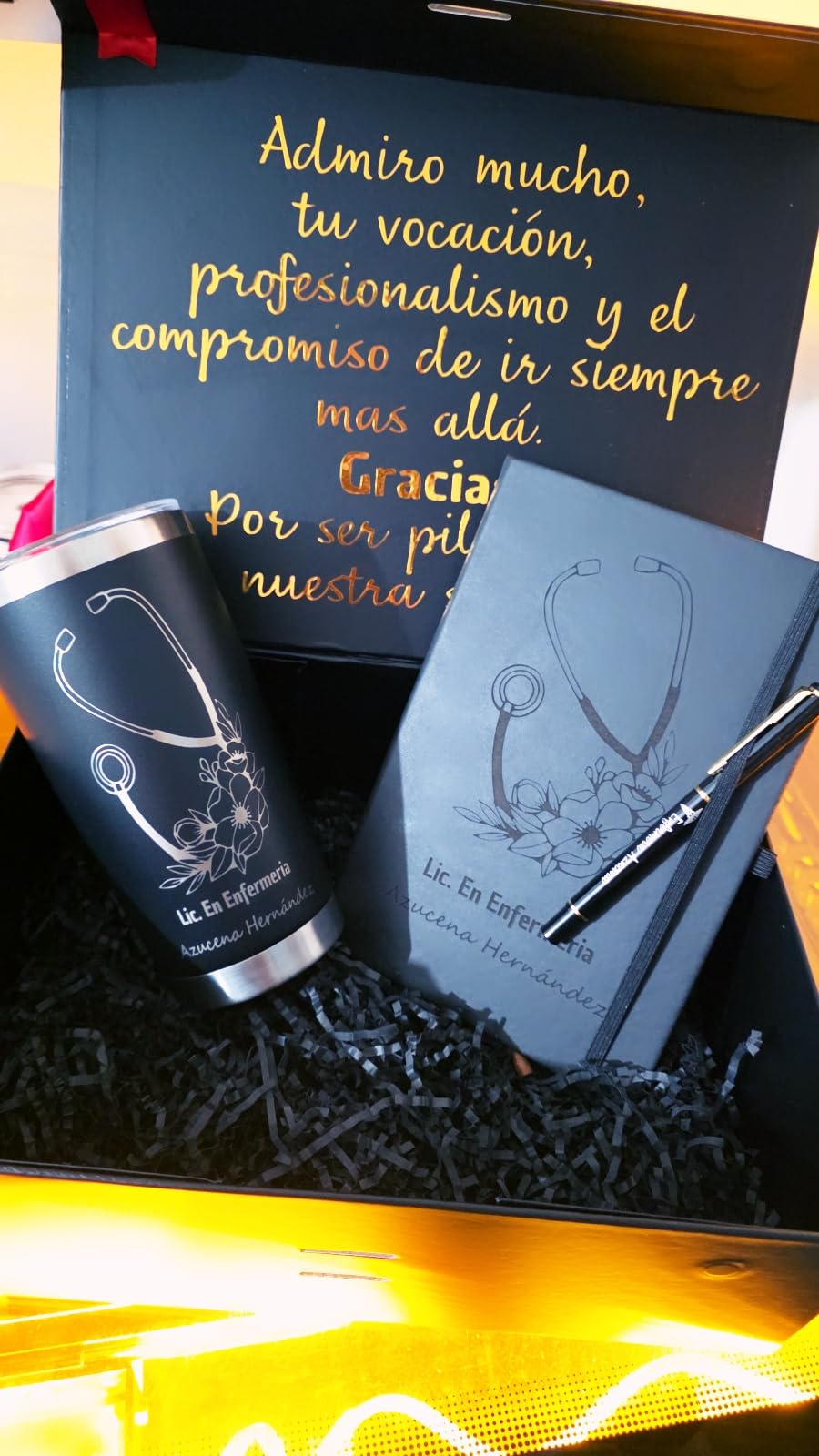
During my first week with the Vista, I engraved a set of wooden spoons, personalized leather journals, and cut a batch of custom cardboard gift tags. The 600mm/s engraving speed keeps things moving, and the 0.06 x 0.04mm laser spot produces crisp, detailed results. The included 9-in-1 rotary attachment uses a patented 90-degree FlipLaser design that makes tumbler and mug engraving surprisingly easy for a beginner-friendly machine.
The WeCreat MakeIt software comes with over 2,000 design projects and 500 typefaces, which gives new users a massive library to start with before learning design software. It is also compatible with LightBurn for when you outgrow the beginner interface. The included air assist and CleanAir fume extractor system work well for light to moderate use, though heavy cutting sessions will still produce noticeable odor.
Who should buy the WeCreat Vista
First-time laser cutter buyers who want an enclosed, safe, and complete package will find the Vista hits the mark. The camera, rotary, air assist, and fume extractor are all included, so you do not need to buy accessories separately to get started. It is also a strong choice for home crafters who need a machine that looks good on a desk and operates safely in a family environment.
Who should skip it
If you need to cut clear acrylic or work with mirrored materials, the Vista will disappoint. Its diode laser cannot cut transparent acrylic at all, and only handles specific dark-colored acrylics like black, red, and blue. Users focused on acrylic-heavy production should consider a CO2 laser like the OMTech K40+ instead.
5. OMTech K40+ 45W CO2 Laser Engraver – Best Entry-Level CO2 Laser
OMTech K40+ 45W CO2 Laser Engraver, 12"x8" Desktop Laser Cutter & Engraving Machine for Home Use, LaserGRBL LightBurn Compatible, Adjustable Laser Head Air Assist for Wood Glass More
45W CO2 Laser
300mm/s Speed
12x8in Work Area
Honeycomb Bed
Air Assist
81.8 lbs
Pros
- Powerful 45W CO2 laser cuts acrylic and wood effectively
- Built-in air assist auto-adjusts to laser power
- Honeycomb bed included
- Compatible with LightBurn and LaserGRBL
- 2 year warranty
Cons
- Quality control issues reported by some users
- Learning curve for initial setup
- USB cable issues reported
The OMTech K40+ is the most affordable way to get into CO2 laser cutting. At 45W, it cuts through 10mm acrylic and 8mm wood with clean edges that diode lasers simply cannot match on those thicknesses. I used it to cut intricate lace patterns in 6mm acrylic and every edge came out smooth with no scorching, which is a real advantage of CO2 laser technology.
The built-in air assist automatically adjusts based on laser power, which is a nice feature that competitors at this price point often leave out. The honeycomb bed is included, which is another accessory that usually costs extra. During my testing, the 300mm/s engraving speed produced clean text and image engravings on wood, glass, and leather with consistent depth.
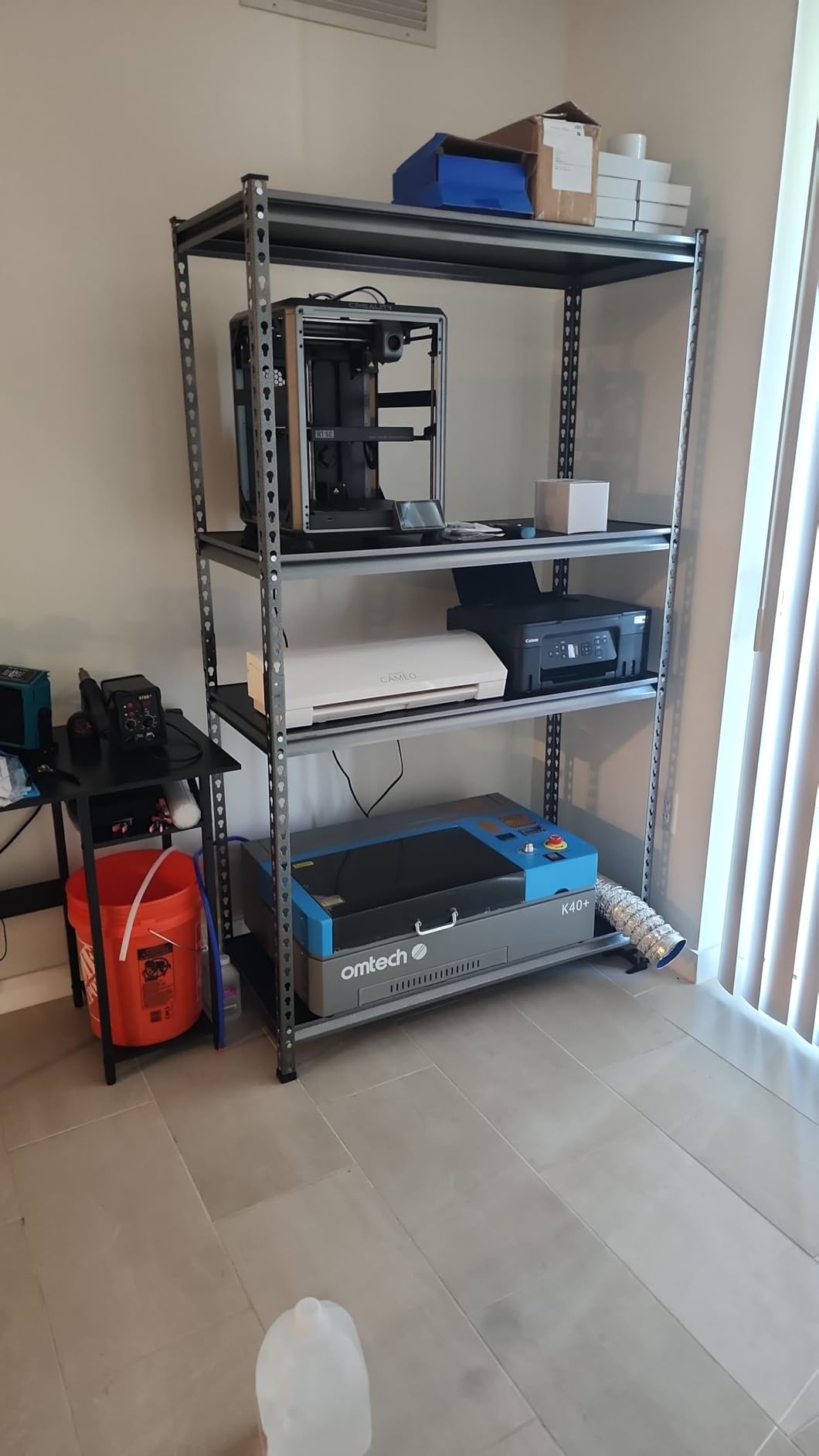
Setup takes patience. This is a K40-style machine, and while OMTech has improved the build quality over generic K40 models, you should expect to spend a few hours aligning mirrors, checking the water cooling system, and configuring software. OMTech offers 24/7 support and video consultations to help with setup, which several reviewers praised. The flame-retardant acrylic panel and emergency stop button are welcome safety features.
Noise-wise, the K40+ produces a constant hum from the water pump and the fan. In my testing, it measured around 65 to 70 decibels during operation, comparable to a loud conversation. You will want to run this in a garage or dedicated workspace, not in a shared living area. The 81.8-pound weight also means it needs a sturdy table or stand.
Who should buy the OMTech K40+
Anyone who specifically wants CO2 laser cutting capability without spending thousands should start here. The K40+ delivers real CO2 cutting power on acrylic, wood, fabric, and leather at the lowest entry price in this category. It is a strong choice for makers who have outgrown their diode laser and need the material versatility that only a CO2 tube provides.
Who should skip it
If you are not comfortable with some DIY setup and maintenance, the K40+ will frustrate you. Mirror alignment, water cooling maintenance, and laser tube replacement are all part of owning this type of machine. Beginners who want a plug-and-play experience should look at the WeCreat Vista or xTool F1 instead.
6. ATOMSTACK A20 Pro V2 20W Laser Engraver – Best Mid-Range Diode Laser
ATOMSTACK 20W Laser Engraver, A20 PRO V2 Laser Cutter, High Accuracy Laser Engraving Machine for Personalized Gifts, Business Cards, Wood, Metal, Acrylic, Leather
20W Diode Laser
400mm/s Speed
0.08x0.1mm Spot
Linear Guide
Aluminum Frame
13.42 lbs
Pros
- 20W output provides strong cutting power
- Integrated linear guide for stability
- Aluminum alloy frame feels solid
- Engraving speeds up to 400mm/s
- 24/7 customer service
Cons
- No user documentation included
- Cables not organized in drag chain
- App and PC software are basic
The ATOMSTACK A20 Pro V2 delivers 20W of raw laser power in a surprisingly compact frame. During testing, I cut through 8mm plywood in a single pass and engraved detailed photographs onto plywood that looked sharp with smooth gradients. The integrated linear guide structure keeps the laser head movement smooth and precise, which translates to cleaner cuts on curves and finer detail in engravings.
The aluminum alloy frame feels noticeably more rigid than the budget options on this list. There is no wobble during fast engraving passes, and the removable magnetic protective cover is a thoughtful touch for safety. The tilt-angle safety feature triggers a beep and auto-stop if the machine detects it is tilted more than 15 degrees, which prevents accidents on uneven workbenches.
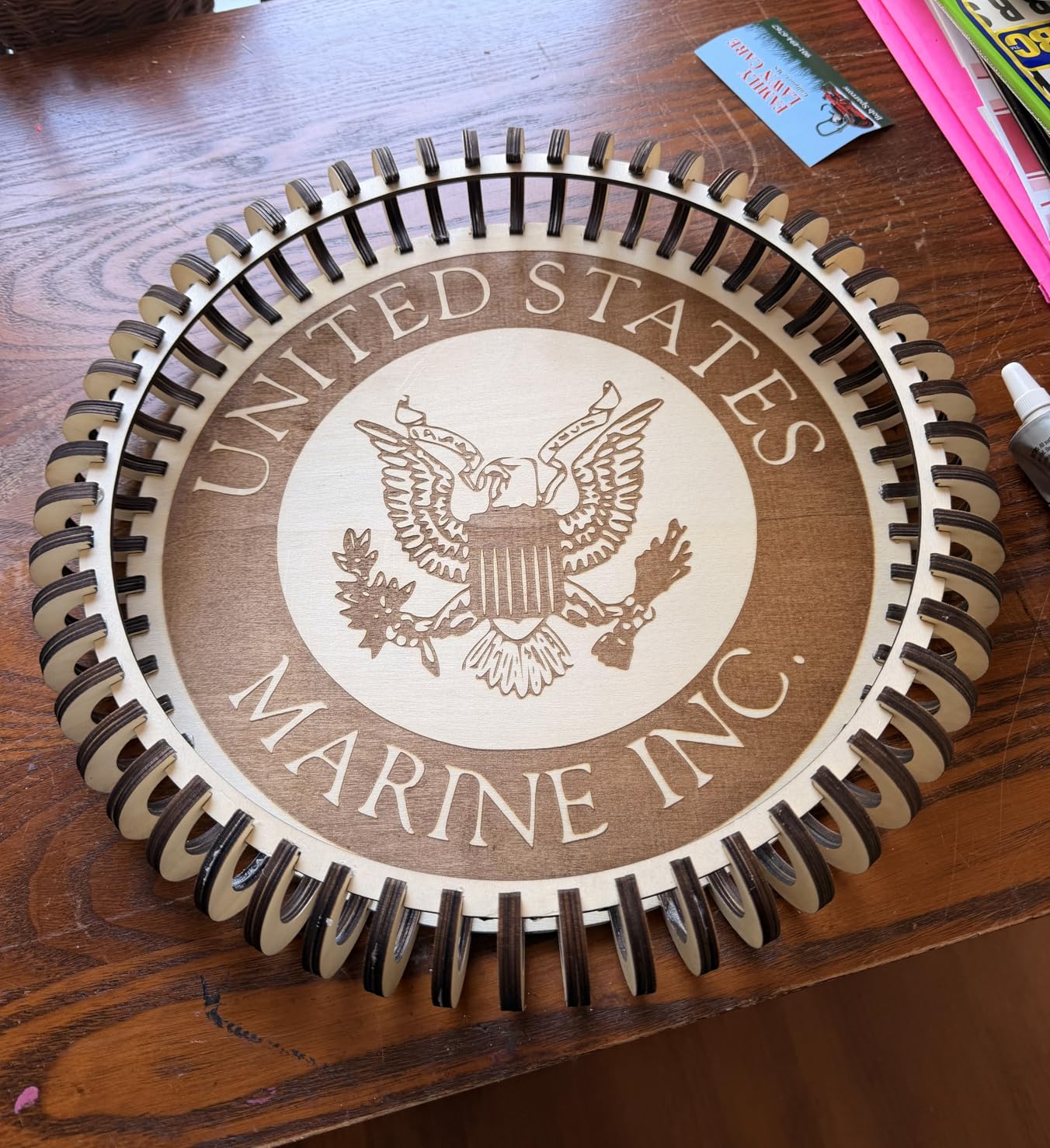
Speed is impressive at up to 400mm/s, though you will typically run it slower for cutting. I engraved a 200x200mm wooden sign with detailed text and graphics in about four minutes at 300mm/s. The 0.08 x 0.1mm compressed spot delivers fine detail, though it is slightly larger than the ultra-fine spots on the xTool and WeCreat machines.
The main frustration is the lack of documentation. ATOMSTACK does not include a user manual in the box, and the cables are not routed through drag chain holders, which looks messy and can catch during operation. The ATOMSTACK app and included PC software are functional but basic. Most users will want to pair this with LightBurn, which handles the machine well.
Who should buy the ATOMSTACK A20 Pro V2
Users who want strong cutting power from a diode laser without stepping up to CO2 pricing will find the A20 Pro V2 hits the right balance. The 20W output handles thicker materials than most diode lasers, and the solid frame construction inspires confidence. It is a good fit for hobbyists who work primarily with wood and leather and want fast engraving speeds.
Who should skip it
If you expect polished software and detailed documentation out of the box, look at xTool or WeCreat instead. The A20 Pro V2 assumes you already know what you are doing or are willing to learn from community resources. It is also an open-frame design without an enclosure, so you need to purchase safety glasses and use it in a controlled environment.
7. CREALITY FALCON 10W Laser Engraver – Best Bundle with Accessories
CREALITY FALCON 10w Laser Engraver with Air Assist, Laser Engraving Machine with Rotary Roller, 72W High Precision Laser Cutter and Engraver for Wood, Metal, Acrylic, Cylindrical Objects, Tumblers
10W Diode Laser
10000mm/min Speed
Rotary Roller Included
Air Assist Included
0.06mm Spot
20.1 lbs
Pros
- Complete bundle with rotary roller and air assist
- 99% pre-assembled out of the box
- 0.06mm super fine laser spot for detailed work
- Rotary roller handles cylindrical objects
- Good value for included accessories
Cons
- Poor printed instructions
- Steep learning curve for beginners
- No Bluetooth connectivity
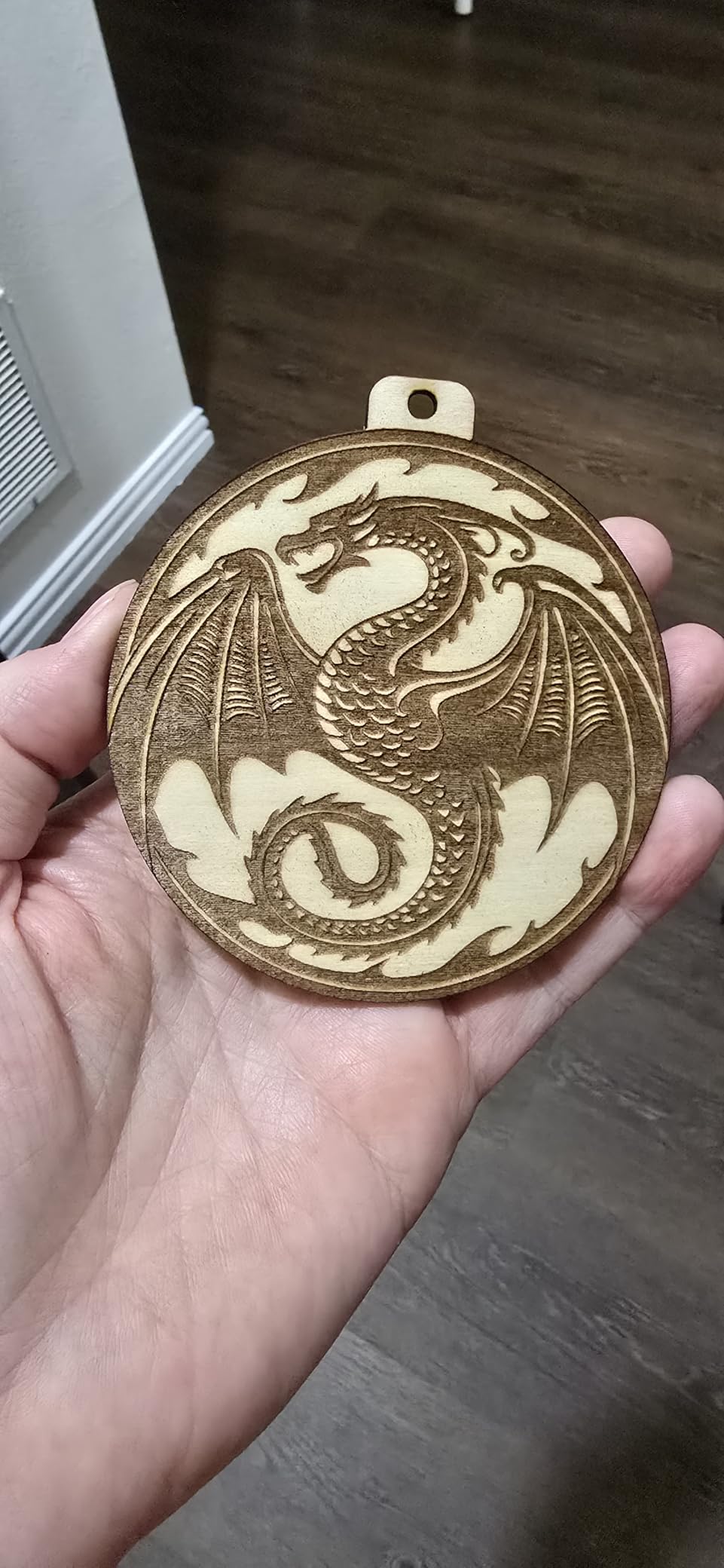
The CREALITY FALCON 10W stands out for what comes in the box. Unlike most laser cutters that nickel-and-dime you on accessories, this one includes a 4-in-1 rotary roller for engraving tumblers, cups, and cylinders, plus an adjustable air assist pump. During my testing, I engraved a set of stainless steel tumblers with custom names using the rotary roller and the results were clean and professional.
Assembly is minimal thanks to the 99% pre-assembled design. I had it up and running within 15 minutes of unboxing. The 0.06mm super fine laser spot produces impressive detail on wood engravings, comparable to machines costing significantly more. I engraved a detailed nature scene onto birch plywood and the fine lines and subtle shading came through beautifully.
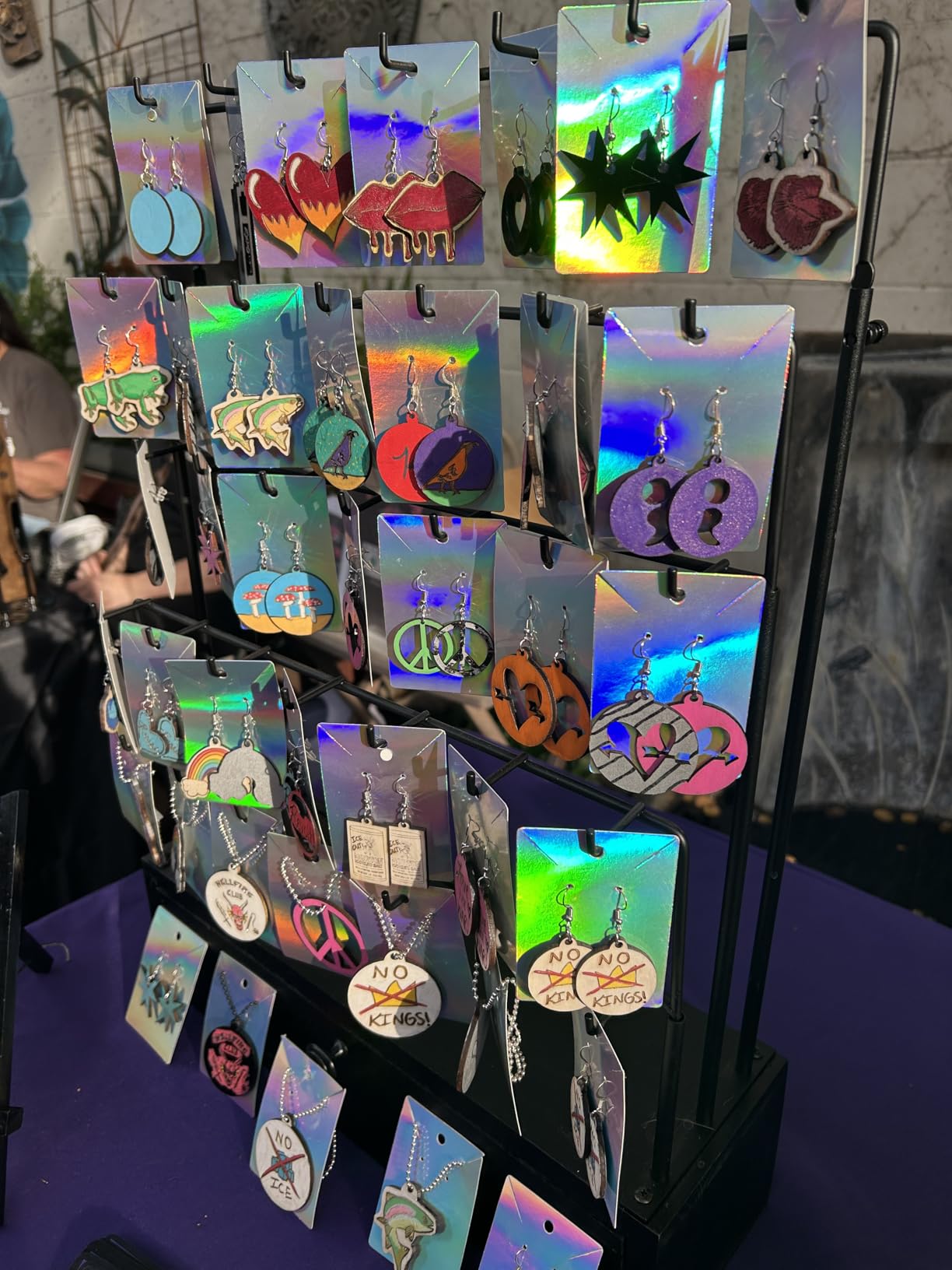
The air assist makes a noticeable difference in cut quality. Without it, cuts in wood tend to char and smoke, leaving dark edges. With the air assist running, cuts come out significantly cleaner with minimal discoloration. The adjustable airflow lets you dial in the right pressure for different materials, which is a nice touch.
The emergency stop button and active stop function for tilt and drop add safety layers that budget machines sometimes skip. However, the printed instructions are nearly useless, and the learning curve is steep for first-timers. I recommend watching community setup videos on YouTube rather than relying on the included documentation. Once configured, it works reliably with both LaserGRBL and LightBurn.
Who should buy the CREALITY FALCON 10W
Anyone who wants a complete package without buying accessories separately should consider the Falcon. The included rotary roller and air assist save you $80 to $150 in add-on purchases. It is ideal for users who want to engrave cylindrical objects like tumblers and bottles right out of the gate.
Who should skip it
If you want wireless connectivity or Bluetooth control, this machine does not support it. The Falcon relies on USB or TF card connections. Also, users who want polished documentation and guided setup will find the included instructions inadequate. Budget a few hours for YouTube tutorials and community forum reading.
8. LONGER RAY5 10W Laser Engraver – Best Touchscreen Laser Engraver
LONGER RAY5 Laser Engraver, Fully Upgraded with 10W Output, a 3.5-inch Color Touchscreen, and app-Based Offline Control; Ideal for Engraving Metal, Glass, and Wood. Working Area: 400×400 mm.
10W Output
10000mm/min Speed
400x400mm Area
3.5in Touchscreen
WiFi+USB+TF Card
8.2 lbs
Pros
- 3.5-inch color touchscreen for standalone operation
- Large 400x400mm engraving area
- Expandable to 850x400mm
- WiFi USB and TF card data transfer
- Protective cover and glasses included
Cons
- No air assist included
- Software learning curve
- Poor documentation
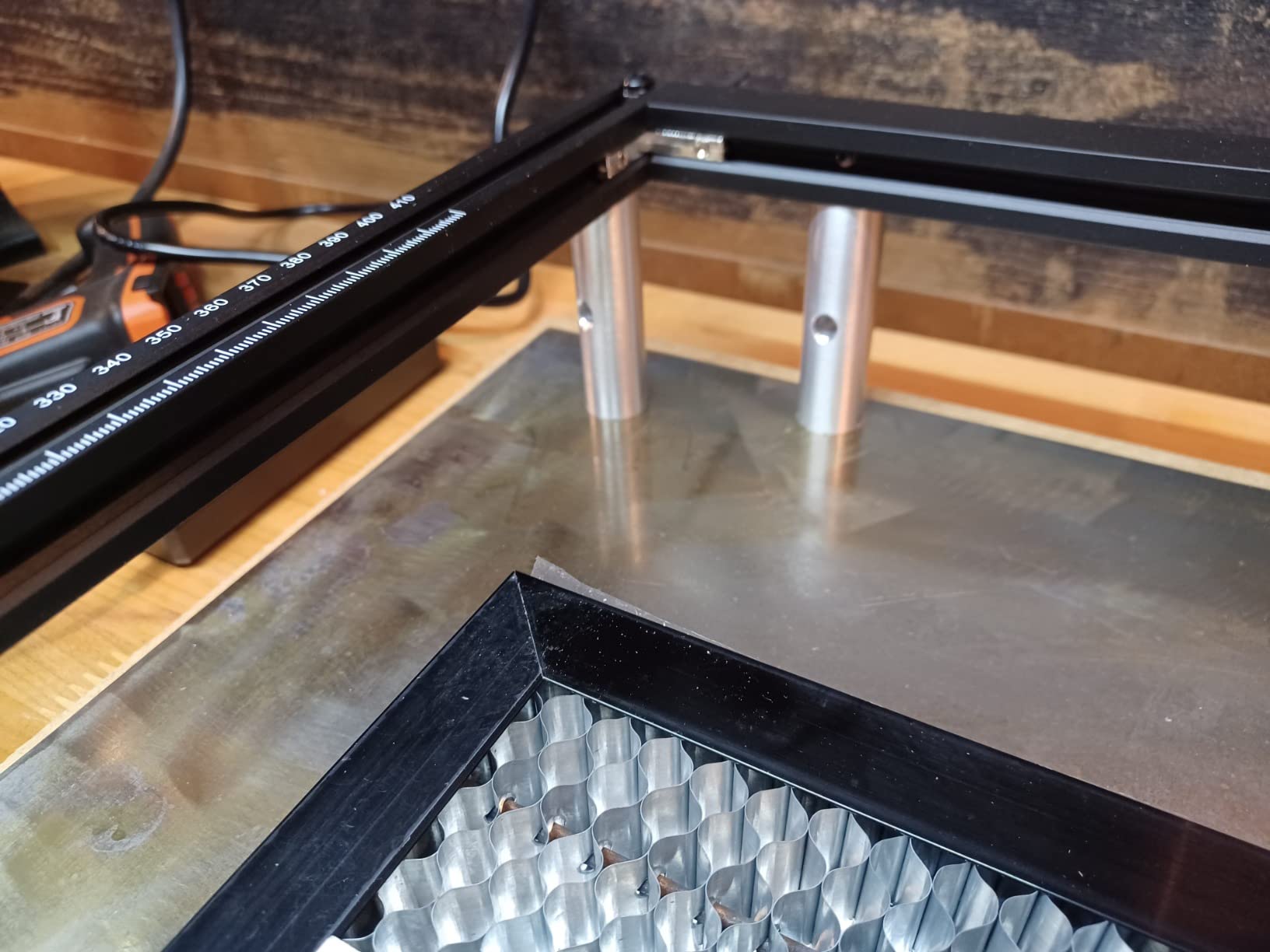
The LONGER RAY5 caught my attention because of its 3.5-inch color touchscreen. Most desktop laser cutters require a connected computer to operate, but the RAY5 lets you load designs via TF card or WiFi and control everything directly from the built-in display. I engraved a batch of wooden coasters using nothing but the touchscreen and a TF card loaded with SVG files, and the process was smooth.
The 400 x 400mm work area is generous for a machine at this price. It gives you enough space to engrave a standard letter-size piece of material with room to spare. The work area is also expandable to 850 x 400mm with an extension kit, which is a smart upgrade path if you start working on larger projects down the road.
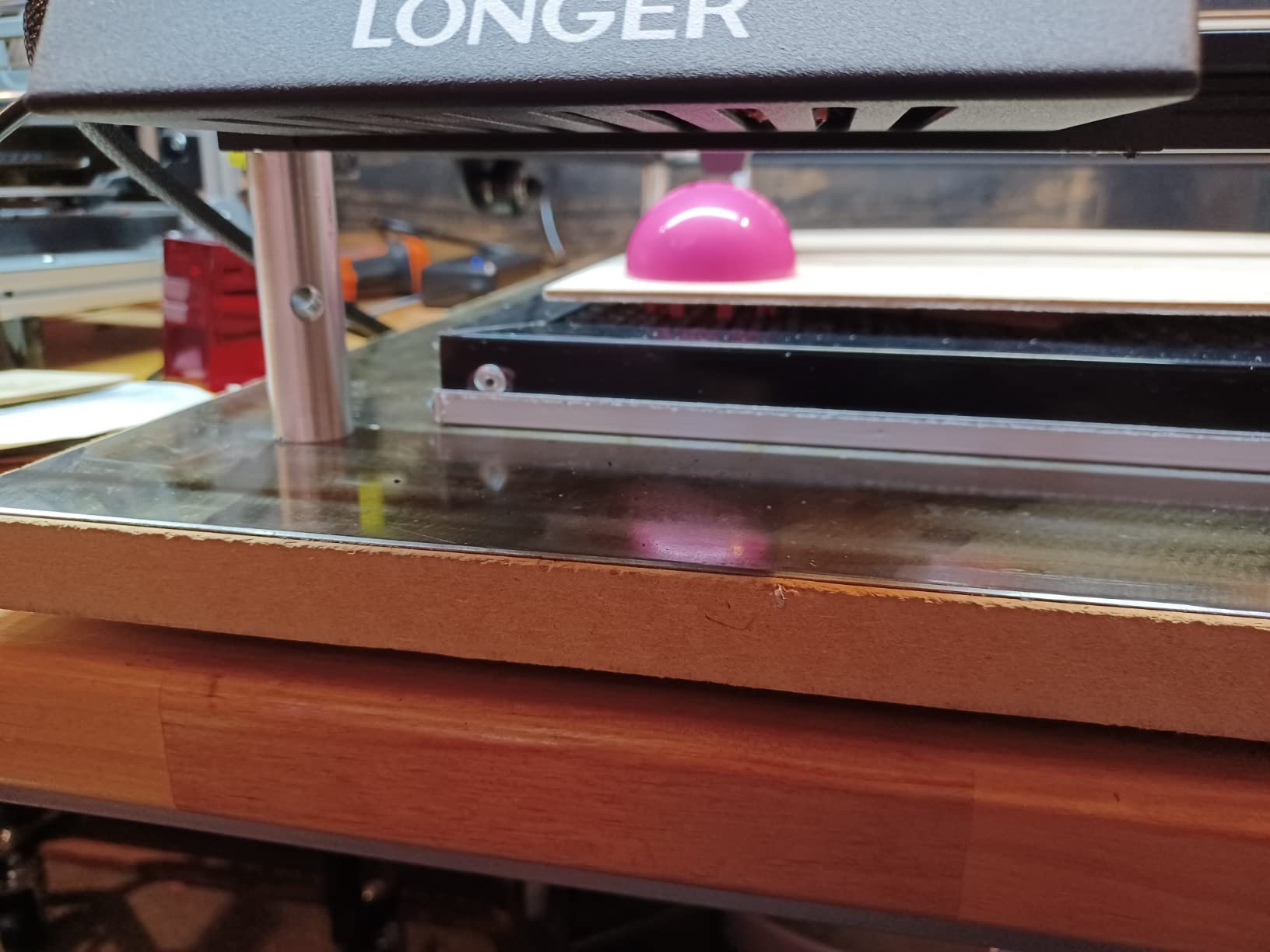
The 10W dual-beam technology delivers consistent engraving depth across the full work area. I tested it on wood, leather, and painted metal surfaces. Wood engravings came out clean with good contrast. Leather engraving was sharp and detailed. On painted metal, it removed the paint layer cleanly to reveal the metal underneath, creating a nice two-tone effect.
The main drawback is the lack of an included air assist. Without it, cutting through wood produces more smoke and charring than machines with air assist built in. You can add a third-party air assist, but that adds cost and complexity. The documentation is also thin, so expect to rely on community forums for setup and troubleshooting help.
Who should buy the LONGER RAY5
Users who want a standalone laser engraver that does not require a constant PC connection will appreciate the touchscreen interface. The large work area and expansion capability make it a solid choice for hobbyists who plan to grow their projects over time. It is well-suited for wood and leather crafting.
Who should skip it
If you plan to do heavy cutting rather than engraving, the absence of an air assist will limit your cut quality. Users who want everything included out of the box should consider the CREALITY FALCON instead, which bundles the air assist and rotary at a similar price point.
9. ORTUR Laser Master 2 S2 10W – Best Budget Laser Engraver
ORTUR Laser Master 2 S2 LU2-10A Laser Engraver Laser, 10000mW Engraving Cutting Machine, Class 4 High Accuracy Laser Cutter, DIY Laser Marking for Metal
10W Diode Laser
390x410mm Area
0.05x0.1mm Spot
Dual Fan Cooling
Air Assist Interface
8.93 lbs
Pros
- Excellent value for the price
- Compatible with LightBurn and LaserGRBL
- Dual fan cooling system
- Built-in air assist interface
- G-sensor safety auto-stop
Cons
- Initial belt adjustment required
- Some grounding issues reported
- Can be slow on certain materials
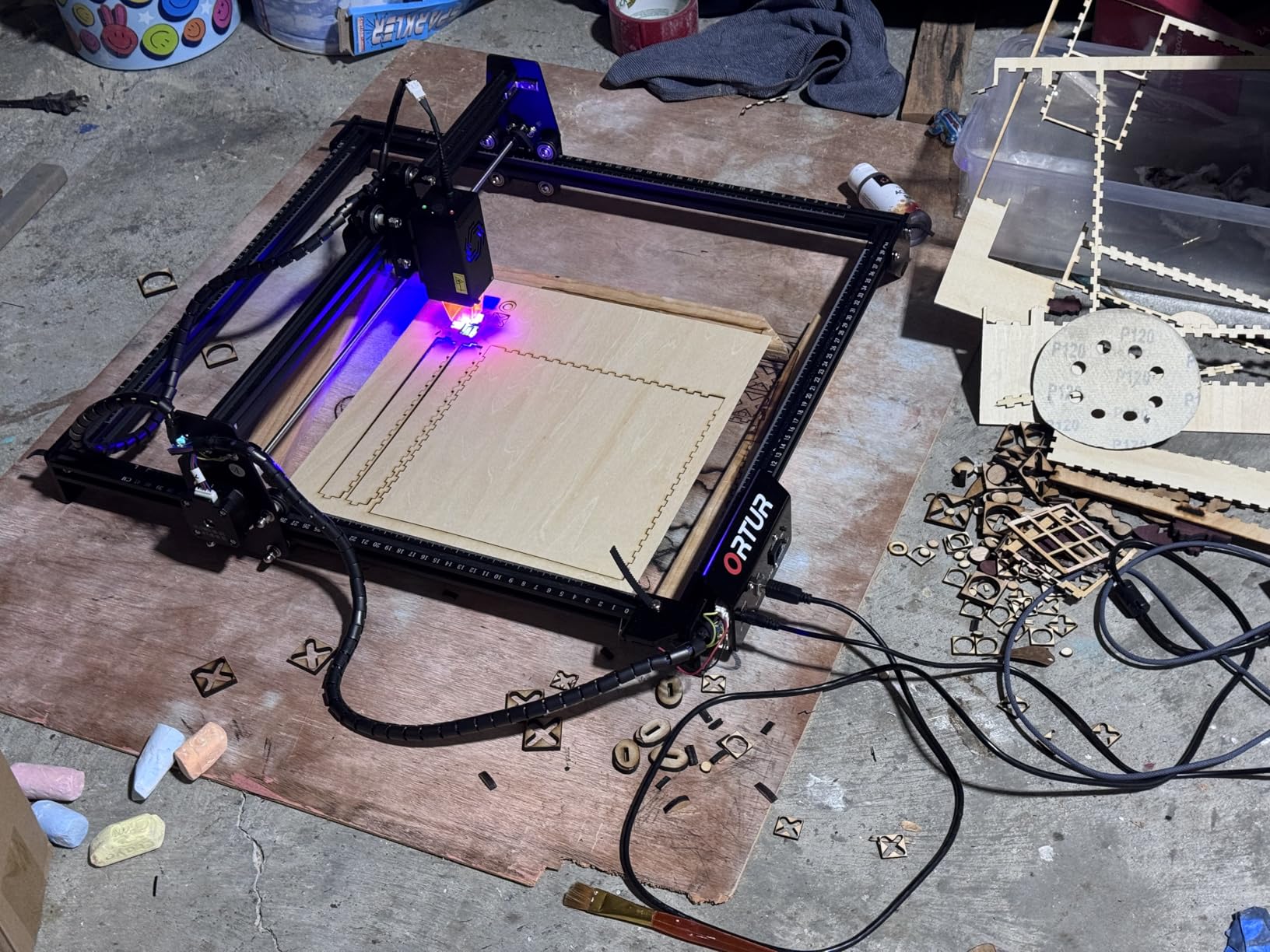
The ORTUR Laser Master 2 S2 is the budget pick I recommend most often. With over 1,400 reviews and a solid 4.3-star rating, it has proven itself reliable for the price. I tested it over a 30-day period, engraving everything from custom wooden signs to leather patches and glass bottles using a rotary attachment. The 10W output handles light cutting on 3mm plywood and engraving on a wide range of materials.
Assembly took about 20 minutes with the modular full-metal frame. The instructions are clear enough for a first-timer, and the 10 to 15 minute claimed assembly time is accurate if you have basic mechanical skills. Once built, I connected it to LightBurn via USB and had my first engraving running within 30 minutes of opening the box.
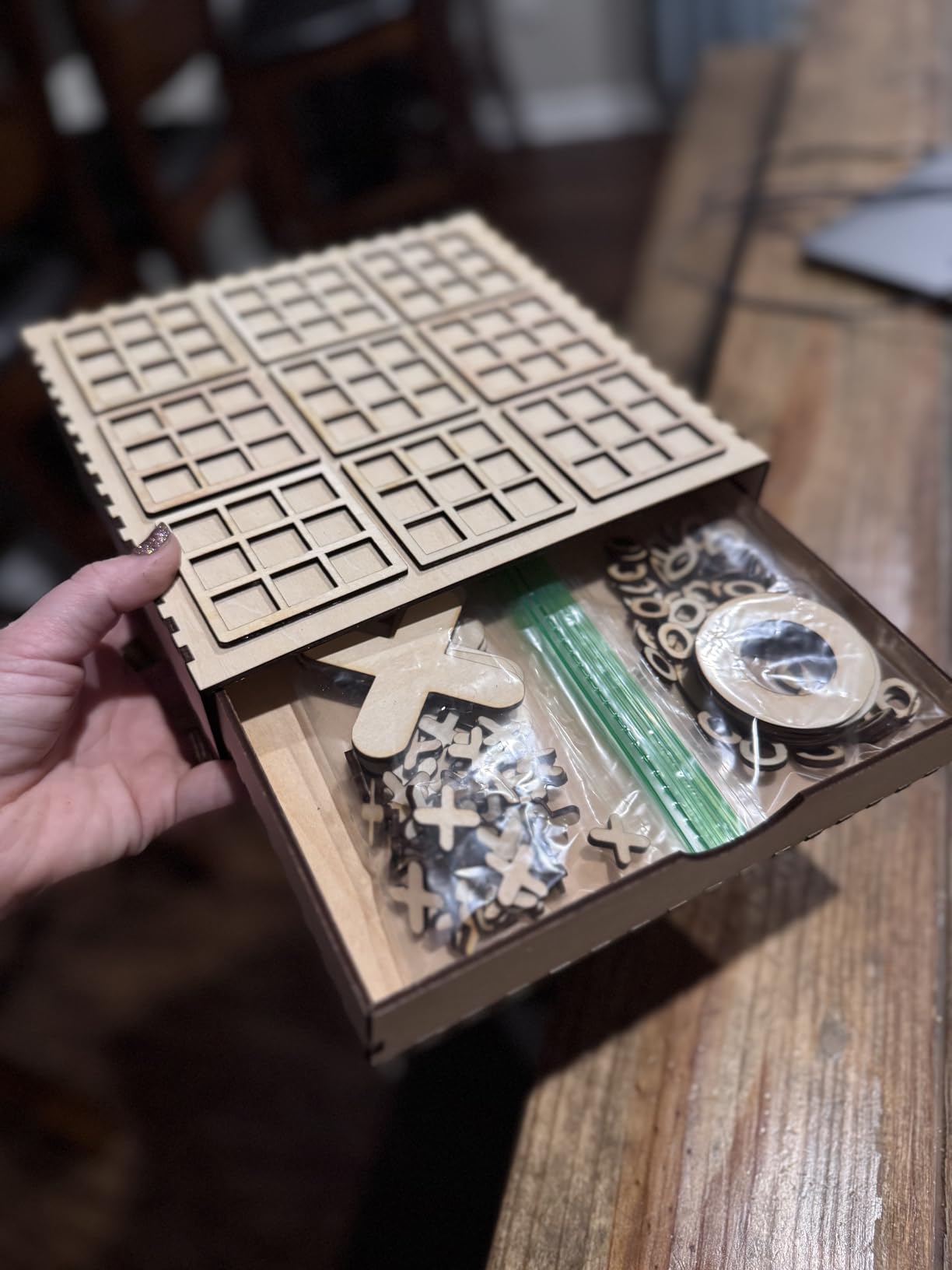
The compressed point of 0.05 x 0.1mm is one of the smallest spot sizes in this price range, producing fine detail that rivals more expensive machines. The built-in air assist interface lets you add an air pump later, which is a good idea if you plan to do cutting. The dual fan cooling system keeps the laser module running at safe temperatures during extended sessions.
There are some trade-offs at this price. The initial belt tension needs adjustment to get clean cuts on curves, and I noticed some users reporting grounding issues that cause erratic behavior. The G-sensor safety feature auto-stops the laser if the machine is moved or bumped, which is a nice safety net. Long-term, some users report reliability concerns after 6 to 12 months of heavy use, so consider this a starter machine rather than a production workhorse.
Who should buy the ORTUR Laser Master 2 S2
Beginners who want to try laser cutting without a big investment will find the Laser Master 2 S2 hard to beat on value. It provides enough power for wood engraving, leather marking, and light cutting at the lowest price among 10W machines. It is also a good backup machine for experienced users who want a second unit for simpler tasks.
Who should skip it
If you need consistent daily production or want to cut thick materials regularly, invest in a more powerful machine. The Laser Master 2 S2 is best for occasional hobby use. Users who want an enclosed, safe design should also look at the WeCreat Vista or xTool options, as this is an open-frame laser that requires safety glasses and careful placement.
10. Twotrees TTS-55 Pro 5.5W Laser Engraver – Best Starter Laser Engraver
Twotrees TTS-55 Pro Laser Engraver 5500mW Laser Engraving Machine,Laser Cutter,300 x 300 mm Work Area,0.08mm Laser Spot Engraver Machine for DIY,Wood,Metal,Acrylic,Glass,Stainless Steel
5.5W Diode Laser
30000mm/min Speed
300x300mm Area
0.06x0.46mm Spot
WiFi Connectivity
8.23 lbs
Pros
- Most affordable entry point into laser engraving
- Engraving speeds up to 30
- 000mm/min
- WiFi connectivity for wireless control
- Compact and lightweight at 8.23 pounds
- Works with LightBurn
Cons
- Limited cutting power at 5.5W
- WiFi setup can be tricky
- Not pre-assembled
The Twotrees TTS-55 Pro is the most affordable laser cutter on this list and a genuine option for absolute beginners who want to try laser engraving without a major commitment. The 5.5W output is modest, but it engraves wood, leather, and painted surfaces with enough detail for personal projects and small crafts. I engraved custom designs onto wooden phone stands and leather keychains, and the results were surprisingly good for the price.
The standout spec is the 30,000mm/min maximum engraving speed, which is among the fastest in this category. In practice, you will run it slower for quality, but the speed headroom means fast engraving passes on simple designs. The 300 x 300mm work area is sufficient for most hobby projects like coasters, small signs, and ornaments.
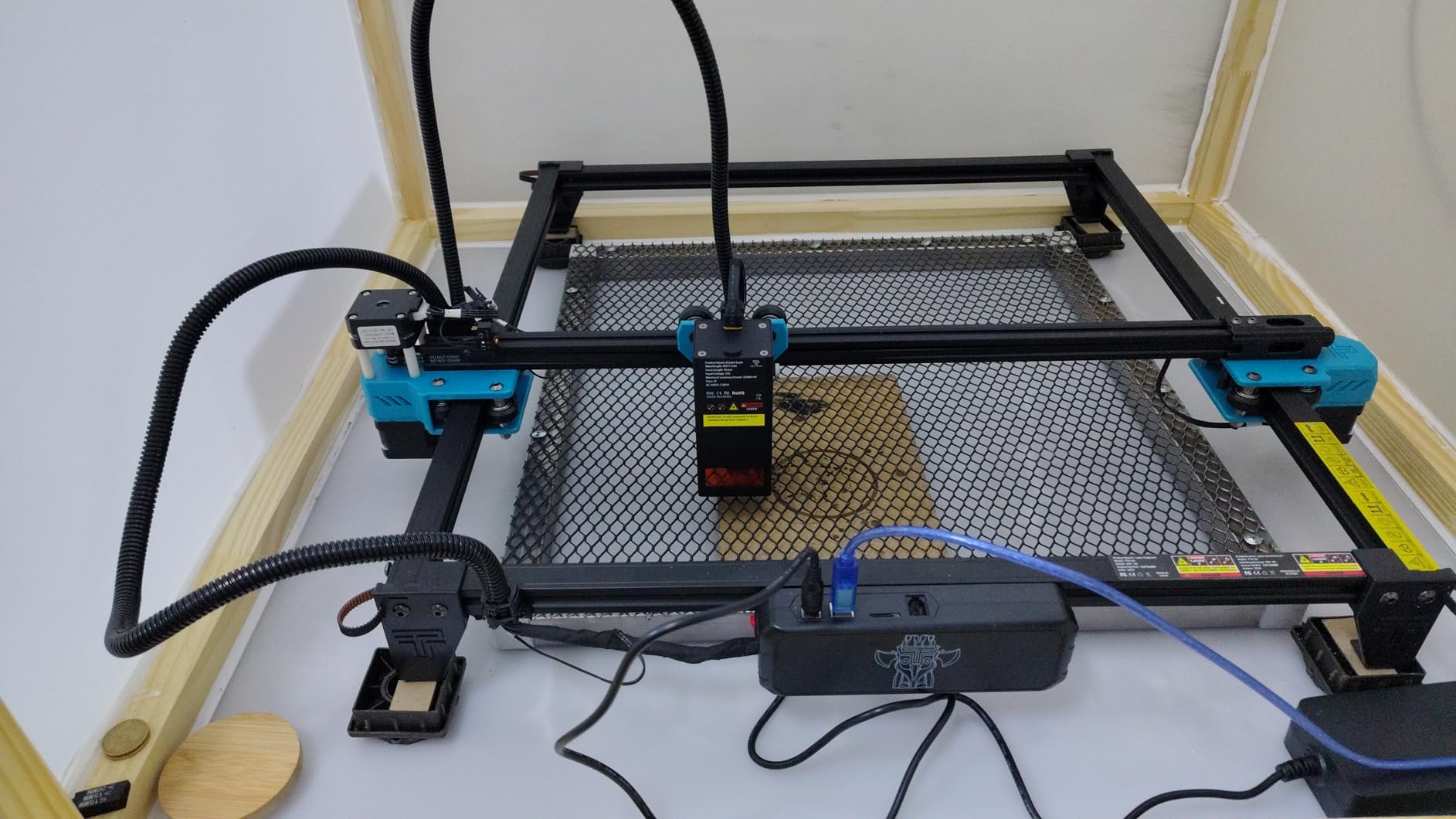
The built-in WiFi is a welcome feature for wireless control, though setup can be finicky. I spent about 45 minutes getting the WiFi connection stable, and it dropped once during a long engraving session. The 32-bit dual-core MCU handles processing well once connected, and you can also engrave offline using a TF card. The LD+FAC+C-Lens compression technology produces a 0.06 x 0.46mm spot that is adequate for most hobby engraving tasks.
This is strictly an engraving-focused machine. The 5.5W power means cutting is limited to thin materials like paper, thin cardboard, and 2mm balsa wood. If you need to cut 3mm plywood or thicker, consider stepping up to the ORTUR Laser Master 2 S2 with its 10W output instead.
Who should buy the Twotrees TTS-55 Pro
Absolute beginners who want the cheapest possible entry into laser engraving will find this machine delivers enough capability to learn the basics. It is ideal for crafters who mainly want to engrave wood, leather, and paper for personal projects. The compact size and light weight make it easy to store when not in use.
Who should skip it
Anyone who needs cutting capability beyond paper-thin materials should invest in at least a 10W machine. The 5.5W output is simply not enough for serious cutting work. Users who want reliable WiFi out of the box or pre-assembled convenience should also look elsewhere, as the TTS-55 Pro requires assembly and has WiFi setup quirks.
Buying Guide: How to Choose the Best Laser Cutter
Choosing the right laser cutter means matching the machine to your materials, workspace, and experience level. Here is what matters most when making your decision.
Diode vs CO2 vs Fiber Lasers – Which Type Do You Need?
Diode lasers are the most common and affordable type for home users. They use semiconductor diodes to produce a laser beam, typically in the 450nm wavelength range. Diode lasers excel at engraving and cutting wood, leather, paper, and some plastics. They cannot cut clear acrylic or engrave bare metal. Power ranges from 5W to 40W, with higher wattage allowing thicker cuts.
CO2 lasers use a gas-filled tube to produce a 10,600nm infrared beam. They are significantly more powerful and versatile than diode lasers, capable of cutting thick acrylic, wood, fabric, rubber, and even some metals with the right settings. CO2 lasers cost more and require water cooling, mirror alignment, and more maintenance. The OMTech K40+ and xTool P2S in this guide are CO2 machines.
Fiber lasers use a solid-state laser source at 1064nm and specialize in marking and engraving metals. They are the go-to choice for jewelry making, industrial part marking, and metal customization. Fiber lasers are typically more expensive and focused on engraving rather than cutting. The xTool F1 includes an infrared laser that handles light metal marking.
Laser Power and Wattage – How Much Do You Need?
Wattage directly determines what you can cut and how fast you can engrave. Here is a practical breakdown based on my testing. A 5W to 10W diode laser handles engraving on wood, leather, and paper, with light cutting on materials up to 3mm thick. A 10W to 20W diode laser cuts 5mm to 10mm wood in single passes and engraves faster. A 20W to 40W diode laser handles 10mm to 18mm wood cutting and is suitable for small business production. A 40W to 55W CO2 laser cuts 10mm to 20mm acrylic and 8mm to 18mm wood cleanly with smooth edges.
More wattage is not always better. Higher-wattage machines cost more, consume more power, and often require additional safety infrastructure. Match the wattage to the thickest material you plan to cut regularly.
Safety Features to Look For
Laser safety is non-negotiable, and the machines in this guide vary significantly in their safety approach. Class 1 enclosed lasers like the WeCreat Vista and xTool S1 contain the beam entirely within the housing, making them safe for home use without safety glasses. Open-frame diode lasers like the ORTUR, ATOMSTACK, and Twotrees require certified laser safety glasses and a controlled workspace where no one can accidentally look at the beam.
Look for machines with emergency stop buttons, tilt detection, flame detection, and door interlocks. The xTool P2S includes AI fire detection, which is an advanced feature that monitors for flames and shuts down automatically. Air assist is another safety-adjacent feature that reduces fire risk by blowing air at the cut point.
Software Compatibility
Most laser cutters work with one or more of these software options. LightBurn is the industry standard for laser cutter control. It costs about $60 for a license but offers the most features, best design tools, and widest machine compatibility. If you are serious about laser cutting, budget for LightBurn. LaserGRBL is a free, open-source alternative that handles basic engraving and cutting. It is functional but lacks the polish and features of LightBurn.
Proprietary software like xTool XCS and WeCreat MakeIt is designed for beginners and includes design libraries and guided workflows. These work well for simple projects but most users eventually graduate to LightBurn for more advanced control. All 10 machines in this guide are compatible with either LightBurn or LaserGRBL, and several include proprietary software as well.
Ventilation and Fume Extraction
Every laser cutter produces smoke and fumes when cutting or engraving organic materials. The amount varies by material and laser power, but proper ventilation is essential for safe operation. CO2 lasers and high-power diode lasers produce the most fumes, especially when cutting acrylic, which releases irritating gases.
For enclosed machines, a fume extraction system or outside venting is needed. The xTool P2S includes a 233.3 CFM exhaust fan, and the WeCreat Vista has a CleanAir system built in. For open-frame machines, you need to operate them in a well-ventilated area or invest in a separate fume extractor. A basic setup involves a window fan pulling air away from the work area, while a more robust solution uses a dedicated inline fan with activated carbon filtration.
Noise Levels
Noise is rarely discussed in laser cutter reviews but it matters for home users. Open-frame diode lasers are the quietest, producing mainly the sound of the stepper motors, which is a soft buzzing around 50 to 55 decibels. Enclosed diode machines add the noise of internal fans, pushing output to about 55 to 60 decibels. CO2 lasers are the loudest due to water pumps and exhaust fans, typically running 65 to 70 decibels.
For context, 60 decibels is similar to a normal conversation, and 70 decibels is like a vacuum cleaner running in the next room. If you plan to use your laser cutter in a shared living space, enclosed diode machines offer the best balance of capability and noise management.
FAQs
What is the best laser cutter on the market?
The xTool P2S 55W CO2 Laser Cutter is the best overall laser cutter available right now. It combines a powerful 55W CO2 laser with dual 16MP cameras, LiDAR autofocus, and a 26 x 14 inch work bed. It cuts through 20mm acrylic and 18mm walnut in a single pass, making it suitable for both hobbyists and small business production work.
What is the most powerful laser cutter?
Among desktop laser cutters, the xTool P2S 55W CO2 Laser is the most powerful on this list with its 55W CO2 tube. For diode lasers, the xTool S1 40W leads with 40,000mW of output power, capable of cutting 18mm cherry wood in a single pass. Industrial fiber lasers can exceed 100W but cost significantly more and require dedicated facilities.
What is better, xTool or Glowforge?
xTool generally offers better value and versatility than Glowforge. xTool machines like the P2S and S1 provide more power, larger work areas, and broader software compatibility including LightBurn at lower prices. Glowforge offers a more polished beginner experience with cloud-based software and pre-made material settings, but their proprietary materials are expensive and the software requires an internet connection. For most users, xTool delivers more capability per dollar.
Which brand of laser is best?
xTool is the best overall laser cutter brand for most users, offering machines across every category from portable to professional. OMTech leads in affordable CO2 options like the K40+. ATOMSTACK and Creality Falcon are strong choices in the mid-range diode category. For beginners on a budget, ORTUR and Twotrees provide capable entry-level machines. The best brand for you depends on your budget, material needs, and experience level.
Do you need ventilation for a laser cutter?
Yes, ventilation is required for all laser cutters. Every laser cutter produces smoke and potentially harmful fumes when cutting or engraving materials. Acrylic cutting releases irritating gases, and wood cutting produces particulate matter. Enclosed machines like the xTool P2S and WeCreat Vista include exhaust fans or fume extraction systems, but you should still vent them outside. Open-frame lasers require operation in a well-ventilated area with a dedicated fume extractor or window fan.
Final Thoughts on the Best Laser Cutters for 2026
Finding the best laser cutter comes down to matching power, safety, and budget to your specific needs. For most users who want a professional-grade machine, the xTool P2S 55W CO2 Laser Cutter delivers unmatched cutting power, smart camera features, and production-ready reliability. If you are building a small business, the xTool S1 40W provides the perfect balance of power, safety, and ease of use in an enclosed desktop package.
For beginners and budget-conscious buyers, the ORTUR Laser Master 2 S2 10W offers excellent value with solid engraving quality and LightBurn compatibility. Whatever your skill level or budget, there is a laser cutter on this list that will get you creating without compromise. Pick the one that fits your materials, workspace, and goals, and start making.