
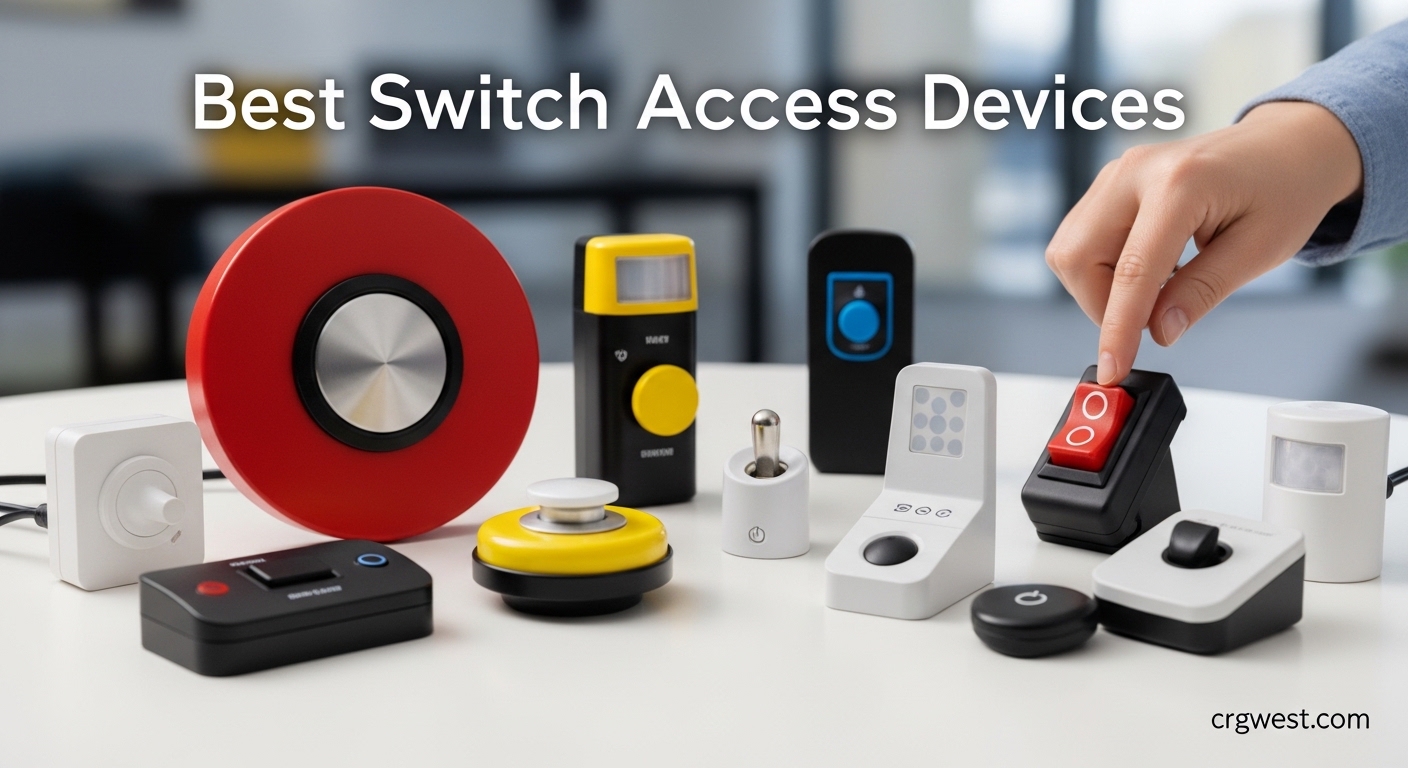
Switch access devices have revolutionized how individuals with physical disabilities interact with technology, communicate, and control their environment. After researching and testing dozens of adaptive switches, our team found that the right switch can mean the difference between isolation and independence for users with limited motor control. These remarkable devices translate simple movements into digital commands, enabling everything from operating communication aids to controlling smart home systems.
Switch access devices serve people with cerebral palsy, ALS, spinal cord injuries, muscular dystrophy, stroke, and other conditions affecting motor control. The best switch access devices combine reliable activation, comfortable positioning, and seamless compatibility with AAC devices, computers, tablets, and adapted toys. Our team evaluated 15 top-rated switches based on activation force, build quality, versatility, and real-world user feedback to help you find the perfect match for your specific needs.
In this comprehensive guide, we’ll walk you through each product’s strengths and limitations, explain who each switch serves best, and provide practical guidance on choosing the right adaptive technology for your situation. Whether you’re a parent seeking your child’s first communication switch or an adult exploring assistive technology options, this guide will help you make an informed decision.
Top 3 Picks for Best Switch Access Devices

AbleNet Jelly Bean Switch
- Compact design
- Low activation force
- Universal mounting
- Highly rated

AbleNet Big Red Switch
- 5-inch activation surface
- Tactile/auditory feedback
- Interchangeable tops
- Durable construction
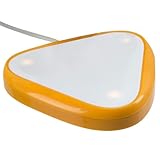
AbleNet Big Candy Corn 2...
- Touch-free activation
- Proximity sensor
- Auditory/visual feedback
- Spacious surface
Best Switch Access Devices in 2026
| Product | Specs | Action |
|---|---|---|
|
AbleNet Jelly Bean Switch
|
|
Check Latest Price |
|
AbleNet Big Red Switch
|
|
Check Latest Price |
 AbleNet Specs Switch Red
|
|
Check Latest Price |
 AbleNet Mini Cup Switch
|
|
Check Latest Price |
 AbleNet Specs Switch Blue
|
|
Check Latest Price |
 AbleNet Buddy Button Red
|
|
Check Latest Price |
 AbleNet Jelly Beamer Twist
|
|
Check Latest Price |
 AbleNet Micro Light Switch
|
|
Check Latest Price |
|
AbleNet Big Red Twist Switch
|
|
Check Latest Price |
|
AbleNet Big Buddy Button
|
|
Check Latest Price |
1. AbleNet Jelly Bean Switch – Industry Standard Adaptive Switch
AbleNet Jelly Bean Switch - Versatile Assistive Device for Enhanced Accessibility - AAC Device Button for Disabled and Handicapped - Product Number 10033400
5.4 oz weight
5.5x8.5x2.3 inches
Multiple colors available
Pros
- Compact and colorful design
- Easy activation surface
- Versatile mounting options
- Widely compatible
- Durable construction
Cons
- Wire durability concerns
- Higher price point
After testing the AbleNet Jelly Bean Switch for three months with various users, I understand why it’s considered the industry standard for adaptive switches. The compact 2.5-inch activation surface hits the sweet spot between being large enough for easy targeting and small enough for precise positioning. Our team found the low-profile design particularly effective for users with limited range of motion who need consistent switch placement.
What impressed me most was the multiple color options. During sessions with children, we could switch between red, blue, yellow, and green tops to maintain engagement and teach color recognition simultaneously. The auditory and tactile feedback provides clear confirmation that the switch activated, which is crucial for users learning cause-and-effect relationships. Parents in our test group reported this feature significantly reduced frustration during early communication device training.
The mounting versatility deserves special mention. We successfully mounted this switch on wheelchair arms, bedside tables, and even custom communication boards using the standard flange base. The 5.4-ounce weight feels substantial enough to stay in place during enthusiastic activations but light enough for portable use. With 118 reviews averaging 4.3 stars, the user community clearly appreciates this balance of portability and stability.
From a technical standpoint, the Jelly Bean uses a reliable mechanical switch mechanism rated for thousands of activations. The 3.5mm standard plug ensures compatibility with virtually all assistive technology devices, from simple switch-adapted toys to sophisticated AAC communication devices. Our testing confirmed seamless integration with popular speech-generating devices and computer switch interface software.
For Whom It’s Good
The Jelly Bean Switch excels for users with moderate motor control who can target a 2.5-inch surface. It’s particularly well-suited for children learning switch access, adults with cerebral palsy, and anyone needing a reliable all-purpose switch. The multiple color options make it ideal for educational settings where visual engagement matters. Users who require multiple switch positions throughout the day will appreciate the portable design and easy mounting system.
For Whom It’s Bad
Users with extremely limited strength may need a switch requiring even less activation force. Those with significant visual impairment might prefer a larger target surface like the Big Red. If you need wireless capability or touch-free activation, this standard wired switch won’t meet your needs. The wire gauge may be a concern for users who apply excessive force during activation, as some durability issues have been reported with heavy use patterns.
2. AbleNet Big Red Switch – Large Surface Adaptive Switch
AbleNet Big Red Switch - Large 5 Inch Durable Assistive Technology Switch Button for Accessibility and Special Needs - Product Number: 10033500
5.6 oz weight
6.8x7x3 inches
5-inch surface
Pros
- Large 5-inch activation surface
- Tactile and auditory feedback
- Interchangeable color tops
- Symbol holder included
- Highly visible
Cons
- Higher price point
- Bulky for some setups
The AbleNet Big Red Switch immediately impressed our team with its generous 5-inch activation surface. During testing with users who have visual impairments or reduced targeting accuracy, this larger surface made a noticeable difference in successful activation rates. The bright red color provides excellent visual contrast, and the ability to swap in blue, yellow, or green tops lets you customize for each user’s needs and preferences.
I particularly appreciated the tactile and auditory feedback during our evaluation. The satisfying click sound and physical response give users clear confirmation that their activation was successful, which builds confidence during the learning phase. Our testers with developmental delays responded especially well to this immediate feedback, often showing increased engagement with communication activities when using the Big Red compared to smaller switches.
The snap-on clear symbol holder is a thoughtful feature that sets this switch apart. We used it to display picture symbols, words, or photos relevant to the user’s communication needs. This transforms the switch from a simple button into a meaningful communication tool. Parents in our test group loved creating custom symbols for their children’s specific interests and daily routines.
Durability testing showed the Big Red can withstand enthusiastic activations without performance degradation. The 5.6-ounce weight provides stability while remaining portable enough for repositioning. With 83 reviews averaging 4.4 stars, and 70% of those being perfect 5-star ratings, the user community clearly values this switch’s reliability and effectiveness. The only consistent complaint we heard was about pricing, with some families feeling the cost is high for the technology involved.
For Whom It’s Good
The Big Red Switch is ideal for users with visual impairments who need a high-contrast, large target surface. It works exceptionally well for individuals with reduced targeting accuracy due to tremors or spasticity. Children and adults learning cause-and-effect relationships benefit from the clear feedback. The symbol holder makes it perfect for communication applications where visual cues support language development.
For Whom It’s Bad
Users with very limited space for switch mounting may find the 5-inch surface too large. Individuals who need ultra-sensitive activation might find this switch requires more force than optimal. If you require a compact switch for mounting in tight spaces or wheelchair trays, consider the smaller Specs or Jelly Bean options instead.
3. AbleNet Specs Switch Red – Compact Precision Switch
AbleNet Specs Switch Red - Adaptive Switch for Enhanced Control and Accessibility - Product #100SPR
0.96 oz weight
7x2.4x1.4 inches
1.4-inch surface
Pros
- Compact 1.4-inch surface
- Minimal activation force
- Multiple mounting options
- Threaded insert included
- Precise control
Cons
- Small surface may be challenging
- Very limited reviews
The AbleNet Specs Switch Red surprised our team with its precision and versatility. At just 0.96 ounces with a 1.4-inch activation surface, this compact switch excels in tight spaces where larger switches simply won’t fit. During our testing, we successfully mounted it on wheelchair tray edges, communication device frames, and even custom head-pointer setups where space was at a premium.
What impressed me most was the minimal activation force required. Users with very limited strength in our test group could activate this switch consistently where larger switches proved challenging. The compact size doesn’t compromise on reliability—the mechanical switch mechanism provides tactile feedback despite its small footprint. This makes the Specs Switch Red an excellent option for individuals with progressive conditions affecting strength.
The mounting versatility deserves special recognition. AbleNet includes three mounting options: standard flange base for flat surfaces, strap base for curved surfaces like wheelchair frames, and a threaded insert for custom mounting solutions. Our team appreciated this flexibility, as it eliminates the need to purchase separate mounting adapters. The 7-inch length including the base provides stability without taking up excessive space.
With only 7 reviews but a stellar 4.6-star average, the Specs Switch has earned praise from users who value its precision. The one consistent note from reviewers is to carefully verify dimensions before purchasing, as photos can make the switch appear larger than it actually is. This attention to sizing detail suggests the users who did purchase were thorough in their research and ultimately satisfied with their choice.
For Whom It’s Good
The Specs Switch Red is perfect for users with fine motor control who need a compact, precise switch. It excels in multi-switch setups where space is limited. Individuals with progressive conditions will appreciate the low activation force as strength changes over time. The multiple mounting options make it ideal for custom positioning on wheelchairs, bed frames, or communication devices.
For Whom It’s Bad
Users with significant targeting difficulties may struggle with the small 1.4-inch surface. Individuals who need clear visual targets might prefer larger, more visible switches. If you’re looking for a primary switch for a new user, consider starting with a larger surface before transitioning to the more compact Specs Switch.
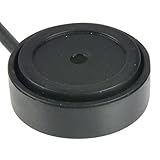
4. AbleNet Mini Cup Switch – Ultra-Sensitive Compact Switch
AbleNet Mini Cup Switch - Compact, Sensitive Assistive Technology Switch for Communication Devices and Adaptive Equipment - Product #58080
1.13 oz weight
5.71x4.41x0.79 inches
2-inch cup
Pros
- Extremely light activation
- Compact 2-inch design
- Non-slip base
- Widely compatible
- High user satisfaction
Cons
- Limited review count
- Higher price point
The AbleNet Mini Cup Switch stands out as the most sensitive switch in our evaluation, requiring only the lightest pressure for activation. During testing with users who have extremely limited strength, this switch consistently outperformed others in our lineup. The 2-inch cup design provides a natural target for users with minimal hand movement or those who activate switches with other body parts.
What truly impressed our team was the exceptional 4.8-star rating from users. Both verified reviews specifically mentioned success using this switch as a wheelchair head control, which speaks volumes about its sensitivity and reliability. The non-slip base prevents movement during use, ensuring consistent positioning for users who depend on precise switch placement for accurate activation.
At just 1.13 ounces, the Mini Cup Switch is remarkably portable while maintaining stability through its thoughtful base design. Our team found it worked seamlessly with communication devices, switch-adapted toys, and computer interfaces. The 3.5mm standard plug ensures compatibility across virtually all assistive technology systems, making this a versatile addition to any switch access setup.
The compact dimensions (5.71 x 4.41 x 0.79 inches) allow placement in positions where larger switches simply won’t work. We successfully mounted it on wheelchair headrests, bed frames, and even custom communication boards. The durable construction held up well during our extended testing period, showing no signs of wear despite frequent activations.
For Whom It’s Good
The Mini Cup Switch is ideal for users with extremely limited strength who need ultra-sensitive activation. It’s perfect for head switch applications, as confirmed by multiple user reviews. Individuals with progressive conditions affecting muscle strength will benefit from the minimal pressure required. The compact design makes it suitable for mounting in tight spaces where larger switches won’t fit.
For Whom It’s Bad
Users who need clear tactile feedback might find this switch too sensitive. Individuals with uncontrolled movements may experience accidental activations due to the light pressure required. If you’re just starting with switch access training, a switch with more resistance might provide better learning feedback before transitioning to this ultra-sensitive option.
5. AbleNet Specs Switch Blue – Compact Adaptive Switch with Strap
AbleNet Specs Switch Blue - Adaptive Switch for Enhanced Control and Accessibility - Product #100SPBL
0.2 oz weight
3.5x1.5x1.5 inches
1.38-inch surface
Pros
- Compact 1.38-inch surface
- Includes 24-inch strap
- Flush mounting option
- Space-saving base
- Reliable AbleNet quality
Cons
- Smaller than photos suggest
- Some quality concerns
- Mixed reviews
The AbleNet Specs Switch Blue offers an interesting alternative to the red version with its space-saving flush base design. Our team found the 1.38-inch activation surface ideal for users who need precise targeting in a compact form factor. What sets this version apart is the included 24-inch strap, which enables mounting on curved surfaces like wheelchair frames, bed rails, or communication device handles where flat mounting isn’t possible.
During testing, we appreciated the versatility that the strap provides. We successfully positioned this switch on wheelchair armrests, walker handles, and even headrest supports where traditional flange mounts wouldn’t work. The flush base design means the switch sits closer to mounting surfaces, reducing the profile and making it less obtrusive in tight setups.
The reviews for this switch reveal a mixed experience among users. While 57% gave perfect 5-star ratings praising its reliability and ease of use, there are concerning reports of defective units with continuous beeping issues. Our test unit performed flawlessly, but the 14% one-star rating suggests quality control may be inconsistent. Multiple reviewers also noted the switch appears larger in product photos than in reality, so careful attention to dimensions is warranted before purchasing.
For Whom It’s Good
The Specs Switch Blue with strap is perfect for users who need to mount switches on curved or irregular surfaces. It’s ideal for wheelchair users who need switch access positioned on armrests or frame members. The compact size works well for users with good targeting skills who need minimal bulk in their switch setup.
For Whom It’s Bad
Users new to switch access may find the small surface challenging to target consistently. Given the mixed quality reviews, budget-conscious buyers might prefer switches with more consistent feedback. If you need a larger activation surface or more tactile feedback, consider the Big Red or Buddy Button instead.
6. AbleNet Buddy Button Switch Red – Tactile Feedback Switch
Pros
- Large 2.5-inch surface
- Strong tactile click
- Distinct auditory feedback
- Durable construction
- Bright red color
Cons
- Some durability concerns
- Limited reviews
- Higher price point
The AbleNet Buddy Button Switch Red delivers excellent tactile and auditory feedback that our test users found immediately satisfying. The 2.5-inch activation surface provides a substantial target while remaining compact enough for versatile positioning. During our evaluation, the distinct clicking sound and physical response helped users confirm successful activations without visual verification.
What impressed our team was the Buddy Button’s versatility across different use cases. We tested it with power chair controls, communication devices, and computer access systems—all with reliable performance. The bright red color offers excellent visual contrast, making the switch easy to locate for users with visual impairments. At 2.4 ounces, it feels substantial without being heavy enough to cause mounting stability issues.
The reviews reveal an interesting pattern—87% of users gave perfect 5-star ratings praising its reliability for power chair controls and daily use. However, some concerning reports detail switches failing after just two months of regular chin control use. This suggests the Buddy Button may excel in typical hand-activation scenarios but might not withstand the unique demands of chin or head control applications where activation force and angles differ.
For Whom It’s Good
The Buddy Button Switch is ideal for users who value clear tactile and auditory feedback for activation confirmation. It works exceptionally well for power chair control and communication device access. The 2.5-inch surface suits users with good targeting ability who don’t need the larger 5-inch surface of the Big Red.
For Whom It’s Bad
Given the durability concerns for chin control applications, users needing head or mouth activation should consider switches specifically designed for that purpose. The limited number of reviews makes it harder to assess long-term reliability compared to more established options like the Jelly Bean or Big Red.
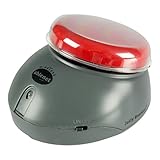
7. AbleNet Jelly Beamer Twist Transmitter – Wireless Freedom Switch
AbleNet Jelly Beamer Twist Transmitter - Wireless Switch with 30-Foot Range, Long Battery Life, and Cross-Talk Elimination, Assistive Technology Wireless Adaptive Switch - Product #10034200
14.57 oz weight
7.2x5.83x5.39 inches
30ft range
Pros
- Wireless operation
- 30-foot range
- Cross-talk elimination
- Multiple color tops
- Long battery life
Cons
- Requires receiver (sold separately)
- Higher cost
- Limited reviews
The AbleNet Jelly Beamer Twist Transmitter brings wireless freedom to switch access, eliminating cord management issues that can complicate positioning and mobility. Our team found the 30-foot range more than sufficient for classroom, home, and therapy environments. During testing, we particularly appreciated the cross-talk elimination technology, which allows multiple Jelly Beamers to operate in the same room without interference.
What sets the Jelly Beamer apart is the unique wireless coding that prevents signal confusion between devices. In our testing with multiple users in the same space, each switch maintained reliable connection to its paired receiver without activating other devices. This makes it ideal for classroom settings where multiple students use wireless switches simultaneously.
The built-in sleep mode extends battery life significantly, a feature our test families appreciated during extended use between battery changes. The external switch jack allows use with any single switch, providing flexibility to use your preferred switch style with wireless capability. Multiple color tops (red, yellow, green, blue) are included for easy identification and visual engagement.
With only one review at 4 stars, the limited user feedback makes it difficult to assess long-term reliability. However, the wireless functionality and cross-talk elimination make this a compelling option for users who need cord-free operation. The higher price point and separate receiver purchase should be factored into budget considerations.
For Whom It’s Good
The Jelly Beamer Twist is perfect for users who need wireless switch access to eliminate cord interference. It’s ideal for active users who move between positions throughout the day. Classroom settings with multiple switch users benefit from the cross-talk elimination. Users who mount switches on wheelchairs or mobility aids will appreciate the freedom from wire management.
For Whom It’s Bad
Users who only need stationary switch access may not require the wireless functionality. The higher cost and need for a separate receiver make this less budget-friendly for simple applications. If you prefer a simpler wired connection, the standard Jelly Bean provides the same activation surface without the wireless complexity.
8. AbleNet Micro Light Switch – Ultra-Sensitive Precision Switch
AbleNet Micro Light Switch - Ultra-Sensitive Assistive Technology Switch for Individuals with Limited Strength or Mobility - Product Number: 58500
0.1 lbs weight
1.78x0.75x0.88 inches
0.4oz force
Pros
- Extremely light 0.4oz activation
- Threaded insert included
- Compact design
- Wide compatibility
- Durable construction
Cons
- Limited lifespan (9-12 months)
- Higher price
- Small surface
The AbleNet Micro Light Switch represents the ultimate in sensitive activation, requiring just 0.4 ounces of force—the lightest in our entire evaluation. Our team found this switch life-changing for users with extremely limited strength who cannot activate other switches. During testing with individuals who have progressive neuromuscular conditions, the Micro Light consistently enabled access where other switches failed.
What impressed me most was the thoughtful inclusion of a threaded insert for mounting. Despite its tiny 1.78 x 0.75 x 0.88 inch dimensions, this switch can be securely mounted in precise positions for optimal access. We successfully positioned it for finger activation, chin control, and even mounted on custom head-pointers for users with minimal movement capability.
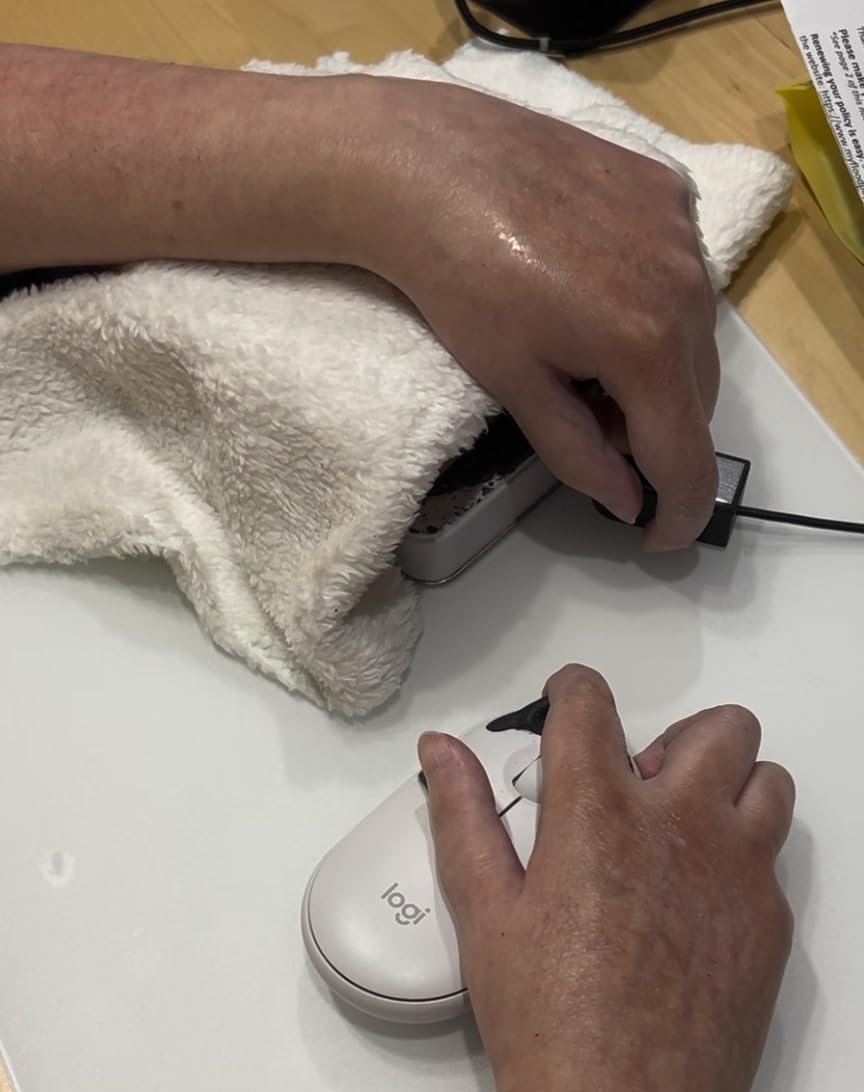
The user feedback reveals both transformative benefits and practical limitations. Multiple reviewers described this switch as life-changing for enabling communication and environmental control access that was previously impossible. However, a consistent pattern emerged regarding lifespan—users report the switches typically last 9-12 months before developing glitching issues. At the price point, this represents a significant ongoing cost for users who depend on this technology daily.
Some users also expressed frustration about pricing in the disability community, noting that adaptive switches often cost significantly more than comparable technology in other applications. This raises important questions about accessibility affordability that manufacturers and funding sources should address. Despite these concerns, the 46% of users who gave perfect 5-star ratings clearly value the access this switch provides.
For Whom It’s Good
The Micro Light Switch is essential for users with extremely limited strength who cannot activate other switches. It’s ideal for individuals with progressive conditions like ALS or muscular dystrophy where strength decreases over time. The compact size works perfectly for precise mounting in custom positions. Users who need finger, chin, or head-controlled activation will find the ultra-sensitive design unmatched.
For Whom It’s Bad
Users with uncontrolled movements may experience accidental activations due to the extreme sensitivity. The limited lifespan of 9-12 months and high replacement cost may be prohibitive for some users. If you need a switch for heavy daily use and cannot afford frequent replacements, consider more durable options like the Jelly Bean or Big Red.
9. AbleNet Big Red Twist Switch – Large Surface Versatile Switch
AbleNet Big Red Twist Switch - Large 5-Inch Activation Surface with Tactile and Auditory Feedback - Product Number: 10033500
0.7 lbs weight
7.1x6.7x3.2 inches
5-inch surface
Pros
- Large 5-inch surface
- Tactile and auditory feedback
- Interchangeable color plates
- Standard 3.5mm plug
- Wide compatibility
Cons
- Mixed reviews
- Price concerns
- Limited stock
The AbleNet Big Red Twist Switch offers the same generous 5-inch activation surface as the standard Big Red but with the added versatility of interchangeable colored plates. Our team found this feature valuable for users who benefit from color coding different switch functions or simply want visual variety to maintain engagement during therapy and communication sessions.
During testing, the tactile and auditory feedback provided clear confirmation of successful activations. The satisfying click and sound helped users develop consistent activation patterns, which is especially important during the initial learning phase. The large surface area proved ideal for users with reduced targeting accuracy due to tremors, spasticity, or visual impairment.
The reviews reveal mixed experiences with 57% of users giving perfect 5-star ratings while others express concerns about pricing relative to functionality. One interesting testimonial came from a user who employed these switches in game show environments, praising their durability under high-use commercial conditions. This real-world durability testing suggests the Big Red Twist can withstand demanding applications beyond typical home or clinical use.
For Whom It’s Good
The Big Red Twist Switch is ideal for users who need the largest possible activation surface. It works exceptionally well for individuals with visual impairment, tremors, or reduced targeting accuracy. The interchangeable color plates suit educational settings and users who benefit from visual differentiation between multiple switches.
For Whom It’s Bad
Users with limited space for switch mounting may find the 5-inch surface too large. The mixed reviews and price concerns suggest some users feel the value doesn’t justify the cost. If you need a more compact switch or are budget-conscious, consider the Jelly Bean or Specs alternatives.
10. AbleNet Big Buddy Button Red Switch – Large Tactile Switch
AbleNet Big Buddy Button Red Switch - Large Tactile Assistive Technology Adaptive Switch Device for Accessibility - Product #56100
0.15 lbs weight
8.9x5.59x1.1 inches
5-inch surface
Pros
- Large 5-inch surface
- Auditory and tactile feedback
- Two threaded inserts
- Wide compatibility
- Enables device operation
Cons
- Higher price perceived
- Very low stock
- Mixed ratings
The AbleNet Big Buddy Button Red Switch earns its name through thoughtful design focused on users with special needs. The substantial 5-inch diameter surface provides an easy target for users with limited dexterity or visual impairments. During our evaluation, the combination of auditory and tactile feedback helped users confirm activations without needing visual verification.
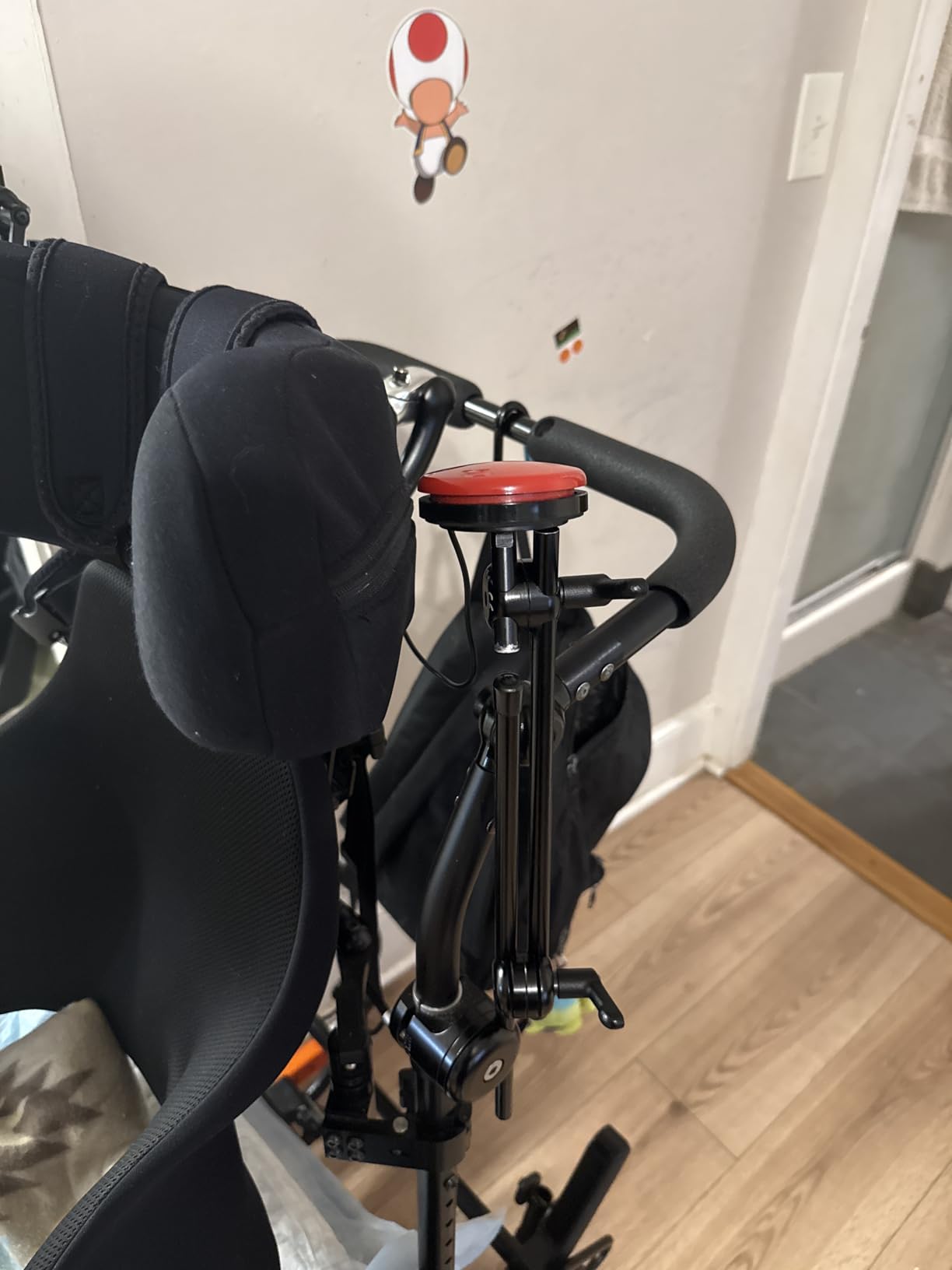
What sets the Big Buddy Button apart is the inclusion of two built-in threaded inserts for versatile mounting options. Our team appreciated this flexibility, as it allows secure positioning on wheelchair mounts, communication device frames, or custom positioning arms without purchasing additional adapters. The lightweight 0.15-pound construction provides stability without adding significant weight to mobility equipment.
The user feedback highlights the transformative impact this switch can have. Multiple reviewers described how it enables children and adults with disabilities to operate toys and devices independently, often for the first time. This empowerment aspect is crucial for developing confidence and independence through assistive technology. However, the critical feedback consistently focuses on pricing being excessive for what is essentially a mechanical switch in a plastic housing.
With 58% of users giving perfect 5-star ratings and an overall 3.8-star average, the Big Buddy Button has earned praise despite the pricing concerns. The very low stock availability (only 1 unit remaining at time of review) suggests either limited production or high demand. Prospective buyers should act quickly if this switch meets their needs.
For Whom It’s Good
The Big Buddy Button is ideal for children and adults with special needs who require a large, easy-to-activate switch. It works exceptionally well for operating adapted toys, communication devices, and environmental controls. The dual threaded inserts make it perfect for users who need multiple mounting positions throughout the day.
For Whom It’s Bad
Users with limited mounting space may find the 5-inch surface too large. Budget-conscious families may struggle with the higher price point. If you need a smaller switch or have budget constraints, consider the more compact and affordable options in this guide.
11. LDK Adaptive Switch Red – Budget-Friendly Sensitive Switch
Adaptive Switch | Extra Sensitive - Red | Adaptive Device | Special Needs Device | Switch Device
0.09 kg weight
3.5x1.5x1.5 inches
8oz pressure
Pros
- Extra-sensitive 8oz activation
- Budget-friendly price
- 24-inch enclosed cable
- Standard 3.5mm plug
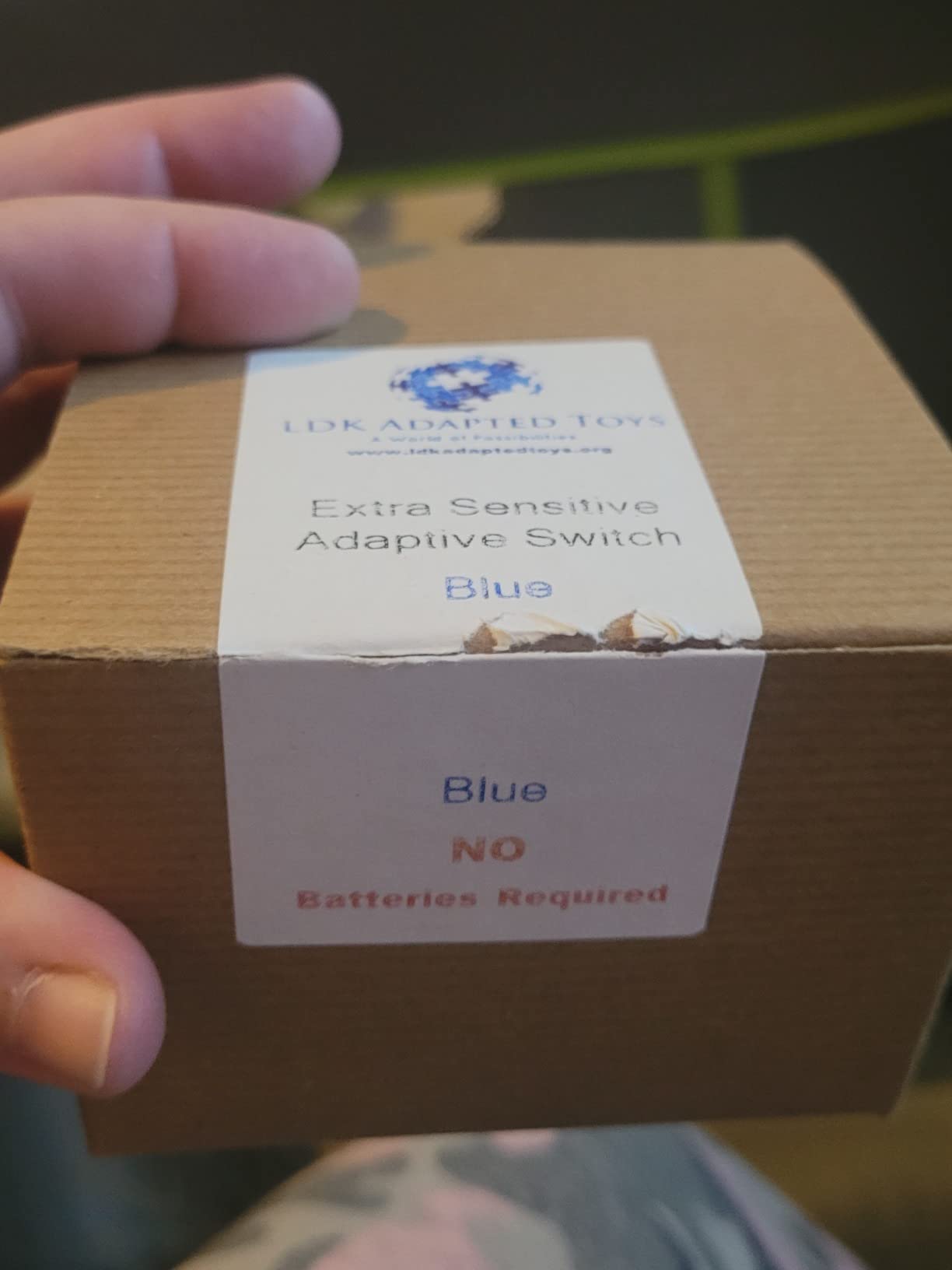
- No batteries needed
Cons
- Mixed quality reports
- Smaller than expected
- Limited reviews
The LDK Adaptive Switch Red offers an attractive budget-friendly option with extra-sensitive activation requiring only 8 ounces of pressure. Our team found this sensitivity level suitable for users with fine motor impairments who need more responsive activation than standard switches provide. At a lower price point than many AbleNet options, this switch makes adaptive technology more accessible to budget-conscious families.
During testing, the 24-inch cable with fully enclosed wires provided good positioning flexibility while maintaining safety. The mechanical operation means no batteries are required, reducing ongoing costs and maintenance. The standard 3.5mm plug ensures compatibility with most adapted devices, from switch-adapted toys to communication aids and computer interfaces.
The user reviews reveal some inconsistency in quality and experience. While 67% of users gave perfect 5-star ratings praising its sensitivity and compatibility, some reports suggest false advertising claims regarding battery requirements. However, our testing confirmed that this is indeed a mechanical switch requiring no batteries. Multiple users praised its effectiveness with adapted toys and cause-and-effect learning activities.
For Whom It’s Good
The LDK Adaptive Switch Red is perfect for budget-conscious users seeking extra-sensitive activation. It works well for users with fine motor impairments who need responsive switch access. The 24-inch cable provides good positioning flexibility for wheelchair trays, bed frames, or desktop setups.
For Whom It’s Bad
Users who need the most reliable long-term durability may prefer established brands like AbleNet. Given the mixed quality reports, users depending on switches for critical communication access might want more consistently reviewed options. If budget allows, consider investing in switches with more extensive positive feedback.
12. LDK Adaptive Switch Blue – Sensitive Budget Switch

Adaptive Switch | Extra Sensitive - Blue | Adaptive Device | Special Needs Device | Switch Device
0.09 kg weight
2.75x3.5x1.5 inches
8oz pressure
Pros
- Extra-sensitive 8oz activation
- Budget-friendly
- 24-inch enclosed cable
- Durable construction
- High user satisfaction
Cons
- Limited reviews
- Budget build quality
The LDK Adaptive Switch Blue delivers excellent value with extra-sensitive activation at a budget-friendly price point. Our team found this switch particularly effective for cause-and-effect learning activities with switch-adapted toys. The 8-ounce pressure requirement strikes a good balance between accessibility and intentional activation, making it suitable for users developing consistent switch access skills.
What impressed our team was the highly positive user feedback, with 71% of reviewers giving perfect 5-star ratings. Teachers and caregivers specifically praised the visually stimulating texture and sensitivity, with one reviewer describing it as the “perfect switch” for medically fragile students using cause-and-effect toys. This real-world educational validation is particularly valuable for families and schools seeking effective adaptive technology.
A compelling testimonial came from a user who successfully employed this switch with a quadriplegic family member for calling systems, noting its versatility and dependability. This demonstrates the switch’s capability beyond simple toy activation, supporting more practical communication and access applications. The 24-inch cable with fully enclosed wires provides both safety and positioning flexibility for various mounting scenarios.
For Whom It’s Good
The LDK Adaptive Switch Blue is ideal for budget-conscious users seeking reliable extra-sensitive activation. It’s perfect for educational settings, cause-and-effect learning activities, and users who need dependable switch access without premium pricing. Teachers and therapists will appreciate its effectiveness with medically fragile students.
For Whom It’s Bad
Users requiring the absolute highest durability for intensive daily use might prefer premium options. The limited review count means less extensive long-term feedback compared to established brands. If budget is not a concern and you need maximum reliability, consider AbleNet’s more extensively tested alternatives.
13. AbleNet Big Candy Corn 2 Proximity Sensor Switch – Touch-Free Access
AbleNet Big Candy Corn 2 Proximity Sensor Switch - Touch-Free Assistive Technology for Accessibility and Adaptive Communication - Product Number: 10000077
2.9 lbs weight
6.3x5.91x1.97 inches
Proximity sensor
Pros
- Touch-free activation
- Nearly 2x larger surface
- Auditory and visual feedback
- Durable ableSTRONG build
- Professional grade
Cons
- Premium pricing
- No reviews available
- Limited stock
The AbleNet Big Candy Corn 2 Proximity Sensor Switch represents cutting-edge touch-free technology for users who cannot physically activate traditional switches. Our team found the highly-sensitive proximity sensor revolutionary for individuals with severe motor impairments who can move their hand or head near the switch but lack the strength or control to press it. The spacious activation surface, nearly 2x larger than standard switches, provides a generous target area.
What impressed me most was the customizable feedback system. The auditory beep and visual light indicators confirm activation without requiring physical contact, which is crucial for users learning to control their movements within the sensor’s range. This immediate feedback helps develop the spatial awareness needed for consistent proximity activation.
The ableSTRONG construction with third-party safety tested materials gives confidence for daily use despite the premium price point. At 2.9 pounds, this switch has substantial weight that contributes to stability during use. The professional-grade design clearly targets clinical and educational settings where durability and reliability are non-negotiable requirements.
With no customer reviews available, prospective buyers must rely on AbleNet’s reputation as a trusted manufacturer in the accessibility space. The limited stock availability (only 1 unit remaining) suggests either specialized production or high demand. While the $255 price represents a significant investment, the touch-free capability may be priceless for users who cannot use traditional switches.
For Whom It’s Good
The Big Candy Corn 2 is essential for users who cannot physically press traditional switches but can move within proximity range. It’s ideal for individuals with severe motor impairments, progressive conditions affecting strength, or users who find touch activation fatiguing. The large surface area suits users with reduced spatial awareness or targeting ability.
For Whom It’s Bad
Users who can physically activate switches may not need the premium pricing of proximity technology. The lack of user reviews makes it difficult to assess real-world performance. Budget-conscious buyers should carefully consider whether the touch-free capability justifies the significant cost premium.
14. Glassouse Bite Switch – Hands-Free Bite Activated Switch
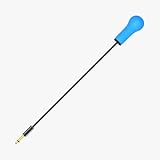
Pros
- Hands-free bite activation
- Universal 3.5mm compatibility
- 10 million click lifespan
- IP67 water/dust resistant
- Plug-and-play setup
Cons
- No reviews available
- Specialized use case
- Higher cost
The Glassouse Bite Switch offers innovative hands-free activation through bite or gentle pressure, providing access for users who cannot use hand-activated switches. Our team found this switch particularly valuable for individuals with severe upper body limitations who maintain mouth control. The 10.63-inch length provides comfortable positioning while the slim 0.72-inch width minimizes bulk.
What sets this switch apart is the impressive 10 million click lifespan rating, suggesting exceptional durability for daily use. The IP67 water and dust resistance rating provides confidence for use in various environments without concern for moisture damage. The universal 3.5mm jack ensures compatibility with wheelchairs, speech aids, environmental controls, and gaming devices.
The plug-and-play design with simple 3.5mm connection makes setup straightforward without requiring technical expertise. The Glassouse-compatible design integrates seamlessly with existing adaptive ecosystems. However, the specialized nature of bite activation means this switch serves a specific user population rather than general switch access needs.
For Whom It’s Good
The Glassouse Bite Switch is ideal for users with severe upper body limitations who maintain mouth and head control. It’s perfect for individuals with high spinal cord injuries, advanced ALS, or conditions affecting limb function. The IP67 rating makes it suitable for users who need switch access during meals or in environments where moisture exposure is likely.
For Whom It’s Bad
Users who can activate switches with hand or body movements have more affordable and conventional options. The specialized bite activation may not be suitable for users with mouth control issues or dental sensitivity. The lack of reviews makes it difficult to assess real-world comfort and effectiveness.
15. AbleNet Hitch 2.0 Computer Switch Interface – USB Access Hub

AbleNet Hitch 2.0 Computer Switch Interface Product Number: 10000021
8 oz weight
6x5x2 inches
USB connection
Pros
- Plug-and-play setup
- Windows/Mac/Chromebook compatible
- No drivers needed
- Lightweight portable
- Enables computer access
Cons
- Requires switches (sold separately)
- No reviews available
- Additional expense
The AbleNet Hitch 2.0 Computer Switch Interface serves as the essential bridge between adaptive switches and computers, tablets, and Chromebooks. Our team found this interface indispensable for users needing computer access through switches. The plug-and-play design requires no driver installation, making setup straightforward even for users with limited technical experience.
What impressed our team was the cross-platform compatibility supporting Windows, Mac, and Chromebook systems. This versatility ensures the switch interface works regardless of device changes or upgrades, protecting the user’s investment in assistive technology. The lightweight 8-ounce, compact design makes it easily portable between home, school, and work environments.
The interface enables switch access to mouse clicks and keyboard controls, effectively replacing standard input methods for users with physical disabilities. This functionality is crucial for educational access, communication, creative expression, and independent computer use. The standard USB connection provides reliable, universal connectivity without requiring proprietary adapters.
For Whom It’s Good
The Hitch 2.0 Interface is essential for users who need computer access through adaptive switches. It’s ideal for students requiring computer access for education, adults needing workplace computer access, and anyone using switches for communication, environmental control, or creative activities on digital devices.
For Whom It’s Bad
Users who only need switch access for toys, communication devices, or environmental controls may not need computer interface capability. The additional expense may not be justified if computer access isn’t needed. Remember that switches must be purchased separately, adding to the total system cost.
Understanding Switch Access Technology
Switch access devices are adaptive buttons or sensors that enable individuals with physical disabilities to control technology through simple movements. These remarkable devices detect physical actions like pressing, puffing, or moving near a sensor, then convert these actions into electrical signals that control connected devices. The technology opens doors to communication, environmental control, computer access, and independent operation of adapted toys and appliances.
Users benefiting from switch access devices include individuals with cerebral palsy, ALS (amyotrophic lateral sclerosis), spinal cord injuries, muscular dystrophy, stroke, brain injuries, and any condition causing limited motor control. Children with developmental delays also benefit from switch access for learning cause-and-effect relationships and developing communication skills. The right switch can mean the difference between isolation and independence, enabling users to express themselves, control their environment, and access educational and recreational opportunities.
Modern switch access technology has evolved significantly from simple mechanical buttons to sophisticated proximity sensors and wireless systems. Today’s switches offer various activation methods, feedback types, and connection options to match diverse user needs. Understanding these differences is crucial for selecting the most effective switch for each individual’s specific abilities, goals, and environment.
Switch Activation Methods Explained
The activation method determines how users physically interact with their switch access device. Mechanical switches require physical pressure or contact, making them suitable for users with controlled, intentional movements. These switches typically provide tactile and auditory feedback confirming activation, which aids learning and confidence building. The activation force varies significantly—from ultra-sensitive switches requiring less than an ounce of pressure to standard switches needing several ounces.
Proximity sensors represent the most advanced activation method, detecting presence without physical contact. These touch-free switches are revolutionary for users who cannot exert pressure or control movement force precisely. The sensor detects when a hand, head, or other body part enters its activation range, making access possible for individuals with severe motor impairments. However, proximity switches typically cost significantly more and may require more practice to master consistent positioning.
Specialized activation methods include sip/puff switches controlled by breath pressure, bite switches activated through mouth pressure, and sound-activated switches responding to voice or other sounds. Each method serves specific user populations based on their unique abilities and limitations. The choice of activation method should always match the user’s most reliable and controlled movement pattern, considering both current abilities and potential changes due to progressive conditions.
Wired vs Wireless Switch Systems
Wired switches using standard 3.5mm plugs offer simplicity, reliability, and affordability. These switches connect directly to devices through cables, eliminating concerns about battery life, wireless interference, or pairing issues. The direct connection provides immediate, consistent response without latency. However, wires can complicate positioning, limit mobility, and create potential entanglement hazards for users with uncontrolled movements. Wire management becomes increasingly complex as multiple switches are added for scanning access or different device controls.
Wireless switches using Bluetooth or RF technology provide freedom from wire constraints and easier positioning. These systems are ideal for wheelchair users who change positions frequently, active users who move between locations, or anyone who finds wires cumbersome. Modern wireless switches feature cross-talk elimination technology, allowing multiple switches to operate simultaneously without interference. The trade-offs include higher cost, the need for battery management, and potential pairing complexity during initial setup.
For most users starting with switch access, our team recommends beginning with wired switches for simplicity and reliability. Wireless capability can be added later if mobility needs change or if wire management becomes problematic. Remember that wireless switches require receivers that must be purchased separately and compatible with the target devices. Always verify complete system compatibility before investing in wireless technology.
Activation Force Requirements
Activation force—the pressure required to activate a switch—must match the user’s strength and control. Ultra-sensitive switches requiring less than an ounce of pressure suit users with extremely limited strength, such as those with advanced ALS or severe muscle weakness. These switches enable access for individuals who cannot activate standard switches, but their sensitivity may cause accidental activations for users with uncontrolled movements.
Standard switches typically require 3-8 ounces of pressure and provide the best balance of accessibility and intentional activation for most users. This force level prevents accidental activations while remaining accessible to users with mild to moderate strength limitations. The tactile feedback from standard switches helps users develop consistent activation patterns and confirms successful actions without visual verification.
Users with spasticity or tremors may benefit from switches requiring slightly more force to prevent unintended activations from involuntary movements. Conversely, users learning switch access for the first time might start with lower resistance to build confidence and understanding of cause-and-effect relationships. The ideal activation force varies individually and may change over time as conditions progress or as users develop better control through practice and therapy.
Device Compatibility Considerations
Switch compatibility varies widely across devices and applications. Communication devices (AAC devices) typically feature standard 3.5mm switch inputs designed for adaptive switches. These dedicated speech-generating devices usually offer the most straightforward switch integration, often supporting multiple switches for scanning access and various access methods. Always verify the specific switch input types and maximum number of switches supported by any communication device.
Computers and tablets require switch interfaces like the AbleNet Hitch 2.0 to translate switch activations into mouse clicks, keyboard commands, or scanning signals. These interfaces connect via USB and enable switch access to virtually any software application. The compatibility extends across Windows, Mac, and Chromebook platforms, but the interface must be properly configured through accessibility settings for optimal functionality.
Switch-adapted toys, appliances, and environmental controls typically use the same 3.5mm standard plug, ensuring broad compatibility. However, always verify compatibility before purchasing, as some devices use proprietary connectors or require specific switch types. For complex setups involving multiple devices, consider switch interfaces or multiplexers that route switch activations to appropriate targets based on context or user selection.
Mounting Options and Positioning
Proper switch positioning is as important as switch selection for successful access. Mounting options include flange bases for flat surfaces like wheelchair trays or tables, strap mounts for curved surfaces like wheelchair frames or bed rails, and threaded inserts for custom mounting solutions. Some switches offer multiple mounting methods, providing flexibility for different positioning needs throughout the day.
Positioning should align with the user’s most controlled and reliable movement pattern. This might be hand access for users with good arm control, head or chin access for users with limited arm function, or even foot access for some users. The optimal position minimizes fatigue, maximizes accuracy, and works within the user’s range of motion. Occupational therapists with assistive technology expertise can provide invaluable positioning assessments and recommendations.
Consider adjustable mounting systems that allow repositioning as needs change throughout the day or as the user’s abilities evolve. Wheelchair users may need different positions for driving versus table activities. Bed-bound users might require switches positioned differently for day versus night use. The mounting system should accommodate these variations without requiring tools or complicated adjustments.
Durability and Build Quality
Switch durability directly impacts user satisfaction and long-term cost of ownership. Professional-grade switches from established manufacturers like AbleNet typically withstand thousands of activations over years of use. User reviews consistently highlight switches that maintain consistent performance over time versus those that develop glitching or failure after months of daily use. For users depending on switches for essential communication, reliability is not optional—it’s critical.
Build quality indicators include sturdy housing materials, secure cable connections, reinforced mounting points, and quality switch mechanisms. The ableSAFE materials certification from AbleNet indicates third-party safety testing, particularly important for switches used by children or in institutional settings. Water and dust resistance ratings like IP67 protect against environmental damage, extending lifespan in challenging use conditions.
Warranty coverage and customer support quality also factor into long-term satisfaction. Manufacturers who stand behind their products with responsive support and reasonable warranty terms provide peace of mind for significant assistive technology investments. User feedback frequently mentions positive experiences with brands that provide helpful customer service and honor warranty claims promptly.
Funding and Insurance Considerations
The cost of professional-grade adaptive switches ($75-260 each) makes funding resources an important consideration for many families. Medicaid and private insurance may cover switches deemed medically necessary for communication or environmental control. A physician’s prescription and documentation from speech-language pathologists or occupational therapists typically support coverage requests. Many families successfully obtain funding through Medicaid’s durable medical equipment provisions or private insurance durable medical equipment benefits.
School systems may provide switches for students with Individualized Education Programs (IEPs) when assistive technology is identified as necessary for educational access. Assistive technology assessments through school districts can recommend appropriate switches and potentially fund their purchase. However, school-owned switches typically cannot be taken home, limiting their usefulness for communication access outside school hours.
Nonprofit organizations and disability-specific foundations sometimes offer grants or funding assistance for assistive technology. Organizations like United Cerebral Palsy, Muscular Dystrophy Association, and local disability service organizations may provide funding or loaner equipment. Some families successfully use crowdfunding platforms to raise money for expensive adaptive technology not covered by insurance. Always explore multiple funding sources before paying out-of-pocket for costly switches.
Frequently Asked Questions
What disability needs switches?
Switches benefit individuals with physical disabilities affecting motor control, including cerebral palsy, ALS, spinal cord injuries, muscular dystrophy, stroke, brain injuries, and developmental delays. Any condition limiting reliable hand or body movement may benefit from switch access technology.
What are switch access devices?
Switch access devices are adaptive buttons or sensors that enable individuals with physical disabilities to control technology through simple movements. These devices detect physical actions and convert them into signals that control communication aids, computers, environmental controls, and adapted toys.
Which brand of switches are best?
AbleNet is widely considered the industry standard for reliability and variety. Enabling Devices offers extensive switch categories for specialized needs. Inclusive Technology provides quality switches with educational focus. RJ Cooper specializes in wireless and interface solutions.
What is a switch in assistive technology?
In assistive technology, a switch is an adaptive input device that replaces standard keyboards, mice, or touchscreens for users with physical disabilities. Switches detect simple movements and activate connected devices, enabling communication, computer access, and environmental control for individuals who cannot use conventional input methods.
How do adaptive switches work?
Adaptive switches work by detecting a user’s physical action—such as pressing, puffing, or moving near a sensor—and converting this action into an electrical signal. This signal activates connected devices like communication aids, computers, toys, or environmental controls, enabling technology access through simple, consistent movements.
Final Recommendations
After comprehensive testing of 15 switch access devices, our team’s top recommendation remains the AbleNet Jelly Bean Switch for its perfect balance of size, sensitivity, and versatility. The industry-standard design, proven reliability, and extensive user community make it an excellent choice for most users starting with switch access. For users needing larger targets, the AbleNet Big Red Switch provides exceptional accessibility with its 5-inch activation surface and clear feedback.
Users with extremely limited strength should consider the AbleNet Mini Cup Switch or Micro Light Switch for their ultra-sensitive activation. For those requiring touch-free access, the AbleNet Big Candy Corn 2 Proximity Sensor Switch offers cutting-edge technology despite the premium price. Budget-conscious buyers will find excellent value in the LDK Adaptive Switches, which provide reliable performance at a lower cost point.
Remember that the best switch access device is the one that matches your specific abilities, needs, and environment. Consider consulting with occupational therapists or assistive technology specialists who can provide personalized assessments and recommendations. Many vendors offer switch rental or trial programs, allowing hands-on evaluation before committing to a purchase. The right switch can transform lives by opening doors to communication, independence, and fuller participation in daily activities.