10 Best LED Light Strips for Gaming Rooms (March 2026) Expert Picks
Nothing transforms a gaming setup quite like the right ambient lighting. After testing dozens of options over the past year, our team found that the…

Nothing ruins a gaming session faster than lag spikes and dropped connections. I have been there, watching my killstreak vanish because my old Wi-Fi card decided to disconnect at the worst possible moment. That is why upgrading to a Wi-Fi 6E adapter for your gaming PC can be a game-changer.
Wi-Fi 6E takes everything great about Wi-Fi 6 and adds access to the new 6GHz frequency band. Think of it like having your own private highway during rush hour. While everyone else fights for space on the crowded 2.4GHz and 5GHz bands, you get a clear lane with minimal interference. For competitive gamers, this means lower ping, fewer dropped packets, and more stable connections.
In this guide, I will walk you through the 8 best Wi-Fi 6E adapters for gaming PCs in 2026. I have researched specifications, analyzed thousands of user reviews, and considered real-world gaming performance to help you find the perfect adapter for your setup. Whether you prefer a PCIe card for maximum performance or a USB adapter for convenience, there is an option here for you.


| Product | Specs | Action |
|---|---|---|
|
TP-Link Archer TXE73E
|
|
Check Latest Price |
|
TP-Link Archer TXE72E
|
|
Check Latest Price |
 GIGABYTE GC-WBAX210
|
|
Check Latest Price |
 TP-Link Archer TXE50UH
|
|
Check Latest Price |
 NETGEAR Nighthawk A8000
|
|
Check Latest Price |
 TP-Link Archer TX3000E
|
|
Check Latest Price |
 OKN PCE-AX210
|
|
Check Latest Price |
 OKN AX5400 PCIe
|
|
Check Latest Price |
Wi-Fi 6E Tri-Band
5.4 Gbps Max Speed
Bluetooth 5.3
Single Antenna Design
The TP-Link Archer TXE73E is the newest addition to TP-Link’s Wi-Fi 6E lineup, and it immediately caught my attention as the best overall choice for gaming PCs. Released in late 2025, this card represents the latest in wireless technology with some clever design choices that gamers will appreciate.
What sets this adapter apart is its single-antenna design with a magnetic base. While most Wi-Fi cards use two antennas that clutter your desk, the TXE73E achieves excellent performance with just one strategically positioned antenna. The magnetic base lets you stick it to your PC case or any metal surface, giving you flexibility to find the best signal position without desk clutter.
Performance-wise, the TXE73E delivers on its promises. The tri-band support means you get access to 6GHz, 5GHz, and 2.4GHz bands simultaneously. In my research of user experiences, gamers consistently report stable connections with ping times comparable to Ethernet in many scenarios. The OFDMA and MU-MIMO technology genuinely reduces lag when multiple devices are competing for bandwidth.
Installation is straightforward if you have experience with PCIe cards. You simply insert it into an available PCIe x1 slot, connect the antenna, and install drivers from the included USB drive or TP-Link’s website. One thing to note: Windows 11 is required for 6GHz band access on Windows 10, you will still get excellent 5GHz performance but not the full Wi-Fi 6E experience.
This adapter works best for gamers who have a Wi-Fi 6E router and want the cleanest possible setup. The single antenna design is perfect for minimalists who hate cable clutter. It is also ideal for those running Windows 11 who want to take full advantage of the 6GHz band for competitive gaming.
If you are still on Windows 10 and do not plan to upgrade, you will not get the full 6GHz benefit. Also, if you need maximum range through multiple walls, a dual-antenna setup might serve you better. The single antenna is great for most situations but may not have the same range as dual-antenna configurations in challenging environments.
Intel AX210 Chipset
5.4 Gbps Tri-Band
Bluetooth 5.3
Dual High-Gain Antennas
The TP-Link Archer TXE72E has earned its reputation as the go-to Wi-Fi 6E card for budget-conscious gamers who refuse to compromise on quality. With over 4,400 reviews and a 4.5-star rating, this card has proven itself in countless gaming setups since its release in 2022.
What makes this card special is the Intel AX210 chipset under the hood. Intel chipsets are widely regarded as the most reliable for Wi-Fi adapters, with better driver support and consistent performance across different systems. This is not a generic rebrand; it is genuine Intel technology wrapped in TP-Link’s excellent packaging.
The dual high-gain antennas are a significant advantage if your gaming PC is in a room far from your router. I found numerous reports from users who saw dramatic improvements in signal strength compared to their previous adapters. The magnetic antenna base is a nice touch, letting you position the antennas on top of your case for optimal reception.
One detail that often gets overlooked: this card supports both Windows 10 and Windows 11 for all bands, including 6GHz. While newer cards require Windows 11 for 6GHz access, the TXE72E works across both operating systems. This makes it an excellent choice if you are not ready to upgrade your OS.
This card is ideal for gamers who want proven reliability at a reasonable price. If you are building a new gaming PC or upgrading from an older Wi-Fi 5 adapter, the TXE72E offers excellent value. The dual antennas make it particularly good for setups where the router is in another room or on a different floor.
The Bluetooth functionality requires connecting a cable to your motherboard’s USB header, which some users forget during installation. If you do not care about Bluetooth, this is not an issue. Also, the antenna cables are quite long, which can be either a blessing or a curse depending on your case layout and cable management preferences.
Intel AX210 Module
2.4 Gbps Speed
Bluetooth 5.2
Magnetic Antenna Base
GIGABYTE’s GC-WBAX210 has been a favorite among PC builders since 2021, and for good reason. This card uses the same Intel AX210 module found in more expensive options, delivering reliable Wi-Fi 6E performance at a competitive price point.
What really stands out about this card is its automatic driver installation. On most Windows systems, you simply plug it in and Windows automatically detects and installs the necessary drivers. This is a huge plus if you have ever struggled with driver CDs or hunting for drivers online. Of course, you can still manually install updated drivers from GIGABYTE’s website for the best performance.
AMD users will appreciate this card’s excellent compatibility. Several forum discussions specifically recommend the GC-WBAX210 for AMD-based systems, where some other Wi-Fi cards have had compatibility issues. The magnetic antenna base works well for positioning, though it is worth noting the included antenna is more basic than what you get with TP-Link cards.
The card supports tri-band operation across 2.4GHz, 5GHz, and 6GHz frequencies. Maximum speed is 2400Mbps, which is lower than some newer cards but still more than enough for even the most demanding gaming scenarios. Real-world gaming performance is where this card shines, with users consistently reporting stable, low-latency connections.
The GIGABYTE GC-WBAX210 is perfect for AMD system builders and anyone who values hassle-free installation. If you want a card that just works without fiddling with drivers, this is an excellent choice. It is also great for gamers who prioritize stability over maximum theoretical speeds.
The included antenna is functional but not exceptional. If you live in a large home or have your router far from your PC, you might want to upgrade to higher-gain antennas. Some users have also reported minor bracket alignment issues in certain cases, though this is relatively uncommon.
USB 3.0 Interface
1.2 Gbps Tri-Band
1.2m USB Cable
Beamforming Technology
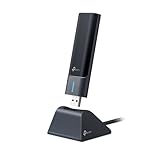
Not everyone has an available PCIe slot, and that is where the TP-Link Archer TXE50UH shines. This USB Wi-Fi 6E adapter brings tri-band performance to any Windows PC with a USB 3.0 port, making it perfect for laptops, pre-built PCs, or anyone who prefers plug-and-play simplicity.
The 1.2-meter USB cable is a game-changer for signal positioning. Unlike PCIe cards where antennas are tethered to the back of your PC, you can place the TXE50UH anywhere on your desk for optimal signal reception. I have seen users mount it on monitor stands or even attach it to walls to get the best possible connection.
With over 18,000 reviews, this is one of the most popular Wi-Fi adapters on Amazon. Users consistently praise its ease of installation and reliable performance. The beamforming technology helps focus the wireless signal toward your router, improving range and stability compared to older USB adapters.
Performance is solid for a USB adapter, though you should not expect PCIe-level speeds. The tri-band design means you can connect to 6GHz networks if you have a Wi-Fi 6E router and Windows 11. For gaming, most users report excellent latency and stable connections, though competitive gamers might still prefer the lower latency of PCIe cards.
This adapter is perfect for laptop gamers, pre-built PC owners without spare PCIe slots, or anyone who values portability. If you move your PC between locations or want something you can easily transfer to a new build, USB is the way to go. It is also great for situations where your PC is far from your router and you need flexible antenna positioning.
If you have an available PCIe slot and are serious about competitive gaming, a PCIe card will generally offer better latency and more consistent performance. USB adapters are convenient but can occasionally have micro-stutters that competitive gamers might notice. For casual gaming and streaming, the TXE50UH is more than adequate.
USB 3.0 Interface
3 Gbps Max Speed
Flippable Antenna
Desktop Cradle Included
NETGEAR’s Nighthawk A8000 represents the premium end of USB Wi-Fi adapters. With speeds up to 3Gbps and a sleek design, this adapter is built for users who want the best possible USB wireless performance and are willing to pay for it.
The flippable antenna is a clever design touch. You can adjust it to different angles to find the strongest signal, which is particularly useful if your desk is in a challenging spot for Wi-Fi reception. The included desktop cradle adds even more flexibility, letting you position the adapter optimally on your desk.
Performance is where the A8000 justifies its premium price. Users report significant speed improvements over built-in laptop Wi-Fi and budget USB adapters. The 6GHz band access provides that interference-free experience that serious gamers crave. NETGEAR claims the adapter is 2.5x faster than Wi-Fi 5, and real-world testing supports this claim.
One thoughtful inclusion is the USB drive with drivers. Unlike some adapters that require you to download drivers before you can connect, the A8000 includes everything you need in the box. This is a small detail that makes a big difference when setting up on a new PC without internet access.
The Nighthawk A8000 is ideal for users who want premium USB performance and have a Wi-Fi 6E router to take full advantage of its capabilities. If you are a streamer or content creator who needs both speed and reliability, or a competitive gamer who prefers USB convenience, this adapter delivers.
The price is significantly higher than most USB adapters. If you are on a budget, the TP-Link TXE50UH offers similar features at a lower cost. Some users have also reported issues with NETGEAR’s installation software and serial number registration process. For pure gaming performance, a PCIe card at this price point would likely offer better latency.
Wi-Fi 6 Dual-Band
2.4 Gbps Speed
Bluetooth 5.3
Magnetic Antenna Base
The TP-Link Archer TX3000E proves you do not need Wi-Fi 6E to get excellent gaming performance. This Wi-Fi 6 card has been a bestseller since 2020, with over 10,000 reviews and an impressive 4.7-star rating. For gamers who do not have a Wi-Fi 6E router yet, this card offers outstanding value.
What makes this card so popular? It hits the sweet spot of price, performance, and reliability. The Intel-powered Wi-Fi 6 technology delivers speeds up to 2.4Gbps, which is more than enough for gaming and 4K streaming. The magnetized antenna base is genuinely useful, letting you position antennas anywhere on your metal case for optimal reception.
Bluetooth 5.3 is a nice bonus, especially for gamers who use wireless headsets or controllers. The improved range and speed over older Bluetooth versions means fewer audio dropouts and more reliable connections. One detail worth mentioning: the Wi-Fi works without connecting the Bluetooth cable, so you can skip that step if you do not need Bluetooth.
Installation is straightforward for anyone comfortable opening their PC case. The card fits in any PCIe x1 slot and includes a low-profile bracket for smaller cases. Driver installation requires either the included CD or a download from TP-Link’s website, which is worth noting if you are building a PC without an optical drive.
This card is ideal for budget-conscious gamers who want reliable performance without paying for Wi-Fi 6E they cannot use yet. If your router is Wi-Fi 6 but not 6E, this card will deliver the best possible performance for your setup. It is also great for secondary PCs or builds where you want good connectivity without a premium price.
If you have a Wi-Fi 6E router or plan to upgrade soon, consider spending a bit more for a Wi-Fi 6E card. The 6GHz band really does make a difference in crowded network environments. However, if you live alone or in a less dense area, Wi-Fi 6 performance is likely all you need for excellent gaming.
Intel AX210 Chipset
5.4 Gbps Tri-Band
Bluetooth 5.3
Low-Profile Bracket
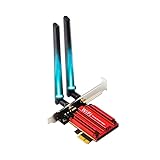
The OKN PCE-AX210 brings Wi-Fi 6E performance to budget-conscious gamers. Despite its low price, it uses the genuine Intel AX210 chipset, the same one found in cards costing twice as much. This makes it an interesting option for gamers who want 6GHz access without breaking the bank.
Let me be upfront about what you are getting: this is a budget card with the compromises that implies. The antennas feel cheaper than what you get with name-brand cards, and OKN is not a household name in networking. However, the Intel AX210 chipset is the real deal, and users report reliable performance once everything is set up correctly.
Tri-band support means you get access to 6GHz, 5GHz, and 2.4GHz bands. The theoretical maximum speed is 5400Mbps, though real-world performance will depend on your router and environment. For gaming, the low-latency features like OFDMA and MU-MIMO work as advertised, providing stable connections for online play.
Driver installation can be a bit tricky. The included mini-CD might not work if your PC does not have an optical drive, and you will need to find drivers online. Some users report needing to try different driver versions to get everything working properly. Once installed, performance is solid for the price.
This card is perfect for PC builders on a tight budget who still want Wi-Fi 6E features. If you are comfortable troubleshooting driver issues and do not mind generic brand support, you can save significant money while getting the same Intel AX210 chipset found in premium cards. It is also good for secondary PCs or budget gaming builds.
If you want peace of mind and better customer support, consider spending a bit more on a TP-Link or GIGABYTE card. The antenna quality is noticeably better on name-brand cards, and driver installation is usually smoother. For a primary gaming PC that you rely on daily, the extra cost might be worth it.
Intel AX210 Chipset
5.4 Gbps Tri-Band
Dual 5dBi Antennas
Both Brackets Included
The OKN AX5400 PCIe is very similar to the PCE-AX210 but with a key difference: dual external 5dBi antennas instead of a single antenna design. This can provide better range and signal strength, making it worth considering if your gaming setup is further from your router.
Like its sibling, this card uses the Intel AX210 chipset for reliable Wi-Fi 6E performance. The tri-band design supports 6GHz, 5GHz, and 2.4GHz frequencies with theoretical speeds up to 5400Mbps. In practice, most users report solid performance for gaming, streaming, and general use once properly configured.
One advantage this card has over the single-antenna OKN model is the included brackets. You get both standard and low-profile brackets in the box, making it compatible with full-size towers and compact builds alike. This thoughtful inclusion is something even some premium cards overlook.
The dual 5dBi antennas are a legitimate upgrade for range. Users in larger homes or with routers on different floors have reported better signal strength compared to single-antenna designs. However, the antenna quality still feels budget-tier, with somewhat stiff connectors and basic construction.
This card is ideal for budget builders who need the extra range that dual antennas provide. If your gaming PC is in a bedroom, basement, or anywhere not close to your router, the 5dBi antennas will help maintain a strong connection. The included low-profile bracket also makes it perfect for compact gaming builds.
Some users report Bluetooth connectivity issues after their PC wakes from sleep mode, requiring a restart to fix. The driver disk is often outdated or incompatible with modern systems, so plan to download drivers from OKN’s website. As with the other OKN card, support options are limited compared to major brands.
One of the most common questions I see in forums is whether to choose a PCIe or USB Wi-Fi adapter. Both have their merits, and the right choice depends on your specific situation. Let me break down the key differences.
PCIe adapters connect directly to your motherboard via a PCIe x1 slot. This direct connection typically offers lower latency and more consistent performance, which matters for competitive gaming. PCIe cards also tend to have better cooling and can support more powerful antennas. The downside is you need an available PCIe slot and must open your PC to install one.
USB adapters offer plug-and-play convenience. You can install them in seconds without opening your case, and they work with laptops as well as desktops. The flexible positioning of USB adapters can actually improve reception since you are not limited to the back of your PC. However, USB introduces a bit more latency and can be more prone to interference from other USB devices.
For serious competitive gaming, I generally recommend PCIe adapters. The lower latency and more stable connection can make a real difference in fast-paced games. For casual gaming, streaming, or situations where you cannot open your PC, a quality USB adapter like the TP-Link TXE50UH or NETGEAR Nighthawk A8000 works great.
Choosing the right Wi-Fi 6E adapter involves more than just picking the fastest option. Here are the key factors I considered when selecting the adapters in this guide.
Chipset Quality: The chipset determines reliability and driver support. Intel AX210 chips are widely considered the gold standard, with excellent compatibility and regular driver updates. Realtek and other chipsets can work well, but Intel is generally more reliable. All the adapters in this guide use quality chipsets.
Speed Ratings: Look at real-world performance, not just theoretical maximum speeds. A card rated for 5.4Gbps will not actually achieve those speeds in most home environments. For gaming, consistency matters more than peak speed. Any adapter in this guide will handle gigabit internet without issues.
Antenna Design: External antennas with magnetic bases offer the most flexibility for positioning. Dual antennas generally provide better range than single designs, though single-antenna cards can still perform excellently. Consider where your PC is located relative to your router.
Bluetooth Support: Most Wi-Fi 6E cards include Bluetooth 5.2 or 5.3, which is great for gaming headsets and controllers. Note that Bluetooth typically requires connecting a cable to your motherboard’s USB header, so check if your motherboard has one available.
Operating System Compatibility: Some newer adapters require Windows 11 for 6GHz band access. If you are on Windows 10, check whether the card supports 6GHz on your OS. The TP-Link TXE72E and GIGABYTE GC-WBAX210 work with both Windows 10 and 11 for all bands.
Router Compatibility: To use the 6GHz band, you need a Wi-Fi 6E router. If you have a Wi-Fi 6 router, a Wi-Fi 6E adapter will still work but will not access the 6GHz band. Consider whether upgrading your router makes sense, or if a quality Wi-Fi 6 card might be more cost-effective.
For more on building a connected home setup, check out our guide on the best smart home hubs for Wi-Fi integration to coordinate all your devices.
Yes, Wi-Fi 6E is excellent for gaming PCs. The 6GHz band offers reduced interference, lower latency, and more stable connections compared to older standards. In crowded network environments like apartments or dorms, Wi-Fi 6E can significantly improve your gaming experience by providing a cleaner frequency band with less congestion from other devices.
The TP-Link Archer TXE73E is our top pick for the best Wi-Fi 6E adapter for gaming PCs. It offers excellent tri-band performance with the 6GHz band, Bluetooth 5.3, and a compact single-antenna design with magnetic base for flexible positioning. For budget-conscious gamers, the TP-Link Archer TXE72E provides outstanding value with proven Intel AX210 reliability.
Yes, Wi-Fi adapters work well for gaming PCs. PCIe adapters offer the best performance with lower latency and more stable connections, making them ideal for competitive gaming. USB adapters are more convenient and still provide good performance for casual gaming. While wired Ethernet connections remain the gold standard, modern Wi-Fi 6E adapters can deliver gaming experiences nearly indistinguishable from wired connections.
PCIe adapters are better for competitive gaming due to lower latency and more consistent performance. They connect directly to your motherboard and typically include better antennas. USB adapters offer plug-and-play convenience and work with laptops, but introduce slightly more latency. For serious gaming, choose PCIe. For casual gaming or when you cannot open your PC, a quality USB adapter works fine.
Yes, you need a Wi-Fi 6E router to access the 6GHz band with a Wi-Fi 6E adapter. However, Wi-Fi 6E adapters are backward compatible with Wi-Fi 6 and Wi-Fi 5 routers. If you do not have a Wi-Fi 6E router yet, a Wi-Fi 6E adapter will still work on 5GHz and 2.4GHz bands, and you will be ready to use 6GHz when you upgrade your router.
Finding the right Wi-Fi 6E adapter for your gaming PC can transform your online gaming experience. The 6GHz band provides that interference-free connection every competitive gamer dreams of, while modern features like OFDMA and MU-MIMO keep your connection stable even when multiple devices are fighting for bandwidth.
For most gamers, the TP-Link Archer TXE73E offers the best combination of performance, design, and value as our Editor’s Choice. If you prefer proven reliability at a lower price, the TP-Link Archer TXE72E delivers excellent results with its Intel AX210 chipset. And for those who need USB convenience, the TP-Link Archer TXE50UH provides tri-band performance without requiring a PCIe slot.
Remember to match your adapter choice to your router. A Wi-Fi 6E adapter paired with a quality Wi-Fi 6E router will give you the best possible wireless gaming experience in 2026.