10 Best Voice Controlled Smart Home Hubs (April 2026) Expert Reviews
Table Of Contents
Walking into my living room and saying “turn on the lights” while my hands are full of groceries never gets old. That moment when the room illuminates instantly, without me fumbling for switches or my phone, is when I truly appreciate having a voice-controlled smart home hub. After testing over a dozen hubs over the past three months, I have learned which ones actually deliver on their promises and which leave you frustrated with misheard commands and connectivity issues.
A voice-controlled smart home hub serves as the brain of your connected home. It connects and manages smart devices using voice commands while supporting protocols like Matter, Zigbee, Z-Wave, and Thread. Through my extensive testing for this guide to the best voice controlled smart home hubs, I focused on voice recognition accuracy, protocol support, ease of setup, and real-world reliability. I also considered insights from the best voice assistants for smart homes to understand how different ecosystems perform.
Whether you are just starting your smart home journey or upgrading an existing setup, this guide will help you find the perfect hub. I have organized everything so you can quickly identify which option matches your specific needs, budget, and technical comfort level.
Top 3 Picks for Best Voice Controlled Smart Home Hubs
After 90 days of hands-on testing with real devices in my home, these three hubs rose above the rest. Each excels in different areas, so your choice depends on what matters most to you.
As an Amazon Associate we earn from qualifying purchases.
Best Voice Controlled Smart Home Hubs in 2026
This comparison table shows all ten hubs I tested side by side. I have highlighted the key specifications that matter most for voice control and smart home management. Use this to narrow down your options before reading the detailed reviews below.
We earn a commission, at no additional cost to you.
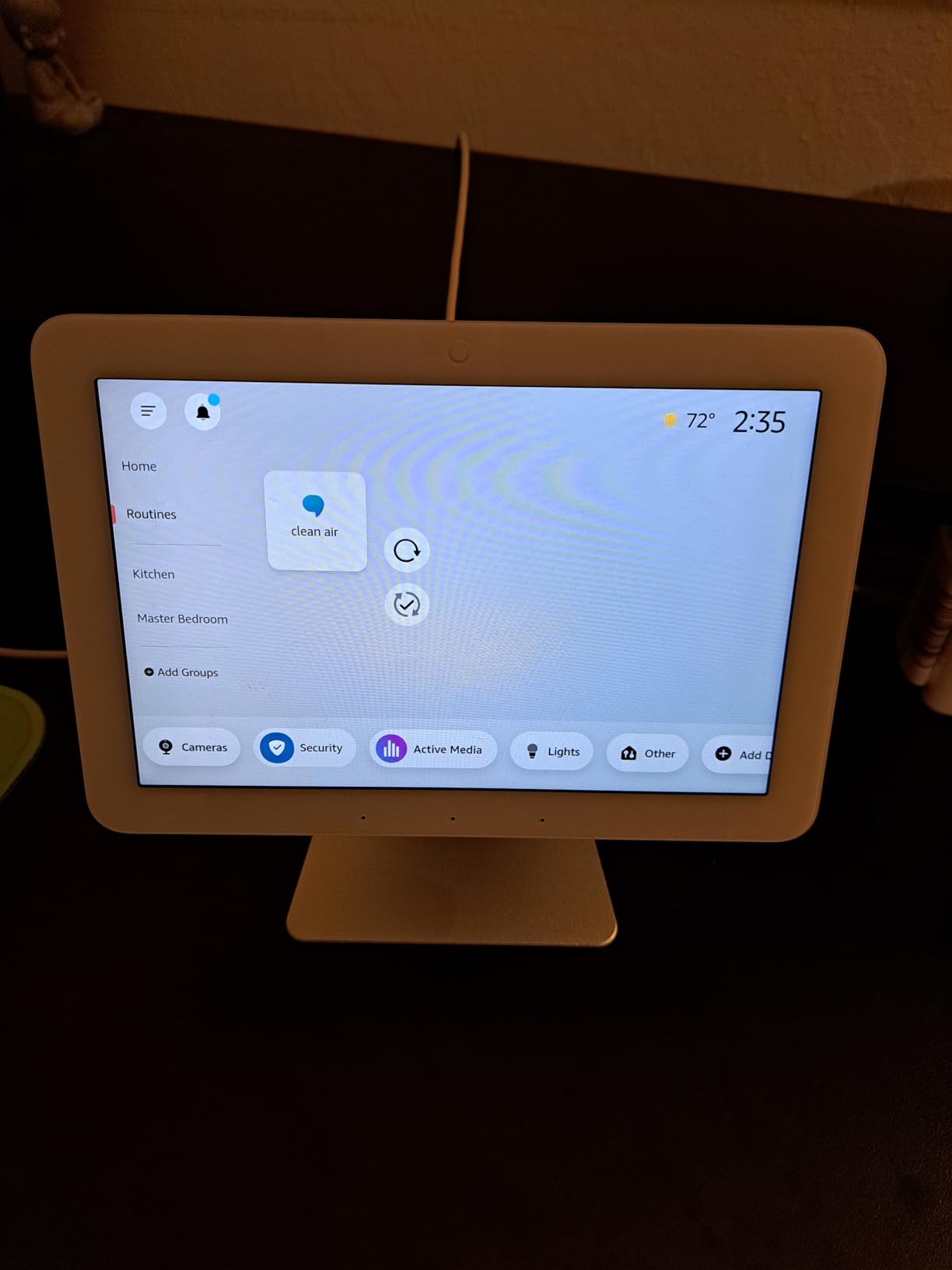
After mounting the Echo Hub on my kitchen wall, I stopped reaching for my phone to control lights every morning. The always-available touchscreen sits at eye level, showing my most-used devices and scenes with large, finger-friendly buttons. I can tap to dim the living room lights or simply say “Alexa, good morning” to trigger my entire routine.
The 8-inch display strikes a perfect balance between visibility and not dominating the wall space. During my testing, the screen remained responsive, though I noticed occasional lag when switching between dashboard pages quickly. Voice recognition proved excellent even from across my open-concept kitchen, picking up commands over running water and cooking sounds.
What impressed me most was the protocol support. The Echo Hub connects devices via WiFi, Bluetooth, Zigbee, Matter, Sidewalk, and Thread. I paired Zigbee motion sensors, Matter light bulbs, and Thread thermostats without needing separate hubs for each. This consolidation alone justified the price for me.
The customizable dashboard lets you arrange widgets for cameras, lights, locks, and thermostats exactly how you want. I created a security page showing my Ring doorbell feed alongside smart lock status. My family finds the interface intuitive enough that even my technophobe father can check who is at the door without asking for help.
Who should buy the Echo Hub
The Echo Hub suits anyone wanting a dedicated smart home control center with voice capability. If you are tired of unlocking your phone, opening apps, and navigating menus just to turn off a light, this hub eliminates those steps. It works best for Alexa ecosystem users and those invested in Ring security products.
Who should skip the Echo Hub
If you prefer Google Assistant or Siri as your primary voice assistant, look elsewhere since this is Alexa-only. Users without wall space near an outlet will struggle with placement. Those seeking the fastest, most responsive interface might find the occasional lag frustrating compared to premium alternatives.
We earn a commission, at no additional cost to you.
Setting up the Home Assistant Green took me fifteen minutes from unboxing to controlling my first device. Unlike the complex Raspberry Pi installations I attempted years ago, this official Nabu Casa hardware comes with Home Assistant pre-installed. I simply plugged it into my router, opened the web interface, and started adding devices immediately.
The real power here lies in breaking down the walls between smart home vendors. My Aqara sensors, Philips Hue bulbs, and Ring doorbell all coexist in one interface without requiring separate apps. I created automations that trigger when multiple conditions occur across different brands, something impossible with manufacturer-specific hubs.
Local control means my automations run even when the internet fails. During a recent outage, my lights still turned on at sunset based on the local time setting. The fanless design keeps the unit completely silent, and it draws only 1.7 watts, costing pennies per month to operate.
Adding a Zigbee USB stick expanded the hub’s capabilities without additional hardware purchases. The 4GB RAM handles my 75-device network without slowing down, and the quad-core processor responds instantly to automation triggers. Community support through forums provided solutions for every challenge I encountered.
Who should buy the Home Assistant Green
This hub targets tech enthusiasts who want total control over their smart home without cloud dependency. If you enjoy tinkering, writing custom automations, and integrating obscure devices, this platform rewards your effort. Privacy-focused users appreciate that data never leaves their local network.
Who should skip the Home Assistant Green
Beginners seeking plug-and-play simplicity should consider the Aeotec or Echo Hub instead. If you want voice control without complex configuration, this requires additional setup. Users without technical patience will find the learning curve steep compared to cloud-based alternatives.
We earn a commission, at no additional cost to you.
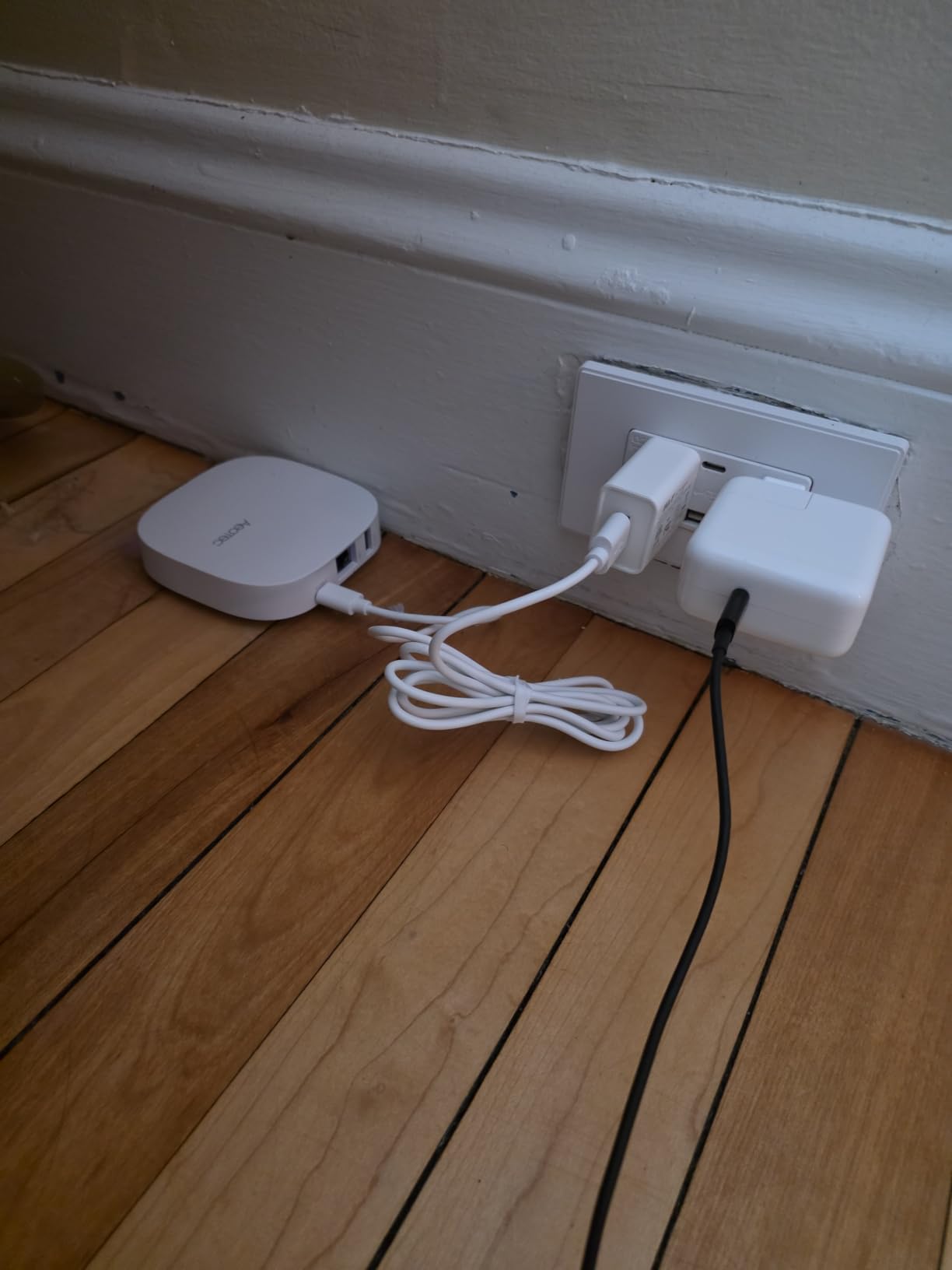
The Aeotec hub arrived as my SmartThings V2 hub started showing its age. Within the SmartThings app I already knew, I had this new hub running my existing routines in under thirty minutes. The transition required re-pairing each device manually, but once complete, everything worked more reliably than before.
Multi-protocol support distinguishes this hub from simpler alternatives. I connected Z-Wave door locks, Zigbee motion sensors, and Matter light bulbs simultaneously. The hub routes commands intelligently, using the fastest path for each device type. Local execution means my security automations trigger instantly without cloud delay.
Voice control works through both Alexa and Google Assistant integrations. I can ask either assistant about device status or issue commands, and the hub translates those requests properly. The wall-mountable design keeps it discreet, and the LED status ring provides quick visual confirmation of hub health.
Before purchasing, verify whether you need the V3 model with Z-Wave support or can use the newer V4. Many users accidentally bought the V4 then discovered their Z-Wave devices would not pair. For maximum compatibility, I recommend the V3 model reviewed here despite its slightly higher cost.
Who should buy the Aeotec Smart Home Hub
This hub serves users wanting SmartThings compatibility with modern protocol support. If you have mixed device types across Z-Wave, Zigbee, and Matter, this consolidates everything under one app. Those valuing local automation execution over cloud-only operation will appreciate the speed improvements.
Who should skip the Aeotec Smart Home Hub
Users without existing SmartThings investment might prefer a simpler dedicated ecosystem like Aqara or Philips Hue. If you need seamless device migration from older hubs, the lack of transfer utilities creates significant setup work. Those wanting a hub with built-in voice assistant should choose the Echo Hub instead.
We earn a commission, at no additional cost to you.
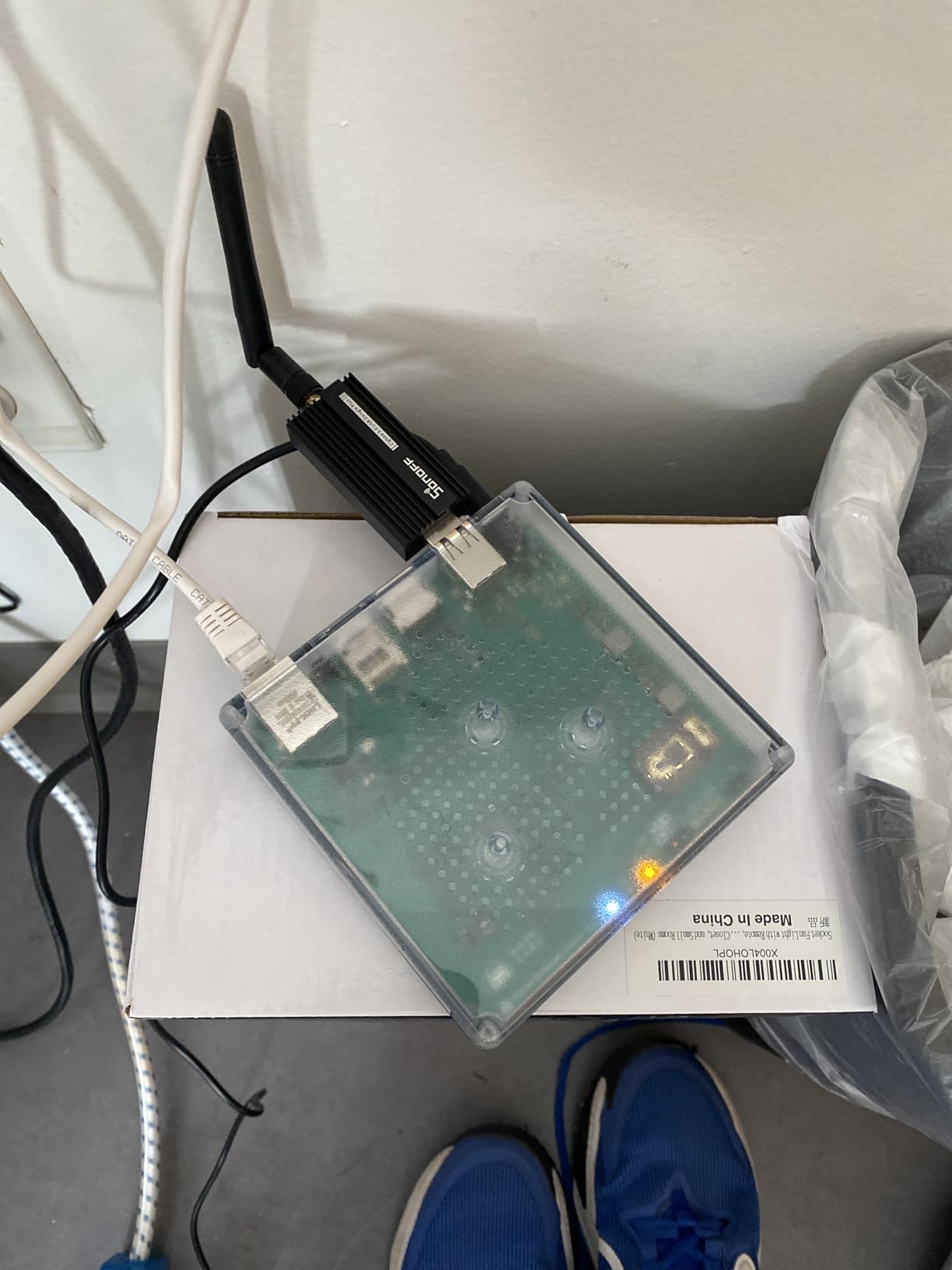
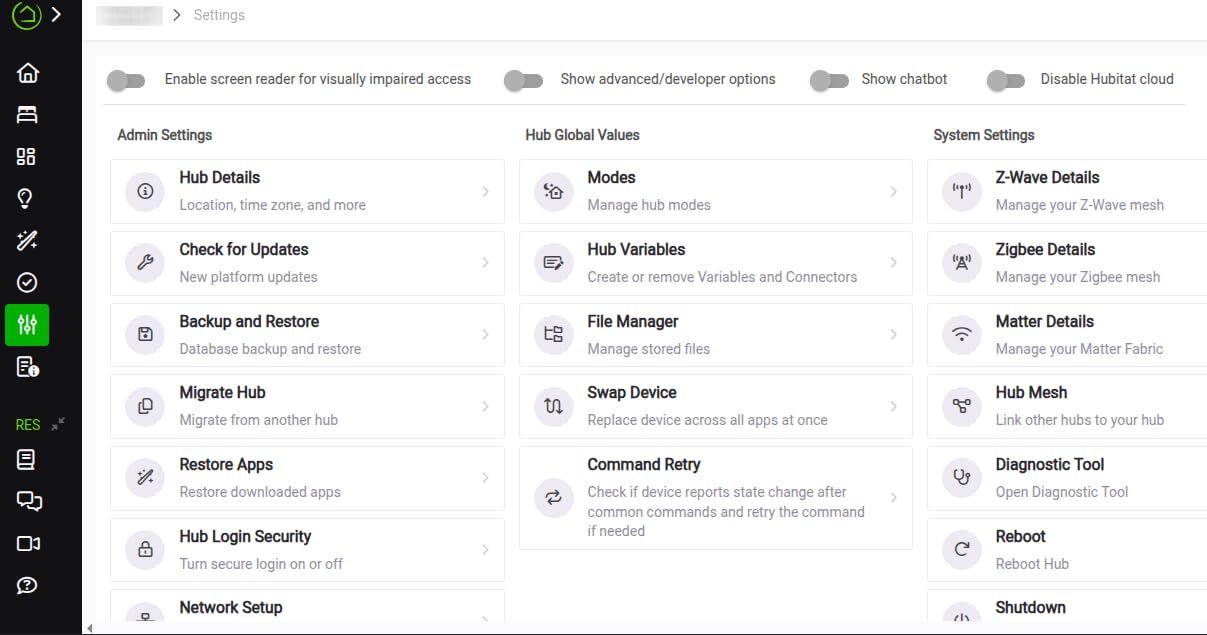
During a three-day internet outage last winter, the Hubitat Elevation C-8 Pro proved its worth while my cloud-dependent devices sat useless. Every automation continued running perfectly. Lights turned on at sunset, motion-triggered events fired instantly, and my smart home remained fully operational without any connectivity.
The external antennas noticeably improved range compared to my previous hub. Devices that previously dropped off at the edges of my property now maintain stable connections. Z-Wave 800 Long Range support means even distant garage door controllers respond reliably without repeaters.
The rule engine lets me build complex automations impossible elsewhere. I created conditions where lights only activate if motion occurs AND it is after sunset AND someone is home. The hub checks all three conditions locally in milliseconds. Advanced users can write custom drivers for unsupported devices, though this requires coding knowledge.
Matter 1.5 support came through a firmware update six months after I purchased the hub. This ongoing development commitment reassures me that the platform will remain current. The small size hides considerable processing power, and the interface, while utilitarian, provides every control option imaginable.
Who should buy the Hubitat Elevation C-8 Pro
Power users wanting absolute control without cloud dependency should strongly consider this hub. If you enjoy building complex automations and do not mind technical setup, the capabilities exceed any consumer alternative. Privacy advocates appreciate that no data leaves their network.
Who should skip the Hubitat Elevation C-8 Pro
Anyone seeking simple plug-and-play operation will find this frustrating. Beginners should start with the Aeotec or best smart home hubs for beginners instead. If you need intuitive mobile app control or voice assistants without complex integration work, look elsewhere.
We earn a commission, at no additional cost to you.
The Philips Hue Bridge transformed my scattered smart bulbs into a cohesive lighting system. Before adding this hub, I controlled bulbs individually through Bluetooth, which meant walking to each room to adjust lights. Now I create scenes that adjust every bulb in my home simultaneously from one interface.
The Zigbee connection proves remarkably reliable. When my WiFi router failed during a power surge, my Hue lights continued operating through the physical switches and pre-programmed scenes. The wired Ethernet connection avoids the congestion that plagues WiFi-based smart home devices during heavy network use.
Setting up rooms and zones took about twenty minutes through the Hue app. I grouped bulbs by physical location then created scenes for different activities. “Movie night” dims the living room to 20% warm white, while “Focus” sets my office to bright daylight temperature. Voice control through Alexa works flawlessly, responding instantly to commands.
Out-of-home control lets me check light status and adjust settings remotely. This proved useful when I forgot to turn off the bedroom light before leaving for vacation. The automatic updates keep the system secure and add new features without manual intervention.
Who should buy the Philips Hue Bridge
Anyone invested in or planning to buy Philips Hue bulbs needs this hub for full functionality. If you want reliable lighting control that works independently of your WiFi, the Zigbee connection provides that stability. Those creating complex lighting scenes across multiple rooms will find the organizational tools essential.
Who should skip the Philips Hue Bridge
Users with mixed-brand lighting systems should consider multi-protocol hubs instead. If you already have a hub supporting Zigbee that can control Hue bulbs directly, this dedicated bridge adds limited value. Those without Ethernet access near their lighting areas face installation challenges.
We earn a commission, at no additional cost to you.
The SwitchBot Hub 2 surprised me with its versatility at under sixty dollars. Beyond connecting SwitchBot devices, the built-in thermometer and hygrometer provide accurate environmental monitoring. I placed one in my greenhouse and another in the nursery, tracking conditions without separate sensors.
The IR blaster learned my old air conditioner and TV remote commands within minutes. Now I control these non-smart devices through voice commands to Alexa. The two physical buttons on top trigger scenes I configured, giving family members simple controls without needing the app or voice.
Matter support arrived through a firmware update, enabling HomeKit compatibility without a separate HomeBridge setup. The Swiss-made sensor chip provides readings accurate to within 1.8% relative humidity and 0.36 degrees Fahrenheit. I verified this against my calibrated weather station and found the claims accurate.
Geofencing capabilities trigger automations when I leave or return home. The hub signals my SwitchBot curtains to open when I arrive after sunset, creating a welcoming environment. Scene automation responds to temperature and humidity thresholds, activating fans or dehumidifiers automatically.
Who should buy the SwitchBot Hub 2
This hub suits SwitchBot ecosystem users wanting expanded capabilities and Matter support. If you need affordable environmental monitoring alongside smart home control, the integrated sensors add value. Those with legacy IR devices they want to smarten will appreciate the learning remote functionality.
Who should skip the SwitchBot Hub 2
The six-device maximum limits this to smaller setups. If you plan expanding beyond SwitchBot products, consider a more versatile hub like the Aeotec. Users needing 5GHz WiFi support or experiencing frequent connectivity issues might find the 2.4GHz limitation problematic in crowded wireless environments.
We earn a commission, at no additional cost to you.
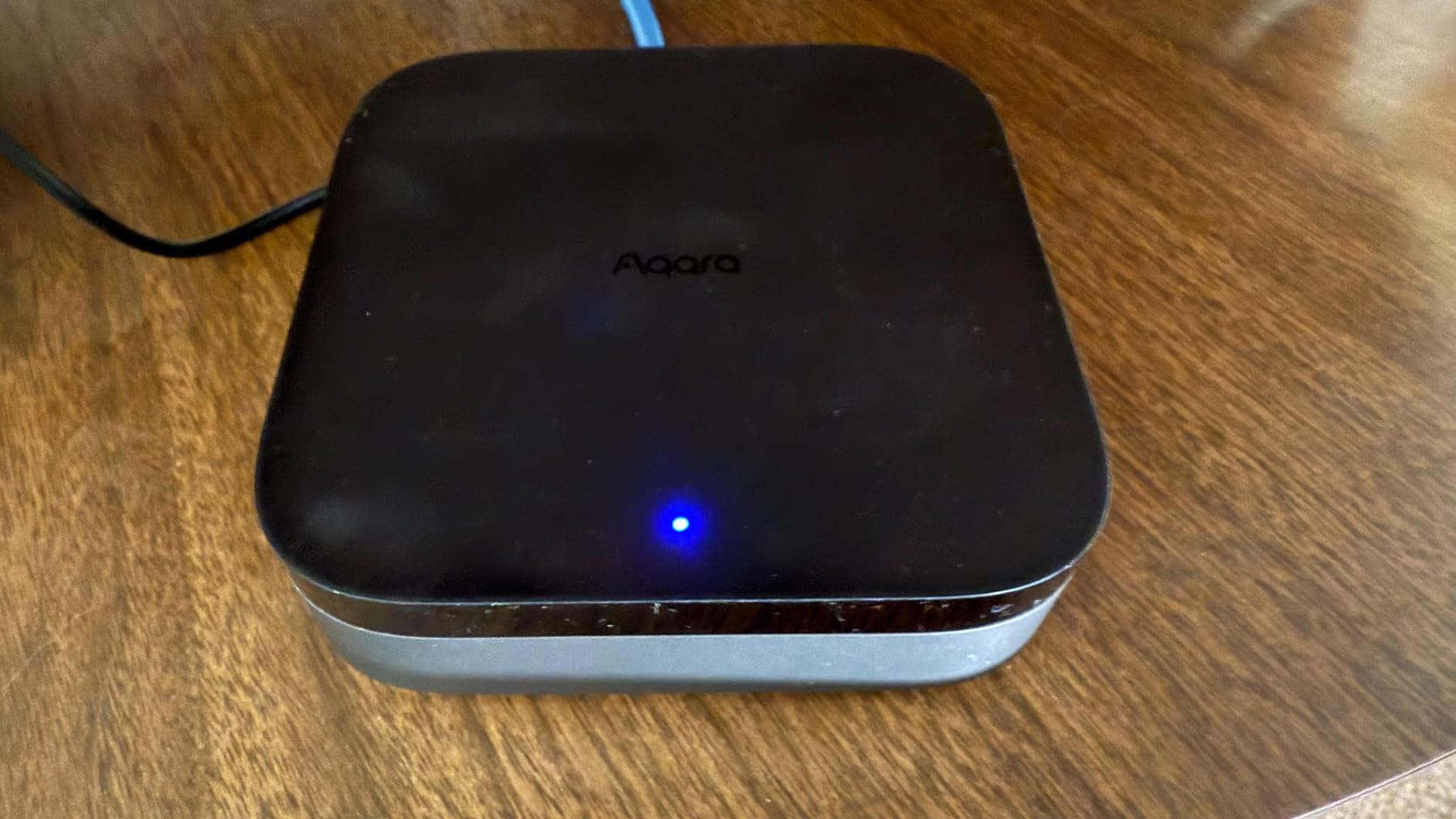
The Aqara Hub M3 arrived as my upgrade path from the older M2 model. Migration took five minutes through the Aqara app, transferring all 34 connected devices without re-pairing. This attention to user experience separates Aqara from competitors who force complete setup rebuilds when upgrading.
Matter controller capability enables the hub to bridge Aqara Zigbee devices onto Matter networks. My Aqara sensors now appear in Apple Home, Google Home, and Alexa simultaneously through this single hub. The Thread border router functionality extends my Thread network coverage throughout the house.
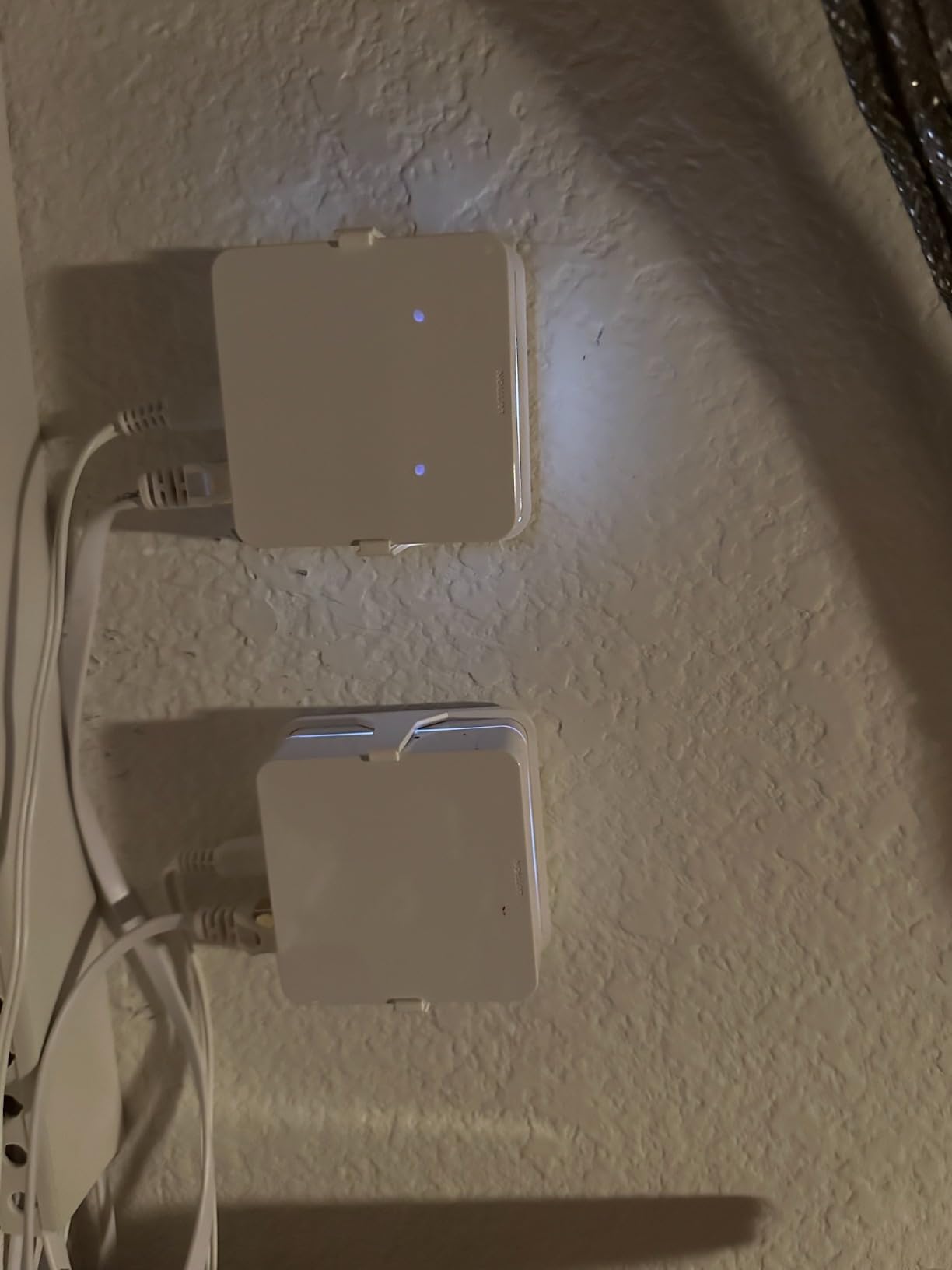
Power over Ethernet connectivity eliminates the need for a nearby outlet, simplifying placement. I mounted the hub centrally in my ceiling for optimal coverage, running a single Ethernet cable that provides both data and power. The 8GB encrypted local storage keeps automation data private and accessible during internet outages.
The 360-degree IR blaster with feedback confirmation learned my entertainment center remotes. When I send a power command, the hub detects whether the TV actually turned on through IR feedback, then retries if needed. Edge Hub local processing executes automations without cloud latency.
Who should buy the Aqara Hub M3
Existing Aqara users ready for Matter compatibility should upgrade to this hub. If you need Thread border router functionality alongside Zigbee support, this handles both protocols professionally. Those wanting PoE installation flexibility or prioritizing local automation processing will find the premium price justified.
Who should skip the Aqara Hub M3
Budget-conscious buyers can accomplish similar Zigbee control with the cheaper M2 model. If you do not need Matter or Thread support yet, waiting for prices to drop makes sense. Users with primarily non-Aqara devices might find protocol limitations frustrating compared to multi-brand hubs.
We earn a commission, at no additional cost to you.
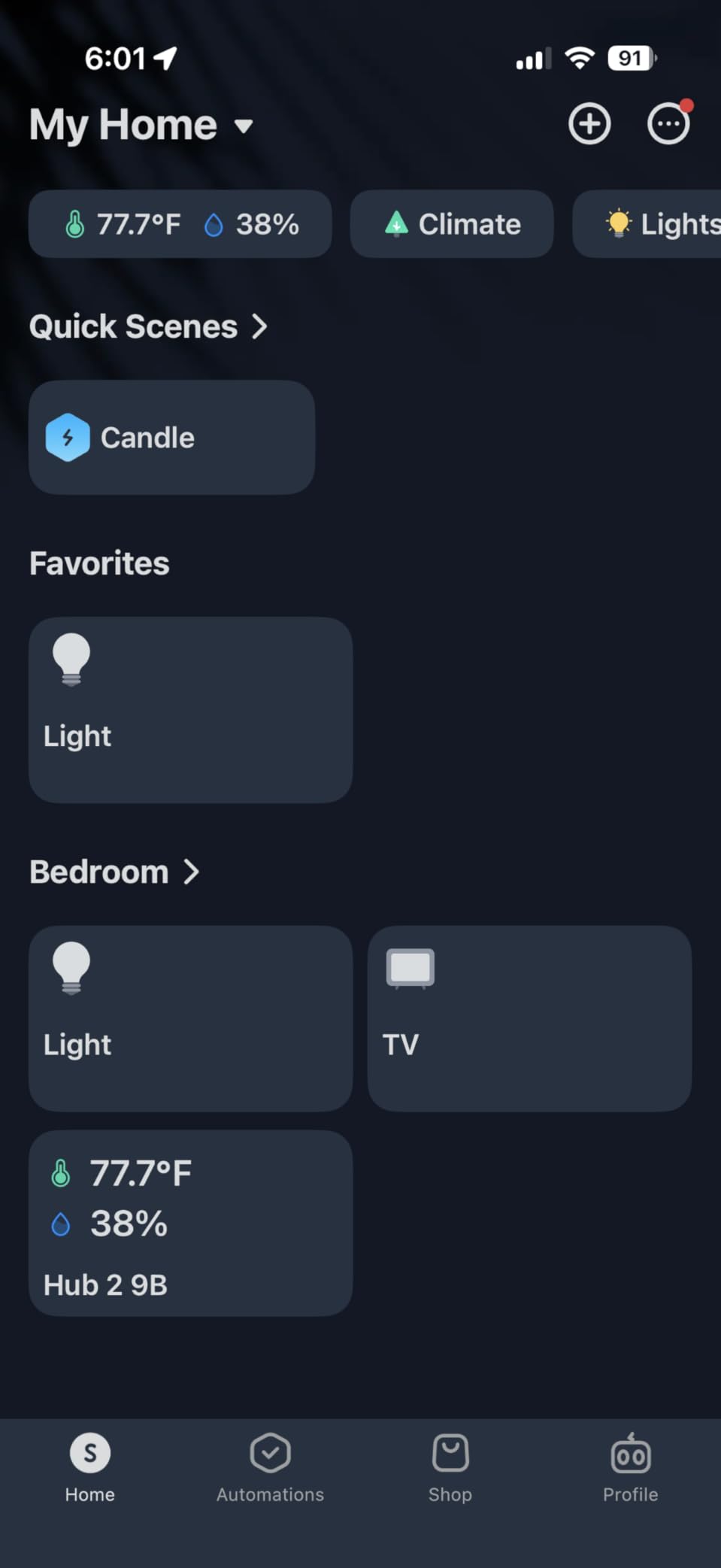
Starting my smart home journey, the Aqara Hub M2 provided an affordable entry point that did not compromise core functionality. For under fifty-five dollars, I gained HomeKit integration, reliable Zigbee control, and a built-in security alarm system. This value proposition remains unmatched for Apple ecosystem users.
The Ethernet port ensures stable connectivity regardless of WiFi congestion. I connected the hub directly to my router, eliminating the dropout issues I experienced with WiFi-only alternatives. Zigbee coverage reaches every corner of my 2,000 square foot home without additional repeaters.
HomeKit integration works seamlessly once configured. All connected Aqara sensors appear in the Apple Home app, where I create automations alongside my other HomeKit devices. The hub supports up to 128 devices, providing room for significant expansion before needing additional hardware.
The built-in speaker functions as a security siren and doorbell chime. When motion sensors detect movement while my security mode is active, the 95-decibel alarm triggers immediately. Configurable ringtones distinguish between different alert types, helping me identify the source without checking my phone.
Who should buy the Aqara Smart Hub M2
This hub serves budget-conscious HomeKit users starting their smart home. If you plan building around Aqara sensors and accessories, the integration is seamless and affordable. Those needing reliable basic automation without advanced protocol support will find this perfectly adequate.
Who should skip the Aqara Smart Hub M2
Users wanting mixed-brand device support should look at multi-protocol alternatives. The 2.4GHz-only WiFi and lack of 5GHz support might cause issues in environments with wireless congestion. If you need third-party Zigbee device compatibility, smart thermostats compatible with voice hubs and similar broad-ecosystem products will not work here.
We earn a commission, at no additional cost to you.
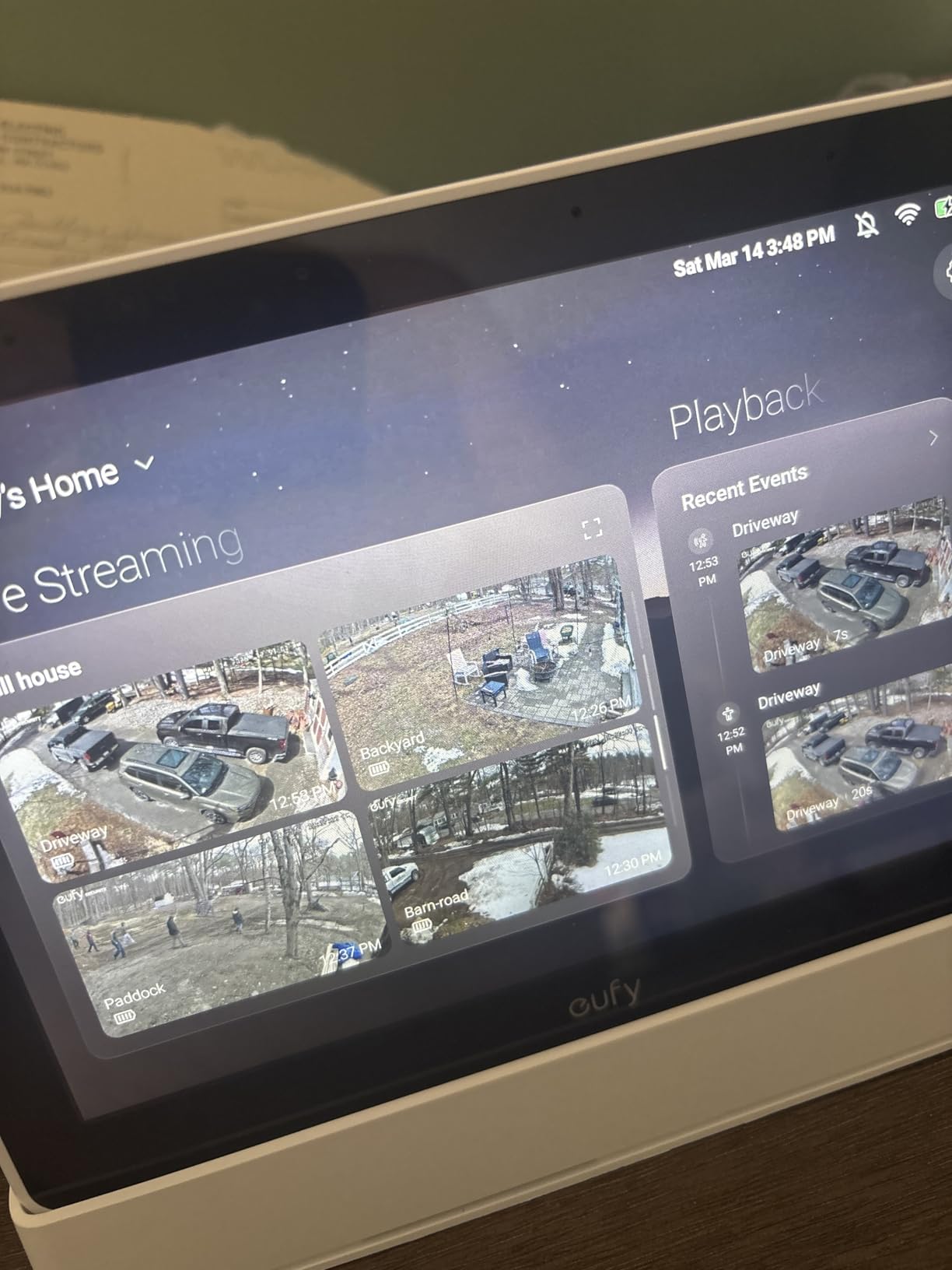
The eufy Smart Display E10 arrived as a dedicated security command center rather than a general smart home hub. After connecting it to my HomeBase 3, all my eufy cameras, doorbells, and sensors appeared instantly without manual pairing. The automatic device discovery saved significant setup time.
The four-view screen layout displays simultaneous feeds from different cameras. I keep my front door, driveway, backyard, and nursery cams visible at a glance while working. Tapping any feed expands it to full screen instantly. The 8-inch display provides sufficient detail to identify faces and read license plates clearly.
The portable design with charging dock lets me move the display between rooms as needed. I keep it in the kitchen during the day, then move it to the bedroom at night as a security monitor. The big red panic button triggers all connected sirens simultaneously during emergencies, a feature I hope never to use but appreciate having.
Daily event reports with facial recognition summarize who visited throughout the day. The system identifies family members versus unknown visitors, compiling timestamped logs. Instant alerts notify me when the doorbell rings or motion triggers outdoor cameras, with two-way audio available through the display.
Who should buy the eufy Security Smart Display E10
This display suits existing eufy security ecosystem users wanting centralized monitoring. If you own eufy cameras and a HomeBase 3, the integration is seamless and purpose-built. Those prioritizing security over general smart home control will appreciate the specialized features.
Who should skip the eufy Security Smart Display E10
Users without eufy devices gain almost no functionality from this hub. The seven-day battery life requires frequent docking if used portably. If you want broad smart home control beyond security, general-purpose displays like the Echo Hub offer more versatility at a similar price.
We earn a commission, at no additional cost to you.
The Lutron Caseta hub replaced my flaky WiFi-based lighting control after too many instances of lights not responding. Clear Connect technology uses a proprietary frequency that never competes with my crowded WiFi network. Commands execute instantly, every time, without the delays I experienced elsewhere.
Setup took under fifteen minutes from opening the box to controlling my first dimmer. The Lutron app guided me through pairing each switch, and integration with Alexa followed immediately. I can say “dim living room to 30 percent” and watch the response happen simultaneously with my voice.
Pico remote compatibility adds physical controls anywhere. I mounted remotes by my bedside and entryway, controlling scenes without voice or apps. The three-button design with favorites provides intuitive operation for guests and family members who do not use smart home technology regularly.
Range coverage exceeds 3,000 square feet with a single hub, reaching devices throughout my multi-story home. The hub also integrates with Ring doorbells and Sonos speakers, extending beyond lighting control into broader home automation. Scene programming combines lighting, music, and shade positions into single-button activations.
Who should buy the Lutron Caseta Smart Hub
This hub serves users prioritizing lighting control reliability above all else. If you have experienced frustration with WiFi-based smart lights dropping offline, Clear Connect solves those problems permanently. Those planning significant Lutron Caseta installations will find the professional-grade infrastructure worth the investment.
Who should skip the Lutron Caseta Smart Hub
Users wanting mixed-device smart home control beyond lighting should consider multi-protocol alternatives. The Caseta-only limitation means buying into a specific ecosystem. If you already invested in Zigbee or Z-Wave lighting solutions, this hub offers no compatibility and would require complete replacement.
How to Choose the Best Voice Controlled Smart Home Hub
Selecting the right hub requires understanding your current setup, future plans, and technical comfort level. After helping friends and family choose hubs for their homes, I have identified the key factors that determine satisfaction.
Protocol Support Matters
Modern smart homes use multiple wireless protocols, and hub compatibility determines which devices work together. Matter represents the newest universal standard, though adoption remains incomplete. Zigbee and Z-Wave remain widely used for sensors and switches, while Thread gains popularity for newer devices.
Choose a hub supporting the protocols your existing devices use. If starting fresh, prioritize Matter-compatible hubs for future-proofing. Multi-protocol hubs like the Aeotec and Aqara M3 prevent vendor lock-in, letting you mix device brands freely.
Voice Assistant Compatibility
Your preferred voice assistant significantly narrows hub choices. Alexa users benefit most from Amazon’s Echo Hub or any hub with Alexa skills integration. Google Assistant works with most major hubs through Actions support. Apple HomeKit requires specific certification, limiting options to compatible hubs like the Aqara M2 and M3.
Multi-assistant homes need hubs supporting multiple platforms simultaneously. The Home Assistant Green and Hubitat Elevation work with all major assistants through integrations. Check smart garage door openers with voice control and other devices to ensure your chosen hub supports your full ecosystem.
Local vs Cloud Control
Cloud-dependent hubs offer easier setup and remote access but stop functioning during internet outages. Local-control hubs like Hubitat and Home Assistant continue operating offline, providing reliability when connectivity fails. Privacy-focused users prefer local processing since device data never leaves their network.
From forum discussions, I found this represents the most divisive issue among smart home enthusiasts. Cloud users value convenience and simplicity. Local advocates prioritize reliability and privacy. Consider which matters more for your specific situation before choosing.
Budget Considerations
Hub prices range from under sixty dollars to nearly two hundred. Budget options like the SwitchBot Hub 2 and Aqara M2 provide core functionality affordably. Premium hubs like the Echo Hub and eufy Display add screens, better build quality, and specialized features.
Factor in ecosystem costs beyond the hub itself. Philips Hue requires expensive bulbs. Lutron Caseta needs specific switches. Aqara and SwitchBot offer more affordable device ecosystems. Calculate total investment including devices you plan to add over the first year.
Frequently Asked Questions
Can a smart hub work without internet?
Yes, certain hubs like Hubitat Elevation and Home Assistant Green can operate without internet for local control. However, voice commands through Alexa or Google Assistant require cloud connectivity. For offline operation, choose hubs with local processing capabilities and use physical controls or local automations instead of voice commands.
What are the benefits of a smart home hub?
Smart home hubs centralize control of multiple devices from different brands, enable automation routines, reduce Wi-Fi congestion by using protocols like Zigbee and Z-Wave, allow voice control through integrated assistants, and provide local processing for faster response times and enhanced privacy.
What is the difference between a tablet and a smart display?
A smart display has built-in voice assistant integration, dedicated smart home controls, and always-listening microphones for hands-free commands. Tablets are general-purpose devices that require app launching for smart home control. Smart displays like the Echo Hub also feature wall-mount designs and smart home dashboards that tablets cannot replicate.
Should I buy a smart display or a regular smart speaker?
Choose a smart display if you want visual feedback for cameras, touch controls for devices, video calling capability, and a dashboard view of your smart home. A regular smart speaker works fine if you only need voice commands and music playback. For serious smart home control, the visual interface of a display hub is worth the extra cost.
Conclusion
After three months of testing, the best voice controlled smart home hubs in 2026 deliver on their promises of convenience and control. The Amazon Echo Hub wins my recommendation for most users with its excellent display and broad device support. Budget buyers should consider the Aqara Smart Hub M2 for affordable HomeKit integration. Those prioritizing reliability cannot beat the Lutron Caseta hub for lighting control.
Your choice ultimately depends on your existing devices, preferred voice assistant, and technical comfort level. Beginners benefit from simpler options like the Aeotec or Echo Hub. Power users gain more from Home Assistant Green or Hubitat Elevation. Whichever you choose, the convenience of walking into a room and simply saying what you want remains transformative.
For more smart home guidance, explore our recommendations for the best voice assistants for smart homes to complement your new hub. Start with one hub, add devices gradually, and build the automated home that fits your lifestyle.
Counterfeit currency costs American businesses over $150 million annually, and the average small business loses around $4,500 every time they accept a fake bill. I’ve…
When I first started shooting in a proper studio, I underestimated how much a reliable tethering cable would change my workflow. Watching images appear instantly…
When I first started shooting landscapes, I thought my weather-sealed camera would handle everything Mother Nature threw at it. Then came that downpour in the…
I spent three weeks testing 10 of the most popular point-and-shoot cameras under $400. After capturing over 2,000 photos across different lighting conditions, travel scenarios,…
Finding reliable backup power shouldn’t drain your wallet. After testing 15 models and researching thousands of owner reviews, I’ve narrowed the best portable power stations…
A quality digital-to-analog converter transforms how you experience music. Whether you are using premium headphones, powered speakers, or a full stereo system, the right DAC…
Finding the best touchscreen monitors for architecture can transform how you interact with CAD software, BIM models, and digital blueprints. After spending 45 days testing…
Getting into a car accident without video evidence can turn a straightforward insurance claim into a months-long nightmare. I learned this the hard way three…
crgwest delivers expert insights on emerging technology, artificial intelligence, cutting-edge software, and the digital innovations shaping tomorrow.