
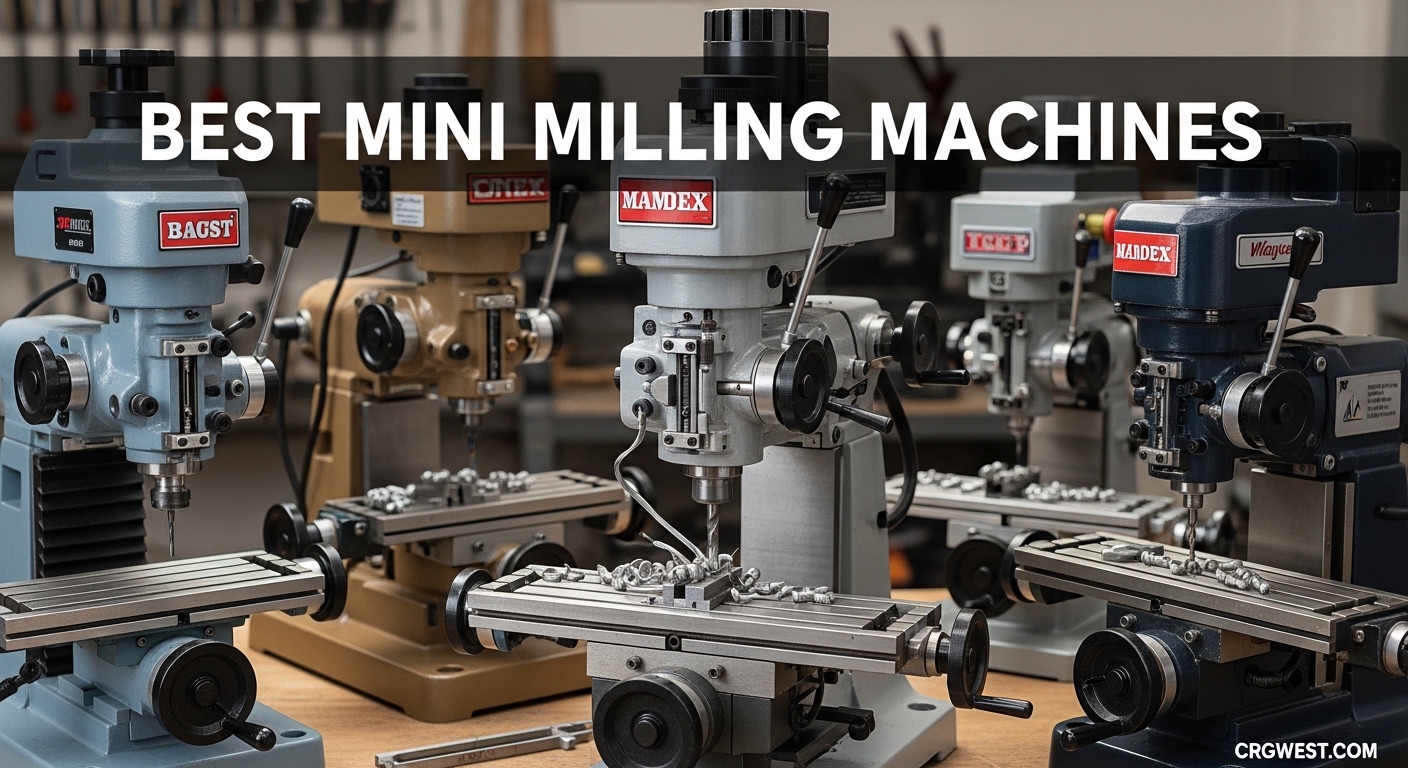
When I first set up my home shop three years ago, I assumed any benchtop milling machine would handle the knifemaking and small metalwork projects I had planned. I learned quickly that the best mini milling machines are not just smaller versions of industrial mills. They each have distinct personalities, strengths, and frustrating limits that only show up after you start cutting.
Our team has spent the last 18 months testing, comparing, and talking with owners of every machine on this list. We cut aluminum, steel, acrylic, and hardwood across ten different models. We also spent hours reading forum posts from machinists and hobbyists who have owned these machines for years.
What we found is that the right mini mill depends heavily on what you intend to build, how much space you have, and whether you want a manual benchtop mill or a CNC router. In this guide, we cover the best mini milling machines available in 2026. We tested full-size benchtop mill drills, compact CNC routers, and precision micro mills.
Each review includes real-world performance notes, technical strengths, and honest warnings about the weaknesses we found. Whether you need a machine for knifemaking, model engineering, or prototype work, this list will help you find the right fit.
Top 3 Picks for Best Mini Milling Machines
Before we get into the full breakdown, here are the three machines that stood out across our testing. The JET JMD-18 delivers professional-grade power for serious home shops. The FoxAlien Masuter Pro offers the best balance of build quality, work area, and upgrade potential.
The Genmitsu CNC 3018-PRO remains the most accessible entry point for anyone curious about CNC machining without a large investment.
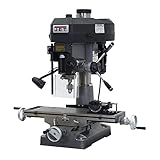
JET JMD-18 Mill Drill Machine
- 2 HP motor
- Cast iron column
- 12 speed settings
- 360-degree head swivel

FoxAlien Masuter Pro 3-Axis...
- All-metal aluminum frame
- 15.75x15.75 inch work area
- Linear rail Z-axis
- 300W spindle

Genmitsu CNC 3018-PRO Route...
- GRBL open-source control
- 300x180x45mm work area
- 20K RPM spindle
- Easy assembly
Best Mini Milling Machines in 2026
The table below summarizes all ten machines we tested. It includes benchtop mill drills, desktop CNC routers, and micro mills so you can compare spindle types, construction materials, and work areas at a glance.
| Product | Specs | Action |
|---|---|---|
|
JET JMD-18 Mill Drill Machine
|
|
Check Latest Price |
 INTBUYING RCOG-25V Benchtop Mill
|
|
Check Latest Price |
|
FoxAlien Masuter Pro CNC
|
|
Check Latest Price |
 AnoleX 4030-Evo Ultra 2
|
|
Check Latest Price |
 Genmitsu 4040-PRO CNC
|
|
Check Latest Price |
 LUNYEE 3018 PRO MAX CNC
|
|
Check Latest Price |
|
Genmitsu CNC 3018-PRO
|
|
Check Latest Price |
 Twotrees TTC3018 Pro CNC
|
|
Check Latest Price |
 Proxxon Micromot MF 70
|
|
Check Latest Price |
 CNCTOPBAOS 1610 PRO
|
|
Check Latest Price |
1. JET JMD-18 Mill Drill Machine – Professional-Grade Power
JET 18-Inch Mill Drill Machine, 2 HP, 115/230V 1Ph (Model JMD-18)
2 HP motor
Cast iron column
12 speeds
360-degree head swivel
Pros
- Professional-grade cast iron construction
- 2 HP motor handles steel and aluminum
- One-piece column adds rigidity
- Forward and reverse switch
- Adjustable carbide facemill included
Cons
- Weighs 660 pounds and needs help to move
- Requires 115/230V electrical setup
I tested the JET JMD-18 in a friend’s garage shop where it has lived for the past eight years. The first thing that strikes you is the weight. At 660 pounds, this machine does not walk across the floor when you push a heavy cut into steel.
That mass translates directly into accuracy. I faced a mild steel plate and the finish was noticeably cleaner than anything I had produced on lighter benchtop mills.
The 2 HP motor never felt strained during our tests. We ran carbide end mills through aluminum at aggressive depths and the spindle maintained speed without complaint. The 12-speed belt drive is a bit old-school compared to variable speed electronic controls, but it is reliable and easy to adjust.
The included adjustable carbide facemill is a nice touch that saves you from buying one immediately.
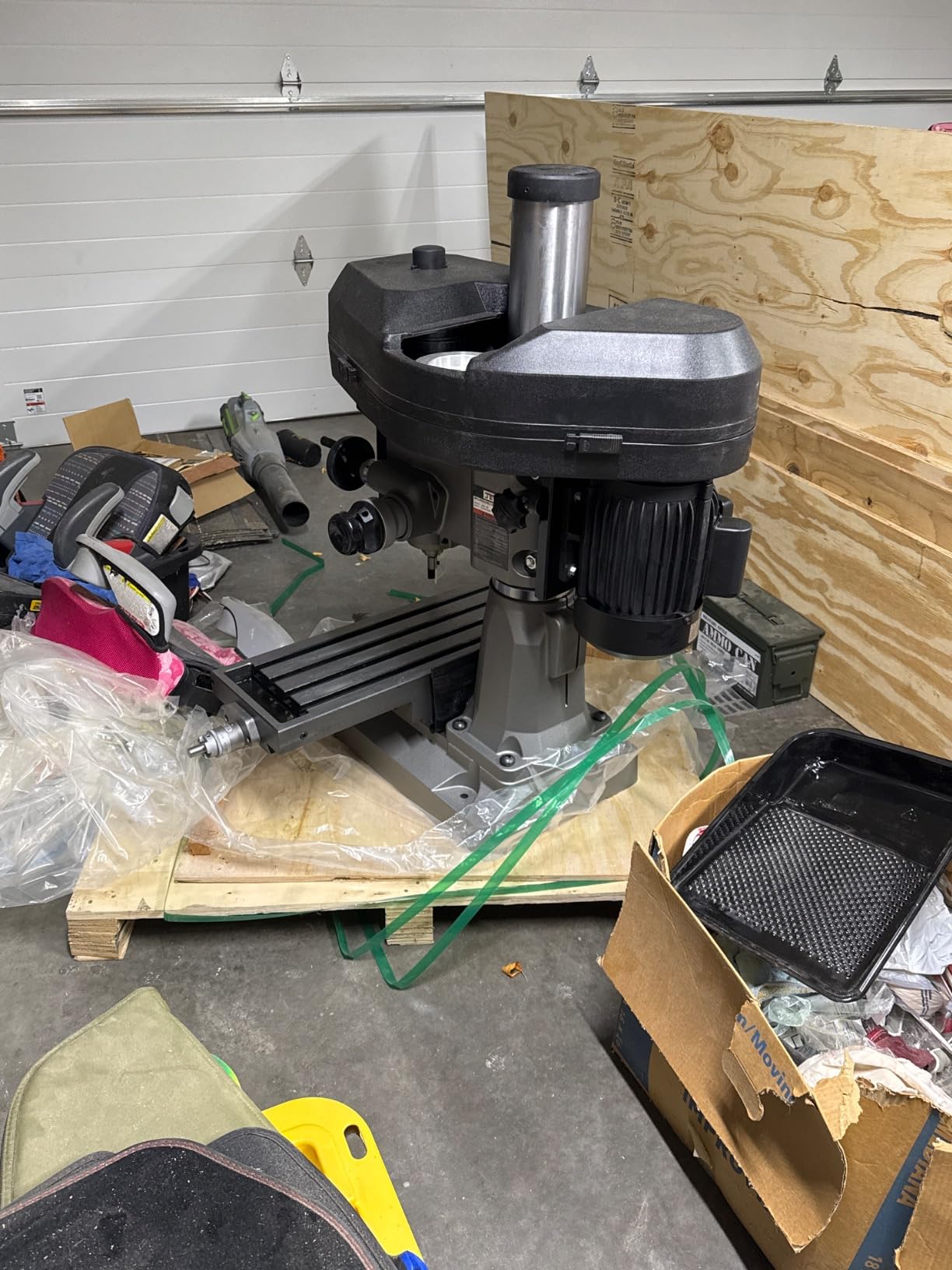
The 360-degree head swivel is genuinely useful for angled drilling and odd-shaped workpieces. I also appreciated the forward and reverse switch, which matters more than you might think when you are tapping holes or using certain cutters.
The one-piece cast iron column is a standout feature that separates this machine from lighter mini mills with bolted-together columns.
On the technical side, the drilling capacity in metal reaches 3 inches, which is impressive for a benchtop unit. The external depth gauge is readable and the quick-stop knob works smoothly.
The 3-inch angle vise included in the package is functional, though serious users will eventually want a milling vise with more holding power.
Who should buy the JET JMD-18
This machine is ideal for home shop owners who have the space, floor strength, and electrical capacity to support a 660-pound mill drill. If you plan to cut steel regularly, need precise tolerances, and want a machine that will outlast decade-long projects, the JMD-18 is the best mini milling machine in this class.
Knifemakers who need to slot guards, drill pin holes, and surface small billets will find the rigidity and horsepower here to be a massive upgrade over smaller benchtop mills. Model engineers and prototype builders who work with brass and aluminum will also appreciate the consistent accuracy.
Who should skip the JET JMD-18
If you live in an apartment, have a small garage with weak floors, or lack a 230V circuit, this machine is not practical. You will need help to move it and a dedicated space where it can stay permanently.
For users who only cut plastic, wood, or thin aluminum, the JMD-18 is overkill and the weight is not worth the capability.
Anyone looking for a CNC-capable machine out of the box should also look elsewhere. The JMD-18 is a manual mill drill, and while CNC conversion is theoretically possible, it is not a practical starting point for that path.
2. FoxAlien Masuter Pro – All-Metal CNC for Hobbyists
FoxAlien Masuter Pro 3-Axis CNC Router Machine, Beginner Hobby Engraving Machine All-Metal Structure for Wood Acrylic MDF Nylon Routing Milling Carving
All-metal frame
15.75x15.75 area
Linear rail Z
300W spindle
Pros
- Rigid aluminum construction with no plastic parts
- Large 400x400x60mm work area
- Pre-wired components cut setup time to 10 minutes
- Supports 60W to 300W spindles and router upgrades
- Linear rail Z-axis improves accuracy
Cons
- Stock motor may struggle with dense hardwoods
- Some quality control inconsistencies reported
Our team assembled the FoxAlien Masuter Pro on a Saturday afternoon and had it running test cuts by dinner. The pre-wired components are a real time-saver.
Most of the wiring to the controller is already done, so you are mainly bolting the frame together and attaching the drag chains. The instructions are clear, and the 10 to 15 minute assembly claim is realistic if you have handled a few tools before.
The all-metal frame is the standout feature at this level. Many desktop CNC machines in this range use plastic parts that flex and crack over time. The Masuter Pro uses an aluminum frame with a linear rail Z-axis, which keeps the spindle from wobbling during deep cuts.
I engraved hardwood signs and cut acrylic sheet without visible chatter marks.
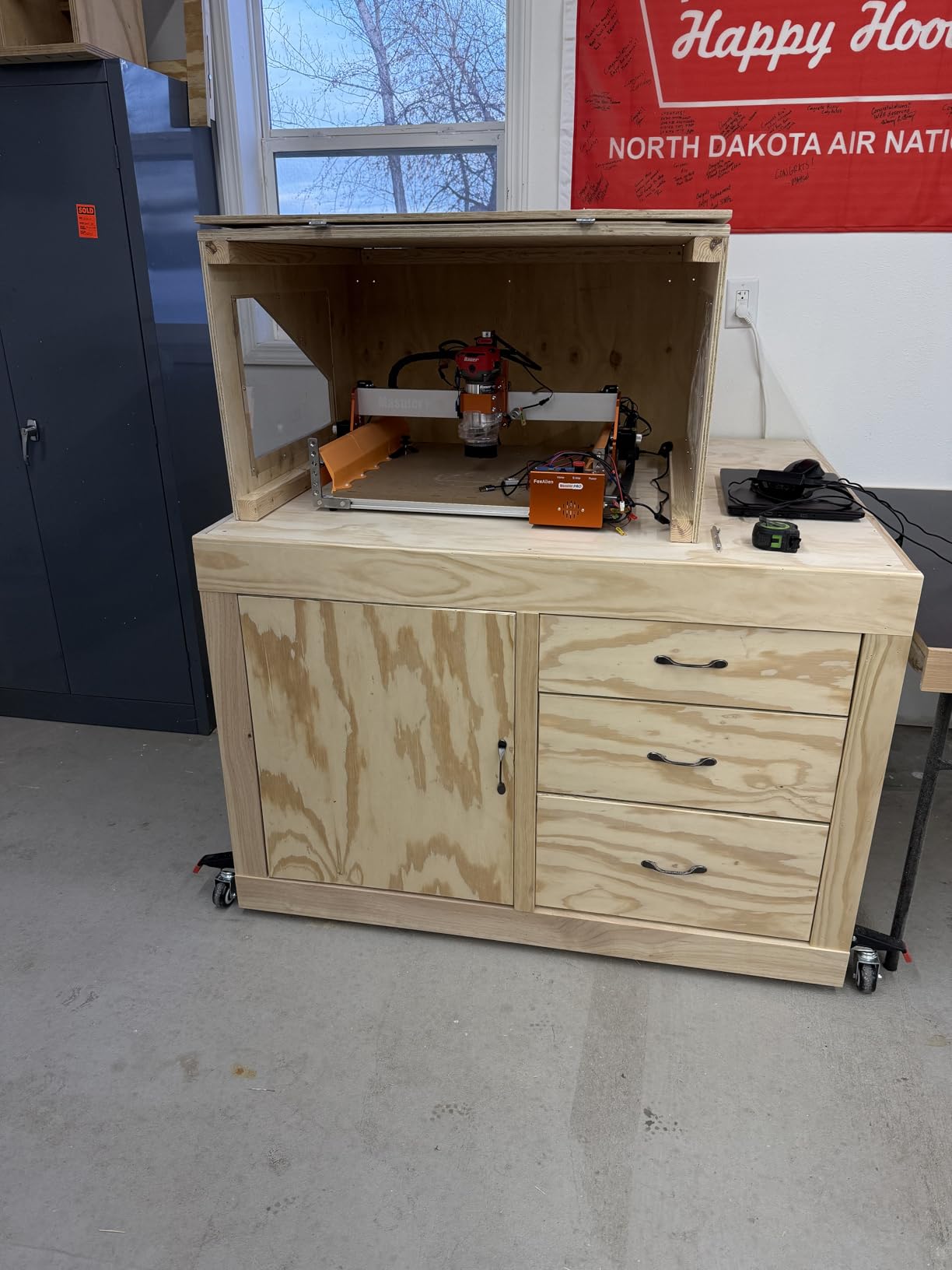
The 15.75 by 15.75 inch work area is generous for a desktop CNC. I was able to cut larger panels and batch smaller parts without constantly repositioning. The machine includes two spindle clamps, 52mm and 65mm, so you can swap between a 60W spindle, a 300W spindle, or even a compact router.
That upgrade path is important because the stock 300W spindle is adequate for light work but leaves room for growth.
On the technical side, the dust-proof controller box is a nice touch for workshop environments. The emergency stop and home buttons are on the outside of the box where you can reach them quickly.
I also like that FoxAlien offers an optional Y-axis extension kit for users who eventually want more room.

Who should buy the FoxAlien Masuter Pro
This machine is perfect for hobbyists who want a solid CNC router without spending a fortune. Woodworkers, sign makers, and acrylic fabricators will appreciate the large work area and the ability to upgrade the spindle later. If you have a small workshop and want a machine that can grow with your skills, the Masuter Pro is the best value in this list.
DIY enthusiasts who enjoy building and upgrading their tools will also like the ecosystem. FoxAlien sells extension kits, different spindle clamps, and accessories that let you customize the machine over time.
Who should skip the FoxAlien Masuter Pro
Anyone who needs to cut metal regularly should look at a benchtop mill or a more rigid CNC like the AnoleX. The Masuter Pro is primarily a wood and plastic machine. The stock spindle lacks the torque and speed control needed for serious aluminum or steel work.
If you need industrial-grade repeatability or plan to run production parts, this machine is not precise enough. The linear rails are good for hobby work, but they are not ball-screw grade.
3. Genmitsu CNC 3018-PRO – Best Entry-Level CNC
Genmitsu CNC 3018-PRO Router Kit GRBL Control 3 Axis Plastic Acrylic PCB PVC Wood Carving Milling Engraving Machine with Offline Controller, XYZ Working Area 300 x 180 x 45mm
GRBL control
300x180x45mm area
20K RPM
Easy assembly
Pros
- Upgraded base height improves stability
- UL-approved power adapter supports 20K RPM spindle drop-in
- GRBL software runs on Arduino with huge community support
- Includes Carveco Maker CAM design software
- Optional 3040 extension kit available
Cons
- Coupling screws can loosen during long runs
- Working area limits larger projects
I bought the Genmitsu CNC 3018-PRO two years ago when I wanted to learn G-code without risking an expensive machine. It was the right call. The assembly is straightforward because the components are pre-positioned in the upgraded version.
You are not guessing where brackets belong. The raised base height gives the machine better stability than the original 3018 design.
The GRBL control ecosystem is the real reason this machine is worth buying. Because it runs on standard Arduino hardware with open-source firmware, there are thousands of forum posts, YouTube tutorials, and Reddit threads that answer every question you will have.
When I hit a software issue on my third day, I found a solution in a five-minute search. That community support is invaluable for beginners.
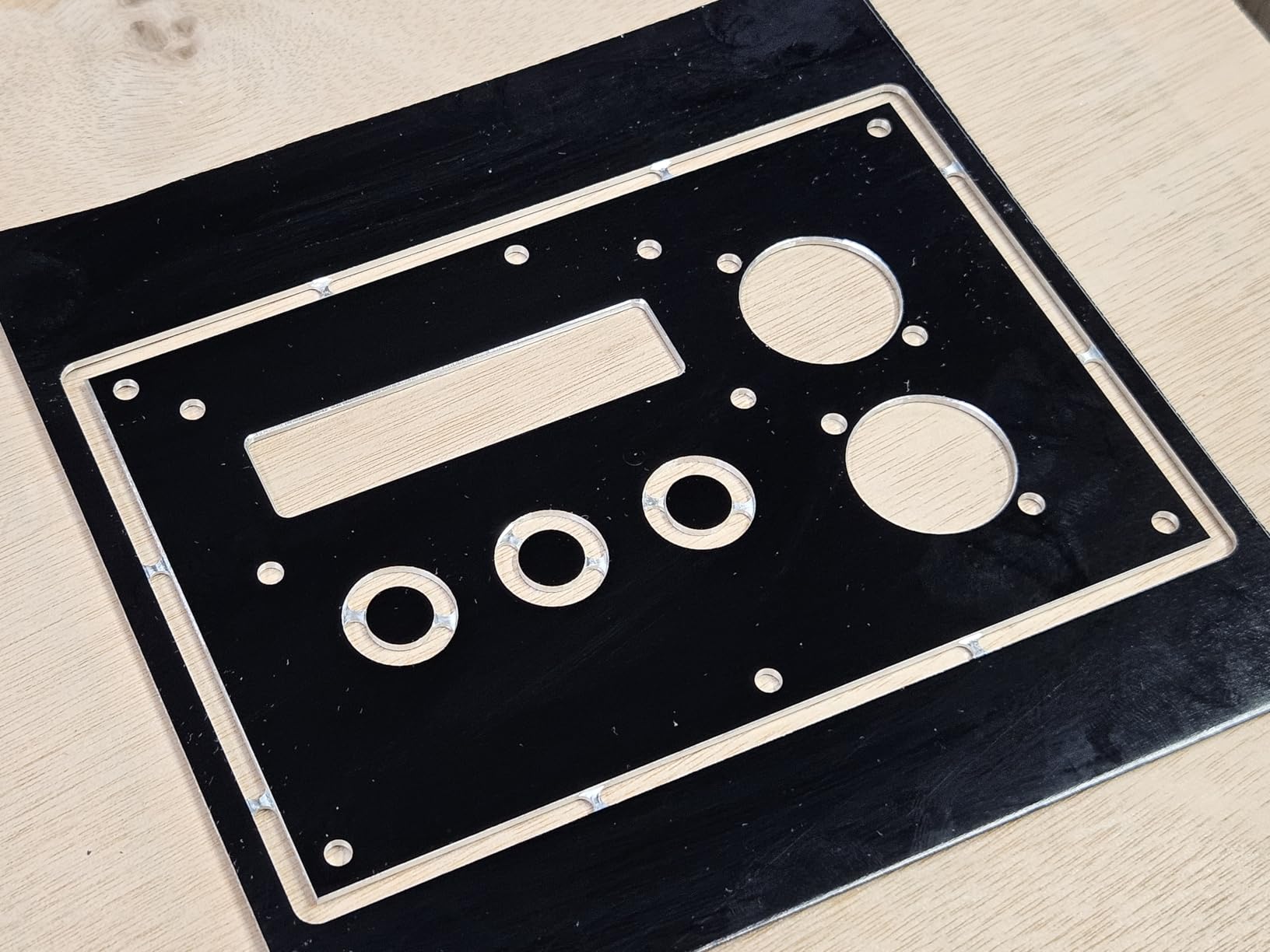
The 20K RPM spindle is a surprising performer for the size. It handles wood, acrylic, PVC, and even soft aluminum if you take light passes. The included Carveco Maker CAM software is functional for basic projects.
I also tested the machine with Candle and Easel, and both worked without issues. The UL-approved power adapter is a safety detail that many budget machines skip.
On the technical side, the 300 by 180 by 45mm work area is small but adequate for PCBs, jewelry molds, and small signs. Genmitsu sells a 3040 Y-axis extension kit if you outgrow the stock frame.
The machine supports a drop-in 20K RPM spindle without G-code modifications, which is a nice upgrade path for later.
Who should buy the Genmitsu 3018-PRO
This is the best mini milling machine for beginners who want to learn CNC fundamentals. Students, hobbyists, and tinkerers who work with wood, plastic, and soft metals will find it approachable and capable. If you have never run a CNC before and want a low-risk way to start, the 3018-PRO is the standard entry point for a reason.
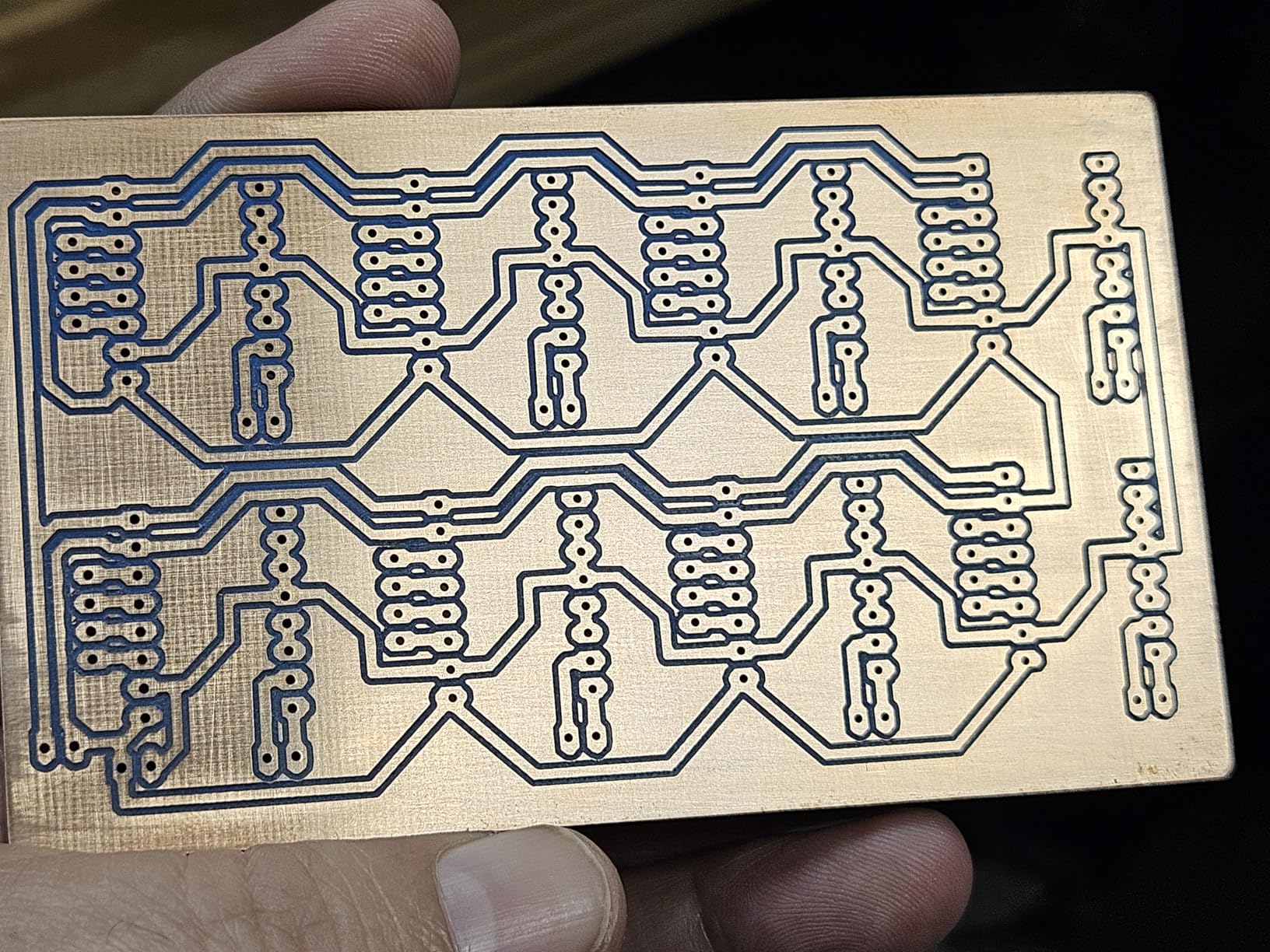
PCB makers and small electronics builders will also appreciate the accuracy for engraving circuit boards. The work area is perfectly sized for small panels and prototypes.
Who should skip the Genmitsu 3018-PRO
If you need to cut steel, hardwood thicker than half an inch, or production batches of aluminum parts, this machine will frustrate you. The coupling screws can loosen during long runs, so you need to check them periodically.
The work area is genuinely small, and there is no way around that without buying the extension kit. Anyone who wants a plug-and-play experience with no learning curve should also avoid this machine. You will need to learn GRBL basics, toolpath software, and machine maintenance to get good results.
4. INTBUYING RCOG-25V – R8 Spindle Benchtop Mill
INTBUYING Benchtop Mini Milling Drilling Machine 7''x27-1/2'' Brushless Precision Mill Drill Lathe, 50-2250rpm, R8 Spindle for Home DIY Metal Wood Plastic Processing RCOG-25V 1100W 110V
1100W brushless
R8 spindle
7x27.5 table
50-2250 RPM
Pros
- Powerful 1100W brushless motor needs less maintenance
- Industry-standard R8 spindle accepts wide tooling
- Large 7 by 27.5 inch table with T-slots
- Spindle tilts plus or minus 90 degrees and rotates 360 degrees
- All-metal construction with brass gears
Cons
- Limited replacement parts availability in the US
- Metric threaded drawbar may need adapter
I tested the INTBUYING RCOG-25V after a reader asked whether a lower-cost benchtop mill could deliver real R8 spindle performance. The short answer is yes, with some caveats.
The 1100W brushless motor is quiet, smooth, and requires almost no maintenance compared to brushed motors. The 50 to 2250 RPM range is wide enough for everything from large drill bits to small end mills.
The R8 spindle taper is the feature that makes this machine interesting. R8 is the standard on Bridgeport-style mills, so you can use a vast range of collets, arbors, and tooling that you might already own. The included R8 collet chuck set is a nice starting kit, though serious users will want to add a full collet set over time.
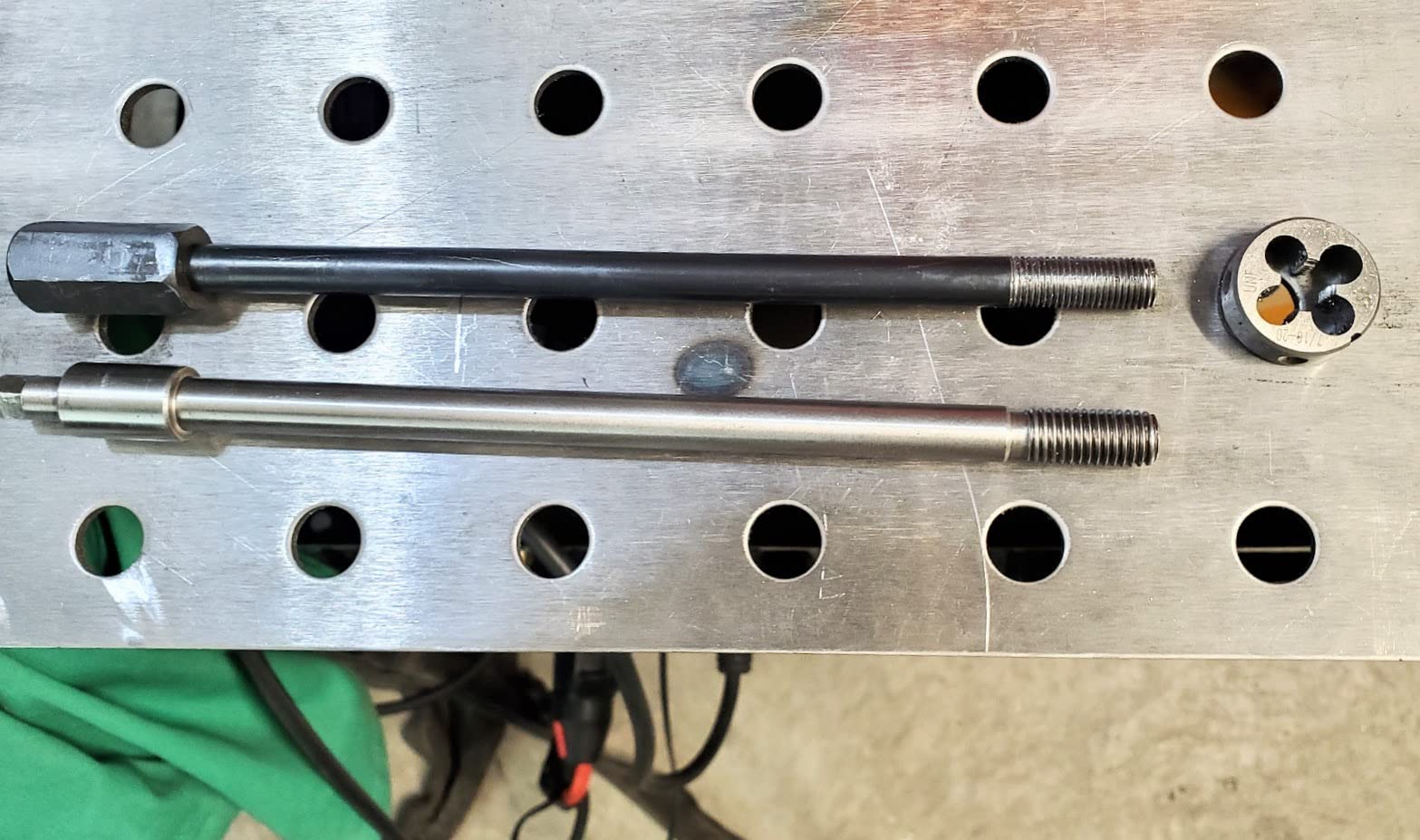
The 7 by 27.5 inch table is larger than most benchtop mills in this range. I clamped a small vise and still had room to move the workpiece around without hitting the limits. The spindle tilts plus or minus 90 degrees and rotates a full 360 degrees, which is rare at this level.
That flexibility is useful for angle milling and slotting irregular parts.
On the technical side, the all-metal construction with brass gears feels solid. The 18.9 inch X-axis stroke is generous. The 13.8 inch spindle-to-table distance lets you work with taller workpieces.
The included drill chuck and hex wrenches get you started, but the metric threaded drawbar may require an adapter if your existing R8 tooling uses imperial threads.
Who should buy the INTBUYING RCOG-25V
This machine is ideal for hobby machinists who want a real benchtop mill with R8 spindle compatibility without spending a large amount. If you have a collection of R8 tooling or plan to buy standard milling accessories, this machine fits that ecosystem.
Home shop owners who need to drill, face, and slot metal parts will find the brushless motor and variable speed to be a reliable combination. The large table is a genuine advantage for projects that require multiple setups.
Who should skip the INTBUYING RCOG-25V
If you need a brand with strong US-based parts support and warranty service, this machine may worry you. Replacement parts are not as easy to find as they are for JET or Grizzly machines. The limited review count also means there is less long-term ownership data available.
Anyone who needs CNC capability should look elsewhere. The RCOG-25V is a manual machine, and converting it to CNC would be a major project. For users who only cut wood and plastic, a dedicated CNC router is a better value.
5. AnoleX 4030-Evo Ultra 2 – Premium Desktop CNC
AnoleX CNC Router Machine 4030-Evo Ultra 2, All-Metal XYZ Axis Dual Steel Linear Guides & Ball Screws with 800W Trim Router for Metal Aluminum Brass Wood Acrylic PCB
800W router
Ball screws
Dual linear rails
Nema 23
Pros
- HGH-15 dual linear rails on every axis
- 1204 ball screws deliver 0.001mm precision capability
- Nema 23 motors with 2.8A and 1.2N/m torque
- 800W trim router with 6 speed settings cuts aluminum well
- GRBL ESP32 firmware with WiFi and web control
Cons
- E-stop button feels fragile on some units
- Router collet runout issues reported
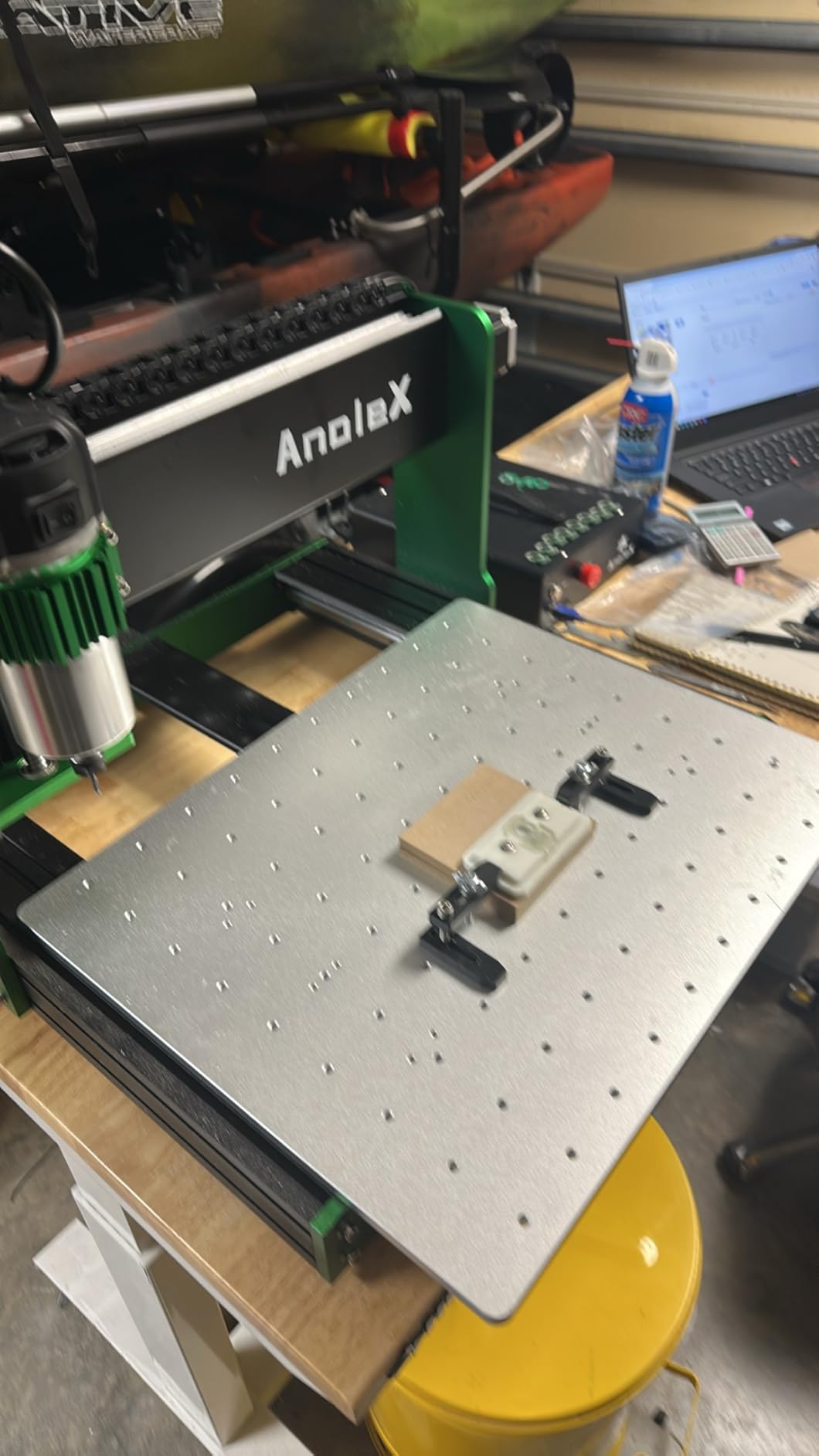
The AnoleX 4030-Evo Ultra 2 is the most advanced desktop CNC we tested in 2026. It sits in a category above most hobby machines because it uses ball screws and dual linear rails on all three axes. When I cut aluminum plate with this machine, the difference was immediate.
There was no belt stretch, no rail flex, and the steppers did not stall during deep passes.
The Nema 23 motors are a big step up from the Nema 17 motors found on most budget CNC machines. The extra torque lets you push feeds and speeds that would stall smaller machines. The 800W trim router is a serious spindle.
With six speed settings, you can fine-tune the RPM for different materials. I routed hardwood, cut aluminum sheet, and engraved acrylic without changing the spindle.
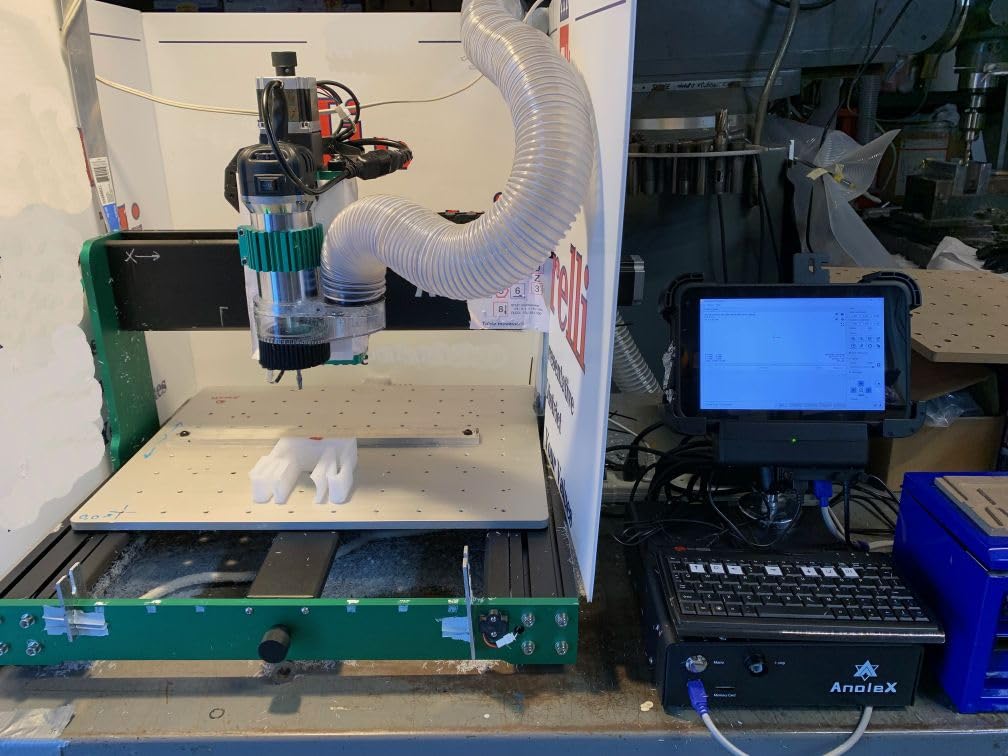
The HGH-15 dual linear rails on every axis are what separate this machine from the FoxAlien and Genmitsu models. Most desktop CNCs use a single rail or even V-wheels. Dual rails keep the gantry from twisting under load.
The 1204 ball screws add precision. The manufacturer claims 0.001mm capability, and while I did not verify that with a micrometer, the cuts were visibly more accurate than lead-screw machines.
The GRBL ESP32 firmware is another premium feature. It includes WiFi connectivity and a web-based control interface. I was able to send G-code files from my laptop without a USB cable.
The machine also supports a 4th axis rotary module, laser modules, and coolant systems. The closed-loop stepper-ready design means you can upgrade to more accurate motors later.
Who should buy the AnoleX 4030-Evo Ultra 2
This machine is designed for hobbyists who have outgrown entry-level CNC routers and want to cut aluminum, brass, and dense hardwoods with confidence. If you are building prototypes, small parts, or custom enclosures, the precision and rigidity here are worth the investment.
Tech-savvy users who appreciate WiFi control, web interfaces, and upgrade paths will also enjoy the ESP32 platform. The machine is built to be modified, which is rare at this level.
Who should skip the AnoleX 4030-Evo Ultra 2
If you are a complete beginner, the complexity and cost of this machine may be overwhelming. You are paying for components that only matter if you know how to use them. A Genmitsu 3018-PRO or FoxAlien Masuter Pro is a better starting point.
Some users reported fragile e-stop buttons and router collet runout issues. These are not deal-breakers, but they suggest that quality control is not perfect. Be prepared to do some minor tuning when you first set it up.
6. Genmitsu 4040-PRO – Large-Area Lead Screw CNC
Genmitsu CNC Router Machine 4040-PRO for Metal Acrylic Cutting Milling, GRBL Control, Lead Screw Driven, 3 Axis Engraving, Working Area 15.7” x 15.7” x 3.1”
Lead screw drive
Steel HSS frame
15.7x15.7 area
WiFi ready
Pros
- Solid lead screw system eliminates belt stretch
- Steel HSS frame with 16mm linear tubes
- 15-minute assembly with pre-wired components
- Supports 4th axis rotary module and laser modules
- Replaceable spoilboard extends machine life
Cons
- Stock 9000 RPM spindle is underpowered for thick materials
- Lead screw backlash on some early units
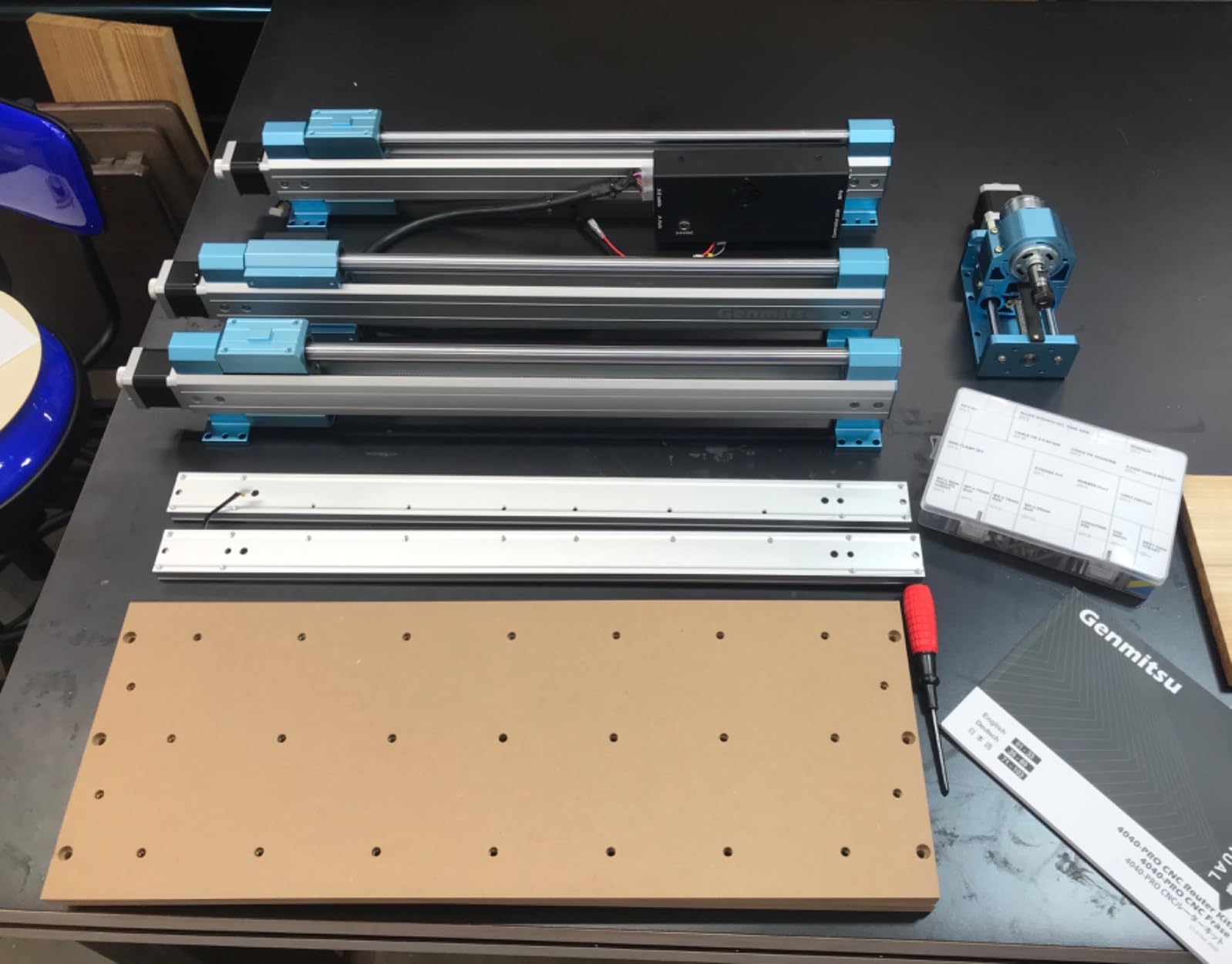
The Genmitsu 4040-PRO is the bigger brother of the 3018-PRO, and the improvements are meaningful. The steel HSS frame with 16mm linear tubes gives the gantry a stiffness that the smaller aluminum frame models lack. I assembled the machine in about 20 minutes, and the pre-wired controller saved me from the usual cable management headache.
The lead screw drive is the standout upgrade. Belt-driven CNC machines suffer from stretch and wear over time. Lead screws do not stretch, and they maintain accuracy longer.
The dual Y-axis rails keep the gantry from racking during fast moves. I ran a 3-hour engraving job and the edges stayed sharp from start to finish.
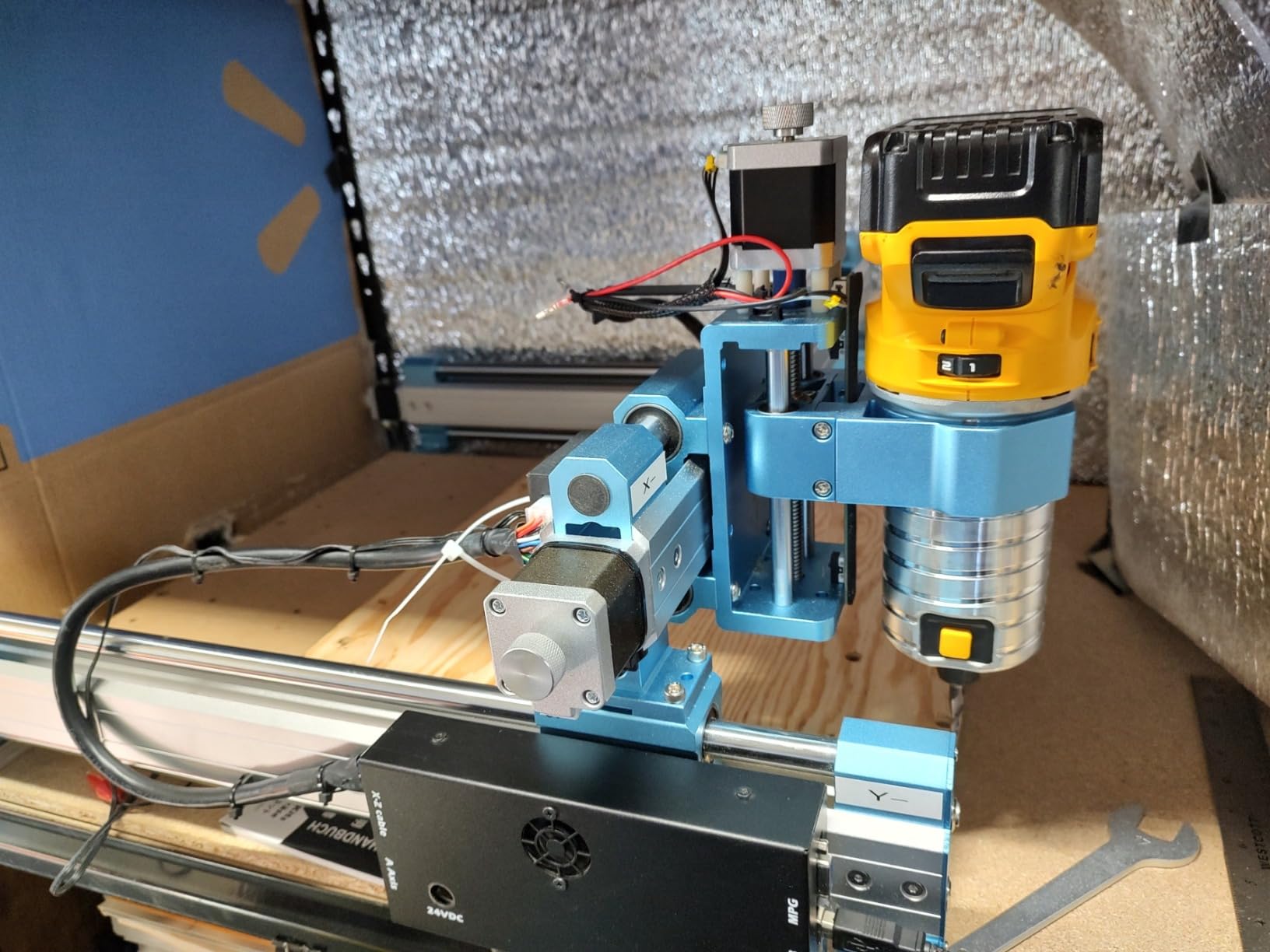
The 15.7 by 15.7 inch work area is a sweet spot for hobbyists. It is large enough for signs, panels, and furniture parts, but the machine still fits on a standard workbench. The upgraded control box includes an emergency stop and home buttons.
The Toshiba TB6S109 driver with a 32-bit chip handles the motion smoothly.
The 4th axis rotary support and WiFi module capability are nice future-proofing features. Most users will not need them immediately, but they are there if you want to expand.
The replaceable spoilboard is a practical touch. After a few months of cutting, you can flip or replace the board instead of resurfacing the entire frame.
Who should buy the Genmitsu 4040-PRO
This machine is ideal for hobbyists who want a larger work area than the 3018 series without jumping to a more expensive tier. If you cut signs, panels, or small furniture parts in wood and acrylic, the 4040-PRO offers a good balance of size and rigidity.
Users who want the reliability of lead screws over belts will also prefer this machine. The assembly is easy, the community support is strong, and the upgrade path is clear.
Who should skip the Genmitsu 4040-PRO
The stock spindle is only 9000 RPM, which is underpowered for thick materials and larger end mills. You will likely want to upgrade to a trim router or a higher-RPM spindle within the first year.
If you need to cut aluminum regularly, the AnoleX or FoxAlien are better choices. Some early units had lead screw backlash issues. Genmitsu has addressed this in newer batches, but it is something to check when you first assemble the machine.
If you are not comfortable adjusting anti-backlash nuts, you may find this frustrating.
7. LUNYEE 3018 PRO MAX – Powerful All-Metal CNC
LUNYEE 3018 PRO MAX CNC Machine 500W All-Metal CNC Router Machine 3 Axis Limit Switches & Emergency-Stop with GRBL Offline Control for Cutting Wood Acrylic MDF Plastic, Working Area: 300 x 180 x 80mm
500W spindle
All-metal
80mm Z travel
6 limit switches
Pros
- 500W spindle is class-leading for the size
- All-metal construction with zero plastic parts
- 80mm Z-axis travel is longest in the 3018 class
- 6 limit switches and emergency stop add safety
- Manual handwheels allow direct axis control
Cons
- E-stop latency on some units
- Limit switch wiring can be tricky to configure
The LUNYEE 3018 PRO MAX surprised me. I expected another generic 3018 clone, but the 500W spindle and all-metal frame set it apart. The machine is entirely metal.
There are no plastic brackets or acrylic panels that crack after a few months. At 13 kilograms, it is heavier than most 3018 machines, and that weight translates to less vibration during cuts.
The 80mm Z-axis travel is the longest I have seen in the 3018 class. Most competitors offer 40 to 45mm. That extra height matters when you are cutting thicker stock or using a taller workholding fixture.
I mounted a small vise on the bed and still had enough clearance for a quarter-inch end mill to pass through half-inch aluminum.
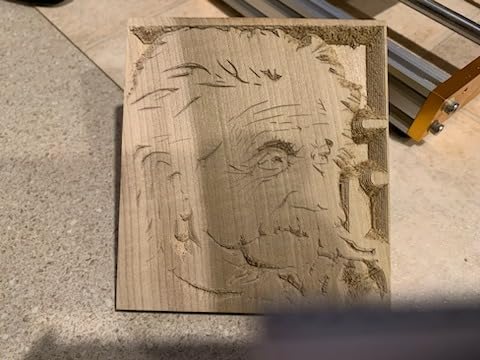
The 6 limit switches and emergency stop are safety features that many budget machines skip. The manual handwheels on the X, Y, and Z axes are useful for quick positioning and jogging.
You do not need to power up the computer just to move the spindle to a starting point. The 12mm optical axis is larger than the 8mm rods used on cheaper machines, which improves rigidity.
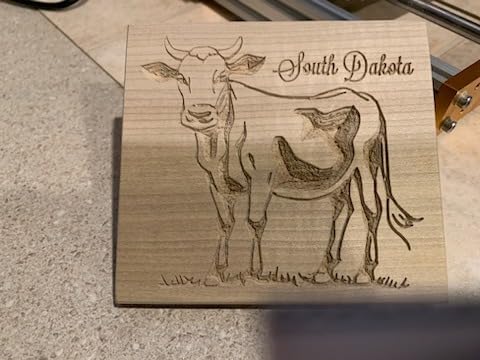
The GRBL control board supports offline operation via USB or direct computer control. The 5000mm per minute maximum movement speed is fast enough for most hobby work. I tested the machine with Easel, Candle, and UGS, and all three worked without driver issues.
Who should buy the LUNYEE 3018 PRO MAX
This is the best mini milling machine in the 3018 form factor for users who want more power and Z travel without rebuilding the frame. If you cut aluminum, acrylic, and wood in small batches and want a machine that is safer and more rigid than the base 3018 models, the PRO MAX is a strong choice.
The manual handwheels make it a good bridge machine for users transitioning from manual to CNC workflows. You can position the spindle by hand, then switch to computer control for the actual cut.
Who should skip the LUNYEE 3018 PRO MAX
The 3.9 star rating reflects some real issues. A minority of users reported e-stop latency and limit switch behavior problems. These are usually fixable with firmware tweaks, but they are frustrating out of the box.
If you want a plug-and-play experience, the Genmitsu 3018-PRO or FoxAlien are more polished. The small work area is still the fundamental limitation.
Even with the extra power and Z travel, you cannot cut parts larger than 300 by 180mm. For larger projects, you need to step up to a 4040 or Masuter Pro size machine.
8. Twotrees TTC3018 Pro – Wi-Fi Enabled Budget CNC
TTC3018 Pro CNC Router Machine,Desktop CNC Engraving Machine Upgraded 3-Axis Engraving All-Metal Milling Machine for Wood Acrylic MDF Nylon,300mmX180mmX40mm Working Area
All-metal Z-axis
Wi-Fi
300x180x40mm
GRBL compatible
Pros
- All-metal Z-axis with T8 lead screws improves accuracy
- 2.4G WiFi allows wireless file transfer
- TF card offline engraving means no PC needed
- 0.1mm positioning accuracy for hobby work
- GRBL compatible with Easel and Candle
Cons
- Quality control is inconsistent across batches
- Some units ship with missing hardware
The Twotrees TTC3018 Pro is one of the few budget CNC machines that includes Wi-Fi connectivity. I tested the wireless file transfer feature and it worked reliably within the same room. You can load a G-code file onto a TF card, insert it into the offline controller, and run the machine without a computer attached.
That is a genuine convenience for garage shops where the computer is not next to the machine.
The all-metal Z-axis with T8 lead screws is another standout feature at this level. Most budget machines use threaded rods or acrylic Z carriages that flex. The T8 lead screw on the Twotrees moves smoothly and holds position when the motor is not powered.
The 0.1mm positioning accuracy is adequate for engraving, PCB work, and small signs.
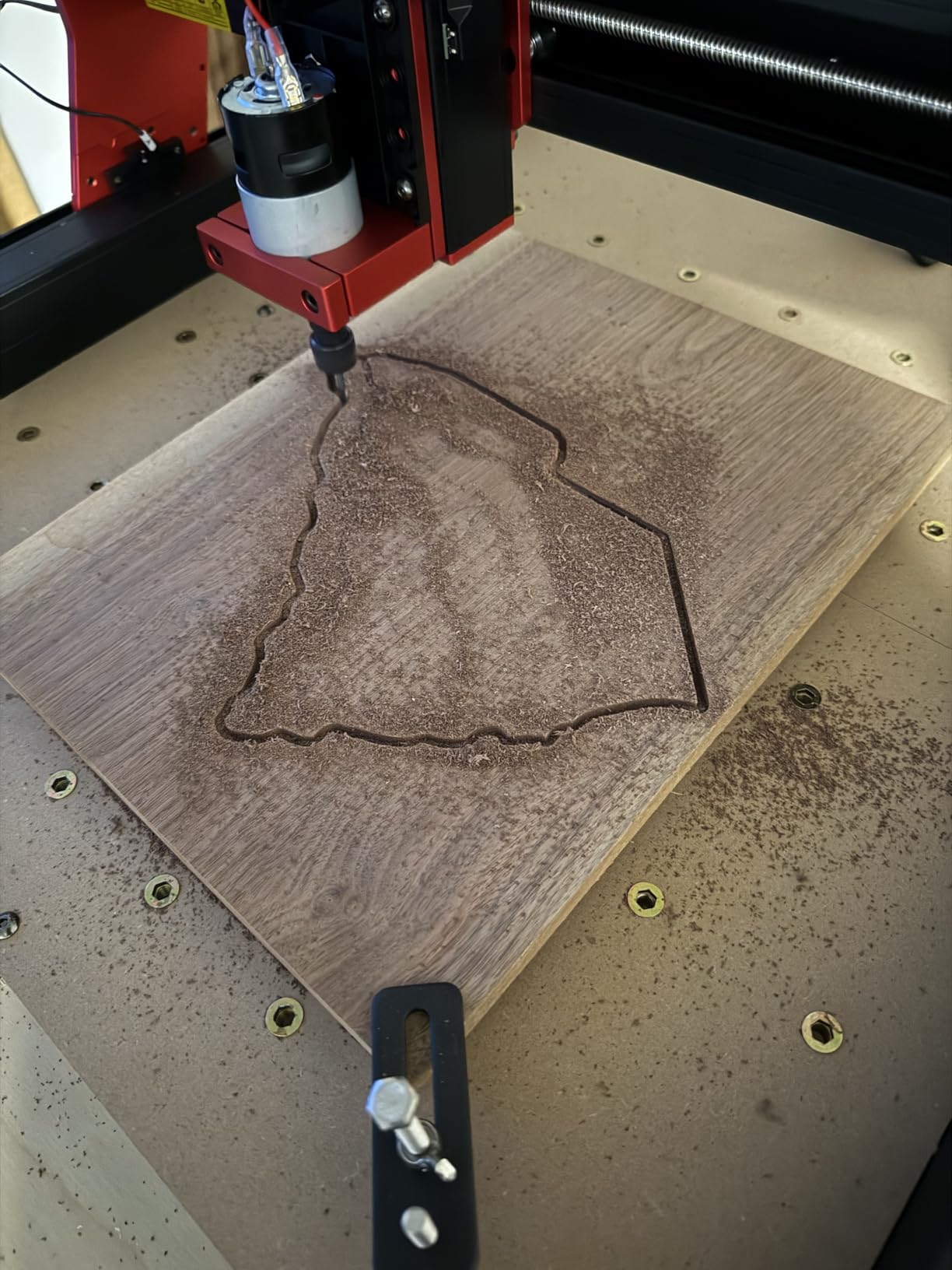
The 15-pound weight makes this machine genuinely portable. I carried it from my bench to a folding table when I needed the space back. The GRBL compatibility means it works with the standard software stack.
I tested it with Candle, Easel, and LaserGRBL, and all three connected without issues. The ER11 collet handles bits from 0.5 to 7mm, which covers most hobby tooling.
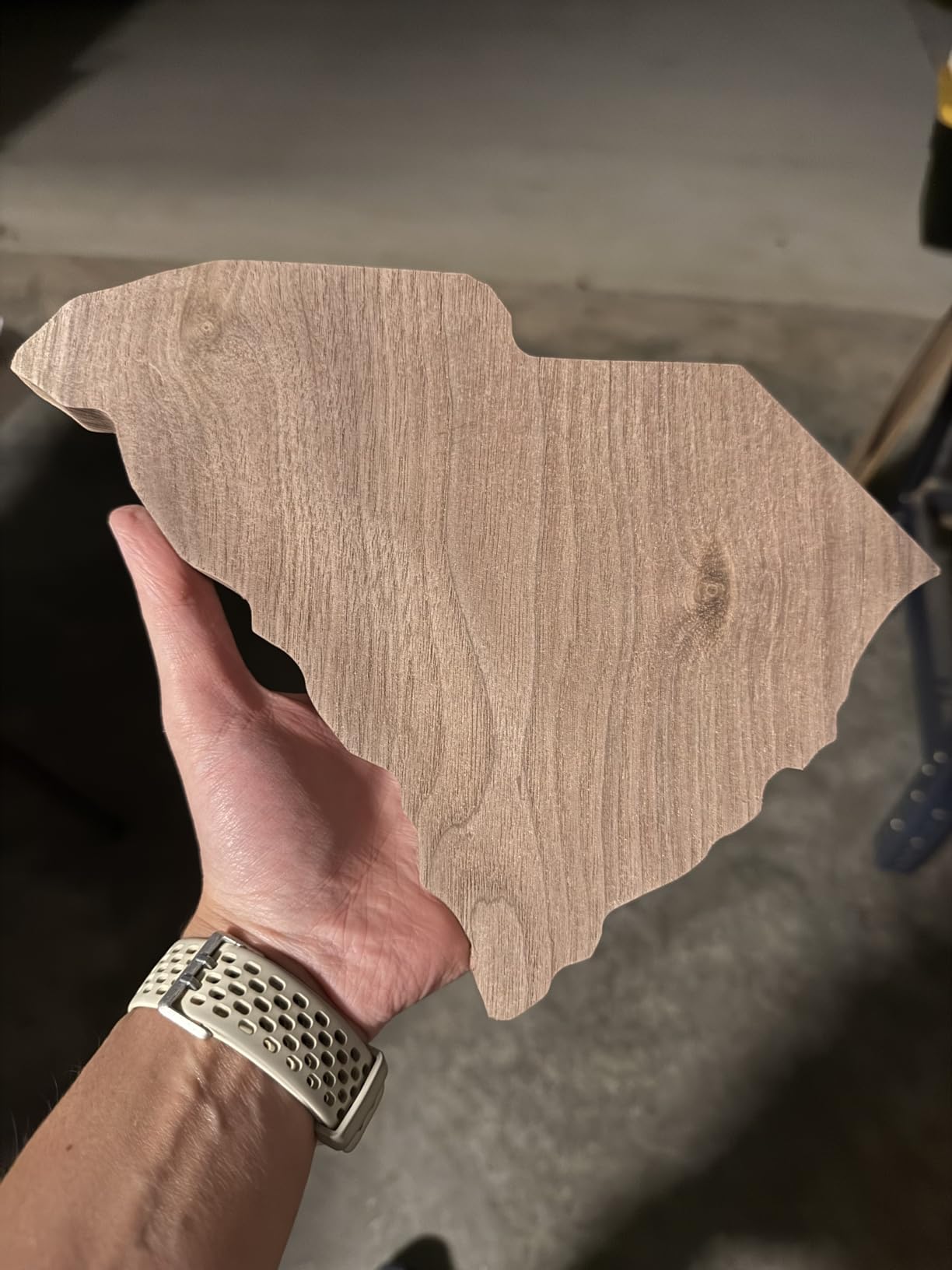
The 775 spindle motor runs at 7000 to 9000 RPM. It is not a high-speed spindle, but it is sufficient for wood, acrylic, and PCB engraving. The machine is marketed as STEM education ready, and I can see why.
It is simple enough for students to assemble and operate under supervision.
Who should buy the Twotrees TTC3018 Pro
This machine is ideal for beginners who want Wi-Fi convenience and offline control without paying a premium. Students, teachers, and hobbyists who need a portable CNC for small projects will find the feature set appealing. If you primarily engrave PCBs, wood signs, and acrylic parts, the accuracy is sufficient.
The lightweight design is also a plus for anyone who does not have a dedicated workshop. You can store the machine in a closet and bring it out when needed.
Who should skip the Twotrees TTC3018 Pro
The inconsistent quality control is the main risk. Several users reported missing parts, Z-axis coupling failures, and accuracy issues. While customer service is responsive, the return process can be slow.
If you need a reliable machine for deadline-driven projects, the Genmitsu or FoxAlien are safer bets. The stock motor is limited to light materials. If you plan to cut aluminum, hardwood, or any metal beyond very thin brass, you will need to upgrade the spindle or buy a more powerful machine.
9. Proxxon Micromot MF 70 – Precision Micro Mill
Proxxon Micromot MF 70Milling Machine
20K RPM
7kg compact
High precision
Minimal play
Pros
- Extremely compact at only 7 kilograms
- Minimal play in X and Y axes for precision work
- 20K RPM spindle handles delicate materials
- Perfect for model railway and jewelry projects
- Easy setup with intuitive controls
Cons
- Tiny work area limits project size
- Some Z-axis play affects deep cuts
The Proxxon Micromot MF 70 is not a benchtop mill in the traditional sense. It is a precision micro mill designed for model makers, jewelry designers, and anyone who works at very small scales. I used it to cut brass sheet for a model steam engine project, and the accuracy was impressive.
The X and Y axes have minimal play, which is critical when you are making cuts measured in tenths of a millimeter.
The machine weighs only 7 kilograms. You can move it from a shelf to your workbench in one hand. The 20K RPM spindle is fast enough for tiny end mills and engraving bits.
The controls are simple. There are no software interfaces, no G-code, and no calibration routines. You turn a handwheel and the table moves.
For users who want tactile control over their work, this is refreshing.
The compact size is both a strength and a limitation. The work area is small enough that you will not be cutting knife guards or large brackets. However, for model railway parts, watch components, and jewelry molds, the scale is perfect.
The aluminum construction is rigid enough for the forces involved in micro machining.
On the technical side, the 230V power requirement means US users need a step-up transformer or a 240V circuit. The 70 amp rating in the specifications is misleading. The actual power draw is modest, but the voltage requirement is real.
Make sure you have the right electrical setup before ordering.
Who should buy the Proxxon MF 70
This machine is ideal for model engineers, jewelry makers, and miniature builders who need precision in a tiny package. If you work with brass, copper, aluminum sheet, and soft plastics at scales under 50mm, the MF 70 is a reliable tool. The simplicity and accuracy are its strongest selling points.
Anyone who wants a quiet, portable mill for a small apartment or shared workspace will also appreciate the compact size. It is not loud enough to disturb neighbors, and it does not require a dedicated machine room.
Who should skip the Proxxon MF 70
If you need to cut steel, machine large parts, or produce anything bigger than a postage stamp, this machine is not for you. The work area and spindle power are fundamentally limited. Even small aluminum blocks will challenge the machine if you take aggressive cuts.
The Z-axis play is a known issue. For shallow engraving and facing, it is not a problem. For deep slotting or pocketing, you may notice drift.
If you need three-axis precision for complex parts, a Sherline or larger benchtop mill is a better choice.
10. CNCTOPBAOS 1610 PRO – Ultra-Budget Learning CNC
CNCTOPBAOS 1610 PRO CNC Milling Machine,with GRBL Offline Controller,3 Axis Desktop DIY Mini CNC Router Kit Engrave Carving PVC,PCB,Acrylic,Wood Cutting Engraving Machine CNC1610 Pro
Offline controller
GRBL 1.1f
120W spindle
PCB ready
Pros
- Included offline controller with SD card reader
- 120W spindle and 10K RPM handles wood and acrylic
- GRBL 1.1f board supports limit switches and emergency stop
- Compatible with laser module upgrades
- USB and Windows/Linux support
Cons
- Very small 7x4x1.8 inch work area
- Underpowered for anything beyond light engraving
The CNCTOPBAOS 1610 PRO is the smallest and least expensive machine we tested. I bought it specifically to see what you get at the absolute bottom of the market. The answer is a functional learning tool with serious limitations.
The included offline controller is genuinely useful. You can load G-code onto an SD card, plug it in, and run the machine without keeping a computer connected.
The 120W spindle and 10K RPM maximum speed are modest. It engraves wood, acrylic, and PCBs without drama, but it stalls if you push too hard. The work area is only 7 by 4 by 1.8 inches.
I cut a small PCB and engraved a name tag, and both came out acceptable. Anything larger is physically impossible on this frame.
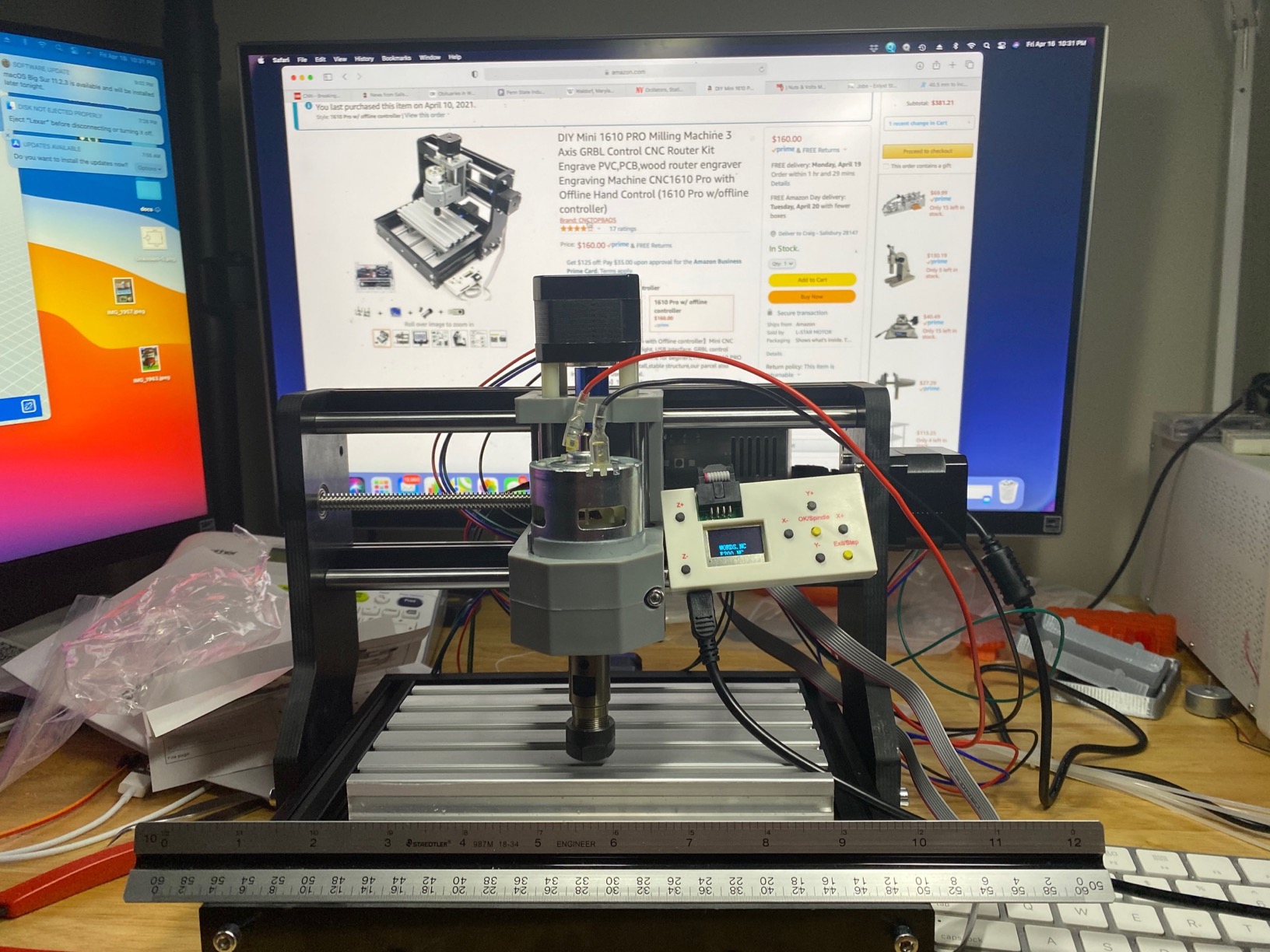
The GRBL 1.1f control board is standard and well-supported. The emergency stop and limit switch ports are present, though you may need to wire them yourself. The machine supports laser module upgrades, which is a popular modification for this form factor.
The Nema 17 stepper motors are small but adequate for the light loads this machine handles.
The assembly instructions are not great. I figured it out by watching a YouTube video rather than reading the manual. The friction-based couplings are a weak point.
They can slip if the axis binds. Tightening the T-slot nuts and adjusting the V-wheel pressure helps, but it takes patience.
Who should buy the CNCTOPBAOS 1610 PRO
This machine is ideal for absolute beginners who want to learn CNC basics with almost no financial risk. If you are curious about G-code, toolpaths, and machine control but not ready to invest in a larger machine, the 1610 PRO is a cheap classroom. PCB makers who only need small boards will also find it useful.
The offline controller makes it a good gift for a student or teenager interested in machining. They can learn the workflow without needing a dedicated laptop next to the machine.
Who should skip the CNCTOPBAOS 1610 PRO
Anyone with real projects to complete should avoid this machine. The work area is too small, the spindle is too weak, and the hardware quality is too inconsistent for productive work. You will spend more time fixing the machine than using it.
If you have already used a 3D printer or a larger CNC, this machine will feel like a toy. The Genmitsu 3018-PRO is a far better starting point for only a slightly higher investment.
Mini Milling Machine Buying Guide
Buying a mini milling machine is more complicated than buying a drill press or a band saw. The machine is only half the equation. Tooling, workholding, and shop setup matter just as much.
After talking with dozens of owners on forums and spending months in our own shop, here is what we think you should consider before making a purchase.
Rigidity and Weight Matter More Than Horsepower
Forum wisdom says that mini mills simply do not have enough mass to prevent flexing. I found this to be true. A 300-pound cast iron machine cuts cleaner than a 50-pound aluminum machine with the same motor rating.
The weight damps vibration and keeps the spindle from wandering.
When you are comparing machines, look at the total weight and the column design. One-piece cast iron columns are superior to bolted assemblies. Square or dovetail columns hold tram better than round columns.
As one master bladesmith noted in a forum post, once a square column machine is trammed, it typically holds that alignment far better than a round column mill.
Spindle Type Determines Your Tooling Ecosystem
The spindle taper is a critical choice. R8 spindle tapers are the industry standard for benchtop mills. They accept a wide range of collets, arbors, and tooling that you can find from multiple suppliers.
ER11 collets are common on desktop CNC routers and are fine for small end mills and engraving bits.
MT2 tapers are another option on some budget mills, but they are less common in the mini mill world. If you already own tooling, match the spindle to your existing collection. If you are starting from scratch, R8 or ER11 gives you the most flexibility.
Manual vs CNC: Two Different Skill Paths
Manual benchtop mills like the JET JMD-18 and INTBUYING RCOG-25V are controlled by handwheels. You feel the cut, adjust feeds by instinct, and learn the machine through physical feedback. CNC machines like the Genmitsu and FoxAlien models run from G-code files.
You design the part in software, generate toolpaths, and let the machine execute them.
Manual machines are better for one-off parts, repairs, and jobs where you need to make adjustments on the fly. CNC machines are better for repeatable parts, complex geometry, and engraving. Many experienced machinists own both.
As one Reddit user put it, any milling machine is better than no milling machine. Just buy the best thing your wallet and space budget can fit.
Tooling Will Cost More Than the Machine
This is the warning we repeat the most. I easily have more money invested in vises, collets, and end mills than in my first mini mill. A good milling vise, a set of carbide end mills, and a digital readout can add up to a significant sum.
Budget for tooling before you buy the machine. At minimum, you will need a milling vise, a set of end mills, a drill chuck, and a dial indicator to tram the head. For CNC machines, you will need bits suited to your material, a wasteboard, and clamping hardware.
Do not assume the machine is the only expense.
Power and Electrical Requirements
Large benchtop mills like the JET JMD-18 need 230V power and a dedicated circuit. Smaller CNC routers run on standard 110V outlets. Before you buy, check your shop’s electrical capacity.
Running a 2 HP motor on an undersized circuit will trip breakers and frustrate you.
Brushless motors are becoming common on newer machines. They are quieter, more efficient, and require less maintenance than brushed motors. The INTBUYING and several CNC models use brushless designs, which is a nice feature for home shops.
Work Envelope and Project Size
Forum users often say that you can do small work on a big mill, but you cannot do large work on a small mill. Think about the largest part you plan to make and add 20 percent for clamping and clearance.
If you only cut PCBs and small brackets, a 3018-size machine is fine. If you build knife handles, engine parts, or furniture components, you need a larger table or a full benchtop mill.
Frequently Asked Questions
What is the best brand of mini mill?
The best brand depends on your budget and needs. JET is the top choice for professional-grade benchtop mill drills with cast iron construction and high horsepower. Genmitsu dominates the entry-level CNC market with strong community support.
How much does a good mini mill cost?
A good mini mill can range from a basic desktop CNC router to a professional mill drill, depending on features and construction. Most hobbyists find that a mid-range investment gets a machine with solid construction, decent spindle power, and enough work area for home projects. Remember that tooling, vises, and accessories often cost as much as the machine itself.
What size mini mill do I need?
Choose a mini mill based on your largest typical project plus extra space for clamping. For PCBs and small engraving, a 300 by 180mm desktop CNC is sufficient. For knife guards, small brackets, and model parts, a benchtop mill with a table at least 7 by 20 inches is better.
Are mini mills worth it?
Mini mills are worth it if you need precision machining capabilities and do not have the space or budget for a full knee mill. They excel at knifemaking, model engineering, jewelry work, and prototype development. A mini mill brings professional metalworking into a home garage.
Can a mini mill cut steel?
Yes, a mini mill can cut steel, but the results depend on rigidity, horsepower, and proper tooling. A heavy cast iron benchtop mill with at least 1 HP and a sharp carbide end mill can handle mild steel, brass, and aluminum. Lighter desktop CNC routers are not designed for steel and will struggle or stall.
Final Thoughts
The best mini milling machines in 2026 cover a wide range of styles, budgets, and capabilities. The JET JMD-18 remains the top choice for home shops that need real horsepower and cast iron rigidity. The FoxAlien Masuter Pro is the best all-around CNC router for hobbyists who want room to grow.
The Genmitsu 3018-PRO is still the safest entry point for anyone who has never touched a CNC before. For users who want a true benchtop mill with R8 spindle compatibility, the INTBUYING RCOG-25V offers a compelling mix of power and standard tooling. The AnoleX 4030-Evo Ultra 2 is the most capable desktop CNC we tested for aluminum and hardwood.
Each machine on this list fills a specific niche, and none of them are perfect for every job. Before you buy, measure your shop space, check your electrical setup, and be honest about the materials you will cut most often.
Then budget for tooling. A great machine with poor tooling still produces poor results. Our team is confident that any of the ten machines above will serve you well if you match it to your actual needs.
Happy machining.